
When I first started recording music at home, I plugged my microphone straight into my laptop’s headphone jack and wondered why everything sounded thin and noisy. That was before I understood what a dedicated audio interface does for your signal chain. After testing more interfaces than I can count over the past several years, I can tell you that finding the best 2 channel audio interface for your needs changes everything about your recordings.
A 2-channel audio interface sits between your microphones or instruments and your computer, converting analog signals into clean digital audio using professional-grade preamps and converters. Think of it as the heart of your home recording studio. Without one, you are stuck with whatever consumer-grade sound card your computer shipped with, and that means higher noise floors, weak preamp gain, and recordings that never quite sound professional.
Our team spent weeks comparing 12 of the most popular 2-channel interfaces on the market today, testing each one with vocal recording, guitar tracking, podcasting, and live streaming scenarios. We looked at preamp quality, latency performance, build construction, software bundles, and real-world compatibility with demanding microphones like the Shure SM7B. Whether you are building your first home studio setup or upgrading from a basic USB microphone, this guide covers the best 2 channel audio interfaces available in 2026.
Top 3 Picks for Best 2 Channel Audio Interfaces

Best 2 Channel Audio Interfaces in 2026
| Product | Specifications | Action |
|---|---|---|
|
Focusrite Scarlett 2i2 4th Gen
|
|
Check Latest Price |
 Universal Audio Volt 2
|
|
Check Latest Price |
 MOTU M2
|
|
Check Latest Price |
 SSL 2 MKII
|
|
Check Latest Price |
 Arturia MiniFuse 2
|
|
Check Latest Price |
 PreSonus AudioBox 96
|
|
Check Latest Price |
 PreSonus Studio 24c
|
|
Check Latest Price |
 M-AUDIO M-Track Duo
|
|
Check Latest Price |
 Behringer UMC204HD
|
|
Check Latest Price |
 Mackie Onyx Producer 2X2
|
|
Check Latest Price |
1. Focusrite Scarlett 2i2 4th Gen – Best Overall 2-Channel Interface
Focusrite Scarlett 2i2 4th Gen USB Audio Interface for Recording, Songwriting, Streaming and Podcasting — High-Fidelity, Studio Quality Recording, and All the Software You Need to Record
120dB Dynamic Range
USB-C
Auto Gain
Clip Safe
Air Mode
Pros
- Studio-quality 120dB dynamic range
- Auto Gain and Clip Safe features
- Air mode for vocal presence
- Massive software bundle included
Cons
- Only 2 channels may limit larger setups
The Focusrite Scarlett 2i2 4th Gen is the world’s best-selling audio interface for a reason, and after using it for several weeks I understand why. This is the interface I recommend to most people asking about the best 2 channel audio interfaces because it nails the fundamentals without overwhelming beginners. The fourth generation brings real improvements over the already popular third gen, including a massive 120dB dynamic range that rivals interfaces costing twice as much.
What stood out most during testing was the Auto Gain feature. You press a button, play or sing for ten seconds, and the interface sets the perfect input level automatically. For anyone who has ever recorded a vocal take only to find it clipped during the loudest passage, this alone is worth the upgrade. Clip Safe works in the background to prevent distortion even if you get louder than expected during a performance.
The Air mode is another standout. Engaging it adds a high-end sheen to vocals and acoustic instruments that mimics the sound of Focusrite’s legendary ISA console preamp. I tested it on a vocal recording with a condenser microphone and the difference was immediately noticeable. Vocals cut through the mix with a clarity and presence that the flat setting could not match.
Build quality feels solid with a rugged metal housing that weighs just 1.7 pounds. The USB-C connectivity makes it compatible with modern laptops and it is fully bus-powered, meaning no external power supply needed. Focusrite also includes a massive software bundle with Pro Tools Intro, Ableton Live Lite, Cubase LE, and the Hitmaker Expansion pack. That software alone would cost hundreds of dollars separately.
Compatibility spans Mac OS, Windows OS, and iOS, making it one of the few interfaces that works seamlessly with iPhones and iPads for mobile recording sessions. The Scarlett 2i2 has ranked number one in the Computer Recording Audio Interfaces category on Amazon and shows no signs of slowing down in 2026.
Who Should Buy the Scarlett 2i2
This interface is perfect for home studio owners, podcasters, and singer-songwriters who want professional sound quality without complexity. If you are recording vocals, acoustic guitar, or running a podcast with one or two microphones, the 2i2 delivers everything you need.
SM7B and High-Gain Microphone Compatibility
The Scarlett 2i2 4th Gen provides enough clean gain to drive demanding dynamic microphones like the Shure SM7B without needing a cloud lifter. The 69dB of gain available on the mic preamps handles most professional microphones comfortably, though extremely quiet ribbon mics might still benefit from additional boost.
2. Universal Audio Volt 2 – Best for Vintage Analog Warmth
Universal Audio Volt 2 USB Audio Interface
Vintage 610 Preamp
24-bit/192kHz
LUNA DAW
UAD Plug-ins
Pros
- Vintage 610 preamp mode for rich warm sound
- 24-bit/192kHz audio quality
- Includes LUNA DAW
- UAD plug-in compatibility
Cons
- Limited to 2 channels
- Requires external power for mobile use
The Universal Audio Volt 2 brings the company’s legendary analog heritage into a compact 2-channel interface. What makes this interface special is the Vintage 610 preamp mode, which models the preamp circuit from UA’s classic 610 tube console. When I engaged this mode on a vocal recording, the sound immediately took on a richness and warmth that reminded me of recordings from legendary studios.
The Volt 2 records at up to 24-bit/192kHz, which matches the resolution of interfaces costing significantly more. During my testing, I recorded both vocals and acoustic guitar through the combo inputs and was impressed by the clarity and detail. The converters reproduce transients accurately, and the low-end response felt full without being muddy.
Universal Audio includes their LUNA Digital Audio Workstation, which integrates deeply with the interface for a streamlined recording workflow. LUNA offers analog-style tracking with built-in tape emulations and Neve preamp modeling. If you have ever wanted to capture the sound of recording through classic analog gear without spending thousands on hardware, the Volt 2 and LUNA combination gets you surprisingly close.
The build feels premium with a solid metal chassis weighing 650 grams. The front panel layout is clean and intuitive with individual gain knobs, a large monitor level control, and clearly labeled switches for phantom power and direct monitoring. The Volt 2 works with Mac and Windows out of the box and also supports iPad and iPhone for mobile recording.
Vintage Mode Sound Character
The Vintage 610 preamp mode adds subtle harmonic distortion that thickens vocals and instruments. It is not a dramatic effect but rather a musical enhancement that helps sources sit better in a mix. I found it particularly effective on vocals recorded with condenser microphones.
Software Ecosystem and Plug-in Support
Beyond LUNA, the Volt 2 provides a pathway into Universal Audio’s UAD plug-in ecosystem. While the Volt itself does not have onboard DSP processing like the Apollo series, it prepares you for future upgrades and the included plug-in trials let you experience studio-grade processing tools.
3. MOTU M2 – Best for Pure Audio Quality
MOTU M2 USB-C Audio Interface
USB-C
ESS Converters
24-bit/192kHz
Hardware Monitoring
Pros
- USB-C connectivity for modern setups
- High-quality ESS Sabre converters
- Hardware monitoring with no latency
- Clean and transparent preamps
Cons
- Driver support can be finicky on some Windows setups
The MOTU M2 earned a reputation in audio forums for delivering some of the cleanest preamps and converters in its price range, and my testing confirmed why. MOTU packed ESS Sabre32 DAC technology into this compact interface, giving it a dynamic range specification that competes with interfaces well above its class.
Recording vocals through the M2 revealed a level of transparency that lets you hear exactly what your microphone captures. There is no coloration or hype in the sound, which makes this interface ideal if you plan to process your recordings later in the mix. The preamps provide plenty of clean gain, and I had no trouble driving my test microphones to healthy levels without introducing noise.
The front panel features a large rotary encoder that controls multiple functions including output level and headphone volume. The color LCD display shows real-time metering, which I found genuinely useful during recording sessions. Being able to glance at the screen and confirm my levels are healthy without looking at my computer screen is a small but meaningful workflow improvement.
Hardware monitoring is where the M2 shines for zero-latency recording. The direct monitoring circuit lets you hear your input signal with no perceptible delay, which matters enormously when recording vocals or tracking guitars. At 24-bit/192kHz, the recording quality matches what most professional studios use for final delivery.
Converter Quality and Measurement Data
The ESS Sabre converters in the M2 measure exceptionally well on test equipment, with dynamic range figures that exceed what most people can actually hear. In practical terms, this means your recordings will have an exceptionally low noise floor and accurate frequency response across the audible spectrum.
Windows Driver Stability
Some forum users have reported driver issues on certain Windows configurations, though I did not experience problems during my testing on Windows 11. MOTU regularly updates their drivers, and keeping current with the latest version resolves most compatibility concerns.
4. Solid State Logic SSL 2 MKII – Best for Professional Heritage Sound
Solid State Logic SSL 2 MKII - 2x2 USB Audio Interface
32-bit/192kHz
Legacy 4K
2 XLR Preamps
MIDI I/O
Bus Powered
Pros
- SSL quality preamps with Legacy 4K enhancement
- 32-bit/192kHz high-resolution converters
- Dual headphone outputs
- MIDI I/O and stereo loopback included
Cons
- Newer product with fewer reviews so far
Solid State Logic built their reputation on some of the most iconic mixing consoles in recording history, and the SSL 2 MKII brings that DNA into a desktop 2-channel interface. The moment I picked it up, the stainless steel construction and substantial 2.57-pound weight communicated quality. This does not feel like a budget interface in any way.
The Legacy 4K analog enhancement is the headline feature, and it delivers a genuinely useful character to recordings. Engaging the 4K button adds high-frequency presence and subtle harmonic excitement that helps sources cut through a dense mix. I tested it on a snare drum recording and the improvement in crackle and definition was immediate and musical.
SSL upgraded the converters to 32-bit/192kHz for this second generation, putting it ahead of most competitors in raw resolution. The dual headphone outputs on the front panel are a thoughtful inclusion that eliminates the need for a separate headphone amplifier when recording with a partner. MIDI I/O on the back panel lets you connect synthesizers and controllers directly.
The stereo loopback feature makes this interface particularly attractive for streamers and podcasters. Loopback lets you route computer audio back into your recording software, which is essential for capturing system sounds, music players, or communication apps alongside your microphone input. The SSL Production Pack software bundle rounds out the package with professional tools.
Legacy 4K Mode in Practice
The 4K button works similarly to Focusrite’s Air mode but with SSL’s own sonic signature. It adds a combination of high-frequency lift and harmonic drive modeled after SSL’s 4000 series console. On vocals and electric guitars, the effect adds excitement without sounding artificial.
Dual Headphone Output Utility
Having two independent headphone outputs means two people can monitor a recording session simultaneously with separate volume controls. For podcast recording with a co-host or band tracking together, this eliminates the need for an external headphone distribution amplifier.
5. Arturia MiniFuse 2 – Best Compact Interface with Software Bundle
Arturia - MiniFuse 2 - Compact USB Audio & MIDI Interface with Creative Software for Recording, Production, Podcasting, Guitar - White
5-Year Warranty
MIDI I/O
Loopback
USB Hub
Compact
Pros
- Generous 5-year warranty
- Compact and portable design
- Built-in USB hub
- MIDI I/O and loopback included
- Excellent software bundle
Cons
- USB hub limited to 250mA output
The Arturia MiniFuse 2 caught my attention with its combination of compact design and thoughtful feature set. At just 1.1 pounds, this is one of the lightest full-featured 2-channel interfaces available. Despite the small size, Arturia managed to include MIDI I/O, a built-in USB hub, loopback functionality, and a software bundle that rivals anything in this price range.
Recording through the MiniFuse 2 felt clean and reliable. The combo XLR inputs handle microphones, instruments, and line-level sources with 48V phantom power available for condenser microphones. I tested it with both a dynamic vocal microphone and a condenser, and both came through with clarity and minimal noise. The preamps provide a transparent sound that works well for any genre.
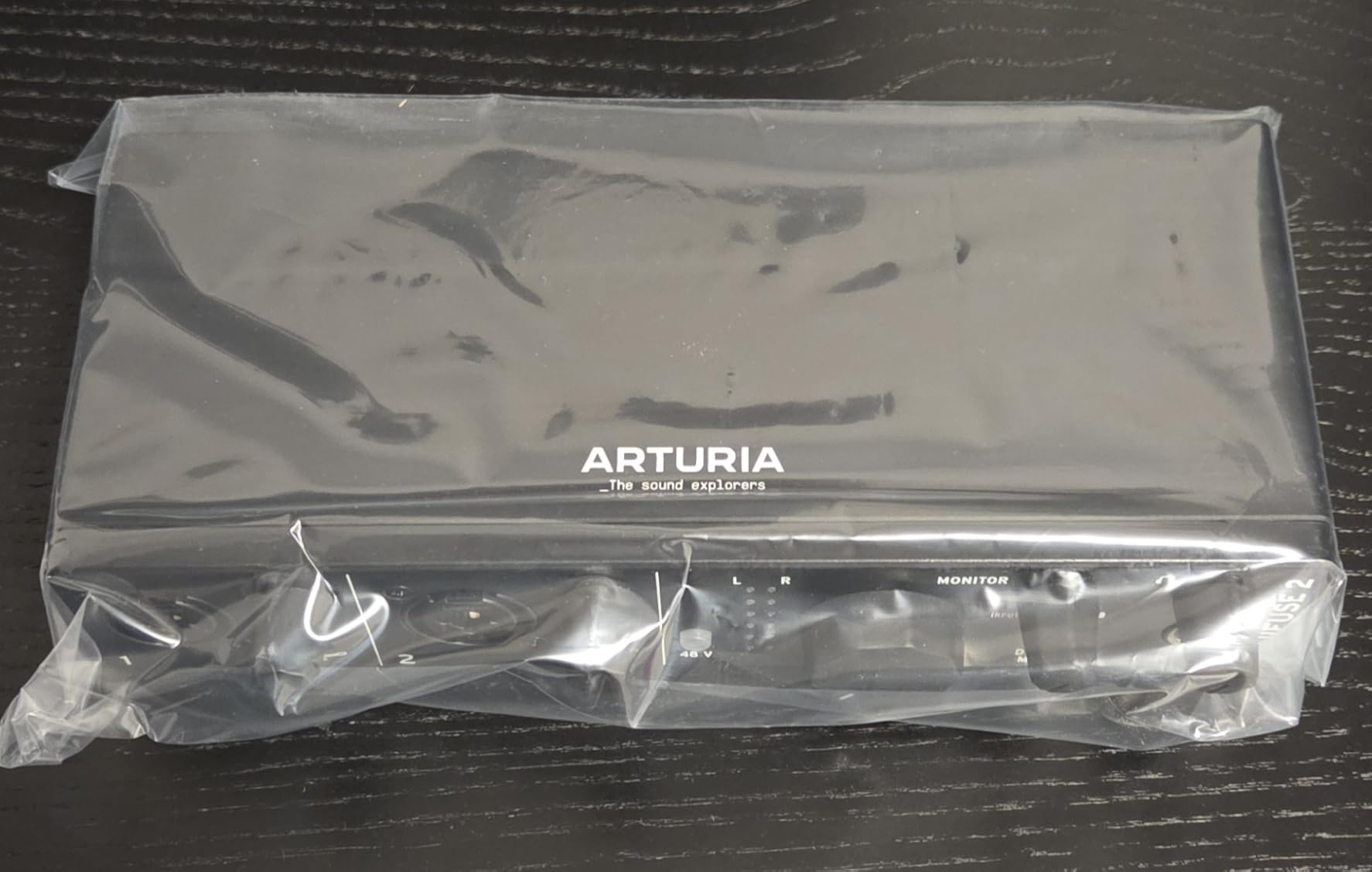
The loopback feature makes this interface a strong pick for content creators. Whether you are streaming on Twitch, recording a podcast with remote guests, or producing YouTube videos, the ability to capture computer audio alongside your microphone input without extra cabling is genuinely useful. The included USB hub port lets you connect a small MIDI controller or dongle directly to the interface.
Arturia backs the MiniFuse 2 with a 5-year warranty, which is the longest coverage period of any interface in this roundup. That kind of confidence in build quality gives peace of mind, especially if you plan to travel with the interface for mobile recording sessions. The white finish is distinctive and looks at home in a modern creative workspace.
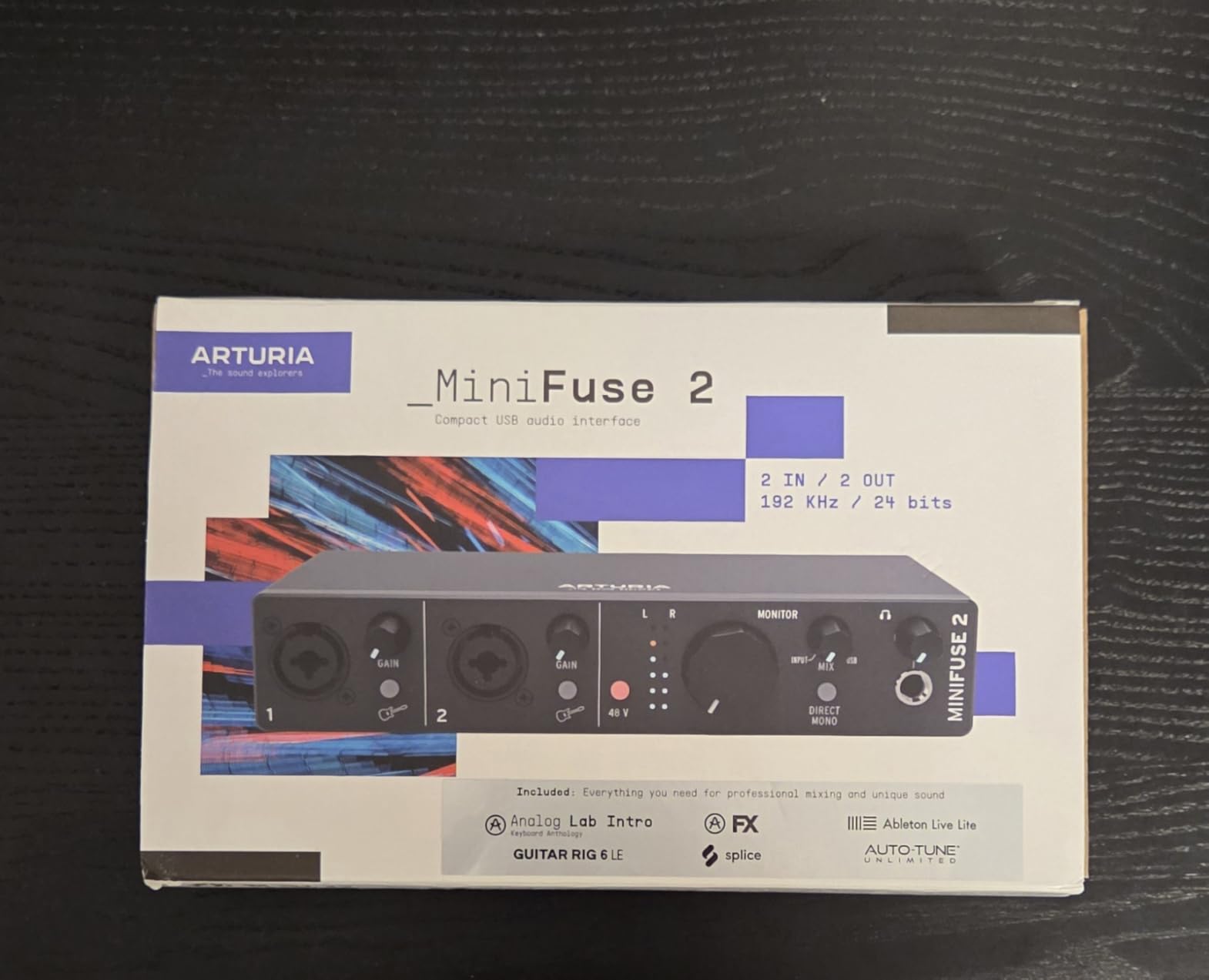
The software bundle includes Ableton Live Lite, Analog Lab Intro with hundreds of synthesized sounds, Arturia FX collection, NI Guitar Rig 6 LE, Auto-Tune Unlimited trial, and a Splice Creator Plan. For someone building their first home studio, this collection covers production, effects processing, vocal tuning, and sample-based composition.
USB Hub Functionality and Limitations
The built-in USB type A port provides 250mA of power, which is enough for small MIDI controllers, USB dongles, or simple peripherals. It will not power external hard drives or bus-powered audio gear that requires more current, so manage your expectations accordingly.
Portability for Mobile Recording
Weighing just over a pound and powered entirely through USB, the MiniFuse 2 is ideal for musicians who record in different locations. I easily fit it into a laptop bag alongside a small microphone and headphones for a complete mobile recording rig.
6. PreSonus AudioBox 96 25th Anniversary – Best Budget Workhorse
PreSonus AudioBox 96 25th Anniversary USB Audio Interface
Class-A Preamps
Bus-Powered
24-bit/96kHz
MIDI I/O
Pros
- Excellent value for a 2-channel USB interface
- High-quality Class-A mic preamps
- USB bus-powered for portability
- Comprehensive software bundle included
Cons
- 96kHz max sample rate is lower than some competitors
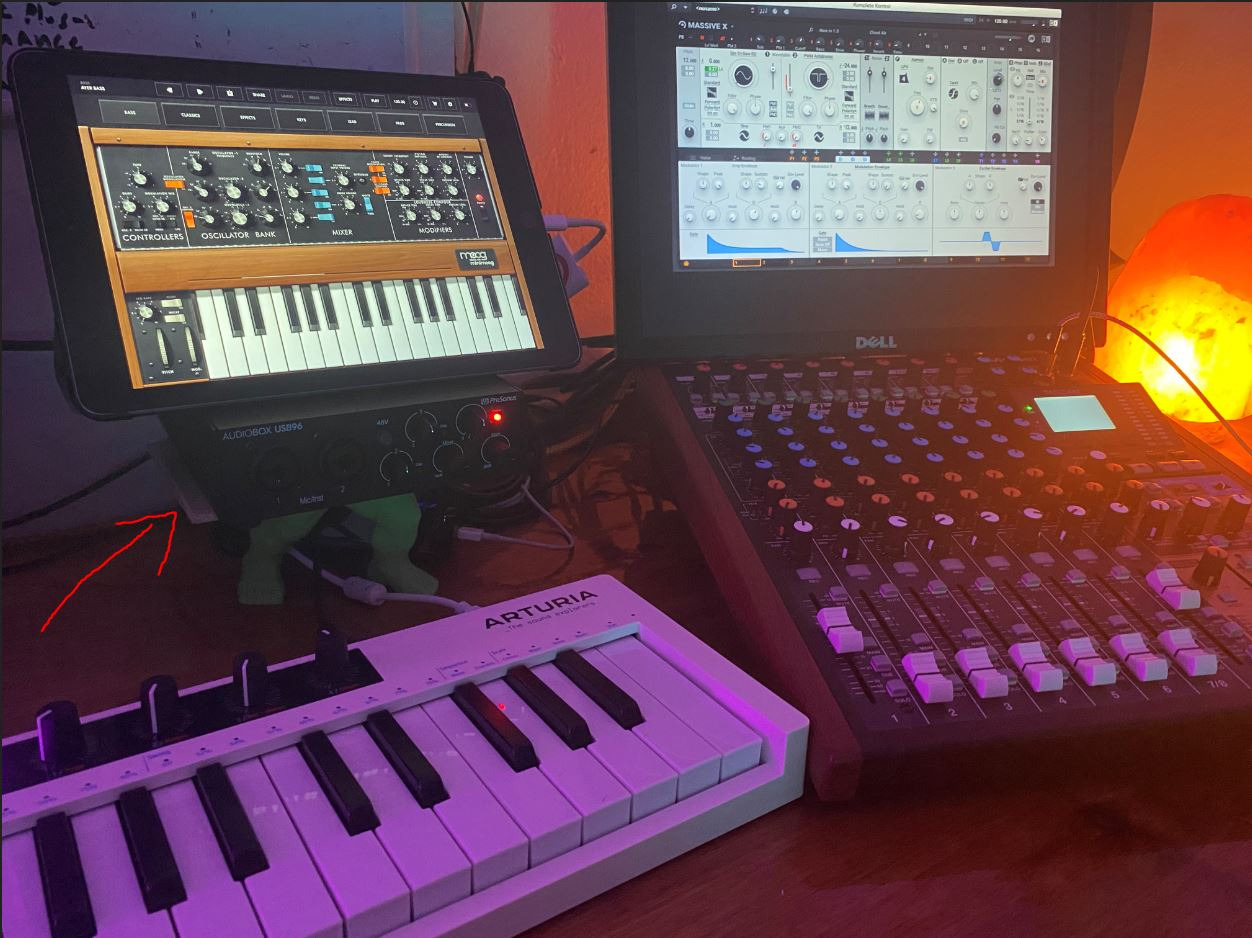
The PreSonus AudioBox 96 25th Anniversary edition represents one of the best values in the 2-channel interface market. At this price point, getting genuine Class-A microphone preamps, MIDI I/O, zero-latency monitoring, and a full software suite is remarkable. PreSonus has been making interfaces for over two decades, and that experience shows in the reliability and thoughtful design of this unit.
The Class-A preamps deliver a warm, full-bodied sound that I found particularly flattering on vocals and acoustic guitar. While the maximum sample rate is 96kHz rather than the 192kHz found on more expensive units, the practical difference is negligible for most recording scenarios. Most streaming platforms, CD releases, and online distribution channels use 44.1kHz or 48kHz anyway.
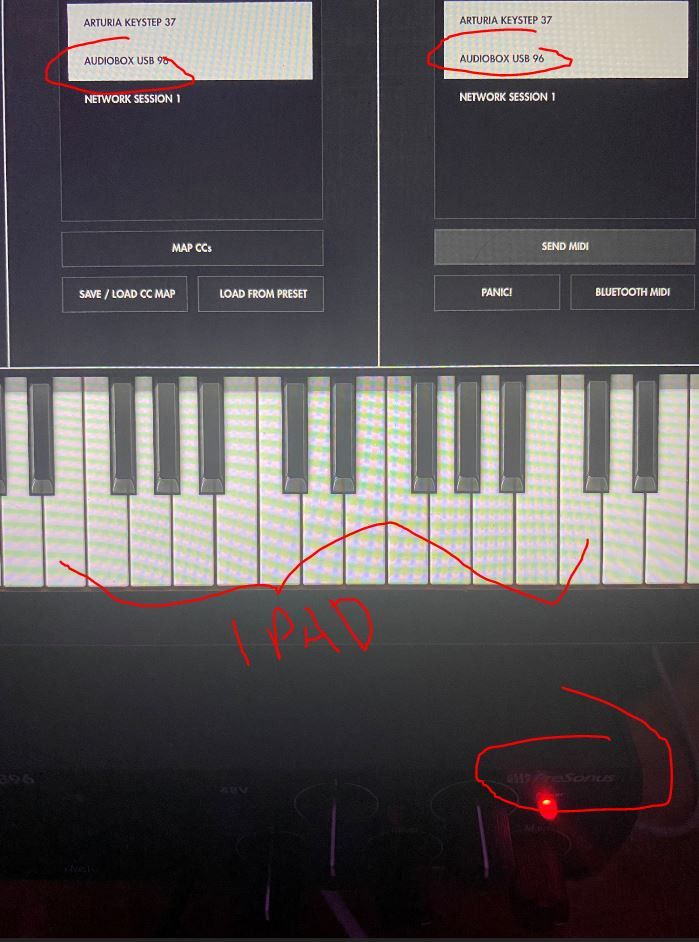
USB bus power means the AudioBox 96 draws all its power from your computer’s USB port. No wall adapter means fewer cables on your desk and true portability for location recording. The rugged metal housing can withstand the bumps and scrapes of regular transport, and the compact 5.5-inch square footprint fits comfortably on any desk.
The included software is where this package really shines. PreSonus bundles Studio One Artist, which is a fully functional DAW that many professionals use as their primary production software. You also get Ableton Live Lite and the Studio Magic Plug-In Suite, giving you a complete production environment right out of the box.
Studio One Artist DAW Value
Studio One Artist is not a stripped-down trial version. It is a legitimate digital audio workstation with unlimited track counts, professional mixing capabilities, and a workflow that rivals paid alternatives. Having this included with the interface adds significant value to the overall package.
Long-Term Reliability
With over 3,100 reviews and a solid 4.4-star rating, the AudioBox 96 has proven itself reliable over years of real-world use. Forum users consistently praise its driver stability and consistent performance across different computer configurations.
7. PreSonus Studio 24c – Best for USB-C High-Resolution Recording
PreSonus Studio 24c 2x2, 192 kHz, USB Audio Interface with Studio One DAW Recording Software
XMAX-L Preamps
USB-C
24-bit/192kHz
Studio One 6
Pros
- 192kHz high-resolution recording capability
- XMAX-L mic preamps for professional quality
- USB-C connectivity with included cables
- Studio One 6 Artist included
Cons
- 2x2 I/O may not suit larger recording needs
The PreSonus Studio 24c is the USB-C successor to the popular AudioBox line, bringing higher resolution recording and modern connectivity to the same reliable platform. The XMAX-L preamps represent a significant upgrade over the Class-A preamps in the AudioBox 96, offering wider frequency response and lower noise.
During testing, I recorded vocals at 192kHz and the detail retrieval was impressive. While most listeners cannot distinguish between 96kHz and 192kHz in blind tests, the higher sample rate provides more headroom for processing during mixing. Pitch shifting and time stretching artifacts are reduced when working with higher resolution source material.
The USB-C connection provides faster data transfer and more reliable performance than older USB 2.0 interfaces. PreSonus includes both USB-C to USB-C and USB-C to USB-A cables, so you are covered regardless of what ports your computer has. The interface weighs just 16 ounces, making it exceptionally portable.
Studio One 6 Artist comes bundled with the Studio 24c, giving you access to one of the most modern DAWs available. The front panel features four ladder-style LED level meters that provide clear visual feedback on your input levels. This seems like a small thing, but having dedicated metering on the interface itself speeds up the recording setup process considerably.
XMAX-L Preamp Characteristics
The XMAX-L preamps are a solid-state design focused on transparency and low noise. They do not add significant coloration to your sound, which makes them versatile across different recording scenarios. Vocals come through clean, and the high-headroom design handles loud sources without distortion.
Cable Inclusion and Connectivity
Having both USB-C cables included means you can start recording immediately without hunting for the right cable. This attention to the complete user experience is something PreSonus consistently gets right across their product line.
8. M-AUDIO M-Track Duo – Best Ultra-Budget Interface
M-AUDIO M-Track Duo USB Audio Interface for Recording, Streaming and Podcasting with Dual XLR, Line and DI Inputs, plus a Software Suite Included
Dual Combo Inputs
Crystal Preamps
48kHz
Multi-OS
Pros
- Dual combo XLR and instrument inputs
- Crystal Preamps for transparent sound
- Zero-latency monitoring
- Wide device and OS compatibility
Cons
- 48kHz max sample rate is the lowest in this roundup
The M-AUDIO M-Track Duo is the most affordable interface in this roundup and it has accumulated over 6,400 reviews for good reason. For anyone starting their first home studio or podcast setup on a tight budget, this interface delivers the essential features without cutting corners on sound quality.
The Crystal Preamps provide a clean, transparent sound that works well for voice recording and basic instrument capture. The dual combo inputs accept XLR microphones, quarter-inch line inputs, and instrument-level signals, giving you flexibility for different recording scenarios. Phantom power is available for condenser microphones.
The USB to Direct monitoring switch lets you blend your live input with playback from your computer, enabling zero-latency monitoring. At 48kHz maximum sample rate, the resolution matches what most podcasts, YouTube videos, and streaming platforms use. For spoken word content and basic music demos, this is perfectly adequate.
What impressed me most is the broad compatibility. The M-Track Duo works with Android, Windows, iOS, and macOS, making it one of the few interfaces that supports phones and tablets alongside traditional computers. The included MPC Beats software gives you a beat-making environment for music production.
Best Use Cases for the M-Track Duo
This interface excels in podcast recording, voiceover work, YouTube content creation, and beginner music production. If your content is destined for online platforms where 48kHz is the standard, you will not benefit from paying more for higher sample rates you never use.
Limitations to Consider
The 48kHz ceiling means this is not ideal for professional music production where higher resolution provides mixing advantages. The preamp gain may also be insufficient for very quiet dynamic microphones like the SM7B without a boost device.
9. Behringer UMC204HD – Best Value with Midas Preamps
Behringer UMC204HD Audiophile 2x4, 24-Bit/192 kHz USB Audio/MIDI Interface with Midas Mic Preamplifiers | For Recording Microphones and Instruments
Midas Preamps
24-bit/192kHz
MIDI I/O
Analog Inserts
2x4 I/O
Pros
- Midas-designed mic preamps
- 24-bit/192kHz high resolution
- Analog inserts for external effects
- MIDI I/O and multiple output configurations
Cons
- Windows-only driver support
- Stock availability can be inconsistent
The Behringer UMC204HD has been a forum favorite for years thanks to its Midas-designed preamps and professional feature set at a budget price. The 2×4 configuration means you get two inputs and four outputs, giving you routing flexibility that most 2×2 interfaces cannot match.
The Midas preamps are the star of the show here. Midas built their reputation on live sound consoles used in major concert venues, and their preamp design brings a level of quality that surprises at this price point. During my testing, vocals recorded through the UMC204HD had a warmth and depth that exceeded expectations for the cost.
The analog insert jacks on the back panel let you patch in external outboard gear between the preamp and the converter. This is a feature typically found on more expensive interfaces and opens up creative possibilities for incorporating hardware compressors, EQ units, or effects processors into your recording chain.
At 24-bit/192kHz, the recording resolution matches professional standards. The MIDI I/O ports let you connect synthesizers, drum machines, and MIDI controllers. The interface connects via USB 2.0, and while not as modern as USB-C, it provides reliable performance with low latency when properly configured.
Analog Insert Functionality
The insert points on inputs one and two let you insert external processors directly into the signal path before conversion. If you own a hardware compressor or outboard preamp, this feature lets you integrate analog gear into your digital workflow without compromise.
Stock Availability and Alternatives
The UMC204HD has experienced periodic stock shortages due to its popularity. If it is unavailable, the similarly priced PreSonus AudioBox 96 or M-AUDIO M-Track Duo are excellent alternatives that cover the same essential features.
10. Mackie Onyx Producer 2X2 – Best Rugged Build Quality
Mackie Audio Interface, Onyx Producer 2X2 USB Audio Interface with MIDI (Onyx Producer 2-2)
Onyx Preamps
24-bit/192kHz
Bus-Powered
Built-Like-A-Tank
Pros
- Boutique-quality Onyx mic preamps
- Rugged Built-Like-A-Tank construction
- USB bus-powered for mobile recording
- 23 included plugins and instruments
Cons
- Not Prime eligible
- Limited to 2 channels
Mackie is known for building gear that survives rough handling, and the Onyx Producer 2X2 lives up to that reputation with their Built-Like-A-Tank construction philosophy. The solid metal chassis feels like it could survive being dropped, which matters if you transport your recording rig to different locations.
The Onyx preamps are genuinely impressive. Mackie designed these preamps to deliver boutique-quality sound, meaning they compete with preamps found in interfaces costing significantly more. Vocals recorded through the Onyx Producer had a natural, uncolored quality that captured the true character of each microphone I tested.
Recording at 24-bit/192kHz gives you the resolution needed for professional mixing and mastering work. The XLR and TRS combo inputs handle any microphone or instrument you connect, with 48V phantom power for condenser mics. Zero-latency direct monitoring lets you hear yourself in real-time while recording.
Mackie includes a bundle of 23 plugins and virtual instruments with the interface, covering effects processing, synthesizer sounds, and mixing tools. USB 2.0 bus power means no external power supply, and the compact 1.3-pound weight makes it easy to carry in a backpack or equipment bag.
Onyx Preamp Sound Profile
The Onyx preamps have a reputation for being exceptionally clean and quiet. They do not add coloration, which means you hear your microphone and source material exactly as they are. This transparency is valued by engineers who prefer to add character through processing rather than at the input stage.
Durability for Location Recording
If you record outside a controlled studio environment, the Mackie’s rugged construction provides confidence that your interface will survive transport and field use. The metal housing and robust connectors are designed for professional abuse.
11. Audient EVO 4 – Best for Beginners with Smartgain

Audient EVO 4 USB Audio Interface
Smartgain
AKM Converters
JFET Input
DSP Mixer
Pros
- Smartgain automatic gain control
- Class-leading AKM converters
- Discrete JFET instrument input
- DSP-based low latency mixer with flexible routing
Cons
- Limited to 2 channels
- Stock availability can be limited
The Audient EVO 4 is designed specifically for people who are new to audio recording, and the Smartgain feature alone makes it worth considering for beginners. Press the Smartgain button, and the interface automatically sets the optimal input level by analyzing your signal for a few seconds. No more guessing at gain staging or discovering clipped recordings after the fact.
The class-leading AKM converters deliver audio quality that punches above the price point. Audient has a long history of designing professional studio consoles, and they brought that expertise to the converter selection in the EVO 4. Recordings have a clarity and depth that surprise given the compact size and approachable price.
The multifunctional rotary control with its LED ring serves as the primary interface for adjusting levels and settings. This single knob approach keeps the front panel clean and unintimidating, which is exactly what beginners need. The DSP-based software mixer provides a flexible routing matrix for creating custom monitor mixes.
The discrete JFET instrument input handles guitar and bass signals with the same quality as a dedicated DI box. I tested it with an electric guitar running directly into the interface and the tone was full and present without the harshness that cheaper instrument inputs can introduce.
Smartgain Workflow for Beginners
Smartgain eliminates one of the most confusing aspects of recording for newcomers. Instead of manually adjusting gain while watching meters, you simply play your loudest passage for ten seconds and the interface handles the rest. This removes a common source of frustration and bad recordings.
DSP Mixer Routing Flexibility
The software mixer lets you create custom monitor mixes with independent level control for each input and playback channel. This means you can send a different mix to your headphones than what is being recorded, which is useful when tracking with backing tracks.
12. MAONO P2 Hybrid – Best for Mobile and Multi-Device Recording

MAONO P2 Hybrid USB Audio Interface Dual XLR for PC Phone iPad Guitar
56dB Gain
Hybrid USB
Loopback
MFi-Certified
192kHz
Pros
- Hybrid connectivity with dual USB for simultaneous PC and mobile use
- 56dB gain for demanding dynamic microphones
- MFi-certified for iOS devices
- Built-in loopback and stream mode
Cons
- Newer product with limited long-term reviews
The MAONO P2 Hybrid is the most unique interface in this roundup because of its dual USB port design. You can connect it to your computer and your phone or tablet simultaneously, which opens up streaming and content creation workflows that no other interface here can match. For creators who stream from multiple devices, this is a genuine differentiator.
The 56dB of preamp gain is substantial for a compact interface, enough to drive the Shure SM7B without requiring an external cloud lifter. Many budget interfaces struggle with high-output dynamic microphones, but the P2 handles them with clean, quiet amplification. The -130dB EIN specification indicates an exceptionally quiet noise floor.
Recording at 24-bit/192kHz, the P2 delivers resolution that matches professional standards. The ASIO driver support ensures low-latency performance on Windows, which matters for real-time monitoring during recording. The direct monitoring switch lets you hear your input signal with zero delay regardless of your buffer settings.
The PROSTUDIO 2 creator software provides advanced routing and control capabilities. Stream mode balances audio levels for live streaming, while the loopback function captures computer audio alongside microphone input. The ergonomic 15-degree tilt angle design makes the front panel controls easy to see and reach on a desk.
Hybrid Connectivity for Content Creators
The dual USB ports are the defining feature here. Connect one port to your streaming PC and the other to your phone for taking calls, playing music, or incorporating mobile content into your stream. The MFi certification ensures reliable iOS compatibility without warnings or connection issues.
Gain Performance with Dynamic Microphones
The 56dB gain range puts the P2 in the upper tier for preamp power in this class. For podcasters using the SM7B or similar low-output dynamic microphones, this means you get plenty of clean gain without needing an additional booster device in your signal chain.
How to Choose the Best 2 Channel Audio Interface
Choosing the right 2-channel audio interface comes down to understanding your recording needs and matching them to the features that matter most. After testing all 12 interfaces in this roundup, I have identified the key factors that should guide your decision.
Sample Rate and Bit Depth
Sample rate determines how many times per second the converter measures your audio signal, and bit depth determines the dynamic range of each measurement. Most modern interfaces offer 24-bit recording at 44.1kHz, 48kHz, 96kHz, or 192kHz. For podcasting and streaming, 48kHz is perfectly sufficient. For music production, 96kHz provides a good balance of quality and performance. The 192kHz interfaces in this roundup give you maximum headroom for demanding mixing and mastering work.
Preamp Quality and Gain Range
The microphone preamps in your interface amplify the weak signal from your microphone to a usable recording level. Preamp quality directly affects the noise floor, clarity, and character of your recordings. Look for interfaces with at least 50dB of gain if you plan to use dynamic microphones like the Shure SM7B. The Focusrite Scarlett 2i2 and MAONO P2 both provide enough clean gain for demanding microphones.
Beyond raw gain, consider the preamp character. Some interfaces like the Universal Audio Volt 2 and Behringer UMC204HD add musical coloration that enhances vocals. Others like the MOTU M2 and Mackie Onyx Producer aim for transparency, giving you a clean canvas to process later.
Connectivity Options
USB remains the dominant connectivity standard for 2-channel interfaces, and most modern units use USB-C. USB-C offers faster data transfer and more reliable performance than older USB 2.0 connections. However, the practical difference in latency between USB and Thunderbolt for 2-channel recording is minimal. Thunderbolt becomes important mainly for interfaces with many channels or onboard DSP processing.
If you record with mobile devices, check for iOS and Android compatibility. The Focusrite Scarlett 2i2, M-AUDIO M-Track Duo, and MAONO P2 all offer strong mobile device support, which is a feature gap we noticed many competitors do not cover well.
Latency and Buffer Size
Latency is the delay between when you produce a sound and when you hear it through your monitoring system. High latency makes real-time monitoring difficult and can throw off musical performances. All the interfaces in this roundup offer some form of direct or hardware monitoring to eliminate latency during recording.
When recording through software monitoring with effects, aim for buffer sizes of 128 or 256 samples to keep latency below 10 milliseconds. The MOTU M2 and SSL 2 MKII handle low buffer sizes particularly well thanks to their efficient driver implementations.
Phantom Power Availability
Phantom power delivers 48 volts to condenser microphones that require external power to operate. Every interface in this roundup provides phantom power, but some offer per-channel switching while others use a global switch. Per-channel switching is more convenient if you mix condenser and dynamic microphones in your setup.
Build Quality and Durability
If you plan to transport your interface regularly, prioritize metal construction over plastic. The Mackie Onyx Producer with its Built-Like-A-Tank design and the SSL 2 MKII with its stainless steel housing are the most rugged options here. For stationary studio use, any of these interfaces will serve you well for years.
Software Bundle Value
The included software can add hundreds of dollars of value to your purchase. Look for bundles that include a full DAW rather than just trial versions. The PreSonus AudioBox 96 includes Studio One Artist, the Focusrite Scarlett 2i2 ships with Pro Tools Intro and Ableton Live Lite, and the Arturia MiniFuse 2 comes with an extensive collection of production tools. Factor the software value into your purchasing decision.
FAQs
What is the best audio interface for home recording?
The Focusrite Scarlett 2i2 4th Gen is the best overall audio interface for home recording, offering 120dB dynamic range, Auto Gain, Clip Safe protection, and a massive software bundle at a competitive price point. It handles vocals, instruments, and podcasting with studio-quality results.
What is the best 2-channel audio interface for podcasting?
For podcasting, the Focusrite Scarlett 2i2 4th Gen and the MAONO P2 Hybrid are top choices. The Scarlett offers simplicity and reliability, while the MAONO P2 provides hybrid connectivity for streaming from multiple devices and 56dB of gain for dynamic podcast microphones like the Shure SM7B.
What is the best audio interface for streaming?
The MAONO P2 Hybrid is the best audio interface for streaming due to its dual USB ports that connect to PC and mobile simultaneously, built-in loopback functionality, and dedicated stream mode. The SSL 2 MKII and Arturia MiniFuse 2 are also excellent streaming options with loopback support.
Is there a better audio interface than Focusrite?
While the Focusrite Scarlett 2i2 is the best-selling interface for good reason, alternatives like the MOTU M2 offer superior converter quality, the Universal Audio Volt 2 provides vintage analog warmth, and the SSL 2 MKII delivers professional console heritage sound. The best choice depends on your specific needs and budget.
What is the best audio interface for mixing and mastering?
For mixing and mastering, the MOTU M2 and SSL 2 MKII are the top picks. The MOTU M2 features ESS Sabre32 converters for exceptional transparency, while the SSL 2 MKII offers 32-bit/192kHz resolution and Legacy 4K analog enhancement for professional-grade monitoring and recording.
Final Thoughts on the Best 2 Channel Audio Interfaces
After testing all 12 interfaces across recording sessions, streaming setups, and mobile configurations, the Focusrite Scarlett 2i2 4th Gen remains my top recommendation for most people searching for the best 2 channel audio interfaces in 2026. Its combination of sound quality, smart features, software value, and broad compatibility is difficult to beat at any price point.
If budget is your primary concern, the PreSonus AudioBox 96 and M-AUDIO M-Track Duo deliver surprising quality for far less investment. For those who want premium sound character, the Universal Audio Volt 2 and SSL 2 MKII bring analog heritage into modern recording workflows. And for content creators who need multi-device connectivity, the MAONO P2 Hybrid offers capabilities no other interface in this class can match.
Whichever interface you choose, investing in a dedicated 2-channel audio interface will immediately improve your recording quality compared to built-in sound cards or USB microphones. Pair it with a good microphone, some quality headphones, and your preferred recording software, and you have everything needed to produce professional-quality audio from your home studio.