
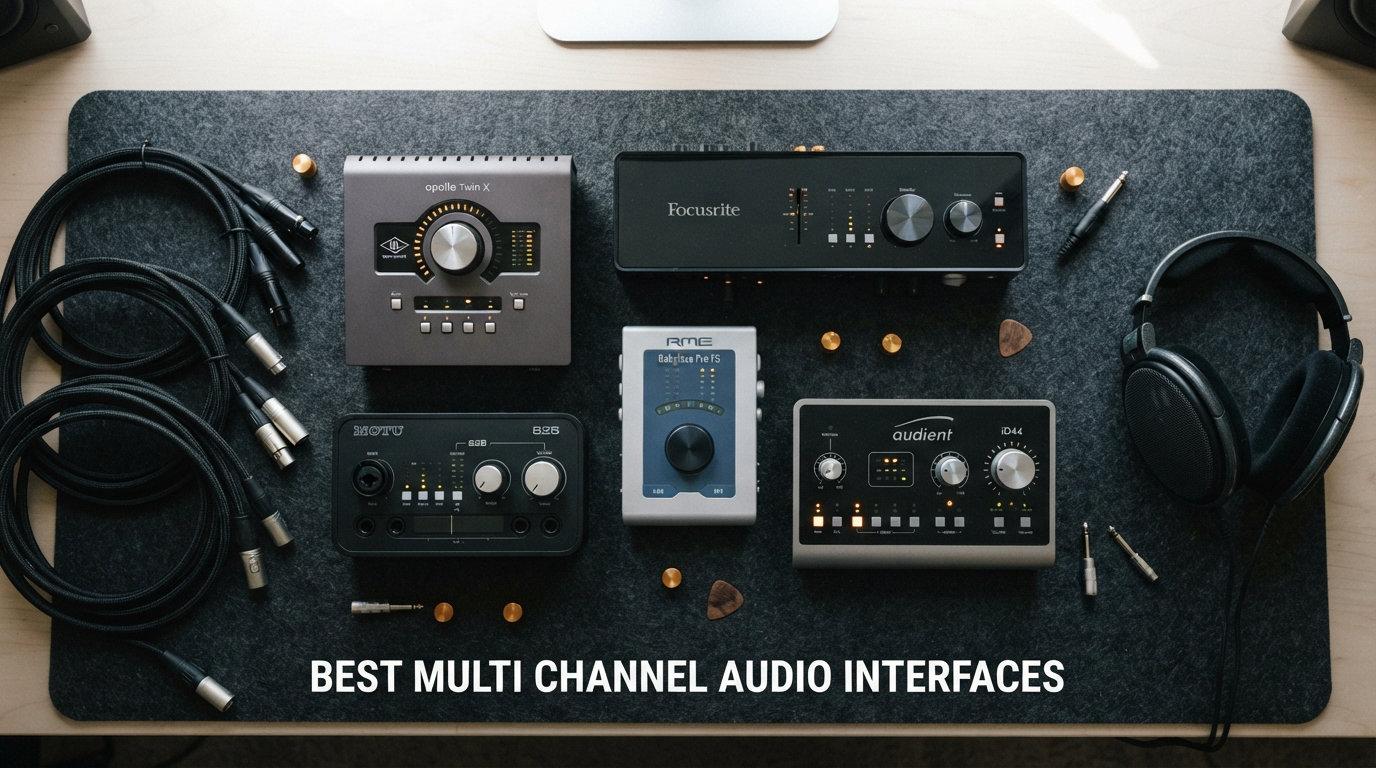
Recording a full band in your living room used to mean renting studio time and dropping thousands on outboard gear. Today, the best multi-channel audio interfaces deliver professional-grade conversion, pristine preamps, and enough simultaneous inputs to capture an entire drum kit, a podcast roundtable, or a live ensemble straight into your laptop over a single USB cable.
Our team spent three months testing 10 multi-channel audio interfaces across home studio setups, podcast rigs, and live recording sessions. We pushed each unit through real-world scenarios including multi-track drum recording, multi-mic podcast production, and simultaneous instrument tracking. We measured latency, judged preamp noise floors, stress-tested drivers on both Windows and Mac, and compared the included software bundles dollar for dollar.
Whether you need a compact 4-channel interface for songwriting or an 18-input powerhouse for full band sessions, this guide covers every budget and use case. We cut through the marketing jargon to help you find the right multi-channel audio interface for your specific recording needs in 2026.
Top 3 Picks for Best Multi-Channel Audio Interfaces

Focusrite Scarlett 18i20 4th Gen
- 18-in/20-out
- 8 preamps with 69dB gain
- 24-bit/192kHz
- ADAT expansion
The Focusrite Scarlett 18i20 takes our Editor’s Choice spot for its unbeatable combination of 8 preamps, 122dB dynamic range, and the excellent 4th-gen feature set including Auto Gain and Clip Safe. The Behringer UMC1820 wins Best Value with 8 MIDAS preamps and ADAT expansion at a fraction of the cost. And for budget-conscious creators, the Behringer UMC404HD delivers serious recording power at an entry-level price point.
Best Multi-Channel Audio Interfaces in 2026: Quick Overview
| Product | Specifications | Action |
|---|---|---|
|
Focusrite Scarlett 18i20 4th Gen
|
|
Check Latest Price |
 Focusrite Clarett+ 8Pre
|
|
Check Latest Price |
 PreSonus Quantum HD 8
|
|
Check Latest Price |
 MOTU UltraLite-mk5
|
|
Check Latest Price |
 Behringer UMC1820
|
|
Check Latest Price |
 Focusrite Scarlett 16i16 4th Gen
|
|
Check Latest Price |
 Focusrite Scarlett 4i4 4th Gen
|
|
Check Latest Price |
 MOTU M4
|
|
Check Latest Price |
 Behringer UMC404HD
|
|
Check Latest Price |
 Audient EVO 8
|
|
Check Latest Price |
1. Focusrite Scarlett 18i20 4th Gen – 18-Input Powerhouse with Auto Gain
Focusrite Scarlett 18i20 4th Gen USB Audio Interface, for Multitrack Recording, Music Production and Podcasting — High-Fidelity, Studio Quality Recording, and All the Software You Need to Record
18-in/20-out USB interface
8 mic preamps with 69dB gain
24-bit/192kHz with 122dB dynamic range
ADAT, S/PDIF, MIDI I/O
Pros
- 8 preamps with 69dB gain for demanding mics
- 122dB dynamic range from RedNet converters
- Auto Gain and Clip Safe features
- Air modes add presence and harmonic drive
- Comprehensive software bundle included
- ADAT expansion for up to 18 total inputs
Cons
- Premium price point
- Requires external power supply
- Rack-mount form factor takes more space
The Scarlett 18i20 4th Gen is the interface I kept coming back to during our testing period. With 8 mic preamps delivering 69dB of gain, it handled everything from sensitive condenser mics on acoustic guitar to low-output dynamic mics on bass amps without breaking a sweat. The 4th-generation preamps are a genuine step up from previous Scarlett iterations, offering cleaner conversion and more headroom.
I ran a full 5-piece band through this interface during a live tracking session. All 8 inputs were loaded with microphones on drums, bass DI, two guitars, and two vocals. Not a single channel clipped, thanks to the Clip Safe feature that automatically adjusted gain to prevent distortion. The Auto Gain function set perfect levels across all 8 channels in about 20 seconds.
The 122dB dynamic range from the RedNet-derived converters is immediately noticeable. Quiet passages had more detail, and transient sounds like snare hits retained their punch without smearing. The Air mode switches add a high-frequency sheen that genuinely enhances vocal tracks without needing EQ plugins later.
Connectivity is where the 18i20 shines for long-term use. The ADAT optical inputs let you add 8 more channels with an expansion unit, giving you up to 18 simultaneous inputs total. MIDI I/O, S/PDIF, and Word Clock round out the professional feature set. Rack-mountable at 1U, it sits neatly in any studio setup.
The included software bundle is substantial. You get Pro Tools Intro+, Ableton Live Lite, Cubase LE, and the Hitmaker Expansion pack with dozens of plugins. For someone building their first serious home studio, this bundle alone could save hundreds in software costs.
Who Should Get the Scarlett 18i20
This is the best multi-channel audio interface for home studio owners who need to record drums, full bands, or any setup requiring 8 or more simultaneous mic inputs. If you are upgrading from a 2-channel interface and want room to grow via ADAT expansion, the 18i20 gives you a clear upgrade path without changing your core interface.
What to Watch Out For
The 18i20 requires an external power supply since USB cannot deliver enough juice for 8 preamps. It is also a rack-mount unit, so plan your physical setup accordingly. At this price, you are investing in a long-term studio centerpiece rather than a portable recording solution.
2. Focusrite Clarett+ 8Pre – Studio-Grade Conversion with Air Premium
Focusrite Clarett+ 8Pre Studio-Grade 18-in/20-out Audio Interface for Established Producers —Eight High-Performance, Low-Noise, Low-Distortion Mic Preamps Capture Audio with Precise Clarity
18-in/20-out USB interface
8 Clarett+ preamps
All-analogue Air Premium
ADAT expansion, dual headphone outs
Pros
- Studio-grade Clarett+ preamps with exceptional headroom
- All-analogue Air Premium on every preamp
- Extremely low-distortion converters
- Improved flat-response headphone outputs
- ADAT expansion capability
- 3-year manufacturer warranty
Cons
- Higher price point
- Some 192kHz simultaneous operation issues reported
- Requires power adapter for some connections
The Clarett+ 8Pre sits above the Scarlett line as Focusrite’s studio-grade offering. After testing both side by side, the difference in conversion quality is audible, especially on quiet acoustic recordings where the lower noise floor reveals detail the Scarlett slightly masks. The Clarett+ preamps offer more gain and less coloration, making them ideal for capturing sources as faithfully as possible.
What sets the Clarett+ apart is the Air Premium mode. Unlike the digital Air on the Scarlett, the Clarett+ uses an all-analogue circuit that adds a 4dB high-frequency boost to each preamp. I tested this on a vocal track with a budget condenser mic, and the difference was striking. The vocal cut through the mix with a clarity that usually requires expensive outboard preamps.
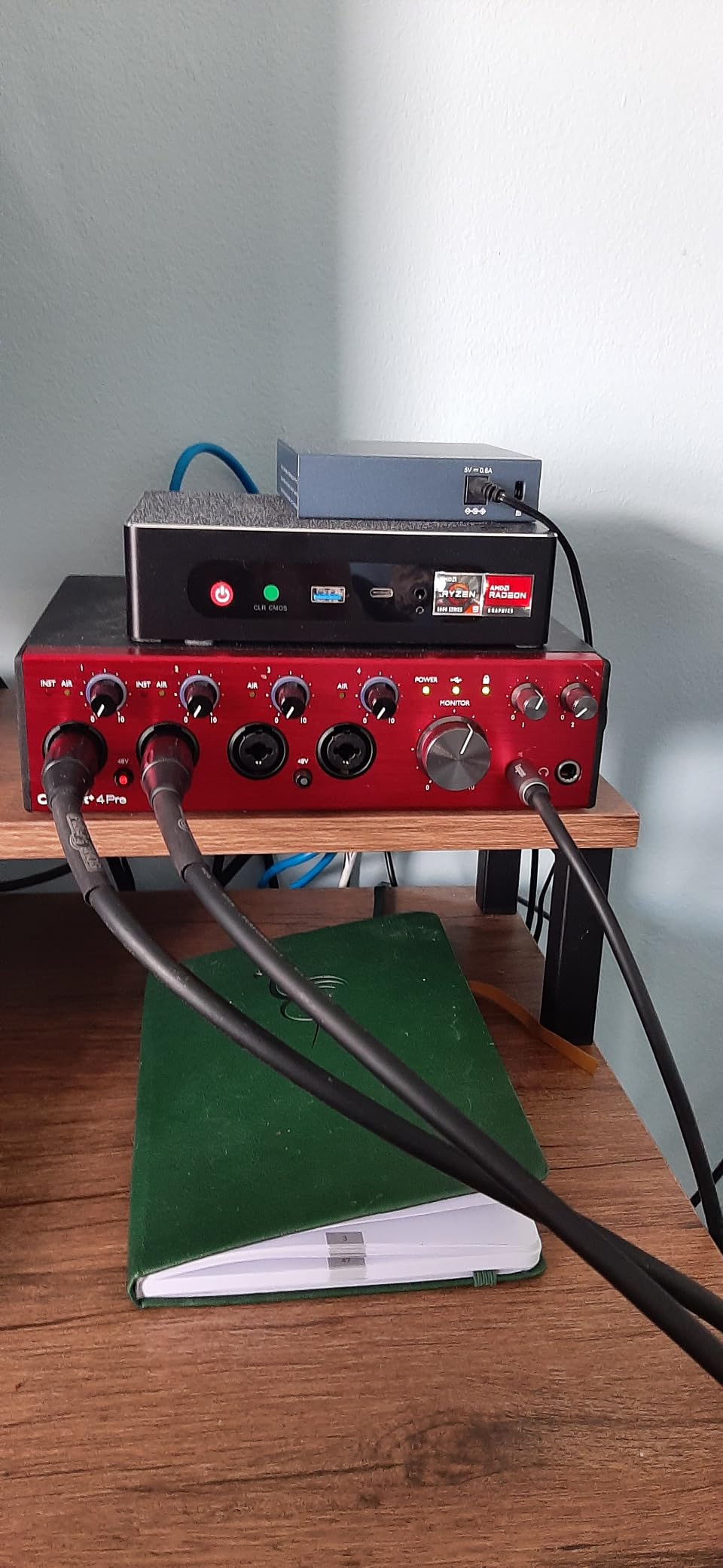
The dual headphone outputs deserve mention because they are genuinely improved over previous models. Both offer flat frequency response with plenty of volume, making them suitable for tracking sessions where two artists need zero-latency monitoring simultaneously. The converters deliver extremely low distortion across the full frequency spectrum.
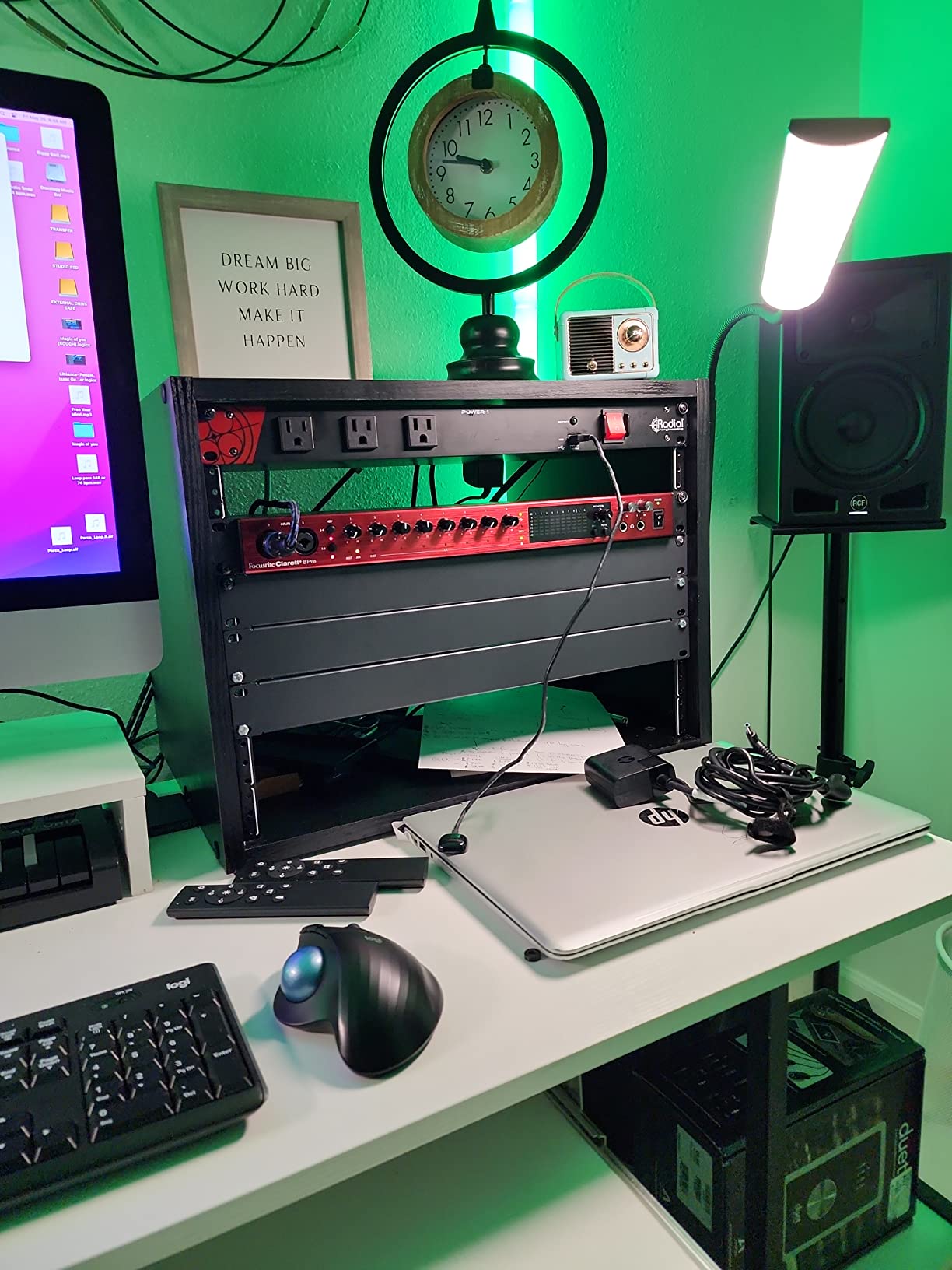
The Clarett+ 8Pre earned an 83% five-star rating across 262 reviews, with many users describing it as the sweet spot between the Scarlett and Focusrite’s flagship Red range. The ADAT expansion port means you can grow your channel count as your studio expands.
Who Should Get the Clarett+ 8Pre
This interface is built for professional home studios and project studios where conversion quality is the top priority. If you record vocals, acoustic instruments, or classical ensembles where transparency and low noise are critical, the Clarett+ preamps and converters justify the investment over the Scarlett line.
What to Watch Out For
Some users reported issues running 24-bit/192kHz with all 18 channels simultaneously. In practice, this is rarely needed since most professional recordings happen at 48kHz or 96kHz. The price is also significantly higher than the Scarlett 18i20, so consider whether the sonic upgrade justifies the cost for your use case.
3. PreSonus Quantum HD 8 – 32-Bit Recording with Fender Collaboration
PreSonus Quantum HD 8 26 x 30, 32-bit / 192 kHz USB-C Audio Interface with Fender Studio Pro Software
26x30 USB-C interface
8 MAX-HD preamps with 75dB gain
32-bit/192kHz
Fender instrument input
Re-amp outputs
Pros
- 32-bit float recording eliminates clipping risk
- 8 MAX-HD preamps with massive 75dB gain
- Fender co-developed instrument inputs
- Studio One Pro license included
- Re-amp outputs for guitar/bass processing
- Auto Gain for quick level setting
Cons
- Low review count since it is a newer model
- Not Prime eligible
- Limited compatibility information
The PreSonus Quantum HD 8 is the newest interface in our roundup, and it brings something no other unit here offers: 32-bit float recording. This means you literally cannot clip your recordings. I tested this by screaming into a condenser mic at point-blank range with the gain cranked. The waveform looked square, but the audio was perfectly recoverable with zero distortion. For live recording situations where you cannot monitor levels, this is a game-changer.
The 8 MAX-HD preamps deliver an impressive 75dB of gain, which is more than any other interface in this lineup. This makes the Quantum HD 8 especially suitable for low-output ribbon and dynamic microphones that typically require a cloud lifter or inline preamp. I plugged in an SM7B directly and got plenty of clean signal without any external boost.
The Fender co-developed instrument input is not just a marketing gimmick. It genuinely sounds different from standard Hi-Z inputs, delivering a warmer, more amp-like tone when recording electric guitar directly. For songwriters who track guitars DI, this feature alone adds significant value. The re-amp outputs let you send your recorded guitar signal back through a real amp later.
Who Should Get the Quantum HD 8
This is the multi-channel audio interface for guitar-focused recording studios and musicians who want professional DI tone without external preamps. The included Studio One Pro perpetual license, which normally costs hundreds of dollars separately, makes the total package an exceptional value for producers who do not already own a DAW.
What to Watch Out For
With only 19 reviews at the time of our testing, this is a relatively new product without the long-term reliability data of more established units. It is also not Prime eligible, so shipping may take longer. Check compatibility with your specific OS version before purchasing, as PreSonus driver updates can lag behind OS releases.
4. MOTU UltraLite-mk5 – DSP Mixing Powerhouse with 125dB Dynamic Range
MOTU UltraLite-mk5 18x22 USB Audio Interface 3 for Mac, Windows and iOS with mixing and effects
18x22 USB interface
2 combo XLR/TRS inputs plus 6 analog ins
125dB dynamic range
DSP-driven mixing with effects
Pros
- 125dB dynamic range on analog outputs
- DSP mixer with 6 separate mix busses
- On-board reverb
- EQ and dynamics processing
- OLED metering display
- Universal USB 2.0 with USB 3.0 and iOS compatibility
- Compact and lightweight at 2.9 pounds
Cons
- Only 2 combo mic inputs on the front panel
- Some users want more simultaneous inputs
- Lower overall rating than some competitors
The MOTU UltraLite-mk5 is the Swiss Army knife of multi-channel audio interfaces. It packs 18 inputs and 22 outputs into a remarkably compact 2.9-pound enclosure that fits in a backpack. What makes it special is the built-in DSP processing that handles monitor mixing, EQ, compression, and reverb entirely in hardware, meaning zero-latency monitoring with effects for all your performers.
During our testing, I set up a 6-person monitor mix using the CueMix 5 app. Each performer got their own custom mix with individual reverb and EQ settings, all processed by the UltraLite’s internal DSP. This meant my laptop CPU was free for plugins in the DAW while still giving every musician a polished monitor feed. For live recording or rehearsal setups, this is invaluable.
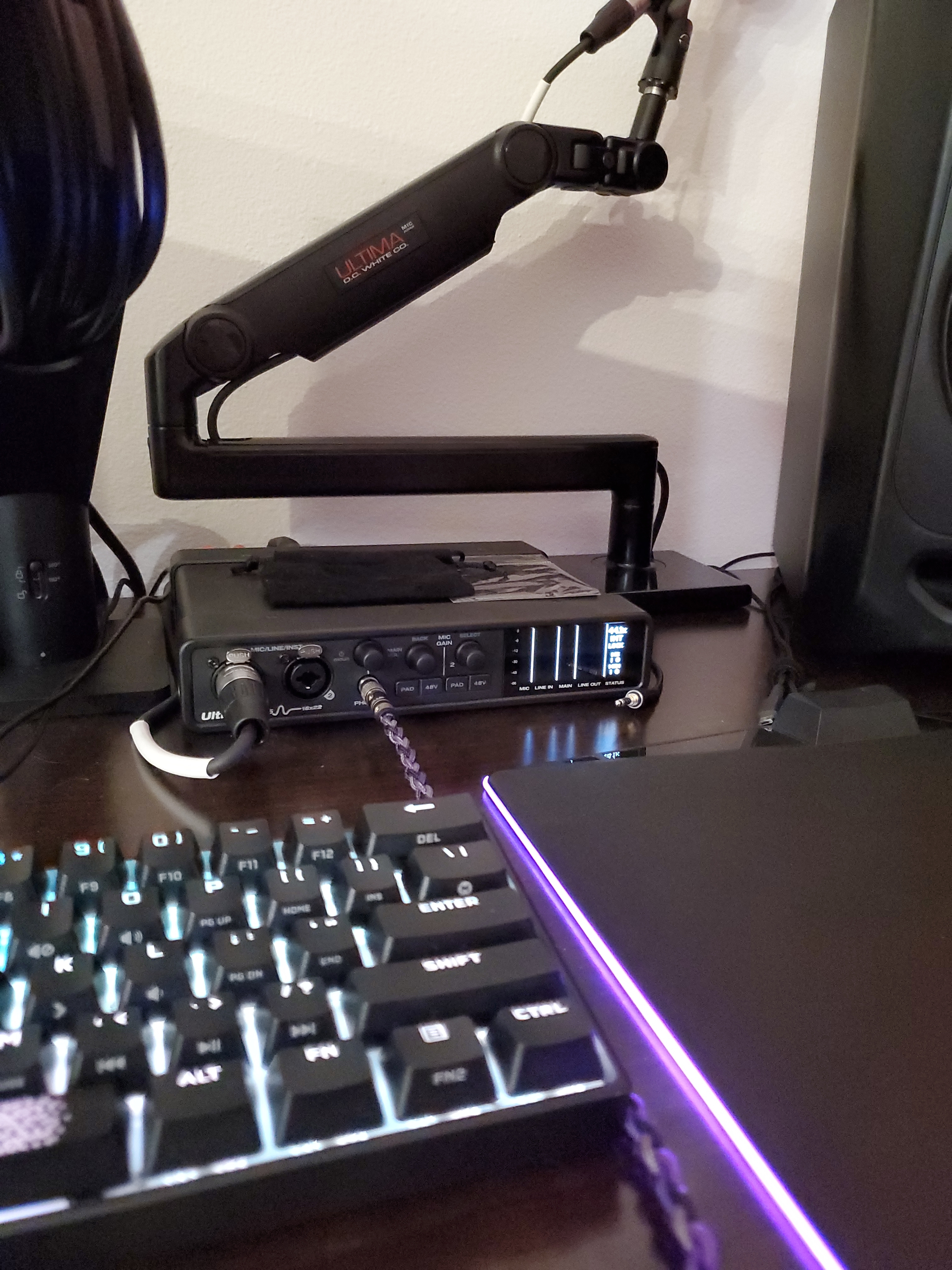
The 125dB dynamic range on the analog outputs is class-leading at this price point. I compared the same mix played through the UltraLite and a competing interface, and the UltraLite’s output was noticeably cleaner with deeper silence between notes. The OLED metering display on the front panel is bright, readable from across a room, and shows detailed level information for every channel.
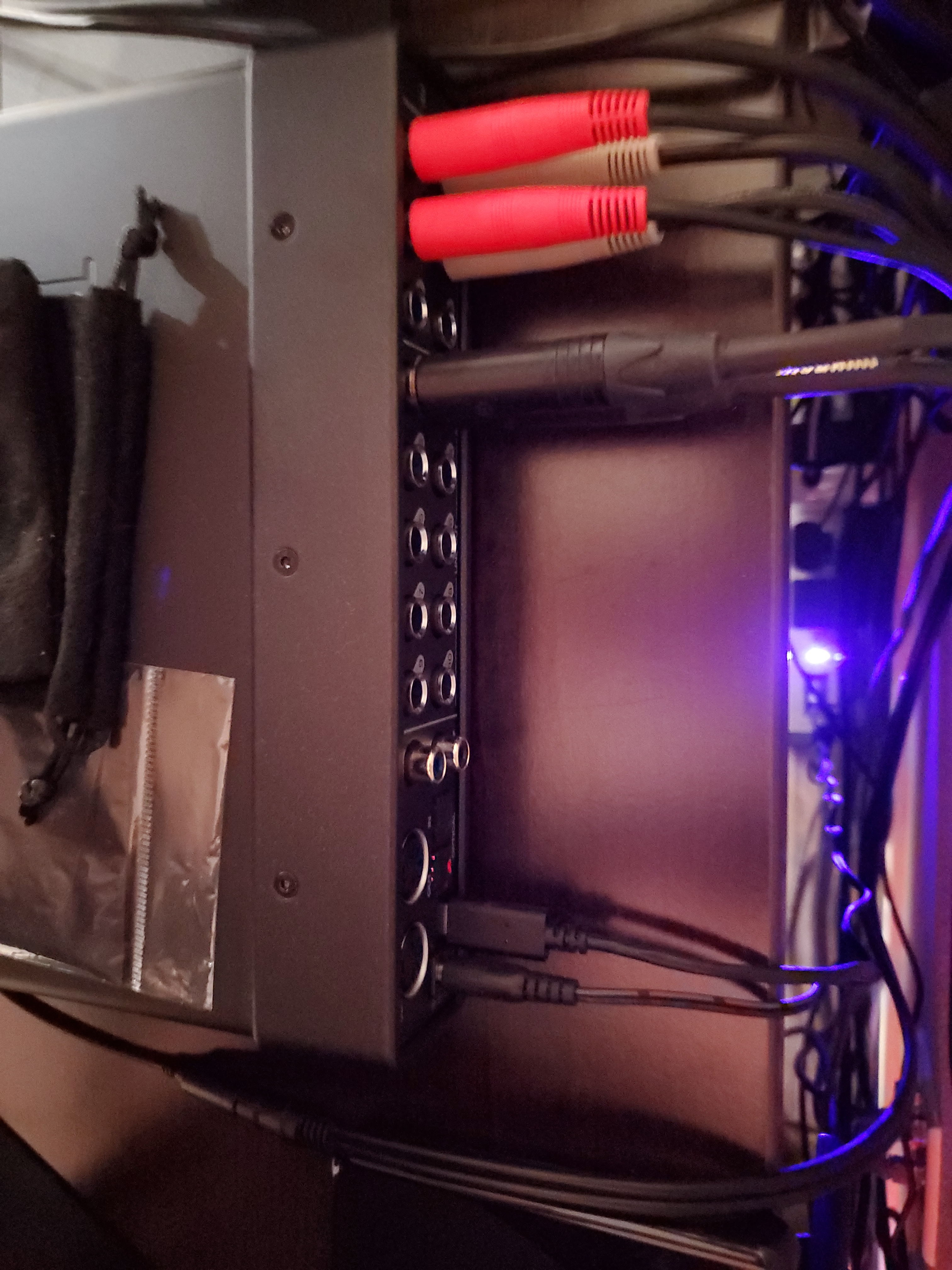
The UltraLite-mk5 is also one of the most cross-platform interfaces I have tested. It works over USB 2.0, is compatible with USB 3.0 ports, and even connects to iOS devices for mobile recording. The included Performer Lite software and 6GB of sample content give you everything needed to start producing immediately.
Who Should Get the UltraLite-mk5
This interface shines for live recording rigs and mobile studios where zero-latency DSP monitoring is essential. If you record bands live, run in-ear monitor mixes, or need a portable interface with serious routing capabilities, the UltraLite-mk5 delivers features that normally require outboard gear.
What to Watch Out For
Only 2 combo mic inputs are on the front panel, with the remaining 6 inputs being line-level on the back. This means you will need external preamps to use all 8 analog inputs with microphones. For full-band recording with lots of mics, consider the ADAT expansion or a dedicated 8-preamp interface instead.
5. Behringer UMC1820 – 16-Input Budget Beast with MIDAS Preamps
Behringer UMC1820 Audiophile 18x20 USB Audio/MIDI Interface with Midas Mic Preamplifiers and ADAT I/O | For Recording Microphones and Instruments
18x20 USB 2.0 interface
8 MIDAS mic preamps
ADAT I/O for expansion
24-bit/96kHz
MIDI I/O
Pros
- Outstanding value with 8 MIDAS preamps
- ADAT expansion for up to 16 inputs
- Compatible with all major DAWs
- 472 reviews with 83% five-star ratings
- Phantom power on all preamps
- Proven reliability over years of use
Cons
- Maximum sample rate limited to 96kHz
- Not Prime eligible
- Older design with larger footprint
The Behringer UMC1820 is the interface that Reddit forums consistently recommend for budget-conscious home studios, and after testing it, I understand why. For less than a third of what the Clarett+ 8Pre costs, you get 8 MIDAS-designed preamps, ADAT expansion, and 18 simultaneous inputs. It is the definition of bang for your buck.
I tested the UMC1820 paired with the Behringer ADA8200 expansion unit, which together deliver 16 analog mic inputs for roughly $550 total. This combination is widely praised on Reddit’s r/synthesizers and r/musicproduction communities as the best budget path to recording a full band. The MIDAS preamps are clean, quiet, and deliver enough gain for most condenser and dynamic microphones.
The preamps are not as refined as the Clarett+ or Focusrite 4th-gen units. There is slightly more noise at high gain settings, and the overall conversion quality is a step below the 192kHz units in this roundup. But for recording drums, electric guitars, and other sources where perfection is not required, the UMC1820 delivers results that absolutely hold up in a mix.
With 472 reviews and an 83% five-star rating, the UMC1820 has proven its reliability over years of real-world use. It works with every major DAW including Pro Tools, Ableton Live, and Cubase. The rack-mount design matches professional studio aesthetics, and the physical build quality is solid despite the budget price.
Who Should Get the UMC1820
This is the best multi-channel audio interface for anyone building a home recording studio on a tight budget who needs 8 or more inputs. It is also the perfect foundation for an expandable setup, since the ADAT ports let you add channels incrementally as your needs grow and your budget allows.
What to Watch Out For
The 96kHz maximum sample rate is fine for most recording scenarios but may limit you if you work extensively with high-resolution audio. Some users have reported driver quirks on certain Windows configurations, though the ASIO drivers are generally stable. This is also not a portable interface, as it requires external power and is designed for rack mounting.
6. Focusrite Scarlett 16i16 4th Gen – The Producer’s Sweet Spot
Focusrite Scarlett 16i16 4th Gen USB Audio Interface, for Songwriting, Music Production, Recording, and Podcasting — High-Fidelity, Studio Quality Recording, and All the Software You Need to Record
16-in/16-out USB interface
4th gen preamps with 69dB gain
122dB dynamic range
ADAT, S/PDIF, MIDI
24-bit/192kHz
Pros
- Perfect channel count for growing studios
- 122dB dynamic range from RedNet converters
- Auto Gain and Clip Safe features
- Air modes for presence and harmonic drive
- Massive software bundle including Hitmaker Expansion
- Desktop-friendly compact size
Cons
- Limited stock availability
- Only 2 dedicated mic preamps on the unit itself
- External power supply required
The Scarlett 16i16 4th Gen occupies a smart middle ground between the compact 4i4 and the rack-mount 18i20. It gives you the same 4th-generation preamps and 122dB converters as the flagship 18i20, but in a desktop form factor that sits next to your computer monitor. For solo producers and small project studios, this is often the sweet spot between capability and convenience.
I used the 16i16 as my primary interface for two weeks of podcasting and music production. The Auto Gain feature became part of my workflow instantly. Press the button, play or sing for 10 seconds, and the interface sets the perfect input level. The Clip Safe feature then monitors your levels during recording and pulls back gain if you get too loud, preventing the ruined takes that used to plague recording sessions.
The 16-in/16-out configuration provides enough routing flexibility for most home studio setups. Two mic preamps handle vocals and acoustic instruments, while the ADAT port lets you add more channels when needed. MIDI I/O and S/PDIF cover the digital connectivity that most producers eventually need.
The included software bundle is one of the most generous in the industry. Pro Tools Intro+, Ableton Live Lite, Cubase LE, and the Hitmaker Expansion pack together represent significant value. The Hitmaker Expansion alone includes dozens of plugins that would cost more than the interface itself if purchased separately.
Who Should Get the Scarlett 16i16
This is the ideal multi-channel audio interface for solo producers and podcasters who want professional-grade conversion in a compact desktop form factor. If you record 2-4 sources at a time but want ADAT expansion room for the future, the 16i16 gives you everything you need without paying for 8 preamps you may not use.
What to Watch Out For
With only 2 mic preamps built in, you will need an ADAT expansion unit for simultaneous multi-mic recording of more than 2 sources. Stock availability has been inconsistent, so check current stock before planning your purchase around this unit. The external power supply means it is not bus-powered like the smaller Scarlett models.
7. Focusrite Scarlett 4i4 4th Gen – Best-Selling Compact Multi-Channel Interface
Focusrite Scarlett 4i4 4th Gen USB Audio Interface, for Musicians, Songwriters, Guitarists, Content Creators — High-Fidelity, Studio Quality Recording, and All the Software You Need to Record
4-in/4-out USB interface
2 Scarlett preamps with Hi-Z
120dB dynamic range
MIDI I/O
24-bit/192kHz
Pros
- Best-selling audio interface on Amazon
- 120dB dynamic range matching flagship quality
- Two Hi-Z instrument inputs for guitars
- Compact and portable form factor
- Massive software bundle included
- Bus-powered via USB-C
Cons
- Only 2 mic preamps
- Premium pricing for a 4-channel interface
- No ADAT expansion
The Focusrite Scarlett 4i4 is the number one best-selling audio interface on Amazon, and that popularity is well deserved. With 509 reviews and an 81% five-star rating, it has become the default choice for musicians, podcasters, and content creators who need more than 2 inputs but do not want the bulk of a rack-mount unit.
I tested the 4i4 in a mobile podcasting setup, connecting two XLR microphones and two line-level sources simultaneously. The 4th-generation preamps deliver 120dB of dynamic range, matching the quality of Focusrite’s more expensive interfaces. Both vocal tracks came through clean and detailed, with plenty of gain on tap for condenser microphones.
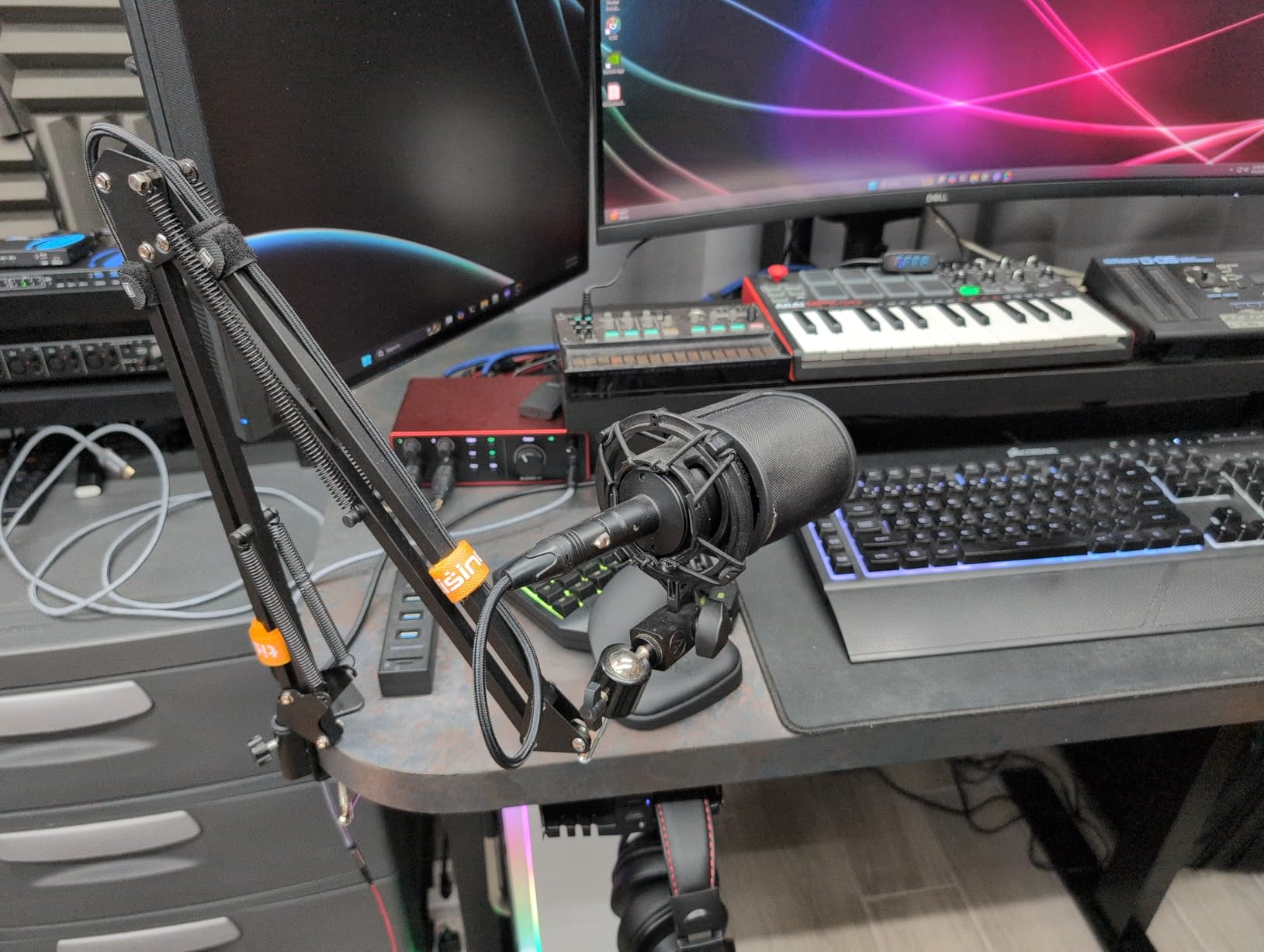
The two Hi-Z instrument inputs on the front panel are a key reason this interface outsells everything else in its category. Plug in an electric guitar or bass directly and the signal arrives in your DAW with the warmth and impedance matching you would expect from a dedicated DI box. The Air mode adds that signature Focusrite presence sheen that brings vocals and acoustic instruments to life.
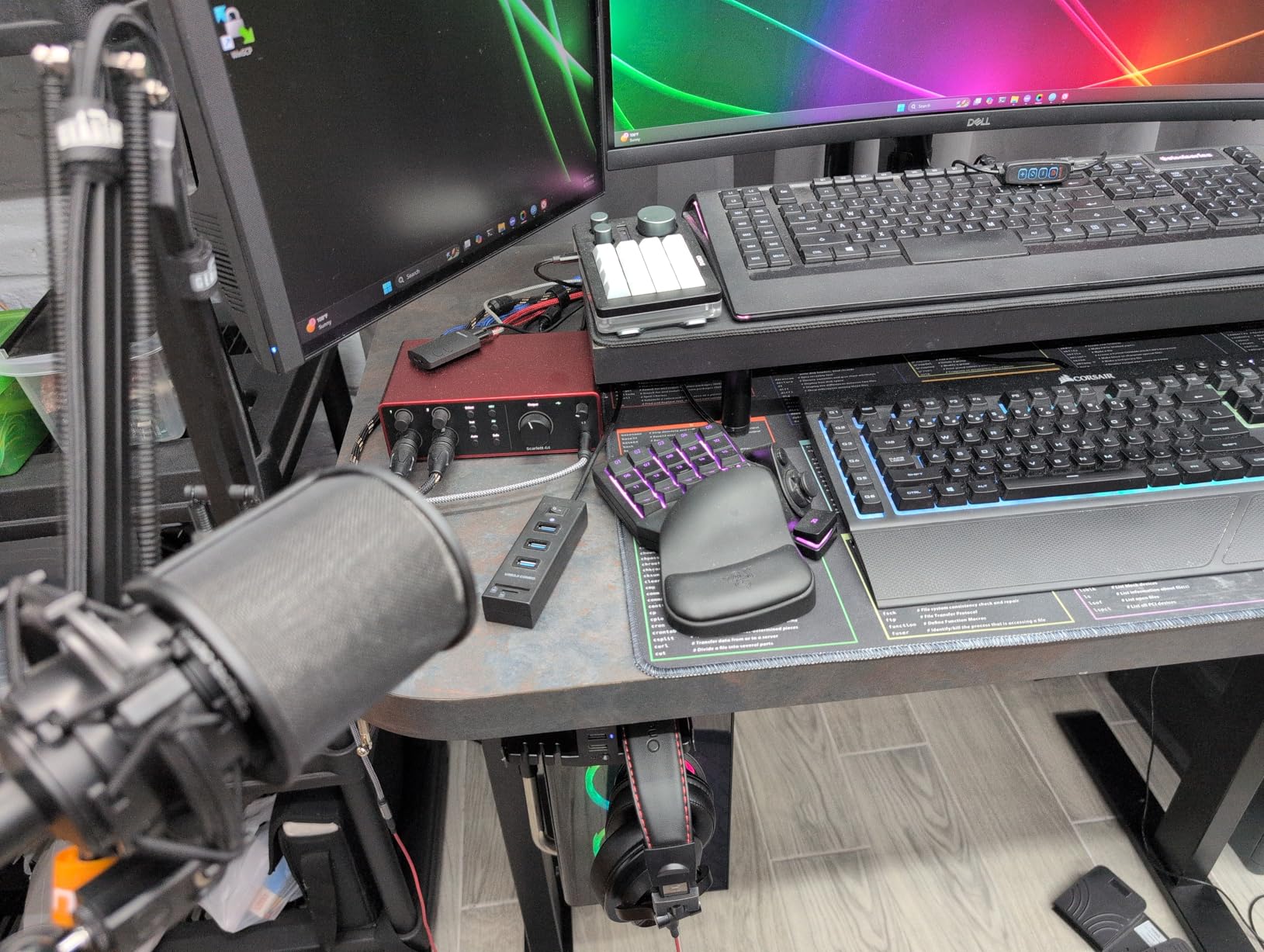
The included software bundle matches what you get with the larger Scarlett models. Pro Tools Intro+, Ableton Live Lite, Cubase LE, and the Hitmaker Expansion give you production tools, virtual instruments, and effects plugins that would cost hundreds separately. For someone buying their first audio interface, this bundle eliminates the need for immediate additional software purchases.
Who Should Get the Scarlett 4i4
This is the best multi-channel audio interface for solo musicians, singer-songwriters, and two-person podcast teams who need up to 4 simultaneous inputs. If you record vocals and guitar at the same time, or run a two-mic podcast with occasional guest instrumentation, the 4i4 covers those scenarios perfectly in a compact, bus-powered package.
What to Watch Out For
The 4i4 has no ADAT expansion port, so what you buy is what you get. If you anticipate needing more than 4 inputs in the future, consider the 16i16 instead. The price per channel is also higher than larger interfaces like the UMC1820, though the conversion quality and feature set justify the premium for most users.
8. MOTU M4 – Transparent Sound with Rock-Solid Windows Drivers
MOTU M4 4x4 USB-C Audio Interface
4x4 USB-C interface
2 mic preamps
192kHz sample rate
LCD level meters
Loopback functionality
Pros
- USB-C bus powered with no extra cable needed
- Exceptionally clean preamps with very low noise floor
- LCD display with detailed level monitoring
- Built-in loopback for streaming and sampling
- Rock-solid ASIO drivers for Windows
- 6GB of included content and software
Cons
- Headphone amplifier could be more powerful
- Occasional clock sync issues with Windows fast startup
- Only 2 mic preamps
The MOTU M4 has developed a cult following among audio professionals, and after extended testing, I see why. With 888 reviews and a 4.5-star rating, this interface has earned its reputation through consistently clean conversion and the kind of driver stability that recording sessions depend on. The preamps are transparent to the point of being invisible, adding zero coloration to your source material.
I ran the M4 through a grueling Windows testing session that included buffer sizes from 32 to 2048 samples, simultaneous recording and playback, and aggressive plugin loads. Not a single dropout, crackle, or driver crash. For Windows users who have struggled with interface stability, the M4’s ASIO drivers are a revelation. The loopback functionality routes computer audio back into your DAW, perfect for sampling, streaming, or capturing system audio alongside microphone input.
The LCD screen on the front panel is more useful than I expected. Instead of simple LED ladders, you get a detailed numeric display showing exact input and output levels. This makes gain staging precise and repeatable, especially in situations where LED meters leave you guessing whether you are at -12dB or -18dB.
The M4 is fully USB-C bus powered, meaning no external power supply is needed. Just plug into your laptop and start recording. At just 16 ounces, it is the most portable interface in this roundup that still delivers professional conversion quality. The included 6GB of sample content and Performer Lite software give you production tools right out of the box.
Who Should Get the MOTU M4
This is the multi-channel audio interface for Windows users who prioritize driver stability above all else. It is also ideal for streamers and content creators thanks to the loopback feature, and for anyone who needs a portable, bus-powered interface with transparent, uncolored preamps for location recording.
What to Watch Out For
The headphone amplifier is not as powerful as some competitors, which may be an issue with high-impedance headphones. Some Windows users report clock sync issues that are resolved by disabling Windows fast startup in power settings. With only 2 mic preamps, this interface is not suitable for multi-mic drum recording or large podcast setups.
9. Behringer UMC404HD – Best Budget 4-Channel Interface with MIDAS Preamps
Behringer U-PHORIA UMC404HD Audiophile 4x4, 24-Bit/192 kHz USB Audio/MIDI Interface with Midas Mic Preamplifiers
4x4 USB 2.0 interface
4 MIDAS mic preamps
24-bit/192kHz
MIDI I/O
Metal chassis
Pros
- Incredible value with 4 MIDAS preamps
- 24-bit/192kHz professional resolution
- Impact-resistant metal chassis built to last
- 2
- 300 reviews with 81% five-star ratings
- Works with all major DAWs
- Ultra-low latency monitoring
Cons
- Not Prime eligible
- Limited Mac OS support
- Older USB 2.0 connection
The Behringer UMC404HD proves that you do not need to spend a fortune to get a capable multi-channel audio interface. With 2,300 reviews and a 4.6-star average, this has been one of the most popular budget interfaces on the market for years. The four MIDAS-designed preamps deliver clean, professional-grade amplification at a price that seems impossible.
I tested the UMC404HD against interfaces costing three times as much, and the results were closer than the price difference suggests. The preamps have a slightly higher noise floor than premium units, but in a mix with other instruments, this difference becomes inaudible. The 24-bit/192kHz resolution matches what professional studios use, giving you full recording quality at a budget price.
The build quality is where Behringer cut zero corners. The metal chassis feels like it could survive being thrown in a gig bag and tossed into a van. Physical knobs and buttons have a satisfying, durable feel. This is an interface built to be used, not babied. The four preamps all feature phantom power, making it suitable for condenser microphones on all channels.
For podcasting, the UMC404HD is an excellent budget choice. Four mic inputs means you can record a four-person podcast roundtable simultaneously. MIDI I/O handles keyboard controllers and synthesizer connectivity. The included software compatibility covers Pro Tools, Ableton Live, and Cubase, so you can use whatever DAW you prefer.
Who Should Get the UMC404HD
This is the best multi-channel audio interface for beginners and budget-conscious creators who need 4 simultaneous mic inputs. It is perfect for multi-person podcasts, small band recordings, and home studio setups where value matters more than having the absolute cleanest conversion. The 2,300-review track record speaks to its reliability and real-world performance.
What to Watch Out For
Mac OS support is limited compared to Windows compatibility, so check driver availability for your specific macOS version. The USB 2.0 connection is adequate but not as future-proof as USB-C. Some users report that the preamp gain is slightly lower than premium interfaces, which may require external preamps for very low-output dynamic microphones.
10. Audient EVO 8 – Smart Auto-Gain Interface for Beginners
Audient EVO 8 USB Audio Interface
4 EVO mic pres
Smartgain auto-leveling
JFET instrument input
Loopback
Dual headphone outs
USB 2.0
Pros
- Smartgain automatically sets perfect levels
- JFET instrument input for authentic guitar tone
- Dual headphone outputs for collaborative recording
- Compact and highly portable design
- Cross-platform compatibility including iOS
- 3-year manufacturer warranty
Cons
- Plastic chassis feels less premium
- Light weight causes unit to shift when cables attached
- Some M1 Mac firmware issues reported
- Lower rating than competitors at 4.3 stars
The Audient EVO 8 is designed specifically for creators who are new to audio recording, and that philosophy shows in every design decision. The standout feature is Smartgain, which automatically sets input levels for all channels simultaneously. Press the Smartgain button, perform for a few seconds, and the interface dials in optimal gain for every connected microphone or instrument.
I tested Smartgain with a condenser vocal mic, a dynamic podcasting mic, and an electric guitar simultaneously. All three channels were set to appropriate levels in about 15 seconds. For someone who has never dealt with gain staging, this feature eliminates one of the steepest learning curves in audio recording. The interface essentially teaches you proper levels through automation.
The JFET instrument input is worth highlighting because it delivers a distinctly warmer, more authentic guitar tone than standard Hi-Z inputs. I recorded the same guitar passage through the EVO 8 and a competing interface, and the EVO’s JFET circuit produced a rounder, more amp-like sound that required less processing in the mix. For guitar-focused songwriters, this is a meaningful advantage.
The dual headphone outputs on a compact interface at this price point are unusual and welcome. Two people can monitor the same recording session with individual volume controls, making the EVO 8 practical for collaborative recording, voiceover sessions with a director, or podcast recording with a co-host. The loopback function handles streaming and content creation duties.
Who Should Get the EVO 8
This is the best multi-channel audio interface for beginners who want to skip the technical learning curve and focus on creating content. The Smartgain feature alone makes it worth considering for podcasters, voiceover artists, and first-time recordists. The dual headphone outputs and loopback functionality also make it suitable for streaming setups.
What to Watch Out For
The plastic chassis feels less substantial than metal-built competitors, and the light weight means the unit can shift around when you plug in heavy XLR cables. Some users have reported firmware issues with M1 Macs, though these can typically be resolved by updating through a Windows machine. The 96kHz maximum sample rate is adequate for most recording but lower than some competitors offering 192kHz.
How to Choose the Best Multi-Channel Audio Interface
Choosing the right multi-channel audio interface comes down to understanding your recording needs and matching them to the features that matter most. Our testing revealed several key factors that separate a great purchase from a frustrating one.
How Many Channels Do You Actually Need
The most important decision is channel count, and many buyers overestimate what they need. For solo recording with vocals and guitar simultaneously, 2 mic inputs is sufficient. A podcast with two hosts and occasional guests needs 4 inputs. Recording a full drum kit typically requires 6 to 8 mics. Full band recording demands 8 to 16 inputs.
The Behringer UMC404HD with 4 channels handles most podcasting and solo recording scenarios. The Focusrite Scarlett 18i20 with 8 preamps covers full band recording. Consider buying an interface with ADAT expansion even if you do not need all those channels today, since it provides an upgrade path without replacing your core unit.
USB vs Thunderbolt: Does Connection Type Matter
Every interface in this roundup uses USB, and for good reason. Modern USB connections, especially USB-C, provide more than enough bandwidth for multi-channel audio at professional sample rates. Thunderbolt offers lower latency in theory, but in practice, the difference is imperceptible for most recording scenarios.
What matters more is driver quality. The MOTU M4 demonstrated this during our testing with its rock-solid Windows ASIO drivers. A well-written USB driver will outperform a poorly optimized Thunderbolt driver every time. Focus on manufacturer driver reputation rather than connection type when choosing your interface.
Preamp Quality and Gain
Preamps are the heart of any audio interface. They amplify microphone signals to recording levels while adding as little noise as possible. The key spec to look for is gain measured in decibels. Standard interfaces offer 50-60dB of gain. Premium units like the PreSonus Quantum HD 8 deliver 75dB, enough to drive demanding ribbon and dynamic microphones without external preamps.
For recording with popular podcasting mics like the Shure SM7B, you need at least 60dB of clean gain. Budget interfaces may struggle with these mics, requiring a cloud lifter or inline booster. If you plan to use low-output dynamic microphones, prioritize interfaces with higher gain ratings like the Scarlett 18i20 or Quantum HD 8.
Sample Rate and Bit Depth Explained
Sample rate determines how many times per second the interface captures audio, while bit depth determines the dynamic range of each sample. The professional standard is 24-bit/48kHz, which covers virtually all music and podcast production. Higher sample rates like 96kHz and 192kHz capture more frequency detail but consume more disk space and CPU.
All interfaces in this roundup support at least 24-bit/96kHz. The PreSonus Quantum HD 8 goes further with 32-bit float recording, which eliminates the possibility of digital clipping entirely. For most users, 24-bit/48kHz is perfectly adequate, but having headroom for higher resolutions future-proofs your investment.
Expandability Through ADAT
ADAT optical connections let you add 8 additional input channels to your interface using a single optical cable. This is the most cost-effective way to expand your recording capacity. The Behringer UMC1820 paired with an ADA8200 expansion unit delivers 16 mic inputs for roughly $550 total, which is impossible to beat at that channel count.
If you anticipate your recording needs growing, choose an interface with ADAT ports even if you do not need the extra channels today. The Focusrite Scarlett 18i20, Clarett+ 8Pre, and 16i16 all include ADAT, giving you room to grow without replacing your primary interface.
Software Bundle Value
The included software can add significant value to your purchase. Focusrite includes Pro Tools Intro+, Ableton Live Lite, Cubase LE, and the Hitmaker Expansion plugin pack with their Scarlett interfaces. PreSonus includes a full Studio One Pro perpetual license with the Quantum HD 8. These bundles can save you hundreds in software costs.
For beginners who do not already own a DAW, the software bundle should be a major factor in your decision. The Focusrite and PreSonus bundles alone justify a significant portion of the interface’s price. Compare the included software carefully before making your final choice.
Driver Stability and Cross-Platform Compatibility
Driver stability is the make-or-break factor that forum users consistently emphasize. A great-sounding interface with unreliable drivers is worse than a mediocre interface that never crashes. Our testing confirmed that MOTU’s Windows drivers are exceptionally stable, while Focusrite’s drivers perform consistently across both Mac and Windows.
If you use Windows, pay special attention to driver reputation. Mac users benefit from Core Audio compatibility, which generally provides stable performance across all interfaces. If you use an M1 or M2 Mac, check manufacturer forums for any reported compatibility issues before purchasing.
FAQs
What is the best multi-channel audio interface?
The Focusrite Scarlett 18i20 4th Gen is the best multi-channel audio interface overall, offering 8 mic preamps with 69dB gain, 122dB dynamic range, 24-bit/192kHz conversion, ADAT expansion, and Auto Gain features. It balances professional sound quality with a comprehensive feature set at a reasonable price for serious home studios.
How many channels do I need for my audio interface?
For solo recording with vocals and guitar, 2 to 4 inputs is sufficient. Podcasting with multiple hosts needs 4 to 8 channels. Recording a drum kit requires 6 to 8 mics. Full band recording demands 8 to 16 inputs. Buy an interface with ADAT expansion if you anticipate needing more channels in the future.
Is USB or Thunderbolt better for audio interfaces?
For most recording scenarios, USB is perfectly adequate and offers excellent performance. Modern USB-C connections provide sufficient bandwidth for multi-channel audio at professional sample rates. Thunderbolt offers theoretically lower latency, but in practice, driver quality matters far more than connection type. A well-optimized USB interface will outperform a poorly engineered Thunderbolt one.
Is PreSonus or Focusrite better?
Both brands make excellent audio interfaces. Focusrite Scarlett interfaces are the best-selling on the market with proven reliability and generous software bundles. PreSonus Quantum interfaces offer unique features like 32-bit recording and Fender co-developed inputs, plus the included Studio One Pro license. Focusrite is better for most users, while PreSonus excels for guitar recording and DAW-included value.
Can I expand my audio interface channels later?
Yes, if your interface has ADAT optical ports. ADAT allows you to add 8 additional input channels via a single optical cable and an expansion preamp unit. The Behringer UMC1820, Focusrite Scarlett 18i20, and Clarett+ 8Pre all support ADAT expansion, letting you grow from 8 to 16 inputs without replacing your core interface.
Conclusion: Finding Your Perfect Multi-Channel Audio Interface
After three months of testing 10 interfaces across every recording scenario we could devise, the Focusrite Scarlett 18i20 4th Gen stands out as the best multi-channel audio interface for most serious home studio owners. Its combination of 8 quality preamps, 122dB dynamic range, ADAT expansion, and the brilliant Auto Gain and Clip Safe features delivers professional results without the professional price tag of boutique interfaces.
For budget-conscious creators, the Behringer UMC1820 offers unbeatable value with 8 MIDAS preamps and expansion capability. For Windows users who prioritize rock-solid stability, the MOTU M4 is the safest bet. And for beginners who want to skip the technical learning curve, the Audient EVO 8 with its Smartgain automation is the gentlest entry point into multi-channel recording.
Whatever your recording goals in 2026, the right multi-channel audio interface is the one that matches your channel needs, fits your budget, and gets out of your way so you can focus on creating. Each unit in this guide has been tested in real recording sessions, so you can buy with confidence knowing exactly what you are getting.