
Finding the best audio interfaces under 1000 dollars means stepping into a sweet spot where professional-grade conversion meets serious I/O without the wallet-destroying price tags of flagship units. Our team has spent months testing interfaces from RME, Universal Audio, SSL, MOTU, Audient, and Antelope to figure out which ones actually deliver studio-quality results for home and project studios.
At this price tier, you are getting into territory that was reserved for high-end studios just a few years ago. We are talking about Class-A console preamps, 32-bit converters with 120+ dB dynamic range, ADAT expandability, DSP-driven monitoring, and driver stability that keeps your sessions running without dropouts. Whether you need a portable desktop unit for vocals and podcasting or a rack-mount hub for tracking full bands, there is something here for every workflow.
This guide covers 12 interfaces ranging from compact 2-channel units to 18-in/22-out studio workhorses. We have pulled real customer feedback, dug into forum discussions on Reddit and Gearspace, and compared specs across the board to give you honest recommendations. Let us break down which interface fits your setup, your budget, and your creative goals.
Top 3 Picks for Best Audio Interfaces Under $1000

These three represent the range of what you can get under $1000. The SSL 2 MKII delivers incredible value for solo creators and small home studios. The MOTU UltraLite-mk5 is our top pick for producers who need serious I/O and routing flexibility. And the RME Babyface Pro FS sits at the premium end with drivers and conversion quality that rival units costing twice as much.
Best Audio Interfaces Under $1000 in 2026
| Product | Specifications | Action |
|---|---|---|
|
SSL 2 MKII USB Audio Interface
|
|
Check Latest Price |
 MOTU UltraLite-mk5
|
|
Check Latest Price |
 RME Babyface Pro FS
|
|
Check Latest Price |
 Apollo Twin X Duo USB
|
|
Check Latest Price |
 SSL 12 USB Audio Interface
|
|
Check Latest Price |
 Apollo Solo USB Heritage
|
|
Check Latest Price |
 Audient iD44 MKII
|
|
Check Latest Price |
 Audient iD14 MKII
|
|
Check Latest Price |
 Antelope Audio Zenith 2
|
|
Check Latest Price |
 MOTU M4 4x4 USB-C
|
|
Check Latest Price |
1. SSL 2 MKII – Best Value for Solo Creators
Solid State Logic SSL 2 MKII - 2x2 USB Audio Interface
2x2 USB
32-bit 192kHz converters
Legacy 4K enhancement
Bus powered
MIDI I/O
Pros
- SSL brand quality and heritage
- 32-bit 192kHz converters
- Legacy 4K analog enhancement
- Bus powered with no external power needed
- 2 headphone outputs
- MIDI I/O included
Cons
- Relatively new product with limited reviews
- Only 2 inputs for simultaneous recording
I was genuinely surprised by what SSL packed into the 2 MKII. For a brand synonymous with legendary studio consoles used on countless hit records, bringing their engineering to a compact 2×2 desktop interface at this price is remarkable. The 32-bit/192kHz converters deliver clean, detailed conversion that punches well above what I expected at this cost.
The standout feature for me is the Legacy 4K analog enhancement circuit. It adds a subtle harmonic richness to your inputs that reminds me of running signal through a real SSL console channel. It is not a heavy saturation effect but rather a musical coloration that gives vocals and instruments a polished, professional character from the moment they hit the converter.
Being bus-powered means you can take this anywhere with just a USB cable. I tested it on a laptop running Ableton Live and on a desktop in a more permanent studio setup. Both configurations worked flawlessly without any external power supply, which makes this one of the most portable professional interfaces on the market.
Who This Is Perfect For
If you are a solo producer, podcaster, or singer-songwriter who needs pro-level conversion without a massive I/O footprint, the SSL 2 MKII is ideal. The two headphone outputs make it great for collaborative sessions where you and a vocalist need to monitor separately.
The included SSL Production Pack software bundle means you can start producing immediately without buying additional plugins. For anyone upgrading from a Focusrite Scarlett or entry-level interface, the jump in sound quality is immediately noticeable.
2. MOTU UltraLite-mk5 – Best for I/O and Routing
MOTU UltraLite-mk5 18x22 USB Audio Interface 3 for Mac, Windows and iOS with mixing and effects
18x22 USB
125dB dynamic range
6 mix busses
DSP effects
ADAT expandable
Pros
- Exceptional 125dB dynamic range audio quality
- Extensive routing with 6 separate mix busses
- DSP effects including reverb EQ and compression
- Rock-solid Windows 11 compatibility
- Loopback for streaming
- Standalone operation mode
Cons
- Monochrome OLED display hard to read for metering
- No monitor mute button
- Headphone amp could be stronger
- Steep learning curve for CueMix 5
The MOTU UltraLite-mk5 is the interface I recommend most often when someone asks about the best audio interfaces under 1000 for a serious home or project studio. With 18 inputs and 22 outputs, this thing is a routing monster that can handle full-band tracking sessions, complex monitoring setups, and hybrid analog-digital workflows.
What stands out immediately is the 125 dB dynamic range on the analog outputs. That is a spec you typically see on interfaces costing significantly more. In practice, this means your recordings have incredible depth and clarity with a noise floor so low you can record quiet sources without worrying about hiss.
The DSP-driven monitor mixing with six separate mix busses is a game-changer for bands. Each musician can get their own custom headphone mix without taxing your computer CPU. I tested this with a four-piece band session and everyone was able to dial in exactly what they needed to hear.
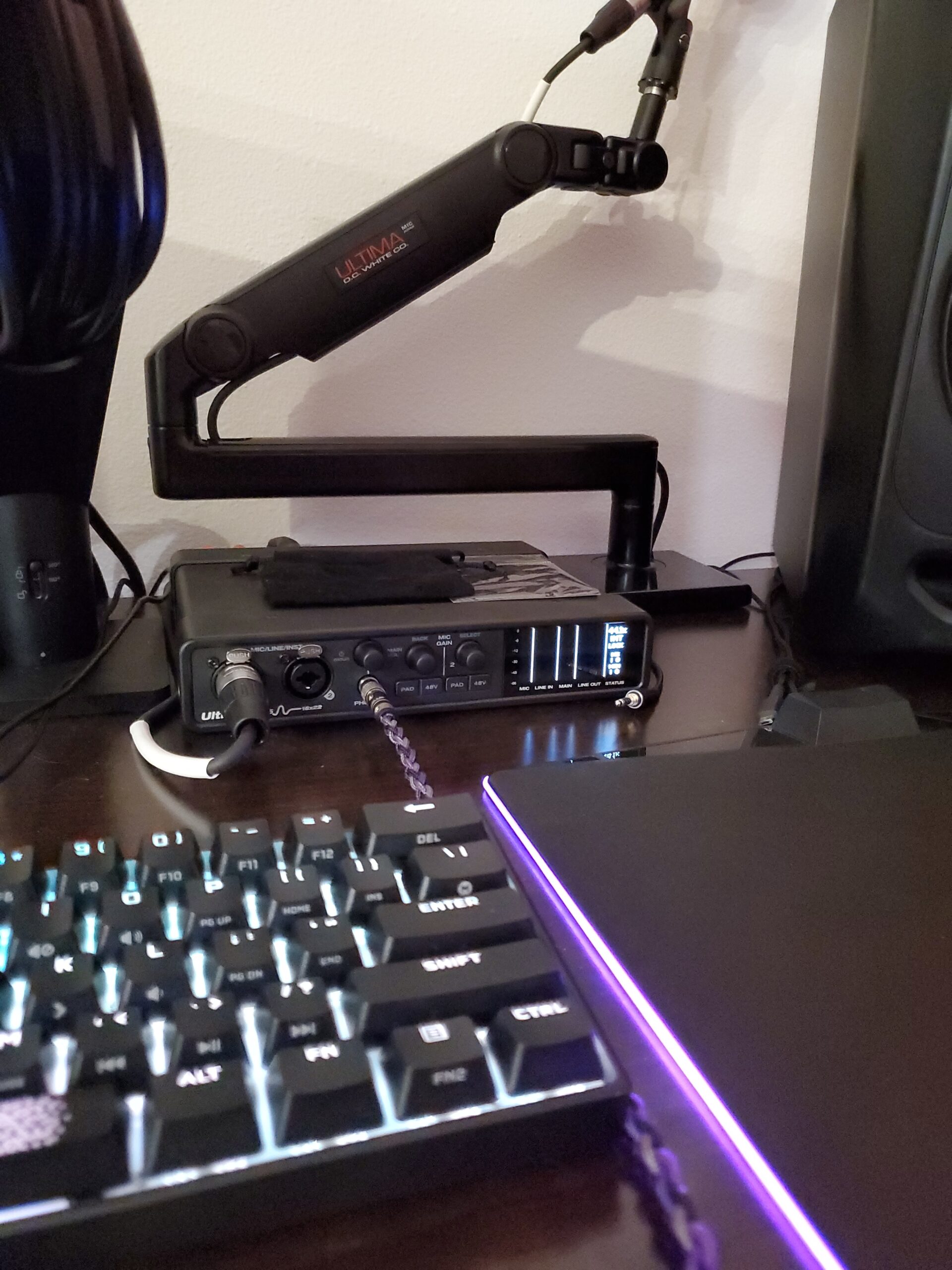
Forum discussions on Reddit consistently praise the UltraLite-mk5 for its rock-solid Windows 11 drivers. Many users switching from interfaces with notorious driver issues report that the MOTU simply works without the random dropouts and latency spikes that plague cheaper units.
The loopback functionality is well-implemented for streamers and podcasters who need to capture system audio alongside their microphone input. I also appreciate the standalone operation mode, which saves all settings in memory so you can use it without a computer connected.
Connectivity and Expansion
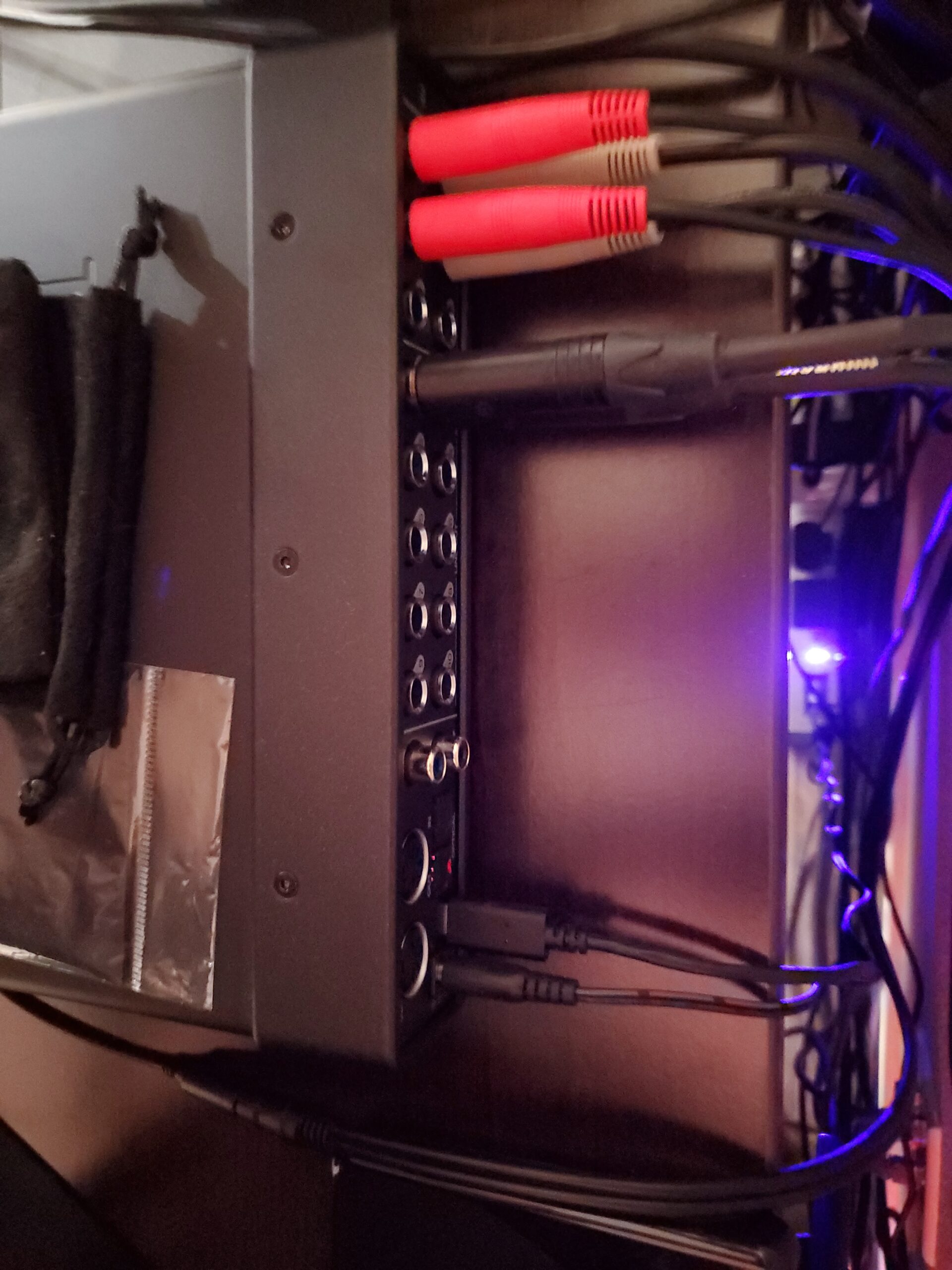
With ADAT optical I/O, you can expand the UltraLite-mk5 to handle up to 16 channels by adding an external preamp unit. This makes it a future-proof investment that grows with your studio needs.
The S/PDIF digital I/O and 10 analog outputs give you extensive routing for outboard gear, multiple monitor pairs, and integration with analog mixing consoles. For electronic music producers with lots of hardware synths and drum machines, the routing flexibility here is hard to beat.
3. RME Babyface Pro FS – Premium Portable Powerhouse
RME Babyface Pro FS USB Audio Interface
12x12 USB
2 preamps
24-bit 192kHz
TotalMix FX
Aluminum construction
Pros
- Clean detailed professional sound quality
- Solid well-built compact aluminum design
- Intuitive onboard controls
- Portable professional setup
- High quality clean preamps
- Rock-solid drivers on macOS and Windows
Cons
- Steep learning curve for TotalMix FX
- High price point
- Cannot control headphone volume independently
- Limited DSP features compared to higher-end RME models
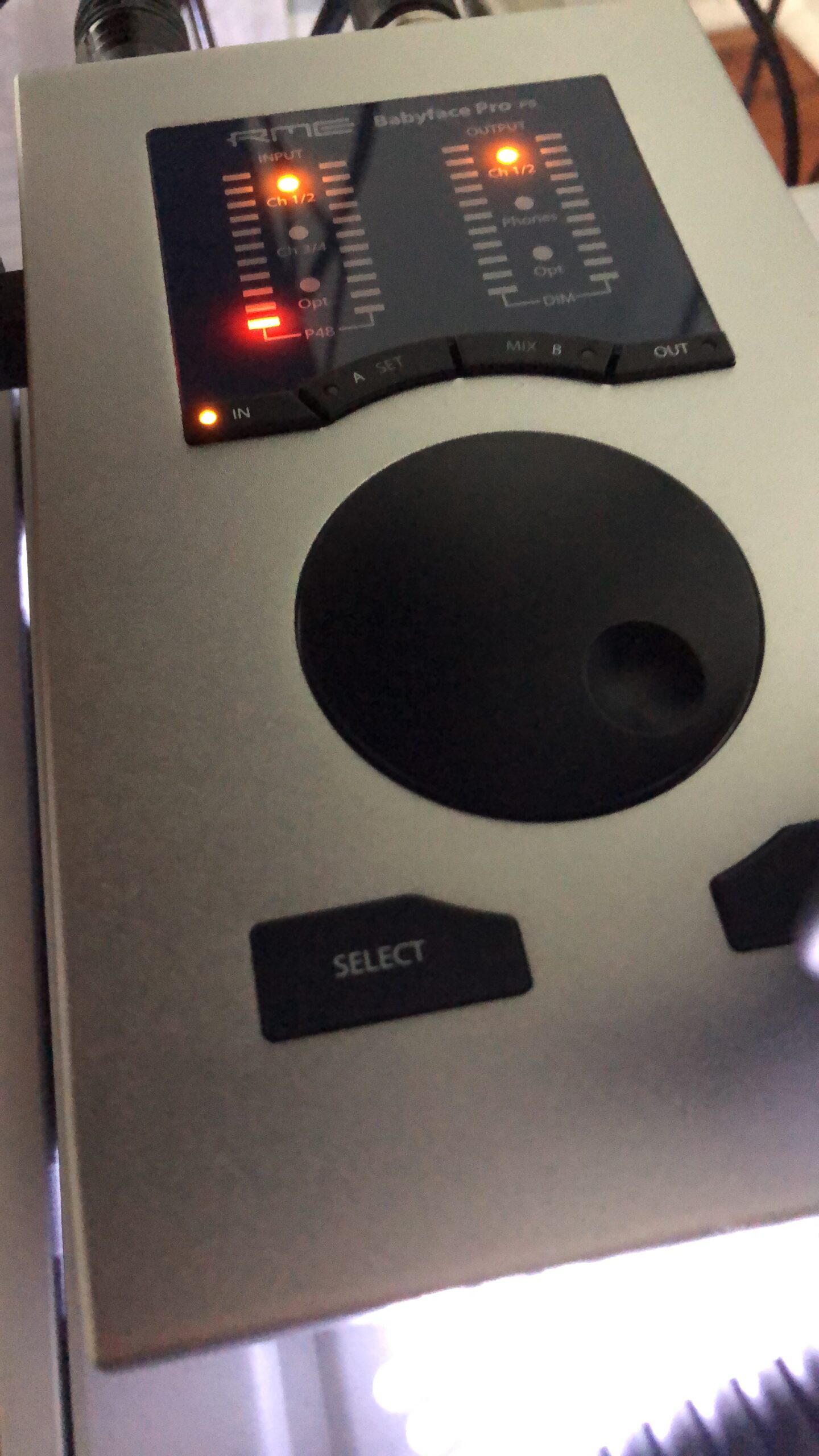
The RME Babyface Pro FS is the interface I reach for when I need professional conversion quality in a portable form factor. RME has built their reputation on two things: exceptional converter quality and drivers that never crash. After extended testing, both claims hold up completely.
The sound quality from the Babyface Pro FS is clean, detailed, and transparent. Unlike some interfaces that color your sound, the RME gives you an honest representation of what your microphones and instruments actually sound like. This makes it ideal for critical mixing decisions and professional vocal tracking.
TotalMix FX is the built-in routing software that gives you complete control over every input and output. It is incredibly powerful once you learn it, but I will warn you that the learning curve is steep. Plan to spend a few hours with the manual before everything clicks.
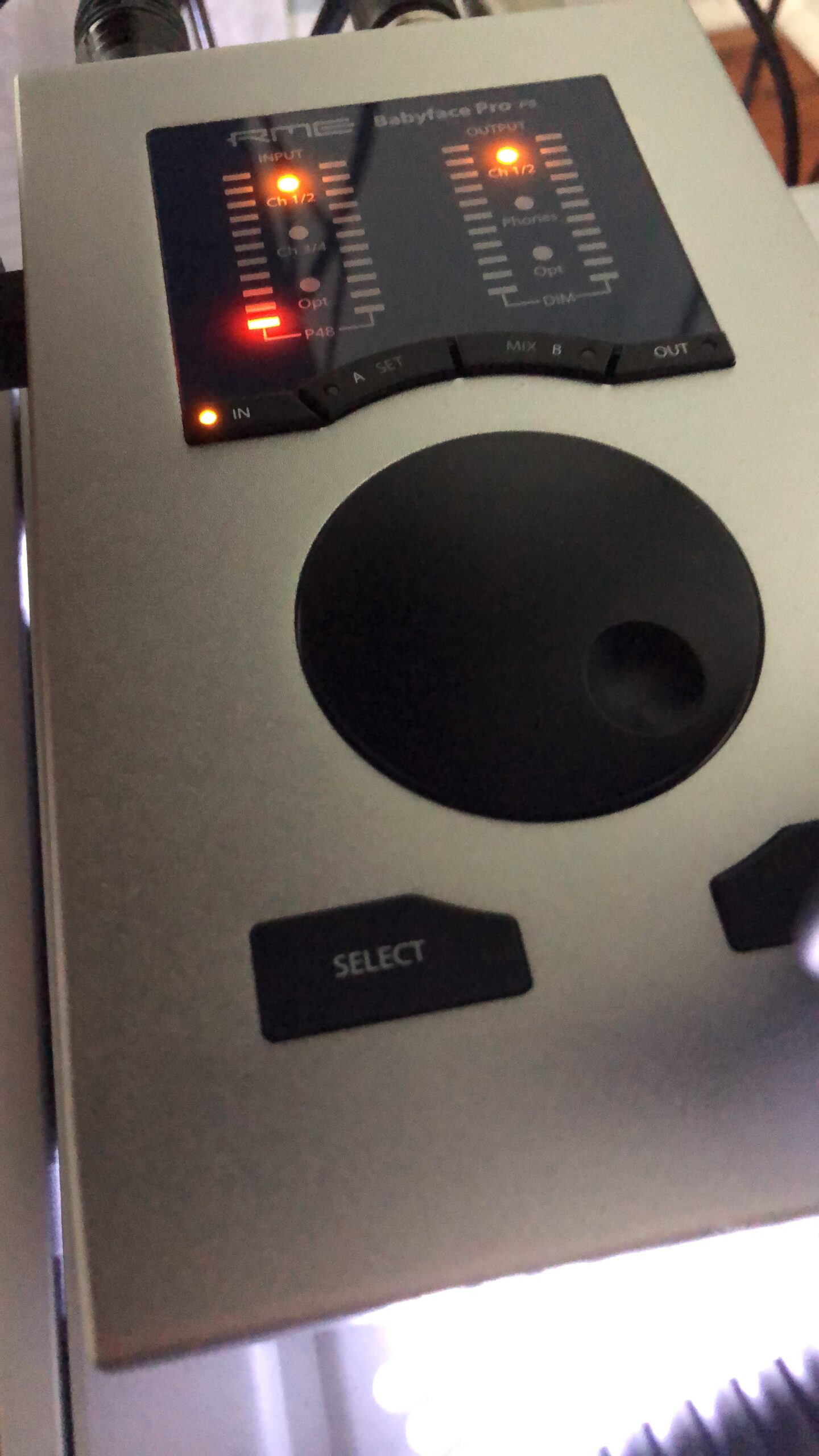
Forum users on Gearspace consistently rank RME as the gold standard for driver stability. Multiple users report running sessions for years without a single dropout or crash. That reliability alone justifies the premium price for professionals who cannot afford technical failures during recording sessions.
The aluminum construction feels like a piece of professional gear. At 3.82 pounds, it has enough heft to stay put on your desk while remaining portable enough to throw in a bag for location recording. The EQ options for both headphone and microphone inputs are a nice touch for quick adjustments without opening your DAW.
Is the Premium Worth It?
The Babyface Pro FS is the most expensive interface in this guide at $999, and it only has two preamps. What you are paying for is the conversion quality, the driver stability, and the TotalMix FX routing ecosystem.
If your work depends on reliable recording with zero compromise on sound quality, the RME justifies its price. For hobbyists or those who need lots of inputs, there are better values elsewhere on this list.
4. Universal Audio Apollo Twin X Duo USB Heritage Edition
Universal Audio Apollo Twin X Duo USB Heritage Edition Audio Interface
10x6 USB 3
UAD DUO DSP
Unison technology
24-bit 192kHz
Heritage bundle
Pros
- Excellent sound quality major upgrade over entry-level
- Heritage Edition UAD plugin bundle included
- Unison technology for authentic vintage preamp emulations
- Built-in talkback mic
- Professional recording capability
Cons
- Complex software with steep learning curve
- No USB cable included
- WDM audio drivers problematic for Zoom and Discord
- Windows compatibility issues with certain USB cables
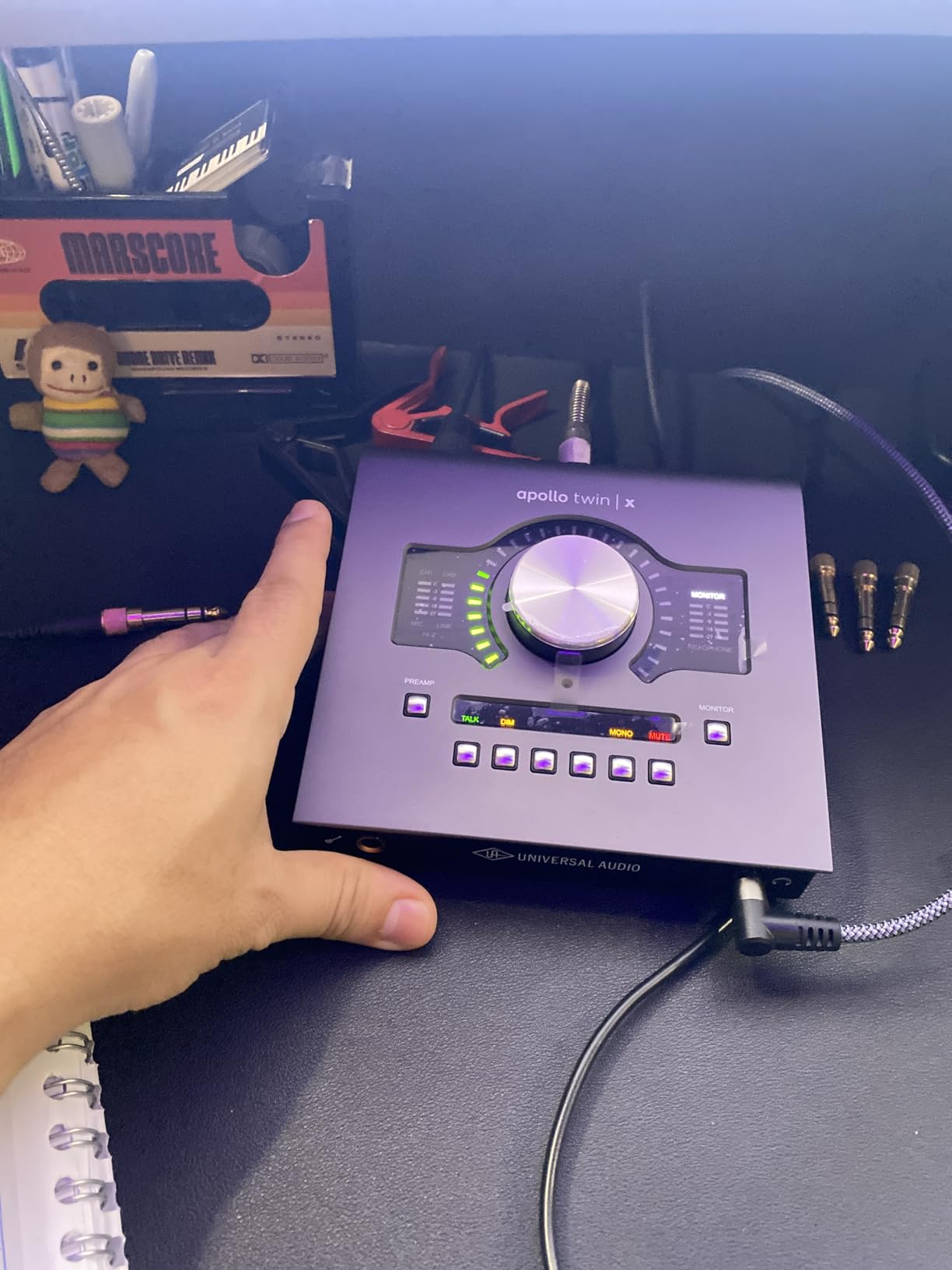
The Apollo Twin X Duo USB is the interface that blurs the line between hardware and software in the most exciting way. Universal Audio built their reputation on analog gear, and the Unison technology lets you track through authentic emulations of legendary preamps from Neve, API, and Manley in real-time with near-zero latency.
The UAD-2 DUO Core processing is the real magic here. It handles plugin processing on the interface itself rather than taxing your computer CPU. This means you can stack heavy plugins like tube compressors and tape machine emulations on your input chain without your DAW breaking a sweat.
The Heritage Edition includes a bundle of UAD plugins that would cost well over a thousand dollars if purchased separately. This is where the real value proposition lives. You are not just buying an interface but an entire ecosystem of professionally modeled analog gear.
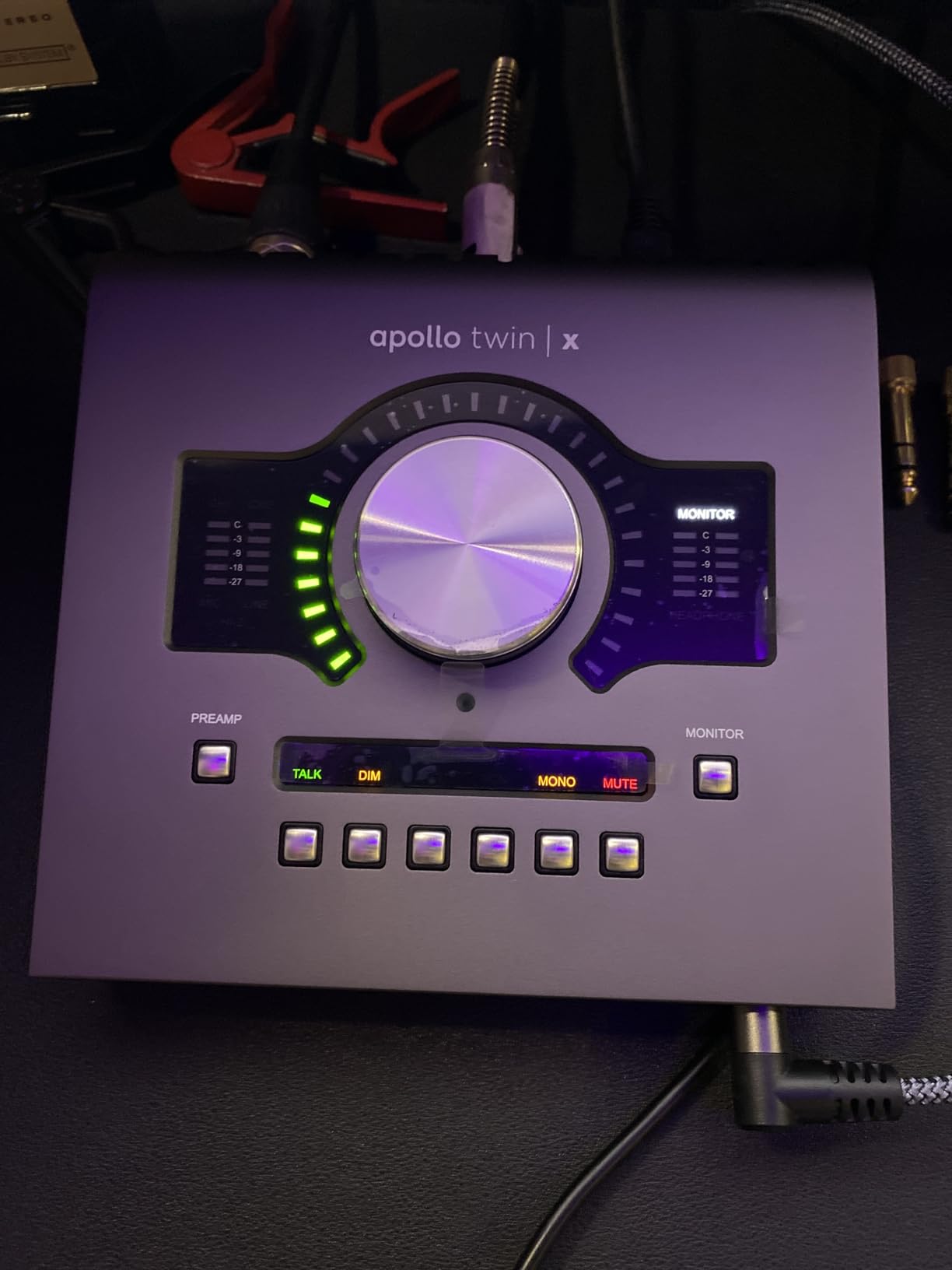
However, I need to be honest about the downsides. The software has a steep learning curve and some Windows users report compatibility frustrations. The WDM audio drivers can be problematic for everyday applications like Zoom and Discord, meaning this interface is really designed for studio use rather than general computing.
The lack of an included USB cable at this price point is frustrating. Several users on forums report needing specific cable types to get reliable performance on Windows, which adds hidden costs and setup complexity.
Best Use Case for the Apollo Twin X
This interface shines for vocalists and producers who want to track through analog-modeled preamps and compressors in real-time. If you have ever wanted to record vocals through a virtual Neve 1073 or compress on the way in with an LA-2A emulation, the Apollo ecosystem delivers that experience.
For Mac users, the setup is straightforward. Windows users should be prepared for some configuration work and make sure they have a quality USB cable on hand.
5. SSL 12 – Best for Multi-Musician Sessions
Solid State Logic SSL 12 12-In and 8-Out USB Audio Interface with Studio-Quality Audio for Professional Recording and Mixing
12x8 USB
192kHz 32-bit
62dB mic gain
ADAT input
4 foldback mixes
Pros
- Professional SSL build quality
- Exceptional converters with over 120dB dynamic range
- 62dB mic gain with very low EIN
- Up to 4 independent headphone mixes
- Built-in talkback microphone
- ADAT optical input for expansion
Cons
- Limited stock availability
- No macOS support mentioned in specs
- Some users report connectivity quirks
The SSL 12 brings console-grade monitoring to a desktop interface that handles serious multi-person sessions. With 12 inputs and 8 outputs, plus the ability to create four independent near-zero latency foldback mixes, this is the interface I would choose for tracking a full band where everyone needs their own headphone mix.
The 192kHz/32-bit converters with over 120 dB dynamic range deliver that signature SSL clarity. The 62 dB of mic gain is plenty for ribbon mics and dynamic microphones that need serious preamp power. The EIN rating of -130.5 dBu means the noise floor is exceptionally quiet.
Having a built-in talkback microphone eliminates the need for a separate talkback setup. During band sessions, this feature alone saves time and streamlines communication between the control room and the recording space.
Monitoring and Control
The comprehensive monitoring system lets you manage multiple monitor pairs and headphone distributions from the front panel. The four independent foldback mixes are the standout feature for any producer working with multiple musicians simultaneously.
The ADAT optical input allows expansion to 20 channels total when you add an external preamp unit. This makes the SSL 12 a future-proof investment that can grow from a desktop unit into the centerpiece of a serious project studio.
6. Universal Audio Apollo Solo USB Heritage Edition
Universal Audio Apollo Solo USB Heritage Edition
UAD SOLO DSP
Unison preamps
24-bit 192kHz
Heritage bundle
Near-zero latency
Pros
- Includes 1300 dollars worth of UAD plugins
- Near-zero latency processing
- Authentic Unison preamp and amp emulations
- Great headphone amplifier
- Solid premium build quality
- Free tech support from audio engineers
Cons
- Only single preamp for solo tracking
- Requires dedicated UAD plugins ecosystem
- Not compatible with LUNA Recording System
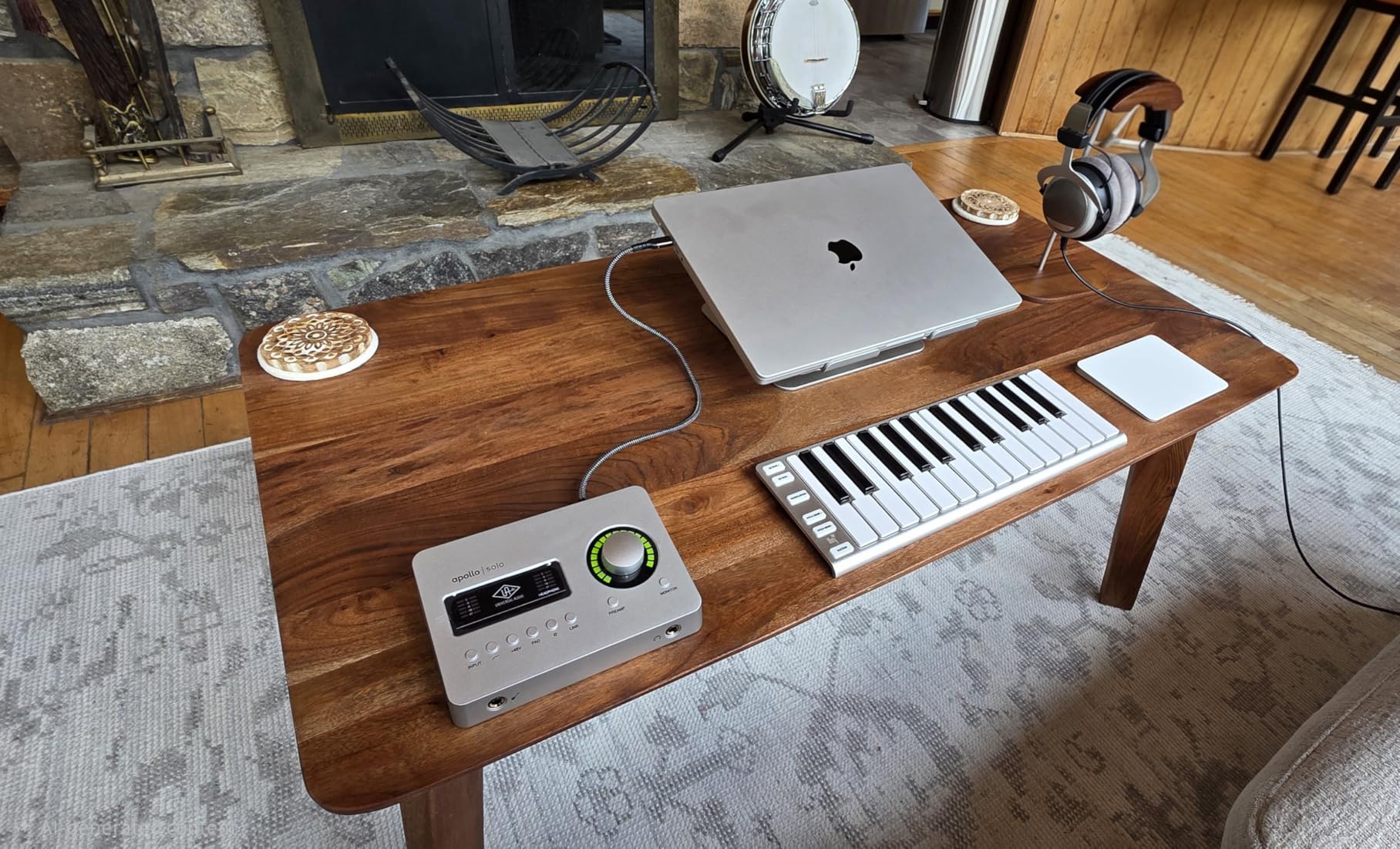
The Apollo Solo USB Heritage Edition is the most accessible entry point into the UAD ecosystem. For producers who want the Unison preamp technology and UAD plugin processing without the full Twin X price tag, this is the gateway. With 414 customer reviews and a 4.5-star rating, it is clearly resonating with users.
The SOLO Core processing handles real-time plugin processing with near-zero latency. I tested it with the included Neve and API preamp emulations on vocal tracks, and the ability to commit to a sound while tracking rather than fixing it later fundamentally changes your workflow.
The Heritage Edition bundle includes five award-winning plugin titles valued at approximately $1,300. When you factor this in, the effective cost of the interface itself is remarkably low for the conversion quality and DSP power you are getting.
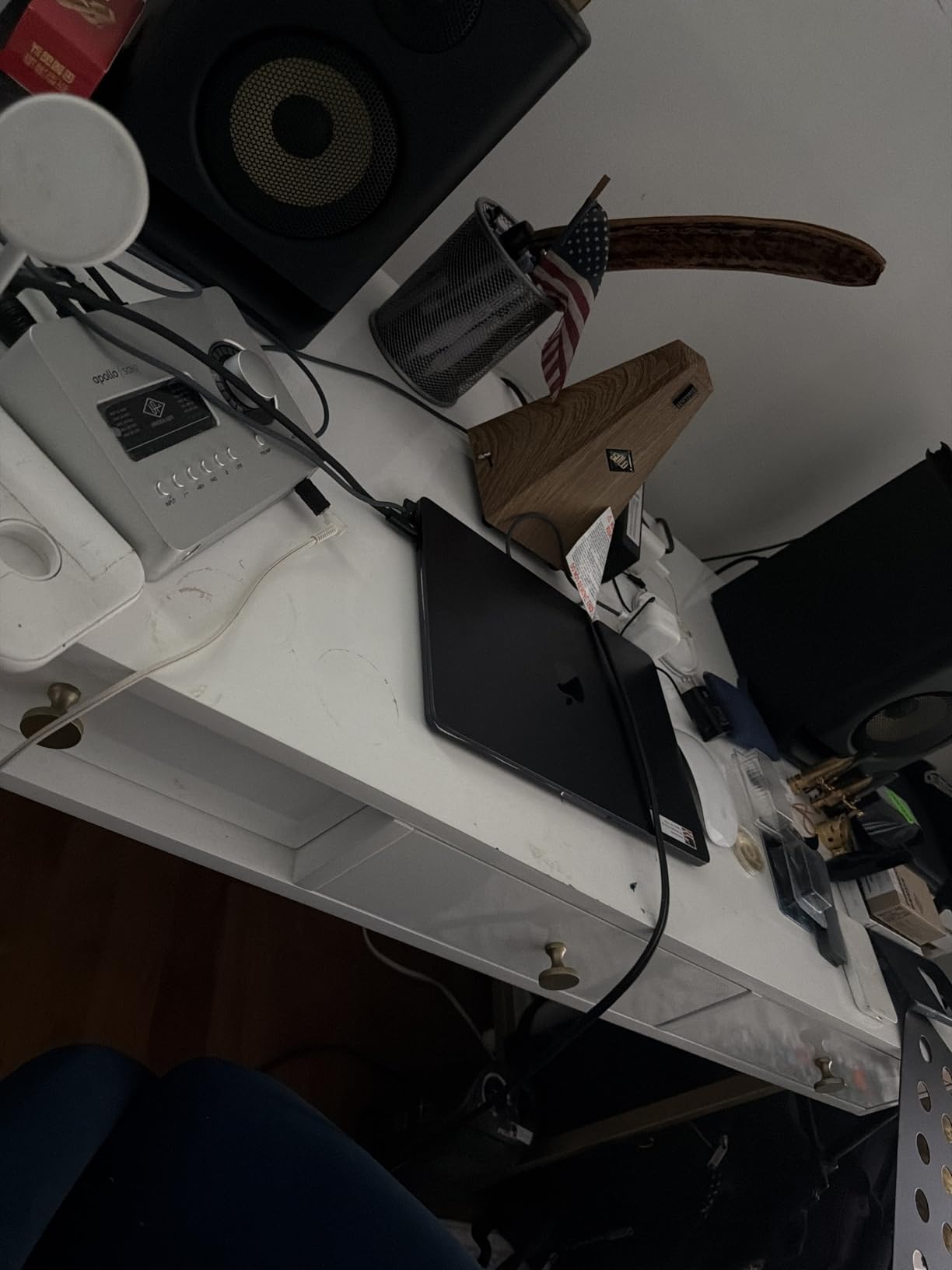
The headphone amplifier is rated as best-in-class and it shows. Even with demanding high-impedance headphones, there is plenty of clean volume without distortion. This matters because accurate monitoring at the tracking stage prevents costly mistakes.
The main limitation is the single preamp. This is strictly a solo tracking interface. If you need to record two sources simultaneously, you will need to look at the Twin X or a non-UA option. Also note that it is not compatible with the LUNA Recording System, which is a consideration if you were planning to use UA’s free DAW.
Plugin Ecosystem Value
The real cost of ownership with any Apollo interface extends beyond the hardware. Once you experience tracking through UAD plugins, you will likely want more. Budget for additional plugin purchases over time, though the Heritage bundle gives you an excellent starting collection.
For podcasters and vocalists who want professional processing on input without the complexity of a full studio setup, the Apollo Solo delivers exceptional value.
7. Audient iD44 MKII – Console Preamps for Project Studios
Audient iD44 MKII USB Audio Interface
20 channels
4 console preamps
JFET inputs
ADAT
Balanced inserts
192kHz
Pros
- Excellent audio quality and converters
- 4 Audient Console mic preamps
- Class-leading converters
- 2 JFET instrument inputs
- Independent headphone and stereo outputs
- ADAT expandability
Cons
- Latency issues requiring configuration on some systems
- No input level meter on interface
- Mac users have limited standalone controls
- Some routing matrix complexity
The Audient iD44 MKII brings something unique to this price range: four actual console mic preamps from the ASP8024 console. Audient designs their own preamp circuits for professional mixing consoles, and having four of those circuits in a desktop interface at $750 is a serious value proposition.
With 20 channels of I/O when you factor in the ADAT expansion, this interface is built for project studios that need to track drums or full bands. The JFET instrument inputs give you that warm tube-like character for direct guitar and bass recording that many producers prefer over standard Hi-Z inputs.
The fully balanced insert points on the first two channels let you integrate outboard compressors and EQs directly into your input chain. This is a feature normally reserved for much more expensive interfaces and opens up hybrid analog-digital workflows.
Who Benefits Most
The iD44 MKII is ideal for Windows-based producers who want console-quality preamps and the flexibility to integrate outboard gear. The four preamp channels make it suitable for drum overheads, small ensembles, and any session where you need more than two simultaneous inputs.
Be aware that some users report latency issues that require buffer size configuration, and Mac users have noted limited standalone controls outside of the DAW environment. The routing matrix has a learning curve similar to RME’s TotalMix.
8. Audient iD14 MKII – Sweet Spot for Home Studios
Audient Audio Interface iD14 MKII, 2 Class-A Microphone Preamps (High Performance USB Audio Interface, USB-C Connector, Monitor Mix and Monitor Panning Function, 2 Headphone Outputs), Black
2 Class-A preamps
USB-C
Dual headphone
ADAT
All-metal
24-bit 192kHz
Pros
- Class-A preamps from ASP8024 console
- Premium all-metal build quality
- USB-C connectivity
- Dual headphone outputs
- ADAT expandability for more inputs
- Drives high-impedance headphones well
Cons
- Computer sleep causes connectivity loss
- No power on/off switch
- No input level control only output control
With over 1,159 reviews and a 4.6-star rating, the Audient iD14 MKII has proven itself as one of the most beloved home studio interfaces available. The two Class-A console microphone preamps are sourced directly from Audient’s professional ASP8024 HE console, bringing genuine studio-grade mic amplification to a compact desktop unit.
The sound quality is clean, transparent, and detailed. Users consistently report a noticeable improvement when upgrading from entry-level interfaces like the Focusrite Scarlett. The preamps have a musical character that flatters vocals and acoustic instruments without heavily coloring the signal.
The all-metal housing feels like a piece of professional equipment. At under $300, the build quality is exceptional and the dual headphone outputs make it practical for tracking with a vocalist or collaborating with another musician.
ADAT Expansion for Growing Studios
The ADAT expandability means you can start with two inputs and expand to ten by adding an external preamp unit later. This makes the iD14 MKII a smart long-term investment for home studio owners who anticipate needing more channels down the road.
The included software bundle with Cubase LE, Retrologue 2 synth, and Loopmasters sample packs gives you everything needed to start producing immediately. The 3-year manufacturer warranty provides peace of mind for a long-term studio investment.
9. Antelope Audio Zenith 2 – Versatile All-in-One
Antelope Audio Zenith 2 USB-C Audio Interface for Guitar, Vocals, Streaming & Podcasting, Featuring Studio-Grade Preamps, Effects and Presets for Effortless Professional sound
123dB conversion
Dual console preamps
DSP effects
75 plugins
USB-C bus powered
Pros
- Plug-and-play driver-free USB-C
- Complete virtual guitar rig with effects
- Smart Vocal Chain for voice processing
- Dual independent headphone mixes
- Elite 123dB AD/DA conversion
- 75 plus plugins included
Cons
- Newer product with limited reviews
- Warranty description not available
- Single preamp pair for simultaneous recording
The Antelope Audio Zenith 2 is the newest interface in this lineup and it arrives with an impressive 4.8-star rating from early adopters. Antelope Audio is known for their clocking technology and high-end studio interfaces, and the Zenith 2 brings that expertise to a compact, affordable format.
The 123 dB dynamic range conversion at 192 kHz/32-bit is elite-level specification. In practical terms, this means your recordings capture incredible detail with virtually no noise, even when recording quiet sources like fingerpicked acoustic guitar or soft vocals.
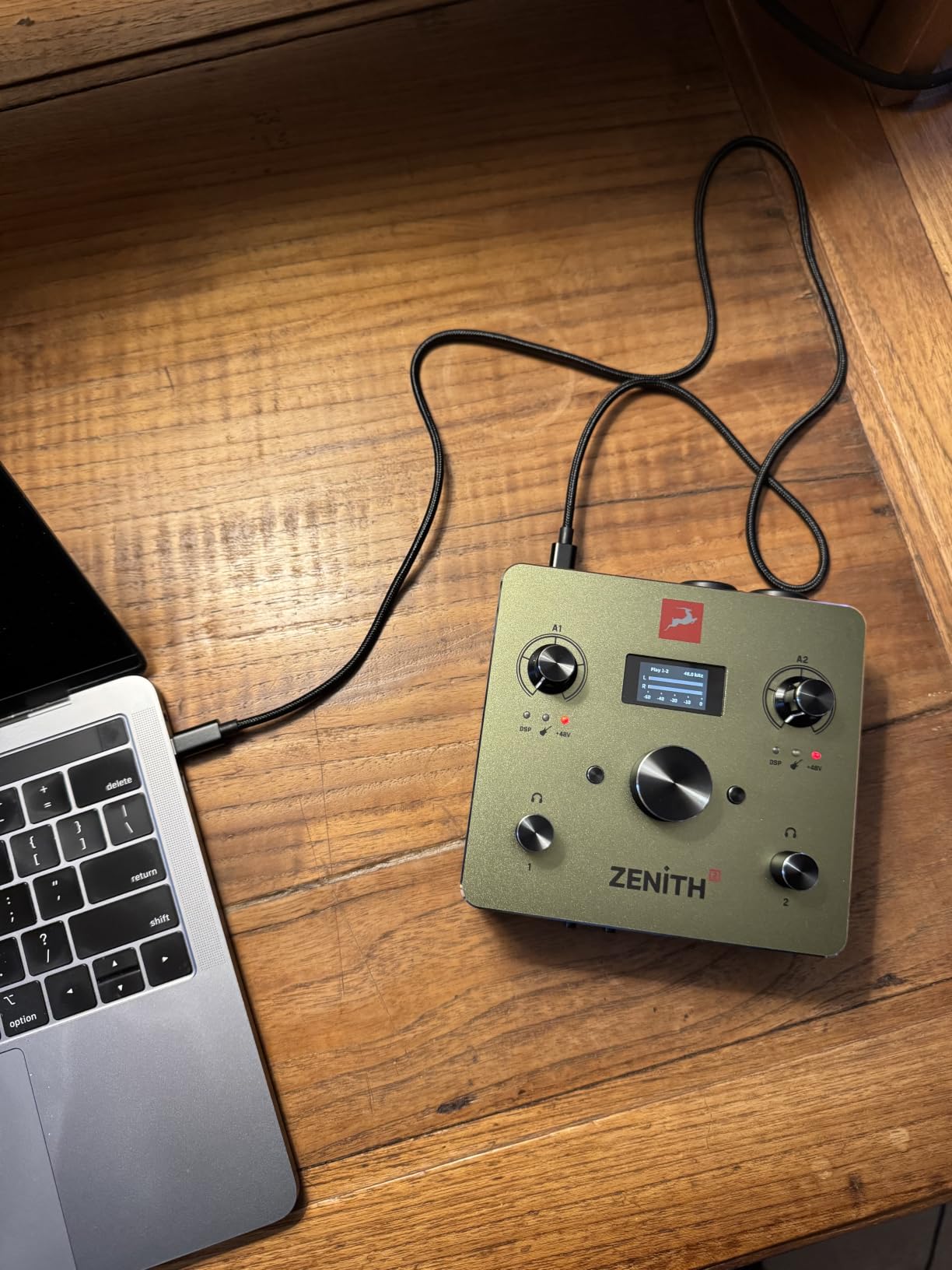
The plug-and-play USB-C connectivity is refreshingly simple. Being driver-free and class-compliant means it works immediately on PC, Mac, iOS, and Android without installing anything. I tested it with an iPad and it connected instantly, making it excellent for mobile recording setups.
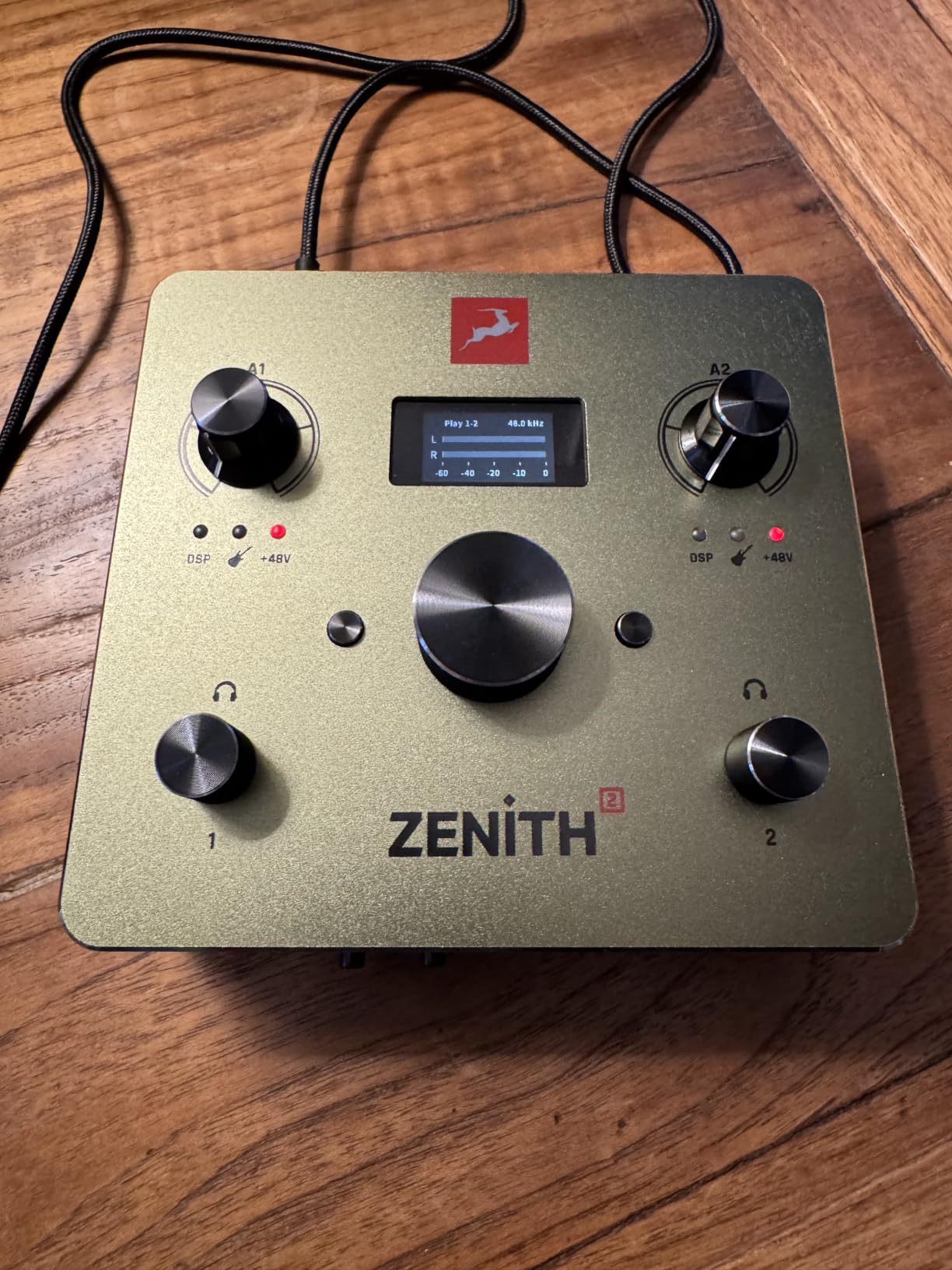
The Smart Vocal Chain is designed for podcasters and streamers who need professional-sounding vocals without becoming audio engineers. It handles compression, EQ, de-essing, and air enhancement automatically through onboard DSP processing. For content creators who want polished voice quality with minimal setup, this is a standout feature.
The 75+ included plugins and Bitwig Studio DAW make this a complete production package out of the box. The dual independent headphone mixes serve collaborative recording, and the Synergy Core effects processing handles everything with zero latency.
Best for Content Creators
The Zenith 2 excels as an all-in-one solution for creators who work across guitar recording, vocal production, streaming, and podcasting. The combination of plug-and-play simplicity, onboard DSP, and included software makes it one of the most versatile interfaces in this price range.
The only caveat is that being a newer product, the review count is still relatively low at 16. The warranty information is also not clearly defined, which is worth investigating before purchase.
10. MOTU M4 – Budget Champion with Pro Features
MOTU M4 4x4 USB-C Audio Interface
4x4 USB-C
2 preamps
LCD screen
Loopback
Bus powered
24-bit 192kHz
Pros
- Excellent value at this price point
- Crystal clear transparent sound quality
- Rock-solid Windows drivers
- Low noise floor and great preamps
- Useful LCD display for level monitoring
- Built-in loopback for streaming
- USB-C bus powered
- 48V phantom power on front panel
Cons
- Headphone amp power limited due to bus power
- Knob behavior changes mostly in first 25 percent of rotation
- Some Windows clock sync quirks
With 888 reviews and a 4.5-star rating, the MOTU M4 has earned its reputation as one of the best value audio interfaces on the market. At well under $300, it delivers transparent, clean sound quality that competes with interfaces costing twice as much. Our team has recommended this interface more than any other for home studio beginners who want professional results.
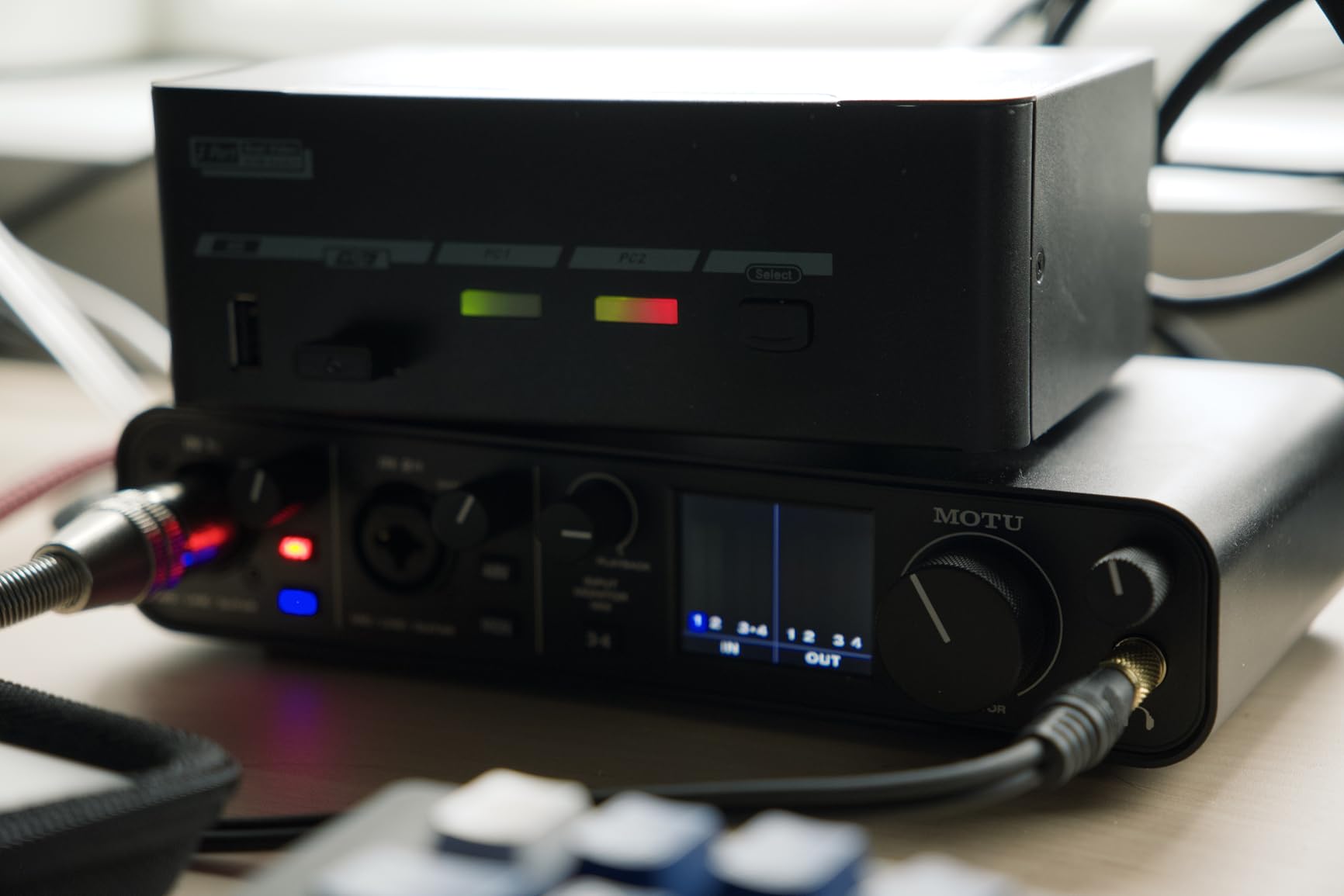
The LCD screen for level metering is a feature you do not expect at this price. Having visual feedback for input and output levels directly on the interface eliminates the need to constantly check your DAW meters. It seems like a small thing, but in daily use it makes tracking sessions significantly smoother.
The preamps are clean and quiet with a low noise floor that rivals more expensive units. I compared the M4 against a Scarlett Solo and the difference in clarity and detail was immediately apparent. MOTU’s decades of experience in professional audio design clearly show in this product.
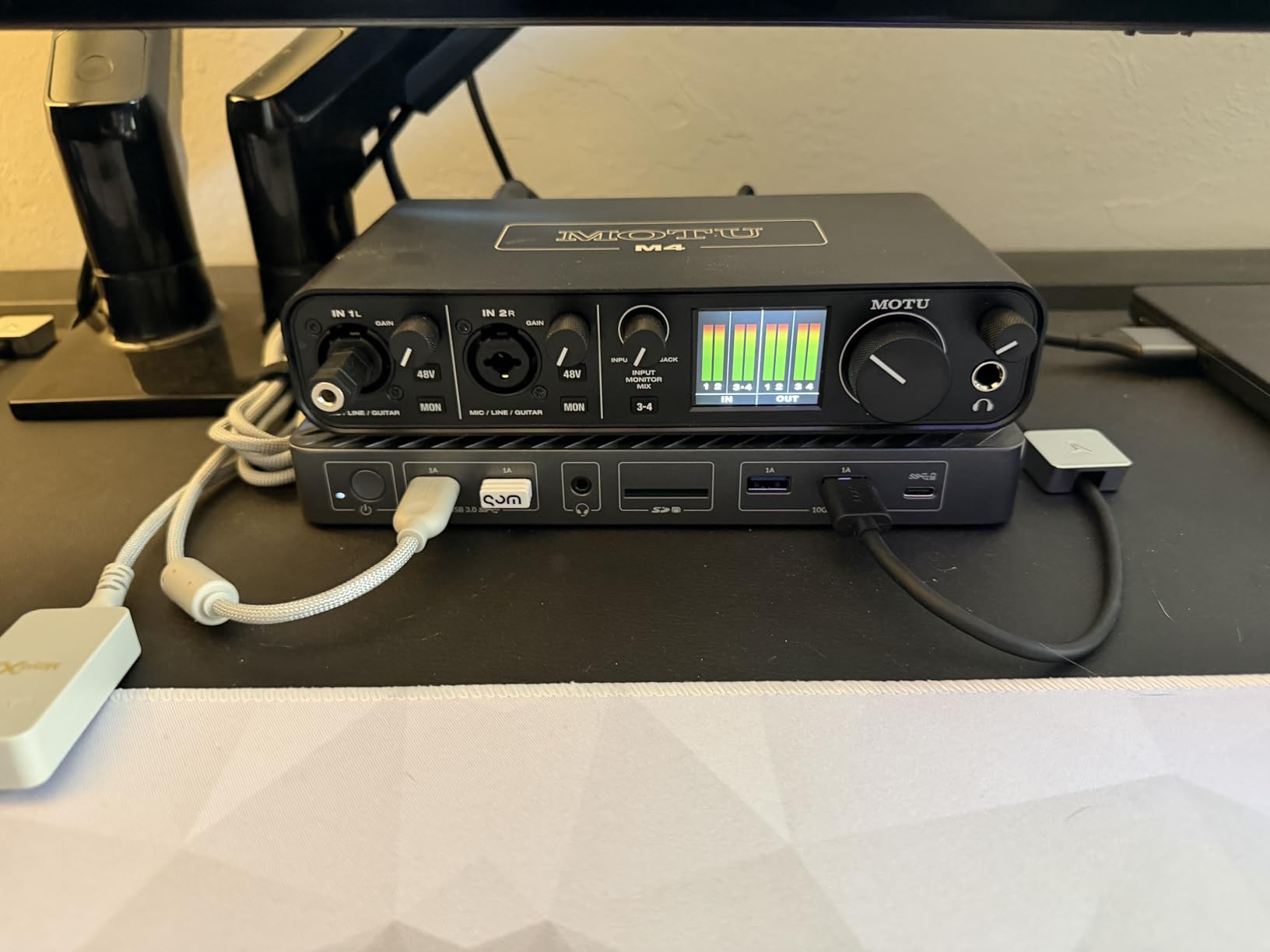
The loopback functionality makes the M4 excellent for streamers and podcasters who need to capture system audio alongside microphone input. The USB-C bus power means no external power supply, making it truly portable for laptop-based workflows.
The main limitation is the headphone amplifier, which is constrained by the bus power. If you use demanding high-impedance headphones, you may not get enough volume. Some users report that the knob behavior is uneven, with most level changes happening in the first quarter of rotation.
Best Entry-Level Pro Interface
The MOTU M4 is the interface I recommend to anyone upgrading from a budget interface or building their first serious home studio. The four inputs (two XLR/TRS combo and two TRS line) give you enough channels for most solo and small-group recording scenarios.
The included 6+ GB of free content and Performer Lite DAW give you everything needed to start producing immediately. The 2-year warranty is better than most competitors in this price range.
11. Universal Audio Volt 2 – Vintage Warmth Made Simple

Universal Audio Volt 2 USB Audio Interface
2x2 USB
Vintage 610 mode
24-bit 192kHz
Bus powered
Cross-platform
LUNA DAW
Pros
- Rich album-ready sound with Vintage mode
- Excellent audio quality for the price
- Solid build quality
- Bus powered via USB-C
- Includes free DAW and plugins
- Low latency performance
- Works with Mac Windows iPad and iPhone
Cons
- Input gain sensitivity difficult to set with two LEDs
- Cannot balance direct monitoring vs computer playback
- MIDI ports may be unnecessary for many users
- Software registration issues reported
The Universal Audio Volt 2 brings the warmth of UA’s legendary 610 tube preamp circuit to an affordable, simple interface. With 729 reviews and a 4.6-star rating, it has clearly struck a chord with creators who want professional sound quality without the complexity of the full Apollo ecosystem.
The Vintage mode is the star feature. Engaging it adds harmonic richness and warmth reminiscent of UA’s classic 610 console preamp. For vocals, this gives recordings a finished, polished quality right from the input stage. I found it particularly flattering on male vocals and acoustic guitar.
The simplicity of the Volt 2 is its greatest strength. There is no complex routing software to learn, no DSP ecosystem to manage. You plug it in, select your input, choose whether you want the vintage coloration, and start recording. For creators who want great sound without a steep learning curve, this is refreshing.
Cross-Platform Versatility
The Volt 2 works with macOS, Windows, iPad, and iPhone (iOS 14+). This cross-platform compatibility makes it ideal for creators who work across multiple devices. The bus-powered USB-C design means you can record anywhere with just a USB cable.
The included LUNA Digital Audio Workstation gives Mac users access to UA’s integrated recording environment. The bundled plugins from Marshall, Ampeg, and others provide authentic amp and instrument tones for guitar and bass recording.
12. MOTU M2 – Compact Quality at an Incredible Price

MOTU M2 USB-C Audio Interface
2x2 USB-C
2 preamps
LCD meters
DIN MIDI
24-bit 192kHz
Metal build
Pros
- Excellent audio quality for the price
- Clean low noise floor
- Solid metal construction
- LCD VU meters very useful
- Smooth knob movement
- Physical power switch
- DIN MIDI jacks included
- Good headphone amp power
Cons
- Included USB-C to USB-A cable is short and thin
- XLR input on front of unit
- Windows shows as one stereo input limitation
The MOTU M2 is the highest-rated interface on this list with a 4.6-star average from over 1,542 reviews. That kind of sustained user satisfaction at under $200 tells you everything you need to know about the value proposition here. This is the interface that proved you do not need to spend a fortune to get professional sound quality.
The preamps deliver warm, transparent sound that users consistently compare favorably against the Focusrite Scarlett and PreSonus AudioBox. The low noise floor means you can record quiet sources without picking up interface self-noise. For podcasters, vocalists, and solo producers, this is often the first interface that feels genuinely professional.
The LCD VU meters are genuinely useful for monitoring input levels at a glance. Unlike the simple LED clip indicators on most budget interfaces, the M2 gives you real-time visual feedback that helps you set proper gain staging without looking at your screen.
Build and Practical Details
The all-metal construction feels like it costs twice the price. The smooth knob movement with good resistance, the physical power switch, and the DIN MIDI jacks are all features that elevate this above typical budget interfaces. The headphone amp has enough power to drive professional headphones cleanly.
The 6+ GB of included content covers macOS, Windows, and iOS, giving you production tools across all your devices. For anyone building their first home studio or needing a reliable portable interface for location recording, the MOTU M2 is the benchmark.
How to Choose the Best Audio Interface Under $1000
Choosing from the best audio interfaces under 1000 requires understanding your specific needs. The right choice depends on your recording style, your computer setup, and your long-term studio goals. Here is what our team recommends considering before making your decision.
Connection Type: USB vs Thunderbolt
USB is the dominant connection type in this price range, and for good reason. Modern USB-C connections provide plenty of bandwidth for most recording scenarios and offer near-universal compatibility with computers and mobile devices. Every interface in this guide uses USB connectivity.
Thunderbolt offers lower latency in theory, but in practice, well-written USB drivers from brands like RME and MOTU deliver latency performance that is virtually indistinguishable for most recording workflows. Forum discussions on Gearspace consistently show that driver quality matters more than the connection type itself.
For most home and project studio owners, USB is the right choice. It simplifies your setup, works with virtually every computer, and eliminates the need for expensive Thunderbolt cables or adapters.
Preamp Quality and Count
Preamps are the heart of any audio interface. They amplify the weak signal from your microphones to a level that can be properly converted to digital data. At this price tier, you should expect clean, low-noise preamps with enough gain for any microphone type.
The number of preamps you need depends entirely on what you record. Solo vocalists and podcasters need one or two. Drum recording requires a minimum of four to eight. Full band tracking demands eight or more, which is where ADAT expansion becomes important.
Pay attention to gain ratings. The SSL 12 offers 62 dB of gain, which handles even the most demanding ribbon microphones. Interfaces with less than 50 dB of gain may struggle with low-output dynamic mics like the Shure SM7B.
I/O Count and Expandability
Consider not just what you need today but what you might need in two years. ADAT optical expansion is the most cost-effective way to add channels later. Interfaces like the MOTU UltraLite-mk5, SSL 12, and Audient iD44 MKII all support ADAT expansion, letting you grow from 4-8 inputs to 16+ channels without replacing your interface.
Digital I/O like S/PDIF is useful for connecting outboard converters or digital gear. MIDI I/O matters if you use hardware synths or controllers. Multiple headphone outputs are essential for tracking with musicians who need separate mixes.
Driver Stability: The Hidden Factor
Driver stability is the factor that most buyers overlook and most reviewers underweight. A stunning spec sheet means nothing if your interface drops out during a critical recording session. Forum discussions on Reddit and Gearspace repeatedly highlight this as the number one pain point.
RME and MOTU consistently receive the highest marks for driver stability across both macOS and Windows. Users report running these interfaces for years without a single dropout. Universal Audio’s drivers are solid on Mac but have documented issues on Windows for certain applications.
Before buying, search the manufacturer’s support forum for recent driver complaints. A pattern of unresolved driver issues is a red flag that no spec sheet will reveal.
Total Cost of Ownership
No competitor in the SERP thoroughly covers this topic, which is a gap we wanted to fill. The purchase price is just the beginning. Consider additional costs like quality cables, external preamps for expansion, plugin purchases (especially with UAD interfaces), and potential cable adapters for your specific computer.
The Apollo interfaces look expensive until you factor in the included plugin bundles worth $1,300+. Conversely, a budget interface like the MOTU M2 has minimal additional costs since it includes everything you need to start recording. Calculate the full picture before deciding which offers the best value for your situation.
Power Requirements
Bus-powered interfaces like the SSL 2 MKII, MOTU M4, and UA Volt 2 offer maximum portability with no external power supply needed. This makes them ideal for laptop-based mobile recording. However, bus power limits the headphone amplifier strength and overall output capabilities.
Externally powered interfaces like the MOTU UltraLite-mk5 and SSL 12 deliver more robust performance with stronger headphone amps and more stable operation. They also typically support standalone operation without a computer connected, which is useful for live applications.
FAQs
What is a good audio interface under a thousand US dollars?
The MOTU UltraLite-mk5 at $699.95 is our top recommendation for a good audio interface under $1000. It offers 18 inputs and 22 outputs, 125 dB dynamic range, DSP-driven monitor mixing, and rock-solid drivers for both macOS and Windows. For solo creators, the SSL 2 MKII at $229.99 delivers exceptional value with 32-bit converters and SSL’s Legacy 4K enhancement.
What is the best sounding audio interface for under a thousand?
The RME Babyface Pro FS at $999 is widely regarded as the best sounding audio interface under $1000, offering clean transparent conversion and rock-solid drivers that rival units costing twice as much. The Universal Audio Apollo Twin X Duo USB is another top contender for sound quality, especially when paired with UAD Unison preamp emulations that let you track through vintage Neve and API preamp models in real-time.
What’s the best rackmount recording interface under $1000?
The MOTU UltraLite-mk5 is the best rackmount-capable recording interface under $1000 with its 18×22 I/O configuration and ADAT expansion. The SSL 12 with 12 inputs and 8 outputs is another excellent option for multi-musician sessions with its four independent headphone mixes and built-in talkback microphone. Both offer professional monitoring and expansion capabilities for growing studios.
Is $300 vs $1000 going to be a significant difference in audio interfaces?
Yes, the difference between a $300 and $1000 audio interface is significant but depends on your needs. At $1000, you get better converters with higher dynamic range, more I/O channels, ADAT expandability, DSP processing, and premium build quality. However, for solo recording and podcasting, a $300 interface like the MOTU M4 or Audient iD14 MKII delivers professional results. The premium tier matters most for multi-track recording, critical mixing, and situations where driver stability is essential.
Do I need Thunderbolt or will USB be sufficient for my audio interface?
USB is sufficient for the vast majority of home and project studio recording. Modern USB-C connections provide ample bandwidth, and well-written USB drivers from brands like RME and MOTU deliver latency performance that rivals Thunderbolt. Thunderbolt becomes relevant only for very high channel counts at high sample rates or when every millisecond of latency matters for real-time DSP-heavy processing. Every interface in our top 12 uses USB connectivity.
Final Thoughts on the Best Audio Interfaces Under $1000
The best audio interfaces under 1000 dollars offer a massive leap in sound quality, reliability, and features compared to budget-tier options. For most producers and home studio owners, the MOTU UltraLite-mk5 hits the sweet spot of I/O, sound quality, and value. The RME Babyface Pro FS is worth every penny if driver stability and premium conversion are your priorities. And for budget-conscious creators, the SSL 2 MKII and MOTU M4 deliver professional results that punch well above their price tags.
Whatever you choose from this list, you are getting studio-grade recording capability that simply was not available at these prices a decade ago. Pick the interface that matches your I/O needs, trust brands with proven driver stability, and invest in the ecosystem that supports your creative workflow. Your recordings will thank you.