
There is something deeply satisfying about writing with a real pen on real paper. The scratch of the nib, the ink flowing onto the page, the physical connection between your brain and your hand. But in 2026, most of us live in a digital world where notes need to be searchable, shareable, and backed up to the cloud. That is exactly why the best smart pens have become such a popular tool for students, professionals, and artists alike.
After testing 10 different smart pens over several weeks, our team compared everything from handwriting-to-text accuracy to battery life to app quality. We wrote meeting notes, lecture summaries, journal entries, and quick sketches with each one. Some impressed us right out of the box. Others had us reaching for a regular pen within a day. This guide breaks down what we found so you can pick the right digital pen for your needs without wasting money on trial and error.
A smart pen is a writing instrument that looks and feels like a traditional ballpoint but has built-in technology to capture your handwriting in real time and sync it to a companion app on your phone or tablet. Most models use a tiny infrared camera in the tip that reads a special dot pattern printed on proprietary paper. The pen then transmits your strokes via Bluetooth, where the app can digitize your notes, convert handwriting to editable text, record audio alongside your notes, and export everything as PDF, Word, or image files.
Whether you are a college student who wants lecture notes backed up automatically, a professional who needs meeting notes searchable by keyword, or an artist looking to digitize sketches without a tablet, we have tested a smart pen for your use case. We also looked at stylus pens for iPad users who prefer writing directly on a screen, and scanner pens for users who need translation and accessibility features. Here is everything we learned.
Top 3 Smart Pens for 2026


Lamy Safari x Neo Smartpen
- Authentic Lamy design
- 16MB offline storage
- Standard D1 ink refills
Best Smart Pens in 2026: Full Comparison
| Product | Specifications | Action |
|---|---|---|
|
Yuan Digital Sync Pen
|
|
Check Latest Price |
 Ophayapen Smart Pen 3-in-1
|
|
Check Latest Price |
 Ophaya Sync Smart Pen 5-Pack
|
|
Check Latest Price |
 SyncPen Digital Notebook
|
|
Check Latest Price |
 Ophayapen Smart Pen Set NSMP-3
|
|
Check Latest Price |
|
Lamy Safari x Neo Smartpen
|
|
Check Latest Price |
|
JAMJAKE Stylus Pen for iPad
|
|
Check Latest Price |
 Metapen A8 iPad Pencil
|
|
Check Latest Price |
 Hastraith Stylus Pen for iPad
|
|
Check Latest Price |
 VORMOR Scan Reader Pen
|
|
Check Latest Price |
1. Yuan Digital Sync Pen with Notebook
Yuan Digital Sync Pen with Notebook, Smart Writing Set Real time Sync Digitizing for Paper Notes Convert to Text, Smart Pen and Notebook for Note Taking Sync Notes to Phone/Tablet Instantly
110-day standby
8hr continuous use
Real-time sync
1.5hr fast charge
Leather cover notebook
Pros
- Highest rating at 4.3 stars with 71% 5-star reviews
- 110-day standby battery is exceptional
- Smooth 360-degree writing at any angle
- Includes notebook mini notebook 5 refills and tweezers
Cons
- Grey notebook paper reduces ink contrast
- Replacement notebooks cost $19 each
- Google Drive sync is manual not automatic
The Yuan Digital Sync Pen earned the highest rating in our entire test pool at 4.3 stars across 115 reviews, with a remarkable 71% five-star rate. That kind of reception does not happen by accident. After using it for two weeks of daily meeting notes and personal journaling, I understood exactly why users love this pen.
The writing experience is where the Yuan truly shines. The pen captures handwriting at a full 360-degree angle with smooth, accurate stroke tracking. I noticed almost no lag between my physical writing and the digital version appearing in the Yuan Smart Pen Business app. The pen feels balanced and natural, close enough to a regular pen that my hand did not need to adjust.
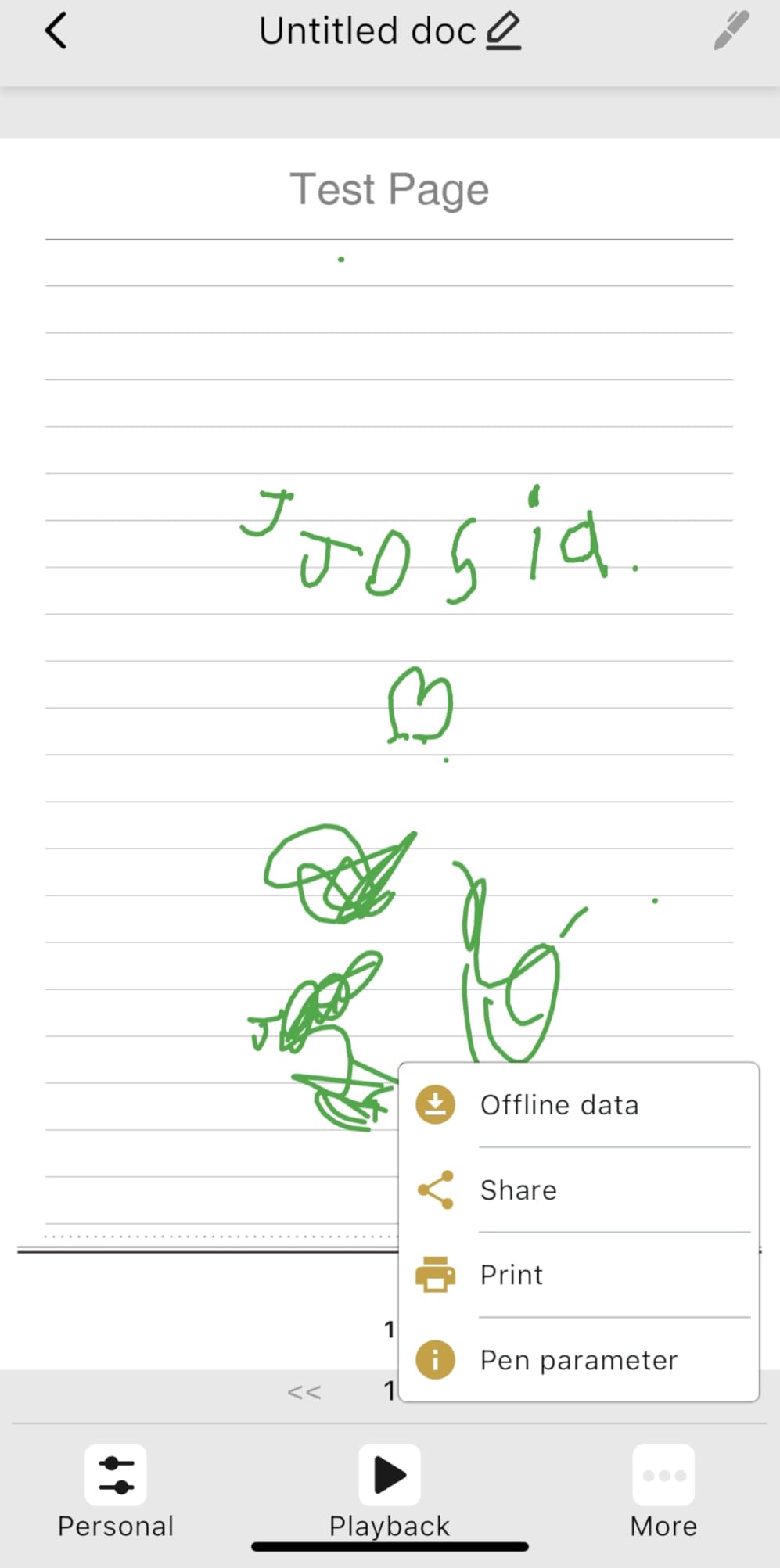
Battery performance is a standout feature. You get 8 hours of continuous writing on a single charge, with an outstanding 110-day standby time. A quick 1.5-hour USB charge gets you back to full power. I charged it once at the start of my testing period and never worried about battery again. The offline storage means your notes are saved even without a phone connection, then auto-sync when you reconnect.
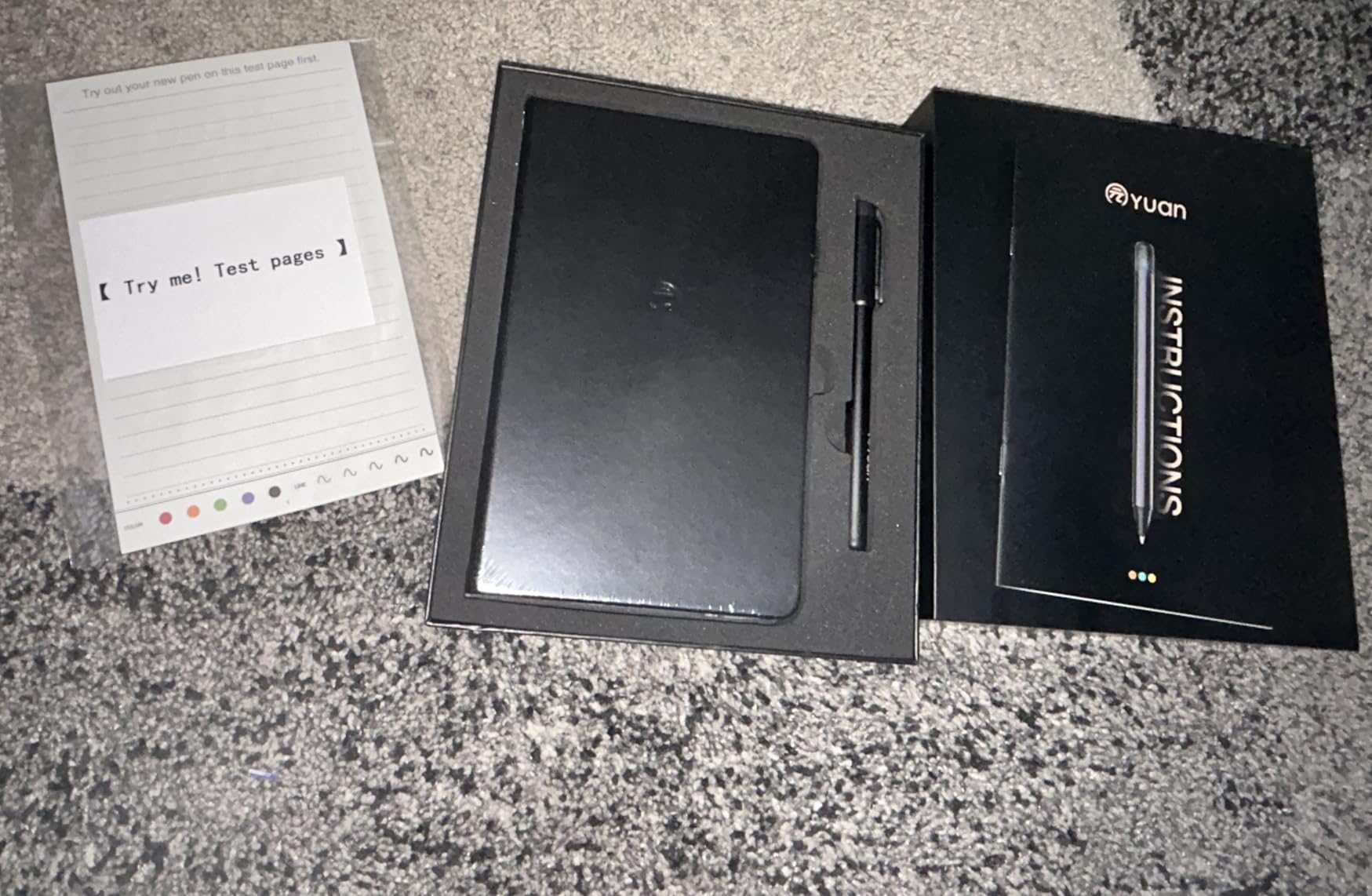
The leather cover notebook adds a premium feel that makes this set a genuinely nice gift option. The set includes a smart notebook, a mini smart notebook, five pen refills, a bookmark, and pen refill tweezers. My biggest gripe is the grey-tinted notebook paper, which reduces ink contrast and makes handwriting harder to read physically. The digital version looks fine, but the physical page suffers.
Who Should Buy the Yuan Digital Sync Pen
This pen is perfect for students, professionals, and journaling enthusiasts who want reliable real-time digitization with exceptional battery life. If you write daily and want a pen that simply works without constant charging or app crashes, the Yuan delivers. The premium leather notebook also makes it an excellent gift.
It is less suitable if you need OCR handwriting-to-text conversion or if you want automatic cloud sync without manual steps. The grey paper and replacement notebook costs are also factors to weigh if you write heavily.
2. Ophayapen Smart Pen 3-in-1 with Digital Notebook and Writing Board
Ophayapen Smart Pen for Note Taking with Digital Smart Notebook and Writing Board, Real-time Sync for Digitizing,Convert to Text,Storing,Sharing Paper Notes via APP on Smartphone(Android and iOS)
OCR handwriting to text
1024 pressure levels
Real-time sync
Audio recording
Aluminum build
Pros
- OCR converts handwriting to editable Word text
- Multiple export formats PDF Word PNG GIF MP4
- Offline storage works without phone connection
- Writing board and notebook included in box
Cons
- App UX is poor especially audio navigation
- No audio playback speed control
- Durability issues reported by some users after months
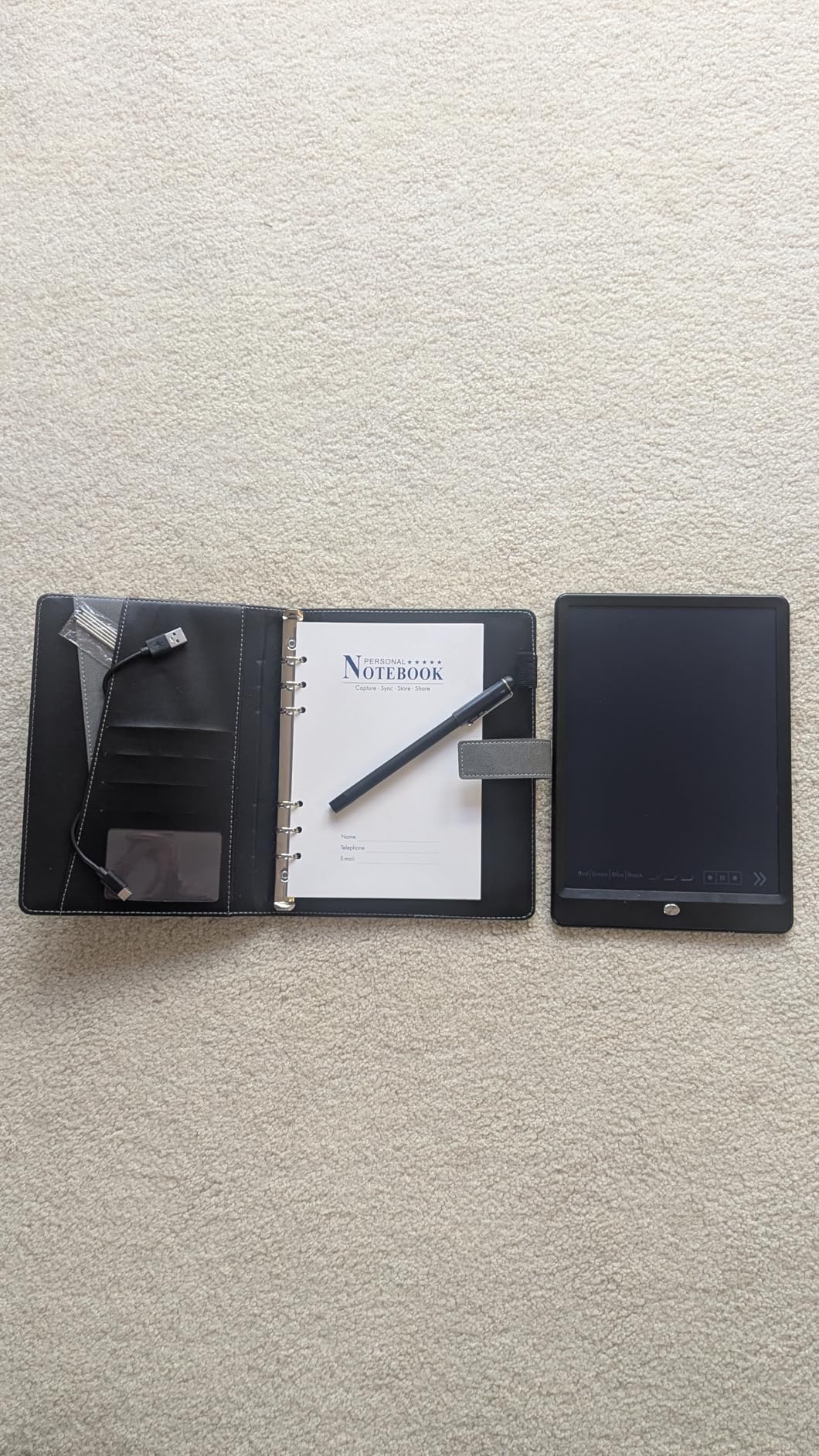
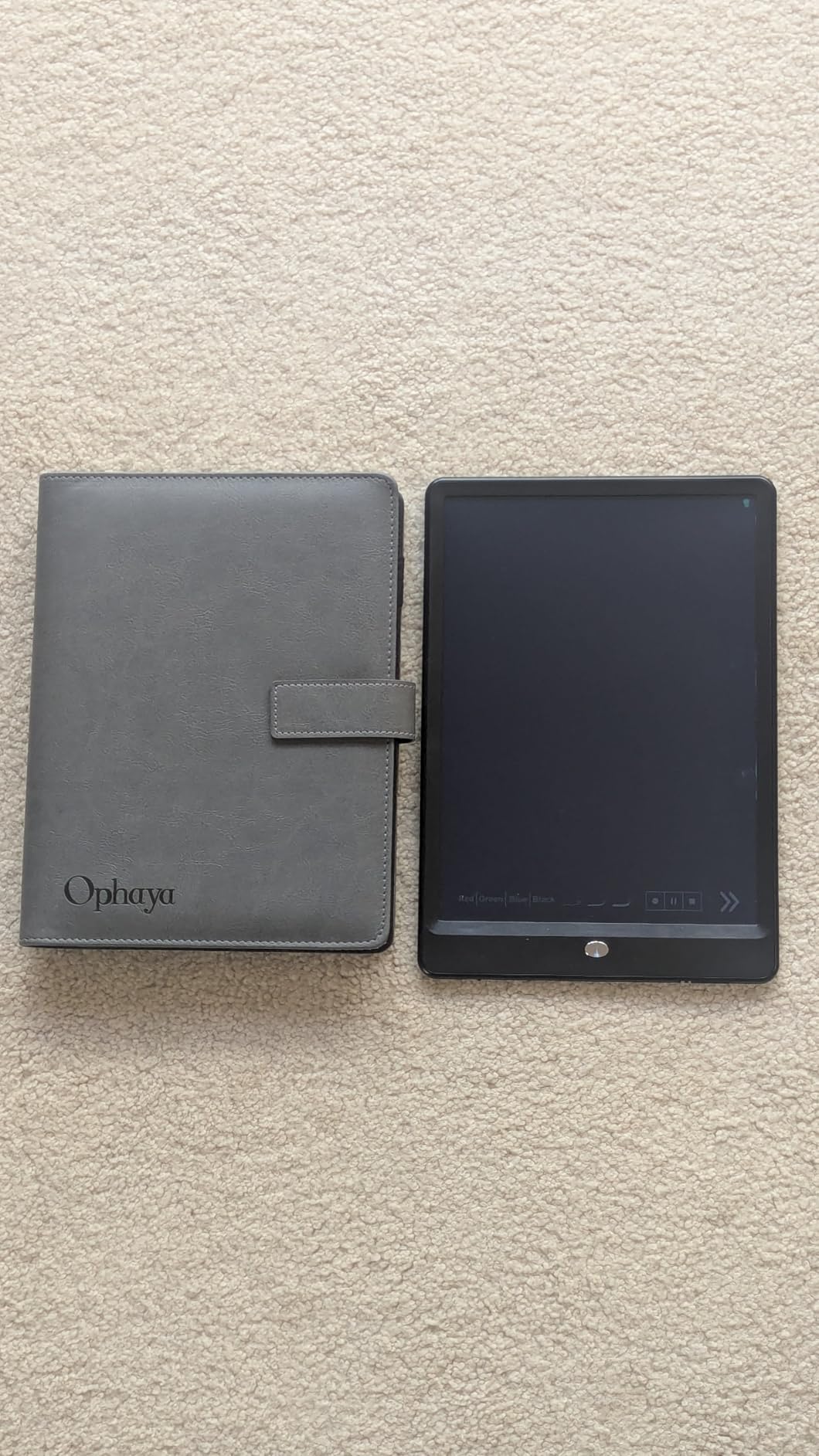
The Ophayapen 3-in-1 caught my attention because it bundles a smart pen, a PU notebook with 60 sheets, a writing board, four ballpoint refills, and two plastic nibs into one package. That is a comprehensive starter kit for anyone new to smart pens. The aluminum enclosure gives it a premium feel that punches above its price class.
Writing with the Ophayapen felt natural from the first stroke. The pen uses invisible dot-code recognition with a high-speed infrared camera, capturing handwriting at a full 360-degree angle. The digitized version of my notes appeared on my phone with minimal lag. The OCR feature converts handwriting into editable Word documents, and it handled my average-quality handwriting reasonably well. If your handwriting is particularly messy, expect some cleanup work.
The standout feature for me was the audio recording synced with written notes. During a 45-minute meeting, I recorded audio while taking notes. Later, I could tap any word and hear what was said at that exact moment. The app also lets you search notes by keyword, tag, or timestamp. Export options are extensive: PDF, Word, PNG, GIF, and even MP4 to show a playback of your writing process. The 1024 levels of pressure sensitivity make this useful for sketching too.
The app is where the experience falters. Navigating recorded audio is awkward, and there is no way to increase playback speed. Some users have reported durability issues, with the pen stopping after approximately eight months. Customer support is reportedly difficult to reach when things go wrong. With 13% of reviews being one-star, the quality consistency is a real concern to factor into your decision.
Who Should Buy the Ophayapen Smart Pen 3-in-1
This set is ideal for students and professionals who want a feature-rich smart pen with OCR, audio recording, and multiple export options at a mid-range price. The bundled writing board and accessories add genuine value for first-time smart pen buyers. If you take lecture or meeting notes that need converting to text, the OCR workflow handles that well.
It is not the right choice if you need rock-solid long-term reliability or a polished app experience. The durability reports and app limitations mean you should keep warranty documentation accessible and manage your expectations accordingly.
3. Ophaya Sync Smart Pen and A5 Notebook 5-Pack
Ophaya Sync Smart Pen and A5 Notebook(5-Pack) for Note Taking| Gifts for Adults Women Men Coworkers Teachers Students Guest Friends | Sync Notes to Phone/Tablet Instantly/Convert to Text
Real-time sync
OCR text conversion
Audio-linked notes
5 A5 notebooks included
iOS and Android
Pros
- Excellent value with 5 A5 notebooks included
- Accurate text conversion and keyword search
- Offline storage with auto-sync on reconnection
- Smooth and comfortable pen feel
Cons
- Pen ink feels slightly rough on paper
- Paper quality is not premium
- Specialty paper difficult to find separately
The Ophaya Sync Smart Pen 5-Pack offers something unique in this roundup: five A5 notebooks bundled with the pen, each containing 124 pages. For heavy note-takers, this bundle eliminates the paper-buying anxiety that comes with most smart pen ecosystems. You get enough paper to last months right out of the box.
The pen syncs handwritten notes to the Ophaya Pro+ app on iOS and Android in real time. I found the sync fast and accurate during testing, with my digitized handwriting closely matching the physical version. The OCR text conversion handles standard handwriting well, and you can search notes by keywords, tags, or timestamps. The pen feels smooth and comfortable, with a weight that is easy to hold for extended sessions.
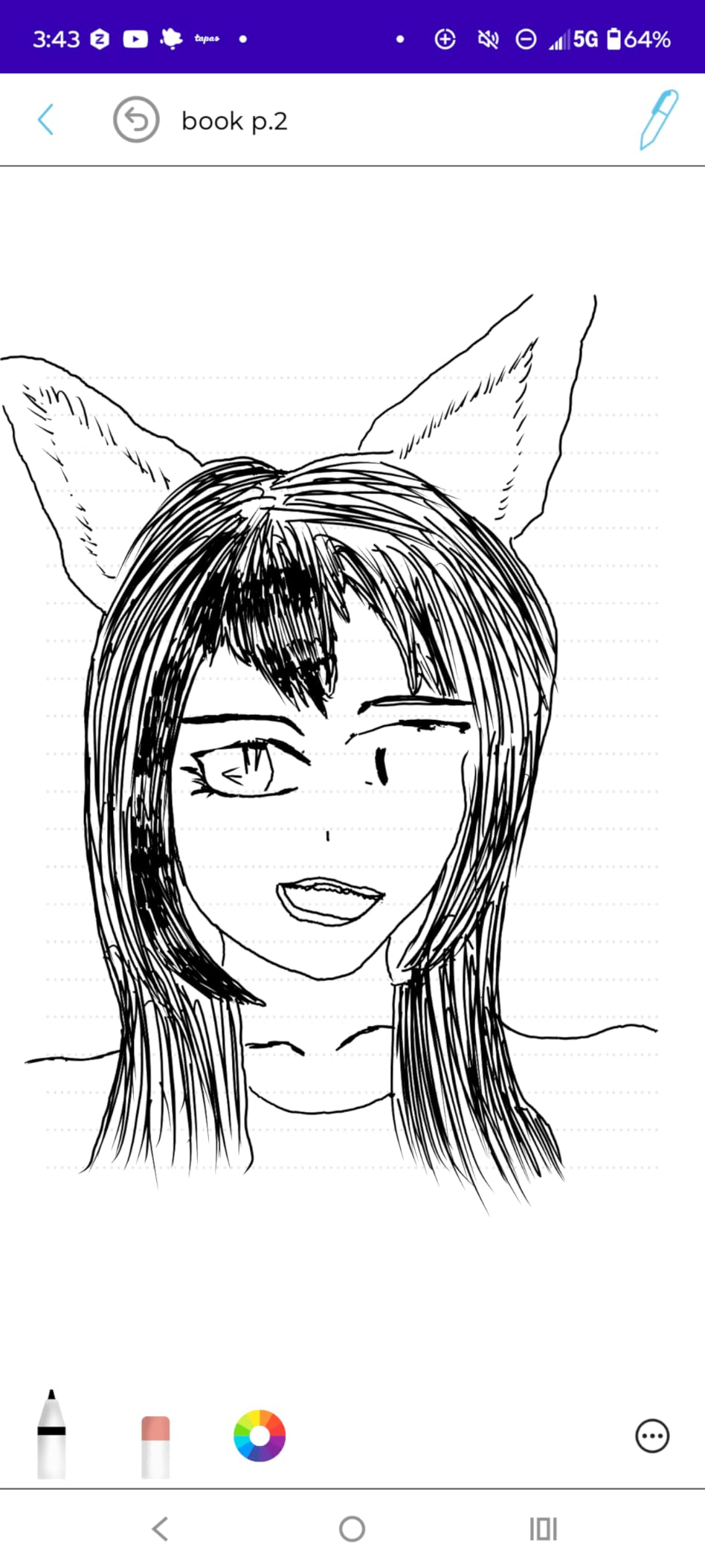
Audio-linked notes let you record context while writing, and you can replay audio synced to specific parts of your notes later. Multi-format export includes PDF, Word, PNG, GIF, and MP4. Offline storage captures everything even when your phone is not connected, then auto-syncs when you reconnect. The customizable pen colors and thickness options in the app let you organize notes visually.
The trade-offs are mostly around quality details. The pen ink feels slightly rough on the page compared to a premium ballpoint. The paper quality is functional but not premium, and the line spacing is wider than traditional narrow-rule paper. The pen cap, which is the only way to turn the pen off, is easy to lose. Some users report that finding replacement notebooks separately is challenging. The app feels dated compared to more modern alternatives.

Who Should Buy the Ophaya Sync Smart Pen 5-Pack
This bundle is perfect for students, professionals, and anyone transitioning from paper to digital note-taking who wants a large supply of notebooks upfront. If you write a lot and hate the recurring cost of proprietary paper, the 5-pack bundle provides months of writing before you need to buy refills. The 4.2-star rating from 81 reviews shows consistent user satisfaction.
It is less ideal if you prioritize premium paper quality, a modern app interface, or the smoothest possible ink experience. The slightly rough writing feel and dated app are the main compromises you make for the excellent bundle value.
4. SyncPen Digital Notebook Smart Pen Set
SyncPen Digital Notebook Smart Pen Set | Real Time Sync from Paper to App, Bluetooth Pen with OCR and Audio Recording | Gift for Students, Creators & Professionals
71+ language OCR
Lifetime app access
AES-256 cloud storage
Bluetooth 5.0
7-day battery
Pros
- 71+ language handwriting recognition including math and music
- Lifetime app access with zero subscription fees
- Unlimited cloud storage with AES-256 encryption
- Offline-first design never loses notes
Cons
- Notebook is single-use with expensive replacements
- App requires payment info for free product
- 16% one-star rate indicates reliability concerns
The SyncPen Digital Notebook impressed me with its ambitious feature list and no-subscription model. This pen offers AI-powered handwriting recognition with OCR support across 71+ languages, the widest language support in this roundup. If you write in multiple languages or work with international content, that alone could make this your top choice.
The pen writes with real ink on the included A5 notebook and syncs via Bluetooth 5.0 to your phone or tablet. I found the sync fast and reliable during testing, with strokes appearing almost instantly in the app. The offline-first design means notes are captured locally and auto-sync when your device reconnects. The MyScript handwriting recognition engine powers the OCR, which handles complex content like math equations and music notation in addition to standard text.
What really sets the SyncPen apart is the lack of recurring fees. You get lifetime app access and unlimited cloud storage with AES-256 encryption. No monthly subscriptions, no premium tiers to unlock features that should be standard. Export options include PDF, DOCX, JPEG, and MP4. The 7-day average battery life is solid, and setup took me about ten minutes from unboxing to first synced note. The pen feels comfortable for long writing sessions.
The concerns are significant, though. The notebook appears to be single-use only, with ink that does not work for regular writing on other pages. Replacement notebooks are reportedly expensive, which is a major ongoing cost if you write heavily. The app requires payment information for a free product, which raises privacy concerns for some users. A 16% one-star rate suggests reliability issues for a notable subset of buyers.
Who Should Buy the SyncPen Digital Notebook
This is the best smart pen for multilingual users, international students, and anyone who writes in more than one language. The 71+ language OCR support is unmatched. It is also ideal for users who hate subscription models and want lifetime access with no recurring fees. The unlimited encrypted cloud storage is a generous inclusion at this price.
It is less ideal if you write many physical pages, since the single-use notebooks and their replacement costs will add up. The payment-info requirement for the free app is also a friction point that some users will find unacceptable from a privacy standpoint.
5. Ophayapen Smart Pen Set NSMP-3 with Writing Board
Smart Pen for Note Taking Set Real-Time Paper-to-Digital, Smart Digital Notebook with Pen for Meeting Class Creation, Convert to Text, Store, and Share Your Handwritten Notes via App(iOS/Android)
Real-time sync
OCR conversion
Audio-synced notes
1024 pressure levels
Aluminum build
Pros
- Audio-synced notes with tap-to-replay functionality
- Combine multiple pages into single file before sharing
- Aluminum enclosure feels premium
- Natural writing on paper and tablet writing board
Cons
- Writing board is not backlit hard to use in low light
- App does not work with computers mobile only
- 30-day warranty is relatively short
The Ophayapen NSMP-3 is a versatile smart pen set that includes a notebook, a writing board, and all the accessories you need to get started. With a 4.1-star rating and 66% five-star reviews from 48 users, this pen has built a solid reputation for meeting productivity needs in meetings, classes, and journaling.
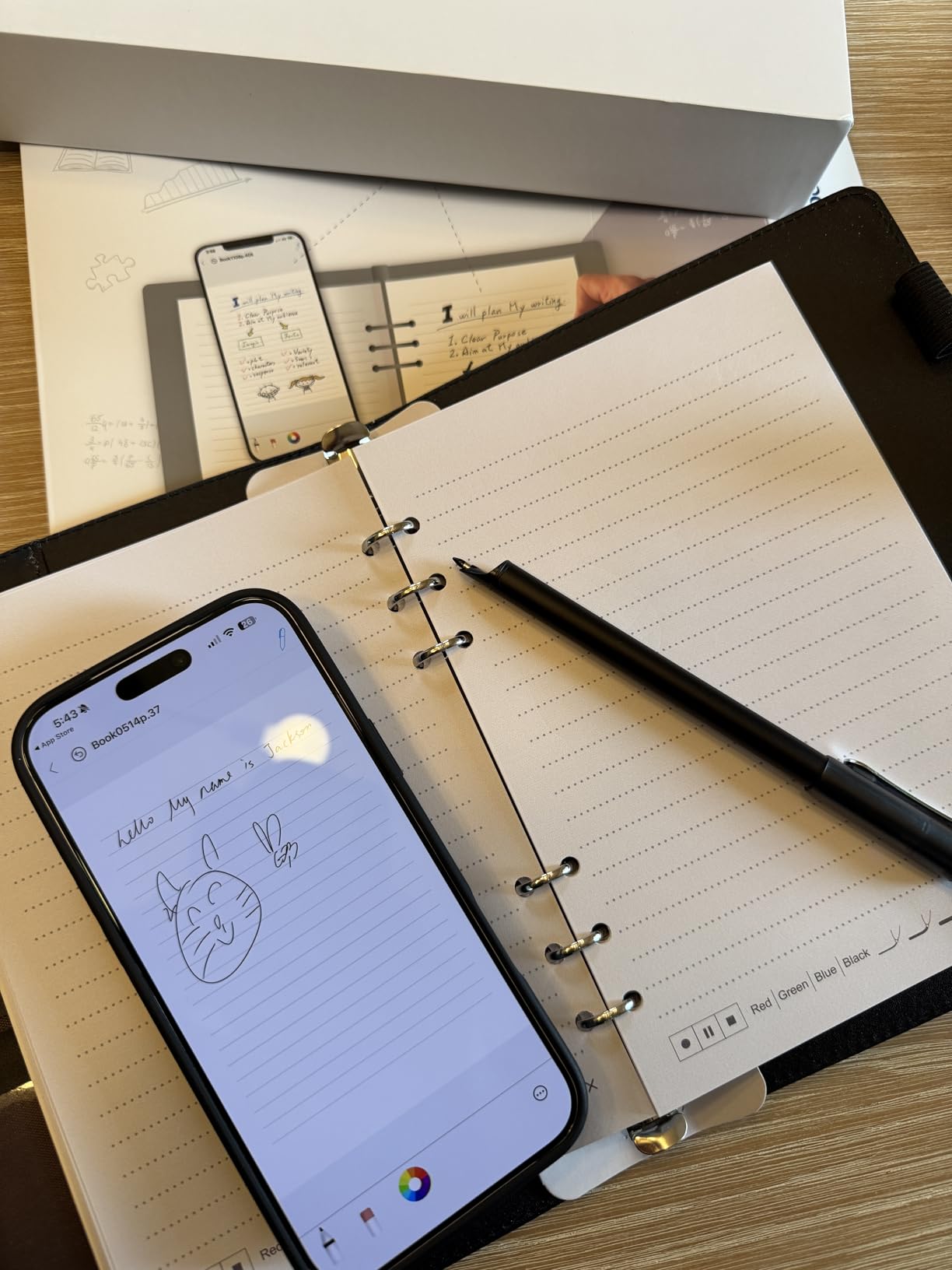
Writing on the included PU notebook felt natural, and the real-time sync to my phone was fast and accurate. The OCR text conversion worked well even with my less-than-perfect handwriting, converting notes into editable Word documents. The audio-synced notes feature is particularly powerful: tap any word in your digitized notes to replay the audio from that exact moment. This is a feature I found genuinely useful during meeting recaps.
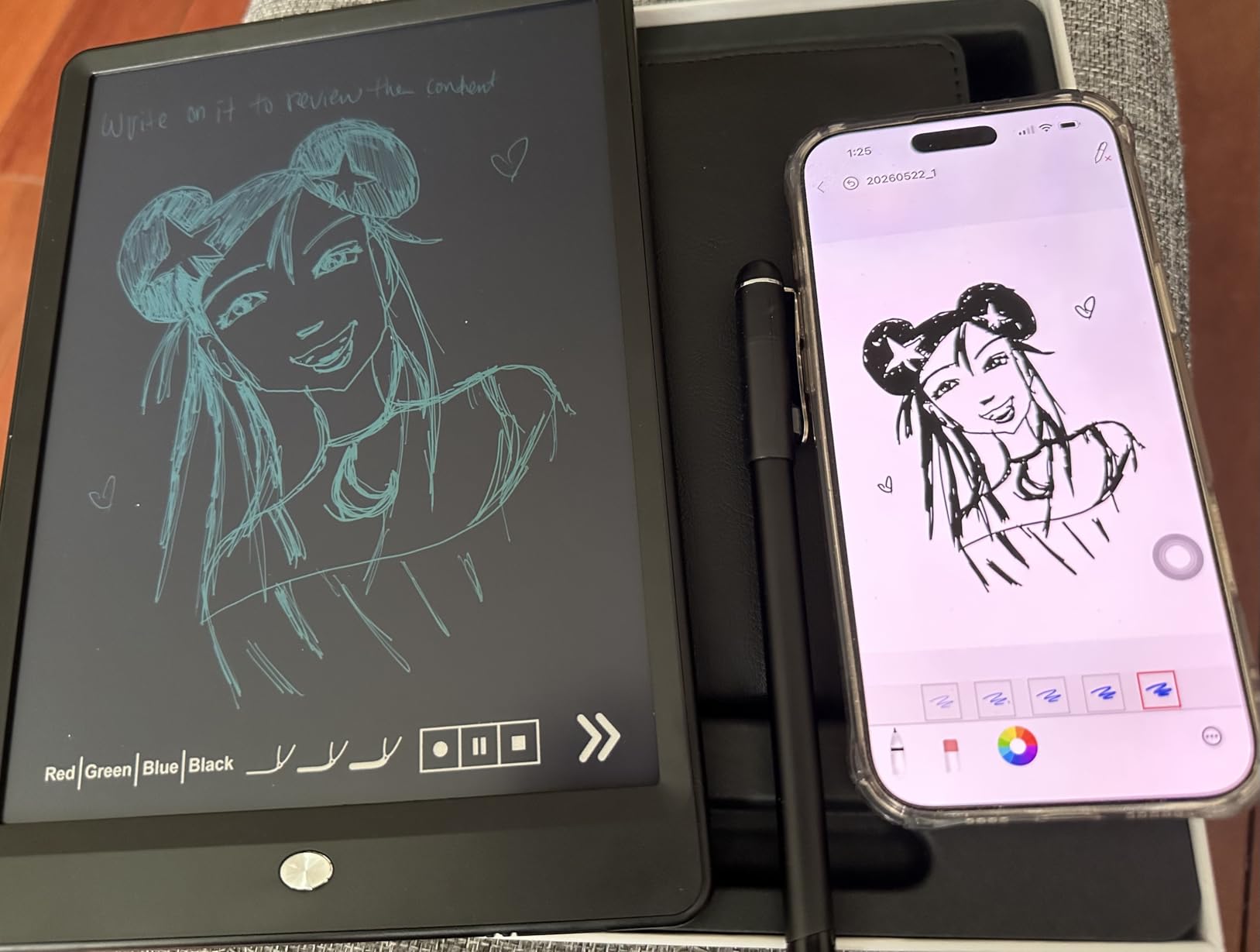
The set includes a writing board that works alongside the notebook for an additional writing surface. I liked having two surfaces to work with, though the writing board is not backlit, making it difficult to use in dim lighting conditions. The app lets you combine multiple pages into a single file before sharing, which is handy for multi-page meeting notes or lecture summaries. The 1024 pressure levels handle both writing and light sketching well.
The main pain points are the mobile-only app limitation and the short warranty. The app does not work on computers, so you are limited to phone or tablet for viewing and editing your digitized notes. The app requires payment information for verification, which is a privacy concern shared with other Ophaya products. The 30-day warranty is shorter than most competitors offering one-year coverage. Some users report that resyncing can overwrite previous data.
Who Should Buy the Ophayapen NSMP-3
This set is great for meeting note-takers, students, and journaling enthusiasts who want audio-linked notes and multi-page export in a versatile package. The dual writing surfaces give you flexibility, and the OCR conversion handles everyday handwriting competently. If you need tap-to-replay audio synced to your notes, this pen delivers that feature reliably.
It is not ideal if you need desktop access to your notes, a backlit writing surface, or a longer warranty period. The mobile-only limitation and short warranty are the primary trade-offs for the otherwise solid feature set.
6. Lamy Safari x Neo Smartpen
[Lamy Safari x Neo Smartpen] The Iconic Design You Love, with the Digital Power You Need. Premium Handwriting Digitizer for Professionals & Creatives.
Authentic Lamy Safari design
16MB offline storage
Standard D1 ink refills
Micro-dot paper technology
Bluetooth sync
Pros
- Authentic Lamy Safari body feels like a true premium pen
- Uses standard D1 ink refills not proprietary cartridges
- 16MB internal storage for write-now-sync-later
- Durable build survived multiple drops reported by users
Cons
- Requires special Ncode paper not included in box
- Cloud-only app no offline local storage option
- MicroUSB charging port instead of USB-C
- Limited review base of only 12 reviews
The Lamy Safari x Neo Smartpen is the most premium-feeling pen in this entire roundup. It combines the iconic Lamy Safari pen body that pen enthusiasts have loved for decades with Neo Smartpen digitization technology. When you hold it, it feels like a real premium pen, not a tech gadget pretending to be one. The aluminum construction, the familiar Lamy grip, and the balanced weight all contribute to a writing experience that stands apart.
The pen uses micro-dot paper technology with an optical sensor to capture your handwriting with precision. As you write on Ncode paper, every stroke is captured and synced via Bluetooth to the Neo Studio app. The 16MB internal storage lets you write now and sync later, which is useful for extended writing sessions away from your phone. I found the digitization accurate and the stroke capture responsive.
![[Lamy Safari x Neo Smartpen] The Iconic Design You Love, with the Digital Power You Need. Premium Handwriting Digitizer for Professionals & Creatives. customer photo 1](https://peccadille.net/wp-content/uploads/2026/06/B09Z9Y2R16_customer_1.jpg)
One of my favorite features is that the pen uses standard D1 ink refills. Unlike most smart pens that lock you into proprietary ink cartridges, the Lamy accepts widely available D1 refills. This means you can choose your preferred ink brand and color, and refills are easy to find anywhere. You can even download and print custom Ncode paper templates with a laser printer, which reduces ongoing paper costs compared to buying pre-printed notebooks.
The trade-offs are significant for a pen at this price point. The Ncode paper is not included in the box, which has caused major buyer confusion based on reviews. The Neo Studio app is cloud-only with no offline local storage option, and an account login is required for the app to function. The pen uses microUSB charging instead of the modern USB-C standard. Desktop and web integration is inconsistent, and the software has a reputation for breaking changes. With only 12 reviews, the sample size is quite limited.
![[Lamy Safari x Neo Smartpen] The Iconic Design You Love, with the Digital Power You Need. Premium Handwriting Digitizer for Professionals & Creatives. customer photo 2](https://peccadille.net/wp-content/uploads/2026/06/B09Z9Y2R16_customer_2.jpg)
Who Should Buy the Lamy Safari x Neo Smartpen
This pen is ideal for Lamy enthusiasts, design-conscious professionals, and anyone who wants a premium writing instrument that happens to digitize their notes. If you appreciate fine pens and want the best analog writing feel in a smart pen, nothing else in this roundup comes close. The standard D1 refill compatibility is a major advantage for users who dislike proprietary ink.
It is not the right choice if you want an all-inclusive package with paper included, or if you need a mature, well-supported software ecosystem. The cloud-only app, microUSB port, and small review base mean you are paying a premium for the hardware design while accepting software limitations.
7. JAMJAKE Stylus Pen for iPad
JAMJAKE Stylus Pen for iPad 6th-11th Generation-2X Fast Charge Active Pencil Compatible with 2018-2026 Apple iPad Pro 11"/12.9"/M4, iPad Air 3/4/5/M2/M3/M4,iPad mini 5/6/7 Gen-White
100K+ reviews
15hr battery
1.5mm tip
Palm rejection
USB-C fast charge
Pros
- #1 Best Seller in Digital Pens with 100K+ reviews
- 5-20 minute charge delivers 15 hours of use
- 1.5mm precise tip with no lag or offset
- Touch-activated simple cap button operation
Cons
- No hardware pressure sensitivity
- No pen cap or charging port cover
- Some users report connectivity issues over time
- Requires 5V2A power adapter for charging
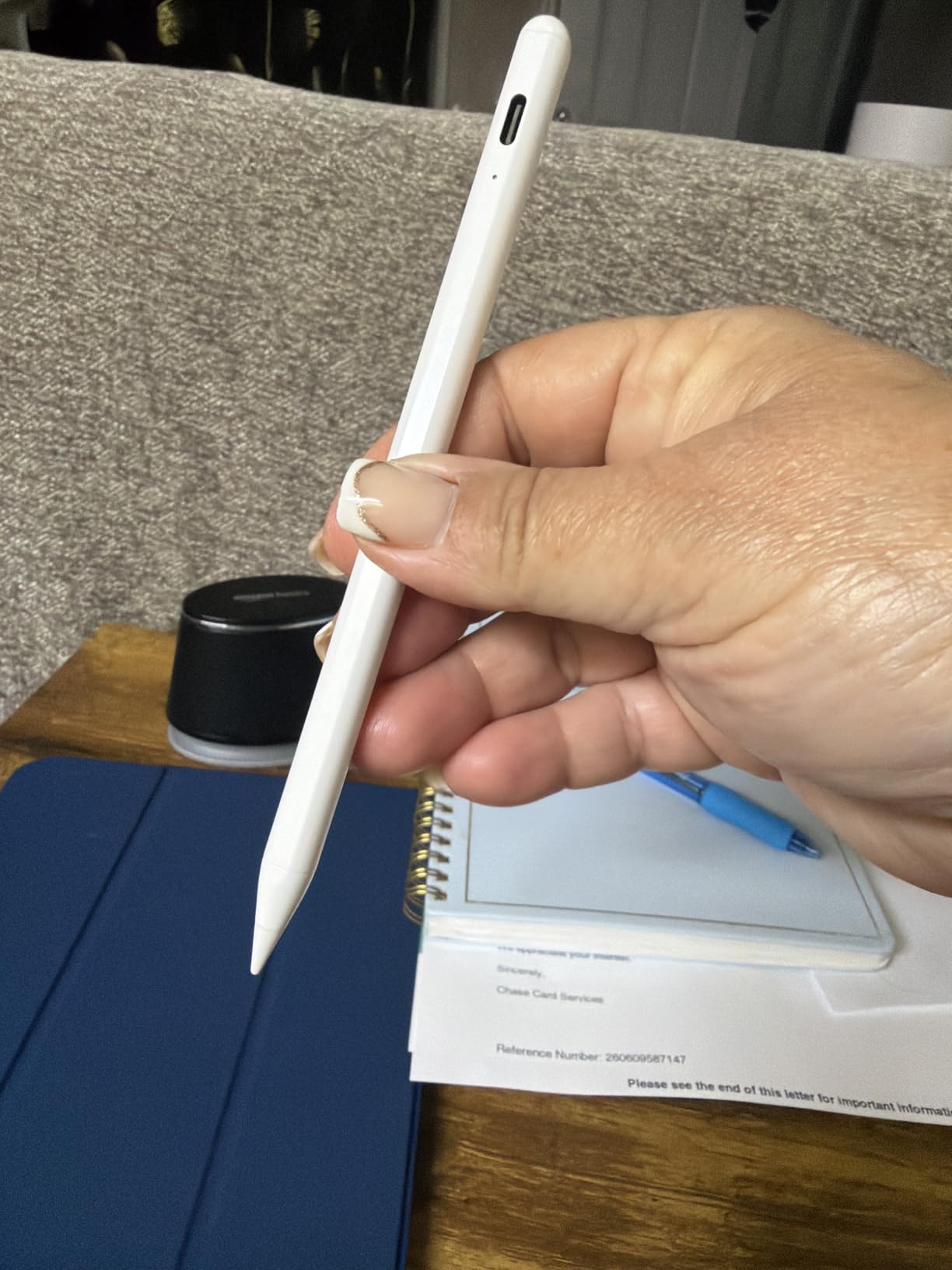
The JAMJAKE Stylus Pen is the number one bestseller in the Digital Pens category on Amazon, with over 101,000 reviews and a 4.4-star rating. Those numbers tell you something important: this is a massively popular tool that works for a huge range of users. While it is technically a stylus rather than a traditional smart pen, its role in the digital note-taking ecosystem makes it a must-include for anyone considering the best smart pens for iPad-based workflows.
Using the JAMJAKE is refreshingly simple. There is no Bluetooth pairing, no app setup, and no complicated configuration. You touch the cap button, and the pen is active. The 1.5mm tip provides precise input with no lag, offset, or breaking points on the iPad screen. I tested it across note-taking apps, drawing apps, and general navigation, and it performed consistently well. Palm rejection technology lets you rest your hand on the screen naturally while writing.
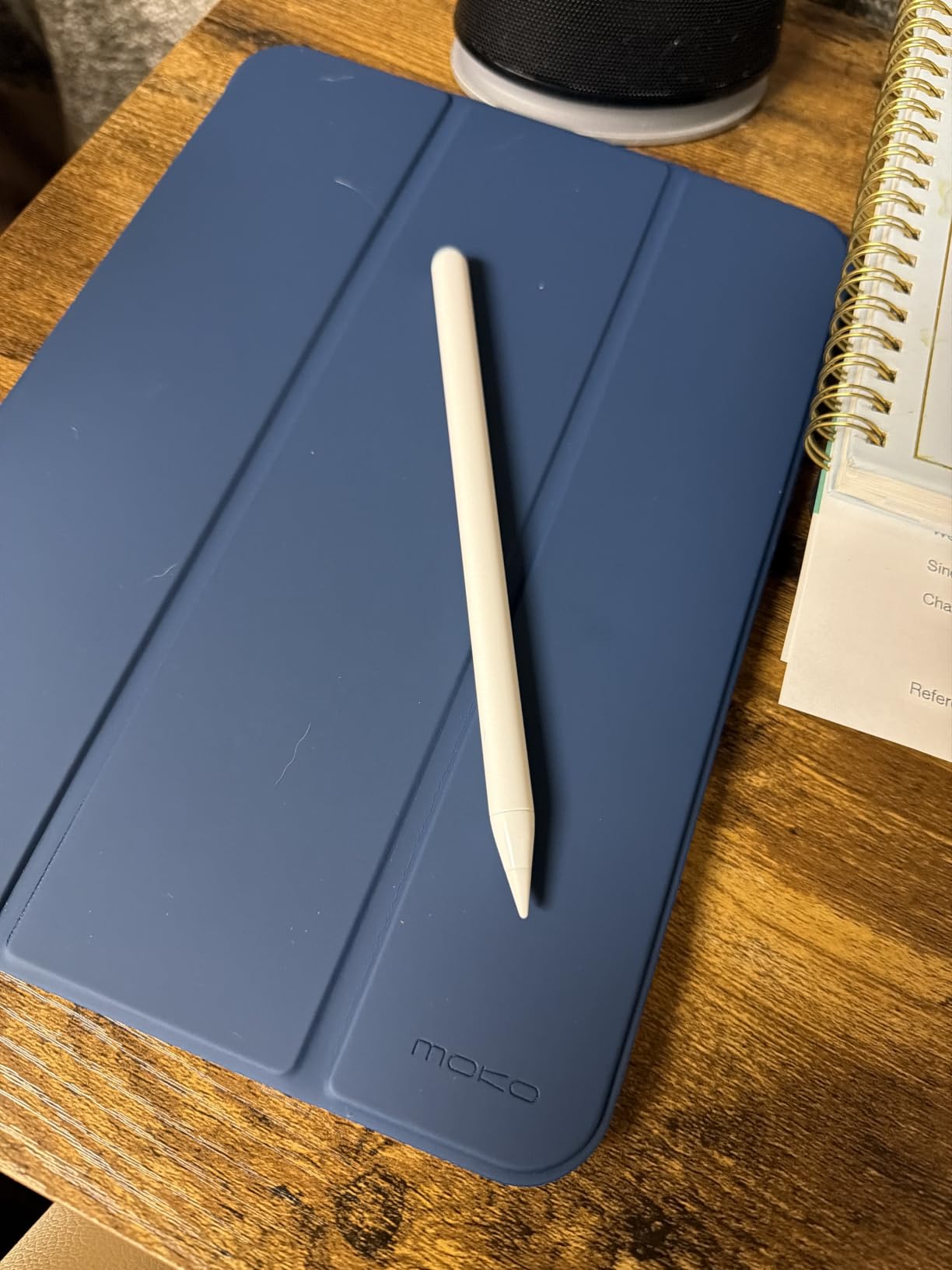
The battery performance is impressive. A 5 to 20-minute charge gives you up to 15 hours of continuous use. I charged it once and used it for an entire week of daily note-taking and sketching without needing a recharge. The pen works straight out of the box with iPad models from the 6th through 11th generation, including iPad Pro, iPad Air, and iPad Mini variants from 2018 onward.
The limitations are expected at this price. There is no hardware pressure sensitivity, which means the pen cannot vary line thickness based on how hard you press. Some users report connectivity issues developing over months of use. The pen requires a 5V2A power adapter for charging, which is not always included with modern devices. It is not compatible with iPads before 2018, iPhones, Android, or Microsoft devices.
Who Should Buy the JAMJAKE Stylus Pen
This is the best value stylus for iPad users who want a reliable, affordable alternative to the Apple Pencil. Students, casual note-takers, and anyone who primarily works on an iPad will find this pen more than sufficient for daily use. The 100K+ review base provides confidence that this is a proven, widely-adopted product.
It is not suitable if you need pressure sensitivity for professional art or design work, or if you use devices other than compatible iPads. For iPad-based note-taking at an unbeatable price, though, this is hard to top.
8. Metapen A8 iPad Pencil
Metapen A8 iPad Pencil for Apple iPad 2018-2026, 4Min Fast Charge, Palm Rejection Stylus Pen for iPad 11/10/9/8/7/6th Gen, iPad Accessories for Pro 12.9/11/13-inch M4, Air 3/4/5/M2/M3, Mini 5/6th
4min fast charge
Aluminum barrel
0.1mm precision
20km tip durability
56K+ reviews
Pros
- 4-minute fast charge delivers 2 hours of use
- Durable aluminum barrel 4x harder than plastic
- Polymer tips pass 20km durability test double Apple Pencil
- Amazon Best Seller with 56K+ reviews
Cons
- No hardware pressure sensitivity
- No magnetic or wireless charging support
- Wired USB-C charging only
- Magnetic snap does not fit older iPad models
The Metapen A8 is an Amazon Best Seller with over 56,000 reviews and a 4.5-star rating. Those are staggering numbers for a stylus, and they reflect a product that has earned its place through consistent quality and aggressive pricing. The aluminum barrel immediately sets it apart from plastic alternatives, giving it a premium feel that belies its budget price.
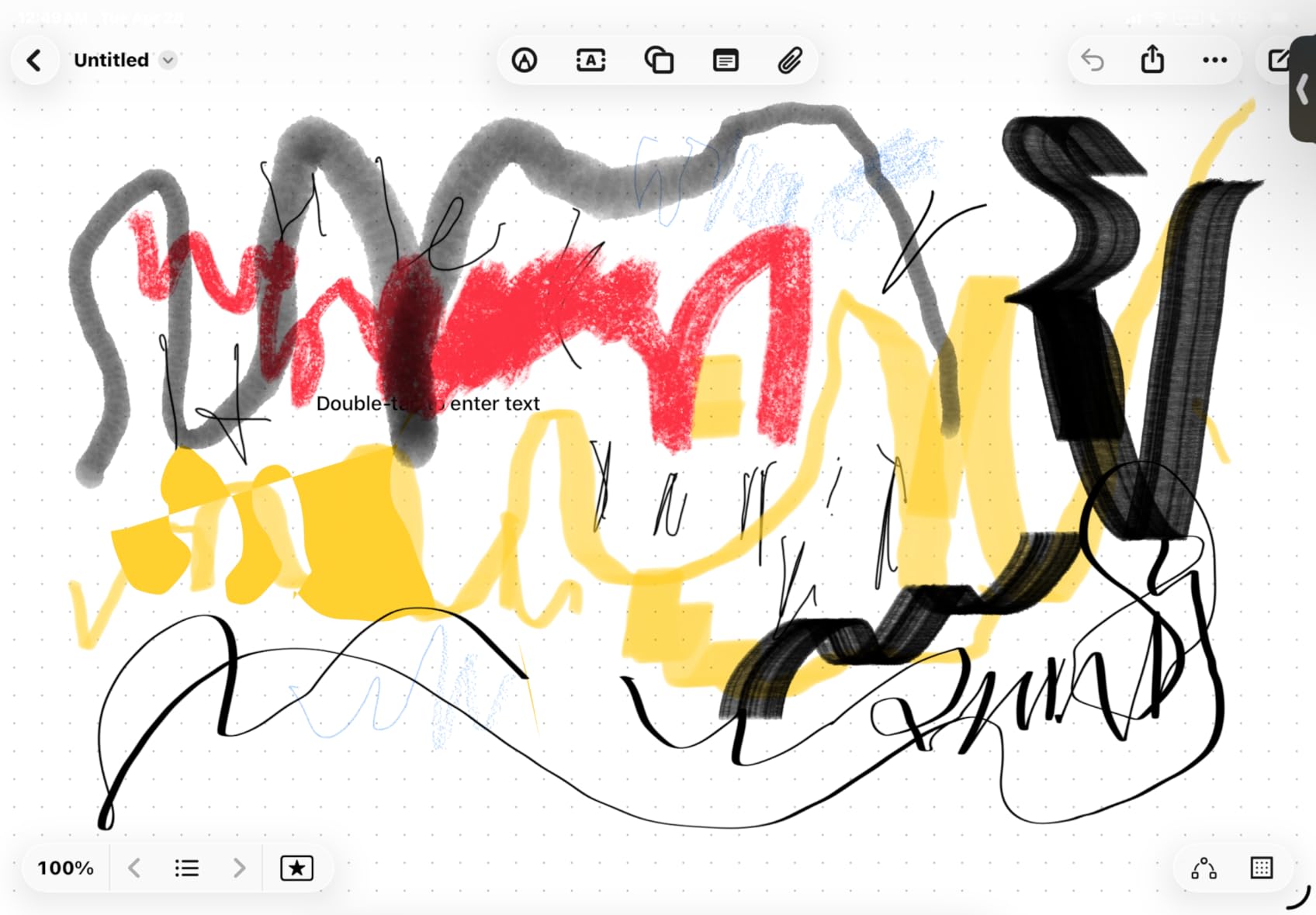
The charging speed is remarkable. A 4-minute charge delivers 2 hours of use, and a full 30-minute charge fills the battery completely. I tested the quick-charge claim multiple times and it delivered consistently. The pen features pixel-level 0.1mm precision with no lag or breakpoints during writing or drawing. Palm rejection works well without needing a drawing glove, and the double-tap power mechanism is intuitive.
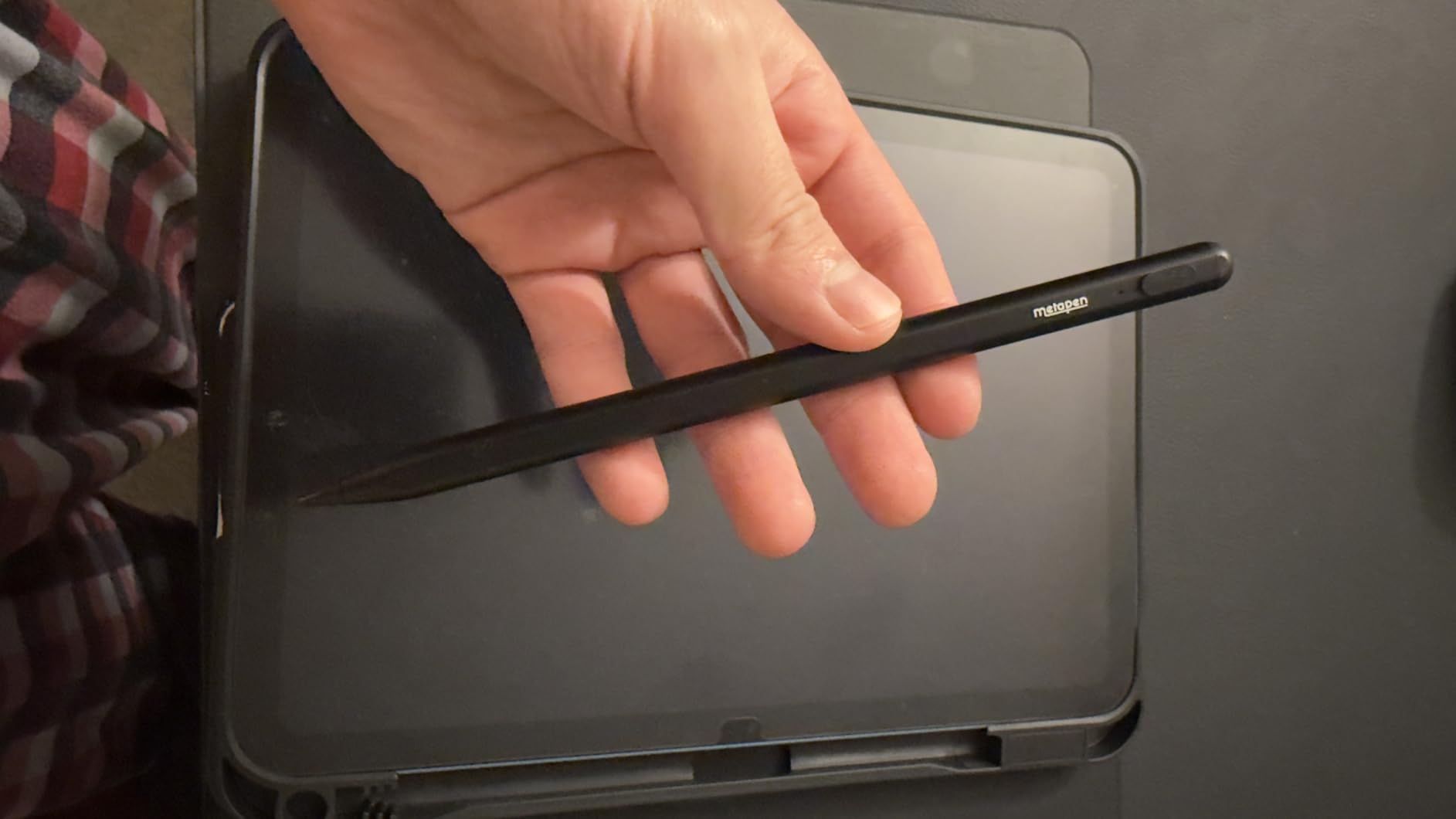
Durability is where the Metapen A8 truly shines. The aluminum barrel is reportedly 4x harder and 10x more wear-resistant than plastic alternatives. The polymer tips pass a 20km durability test, which is double the rating of original Apple Pencil tips. Users report the pen surviving 1.2-meter drops over 50 times thanks to its 200 MPa flexural strength. Two extra replaceable tips are included in the box.
The trade-offs mirror those of the JAMJAKE. There is no hardware pressure sensitivity, so line thickness does not vary with pressure. Charging is wired USB-C only, with no magnetic or wireless charging support. The magnetic snap feature does not fit older iPad models like the Air 3rd generation, Mini 5th generation, or early standard iPads. Customer service, however, is highlighted as exceptional, with free replacements offered for faulty units.
Who Should Buy the Metapen A8
This pen is ideal for students, kids, and budget-conscious professionals who want a durable, fast-charging stylus that performs like a premium product. If you are rough on your accessories or tend to drop things, the Metapen’s durability credentials are genuinely impressive. The massive review base gives you confidence in the product’s reliability.
It is less suitable if you need pressure sensitivity for professional creative work, or if you have an older iPad model that does not support the magnetic attachment. For most iPad users, though, this pen covers all the essentials at an exceptional price.
9. Hastraith Stylus Pen for iPad
Hastraith Stylus Pen for iPad(2018-2026)-13 Mins Fast Charge with Tilt Sensitivity & Palm Rejection for iPad 11/10/9/8/7/6th Gen, Air 5/4/3/M4/M3/M2, Pro 13"/12.9"/11"/M4, Mini 7/6/5th, White
13min fast charge
Tilt sensitivity
Palm rejection
10hr battery
Magnetic attachment
Pros
- Extremely fast 13-minute charging with 10+ hours use
- Tilt sensitivity for dynamic line thickness
- 3 LED battery indicator lights
- Magnetic attachment to iPad side with 3 replacement nibs
Cons
- No hardware pressure sensitivity
- Not compatible with iPads before 2018
- Requires turning off Bluetooth for some users
- Easy to turn on unintentionally
The Hastraith Stylus Pen boasts the highest rating in the stylus category of our roundup at 4.6 stars from over 5,500 reviews. At its budget price point, it is one of the most affordable options on the market, yet it includes features that some more expensive styluses lack. I was curious whether the low price meant cutting corners, but testing revealed a genuinely capable tool.
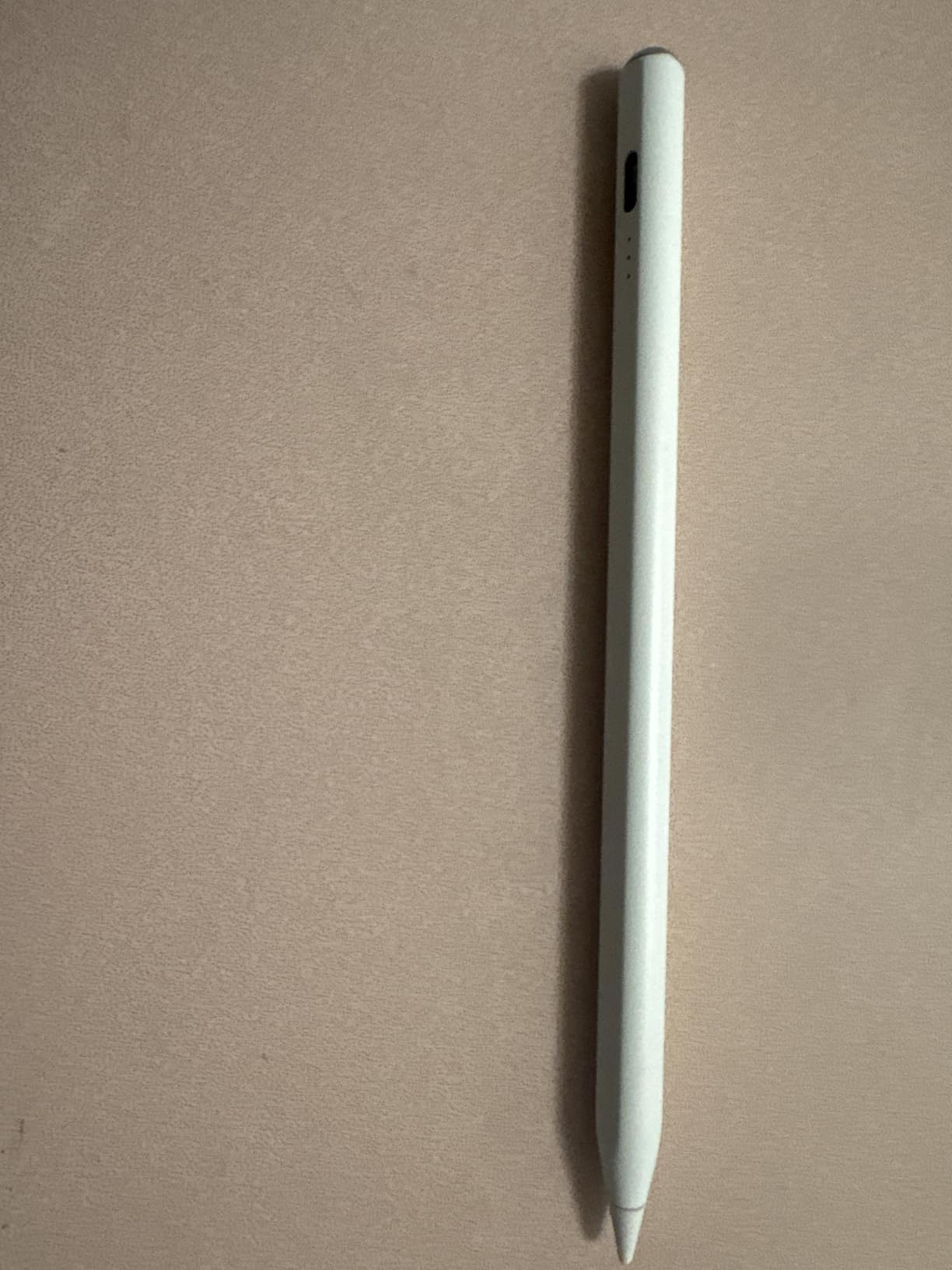
The 13-minute fast charging is a standout feature. You get over 10 hours of continuous use from a quick charge, which means you are rarely waiting around for power. The pen includes tilt sensitivity, which allows for dynamic line thickness when drawing or sketching at angles. This is a feature that some styluses at twice the price do not offer. The full-screen palm rejection works well, letting you rest your hand naturally on the iPad.
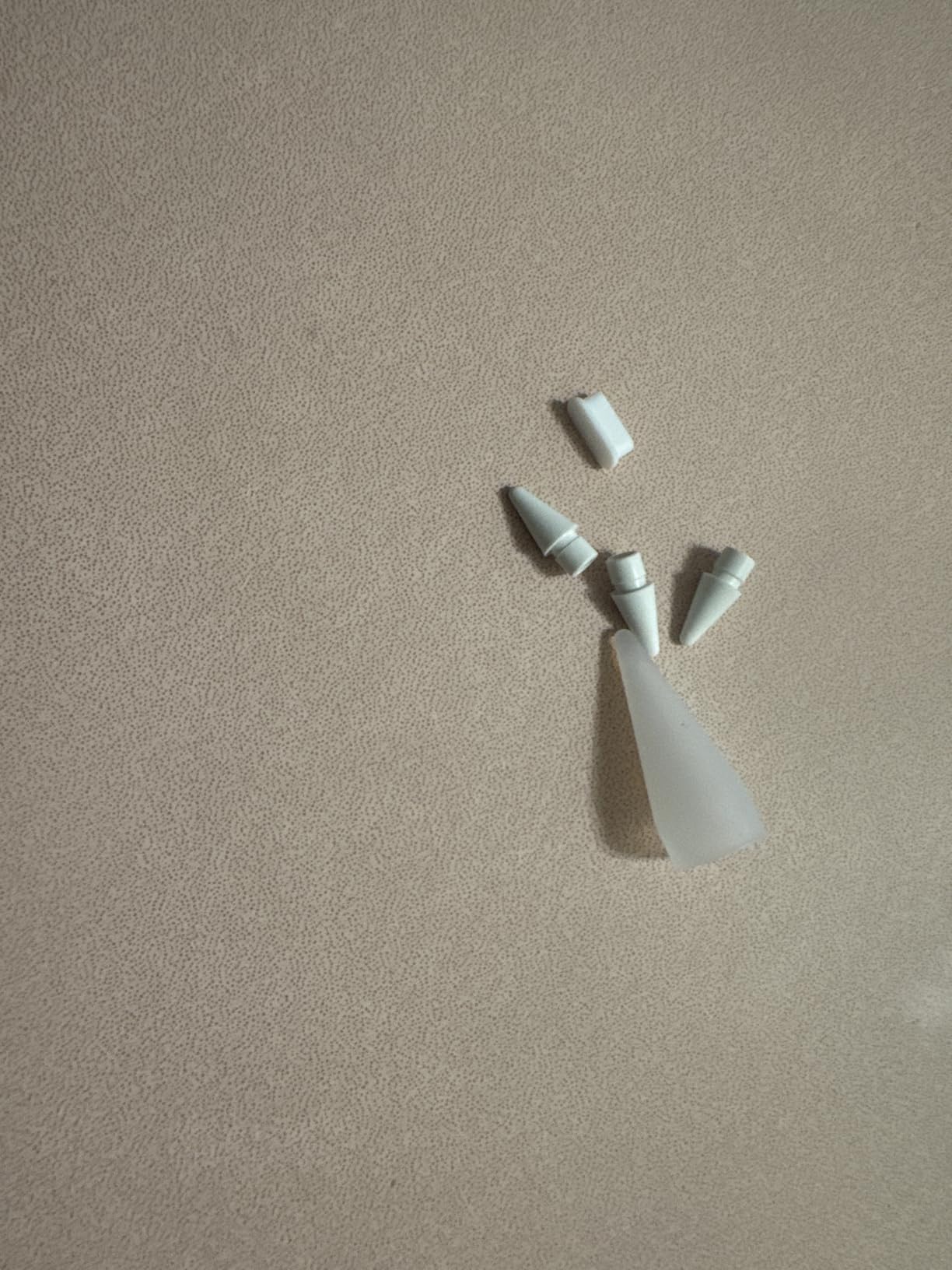
The pen attaches magnetically to the side of compatible iPads, which is convenient for storage and transport. Three LED battery indicator lights give you real-time power monitoring at a glance. The box includes three replacement nibs, a dust cover, and a silicone protective cover. With 83% of reviews being five-star, the user satisfaction level is remarkably high for a budget product.
The limitations are similar to other budget styluses. There is no hardware pressure sensitivity, so the pen cannot detect how hard you are pressing. Some users need to turn off Bluetooth on their iPad for optimal performance, which is a minor inconvenience. The pen turns on easily when the cap is touched, which can lead to accidental activation in a bag. Nibs may feel slightly hard for users who prefer softer tips.
Who Should Buy the Hastraith Stylus Pen
This is the best budget stylus for iPad users who want tilt sensitivity and fast charging without spending much. College students and note-takers who need a reliable everyday pen will find this more than sufficient. If you want the absolute lowest price for a functional iPad stylus, the Hastraith is hard to beat.
It is not suitable for professional artists who need pressure sensitivity, or for users with pre-2018 iPads. The lack of Bluetooth also means you miss out on some advanced features available in more premium styluses.
10. VORMOR Scan Reader Pen – Translator and Reading Pen
Scan Reader Pen, VORMOR Translator Pen with 112 Languages, Translation Pen & Reading Pen for Dyslexia & Learning Difficulties, Text Extract Intelligent Recording, Scanner Pen with 3.5‘’ Touch Screen
112-language translation
OCR scan 55 languages
3.5 inch touchscreen
Dyslexia support
Audio recording
Pros
- 112-language two-way voice translation with sub-0.3s response
- OCR scan translation in 55 languages with 98% accuracy
- Text-to-speech helpful for dyslexia and learning support
- Built-in Collins and FLTRP dictionaries
Cons
- Delayed response for some reading and scanning tasks
- Trouble with very small fine text
- Requires Wi-Fi for online features
- Only 27 reviews limited track record
The VORMOR Scan Reader Pen is fundamentally different from every other pen in this roundup. Rather than capturing your handwriting, it scans and translates printed text. With 112-language two-way real-time voice translation and OCR scanning in 55 languages at a 98% accuracy rate, this pen serves a unique role in the digital pen ecosystem. It is designed for language learners, travelers, and users with reading difficulties.
I tested the scanning feature on various printed materials, from books to product labels. The OCR accuracy was genuinely impressive for standard-size text, with near-instant translation. The 3.5-inch touchscreen provides an intuitive interface for navigating between translation, scanning, and dictionary modes. The built-in HD camera also enables photo translation for signs, menus, and other visual content. Bluetooth connectivity lets you connect headphones or speakers for private listening.
For accessibility, this pen is a standout. The text-to-speech functionality reads scanned text aloud, which is genuinely helpful for users with dyslexia or other reading difficulties. Reverse scanning direction accommodates left-handed users. The built-in Collins Dictionary and FLTRP dictionaries provide definitions without needing an internet connection. An intelligent audio recorder captures meetings and interviews, adding a secondary note-taking function.
The limitations reflect the specialized nature of the device. Some users report delayed reading and scanning response times for certain content. Very small or fine text can cause accuracy issues. Online features require Wi-Fi connectivity. The review base of only 27 users means this is still an emerging product with a limited track record compared to the styluses in this roundup with tens of thousands of reviews.
Who Should Buy the VORMOR Scan Reader Pen
This pen is ideal for language learners, travelers, students studying foreign languages, and users with dyslexia or reading difficulties who need text-to-speech support. If you work across multiple languages or need on-the-go translation and scanning, the 112-language support is unmatched. The accessibility features make it a genuinely life-changing tool for some users.
It is not a replacement for a handwriting-capture smart pen or a tablet stylus. If your primary need is digitizing your own handwriting or writing on an iPad screen, choose one of the other pens in this roundup instead.
How to Choose the Best Smart Pen for Your Needs?
Choosing among the best smart pens comes down to understanding what technology you need, what paper or surface you are willing to use, and how much you want to spend both upfront and over time. This buying guide covers the key factors our team evaluated during testing, plus insights from Reddit discussions and user forums where real smart pen owners share their experiences.
Smart Pen vs Stylus: What Is the Difference
This is one of the most common questions we see, and the answer matters for choosing the right tool. A smart pen writes on real paper with real ink and digitizes your analog handwriting. A stylus is a digital input tool that works only on touch-screen devices like tablets and smartphones. Smart pens bridge the physical and digital worlds, while styluses exist entirely in the digital world.
If you love the feel of pen on paper but want digital copies of your notes, a smart pen is what you need. If you want to write directly on a screen and skip paper entirely, a stylus paired with an iPad is the right choice. They serve different purposes and are not interchangeable. This roundup includes both categories because many users are deciding between a paper-based smart pen and an iPad stylus setup.
How Smart Pens Work: The Technology Explained
Most smart pens use dot-pattern recognition technology. A tiny infrared camera in the pen tip reads an almost invisible pattern of micro-dots printed on special paper. As you write, the camera tracks the pen’s position relative to the dot grid and reconstructs your strokes digitally. Ophayapen, SyncPen, Yuan, and Neo Smartpen all use variations of this approach.
Once your strokes are captured, the pen transmits them via Bluetooth to a companion app on your phone or tablet. The app reconstructs your handwriting, can convert it to editable text using OCR technology, and lets you organize, search, and export your notes. Some pens also record audio synced to your writing, so you can tap a word later and hear what was being said at that moment.
Do Smart Pens Need Special Paper
Most smart pens in this roundup require paper with a printed dot pattern that the pen’s camera can read. This means you need to buy compatible notebooks from the pen manufacturer. Reddit users consistently identify proprietary paper as their top frustration with smart pens. When choosing a pen, factor in the annual cost of replacement notebooks based on how much you write.
The Ophaya Sync Smart Pen 5-Pack solves this problem temporarily by including five notebooks upfront. The Lamy Safari x Neo Smartpen lets you print your own Ncode paper with a laser printer. The stylus pens bypass paper entirely by working on iPad screens. Consider your tolerance for ongoing paper costs when making your decision.
Key Features to Look For
Based on our testing, here are the features that matter most. Real-time sync means your notes appear on your phone as you write with minimal lag. Offline storage lets you write without your phone connected and sync later, which is essential for all-day conference or classroom use. OCR handwriting-to-text conversion turns your handwritten notes into searchable, editable text.
Audio recording synced to notes lets you tap a word and hear what was being said, which is invaluable for lectures and meetings. Cloud integration with Google Drive, OneNote, Dropbox, or Evernote determines how easily your notes fit into your existing digital workflow. Battery life varies enormously, from 7 days to 110 days of standby. Export format flexibility matters if you need to share notes as PDF, Word, images, or video.
Ongoing Costs: Ink Refills and Paper
Beyond the initial purchase price, smart pens have two ongoing costs you should plan for. Ink refills are typically standard ballpoint refills that cost a few dollars each. The Lamy Safari x Neo Smartpen uses standard D1 refills, which are widely available. Other pens use proprietary refills that may be harder to find. Check refill compatibility before buying.
Paper costs are the bigger expense over time. Proprietary notebooks range from $10 for budget brands to $25 or more for premium options. If you fill a notebook every month, that adds up to $120 to $300 per year on paper alone. The Ophaya 5-Pack bundle defers this cost by giving you five notebooks upfront. The iPad styluses eliminate paper costs entirely since you write on the screen.
Smart Pens for Students with Disabilities
One area that most buying guides overlook is the role of smart pens in accessibility. For students with dyslexia, the VORMOR Scan Reader Pen offers text-to-speech functionality that reads printed text aloud, along with Collins Dictionary support. For students with ADHD or hearing difficulties, audio-synced notes from the Ophayapen models let you replay lectures tied to specific words you wrote.
Left-handed writers should look for pens with 360-degree capture angles, which all the Ophaya and Yuan models support. The VORMOR Scan Reader Pen even includes a reverse scanning mode specifically for left-handed users. Accessibility is an under-discussed advantage of smart pens that can be genuinely transformative for some learners.
Setup and Pairing Tips
Most smart pens follow a similar setup process. Charge the pen fully before first use using the included USB cable. Download the companion app from the App Store or Google Play. Turn on Bluetooth on your phone or tablet. Open the app, create an account if required, and follow the pairing instructions to connect your pen.
Some apps require payment information for verification even for free products, which has frustrated users of the Ophaya and SyncPen models. If this is a concern for you, the Yuan Digital Sync Pen and Lamy Safari do not have this requirement. Always update your pen’s firmware after setup, as updates frequently fix Bluetooth pairing issues and improve sync reliability.
Frequently Asked Questions About Smart Pens
What is the best smart pen?
The best smart pen overall is the Yuan Digital Sync Pen, which earned the highest rating in our testing at 4.3 stars with a 71% five-star rate. It offers real-time sync, 110-day standby battery, and a premium leather notebook. For budget buyers, the Ophaya Sync Smart Pen 5-Pack delivers excellent value with five included notebooks.
What is a smart pen?
A smart pen is a digital writing tool that looks and writes like a regular ballpoint pen but has built-in technology such as an infrared camera and Bluetooth to capture your handwriting in real time, sync it to a companion app, and optionally convert it to editable text, record audio, and export notes to cloud services.
Are smart pens worth it?
Smart pens are worth it for students, professionals, and artists who take extensive handwritten notes and want to digitize, search, and organize them. They save time on manual transcription and offer features like audio recording and cloud sync. However, they may not be worth the investment for casual users who type most of their notes.
Is a smart pen the same as a stylus?
No, a smart pen is not the same as a stylus. A smart pen writes on real paper with real ink and digitizes your analog handwriting. A stylus works on touch-screen devices like tablets. Smart pens bridge physical and digital writing, while styluses are digital-only input tools for screens.
Do smart pens need special paper?
Most smart pens require special paper with a printed dot pattern that the pen’s infrared camera can read. This means buying compatible notebooks from the manufacturer. Some pens, like the Lamy Safari x Neo Smartpen, let you print your own dot-pattern paper with a laser printer to reduce ongoing costs.
How do smart pens work?
Smart pens use a tiny infrared camera in the tip that reads a micro-dot pattern printed on special paper. As you write, the camera tracks the pen position relative to the dot grid and transmits the stroke data via Bluetooth to a companion app, which reconstructs your handwriting and can convert it to text, record audio, and export to cloud services.
Final Thoughts on the Best Smart Pens for 2026
After weeks of testing all 10 smart pens and styluses, our team found that the best smart pen for you depends entirely on your priorities. The Yuan Digital Sync Pen is our Editor’s Choice for its class-leading 4.3-star rating, 110-day standby battery, and natural writing experience. The JAMJAKE Stylus Pen is our Best Value pick for iPad users, with over 100,000 reviews confirming its reliability. The Lamy Safari x Neo Smartpen is our Premium Pick for users who want the finest writing instrument feel in a digital pen.
For multilingual users, the SyncPen’s 71+ language OCR is unmatched. For accessibility, the VORMOR Scan Reader Pen opens doors for users with dyslexia and language barriers. And for heavy note-takers, the Ophaya 5-Pack bundle provides months of paper upfront. Whatever you choose, a good smart pen bridges the gap between the tactile pleasure of handwriting and the convenience of digital notes. We will keep updating this guide as new smart pens hit the market in 2026 and beyond.