
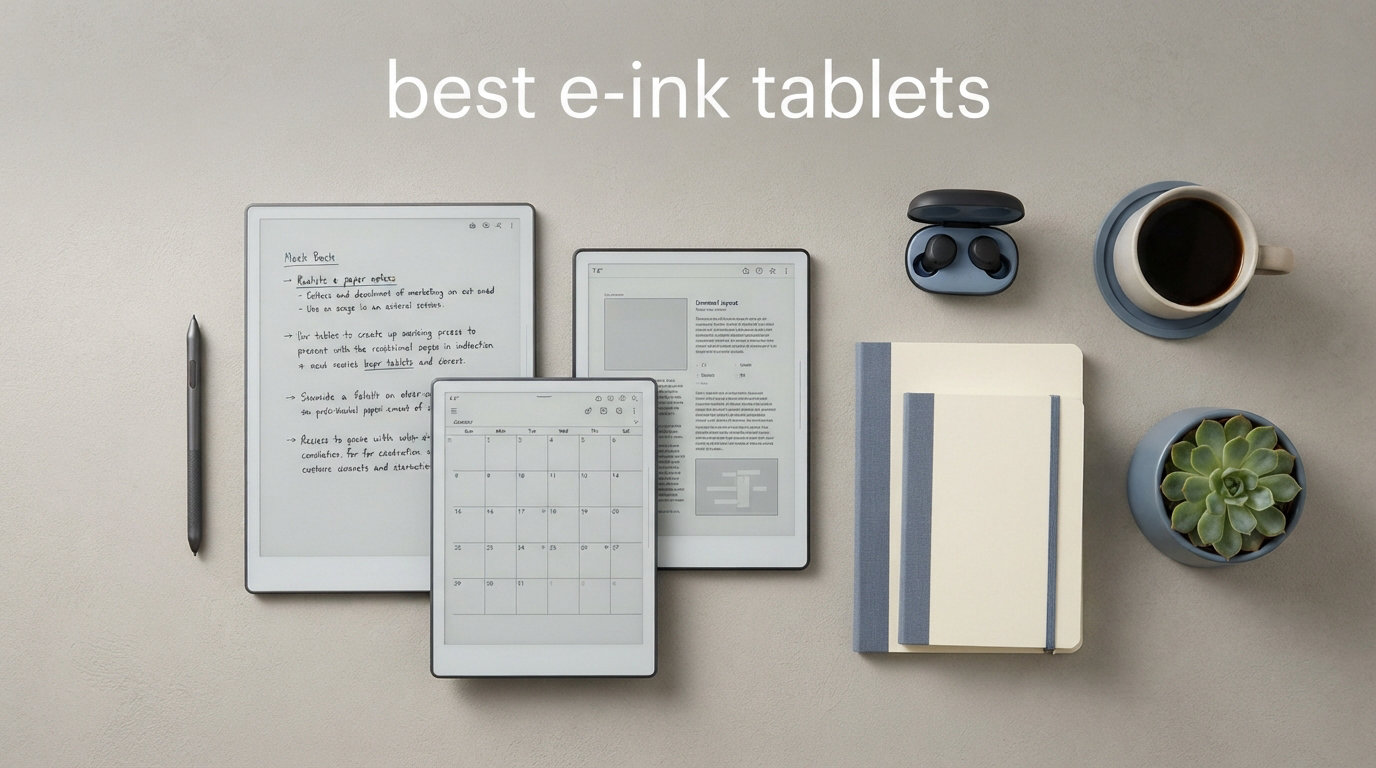
I have spent the better part of two years testing e-ink tablets, carrying them through meetings, classrooms, coffee shops, and long flights. What started as curiosity about the reMarkable 2 turned into a deep obsession with the entire category of paper-like digital notebooks. The best e-ink tablets hit differently when you are trying to focus without the pull of notifications, browser tabs, and the endless glow of an LCD screen.
Our team put 10 of the most talked-about models through real daily use. We wrote meeting notes, annotated PDFs, journaled, sketched, read ebooks, and even recorded audio during brainstorming sessions. We compared writing feel, latency, battery life, software polish, and how each device handled the boring but important stuff like cloud sync and file transfer.
Whether you are a student drowning in lecture notes, a professional who sits through back-to-back meetings, or someone who just wants a distraction-free reading and writing device, this guide covers the best e-ink tablets in 2026. We break down each pick by who it suits best, what trade-offs you are making, and whether the price makes sense for your needs.
Top 3 Picks for Best E-Ink Tablets

reMarkable Paper Pro
- 11.8 inch color e-ink display
- Paper-like writing feel
- Marker Plus pen included
- Adjustable reading light

Kindle Scribe 16GB
- 10.2 inch 300 ppi display
- AI notebook tools
- No subscription fees
- Months of battery life

BOOX Go Color 7 Gen II
- 7 inch color e-ink
- Android 13 with Play Store
- Only 195g lightweight
- Page turn buttons
Best E-Ink Tablets in 2026: Quick Comparison
| Product | Specifications | Action |
|---|---|---|
|
reMarkable Paper Pro
|
|
Check Latest Price |
 Kindle Scribe Colorsoft
|
|
Check Latest Price |
|
Kindle Scribe 16GB
|
|
Check Latest Price |
 BOOX Note Air 5 C
|
|
Check Latest Price |
 Penstar eNote 2
|
|
Check Latest Price |
 Kobo Elipsa 2E
|
|
Check Latest Price |
 iFLYTEK AINOTE Air 2
|
|
Check Latest Price |
|
BOOX Go Color 7 Gen II
|
|
Check Latest Price |
 BOOX Go 7 B/W
|
|
Check Latest Price |
 iFLYTEK AINOTE 2
|
|
Check Latest Price |
1. reMarkable Paper Pro – Best Color E-Ink Tablet Overall
reMarkable Paper Pro Bundle – Includes 11.8” reMarkable Paper Tablet, and Marker Plus Pen with Eraser
11.8 inch color e-ink
64GB storage
Linux OS
2 week battery
Pros
- Paper-like writing feel with realistic friction
- Color display for highlighting and annotations
- Ultra-slim and portable design
- No subscription required for core features
Cons
- High price point
- Limited color vibrancy on e-ink display
- Battery life can deplete quickly with heavy use
I carried the reMarkable Paper Pro for about six weeks as my daily driver, and the first thing that struck me was how thin and light it felt at just 1.16 pounds. This is a device that disappears in your bag and feels like a premium notebook when you hold it. The writing surface has this textured friction that genuinely feels close to real paper, and the Marker Plus pen glides with just enough resistance to make handwriting satisfying.
The color e-ink display is the headline feature, and it does add real value for annotation work. I found myself using different highlighter colors for categorizing meeting notes, which is something I never bothered with on monochrome tablets. The 11.8-inch screen gives you plenty of room for split-view documents and mind maps. For anyone coming from the reMarkable 2, the Paper Pro feels like a natural upgrade with a larger canvas and that color capability.
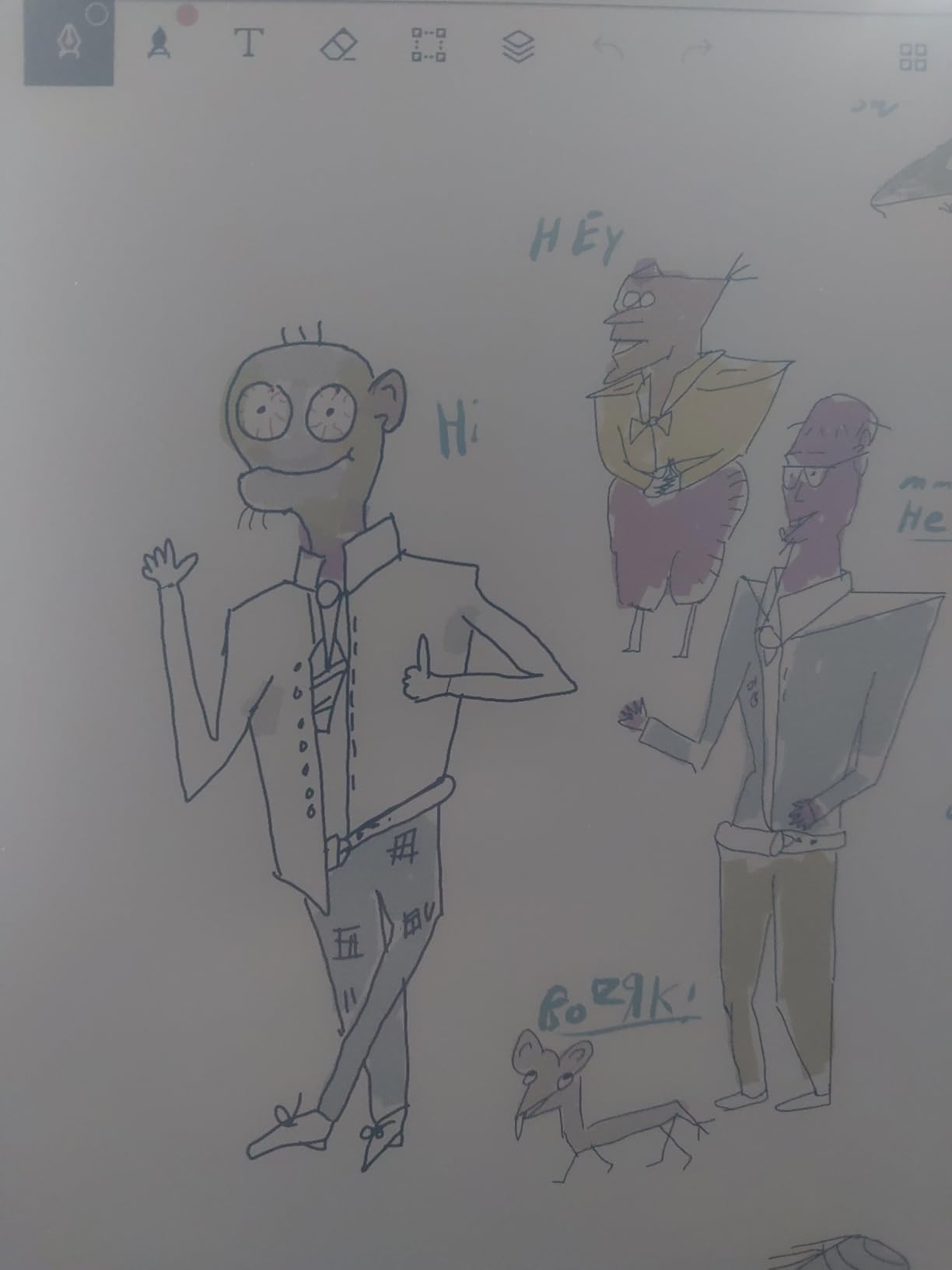
That said, the color reproduction is muted compared to any LCD tablet. This is an inherent limitation of e-ink Canvas Color technology, not a flaw unique to reMarkable. Think of it as pastel tones rather than vibrant colors. The adjustable reading light is a welcome addition over older models, letting me work in dim lighting without reaching for an external lamp. Battery life hovered around two weeks for me with moderate daily use, though heavy annotation sessions drained it faster than expected.
The software experience is distraction-free by design. You get folders, tags, PDF annotation, and handwriting-to-text conversion without any app store or notification system. Some users have reported corrupted disk issues and slow customer service response, which is worth noting if you plan to rely on this as your only note-taking device. Template downloads require a subscription, which feels unnecessary given the already premium price.
How the Writing Experience Compares
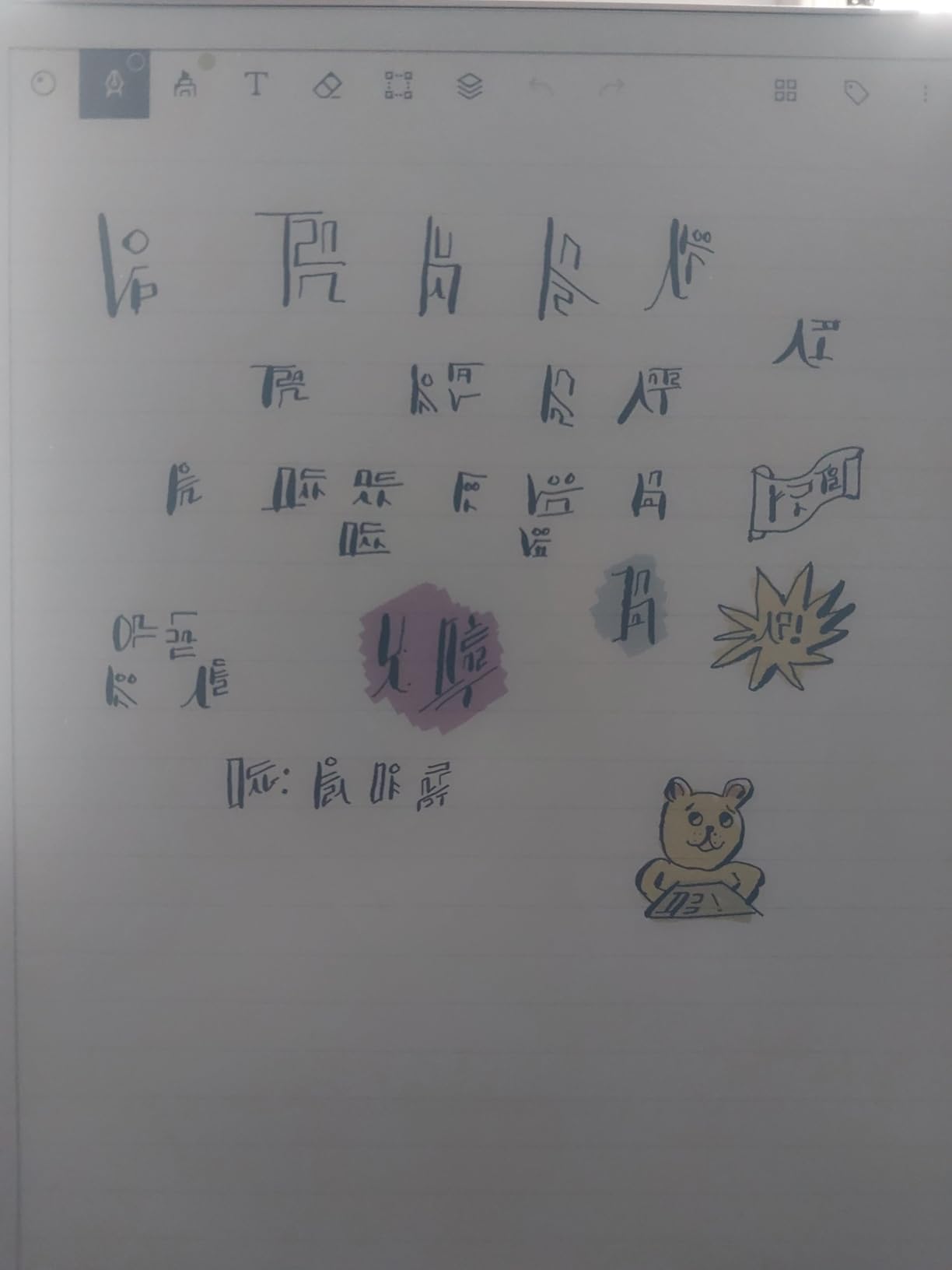
The reMarkable Paper Pro delivers one of the best pen-on-screen experiences I have tested. The textured glass surface combined with the Marker Plus creates a tactile feedback loop that feels remarkably close to fountain pen on quality paper. Latency is low enough that I never noticed lag during fast cursive writing, though some users report occasional sluggishness when switching between documents or tools.
The Marker Plus includes a built-in eraser on the back, which is something I used constantly without thinking about it. The pen does not require charging, which removes a daily friction point. Six spare tips come in the box, and I went through about one tip per month of heavy daily use.
Subscription Costs and Cloud Features
Core features like note-taking, PDF annotation, and local storage work without any subscription. You only need the reMarkable Connect subscription for cloud sync, handwriting-to-text conversion on mobile, and access to premium templates. This is a transparency point that frustrates some buyers who expect full functionality at this price level.
If you primarily work with the device connected to your computer via USB for file transfer, you may never need the subscription at all. But if you want seamless cloud sync across phone and desktop apps, factor the subscription into your long-term cost calculation.
2. Kindle Scribe Colorsoft – Best for Amazon Ecosystem Users
Amazon Kindle Scribe Colorsoft 64GB (newest model) — 11” paper-like color display with front light — One notebook to replace them all — Write in notebooks, docs, and books. Pen included - Fig
11 inch color e-ink
64GB storage
Premium Pen included
Weeks of battery
Pros
- Excellent color display quality for e-ink
- Thin light and fast performance
- Natural writing feel with textured surface
- AI-powered note organization and summaries
Cons
- Very high price
- Not Prime Eligible
- Color vibrancy not as good as LCD tablets
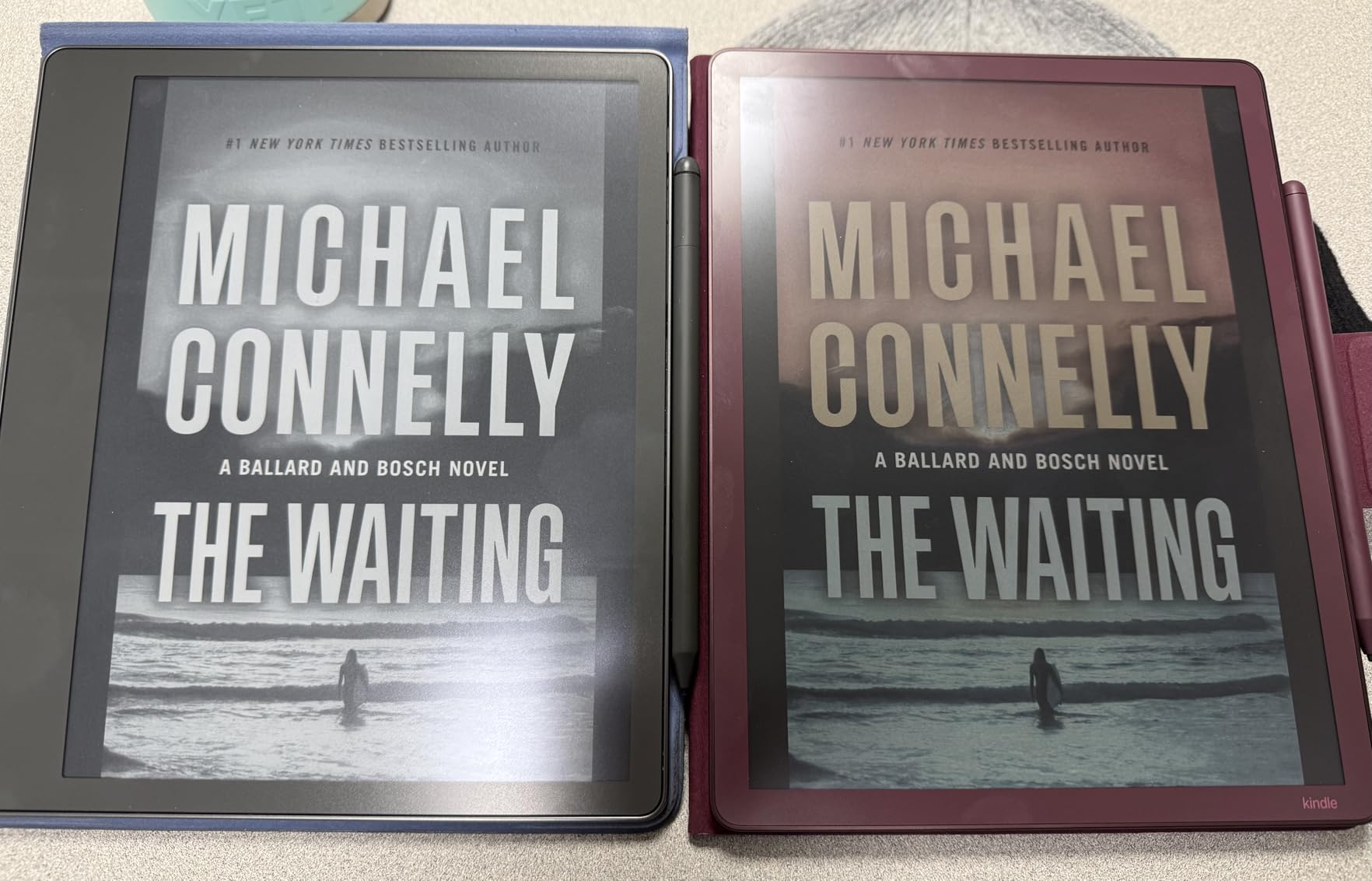
The Kindle Scribe Colorsoft caught me off guard with how good its color e-ink display looks for annotation and reading. Amazon has tuned the Colorsoft display technology to deliver better contrast than standard Kaleido 3 panels, and it shows when you are highlighting passages or browsing magazines. At 400g and just 5.4mm thick, this is one of the slimmest large-screen e-ink tablets on the market.
I tested it primarily as a reading and annotation device, and the Kindle ecosystem integration is the real selling point here. If you already own Kindle books or subscribe to Kindle Unlimited, the Scribe Colorsoft lets you write directly in the margins with the Active Canvas feature. Your notes stay anchored to the text even if you change font sizes. The AI-powered notebook tools can summarize your notes, convert handwriting to text, and even adjust the tone and length of your writing.
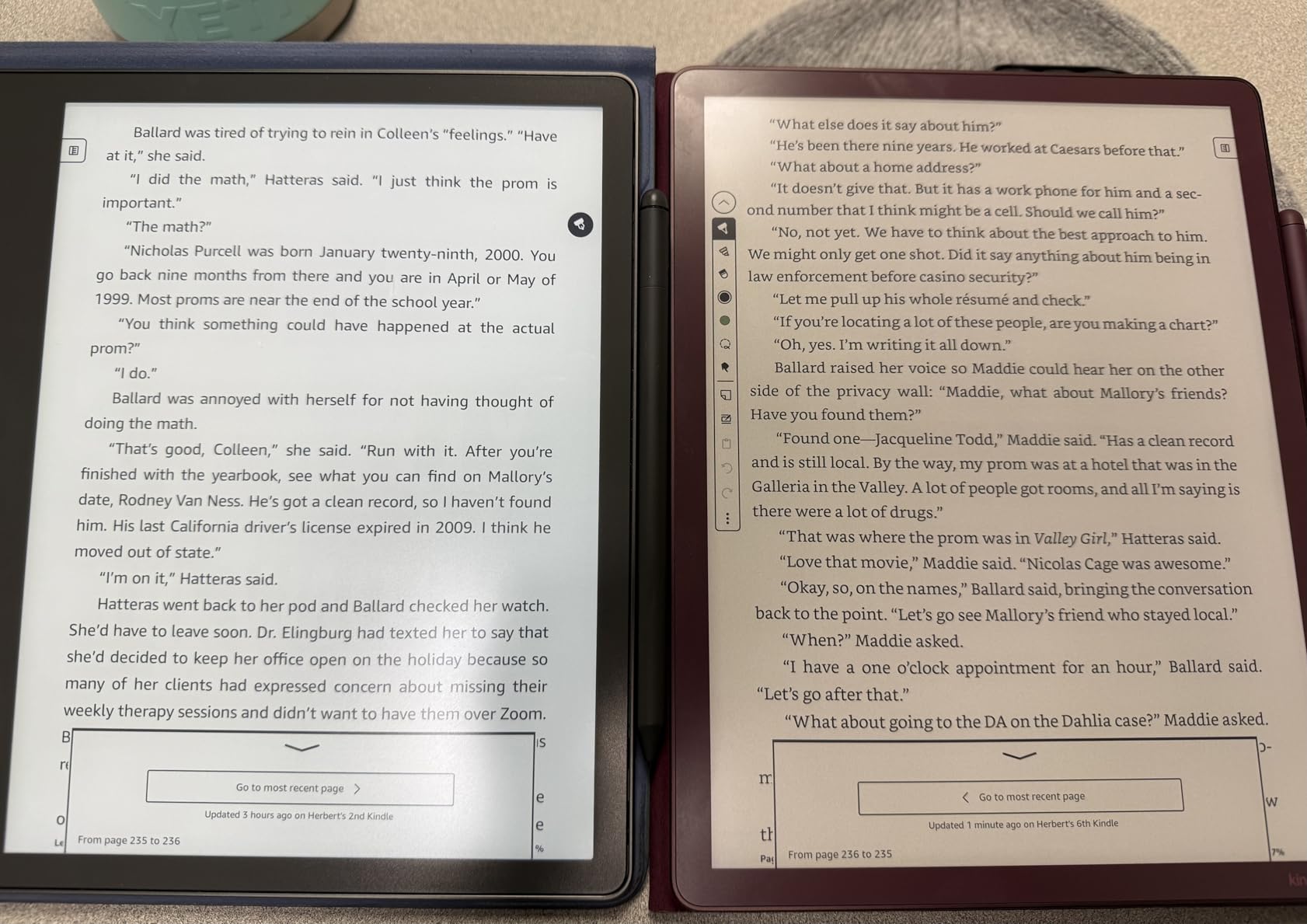
The Premium Pen requires no charging and attaches magnetically, though the round cross-section means it can roll off your desk. I found the writing surface to have good texture and friction, comparable to the reMarkable experience though slightly smoother. Cloud sync with Google Drive, Microsoft OneDrive, and OneNote export makes getting your notes off the device straightforward.
Where the Colorsoft stumbles is color content readability for manga and comics. The contrast is not strong enough for dark-panel content, and some users report color bleeding issues. Setup can also be finicky, with WiFi detection problems mentioned by multiple reviewers. At this price point, these are real frustrations. The device is also not Prime Eligible at the time of writing, which affects shipping speed.
Ecosystem Lock-In Considerations
The Kindle Scribe Colorsoft shines brightest when you live inside the Amazon content ecosystem. Kindle Store access, Send to Kindle for documents, and Amazon’s cloud infrastructure make file management painless. But this also means you are committing to Amazon’s platform for the long haul.
If you prefer DRM-free ebooks from other stores or want to sideload content from multiple sources, the closed ecosystem may feel restrictive. The Google Drive and OneDrive integrations help bridge this gap for note files, but the reading experience is still centered on Kindle content.
AI Features That Actually Help
The AI notebook tools go beyond gimmick territory. Notebook summarization condenses multi-page notes into actionable bullet points, and it handled my messy meeting handwriting surprisingly well. Amazon has announced an “Ask this Book” feature coming in 2026 that would let you query your annotated books for specific information.
These AI features are included with no subscription fees, which is a meaningful advantage over reMarkable’s subscription model. If AI-assisted note organization matters to your workflow, this is a significant value differentiator.
3. Kindle Scribe (16GB) – Best Value E-Ink Tablet
Amazon Kindle Scribe (16GB) - Your notes, documents and books, all in one place. With built-in AI notebook summarization. Includes Premium Pen - Tungsten
10.2 inch 300 ppi
16GB storage
Premium Pen included
No subscription
Pros
- Excellent paper-like writing feel
- Great battery life
- AI handwriting recognition and summarization work well
- No subscription fees required
Cons
- No color display
- Mediocre drawing pressure sensitivity
- Note syncing to third-party apps is mediocre
If I had to recommend one e-ink tablet that hits the sweet spot of price, writing quality, and ecosystem support, it would be the Kindle Scribe 16GB. After using it for three months of daily note-taking and reading, I came away impressed by how much Amazon packs into a device at roughly half the cost of the reMarkable Paper Pro. The 300 ppi glare-free display is crisp, and the front-lit screen means you can work in any lighting condition.
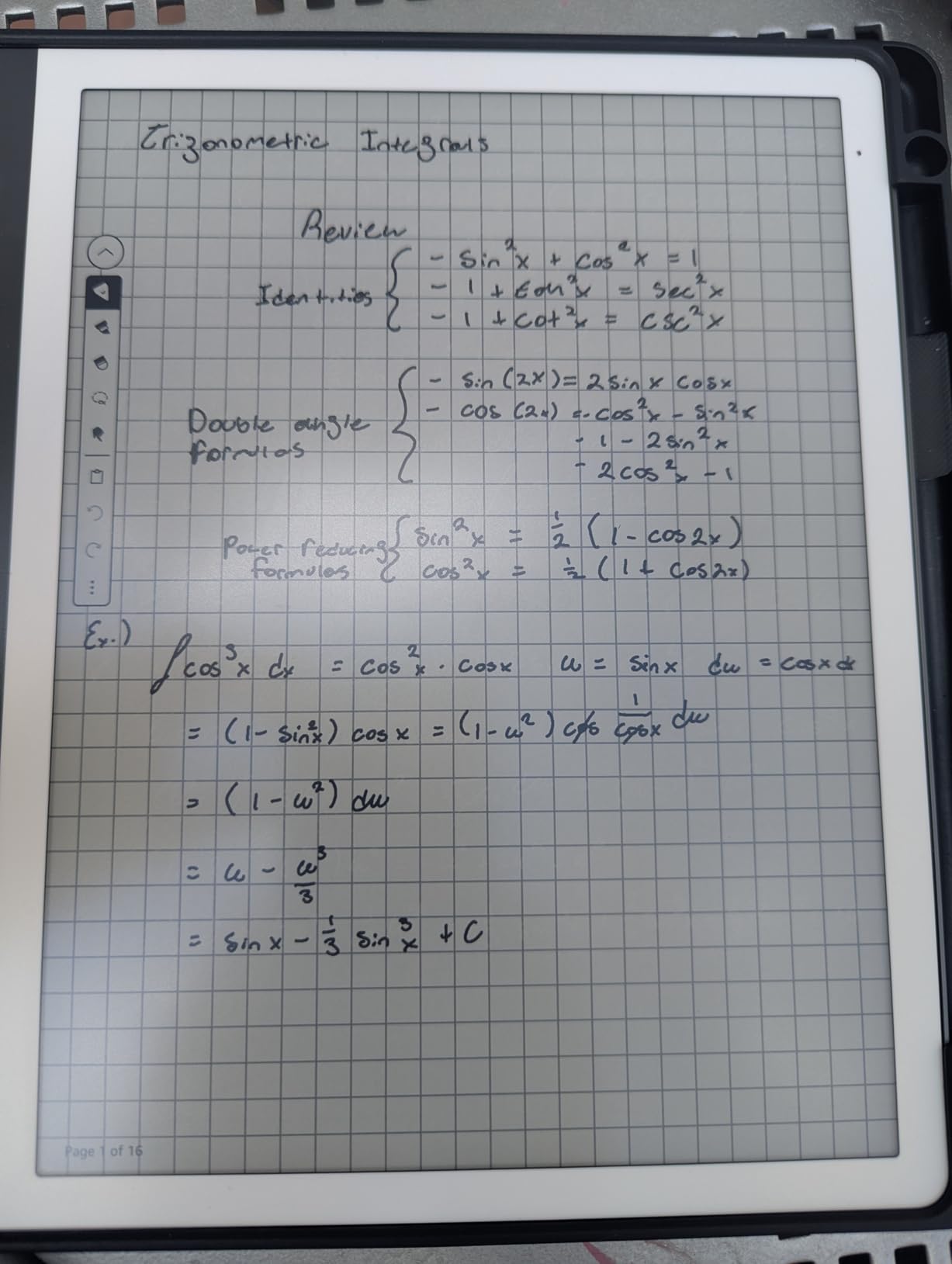
The writing feel is excellent. The textured surface gives the Premium Pen a satisfying resistance that mimics real paper without being scratchy. I filled dozens of notebook pages with meeting notes, daily journal entries, and brainstorming sessions, and the experience never felt like writing on glass. The asymmetrical design with a wider bezel on one side makes it comfortable to hold for extended periods without accidental touches.
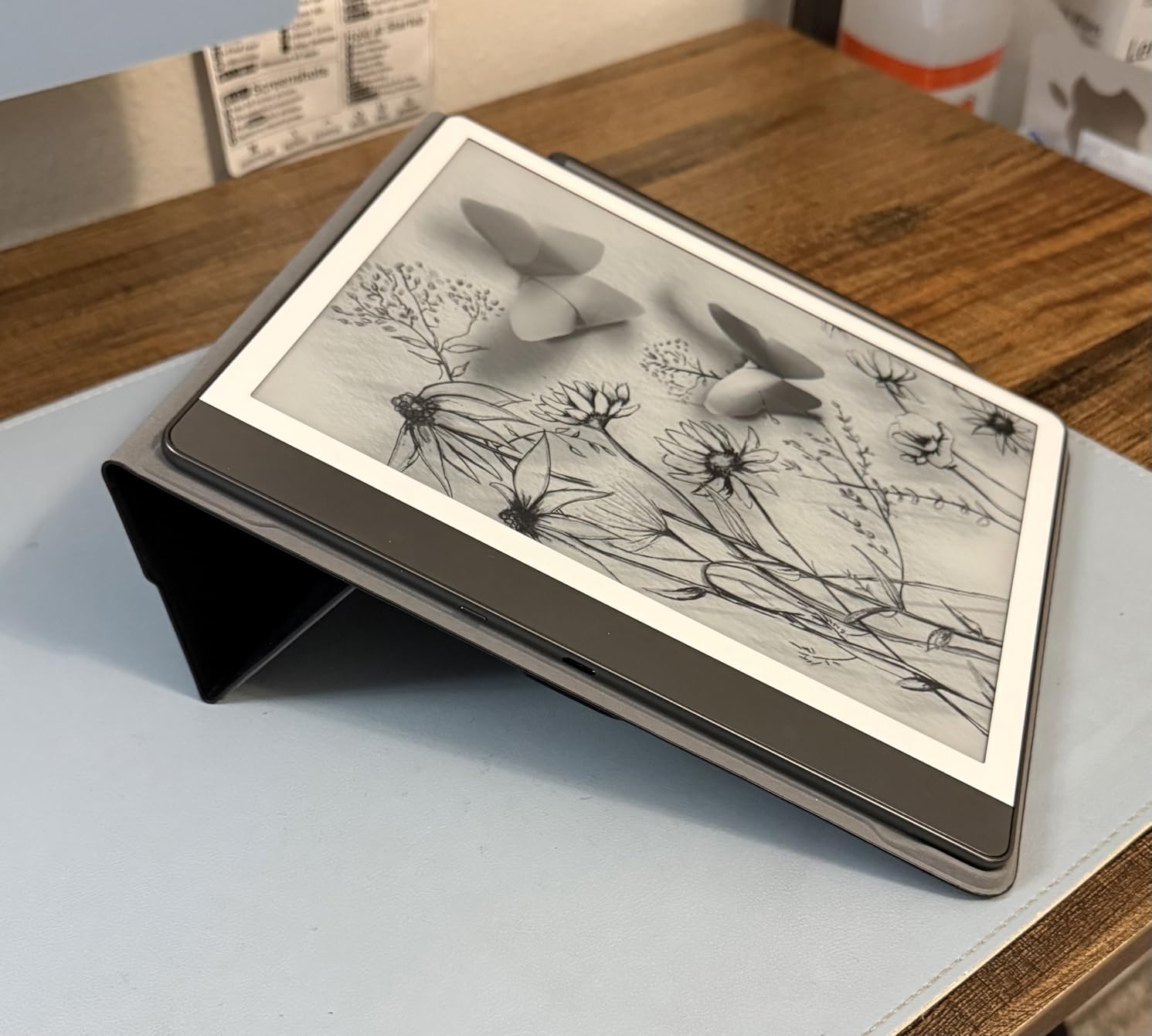
The AI features are a genuine highlight. Handwriting-to-text conversion worked accurately with my cursive, and notebook summarization produced useful digests of my meeting notes. The Active Canvas feature lets you make margin notes in Kindle books that stay anchored as you change text settings. All of these AI tools come with no subscription, which is remarkable value.
The main trade-off is the grayscale display. If color highlighting matters to you, look elsewhere. Drawing and sketching are also not the Scribe’s strong suit, with limited pressure sensitivity compared to devices optimized for art. Some users report front light yellowing on certain units and pen tip wear over time, though my unit has held up well after three months.
Battery Life in Real-World Use
Amazon claims months of reading and weeks of writing on a single charge. In my experience, that held up with moderate daily use of about one to two hours of writing plus some reading. Heavy annotation days with the front light at full brightness drained the battery faster, but I still went roughly three weeks between charges.
This kind of battery life is a major practical advantage over LCD tablets and even some competing e-ink devices. You can leave the charger at home for a week-long trip and not worry about it.
Template and Notebook Organization
The Scribe offers a decent selection of built-in templates including ruled lines, grids, dotted pages, and planner layouts. You cannot create custom templates from PDFs, which is a limitation compared to some competitors. Notebook organization is straightforward with folders, and the search function can find text within your handwritten notes.
Note syncing to third-party apps works but feels basic. You can export notes as PDF or text, but there is no native integration with Notion, Obsidian, or similar PKM tools. For most users, the built-in organization will be sufficient, but power users may find it limiting.
4. BOOX Note Air 5 C – Best Android E-Ink Tablet
BOOX Tablet 10.3" Note Air 5 C 6G 64G E Ink Tablet Color ePaper Notebook
10.3 inch Kaleido 3
Android 15 OS
6GB RAM 64GB
Octa-core with BSR
Pros
- Android 15 OS with Play Store access
- Color e-ink display good for comics and drawings
- Great writing feel with paper-like texture
- No subscription required
Cons
- Color display darker than LCD screens
- Battery life drains faster than competitors
- Ghosting issues common
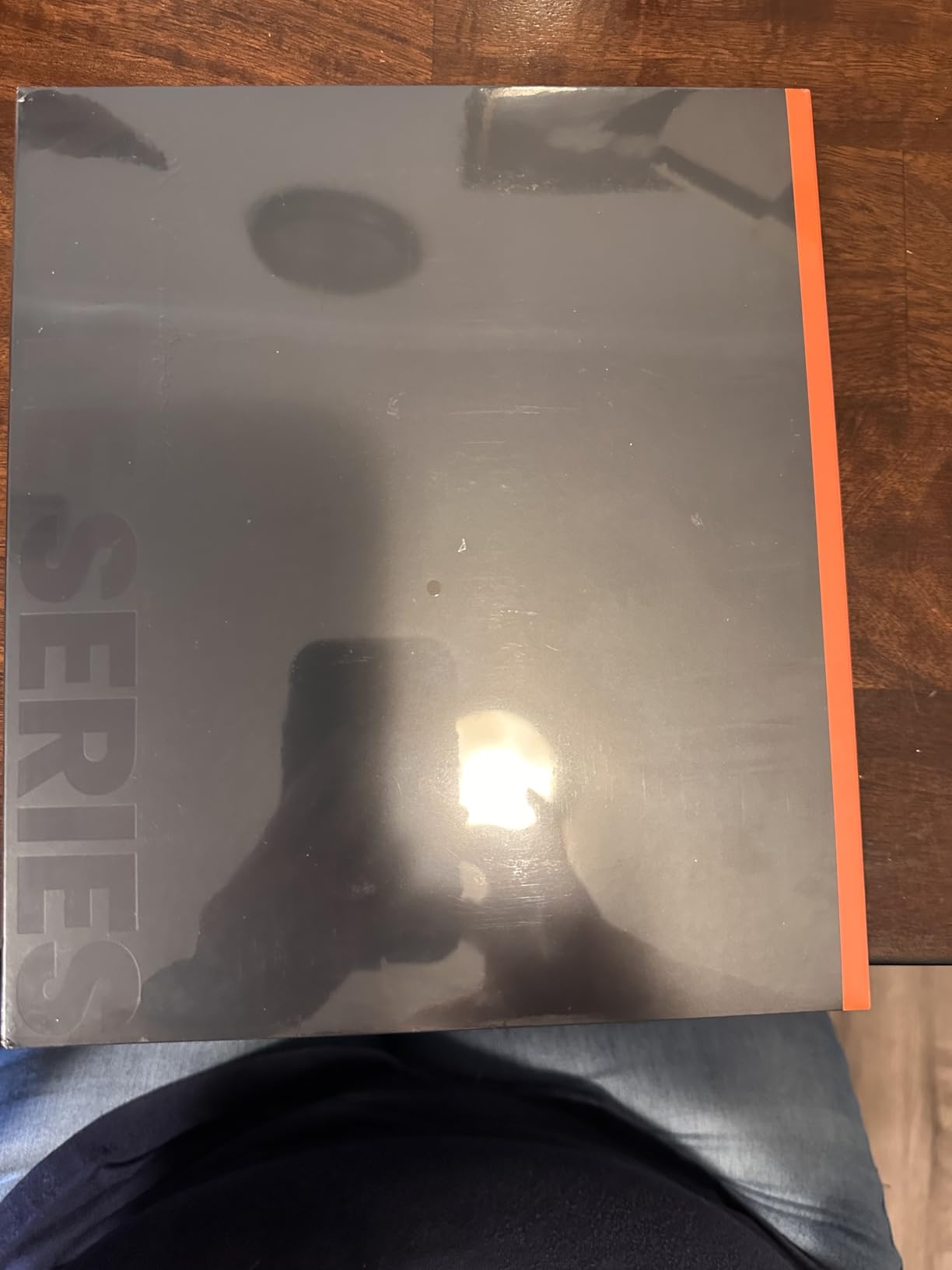
The BOOX Note Air 5 C is the device I recommend to anyone who wants full Android flexibility on an e-ink screen. Running Android 15 with the Google Play Store means you can install Kindle, Kobo, Notion, browser apps, and whatever else you need. This flexibility is the Note Air 5 C’s biggest strength and its biggest complication, because not every Android app is optimized for e-ink displays.
I spent about a month using the Note Air 5 C as my primary work tablet. The 10.3-inch Kaleido 3 color display delivers 300 ppi in black and white and 150 ppi in color, which is sharp enough for note-taking and reading. The writing feel with the BOOX stylus is excellent, with 4,096 levels of pressure sensitivity and a paper-like texture that I found comparable to reMarkable’s surface.
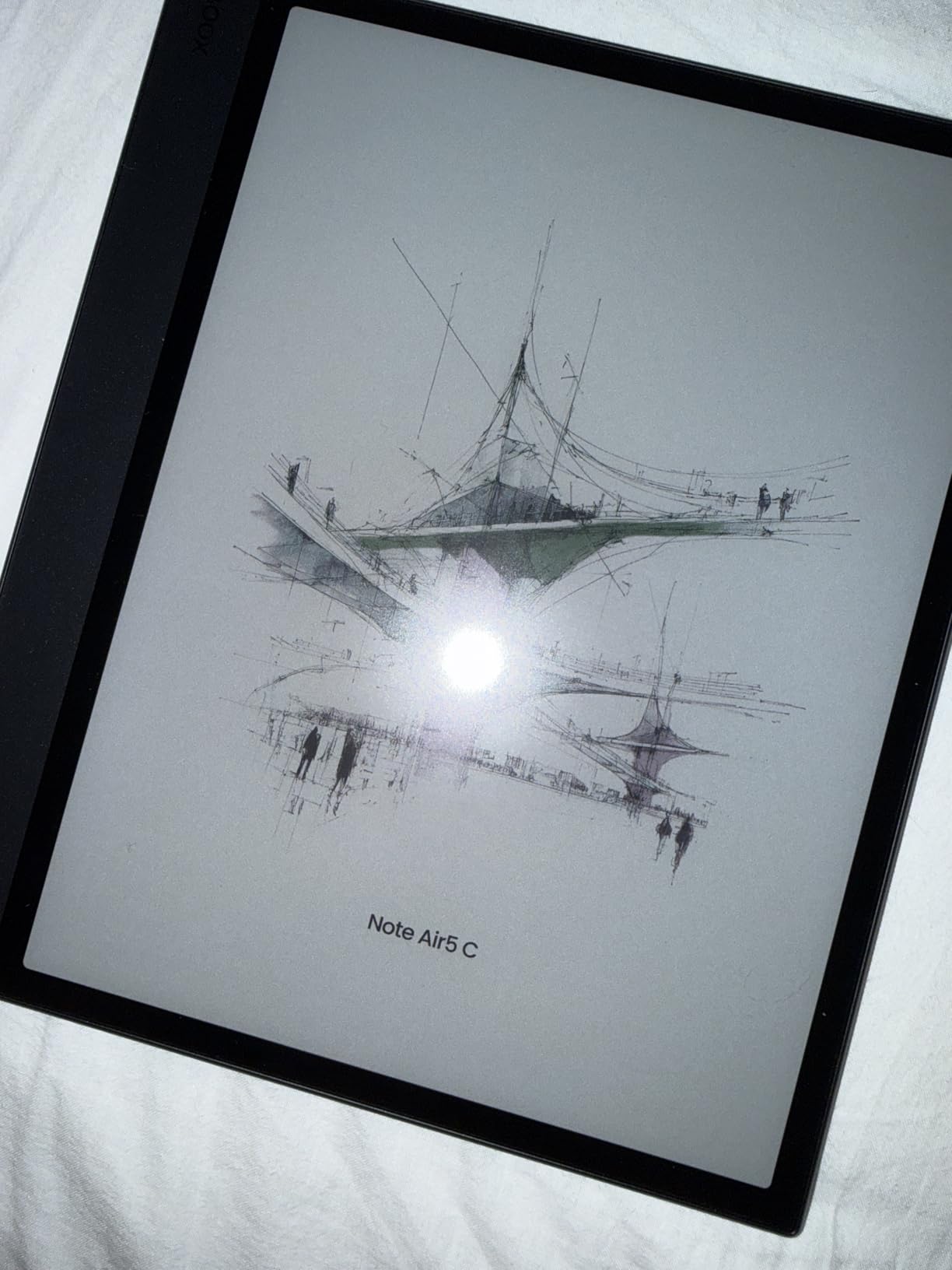
The octa-core processor with BSR (BSR Super Refresh technology) handles navigation reasonably well, but I noticed ghosting when scrolling through documents or switching apps. This is a common e-ink limitation, and BOOX offers multiple refresh modes to balance clarity and speed. The front light with warm and cold temperature adjustment is useful for evening reading sessions.
Battery life is where the Note Air 5 C falls short of dedicated e-readers. The 3,700mAh battery typically lasted me about four to five days of moderate use, which is significantly less than the Kindle Scribe or Kobo Elipsa. Running Android in the background with sync services and app notifications contributes to faster drain. The fingerprint power button is a nice touch, and expandable storage via microSD is a practical advantage.
Android App Compatibility on E-Ink
Most reading apps work well on the Note Air 5 C, including Kindle, Kobo, Moon Reader, and the native BOOX reading app. Productivity apps like Google Docs and email clients function, though scrolling and refreshing can feel sluggish compared to LCD tablets. Apps with heavy animation or video content are not practical on e-ink.
BOOX includes its own note-taking app that supports layers, shapes, and PDF annotation, and this is where the device shines. The native app is well-optimized for e-ink with minimal ghosting during writing. Third-party note apps like OneNote work but with noticeable lag.
Who Benefits Most from the Open Ecosystem
The Note Air 5 C is ideal for users who have specific app requirements that closed ecosystems cannot meet. If you need access to specialized PDF tools, academic databases, or niche reading apps, the Play Store access is invaluable. It is also great for people who read across multiple platforms and do not want to be locked into Amazon or Kobo.
If you just want a simple note-taking and reading device without managing app settings and refresh modes, the complexity of an Android e-ink tablet may feel like overkill. The learning curve is real, and not everyone wants to tweak BSR settings to get optimal performance.
5. Penstar eNote 2 – Best Pen-Only Writing Tablet
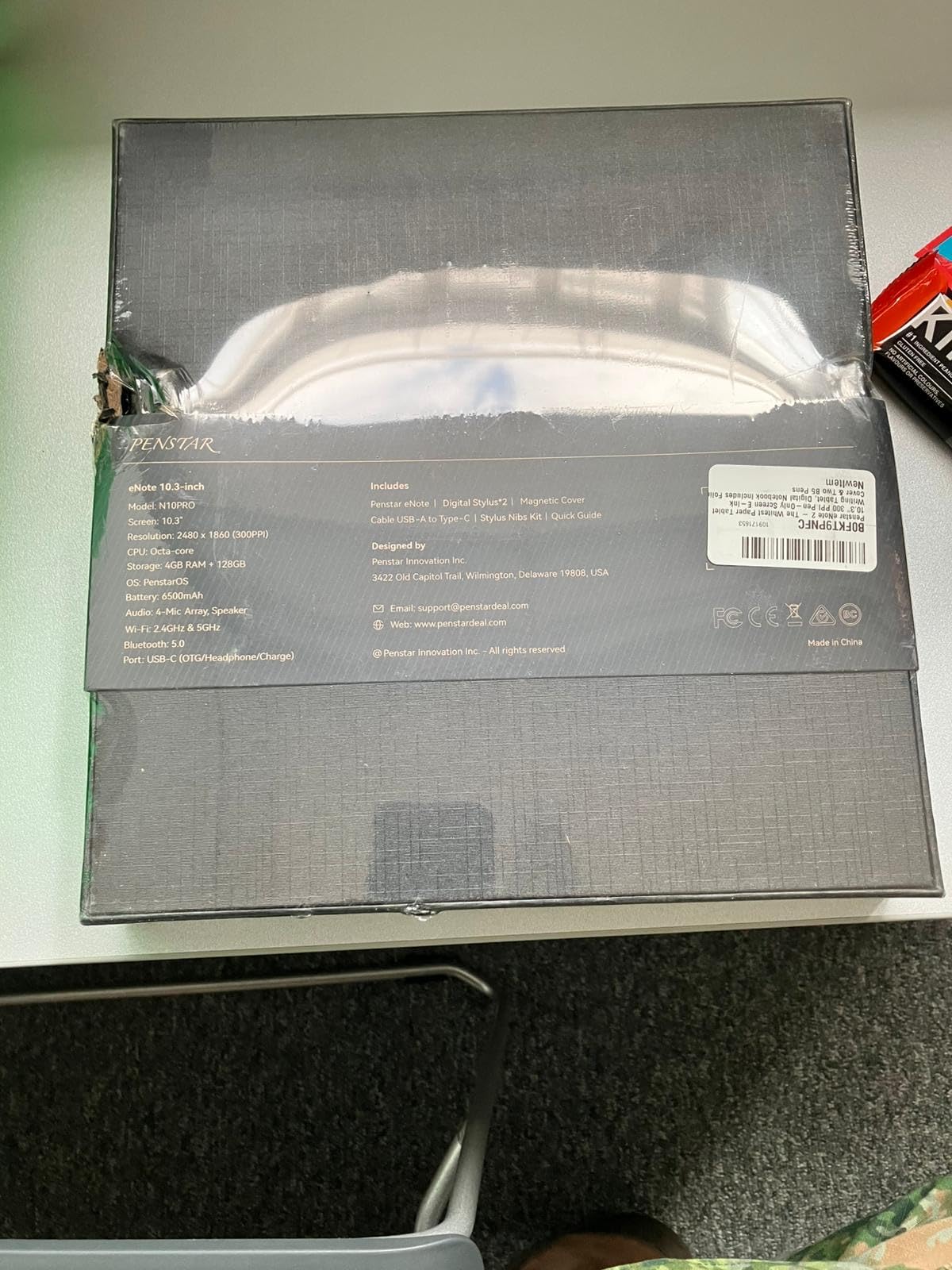
Penstar eNote 2 – The Whitest Paper Tablet | 10.3” 300 PPI Pen-Only Screen E-Ink Writing Tablet, Digital Notebook Includes Folio Cover & Two B5 Pens
10.3 inch 300 ppi
Pen-only screen
128GB storage
AI voice-to-text
Pros
- Paper-like writing feel without touch distractions
- Excellent screen clarity and whiteness
- Comes with 2 B5 pens and many spare nibs
- Handwriting-to-text and voice-to-text work well
Cons
- Pen-only input can be limiting
- No Google Play store access
- No backlight or frontlight
The Penstar eNote 2 takes a different approach from every other tablet on this list by eliminating touch input entirely. The screen only responds to the pen, which means zero accidental inputs from your palm resting on the surface. After two weeks of daily use, I found this design choice genuinely refreshing for focused writing sessions. The 300 ppi display is exceptionally white and crisp, living up to the marketing claim of the whitest paper tablet.
The bundle is generous. You get two B5 pens, a magnetic folio cover, and a total of 18 spare nibs between the pens and the extra kit. The 8,192 levels of pressure sensitivity translate to nuanced line variation, and the writing surface has a satisfying friction that reminded me of good quality notepaper. This is one of the best pure writing experiences in this price range.
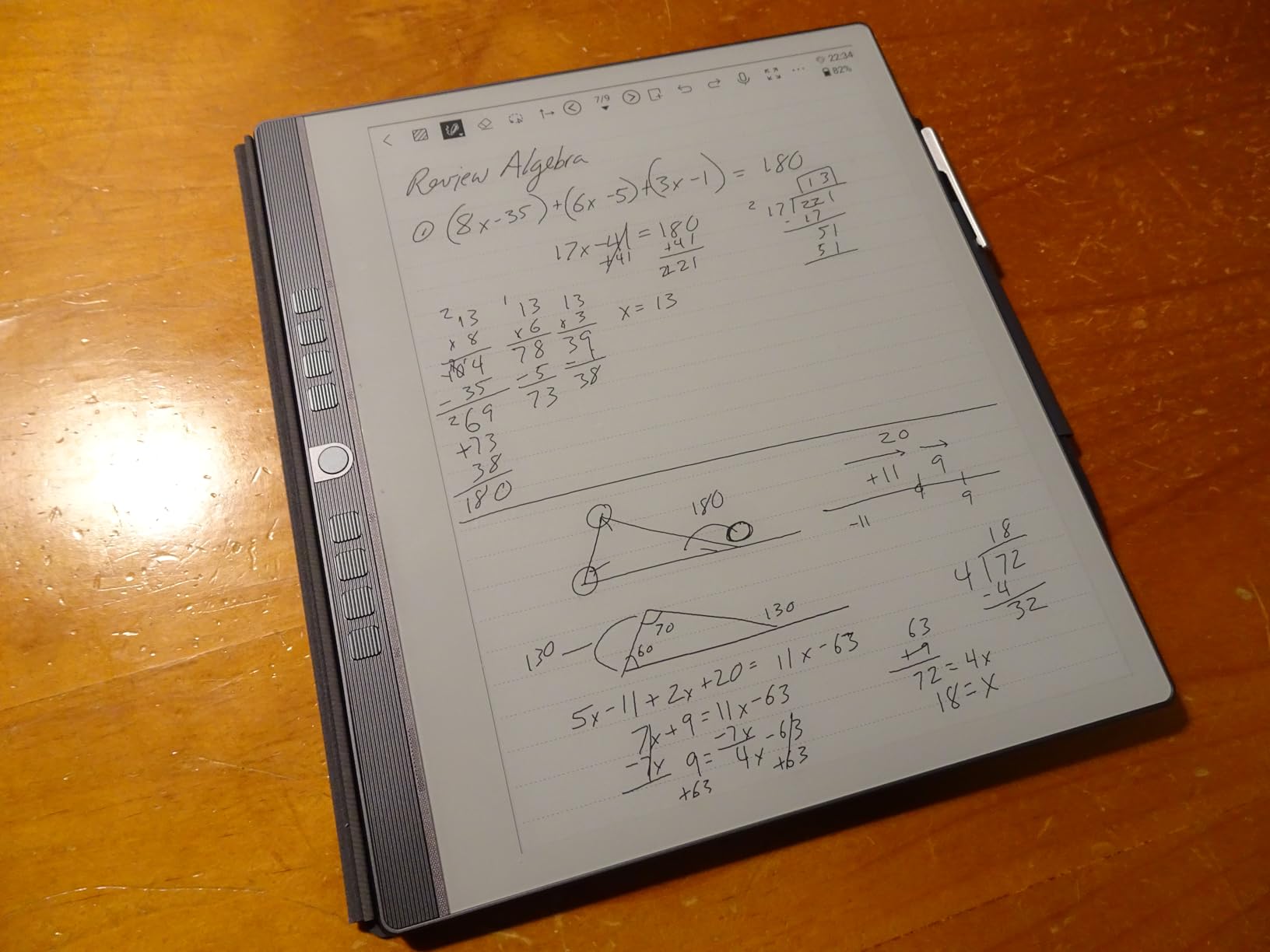
AI features are where the eNote 2 punches above its weight. Real-time voice-to-text supports 52 languages, and the built-in meeting summary generation condenses long recording sessions into digestible notes. The 4-microphone array captured clear audio in my conference room tests, and transcription accuracy was strong for English. MyScript powers the handwriting-to-text conversion, and it handled my handwriting well.
The trade-offs are significant though. No frontlight means you cannot work in dim conditions without an external lamp. No Google Play Store limits your app selection. The OneNote app does not work well on this device, and calendar sync with Google Calendar is not supported. These limitations make the eNote 2 a specialized tool rather than an all-rounder.
Offline Mode and Privacy Features
The eNote 2 works fully offline without requiring any account sign-up, which is rare in this category. All note-taking, handwriting conversion, and local storage function without internet connectivity. Cloud sync is available through Google Drive, OneDrive, and Dropbox when you want it, but it is optional.
This makes the eNote 2 attractive for professionals who handle sensitive information and prefer not to have their notes synced to cloud servers by default. The offline-first design philosophy is a genuine differentiator.
Shortcut Keys and Workflow Customization
Nine programmable shortcut keys on the device body let you assign frequently used tools and actions. I mapped mine to pen selection, undo, layer switching, and page navigation, which sped up my workflow considerably. The keys have a tactile click that feels intentional rather than mushy.
The combination of shortcut keys and pen-only input creates a workflow that feels closer to using a dedicated digital notepad than a touchscreen tablet. If you value speed and precision in your writing tools, this design will appeal to you.
6. Kobo Elipsa 2E – Best for Reading and Library Borrowers
Kobo Elipsa 2E | eReader | 10.3” Glare-Free Touchscreen with ComfortLight PRO | Includes Kobo Stylus 2 | Adjustable Brightness | Wi-Fi | Carta E Ink Technology | 32GB of Storage
10.3 inch Carta 1200
32GB storage
ComfortLight PRO
Kobo Stylus 2 included
Pros
- Large 10.3 inch screen perfect for PDFs
- Includes Kobo Stylus 2 for note-taking
- ComfortLight PRO with adjustable brightness and color temperature
- No ads or distractions
Cons
- Screen freezes occasionally
- Palm rejection issues when writing
- Writing feel not as paper-like as reMarkable
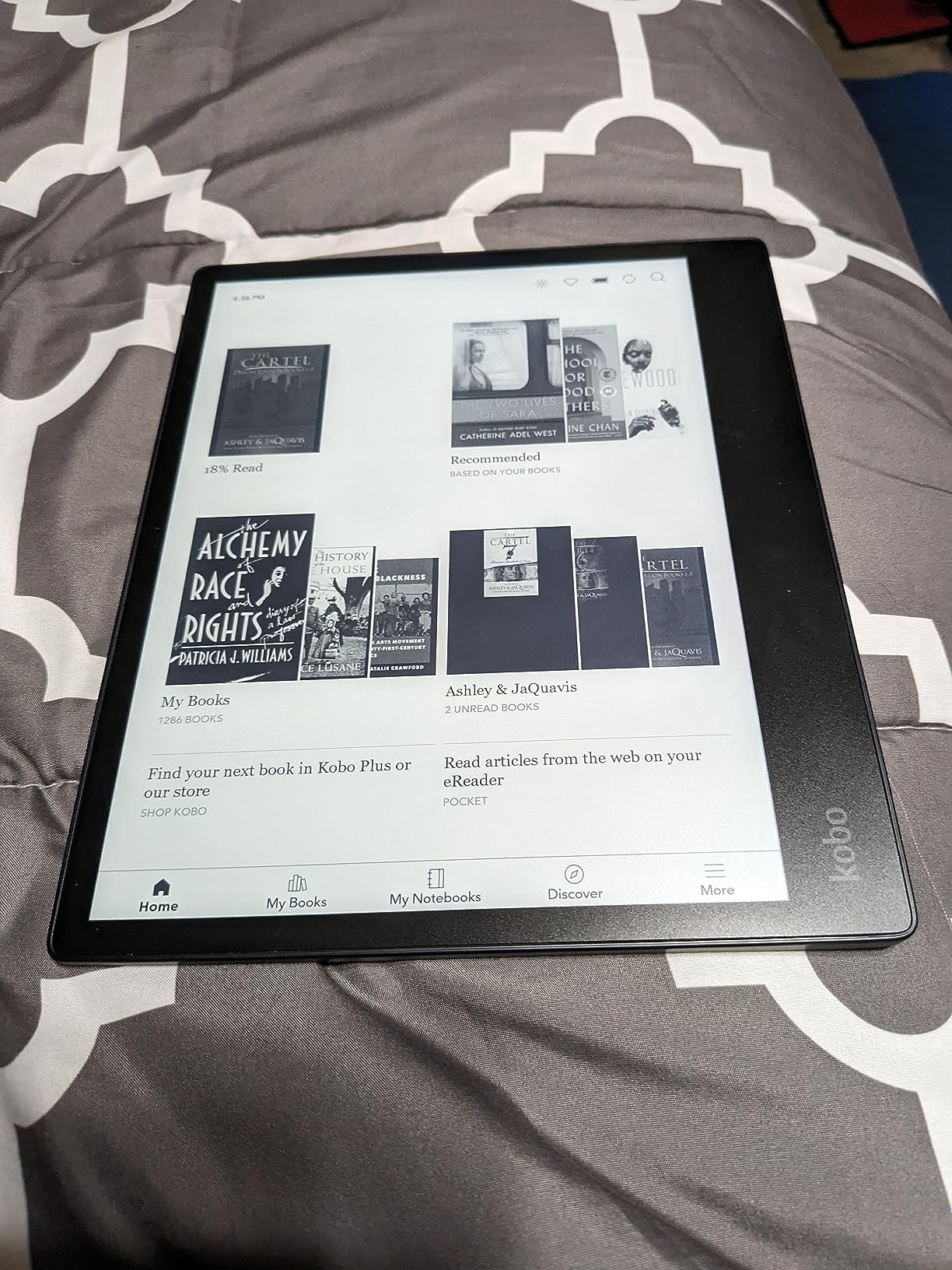
The Kobo Elipsa 2E is the tablet I reach for when reading is the primary activity and note-taking is secondary. The 10.3-inch Carta 1200 display is excellent for PDFs, academic papers, and sheet music, with enough screen real estate to display full pages without squinting. The ComfortLight PRO system lets you adjust both brightness and color temperature, and I found the warm light setting ideal for evening reading sessions.
OverDrive integration is the killer feature for anyone who borrows ebooks from their local library. You can browse, borrow, and read library books directly on the device without connecting to a computer. This alone saved me money on ebook purchases during my testing period. The Kobo Stylus 2 comes included and works well for annotation and margin notes on both ebooks and PDFs.
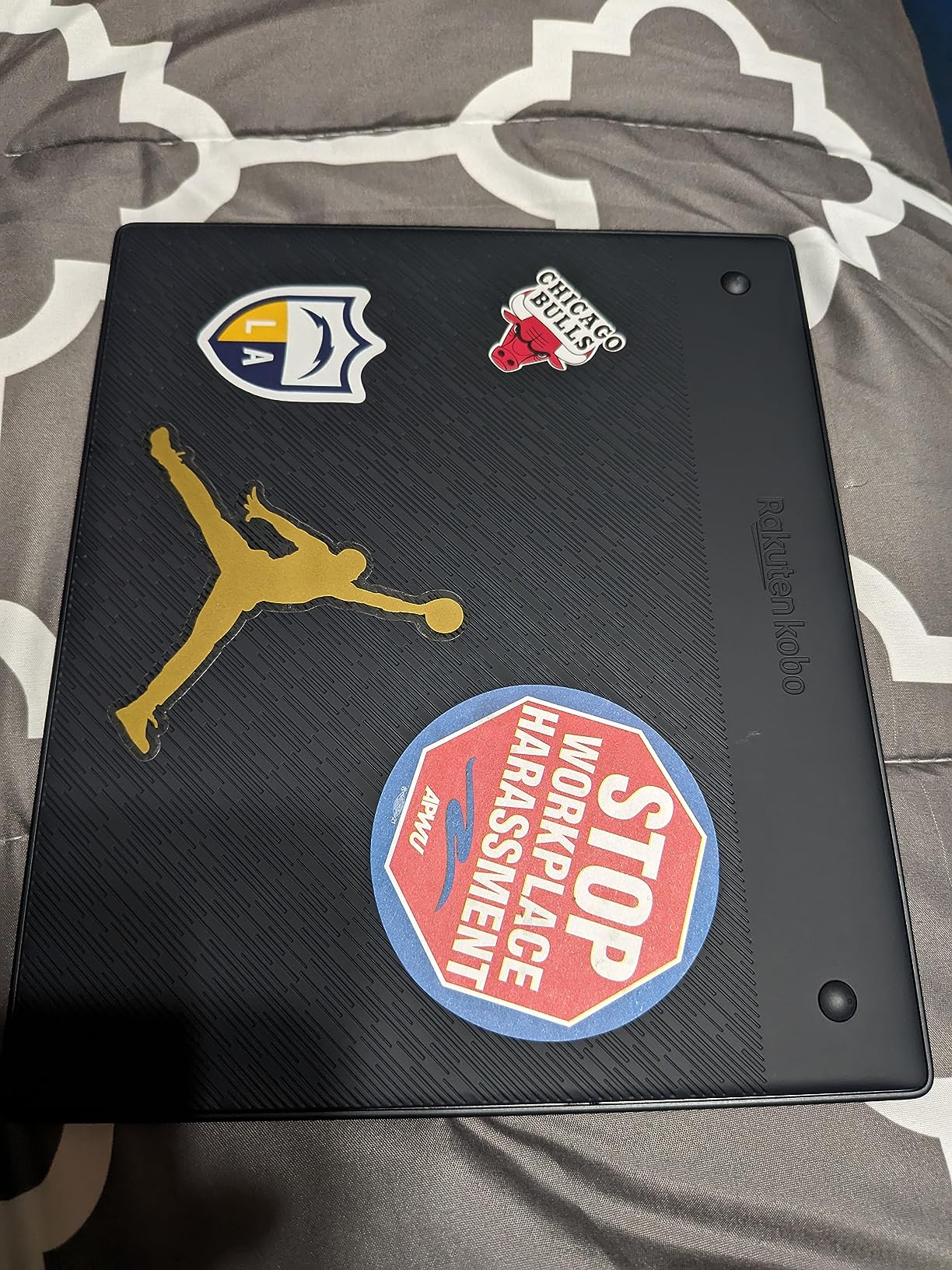
The writing experience is good but not great. The screen surface is smoother than the reMarkable, which some users prefer and others find too slick. Palm rejection can be inconsistent, and I occasionally had stray marks appear when my hand touched the screen while writing. The eco-friendly construction using recycled and ocean-bound plastic is a thoughtful design choice that does not feel cheap.
Battery life delivered several weeks of use per charge during my testing, with mostly reading and light annotation. Screen freezing happened occasionally when opening large PDFs, usually resolving after a few seconds. The web browser is basic but functional for downloading epub files directly to the device.
PDF Handling and Academic Use
The Elipsa 2E excels at PDF reading thanks to its large screen and annotation tools. You can highlight, underline, write margin notes, and draw directly on PDF pages. Reflow mode adjusts text to fit the screen for easier reading of academic papers with narrow margins.
One frustration is that PDF resizing can sometimes lose alignment, requiring manual adjustment. For straightforward reading and markup, this is manageable. For complex multi-column academic layouts, the experience can be fiddly.
Kobo Store vs Kindle Ecosystem
The Kobo Store offers millions of ebooks, but prices tend to run slightly higher than Amazon for the same titles. The trade-off is that Kobo supports more open formats, including DRM-free EPUB files from independent publishers, and the OverDrive library integration is seamless.
If you are an avid library borrower or prefer DRM-free content, Kobo is the stronger ecosystem. If you already own a large Kindle library or use Kindle Unlimited, the Kindle Scribe may be the better fit despite its smaller ecosystem focus.
7. iFLYTEK AINOTE Air 2 – Best Compact Tablet for Meetings
iFLYTEK AINOTE Air 2 Bundle – 8.2" E Ink AI Note-taking Tablet with Stylus, 4096 Pressure Levels, Digital Notebook with Voice-to-Text Transcription, Multi-languages Support, Ideal for Meetings & Study
8.2 inch e-ink
32GB storage
Voice-to-text
5 weeks battery
Pros
- Excellent handwriting feel like writing on paper
- Voice-to-text and AI meeting summaries work well
- Sharp and clear E Ink display
- Long battery life up to 5 weeks
Cons
- Google Play certification issues reported
- No Developer Mode access
- Bluetooth connectivity can be problematic
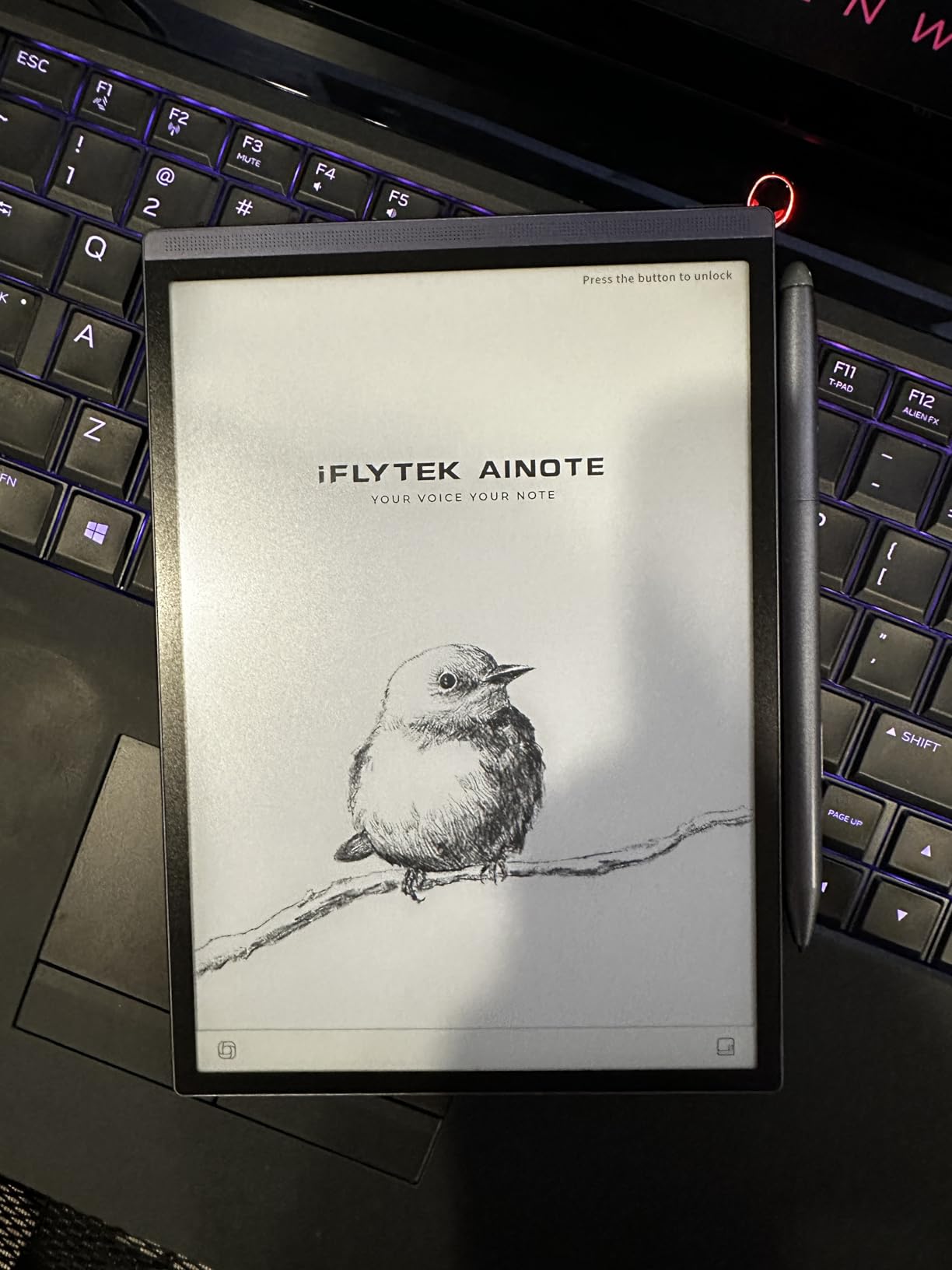
The iFLYTEK AINOTE Air 2 found a permanent spot in my work bag during a month of testing. The 8.2-inch form factor is the sweet spot between readability and portability, small enough to carry everywhere but large enough for productive note-taking. At just 8.16 ounces, this is one of the lightest e-ink tablets that still delivers a full writing experience.
The standout feature is real-time voice-to-text transcription. During a 45-minute strategy meeting, I recorded audio while simultaneously taking handwritten notes, and the Air 2 generated a clean text transcript in 17 languages. The AI meeting summary then condensed everything into action items and key points. This combination of handwritten notes plus recorded transcription is something no other tablet on this list does as well.
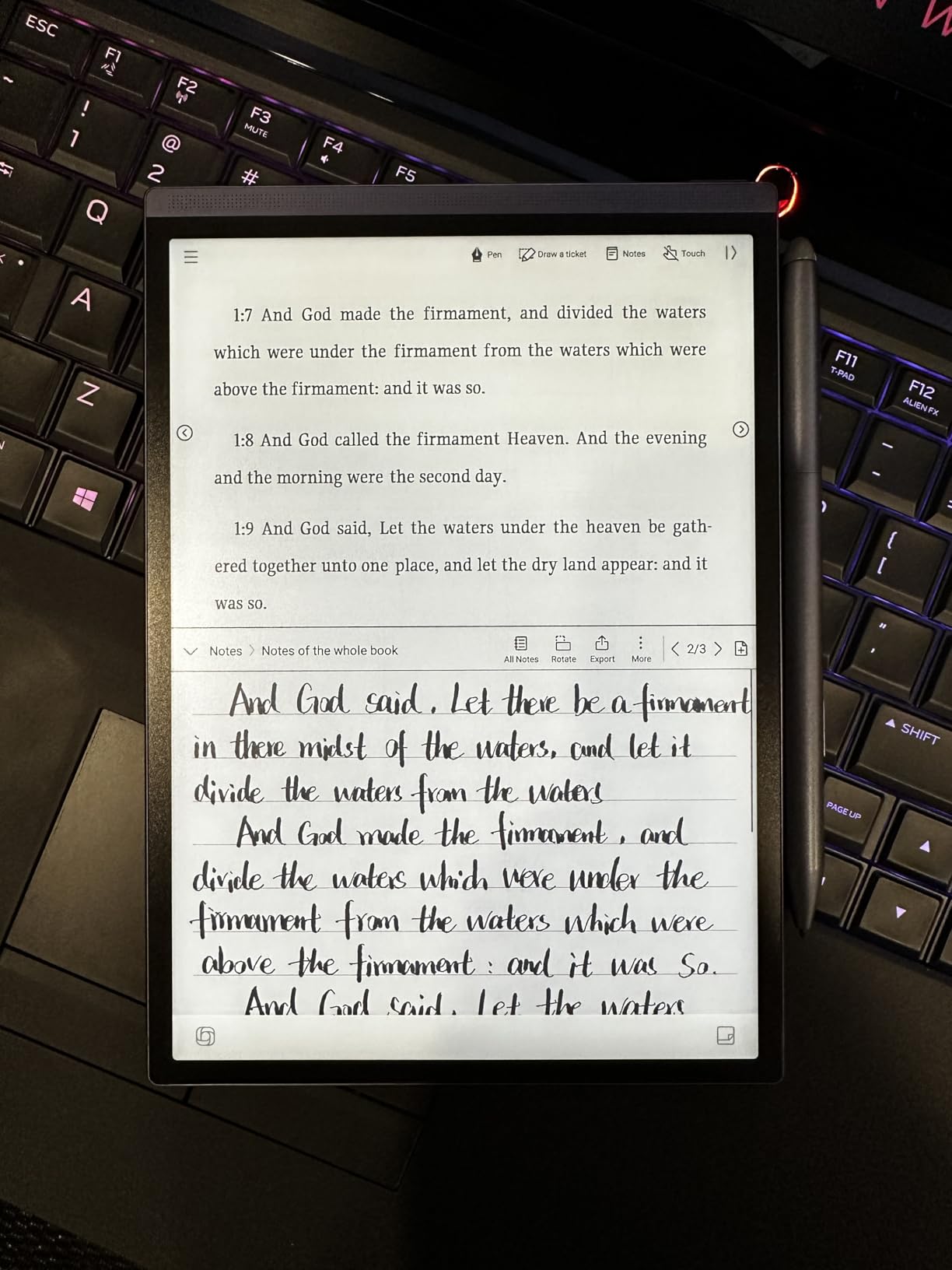
The writing surface has a paper-like texture that felt natural with the included stylus, which supports 4,096 pressure levels. Handwriting-to-text conversion covers 83 languages, and I was impressed by how well it handled messy cursive. The 24-level adjustable front light with dual-color reading capability worked well across different lighting conditions.
Battery life is exceptional at up to 5 weeks on a single charge, thanks to the efficient 2,600mAh battery and e-ink display. This is the tablet I would trust for a multi-week trip without bringing a charger. The distraction-free interface keeps focus on note-taking and reading without the temptation of a full app ecosystem.
Transcription Accuracy in Practice
I tested the voice-to-text feature in several real environments: a quiet office, a noisy coffee shop, and a conference room with multiple speakers. Accuracy was strongest in the quiet office setting, hitting around 90 percent for clear English speech. The noisy coffee shop degraded accuracy to roughly 75 percent, though the meeting summary still captured the main points correctly.
Multi-speaker meetings were the most challenging scenario, as the single microphone array struggles to distinguish between voices. For one-on-one conversations or solo dictation, the transcription quality is genuinely useful for creating searchable text records of verbal discussions.
App Limitations to Know About
The Air 2 runs Android, but Google Play certification issues have been reported by some users. This means not all Android apps may install or function correctly. Developer Mode access is restricted, which limits advanced customization. Bluetooth connectivity can be unreliable with certain audio devices.
If you need a full Android tablet experience with unrestricted app access, the BOOX devices are the better choice. The Air 2 is optimized for its built-in note-taking and transcription features, and it is best evaluated on how well those specific tools serve your workflow.
8. BOOX Go Color 7 Gen II – Best Budget Color E-Ink Tablet
BOOX Tablet Go Color 7 Gen II E Ink Tablet Support Active Stylus InkSense (Black)
7 inch Kaleido 3
Android 13
4GB RAM 64GB
Lightweight 195g
Pros
- Great e-reader for those needing Android apps
- Lightweight and comfortable to hold
- Good battery life 1-3 weeks
- Color e-ink adequate for basic color graphics
Cons
- Stylus not included sold separately
- USI 2.0 pen feel is hard plastic on glass
- 4GB RAM insufficient for multi-tasking
The BOOX Go Color 7 Gen II is the tablet I recommend when someone asks for a budget-friendly entry into color e-ink without sacrificing the Android ecosystem. At just 195g, this is the lightest tablet in our lineup, and it fits in a jacket pocket. I used it primarily as an e-reader with occasional note-taking, and it excels at the former while being competent at the latter.
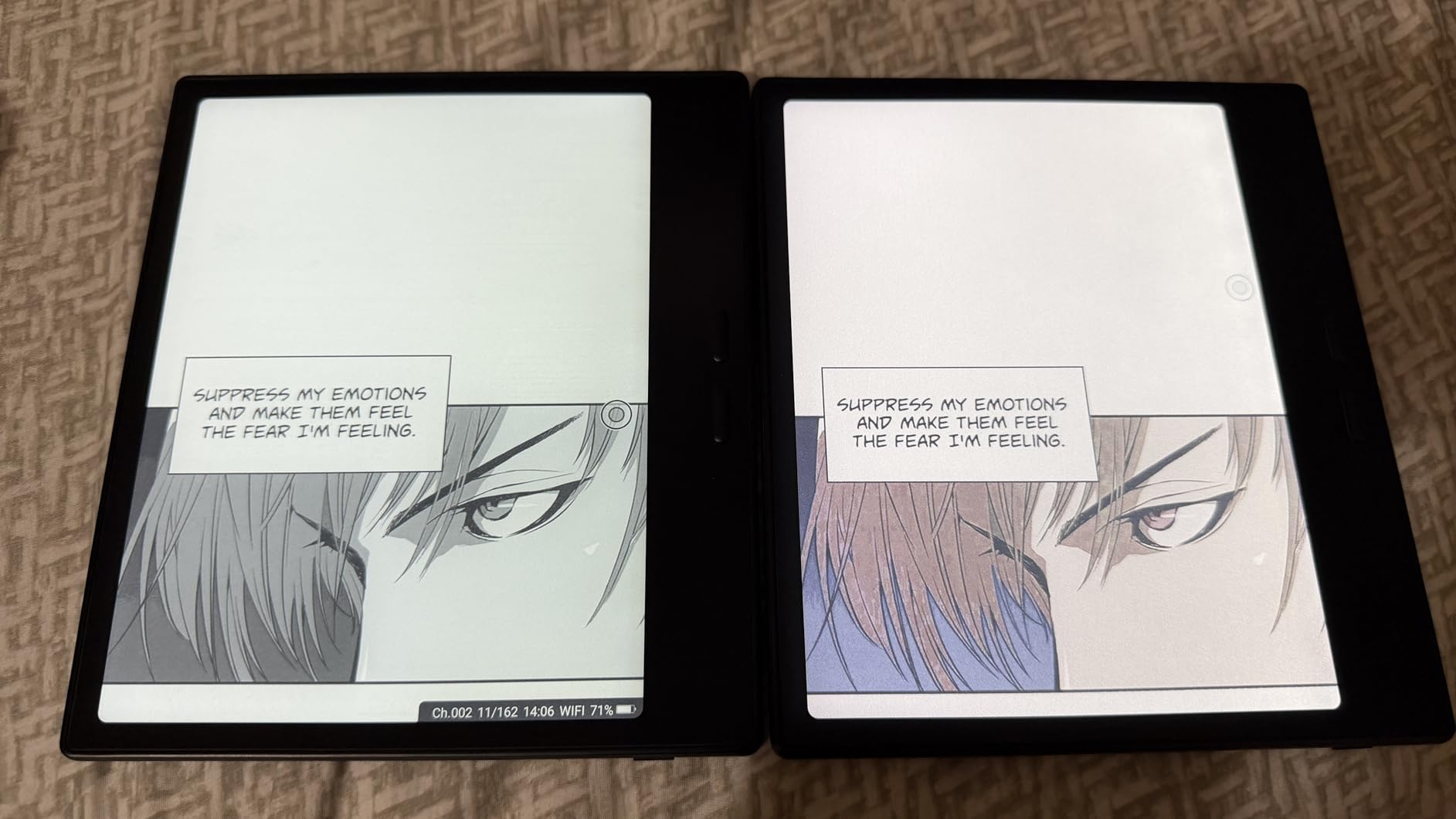
The 7-inch Kaleido 3 display delivers 300 ppi in black and white and 150 ppi in color. For reading manga, comics, and color-coded documents, the color capability adds real value even if the tones are muted compared to LCD. The page turn buttons are a thoughtful addition that makes one-handed reading comfortable, and they can be remapped to other functions.
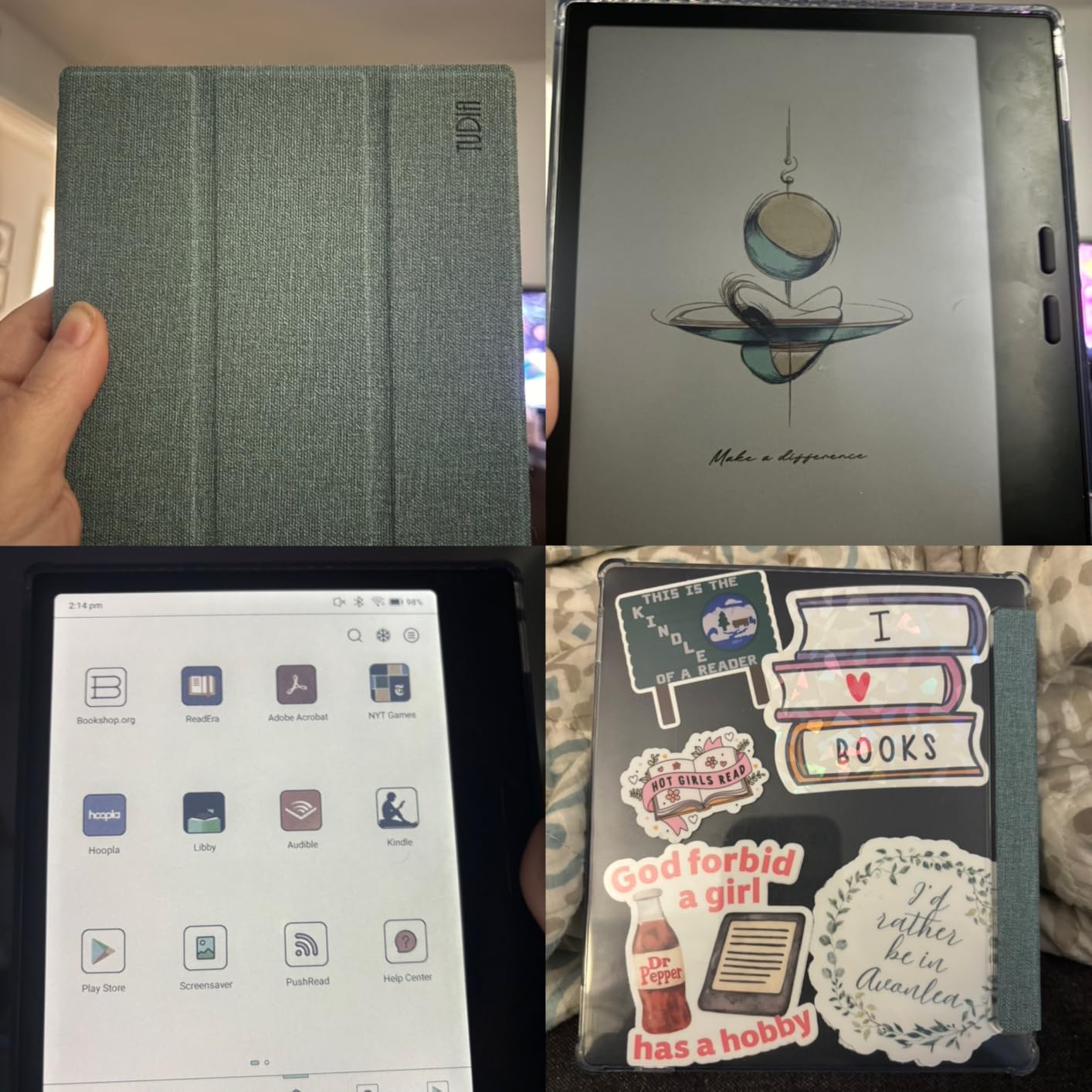
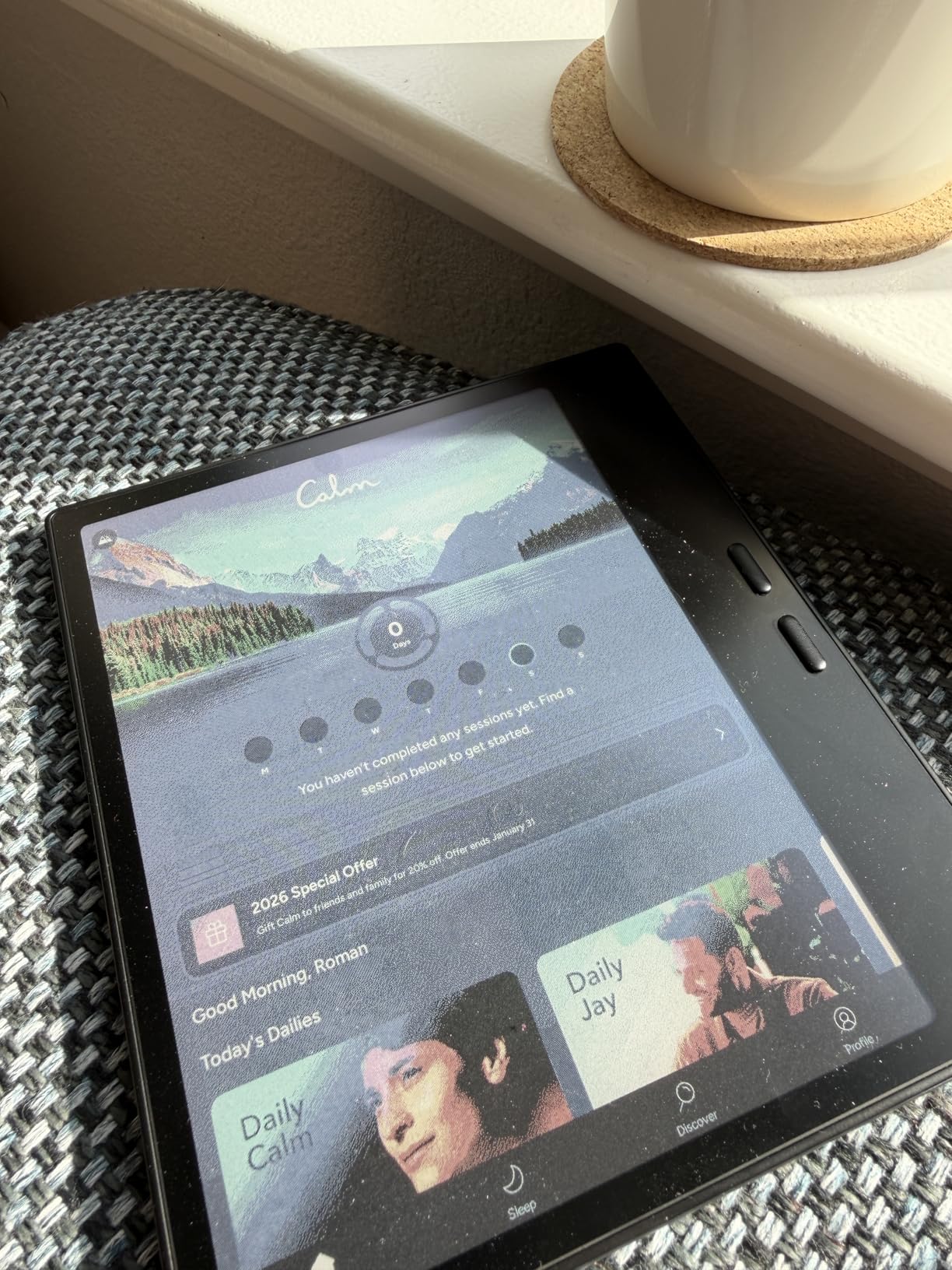
Running full Android 13 with the Google Play Store means you can install Kindle, Kobo, Moon Reader, web browsers, and productivity apps. The BOOXDrop feature simplifies file transfer from your computer or phone. Expandable storage via microSD card is a practical advantage that lets you carry a large library of books and documents.
The stylus situation is the main drawback. The Go Color 7 uses USI 2.0 protocol, which means the stylus is sold separately, requires charging, and feels like hard plastic on glass rather than the rubber-tipped friction of Wacom EMR pens. For serious note-taking, this is a meaningful downgrade from the writing experience on the Note Air 5 C or reMarkable. The 4GB RAM also limits multi-tasking, with the system aggressively killing background apps.
Best Use Cases for a 7-Inch E-Ink Tablet
This device shines as a portable e-reader that can also handle light note-taking. I found it perfect for commuting, travel reading, and quick reference checks. The color display makes it more versatile than monochrome readers for graphic novels, illustrated textbooks, and content with color-coded organization.
It is less suited as a primary note-taking device for meetings or lectures, where the larger screens and better stylus experiences of the 10-inch tablets make a meaningful difference. Think of the Go Color 7 as a reading-first device with note-taking as a bonus capability.
BOOX Software Restrictions to Consider
BOOX imposes some software restrictions on background apps and custom launchers, which revert to the BOOX launcher after reboots. Some users report that the Kobo app requires internet access to open downloaded books, and certain apps can be disabled or restricted by the system. These are quirks of BOOX’s customized Android layer.
For most reading and note-taking use cases, these restrictions do not cause problems. But if you rely on specific apps running reliably in the background or want full control over your Android environment, be aware of these limitations before purchasing.
9. BOOX Go 7 B/W – Best Portable Monochrome Tablet
BOOX Tablet Go 7 B/W E Ink Tablet 4G 64G Support Active Stylus InkSense (Black)
7 inch 300 ppi B/W
Android 13
4GB RAM 64GB
195g lightweight
Pros
- Open Android OS with Google Play Store access
- Sharp and crisp B/W display with no graininess
- Lightweight and premium feel
- Highly customizable settings and refresh modes
Cons
- Stylus not included in box
- Only supports InkSense stylus not EMR
- Battery life less than Kindle or Kobo
The BOOX Go 7 B/W is the monochrome sibling of the Go Color 7, and in some ways I prefer it. The 300 ppi black and white display is noticeably crisper and cleaner than the color version, with no graininess visible at normal reading distance. Text rendering is sharp enough that I could comfortably read for hours without eye fatigue. The glass screen has a premium feel that belies the affordable price point.
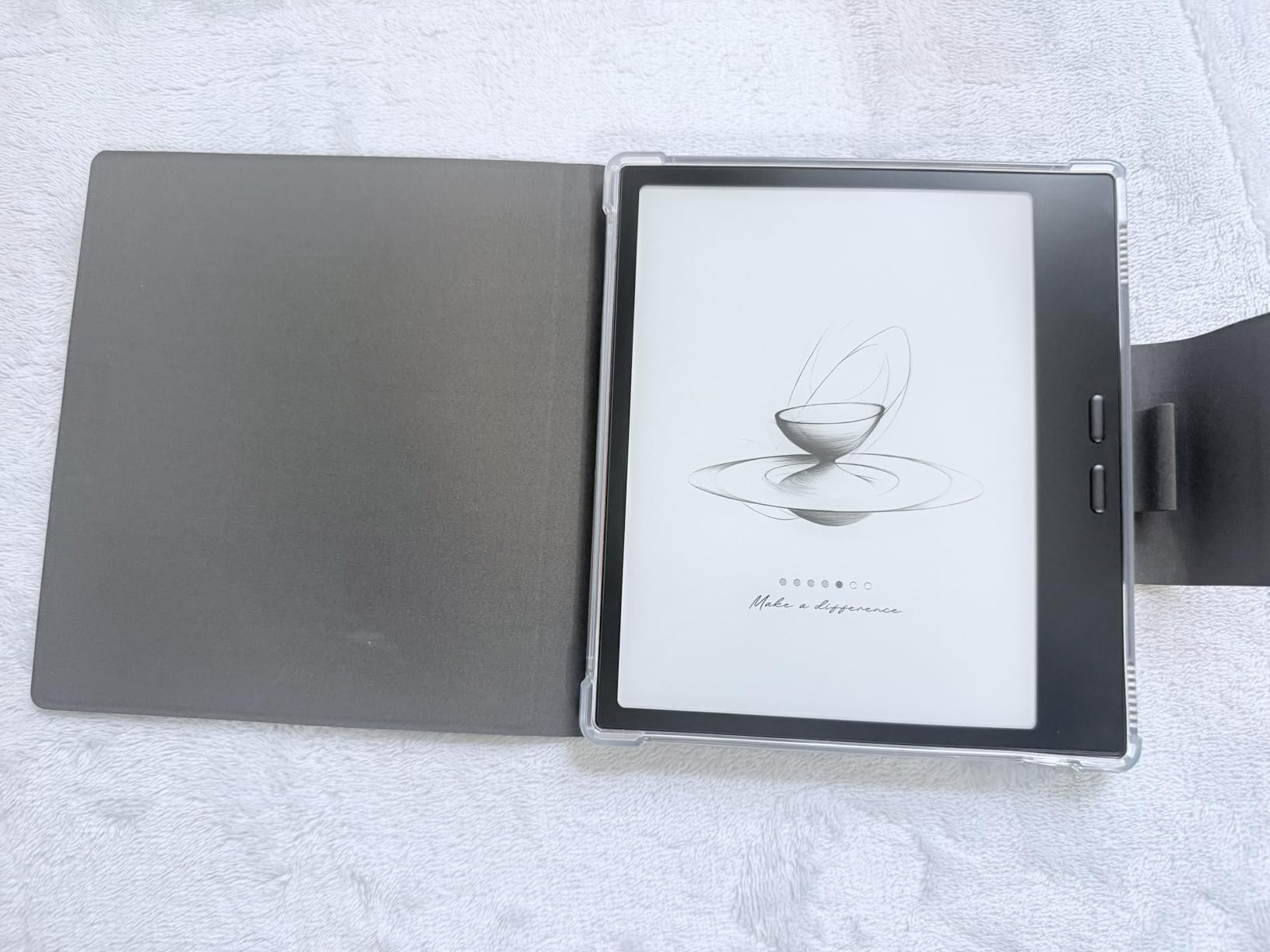
I tested the Go 7 B/W as an everyday carry e-reader for about three weeks. The 195g weight means you forget it is in your bag, and the 7-inch screen is the right size for reading ebooks on the go. The page turn buttons are well-placed and configurable, making one-handed reading natural. The front light with warm and cold CTM adjustment handles different environments well, from bright outdoor sunlight to dim bedroom reading.
Android 13 with full Google Play Store access means you are not locked into any single reading platform. I used it with the Kindle app, Kobo app, Moon Reader, and the native BOOX reader, switching between libraries without friction. The BOOXDrop feature made sideloading epub and PDF files from my laptop effortless. Multiple refresh modes let you optimize for clarity versus speed depending on what you are doing.
The stylus is sold separately and uses the InkSense protocol rather than EMR. For reading-focused users, this is not a big deal. But if you want the Go 7 for serious note-taking, the InkSense pen feels different from the EMR stylus experience on larger BOOX tablets, and the pen is not included in the box. Battery life is decent but falls short of Kindle and Kobo devices, typically lasting about one to two weeks depending on usage intensity.
Customization and Refresh Mode Options
The Go 7 B/W offers five refresh modes: HD Mode, Balanced Mode, Fast Mode, Ultrafast Mode, and Regal Mode. Each mode trades clarity for speed differently, and I found myself switching between them depending on the task. HD Mode is best for reading static text, while Fast Mode handles scrolling through menus and lists more smoothly.
This level of customization is a BOOX hallmark and gives you control over the reading and writing experience that closed-ecosystem devices do not offer. The learning curve is worth it for users who like to fine-tune their device settings.
Value Proposition vs Kindle and Kobo
The Go 7 B/W costs more than a basic Kindle but offers significantly more flexibility. You get an open Android platform, expandable storage, page turn buttons, and multiple reading app options. For users who want freedom from ecosystem lock-in, the premium over a Kindle is justified.
Compared to the Go Color 7, the monochrome version delivers a sharper display and slightly better battery efficiency, since it does not need to drive color filters. If color is not important to you, the B/W version is the better reading experience for the same form factor.
10. iFLYTEK AINOTE 2 – Best for Multilingual Transcription
iflytek AINOTE 2, 10.65" E-Ink Tablet, AI Note Taking Tablet for Meeting, Ultra-Thin 4.2mm Digital Notebook with Voice-to-Text, 16-Language Transcription, Handwritten-to-Text, Ideal for Work&Study
10.65 inch e-ink
Android 14
64GB storage
16-language transcription
Pros
- Ultra-thin and lightweight premium design
- Excellent AI transcription and meeting summaries
- Full Google Play Store access
- Good writing feel with Wacom stylus
Cons
- No backlight not usable in low light
- UI can be sluggish
- Cloud sync behind subscription paywall
The iFLYTEK AINOTE 2 is the most AI-forward e-ink tablet I tested, and its 16-language voice transcription is genuinely impressive. The 10.65-inch screen gives you a large canvas for notes, and the ultra-thin 4.2mm aluminum frame feels like a premium piece of hardware. I used it during international conference calls where participants spoke different languages, and the real-time transcription captured and organized the conversation in a way that my handwritten notes alone could not match.
The Wacom stylus delivers a natural writing feel with good pressure sensitivity and low latency. Eight brush styles give you range from fine pen marks to broad highlighter strokes. The task tracking markers (star, triangle, circle) are a clever touch for prioritizing action items directly in your notes. Google Calendar integration syncs your schedule, and the full Google Play Store means you can install productivity apps as needed.
The AI features set this device apart. Meeting summaries condense long discussions into structured action items, and the AI-powered text interaction lets you query your notes for specific information. Handwriting-to-text conversion works across the 16 supported transcription languages, making it valuable for international professionals and students studying foreign languages.
The biggest drawback is the lack of any backlight or frontlight. You simply cannot use the AINOTE 2 in dim conditions without external lighting, which limits its practicality for evening or nighttime work. The UI can feel sluggish when navigating menus or switching between documents, and cloud sync features sit behind a subscription paywall. Some users have noted that the signature visible on the lock screen is a minor security concern in shared environments.
Transcription in Multilingual Environments
I tested the transcription feature with English, Spanish, French, and Mandarin conversations. English and Mandarin (iFLYTEK’s home language) produced the most accurate transcriptions, consistently above 85 percent accuracy in clear audio conditions. Spanish and French were solid but showed more errors with fast speech and overlapping dialogue.
For professionals who regularly work across language barriers, the AINOTE 2 is a specialized tool that justifies its price. The ability to generate meeting summaries in multiple languages and convert handwritten notes in the same session is something no other e-ink tablet matches.
Design and Portability Factors
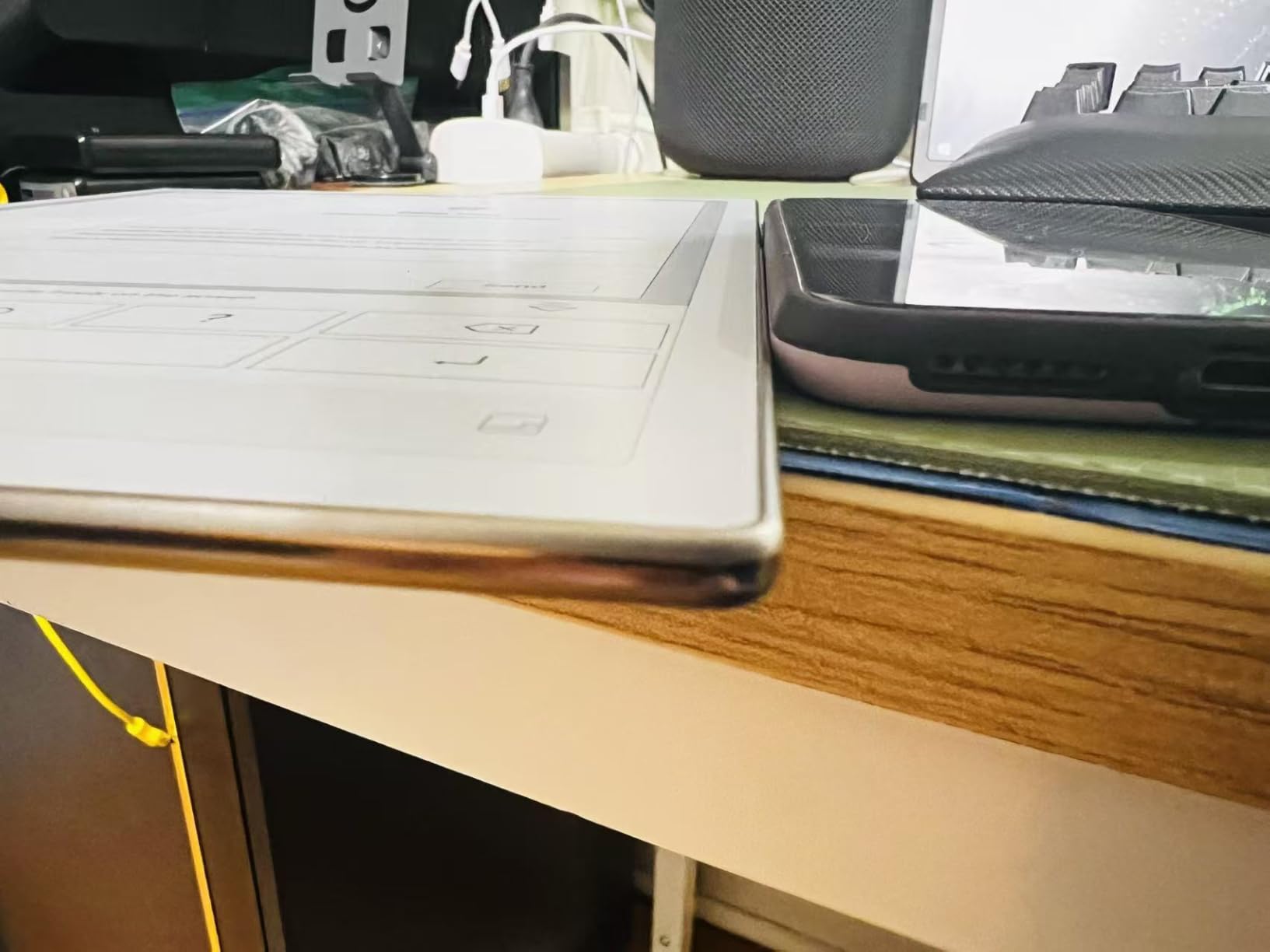
The 4.2mm thickness makes the AINOTE 2 one of the slimmest large-screen e-ink tablets available. The aluminum frame feels rigid and premium, though at 0.81 kg it is not the lightest option. Fingerprint security is integrated into the power button, which is a practical placement.
The lack of an accelerometer means the screen does not auto-rotate, requiring manual orientation changes. Fast charging support partially compensates for the absence of a frontlight by keeping downtime minimal. The 14-day battery life with 30 minutes of daily use and 113-day standby are solid numbers for this category.
Buying Guide: How to Choose the Best E-Ink Tablet
Choosing among the best e-ink tablets comes down to understanding your primary use case and being honest about which trade-offs you can accept. After testing 10 devices across several months, I can tell you that no single tablet does everything perfectly. Here is what to consider before making your decision.
Display Type: Monochrome vs Color E-Ink
Monochrome e-ink displays deliver sharper text, better contrast, and longer battery life than color panels. If your primary activity is reading text and writing notes in a single color, a monochrome tablet like the Kindle Scribe or BOOX Go 7 B/W will serve you better and cost less.
Color e-ink using Kaleido 3 or Canvas Color technology adds useful capability for highlighting, annotating with different colors, and reading graphic content. But the colors are muted compared to LCD, typically rendering as pastel tones. The reMarkable Paper Pro and BOOX Note Air 5 C offer the best color e-ink experiences currently available, though both come at premium prices.
Screen Size and Form Factor
Screen size determines how you use the device. Tablets in the 10 to 12-inch range (reMarkable Paper Pro, Kindle Scribe, BOOX Note Air 5 C, Kobo Elipsa 2E) are best for serious note-taking, PDF annotation, and split-screen work. They feel like working on a standard notepad or letter-sized paper.
Smaller tablets in the 7 to 8-inch range (BOOX Go 7, Go Color 7, iFLYTEK Air 2) are optimized for portability and reading. They fit in bags and large pockets, making them ideal for commuting and travel. The trade-off is less screen space for productive writing sessions.
Writing Experience and Stylus Type
The writing feel is subjective but critically important. Wacom EMR stylus technology, used by reMarkable and BOOX Note series, delivers the best paper-like experience with rubber-tipped pens that do not require charging. USI 2.0 stylus technology, used by the BOOX Go series, feels more like plastic on glass and requires charging.
The Penstar eNote 2 takes a unique approach with a pen-only screen that eliminates touch interference entirely. This is ideal for users who find palm rejection issues frustrating on other devices. Consider whether the stylus is included in the box or sold separately, as this adds to the total cost.
Operating System: Android vs Closed Ecosystem
Android-based tablets (BOOX lineup, iFLYTEK devices) offer maximum flexibility with Google Play Store access, letting you install reading apps, productivity tools, and browsers. The trade-off is that not all Android apps are optimized for e-ink, and you may deal with ghosting, sluggish performance, and a steeper learning curve.
Closed-ecosystem tablets (reMarkable, Kindle Scribe, Kobo Elipsa) deliver a more polished and distraction-free experience with software optimized specifically for e-ink. You trade flexibility for simplicity and reliability. If you just want a device that works well out of the box for reading and writing, closed ecosystems are often the better choice.
Battery Life Expectations
E-ink tablets generally offer far better battery life than LCD tablets, but there is real variation. The Kindle Scribe, Kobo Elipsa 2E, and iFLYTEK Air 2 can last weeks on a single charge. Android-based BOOX devices typically need charging every few days due to background processes and larger batteries.
If long battery life is a priority for travel or extended use away from power outlets, factor this into your decision. Also consider whether the device has a frontlight, as using the light will drain the battery faster.
Subscription Costs and Long-Term Value
Subscription transparency is a pain point in this category. reMarkable requires a Connect subscription for cloud sync and advanced features. iFLYTEK puts cloud sync behind a paywall. Amazon’s Kindle Scribe includes AI features with no subscription, which is a significant value advantage.
BOOX devices require no subscription for any features. The Penstar eNote 2 and Kobo Elipsa 2E also avoid subscription models. When comparing prices, factor in the total cost of ownership over two to three years, including any subscription fees.
AI Features Comparison
AI integration is an emerging differentiator in e-ink tablets. The Kindle Scribe offers handwriting-to-text and notebook summarization at no extra cost. iFLYTEK devices lead in voice-to-text transcription and meeting summaries across multiple languages. The Penstar eNote 2 provides real-time voice-to-text in 52 languages and AI meeting summaries.
If AI-assisted note organization matters to your workflow, prioritize devices that include these features without subscription fees. The quality of handwriting recognition varies significantly, and messy handwriting will challenge any system.
FAQs
What is the best E-Ink tablet for note taking and reading?
The reMarkable Paper Pro offers the best overall writing and reading experience with its paper-like friction, color display, and ultra-slim design. The Kindle Scribe 16GB is the best value option, delivering excellent writing feel and AI features without subscription costs.
What is the best budget E Ink tablet?
The BOOX Go Color 7 Gen II at under $300 is the best budget color e-ink tablet, offering Android flexibility and a lightweight design. The BOOX Go 7 B/W is slightly less expensive and delivers a sharper monochrome display for reading-focused users.
Are E Ink tablets worth it?
Yes, e-ink tablets are worth it for anyone who spends significant time writing notes, annotating documents, or reading on screens. They reduce eye strain, eliminate notification distractions, and offer weeks of battery life. The investment pays off most for students, professionals in meetings, and avid readers who annotate.
How long do E Ink tablets last?
E-ink tablets typically last 3 to 5 years with regular use. Battery life per charge ranges from several days to several weeks depending on the model and usage patterns. Devices with replaceable batteries like some Supernote models can last longer. The e-ink display itself is very durable with no burn-in risk.
Who are E Ink tablets for?
E-ink tablets are ideal for students who take lecture notes, professionals who attend frequent meetings, researchers who annotate PDFs, writers who want distraction-free drafting, and avid readers who prefer marking up books. They are less suited for users who need color-rich media, video playback, or fast app switching.
Conclusion: Finding Your Ideal E-Ink Tablet
The best e-ink tablets in 2026 cover a wide range of needs and budgets, and the right choice depends entirely on how you plan to use the device. For the best overall experience with a paper-like writing feel and color annotation, the reMarkable Paper Pro remains the top pick despite its premium price. The Kindle Scribe 16GB delivers unmatched value with excellent writing quality, AI features, and no subscription fees.
If Android flexibility matters most, the BOOX Note Air 5 C and the budget-friendly Go Color 7 Gen II give you an open ecosystem with Play Store access. For meeting-heavy professionals, the iFLYTEK AINOTE Air 2 and its voice transcription capabilities are hard to beat. And for dedicated readers who want to borrow library books and annotate PDFs, the Kobo Elipsa 2E with its large screen and ComfortLight PRO is an excellent companion.
Whatever you choose, an e-ink tablet is an investment in focused, distraction-free work. The eye comfort, battery life, and paper-like writing experience are real benefits that compound over time. Pick the device that matches your primary use case, accept the trade-offs, and start writing.