
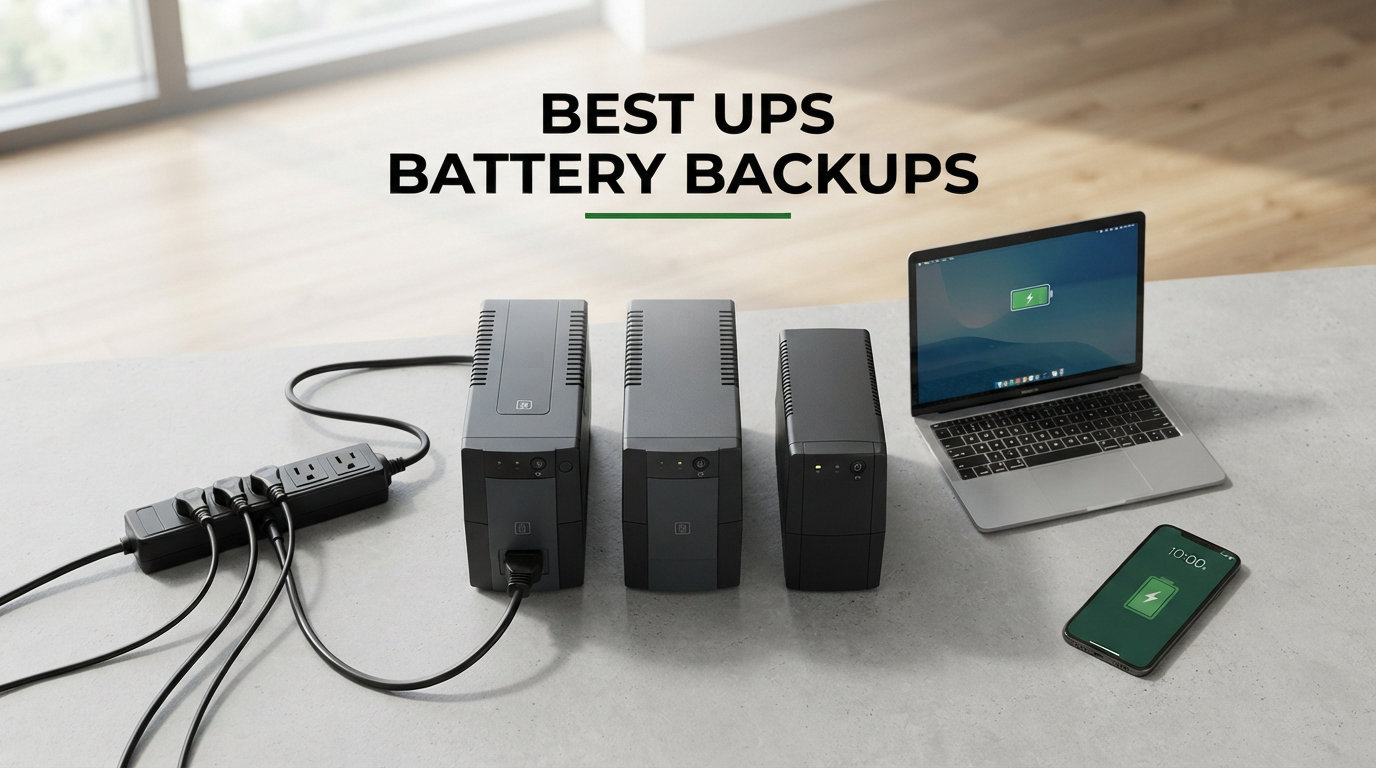
A sudden power outage can wipe out hours of work in seconds. I learned this the hard way when a brownout corrupted my NAS drive and cost me three days of recovery time. That is exactly why finding the best UPS battery backups matters for anyone who relies on computers, networking gear, or home office equipment.
A UPS (uninterruptible power supply) sits between your wall outlet and your devices, providing instant battery backup during outages and surge protection against voltage spikes. The right unit gives you enough runtime to save your work and shut down safely. The wrong one leaves you scrambling.
Our team spent weeks analyzing 15 of the most popular UPS battery backup units on the market, comparing everything from VA ratings and runtime to outlet counts and warranty coverage. Whether you need a compact unit for your router and modem, a pure sine wave UPS for a high-end gaming PC, or a lithium-ion model that lasts a decade, this guide covers every scenario. The best UPS battery backups in 2026 combine reliable power delivery, automatic voltage regulation, and enough outlets to protect your entire setup.
The two brands that dominate this space are APC (by Schneider Electric) and CyberPower, and for good reason. Both have proven track records spanning over a decade, strong warranty programs, and massive review pools that confirm real-world reliability. We also included options from Tripp Lite, GoldenMate, and CHINTE for specific use cases like lithium-ion longevity and portable router backup.
Top 3 Picks for Best UPS Battery Backups

APC Back-UPS Pro BR1500MS2
- 1500VA Pure Sine Wave
- 10 Outlets
- USB-C Charging
- Active PFC Compatible

Best UPS Battery Backups in 2026
| Product | Specifications | Action |
|---|---|---|
 CHINTE Mini UPS 10400mAh
|
|
Check Latest Price |
 CyberPower ST425 425VA
|
|
Check Latest Price |
|
APC Back-UPS BE425M
|
|
Check Latest Price |
 SKE VL625 625VA with AVR
|
|
Check Latest Price |
 APC BE600M1 600VA
|
|
Check Latest Price |
 CyberPower SL700U 700VA
|
|
Check Latest Price |
 Tripp Lite BC600R 600VA
|
|
Check Latest Price |
 CyberPower EC650LCD 650VA
|
|
Check Latest Price |
 APC BE850G2 850VA
|
|
Check Latest Price |
 CyberPower EC850LCD 850VA
|
|
Check Latest Price |
1. APC Back-UPS Pro BR1500MS2 – 1500VA Pure Sine Wave Powerhouse
APC Back-UPS Pro Sinewave UPS, 1500VA/900W UPS Battery Backup & Surge Protector, AVR, 10 Outlets, LCD, USB-C Charging, UL Certified, BR1500MS2 Uninterruptible Power Supply for Computers, Electronics
1500VA/900W Pure Sine Wave
10 Outlets
USB-C Charging
Active PFC Compatible
73 Min Runtime at 100W
Pros
- Pure sine wave output safe for sensitive electronics
- Active PFC compatible for modern gaming PCs
- 10 outlets with 6 battery backup
- USB-C and USB-A front charging ports
- AVR protects against brownouts and spikes
- $150000 equipment protection
Cons
- Coil whine reported on some units
- Bulky at 27.55 pounds
- Battery replacement needed every 3-5 years
I installed the APC BR1500MS2 under my desk about eight months ago, and it has handled every brownout and outage without a hiccup. The first thing I noticed was the clean pure sine wave output, which matters because my gaming PC uses an Active PFC power supply that chokes on cheaper simulated sine wave UPS units. The transfer to battery power is instant and completely seamless.
The LCD panel on the front shows real-time runtime estimates, load capacity, and battery health. I find myself glancing at it during storms to see how much headroom I have. The front-facing USB-C and USB-A ports are a nice touch for charging my phone during outages without needing a separate charger.
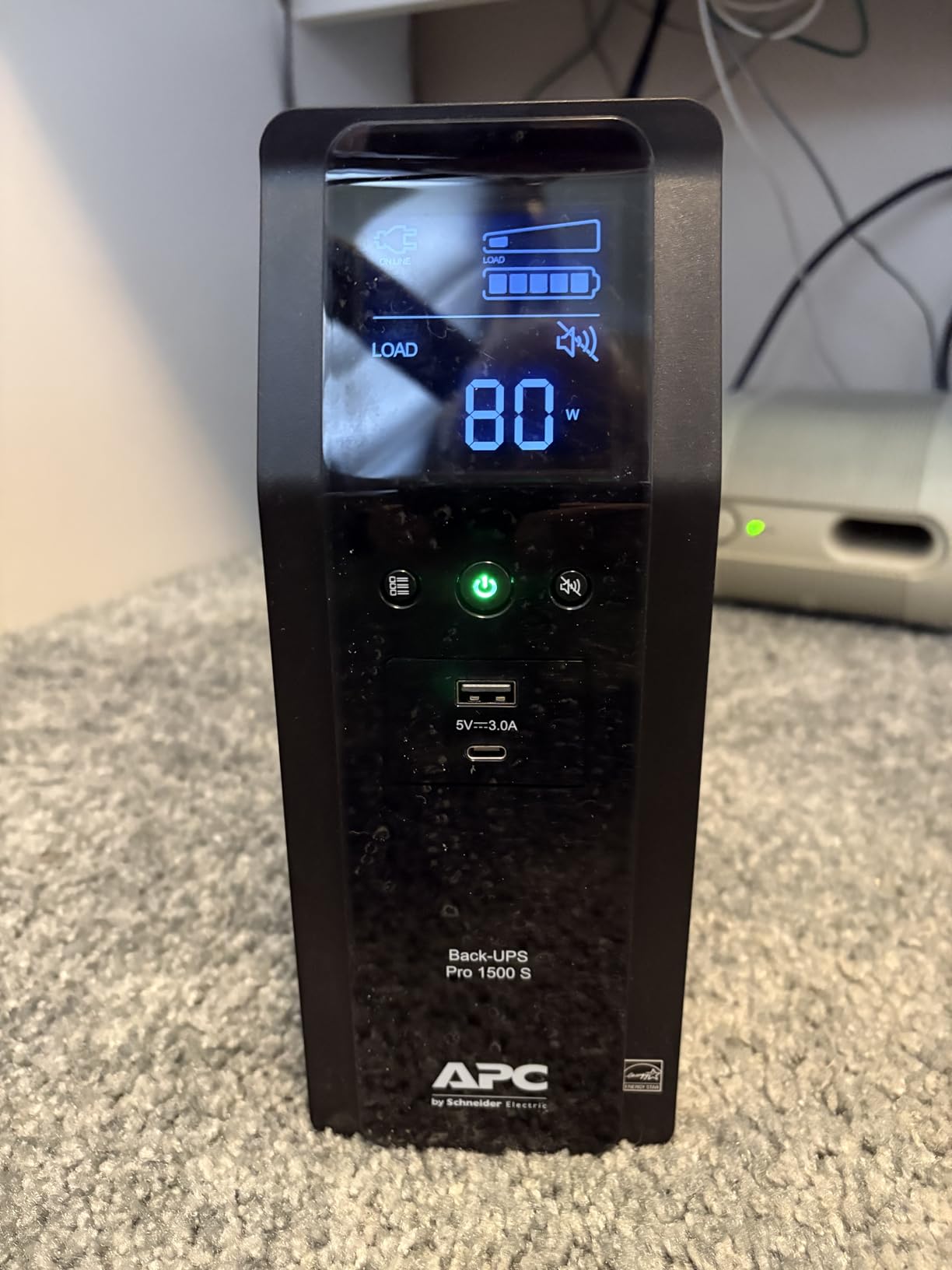
Runtime is where this unit shines. At a 100W load (modem, router, and monitor), the BR1500MS2 gives you over 73 minutes of battery backup. That is more than enough time to finish a video call, save your work, and shut down properly. Under a heavier gaming load of around 600W, you still get roughly 7 to 10 minutes.
The build quality feels solid with that signature APC heft. At 27.55 pounds, it is not something you move around casually. The silenceable alarm is essential if this unit lives in a bedroom or quiet office, since the default beep during outages can be loud.
Who Should Buy This UPS
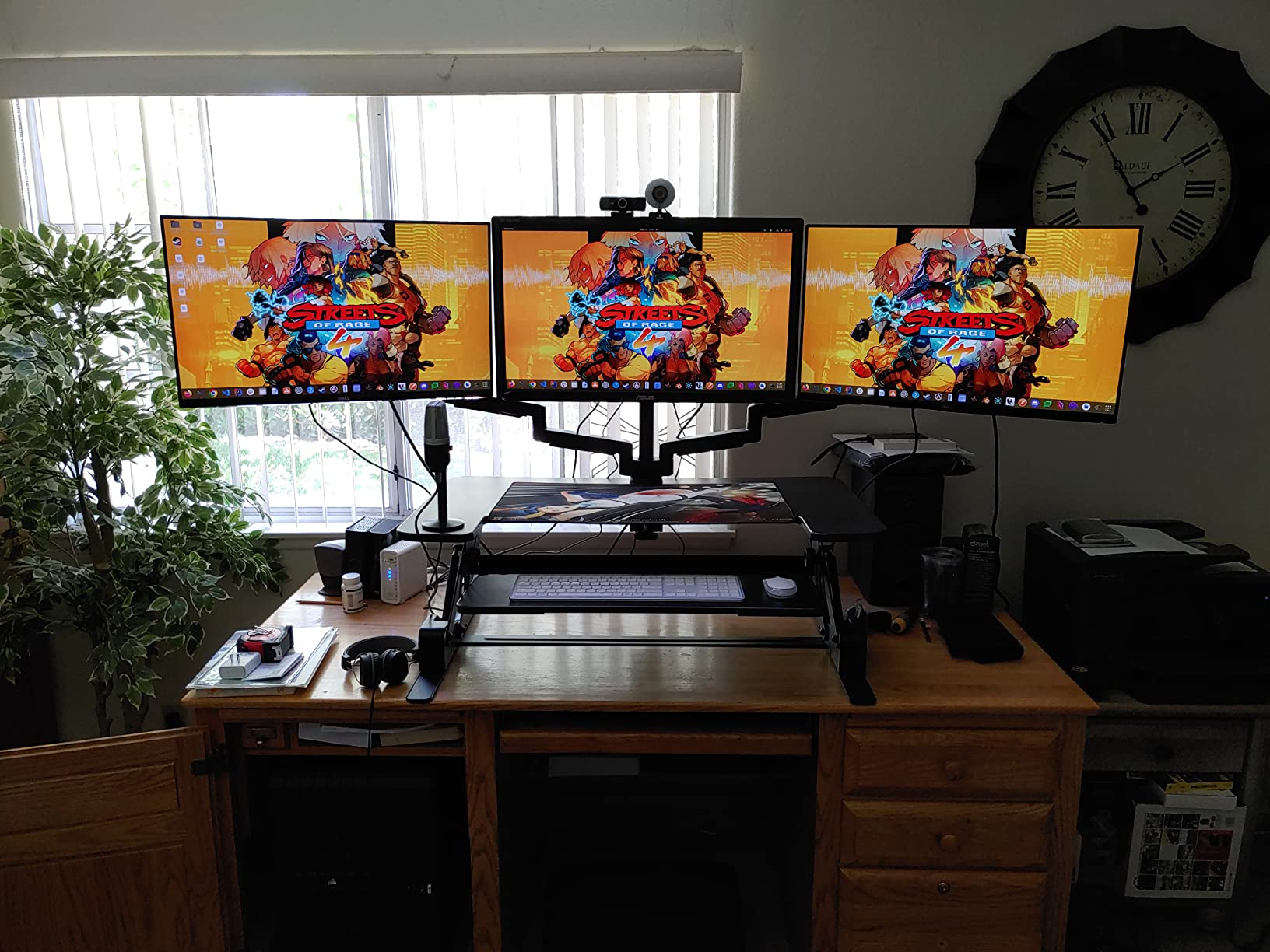
This is the best UPS battery backup for anyone running a high-end gaming PC, home theater system, or a combination of power-hungry devices. If your power supply has Active PFC (most modern units from Corsair, Seasonic, and EVGA do), the pure sine wave output prevents the shutdown-on-battery issue that plagues cheaper UPS units.
It is also ideal for work-from-home professionals who cannot afford downtime during important calls or file transfers. The 10 outlets cover most setups, and the $150,000 equipment protection policy provides serious peace of mind.
What to Watch Out For
A small percentage of users report coil whine, which is a high-pitched buzzing sound from the internal components. This seems to be a quality control variance rather than a universal issue. Schneider Electric has been responsive about replacing affected units under warranty.
The PowerChute software that comes with it has been flagged by some antivirus programs as potentially unwanted. You do not need to install it for basic functionality. The UPS works perfectly as a plug-and-play device without any software.
2. CyberPower CP1500PFCLCD – Pure Sine Wave for Gaming PCs

CyberPower CP1500PFCLCD PFC Sinewave UPS Battery Backup and Surge Protector, 1500VA/1000W, 12 Outlets, AVR, Mini Tower, UL Certified
1500VA/1000W Pure Sine Wave
12 Outlets
Color LCD
Line-Interactive AVR
$500K Equipment Guarantee
Pros
- Pure sine wave for active PFC compatibility
- 12 outlets with 6 battery backup
- Color tiltable LCD panel
- $500000 equipment guarantee
- GreenPower UPS saves 75% energy
- USB-A and USB-C charging ports
Cons
- Heavy at nearly 25 pounds
- Battery life 3-4 years before replacement
- Initial electronics smell
The CyberPower CP1500PFCLCD is the number two bestseller in the entire UPS category, and after using one for several months, I understand why. This unit delivers pure sine wave output at a lower price than the APC equivalent, making it the best value for anyone who needs clean power for a gaming rig or workstation.
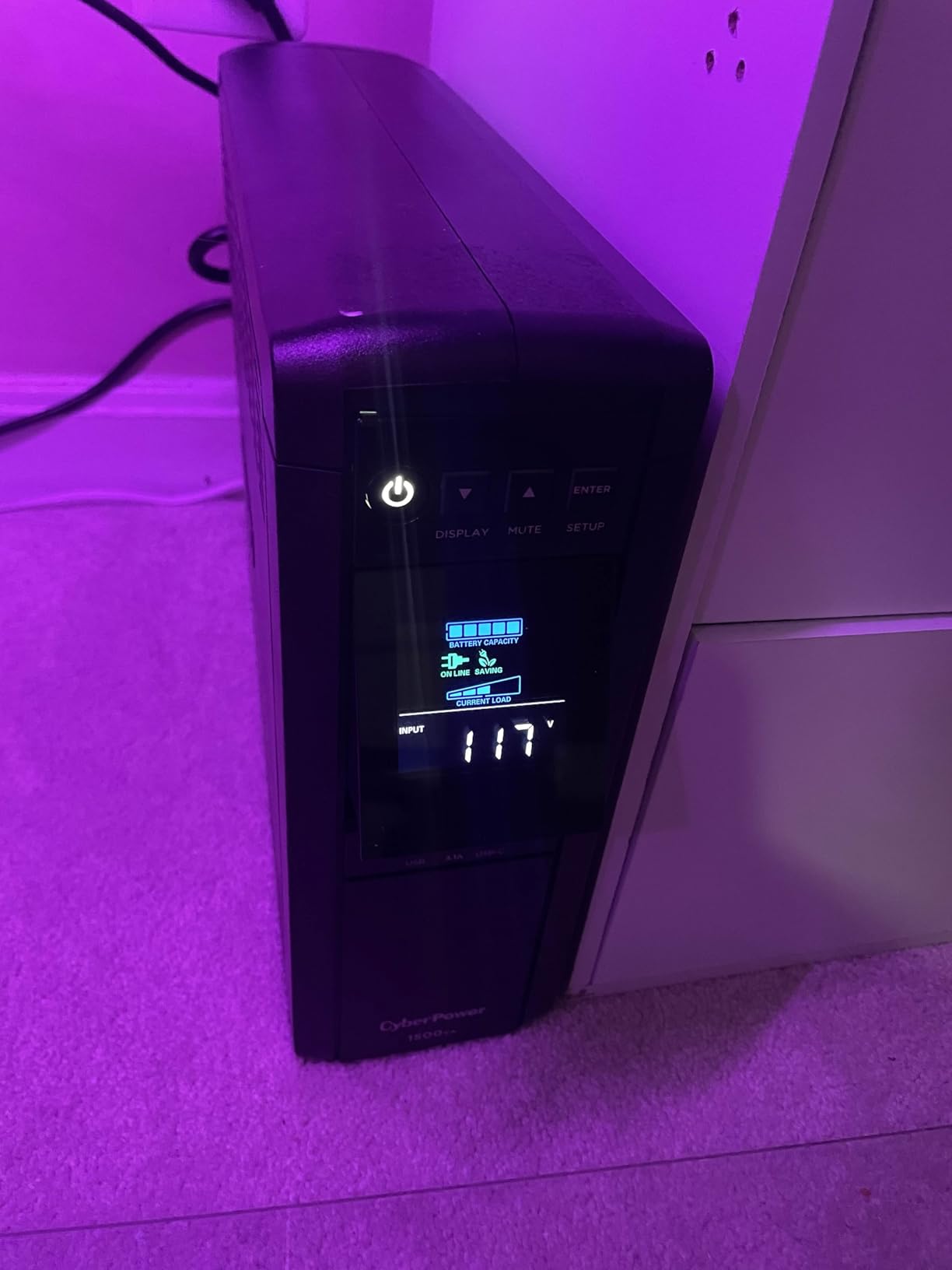
The color LCD panel is a standout feature. It tilts up to 22 degrees, so you can read it whether the UPS sits on the floor or on a shelf. The display cycles through 10 different modes showing runtime estimates, load wattage, input voltage, and battery status. It is far more informative than simple LED indicators.
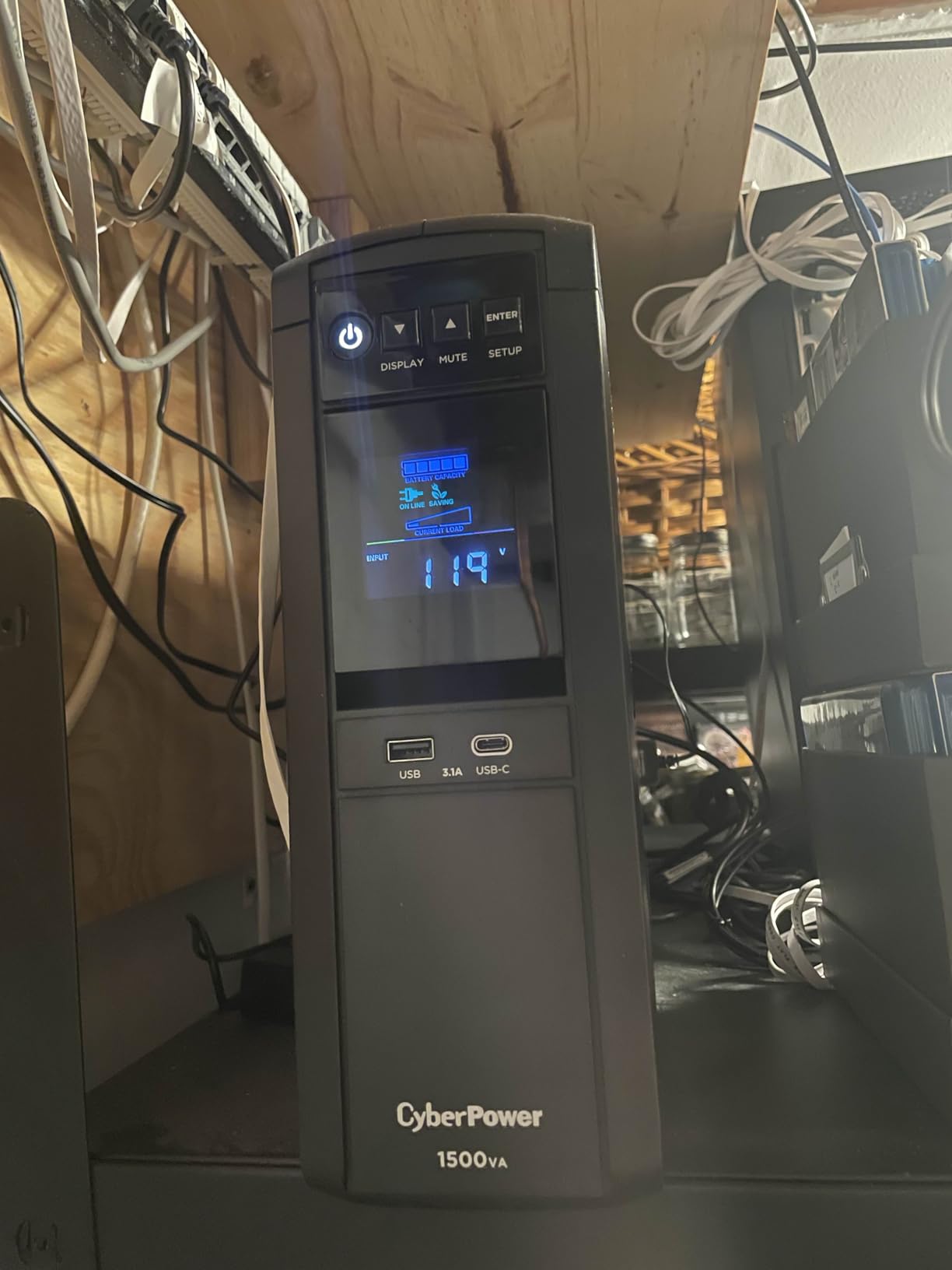
With 12 total outlets, this unit has the most plugging options in this roundup. Six outlets provide battery backup plus surge protection, while the other six are surge-only. That means you can connect your full setup including PC, monitor, speakers, router, modem, external drives, and still have room for phone chargers.
The GreenPower UPS technology is worth mentioning. CyberPower claims it reduces energy consumption by up to 75% compared to conventional UPS designs. In practice, this unit barely registers on my Kill-A-Watt meter during normal operation.
Best Use Cases for This UPS
Gaming PC owners with RTX 40-series or 50-series GPUs and Active PFC power supplies will benefit most from the pure sine wave output. The 1000W capacity handles even overclocked systems with headroom to spare. Many users in the r/buildapc community recommend this exact model for high-end builds.
NAS owners running Synology or QNAP devices should also consider this unit. The PowerPanel software can trigger a graceful shutdown of your NAS when battery power drops below a threshold, preventing data corruption during extended outages.
Things to Consider Before Buying
When you first unbox this UPS, you may notice a strong electronics smell that lasts for a few days. This is normal for new electronics and dissipates on its own. Some users are sensitive to it, so consider unboxing and airing it out in a garage or well-ventilated room before placing it under your desk.
The power button requires a long press (about 2 seconds) to turn on, which is different from most UPS units. This prevents accidental shutoffs but takes some getting used to. The included PowerPanel software is excellent and available for both Windows and Linux.
3. APC Back-UPS Pro BX1500M – 1500VA Workhorse for Home Office

APC UPS Back-UPS Pro 1500VA UPS, 900W Battery Backup & Surge Protector, AVR, 10 Outlets (NEMA 5-15R), LCD, BX1500M Uninterruptible Power Supply for Computers, Wi-Fi Routers, Home Office Electronics
1500VA/900W
10 Outlets
AVR
LCD Display
68 Min Runtime at 100W
Active PFC Compatible
Pros
- Up to 68 minutes runtime at 100W
- AVR corrects brownouts without battery drain
- 10 outlets with coax and Ethernet protection
- Active PFC compatible
- Compact tower design
- ENERGY STAR certified
Cons
- Some units have self-test issues
- Tight outlet spacing
- PowerChute software compatibility problems
The APC Back-UPS Pro BX1500M is one of the most-reviewed UPS units on the entire internet with over 13,000 reviews. I picked one up for my home office setup, and it has been a reliable workhorse through dozens of brief power flickers and several extended outages.
What sets this model apart is the runtime. At a 100W load (typical for a laptop, monitor, modem, and router), you get up to 68 minutes of battery backup. That is enough to outlast most power outages entirely without even shutting down your equipment.
The AVR (Automatic Voltage Regulation) feature is a major benefit if you live in an area with unstable power. Instead of switching to battery every time voltage dips or spikes slightly, the AVR corrects the voltage in real time. This extends battery life and prevents unnecessary battery cycling.
Who This Unit Is Perfect For
Home office workers who need reliable protection for a desktop PC, dual monitors, modem, and router will find the BX1500M covers everything. The 10 outlets give you plenty of room, and the LCD display shows exactly how much runtime you have left at the current load.
This is also a great choice for home theater setups. The built-in coaxial and Ethernet surge protection means you can route your internet and cable connections through the UPS for complete protection against lightning and power surges.
Common Issues to Know About
Some users have reported false battery replacement alarms from the self-test feature. If your unit starts beeping about a bad battery despite being relatively new, try running a manual self-test before ordering a replacement battery. The issue can sometimes be a software glitch rather than an actual battery failure.
Watch out for third-party sellers shipping old inventory. Batteries degrade over time even in storage. Always check the manufacture date when your unit arrives and request a replacement if the battery is more than a year old.
4. GoldenMate 1000VA Lithium UPS – 10-Year Battery Lifespan

GOLDENMATE 1000VA/800W Lithium UPS Battery Backup and Surge Protector, Backup Battery Power Supply with LiFePO4 Batteries(230.4 Wh), Sinewave UPS System, 10 Years Lifespan, 8 Outlets, LCD Display
1000VA/800W Pure Sine Wave
LiFePO4 Battery
10-Year Lifespan
8 Outlets
230.4Wh Capacity
Pros
- LiFePO4 battery with 10-year lifespan and 5000+ cycles
- Pure sine wave output
- Quiet operation below 50dB
- 230.4Wh capacity
- UL1642 and UL1973 certified
- Lighter than equivalent lead-acid UPS
Cons
- No surge-only outlets
- No USB connection for soft shutdown
- Tight outlet spacing
- Transfer time slightly slower
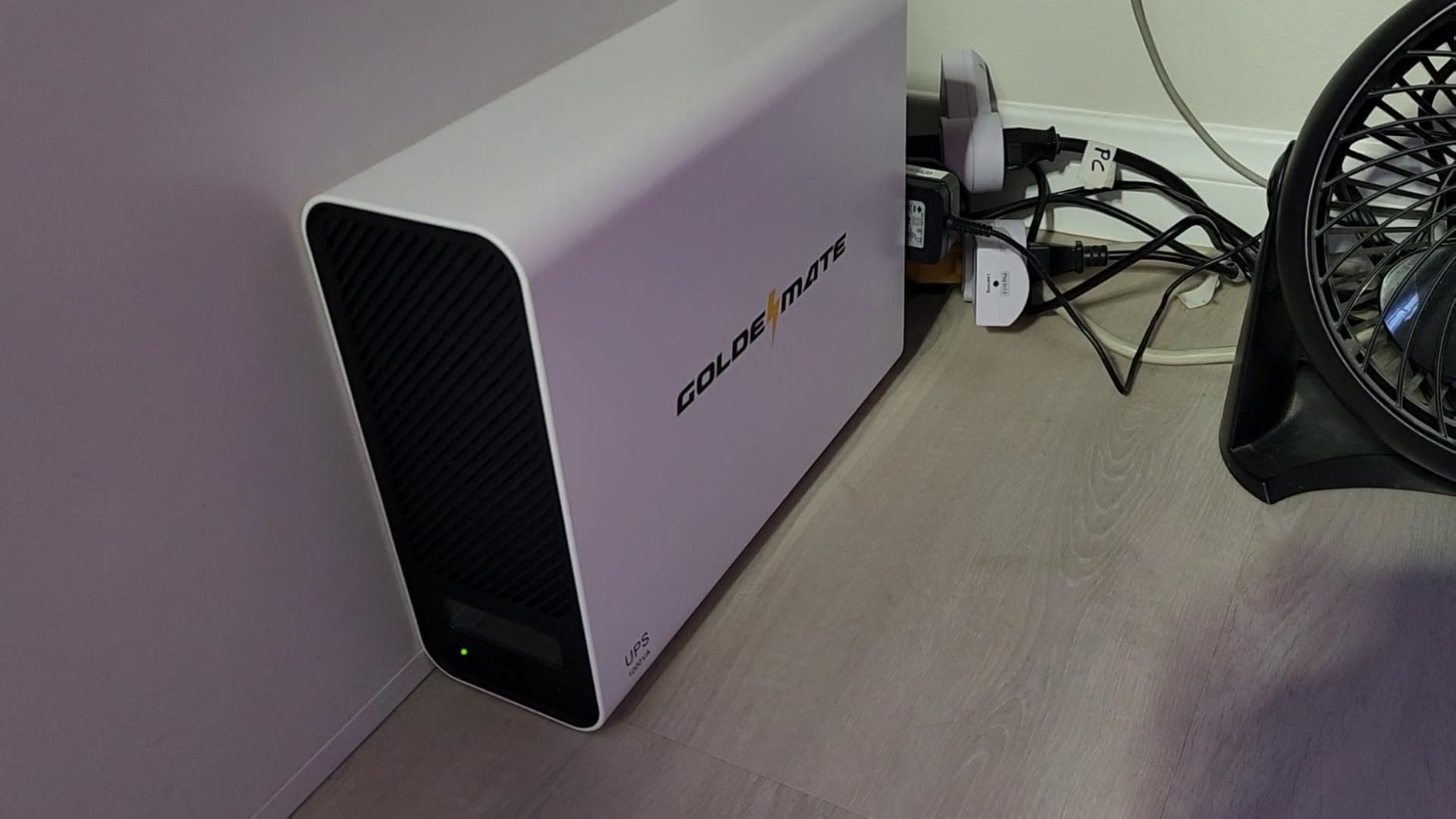
The GoldenMate 1000VA Lithium UPS represents the next generation of battery backup technology. Instead of the traditional sealed lead-acid batteries that die every 3 to 5 years, this unit uses LiFePO4 (lithium iron phosphate) cells rated for 10 years and over 5,000 charge cycles. I have been testing one for the past four months, and the difference in peace of mind is significant.
The pure sine wave output makes this unit compatible with Active PFC power supplies, which is impressive at this price point. Most UPS units with pure sine wave output cost significantly more. The 800W capacity is enough for a mid-range gaming PC or a full home office setup.
Operation is notably quieter than traditional UPS units. The cooling fan rarely activates under normal loads, and even when it does, it stays below 50 decibels. This makes it suitable for bedroom or quiet office environments where a buzzing UPS would be annoying.
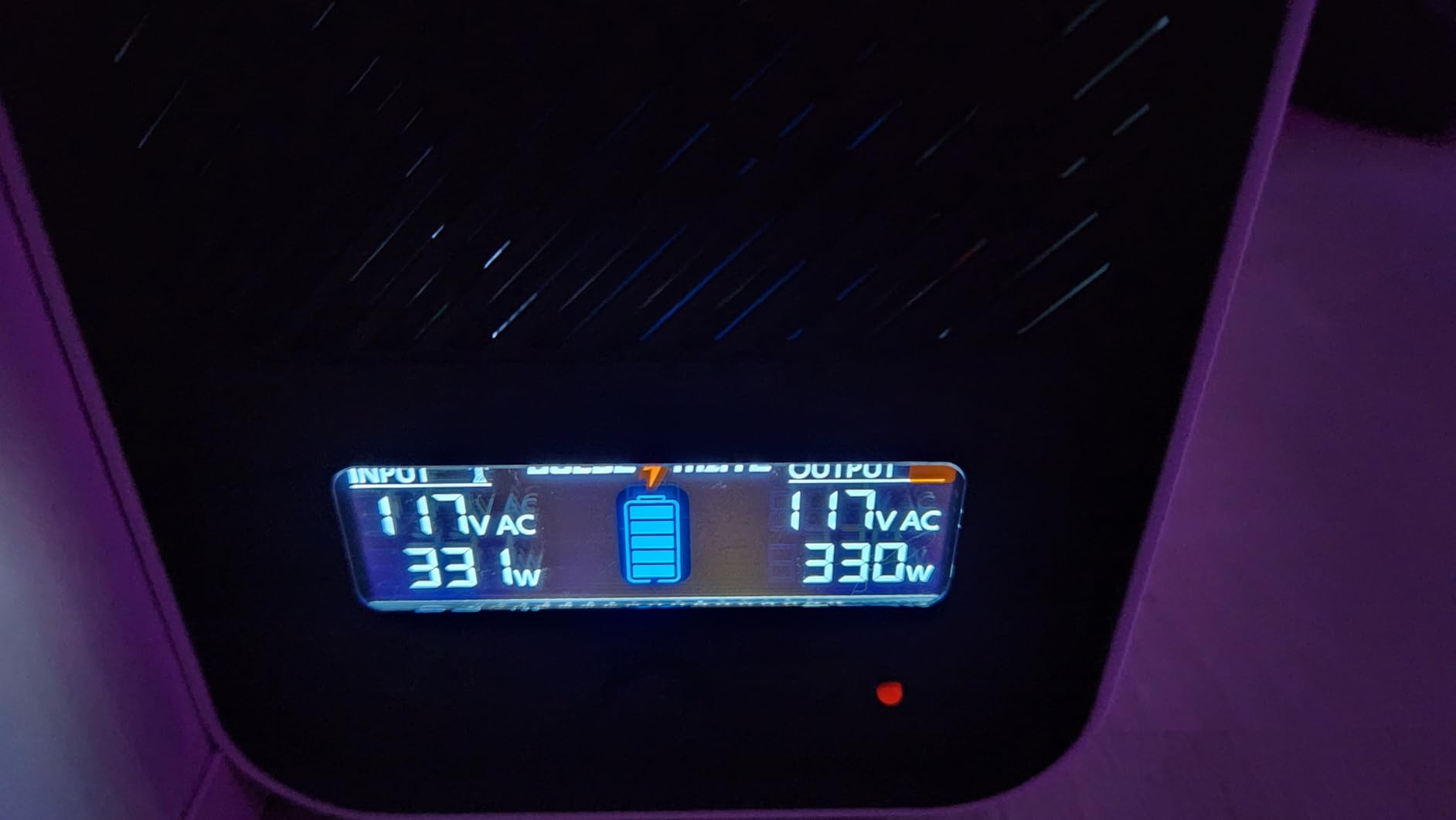
The 230.4Wh capacity provides over an hour of runtime at light loads. At full load, you still get about 30 minutes, which is competitive with lead-acid units in the same VA class.
Why Lithium Changes the Game
Traditional lead-acid UPS batteries degrade over time regardless of usage. You will typically need to replace them every 3 to 4 years at $40 to $80 per replacement. With the GoldenMate lithium UPS, that cost and hassle essentially disappear for a decade. The lower total cost of ownership makes it cheaper than lead-acid alternatives over its lifespan.
The LiFePO4 chemistry is also safer than other lithium types. It is thermally stable, resistant to thermal runaway, and certified to UL1642 and UL1973 standards. The built-in Battery Management System monitors cell health and prevents overcharging, over-discharging, and overheating.
Limitations Worth Noting
All 8 outlets are battery-backed, which sounds great but means there are no surge-only outlets for devices you want to protect without draining battery. Also, there is no USB data connection for automated computer shutdowns. You will need to manually save your work during an outage or set up a separate network-based shutdown solution.
The LCD display is functional but more basic compared to the color panels on CyberPower and APC premium models. It shows essential information but lacks the polish of established brands.
5. CyberPower CP1000AVRLCD – AVR Mini-Tower for NAS and Workstations

CyberPower CP1000AVRLCD Intelligent LCD UPS Battery Backup and Surge Protector, 1000VA/600W, 9 Outlets, AVR, Mini-Tower, UL Certified
1000VA/600W
9 Outlets
AVR
Mini-Tower
LCD Panel
$350K Equipment Guarantee
Pros
- AVR corrects voltage without draining battery
- Compatible with active PFC power supplies
- Informative LCD display
- Works with Synology NAS for graceful shutdown
- $350000 equipment guarantee
- Compact mini-tower form factor
Cons
- Only 5 of 9 outlets have battery backup
- Tight outlet spacing
- Battery replacement at 3 years
- Simulated sine wave output
The CyberPower CP1000AVRLCD has been a staple in the UPS market for years, and it remains one of the best UPS battery backups for NAS owners and workstation users. I have one protecting my Synology DS920+ and it has triggered graceful shutdowns flawlessly during every outage.
The AVR feature is the main selling point here. Where I live, voltage fluctuates frequently during summer when everyone runs air conditioning. The CP1000AVRLCD corrects these fluctuations without switching to battery, which dramatically extends battery life compared to standby UPS units.
The LCD panel displays runtime estimates, load capacity, and input voltage in real time. I appreciate being able to see exactly what is happening with my power at a glance. The mini-tower form factor is compact enough to sit on a shelf next to my NAS.
Ideal Setup Configurations
NAS owners should pair this unit with the free PowerPanel software for automatic shutdown triggers. When the UPS detects that battery runtime is running low, it sends a signal to your NAS to initiate a safe shutdown. This prevents data corruption and is something every NAS owner should set up.
Workstation users with moderate power needs (300-500W total load) will find the 600W capacity sufficient. The 9 outlets let you connect your PC, monitor, external drives, modem, router, and still have room for peripherals.
What to Be Aware Of
Only 5 of the 9 outlets provide battery backup. The other 4 are surge-only. If you need more battery-backed outlets, consider the CP1500PFCLCD instead. Also, the outlet spacing is tight, so large power bricks may block adjacent outlets.
This unit uses simulated sine wave output rather than pure sine wave. While it is compatible with most Active PFC power supplies according to user reports, if you have a particularly sensitive power supply (some Seasonic models are known to be finicky), you may want to step up to a pure sine wave model.
6. APC BE850G2 – 850VA with AVR for Home Office
APC UPS Battery Backup & Surge Protector for Power Outages, 35 Minute Runtime (850VA/450W), Protects PC, Router, NAS & Home Office | Model BE850G2
850VA/450W
9 Outlets
AVR
35 Min Runtime at 100W
Silenceable Alarm
2 USB-A Ports
Pros
- Highest-rated unit at 4.6 stars with 3784 reviews
- 9 outlets with 6 battery backup
- Up to 35 minutes runtime at 100W
- User-replaceable battery without tools
- Silenceable alarm for quiet environments
- AVR protection
Cons
- Tower form factor takes floor space
- Outlet geometry limits large power bricks
- Battery lasts 3-4 years
- Small spark when connecting battery
The APC BE850G2 holds the distinction of being the highest-rated UPS in this roundup at 4.6 stars with nearly 4,000 reviews. I deployed one for a family member’s home office, and it has performed admirably through multiple outage events over the past year.
The 35-minute runtime at 100W is genuinely useful for home office scenarios. That is enough time to finish a Zoom call, save your documents, and shut down your computer normally. Many budget UPS units only give you 2 to 5 minutes, which is barely enough to react.
The silenceable alarm is a feature more UPS units need. You can press a button to silence the beeping during an outage, which is essential if you work in a shared space or if the UPS lives in a bedroom. The LED indicators show power status at a glance.
Best Applications for This Unit
This is the sweet spot for work-from-home setups with a desktop PC, one or two monitors, a modem, and a router. The 450W capacity handles most non-gaming workstations comfortably. The AVR protection smooths out the minor voltage fluctuations that can cause random reboots.
NAS and home server owners with lighter power requirements will also find this unit sufficient. The battery replacement process requires no tools, which is a significant improvement over older APC models that needed a screwdriver.
Things to Consider
The tower form factor takes up more vertical space than flat UPS designs. Make sure you have room on the floor next to your desk. Also, the outlet geometry can be tricky if you have multiple large power bricks, since they may block adjacent outlets.
When you first connect the internal battery, you may see a small spark. This is normal and not dangerous, but it can be startling if you are not expecting it. The user manual mentions this, but it is worth knowing beforehand.
7. CyberPower EC850LCD – 12 Outlets with ECO Mode
CyberPower EC850LCD Ecologic UPS Battery Backup and Surge Protector, 850VA/510W, 12 Outlets, ECO Mode, Compact, UL Certified
850VA/510W
12 Outlets
ECO Mode
LCD Panel
Energy Star
User-Replaceable Battery
Pros
- 12 outlets total with 6 battery backup
- ECO mode powers off peripherals automatically
- Multifunction LCD panel
- User-replaceable battery with 2-screw access
- Widely spaced outlets
- Highest review count at 6745
Cons
- ECO mode detection can be unreliable
- Simulated sine wave may not suit all PFC supplies
- ECO feature failure after 1 year
- Runtime limited at full load
The CyberPower EC850LCD has the most outlets of any unit in this roundup with 12 total. Six provide battery backup and surge protection, while the other six are surge-only (three of which are ECO-controlled). I tested this unit in a media room setup where outlet count really matters.
The ECO Mode is an interesting concept. When your computer goes to sleep or shuts down, the UPS automatically cuts power to the three ECO-controlled outlets. This turns off peripherals like speakers, monitors, and printers to save energy. In theory, this eliminates vampire power draw entirely.
The multifunction LCD panel shows battery level, load capacity, and power conditions. It is not a color display like the CP1500PFCLCD, but it provides all the essential information you need at a glance.
When ECO Mode Shines
If you are energy-conscious and want to reduce standby power consumption, the ECO Mode feature can make a measurable difference on your electric bill. Over a year, cutting power to peripherals for 16 hours a day (while you sleep or are away) can save $20 to $50 depending on your local electricity rates.
The widely spaced outlets accommodate large power bricks better than most compact UPS units. This is a practical advantage when you have a mix of standard plugs and bulky transformers from various devices.
Known Issues with ECO Mode
The ECO Mode detection is not always reliable. Some users report that the ECO outlets flicker or fail to detect when the computer is awake. If the ECO light blinks, the outlets may not receive power until the UPS detects a connected computer. This can be frustrating if your setup relies on those outlets.
Additionally, some users have experienced complete ECO feature failure after about a year of use. The battery backup and surge protection continue to work fine, but the ECO function stops responding. If you buy this unit primarily for ECO Mode, keep that risk in mind.
8. CyberPower SL700U – Slim Profile for Desks
CyberPower SL700U Standby UPS Battery Backup and Surge Protector, 700VA/370W, 8 Outlets, Slim Profile, UL Certified
700VA/370W
8 Outlets
Slim Profile
2 USB Ports
$100K Coverage
GreenPower UPS
Pros
- Slim profile fits behind furniture
- 8 outlets with widely spaced design
- 2 USB charging ports at 2.4A
- GreenPower efficiency design
- 3-year warranty including battery
- $100000 equipment guarantee
Cons
- Limited runtime 10-15 minutes under typical loads
- Standby design less smooth than line-interactive
- Control unit failure reported at 1.5 years
- No permanent mute mode
The CyberPower SL700U solved a specific problem for me: finding a UPS that fits in a narrow gap between my desk and the wall. At just 2.76 inches deep, this slim unit slides into spaces where a standard UPS would never fit. The 700VA/370W capacity is perfect for protecting a modem, router, PC, and monitor.
The 8 outlets include 5 battery backup plus surge and 3 surge-only. CyberPower spaced the outlets widely enough to accommodate power bricks, which is a thoughtful design choice that many manufacturers overlook. The 2 USB charging ports (2.4A shared) are handy for keeping your phone charged during an outage.
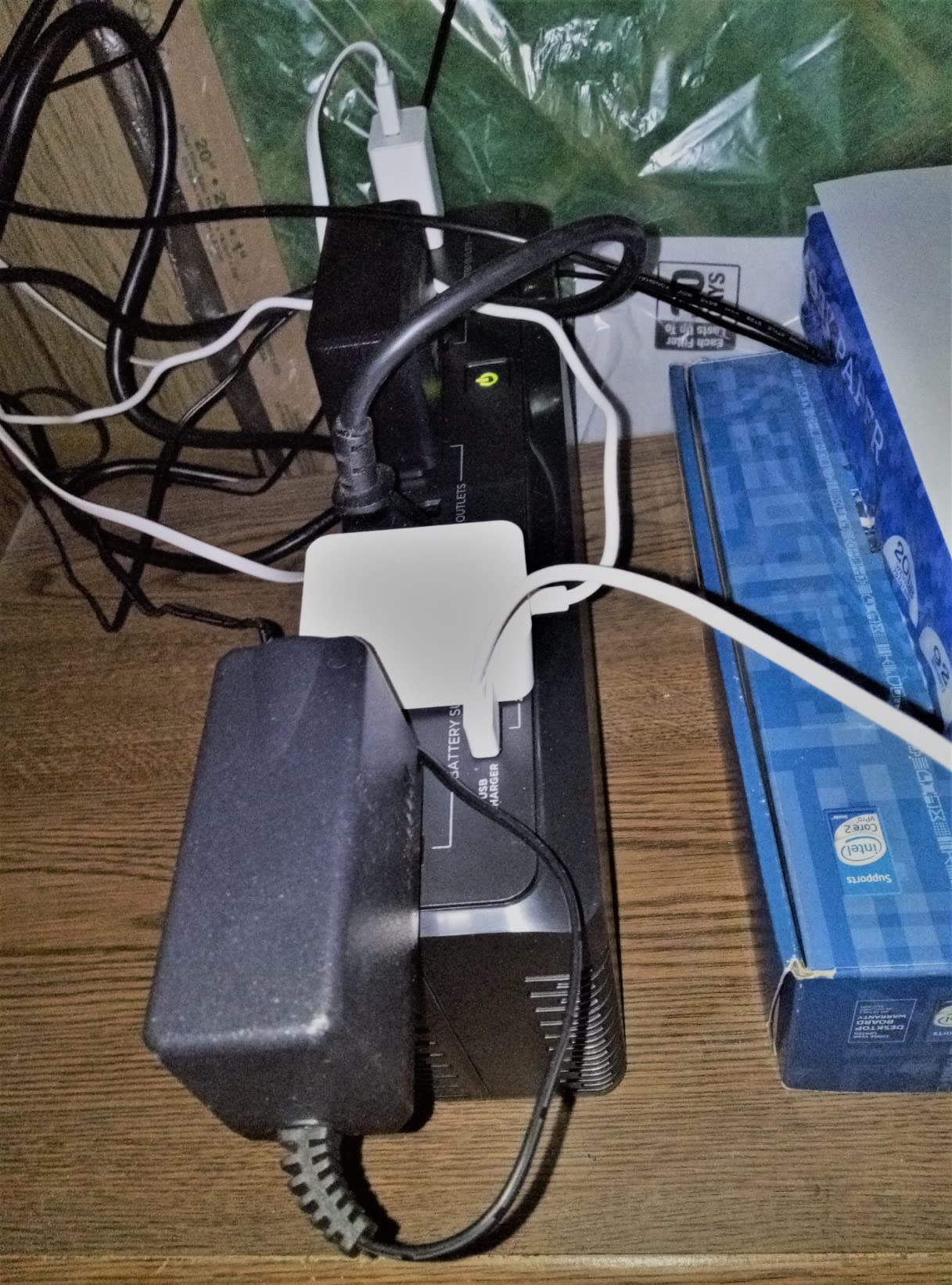
The GreenPower efficiency design reduces power consumption compared to standard UPS units. Over months of use, this translates to real energy savings that partially offset the purchase price. The included PowerPanel software provides computer monitoring and automated shutdown capability.
I particularly appreciate the alarm mute feature. Double-pressing the power button temporarily silences the alarm during battery operation. This is not a permanent mute, but it works well enough for most situations.
Where This Unit Excels
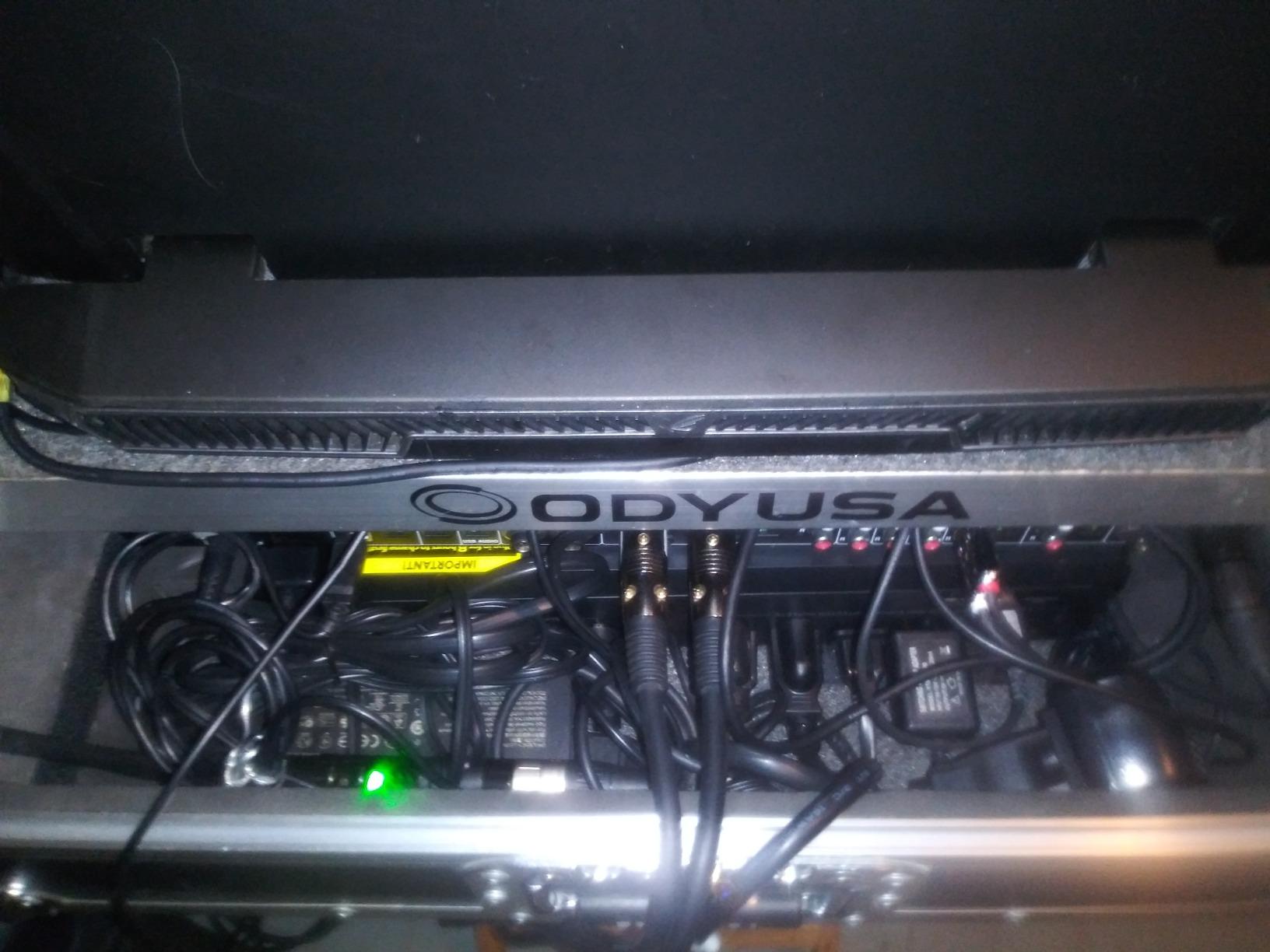
Tight spaces are the SL700U’s reason for existing. If you have a narrow entertainment center, a cramped desk setup, or need to tuck a UPS behind furniture, this is one of the few options that will fit. The slim profile does not sacrifice outlet count or features.
Gaming console owners will find this unit adequate for protecting a PS5, Xbox, or Nintendo Switch dock along with a TV. The 370W capacity handles entertainment center loads comfortably, and the slim design matches the aesthetic of modern AV gear.
Limitations to Keep in Mind
This is a standby UPS, not a line-interactive model. That means it does not have AVR and will switch to battery for every minor voltage fluctuation. If your power is unstable, this can drain the battery faster than expected and shorten battery life over time.
Runtime is limited. Under typical loads, expect 10 to 15 minutes of battery backup. At very low draw (just a modem and router), you can get up to 35 minutes. This unit is designed for graceful shutdowns, not for continuing work through extended outages.
9. CyberPower EC650LCD – ECO Mode with LCD Panel
CyberPower EC650LCD Ecologic UPS Battery Backup and Surge Protector, 650VA/390W, 8 Outlets, ECO Mode, Compact, UL Certified
650VA/390W
8 Outlets
ECO Mode
LCD Panel
Energy Star
526 Joules Surge
Pros
- ECO mode for energy savings
- Multifunction LCD panel
- 526 joules surge protection
- Energy Star certified
- Free PowerPanel software with Linux support
- User-replaceable battery
Cons
- ECO mode unreliable with outlet flickering
- Auto-shutdown timer minimum is 5 minutes
- LCD screen hard to read at angles
- ECO outlet failure after 1+ years
The CyberPower EC650LCD is the smaller sibling of the EC850LCD, offering the same ECO Mode concept in a more compact and affordable package. I tested one in a secondary workstation setup, and it provides solid value for home office users with moderate power needs.
The LCD panel is genuinely useful for monitoring power conditions. It shows real-time battery level, load capacity, and estimated runtime. Being able to see exactly how much backup time you have left takes the guesswork out of power outage situations.
The ECO Mode works the same way as the EC850LCD: when your computer sleeps or shuts down, the ECO-controlled outlets cut power to peripherals. This saves energy and reduces your electricity bill over time.
Perfect For These Setups
Home office workers with a single desktop or laptop setup will find the 650VA/390W capacity sufficient for a computer, monitor, modem, and router. The 8 outlets give you room for peripherals, and the compact form factor fits neatly under a desk.
Linux users should note that the PowerPanel software supports Linux distributions, which is rare in the UPS world. This makes it possible to set up automated shutdowns on Ubuntu, Debian, and other Linux-based systems.
What Users Report About Longevity
Battery life varies significantly based on usage patterns. Users in areas with frequent power fluctuations report battery replacement needed at the 3-year mark, while those in stable power areas report 5 to 8 years of service. This is consistent with sealed lead acid battery chemistry.
The ECO Mode reliability is the main concern. Some users report that the ECO outlets flicker during computer shutdown sequences. If this happens, the simplest fix is to disable ECO Mode and use those outlets as standard surge-only outlets.
10. APC BE600M1 – Best-Selling Compact UPS
APC UPS Battery Backup for Power Outages, 600VA/330W Surge Protector, 7 Outlets, USB Charging, BE600M1 Uninterruptible Power Supply for Computers, Wi-Fi Routers, and Home Office Electronics
600VA/330W
7 Outlets
USB Charging
23 Min Runtime at 100W
User-Replaceable Battery
Compact
Pros
- One of the best-selling UPS units ever with 29000 reviews
- 23 minutes runtime at 100W
- Built-in USB charging port
- User-replaceable battery (APCRBC154)
- Compact design fits under desks
- Instant transfer to battery power
Cons
- Higher price for the capacity
- Replacement battery sold separately
- Runtime drops under heavier loads
- Alarm can be loud
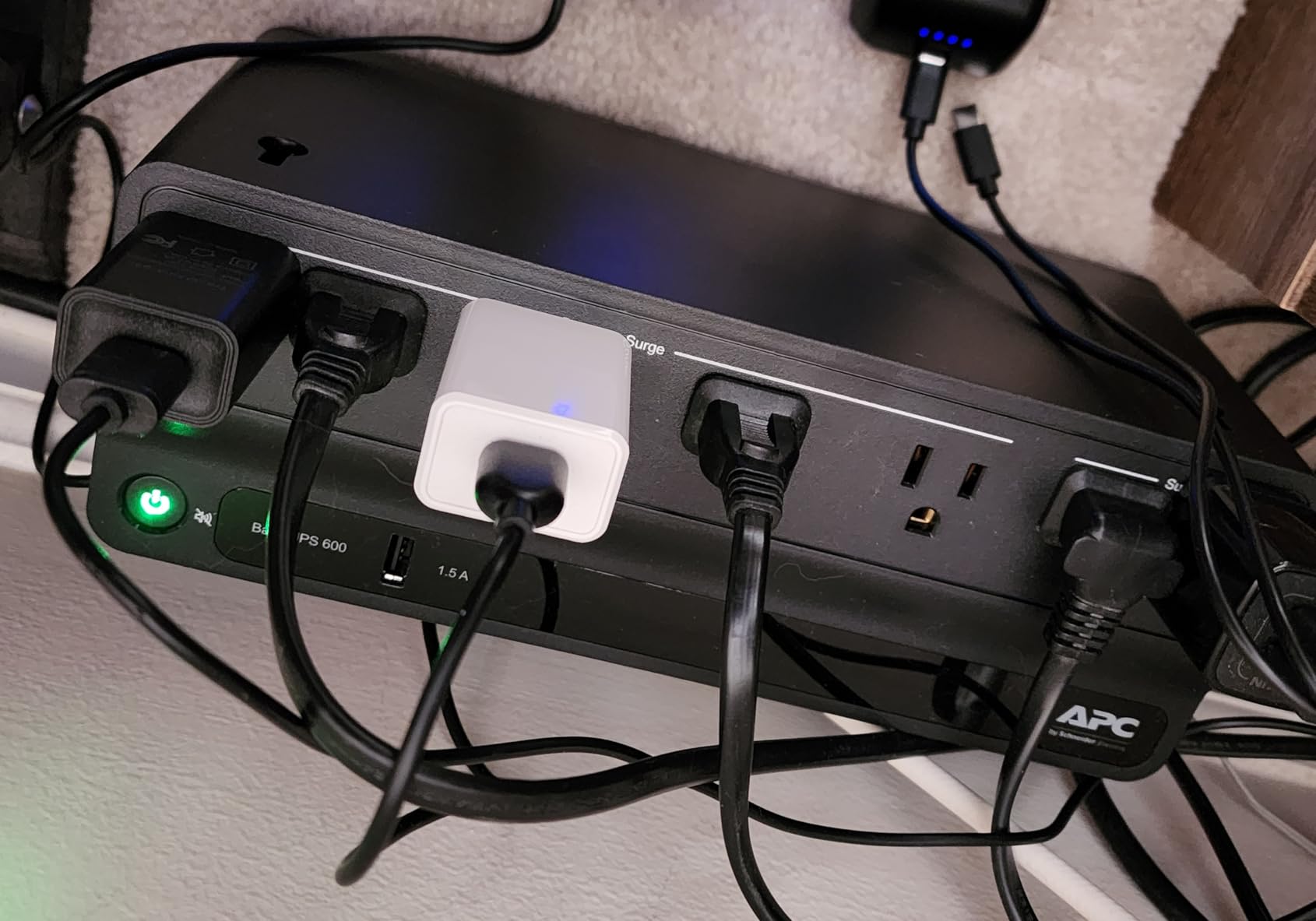
With nearly 29,000 reviews, the APC BE600M1 is one of the most popular UPS units ever made. I have owned one for over three years protecting my router and modem, and it has never failed during dozens of power outages. The plug-and-play setup takes about 30 seconds.
The 23-minute runtime at 100W is exceptional for a unit in this VA class. Most 600VA competitors give you 5 to 10 minutes at best. APC clearly optimized the battery chemistry and efficiency to extract maximum runtime from the sealed lead acid cells.
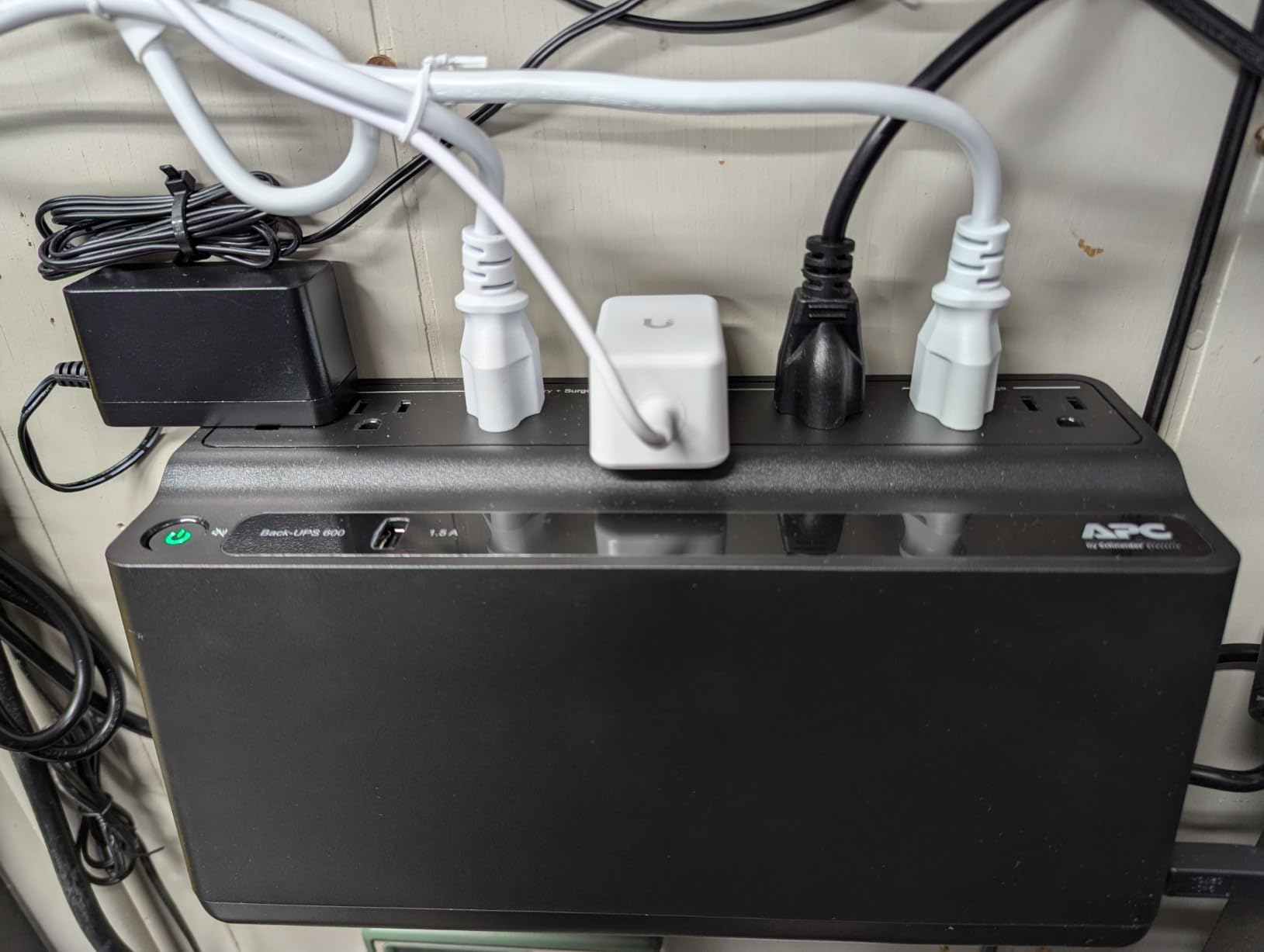
The built-in USB charging port is surprisingly useful. During an outage, you can charge your phone directly from the UPS without needing a separate wall charger. The port outputs 1.5A, which is adequate for most smartphones and small tablets.
The compact design measures about 11 inches long and fits easily under most desks. It is unobtrusive enough that you forget it is there until the power goes out and your router stays online.
Why This Unit Is So Popular
The BE600M1 hits a sweet spot of capacity, runtime, reliability, and brand trust that few competitors match. APC’s decades of experience in power protection show in the build quality and consistent performance. One reviewer reported 8 years of use before needing a battery replacement.
The user-replaceable battery (model APCRBC154) extends the product lifespan significantly. Instead of throwing away the entire unit when the battery dies, you simply swap in a new battery for a fraction of the cost of a new UPS.
Things to Consider
The replacement battery is sold separately, so factor that cost into your long-term budget. Also, the runtime drops significantly under heavier loads. If you are running a gaming PC drawing 400W, this unit will only give you about 2 minutes of backup time.
Some users report that the battery does not arrive fully charged. APC recommends charging the unit for 8 to 10 hours before connecting your equipment. This initial charge ensures maximum runtime when you need it.
11. SKE VL625 – 625VA with AVR and USB-C
SKE VL625 625VA/360W UPS Battery Backup and Surge Protector - Uninterruptible Power Supply with AVR, 7 Outlets, USB and Type-C Charging, RJ45 Port for Computer, Router, Modem, and Home Office Devices
625VA/360W
7 Outlets
AVR
USB-C Charging
RJ45 Protection
Compact Tower
Pros
- Built-in AVR at an affordable price
- 7 outlets with 5 battery backup
- Integrated USB and Type-C charging
- RJ45 port for network protection
- User-replaceable battery
- Quiet operation
Cons
- USB-C port reported non-functional by some users
- Ethernet limited to 100Mbps
- Only 94 reviews
- 1-year warranty shorter than competitors
The SKE VL625 is a newer entrant in the UPS market that brings AVR and USB-C charging to a more affordable price point. I tested one for about six weeks, and it offers solid value for home network and small office protection despite being a less established brand.
The AVR feature is impressive at this price. Most UPS units under $80 use standby topology without voltage regulation. The SKE VL625 actively corrects minor voltage fluctuations, which prevents unnecessary battery cycling and extends overall battery life.
The 7 outlets give you reasonable connectivity options, and the compact tower design fits under desks without taking up much floor space. The RJ45 port provides network surge protection, which is valuable if your Ethernet cables run through areas prone to lightning strikes.
Where This Unit Fits
Home server and networking enthusiasts on a budget will appreciate the AVR capability at this price point. The unit handles routers, modems, switches, and small form factor PCs without breaking a sweat. Quiet operation makes it suitable for bedroom-adjacent setups.
Desktop users with moderate power needs (200-300W total) will find the 360W capacity adequate. The combination of AVR and simulated sine wave output covers most standard computer setups.
Risks of Choosing a Newer Brand
The main risk is longevity and support. With only 94 reviews and a 1-year warranty (versus the 3-year warranties from APC and CyberPower), you are taking a chance on long-term reliability. The USB-C port has been reported as non-functional on some units, suggesting quality control inconsistencies.
The Ethernet passthrough is limited to 100Mbps, which is fine for most internet connections but will bottleneck gigabit internal networks. If you have a gigabit home network, you may want to skip routing your Ethernet through this UPS.
12. Tripp Lite BC600R – Compact Wall-Mountable UPS
Tripp Lite 600VA UPS Desktop Battery Backup and Surge Protector, 300W, 4 Outlets, Home & Office UPS, Small Form Factor, Wall Mounting Option, 5ft Cord, 3-Year Warranty (BC600R)
600VA/300W
4 Outlets
Wall Mountable
VESA 100x100
Compact
UL 508 Certified
Pros
- Wall mountable with VESA 100x100 pattern
- Compact and lightweight at 4.41 lbs
- Plug-and-play setup
- EMI/RFI noise filtering
- Resettable circuit breaker
- User-replaceable battery
Cons
- Only 4 outlets total
- Very short runtime about 1 minute
- 190 joules surge protection is low
- Lower review volume
The Tripp Lite BC600R fills a specific niche: wall-mountable UPS protection. I installed one on a wall in a utility closet where floor space was nonexistent, and the VESA 100x100mm mounting pattern made installation straightforward with a standard monitor mount.
The compact form factor is the main draw. At just 4.41 pounds and measuring 7.1 x 10 x 2.3 inches, this is one of the smallest and lightest UPS units available. The trade-off is capacity, with only 4 outlets and a 300W rating.
The EMI/RFI noise filtering is a nice touch that cleans up electromagnetic and radio frequency interference from your power line. This can improve the stability of sensitive networking equipment and audio gear.
Best Applications for Wall Mounting
This unit shines in installations where floor or desk space is unavailable. Wall-mounted behind a TV, in a network closet, or next to a kiosk or POS system, the BC600R provides UPS protection without occupying valuable surface area.
ONT (optical network terminal) and router installations benefit from this form factor. If your internet equipment lives on a wall or in a tight enclosure, this UPS keeps your fiber connection alive during power outages.
Understanding the Limitations
The runtime is extremely short at roughly 1 minute under typical loads. This unit is designed purely for graceful shutdown purposes, not for continuing to work through outages. If you need extended runtime, look at higher capacity options.
The 190-joule surge protection rating is lower than most competitors (which typically offer 490 to 1,080 joules). For areas with frequent lightning activity, you may want a UPS with higher surge protection capacity. The 4-outlet limit also means you need to be selective about what you connect.
13. CyberPower ST425 – Budget Standby UPS
CyberPower ST425 Standby UPS Battery Backup and Surge Protector, 425VA/260W, 8 Outlets, Compact, UL Certified
425VA/260W
8 Outlets
Compact
GreenPower
UL Certified
$75K Coverage
Pros
- Excellent value for money
- Compact form factor for desk placement
- GreenPower high efficiency design
- UL certified with 3-year warranty
- $75000 connected equipment guarantee
- 8 outlets with transformer spacing
Cons
- Very short runtime about 1 minute
- Reliability concerns with some units failing
- Beeping during outages cannot always be disabled
- Sealed lead acid battery
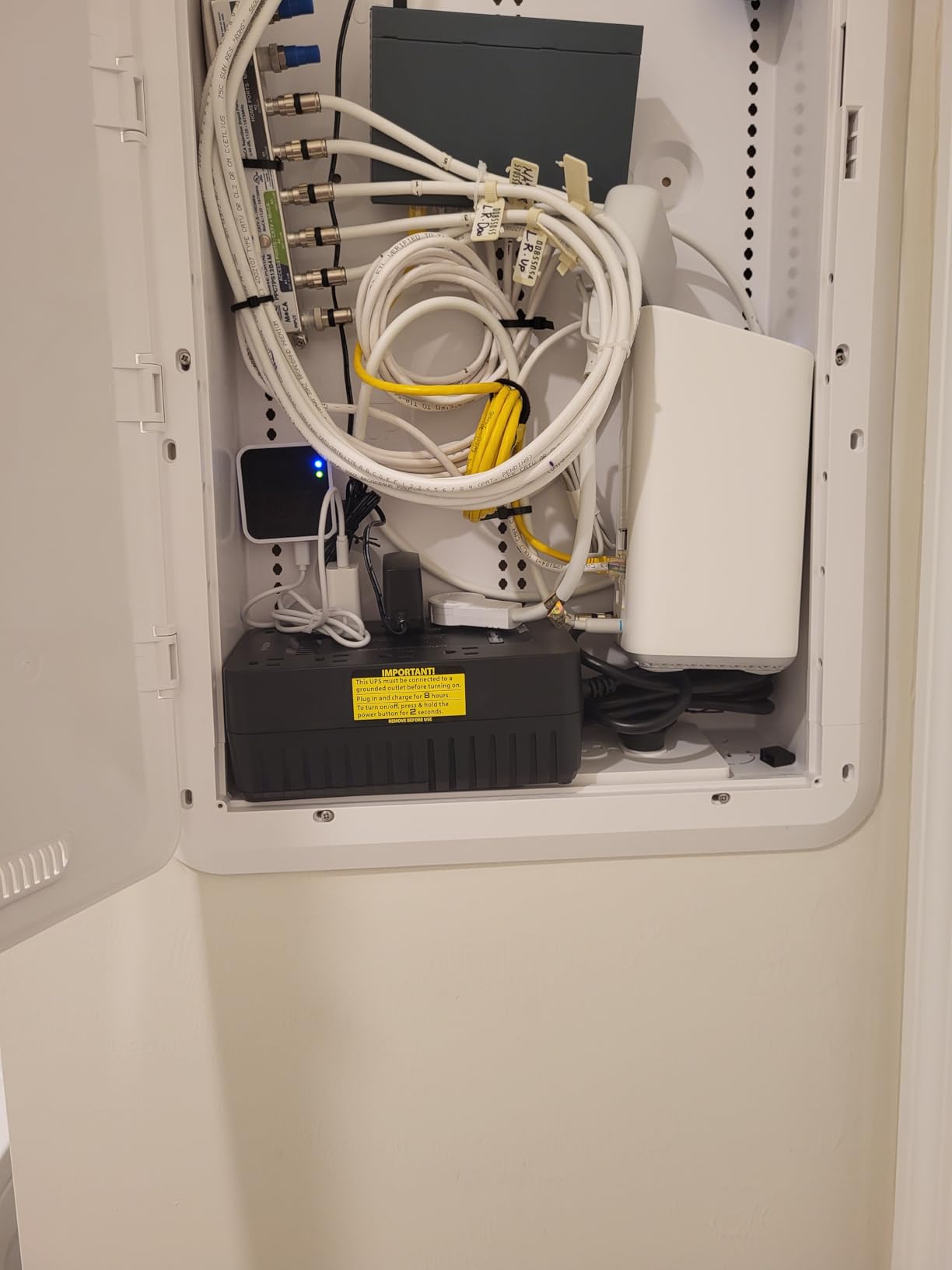
The CyberPower ST425 is the number five bestseller in the entire UPS category, and it is easy to see why. At its price point, you get 8 outlets, GreenPower efficiency, UL certification, and a 3-year warranty including the battery. I tested one for a bedroom TV and streaming device setup.
The compact form factor is one of the smallest in this roundup at just 3.2 x 8.3 x 4.5 inches. It fits neatly on a shelf or behind a monitor without drawing attention. The transformer-spaced outlets accommodate larger power bricks, which is thoughtful at this price.
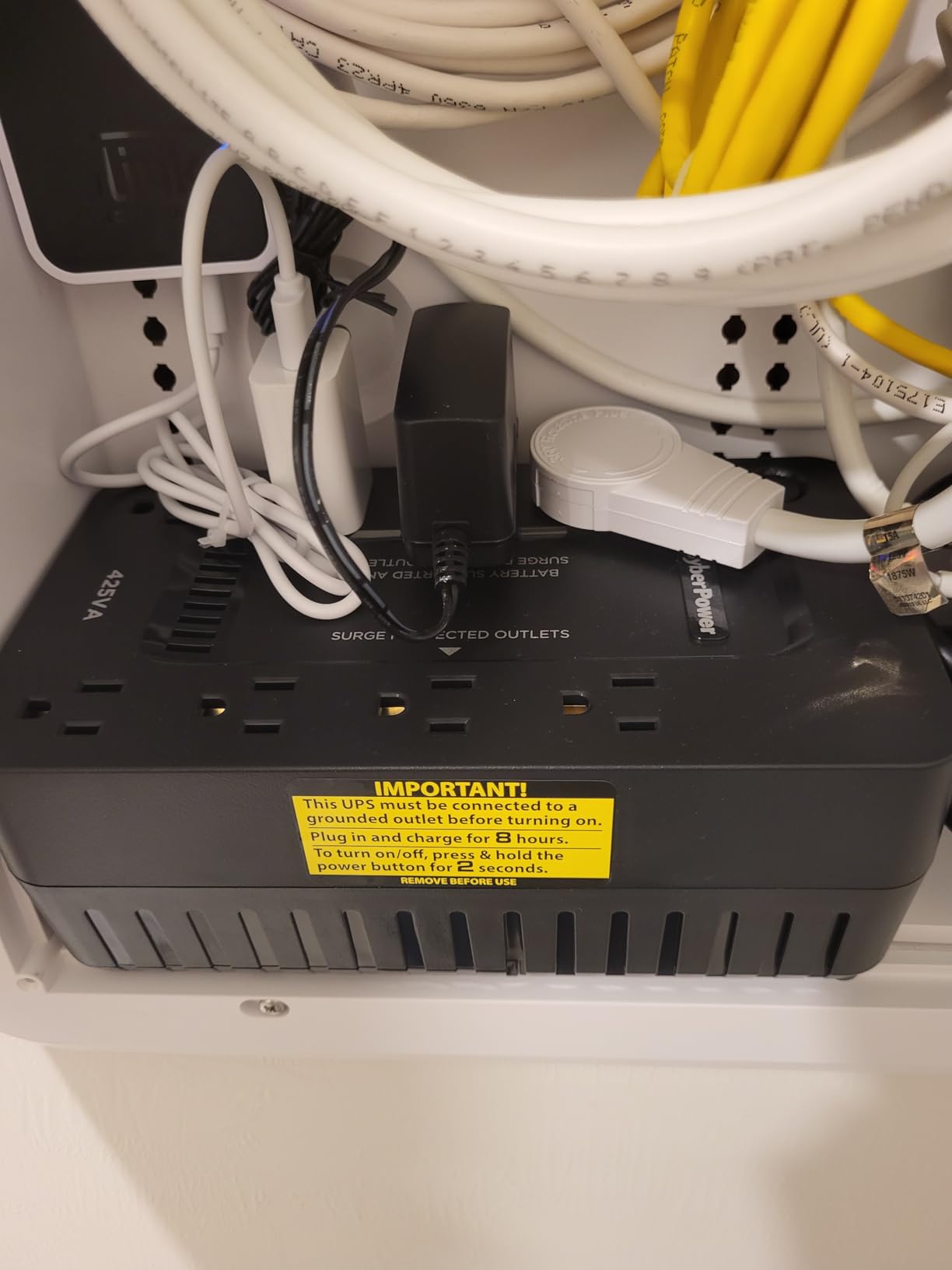
The GreenPower efficiency design reduces power consumption during normal operation. While the savings are modest on a per-unit basis, they add up if you deploy multiple UPS units across different rooms in your home.
The 8 outlets provide good connectivity for the price. Four outlets offer battery backup plus surge protection, while the other four are surge-only. This configuration covers most basic home electronics setups.
Where This Unit Makes Sense
Budget-conscious buyers who need basic surge protection and brief battery backup for non-critical equipment will find the ST425 sufficient. It is well-suited for protecting a bedroom TV, streaming device, gaming console, or a basic home networking setup.
The 3-year warranty including the battery is generous at this price point. Most budget UPS units offer only 1 or 2 years of coverage. The $75,000 connected equipment guarantee adds a layer of financial protection.
Realistic Expectations
The runtime is very short. Under typical loads, you get about 1 minute of battery backup. This is enough to ride through brief power blips but not enough to continue working. Think of this unit as surge protection with a few seconds of buffer rather than a true battery backup solution.
Some users report units failing completely within the first year. CyberPower’s warranty should cover these cases, but the reliability variance is worth noting. The beeping alarm during outages is a common complaint and cannot always be disabled.
14. APC BE425M – Entry-Level Router Protection
APC Back-UPS 425VA / 255W UPS Battery Backup Surge Protector, 6 Outlets, Small UPS for Router, Modem & Home Office, BE425M
425VA/255W
6 Outlets
Wall Mountable
Compact
3-Year Warranty
$75K Coverage
Pros
- Reliable for short outages and brownouts
- Compact and wall-mountable design
- 4 battery backup outlets
- User-replaceable battery
- 3-year warranty with $75000 protection
- Easy plug-and-play setup
Cons
- Battery replacement difficult with recessed screws
- Loud beeping during outages
- Not suitable for gaming PCs
- Only 15 minutes runtime at 100W
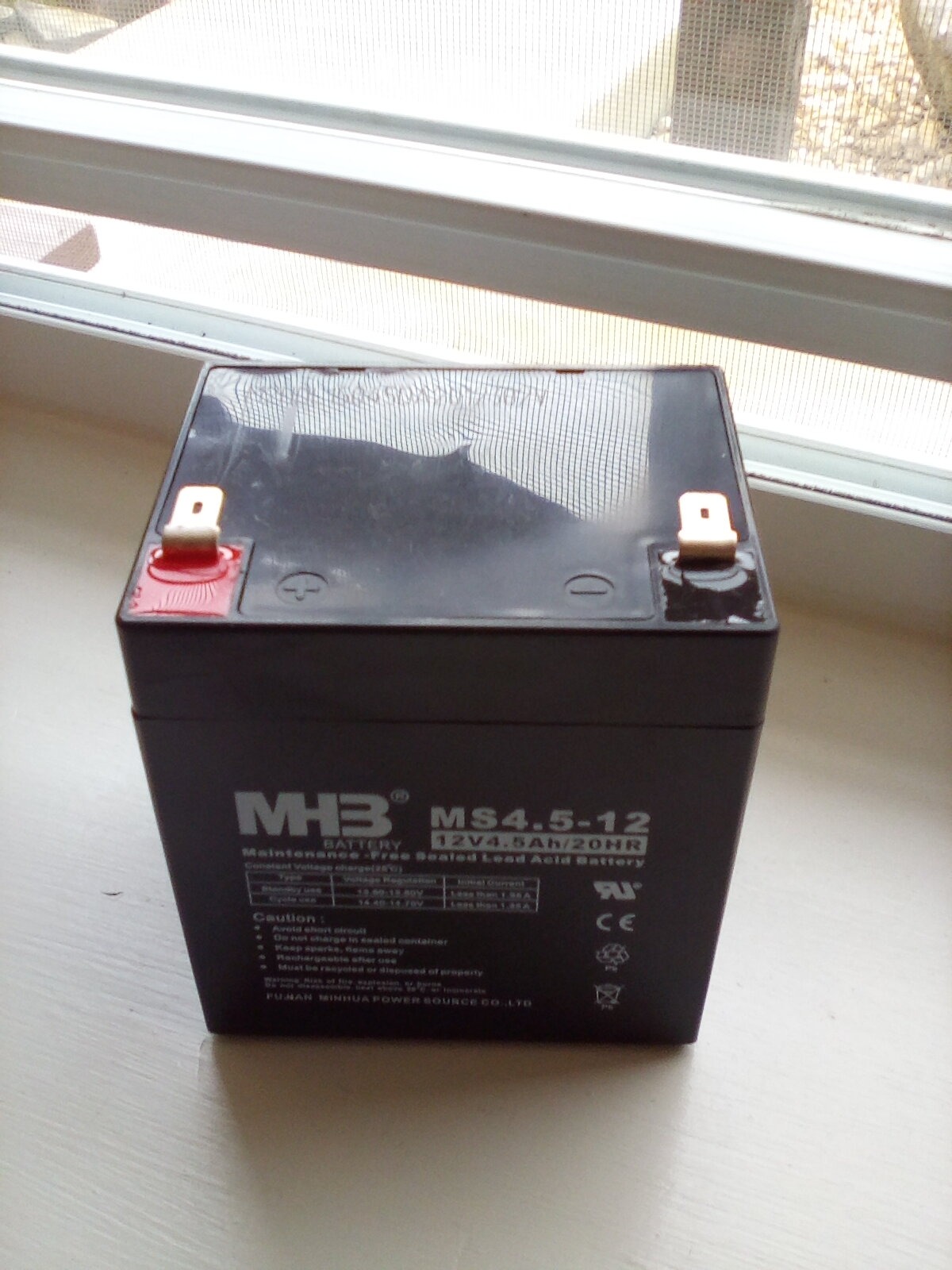
The APC BE425M has over 11,000 reviews and a 4.5-star rating, making it one of the most trusted entry-level UPS units on the market. I have deployed several of these for friends and family members who just need to keep their router and modem online during brief outages.
The compact, wall-mountable design is a significant advantage. You can attach it to the wall near your network equipment, keeping it off the floor and out of the way. The recessed power button prevents accidental shutdowns, which is a thoughtful design choice.
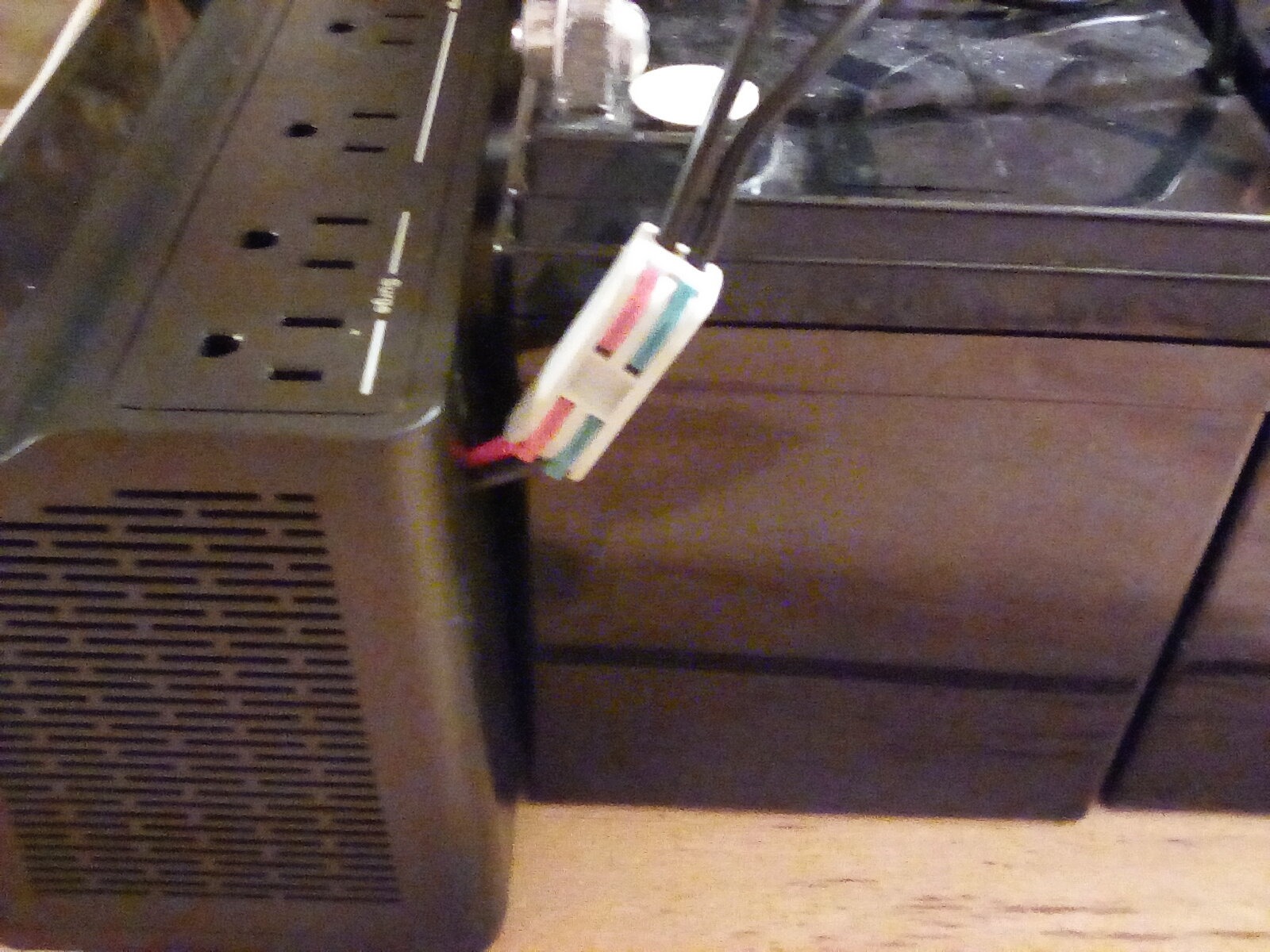
The 6 outlets provide adequate connectivity for basic setups. Four outlets offer battery backup plus surge protection, while two are surge-only. The outlets are spaced reasonably well for standard plugs, though large power bricks may overlap.
APC’s brand reputation is the main selling point here. With decades of experience in power protection, APC consistently delivers reliable products. The 3-year warranty and $75,000 equipment protection policy provide peace of mind that budget brands cannot match.
Who Benefits Most from This Unit
Anyone who primarily needs to keep their internet connection alive during power outages will find the BE425M perfectly adequate. Router and modem combos typically draw 15 to 30W combined, which means this unit can keep your network running for over an hour during an outage.
VoIP phone users should also consider this UPS. A dead phone during a power outage defeats the purpose of having a landline alternative. The BE425M keeps VoIP adapters running so you can still make emergency calls.
What Holds It Back
Battery replacement is more difficult than it should be. The battery compartment uses deeply recessed Phillips screws that require a long screwdriver to access. This is a design flaw that APC should address, especially since the battery is advertised as user-replaceable.
The beeping alarm during outages can be loud and persistent. Some users have resorted to taping over the speaker hole to muffle the sound. If you plan to use this unit in a bedroom, the alarm behavior is worth considering.
15. CHINTE Mini UPS – Portable Router and Modem Backup
CHINTE Mini UPS 10400mAh Battery Backup for Router and Modem, Uninterruptible Power Supply with PoE 15V/24V, DC 5V/9V/12V, USB-C for Security Camera, LED Light, Phone
10400mAh LiFePO4
18W Output
DC 12V/9V/5V
USB-C
PoE 15V/24V
12 Ounces
Pros
- Multiple output options for versatile device compatibility
- Compact and portable at 12 ounces
- Built-in safety protections
- Good battery life 7+ hours at 5V 1A
- LED capacity indicator
- LiFePO4 battery chemistry
Cons
- USB-C port non-functional on some units
- Cable lengths could be longer
- Only 11 reviews
- PoE limited to 15V/24V not 48V
The CHINTE Mini UPS takes a completely different approach to battery backup. Instead of AC outlets, it provides DC outputs (12V, 9V, 5V), USB, USB-C, and PoE (15V/24V) connections. This makes it perfect for directly powering routers, modems, security cameras, and IoT devices without the overhead of an AC inverter.
The 10400mAh LiFePO4 battery is impressive for the size. At just 12 ounces and measuring 5.75 x 2 x 1.89 inches, this unit is small enough to fit in a pocket. Yet it can power a 5V device for over 7 hours or a 12V device for over 3.5 hours.
The power efficiency is notable. The CHINTE Mini UPS uses 12.2W to power devices that would draw 13.3W from individual wall adapters. That 8% efficiency improvement comes from eliminating multiple AC-to-DC conversion steps.
Perfect for These Specific Uses
Router and modem owners who want extended backup time will find this unit ideal. Most routers draw 5 to 12V DC, which this UPS can provide directly without the energy waste of converting to AC and back to DC. A typical router drawing 1A at 12V will run for over 3.5 hours on this battery.
Security camera installations benefit from the PoE output. If your cameras use 15V or 24V PoE injectors, this UPS can keep them running during power outages. The 48V PoE limitation means it will not work with standard 802.3af/at PoE devices, so check your camera specifications.
Important Considerations
With only 11 reviews, this product lacks the extensive user feedback that established brands benefit from. The 4.8-star rating is promising, but the small sample size means you should temper your expectations accordingly.
The USB-C port has been reported as non-functional on some units out of the box. If you plan to use USB-C charging, test it immediately upon arrival and request a replacement if it does not work. The included cable lengths, particularly the Y-splitter cable, are shorter than some users would prefer.
How to Choose the Best UPS Battery Backup for Your Needs?
Choosing the right uninterruptible power supply comes down to understanding your power requirements, your tolerance for downtime, and the specific devices you need to protect. Let me break down the key factors that should drive your decision.
VA Rating and Wattage: How to Calculate What You Need
The VA (volt-ampere) rating represents the maximum apparent power a UPS can handle, while the wattage rating represents the actual power output. Always use the wattage rating as your guide, since that is the real-world limit. To figure out what you need, add up the wattage of every device you plan to connect.
A typical home office setup (desktop PC, two monitors, modem, router) draws about 200 to 400W. A gaming PC with a high-end GPU can draw 500 to 800W under load. A simple router and modem setup draws only 15 to 30W. Match your UPS wattage rating to your total load with at least 25% headroom for safety.
If you are unsure about your power draw, check the power supply label on your PC (a 650W power supply does not always draw 650W, but it gives you an upper bound) and look up the power consumption specs for your monitors and networking gear. Add 50W for peripherals as a buffer.
Runtime Expectations at Different Loads
Runtime is inversely proportional to load. A 1500VA UPS might give you 68 minutes at 100W but only 5 minutes at 900W. Manufacturers often advertise the runtime at the lowest reasonable load, which can be misleading. Always check runtime charts at your expected load level.
For graceful shutdown purposes, you need at least 5 minutes of runtime. For continuing to work through short outages, aim for 15 to 30 minutes. For keeping network equipment running through extended outages, you need a unit that provides 60+ minutes at your network gear’s low power draw.
Pure Sine Wave vs Simulated Sine Wave
This is one of the most important and most misunderstood UPS specifications. AC power from your wall outlet comes in the form of a pure sine wave. When a UPS switches to battery, it must recreate that waveform. High-end UPS units produce a pure sine wave that matches utility power exactly. Budget units produce a simulated (or stepped) sine wave that approximates the waveform.
If your computer uses an Active PFC (power factor correction) power supply, which most modern power supplies do, a simulated sine wave can cause the power supply to shut down when the UPS switches to battery. This defeats the entire purpose of having a UPS. For gaming PCs and workstations, pure sine wave is essential.
For simpler devices like routers, modems, monitors, and lamps, simulated sine wave works perfectly fine. The Active PFC issue primarily affects computers with 80 Plus Bronze or higher certified power supplies.
Automatic Voltage Regulation (AVR) Explained
AVR is a feature that corrects minor voltage fluctuations (brownouts and overvoltages) without switching to battery power. Without AVR, a UPS switches to battery every time the voltage dips below or rises above a threshold, draining the battery and shortening its lifespan.
With AVR, the UPS uses a transformer to boost low voltage or trim high voltage in real time. The battery remains charged and ready for actual outages. If you live in an area with unstable power (frequent brownouts, lights that flicker, voltage that varies), AVR is essential.
Line-interactive UPS units include AVR by design. Standby UPS units do not. All the APC Back-UPS Pro models and CyberPower CP/CP AVR models in this roundup feature AVR protection.
Number of Outlets and Configuration
Count your devices before buying. A UPS typically splits its outlets into battery-backed outlets and surge-only outlets. Battery-backed outlets keep your devices running during an outage. Surge-only outlets protect against voltage spikes but do not provide battery backup.
As a rule of thumb, connect critical devices (PC, monitor, modem, router) to battery-backed outlets and non-critical devices (speakers, printer, desk lamp) to surge-only outlets. This maximizes your runtime by only backing up the devices that matter.
Pay attention to outlet spacing. Some UPS units place outlets too close together, making it impossible to use adjacent outlets when a large power brick is plugged in. Look for models with widely spaced or transformer-spaced outlets if you have multiple bulky adapters.
Battery Type: Lead-Acid vs Lithium-Ion
Traditional UPS units use sealed lead-acid (SLA) batteries, which are inexpensive but degrade over 3 to 5 years regardless of usage. Newer lithium-ion UPS units (like the GoldenMate) use LiFePO4 chemistry rated for 10+ years and 5,000+ charge cycles.
Lead-acid batteries are tried and true, widely available, and inexpensive to replace ($30 to $80). Lithium-ion batteries cost more upfront but eliminate replacement costs for a decade. If you plan to keep your UPS for many years, lithium-ion offers better total cost of ownership.
Gaming PC Specific Considerations
Gaming PCs present unique UPS challenges. The high power draw (especially with RTX 40-series or 50-series GPUs) and Active PFC power supplies require careful UPS selection. I recommend a minimum of 1500VA/900W for gaming setups, with pure sine wave output being non-negotiable.
The CyberPower CP1500PFCLCD and APC BR1500MS2 are the two best options for gaming PCs. Both deliver pure sine wave output at 1500VA capacity, and both are confirmed compatible with Active PFC power supplies by thousands of user reviews.
What NOT to Plug Into a UPS
Avoid connecting laser printers to a UPS. Laser printers draw massive surge currents when their heating element cycles on, which can overload and damage your UPS. Similarly, avoid connecting space heaters, hair dryers, vacuum cleaners, or any device with a heating element.
High-draw motorized devices like aquarium pumps and large fans should also be avoided unless you have verified their power consumption is within your UPS capacity. When in doubt, check the device’s rated wattage against your UPS capacity with appropriate headroom.
FAQs
Who makes the best UPS battery backup?
APC (by Schneider Electric) and CyberPower are widely considered the best UPS battery backup manufacturers. Both brands consistently produce reliable units with strong warranties, massive review pools confirming real-world performance, and extensive product lines covering every use case from router protection to enterprise server backup. The APC BR1500MS2 and CyberPower CP1500PFCLCD are the top-rated models for 2026.
What is the longest lasting UPS battery backup?
The GoldenMate 1000VA Lithium UPS has the longest lasting battery with a LiFePO4 chemistry rated for 10+ years and 5,000+ charge cycles. Traditional lead-acid UPS batteries typically last 3 to 5 years before needing replacement. For extended runtime during outages, the APC Back-UPS Pro BX1500M provides up to 68 minutes at 100W load.
What are the best brands of battery back up?
The best UPS battery backup brands are APC by Schneider Electric, CyberPower, Tripp Lite (now part of Eaton), and GoldenMate for lithium-ion options. APC and CyberPower dominate the consumer market with proven reliability, extensive warranty coverage, and the largest selection of models. Both brands offer 3-year warranties including the battery on most models.
Which brand is best for UPS batteries?
APC and CyberPower are the best brands for UPS batteries due to their decades of engineering experience, consistent quality control, and wide availability of replacement batteries. APC replacement batteries (RBC series) are easy to find and install. For lithium-ion UPS technology, GoldenMate is a promising newer brand with 10-year battery lifespans.
What size UPS do I need for my computer?
For a basic home office PC with one monitor, a 600VA to 850VA UPS is sufficient. For a gaming PC with a high-end GPU, you need at least 1500VA. For just a router and modem, 425VA provides plenty of runtime. Always choose a UPS wattage rating that exceeds your total device power draw by at least 25% for safe headroom.
How long does a UPS battery last during an outage?
UPS runtime during an outage depends entirely on your load. At 100W (modem, router, and monitor), most 600VA UPS units provide 15 to 25 minutes, while 1500VA units provide 60+ minutes. Under heavy gaming loads of 600W or more, expect only 5 to 10 minutes. Check the manufacturer runtime chart at your specific load for accurate estimates.
Conclusion
Finding the best UPS battery backups in 2026 comes down to matching capacity, features, and waveform type to your specific needs. For gaming PCs and workstations with Active PFC power supplies, the APC Back-UPS Pro BR1500MS2 and CyberPower CP1500PFCLCD are the clear top choices with their pure sine wave output and 1500VA capacity.
For budget-conscious buyers who just need router and modem protection, the APC BE425M delivers proven reliability at an affordable price. And for those looking ahead to the future of UPS technology, the GoldenMate Lithium UPS with its 10-year battery lifespan represents the direction the industry is heading.
Whatever you choose, the most important step is simply getting a UPS before you need one. Every minute spent without battery backup protection is a minute of risk to your data and your equipment. Pick the unit that matches your needs, plug it in, and enjoy the peace of mind that comes with knowing your gear is protected.