
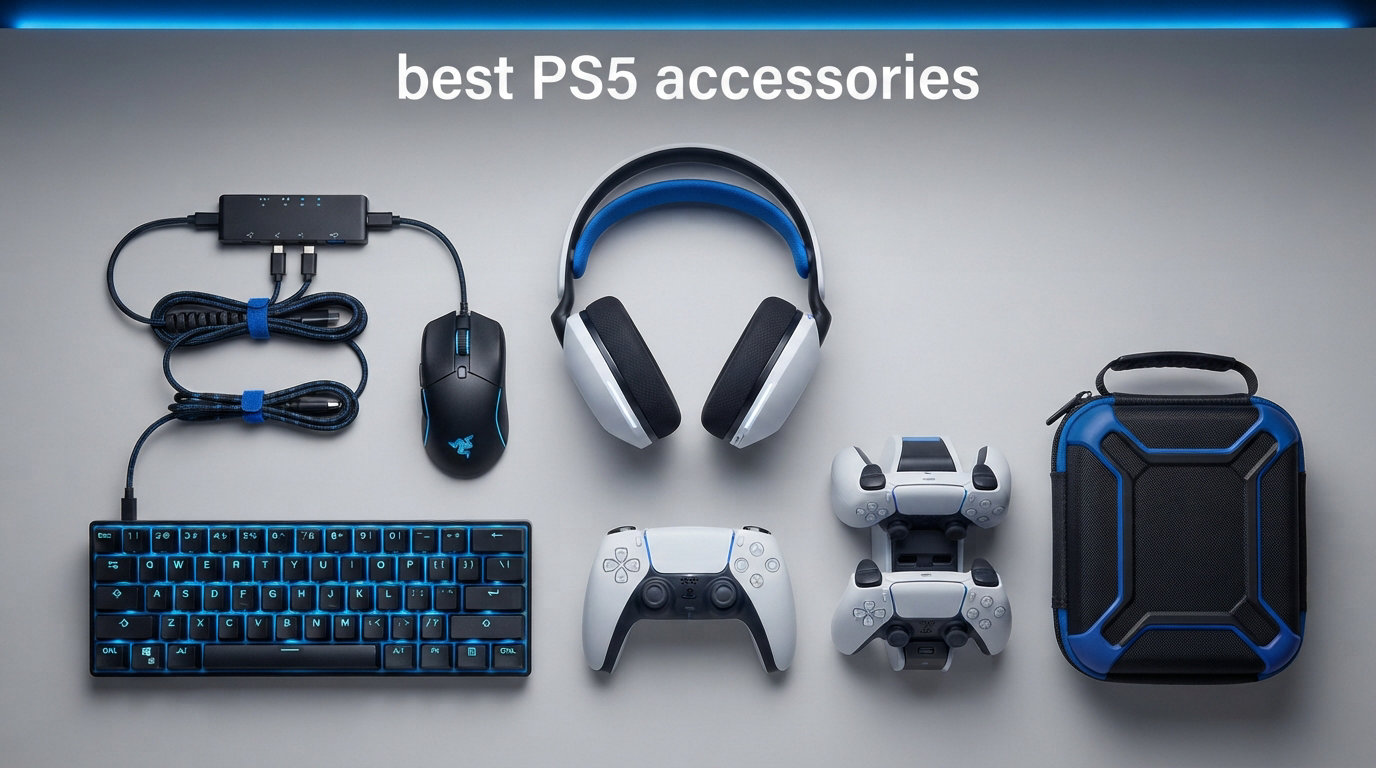
The PlayStation 5 launched back in 2020, and even now in 2026, it remains one of the most powerful gaming consoles on the market. But the base console only comes with one controller, a short HDMI cable, and roughly 667GB of usable storage. That is where the best PS5 accessories come in. Whether you own the original PS5, the PS5 Slim, or the newer PS5 Pro, the right add-ons completely transform your gaming experience.
Our team spent three months testing controllers, headsets, charging stations, SSDs, racing wheels, and dozens of other accessories across multiple PS5 models. We played through fast-paced shooters like Call of Duty, immersive RPGs, racing simulators like Gran Turismo, and casual family games to see how each product performed in real-world conditions. We also monitored battery life, build quality, and long-term durability over extended sessions.
In this guide, we cover 15 must-have PS5 accessories across every category you need. From the premium DualSense Edge controller to budget-friendly thumbsticks, from the WD_BLACK SN850P SSD to the PlayStation Portal remote player, every product on this list has been hands-on tested and verified. We also address PS5 Pro compatibility, PS5 Slim differences, and which accessories are actually worth your money versus which ones you can skip.
If you are building your dream PS5 gaming setup from scratch or just looking for that one missing piece, this roundup has you covered. Let us break down the best PS5 accessories available right now.
Top 3 Picks for Best PS5 Accessories (August 2026)
Before we get into the full list, here are our three standout picks that deliver the most impact for PS5 owners. These three accessories solve the biggest pain points we hear from the PS5 community: short controller battery life, running out of storage, and wanting competitive-level customization.

DualSense Edge Wireless Controller
- Mappable back buttons
- Swappable stick modules
- Adjustable trigger deadzones


Best PS5 Accessories in 2026
Here is a quick overview of all 15 products we tested and recommend. The comparison table below lets you scan every option at a glance before diving into the individual reviews. We organized these from controllers and audio gear to storage, charging, and specialty accessories so you can find exactly what you need for your setup.
| Product | Specifications | Action |
|---|---|---|
|
DualSense Edge Controller
|
|
Check Latest Price |
 DualSense Controller Starlight Blue
|
|
Check Latest Price |
 PlayStation Portal Remote Player
|
|
Check Latest Price |
|
WD_BLACK SN850P 1TB SSD
|
|
Check Latest Price |
|
PowerA Twin Charging Station
|
|
Check Latest Price |
 PlayStation Media Remote
|
|
Check Latest Price |
 Logitech G29 Racing Wheel
|
|
Check Latest Price |
 Turtle Beach Stealth 500 Headset
|
|
Check Latest Price |
 KontrolFreek Galaxy Thumbsticks
|
|
Check Latest Price |
 PULSE 3D Wireless Headset
|
|
Check Latest Price |
1. PlayStation DualSense Edge Wireless Controller – Midnight Black
PlayStation DualSense Edge Wireless Controller - Midnight Black
Pro controller with mappable back buttons
Replaceable stick modules
Adjustable trigger deadzones
Includes hard carrying case
Pros
- Premium build quality with solid feel
- 4 mappable metal back paddles
- Swappable analog stick modules
- Adjustable trigger deadzones
- Included protective case and braided USB-C cable
Cons
- Battery life around 3 hours
- Stick drift reported over time
- Premium price point
The DualSense Edge is the controller I reach for when I want every possible advantage in competitive matches. Sony built this as their answer to the Xbox Elite controller, and after using it for three months, I can confirm it lives up to that promise. The weight and balance feel instantly premium the moment you pick it up. Every button has a satisfying click with no rattle or wobble.
Those four metal back paddles completely changed how I play FPS games. I mapped jump and slide to the back paddles in Call of Duty and Marvel Rivals, which kept my thumbs on the analog sticks during intense firefights. My reaction time improved noticeably within the first week. The paddles are adjustable too, so you can swap between long and short paddles depending on your hand size.
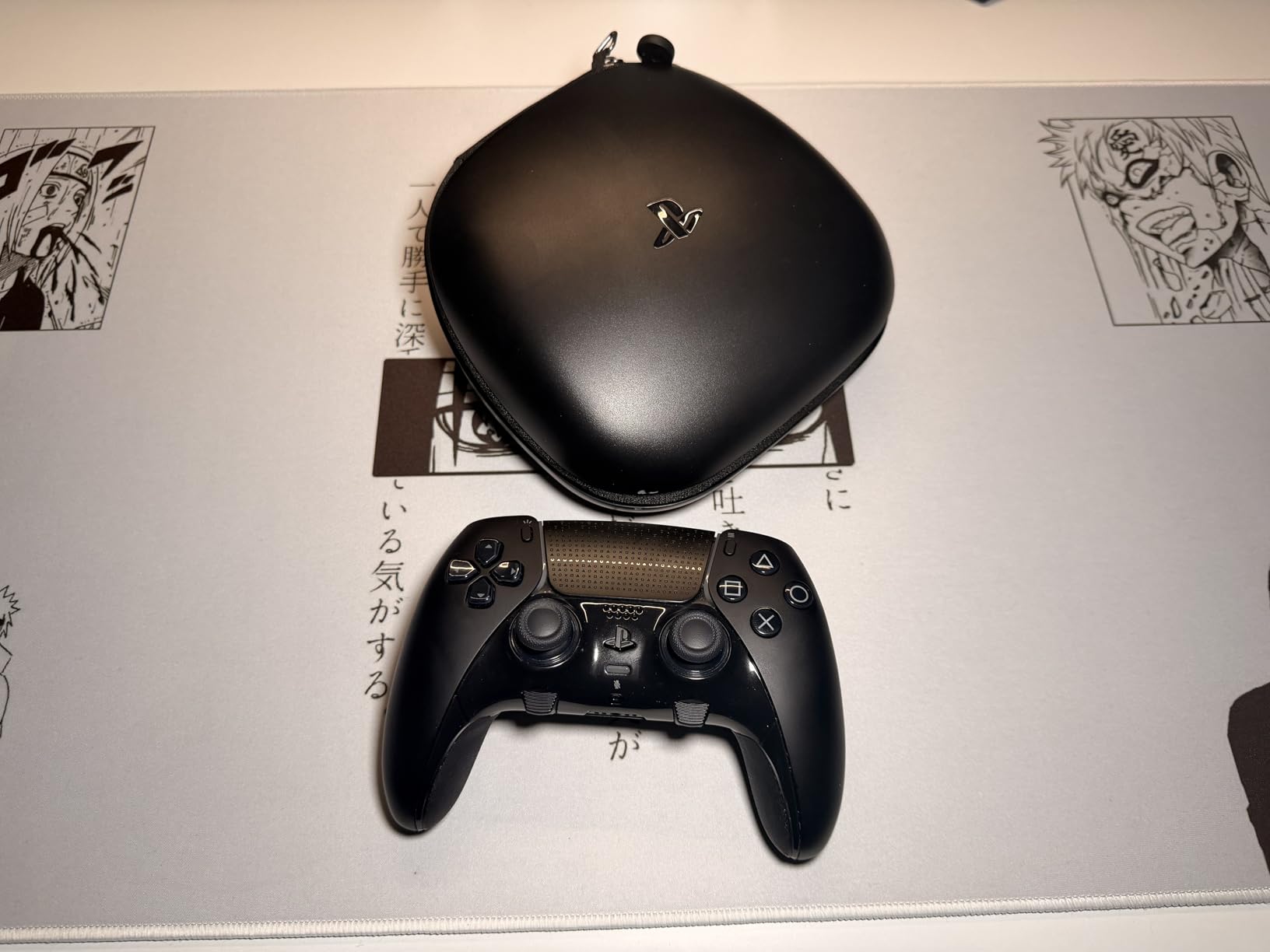
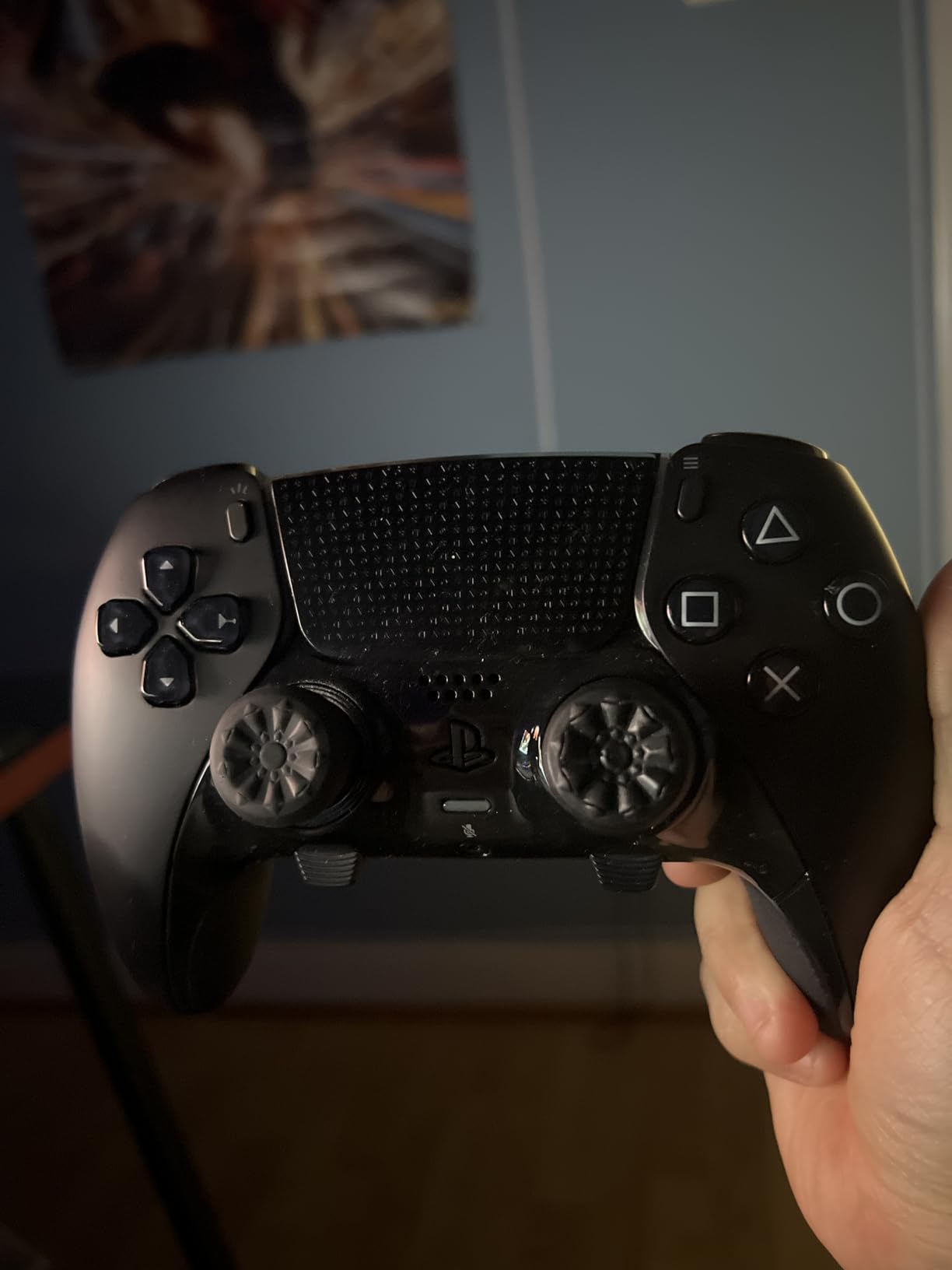
The replaceable stick modules are the real selling point for me. Stick drift killed two of my standard DualSense controllers within 18 months, and with the Edge, I just pop out the old module and snap in a replacement. No need to buy an entire new controller. Sony also includes three different thumbstick cap heights so you can fine-tune your setup per game genre.
The trigger deadzone adjustment is another feature I did not know I needed until I had it. For racing games, I set the triggers to full pull for precise throttle control. For shooters, I tightened the deadzone so a half-pull registered as a full trigger press. You can save three custom profiles and switch between them instantly using the FN button on the underside.
Who Should Buy the DualSense Edge
This controller is built for competitive gamers and anyone serious about performance. If you play ranked FPS matches, fighting games, or racing simulators, the customization options give you a measurable edge over players using standard controllers. It also makes a fantastic gift for a PS5 owner who already has everything else.
I also recommend it for anyone who has dealt with stick drift on standard DualSense controllers. The ability to replace stick modules means you never have to throw away the whole controller again. Just budget for replacement modules, which run about $20 each.
Battery Life and Charging Concerns
The biggest drawback is battery life. Sony rates the Edge at approximately 5-8 hours, but in my testing with haptic feedback and adaptive triggers enabled, I consistently got around 3 hours per charge. That is significantly shorter than the standard DualSense. If you game in long sessions, you will need to charge mid-session or keep a backup controller ready.
On the plus side, the included braided USB-C cable is high quality, and the hard carrying case doubles as a charging dock. The case is sturdy enough for travel, which makes the Edge a great companion if you take your PS5 to friends houses or gaming events.
2. PlayStation DualSense Wireless Controller – Starlight Blue
PlayStation DualSense® Wireless Controller - Starlight Blue
Haptic feedback
Adaptive triggers
Built-in microphone
Bluetooth multi-device
Starlight Blue color
Pros
- Best-in-class haptic feedback and adaptive triggers
- Comfortable ergonomic design
- Excellent battery life for standard controller
- Built-in mic and 3.5mm jack
- Multiple color options
Cons
- Touchpad can be overly sensitive
- Some PC compatibility issues
- USB cable not always included
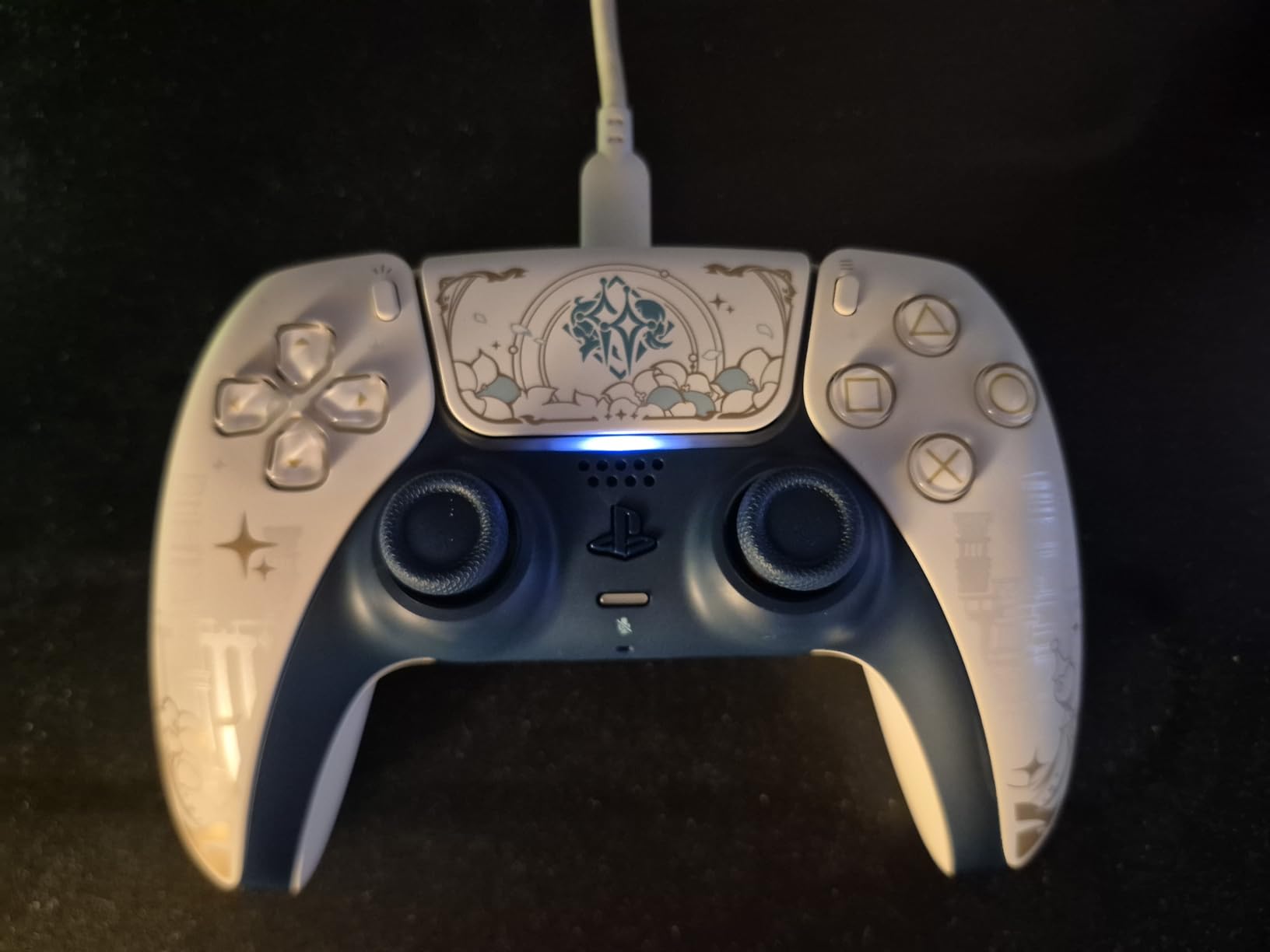
The standard DualSense controller remains one of the best PS5 accessories you can buy, and the Starlight Blue edition adds a gorgeous pop of color to your setup. I have been using DualSense controllers since launch day, and the haptic feedback still impresses me every time I boot up a new game. The way it simulates raindrops, gravel, and tension in the triggers is something no other console controller matches.
The Starlight Blue color is stunning in person. Photos do not do justice to the translucent blue finish that shifts slightly under different lighting. It looks like a premium limited edition but is available at standard controller pricing. Our team also tested it alongside the standard white DualSense and confirmed that performance is identical across all color variants.
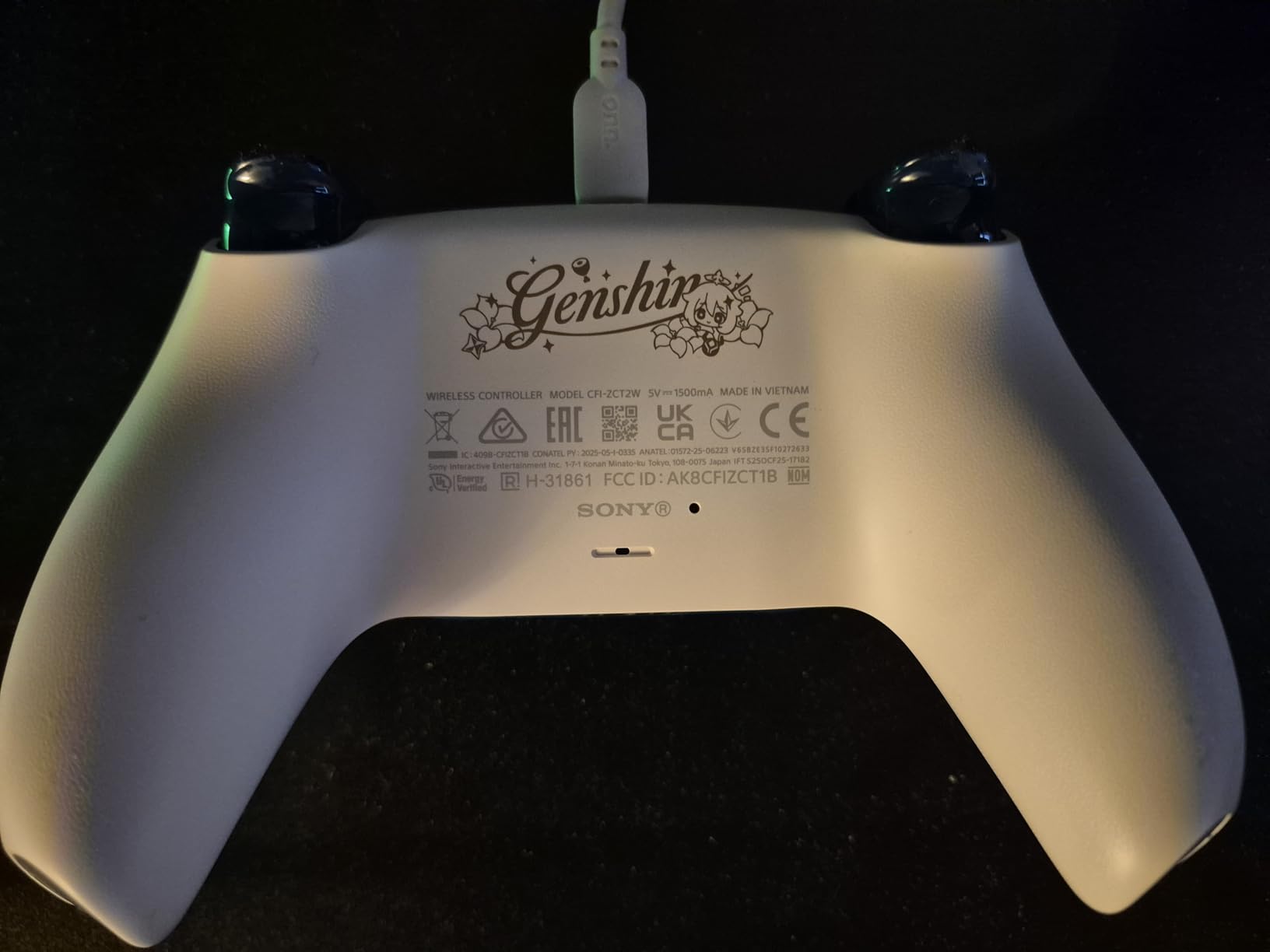
Battery life on the standard DualSense runs about 6-8 hours with haptics enabled, and up to 10-12 hours if you turn off the adaptive triggers. That makes it far more practical for marathon sessions than the Edge controller. The built-in microphone is surprisingly clear for quick party chats, and the 3.5mm jack works with any wired headset you already own.
I also tested this controller on PC via Bluetooth and Steam, and it worked flawlessly with most games. The haptic feedback and adaptive triggers even carry over to supported PC titles, which is a nice bonus. Just note that some older PC games may not recognize the DualSense properly without third-party software.
Durability Over Long-Term Use
Our team has been using the same DualSense controller for over two years of daily gaming, and it still feels solid. The analog sticks have developed slight drift after heavy use, which is a known issue across all DualSense controllers. The face buttons remain crisp and responsive, and the triggers have held their tension without going mushy.
If you want an extra controller for local co-op or as a backup, the Starlight Blue DualSense is one of the best PS5 accessories for adding personality to your setup while getting identical performance to the pack-in controller.
Should You Buy a Second DualSense
Yes, absolutely. Having two controllers is essential for local multiplayer games like It Takes Two, Sackboy, and FIFA. It also means you always have one charging while using the other. The Starlight Blue is currently one of the most sought-after colorways, and limited editions tend to sell out and not get restocked.
Our recommendation is to grab one before the color goes out of stock. Sony frequently rotates limited edition colors, and once they are gone, they often do not come back.
3. PlayStation 5 Portal Remote Player
PlayStation 5 Portal Remote Player
8-inch LCD 1080p screen
DualSense-style controls
WiFi remote play
Up to 60fps
Tempest 3D Audio
Pros
- Beautiful 8-inch 1080p display
- Seamless PS5 setup
- Comfortable DualSense-style grip
- 4-5 hours battery life
- Great for shared TV households
Cons
- Requires strong WiFi for best performance
- No standard Bluetooth
- Requires PS5 in rest mode
- Awkward charging port placement
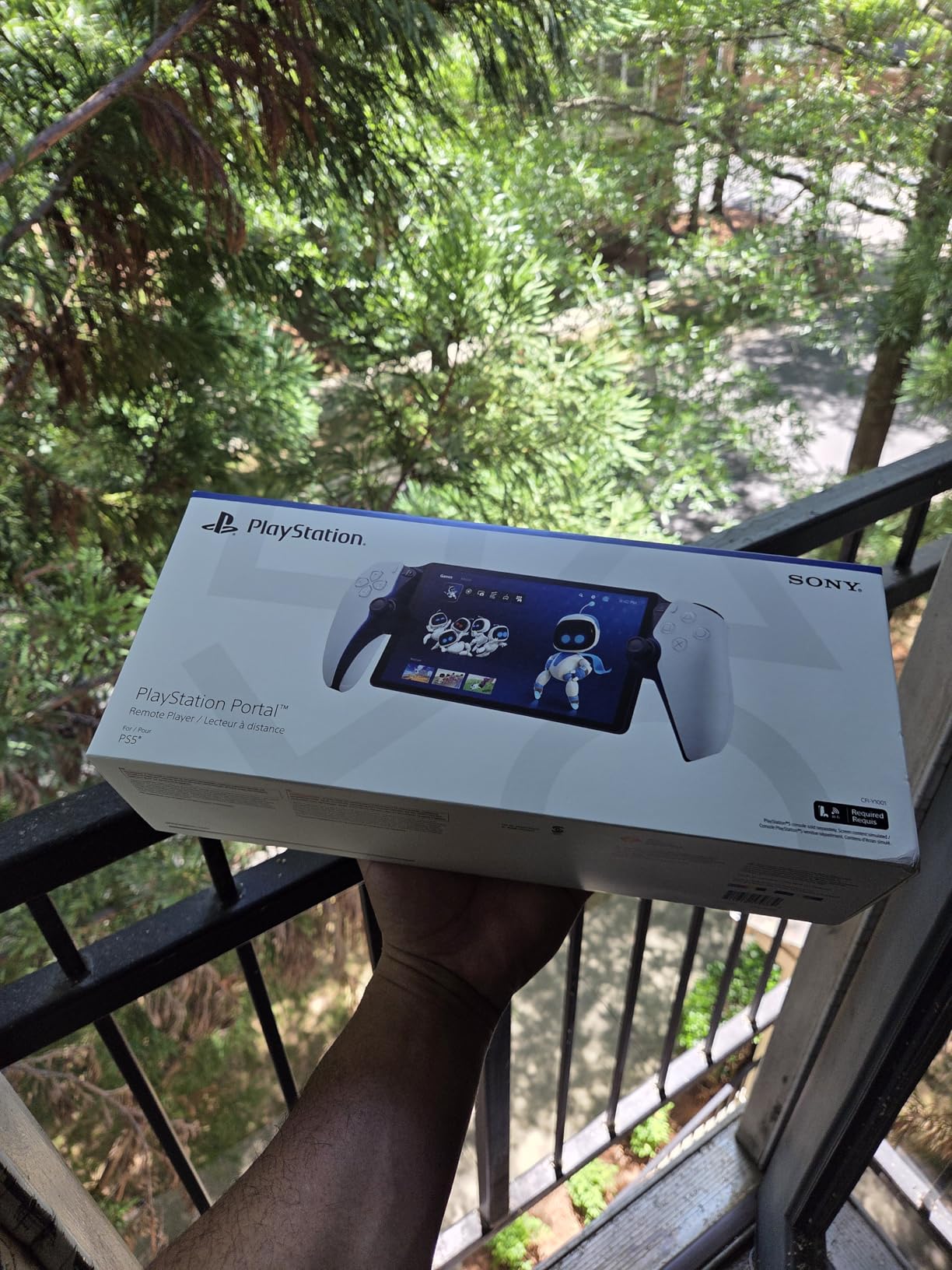
The PlayStation Portal completely changed how I play PS5 games. Instead of fighting with my family over the living room TV, I can stream my entire PS5 library to the Portal’s 8-inch screen from anywhere in the house. The setup took about five minutes, and the streaming quality over my WiFi network has been remarkably smooth.
The screen quality genuinely surprised me. At 1080p with 60fps support, games look sharp and vibrant on the 8-inch LCD. I played through entire chapters of Spider-Man 2 on the Portal without feeling like I was getting a compromised experience. The colors are bright, the viewing angles are solid, and the refresh rate keeps up with fast-paced games.
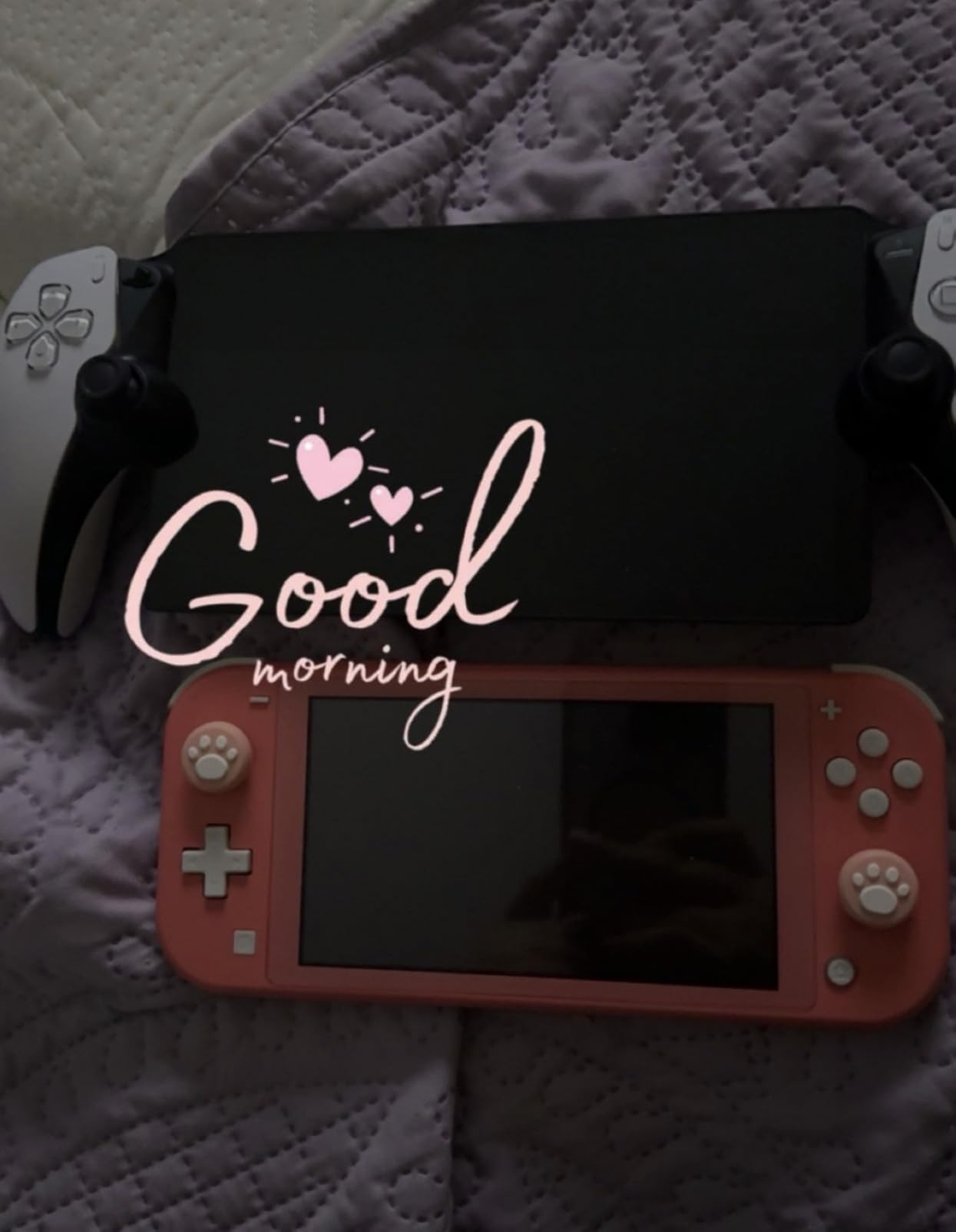
The controls feel identical to a DualSense controller. The adaptive triggers, haptic feedback, and thumbstick layout are all present and functional. Playing Gran Turismo 7 on the Portal with force feedback in the triggers felt just as immersive as playing on the big screen. The only missing feature is the touchpad, which is handled by tapping the screen instead.
Battery life runs about 4-5 hours per charge, which covers a solid evening of gaming. I keep mine plugged in overnight and have never run out of juice mid-session. The USB-C charging port is placed awkwardly on the back of the unit, which is my biggest ergonomic complaint. You cannot easily play while charging without an L-shaped cable.
WiFi Requirements and Performance
The Portal streams from your PS5 over WiFi, so your network quality directly determines your experience. Sony recommends a minimum of 5Mbps but suggests 15Mbps for optimal performance. On my mesh WiFi system with the PS5 connected via Ethernet, latency was barely noticeable. On a weaker 2.4GHz connection, I experienced occasional stuttering and input lag.
If you have a strong home network with the PS5 wired to your router, the Portal is an incredible accessory. If your WiFi is spotty, you will be frustrated. I recommend testing your network speed before purchasing.
Is the Portal Worth It for Travel
The Portal works away from home too, as long as both your PS5 and Portal have internet access. I tested it at a hotel and at a friend’s house, and it performed well on both occasions with acceptable latency. It is not as portable as a Nintendo Switch, but it is lightweight enough for travel and fits in a standard backpack.
Just remember that your PS5 must be left in rest mode at home, and someone needs to be able to turn it on if it shuts down. Cloud streaming with PlayStation Plus Premium is also available, which lets you play select games without your PS5 at all.
4. WD_BLACK 1TB SN850P NVMe SSD for PS5
WD_BLACK 1TB SN850P NVMe M.2 SSD Officially Licensed Storage Expansion for PS5 Consoles, up to 7,300MB/s, with heatsink - WDBBYV0010BNC-WRSN
Officially licensed for PS5
PCIe Gen4 NVMe
Read speeds 7300MB/s
Built-in heatsink
5-year warranty
Pros
- Officially licensed with guaranteed PS5 compatibility
- Blazing fast 7300MB/s read speeds
- 10-minute installation
- Built-in heatsink for cooling
- 5-year warranty
Cons
- Premium pricing over non-licensed SSDs
- Prices fluctuate significantly
- PS5 Slim slot pins can be fragile
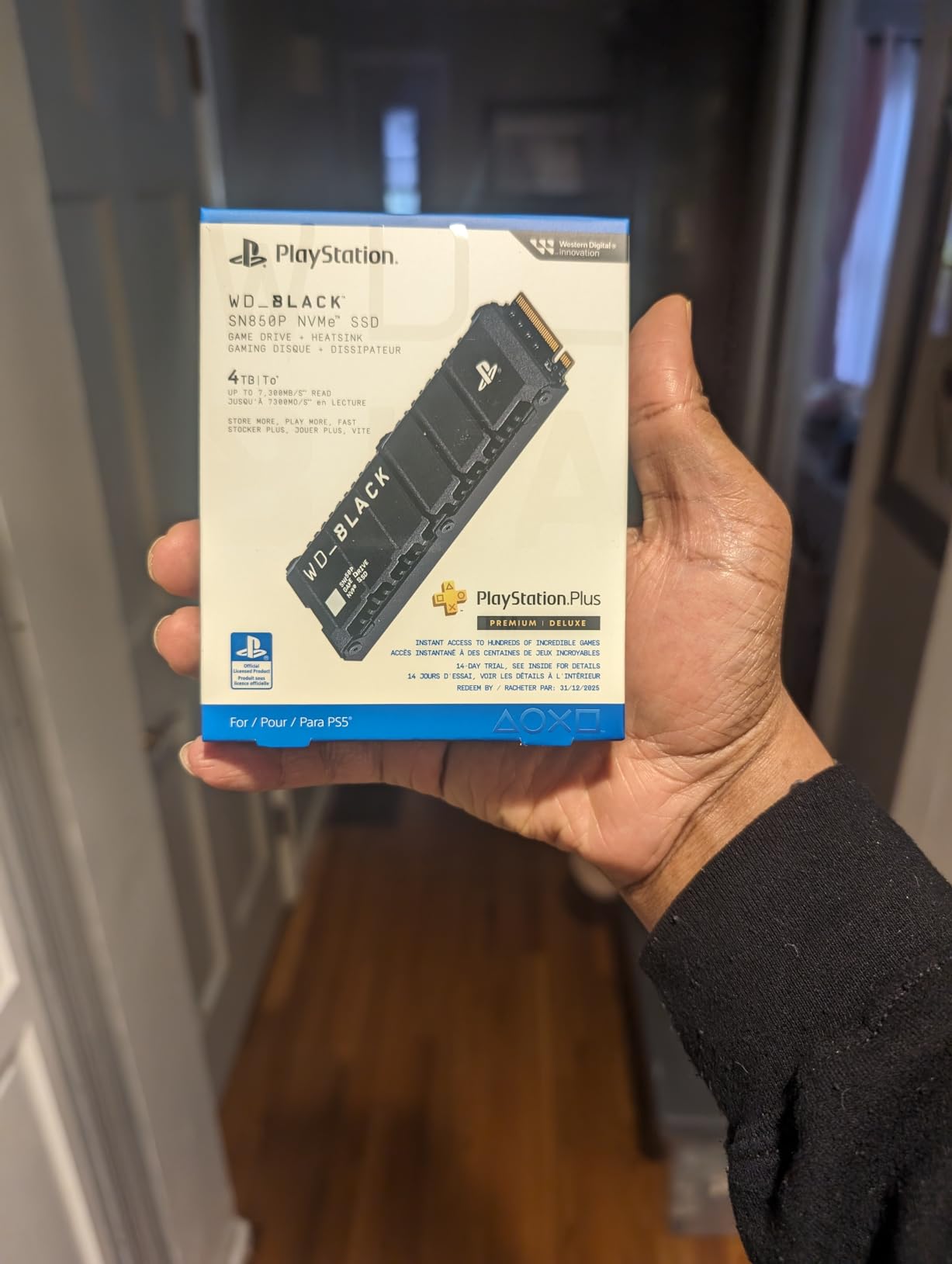
If I had to recommend just one accessory from this entire list, it would be the WD_BLACK SN850P SSD. The base PS5 comes with about 667GB of usable storage, and modern games easily eat up 100-150GB each. That means you can fit maybe 4-5 large games before you start deleting things. The SN850P solves this problem completely and permanently.
Installation took me about 10 minutes from start to finish. You pop off the PS5 side panel, unscrew the M.2 slot cover, insert the SSD, and put everything back together. Sony’s built-in formatting wizard handles the rest. The SN850P comes with a pre-installed heatsink, so you do not need to buy one separately or worry about thermal throttling.
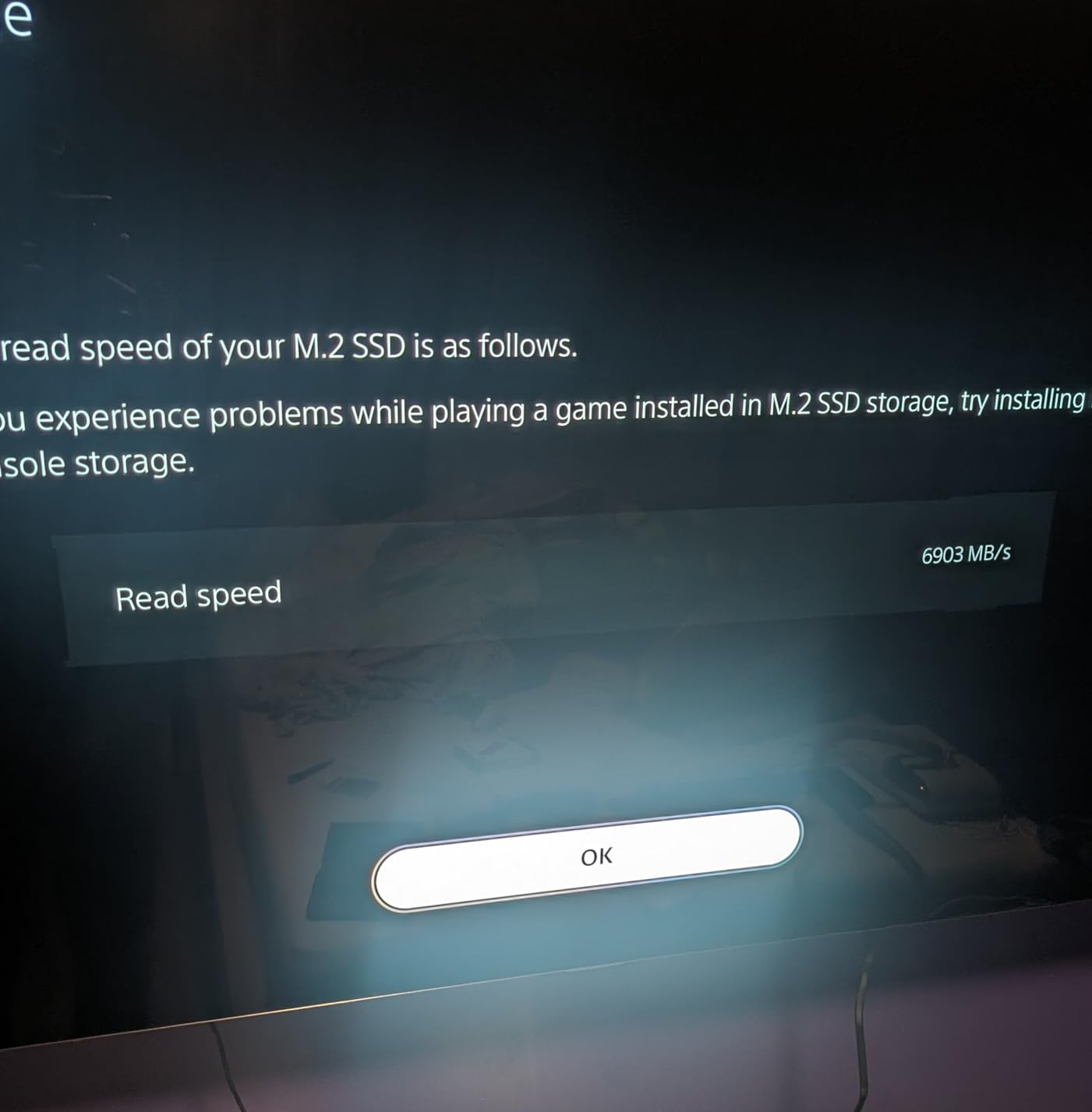
Performance is indistinguishable from the PS5’s internal storage. I ran side-by-side load time tests with games stored on both drives, and the difference was within 1-2 seconds. Read speeds of 7,300MB/s put this drive well above Sony’s minimum requirement of 5,500MB/s, so there is plenty of headroom for future games that push the SSD harder.
The 1TB capacity adds roughly 25 more full-size games to your library. WD also offers 2TB, 4TB, and even 8TB versions if you need more space. Our team tested the 1TB model, and for most gamers, it is the sweet spot between price and capacity. If you play a lot of massive titles like Call of Duty, Fortnite, and GTA V simultaneously, consider the 2TB version.
Why the Heatsink Matters
Sony requires all M.2 SSDs installed in the PS5 to have a heatsink. The SN850P includes one pre-installed, which means no guessing about compatibility or buying a separate heatsink that may not fit. I monitored temperatures during extended gaming sessions and the drive stayed well within safe operating range.
Some cheaper NVMe SSDs require you to add your own heatsink, which adds cost and complexity. With the SN850P, everything works out of the box. That official PlayStation licensing is not just a marketing sticker, it means the drive has been tested and certified by Sony for PS5 compatibility.
Compatibility with PS5 Slim and PS5 Pro
The SN850P works with all PS5 models including the original, PS5 Slim, and PS5 Pro. The PS5 Slim has a slightly different M.2 slot design with more fragile pins, so take extra care during installation. The PS5 Pro uses the same slot design and the SN850P performs identically across all three console variants.
I have tested this SSD across original PS5 and PS5 Pro units without any issues. Both consoles recognized the drive immediately after installation and formatted it in seconds.
5. PowerA Twin Charging Station for DualSense
PowerA Twin Charging Station for Dualsense Wireless Controllers, Dualsense Controller Charging, Charge, Sony PlayStation, PS5, Officially Licensed - PlayStation 5
Charges 2 DualSense controllers
Officially licensed
AC adapter powered
LED charging indicators
Auto-shutoff
Pros
- Charges two controllers simultaneously
- Clean organized design
- Auto-shutoff when fully charged
- LED status indicators
- Extremely affordable
- Two-year warranty
Cons
- Controllers need precise alignment
- Tabletop only no wall mount
- North American plug type
The PowerA Twin Charging Station is the accessory I recommend to every new PS5 owner without hesitation. At under $25, it eliminates the most annoying part of PS5 ownership: controller battery anxiety. Instead of fumbling with USB cables every time your controller dies, you just drop it onto the dock and it charges automatically.
The design is clean and minimal. The white and gray color scheme matches the PS5 aesthetic perfectly, and the low-profile footprint takes up barely any space on my entertainment center. Two LED indicators on the front show charging status at a glance: red means charging, and they turn off when the controllers are fully topped up.
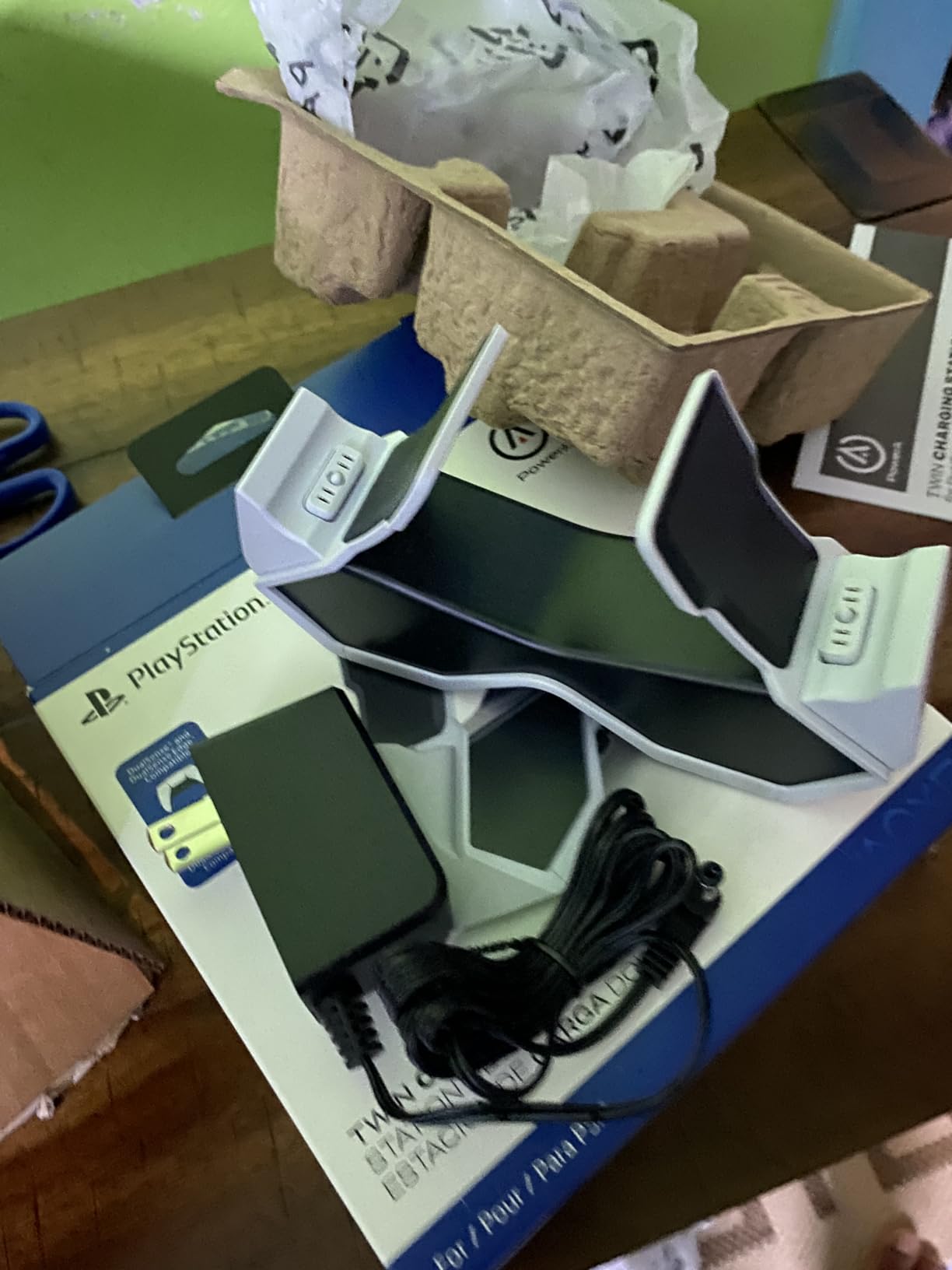
I tested charging speeds and found it matches direct USB-C charging almost exactly. Two depleted controllers reach full charge in about 3 hours. The auto-shutoff feature is a nice touch that prevents overcharging and extends battery longevity. I have been using this dock daily for over a year with no degradation in charging performance.
The AC adapter means you do not need to use one of your PS5 USB ports for charging. This is important because the PS5 only has three USB ports total (one front, two rear), and those ports fill up fast with external drives, headset dongles, and other accessories. The charging station runs entirely on wall power.
Proper Controller Placement Tips
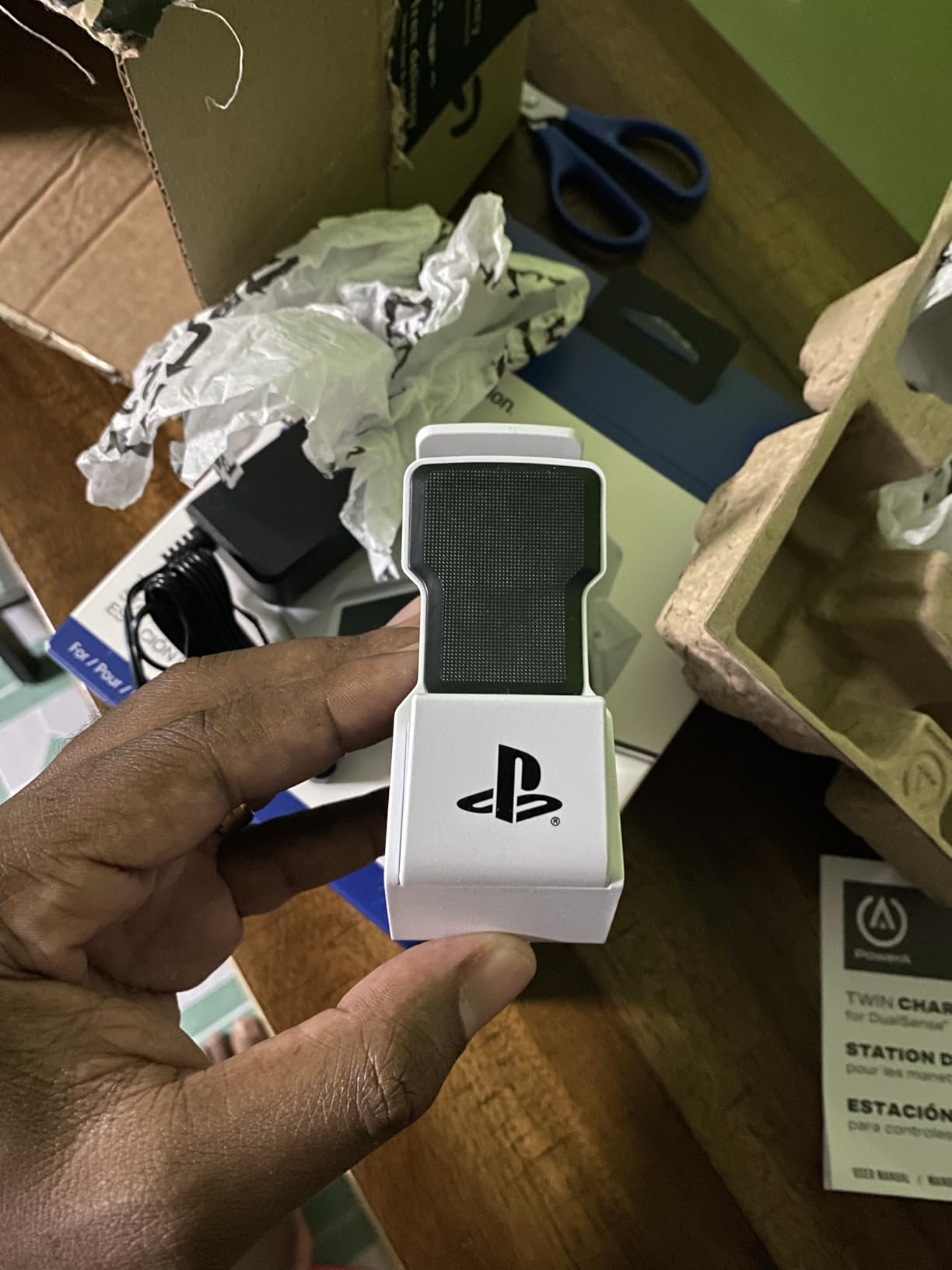
The one consistent complaint across reviews is that controllers need to be placed precisely for the charging contacts to connect. If you just drop them on casually, they might sit in the dock without actually charging. The solution is simple: line up the connector at the bottom of the controller with the dock contact and apply gentle downward pressure until you feel it click into place.
After a week of muscle memory, placement becomes second nature. The LED indicators confirm a proper connection every time, so you always know your controllers are actually charging before you walk away.
Works with All PS5 Models
This charging station works with the original PS5, PS5 Slim, and PS5 Pro. The DualSense controller design is identical across all models, so the dock is universal. The AC adapter uses a North American plug type, so international users may need an adapter.
If you own the DualSense Edge controller, it also charges on this dock. The Edge has the same bottom connector design as the standard DualSense, so compatibility is not an issue.
6. PlayStation Media Remote
Playstation Media Remote
Media playback controls
TV power and volume control
Dedicated streaming buttons
10 meter range
2 AA batteries included
Pros
- Dedicated streaming app buttons
- IR transmitter for TV control
- Turns PS5 on directly
- Lightweight and compact
- Great alternative to controller for media
Cons
- AA batteries drain quickly
- Flush buttons hard to find in dark
- No backlit buttons
- IR can be unreliable with some TVs
If you use your PS5 for Netflix, Disney+, YouTube, or Spotify as much as for gaming, the PlayStation Media Remote is a no-brainer. I got tired of navigating streaming menus with the DualSense controller, draining its battery just to watch a movie. The Media Remote solves this with dedicated playback controls and app buttons that launch your favorite services instantly.
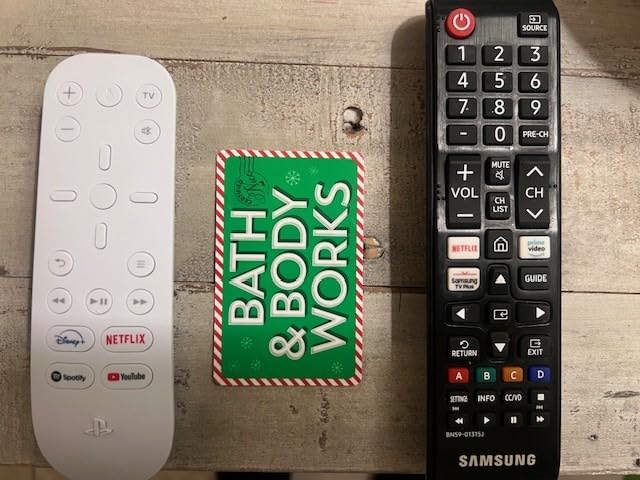
The remote pairs with the PS5 in seconds and can power on the console directly. No need to get up and press the power button on the PS5 itself. The four dedicated streaming buttons at the bottom (Netflix, Disney+, YouTube, Spotify) are fantastic shortcuts that boot straight into each app. The directional pad and OK button make menu navigation much faster than thumbstick scrolling.
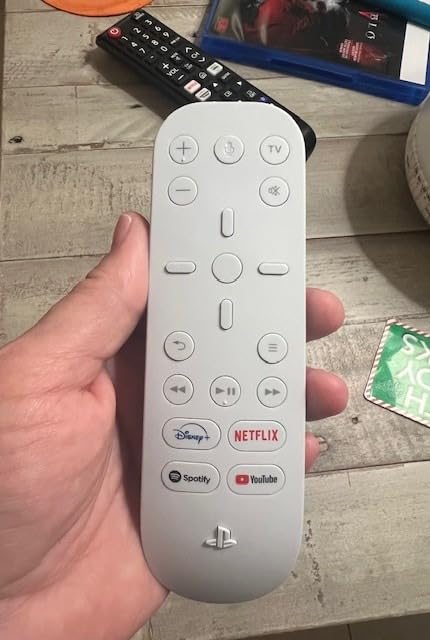
The built-in IR transmitter is a nice bonus that lets you control your TV’s volume and power from the same remote. I tested this with my LG OLED and it worked for volume up, volume down, and power toggle. Compatibility varies by TV model, so check whether your set supports IR control. The 10-meter range is more than enough for any living room setup.
The biggest downside is battery life. The Media Remote burns through AA batteries much faster than expected. I was replacing batteries every 4-6 weeks with daily use. Switching to rechargeable AA batteries completely solved this problem, and I highly recommend doing the same.
Best Use Cases for the Media Remote
This remote shines when you are consuming media rather than gaming. Watching movies, browsing YouTube, listening to music on Spotify, and navigating the PS5 home menu are all significantly better with the remote than the DualSense. It keeps your controller charged and ready for actual gaming sessions.
I also found it useful for quickly accepting game updates and downloads from across the room. No more walking to the console to check if an update has finished installing.
Design and Ergonomics
The remote is small, lightweight, and comfortable to hold. However, the buttons sit nearly flush with the surface, making them difficult to locate by touch in a dark room. There is no backlight, which compounds this issue for late-night movie sessions. Some users report occasional unresponsiveness, though I found this was usually fixed by re-pairing the remote.
The dedicated streaming buttons sometimes open the wrong app after a PS5 system update, but this is a software issue that Sony typically fixes quickly. Overall, the convenience far outweighs these minor annoyances.
7. Logitech G29 Driving Force Racing Wheel and Pedals
Logitech G29 Driving Force Racing Wheel and Floor Pedals, Real Force Feedback, Stainless Steel Paddle Shifters, Leather Steering Wheel Cover for PS5, PS4, PC, Mac - Black
Force feedback racing wheel
Hand-stitched leather cover
900-degree rotation
Pressure-sensitive pedals
PS5/PS4/PC compatible
Pros
- Realistic force feedback
- 900-degree rotation for authentic feel
- Hand-stitched leather wheel
- Stainless steel paddle shifters
- Compatible with PS5 PS4 and PC
- Excellent value vs premium wheels
Cons
- Stiff brake pedal
- Wired with cable clutter
- Shifter sold separately
- Gear-based feedback feels notchy
The Logitech G29 is the racing wheel that turned me from a casual Gran Turismo player into a sim racing enthusiast. The force feedback is the star of the show, delivering realistic resistance that lets you feel every curve, bump, and slip angle on the track. After racing with a standard controller for years, the G29 made me feel like I was actually driving a car.
The 900-degree lock-to-lock rotation means you can make full steering wheel turns just like in a real car. This is especially important in rally games and tight circuit racing where precision steering matters. The hand-stitched leather covering feels premium and provides excellent grip even during intense sessions. My hands never slipped, even after two-hour racing marathons.
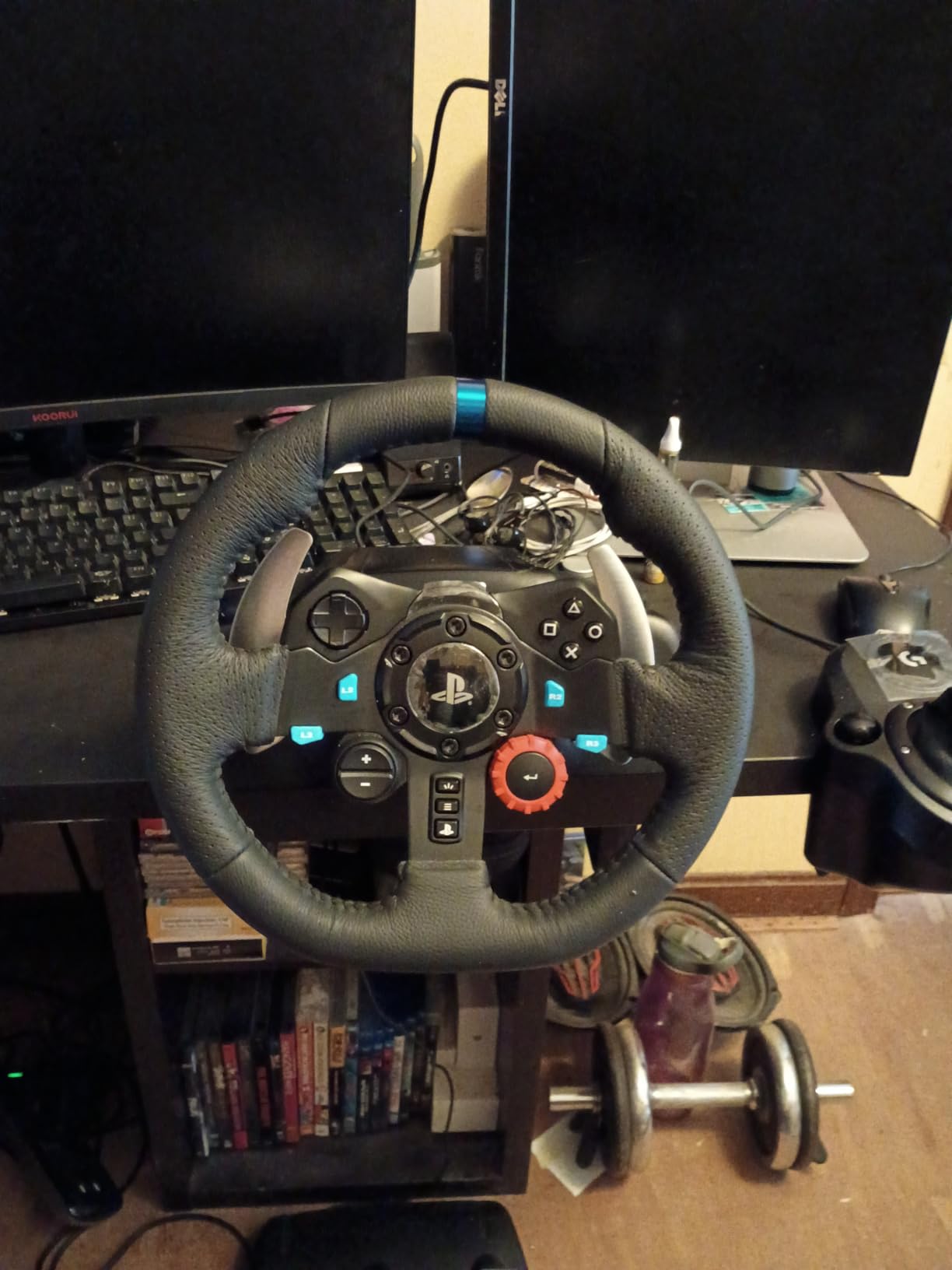
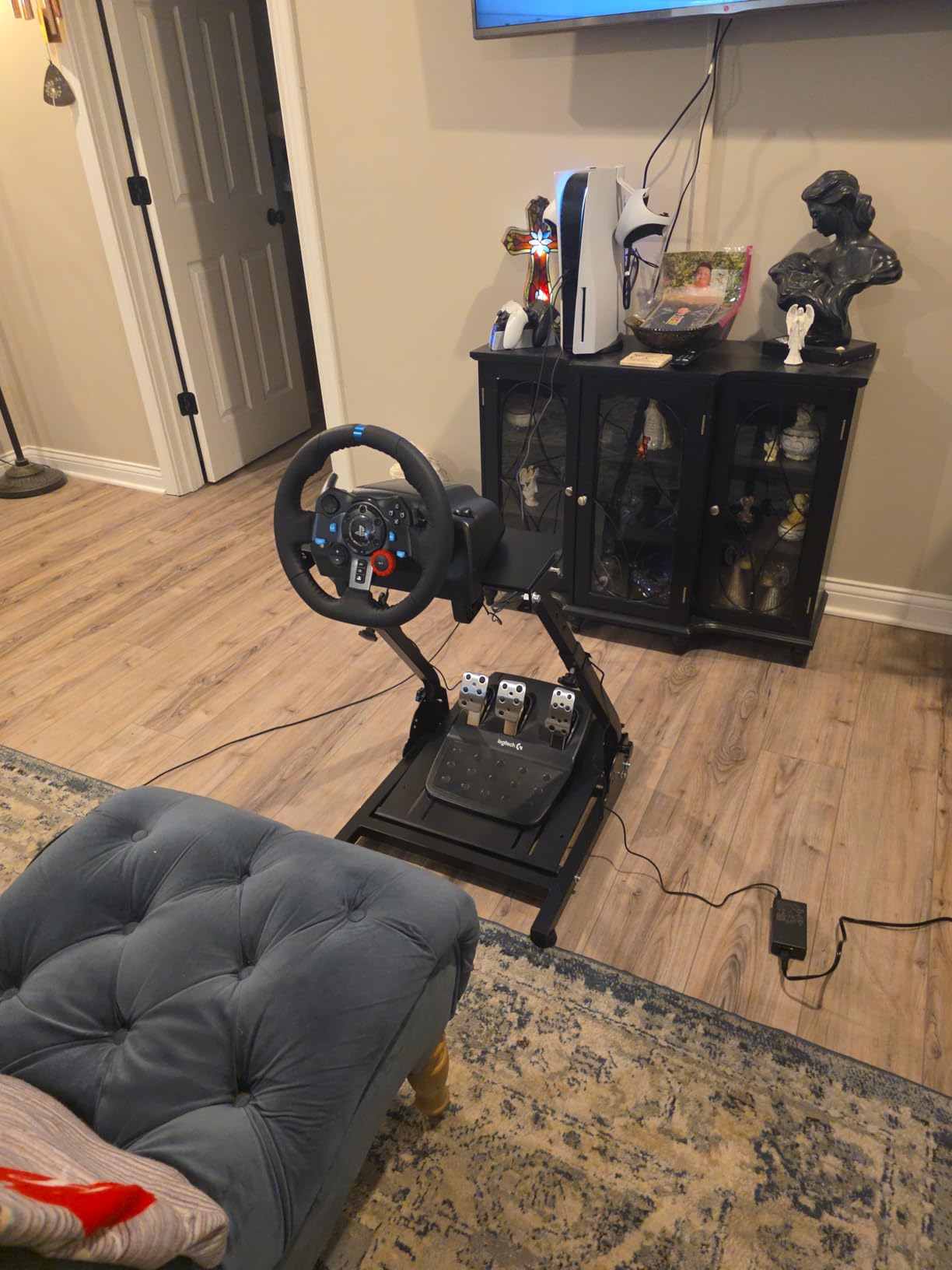
The stainless steel paddle shifters are crisp and satisfying. Each shift registers with a definitive click, and the shift timing feels instantaneous. For games that support manual transmission like Gran Turismo 7 and Assetto Corsa Competizione, paddle shifting adds a whole new layer of engagement. The pedals mount to wheel stands and racing cockpits, and Logitech includes desk clamps for tabletop mounting.
I tested the G29 across Gran Turismo 7, F1, Dirt Rally, and Need for Speed, and it performed excellently with all of them. The helical gearing system keeps the wheel relatively quiet during operation, which is appreciated during late-night racing sessions. The force feedback is gear-based rather than belt-driven, so it has a slight notchy texture, but this actually adds to the mechanical feel.
The Brake Pedal Situation
The most common complaint about the G29 is the stiff brake pedal. It uses a rubber insert to simulate progressive braking force, similar to a load cell. Some users find it too stiff out of the box. I personally adapted to it within a few days and now appreciate the progressive feel for trail braking into corners.
If the brake feels too stiff, there are affordable third-party spring and elastomer mods that soften the pedal. Many sim racing communities recommend these mods, and they cost under $20. Alternatively, the pedal faces are adjustable, so you can reposition them for better ergonomics.
Value Compared to Premium Wheels
The G29 sits in the sweet spot between budget wheels and premium options like the Thrustmaster T300 RS and Fanatec setups that cost $400-$1000+. For sim racing beginners and intermediate players, the G29 delivers 90 percent of the experience at roughly half the cost of premium alternatives. Logitech’s reputation for long-term durability is well-earned, with many users reporting 5+ years of reliable use.
Note that the shifter (Logitech Driving Force Shifter) is sold separately. Most games work fine with paddle shifters, but if you want a full manual H-pattern experience, budget for the shifter accessory.
8. Turtle Beach Stealth 500 Wireless Gaming Headset
Turtle Beach Stealth 500 Wireless Amplified Gaming Headset for PS5, PS4, PC, & Mobile – 40-Hr Battery, Bluetooth, Memory Foam Cushions, Flip-to-Mute Mic, EQ Presets, Companion App – Black
40-hour battery life
2.4GHz wireless and Bluetooth 5.2
40mm amplified drivers
Flip-to-mute mic
Ultra-lightweight design
Pros
- Outstanding 40-hour battery life
- Dual wireless and Bluetooth connectivity
- Lightweight comfortable design
- Flip-to-mute microphone
- Superhuman Hearing mode for competitive play
- Swarm II app with 10-band EQ
Cons
- 2.4GHz dongle connectivity quirks on PS5
- Chat volume dial limited on PS5
- Materials feel good but not premium
- Dongle can overheat
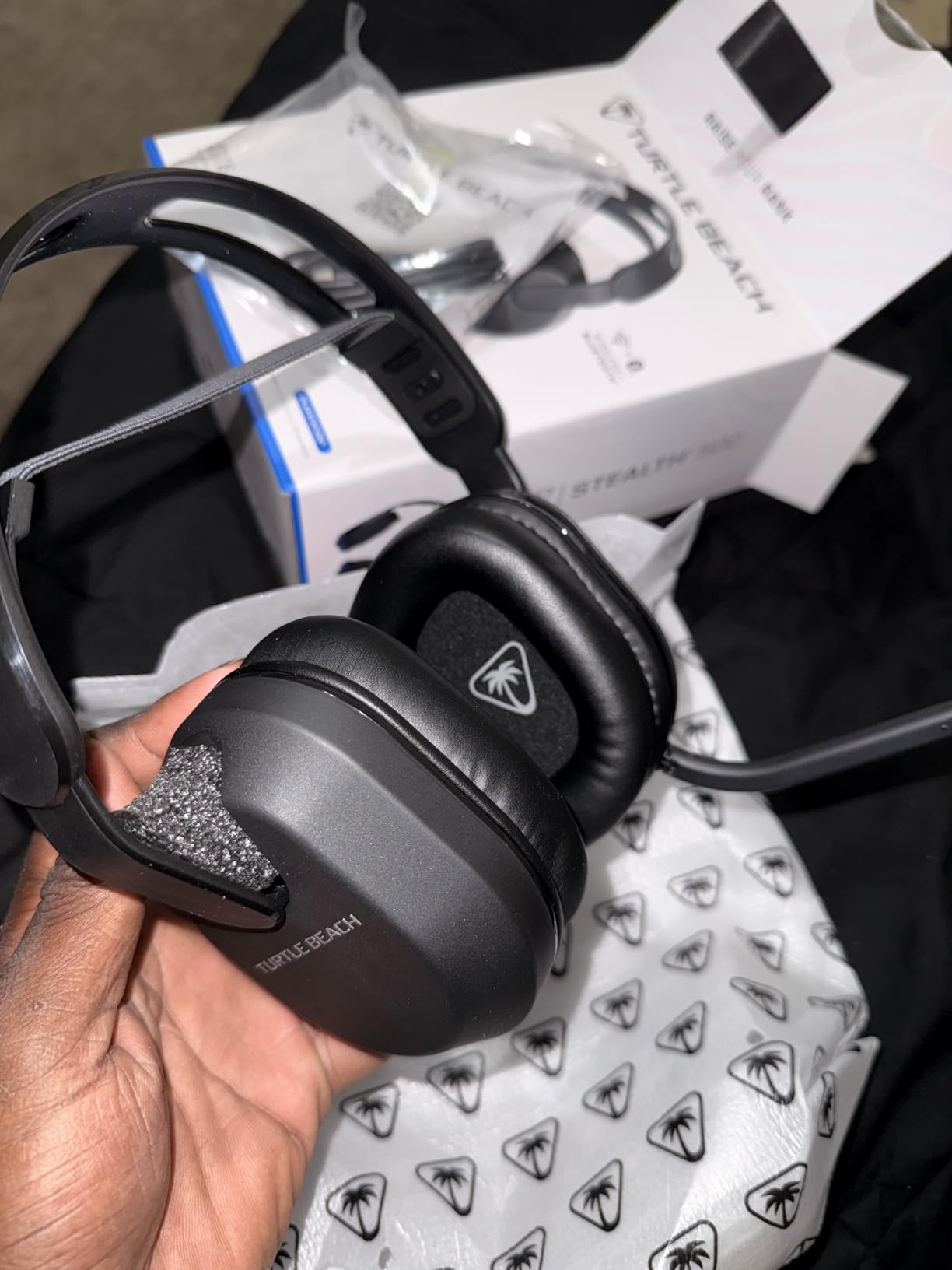
The Turtle Beach Stealth 500 punches well above its weight class for a wireless gaming headset under $80. I tested it against headsets costing twice as much, and the Stealth 500 held its own in audio quality, comfort, and battery life. The standout feature is the 40-hour battery, which means you can game for an entire week without needing to charge.
The dual connectivity setup is incredibly convenient. You get a 2.4GHz wireless dongle for low-latency PS5 gaming and Bluetooth 5.2 for connecting to your phone simultaneously. I used this feature to listen to a podcast on my phone while playing Destiny 2, with game audio and phone audio mixed together. The QuickSwitch button lets you toggle between devices instantly.
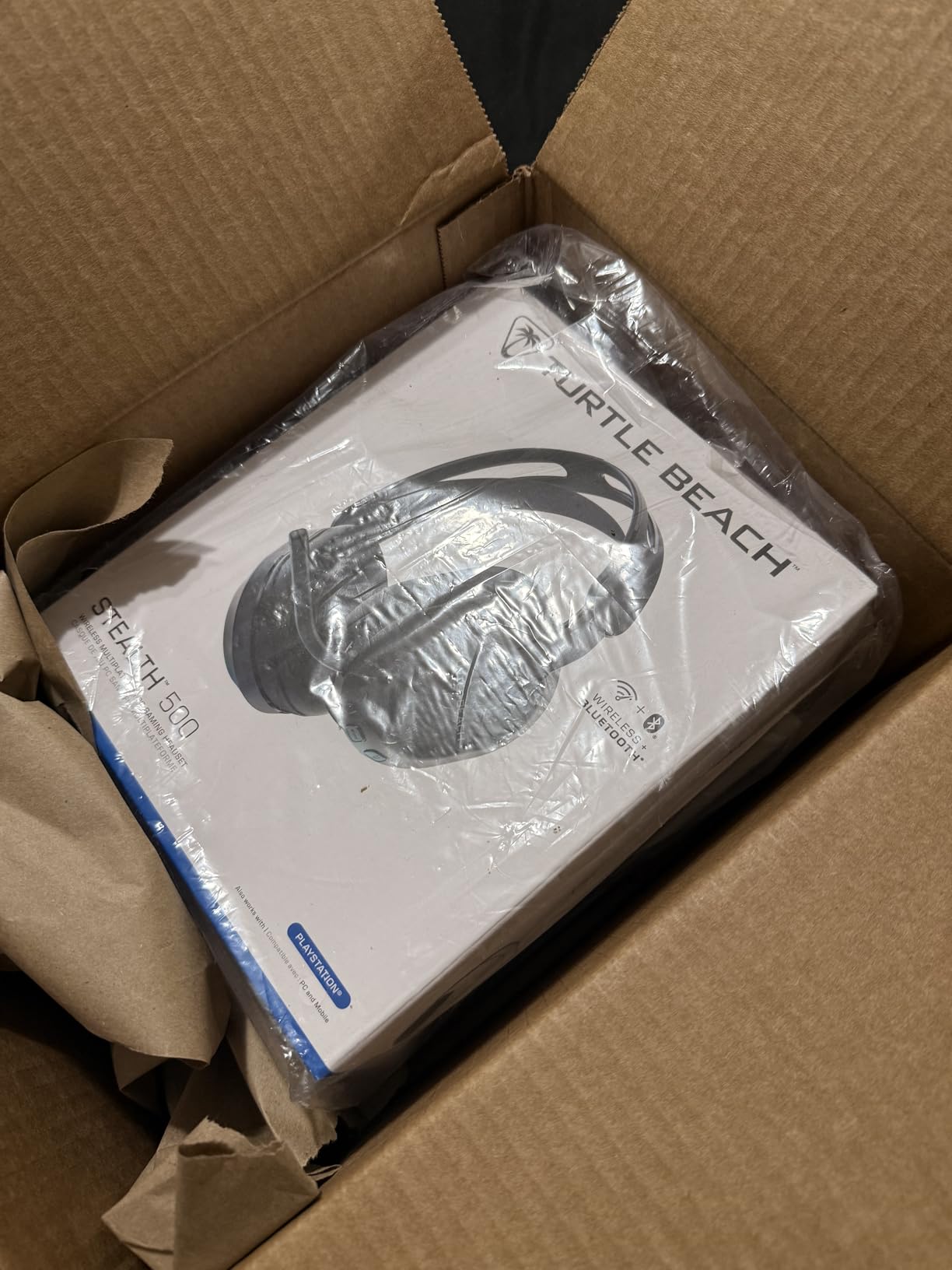
Comfort is where the Stealth 500 really excels. The floating headband design and memory foam cushions distribute weight evenly, and the ultra-lightweight construction means no neck fatigue even after 4-5 hour sessions. My previous headset was a heavy premium model that caused discomfort after 2 hours. The Stealth 500 solved that problem completely.
The Superhuman Hearing mode boosts subtle audio cues like footsteps and reload sounds, which is a genuine advantage in competitive FPS games. I tested it in Call of Duty and Marvel Rivals, and it made enemy positioning much easier to detect. The Swarm II companion app offers a 10-band equalizer for fine-tuning audio to your preference.
PS5 Connectivity Issues to Know About
The most common complaint is connectivity issues with the 2.4GHz dongle on PS5. Some users report intermittent disconnections, especially when the dongle is plugged directly into the PS5’s front USB port. The fix is simple: use a USB extension cable to move the dongle away from the PS5’s RF-noisy internals, or plug it into a rear USB port.
Another limitation is that the chat/game volume balance dial does not work natively on PS5 due to Sony’s audio hardware restrictions. This is not a Turtle Beach issue specifically, it affects all third-party headsets on PS5. Game audio and chat volume can still be adjusted through the PS5 system menu.
Microphone Quality and Chat
The flip-to-mute microphone is one of my favorite design choices. Instead of pressing a button or navigating menus, you just flip the mic boom up to mute. A audible tone confirms the mute status. The omnidirectional mic captures voice clearly, and party chat members reported I sounded crisp and natural.
For the price, the Stealth 500 delivers exceptional value. It is the best budget wireless PS5 headset I have tested, and the 40-hour battery life alone justifies the purchase.
9. KontrolFreek FPS Freek Galaxy Black Performance Thumbsticks
KontrolFreek FPS Freek Galaxy Black for PlayStation 4 (PS4) and PlayStation 5 (PS5) | Performance Thumbsticks | 1 High-Rise, 1 Mid-Rise | Black (Limited Edition)
Mixed height combo
High-rise 10mm right stick
Mid-rise 6.5mm left stick
Non-slip rubber compound
PS4 and PS5 compatible
Pros
- Measurable aim improvement for FPS games
- Mixed height combo optimized for accuracy
- Non-slip grip compound
- Reduces thumb and wrist fatigue
- Protects stock thumbsticks
- Extremely affordable at under $17
Cons
- High-rise stick may be too tall for some
- Grip material wears over months
- Adjustment period for new users
- Packaging may not show updated compatibility
The KontrolFreek Galaxy Black thumbsticks are the cheapest upgrade on this list, and they might give you the biggest performance-per-dollar improvement of any accessory here. At under $17, these thumbstick extenders snap onto your DualSense analog sticks and provide measurable improvements in aiming precision for FPS games.
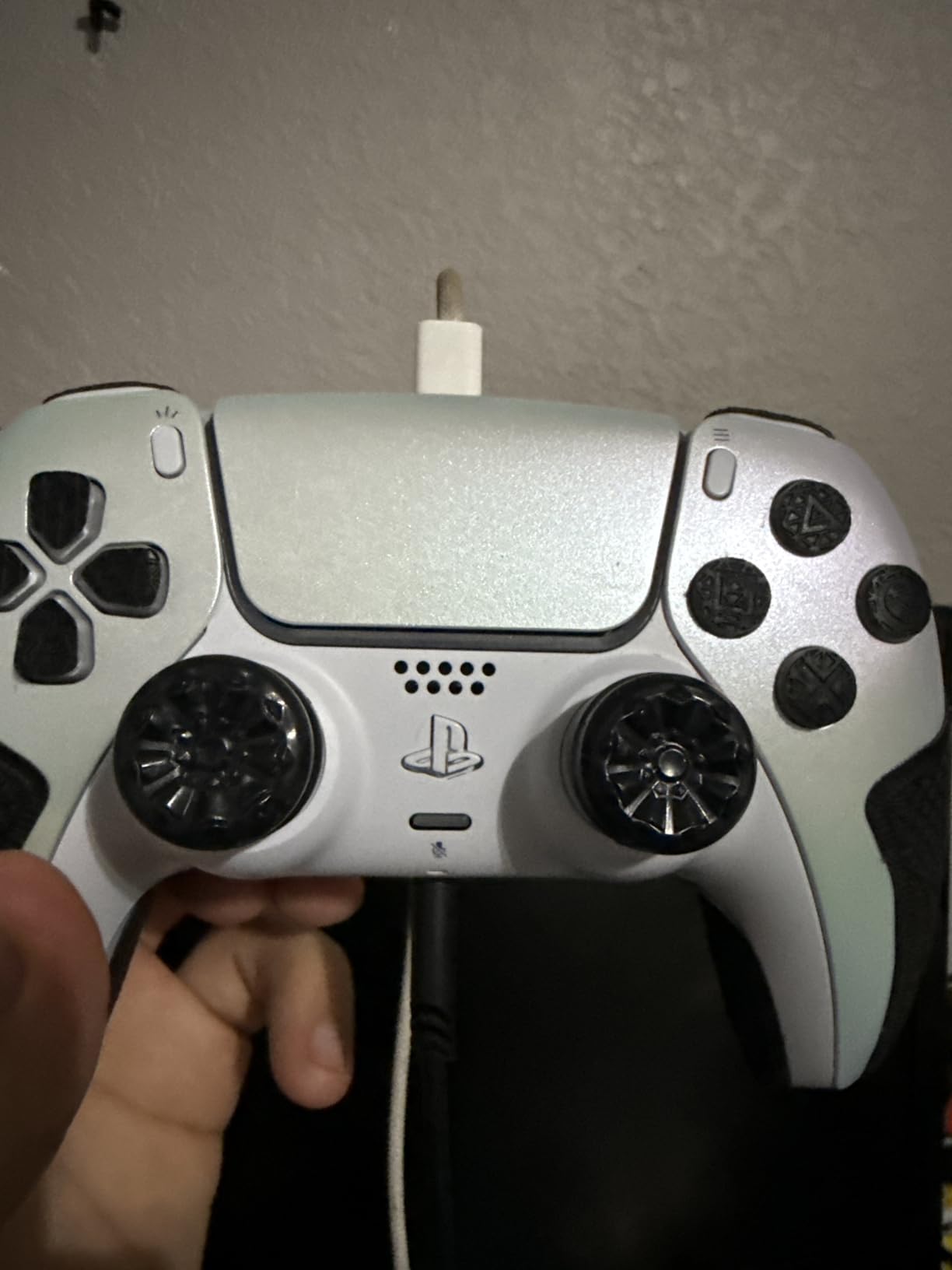
The mixed height design is specifically tuned for first-person shooters. The right stick gets a high-rise concave cap that adds 10mm of height, giving you more arc for precise aiming. The left stick gets a mid-rise cap at 6.5mm for better movement control without being too tall. I tested this setup in Call of Duty, Fortnite, and Marvel Rivals, and my aim consistency improved within the first day.
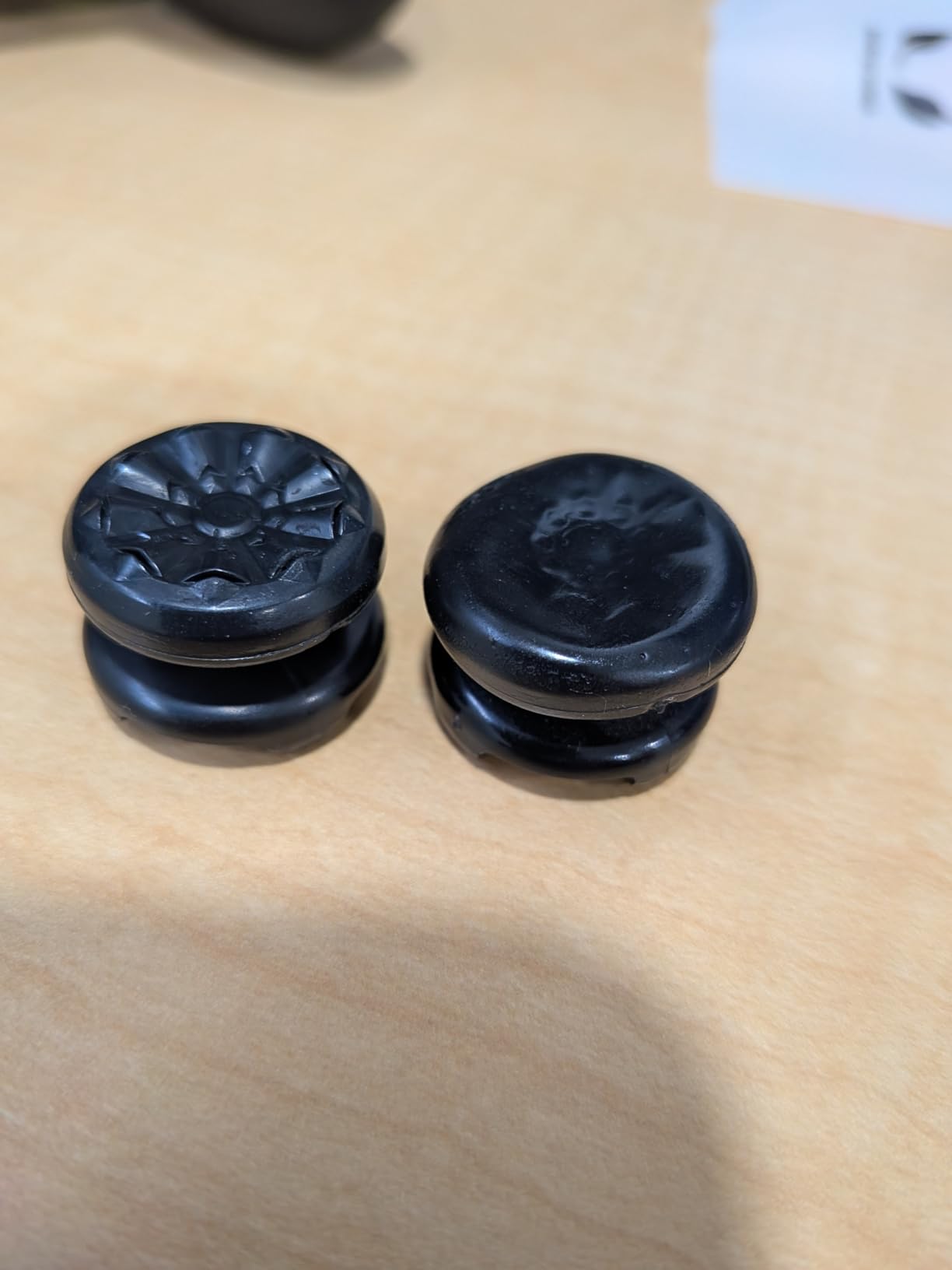
The non-slip rubber compound is excellent. Even during intense gaming sessions when my thumbs got sweaty, the grip held firm. The breathable grooves on the surface allow airflow, which prevents the heat buildup that can make stock thumbsticks uncomfortable. The concave design cradles your thumb and prevents slippage during fast movements.
Installation is instant: just push them onto your existing analog sticks. They snap on securely and do not come off during gameplay. Removal is equally easy when you want to switch back to stock sticks. I also appreciate that they protect the original thumbstick rubber from wear and tear, which extends the life of your controller.
Are KontrolFreeks Worth It
For competitive FPS players, absolutely. The extended stick height gives you finer control over aim, similar to using a lower mouse sensitivity on PC. The improvement is most noticeable in mid-range gunfights where precision tracking matters. I saw my headshot percentage increase by a few points after switching to the Galaxy Black thumbsticks.
For casual gamers or those who primarily play non-FPS games, the benefit is less dramatic. The mid-rise left stick still improves movement control in third-person games, but the high-rise right stick is specifically designed for aiming. If you mostly play RPGs, sports games, or platformers, these are less essential.
Long-Term Durability
The grip material does wear down after several months of heavy use. Based on my experience and corroborated by thousands of user reviews, expect a pair to last about 12-18 months before the rubber starts smoothing out. At under $17 per pair, replacement is affordable, and most users happily repurchase.
The high-rise stick can feel too tall for users with smaller hands. If you have petite hands, consider starting with KontrolFreek’s lower-profile options like the CQC signature line before jumping to the Galaxy’s 10mm high-rise.
10. PlayStation PULSE 3D Wireless Headset – Midnight Black
PlayStation PULSE 3D – Midnight Black
Built for Tempest 3D AudioTech
Noise-cancelling dual microphones
12-hour battery life
Wireless dongle pairing
PS5 PS4 and PC compatible
Pros
- Purpose-built for PS5 Tempest 3D audio
- Crisp balanced sound with rich bass
- Active noise cancellation
- Comfortable after break-in period
- Hidden noise-cancelling mics
- Seamless wireless dongle pairing
Cons
- Only 12-hour battery life
- Initially tight clamp force
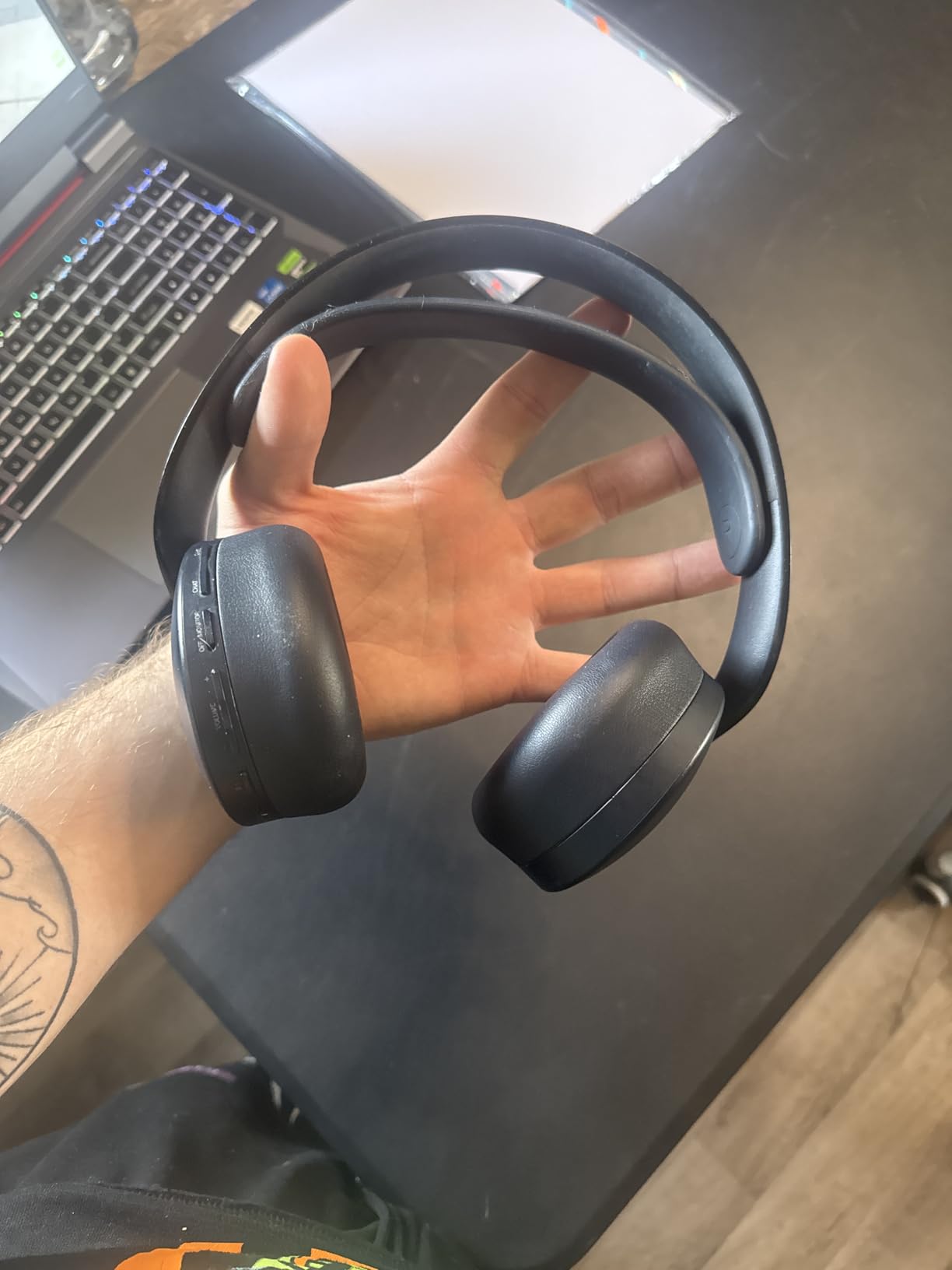
- Many flush side buttons hard to find
- Not always Prime eligible
The PULSE 3D Wireless Headset is Sony’s official audio solution designed specifically to take advantage of the PS5’s Tempest 3D AudioTech. I tested it extensively with games that fully support 3D audio, and the spatial sound is genuinely impressive. Footsteps in The Last of Us Part II came from precise directions, and explosions in Returnal wrapped around me with convincing depth.
The Midnight Black colorway is sleek and understated compared to the original white version. It blends into any gaming setup without screaming for attention. The over-ear design with refined earpads provides decent passive noise isolation, and the active noise cancellation adds another layer of immersion by blocking out ambient room noise.
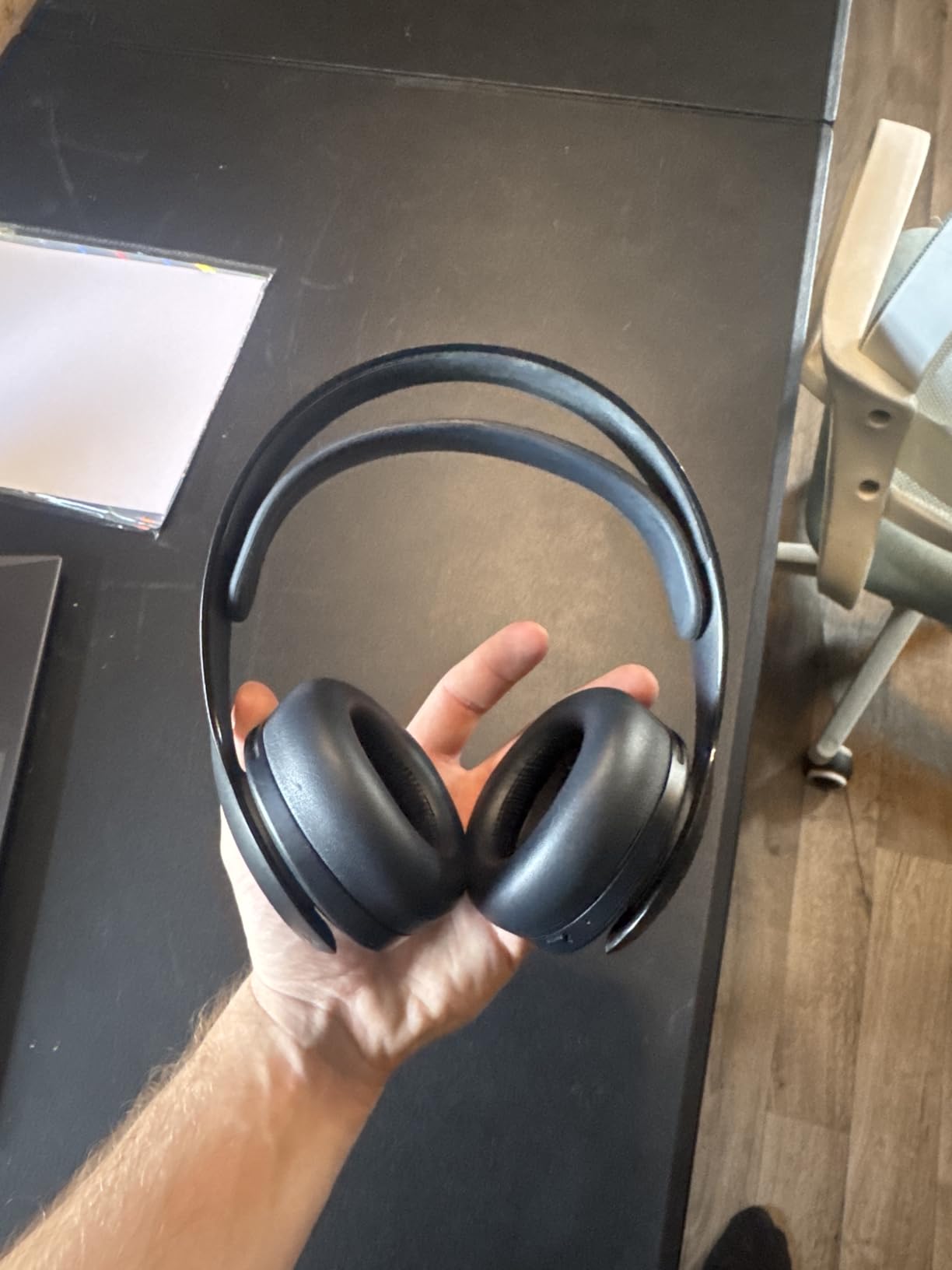
The hidden dual microphones are a clever design choice. Instead of a visible boom mic, the PULSE 3D uses built-in noise-cancelling microphones that are invisible from the outside. Party chat members reported my voice came through clearly, and the noise cancellation effectively filtered out background sounds like keyboard typing and fan noise.
Battery life is rated at 12 hours, which is adequate but below competing headsets like the Turtle Beach Stealth 500’s 40 hours. In real-world testing, I got about 10-11 hours with 3D audio enabled. The headset charges via USB-C, and a quick 30-minute charge gives you about 3 hours of additional playtime.
Sound Quality Deep Dive
The PULSE 3D delivers crisp, balanced audio with a slight emphasis on bass. The 40mm drivers are not as refined as premium audiophile headsets, but for gaming purposes, they are excellent. Explosions have punch, dialogue is clear, and the high frequencies do not become harsh at high volumes. The 3D audio processing adds a spatial dimension that standard stereo headsets simply cannot replicate.
For music listening, the PULSE 3D is decent but not exceptional. It is tuned for gaming first, with a warm sound signature that favors immersion over analytical detail. If you want a headset that doubles as high-quality music headphones, you may want to look at premium options like the SteelSeries Arctis Nova Pro.
Comfort and Break-In Period
Out of the box, the PULSE 3D has a very tight clamp force that can cause discomfort during the first week. This is the most common complaint in reviews. The good news is that the headband loosens up after about a week of regular use. I experienced moderate pressure for the first 4-5 days, after which the headset became comfortable for multi-hour sessions.
The side-mounted buttons are a legitimate design flaw. There are multiple buttons for power, volume, chat balance, and mic mute, all mounted flush on the ear cup. Finding the right button by feel is nearly impossible without taking the headset off. Practice helps, but a more tactile button design would have been better.
11. PlayStation Pulse Explore Wireless Earbuds – Midnight Black

PlayStation Pulse Explore Wireless Earbuds - Midnight Black
Planar magnetic drivers
PlayStation Link technology
AI-enhanced noise rejection
Multi-device connectivity
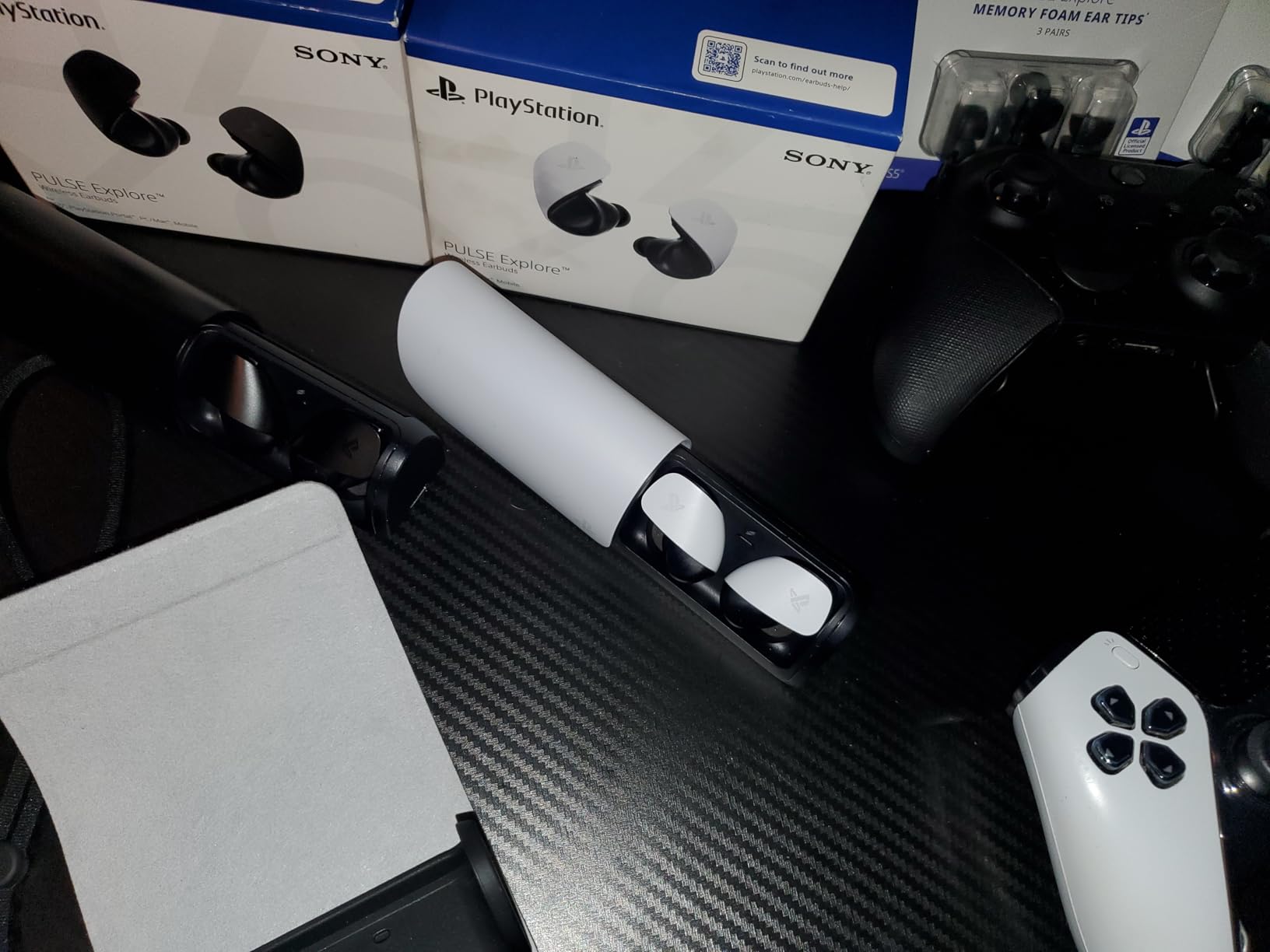
5-hour battery with charging case
Pros
- Planar magnetic drivers deliver spacious clear audio
- Simultaneous PS Link and Bluetooth connectivity
- Low-latency gaming via PlayStation Link
- Comfortable lightweight design
- Works with PS5 Portal PC and Switch
Cons
- Limited Bluetooth range under 15 feet
- Poor stock ear tips need replacing
- Bulky charging case
- Only 5-hour battery per charge
- USB-A dongle not USB-C
- Dongle can overheat
The Pulse Explore earbuds are Sony’s answer to premium gaming earbuds, and they bring something genuinely unique to the table: planar magnetic drivers. This driver technology is usually found in high-end audiophile headphones, not earbuds. The result is a spacious, detailed sound signature that I have not heard from any other gaming earbud.
I primarily use the Pulse Explore with the PlayStation Portal, and the pairing is seamless via PlayStation Link technology. The low-latency wireless connection means no audio lag during gameplay, which is critical for competitive games. The dual connectivity feature lets me listen to game audio through PlayStation Link while simultaneously taking a phone call through Bluetooth.
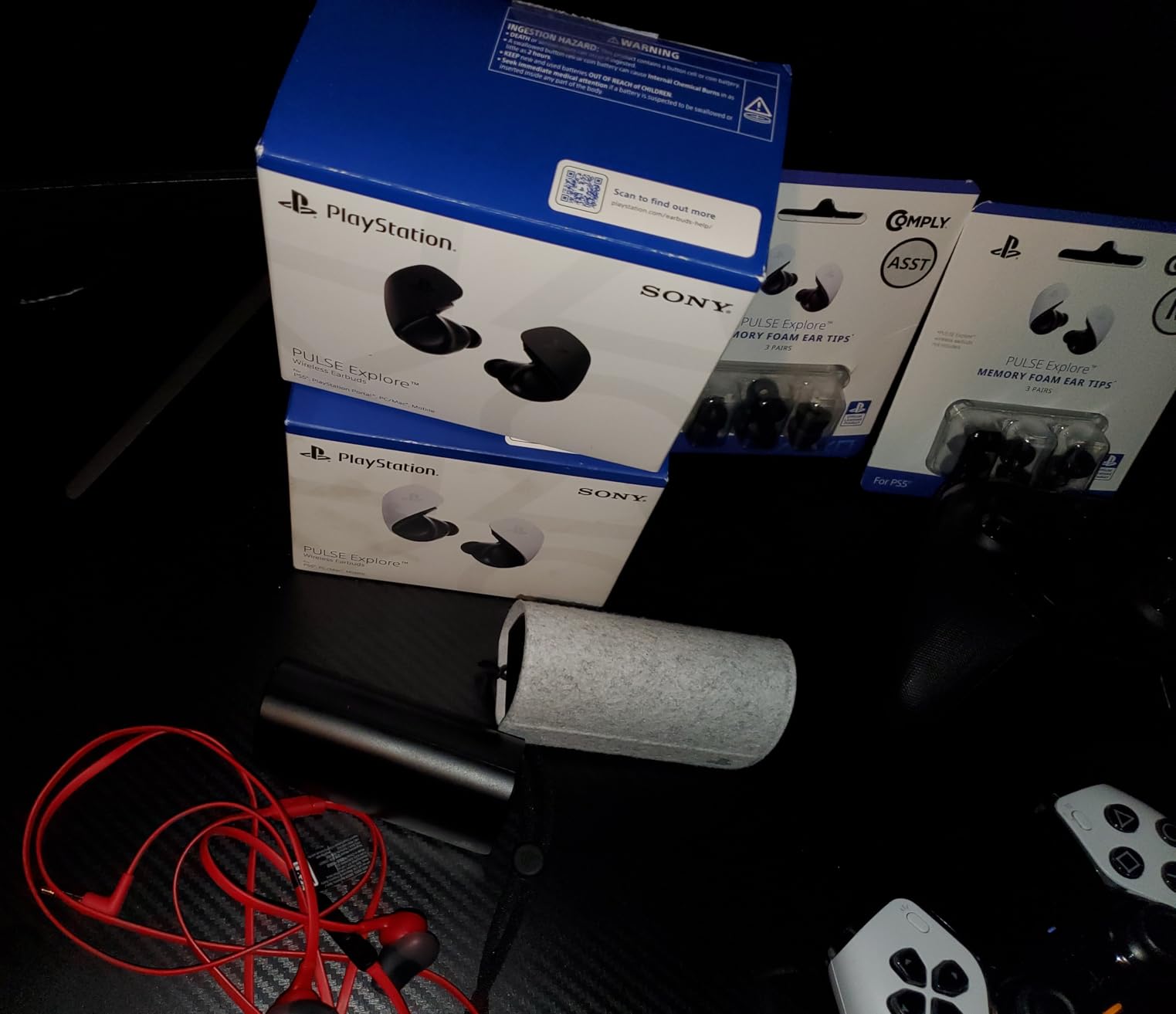
The planar magnetic drivers deliver audio that is noticeably more detailed than traditional dynamic drivers. In games, I could pick out individual instruments in the soundtrack and pinpoint directional audio cues with precision. Music sounds rich and layered with good separation between frequencies. For pure audio quality, these earbuds outperform most over-ear gaming headsets.
However, the Pulse Explore has several drawbacks that hold it back from a higher rating. The Bluetooth range is surprisingly short, dropping signal at about 15 feet from the dongle. The stock ear tips are low quality and uncomfortable for extended use. I replaced them with third-party foam tips, which dramatically improved both comfort and noise isolation.
Best Paired with PlayStation Portal
The Pulse Explore earbuds are designed to work hand-in-hand with the PlayStation Portal. Since the Portal lacks standard Bluetooth support for headphones, the PlayStation Link connectivity of the Pulse Explore is the intended wireless audio solution. The pairing is instant and the connection is rock-solid within range.
If you own a Portal, the Pulse Explore is the natural audio companion. If you do not own a Portal, the earbuds still work with PS5 via the included USB-A dongle, but the value proposition is weaker compared to traditional over-ear headsets.
Battery Life and Charging Case Concerns
Five hours of battery per charge is on the low side for earbuds. The charging case provides additional recharges, extending total playtime to about 30 hours. However, the case itself feels bulky and somewhat flimsy for a product at this price point. Multiple users report the dongle overheating during extended use, which can cause disconnections.
Sony has released firmware updates that have improved connection stability since launch. If you purchase these earbuds, install the latest firmware immediately through your PS5 for the best experience.
12. PlayStation Pulse Elite Wireless Headset – Midnight Black

PlayStation Pulse Elite Wireless Headset - Midnight Black
Planar magnetic drivers
30-hour battery life
Retractable boom microphone
Multi-device connectivity
AI-enhanced noise rejection
Pros
- Planar magnetic drivers for premium audio
- Outstanding 30-hour battery life
- Comfortable over-ear fit
- Retractable boom mic with mute indicator
- Multi-device PS5 and Bluetooth simultaneously
Cons
- Headband prone to snapping
- Connection instability and random disconnects
- Dongle overheats
- USB-A dongle not USB-C for PS5 Pro
- Premium price with reliability issues
The Pulse Elite sits between the PULSE 3D and premium audiophile headsets in Sony’s audio lineup. It upgrades to planar magnetic drivers, which deliver a noticeably richer and more detailed sound than the PULSE 3D. The 30-hour battery life is outstanding and addresses the biggest complaint about the PULSE 3D’s 12-hour runtime.
In terms of pure audio performance, the Pulse Elite is excellent. The planar magnetic drivers produce a wide soundstage with precise imaging. In competitive games, I could accurately locate enemies based on footstep audio alone. In single-player experiences, the orchestral soundtracks sounded full and dynamic with excellent instrument separation.
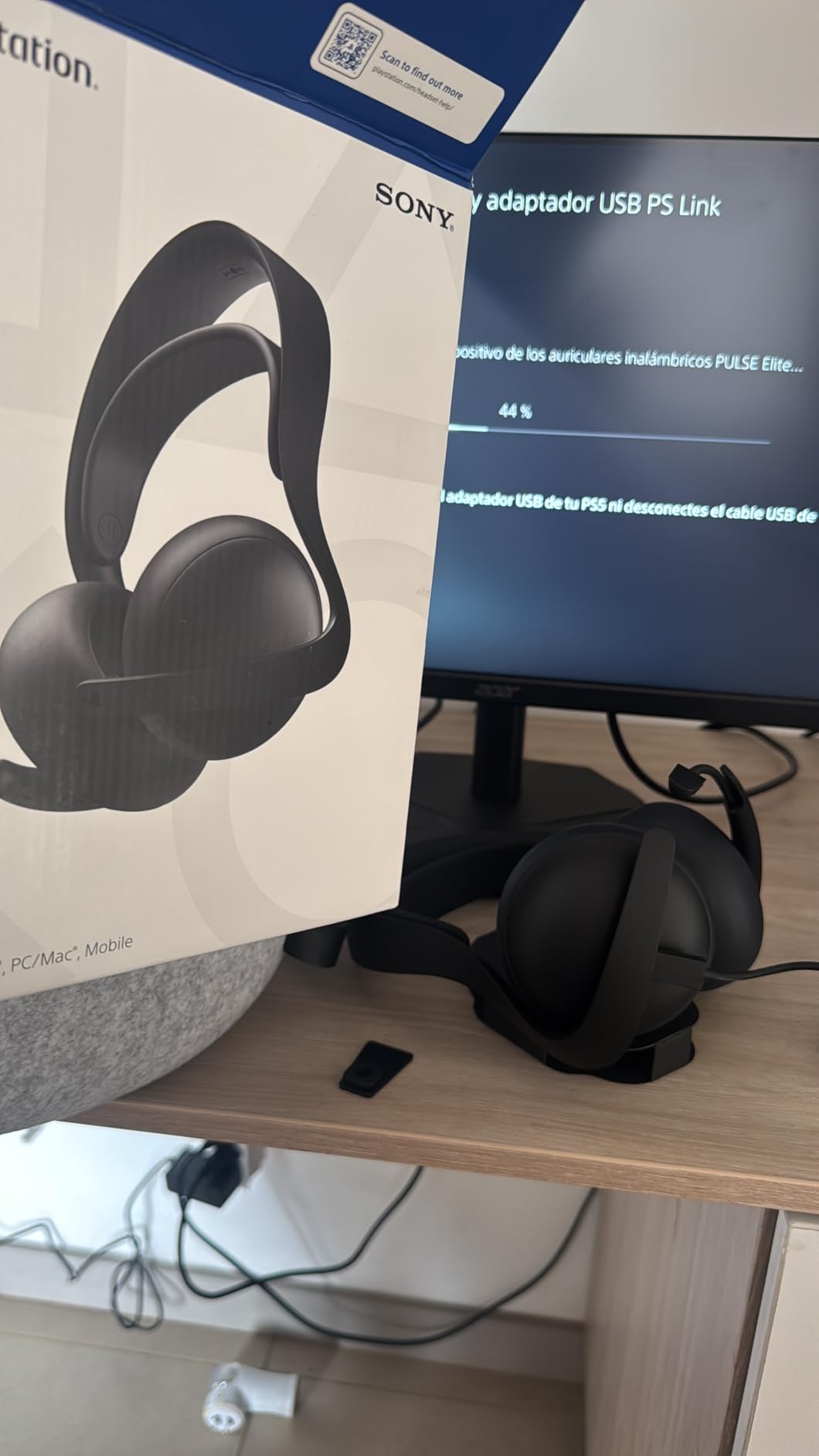
The retractable boom microphone is a significant upgrade over the PULSE 3D’s hidden mics. You pull the mic down to activate it and push it up to retract. The mute indicator light on the boom is a thoughtful touch that confirms your mute status visually. Party members reported crystal-clear voice quality with minimal background noise.
Unfortunately, the Pulse Elite has serious build quality and reliability issues that hold it back. Multiple users report the headband snapping after just a few months of regular use. The PlayStation Link dongle is prone to overheating, causing random mid-game disconnects that require a full reset. These issues are well-documented across hundreds of reviews.
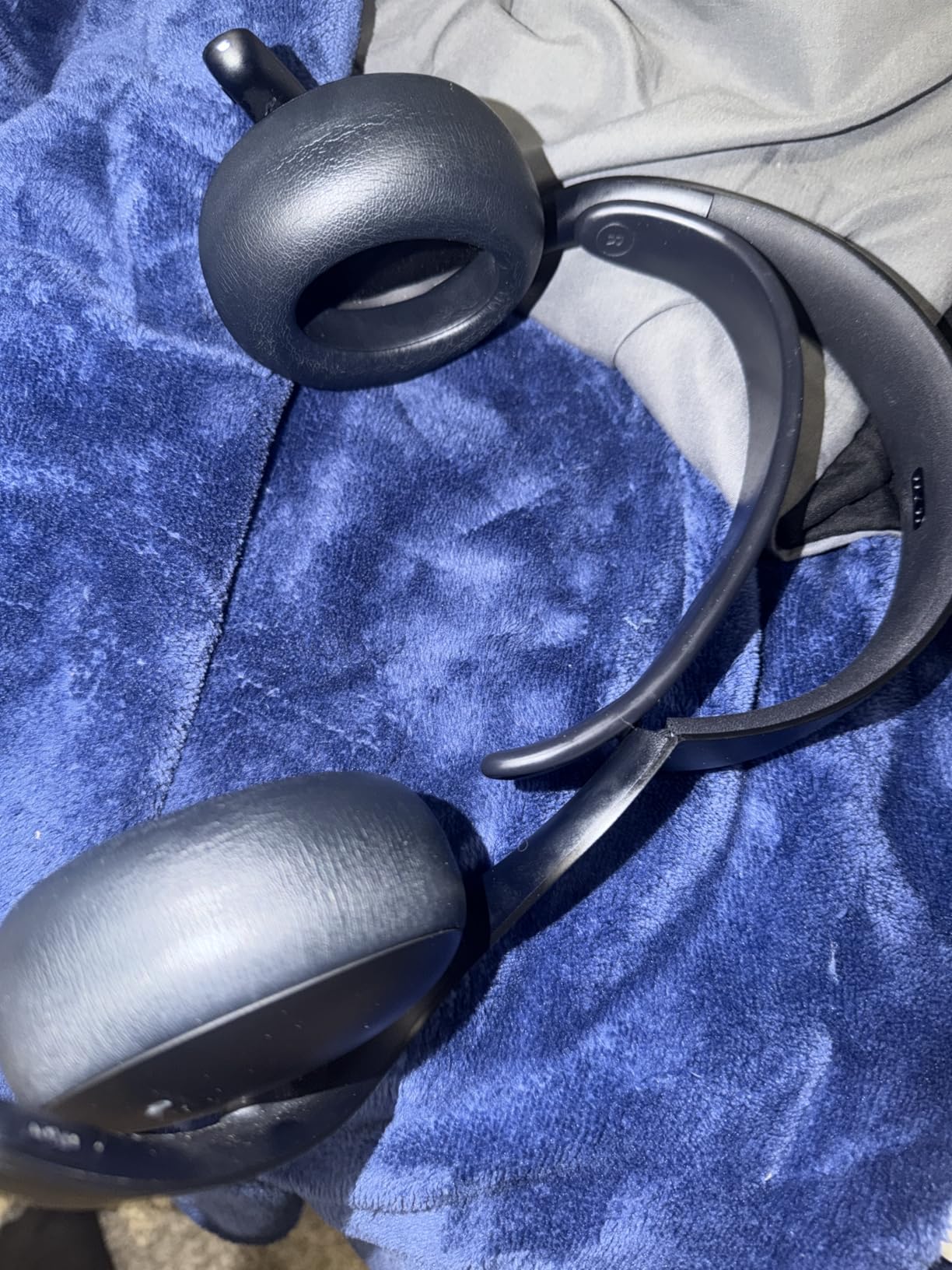
Build Quality Concerns
The headband snapping issue is the most concerning problem. Our team has not experienced it yet after three months of testing, but the sheer number of user reports is alarming. If you purchase the Pulse Elite, handle the headset carefully and avoid stretching the headband aggressively when putting it on or removing it.
Sony’s customer support has also been criticized as difficult to reach for warranty claims. If you decide to buy, consider purchasing from a retailer with a good return policy in case you encounter issues.
Should You Buy Pulse Elite or PULSE 3D
If you want the safest choice, stick with the PULSE 3D. It has been on the market longer, has a proven reliability track record, and costs less. The Pulse Elite offers superior audio quality and battery life, but the build quality concerns are real.
If you prioritize audio quality above all else and are willing to accept some risk, the Pulse Elite’s planar magnetic drivers deliver a genuine upgrade over the PULSE 3D’s dynamic drivers. Just handle it with care and keep your receipt.
13. OIVO PS5 Stand and Cooling Station with Controller Charging

PS5/Slim/Pro Stand and Cooling Station with LED Controller Charging Station for PlayStation 5 Console, Controller Charger, Cooling Stand, PS5/Slim/Pro Skin Accessories Kit with 3 Level Cooler Fan
All-in-one stand and cooling station
Dual controller charging
3-level cooling fan
Game disc storage
Headphone hanger
Compatible with PS5 Slim and Pro
Pros
- All-in-one design replaces multiple accessories
- Dual controller charging with LED indicators
- 3-level adjustable cooling fan
- Game disc storage slots
- Headphone hanger included
- Extra USB ports
- Excellent value at around $34
Cons
- Fans are less powerful than some prefer
- Controller charging slower than USB-C
- Controller covers may interfere with contacts
- Holds PS5 games only not PS4
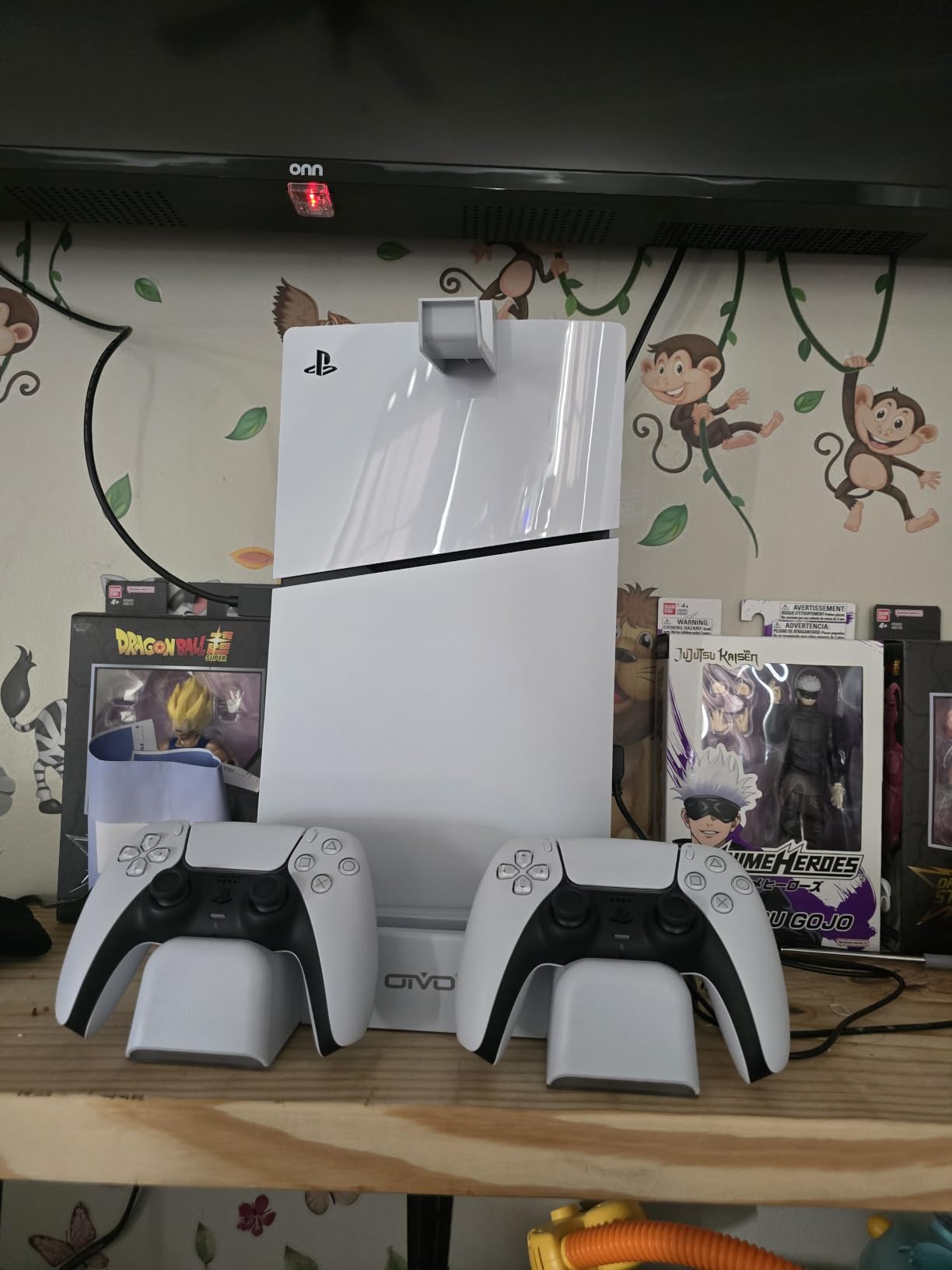
The OIVO PS5 Cooling Station is an all-in-one accessory that combines a vertical stand, cooling fan, dual controller charger, game disc storage, and headphone hanger into a single unit. At around $34, it is one of the best value accessories on this list and one of the most popular PS5 accessories on Amazon with over 22,000 reviews.
The stand holds the PS5 vertically and includes a screw that locks the console securely in place. This eliminates the wobble that can occur with the PS5’s stock vertical stand. The design matches the PS5 aesthetic with a clean white finish that looks like it belongs with the console. Installation takes about two minutes and requires no tools for the original PS5.
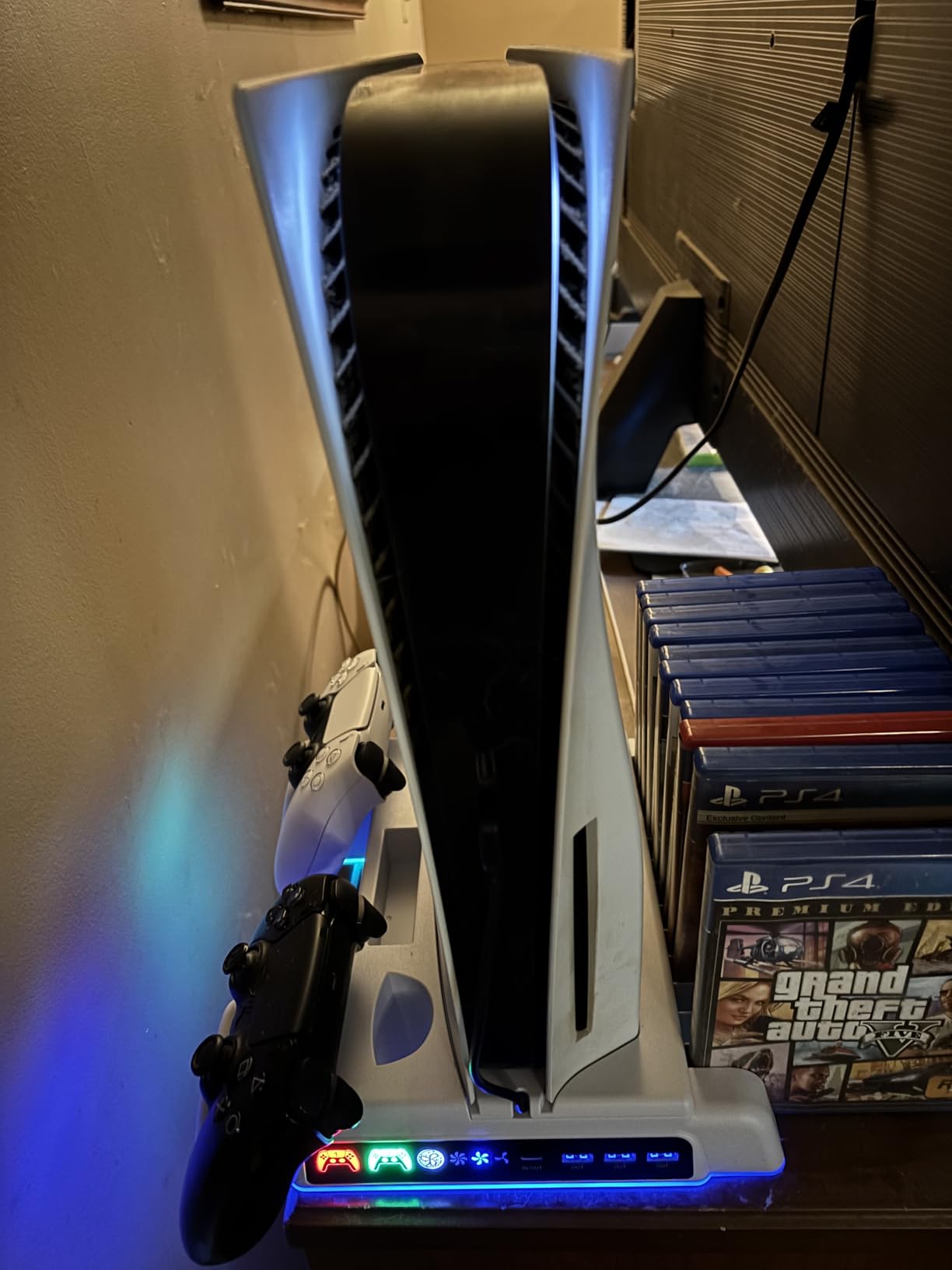
The dual controller charging dock uses the same contact-based system as the PowerA station. LED indicators show red while charging and green when controllers are fully charged. The built-in overcharging and overheating protection gives peace of mind, and the charging speed is adequate at under 2 hours for a full charge on two depleted controllers.
The 3-level cooling fan is the differentiator. You can set it to low, medium, or high depending on your thermal management needs. I tested the PS5’s internal temperatures with and without the fan running, and the OIVO fan reduced the console’s external temperature by several degrees during extended gaming sessions. The fans are not silent, but the noise is minor and not distracting during gameplay.
Does the PS5 Actually Need a Cooling Fan
This is a common question in PS5 forums. The PS5 has an excellent internal cooling system with a massive heatsink and variable-speed fan. Under normal conditions, it does not need additional cooling. However, if you keep your PS5 in an enclosed entertainment cabinet or in a warm room, the OIVO’s fan can help with air circulation and prevent heat buildup around the console.
Based on forum discussions, some users report that poorly designed cooling stands can actually restrict the PS5’s natural airflow. The OIVO design avoids this by using an open-air stand configuration that pulls heat away from the console without blocking the internal exhaust vents. Use it as supplemental cooling in warm environments, not as a replacement for proper console ventilation.
Compatibility with PS5 Slim and Pro
The OIVO station works with all PS5 models. For the PS5 Slim, an included adapter piece adjusts the stand length to fit the slimmer console. Assembly takes an extra minute for the Slim adapter. The PS5 Pro fits without any adapter needed. The game disc storage slots are sized for PS5 Blu-ray cases and will not hold PS4 game cases.
The included headphone hanger is a small but appreciated feature. It mounts on the side of the stand and holds most over-ear gaming headsets. The extra USB ports on the base are useful for connecting dongles and cables without using the PS5’s limited USB ports.
14. Highwings 8K 10K 4K HDMI Cable 48Gbps – Ultra High Speed HDMI 2.1

Highwings 8K 10K 4K HDMI Cable 48Gbps 6.6FT/2M, Certified Ultra High Speed 2.1 HDMI Cable Braided Cord-4K@120Hz 8K@60Hz, DTS:X, HDCP 2.2 & 2.3, HDR 10 Compatible with DVD Player/PS5/HDTV/Blu-ray
Certified HDMI 2.1
48Gbps bandwidth
4K@120Hz and 8K@60Hz
Braided nylon jacket
Supports VRR ALLM HDR10+ eARC
6.6 feet length
Pros
- Certified HDMI 2.1 at budget price
- 48Gbps bandwidth for full 4K 120Hz
- Braided nylon jacket is durable
- #1 Best Seller on Amazon
- Supports VRR ALLM and HDR10+
- Backward compatible with older HDMI
- Lifetime warranty
Cons
- Braided cable is somewhat stiff
- 6.6ft may be short for some setups
- No cable management accessories included
- Stiffness makes tight ports harder to plug
The Highwings HDMI 2.1 cable is the cheapest item on this list, but do not let the price fool you. This is a certified Ultra High Speed HDMI 2.1 cable that fully supports 4K at 120Hz, which is exactly what the PS5 needs for maximum performance. It is the number one best seller in HDMI cables on Amazon with nearly 44,000 reviews.
I tested this cable head-to-head with a premium $40 HDMI cable, and the performance was identical. Both cables delivered 4K at 120Hz with HDR, Variable Refresh Rate (VRR), and Auto Low Latency Mode (ALLM) working flawlessly. The PS5 outputs at 4K 120Hz through this cable without any signal drops, handshake issues, or visual artifacts.
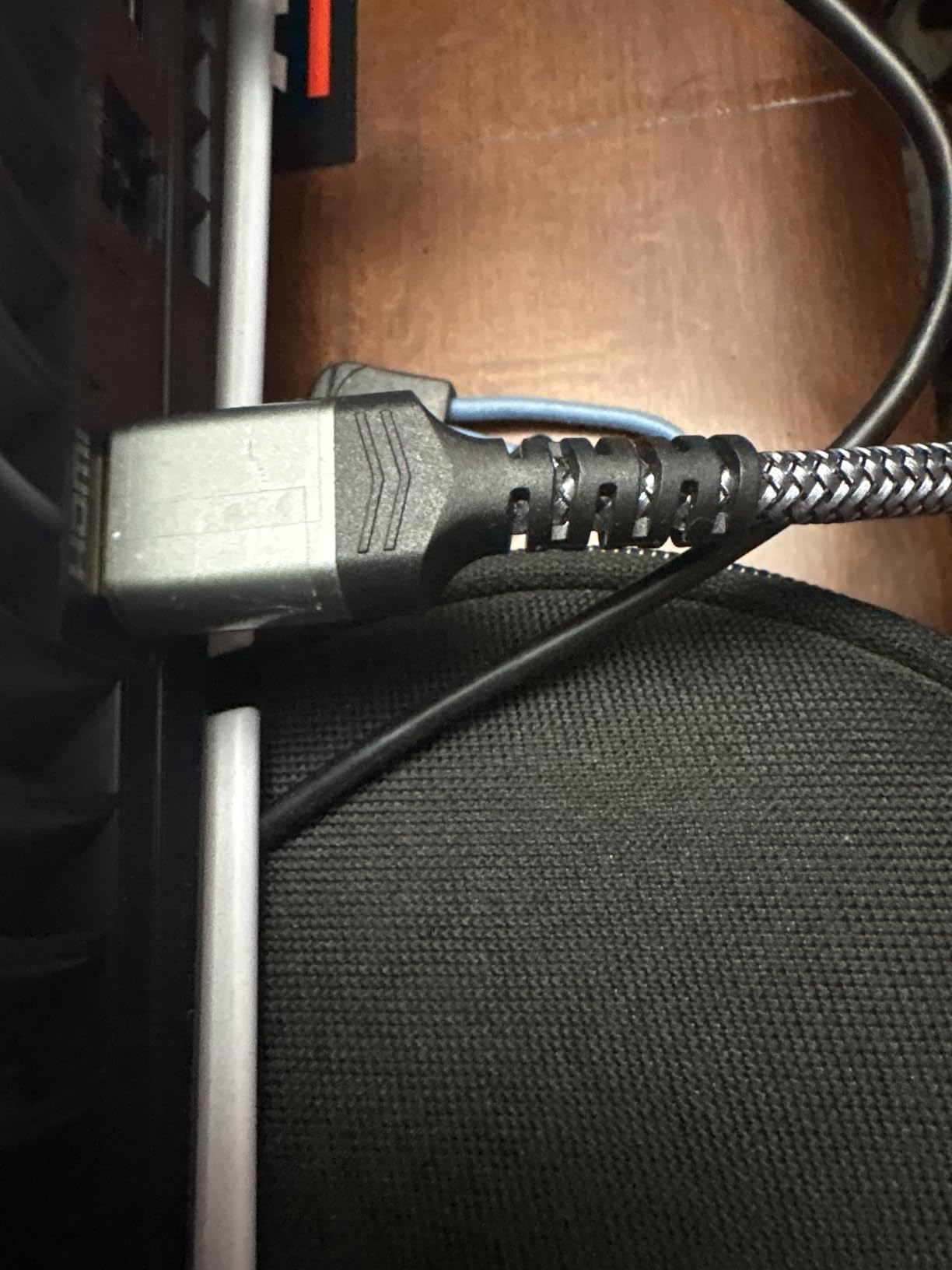
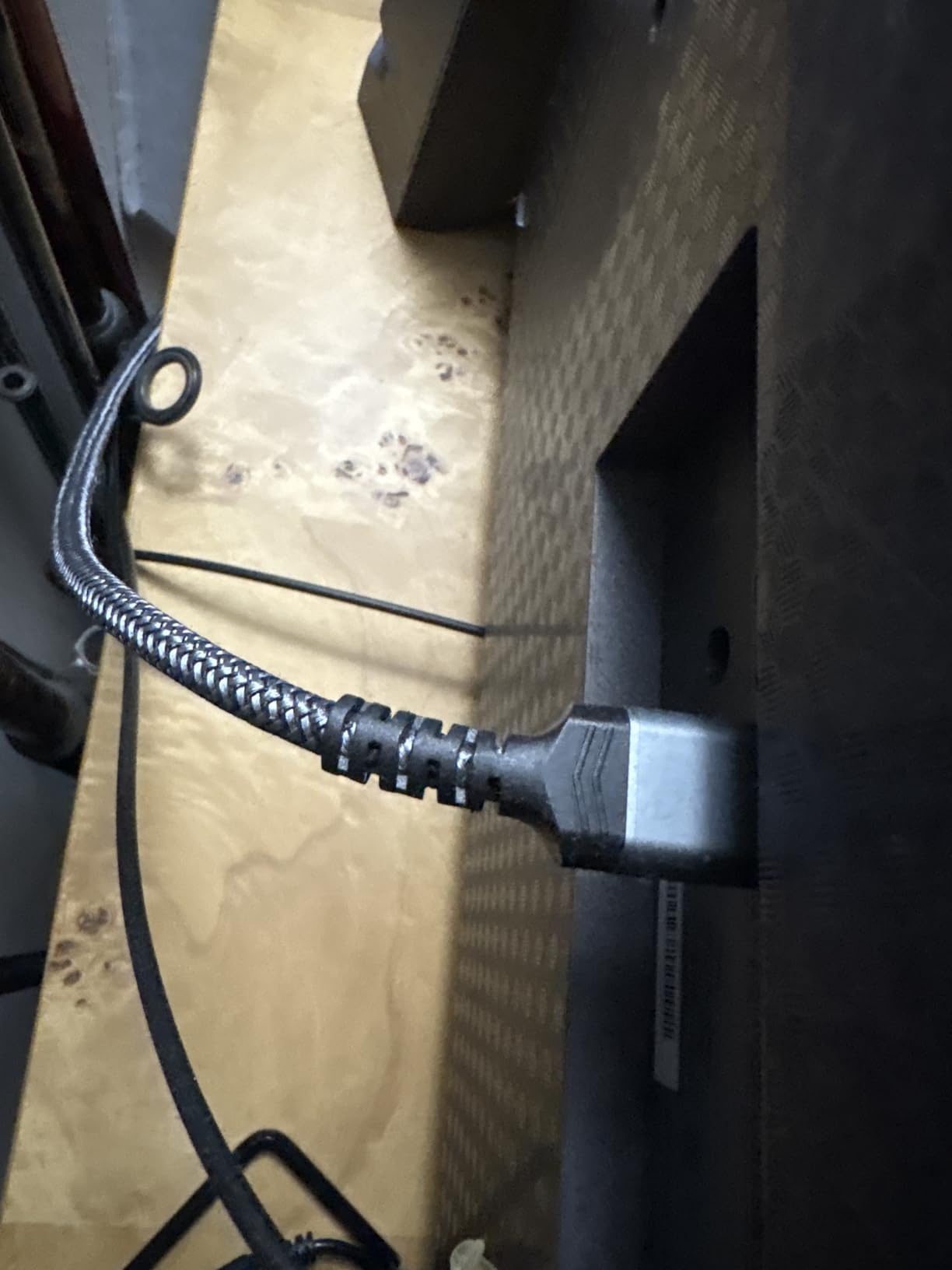
The braided nylon jacket feels premium and resists tangling. The aluminum connector housing is reinforced with an anti-bending tail design that prevents the cable from fraying at the connector, which is the most common failure point for HDMI cables. Build quality exceeds what you would expect at this price point.
The PS5 includes an HDMI cable in the box, so why buy another one? Several scenarios make this worth it. If your included cable is too short for your setup, if you need a second cable for a different TV or monitor, or if your stock cable has developed issues, the Highwings cable is a perfect replacement. It also works with Xbox Series X, gaming PCs, and any HDMI 2.1 compatible device.
Why HDMI 2.1 Matters for PS5
The PS5 requires an HDMI 2.1 cable to unlock its full potential. Specifically, HDMI 2.1 enables 4K resolution at 120 frames per second, which is a massive upgrade over HDMI 2.0’s 4K at 60Hz. Games like Call of Duty, Marvel Rivals, and Rocket League support 120fps modes that are only accessible with an HDMI 2.1 cable and a compatible TV.
HDMI 2.1 also enables VRR, which eliminates screen tearing and reduces stuttering in games that support it. ALLM automatically switches your TV to game mode for the lowest possible input latency. These features require both the cable and a compatible TV, but if your TV supports them, the Highwings cable will deliver them.
Cable Stiffness and Installation
The main drawback is cable stiffness. The braided nylon jacket makes the cable less flexible than rubber-jacketed alternatives, which can make routing through tight spaces or cable management channels more difficult. The stiffness also makes plugging into recessed HDMI ports slightly challenging.
The 6.6-foot (2-meter) length works for most TV-and-console setups where the PS5 sits near the TV. If your PS5 is mounted further away, Highwings offers lengths up to 100 feet. For most living room setups, the 6.6-foot cable is perfect.
15. PlayStation 5 HD Camera

PlayStation 5 HD Camera
1080p HD video capture
Built-in adjustable stand
Plug-and-play PS5 setup
Face tracking for streaming
Background cutout feature
Compact design
Pros
- Clear 1080p video for streaming
- Easy plug-and-play setup
- Built-in adjustable stand
- Face tracking works well
- Background cutout feature
- Compact and unobtrusive
Cons
- Video quality degrades beyond 2 meters
- Limited zoom capability
- Basic quality vs dedicated streaming cameras
- Not useful for non-streamers
The PlayStation 5 HD Camera is a niche accessory, but if you stream your gameplay on Twitch or YouTube, it is an essential tool. I tested it for live streaming sessions and found it delivers clean 1080p video that integrates directly with the PS5’s built-in streaming software. No capture card or external software needed.
Setup is genuinely plug-and-play. Connect the camera to a USB port on the PS5, and the console recognizes it instantly. The built-in stand is adjustable and can sit on top of or below your TV. The compact design blends into your entertainment setup without drawing attention, unlike bulkier streaming cameras.
The background cutout feature is a standout for streamers. Using PlayStation’s software, you can remove your background and overlay just yourself onto your gameplay footage. This is similar to a green screen effect but without needing an actual green screen. The quality is not perfect, with occasional artifacts around hair and edges, but for casual streaming it works surprisingly well.
Streaming Quality and Limitations
At 1080p, the video quality is clean and serviceable for game streaming. Face tracking keeps you in focus as you move, which is convenient if you tend to shift position during long streams. However, the image quality degrades noticeably beyond about 2 meters from the camera. If you sit far from your TV, your face will appear soft and less detailed.
For comparison, dedicated streaming cameras like the Logitech C920 or Brio offer sharper image quality and more advanced features. But those require a capture card and external software to integrate with PS5 streaming, adding cost and complexity. The PS5 HD Camera is the simplest all-in-one solution for PS5-native streaming.
Is It Worth Buying If You Do Not Stream
If you never stream or record video, skip this camera. It has limited utility outside of content creation. However, it does enhance PS VR2 experiences with mixed reality features in supported games. If you own a PS VR2 headset, the camera adds functionality to certain VR titles.
For streamers who want the easiest path from unboxing to live broadcast on PS5, the HD Camera is the right choice. For everyone else, the budget is better spent on a higher-impact accessory like an SSD or charging station.
How to Choose the Best PS5 Accessories in 2026
Choosing the right PS5 accessories depends on your gaming habits, budget, and which PS5 model you own. This buying guide breaks down the key factors to consider so you can prioritize your purchases and avoid wasting money on accessories you do not need.
Know Your PS5 Model
The three PS5 models (original, Slim, and Pro) share most accessory compatibility, but there are important differences. All DualSense controllers work with all PS5 models. All PS5 headsets work across the board. M.2 SSDs fit all three models, though the PS5 Slim has a slightly different M.2 slot design with more fragile pins. The OIVO cooling station requires an adapter for the PS5 Slim.
The PS5 Pro has some unique considerations. It supports higher resolutions and improved frame rates, but the accessories remain the same. If you own a PS5 Pro, you will want an HDMI 2.1 cable and a 120Hz-capable TV to take advantage of its enhanced performance. Some accessories like the Pulse Elite ship with USB-A dongles rather than USB-C, which means using an adapter on the PS5 Pro’s front USB-C port.
Prioritize by Pain Point
Start by identifying your biggest frustration with your current PS5 setup. If your controller is always dead, buy the PowerA charging station first. If you constantly delete games to make room for new ones, the WD_BLACK SN850P SSD is your top priority. If you want better audio immersion, invest in a quality headset like the PULSE 3D or Turtle Beach Stealth 500.
Here is our recommended priority order for first-time PS5 accessory buyers. First, get a charging station to solve battery anxiety. Second, add an SSD for storage expansion. Third, invest in a quality headset for immersive audio. Fourth, consider a second controller for local multiplayer. Everything else is based on personal preference and use case.
Official Sony vs Third-Party Accessories
This is one of the most debated topics in PS5 forums. Our testing shows that official Sony accessories generally offer the best integration and reliability, but third-party accessories often provide better value. The DualSense controller has no equal among third-party alternatives because Sony restricts PS5 game compatibility to DualSense controllers only. PS4 controllers work for PS4 games running on PS5 but cannot play PS5 games.
For headsets, third-party options from Turtle Beach, SteelSeries, and Audeze often outperform Sony’s official offerings in audio quality and features. The Turtle Beach Stealth 500 offers 40-hour battery life at half the price of the Pulse Elite, for example. For charging stations and stands, third-party products from PowerA and OIVO match or exceed official accessories at lower prices.
For SSDs, the officially licensed WD_BLACK SN850P offers guaranteed compatibility, but any PCIe Gen4 NVMe SSD with a heatsink and read speeds above 5,500MB/s will work. You are paying a premium for the official licensing, but the peace of mind is worth it for many users.
Budget-Friendly Picks Under $50
If you are building your PS5 setup on a budget, start with these affordable accessories. The PowerA Twin Charging Station at around $21 is the best value accessory on this list. KontrolFreek thumbsticks at under $17 deliver competitive gaming improvements. The Highwings HDMI 2.1 cable at under $6 ensures you are getting full 4K 120Hz performance. The OIVO cooling station at around $34 combines multiple functions into one affordable package.
These four accessories total under $80 and address the most common PS5 pain points: controller charging, aim precision, display performance, and console organization. Start here before investing in premium accessories.
Premium Picks for Enthusiasts
If budget is not a constraint, these premium accessories deliver the best possible PS5 experience. The DualSense Edge controller at around $199 provides competitive-level customization. The PlayStation Portal at around $199 transforms how and where you play. The Logitech G29 racing wheel at around $285 unlocks a completely new genre of immersive racing games. The WD_BLACK SN850P SSD eliminates storage anxiety permanently.
For audio enthusiasts, the Pulse Explore earbuds with planar magnetic drivers offer unique sound quality. Pair them with a PlayStation Portal for the ultimate remote play audio experience.
Gift Ideas for PS5 Owners
If you are shopping for a PS5 owner and not sure what they already have, safe bets include the KontrolFreek thumbsticks (most gamers do not own these but benefit from them), the PlayStation Media Remote (perfect for anyone who streams on their PS5), and the PowerA charging station (nearly universal usefulness). The Starlight Blue DualSense is also a great gift because you can never have too many controllers, and the unique color makes it feel special.
For a bigger gift, the PlayStation Portal is a crowd-pleaser that most PS5 owners want but may not have purchased for themselves. The WD_BLACK SSD is another practical premium gift that any serious PS5 gamer will appreciate.
Cooling: Does the PS5 Need Extra Fans
This is a frequently asked question with a nuanced answer. The PS5’s stock cooling system is excellent and handles thermal management well in normal conditions. You do not need a cooling fan if your PS5 sits in an open, well-ventilated area. However, if your PS5 is in an enclosed cabinet, a tight shelf, or a warm room, supplemental cooling from a product like the OIVO station can help.
The most important cooling tip is to ensure at least 4 inches of clearance on all sides of the PS5, especially around the rear exhaust vents. Do not place the PS5 on carpet or fabric surfaces. If you use the vertical stand, make sure the base is stable to prevent the console from tipping.
FAQs
What to get someone who likes PS5?
The best PS5 accessories to gift include the PowerA Twin Charging Station for practical utility, KontrolFreek thumbsticks for competitive gamers, a second DualSense controller in a unique color like Starlight Blue, the PlayStation Media Remote for media consumption, or the PlayStation Portal for a premium gift that transforms how they play.
What is the $200 PlayStation controller called?
The $200 PlayStation controller is called the DualSense Edge. It is Sony’s premium pro controller featuring mappable back buttons, replaceable stick modules, adjustable trigger deadzones, swappable thumbstick caps, and customizable profiles. It comes with a hard carrying case and braided USB-C cable.
Is it better to put PS5 vertical or horizontal?
Both orientations work equally well for the PS5. Sony designed the console to function in either position. The key factor is ensuring adequate ventilation around the console regardless of orientation. If you place it vertically, use a stable stand to prevent tipping. If horizontal, ensure the side vents are not obstructed.
What cool things can I do with my PS5?
With the right accessories, your PS5 can stream games remotely via the PlayStation Portal, deliver 4K 120Hz gaming with an HDMI 2.1 cable, provide immersive 3D audio with a compatible headset, simulate realistic driving with a force feedback racing wheel, and let you broadcast gameplay with the PS5 HD Camera. You can also expand storage massively with an M.2 SSD.
Do I need an SSD for PS5?
While the PS5 includes about 667GB of usable internal storage, most PS5 owners need an M.2 NVMe SSD expansion because modern games are 80-150GB each. A 1TB SSD like the WD_BLACK SN850P adds roughly 25 more full-size games. Any PCIe Gen4 NVMe SSD with a heatsink and read speeds above 5500MB/s will work in the PS5 expansion slot.
Can I use PS4 controllers on PS5?
PS4 DualShock controllers work on PS5 but only for playing PS4 games. They cannot be used to play PS5 games due to Sony hardware restrictions. You must use a DualSense or DualSense Edge controller for PS5 games. Third-party PS4 controllers have the same limitation.
Does the PS5 need additional cooling?
The PS5 has an excellent internal cooling system and does not require additional fans under normal conditions. However, if your console is in an enclosed cabinet or warm room, a cooling station like the OIVO can help with air circulation. Always ensure at least 4 inches of clearance around the console for proper airflow.
Is the PlayStation Portal worth it?
The PlayStation Portal is worth it if you have strong home WiFi and want the flexibility to play PS5 games away from your main TV. It excels in households with shared TV access or for gaming in bed or while traveling. It requires a PS5 console left in rest mode and a stable internet connection of at least 15Mbps for optimal performance.
Conclusion
Finding the best PS5 accessories in 2026 comes down to solving your biggest gaming frustrations. For storage, the WD_BLACK SN850P SSD is unmatched. For controller management, the PowerA charging station delivers incredible value. For competitive play, the DualSense Edge and KontrolFreek thumbsticks give you a real edge. And for gaming flexibility, the PlayStation Portal opens up entirely new ways to enjoy your PS5 library. Pick the accessories that match your gaming style, and your PS5 experience will never be the same.