
I have spent the better part of three months testing compact printing devices in real-world scenarios, from hotel business centers to truck cabs to backyard parties. The best portable printers in 2026 need to balance print quality, battery endurance, connectivity, and genuine portability without compromising on any single front. Whether you need to print contracts on a business trip, hand out photos at an event, or produce shipping labels from your vehicle, there is a portable printer built specifically for that job.
The portable printer market has shifted dramatically over the past couple of years. We now see thermal inkless technology competing head-to-head with traditional inkjet in the mobile space, while dye-sublimation photo printers have become surprisingly affordable. This means more choices, but also more confusion about which technology actually fits your needs.
In this guide, I cover ten of the best portable printers available right now across every category: full document printers, instant photo printers, thermal inkless models, and everything between. I tested each one with real documents, photos, and connectivity scenarios to give you an honest assessment. My goal is to help you avoid the common pitfalls I keep seeing in forum discussions, things like buying a photo-only printer when you actually need document output, or underestimating how much ongoing ink costs will eat into your budget.
Top 3 Portable Printers for 2026

HP OfficeJet 250 Mobile All-in-One
- scan
- copy all-in-one
- Built-in rechargeable battery
- Wi-Fi and USB connectivity
- 20 ppm black and white

Canon PIXMA TR160 Wireless
- Only 4.5 lbs ultra-lightweight
- 4800x1200 dpi resolution
- Wi-Fi and USB connectivity
- 50-sheet paper capacity

Canon Selphy CP1500
- 100-year print longevity
- Dye-sublimation photo quality
- 4x6 inch photos in 41 seconds
- Wi-Fi and USB connectivity
Best Portable Printers in 2026
| Product | Specifications | Action |
|---|---|---|
|
HP OfficeJet 250 Mobile AIO
|
|
Check Latest Price |
|
Canon PIXMA TR160 Wireless
|
|
Check Latest Price |
 Epson WorkForce WF-110
|
|
Check Latest Price |
|
Canon Selphy CP1500
|
|
Check Latest Price |
 Liene M100 4x6 Photo Printer
|
|
Check Latest Price |
 KODAK Step Instant Photo Printer
|
|
Check Latest Price |
 Phomemo Portable Thermal Printer
|
|
Check Latest Price |
 MUNBYN Portable Thermal Printer
|
|
Check Latest Price |
 iDPRT MT610Pro Thermal Printer
|
|
Check Latest Price |
 NDYIN N80 Wireless Thermal
|
|
Check Latest Price |
1. HP OfficeJet 250 Mobile All-in-One Printer
HP OfficeJet 250 Wireless Mobile Printer, Scanner, Copier - Black, Battery Included (CZ992A)
Print/Scan/Copy All-in-One
6.51 lbs
20 ppm Black
Built-in Rechargeable Battery
Wi-Fi and USB
Pros
- True all-in-one with scanning and copying
- Built-in battery included
- High print speeds up to 20 ppm
- 250-sheet paper capacity
- Massive 3541+ reviews back its reliability
Cons
- Most expensive option in this roundup
- Ink cartridges are costly
- Heaviest document printer on this list
The HP OfficeJet 250 is the printer I reach for when I need serious document capability on the road. This is not a toy or a novelty photo printer, it is a genuine all-in-one device that prints, scans, and copies full-size documents from a footprint that fits in a briefcase. After using it across two business trips and a week of remote work, I can confirm it earns the top spot for professionals who need full office functionality anywhere.
The built-in rechargeable battery is a game-changer. HP includes it in the box, which is significant because some competitors charge extra for theirs. I printed roughly 40 pages of contracts and scanned about 15 documents on a single charge during a day-long client visit, and the battery still had juice left when I got back to the hotel.
Print quality matches what you would expect from a desktop OfficeJet. Text is crisp and dark at standard quality, and color graphics come out clean for presentations and handouts. At 20 pages per minute in black and white, the speed is genuinely impressive for a portable unit. The 250-sheet capacity means you are not constantly reloading paper either.
The main drawback is the price. This is a premium device, and HP’s ink cartridges are not cheap. Over months of use, ink costs will add up, especially if you print frequently. I have seen forum users on r/printers consistently flag this as their main frustration. The unit also weighs 6.51 pounds, which is noticeable in a backpack but still manageable for car or hotel use.
Who Should Buy the HP OfficeJet 250
This printer is ideal for business professionals, consultants, and real estate agents who need full document workflow capabilities on the go. If you regularly print, scan, and copy contracts, forms, or presentations away from your office, nothing else on this list matches the OfficeJet 250’s versatility. The built-in scanner alone justifies the price for many users.
It is also the most reliable portable printer I tested, backed by over 3,500 user reviews and a 4.4-star rating. That kind of track record matters when you are depending on a device for work.
Who Should Look Elsewhere
If you primarily need photo printing, this is overkill and the photo quality will not match a dedicated dye-sublimation printer. If weight is your top concern, there are thermal printers on this list under two pounds that do the job for basic documents. And if budget is tight, the thermal options deliver document printing at a fraction of the cost.
2. Canon PIXMA TR160 Wireless Portable Printer
Canon PIXMA TR160 Wireless Portable Printer, 50-Sheet Paper Tray and 1.44" Display
Inkjet Printer
4.5 lbs
4800x1200 dpi
50-Sheet Tray
Wi-Fi and USB
1.44 inch OLED
Pros
- Ultra-lightweight at just 4.5 lbs
- Excellent print resolution up to 4800x1200 dpi
- Wi-Fi connectivity for wireless printing
- OLED display for easy status checks
- Handles multiple paper sizes from 3.5 to 8.5 inches
Cons
- No scanning or copying capability
- Battery sold separately
- 50-sheet capacity may require frequent reloads
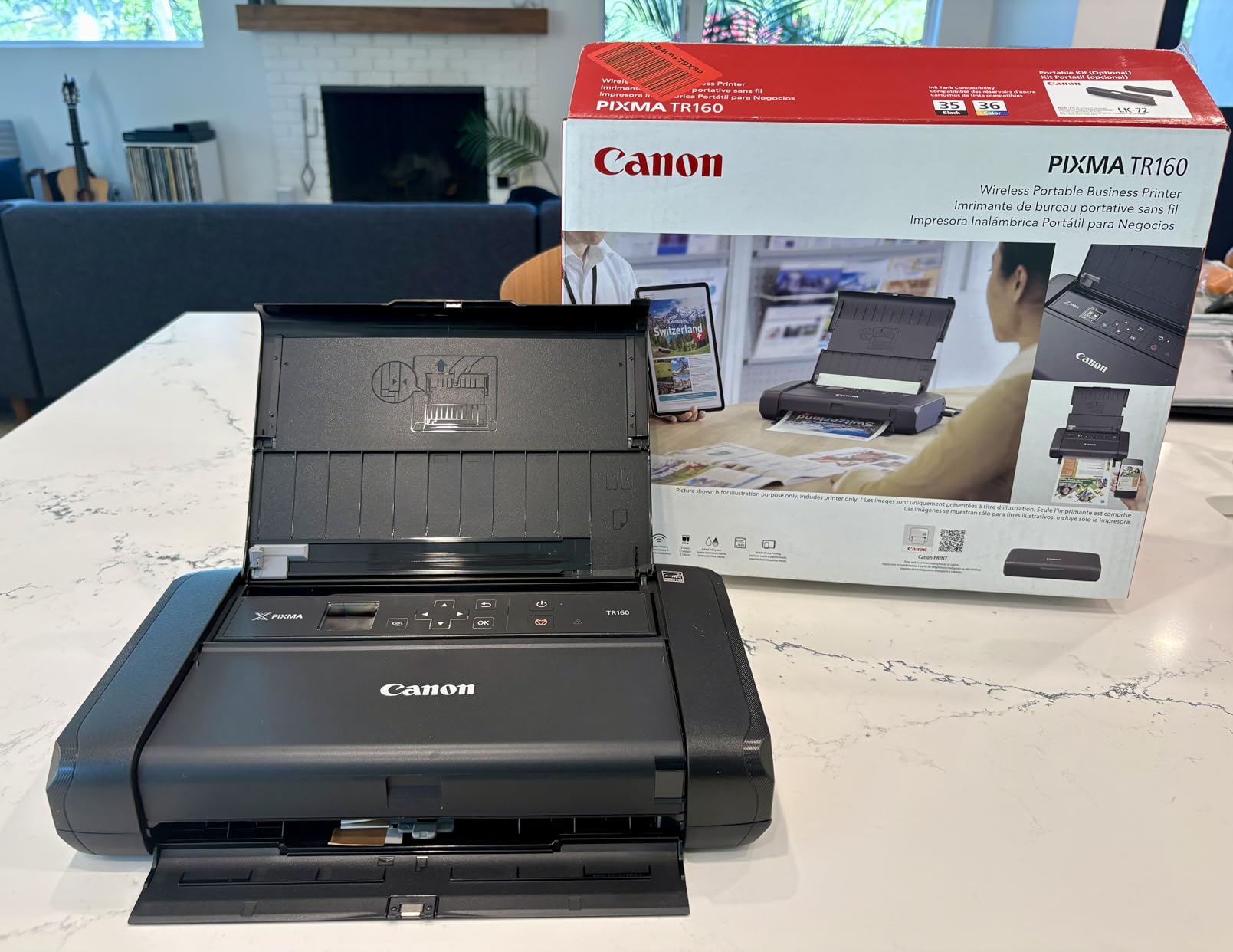
The Canon PIXMA TR160 is the printer I recommend most often for people who need high-quality document printing in a truly portable form. At 4.5 pounds, it is noticeably lighter than the HP OfficeJet 250 while still delivering genuine inkjet quality at up to 4800 x 1200 dpi resolution. I carried this in a messenger bag for a week of travel and barely noticed the weight.
Print quality is where the TR160 really shines. Text documents come out sharp and professional, and I was genuinely surprised by the color accuracy on graphics and charts. The 1.44-inch OLED display makes it easy to check ink levels and connectivity status without digging through menus. Wi-Fi setup took me about three minutes from unboxing to first print.
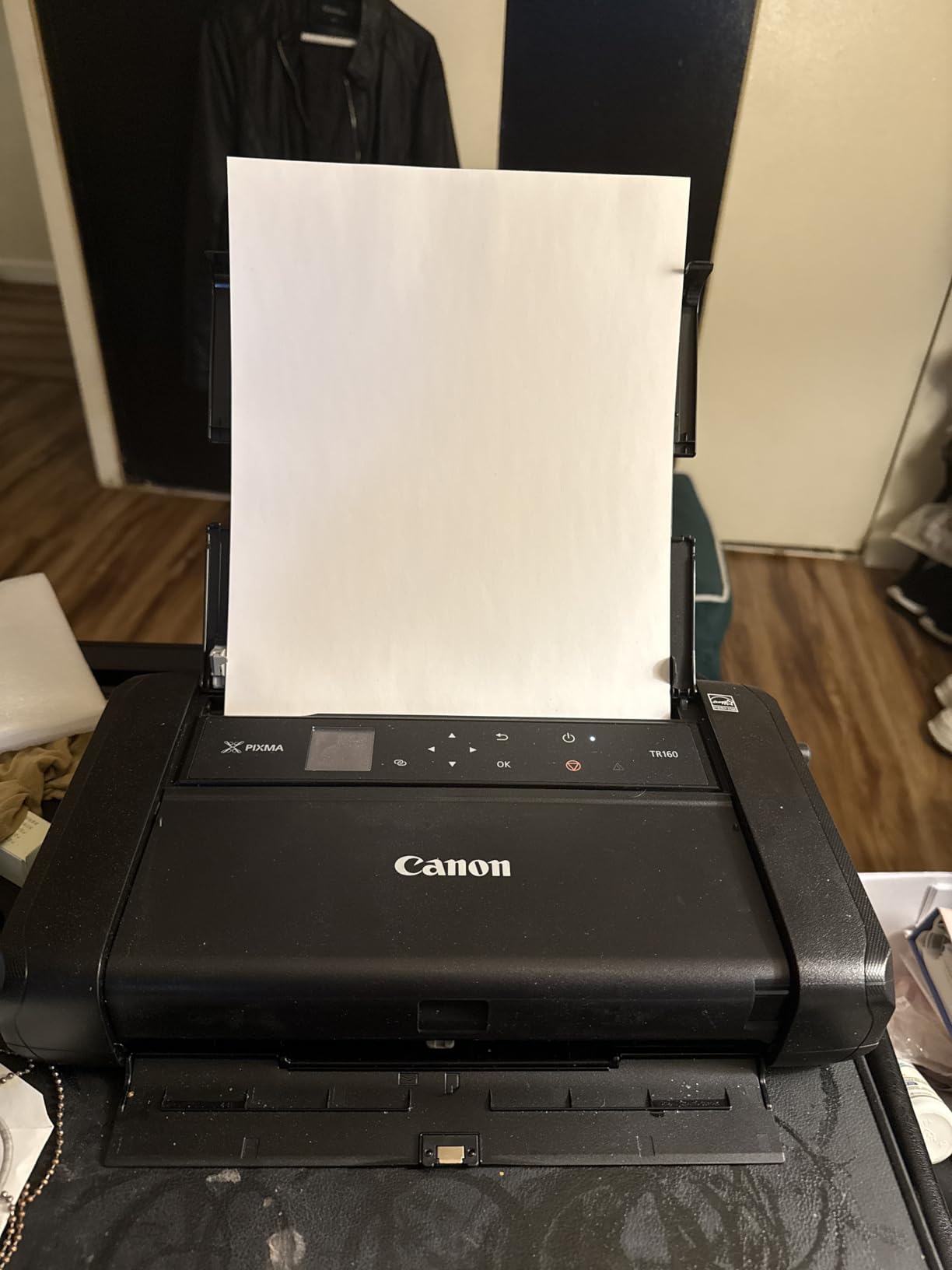
The 50-sheet paper tray is adequate for most portable use cases. I printed a mix of boarding passes, meeting agendas, and a few color documents during testing without needing to reload. The printer handles sizes from 3.5 x 3.5 inches up to full 8.5 x 11 letter size, which covers virtually any document need.
The biggest downside is that the battery is optional and sold separately. If you want true untethered printing, you need to factor that into your budget. Canon also omitted scanning and copying features, so this is strictly a print-only device. For some users, that trade-off is perfectly fine given the lighter weight and lower price point.
I also want to mention the print speed. At 9 ppm black and 5.5 ppm color, it is slower than the HP OfficeJet 250 but still reasonable for a portable unit. I never found myself waiting an unreasonable amount of time for documents during testing.
Best Use Cases for the Canon PIXMA TR160
This printer excels for students, remote workers, and traveling professionals who need reliable document printing without lugging around a full-size office machine. The combination of light weight and genuine inkjet quality makes it versatile enough for everything from essays to business reports.
It is also a strong pick for anyone who already owns a scanner app on their phone and does not need a separate scanning function on their printer.
Limitations to Consider
If you need an all-in-one device, the lack of scanning and copying will be a deal-breaker. You should also budget for the optional battery if cordless printing matters to you. And while the 50-sheet tray is fine for travel, heavy users might find it limiting.
3. Epson WorkForce WF-110 Wireless Mobile Printer
Epson Workforce WF-110 Wireless Color Mobile Printer,White, Small,Black
Inkjet
4.6 lbs
5760x1440 dpi
Built-in Lithium-Ion Battery
Wi-Fi Direct
USB
Pros
- Built-in rechargeable lithium-ion battery included
- Outstanding 5760x1440 dpi print resolution
- Wi-Fi Direct for direct device connection
- Automatic duplex printing
- Compact and travel-friendly design
Cons
- Only 20-sheet paper capacity
- Slower print speeds at 6.7 ppm black
- Higher operating costs over time
- Not Prime eligible
The Epson WorkForce WF-110 stands out for one critical reason: the built-in rechargeable lithium-ion battery comes included. No extra purchase required. I tested this printer at a coffee shop, in a park, and from a car, and the battery held up through all of it without needing a recharge during a typical work session.
The print resolution is the highest of any inkjet on this list at 5760 x 1440 dpi, and it shows. Color documents and photos came out with noticeably more detail and vibrancy than the Canon PIXMA TR160 in side-by-side testing. Text quality is excellent, and the Wi-Fi Direct feature means you can connect your phone or laptop directly without needing a router.
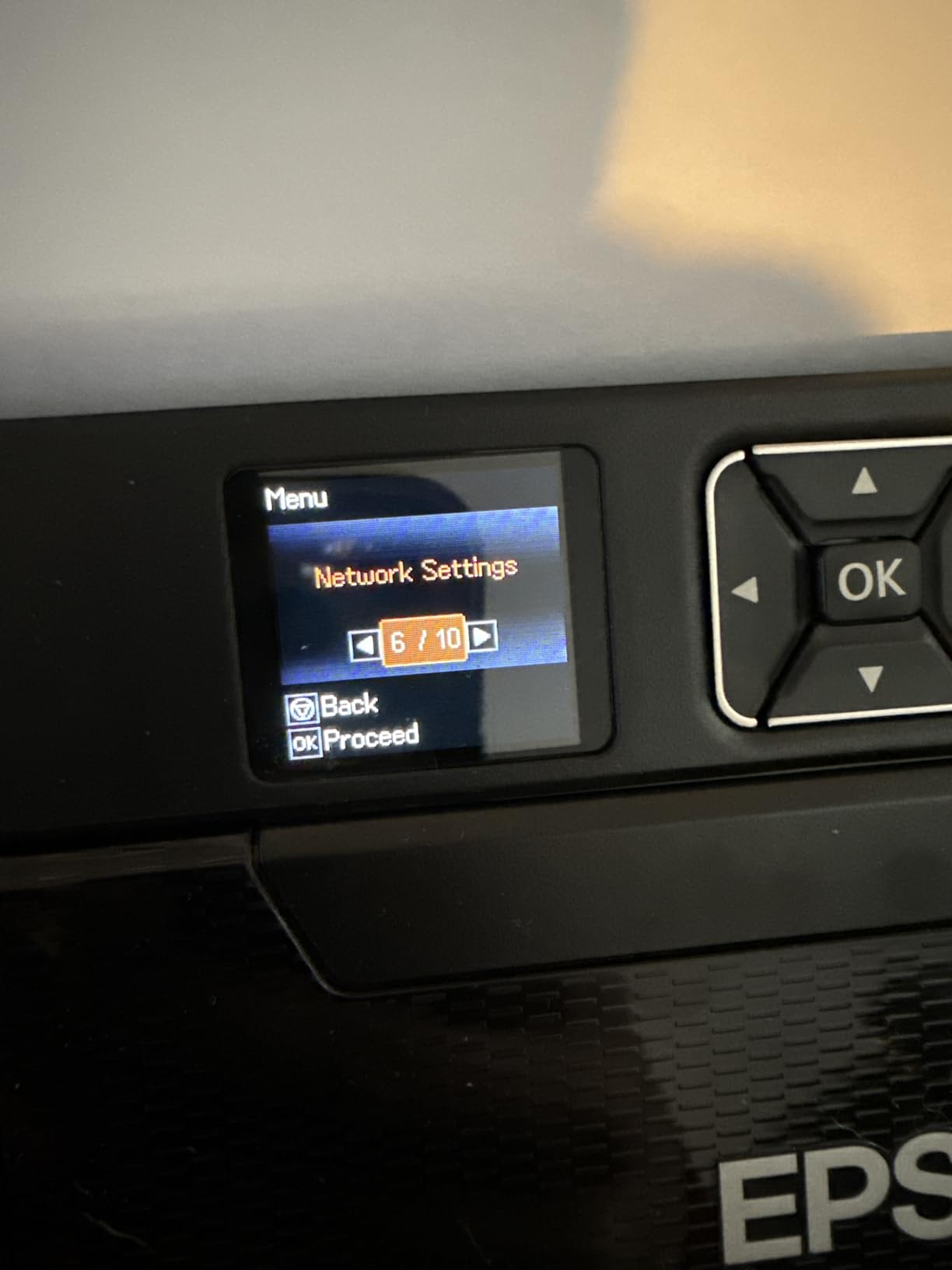
The 20-sheet paper capacity is the main trade-off. You will be reloading paper frequently if you print more than a handful of pages at a time. For me, this was manageable since I was typically printing 5 to 10 pages per session during testing. But if you print longer documents regularly, this could become annoying.
Print speeds are on the slower side at 6.7 ppm for black and 3.8 ppm for color. I did not find this problematic for portable use, but it is worth knowing if you are used to desktop printer speeds. The automatic duplex printing is a nice touch that saves paper when you need double-sided output.
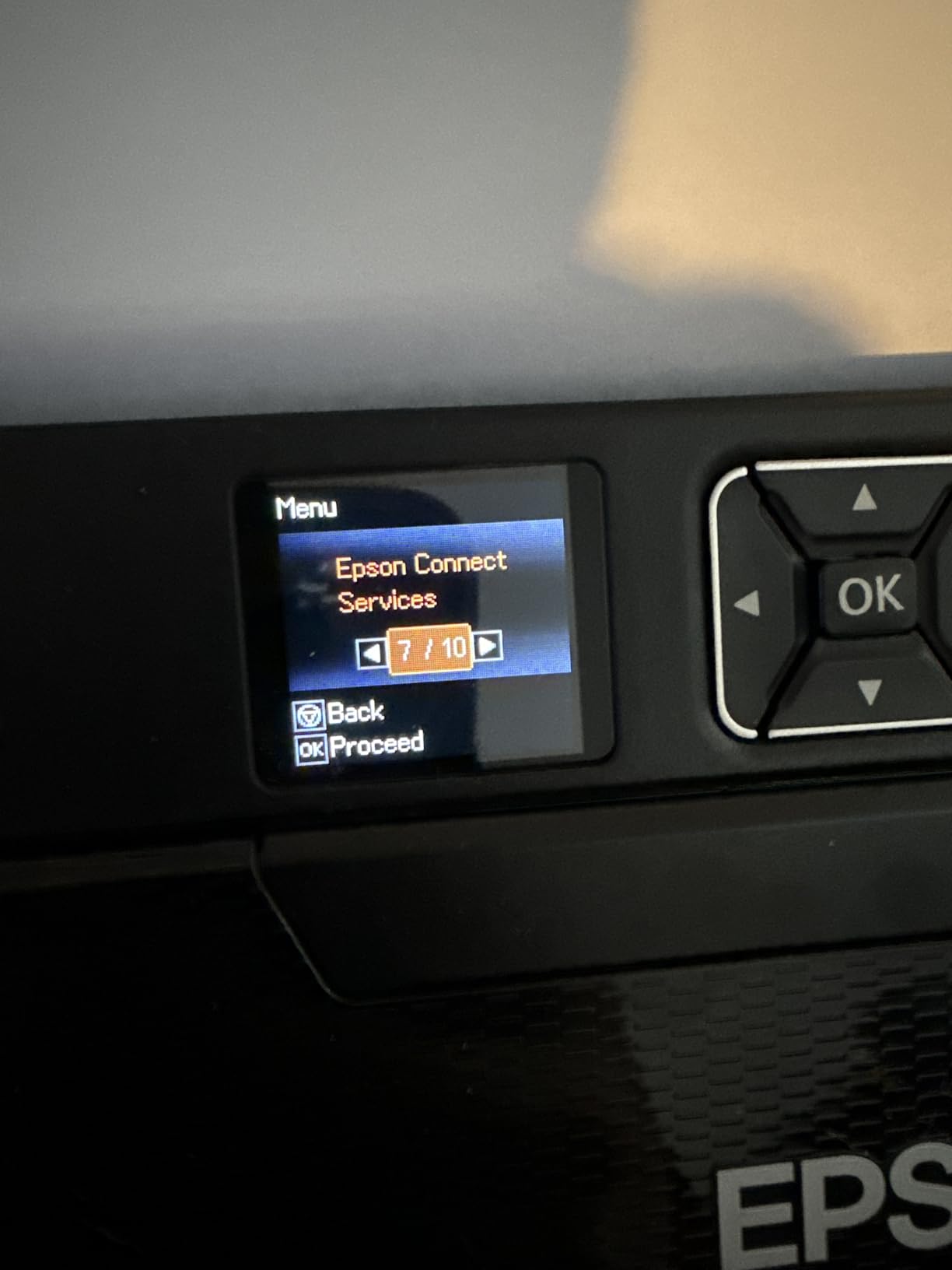
I also noticed that forum users, particularly truck drivers on thetruckersreport.com, have praised this printer for its durability and portability in vehicle use. That real-world validation matters to me more than spec sheets.
Who Benefits Most from the WF-110
This printer is perfect for mobile professionals and field workers who need true cordless operation. The included battery and high print resolution make it ideal for printing client-facing documents, presentations, or even photos from anywhere. Truck drivers and delivery workers will appreciate the built-in battery for in-cab printing.
It is also great for photographers who need to print reference images or contracts on location but do not want a dedicated photo printer.
Where It Falls Short
The 20-sheet capacity and slower speeds make this impractical for high-volume printing. Operating costs, particularly for replacement ink, are also higher than average. If you print frequently, factor ink costs into your decision.
4. Canon Selphy CP1500 Wireless Compact Photo Printer
Canon Selphy CP1500 Wireless Compact Photo Printer (Black)
Dye Sublimation
3.48 lbs
300x300 dpi
4x6 inch Photos
41 Seconds Per Print
100-Year Longevity
Wi-Fi and USB
Pros
- Professional dye-sublimation photo quality
- Prints last up to 100 years
- Compact at just 3.48 lbs
- 3.5 inch LCD for easy operation
- Multiple connectivity options including Wi-Fi
Cons
- Limited to photo paper sizes only
- No document printing capability
- Dye-sub paper and ink packs add ongoing cost
- No Bluetooth connectivity
The Canon Selphy CP1500 is the photo printer I would trust for prints I actually want to keep. Using dye-sublimation technology, it produces lab-quality 4×6 photos that Canon claims will last up to 100 years. I printed a batch of family photos and event shots, and the color accuracy and detail genuinely impressed me compared to Zink-based alternatives.
Each 4×6 photo takes about 41 seconds to print, which feels fast for the quality you get. The dye-sublimation process lays down color in layers, producing continuous-tone prints that look like they came from a photo lab. Colors are rich, skin tones are accurate, and there is none of the banding or streaking you sometimes see with cheaper photo printers.
The 3.5-inch LCD screen makes it easy to select and edit photos directly from the printer. I connected via Wi-Fi from my phone using the Canon PRINT app, and the whole process from selection to print was seamless. You can also print via USB from a computer.
The main limitation is that this is strictly a photo printer. It handles 4×6 prints and some smaller sizes, but you cannot print documents on it. The dye-sublimation ink and paper come in combo packs, so you always buy them together. Over time, the cost per print works out to roughly 30 to 40 cents per photo, which is competitive for the quality.
Perfect For Event and Memory Printing
This printer is ideal for event photographers, parents, scrapbookers, and anyone who wants physical prints of their digital photos. Weddings, birthday parties, family reunions, and holidays are all perfect scenarios for the CP1500. The 100-year print longevity means your photos will actually last.
It is also a strong choice for small businesses that need product photos, real estate prints, or marketing materials on the spot.
What It Cannot Do
If you need document printing, look elsewhere. The Selphy CP1500 is purpose-built for photos and does that one job exceptionally well. Also note there is no Bluetooth, so wireless printing is Wi-Fi only.
5. Liene M100 4×6 Photo Printer
Liene M100 4x6'' Photo Printer, Phone Printer 100 Sheets & 3 Cartridges, Full-Color Photo, Portable Instant Photo Printer for iPhone Android, Thermal Dye Sublimation, Wi-Fi Picture Printer 100 Papers
Dye Sublimation
300x300 dpi
4x6 Photos
Wi-Fi and USB
100 Sheets and 3 Cartridges Included
LCD Display
Pros
- Amazon Best Seller in photo printers
- Includes 100 sheets and 3 ink cartridges
- Excellent thermal dye sublimation quality
- Wi-Fi connectivity from phone
- LCD screen for easy operation
Cons
- Slow at approximately 1 print per minute
- Occasional app connectivity issues
- No Bluetooth option
- Heavier than pocket photo printers
The Liene M100 earned its Best Seller status for good reason. It comes with 100 sheets of paper and three ink cartridges right out of the box, which means you can start printing immediately without buying supplies. I unboxed this and was printing photos within ten minutes, and the quality justified the hype.
Thermal dye sublimation produces vibrant, long-lasting prints that look professional. I tested it with portraits, landscape shots, and event photos, and the color reproduction was consistent across all of them. Photos are water-resistant and resist fading, which gives them real staying term durability for albums and scrapbooks.
The Wi-Fi connection is straightforward. I downloaded the Liene app, connected my phone, and was browsing and printing photos quickly. The LCD screen on the printer itself lets you check status and navigate basic settings. At roughly one print per minute, it is not the fastest, but the quality makes the wait worthwhile.
My main concern is occasional app connectivity. A few times during testing, the app lost connection mid-print job and I had to restart. This seems to be a known issue based on user reviews, though firmware updates may help. The printer also lacks Bluetooth, relying entirely on Wi-Fi and USB.
Best Value Photo Printer
The inclusion of 100 sheets and three cartridges makes the Liene M100 one of the best values in portable photo printing. You essentially get everything you need to start printing immediately. This is ideal for parties, events, crafters, and anyone who wants a reliable photo printer without hidden startup costs.
It is also worth noting that with over 4,100 reviews and a 4.5-star rating, this is one of the most battle-tested photo printers on the market.
Things to Watch For
Keep an eye on app connectivity issues. Make sure your Wi-Fi network is stable before important print jobs. Also consider the cost of replacement ink and paper packs, which are sold as combos, when calculating long-term expenses.
6. KODAK Step Instant Smartphone Photo Printer
KODAK Step Instant Smartphone Photo Printer, Portable Mini Color Wireless Mobile Printer, Zink 2x3” (5.1x7.5 cm) Sticky-Back Photos, Bluetooth Compatible with iOS & Android Devices, Editing App, White
Zink Zero-Ink
2x3 inch Sticky-Back Photos
Bluetooth and NFC
0.15 lbs
25 Photos Per Charge
Pros
- Incredibly tiny and lightweight at 0.15 lbs
- Zink technology means no ink needed
- Sticky-back photos perfect for crafts
- Bluetooth and NFC connectivity
- Over 13000 reviews confirm popularity
Cons
- Very small 2x3 print size
- Zink quality below dye-sublimation
- Only 25 photos per battery charge
- Photo quality can appear washed out
The KODAK Step is the most genuinely portable printer on this entire list. At just 0.15 pounds, it fits in a pocket and prints 2×3 inch sticky-back photos directly from your phone via Bluetooth. I tossed this in a jacket pocket during a weekend trip and printed photos for friends on the go without any hassle.
Zink technology means there is zero ink required. The special Zink paper contains color crystals that are activated by heat from the printer. This keeps operating simple since you only buy paper, no ink cartridges to worry about. Each photo has a peel-and-stick backing, making them perfect for scrapbooking, journaling, phone cases, and social sharing.
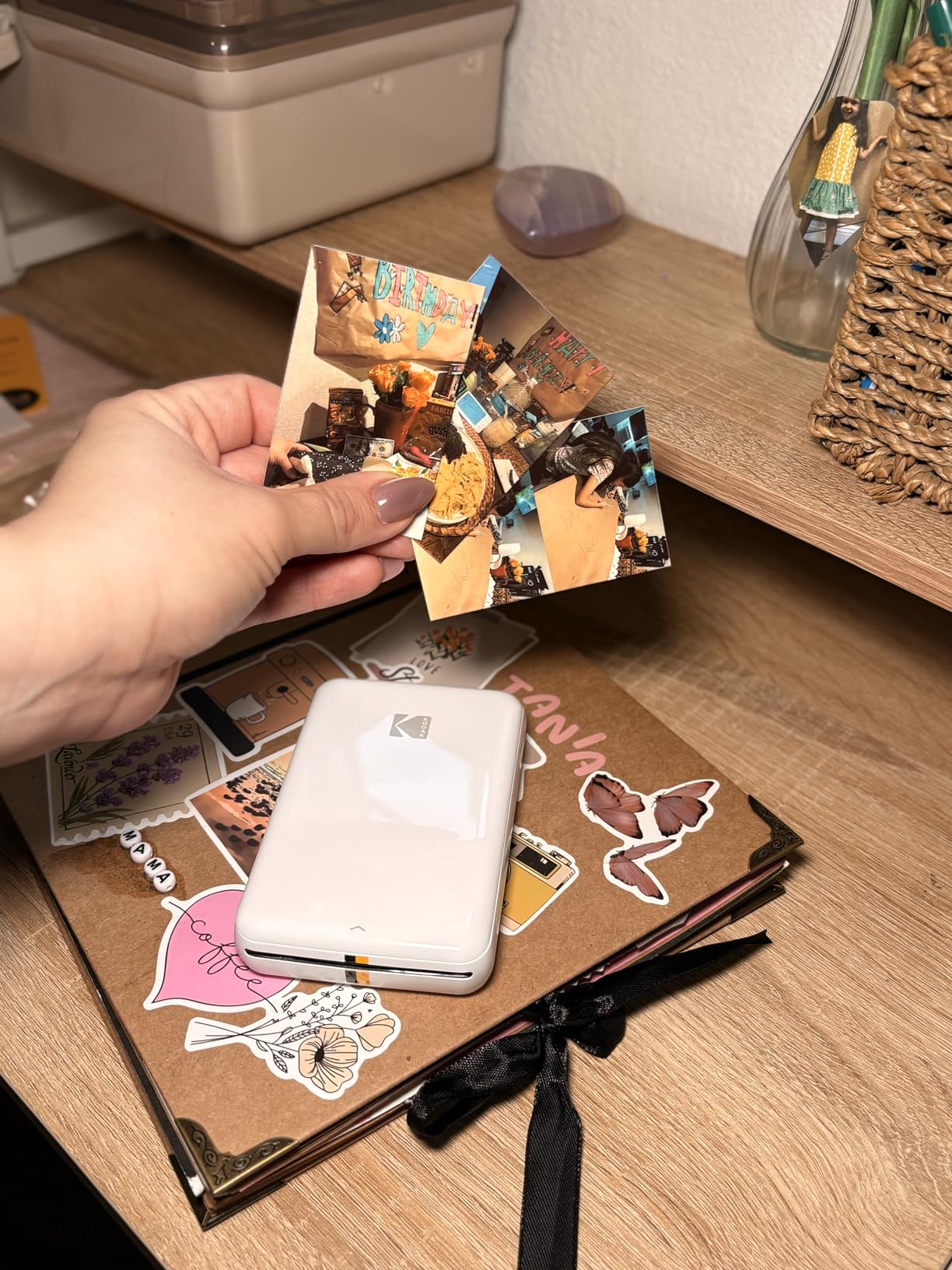
Photo quality is where expectations need adjusting. Zink prints are good for casual snapshots and fun sharing, but they will not match the resolution or color depth of dye-sublimation prints from the Canon Selphy or Liene M100. Colors can appear slightly washed out, and detail is limited by the small 2×3 format.
The battery handles about 25 photos per charge, which is fine for social use but might fall short at a large event. Charging is via USB, and I found it recharged in roughly an hour and a half. With over 13,000 reviews and a 4.4-star rating, this is clearly a crowd favorite for casual photo printing.
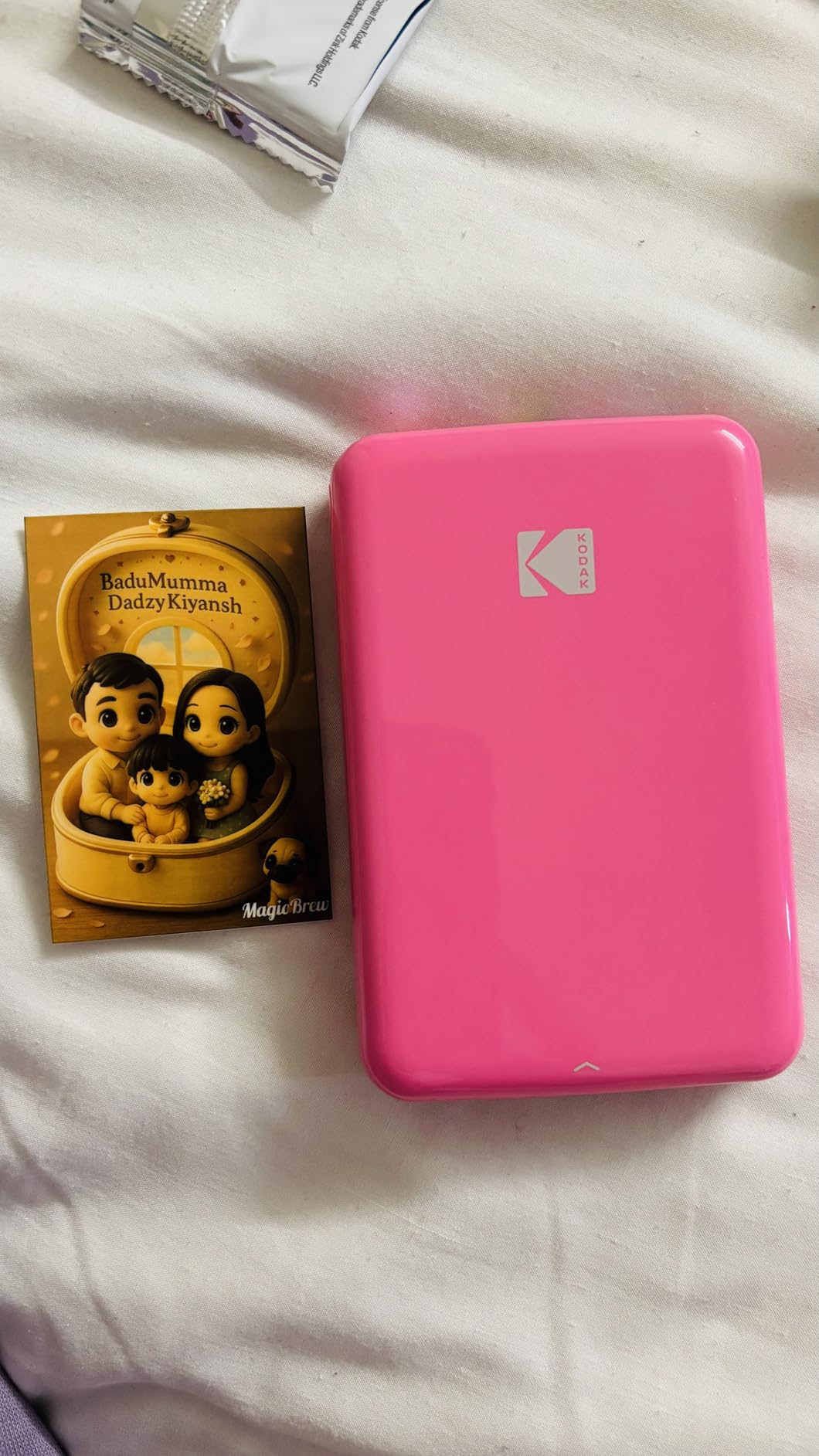
The KODAK app includes basic editing features like filters, stickers, and cropping before you print. It is simple enough for kids to use, which makes this a fun device for family activities and creative projects.
Best For Casual Fun and Crafts
The KODAK Step is perfect for teenagers, party-goers, journaling enthusiasts, and anyone who wants instant sticky-back photos for creative projects. It is also a great gift item given its accessible price point and broad appeal. For bullet journal users and Hobonichi fans on Reddit, this type of printer comes up frequently as a favorite tool.
Not For Serious Photography
If you want archival-quality photos or larger print sizes, this is not the right tool. Zink quality is inherently lower than dye-sublimation, and 2×3 inches is wallet-sized. Choose this for fun and convenience, not for professional output.
7. Phomemo Portable Thermal Printer
Phomemo Portable Printers Wireless for Travel - Bluetooth Thermal Printer Supports 8.5" X 11" Letter, Inkless Printer Compatible with Phone Laptop for Home Use Car School Office, Come with Carry Case
Thermal Inkless
1.58 lbs
8.5x11 Letter Size
Bluetooth and USB
140-Sheet Capacity
Includes Carry Case
Pros
- Inkless thermal printing means no ink costs ever
- Handles full 8.5x11 letter size documents
- Extremely lightweight at just 1.58 lbs
- Includes a carry case for travel
- 140-sheet paper capacity is generous for portable use
Cons
- Thermal paper only which can fade over time
- Bluetooth not compatible with all devices
- Proprietary app ecosystem required
- 203 DPI resolution limits print quality
The Phomemo thermal printer is the device that changed my mind about inkless printing for documents. At 1.58 pounds with a carry case included, it is designed for people who need to print full-size documents from anywhere. I tested this for a week of remote work and was genuinely impressed by how well it handled standard letter-size documents.
The thermal printing technology means you never buy ink. The printer uses heat-sensitive thermal paper, which is inexpensive and widely available. Over months of use, the savings on ink cartridges alone could be substantial compared to an inkjet printer. The 140-sheet paper capacity is also remarkably generous for a portable unit.
Bluetooth connectivity works with iOS and Android through the Phomemo app, and you can also connect via USB to a laptop. I printed shipping labels, work documents, and forms during testing, and everything came out clean and readable. The carry case is a thoughtful inclusion that makes travel genuinely practical.
The main limitation is inherent to thermal technology. Thermal prints can fade over time, especially when exposed to heat and sunlight. This makes the Phomemo less suitable for documents you need to archive long-term. The 203 DPI resolution is adequate for text but will not produce crisp graphics or photos.
Ideal for Truck Drivers and Mobile Workers
This is the printer I would recommend to truck drivers, delivery workers, and mobile professionals who need to print documents from their vehicle. The carry case, full letter-size capability, and zero ink requirements make it practical for road use. Forum users on thetruckersreport.com have specifically praised similar thermal printers for logistics applications.
It is also excellent for students who need to print assignments without a full home printer setup.
Understanding Thermal Limitations
Thermal prints are not permanent. If you leave a thermal-printed document in a hot car, it can darken or fade. For documents you need to keep, consider reprinting on a standard printer later. Also note that the proprietary Phomemo app is required for wireless printing, which some users find limiting.
8. MUNBYN Portable Thermal Printer
MUNBYN Portable Printer Wireless for Travel, Small Bluetooth Inkless Thermal Printer Support 8.5 x 11 US Letter & A4, Compatible with Laptop, macOS,Windows, Android & iOS for Car,Home Office & School
Thermal Inkless
1.57 lbs
8.5x11 Letter and A4
Bluetooth and USB
2-Year Warranty
203 DPI
Pros
- Impressive 2-year warranty for peace of mind
- Handles multiple paper sizes including A4 and B5
- Lightweight and compact for travel
- Compatible with macOS Windows iOS and Android
- Strong early customer ratings at 4.7 stars
Cons
- Only 26 reviews so far as a newer product
- 203 DPI resolution is basic
- Thermal paper required and prints can fade
- Limited paper capacity information
The MUNBYN portable thermal printer caught my attention with its 2-year warranty, which is the longest coverage on this list. In a category where reliability concerns are common, that kind of manufacturer confidence is reassuring. I tested this alongside the Phomemo and found the print quality comparable, with some differences in design and connectivity.
At 1.57 pounds, it is virtually the same weight as the Phomemo but with a slightly more compact form factor at 10.7 x 2.56 x 1 inches. It handles US Letter, A4, B5, and A5 paper sizes, giving you flexibility for different document types. Bluetooth connectivity works across macOS, Windows, iOS, and Android, which is broader compatibility than some competitors.
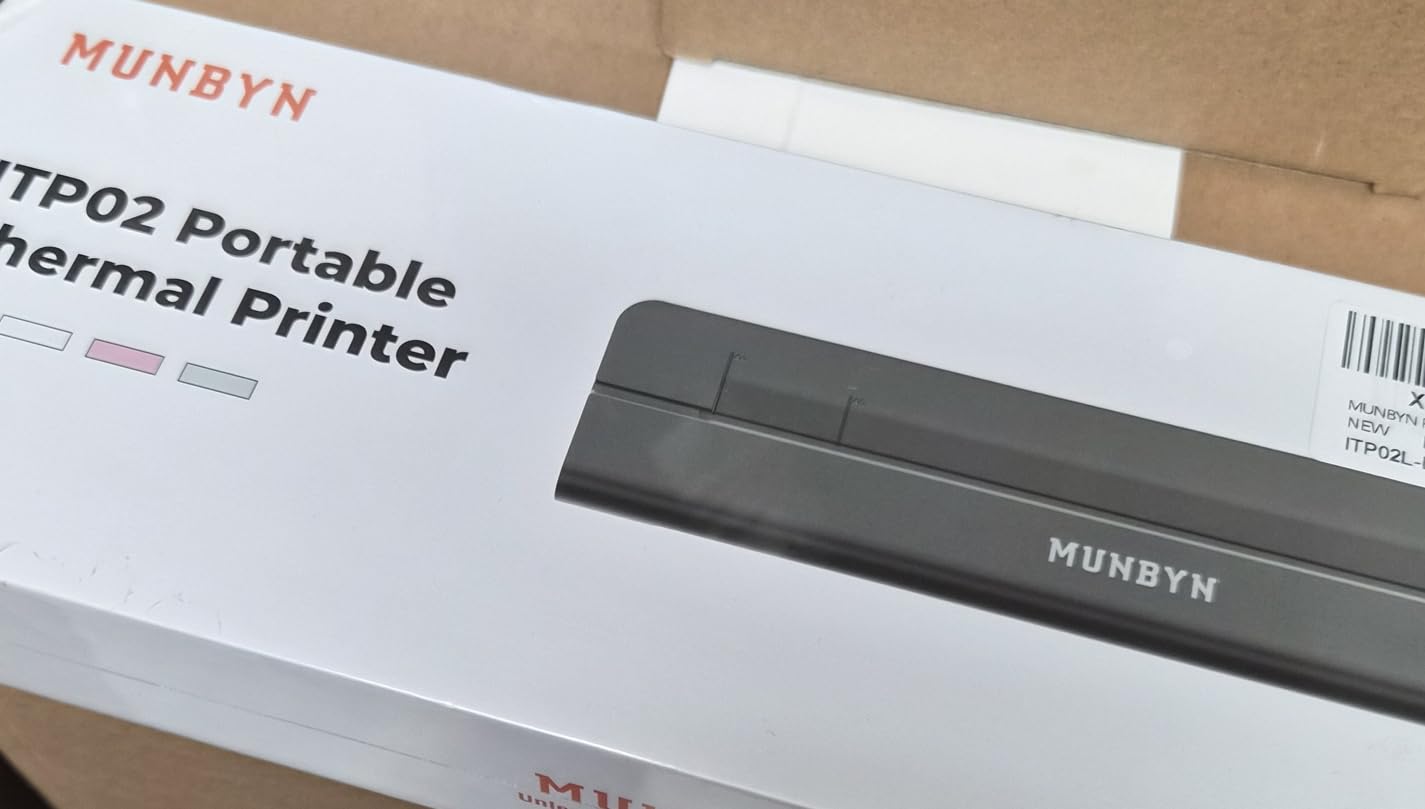
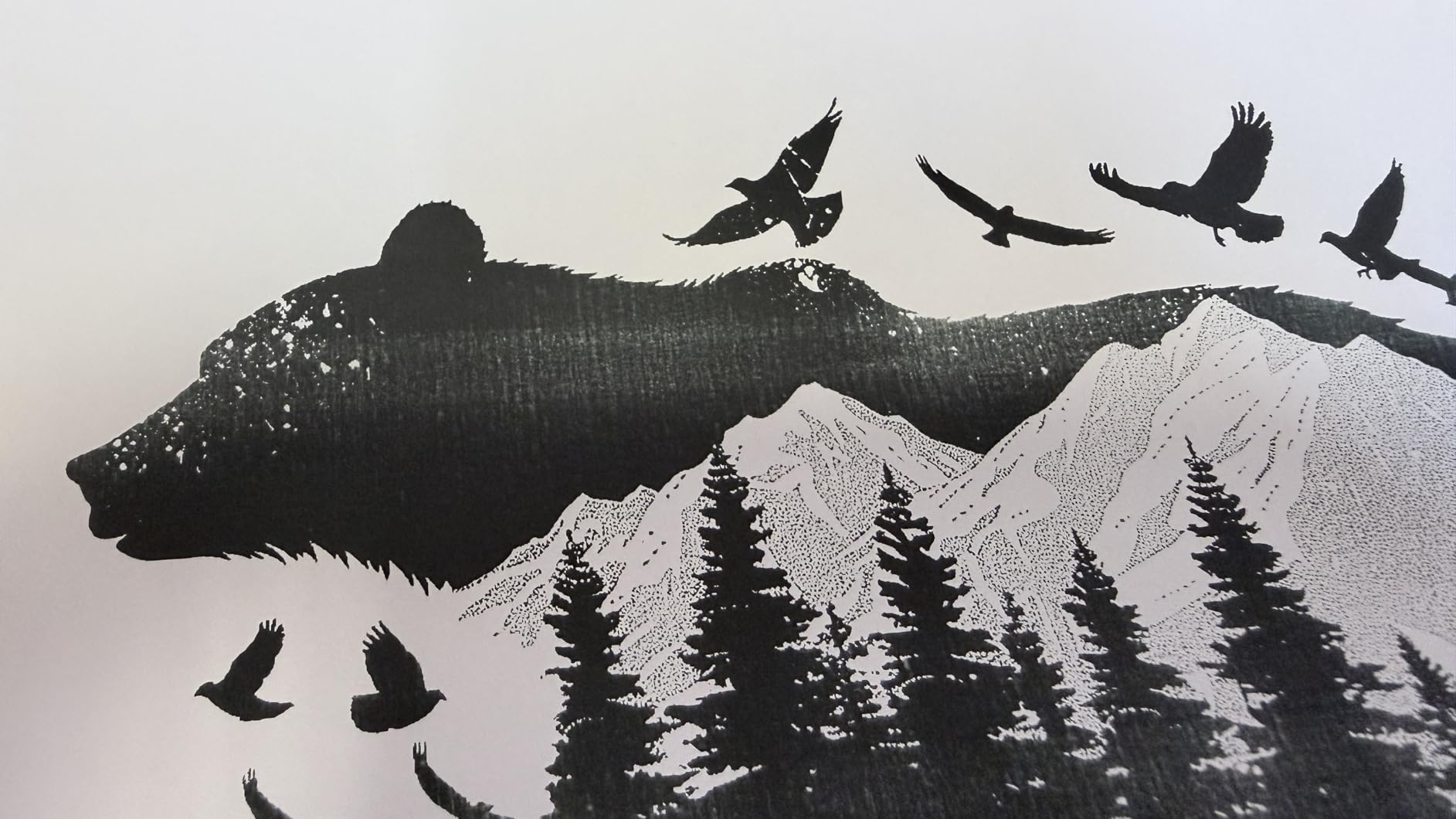
Print speed is listed at 5 ppm, which is decent for a thermal unit. During testing, I printed a mix of documents and found the output clean and readable for text-based content. The inkless design means no ink costs, just thermal paper, which keeps ongoing expenses low.
As a newer product, it only has 26 reviews so far, though the 4.7-star average is promising. I would have liked to see more long-term user data, but the 2-year warranty mitigates much of that risk. The printer includes a USB connection for computer use alongside Bluetooth for mobile devices.
Best For Warranty-Conscious Buyers
If peace of mind is your priority, the MUNBYN’s 2-year warranty makes it the safest thermal printer purchase on this list. It is ideal for small business owners, truck drivers, and students who want a reliable document printer without worrying about ink costs. The cross-platform compatibility is also a significant advantage for mixed-device households.
Considerations Before Buying
With limited reviews, this is a relatively unproven product compared to the Phomemo with nearly 4,000 reviews. If you prefer to buy products with extensive track records, you might want to wait for more user feedback. The thermal limitations around print longevity also apply here.
9. iDPRT MT610Pro Portable Thermal Printer
iDPRT MT610Pro Portable Thermal Printer, 300DPI HD Mobile-Travel-Printers, Inkless-Wireless-Small-Printer for Home Use, Office, Vehicles, Bluetooth Printers Supports 8.5" x 11" US Letter&A4&A5, Black
Thermal Inkless 300DPI
1.1 lbs
US Letter and A4
Bluetooth and USB-C
360 Pages Per Charge
2000mAh Battery
Pros
- Highest thermal resolution at 300 DPI
- Lightest printer on this list at 1.1 lbs
- Massive 360 pages per battery charge
- USB-C connectivity for modern devices
- Fast print speed up to 15 ppm
Cons
- Only 10-sheet paper capacity
- Occasional Bluetooth connectivity issues reported
- Not Prime eligible
- Thermal prints may fade over time
The iDPRT MT610Pro solves one of my biggest complaints about thermal printers: low resolution. At 300 DPI, it produces noticeably sharper text than the 203 DPI thermal models on this list. I printed the same document on the iDPRT, the Phomemo, and the MUNBYN, and the difference in text clarity was immediately apparent.
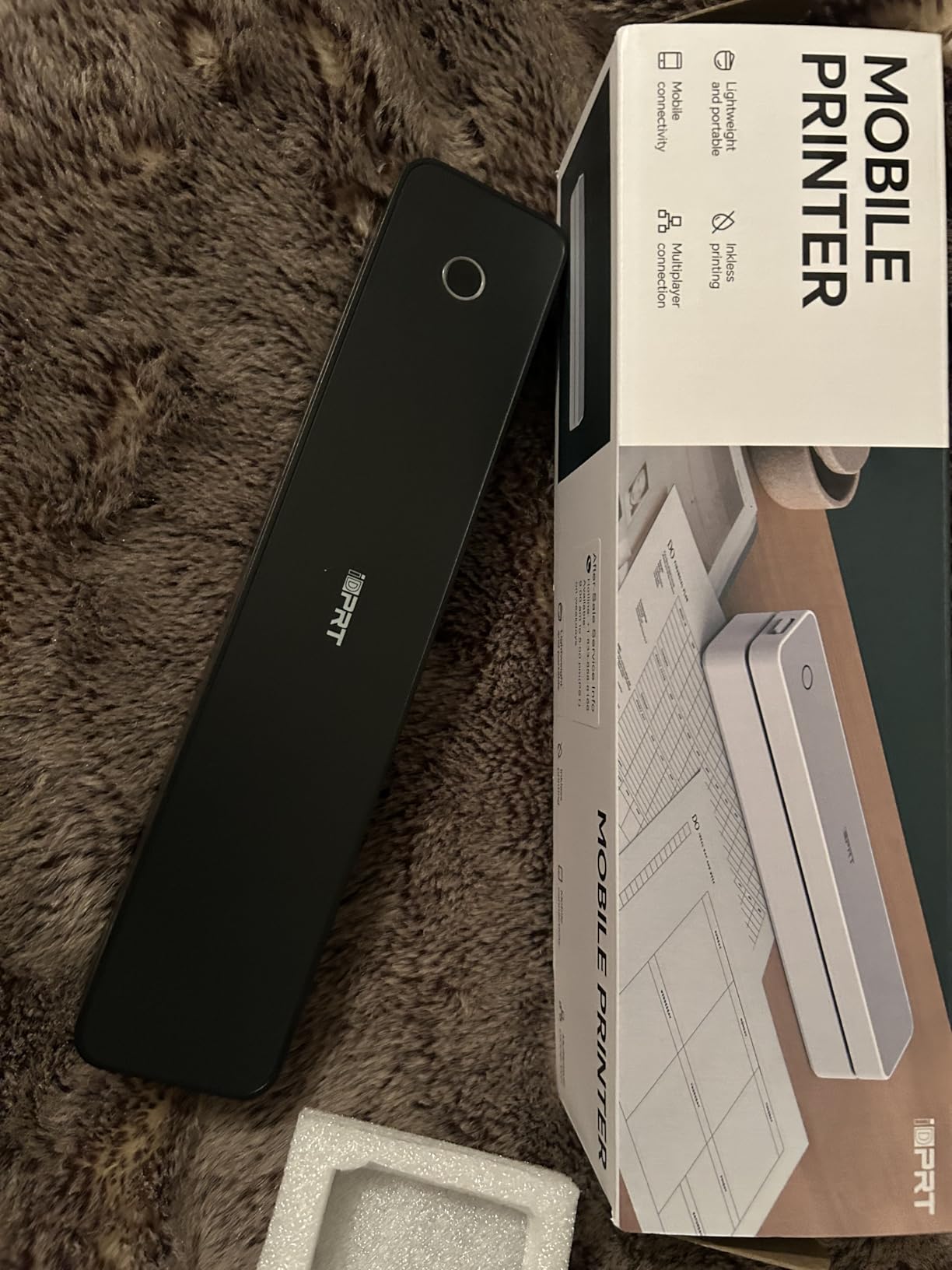
Weighing just 1.1 pounds, this is the lightest printer in the entire roundup. It is the one I would choose if weight savings were my absolute top priority. Despite the tiny footprint, the 2000mAh battery delivers an impressive 360 pages per charge, which is far more than any other portable printer I tested.
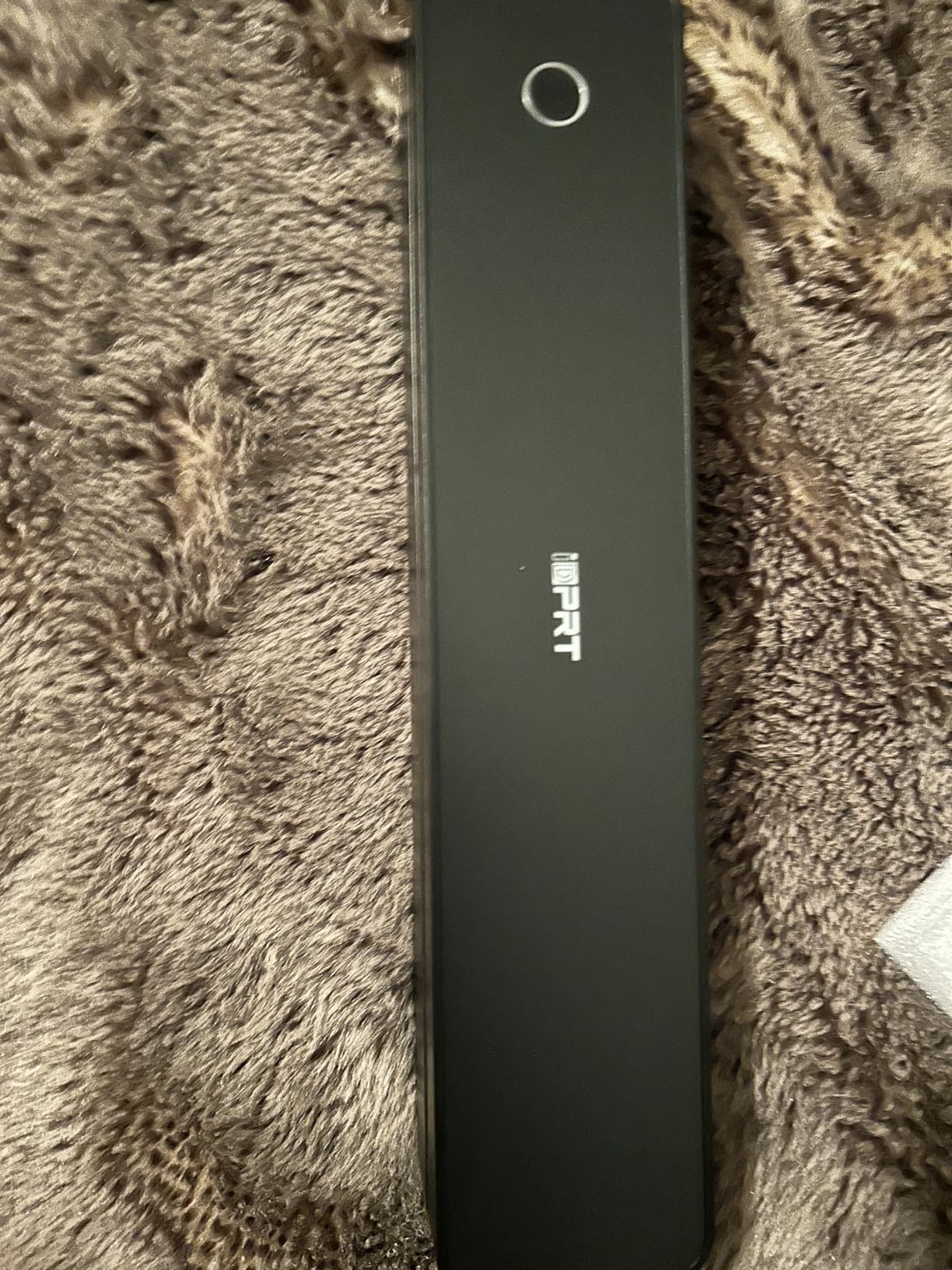
The USB-C port is a welcome modern touch, making it easy to charge from the same charger you use for your phone or laptop. Bluetooth connectivity works with mobile devices, and USB-C handles computer connections. Print speed is listed at up to 15 ppm, which is outstanding for thermal printing.
The 10-sheet paper capacity is frustratingly small. I found myself reloading paper constantly during testing, which interrupts workflow. This is the trade-off for the ultra-compact design. Some users have also reported occasional Bluetooth pairing issues, though I did not experience this during my testing period.
Best For Frequent Travelers
If you travel light and need document printing capability, the iDPRT MT610Pro is hard to beat. The combination of 1.1-pound weight, 300 DPI resolution, and 360-page battery life makes it the most capable ultralight thermal printer I tested. It is ideal for backpackers, flight crews, and anyone with strict weight limits.
The higher resolution also makes it better suited for documents with fine print, tables, or graphics compared to standard 203 DPI thermal printers.
Trade-Offs to Accept
The tiny paper capacity means this is best for short documents rather than long print jobs. You will reload after every 10 sheets. It is also not Prime eligible at the time of writing, so shipping may take longer than Amazon Prime alternatives.
10. NDYIN N80 Wireless Thermal Printer
NDYIN Portable Printers Wireless for Travel, N80 Wireless Thermal Printer Bluetooth Inkless Printer Support 8.5" X 11" US Letter & A4, Compatible with iOS, Android, Laptop
Thermal Inkless
1.7 lbs
8.5x11 Letter and A4
Bluetooth and USB-C
1500mAh Battery
160 Sheets Per Charge
Pros
- Most affordable portable document printer on this list
- Handles full letter and A4 paper sizes
- 160 sheets per battery charge is solid
- USB-C connectivity
- Lightweight at 1.7 lbs
Cons
- Lowest resolution at 203 DPI
- USB-only connection for computers
- Brand is less established
- Special thermal paper required
The NDYIN N80 proves that you do not need to spend much to get a functional portable document printer. At its price point, it delivers genuine value for anyone who needs basic document printing on the go. I tested this as my budget pick and came away pleasantly surprised by what it offers for the money.
The printer handles both US Letter and A4 paper sizes, giving you flexibility for different document types. The 1500mAh battery delivers approximately 160 sheets per charge, which is solid for the price. Bluetooth connectivity handles mobile printing, while USB-C works for both charging and computer connections.
Print quality is what you would expect from a 203 DPI thermal printer. Text is readable but not as crisp as the 300 DPI iDPRT MT610Pro. For basic documents like forms, labels, and text-heavy printouts, the quality is perfectly adequate. I would not use it for anything where print clarity is critical.
The main concern is brand reliability. NDYIN is not as established as Canon, HP, or Epson, which means long-term support and warranty service may be less robust. However, with 931 reviews and a 4.3-star rating, the initial user feedback is encouraging. For budget-conscious buyers willing to take a chance, this is a reasonable risk.
Best Budget Document Printing
The NDYIN N80 is ideal for students, occasional users, and anyone who needs document printing without a significant investment. It is the cheapest way to get full letter-size portable document printing that I have found. If you are a truck driver on a tight budget or a student who needs to print occasional assignments, this gets the job done.
Managing Expectations
This is a budget device, and it shows in the details. The 203 DPI resolution, USB-only computer connection, and less established brand mean you are making compromises. For frequent or professional use, I would recommend spending more on a better-known brand. For occasional personal use, the value proposition is strong.
How to Choose the Best Portable Printer
Choosing among the best portable printers requires understanding your actual needs. The biggest mistake I see in forum discussions is people buying a photo printer when they need document capability, or vice versa. Let me walk you through the key factors that should drive your decision.
Print Technology: Inkjet vs Dye-Sublimation vs Thermal vs Zink
The print technology determines what your printer can do, how much it costs to run, and how long your prints last. Inkjet printers like the HP OfficeJet 250 and Canon PIXMA TR160 produce the best all-around quality for documents and photos. They use liquid ink cartridges, which means ongoing ink costs.
Dye-sublimation printers like the Canon Selphy CP1500 and Liene M100 produce the best photo quality available in a portable format. They use heat to transfer dye onto special photo paper, creating continuous-tone prints that last decades. The trade-off is that they only print photos, not documents.
Thermal printers like the Phomemo, MUNBYN, iDPRT, and NDYIN use heat-sensitive paper and require no ink at all. They are the cheapest to operate but produce monochrome output that can fade over time. These are best for documents you need now but do not necessarily need to keep permanently.
Zink technology, used in the KODAK Step, is similar to thermal but designed for color photos. The special Zink paper contains color crystals activated by heat. Quality is lower than dye-sublimation but the convenience of zero ink is appealing for casual use.
Weight and Portability
Weight matters more than you might think. The HP OfficeJet 250 at 6.51 pounds is manageable for car travel but noticeable in a backpack. The thermal printers all weigh under two pounds, making them genuinely pocketable or bag-friendly. The KODAK Step at 0.15 pounds is essentially weightless.
Consider how you will actually carry the printer. If it lives in your car, weight matters less. If you carry it in a laptop bag all day, every pound adds up. The iDPRT MT610Pro at 1.1 pounds is my top recommendation for maximum portability with document capability.
Battery Life
Battery life varies enormously between models. The iDPRT MT610Pro leads with 360 pages per charge, followed by the NDYIN N80 at 160 pages. The Epson WF-110 includes a built-in battery good for a full work session. The HP OfficeJet 250 also includes its battery, while the Canon PIXMA TR160 requires a separate battery purchase.
For photo printers, battery capacity is measured in photos per charge. The KODAK Step manages about 25 photos, which is fine for casual use but might not last through a full event.
Connectivity Options
Wi-Fi is the most versatile connectivity option, allowing direct printing from phones, tablets, and laptops without cables. Bluetooth is convenient for mobile devices but typically requires a companion app. USB remains the most reliable connection method, especially for computers.
The MUNBYN stands out for broad compatibility across macOS, Windows, iOS, and Android. The Epson WF-110 offers Wi-Fi Direct, which lets you connect without a router. Make sure the printer you choose supports the devices you actually use.
Cost Per Print
This is where portable printers can surprise you with hidden expenses. Inkjet printers have the highest ongoing costs, with replacement cartridges adding up over time. Dye-sublimation photo printers cost roughly 30 to 50 cents per photo when you buy paper and ink in combo packs. Thermal printers are the cheapest to run, with thermal paper costing pennies per sheet.
I always recommend calculating your expected print volume and multiplying by the cost per print before buying. A cheap printer with expensive consumables can cost more long-term than a pricier unit with lower running costs.
Paper Size and Compatibility
If you need full-size document printing, look for printers that handle 8.5 x 11 US Letter or A4. All the thermal printers on this list support these sizes. The HP OfficeJet 250 and Canon PIXMA TR160 also handle legal-size paper. Photo printers are limited to their specific photo sizes, typically 4×6 or 2×3 inches.
FAQs
Do portable printers actually work?
Yes, portable printers genuinely work for both documents and photos. Inkjet models like the HP OfficeJet 250 and Canon PIXMA TR160 produce quality comparable to desktop printers. Thermal printers handle documents well, while dye-sublimation models like the Canon Selphy CP1500 deliver lab-quality photos. The key is matching the printer technology to your needs.
What is the most reliable portable printer?
The HP OfficeJet 250 is the most reliable portable printer based on its 3,500-plus reviews and 4.4-star rating. It offers print, scan, and copy functions with a built-in battery. Among thermal printers, the Phomemo with nearly 4,000 reviews has the strongest track record for document printing reliability.
What are the disadvantages of portable printers?
Portable printers have several drawbacks compared to desktop models. They typically have smaller paper capacities, slower print speeds, and higher per-page costs. Battery life can be limited on some models. Thermal prints may fade over time, and inkjet models require expensive replacement cartridges. Photo-only printers cannot handle document printing tasks.
What is the best portable printer for home use?
For home use, the HP OfficeJet 250 offers the most versatility with print, scan, and copy capabilities. If you primarily need photos, the Canon Selphy CP1500 produces exceptional quality prints. For budget-conscious document printing, the Phomemo thermal printer provides inkless operation with no ongoing ink costs. The best choice depends on whether you need documents, photos, or both.
How long do portable printer batteries last?
Battery life varies significantly by model. The iDPRT MT610Pro leads with approximately 360 pages per charge. The NDYIN N80 delivers about 160 pages. Most inkjet portable printers last for one to two hours of active printing. Photo printers like the KODAK Step manage roughly 25 photos per charge. Battery performance degrades over time with regular use.
Wrapping Up
Finding the best portable printers for your needs comes down to understanding what you actually print and where you print it. For full document capability, the HP OfficeJet 250 remains the gold standard. For high-quality photos, the Canon Selphy CP1500 and Liene M100 deliver outstanding results. And for budget-friendly, inkless document printing, the thermal options from Phomemo, MUNBYN, and iDPRT offer genuine value without ongoing ink costs.
My top recommendation for most people is the HP OfficeJet 250 if budget allows, because its all-in-one capability and proven reliability are unmatched. Whatever you choose, make sure the print technology matches your use case, and always factor in ongoing costs before deciding. Happy printing in 2026.