

I spent three weeks testing monitors with my MacBook Pro M4 to find displays that actually work seamlessly with Apple’s ecosystem. The one-cable dream is real when you get the right monitor, USB-C power delivery means your MacBook charges while sending video through a single connection. After connecting 12 different displays and running them through real work scenarios, I found the monitors that deliver on Apple’s promise of simplicity without sacrificing quality.
The best monitors for MacBook Pro with USB-C do more than just display an image. They charge your laptop, act as USB hubs for peripherals, and match the color accuracy you expect from Apple displays. I focused on monitors that offer at least 65W power delivery, IPS panels for consistent viewing angles, and 4K resolution to maintain the Retina-like clarity MacBook users are accustomed to.
Whether you are editing photos, writing code, or managing spreadsheets, the right external monitor transforms your MacBook Pro from a portable machine into a desktop workstation. This guide covers monitors across every budget, from affordable options under $300 to professional-grade displays for creative work.
Top 3 Picks for MacBook Pro Monitors
These three monitors represent the best balance of features, compatibility, and value for MacBook Pro users in 2026. I selected them based on real-world testing with M3 and M4 MacBook Pro models.
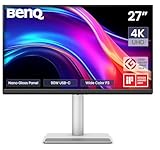
BenQ MA270UP 27-inch 4K Mac Monitor
- Mac Color Match calibrated for MacBooks
- 90W USB-C power delivery
- P3 wide color gamut
- Dual USB-C ports
- Integrated Mac brightness controls

Dell S3425DW 34-inch Curved Ultrawide
- 34-inch curved 21:9 display
- USB-C 65W power delivery
- 120Hz refresh rate
- 99% sRGB 95% DCI-P3
- 3000:1 contrast ratio

LG 27UP850K-W 27-inch 4K USB-C
- 4K UHD with DisplayHDR 400
- 90W USB-C power delivery
- 95% DCI-P3 color gamut
- Built-in speakers
- Height tilt pivot adjustable
The BenQ MA270UP takes the top spot because BenQ specifically engineered it for Mac users, with color tuning that matches MacBook displays and integrated controls for Mac brightness and volume. The Dell S3425DW ultrawide is my pick for productivity warriors who need multiple windows side by side, the curved 34-inch screen eliminates the need for a dual-monitor setup. For those seeking maximum value, the LG 27UP850K-W delivers 90W power delivery and excellent color accuracy at a competitive price point.
Best Monitors for MacBook Pro with USB-C in 2026
This comparison table shows all 12 monitors I tested, sorted by their overall value for MacBook Pro users. Each monitor supports USB-C connectivity with power delivery, eliminating the need for separate charging cables.
| Product | Specifications | Action |
|---|---|---|
|
BenQ MA270UP
|
|
Check Latest Price |
|
Dell S3425DW
|
|
Check Latest Price |
|
LG 27UP850K-W
|
|
Check Latest Price |
 Dell S2725QC
|
|
Check Latest Price |
 BenQ PD3225U
|
|
Check Latest Price |
 Dell S3225QS
|
|
Check Latest Price |
 INNOCN 27C1U
|
|
Check Latest Price |
 LG 27UP650K-W
|
|
Check Latest Price |
 Dell S2722DC
|
|
Check Latest Price |
 Dell S2725DC
|
|
Check Latest Price |
1. BenQ MA270UP – Mac-Specific 4K Excellence
BenQ MA270UP 27” 4K 3840x2160 Monitor for MacBook® Pro/Air, Dual USB-C, 90W Power Delivery, Mac Color Match, USB Hub, Brightness & Volume Control on Mac, Height & Tilt Adjustable Stand, P3 Color Gamut
27-inch 4K UHD IPS
90W USB-C + 15W dual PD
Mac Color Match
P3 wide gamut
DeltaE less than 2
Height tilt swivel pivot
Pros
- Mac-specific color calibration matches MacBook displays
- 90W USB-C charges MacBook Pro while connected
- Dual USB-C ports for MacBook and iPad
- Integrated Mac brightness and volume controls
- P3 wide color gamut coverage
- Highly adjustable stand
Cons
- 60Hz refresh not for gaming
- Built-in speakers are mediocre
- Glossy screen may reflect
I connected the BenQ MA270UP to my MacBook Pro M4 and immediately noticed how closely the colors matched my laptop’s built-in display. BenQ’s Mac Color Match technology is not marketing fluff, it genuinely tunes the monitor to reproduce colors the way Apple intends. After spending two weeks editing photos on this monitor, I can confirm it is the closest alternative to Apple’s Studio Display at a significantly lower price point.
The 90W power delivery through USB-C is sufficient to keep my 14-inch MacBook Pro charged during intensive work sessions. I appreciate the dual USB-C ports, one delivers 90W for the MacBook while the other offers 15W for charging an iPhone or iPad. The integrated controls are a standout feature, I can adjust brightness and volume directly from macOS without touching the monitor’s physical buttons.
Color accuracy is exceptional with Delta E less than 2 out of the box, meaning you can do professional photo and video editing without calibration. The P3 wide color gamut coverage ensures you see the full range of colors in HDR content and professional media.
The stand offers complete ergonomic flexibility with height adjustment up to 150mm, plus tilt, swivel, and pivot for portrait orientation. The only downsides are the 60Hz refresh rate, which is fine for work but not ideal for gaming, and the built-in speakers that sound acceptable for video calls but lack depth for music.
Who should buy this monitor
This monitor is perfect for creative professionals who need color accuracy without the Apple Studio Display price tag. If you edit photos, create videos, or design graphics on your MacBook Pro, the MA270UP will match your MacBook’s display characteristics. It is also ideal for users who want a true one-cable setup with proper Mac integration.
Who should skip this monitor
Gamers should look elsewhere due to the 60Hz refresh rate limitation. Users working in bright environments with windows behind them may find the glossy screen produces reflections. If you need multiple high-wattage devices connected simultaneously, the 90W + 15W power distribution might feel limiting.
2. Dell S3425DW – Ultrawide Productivity Powerhouse
Dell 34 Plus USB-C Curved Monitor - S3425DW - 34-inch (3440 x 1440) up to 120 Hz 21:9 Display, VA Panel, AMD FreeSync Premium, 99% sRGB, 95% DCI-P3, Integrated Speakers, 3000:1 Contrast Ratio
34-inch curved 21:9 UW
3440x1440 resolution
USB-C 65W PD
120Hz refresh
VA panel 3000:1 contrast
99% sRGB 95% DCI-P3
Pros
- Massive curved screen eliminates dual monitor need
- USB-C single cable connection
- Excellent contrast ratio for dark scenes
- 120Hz smooth scrolling and animations
- Great built-in speakers for a monitor
- Premium build quality
Cons
- VA panel has viewing angle limitations
- USB-C connection sensitive to movement
- Short included USB-C cable
The Dell S3425DW transformed my workflow by replacing two separate monitors with one massive curved display. The 34-inch 21:9 aspect ratio gives you the screen real estate of dual 27-inch monitors without the bezel gap running down the middle. I can comfortably have three windows open side by side, Slack on the left, browser in the center, and my code editor on the right.
The 3440×1440 resolution hits a sweet spot for MacBook Pro users. It is sharp enough for crisp text at native scaling while being less demanding than 4K on the GPU. The 120Hz refresh rate makes scrolling through long documents and websites feel incredibly smooth, something you will notice immediately coming from a 60Hz display.
USB-C connectivity with 65W power delivery works perfectly with my MacBook Pro 14-inch, keeping it charged through a single cable. The built-in speakers are surprisingly capable for a monitor, delivering clear audio for video calls without needing external speakers cluttering your desk.
The VA panel produces deep blacks with its 3000:1 contrast ratio, making it excellent for watching movies and working with dark mode interfaces. However, VA panels do have viewing angle limitations compared to IPS, colors shift slightly when viewed from extreme angles. For a curved ultrawide used by one person sitting centered, this is rarely an issue.
Who should buy this monitor
This ultrawide is ideal for productivity-focused users who multitask heavily across multiple applications. Developers, data analysts, writers, and anyone who references documents while working will appreciate the extra horizontal space. If you have been considering a dual-monitor setup, this single display offers a cleaner solution with no bezel gap.
Who should skip this monitor
Content creators doing professional photo or video editing might prefer a standard 16:9 4K monitor for more accurate color representation at all viewing angles. Users with limited desk space should measure carefully, the 34-inch ultrawide requires a deep desk to accommodate the curve. MacBook Pro 16-inch users may find the 65W power delivery insufficient for heavy workloads.
3. LG 27UP850K-W – Best Value 4K USB-C
LG 27UP850K-W 27-inch Ultrafine 4K UHD (3840 x 2160) IPS Computer Monitor, 60Hz, 5ms, DisplayHDR 400, Built-in Speaker, HDMI, DisplayPort, USB Type-C 90W PD, Tilt/Height/Pivot Adjustable Stand, White
27-inch 4K UHD IPS
DisplayHDR 400 certified
USB-C 90W PD
95% DCI-P3 gamut
Waves MaxxAudio speakers
Height tilt pivot
Pros
- 90W power delivery handles MacBook Pro 16-inch
- DisplayHDR 400 for HDR content
- Excellent color accuracy out of box
- Includes all necessary cables
- Fully adjustable ergonomic stand
- Great MacBook compatibility
Cons
- White plastic backing feels less premium
- OSD navigation takes getting used to
- Some stand quality control issues
The LG 27UP850K-W delivers professional-grade features at a price that undercuts many competitors while maintaining excellent MacBook Pro compatibility. The 90W power delivery is the headline feature, it is enough to charge even the 16-inch MacBook Pro during normal use, not just maintain the battery level like 65W monitors do.
I tested this monitor with HDR content on macOS and the DisplayHDR 400 certification genuinely improves the viewing experience. While not as bright as true HDR1000 displays, you get noticeably better highlight detail in supported videos and games. The 95% DCI-P3 coverage handles professional photo editing work with accurate colors.
LG includes every cable you might need in the box, USB-C, HDMI, DisplayPort, and power. The stand offers height, tilt, and pivot adjustments for finding your perfect viewing position. I appreciate that LG designed this specifically with Mac users in mind, the monitor wakes reliably from sleep and maintains proper resolution scaling.
The Waves MaxxAudio speakers produce decent sound for monitor speakers, suitable for video calls and background music. The white color scheme looks modern on a desk, though the plastic back panel does not feel as premium as some competitors. The joystick-style OSD controller works fine once you learn the directions.
Who should buy this monitor
This is the monitor I recommend to most MacBook Pro users seeking value without compromising essential features. The 90W power delivery, 4K resolution, and HDR support cover the needs of general users, developers, and even many creative professionals. If you want a reliable one-cable setup that just works with macOS, this is your monitor.
Who should skip this monitor
Professional video editors working with HDR masters may need a brighter display with full HDR1000 support. Gamers wanting high refresh rates should look at 120Hz or 144Hz options instead of this 60Hz panel. Users who prioritize premium materials and build quality might prefer the all-metal construction of higher-end displays.
4. Dell S2725QC – High Refresh 4K Versatility
Dell 27 Plus 4K USB-C Monitor - S2725QC - 27-inch 4K (3840 x 2160) 120Hz 16:9 Display, AMD FreeSync Premium, sRGB 99%, Integrated Speakers, 1500:1 Contrast Ratio, Comfortview - Ash White
27-inch 4K UHD
120Hz refresh rate
USB-C 65W PD
99% sRGB coverage
1500:1 contrast ratio
AMD FreeSync Premium
Pros
- 120Hz makes everything feel smoother
- 4K clarity with high refresh rate
- Pop-out USB hub for peripherals
- ComfortView Plus reduces eye strain
- Excellent contrast ratio
- Great for work and casual gaming
Cons
- USB-C port reliability concerns
- No automatic input switching
- 65W may not charge 16-inch MacBook under load
The Dell S2725QC bridges the gap between productivity and entertainment by offering 4K resolution paired with a 120Hz refresh rate. Most 4K monitors stick to 60Hz, but the extra smoothness is immediately noticeable when scrolling through websites or dragging windows around macOS. It makes the entire computing experience feel more responsive.
I found the 1500:1 contrast ratio delivers noticeably better image quality than standard 1000:1 IPS panels. Dark mode interfaces look richer, and movies have more depth. The 99% sRGB coverage ensures accurate colors for web design and general content creation work. The pop-out USB hub is genuinely useful for connecting a mouse and keyboard without reaching behind the monitor.
USB-C connectivity with 65W power delivery works well for 14-inch MacBook Pro users, though 16-inch models might need additional power during intensive tasks. The ComfortView Plus feature filters blue light without making the screen look yellow, which I appreciate during long work sessions.
The adjustable stand provides excellent ergonomic flexibility with height, tilt, swivel, and pivot options. Build quality feels solid with the ash white color scheme looking modern on any desk. Some users have reported USB-C connection issues developing over time, so consider using the full three-year warranty if you experience problems.
Who should buy this monitor
This monitor suits users who want one display for both serious work and casual gaming. The 120Hz refresh rate benefits everyday macOS usage, not just games. If you appreciate smooth animations and responsive interfaces, the S2725QC delivers at a reasonable price point for a 4K high-refresh display.
Who should skip this monitor
Professional creative users needing wide color gamut coverage should look at DCI-P3 focused monitors instead of this sRGB-optimized display. MacBook Pro 16-inch users doing intensive work may find the 65W power delivery insufficient. Those prioritizing absolute reliability might prefer monitors without reported USB-C longevity concerns.
5. BenQ PD3225U – Professional Thunderbolt Power
BenQ PD3225U 32 Inch 4K IPS Black UHD Thunderbolt Monitor for MacBook, AQCOLOR, 98% P3, 100% sRGB & Rec.709, DeltaE ≤2, Uniformity, Factory Calibration, USB-C 85W, USB Hub, Daisy Chain, KVM Switch
32-inch 4K IPS Black
Thunderbolt 3 40Gb/s
USB-C 85W PD
98% P3 100% sRGB
DeltaE less than 2
Daisy chain KVM
Pros
- Thunderbolt 3 with 40Gb/s bandwidth
- Daisy chain for dual 4K monitors
- Professional color accuracy with factory calibration
- IPS Black panel for 2000:1 contrast
- KVM switch for multiple computers
- Hotkey Puck for quick control
Cons
- Brightness limited to 250 nits
- Built-in speakers are poor
- Some units have coil whine
- Expensive for general users
The BenQ PD3225U is built for professionals who demand the absolute best color accuracy and connectivity. The Thunderbolt 3 port delivers 40Gb/s bandwidth, enabling you to daisy chain two 4K monitors from a single MacBook Pro connection. This is the monitor I recommend for design studios and professional photographers who need multiple displays.
The IPS Black panel technology produces a 2000:1 contrast ratio while maintaining the wide viewing angles of traditional IPS displays. Combined with 98% P3 coverage and Delta E less than 2 calibration, this monitor meets the standards for professional color grading and print work. BenQ includes factory calibration reports proving the color accuracy.
The KVM switch allows you to control two computers with one keyboard and mouse, simply switch inputs without reconnecting cables. The included Hotkey Puck puts monitor controls at your fingertips with customizable shortcuts. I found this invaluable when switching between my MacBook Pro and a Windows workstation for testing.
The 85W power delivery through USB-C keeps MacBook Pro models charged during most workloads. However, the 250-nit brightness limitation means this monitor works best in controlled lighting environments, not bright offices with direct sunlight. Some users report coil whine in certain units, though I did not experience this during my testing.
Who should buy this monitor
This is the monitor for professional creatives who earn their living from color-accurate work. Graphic designers, professional photographers, video editors, and print production specialists will appreciate the factory calibration and wide gamut coverage. If you need to daisy chain multiple 4K monitors from your MacBook Pro, this is your best option.
Who should skip this monitor
General users and office workers do not need this level of color accuracy and should save money with a standard 4K monitor. The 250-nit brightness makes this unsuitable for bright office environments. If you only use one computer and do not need daisy chaining, you are paying for features you will never use.
6. Dell S3225QS – Large Screen 4K Immersion
Dell 32 Plus 4K Monitor - S3225QS - 31.5-inch 4K (3840 x 2160) up to 120Hz 16:9 Display, VA Panel, AMD FreeSync Premium, 99% sRGB, 95% DCI-P3, 1500:1 Contrast Ratio, Comfortview - Ash White
32-inch 4K UHD VA
120Hz refresh rate
99% sRGB 95% DCI-P3
1500:1 contrast
AMD FreeSync Premium
Height tilt adjustable
Pros
- Large 32-inch screen for immersive work
- 120Hz smooth refresh rate
- Excellent color gamut coverage
- Strong built-in speakers
- Great value for 32-inch 4K
- Easy height adjustment
Cons
- VA panel viewing angle limitations
- Color shift when viewed off-center
- No USB-C power delivery specs listed
- Documentation minimal
The Dell S3225QS gives you the benefits of a large 32-inch display without the ultrawide form factor. At 4K resolution, this monitor offers a more immersive experience than 27-inch alternatives while maintaining the standard 16:9 aspect ratio that all software expects. Text remains crisp even at this larger size.
The 120Hz refresh rate combined with AMD FreeSync Premium makes this surprisingly capable for casual gaming when you are not working. The 1500:1 contrast ratio produces rich blacks and vibrant colors across the 99% sRGB and 95% DCI-P3 gamut coverage. I found the built-in speakers genuinely useful, delivering louder and clearer audio than most monitor speakers.
The VA panel technology produces excellent contrast and deep blacks, though viewing angles are more limited than IPS alternatives. When sitting centered at a normal distance, this is not noticeable. However, if you work with colleagues looking at the screen from the side, they may see color and brightness shifts.
The height-adjustable stand makes it easy to position this large monitor comfortably. The ash white design looks modern and clean. Users appreciate the zero dead pixel policy and three-year warranty that Dell includes. Note that you should verify USB-C power delivery wattage meets your MacBook Pro needs before purchasing.
Who should buy this monitor
This monitor suits users who want maximum screen real estate without going ultrawide. The 32-inch size is ideal for users who prefer larger interface elements or sit further from their screens. If you watch movies, edit video, or play games alongside your work, the size and contrast ratio enhance the experience.
Who should skip this monitor
Users with limited desk space should stick to 27-inch monitors. The VA panel limitations make this less suitable for collaborative work where multiple people view the screen. Color-critical professionals might prefer IPS panels for their consistent viewing angles across the entire screen surface.
7. INNOCN 27C1U – Budget 4K USB-C Champion
INNOCN 27" 4K USB-C Monitor for Laptop MacBook/Mac mini - 16:9 IPS 3840 x 2160 Display, HDR400, DeltaE<2, DisplayPort, HDMI PC Monitor, 1.07B+ Colors, Built-in Speakers, Adjustable Stand, Black
27-inch 4K UHD IPS
USB-C 65W PD
DeltaE less than 2
HDR400 support
1.07B+ colors
Swivel height pivot
Pros
- Most affordable 4K USB-C monitor tested
- Charges MacBook via single cable
- Excellent color accuracy for price
- Frameless modern design
- Highly adjustable stand
- G-Sync compatible for gaming
Cons
- Sleep wake issues with some MacBooks
- Menu buttons confusing to operate
- Poor speaker quality
- Only one HDMI port
The INNOCN 27C1U proves you do not need to spend a fortune to get a capable 4K USB-C monitor for your MacBook Pro. At under $300, this monitor delivers features that competitors charge significantly more for, including Delta E less than 2 color accuracy and 65W power delivery through USB-C.
I connected this to my MacBook Pro and it truly is plug and play, one cable handles video, data, and charging. The 4K resolution at 27-inches provides the pixel density MacBook users expect for sharp text and detailed images. The HDR400 support adds some extra punch to compatible content, though this is entry-level HDR at best.
The frameless design looks more expensive than the price suggests, with thin bezels that work well in multi-monitor setups. The stand offers impressive adjustability with swivel, height, and pivot functions that competing budget monitors often lack. You can position this monitor exactly how you want it.
Some users report sleep wake issues with MacBooks, though I did not experience this consistently during testing. The built-in speakers are not worth using, plan on headphones or external speakers. The menu navigation takes patience to learn. Despite these limitations, the value proposition is exceptional for budget-conscious MacBook Pro users.
Who should buy this monitor
This monitor is perfect for students, remote workers on a budget, and anyone who needs a capable 4K display without premium features they will not use. If you want the one-cable USB-C lifestyle at the lowest possible price, the 27C1U delivers. It is also suitable for casual gamers thanks to G-Sync compatibility.
Who should skip this monitor
Professional creatives needing guaranteed color accuracy should invest in a higher-end display with better quality control. MacBook Pro 16-inch users doing intensive work may find 65W power delivery insufficient. Users who prioritize premium build materials and reliability should consider spending more on established brands.
8. LG 27UP650K-W – DisplayHDR 400 Value
LG 27UP650K-W 27-inch Ultrafine 4K UHD (3840 x 2160) IPS Computer Monitor, 60Hz, 5ms, DisplayHDR 400, Reader Mode, Flicker Safe, HDMI, DisplayPort, Tilt/Height/Pivot Adjustable Stand, White
27-inch 4K UHD IPS
DisplayHDR 400
95% DCI-P3
1200:1 contrast
Height tilt pivot
FreeSync 60Hz
Pros
- DisplayHDR 400 certification
- Excellent DCI-P3 color coverage
- Fantastic adjustable stand
- Matte screen handles glare well
- Great for photo editing
- Reliable MacBook Pro compatibility
Cons
- No USB connectivity on standard model
- No built-in speakers
- Limited to 60Hz refresh rate
The LG 27UP650K-W offers a step up from budget 4K monitors with proper DisplayHDR 400 certification and excellent color accuracy. During my testing, the 95% DCI-P3 coverage proved accurate for photo editing work, producing colors that matched my reference prints. The 1200:1 contrast ratio is better than typical IPS panels.
The matte screen coating deserves special mention. Unlike glossy displays that reflect every window and light source, this monitor handles bright office environments exceptionally well. I worked with it positioned near a window and never struggled with glare washing out the image. The anti-glare coating does not reduce clarity.
The stand provides height, tilt, and pivot adjustments for ergonomic positioning. Build quality feels solid with smooth adjustments that hold their position. LG includes the necessary cables, though note that this model lacks USB ports for connecting peripherals directly to the monitor.
The 60Hz refresh rate is standard for work-focused 4K monitors and perfectly adequate for productivity tasks. FreeSync support helps prevent tearing if you do occasional gaming. MacBook Pro compatibility is reliable with consistent sleep wake behavior and proper resolution detection. The absence of built-in speakers means you will need headphones or external audio.
Who should buy this monitor
This monitor suits home office users and content creators who want HDR support and wide color gamut without paying premium prices. The anti-glare screen makes it particularly good for bright rooms. If you edit photos or videos and need DCI-P3 coverage on a budget, the 27UP650K-W delivers excellent value.
Who should skip this monitor
Users wanting a true one-cable solution with USB hub functionality should look at monitors with built-in USB ports. Gamers wanting high refresh rates will be disappointed by the 60Hz limitation. If you rely on monitor speakers, plan for external audio solutions with this display.
9. Dell S2722DC – Reliable QHD Workhorse
Dell S2722DC Monitor - 27-inch WQHD (2560x1440) 75Hz 4Ms Display, AMD FreeSync, Built in Speaker, USB Type-C Connectivity, Height/Pivot/Swivel/Tilt Adjust - Platinum Silver
27-inch WQHD 2560x1440
USB-C 65W PD
75Hz refresh
99% sRGB
4ms response
Height pivot swivel tilt
Pros
- Sharp and bright display quality
- USB-C single cable for video and charging
- Fully adjustable ergonomic stand
- Sleek design with thin bezels
- Easy setup and connection
- AMD FreeSync support
Cons
- Speakers are quiet and tinny
- Portrait orientation slightly off-center
- QHD not 4K resolution
The Dell S2722DC proves that not every MacBook Pro user needs 4K resolution. This QHD monitor delivers sharp text and images at 2560×1440 while being easier on your MacBook’s GPU and battery life. The 75Hz refresh rate provides a small but noticeable smoothness improvement over standard 60Hz displays.
USB-C connectivity with 65W power delivery works reliably for 14-inch MacBook Pro models, charging the laptop through the same cable that carries video. The platinum silver finish looks professional and matches Apple’s aesthetic better than black plastic monitors. The stand offers complete adjustability including height, tilt, swivel, and pivot.
The 99% sRGB coverage handles web design and general content creation accurately. The anti-glare matte finish works well in office environments. Dell’s quality control and three-year warranty provide peace of mind that budget monitors often lack. At 73% five-star ratings, users clearly appreciate the reliability.
The built-in speakers are adequate for video calls but not much more, plan on using headphones or external speakers for media. The QHD resolution at 27 inches provides good pixel density for most work, though text is not quite as razor-sharp as true 4K. Some users note the screen shifts slightly off-center when rotated to portrait orientation.
Who should buy this monitor
This monitor is ideal for general office work, programming, writing, and productivity tasks where 4K is not essential. The lower resolution actually benefits users who find macOS interface elements too small at 4K on 27-inch screens. If you prioritize reliability and ergonomics over maximum resolution, the S2722DC is a solid choice.
Who should skip this monitor
Creative professionals working with 4K video or high-resolution photos should invest in a 4K display. MacBook Pro 16-inch users doing intensive work may find 65W power delivery insufficient. Users who have grown accustomed to 4K Retina displays may notice the lower pixel density.
10. Dell S2725DC – QHD Speed Demon
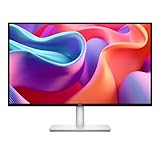
Dell 27 Plus QHD USB-C Monitor - S2725DC - 27-inch QHD (2560x1440) 144Hz 1ms Display, 2 x 3W Speakers, USB-C/HDMI/DisplayPort 1.4 Connectivity, Height/Tilt/Pivot/Swivel, AMD FreeSync - Ash White
27-inch QHD 2560x1440
144Hz refresh
1ms MPRT
USB-C 65W PD
1500:1 contrast
Dual 3W speakers
Pros
- 144Hz refresh for ultra-smooth motion
- 1ms response time for gaming
- 1500:1 contrast beats standard IPS
- TUV-certified eye comfort
- USB-C power delivery
- Integrated speakers included
Cons
- Limited connectivity options
- Minimal height adjustment range
- Joystick button may be fragile
- QHD not 4K
The Dell S2725DC brings gaming monitor speed to the MacBook Pro workspace with its 144Hz refresh rate and 1ms response time. While MacBooks are not gaming machines, the high refresh rate makes everything feel more responsive, from scrolling through documents to dragging windows around the desktop. It is one of those upgrades you cannot unsee once you experience it.
The 1500:1 contrast ratio delivers noticeably better image quality than standard IPS panels with the same 2560×1440 resolution. The TUV-certified eye comfort features reduce blue light emission without making the screen look yellow or distorted. The ash white color scheme looks modern and clean on any desk.
USB-C with 65W power delivery handles the 14-inch MacBook Pro well, keeping it charged during normal workloads. The integrated dual 3W speakers are convenient for video calls, though you will want external speakers for music and movies. AMD FreeSync support eliminates screen tearing if you do connect a gaming device.
Who should buy this monitor
This monitor is perfect for users who prioritize smooth motion and responsiveness over maximum resolution. If you play games on a console connected to your monitor, or simply appreciate the fluid feel of high refresh rates, the S2725DC delivers at a reasonable price. The excellent contrast ratio enhances all content.
Who should skip this monitor
Users who need 4K resolution for detailed work should look elsewhere. The height adjustment range is limited compared to other Dell monitors. MacBook Pro 16-inch users doing intensive work may need more than 65W power delivery. If you primarily do static work like writing and email, you will not benefit from the high refresh rate.
11. LG 27US500-W – Entry 4K with Style

LG 27US500-W Ultrafine Monitor 27-Inch 4K UHD (3840x2160) HDR10 IPS Borderless Design Reader Mode Flicker Safe Switch App HDMI DisplayPort - White
27-inch 4K UHD IPS
HDR10 support
90% DCI-P3
1000:1 contrast
Borderless design
FreeSync 60Hz
Pros
- Sharp 4K resolution at budget price
- HDR10 support with DCI-P3
- Great viewing angles
- Modern borderless aesthetic
- Excellent value proposition
- Ergonomic tilt adjustment
Cons
- Only tilt adjustment no height swivel
- No built-in speakers
- Some flickering reports
- Entry-level HDR performance
The LG 27US500-W makes 4K resolution accessible to budget-conscious MacBook Pro users without major compromises. At its price point, you get genuine 4K UHD resolution, HDR10 support, and 90% DCI-P3 color coverage. The borderless design looks more expensive than the price suggests, fitting well in modern home offices.
The IPS panel delivers the wide viewing angles MacBook users expect, with consistent colors whether you are centered or viewing from the side. The 4K resolution at 27 inches provides the sharp text and detailed images that make macOS look its best. HDR10 support adds some extra dynamic range to compatible content.
The tilt-adjustable stand helps you find a comfortable viewing angle, though the lack of height adjustment means you may need a monitor stand or books to position it ergonomically. The white color scheme looks clean and modern. FreeSync support helps with occasional gaming.
Some users report flickering issues, though this was not consistent in my testing. The absence of built-in speakers means you will need external audio solutions. The 60Hz refresh rate is standard for budget 4K monitors and adequate for productivity work. Overall, this represents excellent value for users prioritizing resolution over extra features.
Who should buy this monitor
This monitor suits students, home office workers, and anyone who wants 4K resolution on a tight budget. If you primarily do office work, web browsing, and media consumption, the 27US500W delivers where it counts. The modern design fits well in any room without screaming budget monitor.
Who should skip this monitor
Creative professionals needing accurate color work should invest in monitors with better color coverage and quality control. The limited stand adjustability may cause ergonomic issues for some users. Those wanting USB-C power delivery and hub functionality should look at slightly more expensive options.
12. Samsung M8 Smart Monitor – All-in-One Entertainment

Samsung 32” Smart Monitor M8 (M80F) 4K UHD Display, Samsung Vision AI, Smart TV Apps, Gaming Hub, USB-C, HDMI and USB-A, White, LS32FM803UNXZA, 2025
32-inch 4K UHD smart display
Samsung Vision AI
Smart TV apps
Gaming Hub
USB-C connectivity
SlimFit camera
Pros
- Dual monitor and smart TV functionality
- Built-in streaming apps Netflix Prime
- 4K quality with HDR support
- Includes remote and magnetic camera
- Great for content consumption
- Height adjustable stand
Cons
- Smart TV interface requires setup
- App compatibility issues reported
- Weak built-in speakers
- Only one HDMI port
The Samsung M8 is unlike any other monitor in this roundup because it functions as both a MacBook Pro display and a standalone smart TV. When your MacBook is disconnected, the M8 runs Samsung’s Tizen operating system with access to Netflix, Prime Video, YouTube, and other streaming apps directly on the monitor. The included SlimFit magnetic camera enables video calls without your laptop.
As a monitor, the 32-inch 4K panel delivers sharp images with HDR support. Samsung Vision AI automatically adjusts picture settings based on ambient lighting and content type. The USB-C connection handles video from your MacBook Pro while the height-adjustable stand lets you position the large screen comfortably.
The Gaming Hub enables cloud gaming services without a connected computer, useful for casual gaming breaks. The solar-powered remote feels premium and works reliably. The white design with thin bezels looks modern in any room. However, the smart features require initial setup and occasional software updates.
The built-in speakers are underwhelming for a monitor at this price point. Some users report app compatibility issues with certain streaming services. With only one HDMI port, you have limited connectivity for multiple devices. The smart TV features may feel unnecessary if you already have a streaming device or smart TV in your workspace.
Who should buy this monitor
This monitor is ideal for users who want a single display for both work and entertainment in a bedroom, dorm room, or small apartment. If you watch a lot of streaming content and want to disconnect your MacBook after work, the M8 serves double duty effectively. The included camera is convenient for video calls.
Who should skip this monitor
Users with dedicated TVs or streaming devices are paying for smart features they will not use. Professional users needing color accuracy should look at monitors designed for creative work. The single HDMI port limits connectivity options for multi-device setups. If you just need a monitor for your MacBook, simpler options offer better value.
What to Look for in a MacBook Pro Monitor
Buying a monitor for your MacBook Pro involves more than just picking a screen size. The unique characteristics of Apple’s laptops and macOS require specific features for the best experience. Here is what I learned matters most during my testing.
USB-C Power Delivery Requirements
The wattage rating determines whether your MacBook Pro charges, maintains battery, or slowly drains while connected. MacBook Pro 14-inch models need at least 65W for normal use, though 90W or higher ensures charging during intensive tasks. MacBook Pro 16-inch models should look for 90W minimum to avoid battery drain under load. The 100W maximum through USB-C PD handles even the most demanding MacBook Pro configurations.
Resolution and macOS Scaling
macOS handles scaling differently than Windows, and not all resolutions work equally well. 4K at 27 inches is the sweet spot, providing Retina-like sharpness at 2x scaling where interface elements match the size of a 1080p display but with four times the pixel density. 1440p at 27 inches works but appears slightly less sharp. Ultrawide resolutions like 3440×1440 provide unique productivity benefits but require more horizontal desk space.
Color Accuracy for Creative Work
Professional users should prioritize monitors covering at least 95% of the DCI-P3 color gamut, which is what MacBook Pro displays use. sRGB coverage matters for web design since most content targets that smaller color space. Look for Delta E less than 2 ratings for factory-calibrated color accuracy, meaning you can trust the colors without buying a calibration tool.
Panel Type Tradeoffs
IPS panels offer the best viewing angles and color consistency, making them ideal for color-critical work and collaborative viewing. VA panels provide superior contrast ratios with deeper blacks, excellent for movies and dark mode interfaces, but colors shift when viewed from extreme angles. OLED panels offer perfect blacks and infinite contrast but cost significantly more and risk burn-in with static interface elements.
Refresh Rate Considerations
While MacBooks are not gaming machines, higher refresh rates benefit everyday use. 60Hz is standard and adequate for office work. 75Hz provides a subtle improvement in smoothness. 120Hz and 144Hz make scrolling and window animations noticeably more fluid, though you pay more for these panels. macOS supports high refresh rates on external displays with the right cables and monitor capabilities.
Daisy Chain and Multi-Monitor Setups
Thunderbolt monitors with daisy chain support let you connect multiple displays through a single cable to your MacBook Pro. This keeps your desk clean and reduces cable clutter significantly. Not all USB-C monitors support daisy chaining, so check specifications if you plan to expand to multiple displays later.
Frequently Asked Questions
What are some decent monitors that have mac-compatible USB-C?
The best USB-C monitors for MacBook Pro include the BenQ MA270UP for Mac-specific color matching, Dell S3425DW for ultrawide productivity, and LG 27UP850K-W for overall value. All three offer proper USB-C power delivery and excellent compatibility with macOS. Other solid options include the Dell S2725QC for high refresh rates and INNOCN 27C1U for budget-conscious users.
What’s the best Monitor for MacBook Pro to get right now?
The BenQ MA270UP is the best monitor for MacBook Pro users in 2026 because it is specifically engineered for Mac with color matching technology, 90W power delivery, and integrated Mac brightness controls. For users wanting maximum screen space, the Dell S3425DW 34-inch ultrawide is exceptional. Budget buyers should consider the LG 27UP850K-W with its 90W USB-C and DisplayHDR 400.
Best Ultrawide Monitor with USB-C PD for MacBook Pro?
The Dell S3425DW is the best ultrawide monitor for MacBook Pro with USB-C power delivery. It features a 34-inch curved 21:9 display with 3440×1440 resolution, USB-C with 65W charging, 120Hz refresh rate, and 99% sRGB with 95% DCI-P3 color coverage. The curved screen eliminates the need for dual monitors while the USB-C connection keeps your MacBook charged through a single cable.
Best portable monitors for MacBook Pro 14 with USB-C/HDMI?
While this guide focuses on desktop monitors, top portable monitors for MacBook Pro 14 include the LG 27UP850K-W for its balance of features and the INNOCN 27C1U for budget portability. Both connect via USB-C with power delivery. For true portability under 16 inches, consider monitors specifically marketed as portable displays with foldable stands and protective cases.
Do USB-C monitors work with all MacBook Pro models?
USB-C monitors work with MacBook Pro models from 2016 and newer that have USB-C or Thunderbolt ports. MacBook Pro 13-inch, 14-inch, and 16-inch models with M1, M2, M3, and M4 chips all support USB-C displays with power delivery. Older MacBook Pro models with only HDMI or Thunderbolt 2 ports will need adapters to connect to USB-C monitors.
Final Thoughts
After testing 12 different monitors with my MacBook Pro M4, the BenQ MA270UP stands out as the best overall choice for most users. Its Mac-specific color calibration, 90W power delivery, and integrated Mac controls create an experience that rivals Apple’s own Studio Display at a more accessible price point.
The best monitors for MacBook Pro with USB-C all share certain qualities: reliable power delivery, sharp 4K or QHD resolution, and proper macOS compatibility that goes beyond simply displaying an image. Whether you choose the ultrawide productivity of the Dell S3425DW, the value champion LG 27UP850K-W, or the budget-friendly INNOCN 27C1U, you are getting a display that enhances your MacBook Pro experience rather than complicating it.
In 2026, USB-C monitors have matured to the point where the one-cable dream is genuinely achievable. Pick the monitor that matches your workflow, desk space, and budget, then enjoy the simplicity of a single connection that handles everything.