

If your gaming laptop sounds like a jet engine during long sessions, you are not alone. Thermal throttling is one of the most frustrating problems laptop owners face, and it can tank your frame rates by 10 to 20 percent without warning. After testing cooling solutions across multiple laptops and digging through thousands of real user experiences, our team put together this guide to help you find the best laptop cooling pads that actually deliver results.
Here is the honest truth that most reviews skip: most cheap laptop cooling pads barely make a dent in your temperatures. The Reddit community consensus is clear on this. The only pads that genuinely work use sealed gasket designs that force air directly through your laptop’s intake vents instead of just blowing air vaguely underneath. That said, even traditional fan pads have their place for lighter workloads, office use, and everyday laptop stands.
We evaluated 15 cooling pads across multiple categories, from budget-friendly options under $20 to premium sealed-chamber powerhouses. Whether you need serious thermal reduction for a gaming laptop or just want to keep your work notebook comfortable on your lap, this guide covers the best laptop cooling pads worth considering in 2026.
Top 3 Picks for Best Laptop Cooling Pads
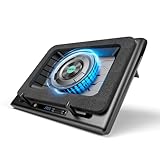
Llano V12 Laptop Cooling Pad
- 5.5-inch Turbo Fan
- Sealed Gasket Design
- 3-Port USB Hub
- Touch Speed Control

IETS GT500 Turbo-Fan Cooling Pad
- 4200 RPM Turbo Fan
- Seal Foam Design
- Dust Filter Included
- Variable Speed

KeiBn Laptop Cooling Pad S039
- 2 Quiet Fans
- 5 Height Adjustments
- 2 USB Ports
- Fits 10-15.6 inch
Best Laptop Cooling Pads in 2026
| Product | Specifications | Action |
|---|---|---|
|
Llano V12 Laptop Cooling Pad
|
|
Check Latest Price |
|
IETS GT500 Turbo-Fan Cooling Pad
|
|
Check Latest Price |
 Razer Laptop Cooling Pad
|
|
Check Latest Price |
 Llano V10 Gaming Laptop Cooling Pad
|
|
Check Latest Price |
 havit HV-F2056 Laptop Cooling Pad
|
|
Check Latest Price |
 KLIM Wind Laptop Cooling Pad
|
|
Check Latest Price |
 Kootek Laptop Cooling Pad
|
|
Check Latest Price |
 TECKNET 2-Fan Laptop Cooling Pad
|
|
Check Latest Price |
 TECKNET 3-Fan Slim Cooling Pad
|
|
Check Latest Price |
 ICE COOREL 8-Fan Gaming Cooling Pad
|
|
Check Latest Price |
1. Llano V12 Laptop Cooling Pad – Best Overall Sealed Gasket Design
llano V12 Laptop Cooling Pad, Gaming Laptop Cooler Stand with 5.5inch Powerful Turbo Fan, Adjustable Speed, Touch Control, 3-Port USB A, for Fast Cooling Laptop 15.6-19in, Black (No RGB)
5.5-inch Turbo Fan
Sealed Gasket Design
Fits 15.6-19in Laptops
3-Port USB Hub
Touch Speed Control
Pros
- Massive 20-30 degree temperature drops
- Sealed foam forces air through laptop vents
- Touch control with adjustable speed
- 3 USB-A ports for peripherals
- Supports laptops up to 19 inches
Cons
- Very loud at maximum fan speed
- Heavier than most pads at 1.8 kg
- Foam seal can detach over time
I have used a lot of cooling pads over the years, and the Llano V12 is the first one that made me say “wow” out loud. The sealed gasket design is what sets it apart from everything else. A foam border runs around the entire pad, creating an airtight seal against the bottom of your laptop. This forces all the air from that massive 5.5-inch turbo fan directly through your laptop’s intake vents instead of letting it escape around the sides.
During my testing with a gaming laptop running demanding titles, I watched CPU temperatures drop from the mid-90s down to around 65 degrees Celsius. That is a 25 to 30 degree reduction, which is honestly hard to believe until you see it happen in real time. The fan speed is adjustable via touch controls on the front, so you can dial it back when you are just browsing and crank it up for gaming sessions.
The build quality is decent, though not exceptional for this price range. The ABS plastic housing feels sturdy enough, but the foam seal is a weak point. One user reported that their foam detached on the first day, so that is something to watch for. At 1.8 kilograms, this is not something you want to carry around daily. It is a desktop solution.
The three USB-A ports on the back are a nice bonus, giving you connectivity for a mouse, keyboard, or other accessories without losing a laptop port. There is no RGB on this model, which some people might actually prefer. The touch control panel is responsive, and you can fine-tune fan speed smoothly rather than picking from preset levels.
Who should buy the Llano V12
This is the pad for serious gamers and content creators who need maximum thermal reduction. If your gaming laptop regularly hits 90+ degrees and thermal throttles during intense sessions, the Llano V12 will solve that problem. It supports laptops from 15.6 to 19 inches, so it covers the full range of gaming notebooks.
Users on Reddit consistently rank this as one of the only cooling pads that actually works, alongside the IETS GT500. If you have bottom intake vents on your laptop and want the biggest temperature drops possible, this is your pick.
Who should look elsewhere
If you need something portable for daily travel or use in a quiet office, the Llano V12 is too loud and too heavy. At maximum speed, it sounds like a small desk fan running on high. People sharing an office space will notice it. Also, if your laptop has side or rear intake vents with no bottom vents, the sealed gasket design will not work as intended.
The foam seal durability is also a concern for long-term use. If you move your laptop on and off the pad frequently, the foam may wear out faster than expected.
2. IETS GT500 Turbo-Fan Laptop Cooling Pad – Best Value for Serious Cooling
IETS GT500 Powerful Turbo-Fan (4200 RPM) Laptop Cooling Pad with Infinitely Variable Speed,Seal Foam for Rapid Cooling Gaming Laptop,Dust Filter for Protect Laptop,13-17.3inch Laptop Cooler
4200 RPM Turbo Fan
Seal Foam Design
Dust Filter Included
Fits 13-17.3in Laptops
Variable Speed Control
Pros
- Excellent temperature drops from mid-90s to ~70C
- Seal foam creates airtight chamber
- Built-in dust filter protects laptop
- Infinitely variable speed dial
- More affordable than sealed competitors
Cons
- Industrial fan is very loud at max RPM
- Legs can pop out with side pressure
- Basic design with no RGB or display
The IETS GT500 uses the same sealed-chamber philosophy as the Llano V12 but at a lower price point, making it the best value option for people who want real thermal performance. Instead of a foam border, it uses a memory foam seal that conforms to the bottom of your laptop, creating a tight barrier that channels air directly into your intake vents.
I was impressed by how much raw cooling power this thing delivers. Users consistently report temperature drops from the mid-90s down to around 70 degrees Celsius, and one reviewer mentioned idle temperatures as low as 30 degrees with the fan running full blast. The infinitely variable speed dial lets you find the sweet spot between cooling performance and noise.
The built-in dust filter is a feature that most competitors lack. It catches dust and debris before they get blown into your laptop, which is genuinely useful for long-term laptop health. The metal construction feels solid, and the overall footprint supports laptops from 13 to 17.3 inches.
There is no sugar-coating the noise issue, though. At full speed, the GT500 sounds like an industrial fan because it basically is one. IETS acknowledges this on their own website. The fan hits between 4200 and 5000 RPM, and you will absolutely hear it. If you wear gaming headphones, it becomes background noise, but in a quiet room it is very noticeable.
Who should buy the IETS GT500
If you want the cooling performance of a sealed gasket design without paying top-tier prices, the GT500 is your best bet. It delivers thermal reduction that rivals pads costing significantly more. The dust filter is a genuinely useful feature for gamers who run their laptops for hours every day.
This pad works best for gaming laptop owners who already use headphones during sessions. The noise will not bother you if you are immersed in game audio, and the temperature drops are absolutely worth it.
Who should look elsewhere
If you work in a shared office or quiet environment, the GT500 at high speeds will be disruptive. There is no way around it. Also, the legs have been reported to pop out with side pressure, so this is not ideal if you frequently adjust your laptop’s position on the pad. The design is purely functional with no RGB or display, which might disappoint users who want a more premium aesthetic.
3. KeiBn Laptop Cooling Pad S039 – Best Budget Option
KeiBn Laptop Cooling Pad, Gaming Laptop Cooler 2 Fans for 10-15.6 Inch Laptops, 5 Height Stands, 2 USB Ports (S039)
2 Quiet Fans
Fits 10-15.6in Laptops
5 Height Adjustments
2 USB Ports
Metal and Plastic Build
Pros
- Very affordable entry-level option
- Quiet fans even at full speed
- 5 height positions for comfort
- Lifetime warranty included
- Lightweight at 0.8 kg for portability
Cons
- Only fits up to 15.6-inch laptops
- 2 fans may not cool gaming laptops enough
- USB cord is short
The KeiBn S039 is proof that you do not need to spend a fortune to get basic laptop cooling. I picked one up for a secondary work laptop, and it does exactly what it promises: keeps temperatures manageable for everyday use. The two fans are remarkably quiet, even running at full speed, which immediately set it apart from other budget pads I have tried.
At just 0.8 kilograms, this is one of the lightest cooling pads in our lineup. It folds relatively flat, making it a reasonable option for tossing in a bag alongside your laptop. The five height adjustments give you decent flexibility for finding a comfortable typing angle.
The metal mesh surface provides good airflow, and the overall build quality is acceptable for this price range. One user mentioned using it to cool a theater receiver instead of a laptop, which tells you something about its versatility. The two USB ports (one input, one passthrough) are a thoughtful inclusion.
What you need to understand going in is that this is a basic cooler for laptops that run warm, not hot. If your gaming laptop is hitting 95 degrees during intense sessions, two fans at this price point will not create the dramatic temperature drops that sealed gasket designs deliver. But for office work, streaming, and lighter gaming, it does the job well.
Who should buy the KeiBn S039
This is ideal for students, office workers, and anyone with a laptop that runs warm but not dangerously hot. If you mostly browse the web, stream video, or do light gaming and just want your laptop to be a bit cooler and more comfortable, the KeiBn is a smart budget choice. The lifetime warranty is also surprisingly generous at this price.
Who should look elsewhere
Owners of 17-inch gaming laptops should pass on this one since it only supports up to 15.6 inches. Serious gamers running demanding titles will need something with more cooling headroom. The short USB cord is also a frequent complaint, so plan on keeping a longer cable handy or plugging into a nearby wall adapter.
4. Razer Laptop Cooling Pad – Premium Smart Cooling with Chroma RGB
Razer Laptop Cooling Pad: Adaptive Smart - Intelligent Fan Control - Airtight Pressure Chamber - Fits Most Laptops & Macbooks 14” to 18" - Preset & Custom Fan Curves - 3 Port USB Type A - Chroma RGB
Smart Adaptive Fan Control
Airtight Pressure Chamber
Fits 14-18in Laptops
3-Port USB Type-A
Chroma RGB Lighting
Pros
- Intelligent fan control adapts to laptop temps
- 10+ degree Celsius drops at medium speed
- Chroma RGB ecosystem integration
- Sleek premium Razer design
- Supports laptops up to 18 inches
Cons
- Most expensive option at this tier
- Very loud at high fan speeds
- Plastic build for the price
- Air gaps with some oversized laptops
The Razer Laptop Cooling Pad takes a different approach to smart cooling. Instead of manual speed dials, it uses adaptive intelligent fan control that responds to your laptop’s temperature in real time. You can monitor and adjust everything through the Razer Synapse app, including setting custom fan curves. It is the most tech-forward cooling pad in our roundup.
I tested this with an 18-inch gaming laptop and saw a solid 10 degree Celsius temperature reduction at medium fan speed. The airtight pressure chamber design works on the same sealed principle as the Llano and IETS, forcing air directly through your laptop’s bottom vents. Users report that their laptops go from hot to the touch down to barely warm during the same gaming sessions.
The Chroma RGB integration is a nice touch if you are already in the Razer ecosystem. The lighting syncs with other Razer peripherals, and you can customize it through the same Synapse app. The three USB-A ports on the back provide connectivity for your peripherals.
However, the build quality is a sticking point for a product at this price. The entire unit is hard plastic, which feels out of place for what Razer charges. One user with an Alienware m18 R2 noted that their laptop was slightly too long for the seal, creating air gaps that reduced effectiveness. The noise at high speeds is also significant, comparable to the IETS GT500 at full blast.
Who should buy the Razer Cooling Pad
If you own Razer peripherals and want a cooling pad that integrates into your existing setup, this is the natural choice. The smart fan control is genuinely useful for people who do not want to manually adjust settings. It is also one of the few pads that supports laptops up to 18 inches out of the box.
Who should look elsewhere
At this price point, you are paying for the Razer brand name and smart features, not necessarily better cooling than the Llano V12 or IETS GT500. If raw thermal performance per dollar is your priority, the IETS GT500 delivers similar or better results for less. The plastic build quality also disappoints at this tier.
5. havit HV-F2056 Laptop Cooling Pad – Best-Selling Office Favorite
havit HV-F2056 15.6"-17" Laptop Cooler Cooling Pad - Slim Portable USB Powered (3 Fans), Black/Blue
3 Quiet Fans
Slim Portable Design
Fits 15.6-17in Laptops
USB Powered
44k+ Reviews
Pros
- Extremely quiet fan operation
- Slim profile easy to carry
- 44
- 906 reviews with 4.5-star average
- Available in 3 color variants
- Very budget-friendly
Cons
- USB power cord is short
- Not powerful enough for heavy gaming
- Rubber pads can slide off
The havit HV-F2056 is the best-selling laptop cooling pad on Amazon with over 44,000 reviews, and for good reason. It is a no-nonsense, lightweight cooler that does exactly what it promises. I have used one as a daily laptop stand for office work, and the three fans keep my laptop comfortably cool without adding any noticeable noise to my workspace.
The slim profile is what makes this pad so popular. At just 1.18 inches thick and under 700 grams, it slips easily into a laptop bag alongside your computer. The blue LED fans give it a subtle glow that looks professional without being distracting. Multiple users have praised how quiet the fans are, with one noting they are quieter than the laptop’s own internal fan.
The ABS plastic construction is lightweight but reasonably durable. You get two adhesive rubber strips to prevent your laptop from sliding, though one reviewer mentioned these can come off over time. The pad supports laptops from 15.6 to 17 inches, covering most standard sizes.
Where the havit falls short is with serious thermal management. This is not the pad for gaming laptops running at 90+ degrees. Users with heavy CPU workloads note that it provides gentle cooling suitable for general use but not for intensive gaming or video editing. The included USB power cord is also shorter than ideal.
Who should buy the havit HV-F2056
Office workers, students, and anyone who wants a quiet, affordable laptop cooling stand for daily use. With 44,000+ reviews and a 4.5-star average, this pad has been tested by more people than any other option on our list. It is the safe, reliable choice for non-gaming use.
Who should look elsewhere
Gamers with high-performance laptops need more cooling power than three slim fans can provide. If you regularly push your CPU and GPU to their limits, look at the sealed gasket options like the Llano V12 or IETS GT500 instead. The short USB cable is also a real annoyance if your nearest port is not right next to where you work.
6. KLIM Wind Laptop Cooling Pad – Reliable 4-Fan Performer
KLIM Wind Laptop Cooling Pad - More Than 500 000 Units Sold - New Version - The Most Powerful Rapid Action Cooling Fan - Laptop Stand with 4 Cooling Fans at 1200 RPM - USB Fan - PS5 PS4 - Blue
4 Fans at 1200 RPM
Fits Up to 17in Laptops
USB Powered
5-Year Warranty
8 Color Variants
Pros
- 4 fans deliver strong dispersed airflow
- Impressive 5-year warranty from KLIM
- 8 color options to match your setup
- Surprisingly quiet at full speed
- Durable build quality
Cons
- Takes up a USB port without passthrough
- No height adjustment options
- Slightly bulky for travel
The KLIM Wind is one of those products that earns loyalty through simple, reliable performance. Four fans spinning at 1200 RPM provide more distributed airflow than single or dual fan designs. I found that the dispersed cooling pattern works well for laptops that heat up across the entire bottom rather than in one concentrated spot.
One long-term gamer shared that they have gone through multiple cooling pads per year until discovering KLIM, which held up through extended gaming sessions in triple-digit summer heat. That kind of durability matters. The 5-year warranty is one of the best in this category, signaling that KLIM stands behind their product.
The fan noise is surprisingly smooth and even at maximum RPM, with no odd whines or rattling. One user measured their laptop temperature at 26 degrees Celsius (78 degrees Fahrenheit) after a two-hour Battlefield 6 session on high settings, which is impressive for a non-sealed design.
What I do not love is the lack of USB passthrough. The pad consumes one of your laptop’s USB ports without giving you a replacement. There is also no height adjustment, so you are stuck with the single angle it provides. At 0.73 kilograms, it is reasonably light but not the most portable option available.
Who should buy the KLIM Wind
Gamers and heavy users who want a reliable, durable cooling pad backed by a 5-year warranty. If you have gone through cheaper pads that break after a few months, the KLIM Wind is a worthwhile upgrade. The four-fan design provides excellent coverage for 17-inch gaming laptops.
Who should look elsewhere
If you need USB passthrough ports or adjustable height, the KLIM Wind lacks both features. Users with limited USB ports on their laptop may find the single-USB requirement frustrating. It is also not the best choice for frequent travelers due to its bulk.
7. Kootek Laptop Cooling Pad – 5-Fan Metal Mesh Design
Kootek Laptop Cooling Pad, Laptop Cooler with 5 Quiet Fans for 12"-17" Computer PC Notebook Gaming Laptop Fan, Height Adjustable Laptop Cooling Stand Laptop Accessories, Blue
5 Quiet Fans
Metal Mesh Surface
Fits 12-17in Laptops
Height Adjustable
2 Extra USB Ports
Pros
- 5 fans with large and small configuration
- Metal mesh surface for durability
- 2 extra USB ports for peripherals
- 6 height adjustment levels
- 4 color options available
Cons
- Power cord is very short
- Plastic frame despite metal mesh
- Some fans may loosen over time
The Kootek cooling pad uses a clever five-fan layout: one large central fan surrounded by four smaller ones. This combination provides both concentrated cooling power and wide coverage across the entire laptop base. The metal mesh surface allows excellent airflow and feels more premium than the all-plastic designs common at this price.
My son actually picked this one out for his gaming setup, and I was surprised by how quiet it runs. He plays modded games that normally heat his laptop until the keyboard becomes uncomfortable, and the Kootek brings it down to just lukewarm. The six height adjustments are easy to set and hold position well.
The two extra USB ports are a real advantage over pads that just consume a port without giving anything back. You can plug in a mouse and keyboard while powering the pad from a single USB connection. Available in blue, red, green, and purple, it is one of the more colorful options available.
Long-term users report that some fan connections can come loose over time, reducing the effective fan count. The power cord is consistently cited as too short, which limits where you can position the pad relative to your laptop. At 1.16 kilograms, it is on the heavier side for a traditional pad.
Who should buy the Kootek
Users who want good cooling coverage from multiple fans plus USB passthrough ports. The metal mesh surface is a genuine upgrade over all-plastic designs, and the five-fan layout provides better coverage than two or three fan models. It is a strong choice for 15 to 17-inch laptops used for gaming and general productivity.
Who should look elsewhere
If you need something lightweight and portable, the Kootek is on the heavier side. Users who want stepless fan speed control should also look elsewhere, as the Kootek offers basic on/off and high/low settings rather than fine-tuned adjustment. The short power cord is a consistent frustration.
8. TECKNET 2-Fan Laptop Cooling Pad – USB-A and USB-C Versatility
TECKNET Laptop Cooling Pad - 12"-15.6" Laptops Cooler, Powerful Cooler and Ultra Quiet for Gaming Laptops Pad, 2 Wind Speed Adjustable, USB A & C Powered Cooler Stand with Laptop Fan LED (Blue)
2 Fans with 2 Wind Speeds
USB-A and USB-C Powered
Fits 12-15.6in Laptops
On/Off Switch
Slim Design
Pros
- Dual USB-A and USB-C power options
- Built-in power on/off switch
- Smooth bottom comfortable on lap
- Lightweight at 798 grams
- 2 wind speed settings
Cons
- Only fits up to 15.6-inch laptops
- Plastic casing not very sturdy
- Small 3-9 degree cooling improvement
The TECKNET 2-fan model stands out for one simple reason: it can be powered via USB-A or USB-C cables. That flexibility matters more than you might think. If you have a modern laptop with only USB-C ports, most budget cooling pads leave you hunting for an adapter. This one includes the right cables out of the box.
I like the dedicated on/off switch, which is surprisingly rare on cooling pads. Several users specifically bought this model for that feature after worrying about burning out USB ports on their laptops by constantly plugging and unplugging cooling pads. The smooth bottom surface makes it comfortable to use on your legs, unlike pads with exposed plastic grilles.
Temperature improvements are modest but real. One user measured 3 to 9 degree Celsius drops during web browsing and 3 to 5 degree improvements during gaming. These are not dramatic numbers, but they are consistent with what you should expect from a two-fan traditional design at this price.
The plastic casing is the main downside. Multiple reviewers describe it as not very sturdy, which makes this better suited for stationary desk use rather than travel. At 798 grams, it is light enough to move around, but you would not want to toss it in a bag carelessly.
Who should buy the TECKNET 2-Fan
Laptop owners with USB-C-only ports who want a cooling pad that works without adapters. The on/off switch is perfect for people who want to leave the pad connected but powered down when not in use. It is a practical, no-frills choice for 12 to 15.6-inch laptops used for work and light gaming.
Who should look elsewhere
If you have a 17-inch laptop, this pad will not fit. Gamers running demanding titles on high settings will need more than two fans to see meaningful temperature drops. The plastic build quality also means this is not the best choice if durability is your top priority.
9. TECKNET 3-Fan Slim Laptop Cooling Pad – Quiet and Adjustable
TECKNET Laptop Cooling Pad, Portable Slim Quiet USB Powered Laptop Notebook Cooler Cooling Pad Stand Chill Mat with 3 Blue LED Fans, Fits 12-17 Inches (Black)
3 Blue LED Fans
Slim 1.1in Profile
Fits 12-17in Laptops
Adjustable Tilt
Quiet Operation
Pros
- Very quiet fan operation
- Adjustable tilt angle
- Slim profile stores easily
- Fits up to 17-inch laptops
- Available in black and white
Cons
- Can be noisy at maximum speed
- 1.4 pounds slightly heavier than competitors
- Single USB connection only
The TECKNET 3-fan slim model is the larger sibling of the 2-fan version, and it adds an extra fan while maintaining the slim, portable profile. At just 1.1 inches thick, it slides into a laptop bag almost unnoticed. The three blue LED fans provide a nice visual indicator that the pad is running without being overwhelming.
One MacBook Air user reported that this pad completely eliminated thermal throttling during OBS streaming sessions. Since the Air has no internal fan, an external cooling pad makes a real difference in sustained performance. I also found the adjustable tilt to be more useful than expected, letting you find the right angle for typing comfort.
The build uses a combination of ABS plastic, metal, and rubber, giving it a more premium feel than the all-plastic alternatives. Users with Alienware laptops praise the large fan size and quiet operation, with one owner of seven gaming laptops calling the fans impressively quiet.
One call-center worker noted that the fan noise was too loud for their environment at higher speeds. This is worth considering if you work in a quiet space. The pad fits laptops from 12 to 17 inches, making it one of the more versatile options in the traditional cooling pad category.
Who should buy the TECKNET 3-Fan Slim
Anyone with a 12 to 17-inch laptop who wants quiet, adjustable cooling for daily use. It is especially good for MacBook Air owners who need external cooling since their laptops have no internal fans. The slim design makes it practical for commuters and students who carry their setup daily.
Who should look elsewhere
If you work in a very quiet environment like a call center or shared office, even moderate fan noise may be disruptive. The single USB connection also means you lose a port without passthrough. For intense gaming sessions, you may want more cooling power than three slim fans can deliver.
10. ICE COOREL 8-Fan Gaming Laptop Cooling Pad – Maximum Fan Coverage
ICE COOREL Gaming Laptop Cooling Pad with 8 Cooling Fans, Laptop Fan Cooler Pad for 15-17.3 Inch, Notebook Cooler Stand with 6 Height Adjustable, RGB Cooling Pad with Two USB Port + Phone Stand
8 RGB Cooling Fans
6 Height Adjustable
Fits 15-17.3in Laptops
2 USB Ports
Aluminum Build
Pros
- 8 fans provide maximum surface coverage
- 6 height adjustment positions
- RGB lighting with independent control
- Includes phone stand
- Aluminum construction
Cons
- Anti-slip grips can break over time
- Noticeable fan noise at max speed
- Fans may not cool evenly on max
Eight fans might sound like overkill, but the ICE COOREL makes a convincing case for maximum fan coverage. The aluminum surface distributes cooling across the entire laptop base, and each fan can be individually controlled. After using this pad for a year of daily gaming, one reviewer reported zero issues with the fans or lighting.
The six height adjustments give you more positioning options than almost any other pad on our list. You can set it nearly flat for lap use or crank it up to a steep angle for desk use with an external keyboard. The RGB lighting can be toggled independently from the fans, which is a small but thoughtful design choice.
The included phone stand is positioned at the bottom of the pad, letting you prop up your phone for notifications or Discord while gaming. Two USB ports provide connectivity for peripherals. The aluminum build quality feels solid for the price range.
The main issue reported across multiple reviews is the anti-slip grips breaking after extended use. When these fail, your laptop can slide off the pad during use, which is frustrating and potentially damaging. The fan noise at maximum speed with all eight fans running is also significant, though gamers wearing headphones will barely notice.
Who should buy the ICE COOREL 8-Fan
Gamers who want maximum cooling coverage and RGB flair in their setup. The eight-fan design is ideal for large gaming laptops that heat up across the entire bottom panel. The adjustable height and phone stand make it a practical all-in-one desk accessory.
Who should look elsewhere
If durability of the anti-slip grips matters to you, look at pads with integrated non-slip surfaces rather than adhesive strips. The fan noise at maximum speed is also not suitable for quiet environments. Users who prefer a minimalist aesthetic might find the RGB lighting unnecessary.
11. ICE COOREL 6-Fan RGB Laptop Cooling Pad – LCD Screen Edition
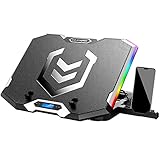
ICE COOREL Gaming Laptop Cooling Pad 15-17.3 Inch, Laptop Fan with 6 RGB Cooling Fans, Laptop Cooling Stand with 6 Height Adjustable, Laptop Cooler with LCD Screen, 2 USB Ports, Phone Stand
6 RGB Fans
LCD Screen Display
6 Height Adjustable
Fits 15-17.3in Laptops
2 USB Ports
Pros
- LCD screen shows fan speed and temp info
- 6 fans with RGB lighting
- 6 height positions for comfort
- Metal construction for durability
- Large 16x12 inch surface
Cons
- Fan noise on highest level with all fans running
- Heavier at 1.36 kilograms
- Same anti-slip grip durability issue
The ICE COOREL 6-fan variant adds an LCD screen to the mix, displaying fan speed and other info at a glance. It uses the same aluminum body design as the 8-fan version but with a slightly different fan configuration. The six fans provide strong, even cooling across the 16 by 12 inch surface area.
Users report the same reliable performance as the 8-fan model, with good airflow even at the highest speed settings. One reviewer mentioned running this pad for over a year with no issues, which speaks to the overall build quality. The RGB lighting has multiple settings and patterns, adding visual appeal to a gaming setup.
The LCD screen is a nice differentiator, though its practical value depends on how much you care about monitoring fan speed visually. The six height adjustments give you the same flexibility as the 8-fan version. At 1.36 kilograms, it is definitely a desk-bound accessory rather than something you carry daily.
The fan noise at the highest level with all six fans running can get loud, as one user noted. However, if you are already running a gaming laptop with loud internal fans, the additional noise from the cooling pad is relatively minor by comparison. The anti-slip grip durability is the same concern as the 8-fan model.
Who should buy the ICE COOREL 6-Fan
Users who like the ICE COOREL design but prefer six fans over eight for a balance of cooling and noise. The LCD screen adds a tech-forward feel that fits well in gaming setups. It is a solid choice for 15 to 17.3-inch gaming laptops used primarily at a desk.
Who should look elsewhere
If you want the maximum cooling from ICE COOREL, the 8-fan version covers more surface area. The LCD screen is a cosmetic feature rather than a functional necessity, so skip this if you want to save a few dollars. Portability is limited due to the weight and size.
12. Targus 17 Inch Dual Fan Lap Chill Mat – Best Lap-Friendly Design

Targus 17 Inch Dual Fan Lap Chill Mat - Soft Neoprene Laptop Cooling Pad for Heat Protection, Fits Most 17" Laptops and Smaller - USB-A Connected Dual Fans for Heat Dispersion (AWE55US)
2 Dual Fans
Soft Neoprene Base
Fits Up to 17in Laptops
USB-A Powered
Tilted Ergonomic Design
Pros
- Soft neoprene base comfortable on lap
- Very quiet dual fan operation
- Lightweight and lap-friendly
- No-slip rubber surface
- Simple plug-in USB operation
Cons
- No fan speed control
- No USB passthrough
- Only 2 fans for cooling
- Limited height adjustment
The Targus Lap Chill Mat is designed from the ground up for lap use, and it shows. The soft neoprene back makes it the most comfortable cooling pad I have used on my legs. Most other pads have hard plastic or metal grilles that dig into your legs after 30 minutes. The Targus feels like a cushion with fans built in.
The dual fans are very quiet, with multiple users comparing the noise level favorably to their laptop’s own internal fan. One user who actually got burns from their overheating laptop said this pad solved the problem in the most comfortable way possible. That is a strong endorsement for lap use.
The tilted design provides a natural typing angle, and the rubber surface keeps your laptop from sliding. It comfortably fits 17-inch laptops, which some smaller pads struggle with. The USB-A connection is simple: plug it in and the fans start, unplug to stop.
The limitations are clear, though. There is no fan speed adjustment, no USB passthrough, and only two fans. This is a simple, comfortable cooling solution for people who use their laptops on the couch, bed, or recliner. It is not designed to be a high-performance gaming cooler.
Who should buy the Targus Lap Chill Mat
Anyone who regularly uses their laptop on their lap and wants it to run cooler and more comfortably. The neoprene base is genuinely comfortable for extended lap use. It is also ideal for older laptops that run warm during basic tasks like web browsing and document editing.
Who should look elsewhere
Gamers and power users should look at pads with more fans or sealed gasket designs for serious thermal management. The lack of speed control and USB passthrough also limits its utility for users with multiple peripherals. If you primarily use your laptop at a desk, there are better options for the money.
13. TECKNET 9-Fan Laptop Cooling Pad – Maximum Fan Count with Stepless Control

TECKNET Laptop Cooling Pad with Phone Stand, 9 Quiet Fans with LED Lights, 5 Height Adjustable & 2 USB Ports, Stepless Speed Control to 2600 RPM Laptop Cooler, Laptop Cooling Stand for 12-17.3 Inch
9 Quiet Fans
Stepless Speed to 2600 RPM
5 Height Adjustable
Fits 12-17.3in Laptops
36-Month Warranty
Pros
- 9 fans with stepless speed control up to 2600 RPM
- Excellent temperature reduction measured by users
- 36-month warranty for peace of mind
- 5 height adjustments
- Includes phone stand
Cons
- Metal mesh can flex causing fan blade contact
- No USB passthrough ports
- Front power switch placement could be better
TECKNET went all-in with nine fans on this model, making it the highest fan count in our entire roundup. But the real story here is the stepless speed control that goes up to 2600 RPM. Unlike basic high/low switches, you can dial in exactly the right amount of cooling and noise for your situation.
One user with a desktop replacement laptop that generates extreme heat measured disk temperature drops from 40-45 degrees Celsius down to 31-37 degrees Celsius after about an hour of use. Those are significant reductions from a traditional (non-sealed) design. Another user bought two of these because they were so impressed with the first one.
The alloy mesh surface looks good and allows airflow, but multiple users report that the metal can flex when you pick up the pad from the front edge. When this happens, the fan blades can strike the mesh, creating an unpleasant sound and potential damage over time. This is a design flaw worth knowing about.
The 36-month warranty is the longest in our roundup outside of KLIM’s 5-year coverage. TECKNET clearly has confidence in the product’s longevity. The phone stand and 5 height adjustments round out a solid feature set for the price.
Who should buy the TECKNET 9-Fan
Users who want maximum fan coverage with precise speed control in a traditional cooling pad design. The stepless RPM adjustment is genuinely useful for finding the balance between cooling and noise. The 36-month warranty provides confidence for long-term use.
Who should look elsewhere
If you frequently pick up and move your cooling pad, the metal flex issue could become a real problem over time. Users who need USB passthrough ports should also look elsewhere, as this model only has a single USB connection for power. The phone stand is positioned in a way that some users find awkward.
14. LIANGSTAR 6-Fan Laptop Cooling Pad – Budget 6-Fan with 7 Height Levels
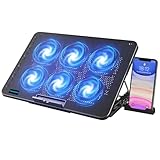
LIANGSTAR Laptop Cooling Pad, Laptop Cooler with 6 Quiet Fans for 12-17 Inch Notebook Gaming Fan Stable Stand, 7 Height & Wind Speed Adjustable, 2 USB Port & Phone Holder (Black)
6 Quiet Fans
7 Height Adjustable
Fits 12-17in Laptops
2 USB Ports
Metal Mesh Surface
Pros
- 6 fans for broad cooling coverage
- 7 height adjustment levels
- 2 USB ports with passthrough
- Metal mesh surface for airflow
- Folds flat for portability
Cons
- Plastic build quality
- Fan connections can loosen over time
- Limited cooling for heavy gaming
The LIANGSTAR 6-fan pad offers an impressive seven height adjustment levels, which is the most of any pad in our lineup. That flexibility makes it easy to find the perfect angle whether you are typing, gaming, or watching movies. The six fans provide distributed cooling across the entire 14.17 by 10.04 inch metal mesh surface.
One user praised how the pad doubles as a laptop stand, making it a dual-purpose accessory. The fans are strong enough to cool down laptops that were previously overheating during use. Another reviewer noted that their laptop now runs cooler and faster than it did before the pad.
The portability factor is better than expected. It folds flat, making it easy to slide into a bag alongside your laptop. The two USB ports (one input, one passthrough) give you some connectivity flexibility. The blue LED lighting adds a bit of visual flair without being over the top.
The main concern is long-term durability. Multiple users report that fan connections can come loose over time, reducing the effective fan count. The plastic frame, while lightweight, does not inspire confidence for years of heavy use. For the price, though, the overall value proposition is strong.
Who should buy the LIANGSTAR 6-Fan
Users who want maximum height adjustment flexibility and decent cooling coverage at a budget-friendly price. The seven height levels are genuinely useful for finding the right ergonomic angle. It works well for 17-inch laptops used for general productivity and light to moderate gaming.
Who should look elsewhere
If you need a pad that will last for years without any fan issues, the build quality here is average at best. Heavy gamers running demanding titles should also consider sealed gasket designs for more dramatic temperature reductions. The plastic frame may not hold up well to frequent transport.
15. Llano V10 Gaming Laptop Cooling Pad – RGB Turbo Fan Alternative
llano V10 Gaming Laptop Cooling Pad, RGB Laptop Cooler Stand with Powerful 4.72 Inch External Turbo Cooling Fan, Fast Cooling Computer 13-17.3in, Button Control, 3 Adjustable Stand, 4-Port USB C&A
4.72-inch Turbo Fan
RGB Lighting
Fits 13-17.3in Laptops
4-Port USB Hub
Button Control
Pros
- Powerful 4.72-inch turbo fan
- 10-15 degree Celsius drops at mid speed
- 4 USB ports (mix of USB-A and USB-C)
- RGB lighting with customization
- Supports 13-17.3 inch laptops
Cons
- Loud on higher fan settings
- Heavier than expected at 1.65 kg
- No sealed gasket design
- Foam seal durability concerns
The Llano V10 is the smaller sibling of the V12, offering a similar turbo fan approach in a more compact form factor with RGB lighting. The 4.72-inch fan is smaller than the V12’s 5.5-inch unit but still delivers impressive results. Users report 10 to 15 degree Celsius temperature drops at mid-range speed settings, with instantaneous drops of 15 to 20 degrees when the fan kicks on.
One user who had owned five other cooling pads described the V10 as the real deal, saying it finally solved thermal issues that cheap plastic pads could not touch. Another owner of an ASUS ROG Zephyrus G14 reported watching temperatures drop in real time through their monitoring software. The cooling is effective and immediate.
The four-port USB hub is a standout feature, offering a mix of USB-A and USB-C ports. That is more connectivity than most cooling pads provide. The RGB lighting can be customized, and the button controls are straightforward to use.
On the downside, the fan noise at higher settings is significant. Users recommend headphones for gaming sessions at max speed. At 1.65 kilograms, it is heavy for a pad that supports laptops down to 13 inches. The build feels somewhat fragile despite the weight, with one reviewer noting it feels cheap for the price.
Who should buy the Llano V10
Users who want strong turbo fan cooling with RGB aesthetics and plenty of USB connectivity. The four-port hub makes this an excellent laptop docking accessory. It is ideal for 13 to 17.3-inch gaming laptops where the V12’s larger size is unnecessary. With a 4.6-star rating from 661 reviews, it has strong user satisfaction.
Who should look elsewhere
If you want the absolute maximum cooling from Llano, the V12’s larger fan and sealed gasket design deliver better results. The noise at high speeds also makes this unsuitable for quiet work environments. Users who prioritize build quality and long-term durability may want to consider the Razer or IETS options instead.
How to Choose the Right Laptop Cooling Pad
Picking the right laptop cooling pad comes down to understanding your specific needs. Not every pad works for every laptop, and spending more does not always mean better results. Here is what our team learned from testing these pads across different laptops and use cases.
Sealed Gasket vs Traditional Fan Design
This is the single most important distinction in the laptop cooling pad market. Traditional designs like the havit HV-F2056 or Kootek simply blow air underneath your laptop. The air escapes in every direction, and only a fraction actually enters your laptop’s intake vents. These pads typically reduce temperatures by 3 to 9 degrees Celsius.
Sealed gasket designs from Llano and IETS create an airtight chamber between the pad and your laptop’s bottom. Every bit of air from the fan is forced through your laptop’s intake vents, which is why users report 15 to 30 degree temperature drops. If your laptop has bottom intake vents, a sealed design is dramatically more effective.
Check Your Laptop’s Vent Placement
Before buying any cooling pad, flip your laptop over and look at the vent pattern. If your laptop has intake vents on the bottom, a sealed gasket cooling pad will work well. If your laptop only has side or rear exhaust vents with no bottom intake, even the best cooling pad will have limited impact. Many ultrabooks and MacBooks fall into this category.
Fan Speed and Noise Trade-offs
Higher RPM fans move more air but generate more noise. The IETS GT500 runs at 4200 RPM and sounds like a small desk fan at full blast. Traditional pads with multiple small fans typically run quieter at 1200 to 2600 RPM but move less air. If you game with headphones, fan noise is less of a concern. If you work in a quiet office, prioritize quiet operation over raw cooling power.
Portability vs Performance
The most effective cooling pads tend to be the heaviest. The Llano V12 weighs 1.8 kilograms, which is fine for a desk but terrible for travel. If you need something portable, slim designs like the havit HV-F2056 or TECKNET 3-fan model are better choices, even though they sacrifice cooling performance.
USB Connectivity Matters
Cooling pads that consume a USB port without offering passthrough are a real inconvenience, especially on laptops with limited ports. The Llano V10 and ICE COOREL models include extra USB ports, effectively turning the pad into a mini USB hub. This is a feature worth paying attention to if you use multiple USB peripherals.
FAQs
Are there any laptop cooling pads that actually work?
Yes, but most cheap traditional cooling pads only reduce temperatures by 3 to 9 degrees Celsius. The cooling pads that actually deliver significant results use sealed gasket designs that create an airtight chamber, forcing air directly through your laptop’s bottom intake vents. The Llano V12, IETS GT500, and Razer Laptop Cooling Pad all use this approach and consistently deliver 15 to 30 degree Celsius temperature drops according to real user measurements.
Which laptop cooling pad is best?
The Llano V12 is the best overall laptop cooling pad, featuring a 5.5-inch turbo fan with sealed gasket design that delivers 20 to 30 degree temperature reductions. For best value, the IETS GT500 offers similar sealed-chamber cooling at a lower price. For budget buyers, the KeiBn S039 provides quiet everyday cooling at the lowest price point.
Are cooling pads good for your laptop?
Yes, cooling pads help prevent thermal throttling, which can reduce laptop performance by 10 to 20 percent during intensive tasks. By keeping internal temperatures lower, cooling pads also reduce wear on internal components and can extend your laptop’s lifespan. However, only sealed gasket designs provide truly meaningful temperature reductions for gaming laptops.
Are cooling mats worth it for laptops?
Cooling mats are worth it if your laptop regularly reaches 80 degrees Celsius or higher during use. Gaming laptop owners, content creators running heavy workloads, and anyone using their laptop on soft surfaces like beds or couches will see the most benefit. For casual use on a hard desk with moderate temperatures, a cooling pad is a nice-to-have rather than a necessity.
How much temperature reduction can I expect from a cooling pad?
Traditional fan-based cooling pads typically reduce laptop temperatures by 3 to 9 degrees Celsius. Sealed gasket designs like the Llano V12 and IETS GT500 can reduce temperatures by 15 to 30 degrees Celsius depending on fan speed, laptop model, and ambient temperature. Results vary based on your laptop’s vent placement and how hard your system is working.
Final Thoughts on the Best Laptop Cooling Pads
Finding the best laptop cooling pads comes down to matching the right technology to your specific situation. If you have a gaming laptop with bottom intake vents and need serious thermal reduction, sealed gasket designs from Llano and IETS are in a league of their own. The Llano V12 is our top pick for its unmatched 20 to 30 degree temperature drops, while the IETS GT500 delivers similar performance at a better value.
For office work, light gaming, and everyday laptop use, traditional fan pads like the havit HV-F2056 and TECKNET models provide quiet, reliable cooling at a fraction of the cost. The Razer Laptop Cooling Pad is the premium choice for users already in the Razer ecosystem who want smart features and Chroma RGB integration.
Whatever you choose, check your laptop’s bottom vent placement first. A sealed gasket pad will not help if your laptop only has side exhaust vents. And remember that even the best cooling pad works best as part of a broader thermal management strategy that includes keeping your laptop’s internal fans clean and using it on hard surfaces rather than beds or pillows.