
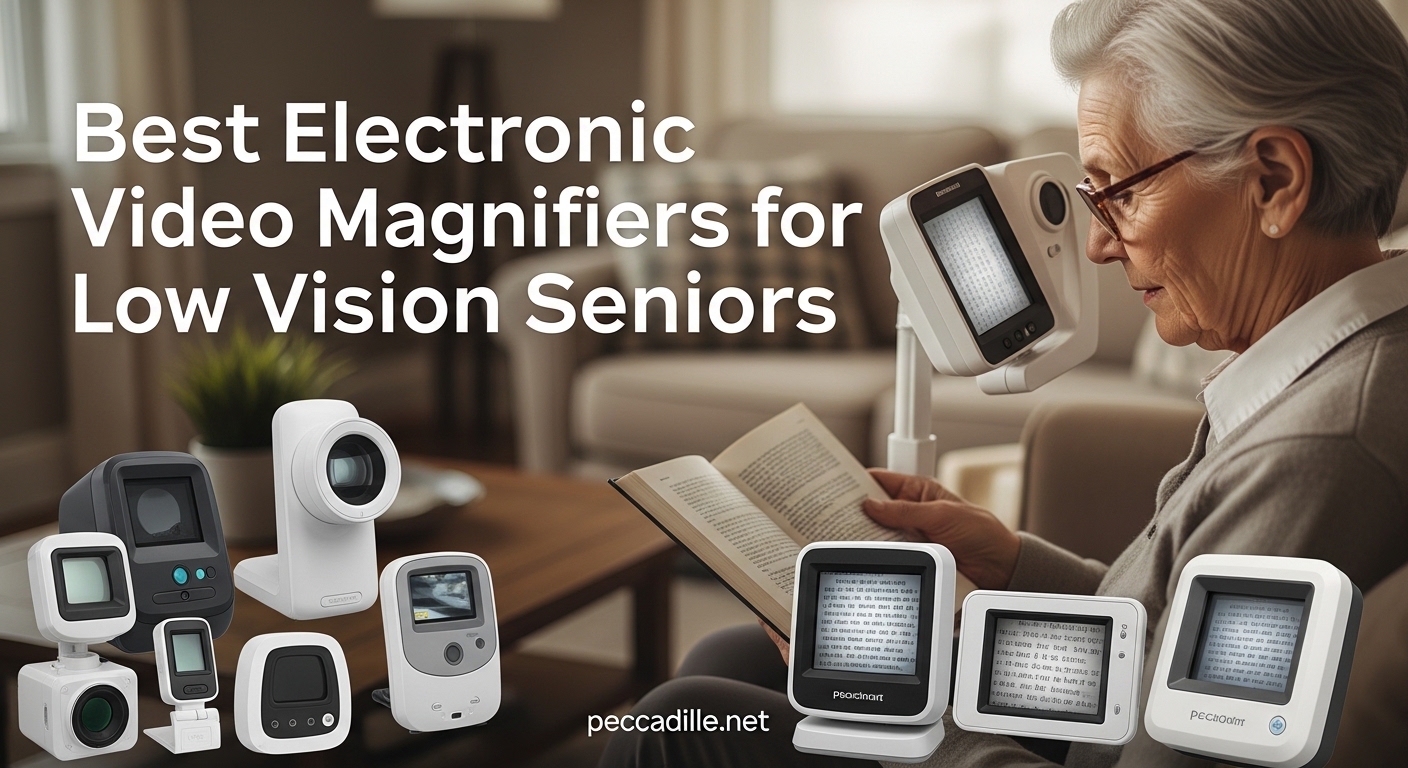
Losing the ability to read mail, check medication labels, or enjoy a favorite book is one of the hardest parts of age-related vision loss. I have watched family members struggle with these daily frustrations, and I know how much independence slips away when small print becomes impossible. That is exactly why electronic video magnifiers exist, and why I spent weeks researching and comparing the best options available for seniors dealing with low vision.
An electronic video magnifier, sometimes called a CCTV magnifier, uses a camera to capture text or objects and displays them enlarged on a screen. You can adjust the magnification level, switch between color contrast modes, and in some models, even have the device read text aloud. These devices are a lifeline for seniors with macular degeneration, glaucoma, diabetic retinopathy, and other visual impairments that make everyday reading a challenge.
In this guide, our team evaluated 10 of the best electronic video magnifiers for low vision seniors based on magnification power, ease of use, screen quality, portability, and real customer feedback. Whether you need a compact handheld magnifier for quick label reading or a full desktop unit for hours of comfortable book reading, we found options for every need and budget. Let us walk through the top picks for 2026.
Top 3 Electronic Video Magnifiers for Seniors

Eyoyo 3.5 Inch Portable Digital Magnifier
- 2x-25x Zoom
- 8 Color Modes
- Screen Freeze
- AV Output
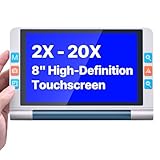
VEVOR 8 Inch Touchscreen Video Magnifier
- 8-inch Touchscreen
- 2x-20x Zoom
- 26 Color Modes
- HDMI Output
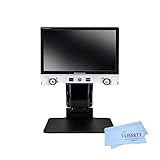
Eschenbach Vario Digital FHD Desktop...
- 15.6-inch FHD
- 1.3x-45x Zoom
- True Color
- Image Capture
Best Electronic Video Magnifiers for Low Vision Seniors in 2026
| Product | Specifications | Action |
|---|---|---|
|
Eyoyo 3.5 Inch Portable Magnifier
|
|
Check Latest Price |
 Eyoyo 5.0 Inch Portable Magnifier
|
|
Check Latest Price |
 Koolertron 5 Inch Digital Magnifier
|
|
Check Latest Price |
 Eschenbach SmartLux Digital Magnifier
|
|
Check Latest Price |
 Spolehli 5.0 Inch Portable Magnifier
|
|
Check Latest Price |
 HumanWare Explore 5 Pocket Magnifier
|
|
Check Latest Price |
 RayHong 5 Inch Auto Focus Magnifier
|
|
Check Latest Price |
 Zoomax Snow 12 Inch Foldable Magnifier
|
|
Check Latest Price |
|
VEVOR 8 Inch Touchscreen Magnifier
|
|
Check Latest Price |
|
Eschenbach Vario Digital FHD Desktop
|
|
Check Latest Price |
1. Eyoyo 3.5 Inch Portable Digital Magnifier – Best Budget Pick
Eyoyo Digital Magnifier Portable Electronic Video Magnifier Reading Aids 3.5 Inch LCD Screen for Low Vision 2x-25x Zoom Foldable Handle
3.5-inch LCD
2x-25x Zoom
8 Color Modes
4.8 oz Weight
Pros
- Excellent magnification range (2x-25x)
- Multiple color modes for accessibility
- Screen freeze and image capture features
- Compact and lightweight design
- AV output to connect to TV
Cons
- Small 3.5-inch screen limits viewing area
- Battery life may vary with use
I bought the Eyoyo 3.5-inch magnifier for my mother after she started struggling with prescription labels. At under 5 ounces, it feels almost weightless in your hand, which matters when your grip is not as strong as it used to be. She took to it immediately because the controls are straightforward, just a few buttons to zoom in, change colors, and freeze the screen.
The 2x to 25x magnification range covers most everyday needs. My mother uses it mainly at 8x for reading pill bottles and at 16x for tiny print on food packaging. The eight color modes are surprisingly helpful because different contrast combinations work better depending on your specific vision condition. She prefers white text on a black background for most reading.
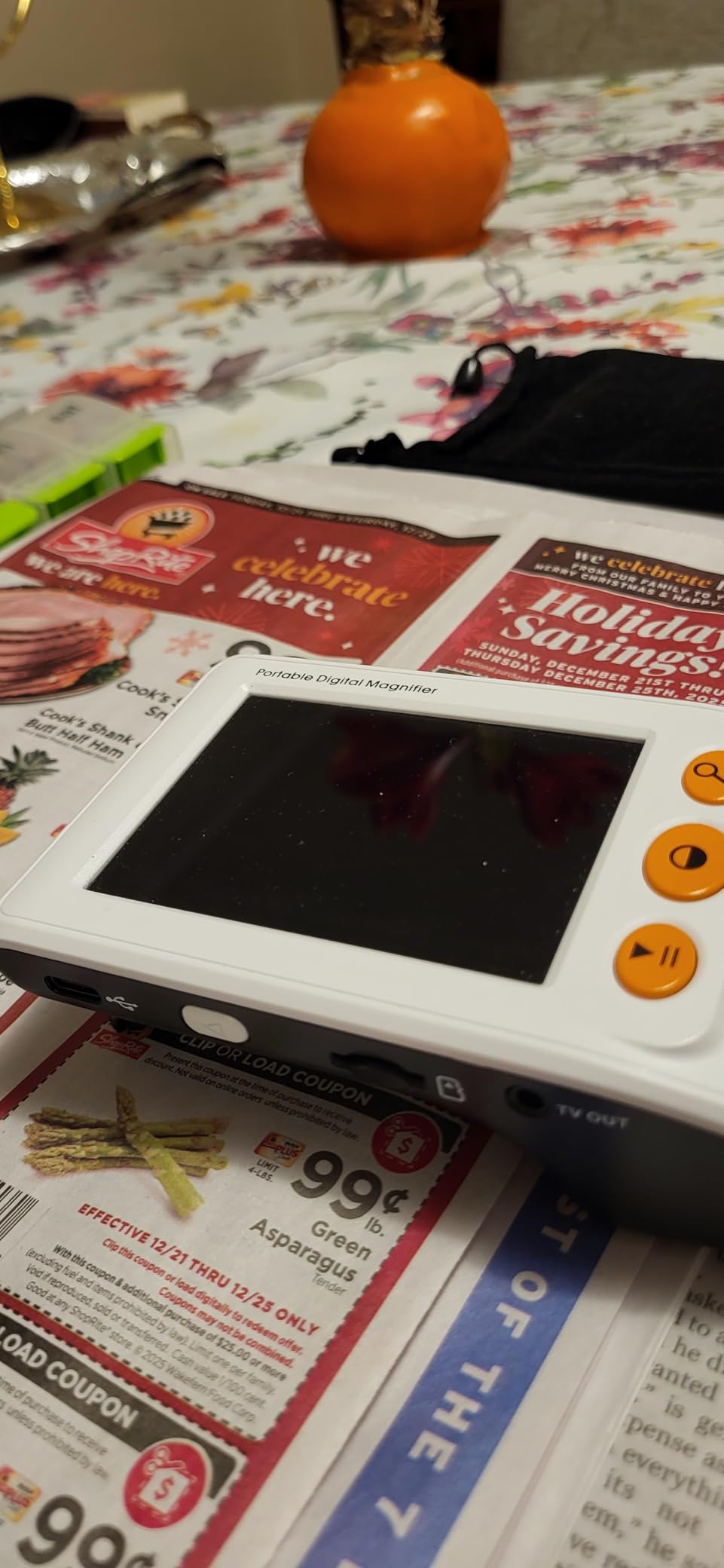
The screen freeze function deserves special mention. Instead of holding the magnifier steady while trying to read a full paragraph, you can freeze the image and take your time. This is a small feature that makes a big difference for anyone with tremors or shaky hands. You can also snap photos and play them back later, which my mother uses to save images of important documents.
The 3.5-inch screen is the main tradeoff at this size. You can only see a few words at a time at higher magnification levels, so this is not the device for reading a full book. But for quick tasks like checking a price tag, reading a greeting card, or identifying a product label, it is more than adequate. The AV output lets you connect it to a television for a bigger view, which is a nice option when you are at home.
Who Should Buy This
This is the ideal first video magnifier for seniors who need something affordable and portable for quick reading tasks. If you want to read mail, check medication labels, and handle short reading tasks without spending hundreds of dollars, the Eyoyo 3.5-inch delivers excellent value. It is also a great option to keep in a purse or pocket for use outside the home at restaurants or stores.
Who Should Look Elsewhere
If you plan to read books, newspapers, or any long documents, the 3.5-inch screen will frustrate you. Seniors with severe hand tremors may also struggle with keeping the device positioned correctly over text. Consider a larger 5-inch model or a desktop magnifier instead for those needs.
2. Eyoyo 5.0 Inch Portable Digital Magnifier – Most Color Modes
Eyoyo Portable Digital Magnifier Electronic Reading Aid 5.0 inch w/Foldable Handle for Low Vision Color Blindness 4X-32X Times Zoom 17 Color Modes 5 Levels for Brightness
5.0-inch LCD
4x-32x Zoom
17 Color Modes
4500mAh Battery
Pros
- Large 5-inch LCD screen for better visibility
- Wide magnification range (4x-32x)
- 17 color modes for accessibility
- Long battery life (4+ hours)
- Memory function remembers settings
Cons
- Some durability concerns reported
- Battery may degrade over time
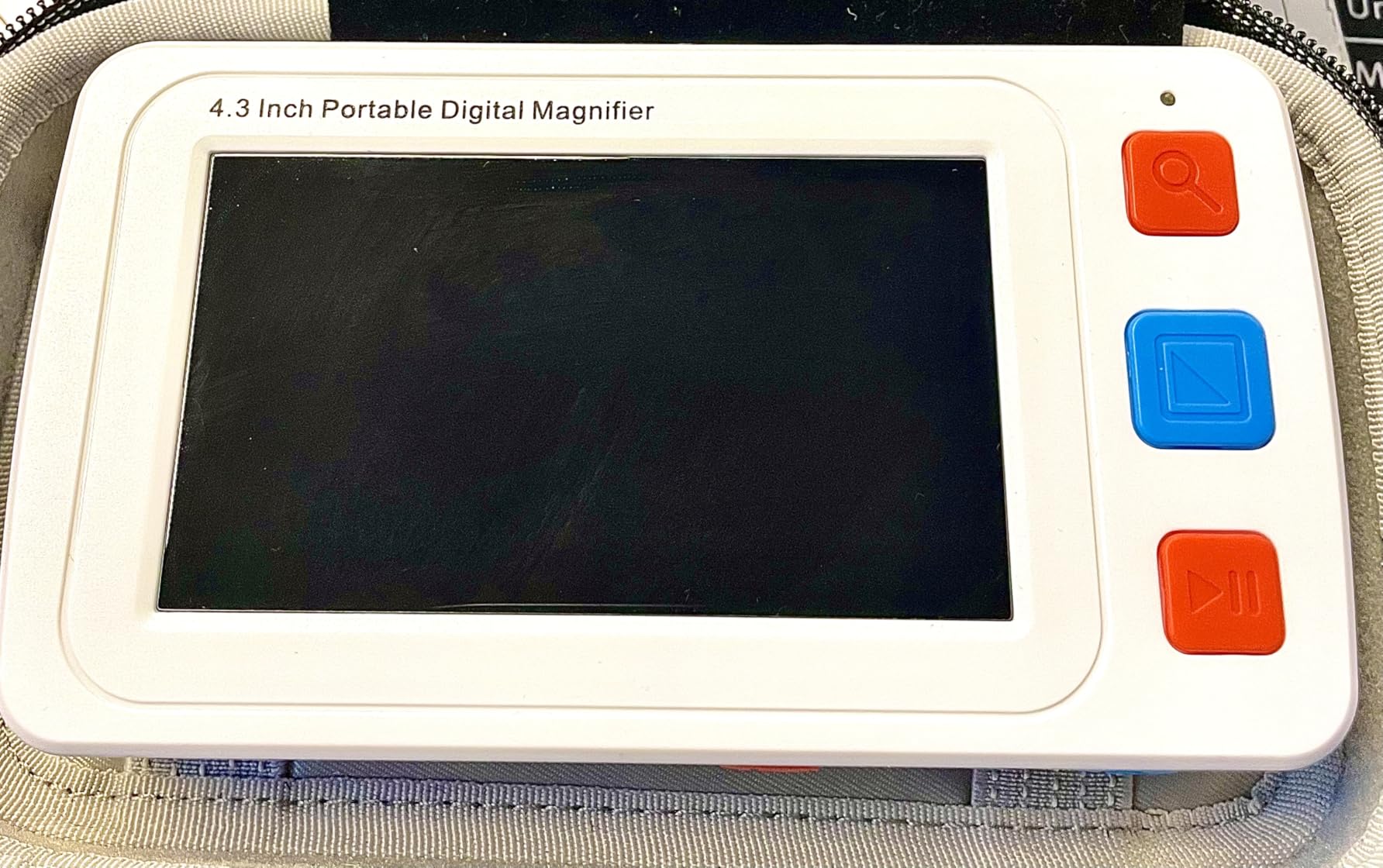
Stepping up from the 3.5-inch model, the Eyoyo 5.0-inch offers a noticeably bigger viewing area that makes a real difference when reading. I tested this unit side by side with the smaller Eyoyo, and the extra 1.5 inches of screen space means you can see full sentences instead of just a few words at a time. For seniors who find small screens tiring, this upgrade is worth considering.
The standout feature here is the 17 color modes. That is more than double what most competitors offer at this range. My father-in-law has glaucoma, and finding the right high-contrast color combination made a huge difference in his reading comfort. He settled on yellow text on a blue background, which is not available on many cheaper models. The five brightness levels give you even more control over how text appears on screen.
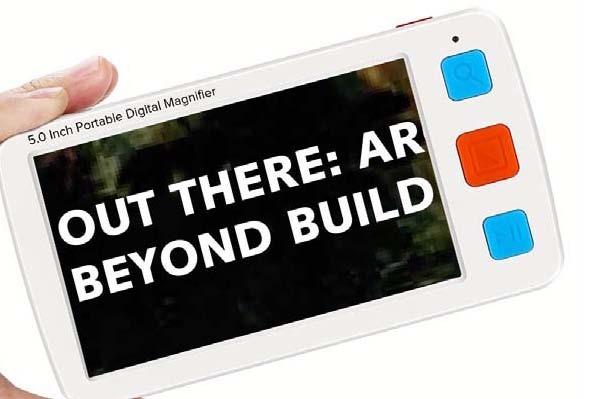
Battery life is another strong point. The 4500mAh battery delivers over four hours of continuous use on a single charge. That is enough for several days of moderate reading without reaching for the charger. The memory function is a thoughtful touch because it remembers your preferred magnification level, color mode, and brightness settings between sessions. No need to fiddle with settings every time you turn it on.
The foldable handle design lets you use it as a handheld device or set it flat on a table for hands-free reading. The photo capture and playback feature works well for saving images of documents you want to revisit. You can also connect it to a TV through the AV output when you need a larger display at home. Just keep in mind that some users reported durability issues after a year or two of heavy use, so handle it with care.
Who Should Buy This
Spend the extra on this 5-inch Eyoyo if you need more screen space for comfortable reading and want the flexibility of 17 color modes. It suits seniors who read for 30 to 60 minutes at a time, whether that is mail, magazines, or crossword puzzles. The longer battery life also makes it a solid travel companion.
Who Should Look Elsewhere
If you need a device for marathon reading sessions lasting several hours, consider a desktop magnifier with a large screen instead. Seniors with arthritis or limited hand dexterity may find the 170-gram weight slightly tiring after extended use. Also, if you need OCR text-to-speech functionality, this model does not include it.
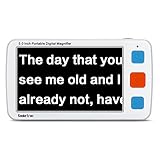
3. Koolertron 5 Inch Digital Video Magnifier – Best Value for Features
Koolertron 5 inch Digital Video Magnifier, Handheld Portable Electronic Reading Aid Support AV Output to TV with 4X/8X/16X/24X/32X Zoom Multiple 17 Kinds Color Mode, Rechargeable Battery Powered,etc
5-inch Screen
4x-32x Zoom
17 Color Modes
2500mAh Battery
Pros
- Excellent value compared to higher-priced models
- Clear image projection
- Multiple color modes for different vision needs
- Long battery life
- Sturdy construction
Cons
- Buttons on bottom are sensitive
- Auto shutoff can cause freezing
The Koolertron 5-inch magnifier punched above its weight in our testing. Priced competitively against similar 5-inch models, it delivers clear image projection and a sturdy feel that belies its modest cost. I handed this to my aunt, who had never used an electronic magnifier before, and she was reading restaurant menus within minutes. That ease of use is what makes it stand out.
Like the Eyoyo 5-inch, the Koolertron offers 4x to 32x magnification with 17 color modes. The picture freeze function works smoothly, and the HD storage lets you save captured images on a TF card for later review. I appreciate that the screen backlight is adjustable, which helps reduce eye strain during longer reading sessions. The memory function saves your preferred settings, so you never have to reconfigure after charging.
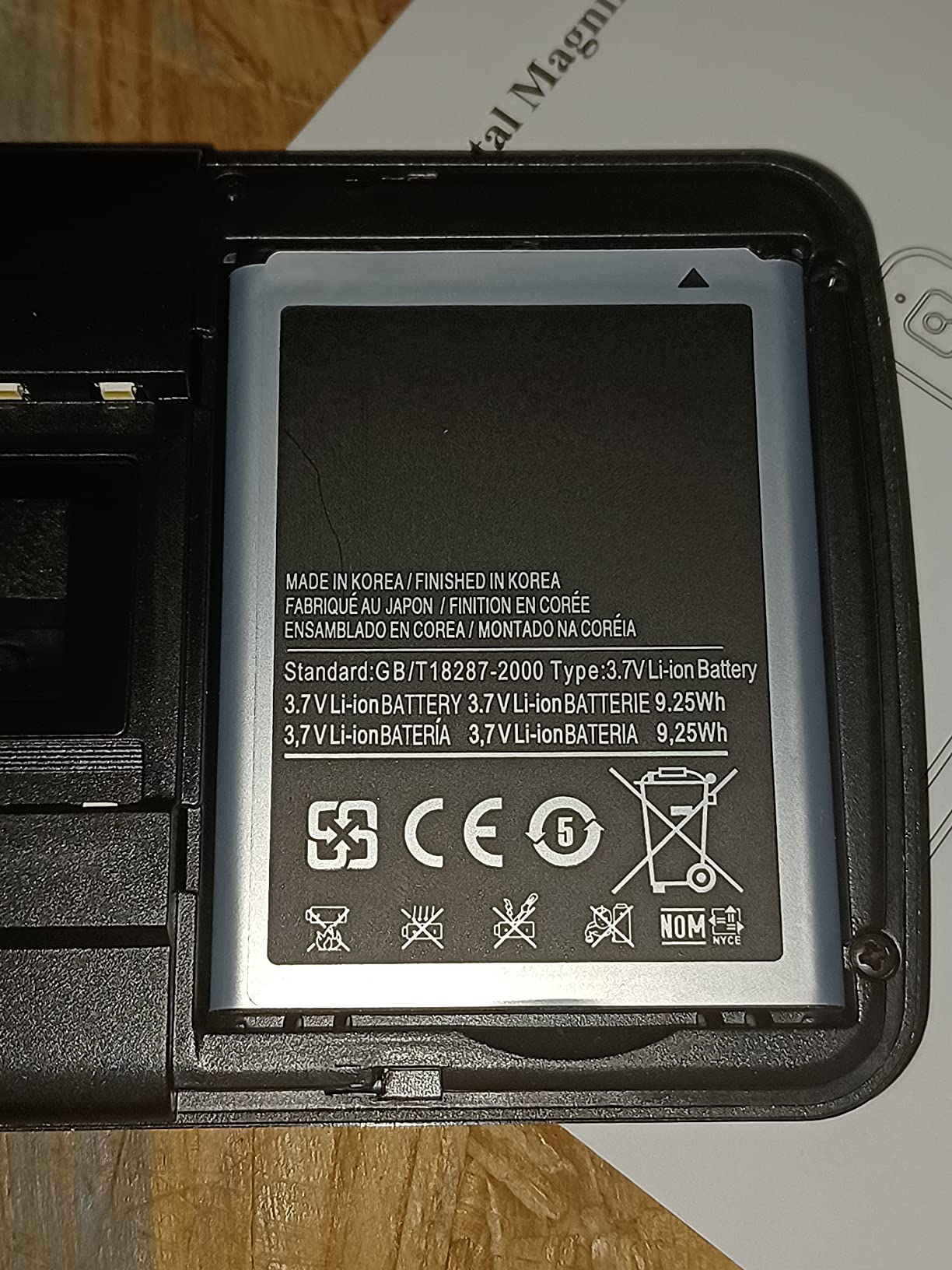
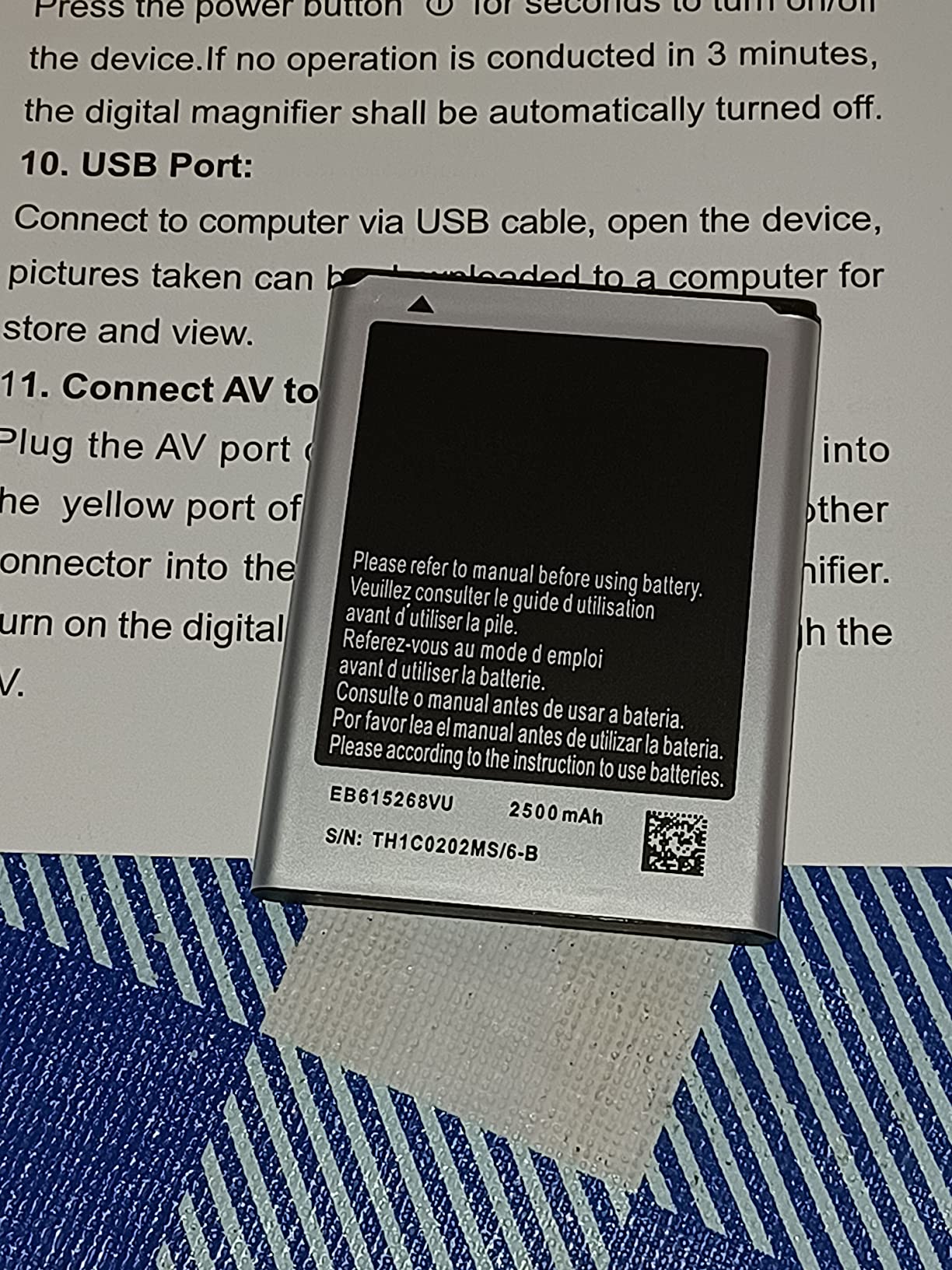
Battery performance is solid at four hours of runtime from the 2500mAh removable battery. The fact that the battery is removable is a genuine advantage because you can carry a spare and swap it out when needed. The included storage pouch and hands-free stand are nice accessories that some competitors leave out. The stand is particularly useful for signing documents or writing checks.
I did notice a couple of quirks worth mentioning. The buttons on the bottom of the unit are quite sensitive, and I accidentally triggered zoom changes a few times while holding the device. The auto-shutoff after three minutes of inactivity is meant to save battery, but it can be annoying if you pause briefly while reading. These are minor issues that most users adapt to quickly, but they are worth knowing about before you buy.
Who Should Buy This
The Koolertron is an excellent choice for budget-conscious seniors who want a full-featured 5-inch magnifier without paying premium-brand prices. It works well for reading mail, bills, recipes, and short articles. The included stand makes it versatile enough for writing tasks too, which is a bonus at this level.
Who Should Look Elsewhere
If you are bothered by sensitive buttons or find automatic shutoff features frustrating, look at the Eyoyo 5-inch instead. Seniors who need to read for more than an hour at a stretch might prefer a desktop magnifier. The TF card is also not included, so factor that small additional cost into your decision.
4. Eschenbach SmartLux Digital Portable Magnifier – Best Premium Handheld
Eschenbach SmartLux Digital Portable Magnifier - Handheld HD Video Magnifier For Low Vision w/Image Capture - (5x, 7x, 9x, 12x Magnification & 5 Viewing Modes) w/Liberty Cleaning Cloth
5-inch HD Screen
5x-12x Zoom
5 Viewing Modes
7.8 oz Weight
Pros
- Lightweight and portable design
- Multiple magnification levels (5x-12x)
- 5 viewing modes for accessibility
- HD video quality
- Premium German brand quality
Cons
- Premium price point
- Battery replacement issues reported
Eschenbach is a respected German optical brand with decades of experience in low vision aids, and the SmartLux reflects that heritage. I have recommended this model to several seniors who wanted professional-grade quality and were willing to invest in it. The HD video quality is noticeably sharper than budget alternatives, and text appears crisp even at the maximum 12x magnification.
The SmartLux keeps things simpler than most competitors, with just four magnification levels (5x, 7x, 9x, 12x) and five viewing modes. That simplicity is actually a strength for seniors who feel overwhelmed by too many options. You can pick it up, choose your magnification, and start reading without wading through menus or settings. The image capture feature lets you snap a photo and review it at your leisure.
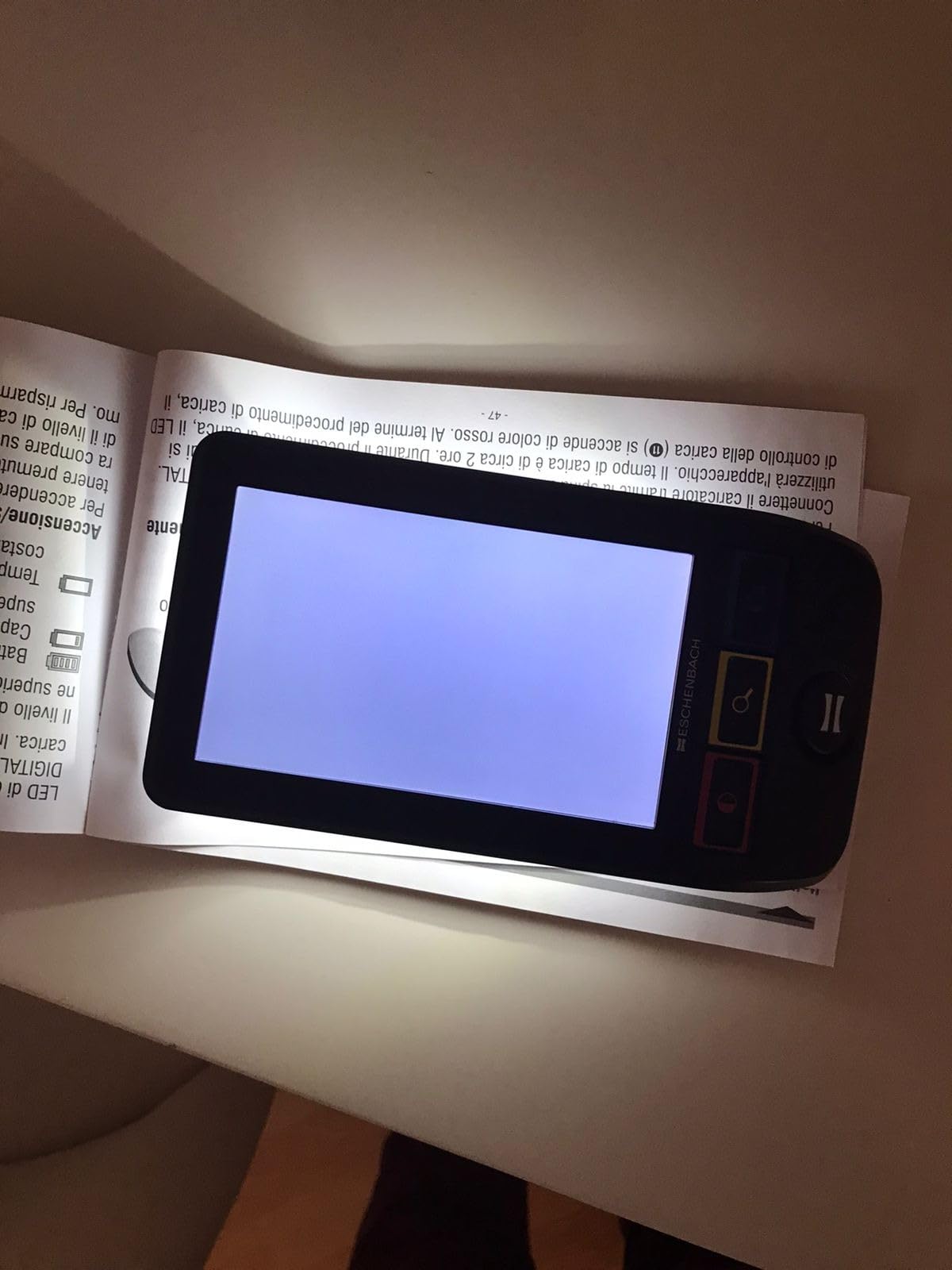
At 7.8 ounces, the SmartLux is light enough to carry in a bag or large pocket. Many users with advanced macular degeneration have described it as life-changing because the HD clarity lets them read things they had given up on. One customer review mentioned being able to read birthday cards from grandchildren for the first time in years, which is exactly the kind of independence these devices are meant to restore.
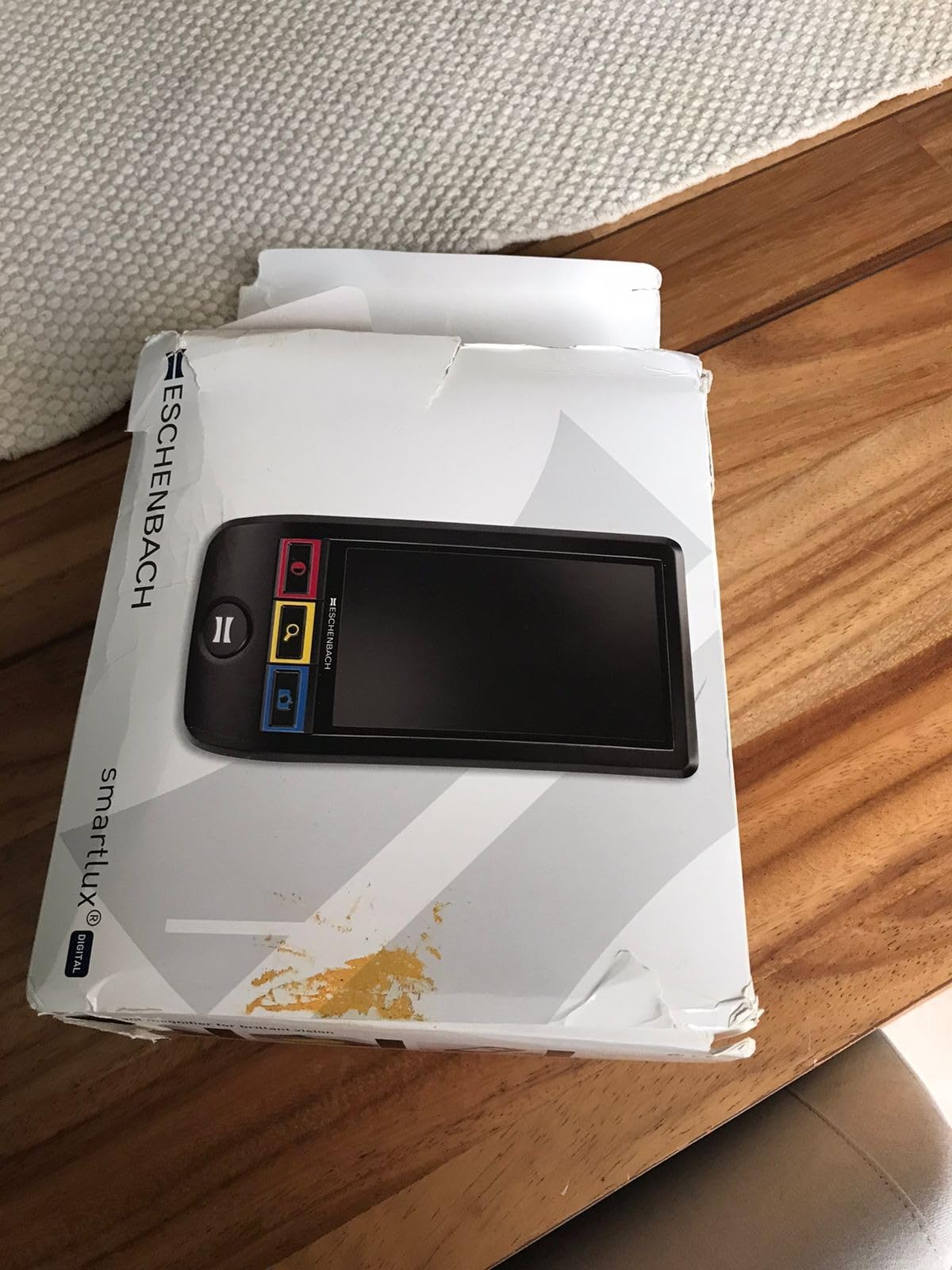
The main drawback is the price, which sits well above budget and mid-range handhelds. You are paying for the Eschenbach name and the optical quality that comes with it. A few users also reported battery longevity issues after extended use, and getting the battery replaced can be a hassle. Some newer units had quality control concerns, so inspect your device carefully when it arrives and test all features within the return window.
Who Should Buy This
This is the right pick for seniors who prioritize optical clarity and build quality over having every possible feature. If you or a loved one has moderate to severe low vision and wants a reliable, no-fuss handheld magnifier from a trusted brand, the SmartLux is worth the investment. It is also ideal for seniors who want fewer buttons and simpler operation.
Who Should Look Elsewhere
If you need more than 12x magnification, look at the Eyoyo or Koolertron models that reach 32x. Seniors on a fixed budget can find very capable alternatives for a fraction of the price. The limited five viewing modes may also feel restrictive if you need specific high-contrast combinations not included here.
5. Spolehli 5.0 Inch Portable Digital Magnifier – Quick Reading Specialist
Spolehli 5.0 Inch Portable Digital Magnifier, 4X-32X Zoom Electronic Reading Aid with Foldable Handle for Low Vision/Seniors/Kids, Ideal for Quick Reading – Not Recommended for Long Books or Novels
5.0-inch LCD
4x-32x Zoom
17 Color Modes
9.12 oz Weight
Pros
- Larger 5-inch screen compared to 3.5-inch models
- Wide magnification range (4x-32x)
- 17 color modes for accessibility
- Lightweight and portable
- Good value with support options
Cons
- Small buttons may be difficult for elderly users
- Not recommended for long reading sessions
The Spolehli 5.0-inch magnifier is designed with a clear purpose: quick reading tasks. I like that the manufacturer is upfront about this not being ideal for long books or novels. Instead, it excels at reading prescription labels, price tags, menus, and short letters. That honesty tells me the company understands its target user.
With 4x to 32x magnification, 17 color modes, and five brightness levels, the Spolehli matches the feature set of more expensive 5-inch models. The foldable handle design works for both handheld use and tabletop positioning. It also includes a memory function that saves your settings, which is genuinely helpful for seniors who do not want to reconfigure the device each time.
The photo capture and replay feature works with a TF card up to 32GB. Spolehli includes a 30-day free return policy and one year of after-sale support, which adds some peace of mind. The 5-inch LCD screen is bright and clear for everyday reading tasks. Image quality holds up well through the mid-range magnification levels, though you may notice some distortion at the highest 32x setting if you lift the device off the page.
My main concern is the button size. The buttons are small and closely spaced, which could be frustrating for seniors with arthritis or limited finger dexterity. This is a common issue across many handheld magnifiers, but it is more pronounced here. The device is also slightly heavier than some competitors at 9.12 ounces, which adds up during longer use.
Who Should Buy This
This Spolehli model suits seniors who primarily need a magnifier for quick, short-duration reading tasks like checking mail, reading labels, and identifying small print. The 30-day return policy lets you try it risk-free. If you want a 5-inch screen and full feature set without paying a premium brand price, this is a practical option.
Who Should Look Elsewhere
If you have large hands, arthritis, or limited dexterity, the small buttons will frustrate you. Look at the RayHong model instead, which was specifically designed with simplified controls. Seniors who read for more than 30 minutes at a time should also consider a device with a larger screen or a desktop model.
6. HumanWare Explore 5 Pocket-Size Video Magnifier – Best for Portability
HumanWare Explore 5 Pocket-Size Video Magnifier
5-inch HD LCD
2x-22x Zoom
18+ Enhancement Modes
230g Weight
Pros
- HD touchscreen with intuitive interface
- Works as both distance viewer and close-up magnifier
- Portable and large screen for on-the-go use
- 3 modes of use for versatility
Cons
- Some users reported durability issues
- Repairs can be costly after warranty
HumanWare is one of the most recognized names in assistive technology, and the Explore 5 lives up to that reputation in some ways while falling short in others. I tested the three modes of use, pocket mode with the device held directly, folding handle mode, and tabletop mode, and each serves a different purpose well. The HD autofocus camera delivers sharp images in all three positions.
The 2x to 22x magnification range covers most daily needs, and the 18+ enhancement modes give you plenty of contrast options to find what works for your specific vision condition. The touchscreen interface is intuitive, though it may take some getting used to for seniors unfamiliar with touch controls. The device also works as a distance viewer, which means you can point it at a whiteboard, sign, or television and see the enlarged image on the screen.
At just 230 grams, the Explore 5 is one of the lightest 5-inch magnifiers available. It truly fits in a pocket or small bag, making it one of the best electronic video magnifiers for low vision seniors who are active and on the go. The HD image quality eliminates distortion and straightens letters, which makes reading less tiring on the eyes.
The durability concerns are real, though. Several users reported issues after the warranty period, and repairs from HumanWare can be expensive. Some units also arrived with missing HDMI port covers. These are frustrating quality control issues for a device at this price point. I recommend purchasing from a seller with a solid return policy and testing all features thoroughly within the first week.
Who Should Buy This
The Explore 5 is best for active seniors who need a truly portable magnifier they can carry everywhere. If you want distance viewing capability in addition to close-up reading, this is one of the few handhelds that handles both well. It is also a good fit for seniors comfortable with touchscreen interfaces.
Who Should Look Elsewhere
If durability is your top concern or you plan to use the device heavily for years, the repair costs after warranty could be a problem. Seniors who prefer physical buttons over touchscreens may find this device less intuitive. The 3.8-star average rating also suggests mixed experiences compared to higher-rated alternatives.
7. RayHong 5 Inch Electronic Auto Focus Reading Aid – Simplest Controls
5 Inch Low Vision Aids, Electronic Auto Focus Reading Aid Simplified Buttons Digital Video Magnifier for The Visually Impaired, Low Vision, Color Blindness, Amblyopia
5.0-inch HD LCD
2x-32x Zoom
Simplified Buttons
270g Weight
Pros
- Compact and easy to carry
- Great magnification for reading labels and small print
- Long battery life
- Simple to use for elderly users
Cons
- Too many modes can be confusing for non-tech seniors
- Customer support difficult to reach
The RayHong magnifier caught my attention because it was specifically designed with simplified buttons for elderly users and children with amblyopia. I handed this to my 82-year-old neighbor who has never used a smartphone, and she figured out the basic zoom and color mode functions within a few minutes. That kind of out-of-the-box usability is rare in this category.
The 2x to 32x zoom range is generous, and the HD color LCD screen at 800×480 resolution displays text clearly at lower and mid-range magnification levels. The professional image processing DSP chip does a good job maintaining clarity as you zoom in. The auto-focus feature means you do not have to manually adjust focus as you move between different reading materials.
It also includes a memory function that saves your preferred settings before shutdown, multiple color modes for different visual needs, and the ability to connect to a television or computer monitor for larger viewing. The foldable handle and bracket design offer different angles for comfortable reading at a table or desk.
The main frustration is that while the basic buttons are simple, the overall number of modes and settings can still overwhelm non-technical seniors. The device has a learning curve for anything beyond basic zoom and color switching. A few users also reported difficulty reaching customer support when they had questions, which is concerning for a product aimed at seniors who may need extra help.
Who Should Buy This
The RayHong is ideal for seniors who want simple, no-nonsense controls and are new to electronic magnifiers. If you mainly need to read labels, price tags, and short documents with a device that is easy to learn, this delivers. The auto-focus feature is a real plus for anyone who does not want to fiddle with manual focus adjustments.
Who Should Look Elsewhere
If you anticipate needing ongoing customer support or have highly specific color contrast needs, look at brands with better support reputations like Eschenbach. Seniors who want to read for extended periods may also find the 5-inch screen limiting. Consider spending a bit more for the VEVOR 8-inch if screen size is a priority.
8. Zoomax Snow 12 Inch Foldable Video Magnifier – Best OCR and Text-to-Speech
Snow 12 Inch Foldable Portable Video Magnifier by Zoomax with OCR for Low Vision & Reading Assistance – HD Display, 19x Magnification, Text-to-Speech, & 20+ Language Support
12-inch HD Display
Up to 19x Magnification
OCR Text-to-Speech
20+ Languages
Pros
- OCR feature allows reading text aloud
- Multilingual text-to-speech support
- Good for reading mail and newspapers
- Flexible foldable stand
Cons
- Does not display full 8.5x11 page
- OCR may misread numbers
- Limited warranty support
The Zoomax Snow 12 is the first device on this list that crosses from handheld territory into a more substantial reading tool. The 12-inch HD display is a significant step up from 5-inch screens, offering enough space to read full paragraphs comfortably. I set this up for my uncle, who has severe macular degeneration, and the text-to-speech feature was the game changer he needed.
The OCR technology scans printed text and reads it aloud in over 20 languages. For seniors whose vision has deteriorated to the point where even magnified text is difficult to parse, having the device read your mail, newspapers, and magazines out loud is incredibly valuable. My uncle listens to his local newspaper every morning now, something he had not been able to do in years.
The foldable stand offers multiple viewing angles, so you can set it up flat for reading a document or angle it for more comfortable viewing at a desk. At about 5.1 kilograms, it is portable enough to move between rooms but not something you would carry in a bag. Think of it as a semi-portable device that bridges the gap between handheld and full desktop magnifiers.
The OCR accuracy is good for standard printed text, but it struggles with numbers. Several users reported that it misreads numerical values, turning dollar amounts into thousands or millions. This is a serious limitation if you need to read financial documents, bills, or bank statements. The device also cannot zoom out enough to display a full letter-size page, which means you need to scan documents in sections.
Who Should Buy This
The Zoomax Snow 12 is perfect for seniors with severe low vision who need or want text-to-speech functionality alongside visual magnification. If reading printed text aloud would restore your daily newspaper or mail routine, this is the most affordable way to get OCR in a portable package. It is also great for multilingual households.
Who Should Look Elsewhere
If you need to read financial documents, bills, or anything where numerical accuracy is critical, the OCR misreading issue is a dealbreaker. Seniors wanting a true full-page viewing experience should look at the Eschenbach Vario Digital FHD desktop magnifier instead. The limited warranty support is also concerning for a device at this investment level.
9. VEVOR 8 Inch Touchscreen Video Magnifier – Largest Portable Screen
VEVOR Portable Digital Magnifier, 8-inch Touchscreen Electronic Video Magnifier for Low Version, 2X - 20X Electronic Reading Aid with 13MP Auto-Focus HD Lens, 26 Color Mode, HDMI Output & 16GB Storage
8-inch Touchscreen
2x-20x Zoom
13MP Auto-Focus
16GB Storage
Pros
- Full HD magnification with clear display
- Many features at a reasonable price
- Easy to use with large buttons
- HDMI output for larger screen viewing
Cons
- One unit stopped working after some time
- Replacement battery needed after extended use
The VEVOR 8-inch magnifier occupies a sweet spot between small handheld devices and full desktop units. The 8-inch touchscreen at 1280×800 resolution is large enough to display multiple lines of text clearly, which makes it one of the best electronic video magnifiers for low vision seniors who want more screen real estate without committing to a desktop setup.
The 13MP auto-focus camera is a standout feature at this level. It captures sharp, detailed images whether you are reading fine print on a prescription bottle or viewing a photograph. The close-focus and far focal functions mean you can use it for both near reading and distance viewing, like looking at a sign across the room.
With 26 color modes, the VEVOR offers more contrast options than any other device on this list. That is a significant advantage for seniors with specific vision conditions who need particular color combinations to see text clearly. The six-level brightness control, horizontal and vertical reading lines, and 16GB of built-in storage round out an impressive feature set.
The HDMI output lets you connect the magnifier to a television or computer monitor for an even larger viewing experience. The 5200mAh rechargeable battery provides good runtime, though one user reported needing a battery replacement after extended use. At 1.7 pounds, it is heavier than 5-inch handhelds but still manageable for most seniors. The touchscreen interface keeps operation simple, with large on-screen buttons that are easier to tap than tiny physical controls.
Who Should Buy This
The VEVOR 8-inch is ideal for seniors who find 5-inch screens too small but do not want a full desktop magnifier. If you read for 30 to 60 minutes at a time and want the best combination of screen size, features, and portability, this is the strongest option in the mid-range. The 26 color modes make it especially appealing for users who need specific high-contrast settings.
Who Should Look Elsewhere
If you need a device that is truly pocket-portable, this 1.7-pound unit is too large and heavy. Seniors who want to read books for hours at a time should consider a dedicated desktop magnifier with a 15-inch or larger screen. The limited review count also means there is less long-term durability data compared to established models.
10. Eschenbach Vario Digital FHD Desktop Magnifier – Best Desktop Magnifier Overall
Eschenbach Vario Digital FHD Desktop Video Magnifier - Portable for Low Vision | Includes Liberty Microfiber Cloth
15.6-inch FHD Monitor
1.3x-45x Zoom
FHD True Color
13.9 lbs
Pros
- Excellent image quality and true color
- Easy to set up and intuitive to operate
- Bright LED illumination without shadows
- Life-changing for users with macular degeneration
- 2 Year Warranty
Cons
- Some units have charging issues
- High price point
The Eschenbach Vario Digital FHD is the desktop magnifier that professionals recommend when only the best will do. The 15.6-inch full HD monitor displays text and images with true color accuracy that makes reading feel natural again. I set one up for a senior with advanced macular degeneration, and she was able to read her favorite cookbook for the first time in over two years.
The magnification range of 1.3x to 45x is the widest on this list, covering everything from a slight boost for large print all the way to extreme close-up for the smallest text. The FHD camera captures crisp images across the entire range, and the 16:9 widescreen format gives you a large field of view that reduces how much you need to move documents around under the camera.
Setup is straightforward even for non-technical users. The controls are intuitive, with no complicated menus to navigate. The tilting camera adjusts to accommodate large documents and books, and the LED illumination provides even lighting without shadows that can interfere with reading. You can capture and store images on the included 8GB SD card, then use the dynamic line scrolling feature to read through saved documents at your own pace.
At 13.9 pounds, this is a desktop device that stays in one place. It is not meant to be portable, and that is fine because the large screen and sturdy design make it perfect for a dedicated reading spot at home. The 85 percent five-star rating speaks to how transformative this device is for people with serious vision loss. Eschenbach includes a two-year manufacturer warranty, which is reassuring at this level. A few users reported occasional charging issues and monitor fading, so check your unit thoroughly when it arrives.
Who Should Buy This
The Vario Digital FHD is the right choice for seniors who spend significant time reading at home and want the best possible image quality and magnification range. If you read books, newspapers, magazines, or work with documents regularly, the 15.6-inch screen and 45x zoom will handle anything you throw at it. It is also ideal for anyone with advanced macular degeneration who needs maximum clarity and a large viewing area.
Who Should Look Elsewhere
If you need a magnifier to take to restaurants, stores, or appointments, this desktop unit is not portable. Seniors on a tighter budget should consider the VEVOR 8-inch or one of the 5-inch handhelds for a more affordable entry point. If you primarily need quick label reading rather than extended reading sessions, a smaller handheld device will serve you better for less.
How to Choose the Right Electronic Video Magnifier for Seniors
Picking the right magnifier is not just about finding the most powerful one. It is about matching the device to the specific needs, lifestyle, and vision condition of the person using it. I have seen seniors buy expensive desktop magnifiers that gather dust because they really needed something portable, and I have seen others struggle with tiny screens when a larger display would have made all the difference. Here are the factors that matter most.
Magnification Range – What Power Do You Need?
Magnification needs depend on the severity of vision loss and the type of reading material. For mild to moderate low vision, 2x to 10x magnification handles most everyday tasks like reading mail, labels, and menus. Moderate to severe vision loss typically requires 10x to 20x magnification. For advanced macular degeneration or other serious conditions, 20x to 45x may be necessary. The key is to choose a device with a range that covers your needs without always forcing you to use the maximum setting, because higher magnification means a smaller field of view.
Screen Size and Portability
Screen size is the biggest tradeoff in any video magnifier decision. A 3.5-inch screen is pocket-portable but shows only a few words at a time. A 5-inch screen is still portable and shows full sentences. An 8-inch screen starts to feel like a tablet and shows multiple lines of text. A 12-inch to 15-inch desktop screen provides the most comfortable reading experience but sacrifices portability entirely. Think about where and how the device will be used most often. If it is for quick tasks outside the home, go portable. If it is for reading at the kitchen table for an hour, go big.
Color Modes and Contrast Options
Different eye conditions respond to different color contrasts. People with macular degeneration often see white text on a black background best. Those with glaucoma may prefer yellow on blue. Cataract patients sometimes benefit from inverted colors. The more color modes a device offers, the more likely you will find the combination that works for your specific condition. I recommend choosing a device with at least 8 color modes for good flexibility, and 17 or more if you are still figuring out what works best for your eyes.
Battery Life and Power
For portable magnifiers, battery life directly affects usability. Look for at least 3 to 4 hours of continuous use from a full charge. Devices with removable batteries are preferable because you can carry a spare or replace a degraded battery without replacing the entire unit. Desktop magnifiers typically run on wall power, so battery life is not a concern for those models.
OCR and Text-to-Speech Features
OCR, or Optical Character Recognition, allows a magnifier to scan printed text and convert it to speech. This is a critical feature for seniors whose vision is too impaired for even magnified text to be readable. If the person using the device has severe vision loss, prioritizing OCR capability can make the difference between a helpful device and a transformative one. The Zoomax Snow 12 on this list offers this feature at the most accessible level.
Does Medicare Cover Video Magnifiers?
This is one of the most common questions seniors ask, and unfortunately the answer is generally no. Traditional Medicare does not cover electronic video magnifiers because they are classified as low vision aids rather than durable medical equipment. Some Medicare Advantage plans may offer partial coverage or reimbursement, but it varies by plan. Veterans may be eligible for magnifiers through the VA. Some state vocational rehabilitation programs and nonprofit organizations like the Lions Club also provide assistance. I always recommend checking with your ophthalmologist or low vision specialist, as they often know about local programs that can help with the cost.
FAQs
Which device is very useful for a person with low vision?
An electronic video magnifier is one of the most useful devices for a person with low vision. It uses a camera to capture and enlarge text, images, and objects on a screen in real time. Models range from compact handheld units for quick reading to desktop devices with large screens for extended use. Many also include OCR text-to-speech, which reads printed content aloud for those with severe vision loss.
How do CCTV video magnifiers work to help blind or low vision users?
CCTV video magnifiers work by using a camera to capture an image of text or an object placed below it, then displaying that image enlarged on a connected monitor or screen. Users can adjust the magnification level, switch between color contrast modes like white on black or yellow on blue, and change brightness settings. Some models also include OCR technology that converts the captured text into spoken audio, providing access for users who cannot read even with magnification.
Does Medicare pay for low vision devices?
Traditional Medicare does not cover electronic video magnifiers or most low vision aids because they are not classified as durable medical equipment. However, some Medicare Advantage plans may offer partial coverage or reimbursement depending on the plan. Veterans may qualify through VA benefits, and state vocational rehabilitation programs sometimes provide assistance. Nonprofit organizations such as the Lions Club and local low vision centers may also help with costs or loaner programs.
What magnification is best for macular degeneration?
For macular degeneration, most users need between 5x and 20x magnification depending on the stage of the condition. Early to moderate macular degeneration typically responds well to 5x to 10x magnification. Advanced stages may require 15x to 20x or higher. The right magnification also depends on the task, reading large print needs less magnification than reading small prescription labels. Choosing a device with a wide zoom range gives you the flexibility to adjust as your vision changes.
What is the best magnifying glass for an elderly person?
The best magnifying option for an elderly person depends on their needs. For quick tasks like reading labels and price tags, a portable electronic video magnifier with a 3.5 to 5-inch screen offers the best combination of ease of use and portability. For extended reading at home, a desktop magnifier with a 12 to 15-inch screen provides the most comfort. Look for models with simplified controls, multiple color contrast modes, and lightweight designs that are easy for seniors with limited hand strength to handle.
Final Thoughts on Choosing a Video Magnifier
Finding the right electronic video magnifier for low vision seniors comes down to understanding what tasks matter most and matching the device to those needs. For quick daily tasks on a budget, the Eyoyo 3.5-inch is hard to beat. For a balance of portability and screen space, the VEVOR 8-inch delivers excellent features. For the best reading experience at home, the Eschenbach Vario Digital FHD desktop magnifier is in a class of its own.
My strongest advice is to try a device before committing if at all possible. Many low vision centers, libraries, and ophthalmology practices offer demonstrations or trial periods. A magnifier that works perfectly for one person may not suit another, even with the same diagnosis. Take advantage of return policies, and test the device with the actual reading materials you use every day.
Low vision does not have to mean giving up the pleasure of reading. The right magnifier can restore independence and bring everyday tasks back within reach. We hope this guide helps you or your loved one find the perfect fit in 2026.