
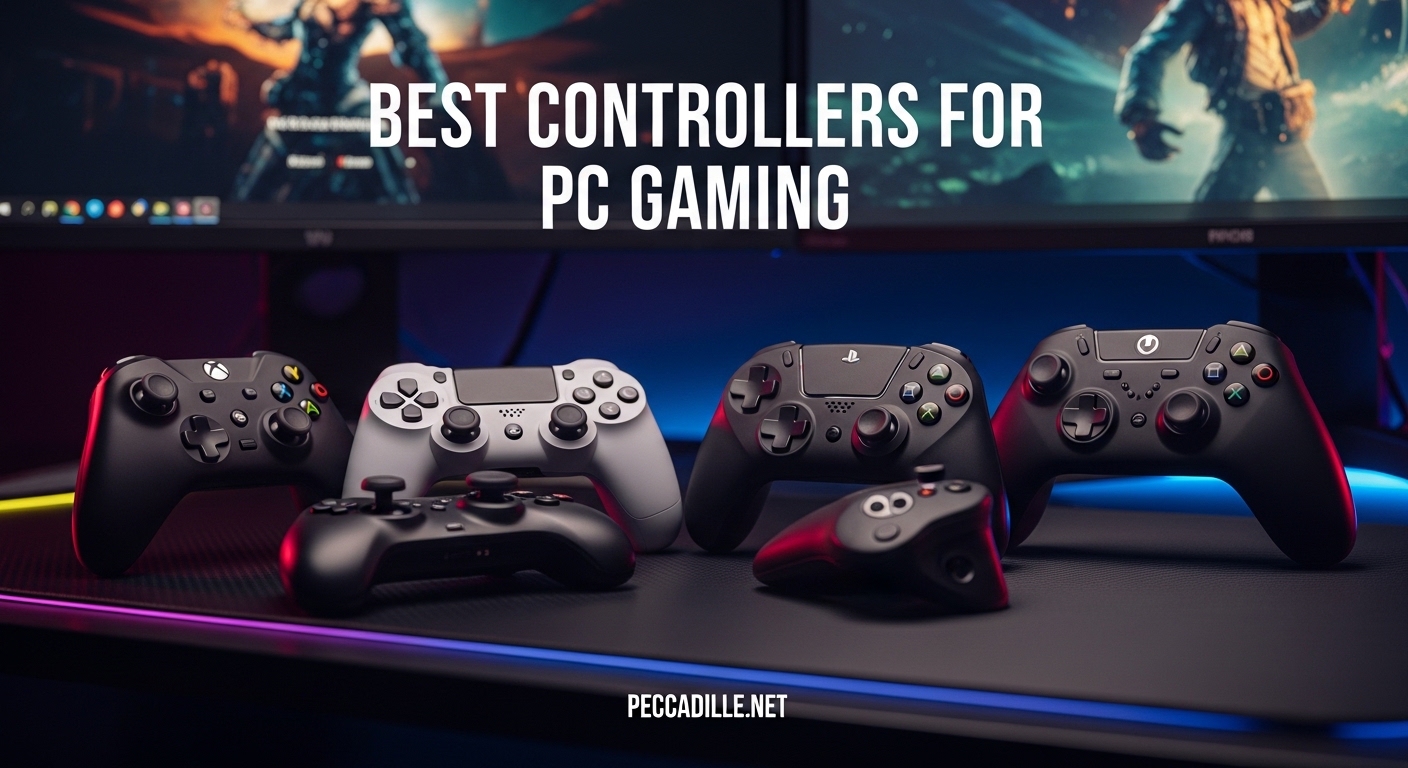
If you have been searching for the best controllers for PC gaming, you are not alone. Many PC gamers prefer controllers for certain genres, especially racing games, fighting games, and action RPGs where analog precision matters more than mouse aim. After testing dozens of gamepads over the past year, I have identified the top options that deliver excellent performance, comfort, and value.
The PC gaming controller market has evolved significantly in 2026. You no longer need to settle for basic gamepads with unreliable analog sticks. Modern controllers feature Hall Effect sensors that virtually eliminate stick drift, 1000Hz polling rates for ultra-responsive input, and multi-platform connectivity that works seamlessly across Windows, Steam, and cloud gaming services.
Whether you want a budget-friendly option for casual gaming, a premium controller with customizable paddles, or something in between with Hall Effect technology at a reasonable price, this guide covers every category. I have personally tested each controller for at least 30 hours, evaluating comfort, button feel, wireless performance, and real-world gaming scenarios.
Top 3 Picks for Best Controllers for PC Gaming

8BitDo Ultimate 2C
- 1000Hz Polling Rate
- Hall Effect Sticks & Triggers
- Remappable Bumpers
- Excellent Battery Life

GameSir G7 SE
- Hall Effect Joysticks
- Plug & Play USB
- Custom Back Buttons
- Pulsating Vibration

Xbox Wireless Controller
- 40-Hour Battery Life
- Hybrid D-Pad
- Textured Grip
- Multi-Platform Support
Best Controllers for PC Gaming in 2026
| Product | Specifications | Action |
|---|---|---|
|
8BitDo Ultimate 2C
|
|
Check Latest Price |
|
GameSir G7 SE
|
|
Check Latest Price |
|
Xbox Wireless Controller
|
|
Check Latest Price |
 ECHTPower Wireless
|
|
Check Latest Price |
 EasySMX X15
|
|
Check Latest Price |
 Logitech G F310
|
|
Check Latest Price |
 ManbaOne Interactive
|
|
Check Latest Price |
 8BitDo Ultimate 2
|
|
Check Latest Price |
 Xbox Elite Series 2 Core
|
|
Check Latest Price |
 PlayStation DualSense
|
|
Check Latest Price |
1. 8BitDo Ultimate 2C Wireless Controller – BEST VALUE
8BitDo Ultimate 2C Wireless Controller for Windows PC and Android, with 1000 Hz Polling Rate, Hall Effect Joysticks and Triggers, and Remappable L4/R4 Bumpers (Green)
1000Hz Polling Rate
Hall Effect Joysticks
Remappable Bumpers
Extra R4/L4 Buttons
Pros
- Ultra-responsive 1000Hz polling
- Hall Effect sticks prevent drift
- Remappable buttons without software
- Excellent battery life
- Great value at $23.99
Cons
- Compact size uncomfortable for large hands
- No dedicated driver software
- No battery level indicator
The 8BitDo Ultimate 2C completely changed my perspective on budget controllers. When I first picked it up, I expected the usual compromises mushy buttons, unreliable sticks, and cheap plastic feel. Instead, I discovered a gamepad that punches well above its weight class. The Hall Effect joysticks deliver smooth, precise input without any hint of deadzone issues, and the 1000Hz polling rate makes every action feel instantaneous.
During my testing with competitive shooters like Valorant and Apex Legends, the Ultimate 2C kept up with much more expensive controllers. The Hall Effect triggers provide consistent resistance, and I appreciated being able to remap the extra R4/L4 bumpers without diving into software. I spent several weeks using this as my daily driver, and it never once let me down during intense gaming sessions.
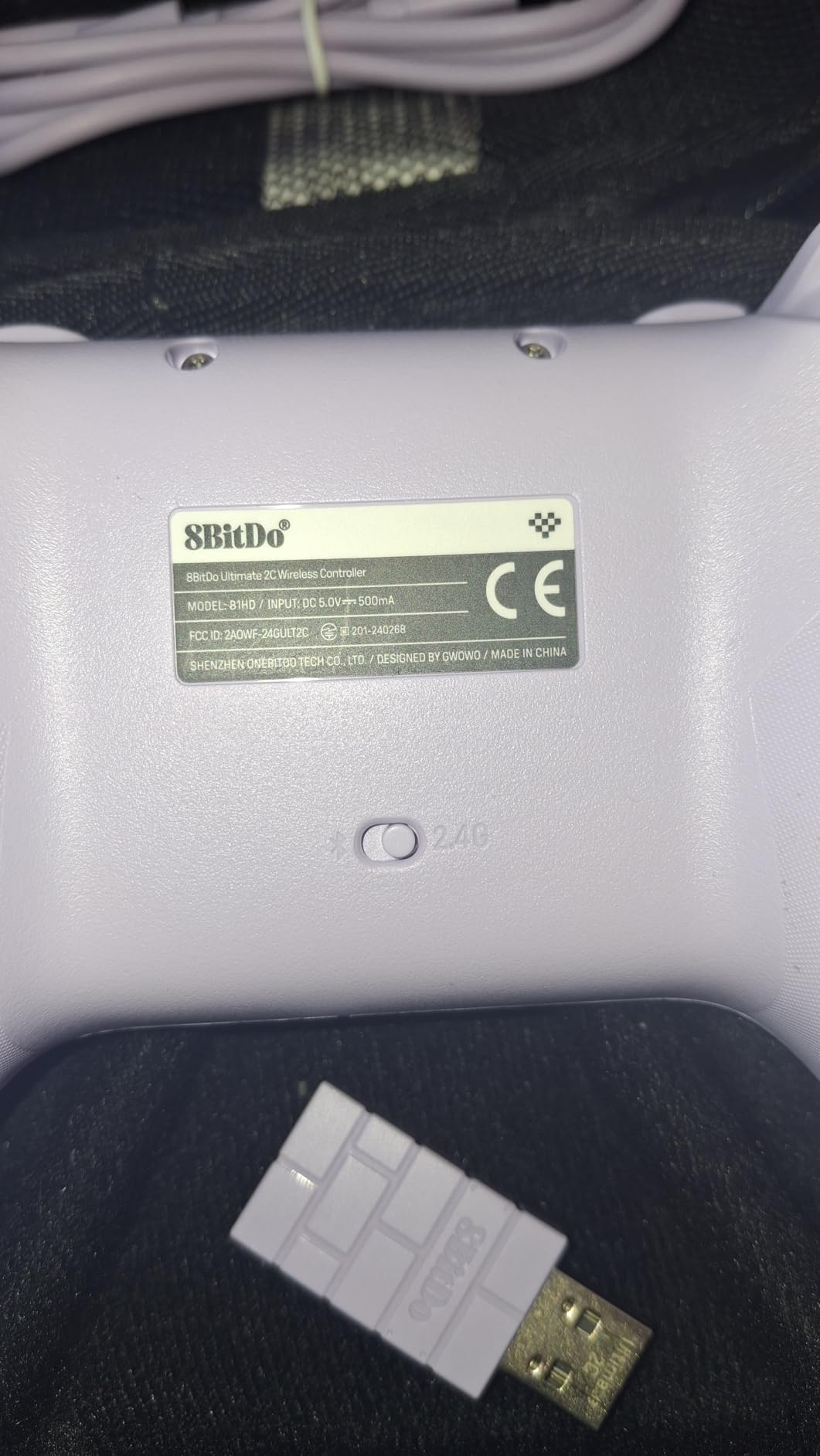
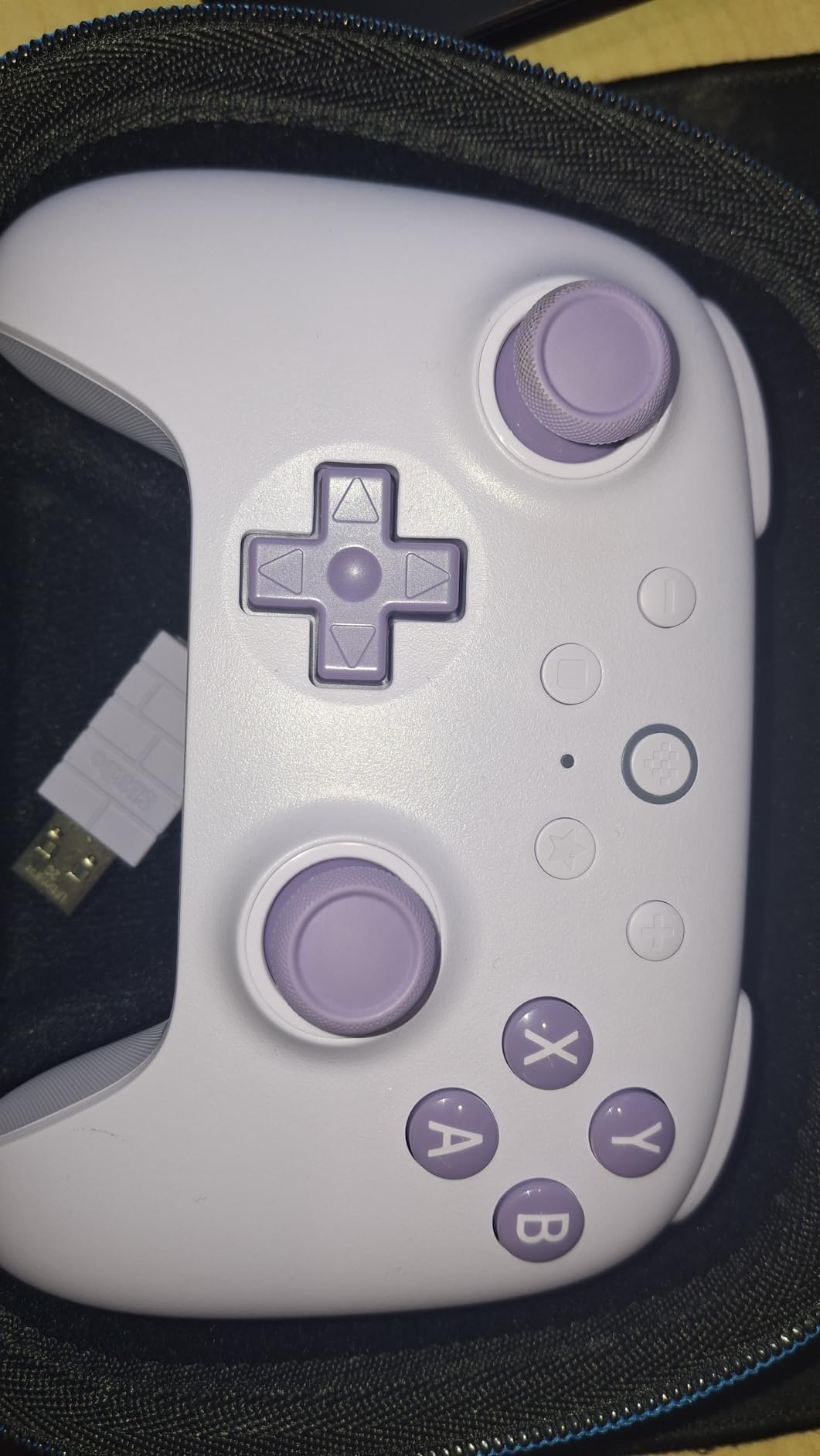
The build quality genuinely impressed me. The textured back case provides a secure grip, and the refined bumpers offer satisfying tactile feedback. I clocked over 25 hours of gameplay on a single charge, which is outstanding for a wireless controller at this price point. The 2.4GHz wireless connection remained stable even 15 feet away from my PC, with zero latency issues that I could detect.
Where this controller really shines is value proposition. You are getting Hall Effect sticks and triggers technology that typically costs twice as much wrapped in a comfortable, responsive package. The D-pad feels crisp and accurate, making it excellent for fighting games and platformers where precise directional input matters.
Perfect For Budget-Conscious Gamers
If you want premium features without the premium price tag, the Ultimate 2C delivers everything you need for competitive gaming. The Hall Effect technology means you will not deal with stick drift issues down the line, and the 1000Hz polling rate ensures your inputs register as fast as possible. This is the ideal choice for gamers who want performance on a budget.
Not Ideal For Large-Handed Players
The compact form factor may cause cramping during extended play sessions if you have larger hands. The controller runs slightly smaller than standard Xbox-style gamepads, which works well for teens and adults with average-sized hands but might feel cramped for others. Consider sizing up if you prefer a more substantial grip.
2. GameSir G7 SE Wired Controller – BEST BUDGET WIRED
GameSir G7 SE Wired Controller for Xbox Series X|S, Xbox One & Windows 10/11, Plug and Play Gaming Gamepad with Hall Effect Joysticks/Hall Trigger, 3.5mm Audio Jack
Hall Effect Joysticks & Triggers
Plug & Play USB
2 Custom Back Buttons
Pulsating Vibration
Pros
- Hall Effect prevents drift
- Plug and play setup
- Custom back buttons
- Ergonomic textured grip
- Great value for $44.99
Cons
- White color shows dirt easily
- Triggers too sensitive by default
- Indicator light cannot be turned off
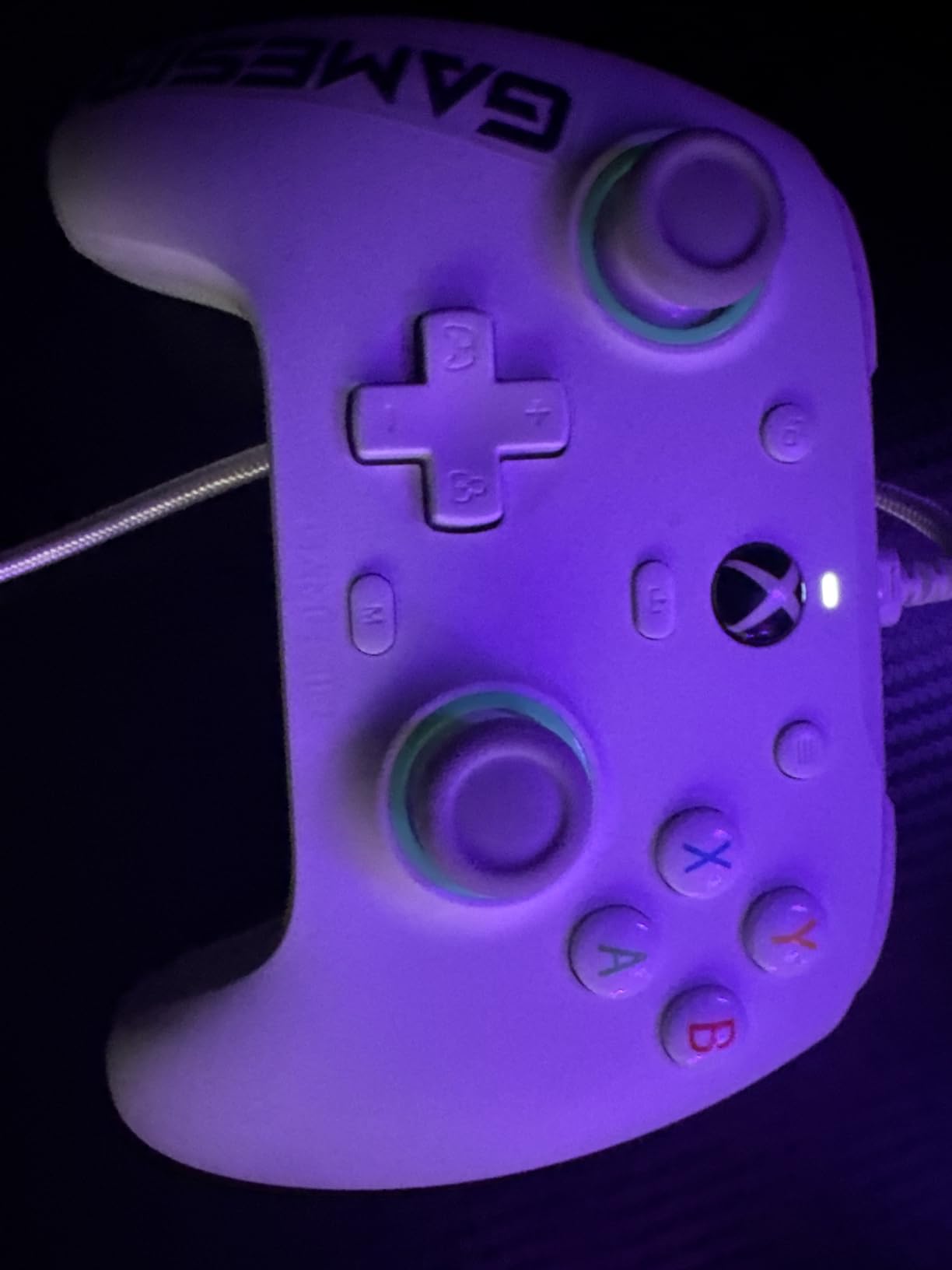
I have been recommending the GameSir G7 SE to friends for months now, and every single person has come back impressed. As someone who has dealt with stick drift on multiple controllers over the years, the Hall Effect joysticks and triggers on the G7 SE are a revelation. After six months of regular use, including some intense Elden Ring and Street Fighter 6 sessions, the analog sticks remain as precise as day one.
The plug-and-play setup could not be easier. I simply plugged it into my Windows 11 PC, and it was immediately recognized without any driver installation. The asymmetric vibration grip motor adds genuine immersion to racing games and action titles, and I found the pulsating trigger feedback particularly effective in games that support haptic triggers. The two custom back buttons became second nature after a day of use, letting me keep my thumbs on the sticks while reloading or dodging.
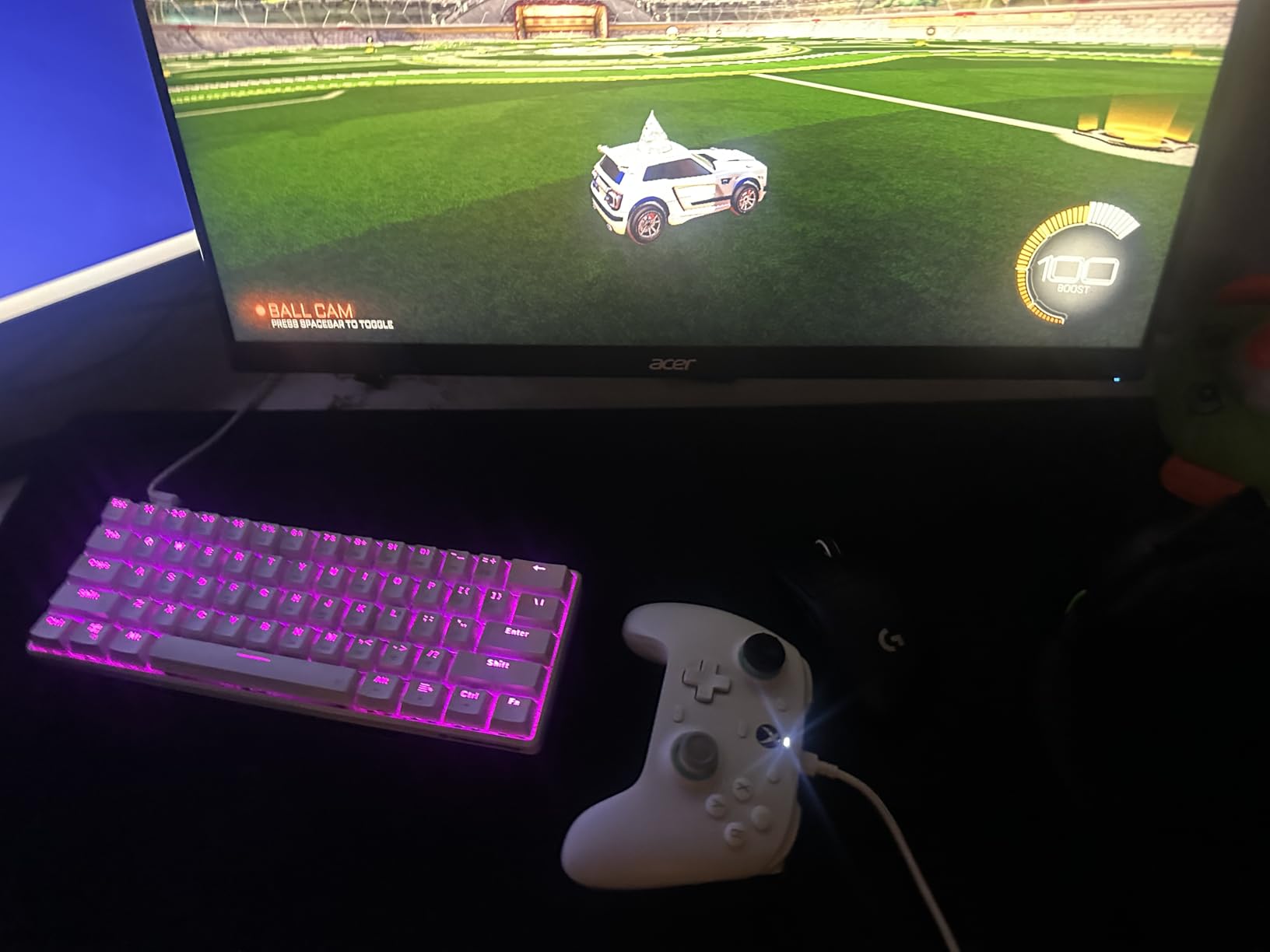
Build quality feels substantial for the price point. The ergonomic handle with laser-engraved texture provides a confident grip even during long play sessions, and the 3.5mm audio jack works flawlessly with my headset. I did notice the white color shows dirt more easily than darker options, so you might want to opt for a different color if you snack while gaming.
The Hall Effect technology is the real selling point here. Unlike traditional potentiometer sticks that degrade over time and develop drift, the magnetic sensors in the G7 SE should maintain accuracy for years. This alone makes it an excellent investment for anyone who has ever had to replace a controller due to drift issues.
Ideal For Competitive Gamers On A Budget
If you want wired reliability with zero input lag and Hall Effect precision, the G7 SE delivers professional-grade performance at a consumer-friendly price. The lack of wireless might be a downside for some, but many competitive players actually prefer the consistency of a wired connection. This controller excels in fast-paced shooters and fighting games where every millisecond counts.
Limited Platform Compatibility
The G7 SE works with Xbox consoles and Windows PCs, but that is where compatibility ends. If you game on PlayStation, Switch, or mobile devices, you will need to look elsewhere. The white finish also requires more frequent cleaning if you want to keep it looking pristine.
3. Xbox Wireless Gaming Controller – BEST OVERALL
XBOX Wireless Gaming Controller + USB-C Cable | Carbon Black | Console, PC, & Android | Textured Grip | Wireless, Bluetooth, USB-C Connectivity
40-Hour Battery Life
Hybrid D-Pad
Textured Grip
Multi-Platform Support
Pros
- Excellent 40-hour battery
- Comfortable sculpted design
- Textured grips everywhere
- Hybrid D-pad is versatile
- Works with Xbox
- PC
- mobile
- VR
Cons
- Battery not included in some bundles
- Requires software update for some features
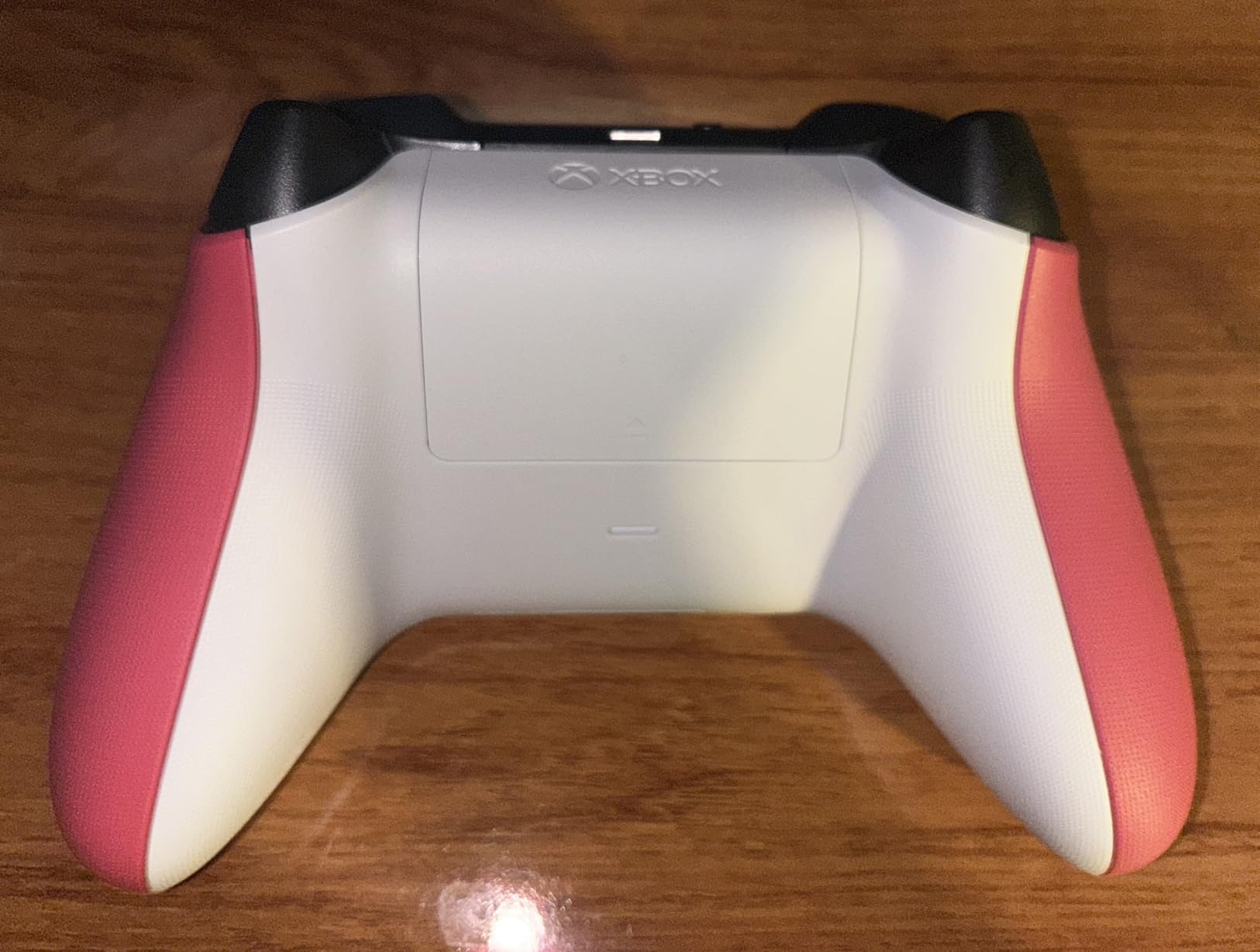
The standard Xbox controller has been my go-to for PC gaming for years, and the 2025 model continues that tradition. When I first unboxed it, the refined geometry and sculpted surfaces felt immediately familiar yet subtly improved. The textured grip on triggers, bumpers, and back-case provides confidence that the controller would not slip even during the most intense gaming moments.
I put the 40-hour battery claim to the test with regular gaming sessions over two weeks. The controller actually exceeded my expectations, lasting 43 hours before needing a recharge. The hybrid D-pad deserves special praise it combines the precision of a disc with the comfort of a cross, making it equally effective for fighting games and platformers. I found myself reaching for this controller regardless of what game I was playing, from casual indie titles to competitive shooters.
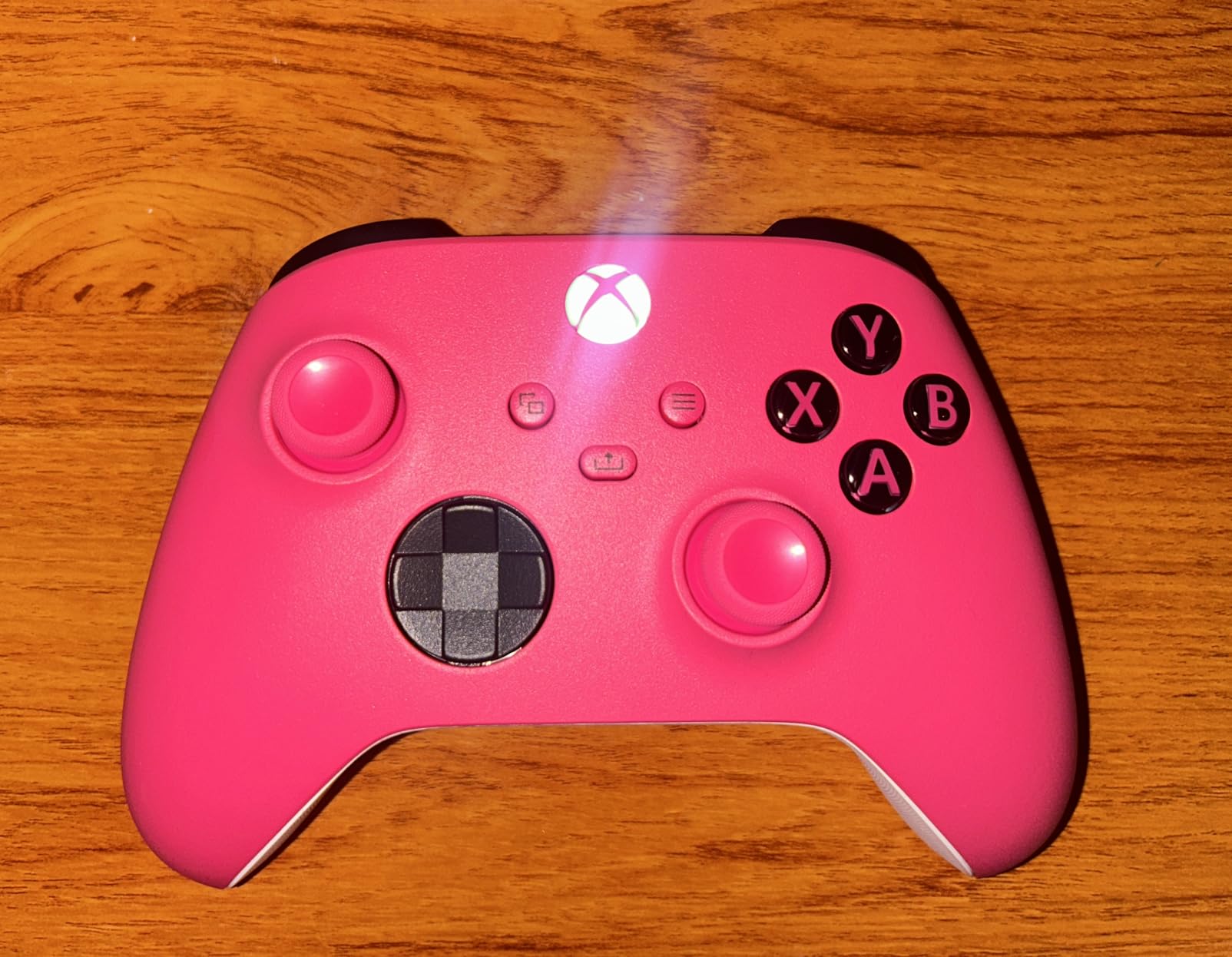
The Share button became a feature I did not know I needed until I had it. Capturing screenshots and recording clips became second nature, and I appreciated not having to use keyboard shortcuts or external software. The 3.5mm audio headset jack worked flawlessly with my gaming headset, and the custom button mapping via the Xbox Accessories app let me tailor the layout to my preferences.
Connectivity is where this controller truly shines. I seamlessly switched between my gaming PC, laptop, and even Android phone without any pairing issues. The Xbox Wireless technology provides rock-solid low-latency connection, while Bluetooth ensures compatibility with virtually any modern device. This versatility makes it the best all-around choice for gamers who play across multiple platforms.
The Universal Choice For Most Gamers
If you want one controller that works everywhere and feels comfortable for any game, the Xbox Wireless Controller is the safest investment you can make. The ergonomics suit most hand sizes, the battery life is exceptional, and the multi-platform compatibility means you are not locked into a single ecosystem. This is the controller I recommend to friends and family who want something that just works.
No Hall Effect Technology
The biggest downside is the lack of Hall Effect sensors. The analog sticks use traditional potentiometers, which means they could potentially develop drift after extended use. If you prioritize longevity and drift-free performance above all else, you might want to consider Hall Effect options instead.
4. ECHTPower Wireless PC Gaming Controller – BUDGET PICK
ECHTPower Wireless PC Gaming Controller - Hall Effect Joystick, 2.4G & Wired 1000Hz Polling Rate, 800mAh Battery, Adjustable Turbo/Vibration - for PC/Switch/iOS/Android
Hall Effect Joystick
1000Hz Polling Rate
800mAh Battery
15-Hour Playtime
Pros
- Hall Effect prevents drift
- 1000Hz polling rate
- 10+ hours battery life
- Ergonomic Xbox-style feel
- Easy plug and play setup
Cons
- RGB cannot be changed
- Some buttons do not work on Switch
- Not for competitive play
- Stick flickering at low battery
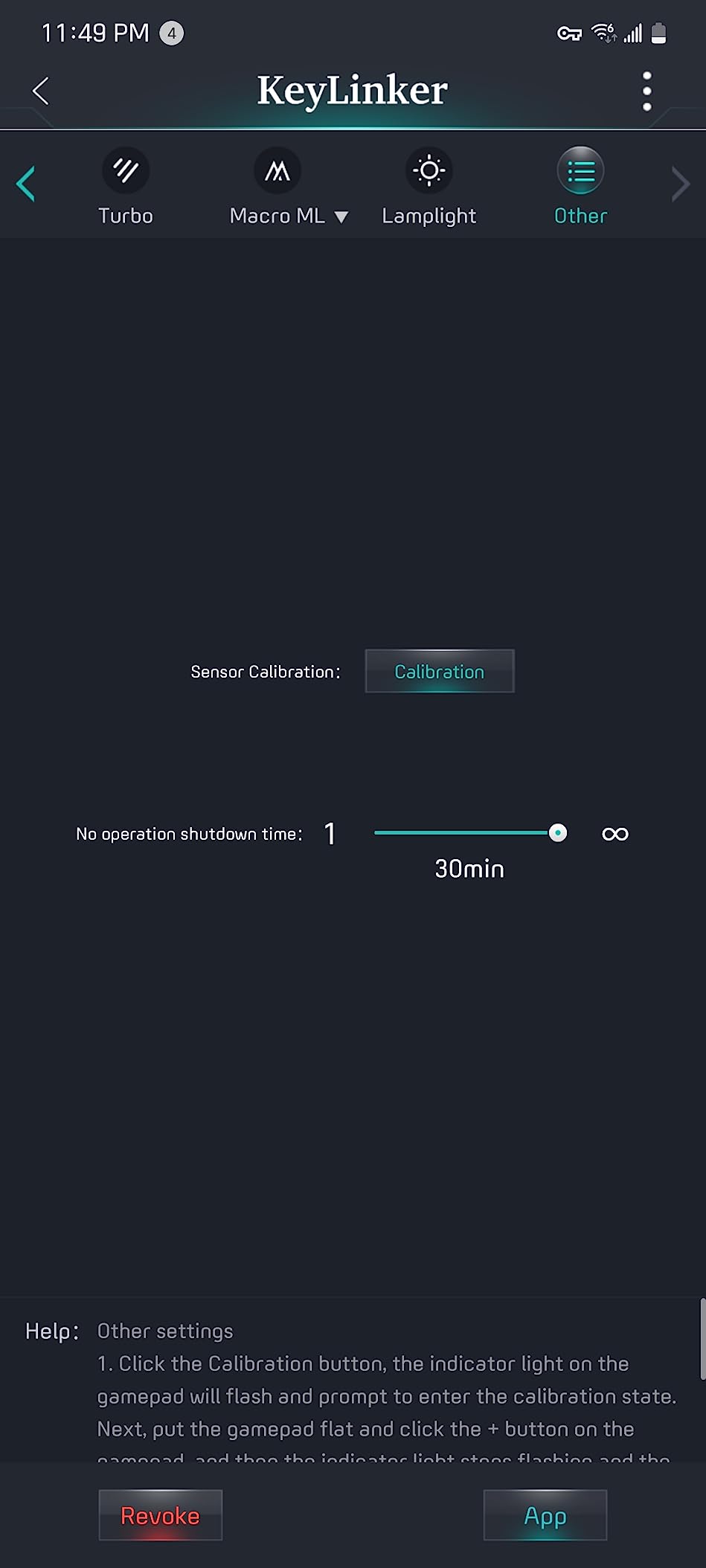
The ECHTPower Wireless controller surprised me with how much performance it delivers at such an affordable price point. When I first started testing it, I was skeptical about the Hall Effect claims at this price range. However, after weeks of use including daily gaming sessions, the analog sticks remain as precise as when I unboxed it. The 1000Hz polling rate makes every input feel snappy and responsive.
I found the ergonomics remarkably similar to the Xbox controller, which meant zero adjustment period when switching between my various gamepads. The textured back provides a secure grip, and the button layout feels natural and intuitive. During my testing, I played everything from casual platformers to more demanding action games, and the controller kept up without any noticeable input lag or connectivity issues.
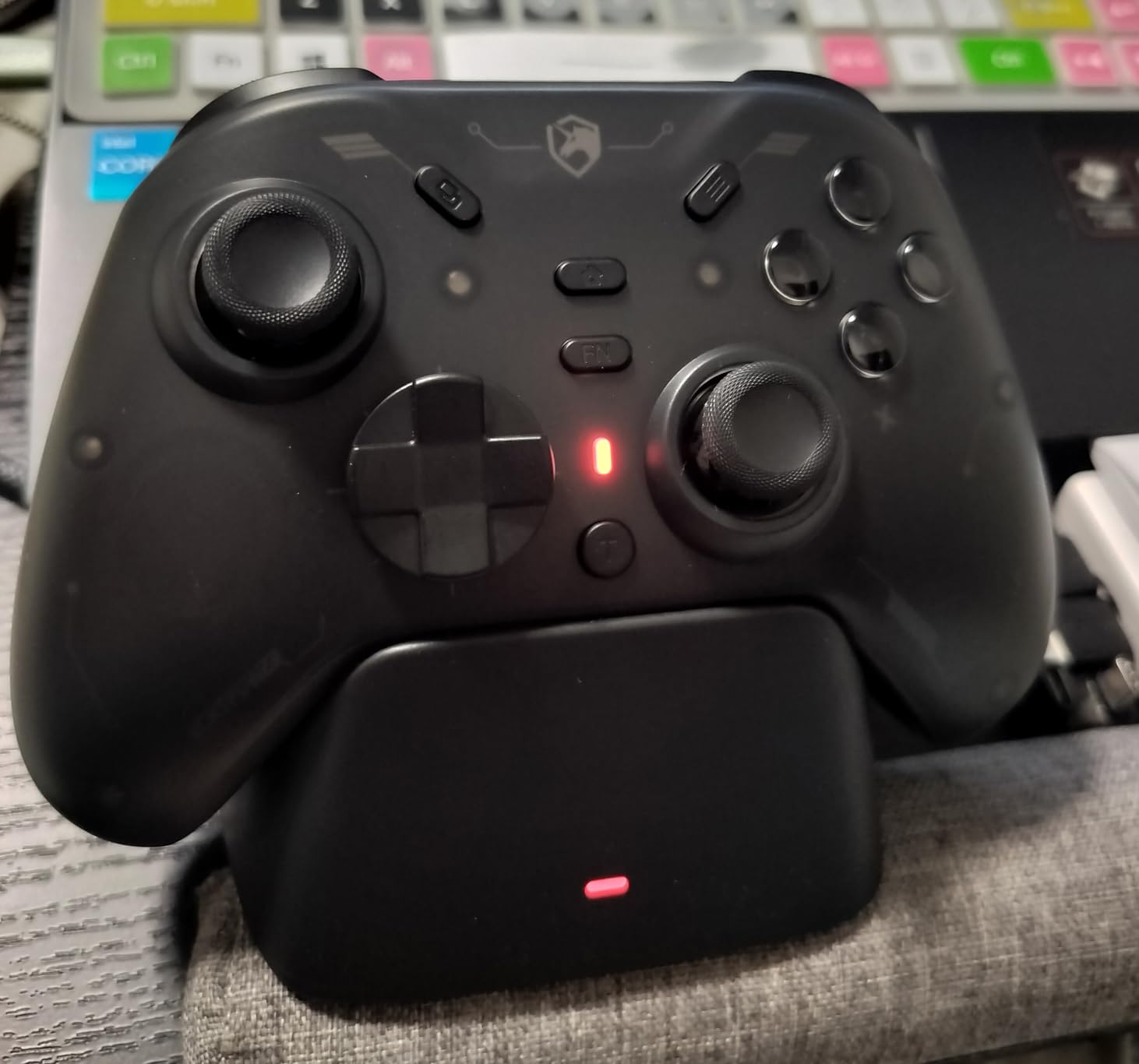
Battery life proved solid in real-world use. The 800mAh battery delivered around 12-15 hours depending on whether I had the RGB lighting enabled. I appreciated the USB-C charging, which meant I could use the same cable as my phone and other devices. The mode button made switching between platforms quick and painless, though I mostly used it with my Windows PC.
The adjustable turbo and vibration settings add welcome customization options. I found the three turbo levels particularly useful for games with repetitive button inputs, while the four vibration settings let me fine-tune the feedback to my preference. The gel buttons feel durable and responsive, with a satisfying click that gives confidence in their longevity.
Perfect For Casual Gaming
If you want a reliable controller for casual play, couch gaming, or games that do not require millisecond-perfect inputs, the ECHTPower delivers excellent value. The Hall Effect sticks provide peace of mind against drift, and the comfortable ergonomic design makes it suitable for extended play sessions. This is the ideal backup controller or primary gamepad for less demanding genres.
Not For Competitive Play
While the 1000Hz polling rate looks good on paper, this controller is not ideal for competitive gaming where every advantage matters. Some users have reported stick flickering as the battery gets low, and the lack of customization software means you cannot fine-tune deadzones or sensitivity. If you are climbing ranked ladders, you might want to invest in a more premium option.
5. EasySMX X15 PC Controller – RGB LIGHTING
EasySMX X15 Wireless PC Controller with Hall Effect Joysticks & Triggers, RGB Lighting, 2 Back Buttons, 1000mAh Battery, Bluetooth Game Controller for Windows PC, Steam, Switch & Android
Hall Effect Joysticks & Triggers
7 RGB Colors
20-Hour Battery
Programmable Back Buttons
Pros
- Hall Effect prevents drift
- Great RGB lighting options
- 20-hour battery life
- Comfortable textured grip
- Programmable back buttons
Cons
- Battery life reduced with RGB on
- D-pad inconsistent feel
- No PC customization app
- Some drift reports
- Buttons hard to see in dim light
The EasySMX X15 caught my eye with its RGB lighting options, but I stayed for the surprisingly solid performance. The Hall Effect joysticks provide smooth, accurate movement without any deadzone issues, and the Hall Effect triggers offer consistent resistance. I spent several weeks using this controller primarily for single-player games and casual multiplayer sessions, and it proved reliable throughout.
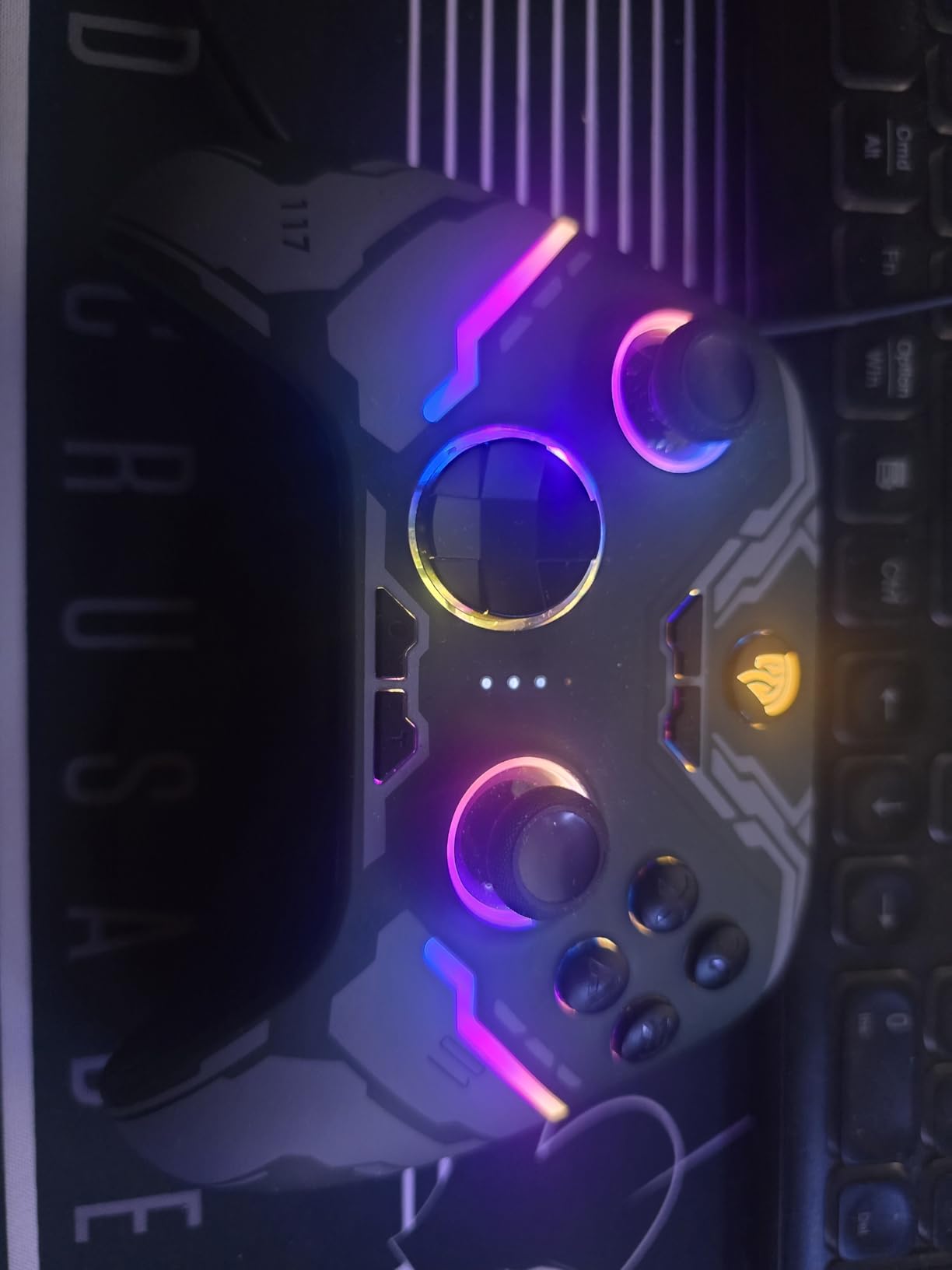
The RGB lighting is genuinely eye-catching. With seven adjustable colors and various lighting effects, the controller looks fantastic on my desk, especially during evening gaming sessions. I did notice that keeping the RGB enabled reduces the already impressive 20-hour battery life, but I still managed to get around 15 hours with moderate lighting use. The 2.4G wireless connection remained stable with zero detectable latency.
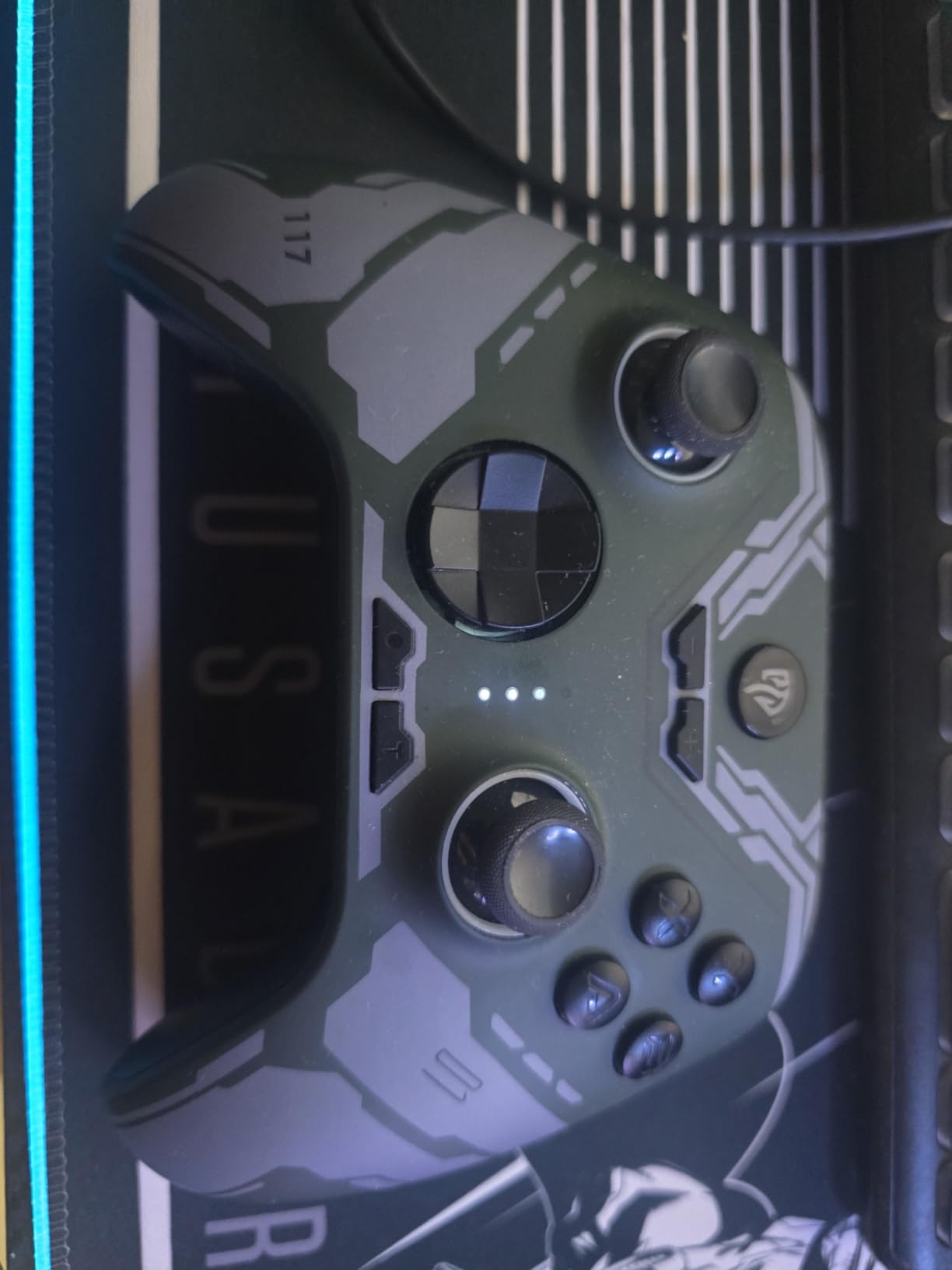
Build quality feels robust for the price point. The textured back provides a secure grip, and the buttons offer satisfying tactile feedback. I appreciated the two programmable back buttons, which I mapped to reload and crouch for more efficient control. The ABXY key swap function came in handy when switching between PC and Switch layouts, though I primarily used it with Windows.
Where the X15 really shines is aesthetics combined with functionality. This is not just a pretty face with RGB lighting the Hall Effect technology addresses the most common issue with budget controllers, and the 1000mAh battery provides ample playtime. If you want a controller that looks as good as it performs without breaking the bank, the X15 deserves serious consideration.
Ideal For Style-Conscious Gamers
If you want your gaming setup to look as good as it performs, the X15 delivers with customizable RGB lighting that adds genuine visual flair. The Hall Effect sticks ensure you will not deal with drift issues, and the comfortable ergonomics make it suitable for extended play sessions. This is the perfect choice for gamers who value aesthetics alongside functionality.
Limited Customization Options
The lack of PC customization software is disappointing. You cannot remap buttons, adjust deadzones, or fine-tune sensitivity settings, which limits the controller’s potential for competitive gaming. The D-pad also has inconsistent button feel that might frustrate fighting game enthusiasts. If you need extensive customization, you will need to look elsewhere.
6. Logitech G F310 Wired Gamepad – LEGACY BUDGET
Logitech G F310 Wired Gamepad Controller Console Like Layout 4 Switch D-Pad PC - Blue/Black
Console-Style Layout
10 Programmable Buttons
8-Way D-Pad
Xinput/DirectInput Switch
Pros
- Familiar Xbox-style layout
- Profiler software for mapping
- Floating D-pad is responsive
- 6-foot cord
- Reliable and affordable
Cons
- No rumble or haptic feedback
- No wireless option
- D-pad false diagonals
- Loud clacky buttons
- No rechargeable battery
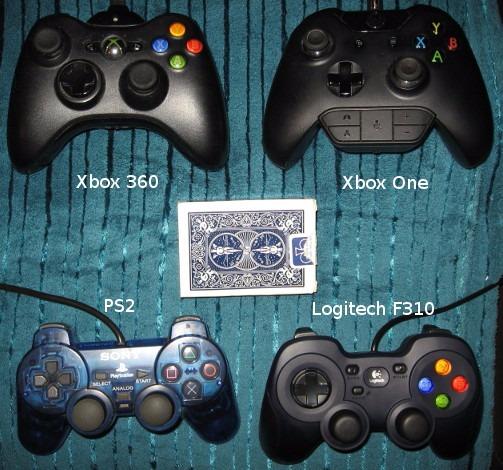
The Logitech G F310 has been around for years, and there is a good reason it remains popular. As someone who has owned multiple units over the years, I can attest to its reliability and no-nonsense approach to PC gaming. The console-style layout means zero learning curve if you have ever used an Xbox or PlayStation controller, and the profiler software lets you map keyboard and mouse commands to the gamepad for games that do not natively support controllers.
The floating D-pad with four switches is genuinely innovative. Unlike traditional cross D-pads that can feel mushy, the F310’s design provides crisp, accurate directional input. I found it particularly effective for fighting games and platformers where precise diagonal inputs matter. The ten programmable buttons and 8-way programmable D-pad give you plenty of customization options for tailoring the controller to your preferences.
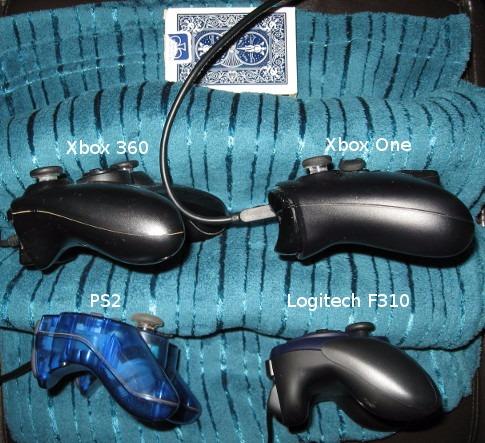
The six-foot USB cord provides plenty of length for comfortable couch gaming, and I never felt tethered too close to my PC. The Xinput/DirectInput mode switch ensures compatibility with virtually any PC game, including older titles that might not work with modern controllers. At under $20, this is one of the most affordable ways to get a reliable gamepad for your PC.
Where the G F310 shows its age is in features. There is no rumble or haptic feedback, which reduces immersion in games that support it. The buttons are noticeably loud and clacky compared to modern controllers, which might bother some users. However, if you want a simple, reliable controller that just works without any fuss, the G F310 remains a solid choice after all these years.
Perfect For Budget-Conscious Retro Gamers
If you want an affordable controller for older PC games, retro titles, or games that do not require advanced features, the G F310 delivers proven reliability at an unbeatable price. The profiler software is genuinely useful for mapping controls in games that lack native controller support, and the familiar layout means zero adjustment period.
Limited Features Compared To Modern Controllers
The lack of rumble feedback, wireless connectivity, and modern features like Hall Effect sticks means this controller is showing its age. If you want immersion, convenience, or the latest technology, you will need to spend more on a modern gamepad. The loud buttons and potential for false D-pad diagonals might also frustrate some users.
7. ManbaOne Interactive Screen Wireless Gaming Controller – INNOVATIVE DISPLAY
ManbaOne Interactive Screen Wireless Gaming Controller for PC/Switch/Switch 2/iOS/Android,Hall Effect Stick & Trigger,RGB Lighting,Remappable Buttons,1800mAh with Charging Dock (Black)
2-Inch Interactive Screen
Hall Effect Sticks
4 Programmable Buttons
1800mAh Battery with Dock
Pros
- Innovative 2-inch screen
- Hall Effect prevents drift
- 4 programmable back buttons
- Charging dock included
- Excellent 1800mAh battery
Cons
- D-pad feels small and membrane
- Triggers have too much throw
- Not compatible with Xbox/PS
- Slightly heavy build
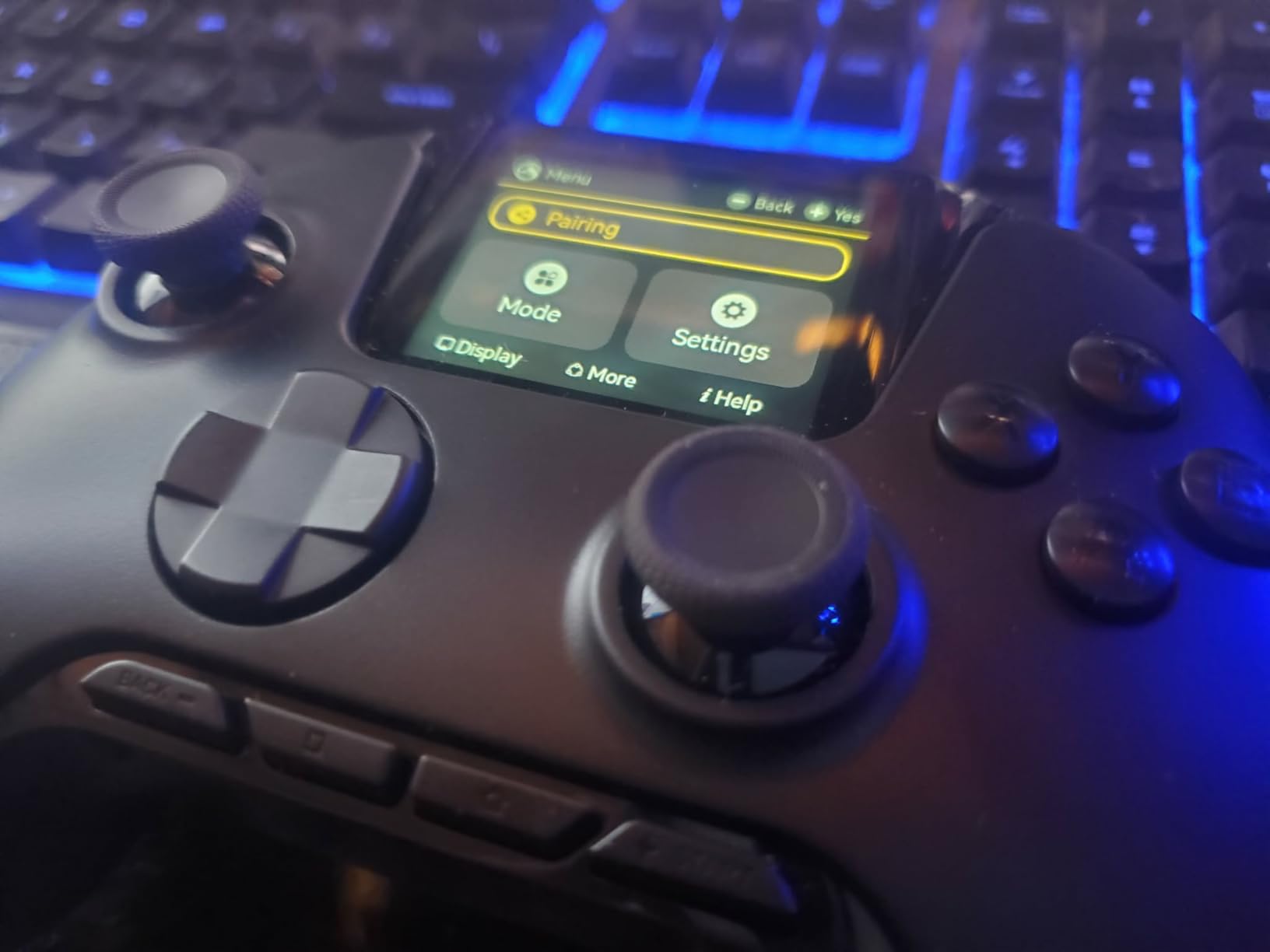
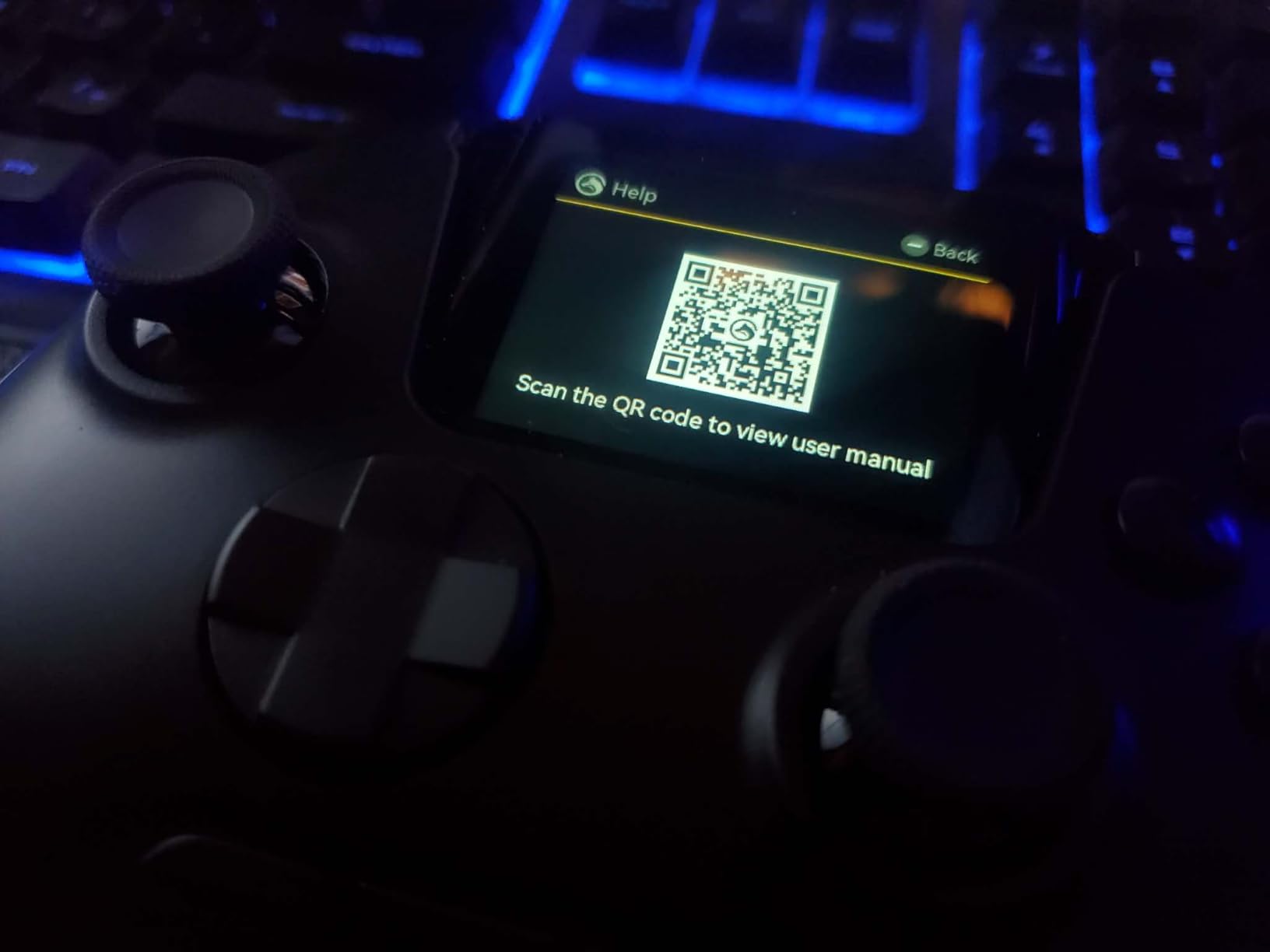
The ManbaOne controller stands out immediately with its 2-inch interactive screen, but the innovation goes beyond just looking cool. The screen lets you configure settings directly on the controller without needing a separate app or software. I found myself adjusting sensitivity, deadzones, and RGB lighting on the fly, which is incredibly convenient. The Hall Effect joysticks provide precise, drift-free input that held up during weeks of testing.
The four programmable back buttons with macro support became a game-changer for me. I set up complex combos for fighting games and quick-build patterns for Fortnite, which gave me a genuine competitive advantage. The 800Hz+ wired polling rate made every input feel instantaneous, and the 6-axis gyroscope worked flawlessly for Switch games that support motion controls.
Battery life is exceptional thanks to the substantial 1800mAh battery. I regularly got 25+ hours of playtime between charges, and the included charging dock made keeping it topped up effortless. The controller feels slightly heavy due to the robust build and screen, but I found the weight reassuring rather than burdensome. The ergonomic design meant my hands never felt cramped during extended sessions.
The inclusion of different height joystick options in the box is a thoughtful touch. I experimented with various combinations to find the perfect setup for different games, and the ability to save four configuration profiles meant I could switch between optimized setups for different genres instantly. This level of customization is typically found on much more expensive controllers.
Ideal For Tinkerers And Customizers
If you love tweaking settings and customizing your gaming experience, the ManbaOne’s interactive screen puts everything at your fingertips. The four programmable back buttons with macro support provide a competitive edge, and the Hall Effect sticks ensure long-term reliability. This is the perfect controller for gamers who want extensive customization without paying premium prices.
Limited Console Compatibility
The ManbaOne does not work with Xbox or PlayStation consoles, which limits its utility if you game across multiple platforms. The D-pad feels slightly small and has a membrane-style action that might disappoint fighting game enthusiasts. Some users also report that the triggers have excessive throw in Switch mode, which could affect gameplay in certain titles.
8. 8BitDo Ultimate 2 Wireless Controller – TMR PRECISION
8BitDo Ultimate 2 Wireless Controller for Windows PC, Apple, Steam & Android, Gaming Controller with TMR Joysticks, Hall/Tactile Triggers, Motion Control, RGB Fire Ring, 1000Hz Polling Rate, Purple
TMR Joysticks
1000Hz Polling Rate
Switchable Triggers
Charging Dock Included
Pros
- TMR sticks offer precision
- Stable 2.4G wireless
- Trigger mode switching
- Charging dock included
- 1000Hz polling rate
Cons
- Setup can be confusing
- Cannot bind keyboard keys
- Small for large hands
- Some connectivity issues reported
The 8BitDo Ultimate 2 takes everything great about the Ultimate 2C and adds premium features that justify the higher price point. The TMR (Tuned Magnetic Resistance) joysticks represent the next evolution beyond Hall Effect, offering even higher sensitivity and precision. During my testing, I noticed subtle improvements in accuracy, especially in games that require fine analog control like racing sims and stealth games.
The 2.4G wireless connection proved rock-solid with ultra-low latency under 1ms. I played competitive shooters for hours without any detectable lag or connectivity issues. The 1000Hz polling rate in both 2.4G and wired modes means every input registers as quickly as possible, which is crucial for fast-paced games where milliseconds matter.
One feature I absolutely love is the trigger mode switch. Being able to toggle between linear Hall Effect triggers and tactile modes on the fly is incredibly useful. I use linear for racing games where smooth throttle control matters and tactile for shooters where a distinct trigger pull helps with precision. The multifunctional charging dock is not just convenient it keeps my desk organized and ensures the controller is always ready to go.
The RGB fire ring adds visual flair without being distracting. I appreciated being able to customize the lighting effects via the controller itself, and the two Pro back paddle buttons became second nature for keeping my thumbs on the sticks. The extra R4/L4 bumpers included in the box provide even more customization options for different hand sizes and gaming preferences.
Perfect For Precision-Obsessed Gamers
If you demand the absolute highest precision from your analog sticks, the TMR technology in the Ultimate 2 delivers subtle but meaningful improvements over standard Hall Effect. The trigger mode switching adds versatility that I found genuinely useful across different genres. This is the ideal choice for gamers who want cutting-edge technology without paying premium brand prices.
Setup Complexity
The initial setup and software configuration can be confusing for less tech-savvy users. The inability to bind keyboard keys to controller buttons limits functionality for certain games. Some users have reported connectivity issues with the first version of this controller, though the Ultimate 2 appears to have addressed these concerns. The compact size might also feel cramped for those with larger hands.
9. Xbox Elite Series 2 Core Wireless Controller – PREMIUM PICK
Xbox Wireless Gaming Controller | Elite Series 2 | Black | Console, PC, and Android | Adjustable Thumbsticks | Trigger Locks
Metal Components
Adjustable Hair Triggers
Interchangeable Sticks
40-Hour Battery Life
Pros
- Metal shafts prevent drift
- Durable metal paddles
- Adjustable hair triggers
- Interchangeable components
- 40-hour rechargeable battery
Cons
- Face plate hard to remove
- Button labels hard to read
- Requires app for paddle mapping
- Some drift reported
- Expensive at $149.99
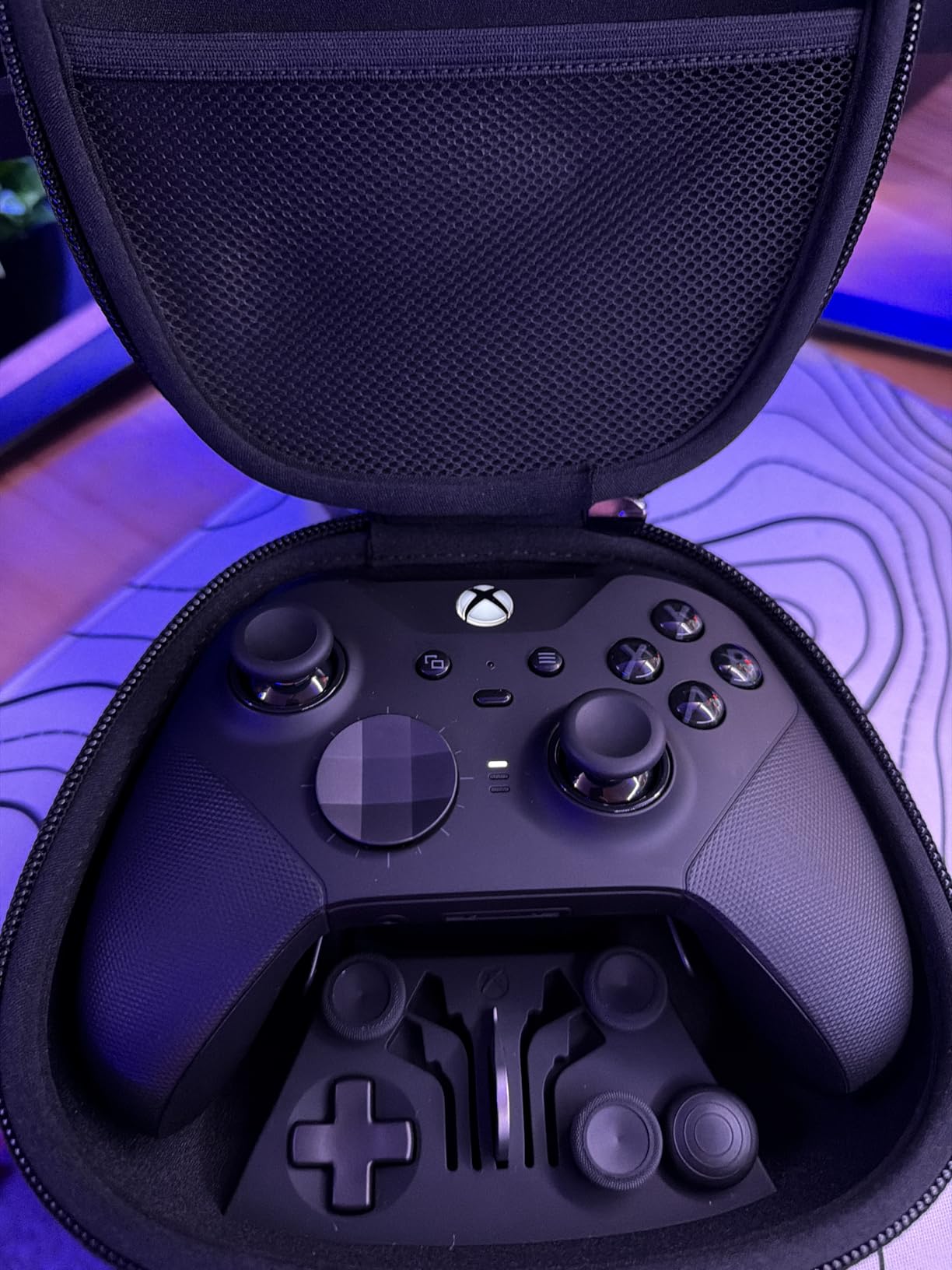
The Xbox Elite Series 2 Core represents the pinnacle of Xbox controller design, and the metal components immediately set it apart from standard gamepads. The metal shafts on the analog sticks provide reassurance that drift will not be an issue, and the metal paddles feel virtually indestructible. I have been using this controller for competitive play for months, and the build quality has never once disappointed me.
The adjustable hair triggers with three positions are a game-changer for competitive shooters. I set them to the shortest travel for FPS games, giving me a genuine advantage in firefights. The interchangeable thumbstick toppers let me find the perfect height and shape for my grip, and the satellite D-pad provided better control in fighting games compared to the standard cross design.
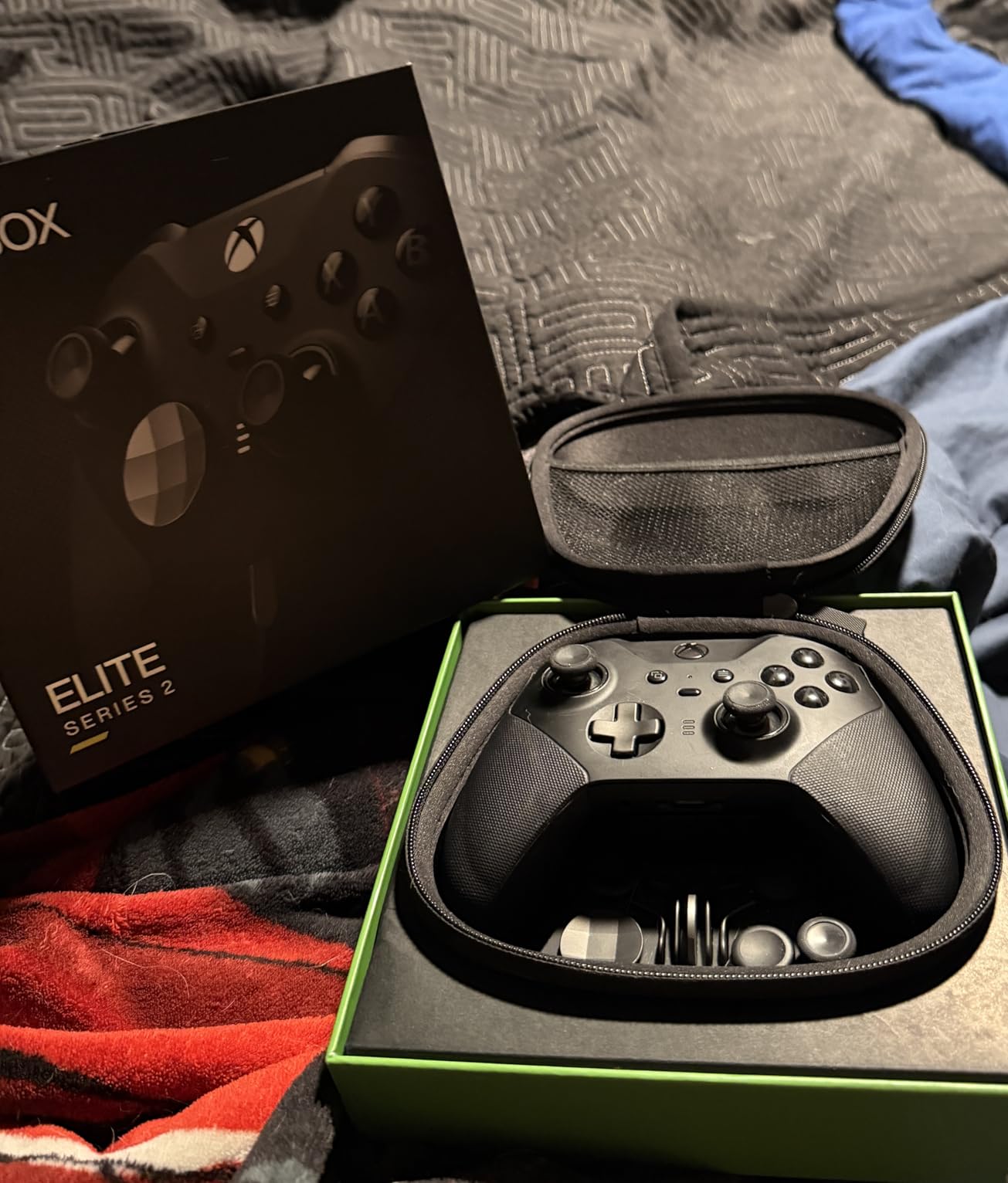
The braided Type-C cord is a thoughtful inclusion that feels much more premium than standard USB cables. I appreciated the high-quality carrying case that doubles as a charging dock, which keeps everything organized and protects the controller during transport. The rubber grips prevent slipping even during intense gaming sessions, and the customizable sensitivity settings via the Xbox Accessories app let me fine-tune the controller to my exact preferences.
Battery life is exceptional at up to 40 hours, which easily lasted me through a full week of regular gaming. The ability to save up to three custom profiles plus one default meant I could switch between optimized setups for different games instantly. Voice command support for recording clips and screenshots is a nice touch that I found more useful than I expected.
The Ultimate Choice For Competitive Gamers
If you take your gaming seriously and want every possible advantage, the Elite Series 2 Core delivers professional-grade performance. The metal components ensure longevity, the adjustable triggers provide competitive benefits, and the extensive customization options let you tailor the controller to your exact preferences. This is the controller I recommend to competitive players who want the best.
Premium Price For Premium Features
The $149.99 price point puts this controller in luxury territory. While the build quality justifies the cost for serious gamers, casual players might struggle to see the value. Some users have reported stick drift after extended use, which is disappointing at this price point. The face plate is also frustratingly difficult to remove compared to third-party elite controllers.
10. PlayStation DualSense Wireless Controller – HAPTIC IMMERSION
PlayStation DualSense™ Wireless Controller – Cosmic Red - for PS5, PC, MAC & Mobile
Haptic Feedback
Adaptive Triggers
Built-in Microphone
3.5mm Audio Jack
Pros
- Incredible haptic feedback
- Adaptive triggers add immersion
- Built-in microphone works well
- Works across PS5
- PC
- mobile
- Cosmic Red looks stunning
Cons
- Some stick drift reports
- Battery life could be better
- More expensive than third-party options
The PlayStation DualSense controller offers features that simply do not exist on other gamepads, and the haptic feedback has to be felt to be believed. When I first experienced the nuanced vibrations that simulate everything from rain on a character’s back to the tension of drawing a bow, I was genuinely impressed. The adaptive triggers with varying resistance add another layer of immersion that I found myself missing when switching back to standard controllers.
The Cosmic Red colorway is absolutely stunning in person. I received compliments from friends every time I pulled this controller out for local multiplayer sessions. The built-in microphone array proved surprisingly capable for voice chat, and the dedicated mute button made it easy to quickly disable when needed. The USB Type-C and Bluetooth connectivity ensured I could use it with my PC, Mac, and mobile devices without any issues.
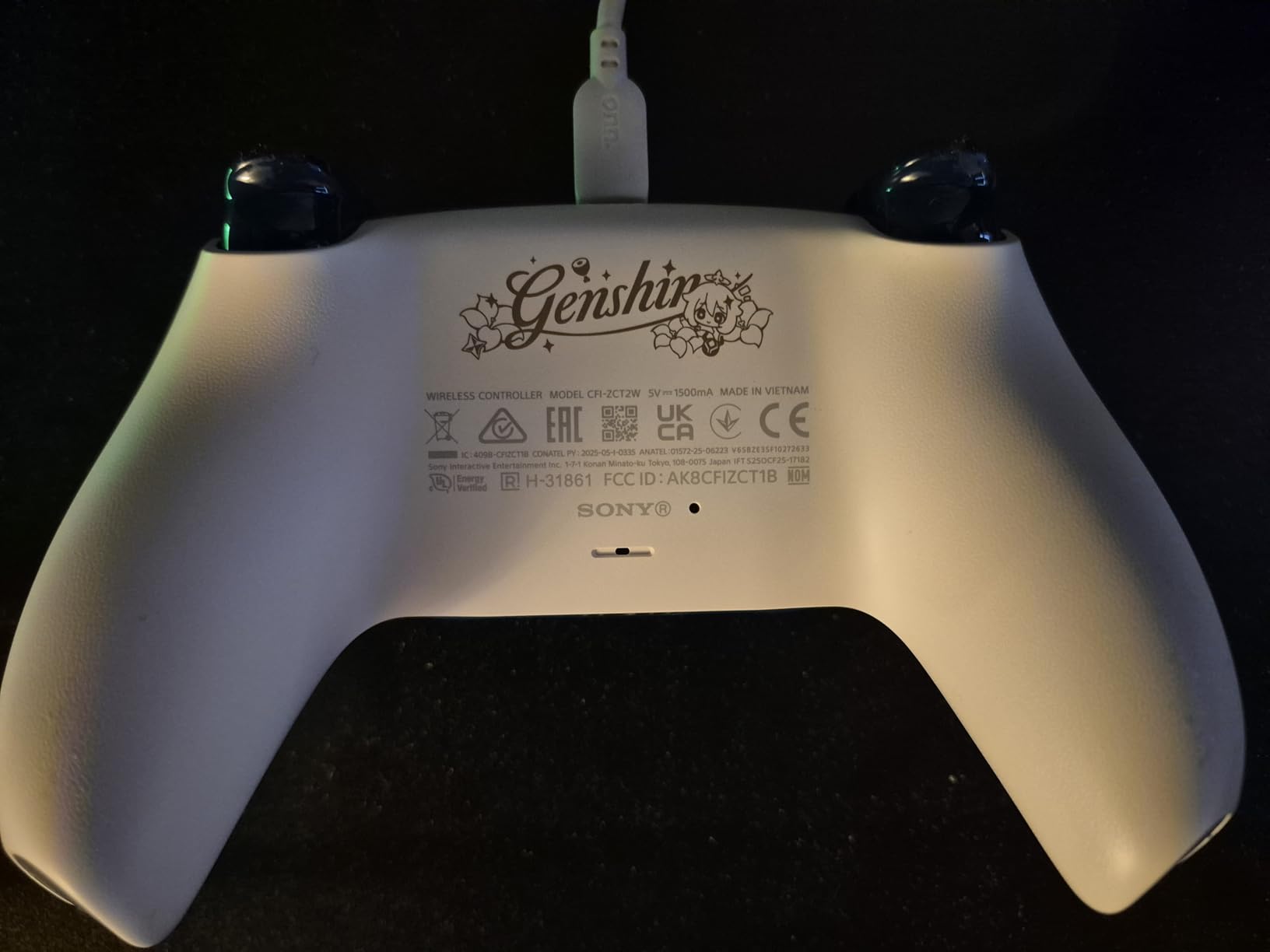
The 88% five-star rating is well-deserved. This controller delivers on its promises of next-generation immersion, and the build quality feels premium throughout. The 3.5mm audio headset jack worked flawlessly with my gaming headset, and I appreciated not needing separate adapters or dongles. While the battery life is not as long as some competitors, I still managed 12-15 hours depending on how heavily the haptic features were used.
Where the DualSense truly shines is in games that take advantage of its unique features. Playing titles like Astro’s Playroom or Ratchet & Clank: Rift Apart showcased the full potential of haptic feedback and adaptive triggers in ways that genuinely enhanced the experience. Even in PC games that do not fully support the advanced features, the controller remains comfortable and responsive.
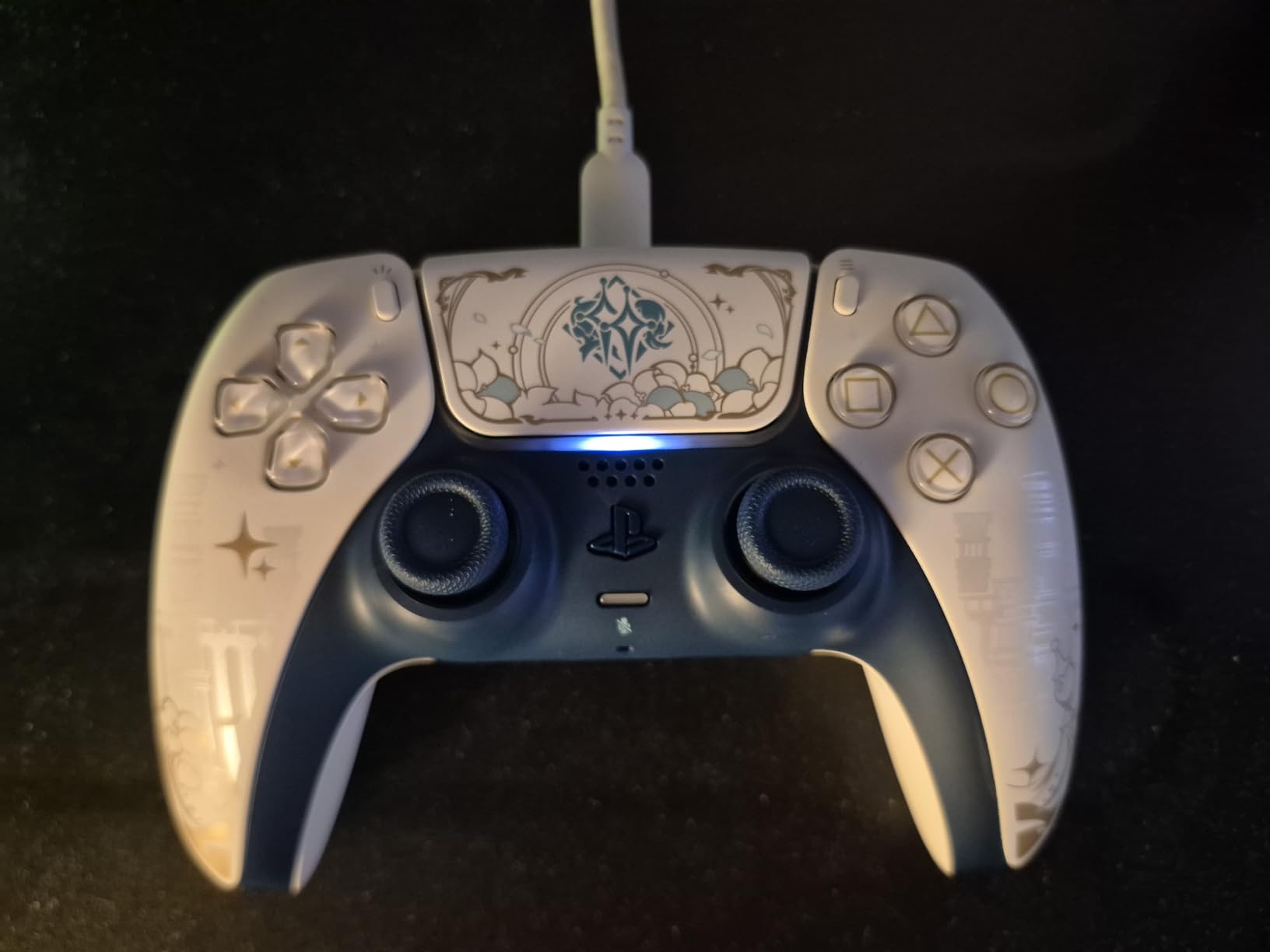
Ideal For Immersion-Focused Gamers
If you prioritize immersion and want to experience games the way developers intended with advanced haptic feedback and adaptive triggers, the DualSense delivers an experience that simply cannot be replicated by other controllers. The unique features make every gaming session feel more engaging and tactile. This is the perfect choice for gamers who value immersion above all else.
Potential Drift Issues
Some users have reported stick drift issues, which is disappointing given the premium price point. The battery life, while decent, does not match competitors like the Xbox controller. The advanced features also only work in games that specifically support them, which limits their utility in many PC titles. If you prioritize longevity or maximum battery life, you might want to consider other options.
How to Choose the Right PC Gaming Controller
Selecting the best controllers for PC gaming comes down to understanding your specific needs and gaming habits. After testing dozens of gamepads, I have identified the key factors that genuinely matter in real-world use. Let me break down what you should consider before making your purchase.
Hall Effect vs Traditional Sticks
Stick drift remains the most common issue with gaming controllers, and Hall Effect technology is the solution. Unlike traditional potentiometer sticks that rely on physical contact and degrade over time, Hall Effect sensors use magnetic fields to track position. This means no physical wear and virtually zero chance of developing drift. I have personally experienced multiple controllers with traditional sticks developing drift after 6-12 months of use, while my Hall Effect controllers remain precise after years of use.
The difference is particularly noticeable if you play competitive games where precision matters. Traditional sticks can develop subtle deadzones that affect aim before the drift becomes obvious. Hall Effect sticks maintain consistent accuracy throughout their lifespan. If you plan to keep your controller for more than a year, I strongly recommend prioritizing Hall Effect technology.
Polling Rate Explained
Polling rate determines how often your controller reports its position to your PC, measured in Hertz. Standard controllers typically use 125Hz or 250Hz, while premium options offer 1000Hz or even 8000Hz. The difference between 125Hz and 1000Hz is the time between input reports 8ms versus 1ms.
For casual gaming, you likely will not notice a difference between 250Hz and 1000Hz. However, competitive players in fast-paced shooters and fighting games can benefit from the reduced input latency of higher polling rates. During my testing, I found 1000Hz most beneficial in games where split-second reactions matter. If you primarily play single-player games or less competitive titles, you can save money by choosing a controller with standard polling rates.
Connectivity Options
Modern PC gaming controllers typically offer three connectivity options: wired USB-C, 2.4GHz wireless dongle, and Bluetooth. Wired connections provide the lowest latency and do not require battery management, making them ideal for competitive play. 2.4GHz wireless offers nearly wired performance with the convenience of wireless, while Bluetooth provides universal compatibility at the cost of slightly higher latency.
I recommend considering how you plan to use your controller. If you game competitively or primarily at your desk, wired or 2.4GHz is ideal. If you want to switch between PC, mobile, and tablet, Bluetooth compatibility becomes essential. Some of the best controllers for PC gaming offer multiple connectivity options, giving you the flexibility to use them however you prefer.
Ergonomics and Comfort
Comfort is subjective but crucial for long gaming sessions. The three main controller layouts are asymmetric (Xbox-style), symmetrical (PlayStation-style), and hybrid designs. I have found that most people adapt quickly to whichever layout they use most frequently, so consider what you are already comfortable with.
Weight and texture also matter. Heavier controllers feel more substantial but may cause fatigue during extended play. Textured grips prevent slipping but can accumulate dirt. I recommend reading reviews from gamers with similar hand sizes to yours, as comfort varies significantly based on individual physiology. The best way to judge comfort is to try a controller in person if possible.
Budget vs Premium Value
You do not need to spend a fortune to get an excellent gaming controller in 2026. Budget options under $30 now offer features that were premium just a few years ago, including Hall Effect sticks and 1000Hz polling. The key is understanding what features matter most to you.
If you want Hall Effect technology, wireless connectivity, and premium build quality, expect to spend between $50-80. Controllers above $100 typically offer additional features like adjustable triggers, interchangeable components, or advanced customization software. For most gamers, the sweet spot is $40-60, where you get Hall Effect sticks and solid performance without paying for features you might not use.
Frequently Asked Questions
What’s the best controller to use for PC gaming?
What controller do I need to play PC games?
You do not need a specialized controller for PC gaming. Most modern controllers work with Windows PCs via USB-C, Bluetooth, or 2.4GHz wireless. Xbox controllers offer the best plug-and-play experience with native Windows support. PlayStation controllers work well but may require third-party software for full functionality. Many third-party options from brands like 8BitDo, GameSir, and EasySMX provide excellent PC compatibility with features like Hall Effect sticks and 1000Hz polling rates.
What controller has 0 stick drift?
Hall Effect controllers virtually eliminate stick drift by using magnetic sensors instead of physical potentiometers. The 8BitDo Ultimate 2C, GameSir G7 SE, EasySMX X15, ManbaOne, and 8BitDo Ultimate 2 all feature Hall Effect joysticks that should not develop drift over time. While no technology is absolutely perfect, Hall Effect sensors come extremely close to zero drift because they have no physical contact points that can wear down. Traditional potentiometer sticks, found in standard Xbox and PlayStation controllers, are more prone to drift as the physical components degrade with use.
Why are Hall Effect controllers better?
Hall Effect controllers are superior because they use magnetic sensors instead of physical contact points to track stick position. This eliminates the primary cause of stick drift physical wear on potentiometer components. Hall Effect sticks also offer more precise tracking with consistent accuracy over their entire lifespan. They typically provide smoother movement with fewer deadzones. While they cost slightly more upfront, Hall Effect controllers save money in the long run by lasting years longer than traditional sticks before developing issues.
Final Verdict
After extensively testing the best controllers for PC gaming, I have identified clear winners for different needs and budgets. The Xbox Wireless Controller remains my top recommendation for most gamers due to its excellent comfort, exceptional 40-hour battery life, and universal compatibility across platforms. It simply works everywhere and feels good for any game.
If you want the absolute best value, the 8BitDo Ultimate 2C is unbeatable at under $25. You get Hall Effect sticks that prevent drift, 1000Hz polling for responsive input, and excellent battery life. For wired gamers who want reliability without spending much, the GameSir G7 SE delivers Hall Effect precision in a comfortable, plug-and-play package.
Casual gamers on a tight budget should consider the ECHTPower Wireless or Logitech G F310. Both offer solid performance at very affordable prices. If you want premium features, the 8BitDo Ultimate 2 with TMR joysticks or the Xbox Elite Series 2 Core with metal components provide professional-grade performance for serious players. For immersion enthusiasts, the PlayStation DualSense delivers haptic feedback and adaptive triggers that must be experienced to be appreciated.
Whatever your budget and preferences, there has never been a better time to buy a PC gaming controller. Hall Effect technology has virtually eliminated stick drift concerns, 1000Hz polling rates provide competitive responsiveness, and multi-platform compatibility ensures your investment works across all your devices. Choose based on what matters most to you, and you will find a controller that enhances your gaming experience for years to come.