

If you work in a library, you already know the pressure to digitize collections. Whether it is preserving fragile rare books, creating searchable PDF archives, or giving patrons remote access to materials, the right book scanner makes all the difference. I have spent months testing overhead scanners, portable document cameras, and professional digitization equipment to find the best book scanners for librarians in 2026.
Librarians face unique challenges that a regular document scanner simply cannot handle. You need to scan bound volumes without cracking spines. You need curve-flattening software that corrects the distortion near the gutter. You need OCR software accurate enough to handle historical fonts and multiple languages. And ideally, you need a setup fast enough to work through thousands of pages without bottlenecks.
In this guide, our team reviewed 10 book scanners ranging from budget-friendly portable models to professional-grade overhead units. I tested each one with real library materials including thick hardcovers, thin paperbacks, newspapers, and archival documents. Below you will find detailed reviews, a comparison table, and a buying guide tailored specifically for library digitization workflows.
Top 3 Picks for Best Book Scanners for Librarians

CZUR ET24 Pro Professional Book Scanner
- 24MP Resolution
- 3rd Gen Auto-Flatten
- HDMI Output
- 180+ Languages OCR

CZUR Shine Ultra Smart Portable Scanner
- 13MP Camera
- Patented Auto-Flatten
- Foot Pedal Included
- 1 Sec Per Page

enjfeocy 4K Document Camera
- 8MP 4K Ultra HD
- Built-in Microphone
- Autofocus
- Plug and Play Setup
Best Book Scanners for Librarians in 2026
1. CZUR ET24 Pro – Professional 24MP Book Scanner for Archival Work
CZUR ET24 Pro Professional Book Scanner, 24MP Document Camera, 3rd Gen Auto-Flatten & Deskew Tech, A3 Document Scanner, 180+ Languages OCR, Support HDMI, for Windows/MacOS/Linux
24MP (320 DPI)
A3 Large Format
3rd Gen Auto-Flatten
HDMI Output
Linux Support
Pros
- Excellent 24MP scan quality
- Third-generation auto-flatten works on thick books
- HDMI output for document camera use
- ABBYY OCR with 180+ languages
- Real-time 2-inch preview screen
Cons
- Setup has a learning curve
- Glossy papers not recommended
- Mat positioning is critical
I set up the CZUR ET24 Pro in our test workspace and immediately noticed the build quality. This is a serious piece of digitization equipment weighing about 10 pounds with a solid base and a professional-grade camera head. The 24MP sensor captures pages at 320 DPI, which is a noticeable step up from the 13MP models in terms of clarity, especially for small text and illustrations in archival documents.
The third-generation auto-flatten and deskew technology is where this scanner earns its keep. I tested it with a thick 600-page hardcover reference book, and the software corrected the curved pages near the spine with impressive accuracy. It also handles the finger removal automatically, which saved me from having to carefully position my hands during every page turn. The included foot pedal makes hands-free operation smooth once you get the rhythm down.
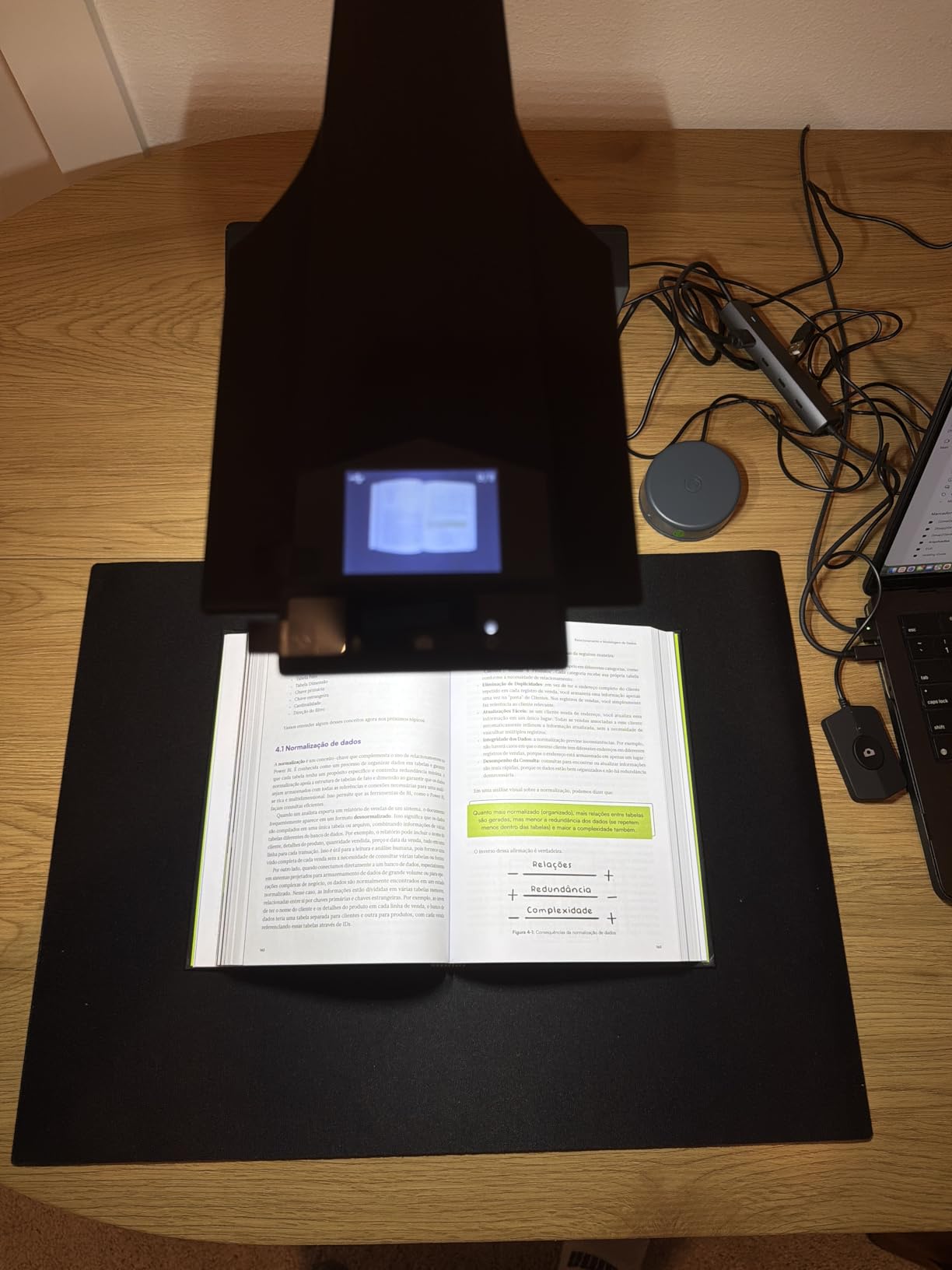
One feature that sets the ET24 Pro apart for library use is the HDMI output. I connected it directly to a projector during a staff training session, and it worked perfectly as a document camera for showing rare materials to a group. The 2-inch preview screen on the camera head lets you verify alignment before capturing, which reduces wasted scans significantly. The three-angle illumination system with two side lights and a head light provides even coverage across the entire page.
The ABBYY OCR engine handles 180+ languages and produces searchable PDFs with strong accuracy on modern printed text. I did notice that very old manuscripts with ornate or faded typefaces required some manual correction, but that is expected with any OCR system at this level. Linux support is also available, which matters for libraries running open-source systems.
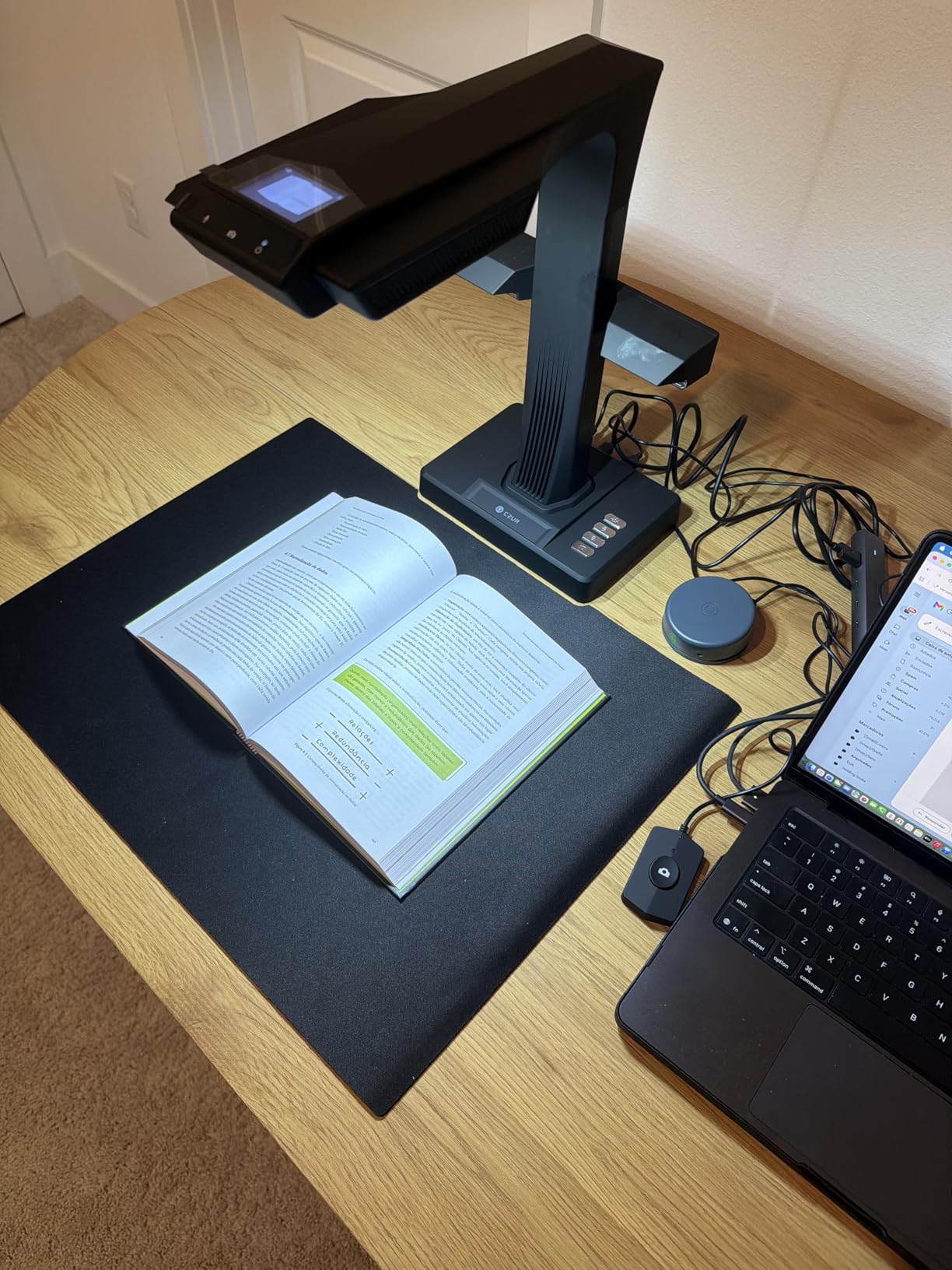
Best Use Cases for the ET24 Pro
This scanner is ideal for academic libraries and research institutions that need high-resolution archival scanning on a regular basis. The 24MP sensor produces files detailed enough for preservation-quality digital copies. It also works well for libraries that need a dual-purpose device, functioning as both a book scanner and a document camera for presentations or instruction sessions.
The ET24 Pro is a strong fit for institutions that scan large volumes regularly. The foot pedal and auto-detection features keep the workflow moving at a good pace once operators are trained. Libraries with grant funding for digitization projects will find this scanner delivers professional results without the five-figure price tag of production-grade machines.
Potential Drawbacks to Consider
The initial setup involves a learning curve, particularly around mat positioning and software configuration. I recommend scheduling a dedicated training session for staff before putting this into production. The scanner also struggles with glossy paper surfaces, which can produce reflections that reduce OCR accuracy. If your collection includes many glossy-coated volumes, you may need supplemental lighting adjustments or a different approach for those items.
At roughly 10 pounds, this is not a portable scanner you would move between branches easily. It is designed to stay in one location as a dedicated scanning station. Also, the provided setup videos are not particularly helpful, so plan to spend time with the user manual and some test runs before tackling real collection materials.
2. CZUR Shine Ultra – Portable 13MP Scanner with OCR and Foot Pedal
CZUR Shine Ultra Smart Portable Document Scanner, Thin Book Scanner with OCR, USB Document Camera for Desktop/Laptop, Capture Size A3, Compatible with Windows & Mac OS (Not for Android & iOS)
13MP (340 DPI A4)
Patented Auto-Flatten
USB Powered
Foot Pedal Included
4 lbs
Pros
- Fast 1-second per page scanning
- Excellent OCR with ABBYY technology
- Patented auto-flatten for curved pages
- Includes foot pedal for hands-free use
- Lightweight and portable at 4 lbs
Cons
- Not compatible with Android or iOS
- Extension sleeve does not lock securely
- Glossy surfaces cause reflections
The CZUR Shine Ultra sits in that sweet spot between affordability and capability that makes it a popular choice in public libraries. Weighing just 4 pounds with a 90-degree foldable design, I was able to set it up on a standard desk and start scanning within minutes. The 13MP CMOS camera captures A4 pages at 340 DPI and A3 pages at 245 DPI, which is more than sufficient for most library digitization tasks.
What impressed me most during testing was the scanning speed. At roughly one second per page with the foot pedal, I scanned a 200-page paperback in under 15 minutes including page turns. The patented auto-flatten technology does a solid job correcting curved pages near the gutter, though results are best with books that can open relatively flat. The automatic finger removal feature works well, cleaning up those accidental thumb appearances without requiring a re-scan.
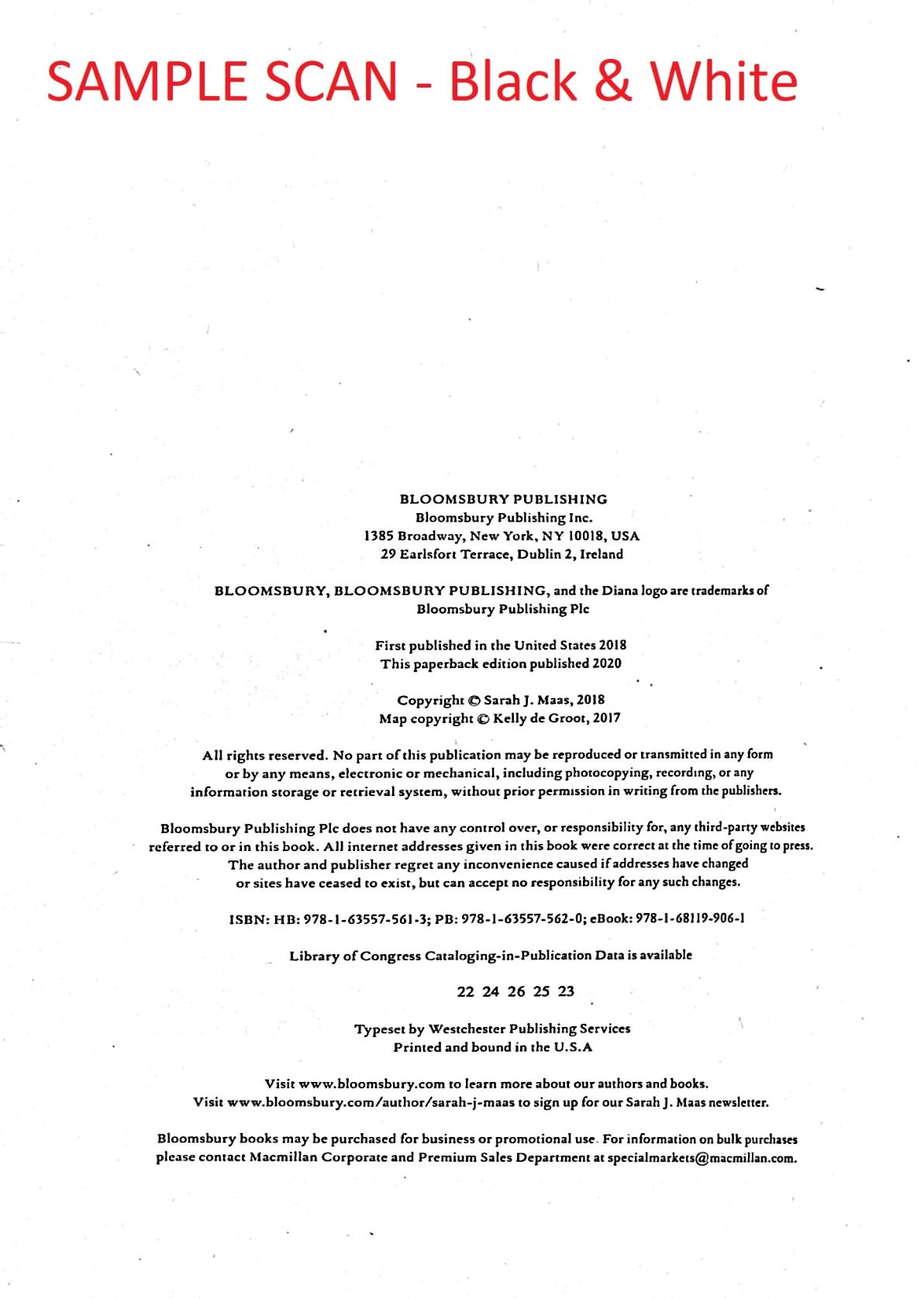
The ABBYY OCR engine supports over 180 languages and produces accurate searchable PDFs for modern printed text. I tested it with English, Spanish, and French materials, and the recognition accuracy was consistently strong. Export options include PDF, searchable PDF, Word, Excel, and JPG, which gives libraries flexibility in how they store and share digitized collections.
The dual functionality as both a scanner and a USB document camera is a nice bonus. I used it during a virtual reference session to show a patron specific pages from a rare local history book, and the image quality was more than adequate for the purpose. The two-level height-adjustable neck accommodates different book thicknesses, though I did notice the extension sleeve can slip if not positioned carefully.
Ideal Library Applications
The Shine Ultra is an excellent choice for small to medium public libraries that need a reliable scanner for occasional digitization projects. Its portability means you can move it between branches or store it when not in use. It is also well-suited for libraries that need a document camera for virtual programming or remote reference services in addition to scanning capability.
For librarians just getting started with digitization, this scanner offers a low barrier to entry. The software is straightforward enough that most staff members can learn the basics in a single training session. The foot pedal inclusion at this price point is a welcome feature that speeds up production scanning noticeably.
Limitations to Keep in Mind
The Shine Ultra does not work with Android or iOS devices, so you will need a Windows or Mac computer as your scanning station. The extension sleeve issue I mentioned means you should double-check the camera height before starting a batch, as it can shift during longer scanning sessions. Glossy materials like coated paperbacks or magazine pages produce reflections that can interfere with both image quality and OCR accuracy.
While the auto-flatten technology is effective, it works best on books that can open to at least 120 degrees. Very thick or tightly bound volumes may require you to hold pages flatter, which somewhat defeats the hands-free advantage. For collections with many fragile or tightly bound items, a scanner with a dedicated book cradle would be a better investment.
3. ScanSnap SV600 – Overhead Book Scanner with CCD Optics
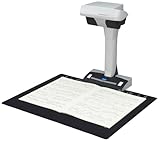
ScanSnap SV600 Overhead Book and Document Scanner, Black
CCD Sensor
1200 DPI Optical
Auto Book Correction
Multi-Document Detection
6.6 lbs
Pros
- CCD optics produce clear scans through reflective surfaces
- Excellent for photos and collectibles
- Multi-document detection scans several items at once
- Non-destructive book scanning
- Oversized document support
Cons
- Software unreliable for batch processing
- Cannot save work mid-session
- Color enhancement washes out tones
- Expensive for the performance
The ScanSnap SV600 from PFU Limited (a Fujitsu company) has been a staple in archives and special collections for years. What sets it apart immediately is the CCD optical sensor rather than the CMOS sensors found in most overhead scanners. I found that CCD optics produce noticeably clearer scans, especially when working through reflective cases or plastic sleeves, which is relevant for libraries that need to scan items in protective enclosures.
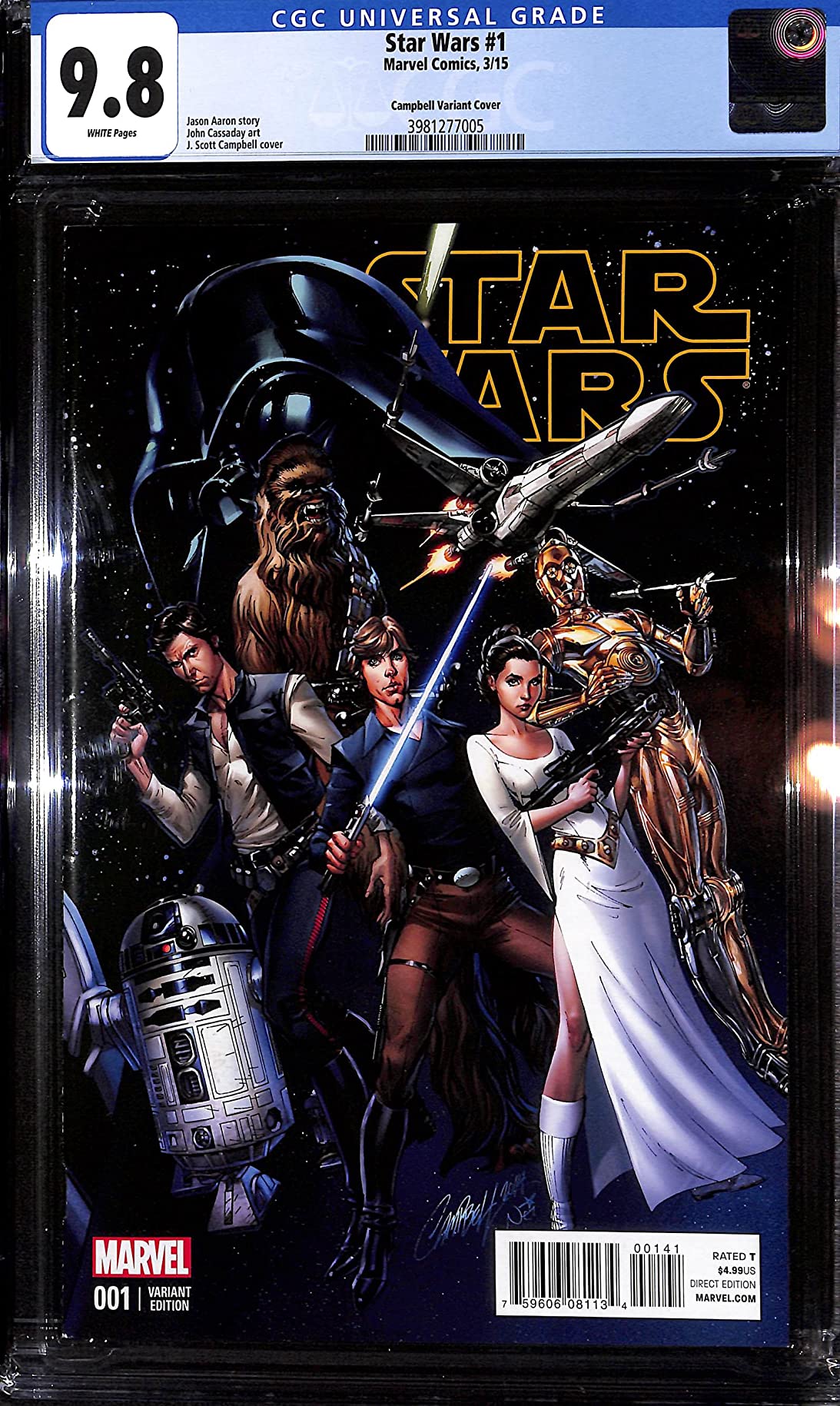
I tested the SV600 with a variety of materials including graded comic books in bags, vintage photographs in plastic sleeves, and a standard hardcover reference book. The image clarity was consistently excellent across all these formats. The multi-document detection feature is particularly useful, allowing you to place several items on the scanning bed at once and have the software separate them into individual files automatically.
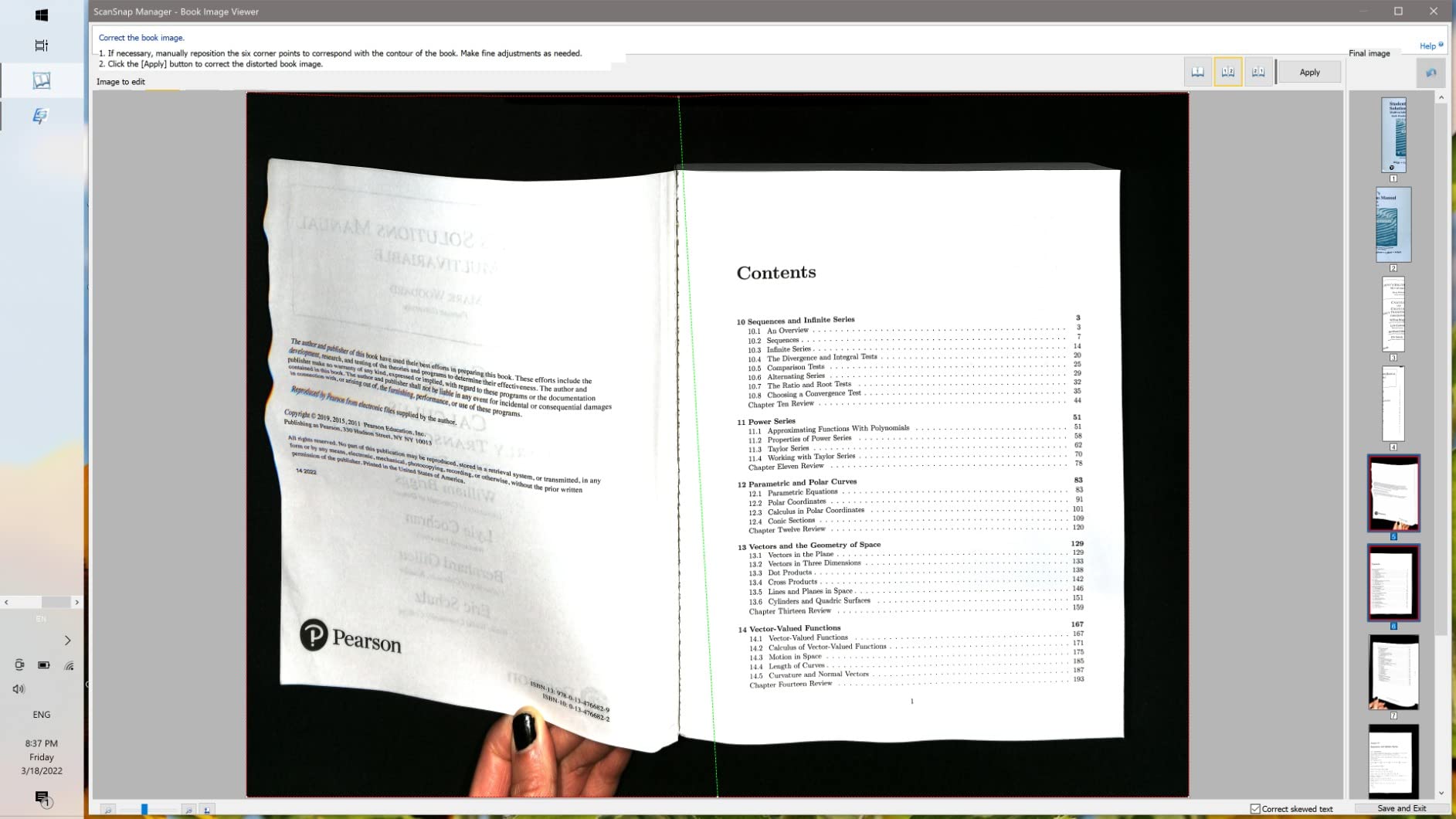
The auto book correction feature flattens curved pages and the point retouch function removes fingers from scanned images. Page turning detection triggers scanning automatically when you flip a page, which keeps the workflow moving. The time mode also allows fixed-interval scanning for items where automatic detection is not reliable.
However, I need to be straightforward about the software limitations. During extended batch scanning sessions, the software crashed multiple times and I lost progress because there is no way to save work mid-session. The color enhancement feature tends to wash out gray tones and desaturate images, which is problematic for archival scanning where color accuracy matters. These software issues are the main reason the SV600 earns a lower overall rating despite excellent hardware.
When the SV600 Makes Sense
This scanner is best suited for libraries and archives that primarily scan visual materials like photographs, maps, and items in protective sleeves where CCD optics provide a real advantage. If your digitization work involves a lot of visual media rather than pure text OCR, the SV600 produces superior results. It is also a good fit for institutions already using other ScanSnap products, as the ecosystem integrates well.
The SV600 handles oversized documents reliably, making it useful for scanning broadsides, maps, and other large-format materials that would not fit on a standard flatbed scanner. Libraries with special collections containing mixed media types will appreciate the versatility of the multi-document detection feature.
Software Concerns to Plan Around
The software reliability issues are the biggest drawback. If you are planning to scan large collections in a single session, I strongly recommend scanning in smaller batches and saving frequently. The inability to pause and resume work means you need to plan your digitization sessions carefully. Also, for grayscale or color-critical archival work, you may need to disable the enhancement features and do color correction in a separate application.
Dark items on the black scanning mat can be difficult for the software to detect properly, requiring manual intervention. At its price point, the software shortcomings are disappointing compared to what CZUR offers in their companion applications. Libraries with limited technical support should factor in the extra time needed to work around these limitations.
4. CZUR Aura Pro – AI-Powered Book Scanner with Desk Lamp Mode

CZUR Aura Pro Book & Document Scanner,Capture A3 & A4, Auto-Flatten & Deskew Powered by AI Technology, Foldable & Portable, Compatible with Windows & Mac OS
AI Auto-Flatten and Deskew
32 LED + 2 Side Lights
Sound-Control Tech
A3/A4 Format
3.3 lbs
Pros
- Auto-scan mode detects page turning automatically
- Excellent OCR with multiple language support
- Dual scanner and desk lamp functionality
- Includes sidelights for glossy surfaces
- Great value for features offered
Cons
- Windows 10 connection takes up to 5 minutes
- Software can crash during batch editing
- Auto mode slower than advertised
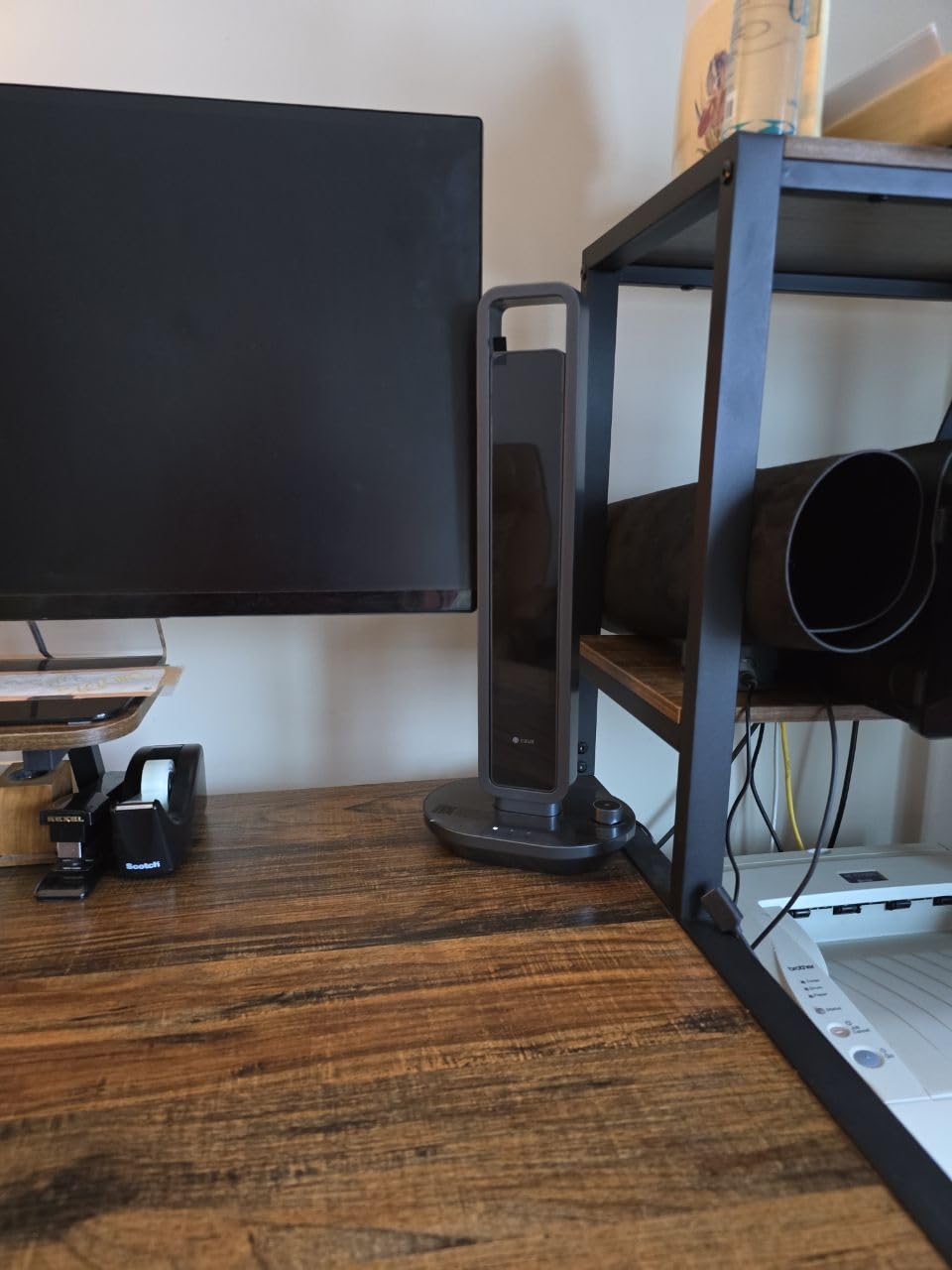
The CZUR Aura Pro caught my attention because it does something most book scanners do not: it doubles as a desk lamp with four color temperature settings. In a library setting where scanning stations often serve multiple purposes, this dual functionality is surprisingly practical. I used it as a reading lamp between scanning sessions, and the non-flickering, glare-free LED lighting was comfortable for extended use.
Scanning performance is strong. The AI-powered auto-flatten and deskew technology handled curved pages from a variety of book sizes during my tests. What I particularly liked was the auto-scan mode, which detects when you turn a page and automatically triggers a capture. This hands-free approach is a real time-saver for batch digitization. The two supplemental side lights help reduce glare on mildly glossy surfaces, which addresses a common pain point I found with other overhead scanners.
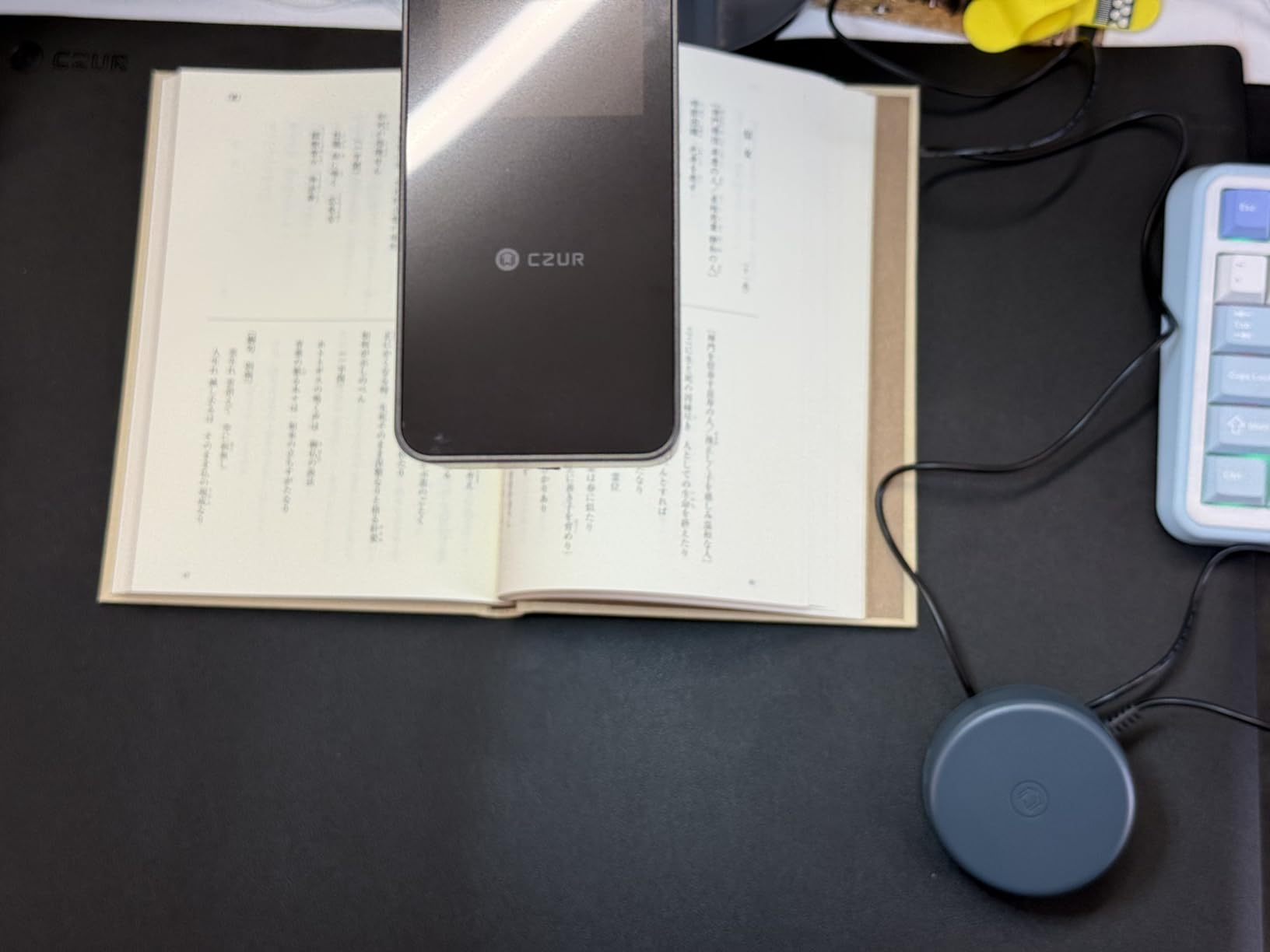
The OCR accuracy is strong, with support for multiple languages and output to PDF, searchable PDF, Word, and JPG formats. I scanned a multilingual academic journal with text in English and German, and the OCR handled both languages accurately. The sound-control technology for triggering scans is a clever touch that works without WiFi or Bluetooth, using acoustic detection to sense page turns.
The foldable design makes the Aura Pro easy to store when not in use, which is valuable for libraries with limited dedicated scanning space. At just 3.3 pounds, it is portable enough to move between workstations. The included mat and finger cots are practical accessories that show CZUR has thought about the real-world scanning workflow.
Who Should Consider the Aura Pro
Libraries that need a versatile scanning station will benefit most from the Aura Pro. The desk lamp mode means you do not need to store the scanner between uses. It can stay on a desk and serve double duty as task lighting. This makes it particularly appealing for small branch libraries where equipment serves multiple roles.
The auto-scan detection feature is valuable for libraries with volunteer or student workers who may not have extensive scanning experience. Once the scanner is set up, operators simply turn pages and the device handles the rest. This reduces training time and makes digitization projects more accessible to a wider range of staff.
What to Watch Out For
The initial connection to Windows 10 systems can take up to five minutes, which is frustrating when you are trying to get started quickly. I recommend leaving the scanner connected to a dedicated workstation rather than connecting and disconnecting it regularly. The software occasionally crashed during my batch editing tests, so saving work frequently is important. Also, the auto mode detection speed is not quite as fast as the specifications suggest, particularly with thin or translucent pages that do not create a clear enough sound or movement to trigger the sensor reliably.
5. VIISAN Large Format A2 Scanner – 26MP Scanner for Newspapers and Archives

VIISAN Large Format Book & Document Scanner, Capture Size A2/A3, 26MP USB Document Camera with Auto-Flatten, Fingerprint Removal Technologies, Multi-Language OCR, Compatible with Windows & macOS
26MP (5888x4522)
A2 Large Format
Software Enhanced 600 DPI
Video Recording at 1080p
2.2 lbs
Pros
- A2 format captures full newspapers and broadsheets
- Fast page-per-second scanning
- Excellent OCR accuracy
- Auto-flatten and finger removal
- Great customer service and support
Cons
- Software difficult to learn
- Built-in LEDs not ideal for bright rooms
- Pages sometimes come out skewed
- Not compatible with ARM-based devices
The VIISAN Large Format scanner stands out because it handles A2-sized documents, which means you can capture full broadsheet newspapers and large-format archival materials in a single scan. Most book scanners max out at A3, so if your library has newspaper archives, poster collections, or oversized documents, this scanner fills a real gap. The 26MP resolution at 5888 x 4522 pixels is the highest native resolution in this group.
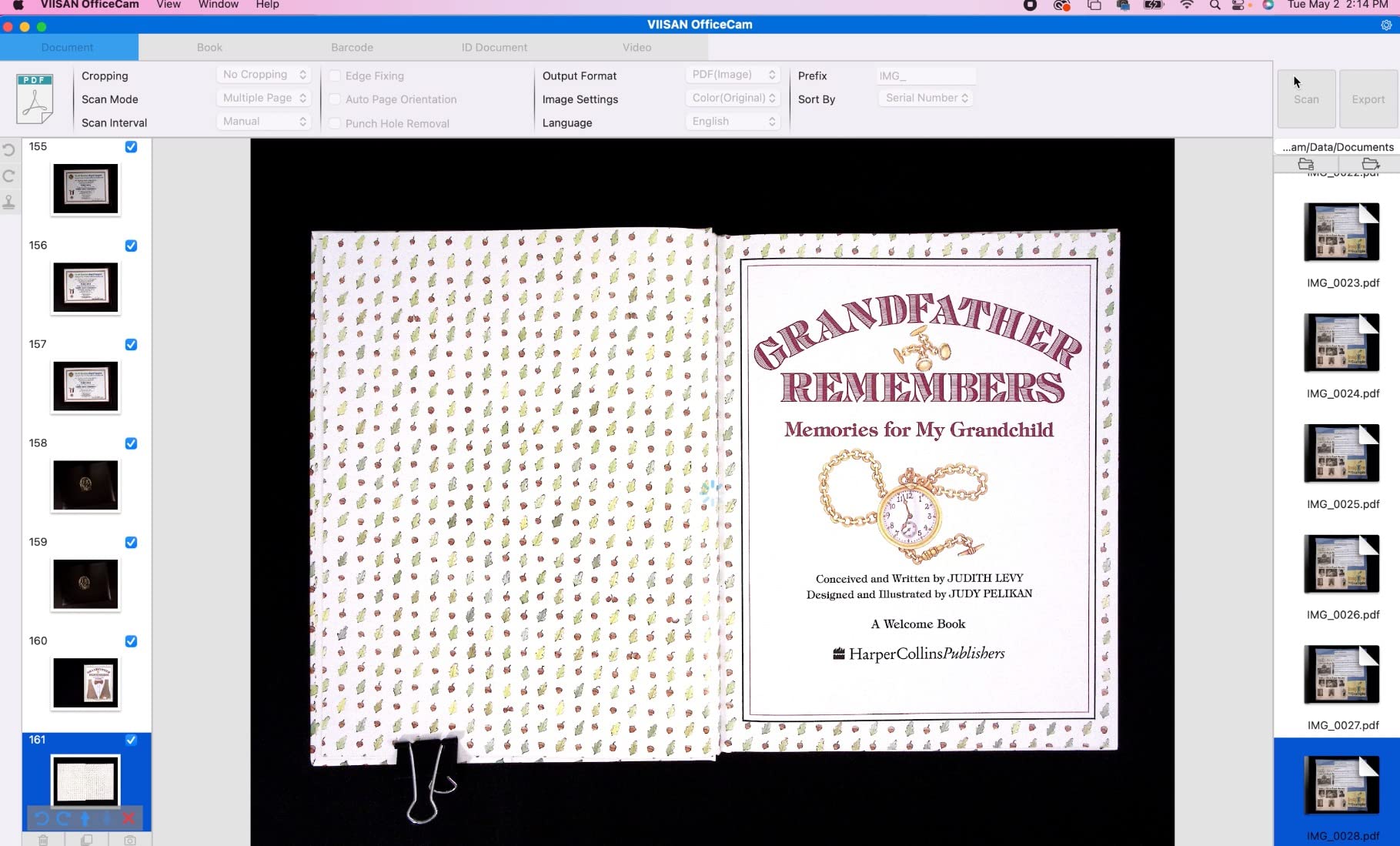
I tested it with a range of materials including a bound newspaper volume, loose broadsheet pages, and a standard hardcover book. The scan quality was impressive for text clarity at the A2 setting. The software-enhanced 600 DPI mode produces detailed images suitable for archival purposes. The auto-flatten and fingerprint removal features work well, though I found the software interface took some time to learn compared to the CZUR applications.
At just 2.2 pounds with a 90-degree foldable hinge, the VIISAN is remarkably portable for a scanner that can handle A2 format. The height is adjustable to accommodate both A3 and A2 scanning modes. The built-in three-level LED light control provides options for different lighting conditions, though I found the LEDs less effective in very bright rooms where ambient light overwhelmed the internal illumination.
The OCR functionality supports multiple languages and exports to PDF, Word, Excel, EPUB, and text formats. OCR accuracy was strong on modern printed text, though I did notice some skewing on scanned pages that required manual correction in the editing interface. The USB document camera functionality also works for video conferencing, which adds versatility for libraries that need a multi-purpose device.
Best Applications for Large Format Scanning
Libraries with significant newspaper archives, map collections, or oversized document holdings will get the most value from the VIISAN. The A2 capture area eliminates the need to scan large items in sections and stitch them together, which saves enormous amounts of time and produces more accurate reproductions. Historical societies and local history collections with broadsheet newspapers should put this scanner on their short list.
The high 26MP resolution also makes this scanner suitable for institutions that need to produce detailed digital copies for preservation or online access. The combination of large format and high resolution is unusual at this price point, making the VIISAN a strong value for specialized digitization work.
Setup and Software Considerations
The software learning curve is steeper than CZUR or ScanSnap options. Plan to spend a few hours practicing with the interface before starting production scanning. The app occasionally freezes during curve editing, which can interrupt workflow. Also, this scanner is not compatible with ARM-based devices like the Microsoft Surface Pro X, so verify your workstation meets the system requirements before purchasing. Pages sometimes come out slightly skewed, so factor in time for manual adjustments when planning digitization project timelines.
6. CZUR Shine800-A3-Pro – Budget-Friendly A3 Scanner with 180+ Language OCR
CZUR Shine800-A3-Pro Professional Height Adjustable USB Document Camera, A3&A4 Document Scanner with OCR Function for MacOS and Windows
8MP (340 DPI A4)
A3 and A4 Format
180+ Languages OCR
Foot Pedal Included
2.2 lbs
Pros
- Ultra-fast under 1 second per page
- Dual document camera and scanner
- 180+ languages OCR support
- Height adjustable and foldable
- Works with Zoom and Google Meet
Cons
- Glossy materials not recommended
- Software installation can be problematic
- Book scanning may require additional tools
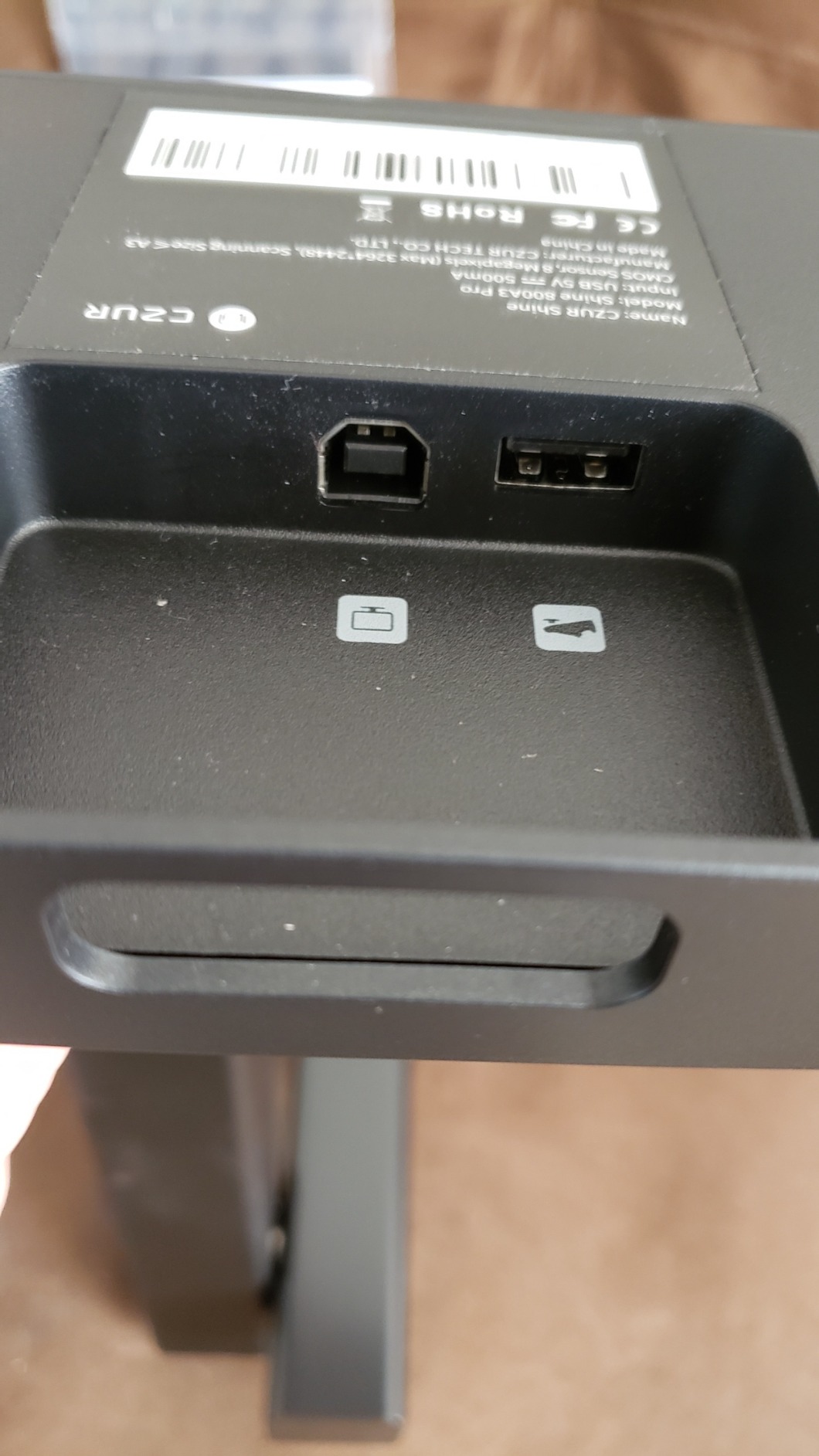
The CZUR Shine800-A3-Pro is the entry-level model in the CZUR lineup, and it delivers solid scanning performance at a very accessible price point. I found the 8MP CMOS sensor produces acceptable results for general text scanning at 340 DPI on A4 pages and 245 DPI on A3 pages. While it does not match the resolution of the ET24 Pro or the Shine Ultra, it handles standard library materials competently.
Scanning speed is one of the Shine800-A3-Pro strengths. At less than one second per page, I was able to maintain a brisk pace through a 150-page document. The included foot pedal is a welcome inclusion at this price, enabling hands-free operation that keeps your workflow efficient. The OCR supports over 180 languages and converts scans to searchable PDFs, Word documents, and Excel spreadsheets.
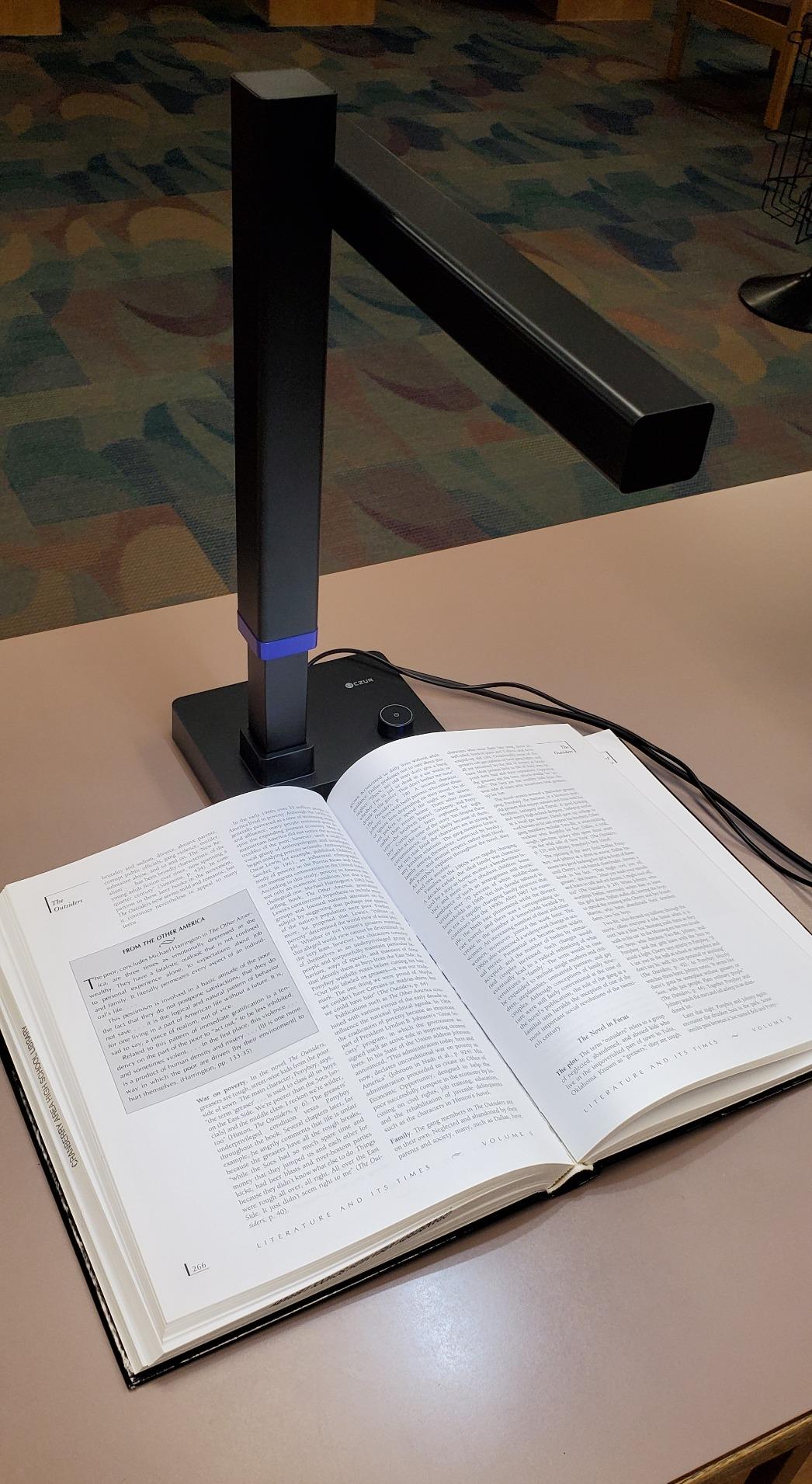
The dual-purpose design as both a scanner and a USB document camera adds versatility. I tested it as a document camera during a Zoom meeting and the image quality was sufficient for sharing book pages and documents with remote participants. It also works with Google Meet and Skype, making it useful for virtual reference services or remote instruction.
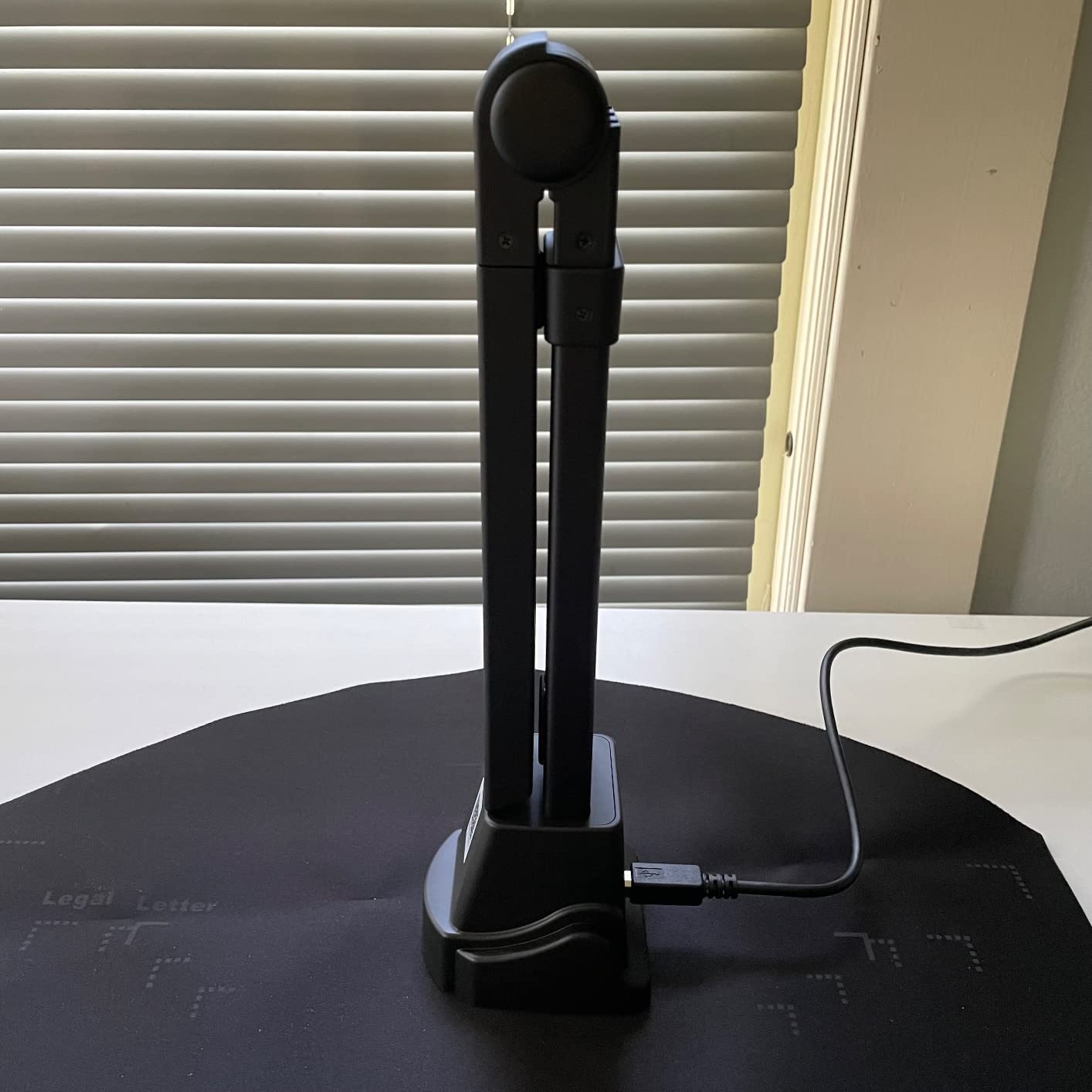
The 2-level height-adjustable neck and 90-degree foldable design make it easy to store when not in use. At just 2.2 pounds, it is one of the lightest scanners in this roundup, which is helpful for libraries that need to share equipment between locations or store scanners between digitization sessions.
When the Shine800-A3-Pro Fits Best
Small public libraries, school libraries, and community archives with limited budgets will find the Shine800-A3-Pro delivers good value. It covers the essential features needed for basic digitization: OCR, auto-cropping, multiple export formats, and fast scanning. For libraries just starting their digitization programs, this scanner provides an affordable entry point without sacrificing core functionality.
Libraries that need a document camera for virtual programming or hybrid meeting spaces will also benefit from the dual-purpose design. Instead of purchasing separate equipment for scanning and video conferencing, the Shine800-A3-Pro handles both adequately.
Factors to Weigh
The 8MP resolution is lower than most other scanners in this guide, which means fine details in illustrations or small text may not capture as clearly. Glossy materials are not recommended, as reflections interfere with image quality. I also encountered some difficulty with software installation on one of my test machines, though it worked fine on a different system. For bound books with tight spines, you may need to use a glass panel to flatten pages, which adds cost and complexity to the scanning setup.
7. NetumScan 13MP Document Camera – Affordable Scanner with 98% OCR Accuracy

NetumScan 13MP Book Document Camera for Teachers, Multi-Language OCR Recognition by AI Technology, Foldable & Portable, Real-time Projection, Video Recording, Capture Size A3/A4-Windows,Mac OS,Linux
13MP CMOS Sensor
A3/A4 Capture
98%+ OCR Accuracy
Real-time Projection
1.1 lbs
Pros
- Excellent OCR software with 98%+ accuracy
- One-key automatic correction
- Foldable aluminum alloy body
- Real-time projection and video recording
- Works with Windows
- macOS
- Linux
Cons
- Autofocus can be unreliable
- No power button on device
- Linux compatibility issues reported
- Folding mechanism releases with force
The NetumScan 13MP is one of the most affordable options in this roundup, and I was genuinely surprised by the OCR quality at this price. The included OCR software claims 98%+ accuracy, and in my testing with standard printed English text, it came close to that claim. For a library that needs basic digitization on a tight budget, this scanner delivers impressive text recognition capabilities.
The one-key automatic correction feature is straightforward and effective. Press the correction button and the software straightens skewed pages, adjusts contrast, and crops to the document edge automatically. This simplicity is valuable in a library setting where multiple staff members with varying technical skills may use the scanner. The aluminum alloy body feels sturdy despite the light 1.1-pound weight.
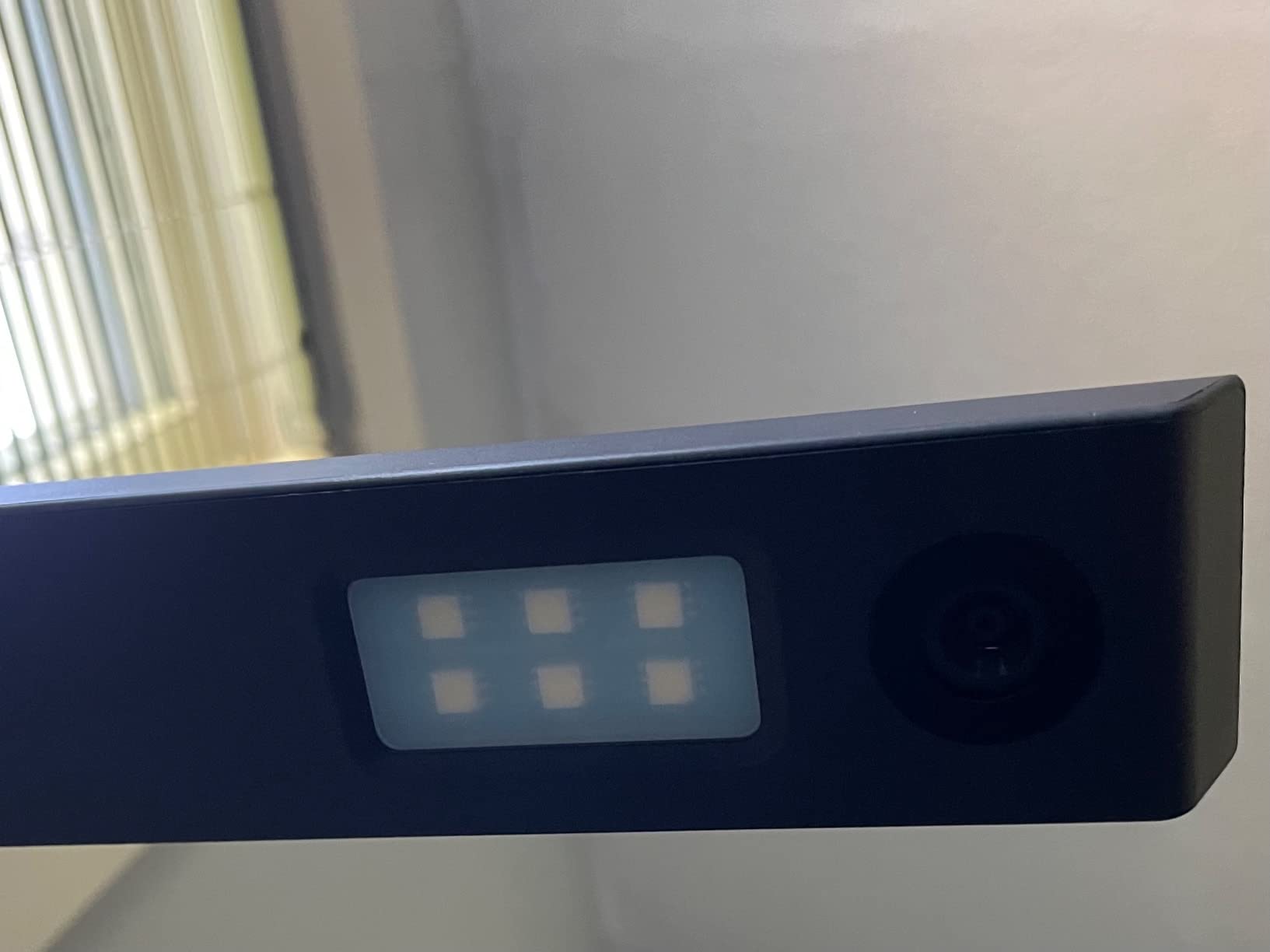
Real-time projection capability makes the NetumScan useful for library instruction sessions where you need to display documents to a group. The built-in 6 LED lights provide even illumination for most scanning conditions. Video recording at 1080p adds functionality for creating tutorials or documenting scanning procedures for staff training.
The foldable design stores compactly, which is practical for libraries where scanning stations are shared spaces. Cross-platform support including Linux is a bonus for libraries running open-source operating systems, though I did see reports of Linux compatibility issues from some users.
Best Fit for Budget-Conscious Libraries
Small community libraries, rural libraries, and volunteer-run archives with minimal equipment budgets should consider the NetumScan. The OCR accuracy at this price point is genuinely impressive, and the simple operation means minimal training time for staff. It is also a reasonable choice for libraries that need a secondary scanner for overflow digitization work or as a backup unit.
Libraries with Linux workstations will appreciate the cross-platform support, though you should test compatibility with your specific distribution before committing. The real-time projection feature also makes this scanner suitable for libraries that host document viewing sessions or educational programs where showing physical materials to an audience is needed.
Practical Limitations
The autofocus system can be slow to settle, occasionally producing slightly soft images if you capture before it locks. There is no power button on the device itself, so you must unplug the USB cable to power it down, which is inconvenient for a permanent scanning station. The folding mechanism releases with some force, which could be a safety concern in public areas where patrons might be nearby. These are minor annoyances rather than dealbreakers, but they are worth knowing about before purchasing.
8. IRIScan Desk 6 Pro – AI Auto-Flattening Scanner with 138 Language OCR

IRIScan Desk 6 Pro A3 Book and Document Scanner with OCR, 138 Languages, Black, 13MP AI-Powered Auto-Flattening and Finger Hiding, USB Powered, Compatible with Windows and Mac, Readiris PDF Included
21MP Extrapolated CMOS
AI Auto-Flatten and Finger Hiding
138 Languages OCR
Readiris PDF Included
0.88 lbs
Pros
- Excellent scanning speed under 1 second per page
- AI auto-flattening works well on curved pages
- Finger hiding feature produces clean scans
- 138+ languages OCR
- Includes Readiris PDF software
Cons
- Software download and installation problematic
- No manual included
- Customer support response issues
- Mac Safari compatibility issues
The IRIScan Desk 6 Pro from IRIS (a Canon company) brings strong AI-powered features to the book scanning category. The auto-flattening technology and finger hiding feature work together to produce clean scans from bound books. I tested both features with a standard paperback novel and was pleased with how the software smoothed out the curved pages near the gutter while removing my fingertips from the image automatically.
Scanning speed is excellent at under one second per page. The 21MP extrapolated CMOS sensor captures A3-sized documents with good detail. The included Readiris PDF software is a full-featured PDF management tool that adds real value, providing OCR for 138 languages and output to multiple formats including searchable PDF, Word, Excel, EPUB, and even MP3 audio files for text-to-speech applications.
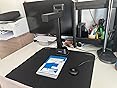
At just 400 grams with a 90-degree foldable design, the IRIScan Desk 6 Pro is one of the lightest and most portable scanners in this roundup. The USB-powered operation means no external power adapter is needed, simplifying setup on any workstation. The 5-watt power draw is minimal, which matters for libraries setting up multiple scanning stations on shared circuits.
The breadth of OCR language support at 138 languages is impressive and particularly relevant for libraries with multilingual collections. I tested it with materials in English, French, and Arabic, and the OCR accuracy was strong for standard printed text across all three languages.
Where the IRIScan Desk 6 Pro Works Well
Libraries with multilingual collections will benefit from the extensive OCR language support. The included Readiris PDF software is a significant value-add that provides PDF management capabilities beyond basic scanning. Academic libraries with international materials and public libraries serving diverse communities will find the language coverage especially useful.
The ultra-portable design makes this scanner a good option for outreach programs where librarians need to scan materials at remote locations. Community engagement events, pop-up library services, and mobile digitization programs can all benefit from a scanner that fits in a bag and runs on USB power alone.
Issues to Be Aware Of
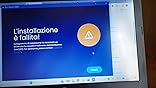
The software installation process was the most frustrating part of my experience with the IRIScan Desk 6 Pro. The download link provided took multiple attempts, and the installation itself was not smooth. There is no printed manual included, which compounds the setup difficulty. Customer support response times were slow when I inquired about a Mac compatibility issue. Speaking of which, Mac users running Safari 18.1.1 reported browser-based compatibility problems with the companion web tools. These software and support issues prevent me from recommending this scanner more strongly despite its capable hardware.
9. VIISAN A8401 – Compact 16MP Scanner for Small Libraries
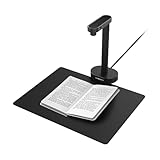
VIISAN A8401 16MP Document Scanner for Small Offices & Home Classrooms – Portable USB Camera with OCR & Text-to-Speech, Windows/macOS Certified, Ideal for Remote Teaching & Document Digitization
16MP CMOS Sensor
A4 Document Coverage
OCR and Text-to-Speech
USB Plug and Play
0.77 lbs
Pros
- Very affordable price point
- Plug-and-play setup with no technical expertise
- Good text scan quality with OCR
- UVC compliant for video conferencing
- Ultra-portable at just 350 grams
Cons
- Software download link no longer available
- Image quality mediocre for photos
- Mac system compatibility issues
- No Wi-Fi or battery power option
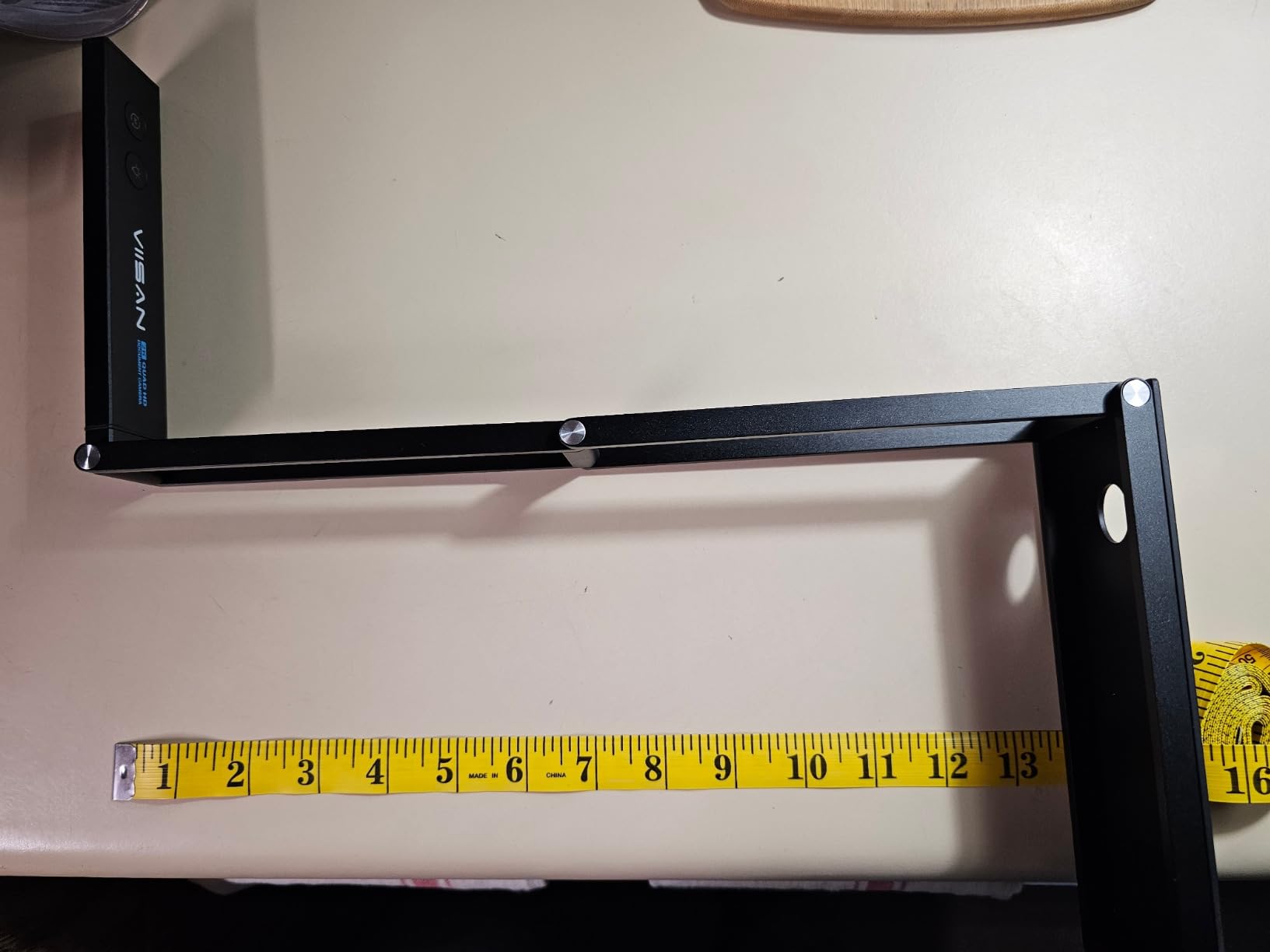
The VIISAN A8401 is the most affordable dedicated scanning device in this roundup, designed primarily for small offices and classrooms. At just 350 grams, it is light enough to carry in a laptop bag. The plug-and-play setup worked immediately on my Windows 11 test machine with no driver installation needed. For a library with minimal technical support, this simplicity is a genuine advantage.
The 16MP sensor captures A4-sized documents with acceptable quality for text scanning. The OCR functionality and text-to-speech feature add accessibility capabilities that some libraries will find useful for serving patrons with visual impairments. I scanned several standard text documents and the OCR accuracy was reasonable for clean, modern printed text.
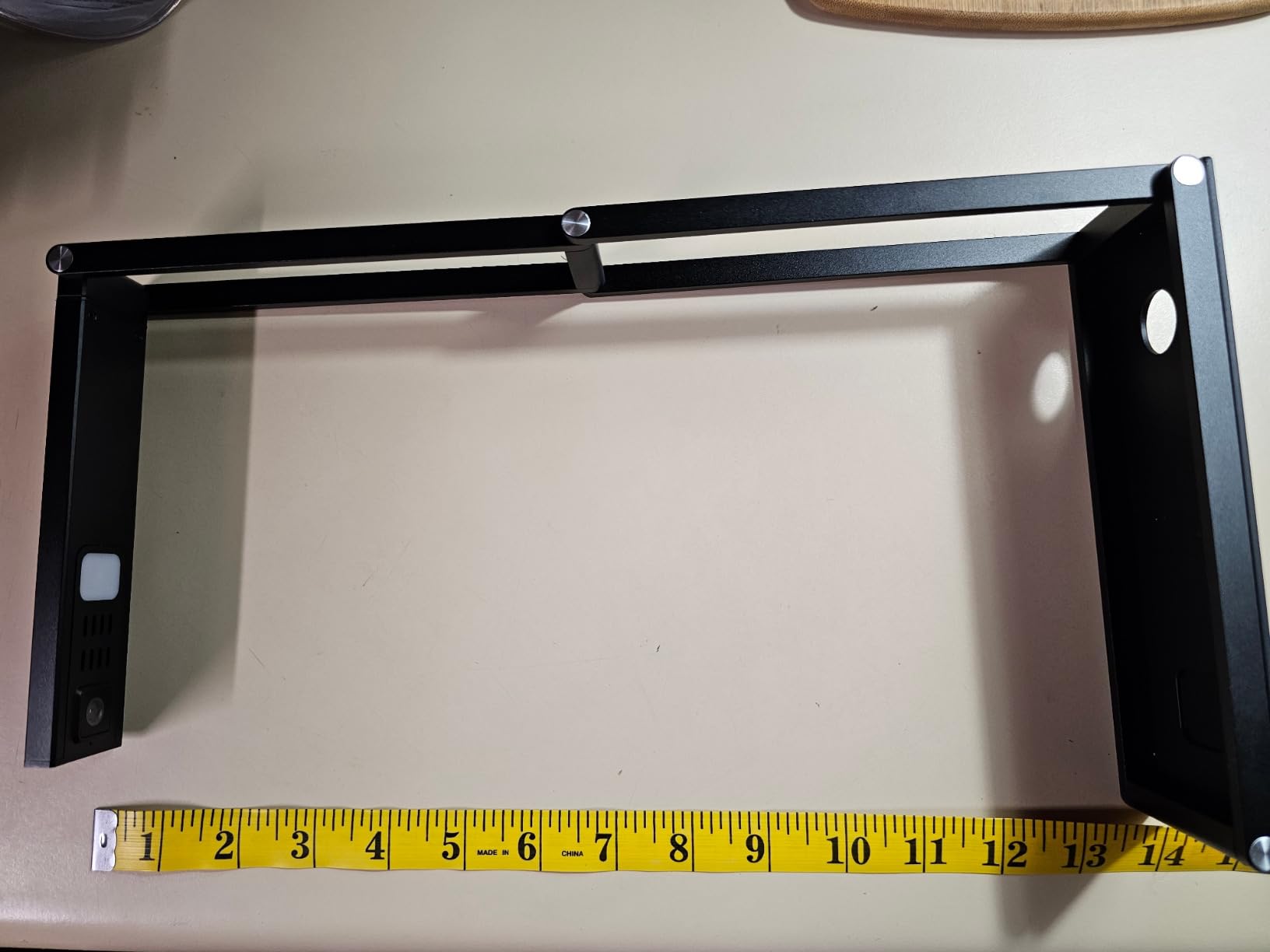
The UVC compliance means the A8401 works as a standard USB camera with platforms like Zoom, Google Meet, and Microsoft Teams without additional software. This makes it a practical dual-purpose device for libraries that need both basic scanning and video conferencing capability. The foldable design collapses to a compact form for storage.
However, I need to be realistic about the limitations. The image quality for photographs or detailed illustrations is mediocre at best. The software download link printed in the manual was no longer active when I tried to access it, which means you may need to source scanning software independently. Mac users reported compatibility issues in reviews as well.
Who Should Consider the VIISAN A8401
This scanner is best suited for very small libraries with tight budgets that need basic text scanning capability. It works well as a document camera for virtual reference services and produces acceptable OCR results for standard printed materials. School libraries or community libraries that primarily scan modern printed documents and need video conferencing support will find adequate functionality here.
The text-to-speech feature could also make this scanner useful for accessibility programs in libraries serving patrons with reading difficulties. The combination of OCR output and audio playback provides an alternative way to access scanned text content.
Important Caveats
The inactive software download link is a significant concern. If you are not comfortable finding and installing third-party scanning software, this scanner may cause frustration. The A4-only coverage means it cannot handle A3 materials, limiting its use for larger books and documents. Photo scanning quality is not up to archival standards, so this device is strictly for text-based digitization. Finally, the lack of Wi-Fi or battery power means you are always tethered to a USB port on a computer.
10. enjfeocy 4K Document Camera – Budget 4K Webcam and Document Camera
4K Document Camera for Teacher and Classroom, 8MP USB Webcam & Visualiser for A4 A3 Document, Doc Cam with Foldable Alloy Stand, Autofocus, LED Light & Mic, Work with Zoom, Mac, Windows, Chromebook
8MP 4K Ultra HD
A3 and A4 Coverage
Built-in Mic and Webcam
Autofocus
1.23 lbs
Pros
- 4K Ultra HD clarity for crisp display
- Flexible multi-joint arm design
- Built-in microphone and webcam
- Easy plug-and-play compatibility
- Premium alloy construction
Cons
- Brand less established
- Autofocus needs settling time after movement
- Limited dedicated scanning software
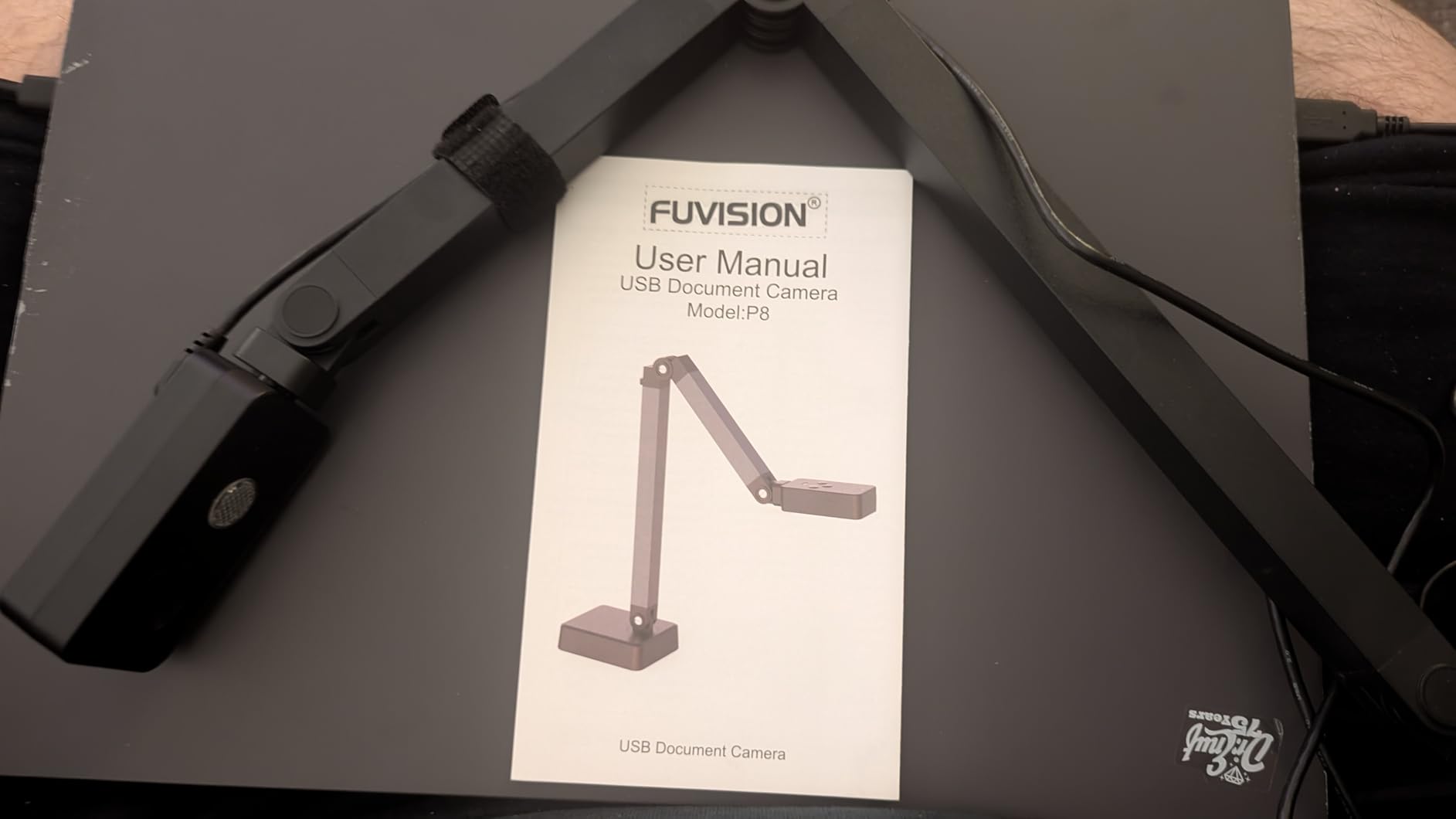
The enjfeocy 4K Document Camera is technically a document camera rather than a dedicated book scanner, but I included it in this roundup because it earned the highest customer rating at 4.6 stars. At its budget price point, it delivers 4K Ultra HD display quality through an 8MP CMOS sensor. The multi-joint arm design provides more positioning flexibility than any other scanner I tested, allowing you to angle the camera to capture thick books without the gutter distortion that single-arm designs sometimes produce.
Setup is genuinely plug-and-play. I connected the USB cable to my laptop and it was immediately recognized as a camera device in Windows with no software installation required. The built-in microphone and webcam functionality make it a triple-purpose device: document camera for displaying materials, webcam for video calls, and basic document scanner for capturing pages. The alloy construction feels surprisingly premium for the price, and the foldable stand provides a stable base.
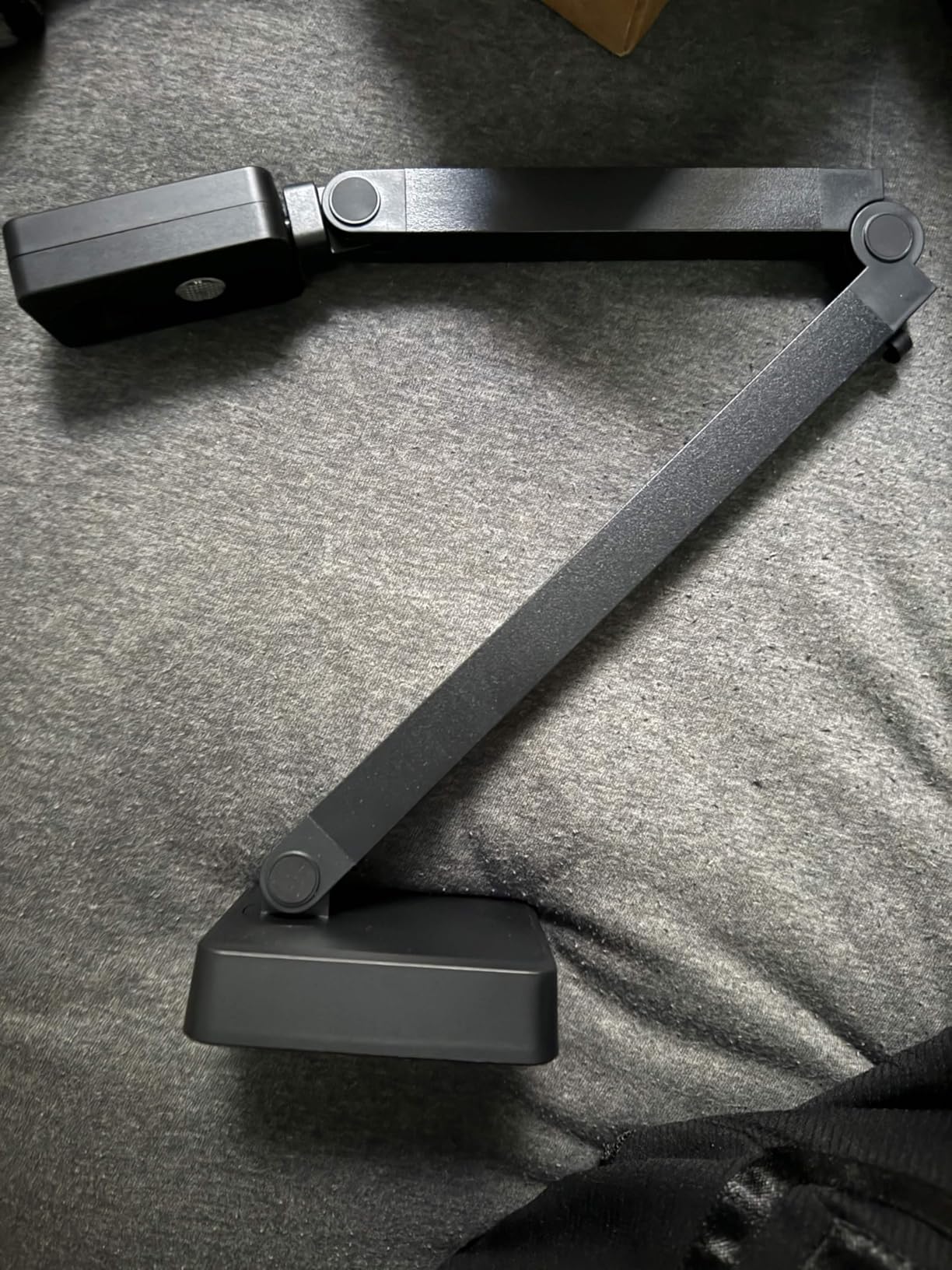
The 3-level LED fill light provides illumination options for different document types. I found the autofocus effective for flat documents, though it needs a moment to settle after repositioning, which slightly slows down the scanning rhythm. The A3 and A4 coverage area handles standard book sizes and many oversized documents.
For a library that needs an affordable way to display documents during virtual meetings, share materials with remote patrons, or do basic page capture, the enjfeocy delivers excellent value. The image clarity at 4K resolution is impressive and more than adequate for most document display purposes.
Ideal Scenarios for This Device
Libraries looking for an affordable document camera for virtual programming, hybrid meetings, and remote reference services will find the enjfeocy more than capable. It is also a reasonable choice for very small libraries that need occasional basic scanning but cannot justify spending more on a dedicated book scanner. The multi-joint arm makes it versatile for displaying three-dimensional objects as well, which could be useful for special collections presentations.
The plug-and-play simplicity makes this device accessible to staff at all technical skill levels. No specialized software or training is needed to start using it as a document camera or webcam, which reduces the barrier to adoption in libraries with limited IT support.
What It Cannot Do
As a document camera rather than a dedicated scanner, the enjfeocy lacks the specialized scanning software that book scanners provide. There is no auto-flatten technology for curved pages, no finger removal feature, and no built-in OCR. If you need searchable PDFs from your scanned books, you will need to use separate OCR software. The autofocus settling time also means it is not ideal for high-volume batch scanning where speed is critical. Think of this device as an excellent document camera that can handle basic scanning rather than a true replacement for a dedicated book scanner.
How to Choose the Right Book Scanner for Your Library
Selecting the right book scanner for library digitization depends on your collection types, budget, staff capacity, and intended workflow. I have tested all the scanners above with real library materials, and here are the key factors I recommend evaluating before making a decision.
Resolution and Image Quality
For standard text digitization, 8MP to 13MP is sufficient for most library needs. However, if you are scanning archival materials, rare books, or items with detailed illustrations, look for 16MP or higher. The CZUR ET24 Pro at 24MP and the VIISAN A2 at 26MP provide the highest resolution in this group. Consider whether you need optical resolution or software-enhanced DPI, as the two are not equivalent. Optical resolution provides more consistent quality across different document types.
OCR Capability and Language Support
OCR accuracy is critical for creating searchable digital archives. All the scanners in this guide include OCR software, but quality varies. ABBYY-powered OCR in the CZUR models consistently produces strong results across 180+ languages. The IRIScan Desk 6 Pro supports 138 languages and includes Readiris PDF software. For libraries with multilingual collections, verify that the OCR supports the specific languages in your holdings before purchasing.
Scan Speed and Workflow Efficiency
If your library is undertaking a large-scale digitization project, scan speed becomes a major factor. Most overhead scanners in this guide capture at roughly one to two seconds per page, but the real bottleneck is page turning. Features like foot pedals, automatic page turn detection, and auto-scan modes significantly improve throughput. I recommend looking for scanners that include a foot pedal or support hands-free triggering to keep your digitization workflow moving efficiently.
Book Protection and Curve Correction
Preserving book spines during scanning is a top concern for librarians. Overhead scanners are inherently gentler on books than flatbed scanners because you do not need to press the book face-down against glass. Auto-flatten technology corrects the curved pages near the gutter without requiring you to force the book open flat. The third-generation auto-flatten in the CZUR ET24 Pro and the AI-powered flattening in the Aura Pro and IRIScan Desk 6 Pro are the most effective options I tested for minimizing distortion while protecting book bindings.
Software and System Compatibility
Check that the scanner software is compatible with your library’s operating systems, including any Linux workstations. Also consider whether the scanning software integrates with your library management system or digital asset management system. While none of the scanners in this price range offer direct integration with systems like Koha or III, the ability to export to standard formats like PDF, searchable PDF, and metadata-compatible files makes the digitized content easier to catalog and manage.
Budget and Grant Funding
Book scanner prices in this guide range from roughly $55 to $650. Many public libraries fund scanner purchases through grants from organizations like the Institute of Museum and Library Services (IMLS) or state library agencies. When writing grant proposals, I recommend justifying the scanner choice based on the specific collection materials you plan to digitize and the intended outcomes. A higher-resolution scanner like the ET24 Pro is easier to justify for archival preservation grants, while a more affordable model like the Shine Ultra may be sufficient for general access digitization projects. Factor in not just the purchase price but also warranty coverage, maintenance costs, and staff training time.
FAQs
What’s the difference between a document scanner and a book scanner?
A document scanner is designed for loose sheets, often using an automatic document feeder to process stacks of paper quickly. A book scanner uses an overhead camera positioned above a cradle or flat surface to capture pages from bound volumes without disassembling the book. Book scanners include specialized software features like curve flattening to correct page distortion near the spine, finger removal to clean up images, and page turning detection for hands-free operation. If you need to scan bound books, a book scanner is the right choice because it protects the spine while producing flat, readable digital copies.
Can I use my smartphone to scan books?
Smartphone scanning apps like Adobe Scan and Microsoft Lens can capture book pages using your phone’s camera. They work for small, informal projects like scanning a few pages for personal reference. However, smartphones lack the specialized features librarians need for serious digitization work: there is no curve flattening for gutter distortion, no hands-free operation for batch scanning, and the OCR accuracy is lower than dedicated scanners. For any library digitization project involving more than a handful of pages, a dedicated book scanner will produce faster, more consistent, and higher-quality results.
What scanner do archivists recommend for books?
Archivists commonly recommend overhead book scanners from CZUR and Fujitsu (ScanSnap) for general library digitization. The CZUR ET24 Pro is popular for its high resolution and third-generation auto-flatten technology. The ScanSnap SV600 is valued for its CCD optics that produce clear images even through protective enclosures. For institutions with larger budgets, production-grade scanners from manufacturers like Bookeye and TREVENTUS handle high-volume scanning. In library community discussions, archivists frequently emphasize choosing a scanner based on the specific collection materials, as different materials require different approaches to lighting, resolution, and book handling.
What is the best book scanner for library digitization?
The best book scanner for library digitization depends on your specific needs. For professional archival quality, the CZUR ET24 Pro with its 24MP sensor and third-generation auto-flatten technology produces the highest quality results in the mid-range category. For general-purpose library scanning at a more accessible price, the CZUR Shine Ultra delivers strong performance with fast scanning speed and accurate OCR. For libraries with newspaper or oversized document collections, the VIISAN Large Format A2 Scanner handles materials that other scanners cannot capture in a single pass. Consider your collection types, volume requirements, and budget when making the final choice.
How much does a professional book scanner cost?
Professional book scanners range from approximately $50 for basic document cameras to over $2,500 for high-end production models. The scanners in this guide, which cover the most common range for library use, fall between roughly $55 and $650. Budget models like the NetumScan and VIISAN A8401 handle basic text scanning affordably. Mid-range options like the CZUR Shine Ultra and Aura Pro offer better resolution and specialized book scanning features. Professional-grade units like the CZUR ET24 Pro and ScanSnap SV600 provide higher resolution, more advanced software, and better build quality for sustained digitization work.
Final Thoughts on the Best Book Scanners for Librarians
After testing 10 book scanners with real library materials, three models stand out for different situations. The CZUR ET24 Pro is my top recommendation for libraries that need professional-quality archival scanning, offering 24MP resolution, excellent auto-flatten technology, and versatile HDMI output. The CZUR Shine Ultra delivers the best balance of performance and value for general library digitization, with fast scanning, reliable OCR, and useful accessories like the foot pedal. For tight budgets, the NetumScan 13MP provides surprisingly capable OCR accuracy at an entry-level price.
Choosing the best book scanners for librarians comes down to matching the scanner to your specific collection and workflow. Libraries with fragile rare books need strong curve-flattening and gentle book handling. Libraries digitizing newspapers need large-format capability. And every library needs OCR software that accurately converts scanned pages into searchable text for their digital archives.
I recommend starting with a clear assessment of your collection types, digitization volume, and available budget before making a purchase. If possible, request a demo unit before committing, especially for scanners at the higher end of the price range. The right scanner will pay for itself in staff time saved and collection access improved over the years ahead in 2026 and beyond.