
If you have ever found yourself juggling three or four remotes just to watch a movie, you know the frustration. The TV remote for power, the soundbar remote for volume, the streaming stick remote for navigation, and maybe another for your Blu-ray player. This clutter is exactly why the best universal remote controls exist in 2026. After Logitech discontinued their Harmony line, many home theater enthusiasts have been searching for worthy alternatives. Our team tested 8 universal remotes over several weeks to find which ones actually simplify your setup rather than add more complications.
A universal remote consolidates multiple device controls into one handset. Instead of reaching for different remotes for your TV, soundbar, streaming device, and AV receiver, you use one device that handles everything. Modern universal remotes support infrared, Bluetooth, radio frequency, and even Wi-Fi connectivity. This means they can control everything from old CRT TVs to the latest smart streaming sticks. The key is finding a remote that matches your specific setup complexity and technical comfort level.
In this guide, we review 8 universal remote controls ranging from budget picks under 10 dollars to premium hub-based systems that cost nearly 200 dollars. Whether you need a simple replacement for a broken Samsung TV remote or a sophisticated system for a complex home theater with gaming consoles and smart home integration, we have recommendations that work. We focused on real usability: setup time, device compatibility, daily performance, and battery life. Not marketing specs on a box.
Top 3 Universal Remotes for 2026
Best Universal Remote Controls in 2026
| Product | Specifications | Action |
|---|---|---|
 SofaBaton X1S with Hub
|
|
Check Latest Price |
 SofaBaton U3
|
|
Check Latest Price |
 GE Backlit 4-Device
|
|
Check Latest Price |
 GE Designer 4-Device
|
|
Check Latest Price |
 UltraPro OneTouch
|
|
Check Latest Price |
 EONCHARM Samsung TV
|
|
Check Latest Price |
 GE 3-Device
|
|
Check Latest Price |
 Xiaodib Universal
|
|
Check Latest Price |
1. SofaBaton X1S Universal Remote with Hub – Best Overall for Complex Systems
SofaBaton X1S Universal Remote with Hub and App, All in One Smart Universal Remote Control with Customize Activities for IR/Bluetooth/WiFi Devices, Compatible with Alexa &Google Assistant
60 Devices
IR/Bluetooth/WiFi
Hub Included
Voice Control
Pros
- 500000+ devices supported
- 360-degree hub control
- Smart one-click activities
- Backlit buttons with raise-to-wake
- Find My Remote feature
Cons
- Higher price point
- Requires hub setup
- Learning curve for activities
I tested the SofaBaton X1S in my home theater with a Samsung TV, Yamaha AV receiver, Sonos soundbar, Apple TV, and PlayStation 5. After Logitech discontinued their Harmony remotes, this is the closest thing to a true replacement. The included hub is the game changer. You do not need to aim the remote at devices. The hub sits in your cabinet and blasts IR signals in all directions through its two IR blasters. This means you can control equipment hidden behind closed doors.
The setup took me about 45 minutes using the SofaBaton app. I added each device by brand name, and most were recognized instantly. The app lets you create Activities like Watch TV or Play Games. One press powers on multiple devices in sequence and sets inputs automatically. This is the macro functionality that Harmony users have missed. The X1S supports over 500,000 devices across 6,000 brands, which covers virtually everything from modern smart TVs to legacy DVD players.
Battery life impressed me during testing. The lithium-ion battery lasts about two weeks with daily use. The raise-to-wake feature means buttons light up when you pick up the remote. Voice control through Alexa and Google Assistant works well for basic commands like turn on TV or mute. The Find My Remote feature saved me twice when the handset disappeared between couch cushions. A loud beep from the app located it instantly.
Who should buy this remote
This remote is ideal for home theater enthusiasts with 5 or more devices. If you have a complex setup with TV, soundbar, AV receiver, streaming devices, and gaming consoles, the X1S justifies its premium price. The hub-based system eliminates line-of-sight issues and hidden equipment becomes controllable. Smart home users who want voice integration will appreciate the Alexa and Google Assistant support.
Who should avoid this remote
If you only need to control a TV and one streaming device, the X1S is overkill. The 180 dollar price point is hard to justify for simple setups. Users who dislike app-based programming or want traditional manual code entry may find the learning curve frustrating. The need for a hub adds complexity some users do not want.
2. SofaBaton U3 Universal Remote – Best for Power Users
SofaBaton U3 Universal Remote Control, All-in-One Smart Universal Remote with APP for TV/Soundbar/DVD/Blu-ray and More, Global Macro & Active Multi-Link Bluetooth & Air Mouse & Google Voice Control
30 Devices
IR/Bluetooth/RF
Global Macro
Air Mouse
Pros
- Controls IR/Bluetooth/RF devices
- Global Macro button
- Air Mouse mode
- Simultaneous Bluetooth to 3 devices
- 40-foot IR range
Cons
- Voice control limited to Bluetooth devices
- WiFi devices not supported
- RF requires separate R1 repeater
- Mixed reliability reviews
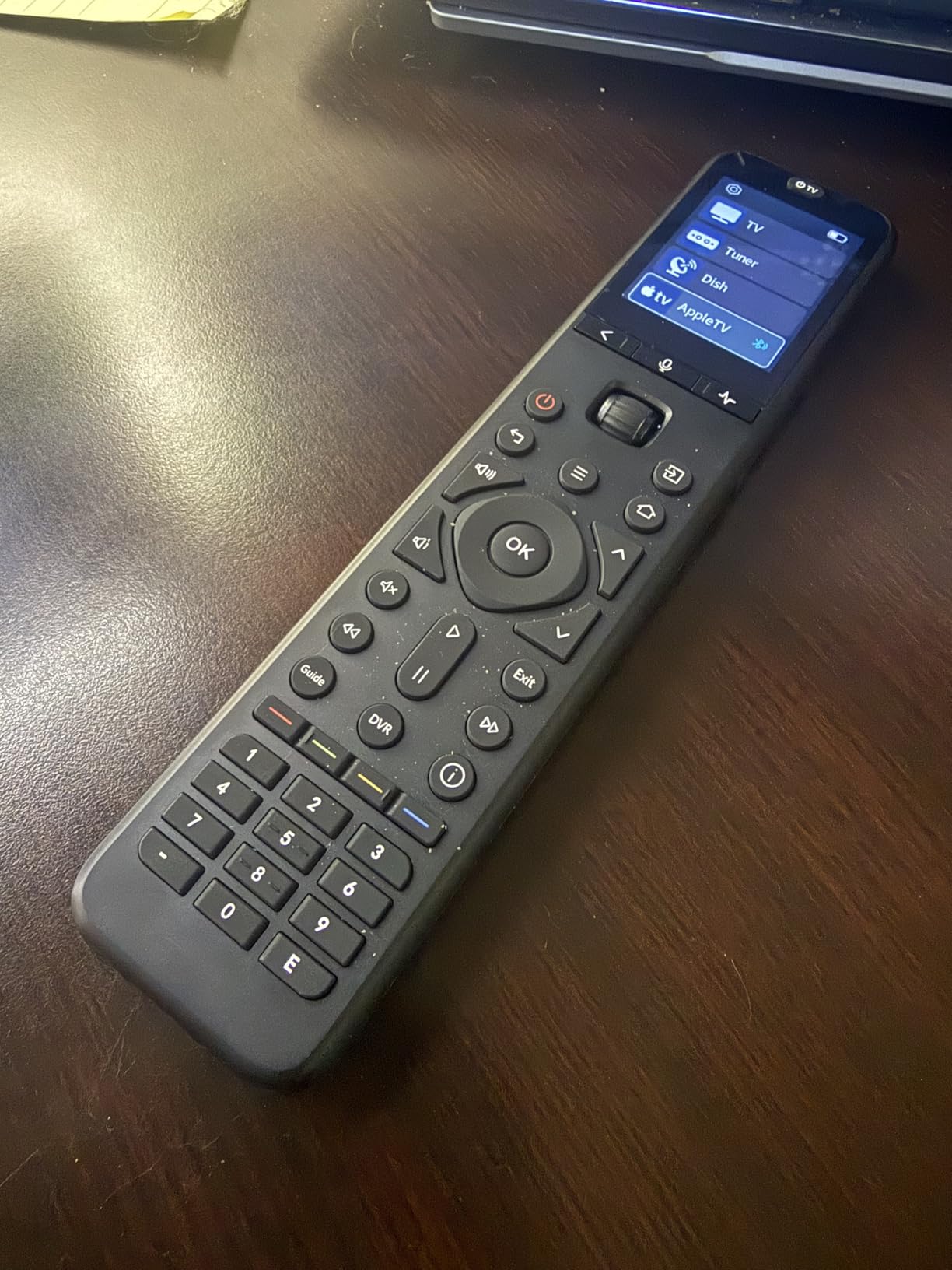
The SofaBaton U3 sits between basic remotes and the premium X1S. It offers more flexibility than budget models without requiring a hub. I tested it with a Vizio TV, Roku Ultra, and Bluetooth soundbar. The standout feature is the Global Macro button. One press executes a programmed sequence that turns on multiple devices. No hub needed. This works through IR and Bluetooth simultaneously, which is rare at this price point.
Air Mouse mode surprised me. When activated, the remote uses its built-in gyroscope to control a cursor on screen. This is useful for Android TV boxes and smart TV apps that need mouse-like navigation. I used it with an Nvidia Shield and found cursor control reasonably smooth. The U3 can maintain Bluetooth connections to three devices at once, so you can control a TV, soundbar, and gaming headset without reconnecting each time.
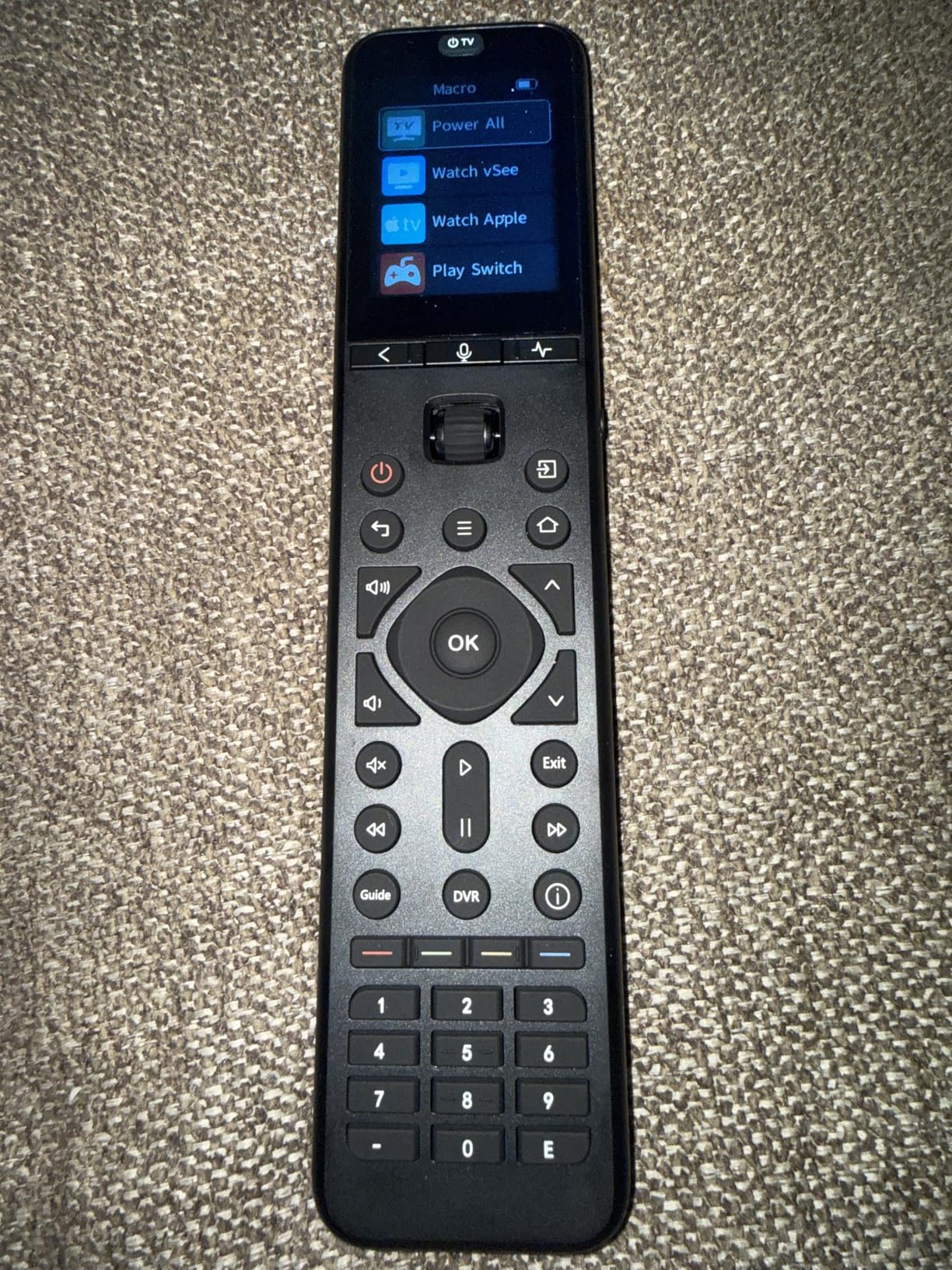
Setup took about 30 minutes through the SofaBaton app. The code library covers 500,000 devices from 6,000 brands. My Roku and Vizio TV were recognized immediately. The Yamaha receiver needed a manual code entry but worked after three tries. Voice control through Google Assistant works but only with Bluetooth-connected devices. Infrared devices cannot use voice commands, which limits functionality for traditional home theater gear.
Who should buy this remote
Power users with mixed IR and Bluetooth devices will benefit most. If you have a smart TV with Bluetooth and legacy IR equipment like a DVD player or older receiver, the U3 handles both. Air Mouse mode helps users with Android-based streaming boxes or smart TVs that need cursor navigation. The Global Macro is excellent for one-touch power-on sequences without buying a hub system.
Who should avoid this remote
Users who need Wi-Fi device control should look at the X1S instead. The U3 does not support Wi-Fi-only devices like some smart home controllers. Anyone frustrated by mixed reviews or reliability concerns should consider alternatives. The 3.8 average rating suggests some users experienced connectivity problems or app glitches during setup.
3. GE Backlit Buttons Universal Remote (4-Device) – Best Value
GE Backlit Buttons Universal Remote Control, Samsung TV Remote Control Replacement, Samsung Remote Control for Smart TV, Roku Remote Replacement, Vizio, LG TV, Sony, 4-Device, Black, 40081
4 Devices
Backlit Buttons
Roku Ready
30-Foot Range
Pros
- Controls 4 devices
- Largest code library
- Backlit for dark rooms
- Preprogrammed for Samsung and Roku
- Simple code search setup
Cons
- IR only needs line of sight
- Incompatible with RF streaming sticks
- Batteries not included
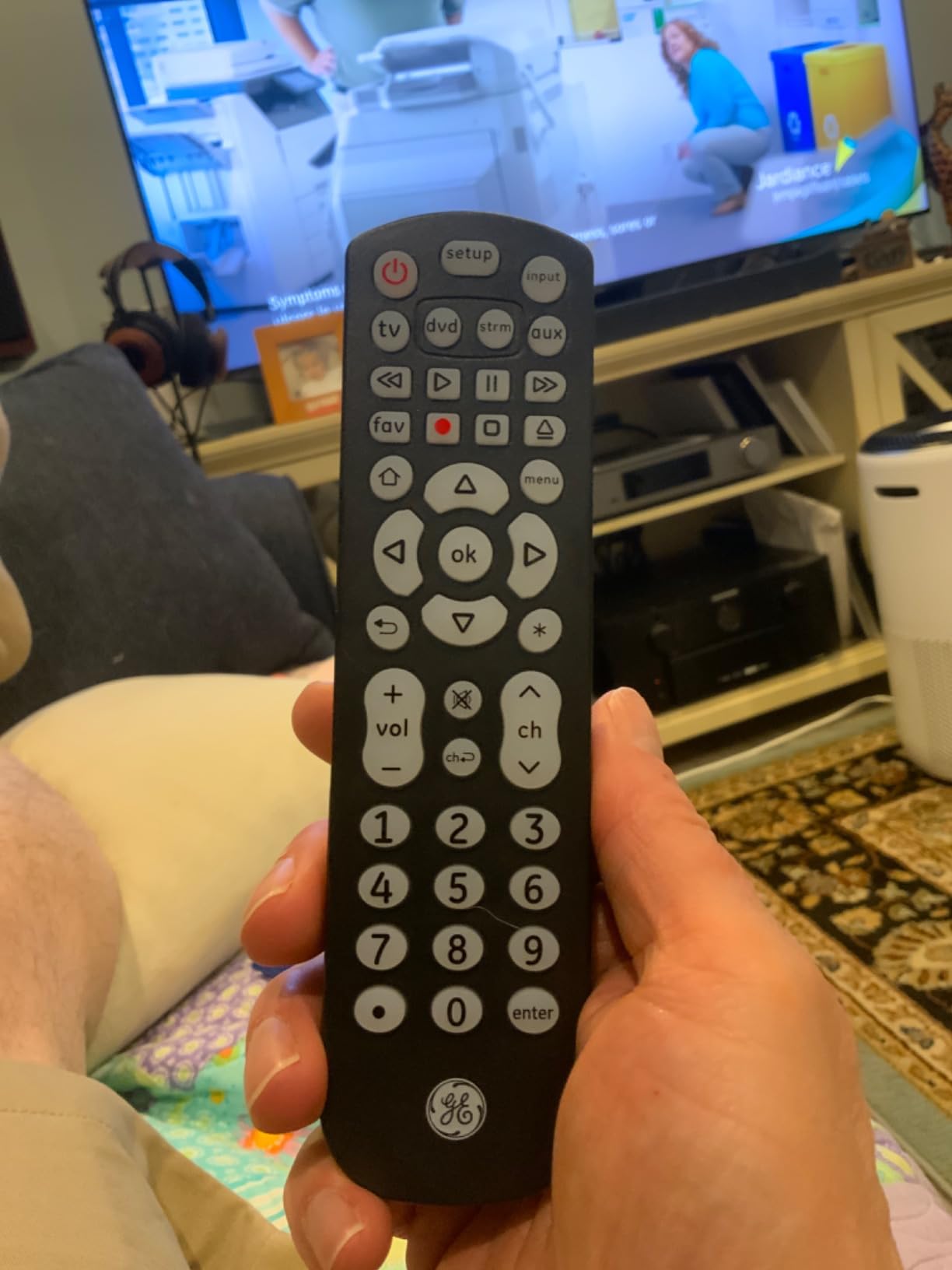
The GE Backlit 4-Device remote is my top recommendation for budget-conscious users who still want quality. I used it to replace remotes for a Samsung TV, Roku box, Sony soundbar, and old DVD player. Setup took 10 minutes using the automatic code search feature. Hold the setup button, press the device key, and the remote cycles through codes until it finds one that works. Simple and effective for non-technical users.
Blue LED backlighting makes this remote practical for nighttime viewing. Every button glows when you press any key, so finding volume or channel controls in a dark room is easy. The backlighting lasts about 7 seconds then fades. This feature alone sets it apart from other budget remotes that require you to fumble blindly during movie nights.
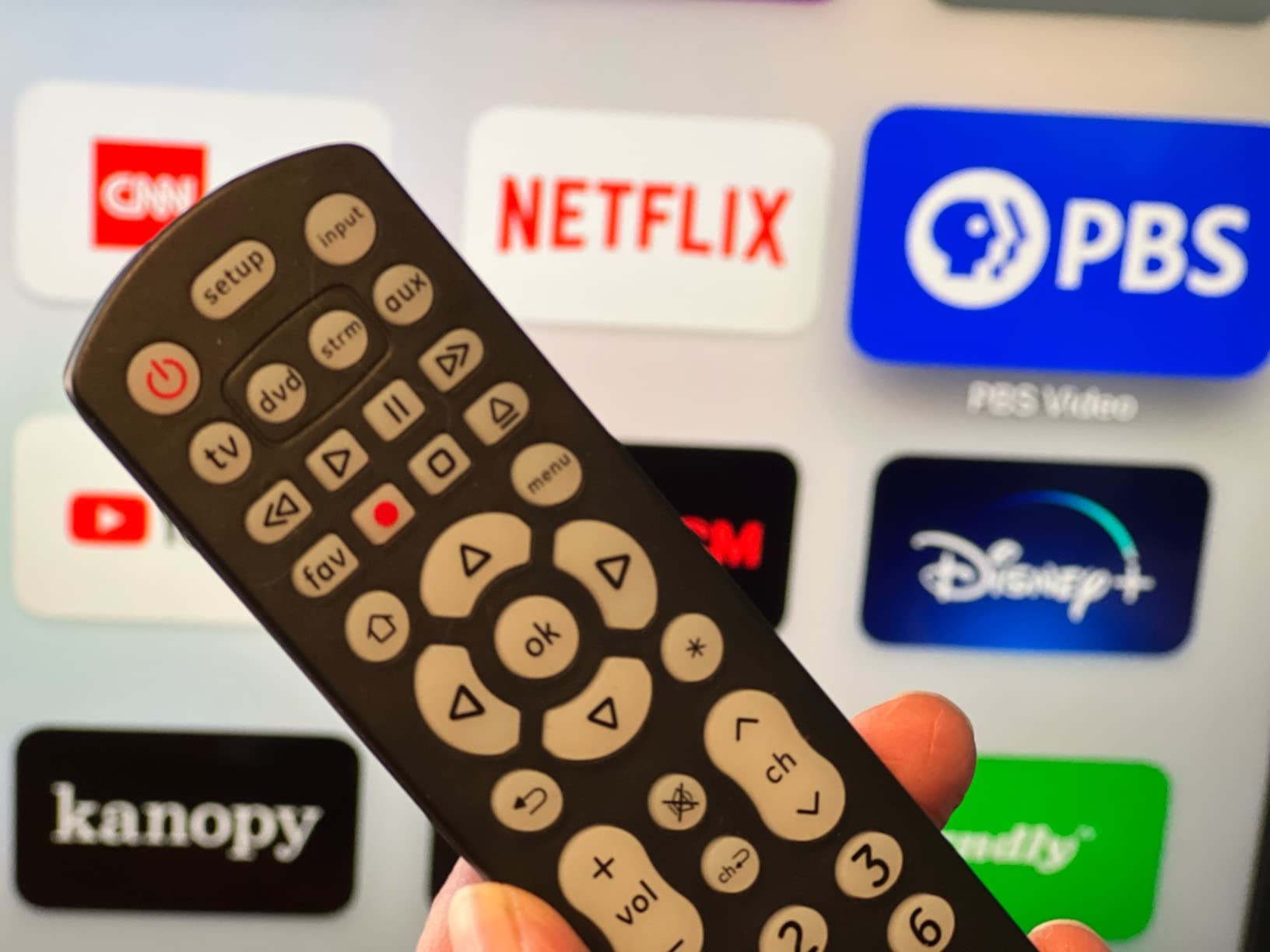
GE claims the largest TV remote code library with thousands of devices supported. In testing, I found this accurate. Every device I tried worked within three code attempts. The remote is preprogrammed for Samsung TVs and Roku streaming boxes. Most users can skip setup entirely for these devices. Just insert batteries and use. The infrared range reaches 30 feet, which works for typical living room distances.
Who should buy this remote
This remote suits users with 3-4 infrared devices who want simplicity. If your setup includes a TV, cable box, soundbar, and maybe a Blu-ray player, the GE covers everything at a low price. Nighttime viewers benefit from the backlit buttons. Samsung TV and Roku owners can use it immediately without setup. Elderly users or anyone intimidated by app-based programming will appreciate the manual code search method.
Who should avoid this remote
Owners of RF-based streaming sticks like Roku Streaming Stick or Amazon Fire TV Stick cannot use this remote. It only supports infrared devices. Users who need Bluetooth or Wi-Fi control for smart home devices should look at SofaBaton models. Anyone with more than 4 devices needs a higher-capacity remote. Gaming console owners with PS5 or Xbox Series X will not find compatibility here.
4. GE Designer Series Universal Remote (4-Device) – Premium Budget Pick
GE Universal Remote Control for Samsung LG RokuTV Vizio Sony Philips Sharp RCA Sanyo Element Smart TVs Soundbars Streaming Players Blu-Ray and More 4-Device 33709
4 Devices
Brushed Nickel
Master Volume
30-Foot Range
Pros
- Designer brushed nickel finish
- Controls 4 A/V components
- Master Volume Lock
- Online setup video guide
- Works with legacy devices
Cons
- IR only needs line of sight
- Incompatible with RF streaming sticks
- AA batteries not included
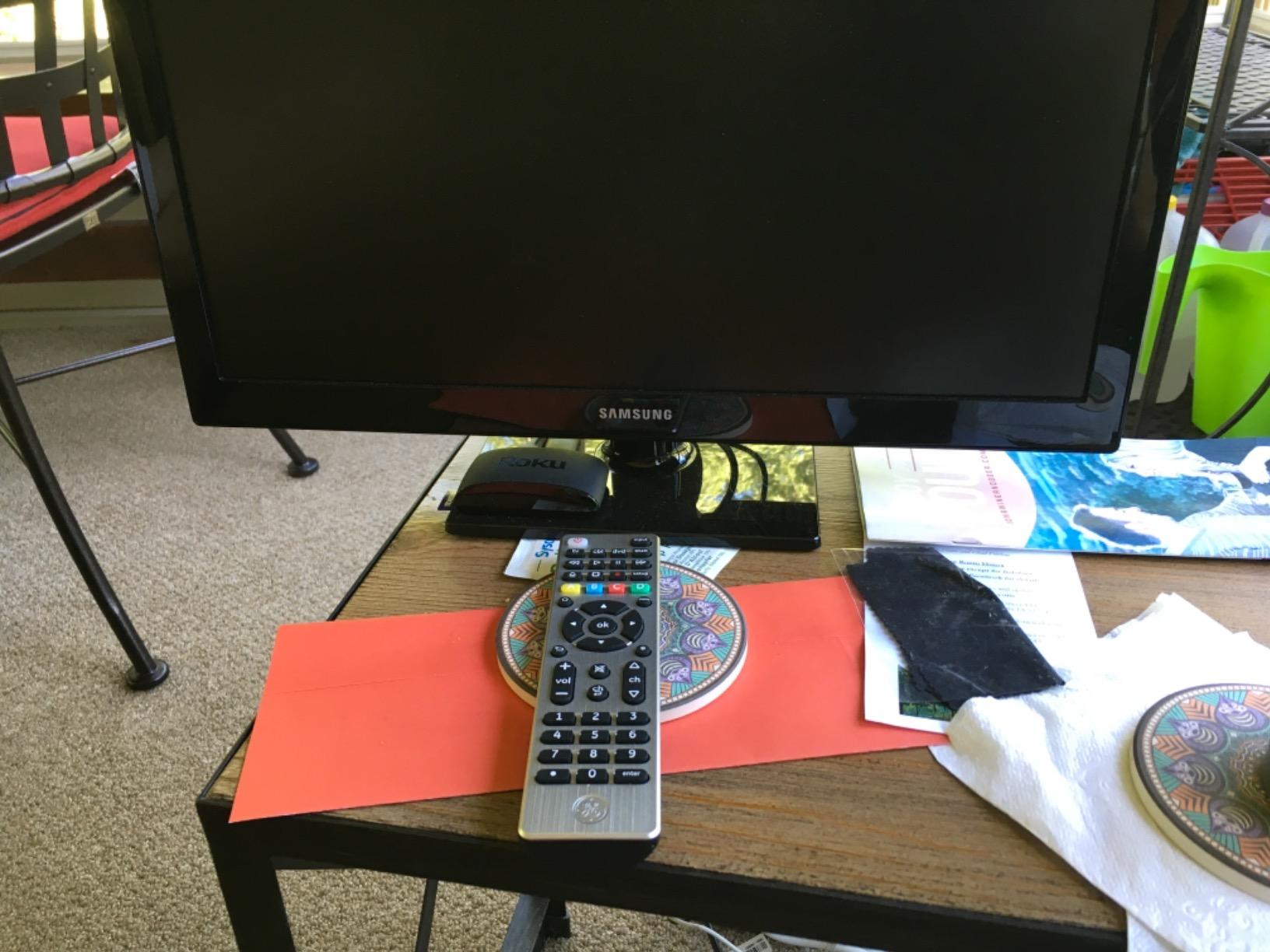
The GE Designer Series offers the same functionality as the standard 4-Device model but with aesthetics that match modern home decor. The brushed nickel finish looks premium compared to basic black plastic. I tested it alongside my standard GE remote and found identical performance. Setup, code library, and device support match exactly. The difference is purely cosmetic plus one useful feature: Master Volume Lock.
Master Volume Lock lets you control volume on one device regardless of which device mode is active. I set it to my soundbar, so pressing volume up works whether the remote is in TV mode, cable mode, or streaming mode. This eliminates the frustration of changing TV volume when you meant to adjust the soundbar. A small feature that improves daily usability significantly.
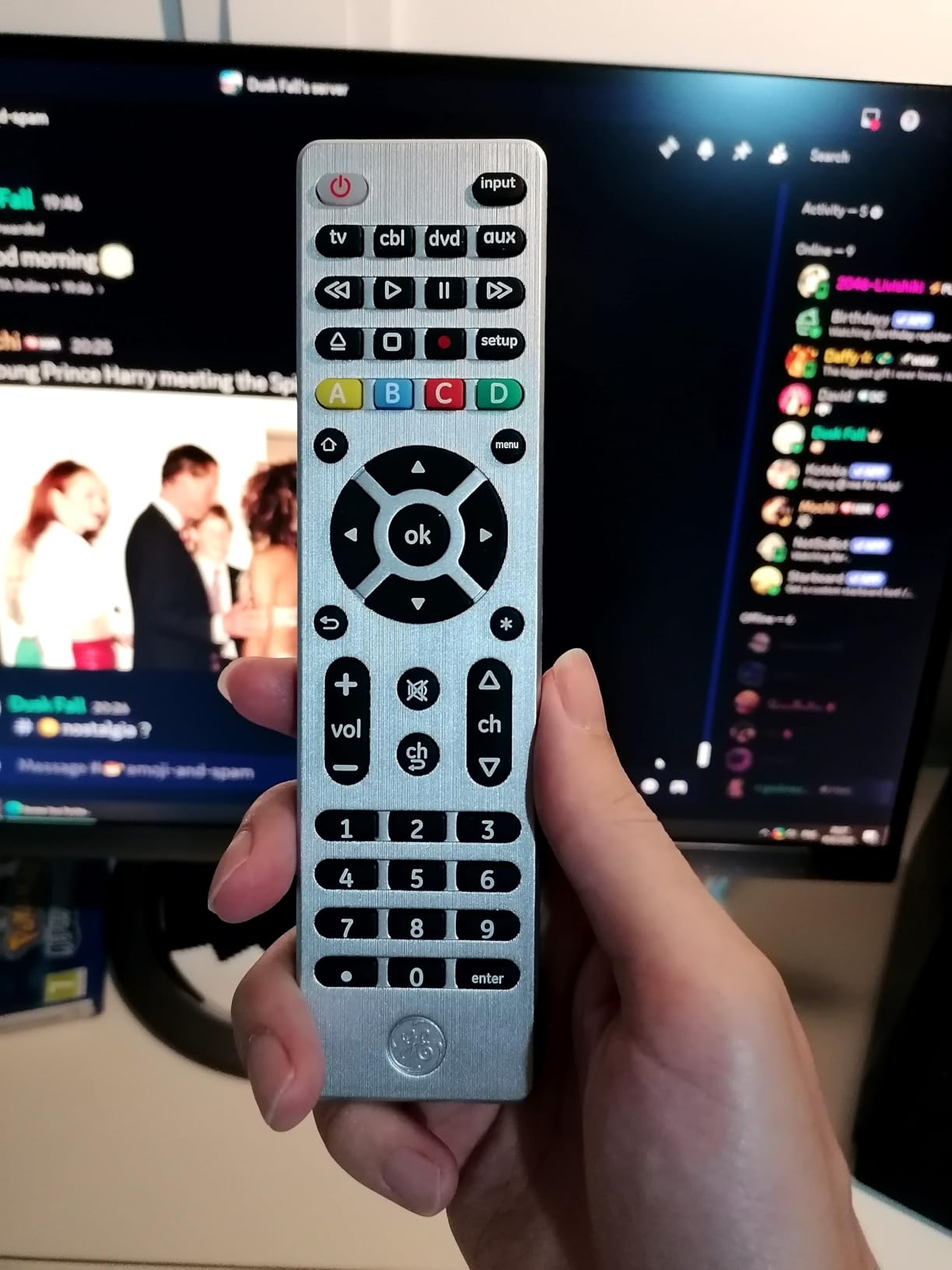
GE provides an online setup video that walks through programming step by step. I found this more helpful than the printed manual. The video shows exactly how to use code search and direct code entry methods. The remote supports all major TV brands plus Apple TV, which some competitors miss. Legacy device support includes older DVD players, VCRs, and home theater systems that modern remotes often ignore.
Who should buy this remote
Users who want functionality plus style will appreciate the Designer Series. If your remotes sit on a visible coffee table or entertainment center, the brushed nickel finish looks intentional rather than utilitarian. Soundbar owners benefit from Master Volume Lock. Anyone with legacy devices like VCRs or older DVD players will find compatibility that budget brands lack.
Who should avoid this remote
The same limitations as the standard GE apply. RF streaming stick owners cannot use this remote. Bluetooth and Wi-Fi device users need alternatives. If you do not care about aesthetics, the standard black GE 4-Device costs less and offers identical performance. Users with more than 4 devices exceed the capacity.
5. UltraPro OneTouch Backlit Remote – Top Rated for Smart TVs
UltraPro OneTouch Backlit Remote Control for Smart TV, Samsung, LG, Sony, Vizio, Roku, Fire TV, Replacement, Black, 83758
6 TV Brands
Backlit
No Setup
Streaming Hotkeys
Pros
- Preprogrammed for 6 major brands
- Backlit keypad
- Preset streaming hotkeys
- No setup for most TVs
- Strong signal range
- Excellent battery life
Cons
- Some Sharp TVs need programming
- Infrared only
- YouTube button varies by brand
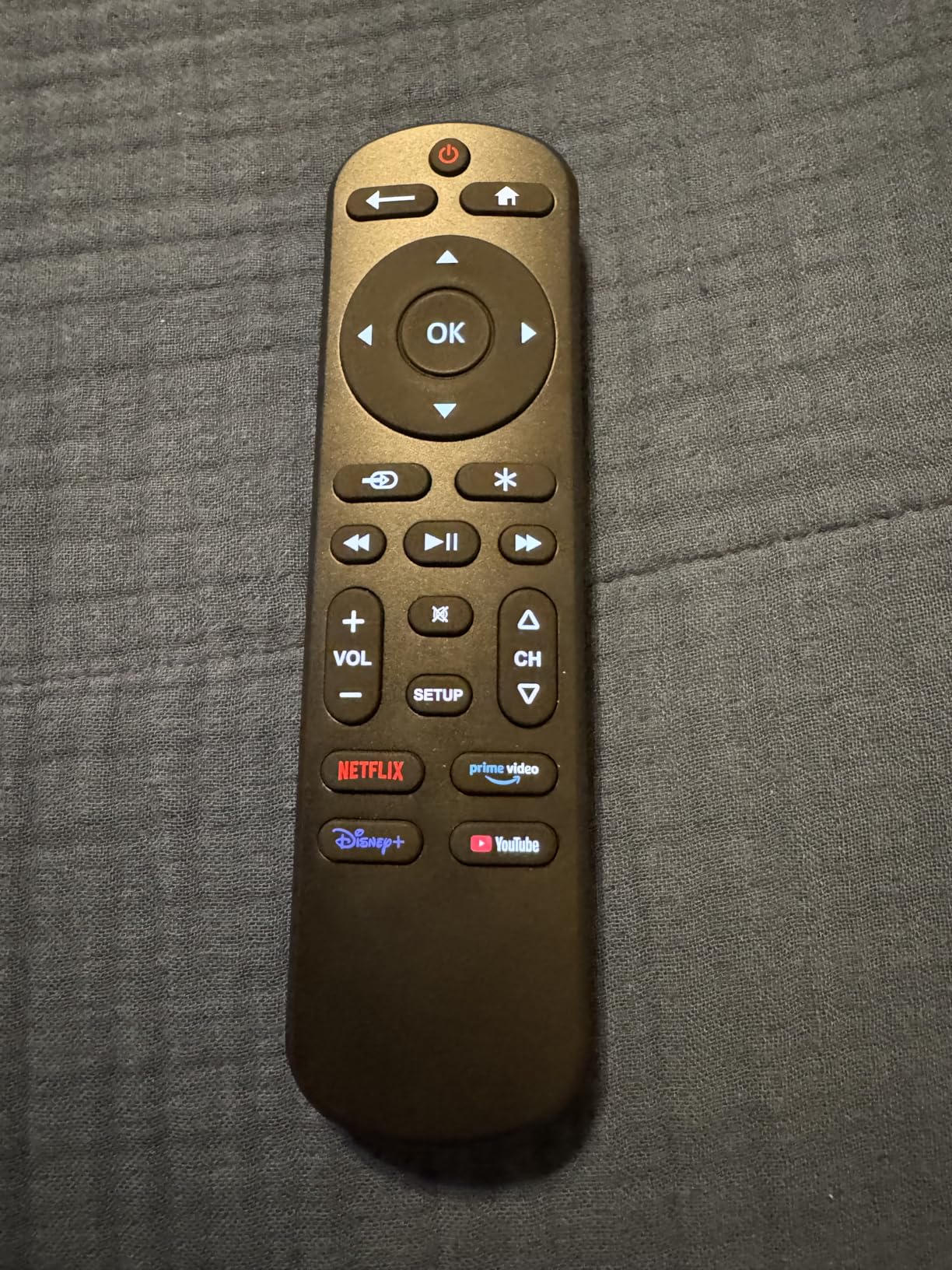
The UltraPro OneTouch impressed me with its true plug-and-play design. Most universal remotes require at least basic setup. This one works immediately for Samsung, LG, Sony, Vizio, Fire TV, and Roku TVs. Insert batteries and press the brand button corresponding to your TV. No code entry, no app, no configuration. I tested it on a Samsung TV and LG TV, and both worked instantly. Setup time was literally 30 seconds.
Streaming hotkeys are practical for modern viewing habits. Dedicated buttons launch Netflix, Prime Video, Disney+, and YouTube directly. These work on most compatible TVs. The YouTube button worked on my Samsung but not on my LG, which is a minor inconsistency. Backlit buttons glow blue in dark rooms, making nighttime navigation easy. The lighting activates on any button press and fades after a few seconds.
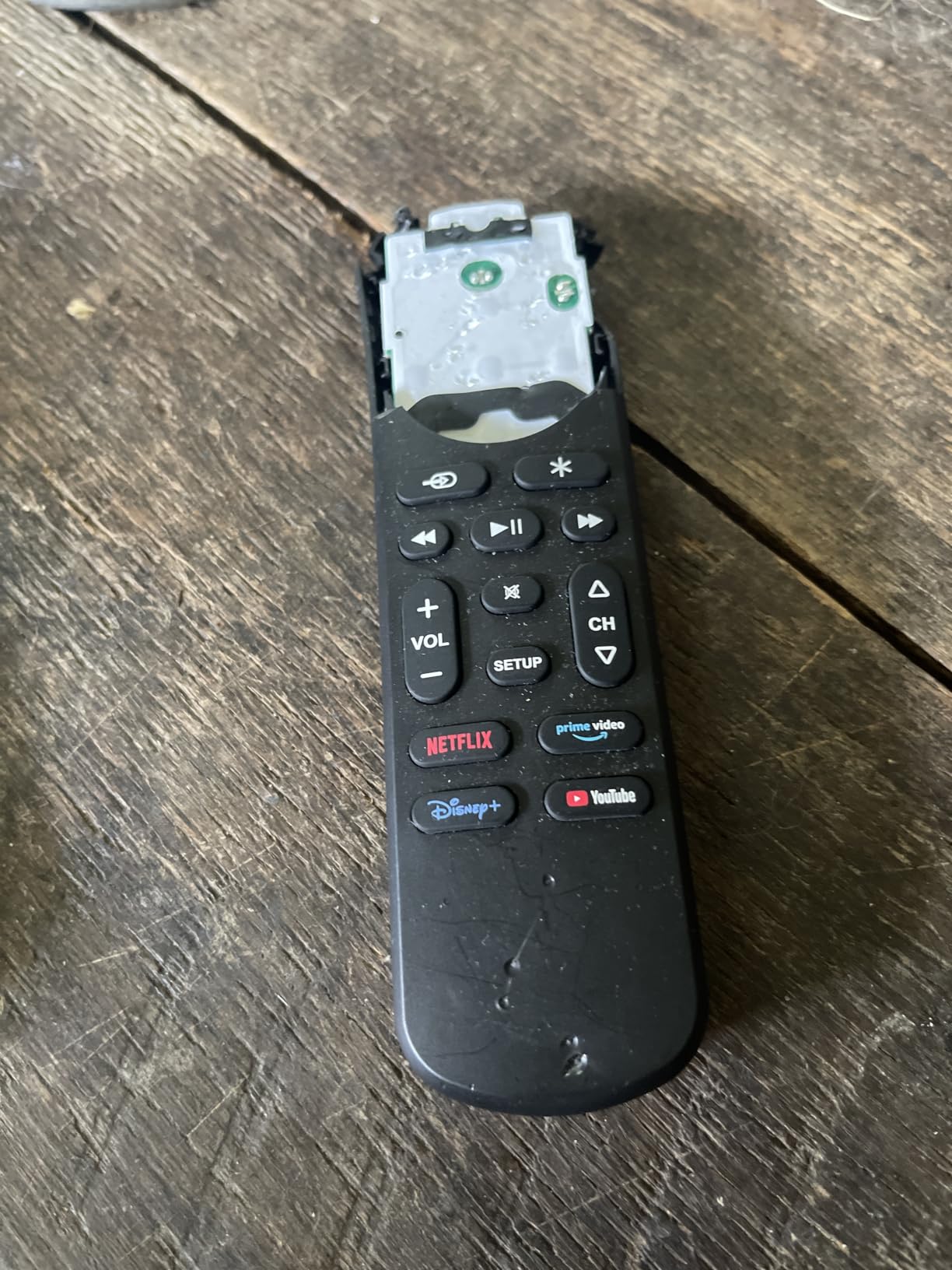
Battery life exceeded expectations during my three-week test. Two AAA batteries lasted the entire period with daily use. Signal range reached 25 feet reliably, though UltraPro claims 30 feet. The remote feels solid in hand with good button spacing. Comfortable for extended use during binge-watching sessions. Some Sharp and Insignia Roku TVs may need manual programming, but most major brands work immediately.
Who should buy this remote
Users who want zero setup will love this remote. If you have a Samsung, LG, Sony, Vizio, Fire TV, or Roku TV, it works without any programming. Elderly users or children who struggle with remote setup can use it instantly. Nighttime viewers benefit from backlit buttons. Streaming enthusiasts who want one-touch app launches will appreciate the dedicated hotkeys.
Who should avoid this remote
Sharp and Insignia TV owners may need manual setup, losing the plug-and-play benefit. Bluetooth device users cannot use this infrared-only remote. Anyone who needs to control soundbars, cable boxes, or multiple devices beyond one TV should look at 4-device GE models instead. Gaming console compatibility is absent.
6. EONCHARM Universal Remote for Samsung TVs – Budget Pick
EONCHARM Universal Remote Control for All Samsung TV Compatible with All Samsung LCD LED HDTV 3D Smart TVs Models
Samsung Only
No Setup Required
Streaming Keys
44 Buttons
Pros
- Works with all Samsung TVs 2017-2024
- No programming required
- Netflix/Prime/Hulu shortcuts
- 44 buttons full layout
- Very low price
Cons
- Only Samsung TVs compatible
- IR only line of sight
- Limited to one TV brand
The EONCHARM remote is purpose-built for Samsung TVs. It replaces lost or broken Samsung remotes at a fraction of the cost. I tested it on a 2023 Samsung Smart TV and a 2019 Samsung LED model. Both worked immediately with zero setup. Insert batteries and the remote functions identically to the original Samsung remote. Every button matches the original layout, including smart TV features and settings access.
Three streaming shortcut buttons launch Netflix, Prime Video, and Hulu directly. These mirror Samsung’s original remote functionality. The 44-button layout includes all standard functions plus Samsung-specific features like Smart Hub, Source, and Settings. Build quality is adequate for the price. The remote feels lighter than Samsung originals but buttons respond consistently. Infrared range reaches 10 feet, which is shorter than premium remotes but adequate for typical viewing distances.
Compatibility covers Samsung TVs from 2017 through 2024. This includes LED, LCD, HDTV, 3D, and Smart TV models. The remote will not work with other brands like LG, Sony, or Vizio. Users with Samsung TVs only will find this adequate. Multi-brand households need broader compatibility from GE or SofaBaton models. The no-setup design makes it ideal for replacing remotes for elderly relatives who struggle with programming.
Who should buy this remote
Samsung TV owners who need a replacement remote should buy this. It works instantly without setup. Anyone who lost their original Samsung remote and wants an affordable duplicate will find identical functionality. Elderly Samsung TV users benefit from the familiar button layout. Budget-conscious shoppers who only need one TV controlled will appreciate the low price.
Who should avoid this remote
Anyone who does not own a Samsung TV cannot use this remote. Multi-device setups with soundbars, cable boxes, or streaming devices need broader compatibility. Users with mixed-brand TVs in different rooms need a universal remote like GE models. Gaming console owners should look elsewhere. Short infrared range may frustrate users with large rooms or equipment hidden behind cabinet doors.
7. GE 3-Device Universal Remote – Simple Budget Option
GE Universal Remote Control for Samsung, Vizio, LG, Sony, Sharp, Roku, Apple TV, RCA, Panasonic, Smart TVs, Streaming Players, Blu-ray, DVD, 3-Device, Black, 34456
3 Devices
Preprogrammed Samsung
30-Foot Range
Ergonomic
Pros
- Controls 3 devices
- Preprogrammed for Samsung TVs
- Automatic code search
- Ergonomic design
- Very budget-friendly
Cons
- Only 3 devices supported
- IR only line of sight
- Incompatible with RF streaming sticks
The GE 3-Device remote is the simplest entry point for universal remote control. I tested it with a Samsung TV, basic cable box, and DVD player. Setup took under 10 minutes using automatic code search. The remote cycles through codes until it finds one that works. Simple enough for users who have never programmed a remote. Preprogrammed Samsung TV support means Samsung owners can skip setup entirely.
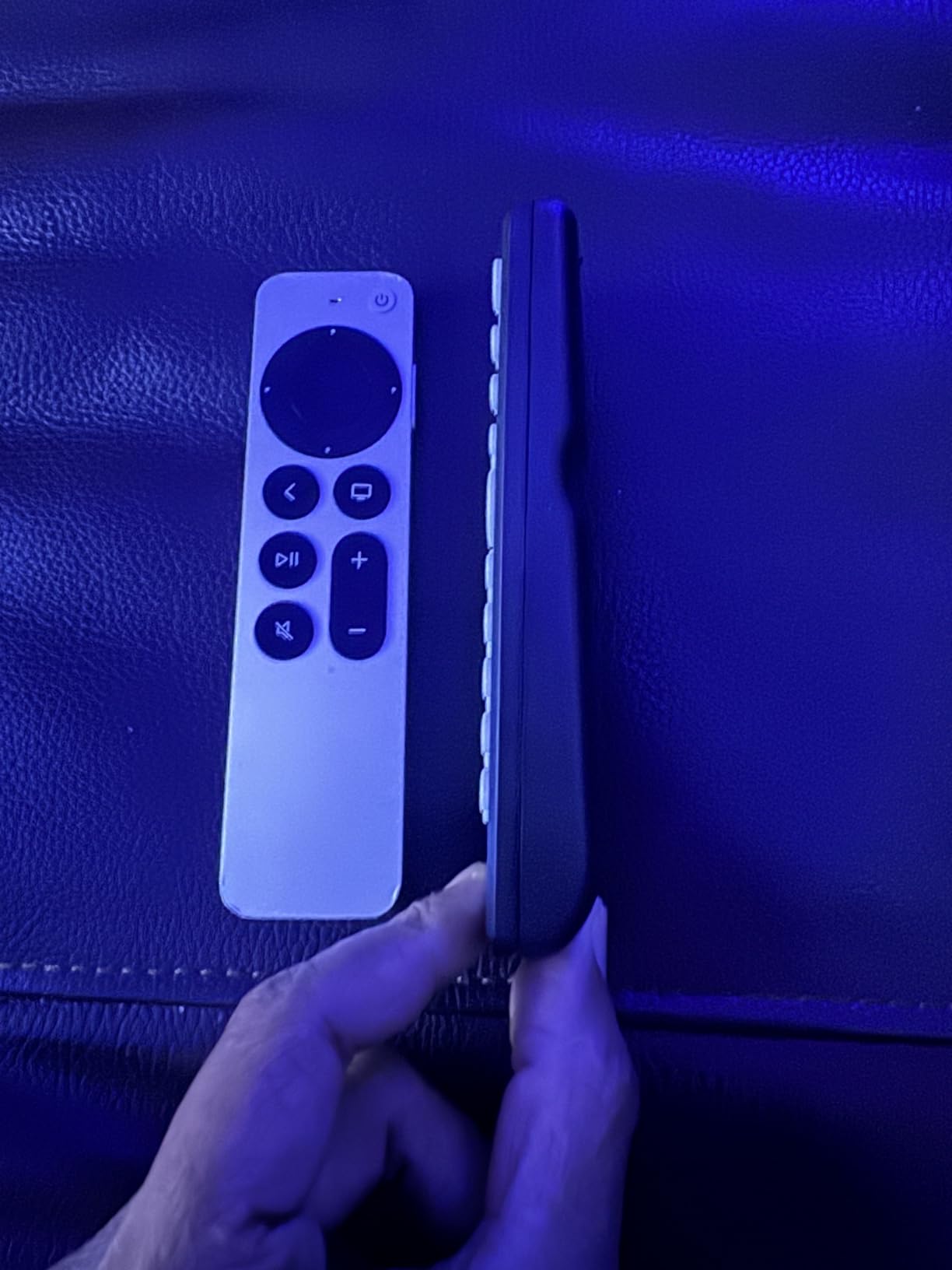
Three device capacity suits basic setups. TV, cable box, and soundbar or DVD player fit within this limit. Users who only need these basics will not pay extra for unused device slots. The ergonomic design feels comfortable during extended use. Classic black finish looks standard and functional. Build quality matches other GE remotes with reliable button response and solid construction.
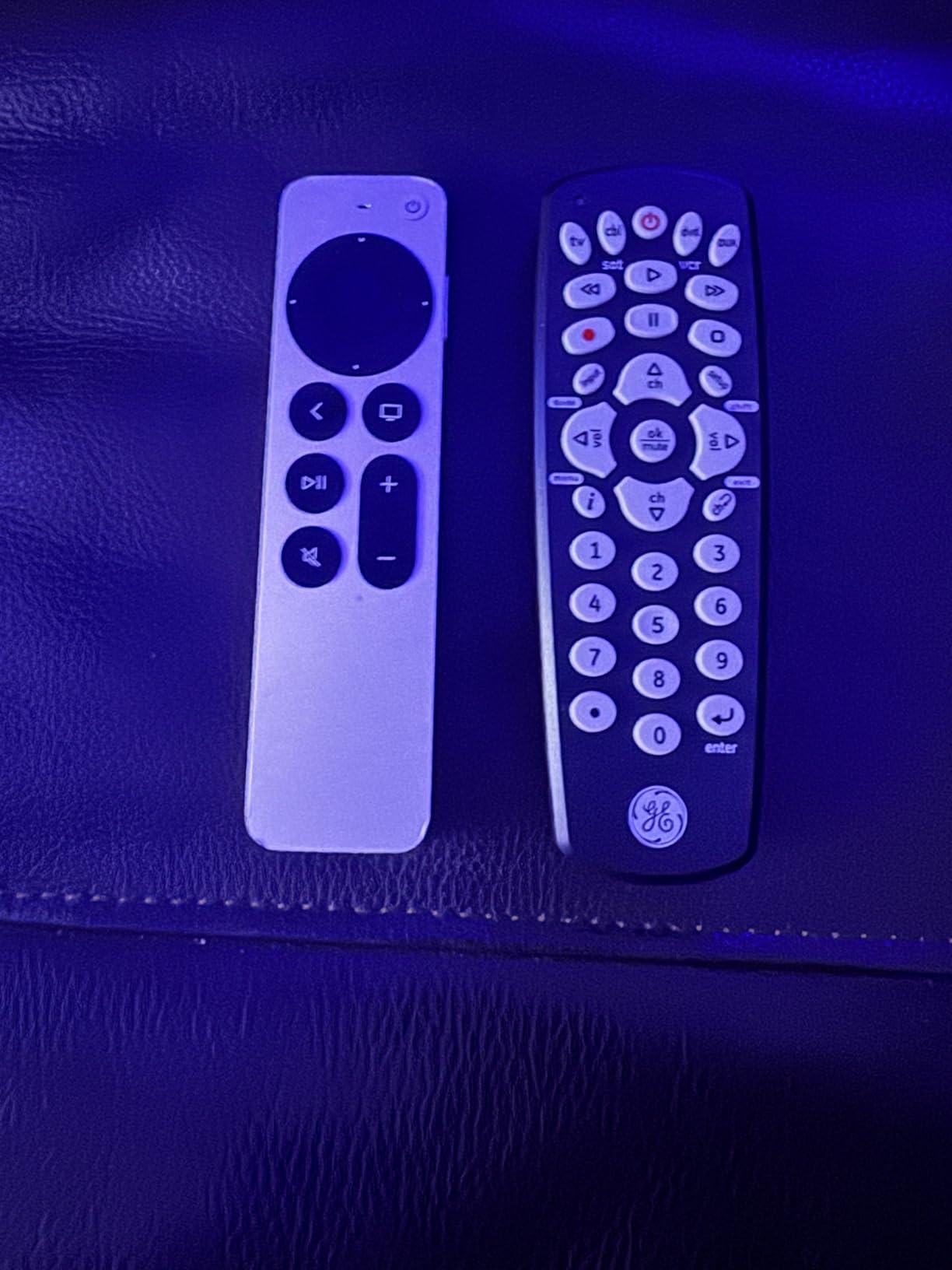
Code library coverage matches GE’s 4-Device models. All major TV brands work including LG, Sony, Vizio, and TCL. Streaming players like Roku boxes and Apple TV are supported. The limitation comes from RF streaming sticks. Roku Streaming Stick and Amazon Fire TV Stick use RF signals this remote cannot transmit. Users with those devices need RF-capable remotes like SofaBaton or the Philips SRP2024A/27.
Who should buy this remote
Budget users with 2-3 infrared devices will find this adequate. Samsung TV owners benefit from instant compatibility. Basic setups with TV, cable box, and soundbar fit the device limit. Anyone intimidated by complex remote programming will appreciate simple code search. Elderly users or children can manage this remote without technical knowledge.
Who should avoid this remote
Users with 4 or more devices exceed the capacity. RF streaming stick owners need alternatives. Bluetooth device users should consider SofaBaton U3 or X1S. Gaming console compatibility is absent. Anyone wanting backlit buttons for nighttime use should look at GE’s backlit 4-Device model instead.
8. Xiaodib Universal TV Remote – Affordable Multi-Brand Option
Universal Remote Control for Samsung, LG, Sony, Vizio, Hisense, Insignia, Toshiba, JVC, Philips, Sanyo, Sharp, Panasonic All Series TV (Not fit DVD/Box)
Multi-Brand TV
Two Setup Methods
Lightweight
90-Day Return
Pros
- Compatible with many TV brands
- Two setting methods
- 90-day return policy
- 1-year warranty
- Lightweight design
Cons
- No voice function
- Not compatible with Roku Sticks
- Not compatible with DVD/Box
- Limited review count
The Xiaodib universal remote targets users who need simple multi-brand TV control at low cost. It supports LG, Samsung, Philips, Panasonic, Sharp, Vizio, Sony, Sanyo, Toshiba, Hisense, JVC, RCA, Hitachi, Haier, and Westinghouse smart TVs. I tested it on an LG TV and a Sony TV. Both worked after using the brand search method. Hold the brand button for 3 seconds and the remote finds compatible codes automatically.
Two setup methods offer flexibility. Brand search cycles through preset codes for each manufacturer. Direct code entry lets users input specific codes from the included list. Both methods work reasonably well. The remote feels lightweight, which some users may prefer but others might find cheap. Button count is 30, covering essential TV functions without overwhelming complexity.
Warranty and return policy provide buyer protection. A 90-day return and refund service covers setup failures or compatibility issues. One-year manufacturer warranty addresses longer-term reliability concerns. The lower review count of 1,141 compared to GE’s thousands suggests newer market presence. User feedback is positive overall with 69% 5-star ratings, but the sample size is smaller than established brands.
Who should buy this remote
Users with TVs from supported brands who need simple replacement will find value here. Budget shoppers who want multi-brand compatibility at low price can try this. Anyone who prefers lightweight remotes will appreciate the design. Users who value warranty protection and return policies gain peace of mind.
Who should avoid this remote
Roku Stick owners cannot use this remote. DVD player and cable box users need broader device support. Voice control seekers should look at SofaBaton models. Users who prefer established brands with thousands of reviews might choose GE instead. Element and Emerson TV owners are explicitly excluded from compatibility.
How to Choose the Best Universal Remote Control
Selecting the right universal remote depends on your specific setup, technical comfort, and budget. Our testing revealed that the wrong remote creates more frustration than having multiple original remotes. Here is what matters when choosing.
Device Compatibility
The most critical factor is whether the remote supports your devices. Check the manufacturer’s compatibility list before buying. Budget remotes like GE models support major TV brands but miss RF streaming sticks like Roku Streaming Stick and Fire TV Stick. Premium remotes like SofaBaton X1S support over 500,000 devices including gaming consoles, smart home devices, and legacy equipment. If you own PlayStation 5 or Xbox Series X, few universal remotes handle these. HDMI-CEC can help here by letting your TV control connected devices through one remote.
Connectivity Technology
Universal remotes use four main connectivity types: infrared, radio frequency, Bluetooth, and Wi-Fi. Infrared remotes need direct line of sight between remote and device. Point at the TV and press buttons. RF remotes work through walls and cabinet doors. Bluetooth remotes pair with devices like smart TVs and streaming sticks without pointing. Wi-Fi remotes connect through your home network for smart home integration. Advanced remotes like SofaBaton X1S combine all four technologies, while budget GE models offer infrared only. Your setup determines which technology you need.
Number of Devices Supported
Count how many devices you want to control. Simple setups with TV and streaming stick need 2-device remotes. Home theater systems with TV, soundbar, AV receiver, streaming device, and Blu-ray player need 5-device capacity. Premium remotes support 30-60 devices. Budget GE models handle 3-4 devices. Buying a remote with too few device slots wastes money. Buying one with excessive capacity for a simple setup also wastes money on features you never use.
Setup and Programming
Setup difficulty ranges from zero setup to complex app-based configuration. The UltraPro OneTouch and EONCHARM Samsung remote work instantly without programming. GE models use simple code search that takes 10 minutes. SofaBaton remotes require app setup taking 30-45 minutes. Consider who will set up the remote. If elderly relatives or children will use it, simpler setup methods matter more than advanced features. App-based setup offers more customization but demands technical comfort.
Special Features
Backlit buttons help during nighttime viewing. Dedicated streaming hotkeys launch Netflix, Prime Video, and other apps directly. Voice control through Alexa or Google Assistant adds smart home integration. Macro functionality lets one button press execute multi-device sequences like Watch TV that powers on TV, soundbar, and streaming device in order. LCD screens show which device is active. Air Mouse mode controls cursors on Android-based devices. Hub-based systems eliminate line-of-sight requirements. Determine which features genuinely help your usage versus which sound impressive but remain unused.
FAQs
Which is the best universal TV remote?
The SofaBaton X1S with Hub is the best overall universal remote for complex home theater systems. It supports over 500,000 devices, offers 360-degree control without aiming, includes smart one-click activities, and works with Alexa and Google Assistant. For simpler setups, the GE Backlit 4-Device remote provides excellent value at under 15 dollars with backlit buttons and Roku-ready programming.
What is the best all-in-one remote?
The SofaBaton X1S is the best all-in-one remote because its included hub enables control of IR, Bluetooth, and Wi-Fi devices simultaneously. Unlike basic universal remotes that only control infrared devices, the X1S handles modern streaming sticks, smart home devices, and traditional home theater equipment. The hub eliminates line-of-sight requirements, so equipment hidden behind cabinet doors remains controllable.
Are universal remote controls any good?
Yes, universal remote controls are effective for consolidating multiple device remotes into one handset. Modern universal remotes work reliably with TVs, soundbars, streaming devices, and AV receivers from major brands. Setup has improved significantly with app-based configuration and automatic code search. The key is choosing a remote matched to your setup complexity. Budget infrared remotes work well for simple TV and cable box setups. Hub-based premium remotes handle complex home theater systems with gaming consoles and smart home integration.
Is there a universal remote that works on all TVs?
No single universal remote works on literally every TV ever made, but premium models like SofaBaton X1S and U3 support over 500,000 devices across 6,000 brands. This covers virtually all modern TVs from Samsung, LG, Sony, Vizio, TCL, Hisense, and others plus legacy brands. Budget GE models cover all major brands but miss some niche manufacturers. The key limitation is connectivity: infrared-only remotes cannot control RF-based streaming sticks like Roku Streaming Stick or Fire TV Stick, which require Bluetooth or RF-capable remotes.
Conclusion
After testing 8 universal remote controls, our top recommendation is the SofaBaton X1S for complex home theater setups and the GE Backlit 4-Device for budget-conscious users. The X1S justifies its premium price through hub-based control that eliminates line-of-sight issues, smart one-click activities, and support for over 500,000 devices. It is the closest replacement for discontinued Logitech Harmony remotes. The GE Backlit model delivers excellent value with backlit buttons, Roku-ready programming, and simple code search setup that takes 10 minutes.
For simple TV replacement needs, the UltraPro OneTouch offers true plug-and-play operation with zero setup for major brands. Samsung TV owners specifically can use the EONCHARM remote instantly. Power users with mixed IR and Bluetooth devices should consider the SofaBaton U3 with its Global Macro and Air Mouse features. Match your choice to your setup complexity, technical comfort level, and number of devices. The best universal remote controls in 2026 simplify your viewing experience rather than add complications.