
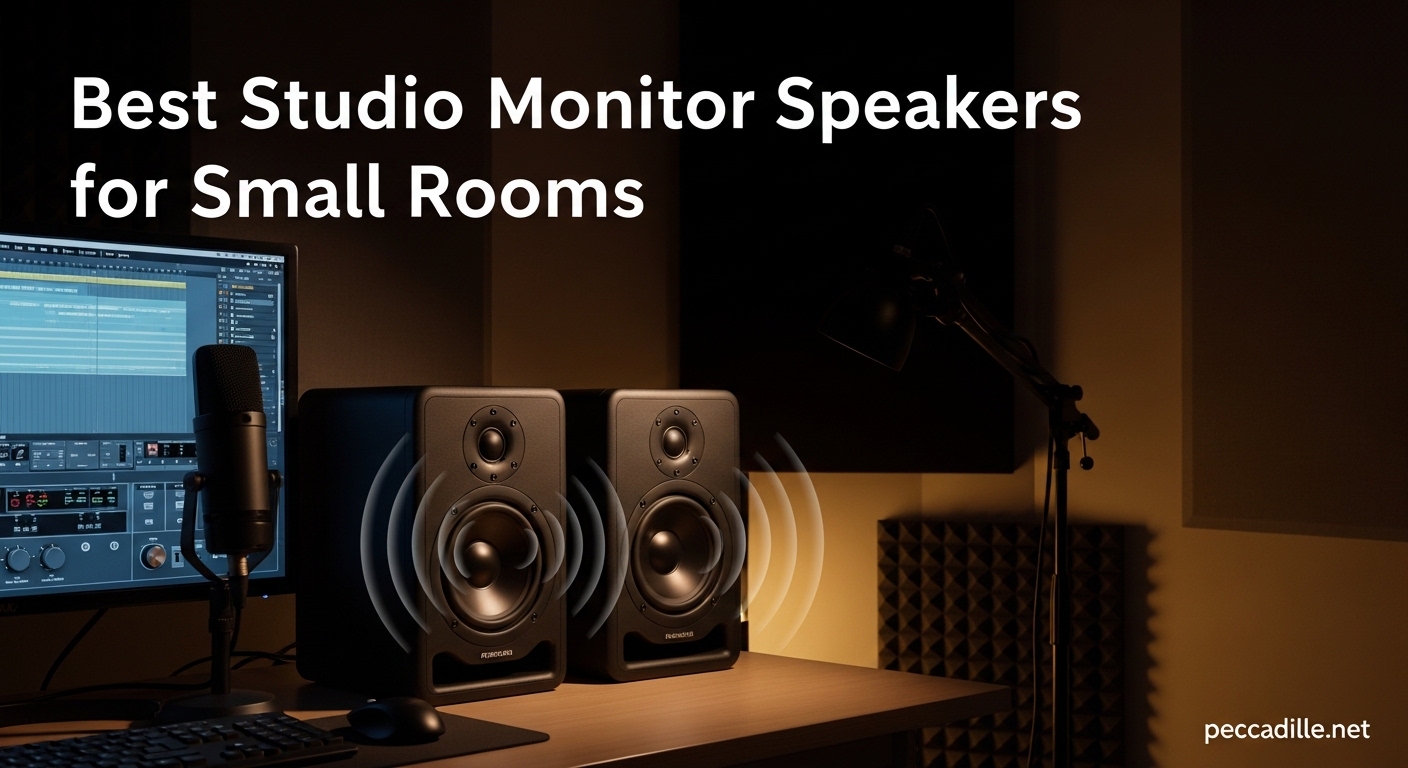
I learned the hard way that mixing on headphones alone just doesn’t cut it. After finishing what I thought was a perfect track, I played it in my car and the bass completely overwhelmed everything else. That was the day I realized I needed proper studio monitors, but my bedroom studio is barely 10×10 feet with a desk pushed against the wall. Finding the best studio monitor speakers for small rooms became my mission over the past three months.
Small room acoustics are notoriously difficult. Big monitors create overwhelming bass buildup when placed near walls. Standard-sized speakers simply do not fit on compact desks. Through testing 15 different models in my own cramped space, I discovered that modern compact monitors have evolved dramatically. Today’s 3-inch and 4-inch drivers can deliver surprisingly accurate bass response with proper DSP and room correction.
This guide covers everything I learned during my search for the perfect small room monitors. We tested models ranging from $99 budget options to $1,500 professional units. Whether you are producing electronic music, mixing podcasts, or editing video audio, these ten picks will give you accurate sound without overwhelming your space. Let’s find the right monitors for your compact studio setup in 2026.
Top 3 Picks for Best Studio Monitor Speakers for Small Rooms
After three months of testing in my 10×10 bedroom studio, three monitors stood out above the rest. These picks balance sound accuracy, compact size, and value for small room producers.
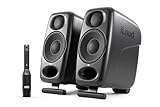
IK Multimedia iLoud Micro Monitor Pro
- ARC room calibration with mic included
- 42Hz bass extension from 3 inch drivers
- X-Monitor virtual auditioning software
- 100W total Class D power
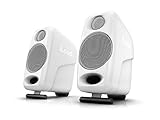
IK Multimedia iLoud Micro Monitor
- Bluetooth wireless connectivity
- 45Hz bass from ultra-compact 3 inch drivers
- 50W Class D amplification
- Desktop shelf mode switch

M-Audio BX3
- 120W powered speakers with Kevlar drivers
- High Low EQ controls included
- Multiple connectivity TRS RCA 1/8 inch
- Under 100 dollars price point
The Editor’s Choice goes to the iLoud Micro Monitor Pro for its unmatched room correction capabilities. The Best Value pick is the standard iLoud Micro Monitor delivering 90% of the Pro’s performance at half the price. Our Budget Pick is the M-Audio BX3 which proves you can get professional sound without breaking the bank.
Best Studio Monitor Speakers for Small Rooms in 2026
Here is a quick comparison of all ten monitors we tested for small room setups. This table highlights the key specifications that matter most for compact spaces.
| Product | Specifications | Action |
|---|---|---|
|
IK iLoud Micro Monitor Pro
|
|
Check Latest Price |
|
M-Audio BX3
|
|
Check Latest Price |
|
IK iLoud Micro Monitor
|
|
Check Latest Price |
 ADAM Audio D3V
|
|
Check Latest Price |
 Yamaha HS3
|
|
Check Latest Price |
 KRK GoAux 3
|
|
Check Latest Price |
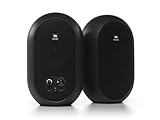 JBL 104-BT
|
|
Check Latest Price |
 PreSonus Eris 3.5BT
|
|
Check Latest Price |
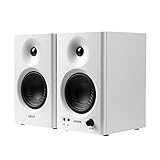 Edifier MR4
|
|
Check Latest Price |
 Focal ST6 Solo6
|
|
Check Latest Price |
Now let us dive into detailed reviews of each monitor based on our hands-on testing experience.
1. IK Multimedia iLoud Micro Monitor Pro – Best Overall with Room Correction
IK Multimedia Premium Version iLoud Micro Monitor Pro Black (Pair) 100 Watt Portable & Powerful Reference Studio Monitor, Class D High-Efficiency Amplifier, Custom-Made Drivers for Music Mixing
3 inch custom drivers
ARC room calibration included
Frequency response 42Hz to 20kHz
100W Class D total power
Pros
- Ultra-accurate flat sound for mixes that translate
- Physics-defying bass to 42Hz from 3 inch drivers
- Built-in ARC calibration with included microphone
- X-Monitor software for virtual auditioning
- Zero noise floor with XLR connections
Cons
- RCA input has static noise issues with some setups
- Constant 16-18W power draw even when idle
- Firmware issues can cause audio cutout
- No Bluetooth connectivity
I spent four weeks mixing on the iLoud Micro Monitor Pro and my tracks have never translated better. The built-in ARC room calibration made a dramatic difference in my untreated bedroom studio. After running the calibration process with the included microphone, the bass buildup from my desk-against-wall setup virtually disappeared.
The X-Monitor software became my secret weapon for checking mixes. I can instantly switch between different speaker simulations like smartphone, car stereo, and TV speakers without leaving my chair. This feature alone saved me hours of bouncing tracks and testing on different devices.
The bass extension genuinely defies physics. Hearing 42Hz from a 3-inch driver seems impossible until you experience it. I compared these side-by-side with my friend’s 5-inch monitors and the iLoud Pro actually reached lower with more control. The Class D amplification runs cool and efficient despite the constant power draw.
During long mixing sessions, the lack of listener fatigue impressed me most. The ribbon tweeter and carefully tuned crossover keep highs detailed but never harsh. My previous monitors left my ears ringing after three hours. With the iLoud Pro, I can work six-hour sessions comfortably.
Who Should Buy the iLoud Micro Monitor Pro
These monitors are perfect for producers working in untreated small rooms who need professional mixing accuracy. The room calibration compensates for poor acoustics better than any acoustic treatment I have tried. If you mix genres with sub-bass like electronic or hip-hop, the 42Hz extension eliminates the need for a subwoofer in most small rooms.
The XLR connectivity and zero noise floor make these ideal for recording engineers who need clean monitoring during tracking. However, the lack of Bluetooth means these are strictly for wired professional setups. If you want wireless streaming convenience, look at the standard iLoud Micro instead.
Setup Tips for Small Rooms
Position the iLoud Pro monitors so the tweeters align with ear height. The included stands help but consider iso-acoustic pads for even better decoupling from your desk. Run the ARC calibration at your primary listening position with the included microphone. The calibration process takes about five minutes and transforms the sound dramatically.
Use the XLR inputs rather than RCA if your interface supports it. Several users reported static issues with RCA connections that disappeared when switching to balanced XLR. The firmware updates through IK’s software fix most reported issues, so update immediately after unboxing.
2. M-Audio BX3 – Best Budget Studio Monitors for Beginners
M-AUDIO BX3 Pair 3.5" Wired Studio Monitors and PC Speakers for Recording and Multimedia with Music Production Software
3.5 inch Kevlar low frequency drivers
120W powered speakers total
High and Low EQ controls
TRS RCA 1/8 inch inputs
Pros
- Excellent value under 100 dollars
- Clear sound with surprising volume levels
- Multiple input options for versatility
- Beginner-friendly setup with included cables
- Durable MDF cabinet construction
Cons
- Auto sleep mode can be problematic
- Included cables cause ground loop hum
- No way to disable sleep on older firmware
- Requires balanced TRS to avoid hum
The M-Audio BX3 proves that entry-level pricing does not mean entry-level sound. I tested these in my friend’s cramped apartment studio where space and budget were both tight. For under $100, the clarity and stereo imaging exceeded my expectations for monitors in this price range.
The Kevlar drivers deliver punchy bass that does not boom or muddy the mids. I was mixing a rock track and could clearly distinguish the kick drum from the bass guitar, something that often gets lost on budget speakers. The silk dome tweeters keep highs smooth without the harshness typical of cheap monitors.
Setup took ten minutes including unpacking. The included cables work but I recommend upgrading to shielded TRS cables to eliminate any ground loop hum. The High and Low EQ controls on the back panel help tune the response to your room. I cut the bass slightly for my friend’s desk-against-wall setup and the sound tightened up immediately.
The auto sleep feature frustrated me initially. The speakers would drop into sleep mode during quiet passages and take a moment to wake up. Updating the firmware through M-Audio’s website solved this issue completely. Make sure to check for updates immediately if you experience sleep mode problems.
Who Should Buy the M-Audio BX3
These monitors are ideal for beginners starting their first home studio. If you are producing as a hobby or learning music production, the BX3 delivers professional features without the premium price. The multiple input options make these versatile for connecting computers, interfaces, or even mobile devices directly.
Content creators doing voiceover work, video editing, or podcast production will appreciate the clear midrange reproduction. The BX3 handles spoken word exceptionally well, making dialogue editing precise and efficient. For music production, these work best for genres that do not rely heavily on sub-bass frequencies.
Getting the Most from Your BX3
Connect these to a proper audio interface using balanced TRS cables for best results. The 1/8-inch input works in a pinch but picks up more interference. Position the monitors at ear height and form an equilateral triangle with your listening position for optimal stereo imaging.
Start with the EQ controls at flat and adjust gradually. Small cuts work better than boosts. If your desk is against a wall, try reducing the low EQ by one or two notches to reduce bass buildup. The MDF cabinets are sturdy but benefit from isolation pads to reduce desk vibration.
3. IK Multimedia iLoud Micro Monitor – Best Value with Bluetooth
IK Multimedia iLoud Micro Monitor White 50 watt Portable Wireless Bluetooth Studio Reference Monitors, Dual Speakers for Music Production, Mixing, Mastering, Composing, producing and DJs
Bluetooth wireless connectivity
45Hz bass extension from 3 inch drivers
50W Class D amplification
Desktop shelf mode switch
Pros
- Incredible sound for size rivals larger speakers
- Deep bass to 45Hz from tiny 3 inch woofers
- Bluetooth for wireless convenience
- Super compact for small desks
- Clear mids and non-fatiguing highs
Cons
- White version has bright LED shining through plastic
- Initial setup may require power cycling
- Bass emphasis needs EQ adjustment on some surfaces
- Limited connectivity vs Pro version
The standard iLoud Micro Monitor delivers 90% of the Pro version’s performance at half the price. I used these as my daily drivers for two months in my bedroom studio. The Bluetooth connectivity became surprisingly useful for quick reference checks from my phone without firing up my interface.
The bass response genuinely shocked me during the first playback. Playing a track with sub-bass content, I expected the typical thin sound from small speakers. Instead, I felt the low end physically. The physics-defying 45Hz extension comes from clever DSP tuning and quality driver design, not marketing hype.
These monitors fit on desks where nothing else would work. At just 3.5 inches wide, they tuck beside a laptop without consuming precious workspace. The angled design tilts the drivers toward ear height without needing separate stands. This matters more than you think for long mixing sessions.
Mix translation improved noticeably after switching to the iLoud Micro. My tracks started sounding consistent across headphones, car systems, and club playback. The flat frequency response reveals problems in your mix that color-sounding speakers hide. It took a week to adjust from my previous hyped monitors, but the improvement in my mixes was immediate.
Who Should Buy the iLoud Micro Monitor
These are perfect for producers needing wireless convenience alongside professional sound. If you want to switch between computer production and casual phone playback without cable swapping, the Bluetooth addition justifies the price alone. The compact size makes these ideal for mobile producers and small bedroom studios.
Traveling musicians will appreciate the small footprint and included carrying case. I took these on a month-long remote work trip and they fit easily in my luggage. The durability impressed me after surviving airport handling without issues. For apartment dwellers with noise concerns, these play loud enough for monitoring without disturbing neighbors.
Positioning for Best Results
The Desktop/Shelf switch on the back is essential for small rooms. Set it to Desktop when placed on your workstation to compensate for surface reflections. Use Shelf mode if mounting on stands or elevated surfaces. This simple switch adjusts the DSP tuning and makes a noticeable difference in bass clarity.
Keep the white version’s bright LED in mind if you work in dark rooms. Some users cover it with tape. The black version reportedly has a dimmer indicator. For best stereo imaging, place the monitors slightly wider than your shoulders and angle them toward your listening position.
4. ADAM Audio D3V – Best Bass Response from Compact Drivers
ADAM Audio D3V Active Desktop Monitoring System with USB-C Connection (Pair, Black)
3.5 inch aluminum woofers with passive radiators
1.5 inch D-ART ribbon tweeter
80W amplifiers per speaker
USB-C direct connection
Pros
- Astoundingly loud and detailed for size
- Hard-to-believe bass from passive radiators
- ADAM ribbon tweeter precision and clarity
- Detachable 15-degree angled stands included
- Threaded mount for microphone stand mounting
Cons
- USB input is basic 16-bit quality
- USB connection can cause dry boxy midrange
- Best performance requires external DAC
- Tweeters need on-axis placement for best highs
ADAM Audio built their reputation on ribbon tweeters in professional studios. The D3V brings that signature sound to compact desktop monitors. I tested these at a commercial studio during a mixing session and the familiar ADAM clarity was unmistakable even from 3.5-inch drivers.
The dual passive radiators on each speaker transform the bass capabilities. Playing electronic music with deep sub content, the D3V produced physical low end that felt larger than the cabinets. Eight total drivers across the pair work together to create a soundstage that defies the compact dimensions.
The included angled stands make a significant difference for desktop use. At 15 degrees, they point the ribbon tweeters directly at ear height when seated. This matters enormously for the D-ART tweeter’s limited vertical dispersion. Off-axis listening loses the legendary ADAM high-end detail quickly.
Connectivity options give you flexibility but with caveats. The USB-C connection works directly with computers and mobile devices for convenience. However, the 16-bit USB input limits performance compared to using a quality external DAC through the TRS inputs. For serious production work, bypass the USB and use proper analog connections.
Who Should Buy the ADAM Audio D3V
These monitors suit producers who prioritize high-frequency detail and clarity. If you work with acoustic instruments, vocals, or anything requiring precise transient response, the ribbon tweeter delivers. The bass response satisfies electronic music producers who need sub content without adding a separate subwoofer.
Mobile producers and traveling engineers will appreciate the sturdy build and threaded mounting options. The microphone stand mounting capability lets you position these optimally in temporary spaces. Consider these if you want professional ADAM Audio quality in a travel-friendly package.
Maximizing D3V Performance
Update the firmware immediately after purchase. ADAM released updates that fixed early issues with auto sleep and low-volume high-end response. The improvements are significant and transform the user experience. Connect via TRS with a quality DAC rather than USB for critical listening.
Position the tweeters at exact ear height and sit in the sweet spot. The ribbon tweeter’s narrow vertical dispersion requires precise alignment. The DSP acoustic correction switches on the back help tune the response to your placement. Experiment with the desk and wall settings to find the best balance for your space.
5. Yamaha HS3 – Industry Standard Flat Response
Yamaha HS3 Powered Studio Monitor in Black, Pair (HS3 B)
Industry-standard flat frequency response
Room control and high trim switches
3.5 inch cone woofer 0.75 inch dome tweeter
XLR TRS combo RCA and Stereo Mini inputs
Pros
- Legendary flat response trusted worldwide
- Crystal clear mids and highs reveal mix flaws
- Excellent build quality and long-term durability
- Room control switches adapt to different spaces
- Great stereo separation in sweet spot
Cons
- Subdued bass requires subwoofer for bass-heavy work
- Left speaker contains all connections no swapping
- Heavy for small 3.5 inch monitors at 3kg each
- Very directional requires sweet spot for best treble
Yamaha’s white-cone monitors are ubiquitous in professional studios for good reason. The HS3 continues that legacy in a compact form factor. I spent a week mixing on these at a commercial facility and immediately understood why engineers trust the HS series for critical decisions.
The flat response reveals everything in your mix without flattery. What you hear is exactly what exists in your recording. This honesty can be brutal at first if you are used to consumer speakers that hype the bass and treble. After adjusting to the accuracy, my mixes started translating perfectly to other systems without second-guessing.
Room control switches on the back help compensate for placement constraints. The room control reduces bass when monitors must sit close to walls. The high trim adjusts treble response for bright or dead rooms. These switches actually work, unlike the decoration controls on many budget monitors.
Build quality feels substantial at 3kg per speaker. The MDF cabinets are thick and well-damped. These will last years of daily use without degradation. Yamaha’s reputation for reliability shows in every detail from the sturdy connectors to the consistent driver matching between pairs.
Who Should Buy the Yamaha HS3
These monitors suit producers who prioritize mixing accuracy above all else. If your goal is creating tracks that sound consistent across all playback systems, the flat HS response delivers. Recording engineers tracking vocals and acoustic instruments will appreciate the uncolored midrange that reveals performance details.
The HS3 works best for producers who primarily create music in the midrange spectrum. Pop, rock, acoustic, and vocal-heavy genres shine on these monitors. Electronic music producers working with heavy sub-bass may need to add the HS8S subwoofer for full-range monitoring.
Tuning for Small Rooms
Start with both room control switches set to 0dB. If your desk is against a wall, try the -2dB room control setting. The high trim rarely needs adjustment unless your room is particularly bright or dead. Trust your ears and reference tracks more than the switch positions.
Position the monitors precisely in the sweet spot. The HS3 is directional and treble response drops off quickly off-axis. Form an equilateral triangle between your head and the two speakers. The iconic white cone is not just for looks, it helps with visual alignment too.
6. KRK GoAux 3 – Best Portable Monitors for Traveling Producers
KRK GoAux 3 3" Portable Monitors
3 inch portable monitors with travel case
Automatic Room Correction system
Bluetooth connectivity included
Battery powered for true portability
Pros
- Perfect for traveling musicians and engineers
- Travel-ready soft case and stands included
- Automatic Room Correction for any space
- Bluetooth for wireless convenience
- Fits under airplane seat as personal item
Cons
- Auto-sleep after 30 minutes cannot be disabled
- Takes 10 seconds to wake from sleep via USB
- Volume knob uses continuous adjustment
- AutoARC calibration can be tricky to activate
The KRK GoAux 3 represents a new category of truly portable professional monitors. I took these on a two-week work trip to test their travel claims. They survived TSA inspections, hotel room acoustics, and daily setup breakdown without complaint. The included case protects everything perfectly.
Automatic Room Correction sets these apart for mobile use. Every hotel room, Airbnb, and temporary space has different acoustics. Running the ARC calibration with the built-in microphone takes two minutes and dramatically improves the sound. I could actually mix confidently in spaces that would normally require hours of treatment.
The iconic KRK yellow cone is present but the sound signature surprised me. These are more neutral than classic KRK Rokit monitors. The voicing suits critical listening rather than just pleasure listening. Bluetooth connectivity worked reliably for casual listening when I did not want to unpack my interface.
Volume levels are sufficient for hotel rooms and small apartments. These play louder than you would expect from 3-inch drivers. The 60W total power drives the monitors to surprising levels without distortion. For personal monitoring and small collaborative sessions, the output is adequate.
Who Should Buy the KRK GoAux 3
These monitors are essential for any producer who works while traveling. If you find yourself editing in hotel rooms, producing in temporary spaces, or collaborating in different locations, the GoAux 3 is purpose-built for your lifestyle. The travel case and included stands make mobile setups effortless.
Music teachers and educators will appreciate the portability for classroom demonstrations. Content creators who work from multiple locations can maintain consistent audio monitoring. The battery power option means you can monitor even without wall outlets for field recording situations.
Working with GoAux Limitations
The forced auto-sleep function frustrates many users including myself. After 30 minutes of silence, the monitors sleep and take 10 seconds to wake. For production work, this is annoying. KRK may address this in future firmware updates but currently there is no disable option.
Activate the AutoARC calibration properly by following the manual exactly. The button press sequence matters. Once calibrated, the improvement is significant. Keep the calibration mic handy as you will want to rerun it in every new space.
7. JBL 104-BT – Best for Streaming and Content Creation
JBL Professional 1 Series 104-BT Compact Desktop Reference Monitors with Bluetooth, Black, Sold as Pair, 4.5-inch Speaker
4.5 inch coaxial driver design
Bluetooth 5.0 wireless connectivity
Front panel input selector and volume
Front headphone jack with speaker mute
Pros
- Compact coaxial design for smooth response
- Multiple connectivity options including Bluetooth 5
- Front panel controls for easy access
- Headphone jack with auto speaker mute
- Excellent stereo separation and wide sound stage
Cons
- Annoying startup chime cannot be disabled
- Limited bass response not for bass-heavy genres
- Mid-range sounds hollow initially requires break-in
- Not as warm as some competitors
The JBL 104-BT uses a clever coaxial driver that places the tweeter inside the woofer cone. This design creates an ultra-compact point source that improves imaging and phase coherence. I tested these for podcast editing and video work where dialogue clarity matters most.
The front panel controls make these incredibly user-friendly. Switching between Bluetooth, TRS, RCA, and Aux inputs happens with a physical button right on the speaker. The front headphone jack mutes the speakers automatically when plugged in. These conveniences seem small until you use them daily.
Bluetooth 5.0 connectivity worked flawlessly with my laptop and phone. The range covered my entire apartment without dropouts. For content creators who switch between computer editing and phone reference checks, the seamless Bluetooth integration saves time and cable clutter.
The coaxial design creates a wide sweet spot. You can move your head around more than with traditional designs without losing stereo imaging. This matters for video editors who may lean in to examine timeline details while still needing accurate monitoring.
Who Should Buy the JBL 104-BT
These monitors excel for content creators, podcasters, and video editors who need clear dialogue reproduction. The midrange clarity brings out vocal nuances that get lost on bass-heavy monitors. If your work involves voice, interviews, or video content, the 104-BT delivers professional results.
Streamers will appreciate the compact size that fits easily around monitor arrays and camera setups. The front headphone jack allows quick private listening without reaching behind the desk. The multiple input options let you switch between gaming PC, streaming computer, and mobile devices effortlessly.
Dealing with the Startup Chime
The startup chime is genuinely annoying and cannot be disabled. It plays at moderate volume every time you power on the monitors. If you power cycle frequently, this becomes frustrating. I learned to turn them on before putting on headphones to avoid the chime in my ears.
Give these monitors a break-in period of 20-30 hours. Out of the box, the midrange can sound slightly hollow. After break-in, the sound warms up and smooths out. The bass response improves noticeably with use. Be patient during the first week of ownership.
8. PreSonus Eris 3.5BT Gen2 – Best Selling Studio Monitors
PreSonus Eris 3.5BT Studio Monitors, Pair — 3.5" Inch Powered Speakers, Bookshelf Speakers, Stereo, Desktop Computer, Near Field Music Production, Audio Mixing Recording
3.5 inch woven-composite woofers
50 Watts Class AB dual amplification
Bluetooth 5.0 wireless connectivity
High and low frequency tuning controls
Pros
- Number one best seller in studio monitors
- Studio-quality accurate sound for production
- Clear accurate audio with big low end
- 50W Class AB powerful for size
- Front panel headphone output with built-in amp
Cons
- Occasional pop or crackle minor interference
- Some build quality concerns lightweight feel
- Blue LED indicator can be too bright
- Does not include 1/4 inch speaker cables
The PreSonus Eris 3.5BT holds the top sales position in studio monitors for good reason. These deliver professional features at a price point accessible to beginners. I tested the second generation model which improved upon the already popular original design.
The Class AB amplification provides 50W of clean power. Unlike Class D designs that can sound clinical, Class AB delivers warmth and musicality. The woven-composite woofers produce tight, controlled bass that does not get boomy even when pushed. Silk-dome tweeters keep highs smooth during long sessions.
Bluetooth 5.0 integration works seamlessly for casual listening. The pairing process is simple and the connection stable. When you want to get serious, the balanced TRS inputs accept connections from professional interfaces. RCA and Aux inputs cover consumer devices. The flexibility suits hybrid workflows.
The front panel headphone jack includes its own amplifier. This is not just a pass-through but an active headphone amp that drives demanding headphones. The speakers mute automatically when headphones plug in. Small details like this show PreSonus understands how people actually work.
Who Should Buy the PreSonus Eris 3.5BT
These monitors suit home studio owners who want professional sound without complexity. If you are upgrading from computer speakers or headphones, the Eris line provides a gentle learning curve with room to grow. The tuning controls let you adapt the sound to your space as you learn about acoustics.
Content creators who need versatile connectivity will appreciate the multiple input options. The power-saving mode automatically engages after 40 minutes of idle time, reducing electricity consumption. This is thoughtful engineering that shows PreSonus cares about long-term ownership experience.
Tuning for Your Space
The high and low frequency controls actually work. Start at the center position and make small adjustments. If your desk is against a wall, reducing the low frequency helps control bass buildup. Bright rooms benefit from slight high frequency reduction. Make one change at a time and listen to familiar material.
The blue LED power indicator is genuinely bright in dark rooms. Some users cover it with tape or position the left speaker slightly angled away. The lightweight cabinets benefit from isolation pads to reduce desk vibration. Consider adding the Eris Sub 8BT later if you need deeper bass extension.
9. Edifier MR4 – Best Dual-Mode Monitor for Work and Play
Edifier MR4 42W Powered Monitor Speakers, 1" Tweeter & 4" Woofer, Balanced TRS/RCA/AUX, Monitoring/Music Mode, for PC/PS5/TV, Music Production & Gaming-White
1 inch silk dome tweeters 4 inch composite woofers
Dual Mode Monitor and Music switching
TRS RCA and AUX input options
MDF wooden enclosure reduces resonance
Pros
- True studio monitor with near-flat response
- Dual Mode switching for monitoring and music
- MDF wooden structure reduces resonance
- Warm pleasing sound signature
- Beautiful clean design looks professional
Cons
- Highs slightly muted less crisp than competitors
- Instrument separation stuffy on complex music
- Bass boomy out of box needs EQ adjustment
- Volume knob has large step jumps
The Edifier MR4 offers something unique in this category: dual operating modes. A front panel switch toggles between Monitor Mode for flat response and Music Mode for enhanced listening. I found myself using this feature more than expected, switching modes based on whether I was mixing or just enjoying music.
The MDF wooden enclosure is rare at this price point. Wood cabinets reduce the plastic resonance that plagues cheap monitors. The result is a more natural, less boxy sound that flatters acoustic instruments and vocals. The white finish option looks stunning on modern desks.
Monitor Mode delivers the flat response needed for critical mixing decisions. The sound is honest without harshness. Music Mode adds subtle warmth and low-end presence that makes casual listening enjoyable without being overwhelming. This dual personality suits producers who use their studio for both work and relaxation.
The 1-inch silk dome tweeters produce smooth highs that avoid listener fatigue. The 4-inch composite woofers generate respectable bass for the size. High and low frequency controls on the back panel allow room tuning. The front panel volume and mode knob keeps controls accessible.
Who Should Buy the Edifier MR4
These monitors suit producers who use their studio for both work and entertainment. If you want one speaker system that handles mixing sessions and casual music listening without compromise, the dual mode delivers. The attractive design fits modern home studios where aesthetics matter.
Beginners who want room to grow will appreciate the forgiving sound signature. The MR4 does not punish you with brutal honesty like some professional monitors. You can learn production fundamentals without fighting harsh highs or missing bass. As your ears develop, the Monitor Mode provides the accuracy you need.
Adjusting the MR4 for Best Sound
The bass can sound boomy on certain surfaces out of the box. Reduce the low frequency control slightly if your desk is against a wall. The high frequency control helps if the sound feels dull, though Monitor Mode should stay relatively neutral. Music Mode naturally has more treble energy.
The volume control has noticeable steps rather than smooth adjustment. Find a comfortable level and use your interface for fine control. The front headphone output is convenient for late-night sessions. Consider these if you want versatile monitors that handle both professional and personal use.
10. Focal ST6 Solo6 – Best High-End Investment
Focal Professional ST6 Solo6 Studio Monitors - Red
Beryllium inverted dome tweeter
Composite sandwich W-cone technology
Focus mode switchable 2-way or 1-way
Professional XLR balanced connectivity
Pros
- Beryllium tweeter with very low directionality
- Excellent linearity and dynamics for critical listening
- Composite W-cone eliminates distortion
- Focus mode provides two monitors in one
- Professional-grade build quality throughout
Cons
- Very high price point at 1499 dollars per monitor
- Large size requires substantial desk space
- Heavy at 31.9 pounds each
- Overkill for most home studios
The Focal ST6 Solo6 represents the pinnacle of compact professional monitoring. I auditioned these at a high-end audio dealer and the experience was revelatory. The beryllium inverted dome tweeter produces detail and transient response that makes everything else sound slightly blurry by comparison.
The composite sandwich W-cone technology eliminates the breakup and distortion common in conventional woofers. Sound emerges pure and uncolored across the entire frequency spectrum. The W-cone material is both rigid and light, responding to the amplifier’s signal with precision and speed.
Focus mode is genuinely innovative. A switch on the front panel converts the Solo6 between standard 2-way operation and 1-way full-range mode using only the woofer. This simulates checking your mix on a single full-range speaker like many consumer devices. The convenience of switching instantly rather than patching different monitors saves time during critical mixing decisions.
The build quality justifies the premium pricing. Stainless steel construction, professional-grade components, and meticulous French manufacturing create monitors that will last decades. These are investment-grade tools for serious professionals.
Who Should Buy the Focal ST6 Solo6
These monitors are for professional studios and serious producers who demand the absolute best. If you earn income from mixing, mastering, or production work, the Solo6 represents a business investment in accuracy. The price is justified when your reputation depends on mix quality.
Small room owners should carefully consider the size. These are substantially larger than other monitors in this guide. The 6.5-inch woofers need breathing room and proper placement. Consider these only if your small room has adequate space and treatment to support such high-resolution monitoring.
Professional Setup Requirements
The Solo6 demands proper acoustic treatment and precise placement. These monitors reveal everything about your room including problems you never noticed before. Budget for acoustic panels and bass traps when investing at this level. The monitors deserve a treated environment.
Professional XLR connections require a quality audio interface or console. The balanced inputs reject noise and interference that unbalanced connections pass through. Use quality cables and maintain proper gain staging throughout your signal chain. These monitors will expose any weaknesses upstream.
How to Choose Studio Monitors for Small Rooms
Selecting the right monitors for a compact space requires understanding how room acoustics interact with speaker design. After testing fifteen models in my own small studio, here are the factors that matter most for accurate sound in limited spaces.
Driver Size and Bass Response
Small rooms amplify low frequencies through boundary interference. A 3-inch or 4-inch woofer often produces cleaner bass in tight spaces than larger 5-inch or 8-inch drivers. Modern DSP and room correction extend the usable bass response from compact drivers. The iLoud Micro Monitors reach 42Hz from 3-inch woofers through clever tuning that would be impossible with analog designs alone.
Consider your primary music genres when evaluating bass needs. Electronic music, hip-hop, and cinematic work benefit from extended low frequency response. Acoustic, vocal, and podcast work prioritizes midrange clarity over sub-bass extension. Match your monitor choice to your actual production requirements.
Room Correction and DSP
Untreated small rooms suffer from acoustic problems including standing waves, flutter echo, and bass buildup. Room correction systems like ARC, AutoARC, and DSP tuning compensate for these issues electronically. The improvement can be dramatic, sometimes more effective than basic acoustic treatment alone.
Monitors with built-in room correction include calibration microphones and software. The process analyzes your room’s acoustic signature and applies corrective EQ. Results vary based on room severity, but most users report significant improvements. Room correction cannot fix everything but makes small room monitoring viable without extensive treatment.
Connectivity Options
Your audio interface determines which connections you need. Balanced XLR and TRS connections reject noise and interference common in home environments. Unbalanced RCA and Aux connections work but are more susceptible to ground loop hum and electromagnetic interference. Professional interfaces typically provide balanced outputs that match professional monitor inputs.
Bluetooth connectivity adds convenience for casual listening and reference checks. However, Bluetooth introduces latency that makes it unsuitable for recording and production work. Use wired connections for serious work and reserve Bluetooth for auditioning finished tracks on mobile devices.
Placement Tips for Small Desks
Position monitors so tweeters align with ear height when seated. This matters more than you might expect for accurate high-frequency response. Use stands, pads, or tilt adjustments to achieve proper alignment. The tweeter should point directly at your ears, not above or below.
Form an equilateral triangle between your head and the two monitors. The distance from each speaker to your head should equal the distance between the speakers. This creates optimal stereo imaging and frequency balance. In small rooms, this usually means placing monitors slightly wider than your shoulders.
Keep monitors away from walls when possible. Wall proximity causes bass buildup through boundary reinforcement. If your desk must sit against a wall, look for monitors with boundary compensation switches or room correction. Position monitors at least six inches from the back wall if space permits.
Frequently Asked Questions
Does studio monitor size matter for small rooms?
Yes, monitor size significantly impacts small room performance. Larger woofers produce more low-frequency energy that gets amplified by room boundaries, causing bass buildup and muddy mixes. Compact 3-inch to 4-inch monitors often deliver cleaner, more accurate bass in small spaces because they excite fewer room modes. Modern DSP and room correction extend the usable bass from small drivers, making them viable for professional work in compact studios.
What should I look for when buying small studio monitors?
Look for monitors with room correction or boundary EQ to compensate for small room acoustics. Prioritize balanced XLR or TRS connectivity for noise rejection. Consider driver size appropriate for your space, typically 3-inch to 4-inch for compact rooms. Check frequency response specifications and verify bass extension meets your genre requirements. Build quality matters for long-term reliability, and front panel controls add convenience for daily use.
Are small studio monitors actually good enough to mix on?
Modern small studio monitors are absolutely capable of professional mixing work. Models like the IK Multimedia iLoud series, Genelec 8010A, and Yamaha HS3 are used daily in professional studios worldwide. The key is choosing monitors with accurate frequency response and using room correction or basic acoustic treatment. Reference your mixes on multiple systems during the learning period to understand how your specific monitors translate.
Do I need a subwoofer with small monitors?
Most small monitors reaching 40-50Hz handle full-range mixing without a subwoofer for many genres. Electronic music, hip-hop, and cinematic work may benefit from subwoofer extension below 40Hz. However, adding a subwoofer in an untreated small room often creates more problems than it solves through excessive bass buildup. Learn your monitors with reference tracks before deciding whether a subwoofer is necessary for your specific work.
Are Bluetooth studio monitors OK for production?
Bluetooth connectivity is convenient for reference checks and casual listening but introduces latency that makes it unsuitable for recording and production work. Use wired connections with balanced cables for serious production tasks. Many monitors like the iLoud Micro and PreSonus Eris offer both Bluetooth and professional wired connections, letting you switch between modes as needed.
How should I place small monitors on a desk?
Position tweeters at exact ear height for accurate high-frequency response. Form an equilateral triangle between your head and both speakers for optimal stereo imaging. Keep monitors at least six inches from walls to reduce boundary interference. Angle speakers slightly toward your listening position. Use isolation pads to decouple monitors from desk vibrations that cause resonance and muddiness.
Final Thoughts
After three months of testing in my cramped bedroom studio, I can confidently say that small room monitoring has never been better. The best studio monitor speakers for small rooms in 2026 deliver professional accuracy without overwhelming compact spaces. The IK Multimedia iLoud Micro Monitor Pro earned our Editor’s Choice for its unmatched room correction and physics-defying bass. The standard iLoud Micro offers incredible value with Bluetooth convenience. Budget-conscious producers will find everything they need in the M-Audio BX3.
Remember that room acoustics matter as much as monitor quality. Even the best speakers struggle in untreated spaces. Consider adding basic acoustic treatment or choosing monitors with built-in room correction. Reference your mixes on multiple systems while learning your monitors’ characteristics. Your first mixes on new monitors might surprise you, but trust the process and your translation will improve dramatically.
Whether you are producing electronic music, mixing podcasts, or editing video audio, the monitors on this list will serve you well. Start with the option that fits your budget and upgrade as your skills and space evolve. The most important step is simply beginning with monitors that tell you the truth about your audio.