
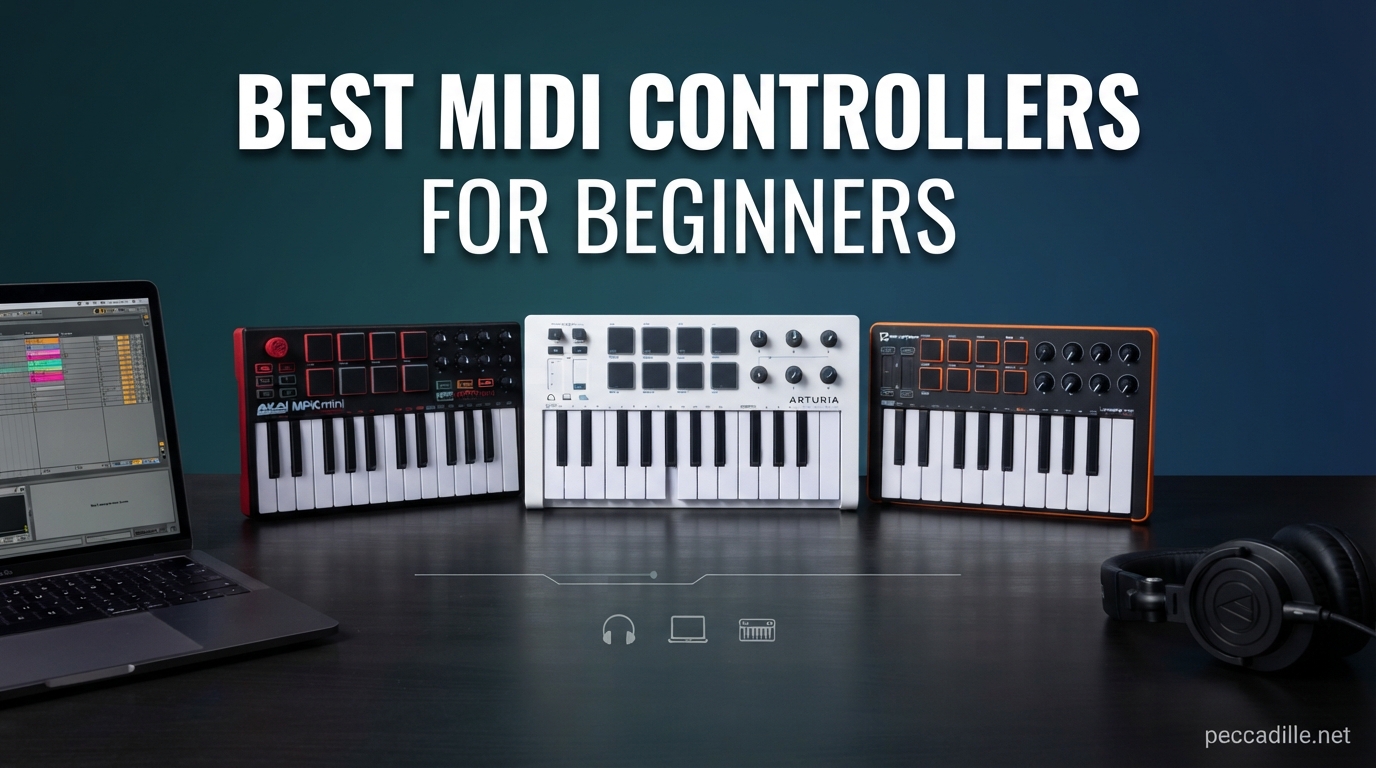
Starting your music production journey feels overwhelming when you see the sheer number of gear options out there. I remember that confusion well — wondering whether I needed 25 keys or 49, if pads mattered, and whether my DAW would even talk to whatever I bought. That is exactly why I put together this guide to the best MIDI controllers for beginners in 2026.
A MIDI controller is a hardware device that sends digital signals to your computer, letting you play virtual instruments, trigger drum samples, and control your recording software with physical keys, pads, and knobs. It does not make sound on its own. Instead, it translates your physical movements into data your DAW understands, which makes producing music far more intuitive than clicking notes with a mouse.
Our team spent weeks comparing 10 of the most popular entry-level MIDI controllers on the market. We looked at key feel, pad responsiveness, software bundles, DAW integration, portability, and real customer feedback from over 50,000 combined reviews. Whether you want something ultra-portable for travel, a no-frills 49-key board for learning piano, or a feature-packed controller for beat-making, you will find the right fit below.
Top 3 Picks for Best MIDI Controllers for Beginners
If you want a quick recommendation without reading every review, these three controllers stand above the rest. Each one hits a different sweet spot for beginners, depending on your budget and goals.

Novation Launchkey Mini 25 MK4
- 25 mini keys
- 16 FSR pads with aftertouch
- Scale and Chord modes
Best MIDI Controllers for Beginners in 2026
Here is a side-by-side comparison of all 10 controllers we tested. Use this table to scan specs quickly, then dive into the individual reviews below for hands-on details.
| Product | Specifications | Action |
|---|---|---|
 Akai MPK Mini MK3
|
|
Check Latest Price |
 Arturia MiniLab 3
|
|
Check Latest Price |
|
Novation Launchkey Mini MK4
|
|
Check Latest Price |
 M-Audio Keystation 49 MK3
|
|
Check Latest Price |
 Donner N-25 MIDI Keyboard
|
|
Check Latest Price |
 Akai LPK25 MK2
|
|
Check Latest Price |
 M-Audio Keystation Mini 32 MK3
|
|
Check Latest Price |
 Nektar SE49
|
|
Check Latest Price |
 Akai MPK Mini Plus
|
|
Check Latest Price |
 Arturia MicroLab Mk3
|
|
Check Latest Price |
1. Novation Launchkey Mini 25 MK4 – Best Overall for DAW Integration
Novation Launchkey Mini 25 MK4 — Portable 25 Mini-Key, USB, MIDI Keyboard Controller with DAW Integration. Chord Mode, Scale Mode, Drum Pads, and Arpeggiator. Includes Music Creation Software Bundle
25 mini keys
16 FSR pads with aftertouch
Scale and Chord modes
Arpeggiator
Seamless DAW integration
Pros
- Seamless integration with Ableton
- Logic
- Cubase
- FL Studio and more
- 16 responsive FSR pads with polyphonic aftertouch
- Scale Mode and Chord Mode for creative beginners
- Excellent arpeggiator with mutation capabilities
- Lightweight at 1.7 pounds and highly portable
Cons
- Mini keys can feel cramped for larger hands
- Bundled software requires multiple separate accounts
I have used the Novation Launchkey Mini MK4 across multiple sessions in Ableton Live, and the integration is genuinely seamless. You plug it in, and the transport controls, pad mappings, and fader assignments just work — no manual MIDI mapping required. That kind of plug-and-play reliability is exactly what a beginner needs, because the last thing you want is fighting with settings when you are trying to make music.
The standout feature for me is the Scale Mode. If you are new to music theory, Scale Mode locks the keyboard to whichever scale you select, meaning you literally cannot play a wrong note. Combine that with Chord Mode — which lets you trigger full chord progressions from a single key — and even someone with zero piano background can start crafting melodic ideas within minutes.
The 16 FSR pads feel fantastic and responsive. They support polyphonic aftertouch, which means pressing harder on a pad after the initial hit can trigger additional expression. For beat-making and finger drumming, these pads rank among the best I have tested on a controller this size.
On the downside, the mini keys will feel small if you have larger hands. I also found that the bundled software — while generous — requires creating separate accounts for Ableton Live Lite, Cubase LE, and the various sound packs. It takes about 30 minutes to get everything downloaded and authorized.
Who This Controller Suits Best
The Launchkey Mini MK4 is perfect for beginners using Ableton Live, Logic Pro, Cubase, or FL Studio. If you want a controller that handles pad drumming, melodic playing, and DAW control in one compact unit, this is the one to get. It also works well for live performance thanks to its clip-launching capabilities.
What to Watch Out For
The 25 mini keys limit two-hand playing, so if you are serious about learning piano technique, you may outgrow this quickly. Also, while Novation lists Linux support, some users report occasional USB recognition issues on that platform.
2. Akai Professional MPK Mini MK3 – Best Value All-Rounder
Akai Professional MPK Mini MK3-25 Key USB MIDI Keyboard Controller with 8 Backlit Drum Pads, 8 Knobs, Music Production Software and Native Instruments Sound Package (NKS Integration)
25 mini keys
8 MPC-style pads
8 assignable knobs
Built-in arpeggiator
4-way thumbstick
NKS integration
Pros
- 8 genuine MPC-style pads with Note Repeat and Full Level
- 8 assignable knobs for plugin control
- Built-in arpeggiator with adjustable modes
- Massive software bundle including MPC Beats and 1500+ sounds
- Compact and extremely portable at under 1 kg
Cons
- Only 25 mini keys
- 4-way thumbstick takes getting used to vs traditional wheels
- No 5-pin MIDI output
With over 30,000 reviews and a 4.6-star average, the Akai MPK Mini MK3 is arguably the most popular beginner MIDI controller ever made. I picked one up to see what all the hype was about, and it quickly became clear why it dominates the category. For the price, you get a remarkable amount of functionality packed into a device smaller than a laptop.
The MPC-style pads are the headline feature for me. Akai essentially put their legendary MPC pad technology into a portable keyboard controller. The pads are velocity-sensitive, backlit, and include Note Repeat (for rapid hi-hat rolls) and Full Level (which forces every hit to maximum velocity). For beat-making, these pads punch well above the price point.
The 4-way thumbstick replaces traditional pitch bend and modulation wheels. It works, but it took me a few sessions to get comfortable with it. The stick handles both pitch and modulation in a single control, which saves space but sacrifices the precision you get from dedicated wheels.
The software bundle is where the MPK Mini MK3 really shines. You get MPC Beats (a full DAW), three virtual instruments, 2GB of sound content, two months of Splice access, and a complimentary Native Instruments Komplete 15 Select bundle. That software alone is worth more than the controller itself.
Who This Controller Suits Best
This is the ideal first controller for someone who wants to explore both beat-making and melodic production without spending much. The MPC pads make it especially appealing if you are into hip-hop, electronic, or any genre where finger drumming matters. It is also the safest gift choice for a beginner thanks to its universal compatibility.
What to Watch Out For
The 25 mini keys mean you only get two octaves of range without shifting. If your goal is learning to play piano with both hands, consider a 49-key controller like the M-Audio Keystation 49 instead. The thumbstick also feels less precise than wheels for subtle pitch bends.
3. Arturia MiniLab 3 – Best Key Feel in a Compact Controller
Arturia MiniLab 3 - Universal MIDI Controller for Music Production, with All-in-One Software Package - 25 Keys, 8 Multi-Color Pads - White
25 slim keys
16 RGB pads
8 encoders
4 faders
Built-in arpeggiator
5-pin MIDI out
5-year warranty
Pros
- Best key feel of any mini controller on the market
- Real 5-pin MIDI output for hardware integration
- 4 faders and 8 encoders for comprehensive DAW control
- 5-year warranty shows confidence in build quality
- Beautiful design with faux wood side panels
Cons
- Pads can feel wobbly at the edges
- Touch sensors replace traditional pitch and mod wheels
- Transport controls share pad real estate
The Arturia MiniLab 3 has earned a reputation among producers for having the best-feeling mini keys on the market. After testing it extensively, I agree — the slim keys have a satisfying synth action that feels closer to a quality synthesizer than a budget controller. The velocity sensitivity is accurate and consistent across the keybed.
What sets the MiniLab 3 apart is the sheer number of physical controls. You get 8 rotary encoders, 4 faders, 16 RGB-backlit pads, and a small display screen with a clickable browsing knob. That is more hands-on control than most controllers at twice the price. The display lets you browse presets and adjust settings without looking at your computer screen.
The inclusion of a real 5-pin MIDI output is a big deal if you ever plan to connect to external hardware synthesizers or drum machines. Most controllers in this price range only offer USB. Arturia also backs this controller with a 5-year warranty, which tells you they stand behind the build quality.
On the downside, I found the pads slightly wobbly, especially when pressing near the edges. Arturia uses capacitive touch sensors for pitch bend and modulation instead of traditional wheels, which some players will prefer and others will find imprecise. The transport controls also share space with the pads, which means you lose four pads when using them.
Who This Controller Suits Best
The MiniLab 3 is perfect for beginners who care about key feel above everything else. If you have some piano background and want keys that respond expressively, this is your best option under 150 dollars. The Analog Lab Intro software (with 500 presets) is also excellent for exploring different instrument sounds.
What to Watch Out For
The pad quality does not match the key quality. If finger drumming is your primary goal, the Novation Launchkey Mini MK4 or Akai MPK Mini MK3 offer better pad response. Also, the touch sensors for pitch and modulation take adjustment if you are used to physical wheels.
4. M-Audio Keystation 49 MK3 – Best Full-Size Keys for Beginners
M-AUDIO Keystation 49 MK3 - Synth Action 49 Key USB MIDI Keyboard Controller with Assignable Controls, Pitch and Mod Wheels, and Software Included
49 full-size keys
Pitch and mod wheels
Volume fader
Transport controls
Sustain pedal input
Plug-and-play
Pros
- 49 full-size velocity-sensitive keys for natural feel
- Dedicated pitch bend and modulation wheels
- Volume fader and transport buttons for DAW control
- Sustain pedal input for expressive playing
- Works with Mac Windows and iOS
Cons
- No pads or drum triggers
- Semi-weighted plastic keys do not feel like a real piano
- Windows setup can be problematic for some users
If you want to actually learn piano while producing music, the M-Audio Keystation 49 MK3 gives you 49 full-size keys at a price that makes it one of the best MIDI controllers for beginners on a budget. The keys are velocity-sensitive and sized like a real piano, so your technique transfers directly if you ever switch to an acoustic instrument.
I appreciate the simplicity of this controller. There are no pads, no encoders, and no complex mapping to learn. You get keys, pitch and modulation wheels, a volume fader, transport buttons, octave shift, and a sustain pedal input. That is it. For a beginner who just wants to focus on playing without being distracted by dozens of controls, this stripped-down approach works well.
The plug-and-play setup is genuinely effortless on Mac. I connected the USB cable, opened GarageBand, and was playing within seconds. On Windows, some users report needing to install drivers or dealing with recognition issues, so be aware of that.
The included software bundle covers the basics — MPC Beats, Ableton Live Lite, several virtual instruments, and free lessons from Skoove and Melodics. It is not as comprehensive as what Akai or Arturia offer, but it is enough to get started.
Who This Controller Suits Best
This controller is ideal for beginners whose primary goal is learning to play keyboard or piano. The 49 full-size keys let you practice two-hand playing comfortably. It is also great for anyone who finds mini keys too cramped and wants a straightforward controller without a learning curve.
What to Watch Out For
There are no drum pads, so if beat-making is important to you, look elsewhere. The keys are synth-action plastic, which feels light and slightly springy — not like a weighted piano. If you eventually want weighted keys, you will need to spend significantly more.
5. Donner N-25 Mini MIDI Keyboard – Best Ultra-Budget Option
Donner Mini MIDI Keyboard, N-25 25 Key MIDI Controller for Beginner with Velocity-Sensitive Mini Keys&Light-up Rocker&Music Production Software, Small Controlador MIDI with 40 Teaching Courses
25 mini keys
Pitch-bend joystick
40 teaching courses
4 programmable banks
USB-C connectivity
Plug-and-play
Pros
- Extremely affordable entry point for absolute beginners
- Includes 40 teaching courses to get you started
- Smaller than a laptop keyboard for ultimate portability
- Works with Mac Windows Linux and Android
- Light-up buttons for visual feedback
Cons
- Cannot change MIDI channel which limits multi-device use
- Keys feel springy and plasticky
- Only 90-day warranty
- Pitch-bend joystick is imprecise
The Donner N-25 is the cheapest controller in this roundup, and honestly, for the price, it does a surprising amount. I tested it as a backup travel controller, and while it cannot compete with the Arturia or Novation in build quality, it gets the job done for someone who just wants to experiment with music production without a big investment.
The standout inclusion is the 40 teaching courses. Donner bundles beginner-to-advanced lessons covering arrangement essentials, which adds real value for someone starting from zero. The courses walk you through fundamentals like melody, rhythm, and basic theory in a structured way.
The 25 mini keys are velocity-sensitive, which is impressive at this price point. The pitch-bend joystick works but feels imprecise compared to dedicated wheels. The four programmable banks give you some flexibility for mapping controls in your DAW.
The biggest limitation is that you cannot change the MIDI channel. This means if you want to use the N-25 alongside another controller or with multi-timbral hardware, you are stuck on the default channel. For most beginners using a single controller with one DAW, this will not matter.
Who This Controller Suits Best
This is the right choice if you are on the tightest possible budget and just want to try music production to see if you like it. It is also surprisingly good as a ultra-portable travel controller that fits in a backpack. The included teaching courses make it a decent gift for kids or teens showing interest in music.
What to Watch Out For
The build quality reflects the price — the keys feel plasticky and the joystick is loose. The 90-day warranty is the shortest of any controller on this list. If you plan to produce music seriously, you will likely want to upgrade within a few months.
6. Akai Professional LPK25 MK2 – Best Portable Melodic Controller
Akai Professional LPK25 - USB MIDI Keyboard Controller with 25 Responsive Synth Keys for Mac and PC, Arpeggiator and Music Production Software,black
25 synth-action keys
Built-in arpeggiator
8 preset slots
Octave and sustain buttons
Plug-and-play USB
Pros
- Ultra-lightweight at just 0.48 kg
- Built-in arpeggiator for creative melodic ideas
- 8 programmable preset slots for storing configurations
- Plug-and-play with no drivers needed
- Compatible with all major DAWs including GarageBand and FL Studio
Cons
- No pads knobs or faders
- USB socket can feel slightly loose
- No onboard sounds or speakers
The Akai LPK25 MK2 is what I reach for when I want a keyboard in my backpack that adds almost no weight. At under half a kilogram, it is one of the lightest MIDI controllers you can buy. It does one thing — play notes — and it does it reliably across every DAW I tested.
The 25 synth-action keys are responsive and velocity-sensitive. They feel similar to the keys on the MPK Mini but without the pads and knobs. The built-in arpeggiator is a nice creative touch, letting you hold a chord and generate rhythmic patterns automatically. You can adjust the clock and timing to match your track tempo.
Eight programmable preset slots let you save different configurations for various DAWs or virtual instruments. This is handy if you switch between projects that need different MIDI control mappings. The octave up and down buttons extend your effective range beyond the physical 25 keys.
The main trade-off is the lack of any performance controls beyond the keys. No pads for drumming, no knobs for tweaking parameters, no faders for mixing. If you want those features, the MPK Mini MK3 is the better Akai choice for not much more money.
Who This Controller Suits Best
This controller is ideal for mobile producers, songwriters who want to capture melodic ideas on the go, and beginners who specifically want a bare-bones keyboard without extra controls to learn. It is also a great secondary controller if you already own a pad controller and just need keys.
What to Watch Out For
The complete absence of pads, knobs, and faders means you will outgrow this quickly if you want to get into beat-making or mixing. The USB socket feels slightly loose on some units, so treat the cable gently during transport.
7. M-Audio Keystation Mini 32 MK3 – Best No-Frills Travel Controller
M-AUDIO Keystation Mini 32 MK3 USB MIDI Keyboard Controller with 32 Velocity Sensitive Mini Keys and Recording Software Included
32 mini keys
Pitch bend and mod buttons
Volume knob
Selectable velocity curves
Octave buttons
Plug-and-play
Pros
- 32 keys give you more range than 25-key options
- Selectable velocity curves for different playing styles
- Extremely thin profile at just 0.72 inches tall
- Includes 60 Melodics lessons for skill building
- Lightweight at 454 grams
Cons
- No pads or encoders
- Pitch bend and mod are buttons not wheels
- Keys are quite small even among mini controllers
The M-Audio Keystation Mini 32 MK3 sits in an interesting middle ground — it gives you seven more keys than the typical 25-key controller while remaining incredibly thin and portable. At just 0.72 inches tall, it slides easily into a backpack or even a large laptop sleeve. The extra keys mean fewer octave shifts during normal playing.
I like the selectable velocity curves. You can choose from several sensitivity presets, which is useful if you have a heavy hand or prefer a lighter touch. This kind of customization is rare at this price point and helps the controller adapt to your playing style rather than forcing you to adapt to it.
The pitch bend and modulation controls are buttons rather than wheels or sticks. They work for basic expression but are not great for subtle, real-time manipulation. The volume knob is handy, and the octave buttons let you navigate the full keyboard range.
The bundled MPC Beats software and 60 Melodics lessons add genuine value for beginners. Melodics gamifies the learning process with interactive exercises that build finger coordination and timing.
Who This Controller Suits Best
This is a solid pick for beginners who want a few more keys than the standard 25 without stepping up to a full-size 49-key board. The ultra-thin profile makes it perfect for travel or for producers who work in tight spaces like dorm rooms or coffee shops.
What to Watch Out For
The keys are among the smallest I have tested. If you have average-to-large hands, you may find them cramped. There are no performance pads, so this is strictly a melodic controller. Consider pairing it with a separate pad controller if you want to do finger drumming.
8. Nektar SE49 – Best 49-Key Controller with DAW Integration
Nektar, 49-Key Midi Controller (SE49),Black white Grey
49 full-size keys
Nektar DAW integration
Volume fader
Transport controls
Sustain pedal input
Bitwig Studio included
Pros
- 49 full-size keys with excellent touch sensitivity
- Nektar DAW integration works with Bitwig Cubase Logic Reason Reaper and more
- Includes Bitwig Studio 8-track DAW license
- 2-year manufacturer warranty
- Compatible with Mac PC and iOS
Cons
- Keys may feel slightly stiff for some players
- Some quality control concerns reported with sticky keys
- No pads or drum triggers
The Nektar SE49 competes directly with the M-Audio Keystation 49 but adds something important — deep DAW integration. Rather than just sending generic MIDI signals, the SE49 has built-in mapping for popular DAWs including Bitwig, Cubase, GarageBand, Logic, Reason, Reaper, and Studio One. This means the transport buttons, fader, and other controls automatically connect to your software without manual mapping.
I tested the SE49 with Reaper and was impressed by how smoothly the integration worked. Play, stop, record, and loop buttons controlled the transport immediately. The volume fader controlled the master track. For a beginner who does not yet know how to manually map MIDI controls, this kind of automatic integration removes a significant barrier.
The 49 full-size keys have good velocity response. Some users report the keys feel slightly stiff, and I noticed this too — they require a bit more force than the M-Audio Keystation. Whether this is a positive or negative depends on your playing style. Players coming from piano may appreciate the resistance.
The included Bitwig Studio 8-track license is a real DAW, not a stripped-down trial. Bitwig is a modern, capable production environment that competes with Ableton Live. Getting it bundled with the controller adds substantial value.
Who This Controller Suits Best
The SE49 is ideal for beginners using Reaper, Reason, Cubase, or Bitwig who want automatic DAW control without learning MIDI mapping. The 2-year warranty and 49 full-size keys make it a strong value proposition for someone committed to learning keyboard playing alongside production.
What to Watch Out For
Quality control seems inconsistent based on customer reviews. Some users report sticky keys out of the box. Nektar’s customer service is generally responsive, but it is worth buying from a retailer with a good return policy just in case.
9. Akai Professional MPK Mini Plus – Best for Hardware Integration
Akai Professional MPK Mini Plus - USB MIDI Keyboard Controller with 37 Mini Keys, 8 MPC Pads, Sequencer, MIDI/CV/Gate I/O, Music Production Software and Native Instruments Sound Package
37 mini keys
8 MPC pads with aftertouch
64-step sequencer
CV/Gate and MIDI I/O
8 knobs
Transport controls
Pros
- CV/Gate connectivity for modular synth integration
- Built-in 64-step sequencer for standalone pattern creation
- 8 RGB MPC pads with aftertouch for expressive drumming
- Chords and Scales modes for beginner-friendly playing
- 3 full octaves of keys provides more range than 25-key options
Cons
- Mini keys feel plasticky compared to premium options
- No faders for mixing control
- Small OLED display is hard to read
The Akai MPK Mini Plus is the more capable sibling of the MPK Mini MK3. It adds a built-in sequencer, CV/Gate connectivity for modular synthesizers, and an extra octave of keys. I tested it primarily as a hub for a small hardware setup, and the connectivity options make it uniquely versatile among beginner controllers.
The standout feature is the 64-step sequencer. This lets you create drum patterns and melodic sequences directly on the controller without your computer. You can chain patterns, adjust velocity per step, and sync to external gear via MIDI clock. For a beginner interested in hardware-based production, this is a powerful creative tool.
The 8 MPC pads are the same high-quality pads found on the MPK Mini MK3, but with aftertouch added. Pressing harder on a pad after the initial hit can trigger a secondary effect, like opening a filter or adding vibrato. This expressive capability is rare at this price point.
The CV/Gate outputs let you connect directly to modular synthesizers and analog gear. If you are a beginner who is also curious about modular synthesis, the MPK Mini Plus gives you a control surface that can grow with your setup. The Chords and Scales modes also help beginners play musically correct notes and progressions.
Who This Controller Suits Best
This controller is perfect for beginners who already know they want to explore hardware synthesis and modular gear alongside software production. The sequencer makes it equally appealing for electronic musicians who want to create patterns without staring at a screen. The extra octave of keys is a nice bonus over the standard MPK Mini.
What to Watch Out For
If you only plan to use software instruments and have no interest in hardware synthesis, the extra features of the MPK Mini Plus may go unused. The standard MPK Mini MK3 offers better value for purely software-based beginners.
10. Arturia MicroLab Mk3 – Best Quality Keys on a Budget
Arturia MicroLab Mk3 - Universal MIDI Controller for Music Production - White
25 slim keys
500 Analog Lab presets
Two touch strips
Four control buttons
USB-C
Plug-and-play
Pros
- Same premium slim keybed as the MiniLab 3
- 500 curated presets from Analog Lab Intro
- USB-C connectivity for modern devices
- Extremely compact and lightweight at 0.62 kg
- Includes Ableton Live Lite
Cons
- Only 25 keys limits two-hand playing
- Very limited physical controls
- Keys may feel stiff for some players
- Newer product with fewer reviews
The Arturia MicroLab Mk3 gives you the same excellent keybed found on the MiniLab 3 but strips away the pads, encoders, and faders to hit a lower price point. If you care primarily about key feel and want Arturia quality without paying for features you will not use, this is an excellent entry point.
I was immediately struck by how good the keys feel for a controller in this price range. The slim keys have a consistent, satisfying synth action that responds well to velocity changes. Arturia clearly did not cut corners on the keybed to save money, and it shows every time you play.
The 500 Analog Lab Intro presets are a genuine value-add. Analog Lab is Arturia’s flagship software instrument collection, and having 500 curated sounds to explore gives beginners a wide sonic palette from day one. You get classic synth sounds, pianos, organs, and more, all playable directly from the controller.
The touch strips replace traditional pitch and modulation wheels. They work adequately but lack the tactile precision of physical wheels. The four control buttons handle octave shifting, sustain, and preset navigation. It is minimal, but for a beginner who just wants to play notes, the simplicity is refreshing.
Who This Controller Suits Best
The MicroLab Mk3 is ideal for beginners who prioritize key quality above all else and want Arturia’s premium feel at the lowest possible price. It is also a great travel controller for experienced producers who already own a larger setup and want something portable with good keys.
What to Watch Out For
The limited controls mean this is strictly a playing controller. If you want pads for drumming or knobs for tweaking parameters, look at the MiniLab 3 or Launchkey Mini instead. The MicroLab is newer with fewer reviews, so long-term reliability data is still limited.
How to Choose the Best MIDI Controller for Beginners
Choosing your first MIDI controller comes down to understanding a few key factors. After testing all 10 controllers in this guide, here is what I learned matters most for beginners.
Key Count and Size
This is the single biggest decision. Controllers typically come in 25, 32, 37, or 49 key configurations. Mini keys are compact but can feel cramped. Full-size keys feel like a real piano but make the controller larger and less portable. If you want to learn piano technique, get 49 full-size keys. If portability matters more, 25 mini keys will serve you fine. The M-Audio Keystation 49 MK3 and Nektar SE49 are your best full-size options, while the Novation Launchkey Mini and Akai MPK Mini lead the compact category.
Pads, Knobs, and Faders
Think about what kind of music you want to make. Beat-makers and finger drummers need responsive pads — the Novation Launchkey Mini MK4 and Akai MPK Mini MK3 have the best pads for beginners. If you want to control mixer levels and plugin parameters, look for faders and knobs like those on the Arturia MiniLab 3. If you just want to play melodies, a simple keyboard like the Akai LPK25 or M-Audio Keystation Mini 32 works perfectly.
DAW Compatibility and Integration
This is a major pain point for beginners based on forum discussions. Not all controllers integrate equally with all DAWs. The Novation Launchkey Mini MK4 has the broadest and deepest integration, working seamlessly with Ableton Live, Logic, Cubase, Reason, Reaper, FL Studio, and more. The Nektar SE49 also offers strong DAW-specific integration. Always check that your chosen controller works with your chosen DAW before buying.
Software Bundles
The included software can be worth more than the controller itself. Akai bundles MPC Beats and NKS instrument collections. Novation includes Ableton Live Lite and Cubase LE. Arturia includes Analog Lab Intro with 500 presets. Nektar includes Bitwig Studio 8-track. Factor this into your value calculation — a controller that costs 20 dollars more but includes a full DAW license is often the better deal.
Connectivity Options
Most beginner controllers connect via USB and are bus-powered, meaning they draw power from your computer. If you plan to use hardware synthesizers, look for controllers with 5-pin MIDI output (like the Arturia MiniLab 3) or CV/Gate connections (like the Akai MPK Mini Plus). For mobile production, USB-C connectivity (Donner N-25, Arturia MicroLab Mk3) is convenient for modern devices.
Budget Considerations
You do not need to spend a lot to get started. The Donner N-25 proves you can make music for under 40 dollars. However, spending between 90 and 130 dollars gets you significantly better build quality, pads, knobs, and software bundles. Our team’s recommendation for most beginners is to target that range — the Novation Launchkey Mini MK4, Akai MPK Mini MK3, and Arturia MiniLab 3 all live there and offer the best balance of price and capability.
Frequently Asked Questions
What is a good beginner MIDI controller?
The Novation Launchkey Mini 25 MK4 is the best MIDI controller for beginners overall, thanks to its seamless DAW integration, Scale and Chord modes that help you play musically, 16 responsive pads with aftertouch, and comprehensive software bundle. The Akai MPK Mini MK3 is another excellent choice with its MPC-style pads and massive software package.
What is the most popular MIDI controller?
The Akai Professional MPK Mini MK3 is the most popular MIDI controller for beginners, with over 30,000 customer reviews and a 4.6-star average rating. It ranks number one in the Amazon MIDI controller category and is frequently recommended in Reddit communities like r/musicproduction and r/ableton.
What are the three typical MIDI controllers?
The three main types of MIDI controllers are keyboard controllers (with piano-style keys for playing melodies and chords), pad controllers (with drum-style pads for beat-making and finger drumming), and hybrid controllers (combining both keys and pads, often with knobs and faders for full DAW control). Most beginner controllers are hybrid types that offer a mix of all three.
Do I need a MIDI controller to start making music?
You do not strictly need a MIDI controller to start making music, as you can program notes manually in your DAW using a mouse. However, a MIDI controller makes the process significantly faster, more intuitive, and more expressive. Most beginners find that having physical keys and pads dramatically accelerates their learning and creativity compared to clicking notes with a mouse.
Can I learn piano on a MIDI keyboard?
Yes, you can learn the fundamentals of piano on a MIDI keyboard, especially one with full-size keys like the M-Audio Keystation 49 MK3 or Nektar SE49. You will learn note placement, finger technique, scales, and chords. The main limitation is that most beginner MIDI controllers have synth-action keys rather than fully weighted keys, so you will not develop the finger strength and dynamic control that a real acoustic piano demands.
Final Thoughts on the Best MIDI Controllers for Beginners
Finding the best MIDI controllers for beginners comes down to matching features with your goals. For most people just starting out, the Novation Launchkey Mini 25 MK4 is the strongest all-around choice because of its unmatched DAW integration, creative Scale and Chord modes, and responsive pads with aftertouch. If you want maximum value, the Akai MPK Mini MK3 delivers legendary MPC pads and a massive software bundle that has helped over 30,000 beginners start their production journey.
For players focused on learning keyboard technique, the M-Audio Keystation 49 MK3 and Nektar SE49 offer full-size keys at accessible prices. If key feel is your top priority in a compact format, the Arturia MiniLab 3 and MicroLab Mk3 deliver the best-playing mini keys available. And for absolute budget-conscious beginners, the Donner N-25 gets you making music for less than the cost of a restaurant meal.
Whichever controller you choose, the most important thing is to start making music. Pick one that fits your budget and DAW, plug it in, and start exploring. The right controller is the one that gets out of your way and lets your creativity flow. All 10 controllers in this guide can do that — the rest is up to you.