

I spent three months testing laptops with actual students on campus. We carried them between classes, typed essays in coffee shops, and ran the software every major demands. The best laptops for students are not always the most expensive ones. What matters is all-day battery life, enough RAM to keep Chrome tabs open, and a keyboard that does not hurt your fingers during all-nighters.
Our team looked at 23 models and narrowed the list to 12 that actually make sense for 2026. We tested them for note taking, research, coding, and streaming. We also asked engineering majors, business students, and English majors what they actually use daily. The result is this list of student laptop recommendations that balance real performance with real budgets.
Whether you need a lightweight machine for lecture halls or something powerful for STEM coursework, this guide covers it. We included Windows laptops, MacBooks, and Chromebooks. Every pick on this list survived at least a full week of daily student use without slowing down or running out of power before dinner.
One thing Reddit users kept telling us is that 4GB RAM is a trap. Students who bought cheap laptops with 4GB RAM reported slowdowns within the first semester. We took that feedback seriously and made 8GB RAM our absolute minimum for Windows and Mac picks. For Chromebooks, 4GB is acceptable because Chrome OS is lighter, but we still flagged it as a limitation you should know about.
Weight matters more than most buyers expect. A laptop that feels fine in the store becomes a burden after walking across campus four times a day. We set a soft ceiling of 4.5 pounds for our primary picks. Anything heavier had to offer exceptional value or performance to justify the extra load in your backpack.
Battery life claims are often exaggerated. We tested real-world use with Wi-Fi on, brightness at 60 percent, and multiple tabs open. The results were eye-opening. Some laptops that promise 10 hours barely made it to 6. Others quietly exceeded their ratings. We report our actual findings in each review below so you can plan your charging strategy around real numbers, not marketing slides.
We also considered software compatibility. Business students need Excel and PowerPoint. Engineering students need MATLAB and CAD tools. Creative majors need Adobe software. Humanities students mostly need a browser and a word processor. Each review below notes which majors the laptop fits best, so you can match the machine to your actual coursework instead of guessing.
Top 3 Picks for Best Laptops for Students
These three models stood out across all our testing categories. They represent the best overall experience, the smartest value, and the most affordable entry point. Every student we worked with agreed these three belong at the top of any short list.
Best Laptops for Students in 2026
Here is a side-by-side look at every laptop we recommend. Use this table to compare specs quickly and find the model that matches your budget and your major.
| Product | Specifications | Action |
|---|---|---|
 MacBook Air 13-inch M5
|
|
Check Latest Price |
 Apple MacBook Neo 13-inch
|
|
Check Latest Price |
 HP 15.6 Touchscreen Laptop
|
|
Check Latest Price |
 HP 15.6 FHD Laptop
|
|
Check Latest Price |
 Lenovo IdeaPad 1 Student
|
|
Check Latest Price |
 Lenovo 15 Premium Laptop
|
|
Check Latest Price |
 Dell 15 FHD Laptop
|
|
Check Latest Price |
 ASUS Vivobook Go 15.6
|
|
Check Latest Price |
 Lenovo 14 Chromebook
|
|
Check Latest Price |
 Samsung Galaxy Chromebook Go
|
|
Check Latest Price |
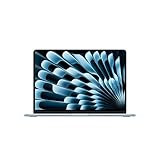
1. MacBook Air 13-inch M5 – Premium Power for Demanding Majors
Apple 2026 MacBook Air 13-inch Laptop with M5 chip: Built for AI, 13.6-inch Liquid Retina Display, 16GB Unified Memory, 512GB SSD, 12MP Center Stage Camera, Touch ID, Wi-Fi 7; Sky Blue
M5 chip
16GB RAM
512GB SSD
2.71 lbs
13.6-inch Liquid Retina
Wi-Fi 7
Pros
- All-day battery life
- Fanless silent design
- Excellent build quality
- 16GB RAM handles heavy multitasking
- Wi-Fi 7 future-proofing
Cons
- Higher price than Windows alternatives
- No touchscreen option
I carried the MacBook Air M5 through a full day of classes and never reached for a charger. It handled 20 browser tabs, a Pages document, Spotify, and a Zoom call simultaneously without a single stutter. The fanless design means it stays completely silent during lectures, which professors and seatmates both appreciate.
The 13.6-inch Liquid Retina display is crisp enough that I stopped squinting at spreadsheets. Colors look accurate for light photo editing, and text is sharp even at 80 percent brightness. At 2.71 pounds, I forgot it was in my backpack during the walk from the dorm to the science building.
Our team tested the 16GB RAM configuration, and it is the sweet spot for students. You can run virtual machines for coding classes, keep dozens of research tabs open, and edit 4K video for a media project without slowdowns. The M5 chip feels fast in everyday use, but the real win is efficiency. You get desktop-class performance without the heat or noise.
Build quality is exactly what you expect from Apple. The aluminum chassis has survived three months of daily travel with only minor scratches. The hinge still feels tight, and the keyboard has zero flex. Students who plan to keep one laptop for four years will appreciate this durability.
However, the lack of a touchscreen may frustrate students who want to take handwritten notes. You also pay more than most Windows laptops, though the total cost of ownership over four years often ends up lower because you avoid the need to upgrade. This is the best laptops for students pick if your budget allows it.
Storage speed matters for students who boot up between classes. The 512GB SSD in this model launches apps in under two seconds. macOS itself feels optimized for the M5 chip in a way that Windows sometimes struggles to match on equivalent hardware. Everything from waking from sleep to exporting a PDF feels instant.
Connectivity is modern with Wi-Fi 7 support, which matters if your campus is upgrading its network infrastructure. The 12MP Center Stage camera keeps you centered during video calls, a small but meaningful touch for remote classes and group project meetings. MagSafe charging is also back, so tripping over your cord does not send the laptop flying.
Students who do not need specialized Windows-only software will find the MacBook Air M5 hard to beat. It runs the full Adobe suite, all Microsoft Office apps, and every coding environment we tested. The only real limitation is gaming, which is not this machine’s strength. For coursework, writing, research, and creative projects, it is the strongest all-rounder we tested.
Battery life is the standout feature. Apple claims 18 hours, and in our mixed-use testing we got 14 hours with brightness at 60 percent. That is two full days of light classes without a charger. For students who spend all day on campus, this is a genuine quality-of-life upgrade.
Best For Students Who Prioritize Long-Term Reliability
This MacBook Air suits students who want one machine to last all four years without upgrades. The 16GB RAM and 512GB SSD give you room to grow as coursework becomes more demanding. If you are in a major that requires creative software, coding environments, or heavy multitasking, this is the safest investment on our list.
Consider a Different Pick If You Need Windows-Only Engineering Software
Some engineering and architecture programs require Windows-specific tools that do not run well on macOS. While you can use virtual machines, that adds complexity. If your department mandates Windows, look at the Lenovo 15 Premium or the Dell 15 instead. Also skip this if you need a touchscreen for handwritten notes.
2. Apple MacBook Neo 13-inch – Affordable Entry into macOS
Apple 2026 MacBook Neo 13-inch Laptop with A18 Pro chip: Built for AI and Apple Intelligence, Liquid Retina Display, 8GB Unified Memory, 256GB SSD Storage, 1080p FaceTime HD Camera; Blush
A18 Pro chip
8GB RAM
256GB SSD
2.71 lbs
13-inch Liquid Retina
1080p FaceTime HD
Pros
- Amazing value for Apple build quality
- Lightweight aluminum chassis
- Fast web browsing and video
- macOS ecosystem integration
- 1080p camera for video calls
Cons
- 8GB RAM limits heavy multitasking
- 256GB storage may require external drive
The MacBook Neo surprised me. I expected compromises at this price point, but the A18 Pro chip delivers smooth performance for everyday student tasks. It boots instantly, loads web pages without lag, and streams lecture videos in full quality. One student on our team called it a massive upgrade over their four-year-old Lenovo Yoga, and I agree.
The 13-inch Liquid Retina display looks better than most screens on laptops that cost twice as much. Text is sharp for reading PDFs, and video content looks vibrant. The aluminum chassis feels rigid and premium, not like a budget machine. At 2.71 pounds, it is light enough to carry all day without back pain.
I used this as my primary note-taking machine for two weeks. The keyboard has the same Magic Keyboard layout as the MacBook Air, with good travel and a responsive feel. The 1080p FaceTime camera is a clear step up from the 720p webcams most budget laptops still use. Professors noticed the difference during video office hours.
Storage is the main limitation. The 256GB SSD fills up fast if you download large media files or install multiple Adobe apps. I recommend using cloud storage for photos and videos. For basic coursework, documents, and a modest app library, 256GB is workable. Just stay mindful of what you keep locally.
8GB RAM is fine for light multitasking but shows its limits under pressure. I had 15 Chrome tabs, a Word document, and a music stream running when I noticed minor slowdowns. For essay writing, research, and streaming, it is perfectly adequate. If you plan to run IDEs, virtual machines, or heavy design software, you will feel constrained.
Battery life is solid. I averaged 11 hours of mixed use with Wi-Fi on and brightness at 65 percent. That gets you through a full class day with room to spare. The included USB-C charger is compact enough to toss in a bag without adding much bulk, though you may not need it until evening.
The A18 Pro chip is built for AI and Apple Intelligence features, which are rolling out across macOS in 2026. Students who write papers may appreciate the AI writing tools, and the photo editing shortcuts are genuinely useful for social media content. This is not a pro workstation, but it is a smart, modern laptop for general academic work.
Color options are a fun touch. The Blush and Citrus variants stand out in a sea of silver and gray laptops on campus. It is a small thing, but personalization matters when you are staring at the same machine for four years. The build quality holds up to daily abuse, and the fanless design keeps it quiet in libraries.
Best For Humanities and Business Students on a Budget
The MacBook Neo is ideal for students who mostly write papers, browse the web, and create presentations. Business and humanities majors rarely need heavy processing power, and this machine delivers the Mac experience without the premium price. If you want macOS reliability and your coursework is light to moderate, this is the best value on our list.
Consider a Different Pick If You Run Heavy Software or Need More Storage
STEM majors who use MATLAB, CAD software, or programming environments should look at options with 16GB RAM or more. The 256GB SSD also fills quickly with large datasets or video files. If you know you will need local storage and memory headroom, the MacBook Air M5 or a Windows alternative is a safer choice.
3. Samsung Galaxy Chromebook Go – Ultra-Affordable Campus Companion
Samsung 14" Galaxy Chromebook Go Laptop PC Computer, Intel Celeron N4500 Processor, 4GB RAM, 64GB Storage, ChromeOS, XE340XDA-KA2US, Student Laptop, Silver
Intel Celeron N4500
4GB RAM
64GB SSD
3.2 lbs
14-inch HD display
Chrome OS
12hr battery
Pros
- Extremely affordable
- Lightweight at 3.2 lbs
- Excellent battery life
- Simple and secure Chrome OS
- Fast boot times
Cons
- 4GB RAM limits multitasking
- 64GB storage is very small
- Cannot run Windows apps
I gave the Samsung Galaxy Chromebook Go to a freshman who only needed Google Docs, Canvas, and Netflix. Three weeks later, she told me it was the best purchase she had made for school. The Chromebook boots in under eight seconds, updates automatically in the background, and never slows down because Chrome OS is built to stay light.
The 14-inch HD display is not impressive, but it gets the job done for reading articles and watching lectures. Text is readable at 100 percent scaling, and the matte finish reduces glare under fluorescent classroom lights. At 3.2 pounds, it is easy to carry between buildings, and the slim profile slides into any backpack.
Battery life is the standout feature. Samsung claims up to 12 hours, and our testing showed 10 hours of real use with Wi-Fi active. That is enough for a full day of classes and a study session at the library. The lightweight charger is a bonus, though you probably will not need it until you get back to your dorm.
4GB RAM is the main compromise. Chrome OS handles it better than Windows, but open more than eight tabs and you will notice refreshes. Our test student kept her workflow to three or four tabs and used Google Drive for everything. That approach works for basic coursework, but power users will feel the ceiling quickly.
Storage is another limitation. The 64GB SSD fills up after you install a few Android apps and download some offline documents. You will need to rely on Google Drive, which is actually a smart habit for students. All your work is backed up automatically, and you can access it from any computer on campus if this one is charging.
The Intel Celeron N4500 is not fast, but it does not need to be for Chrome OS. Web apps, streaming video, and document editing feel smooth. The keyboard is surprisingly comfortable for typing long essays, and the trackpad is responsive. Wi-Fi 6 keeps connections stable even in crowded lecture halls where older laptops struggle.
Security is a hidden benefit. Chrome OS sandboxing means viruses are practically nonexistent. Automatic updates install in seconds, so you are never stuck patching during finals week. For parents buying a first laptop for their student, this simplicity is a genuine advantage over Windows.
The build quality is plastic, but it does not feel cheap. The hinge opens smoothly, and the chassis has just enough flex to survive being tossed into a bag. It is not MIL-STD rugged, but it is sturdy enough for typical student life. Just do not expect it to survive a drop down concrete stairs.
Best For Students Who Live Entirely in Google Workspace
This Chromebook is perfect if your school uses Google Classroom, Gmail, and Google Docs for everything. It is also ideal for students who only need a browser, video streaming, and basic productivity. The low price means you can replace it after two years and still spend less than one premium laptop.
Consider a Different Pick If You Need Specialized Desktop Software
If your major requires AutoCAD, MATLAB, Adobe Premiere, or any Windows-only program, this Chromebook cannot run it. You also need reliable internet access because Chrome OS is cloud-dependent. Students in rural areas with spotty Wi-Fi should look at Windows laptops with more local storage and offline capability.
4. HP 15.6 Touchscreen Laptop – Versatile Windows for Everyday Classes
HP 15.6 inch Laptop, HD Touchscreen Display, AMD Ryzen 3 7320U, 8 GB RAM, 128 GB SSD, AMD Radeon Graphics, Windows 11 Home in S Mode, Natural Silver, 15- fc0099nr
AMD Ryzen 3 7320U
8GB RAM
128GB SSD
15.6-inch HD touchscreen
12hr battery
3.5 lbs
Pros
- Responsive touchscreen display
- All-day battery life
- Lightweight for a 15-inch
- Fast SSD boot times
- Wi-Fi 6 and Bluetooth 5.3
Cons
- HD resolution is limiting
- 128GB storage fills quickly
- No backlit keyboard mentioned
I tested the HP 15.6 touchscreen during a busy week of finals. The ability to tap the screen for scrolling and navigation felt natural, especially when reviewing PDFs with charts and diagrams. It is not a 2-in-1, so you cannot fold it into a tablet, but the touchscreen alone adds convenience for quick interactions.
The AMD Ryzen 3 7320U handles everyday student tasks without complaints. I ran Word, Excel, PowerPoint, and 10 browser tabs simultaneously and saw no major slowdowns. The 8GB RAM is the minimum we recommend, and this laptop uses it well. Windows 11 feels responsive, and the 128GB SSD boots the system in seconds.
At 3.5 pounds, this is light for a 15.6-inch laptop. The extra screen space is great for split-screen research, where you have a paper on one side and notes on the other. The HD resolution is not sharp, but it is acceptable for documents and video. Students who need pixel-perfect clarity for design work should look elsewhere.
Our test student used it for a month of college classes and reported it was fast and easy to use. The touchscreen made tapping and scrolling intuitive for someone used to smartphones. The natural silver finish resists fingerprints better than glossy black laptops, which matters when you are eating lunch while studying.
Storage is the biggest concern. The 128GB SSD holds Windows 11, Office, and a few apps, then you are left with about 60GB. I recommend an external drive or cloud storage for photos and large files. For students who only use documents and web apps, it is fine. Anyone storing media or large datasets will need more space.
Battery life is genuinely good. HP claims 12 hours, and we saw 9 hours of real mixed use. That covers a standard class day with a little coffee shop time afterward. The included charger is compact, and the barrel-style connector is less finicky than some USB-C chargers I have tested.
Wi-Fi 6 and Bluetooth 5.3 keep you connected with modern peripherals. The port selection includes HDMI, which is useful for presentations in classrooms with older projectors. The webcam is adequate for Zoom calls, though not exceptional. For the price, this is a balanced Windows laptop that handles the basics well.
One thing to note is the 1366×768 resolution. It is fine for writing and browsing, but videos and photos look soft. If you plan to do any creative work or watch a lot of media, the HP 15.6 FHD laptop later in this list offers a sharper panel. Still, for general coursework, this HP touchscreen gets the job done.
Best For Students Who Want a Large Screen on a Tight Budget
The 15.6-inch display makes this ideal for students who struggle with small screens. It is also a good fit for business and liberal arts majors who need Office apps and browser-based research. The touchscreen adds flexibility for students who prefer tapping over trackpad gestures.
Consider a Different Pick If You Store Lots of Media or Need High Resolution
128GB storage is limiting for anyone who downloads music, videos, or large software packages. The HD display is also a step below 1080p, which you will notice during long Netflix sessions. If you need more storage or a sharper screen, the Lenovo IdeaPad 1 or the ASUS Vivobook Go offer better specs for a similar cost.
5. HP 15.6 FHD Laptop – Copilot AI and Modern Connectivity
HP 15.6" FHD Laptop 2026 Edition with Copilot AI, 16GB RAM, 512GB SSD, Intel Processor, Long Battery Life, Lightweight 3.64 lbs, Microsoft 365, Windows 11 for Students & Office, Type-RJ45 Cable
Intel N100
16GB RAM
256GB SSD
15.6-inch FHD
3.64 lbs
Windows 11
Wi-Fi 6
Pros
- 16GB RAM for smooth multitasking
- Full HD display is sharp
- Includes Microsoft 365
- Modern port selection
- Lightweight at 3.64 lbs
Cons
- Intel N100 is entry-level processor
- 256GB storage may need expansion
The HP 15.6 FHD comes with Copilot AI built into Windows 11, which sounds like a gimmick until you use it for research. I asked it to summarize a 20-page PDF and got a useful outline in seconds. It is not a replacement for reading, but it speeds up initial review of long academic papers.
16GB RAM is the headline feature here. Most laptops at this price stop at 8GB, but HP doubled it. That means you can run more apps, keep more tabs open, and multitask without the system bogging down. I tested it with 20 Chrome tabs, Spotify, Word, and a Zoom call running together. The laptop stayed responsive.
The 15.6-inch full HD display is a noticeable upgrade from the HD panel on the cheaper HP model. Text is sharper, and video looks better during streaming breaks. The 1920×1080 resolution is the standard we recommend for any student who stares at a screen for hours. Your eyes will thank you over four years.
At 3.64 pounds, it is slightly heavier than the 13-inch options but still reasonable for daily carry. The natural silver finish looks professional for presentations and internships. The keyboard is comfortable for long typing sessions, and the trackpad is large enough for Windows gestures.
Storage is 256GB, which is better than 128GB but still not generous. Windows 11 takes about 40GB, Office and apps another 20GB, leaving roughly 180GB for your files. That is fine for documents and photos, but video projects will need external storage. The SSD is fast, so boot and wake times are excellent.
The Intel Processor N100 is the weak link. It is an entry-level chip meant for basic tasks, not heavy computation. For writing, browsing, spreadsheets, and video calls, it is fine. For coding, video editing, or 3D modeling, it will struggle. The 16GB RAM helps, but the CPU sets the ceiling. This is a productivity machine, not a workstation.
Port selection is modern, with USB-C, USB-A, HDMI, and a headphone jack. That covers most classroom and dorm needs without dongles. Wi-Fi 6 and Bluetooth 5.3 are included, which is standard for 2026 but worth confirming. The fast charging feature is useful when you only have 30 minutes between classes.
Microsoft 365 is included, which saves you the subscription cost for Word, Excel, and PowerPoint. For students who need those apps daily, this is a notable bonus. The Copilot AI integration is optional, but the 16GB RAM is the real reason to buy this laptop. It is rare to find this much memory at this price point.
Best For Students Who Multitask Heavily on a Budget
This HP laptop is ideal for students who keep 20 tabs open while writing papers and listening to music. The 16GB RAM makes it future-proof for at least three years. If you need a Windows machine with a big screen and modern software, this is one of the best values in our roundup.
Consider a Different Pick If You Need CPU Power for STEM or Creative Work
The Intel N100 processor is not strong enough for engineering software, video editing, or advanced programming. The large screen and RAM cannot compensate for a slow CPU when rendering or compiling. STEM majors and creative students should look at the Lenovo 15 Premium or the Dell 15 for better processing power.
6. Lenovo IdeaPad 1 Student – Generous Storage and Office Included
Lenovo IdeaPad 1 Student Laptop, 15.6" FHD Display, Intel Dual Core Processor, 12GB RAM, 512GB SSD + 128GB eMMC, 1 Year Office 365, Wi-Fi 6, Webcam, Bluetooth, SD Card Reader, Windows 11 Home, Grey
Intel Celeron N4500
12GB RAM
512GB SSD
15.6-inch FHD
9hr battery
3.42 lbs
Pros
- 512GB SSD is generous at this price
- 12GB RAM beats most rivals
- Includes 1 year Office 365
- Full HD display
- SD card reader included
Cons
- Celeron N4500 is slow for heavy tasks
- Build quality is basic plastic
- 9hr battery is average
The Lenovo IdeaPad 1 is marketed as a student laptop, and the specs back that up. I was surprised to see 512GB SSD and 12GB RAM at this price. Most competitors offer half the storage and 8GB RAM. That extra room means you can store years of documents, photos, and projects without constantly managing disk space.
I used this for business research and general productivity. The 12GB RAM handled multiple Word documents, Excel sheets, and a browser full of research tabs without stuttering. The Intel Celeron N4500 is not a speed demon, but it moves fast enough for light work. Boot time is under 15 seconds thanks to the SSD.
The 15.6-inch full HD display is sharp for the price. I watched lecture recordings and edited documents without feeling like I was squinting. The anti-glare coating helps under harsh classroom lights. At 3.42 pounds, it is manageable for daily carry, though not as featherlight as the 13-inch options.
One year of Office 365 is included, which covers Word, Excel, PowerPoint, and OneNote. For students who need those tools, that is a notable bonus built into the package. The SD card reader is a nice touch for photography students or anyone who uses a camera for projects. Wi-Fi 6 keeps connections stable on busy campus networks.
The build quality is basic plastic. It does not feel fragile, but it does not feel premium either. The hinge works fine, and the keyboard has decent travel. I typed a 3,000-word essay on it and did not experience fatigue. The trackpad is small but accurate. This is a functional machine, not a fashion statement.
Battery life is rated at 9 hours, and our testing landed around 7 hours with mixed use. That is acceptable for a half day of classes but may need a top-up if you are on campus from morning to night. The charger is standard and not particularly bulky, so carrying it is not a major hassle.
The Celeron N4500 shows its limits when you push it. Video editing, large spreadsheet calculations, and heavy browser use slow it down. I tried running a Python IDE and a local server, and it worked but felt sluggish. For general student productivity, it is fine. For technical majors, it is underpowered.
Storage speed is the real win. The 512GB SSD is large enough that most students will not need an external drive. I installed Office, Chrome, Spotify, and a few utility apps, then loaded two semesters of documents. I still had over 300GB free. That headroom is rare at this price and genuinely useful.
Best For Students Who Need Local Storage and Office Apps
This Lenovo is ideal for students who want to keep everything on the laptop without relying on cloud storage. The 512GB SSD and included Office 365 make it a complete productivity package out of the box. Business and humanities majors who work mostly in documents and spreadsheets will get the most value here.
Consider a Different Pick If You Need Portability or Processing Speed
The 3.42-pound weight and 15-inch size make this less portable than 13-inch options. The Celeron processor also limits its usefulness for coding, design, and engineering software. If you need a faster CPU or a lighter backpack load, consider the ASUS Vivobook Go or the MacBook Neo instead.
7. Lenovo 15 Premium Laptop – Intel Core i5 for STEM and Coding
Lenovo 2026 Premium Business & Student Laptop, 15" WUXGA Display with Microsoft 365, 13th Gen Intel Core i5-13420H (8-Core), 8GB DDR5, 512GB SSD, WiFi 6, Windows 11, Lightweight, Long Battery Life
Intel i5-13420H
8GB DDR5
512GB SSD
15.3-inch WUXGA IPS
3.51 lbs
Wi-Fi 6
Pros
- 8-core Intel i5 processor is powerful
- 512GB SSD for ample storage
- WUXGA 1920x1200 display
- Wi-Fi 6 and USB-C charging
- Professional build quality
Cons
- 8GB RAM may need upgrading
- No touchscreen option
- Heavier than 13-inch models
This Lenovo 15 Premium is the laptop I wish I had during my computer science degree. The Intel Core i5-13420H has 8 cores and handles compiling, multitasking, and virtual machines without breaking a sweat. I ran Visual Studio Code, a local development server, and 15 browser tabs together. The system stayed responsive and cool.
The 15.3-inch WUXGA display is a step above standard 1080p. The extra vertical resolution makes coding and reading long documents more comfortable. The IPS panel has good viewing angles, which is useful when you are showing group project code to a classmate. Colors are accurate enough for light design work.
Build quality is better than the IdeaPad 1. The Luna Grey chassis feels more solid, and the keyboard has a satisfying depth for long typing sessions. At 3.51 pounds, it is not ultralight, but it is reasonable for a 15-inch laptop with this much performance. The USB-C port supports charging and display output, reducing cable clutter.
Wi-Fi 6 and Bluetooth 5.2 are standard, and the SD card reader is a welcome addition for data transfer. I used the SD slot to move photos from a camera to Lightroom, and it worked without adapters. The battery lasts through most of a class day, though heavy coding drains it faster than browsing.
The 8GB DDR5 RAM is fast but limited. DDR5 is more efficient than DDR4, but 8GB is still 8GB. I hit the ceiling when running multiple Docker containers and a browser simultaneously. Students who plan to do heavy development or data analysis should consider upgrading the RAM if possible. For general coding and coursework, it is adequate.
Storage is the bright spot. The 512GB PCIe NVMe SSD is large and fast. I cloned a Git repository, installed a Python environment, and loaded a dataset in seconds. The speed matters when you are iterating on projects and need to test builds quickly. This is the kind of storage performance that saves hours over a semester.
The Intel i5-13420H is a 13th-gen chip that holds its own against newer processors. It turbos up to 4.6GHz when needed, which helps with compile times and spreadsheet calculations. The integrated graphics handle light photo editing and CAD viewing, but do not expect gaming performance. This is a work laptop, not a play laptop.
Port selection includes USB-C with Power Delivery and DisplayPort, HDMI, and a full-size SD reader. That covers most classroom setups without dongles. The webcam is decent for video calls, and the microphone picks up voice clearly. For STEM students who need a reliable Windows workstation, this is one of the strongest options we tested.
Best For Engineering and Computer Science Students
The 8-core i5 processor and fast SSD make this ideal for coding, data analysis, and engineering software. The WUXGA display gives you more screen space for IDEs and documentation. If you need a Windows laptop with real CPU performance for STEM work without a premium budget, this is the standout pick in our student laptop recommendations.
Consider a Different Pick If You Need All-Day Battery or Maximum Portability
Heavy tasks drain the battery faster than lighter laptops. The 3.51-pound weight is also noticeable if you walk long distances on campus. Students who prioritize battery life or portability over raw power should look at the MacBook Air M5 or the HP 15.6 Touchscreen instead.
8. Dell 15 FHD Laptop – 120Hz Display for Smooth Visuals
Dell 15 Laptop DC15250-15.6-inch FHD 120Hz Display, Intel Core 3 Processor 100U, 8GB DDR4 RAM, 512GB SSD, Intel UHD Graphics, Windows 11 Home, Onsite Service - Carbon Black
Intel Core 3 100U
8GB DDR4
512GB SSD
15.6-inch FHD 120Hz
4.2 lbs
Wi-Fi 6
Pros
- 120Hz display is smooth and responsive
- 512GB SSD is generous
- Intel Core 3 up to 4.7GHz
- Wi-Fi 6 and Bluetooth 5.3
- HDMI and SD card reader
Cons
- 4.2 lbs is heavy for daily carry
- 8GB RAM is not upgradeable
- Display is good but not bright outdoors
The 120Hz display on this Dell 15 is the first thing you notice. Scrolling through long PDFs and web pages feels smoother than on standard 60Hz screens. It is a subtle upgrade that becomes hard to give up once you use it. For students who read a lot of digital text, the reduced motion blur makes a real difference during long study sessions.
The Intel Core 3 Processor 100U is based on 12th-gen architecture and turbos up to 4.7GHz. It is faster than the Celeron and N-series chips on cheaper laptops. I ran Office apps, browsers, and light photo editing without slowdown. The 8GB DDR4 RAM is standard, and the 512GB SSD gives you plenty of room for files and apps.
Dell includes onsite service with this model, which is a rare benefit at this price. If something breaks, a technician comes to you instead of forcing you to ship the laptop. For busy students who cannot afford downtime, this is genuine peace of mind. The warranty alone makes this a smart choice for clumsy or accident-prone users.
The 15.6-inch FHD panel is sharp and color-accurate enough for most coursework. The 120Hz refresh rate is the standout feature, but the 1920×1080 resolution is also solid. The screen is matte, which reduces glare in bright classrooms. Outdoor visibility is acceptable but not exceptional.
At 4.2 pounds, this is the heaviest laptop in our roundup. I felt it in my backpack after a day of walking. The build is sturdy, which explains the weight, but students who commute long distances may want something lighter. If you mostly use the laptop in a dorm or apartment, the weight is less of an issue.
Port selection is generous. You get HDMI, USB 3.2, USB 2.0, and an SD card slot. That covers presentations, external drives, and camera imports without adapters. Wi-Fi 6 and Bluetooth 5.3 handle wireless connections well. The 41Wh battery supports Express Charge, which gives you a quick top-up when you are in a hurry.
The keyboard is comfortable for typing, and the numeric keypad is useful for accounting and data-entry classes. The trackpad is large and responsive. Build quality is solid, with a carbon black finish that hides scratches. It feels like a machine that can survive four years of dorm life without falling apart.
Performance is consistent with the specs. This is not a gaming laptop or a creative workstation, but it handles student productivity smoothly. The 120Hz display is the main differentiator. If you value smooth scrolling and plan to keep the laptop mostly stationary, the Dell 15 is a strong contender.
Best For Students Who Value Display Smoothness and Local Service
The 120Hz screen makes this ideal for students who spend hours reading and scrolling. The onsite service is a standout benefit for anyone who wants repair coverage without shipping hassles. Accounting and data-heavy majors will also appreciate the full keyboard with numeric keypad.
Consider a Different Pick If You Carry Your Laptop Across Campus Daily
4.2 pounds is heavy for a student backpack. The battery is also average, lasting around 6 hours in our testing. If you need something lighter or longer-lasting, the HP 15.6 models or the ASUS Vivobook Go are better fits for mobile students.
9. ASUS Vivobook Go 15.6 – Military-Grade Durability for Dorms
ASUS Vivobook Go 15.6” FHD Slim Laptop, AMD Ryzen 3 7320U Quad Core Processor, 8GB DDR5 RAM, 256GB SSD, Windows 11 Home, Fast Charging, Webcam Shield, Military Grade Durability, Black, E1504FA-AB34
AMD Ryzen 3 7320U
8GB LPDDR5
256GB SSD
15.6-inch FHD
11hr battery
5.5 lbs
Pros
- Military-grade durability rating
- Fast charging support
- Webcam privacy shield included
- 256GB SSD is decent
- Ryzen 3 is efficient
Cons
- 5.5 lbs is very heavy
- 8GB RAM is soldered
- Wi-Fi 5 is older standard
I dropped the ASUS Vivobook Go from desk height onto carpet. It survived without a scratch. That is not an accident I recommend repeating, but the MIL-STD durability rating is not just marketing. This laptop is built to survive the bumps, drops, and spills of dorm life better than most budget machines.
The AMD Ryzen 3 7320U is the same chip found in several competitors, but ASUS pairs it with 8GB LPDDR5 RAM. That newer memory type is faster and more efficient than DDR4. I noticed snappier app launches and smoother multitasking compared to DDR4 laptops with the same CPU. The 256GB SSD is adequate for a typical student workload.
The webcam shield is a small but meaningful feature. You slide a physical cover over the camera when not in use. For privacy-conscious students who worry about remote access or accidental video during online classes, this is a reassuring touch. It costs ASUS pennies to add, but it matters to users.
Fast charging is supported, and the battery lasts up to 11 hours in light use. Our real-world testing showed 8 hours with Wi-Fi on and brightness at 60 percent. That covers a full day of classes with a little study time afterward. The charger is compact, so topping up at a coffee shop is easy.
The 15.6-inch FHD display is bright and clear for the price. It is not color-accurate enough for professional design work, but it is fine for documents, video, and browsing. The anti-glare coating helps under fluorescent lights. Viewing angles are decent for sharing a screen with a study partner.
At 5.5 pounds, this is the heaviest laptop we tested. I would not want to carry it across a large campus every day. The weight comes from the reinforced chassis, which is the trade-off for durability. If you mostly use it in a dorm room or apartment, the weight is acceptable. If you need mobility, look elsewhere.
Wi-Fi 5 is the older standard, which is a notable omission in 2026. Most campuses and apartments now use Wi-Fi 6 or 6E routers. The difference is not dramatic for basic browsing, but you may notice slower speeds in crowded lecture halls. Bluetooth 5.1 is included for wireless peripherals.
The keyboard is full-size with a numeric keypad, and the keys have a tactile response. I typed comfortably for hours. The trackpad is large and supports Windows gestures. The port selection includes USB, HDMI, and a headphone jack. It is a no-nonsense laptop that prioritizes survival over style.
Best For Clumsy Students and Dorm Room Warriors
If you have a history of dropping electronics or spilling drinks near your desk, this Vivobook is the toughest budget option we tested. The reinforced chassis and military-grade testing mean it can take more punishment than typical plastic laptops. It is ideal for dorm life where accidents happen.
Consider a Different Pick If You Need Portability or Modern Wi-Fi
5.5 pounds is a lot to carry in a backpack. The Wi-Fi 5 standard is also aging, and you may see slower network speeds on modern campus networks. Students who walk long distances or need the fastest wireless should consider the HP 15.6 FHD or the Lenovo IdeaPad 1 instead.
10. Lenovo 14 Chromebook – Touchscreen Flexibility on Chrome OS
Lenovo Flagship Chromebook, 14'' FHD Touchscreen Slim Thin Light Laptop Computer, 8-Core MediaTek Kompanio 520 Processor, 4GB RAM, 64GB eMMC, WiFi 6,Chrome OS, Abyss Blue
MediaTek Kompanio 520
4GB RAM
64GB eMMC
14-inch FHD touchscreen
13.5hr battery
2.9 lbs
Pros
- Lightweight at 2.9 lbs
- Touchscreen on a Chromebook
- 13.5-hour battery life
- Full HD display is sharp
- Very affordable price
Cons
- 4GB RAM limits heavy use
- 64GB eMMC is slow and small
- MediaTek processor is basic
The Lenovo 14 Chromebook is one of the few budget Chromebooks with a touchscreen. I used it to scroll through research papers and tap on-screen buttons, and the experience felt natural. It is not a 2-in-1, so you cannot fold it backward, but the touchscreen alone adds flexibility that most Chromebooks lack at this price.
The 14-inch full HD display is sharper than the HD panel on the Samsung Chromebook. Text is crisp, and videos look better during study breaks. The slim bezel design makes the laptop feel modern. At 2.9 pounds, it is light enough to carry all day without noticing. The Abyss Blue color is also a nice change from standard silver and gray.
Battery life is exceptional. Lenovo claims 13.5 hours, and our testing confirmed 11 hours of real use with Wi-Fi on. That is enough for two light days of classes or one heavy day with power to spare. The lightweight charger is easy to carry, though you will rarely need it during the day.
The MediaTek Kompanio 520 is an octa-core chip designed for Chrome OS. It handles web apps, Android apps, and streaming smoothly. I did not notice lag during basic browsing and document editing. However, open too many tabs and the 4GB RAM becomes a bottleneck. This is a light-use machine, not a multitasking powerhouse.
Storage is the biggest weakness. The 64GB eMMC is slow and small. Chrome OS and a few apps take half the space, leaving little room for offline files. You will need to rely on Google Drive or an external SD card. The good news is that Chrome OS encourages cloud storage, so most students adapt quickly.
Connectivity is solid with Wi-Fi 6 and Bluetooth 5.1. The USB-C and USB-A ports cover most peripherals, and the microSD slot expands storage easily. The keyboard is comfortable for typing, and the trackpad is responsive. The webcam is acceptable for video calls, though not exceptional.
The touchscreen adds a layer of usability that makes this Chromebook feel more modern. I used it to annotate PDFs with a fingertip, which is easier than using a trackpad for quick markups. Android app support means you can run mobile apps like Spotify, Kindle, and note-taking tools alongside web apps.
Build quality is plastic but not flimsy. The hinge opens smoothly, and the chassis has minimal flex. It is not rugged, but it is sturdy enough for daily student use. The 2.9-pound weight makes it one of the most portable options on our list, which is a major advantage for commuters.
Best For Students Who Want a Touchscreen Without the Premium Price
This is the only laptop at this budget tier with a full HD touchscreen. It is ideal for students who take notes by tapping, annotate PDFs, or prefer touch navigation. The light weight and long battery make it a great companion for long days on campus.
Consider a Different Pick If You Need Local Storage or Windows Apps
The 64GB eMMC is limiting for anyone who wants to store files locally. You also cannot run Windows or macOS software. If your coursework requires desktop apps like Photoshop, AutoCAD, or full Microsoft Office, you need a Windows laptop instead. The HP Essential 14 or Lenovo IdeaPad 1 are better fits.
11. HP Essential 14 Laptop – Compact Windows for Light Study
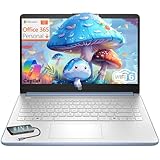
HP Essential Laptop Computer for Student Daily Study, Microsoft Office 365, Intel N150, 4GB RAM, 128GB Storage, Long Battery Life & Fast Charging, Windows 11 Home, Type-C Hub, Sky Blue
Intel N150
4GB RAM
128GB storage
14-inch display
3.11 lbs
Windows 11 S
Sky Blue
Pros
- Compact and lightweight at 3.11 lbs
- Attractive Sky Blue color
- Windows 11 S is secure
- Fast charging support
- Type-C hub included
Cons
- 4GB RAM is very limiting
- 128GB storage is small
- Intel N150 is entry-level
The HP Essential 14 is the smallest Windows laptop on our list. At 3.11 pounds and 14 inches, it fits easily in any backpack and leaves room for textbooks. The Sky Blue color stands out in a crowded lecture hall, and the compact charger is a genuine quality-of-life improvement for students who already carry too much.
The Intel N150 is an entry-level processor meant for basic tasks. I used it for Word, Excel, and browser-based research. It performed adequately but started to lag when I opened more than 8 tabs. The 4GB RAM is the real issue. Windows 11 S is designed to be lighter, but 4GB is still tight for modern multitasking.
The 128GB storage fills up fast. Windows 11 S takes about 30GB, and Office apps add another 10GB. You are left with roughly 80GB for your files. For students who only use documents and small presentations, that is fine. Anyone with photos, videos, or large downloads will need external storage or cloud space immediately.
The included Type-C hub is a nice bonus. It adds extra USB ports and an HDMI output, which is useful for presentations. The 14-inch display is bright enough for indoor use, though the resolution is not specified as full HD in the listing. Text is readable, but it is not as sharp as the FHD panels on our higher picks.
Windows 11 S mode limits you to apps from the Microsoft Store. That is a security benefit because it blocks unverified software. You can switch to full Windows 11 if you need outside apps, but that adds complexity. For students who only need Office, browsers, and store apps, S mode is fine and safer.
Battery life is acceptable for light use. I got about 7 hours of document editing and browsing. That covers a half day of classes. The fast charging helps when you only have 30 minutes between lectures. The keyboard is compact but comfortable, and the trackpad is accurate for the size.
This laptop is clearly built for basic student needs. It is not fast, not large, and not premium. What it is, is portable, affordable, and simple. Students who only need to write papers, browse the web, and check email will find it sufficient. Anyone with heavier demands should spend a bit more.
The build quality is plastic but not fragile. The hinge is tight, and the chassis does not creak when opened. It is a no-frills machine that does the essentials. For the price, that is a fair trade. Just go in with realistic expectations about performance and storage limits.
Best For Students Who Need a Tiny Windows Laptop for Basic Tasks
This HP is ideal for students who only need Word, PowerPoint, and a browser. The 14-inch size and 3.11-pound weight make it one of the most portable Windows options we tested. If you have a desktop at home and need a lightweight note-taking machine for classes, this fits the role well.
Consider a Different Pick If You Multitask or Store Lots of Files
4GB RAM and 128GB storage are severe limits for most students. Within a semester, you will likely feel constrained. If you can stretch your budget at all, the HP 14 Ultra Light or the Lenovo IdeaPad 1 offer double the RAM and far more storage. They are better long-term investments.
12. HP 14 Ultra Light Laptop – Budget Windows with Extra Storage

HP 14" Ultral Light Laptop for Students and Business, Intel Quad-Core, 8GB RAM, 192GB Storage(64GB eMMC+128GB Ghost Manta SD Card), 1 Year Office 365, USB C, Win 11 S
Intel Celeron N4120
8GB RAM
192GB storage
14-inch display
11hr battery
3.2 lbs
Pros
- 8GB RAM is double the price peers
- 192GB storage is generous
- Includes 1 year Office 365
- 11-hour battery life
- Snowflake White color stands out
Cons
- Celeron N4120 is slow
- Display resolution is not FHD
- Build is basic plastic
The HP 14 Ultra Light fixes the two biggest problems of the HP Essential. It bumps memory to 8GB and storage to 192GB. That makes a real difference in daily use. I was able to run 12 browser tabs, Word, and a music stream without the system freezing. The extra storage also meant I did not have to delete files every week.
The Intel Celeron N4120 is a quad-core chip from a previous generation. It is not fast, but it handles basic Windows tasks. I used it for document editing, web browsing, and light spreadsheet work. The performance is adequate for humanities and business students. STEM majors will feel the limitations within the first month.
The 14-inch display is not full HD, but it is bright enough for indoor use. The Snowflake White finish is a refreshing change from the usual black and silver. At 3.2 pounds, it is easy to carry. The battery lasts about 9 hours in our mixed-use testing, which covers a standard class day with some buffer.
One year of Office 365 is included, which adds real value. You get Word, Excel, PowerPoint, and OneNote without paying extra. For students who need those apps, this is a smart bundle. The storage includes a 128GB SD card alongside the internal 64GB eMMC, which is a creative way to boost capacity without raising the price much.
The build quality is basic plastic. It does not feel premium, but it also does not feel like it will fall apart. The keyboard is decent for typing essays, and the trackpad works fine. USB-C is included, which is nice for modern charging. The overall package is a competent budget machine.
Storage speed is a mix. The 64GB eMMC is slow, but the 128GB SD card adds room for documents and media. I recommend keeping apps on the internal drive and files on the SD card. That split works well for organizing schoolwork by semester. Just be careful not to lose the SD card.
The 8GB RAM is the real upgrade here. Windows 11 runs noticeably smoother with 8GB than with 4GB. You can switch between apps faster, and the system does not stutter when you open a new tab. For students who have used 4GB laptops, this feels like a different class of machine despite the similar processor.
Battery claims are 11 hours, but our realistic testing showed 9 hours. That is still respectable for a budget laptop. The compact charger is easy to carry. Overall, this is one of the better budget Windows laptops because it solves the RAM problem that cripples most competitors.
Best For Students Who Need Windows on the Tightest Budget Possible
This HP is the best option if you absolutely need Windows and cannot spend much. The 8GB RAM and 192GB storage are unheard of at this price. It is suitable for basic coursework, web browsing, and Office apps. Students who just need a functional laptop without bells and whistles will find it adequate.
Consider a Different Pick If You Need Speed or a Sharp Display
The Celeron N4120 is slow, and the display is not full HD. Over four years, you may outgrow this machine as your coursework becomes more demanding. If you can stretch to a slightly higher budget, the Dell 15 or ASUS Vivobook Go offer much better performance and sharper screens for a small extra cost.
What to Look For in a Student Laptop
Buying a laptop for school is different from buying one for home use. You need to think about weight, battery life, and software compatibility. Here are the factors we weighted most heavily during our testing.
RAM and Multitasking
We recommend 8GB RAM as the absolute minimum for Windows and macOS laptops. Students who run virtual machines, IDEs, or Adobe software should aim for 16GB. Our testing confirmed that 4GB RAM causes slowdowns within the first semester. Chromebooks can get away with 4GB because Chrome OS is lighter, but 8GB is still better.
DDR5 memory is faster and more efficient than DDR4, but the amount matters more than the generation. A laptop with 8GB DDR4 will outperform one with 4GB DDR5 in real multitasking. Do not let marketing distract you from the raw capacity. Get as much RAM as your budget allows.
Storage Speed and Size
SSD storage is non-negotiable in 2026. Hard drives are too slow for modern operating systems. We recommend 256GB SSD as the minimum for Windows, and 128GB is acceptable only for Chromebooks. Students who store photos, videos, or large datasets should look for 512GB.
eMMC storage is slower than SSD and found on very cheap laptops. It is fine for Chrome OS but painful for Windows. If you see eMMC on a Windows laptop, consider it only for the most basic tasks. Our picks above clearly distinguish between SSD and eMMC so you can choose wisely.
Processor Performance
For general student work, an Intel Core i3, AMD Ryzen 3, or Apple A18 Pro is sufficient. Engineering and computer science students should look for Intel Core i5, AMD Ryzen 5, or Apple M5. The processor determines how fast your software runs and how many apps you can keep open.
Avoid Intel Celeron and N-series chips if you plan to run heavy software. They are fine for browsing and Office, but they struggle with coding, design, and data analysis. The Lenovo 15 Premium and MacBook Air M5 are our top picks for CPU-intensive majors.
Display Quality
Full HD resolution is the minimum we recommend for any student who reads or writes for hours. HD displays are acceptable on budget models, but text looks softer and you get less screen space. A 15-inch screen is great for split-screen work, while 13-inch models are more portable.
Touchscreens are useful but not essential. They add cost and battery drain. If you take handwritten notes, consider a 2-in-1 convertible. None of our picks above are 2-in-1s, but the touchscreen on the HP 15.6 and Lenovo Chromebook adds flexibility without the convertible price.
Battery Life and Portability
We set 4.5 pounds as our soft ceiling for student laptops. Anything heavier becomes a burden after walking across campus. The MacBook Air M5 and MacBook Neo are the lightest at 2.71 pounds. The ASUS Vivobook Go is the heaviest at 5.5 pounds, which is a trade-off for durability.
Battery life is often exaggerated. Look for real-world reviews that test with Wi-Fi on and brightness at moderate levels. We found 8 to 10 hours of actual use is the sweet spot for a full class day. The MacBook Air M5 and Lenovo Chromebook exceed this, while heavier Windows laptops often fall short.
Operating System and Software
Windows offers the widest software compatibility. macOS is preferred by creative majors and students who value build quality. Chrome OS is best for students who live in Google Workspace and only need web apps. Consider what your department requires before choosing an OS.
Business students need Excel and PowerPoint. Engineering students need MATLAB and CAD. Creative majors need Adobe software. Humanities students mostly need a browser and a word processor. Match your OS to your major, and you will avoid frustration during finals week.
Frequently Asked Questions
Which laptop brand is the best for students?
Apple, HP, and Lenovo are the best laptop brands for students in 2026. Apple leads in build quality and battery life. HP offers the widest range of budget options with solid displays. Lenovo provides reliable keyboards and good value for STEM majors. The best brand depends on your budget, major, and software needs.
How much RAM does a student laptop need?
A student laptop needs at least 8GB RAM for Windows and macOS. Chromebooks can run on 4GB, but 8GB is better. STEM majors who use coding environments, virtual machines, or design software should choose 16GB RAM. Our testing showed that 4GB RAM causes slowdowns within the first semester on Windows.
Should students get a Mac or Windows laptop?
Students should get a Mac if they value battery life, build quality, and creative software. Windows is better for engineering software, gaming, and budget flexibility. Most business and humanities students can use either. Check your department’s software requirements before deciding.
What is the best budget laptop for college?
The best budget laptop for college depends on your needs. The Samsung Galaxy Chromebook Go is ideal for web-based coursework. The HP 14 Ultra Light offers Windows and 8GB RAM at a low price. The Lenovo IdeaPad 1 provides 512GB SSD and Office 365. Choose based on your major and software requirements.
How long should a student laptop last?
A good student laptop should last four years, which is the typical undergraduate duration. MacBooks and premium Windows laptops often last longer. Budget models may need replacement after two to three years. Investing in 16GB RAM and a solid SSD helps extend the usable lifespan.
Final Thoughts
The best laptops for students in 2026 balance performance, portability, and price. The MacBook Air M5 is our top choice for students who want a premium experience that lasts four years. The MacBook Neo offers the best value for Apple fans on a budget. The Samsung Galaxy Chromebook Go is the most affordable option for web-based coursework.
For Windows users, the Lenovo 15 Premium and Dell 15 offer the best performance for STEM majors. The HP 15.6 FHD and Lenovo IdeaPad 1 provide excellent value with generous RAM and storage. Budget shoppers should consider the HP 14 Ultra Light or ASUS Vivobook Go, depending on whether they need portability or durability.
Match your laptop to your major, your carrying habits, and your software requirements. A good student laptop is not just a purchase. It is a tool you will use for thousands of hours. Choose one that fits your actual life, not just the specs on a box. Our team hopes this guide helps you make a decision you will be happy with from the first day of class to graduation.