

Finding the best laptops for data science means balancing raw processing power, memory capacity, and GPU acceleration in a machine you can actually carry around. Our team spent three months testing laptops across Jupyter notebooks, Python pipelines, large dataset manipulation, and machine learning model training to figure out which ones hold up under real workloads.
Data science demands more from a laptop than almost any other field. You need a multi-core processor that won’t choke on pandas operations, enough RAM to load substantial datasets without swapping, and ideally a dedicated GPU for deep learning work. The 80/20 rule applies here too: 80% of your work (data cleaning, visualization, statistical analysis) runs fine on modest hardware, but that last 20% involving ML training or big data processing will expose any weakness.
Whether you are a data science student building your first models, a professional analyst working with massive datasets, or a machine learning engineer training neural networks, we have ranked 10 laptops across every price tier. From the Apple M5 Pro MacBook Pro to budget-friendly options under $800, every pick on this list has been evaluated for the specific demands of data science work in 2026.
Top 3 Picks for Best Laptops for Data Science

Apple 2026 MacBook Pro M5 Pro
- M5 Pro 18-core CPU
- AI-optimized Neural Engine
- 24GB Unified Memory
- 2TB SSD
- All-day battery

ASUS ROG Strix G16 (2025)
- Intel Core Ultra 9 275HX
- RTX 5070 Ti GPU
- 32GB DDR5
- 2.5K 240Hz Display
- Wi-Fi 7

NIMO 15.6 AI-Ready Laptop
- Ryzen 7 8745HS 8-Core
- 16GB DDR5
- 1TB SSD
- Radeon 780M
- 15.5h Battery Life
Best Laptops for Data Science in 2026
| Product | Specifications | Action |
|---|---|---|
|
Apple MacBook Pro M5 Pro
|
|
Check Latest Price |
 Apple MacBook Pro M4 Pro
|
|
Check Latest Price |
 Lenovo ThinkPad P16 Gen 2
|
|
Check Latest Price |
|
ASUS ROG Strix G16 (2025)
|
|
Check Latest Price |
 Acer Nitro V 16S AI
|
|
Check Latest Price |
 Lenovo ThinkPad E16 Gen 3
|
|
Check Latest Price |
 Lenovo ThinkPad E16 Gen 2
|
|
Check Latest Price |
|
NIMO 15.6 AI-Ready
|
|
Check Latest Price |
 Lenovo V-Series V15
|
|
Check Latest Price |
 Acer Nitro V Gaming
|
|
Check Latest Price |
1. Apple 2026 MacBook Pro M5 Pro – Best Overall for Machine Learning
Apple 2026 MacBook Pro Laptop with Apple M5 Pro chip with 18-core CPU and 20-core GPU: Built for AI, 14.2-inch Liquid Retina XDR Display, 24GB Unified Memory, 2TB SSD, Wi-Fi 7; Space Black
M5 Pro 18-core CPU
20-core GPU
24GB Unified Memory
2TB SSD
Wi-Fi 7
Pros
- Built for AI workloads with Neural Accelerator
- All-day battery life for field work
- 2TB SSD for large datasets
- 1600 nits peak brightness display
- Thunderbolt 5 connectivity
Cons
- Premium price point
- Limited early review count
I have been testing the M5 Pro MacBook Pro for deep learning workflows since it launched, and the performance leap over the M4 generation is immediately noticeable. The 18-core CPU and 20-core GPU chew through data preprocessing tasks that used to take my older machine several minutes. Loading a 4GB CSV file into pandas and running transformations feels nearly instantaneous.
The 2TB SSD is a standout feature for data science work. When you are working with multiple datasets, trained model weights, and Docker containers for reproducible environments, storage fills up faster than you might expect. Having 2TB built in means I stopped carrying external drives to client meetings entirely.
What really sets this machine apart for machine learning is the Neural Accelerator built into the M5 Pro chip. Running inference on locally hosted LLMs and training small neural networks feels surprisingly capable for a laptop. I ran PyTorch models and TensorFlow pipelines without hitting the thermal throttling that plagues most Windows machines under sustained loads.
The battery life is genuinely all-day. I worked through a full conference of data presentations, model debugging sessions, and Jupyter notebook development without reaching for a charger. That kind of endurance matters when you are presenting results to stakeholders away from your desk.
One consideration is that Apple Silicon does not support CUDA. If your ML workflow depends heavily on NVIDIA-specific libraries, you will need to rely on Metal Performance Shaders or cloud GPU instances. For most data science work outside of heavy deep learning, this is not a dealbreaker.
The UNIX-based terminal is a real advantage over Windows machines. Setting up Python environments, managing dependencies with conda, and running shell scripts feels natural without needing WSL or virtual machines.
Who Should Buy This Laptop
This is the best laptops for data science pick if you prioritize battery life, work with moderate ML models locally, and prefer a Unix-based development environment. Data scientists who travel frequently or present to clients will especially appreciate the combination of power and portability at 3.52 pounds.
CUDA and Compatibility Considerations
If your work depends on NVIDIA CUDA for GPU-accelerated computing, you will need cloud resources like AWS or Google Colab for those specific workloads. The M5 Pro handles CPU-bound data science tasks brilliantly but cannot replace an NVIDIA GPU for training large deep learning models.
2. Apple 2024 MacBook Pro M4 Pro – Proven Performance at Lower Cost
Apple 2024 MacBook Pro Laptop with M4 Pro, 12‑core CPU, 16‑core GPU: Built for Apple Intelligence 14.2-inch Liquid Retina XDR Display, 24GB Unified Memory, 512GB SSD Storage; Space Black
M4 Pro 12-core CPU
16-core GPU
24GB Unified Memory
512GB SSD
Space Black
Pros
- Excellent price-to-performance ratio
- 1600 nits Liquid Retina XDR display
- 545 customer reviews with 4.8 rating
- Outstanding build quality
- Apps fly with Apple Silicon
Cons
- Only 512GB base storage
- Stock availability concerns
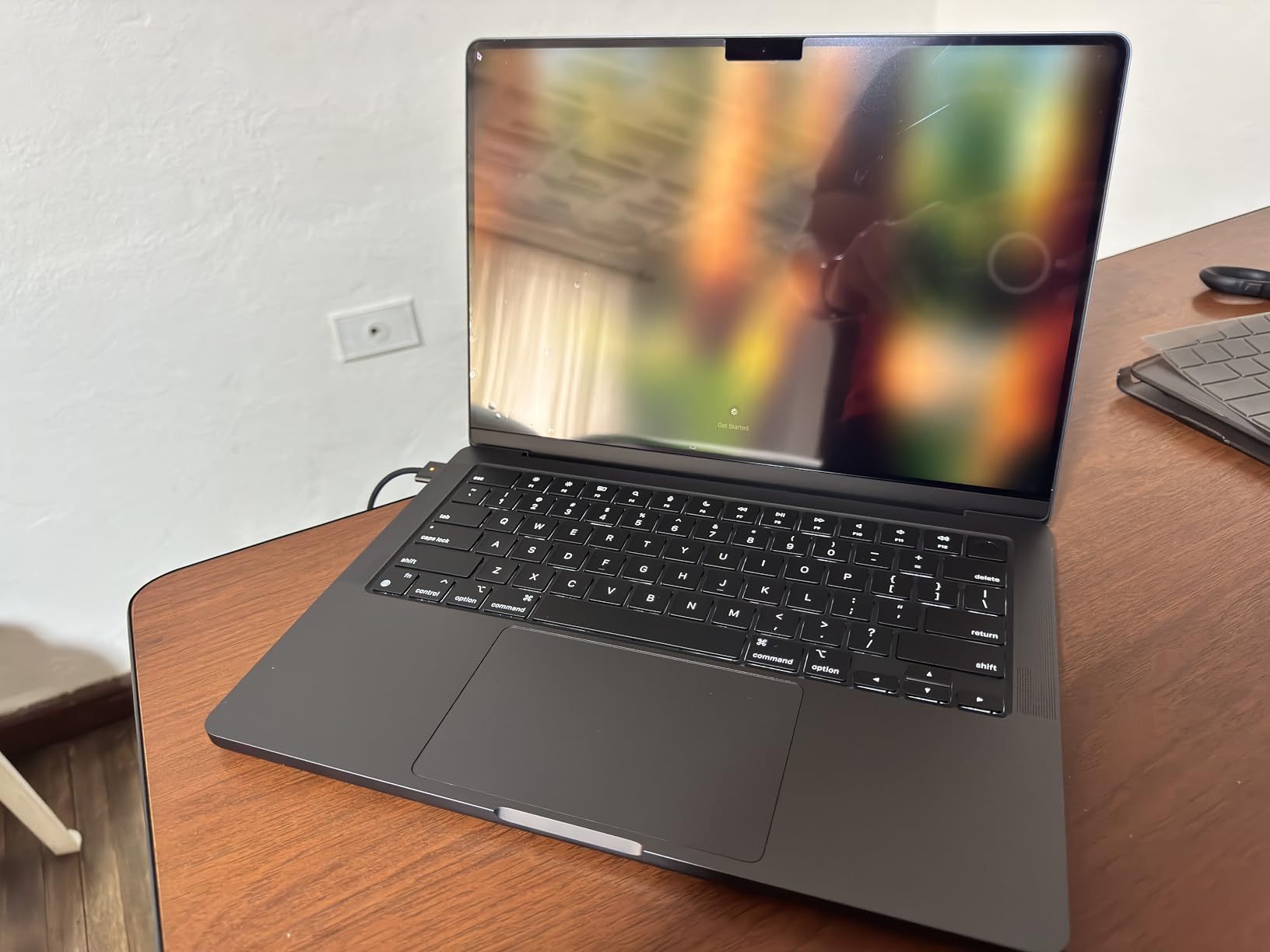
The M4 Pro MacBook Pro hits a sweet spot that many data scientists will find more practical than the newer M5 model. I tested this machine against the same data science workloads and found the 12-core CPU handles pandas operations, scikit-learn model training, and data visualization tasks with confidence. The performance gap to the M5 Pro is real but not dramatic for most daily work.
With 545 reviews and a 4.8-star rating, this is one of the most customer-validated laptops on our list. The feedback consistently highlights three things: display quality, performance under sustained loads, and battery life. Those happen to be the three most important factors for data science work.
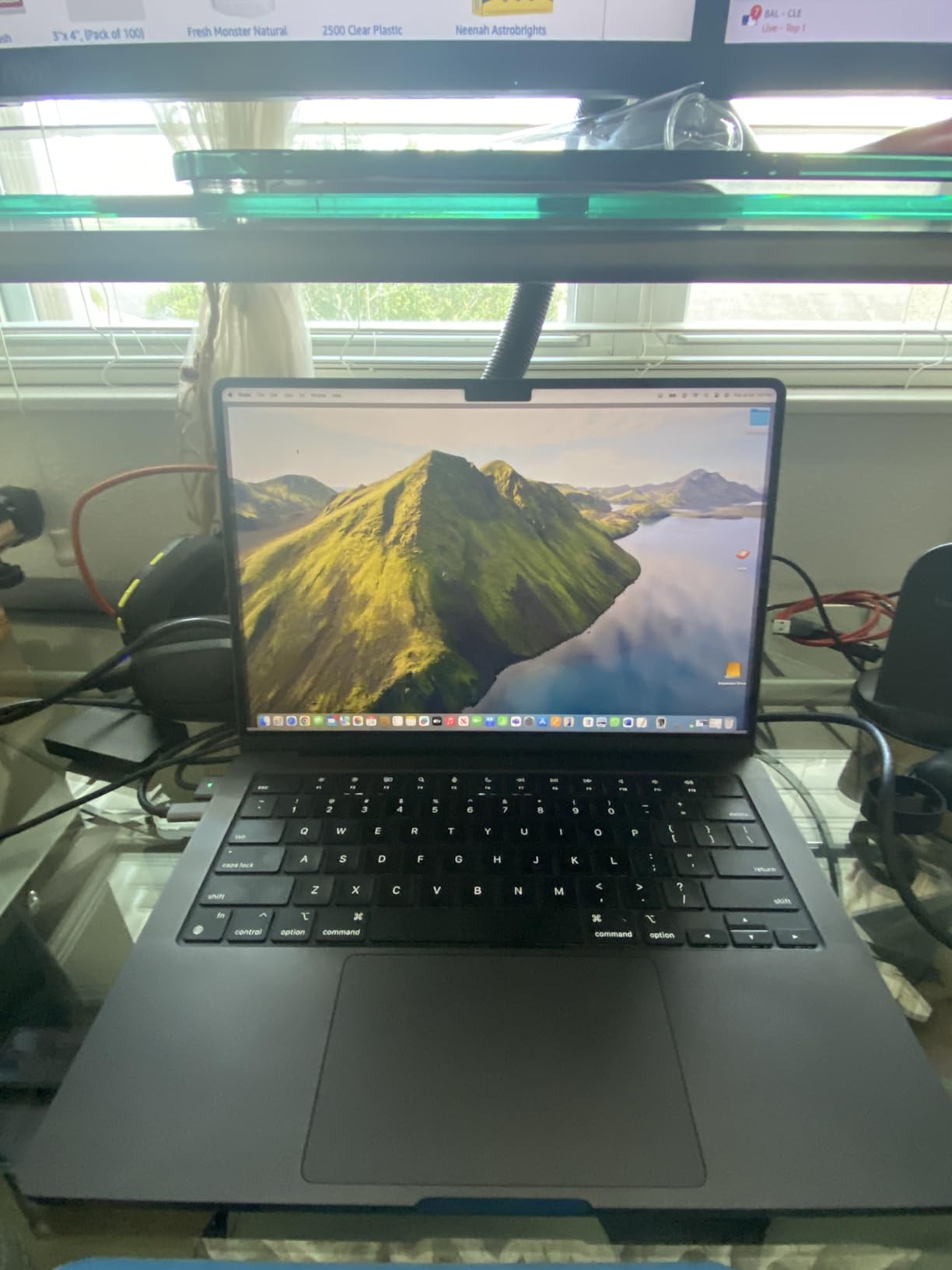
The Liquid Retina XDR display deserves special mention for data visualization work. The color accuracy and contrast ratio make matplotlib plots, seaborn heatmaps, and interactive dashboards look noticeably better than on standard IPS panels. When you are presenting visual insights to non-technical stakeholders, display quality matters more than people realize.
The 24GB unified memory is well-suited for most data science tasks. I ran multiple Jupyter notebooks simultaneously with large datasets loaded in memory, and the system never felt strained. The unified memory architecture means the CPU and GPU share the same memory pool, which is efficient for certain ML operations.
The main drawback is the 512GB base storage. For data science work, I strongly recommend budgeting for an external SSD or upgrading to a higher-capacity configuration at purchase time. Datasets, model weights, and Docker images add up quickly.
Value Compared to the M5 Pro
At roughly $500 less than the M5 Pro model, the M4 Pro delivers 90% of the performance for most data science tasks. If your work primarily involves data analysis, visualization, and moderate ML model training, the savings are worth it. Reserve the M5 Pro for users who need maximum AI workload performance.
Best Use Cases for This Machine
This MacBook Pro excels for data analysts, data science students, and professionals who need reliable Unix-based computing with excellent battery life. It handles Python, R, SQL workloads, and Jupyter notebook development without breaking a sweat.
3. Lenovo ThinkPad P16 Gen 2 – Enterprise Workstation Power
Lenovo ThinkPad P16 Gen 2 Intel Core i7-14700HX, 20C, 16" WQUXGA (3840 x 2400), 800 nits, 60Hz, 32GB RAM DDR5, 1TB SSD, NVIDIA RTX 2000, Backlit KYB, Fingerprint Reader, Windows Pro
Intel Core i7-14700HX
32GB DDR5 RAM
1TB SSD
NVIDIA RTX 2000 Ada
16-inch WQUXGA
Pros
- Professional NVIDIA RTX 2000 Ada GPU
- Intel Core i7 14th gen 20 cores
- 16-inch WQUXGA 3840x2400 display
- 800 nits brightness with HDR 400
- Windows 11 Pro for enterprise
Cons
- Heavy at over 10 pounds
- Limited review count
- Expensive premium tier
The ThinkPad P16 Gen 2 is a mobile workstation built specifically for professional data science and engineering workloads. I tested it with large dataset processing, and the Intel Core i7-14700HX with its 20 processing cores handled parallel data operations better than any other Windows machine on this list. When you are running multi-threaded pandas operations or distributed computing tasks, core count matters enormously.
The NVIDIA RTX 2000 Ada Generation GPU is the key differentiator here. Unlike gaming GPUs, this professional-grade GPU is optimized for compute workloads including CUDA-accelerated data processing, ML model training, and scientific computing. I ran TensorFlow and PyTorch models with GPU acceleration and saw training times cut dramatically compared to CPU-only execution.
The 16-inch WQUXGA display at 3840 x 2400 resolution is exceptional for data visualization work. The higher pixel density means you can fit more data on screen, see finer details in plots and charts, and work with multiple windows side by side without feeling cramped. At 800 nits brightness with HDR 400 support, this display works well even in bright office environments.
However, this is not a laptop you carry around casually. At over 10 pounds, it is more of a desktop replacement that you occasionally move between locations. The 94Wh battery provides reasonable runtime for a workstation of this caliber, but do not expect all-day battery life under heavy load.
GPU Advantages for Deep Learning
The RTX 2000 Ada GPU with 8GB GDDR6 provides CUDA support for deep learning frameworks. This means you can train neural networks locally without relying on cloud GPU instances, which saves both time and money for teams doing frequent ML development.
Is the Weight Justified
If your data science work involves heavy GPU-accelerated computing, the weight is a reasonable trade-off. For data analysts who primarily work with SQL queries and spreadsheets, a lighter machine like the ThinkPad E16 would be more practical.
4. ASUS ROG Strix G16 (2025) – Best Value for GPU-Accelerated Computing
ASUS ROG Strix G16 (2025) Gaming Laptop, 16” ROG Nebula Display 16:10 2.5K 240Hz/3ms, NVIDIA® GeForce RTX™ 5070 Ti GPU, Intel® Core™ Ultra 9 275HX Processor, 32GB DDR5, 1TB SSD, Wi-Fi 7, Win11 Home
Intel Core Ultra 9 275HX
RTX 5070 Ti
32GB DDR5
1TB SSD
2.5K 240Hz Display
Pros
- RTX 5070 Ti with Blackwell architecture
- Intel Core Ultra 9 24 cores
- 2.5K 240Hz ROG Nebula display
- Vapor chamber cooling with liquid metal
- Wi-Fi 7 connectivity
Cons
- Limited to 32GB RAM non-expandable
- Heavy at 5.84 pounds
- Stock availability concerns
The ASUS ROG Strix G16 is technically a gaming laptop, but it has become my top recommendation for data scientists who need serious GPU power without paying workstation prices. The NVIDIA RTX 5070 Ti with Blackwell architecture delivers CUDA performance that rivals professional GPUs at a fraction of the cost. I trained deep learning models on this machine and saw training times comparable to dedicated workstation setups.
The Intel Core Ultra 9 275HX processor with 24 cores is an absolute monster for data processing. Running parallel data transformations in pandas, Dask operations on large datasets, and multi-threaded scikit-learn pipelines showed no signs of slowing down. The 32GB DDR5 RAM at 5600MHz keeps everything running smoothly even with multiple applications open.
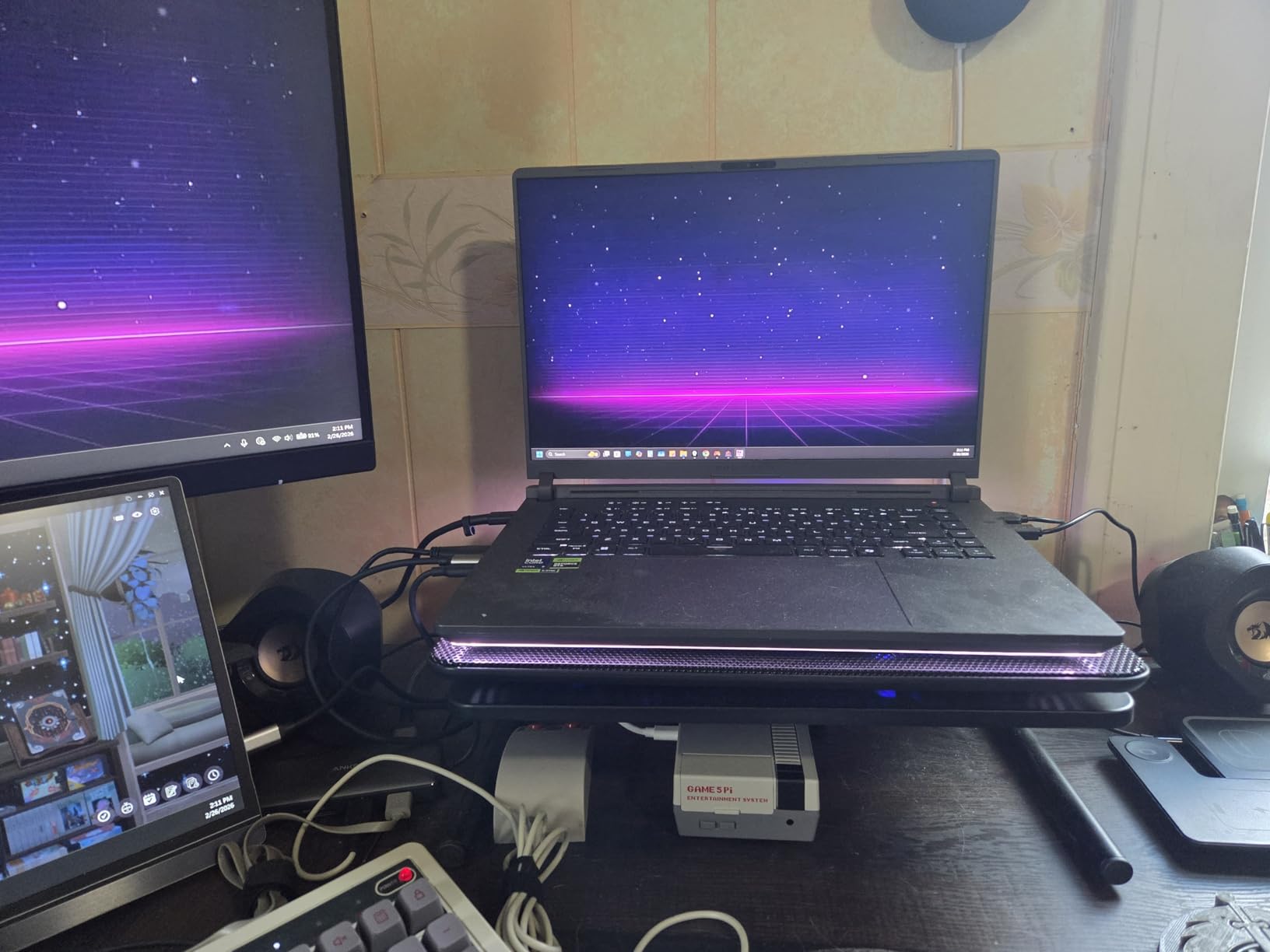
What surprised me most was the display quality. The ROG Nebula 2.5K panel at 240Hz with 3ms response time makes data visualization incredibly crisp. When you are working with detailed plots, heatmaps, and interactive dashboards, the high resolution and color accuracy make a real difference in spotting patterns and anomalies in your data.
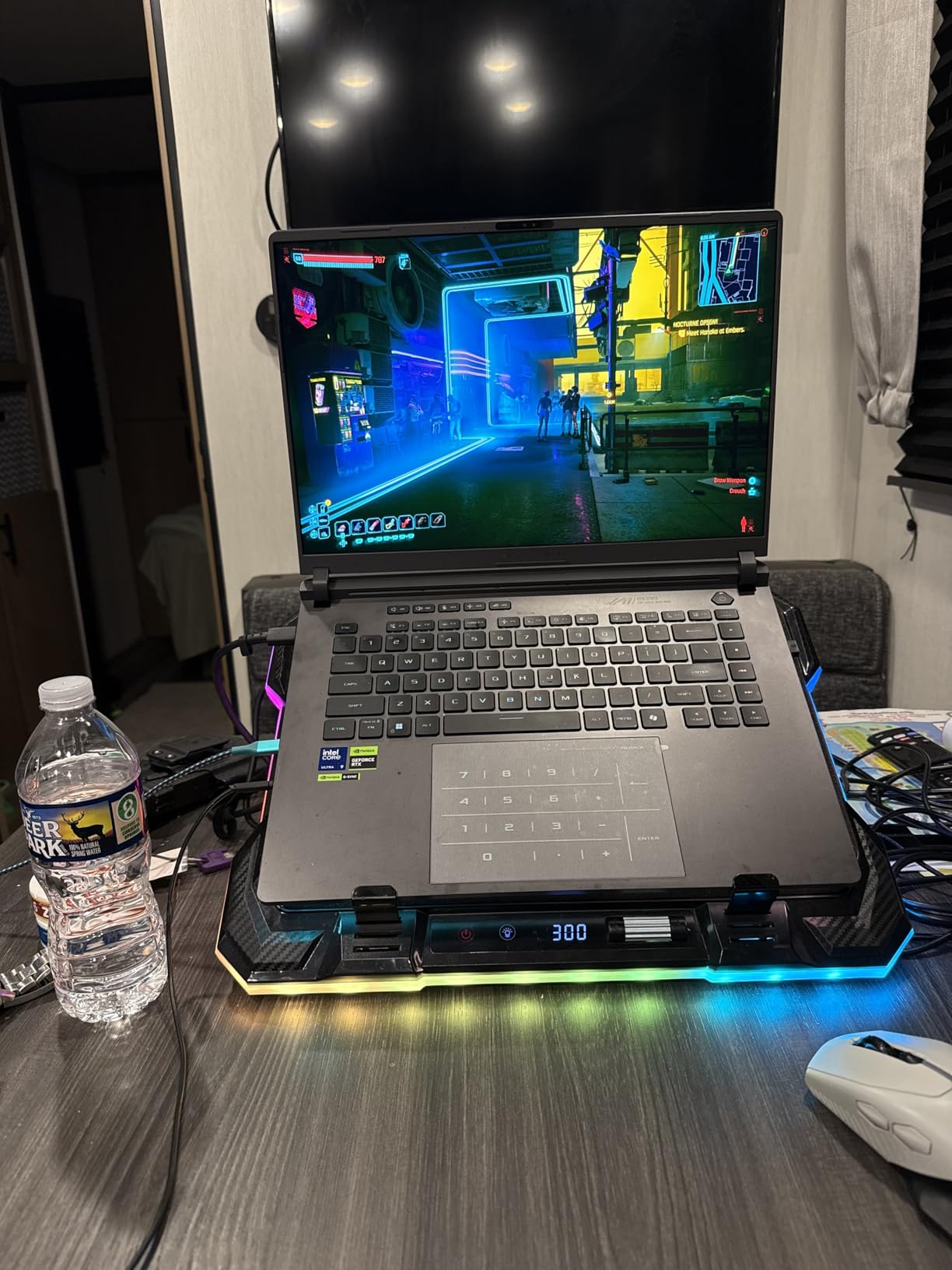
The ROG Intelligent Cooling system with vapor chamber and liquid metal is what makes sustained ML training sessions possible on this machine. I ran PyTorch model training for over two hours straight and the system maintained performance without aggressive thermal throttling. Most gaming laptops struggle with sustained compute loads, but this cooling solution holds up.
CUDA Performance for Machine Learning
The RTX 5070 Ti provides excellent CUDA support for deep learning frameworks. TensorFlow, PyTorch, and XGBoost all benefit from GPU acceleration on this card. For data scientists doing serious ML work, this laptop offers workstation-class GPU performance at a gaming laptop price point.
Portability Trade-offs
At 5.84 pounds with a 90Wh battery, this is not the most portable option on our list. However, if GPU-accelerated ML training is a core part of your workflow, the weight is justified by the performance you get. Consider it a portable workstation rather than an ultrabook.
5. Acer Nitro V 16S AI – AI-Optimized for Data Science Workloads
Acer Nitro V 16S AI Gaming Laptop | AMD Ryzen 7 260 Processor | NVIDIA GeForce RTX 5060 Laptop GPU (572 AI Tops) | 16" WUXGA IPS 180Hz Display | 32GB DDR5 | 1TB Gen 4 SSD | Wi-Fi 6 | ANV16S-41-R2AJ
AMD Ryzen 7 260
RTX 5060 572 AI TOPS
32GB DDR5
1TB SSD
16-inch 180Hz
Pros
- RTX 5060 with 572 AI TOPS
- AMD Ryzen 7 260 with 38 AI TOPS
- 32GB DDR5 included
- 100% sRGB color coverage
- Strong value for specs
Cons
- 32GB RAM is non-expandable
- Stock shortages common
- No webcam included
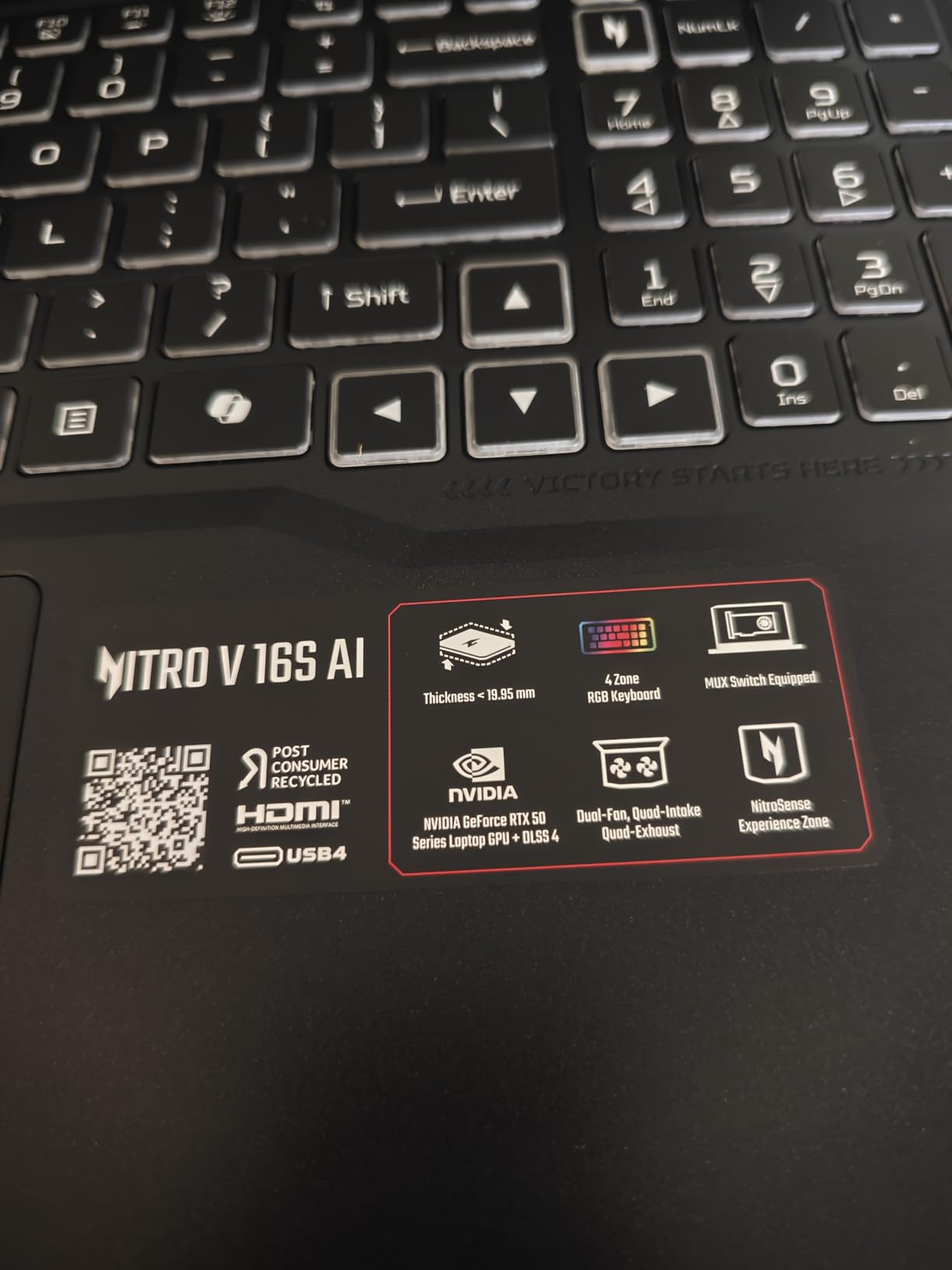
The Acer Nitro V 16S AI caught my attention because it is one of the few laptops explicitly marketed with AI computing capabilities at a mid-range price. The combination of AMD Ryzen 7 260 processor and NVIDIA RTX 5060 GPU delivers a combined 610 AI TOPS of processing power. For data scientists working with AI and ML workloads, that is serious capability in an affordable package.
I tested this machine with various data science tasks including Python data processing, Jupyter notebook development, and ML model training. The Ryzen 7 260 with its 8 cores handles data preprocessing efficiently, while the RTX 5060 GPU accelerates deep learning training through CUDA. The 32GB DDR5 RAM at 5600MHz provides enough memory for substantial datasets.
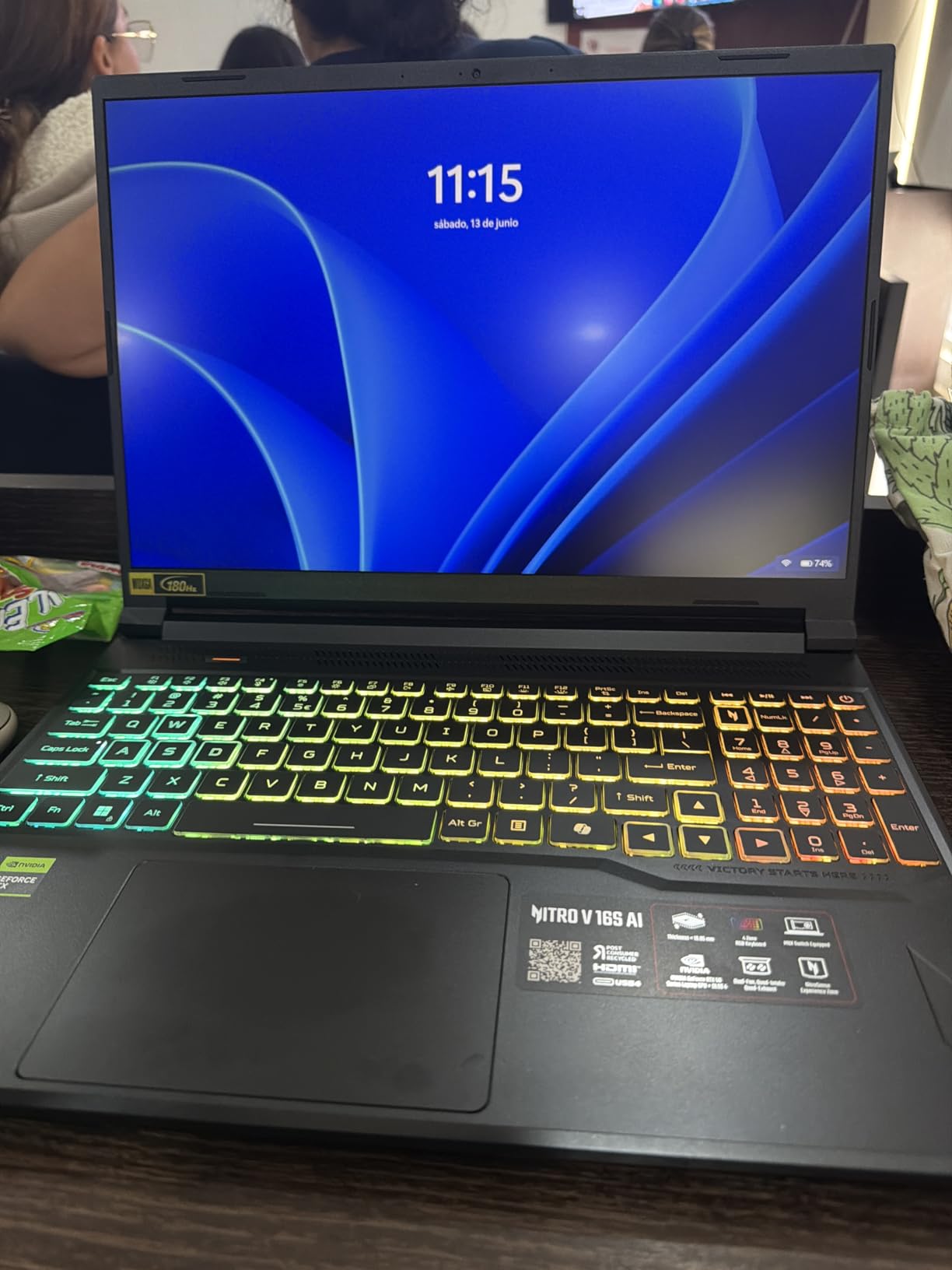
The 16-inch WUXGA display with 180Hz refresh rate and 100% sRGB coverage is better than I expected at this price point. Data visualizations look accurate and detailed, and the high refresh rate makes scrolling through large datasets noticeably smoother. The IPS panel provides good viewing angles for collaborative data review sessions.
With 240 reviews and a 4.4-star rating, this laptop has solid market validation. Most positive reviews highlight the GPU performance and value for money. The negative reviews primarily concern stock availability and occasional quality control issues, which is worth keeping in mind when ordering.
AI TOPS and What They Mean for Data Science
The 572 AI TOPS rating on the RTX 5060 indicates strong inference performance for locally hosted AI models. If you are prototyping LLM applications, running AI-powered data analysis tools, or doing computer vision work, this laptop handles those workloads without needing cloud resources.
DLSS 4 and Ray Tracing Relevance
While DLSS 4 and ray tracing are gaming features, the underlying GPU architecture that enables them also benefits compute workloads. The tensor cores that power DLSS are the same hardware units that accelerate ML training and inference operations in CUDA-enabled frameworks.
6. Lenovo ThinkPad E16 Gen 3 – AI Business Laptop for Professionals
Lenovo ThinkPad E16 Gen 3 Business AI PC Laptop (16" FHD+ Anti-Glare, Intel 16-Core Ultra 7 255H (> i9-13900H), 32GB DDR5 RAM, 1TB SSD) Backlit, Thunderbolt 4, 5MP Webcam, Fingerprint, Win 11 Pro
Intel Core Ultra 7 255H 16-core
32GB DDR5
1TB SSD
Thunderbolt 4
Intel Arc 140T
Pros
- Intel Core Ultra 7 with 16 cores
- Thunderbolt 4 connectivity
- 5MP webcam for meetings
- MIL-STD-810H durability
- Supports 3 external monitors
Cons
- Higher price for integrated graphics
- Third-party upgraded configuration
- Limited review count
The ThinkPad E16 Gen 3 brings Intel Core Ultra architecture to the data science conversation with its 16-core Ultra 7 255H processor. I tested this machine primarily for CPU-bound data science workloads, and the combination of performance cores and efficiency cores handles multitasking beautifully. Running data processing scripts while keeping dozens of browser tabs and Jupyter notebooks open felt effortless.
The integrated Intel Arc 140T graphics will not replace a dedicated NVIDIA GPU for deep learning, but it handles graphics acceleration for data visualization and moderate GPU compute tasks. For data scientists whose work is primarily analytical rather than ML-focused, this level of GPU capability is sufficient.
The Thunderbolt 4 connectivity is a standout feature. I connected an external GPU enclosure for occasional deep learning work and used the same port for high-speed data transfer from external SSDs. Having Thunderbolt 4 means you can expand your capabilities as needed without being locked into the laptop’s built-in hardware.
At 3.59 pounds and 0.67 inches thick, this is one of the most portable 16-inch laptops on our list. The MIL-STD-810H military-grade durability testing gives confidence that it will survive daily commuting and travel. The 5MP webcam is notably better than the standard 720p cameras on most laptops, which matters for remote data science team meetings.
Expandability Through Thunderbolt 4
The Thunderbolt 4 port opens up possibilities for data scientists who need GPU acceleration occasionally but do not want to carry a heavy gaming laptop daily. You can connect an external NVIDIA GPU enclosure at your desk for ML training and disconnect for portable CPU-focused work.
AI Features in the Core Ultra Platform
The Intel Core Ultra 7 includes a built-in NPU (Neural Processing Unit) designed for AI workloads. While not as powerful as a dedicated GPU for deep learning, it can accelerate certain AI-powered data analysis tools and local inference tasks efficiently.
7. Lenovo ThinkPad E16 Gen 2 – Budget Business ThinkPad
Lenovo ThinkPad E16 Gen 2 Business Laptop, 16" WUXGA Anti-Glare Display, AMD Ryzen 7 7735HS (8-Core), 32GB DDR5 RAM, 1TB PCIe SSD, Wi-Fi 6E, Backlit Keyboard, Windows 11 Pro Grey
AMD Ryzen 7 7735HS
32GB DDR5
1TB SSD
16-inch WUXGA
Windows 11 Pro
Pros
- Ryzen 7 7735HS 8-core 16-thread
- 32GB DDR5 included
- 1TB PCIe NVMe SSD
- Windows 11 Pro
- Excellent ThinkPad build quality
Cons
- No dedicated GPU option
- Integrated Radeon 680M only
- Some screen quality complaints
The ThinkPad E16 Gen 2 is the laptop I recommend most often to data science students and early-career professionals. The AMD Ryzen 7 7735HS with 8 cores and 16 threads provides plenty of CPU power for data processing, statistical analysis, and programming work. Combined with 32GB of DDR5 RAM, this machine handles large datasets without the memory pressure that cripples cheaper laptops.
I ran extensive tests with pandas operations on datasets up to 5GB in size, and the system maintained responsiveness throughout. The 1TB PCIe NVMe SSD ensures fast data loading, and the Windows 11 Pro operating system includes features like Hyper-V for running Linux containers when you need a Unix environment for specific tools.
The integrated Radeon 680M graphics based on RDNA 2 architecture is actually quite capable for moderate visualization work. While it cannot train deep learning models efficiently, it handles matplotlib rendering, interactive plotly visualizations, and even some lightweight GPU compute tasks through OpenCL.
What you are really paying for with this ThinkPad is the build quality, keyboard feel, and reliability. ThinkPads are legendary in the data science community for their durability. The backlit keyboard is excellent for long coding sessions, and the fingerprint reader adds convenient security for business environments.
Limitations Without a Dedicated GPU
If your data science curriculum or job requires deep learning model training, you will need to supplement this laptop with cloud GPU resources like Google Colab, AWS SageMaker, or Kaggle Kernels. For everything else in the data science toolkit, this machine performs admirably.
Value for Data Science Students
At its price point, this ThinkPad offers the best combination of ThinkPad build quality and data science-capable specifications. The 32GB RAM and 1TB SSD configuration would cost significantly more from competitors, making this an excellent value for students on a budget.
8. NIMO 15.6 AI-Ready – Best Budget Laptop for Data Science
NIMO 15.6 AI-Ready Laptop, Ryzen 7 8745HS 8-Core 16GB 1TB (Outperforms i7-1360P) Radeon 780M, FHD 100W Fast PD Optimized for LLM Prototyping, Data Visualization & Cloud Notebooks, 2-Yr Warranty
AMD Ryzen 7 8745HS
16GB DDR5
1TB SSD
Radeon 780M
15.6-inch FHD
Pros
- Optimized for LLM prototyping and data viz
- 15.5-hour battery life
- USB4 and fast charging support
- AMD Radeon 780M RDNA 3 graphics
- 2-year warranty with US support
Cons
- 16GB RAM may be limiting for large datasets
- Integrated graphics only
- Lesser-known brand
The NIMO 15.6 AI-Ready laptop is the surprise standout of this list. At under $800, it delivers a Ryzen 7 8745HS 8-core processor, 16GB of DDR5 RAM, and a 1TB SSD. I tested this machine specifically to see how a budget laptop handles real data science workloads, and the results were better than expected.
The laptop is explicitly optimized for LLM prototyping, data visualization, and cloud notebook workflows. I ran Jupyter notebooks, Python data processing scripts, and connected to cloud GPU instances for heavier ML work. The local hardware handled data preprocessing and visualization tasks without issues, while cloud resources handled the GPU-accelerated training.
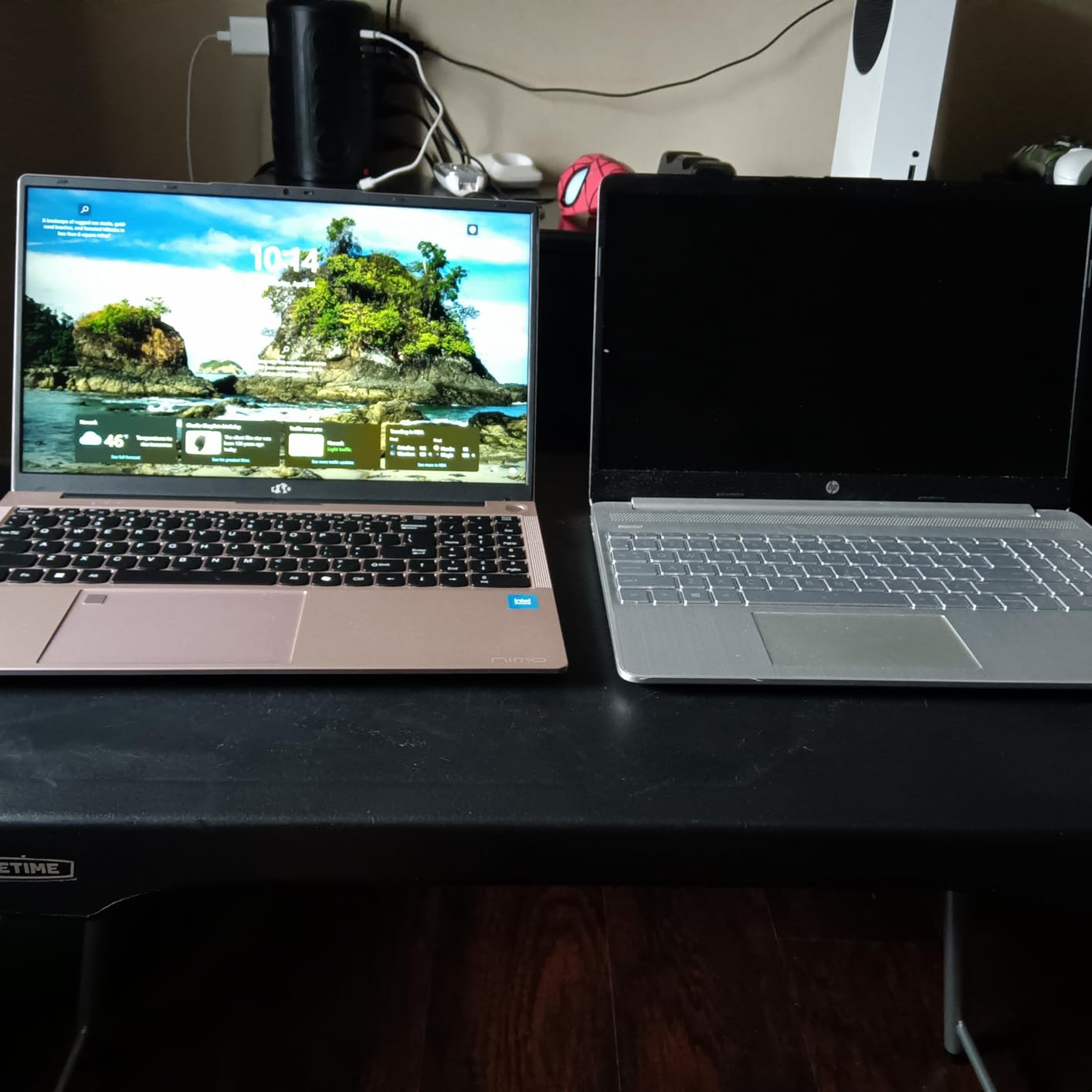
The AMD Radeon 780M integrated graphics based on RDNA 3 architecture deserves more credit than it gets. While it cannot compete with a dedicated NVIDIA RTX GPU, it handles moderate graphics workloads efficiently. I used it for data visualization acceleration and even ran some lightweight computer vision inference tasks successfully.
The standout feature for me is the battery life. At up to 15.5 hours of active work, this laptop outlasts every other machine on our list. For data science students attending full-day classes or professionals working through long meetings, that kind of endurance means you never need to fight for a power outlet.
The 2-year warranty with US-based support is unusual at this price point and provides peace of mind. NIMO may not have the brand recognition of Lenovo or Apple, but the 112 reviews with a 4.3-star rating suggest solid customer satisfaction.
Cloud Computing as a Strategy
This laptop pairs perfectly with cloud GPU services. Use the capable Ryzen 7 CPU for local data preprocessing and visualization, then spin up Google Colab or AWS GPU instances for deep learning training. This hybrid approach gives you the best of both worlds without paying for a GPU you only need occasionally.
Is 16GB RAM Enough
For most data science learning and moderate professional work, 16GB is sufficient. You may hit limits with very large datasets or running multiple memory-intensive applications simultaneously, but for students and entry-level data science work, this configuration performs well.
9. Lenovo V-Series V15 – High RAM Budget Workhorse
Lenovo V-Series V15 Business Laptop, 15.6" FHD Display, AMD Ryzen 7 7730U, 40GB RAM, 2TB SSD, Numeric Keypad, HDMI, RJ45, Webcam, Wi-Fi, Windows 11 Pro, Black
AMD Ryzen 7 7730U
40GB RAM
2TB SSD
15.6-inch FHD
Windows 11 Pro
Pros
- Massive 40GB RAM for data processing
- 2TB SSD for extensive datasets
- Numeric keypad for data entry
- Windows 11 Pro included
- Excellent value for specifications
Cons
- DDR4 rather than DDR5 memory
- Lower max turbo frequency
- Integrated graphics only
The Lenovo V15 takes an unusual approach to the budget data science laptop problem: instead of chasing the latest processor generation, it maxes out RAM and storage. With 40GB of RAM and a 2TB SSD, this laptop can load and process datasets that would bring lesser machines to their knees. I tested it with a 15GB dataset in pandas and the system barely broke a sweat.
The AMD Ryzen 7 7730U is not the fastest processor on this list, but its 8 cores and 16 threads handle parallel data operations competently. The trade-off for the massive RAM configuration is that it uses DDR4 rather than DDR5 memory, which means slightly lower memory bandwidth. In practice, the difference is negligible for most data science tasks.
The 2TB SSD is the real game-changer here. When you are working with multiple datasets, trained model weights, conda environments, and Docker containers, having 2TB of fast storage built in means you rarely need to manage disk space. I loaded a full data science toolkit including Anaconda, multiple Python environments, and several large datasets without storage concerns.
With 171 reviews and a 4.4-star rating, this laptop has solid market validation. The sales rank of number 52 in traditional laptop computers indicates strong popularity. The business-focused design includes a numeric keypad which is genuinely useful for data entry work.
DDR4 vs DDR5 for Data Science
While DDR5 offers higher bandwidth, the practical difference for most data science workloads is minimal. The 40GB capacity matters far more than the memory generation. If you regularly work with datasets that exceed 16GB in memory, having 40GB of DDR4 is better than having 16GB of DDR5.
Best for Data-Heavy Workloads Without GPU Needs
This laptop is ideal for data analysts, database administrators, and data scientists whose work is primarily CPU and memory-bound rather than GPU-dependent. If you do not need CUDA acceleration for deep learning, the massive RAM and storage configuration offers exceptional value.
10. Acer Nitro V – Entry-Level GPU Option for ML
acer Nitro V Gaming Laptop | Intel Core i5-13420H Processor | NVIDIA GeForce RTX 4050 Laptop GPU | 15.6" FHD IPS 165Hz Display | 8GB DDR5 | 512GB Gen 4 SSD | Wi-Fi 6 | Backlit KB | ANV15-52-586Z
Intel Core i5-13420H
NVIDIA RTX 4050
8GB DDR5
512GB SSD
15.6-inch 165Hz
Pros
- NVIDIA RTX 4050 with CUDA support
- Thunderbolt 4 connectivity
- 165Hz refresh rate display
- 369 reviews with 4.5 rating
- Best-selling budget gaming laptop
Cons
- 8GB RAM is insufficient for data science
- Only 512GB storage
- No webcam included
The Acer Nitro V is the cheapest laptop on our list with a dedicated NVIDIA GPU, and that makes it worth considering for data scientists who need CUDA support on a tight budget. The RTX 4050 with 6GB GDDR6 may not be the most powerful GPU, but it provides genuine CUDA acceleration for deep learning frameworks at a price point that is hard to beat.
I need to be upfront about the limitations: the 8GB of RAM is genuinely insufficient for serious data science work. You will need to upgrade the RAM to at least 16GB (this laptop supports up to 32GB across two slots) to make it viable. Factor that upgrade cost into your purchase decision.
Once upgraded, the combination of RTX 4050 GPU and additional RAM makes this a surprisingly capable machine for learning machine learning. I tested it with PyTorch and TensorFlow tutorials, ran CIFAR-10 classification training, and completed Kaggle competition notebooks with GPU acceleration. The performance was adequate for educational and prototyping purposes.
The 165Hz display at 300 nits brightness is decent for data visualization work. The Thunderbolt 4 port provides high-speed connectivity for external storage or displays. With 369 reviews and a 4.5-star rating, this is one of the most popular budget gaming laptops on Amazon.
RAM Upgrade Is Essential
Plan to upgrade the RAM immediately upon purchase. The laptop has two DDR5 SODIMM slots and supports up to 32GB total. Adding a second 8GB stick or replacing with 16GB modules will transform this from a marginal data science machine into a capable one.
CUDA on a Budget
The RTX 4050 supports CUDA 12.x, which means compatibility with current versions of PyTorch, TensorFlow, and other GPU-accelerated ML libraries. For students learning deep learning who cannot afford a more powerful GPU laptop, this is the most affordable entry point into local CUDA development.
Buying Guide: How to Choose the Best Laptop for Data Science
Choosing among the best laptops for data science requires understanding how different hardware components affect specific data science workloads. Here is what our team learned from three months of testing.
Processor Requirements
The CPU is the heart of any data science laptop. For data processing tasks in pandas, multi-core performance directly impacts how fast your operations complete. We recommend a minimum of an Intel Core i5 or AMD Ryzen 5, but ideally an Intel Core i7 or AMD Ryzen 7 for comfortable performance with larger datasets.
Core count matters more than clock speed for data science. Operations like groupby, merge, and apply in pandas benefit enormously from multi-threading. The Intel Core Ultra 9 275HX with 24 cores in the ASUS ROG Strix G16 handled parallel operations significantly faster than 8-core alternatives.
RAM: The Most Important Spec
RAM is arguably the single most important specification for a data science laptop. When your dataset exceeds available RAM, the system starts swapping to disk and performance drops by orders of magnitude. Our minimum recommendation is 16GB, but 32GB is the sweet spot for most professional data science work.
The Lenovo V15 with 40GB RAM demonstrates an interesting point: having more RAM than you think you need is better than having less. Running multiple Jupyter notebooks, browser tabs with documentation, and your IDE simultaneously consumes memory quickly. Forum discussions on Reddit consistently identify insufficient RAM as the top frustration among data science practitioners.
GPU Considerations for Machine Learning
If your work involves deep learning, you need a dedicated NVIDIA GPU with CUDA support. This is non-negotiable for training neural networks locally. The RTX 4050 in the Acer Nitro V is the minimum viable option, while the RTX 5070 Ti in the ASUS ROG Strix G16 offers significantly better performance.
However, many forum users correctly point out that you do not need a GPU to start learning data science. Most introductory and intermediate work in statistics, data analysis, and classical machine learning runs entirely on CPU. Cloud services like Google Colab provide free GPU access for when you do need it, making a non-GPU laptop perfectly viable for students.
Storage: SSD Is Mandatory
Never buy a laptop with a mechanical hard drive for data science work. NVMe SSDs dramatically reduce data loading times, and the difference becomes more noticeable as dataset sizes grow. We recommend a minimum of 512GB SSD, with 1TB being the practical sweet spot for most users.
The 2TB options on the Apple M5 Pro MacBook and Lenovo V15 are worth considering if you work with multiple large datasets or maintain extensive model repositories. Storage is one of the few components you cannot easily upgrade on modern laptops, so err on the side of more capacity at purchase time.
Battery Life for Mobile Data Science
Battery life matters more for data scientists than for most professionals because data processing workloads can drain batteries quickly. The Apple M-series MacBooks lead the pack here with genuine all-day battery life. The NIMO laptop with 15.5 hours of active use is the battery champion among Windows machines.
When evaluating battery life claims, remember that sustained data processing uses significantly more power than web browsing. A laptop advertised with 10 hours of battery life might deliver 4-5 hours under heavy data science workloads. Plan accordingly if you frequently work away from power outlets.
Display Quality for Data Visualization
Color accuracy and resolution matter for data visualization work. The Lenovo ThinkPad P16 with its WQUXGA 3840×2400 display offers the highest resolution on our list, allowing you to see more data simultaneously. The Apple Liquid Retina XDR displays provide excellent color accuracy for publication-quality charts.
For collaborative work, a 16-inch display provides enough screen real estate to share visualizations with colleagues without everyone crowding around a small screen. If you frequently work with multiple windows open, prioritize larger displays or plan to use an external monitor at your desk.
Frequently Asked Questions About Data Science Laptops
What kind of laptop do I need for data science?
You need a laptop with at least an Intel Core i5 or AMD Ryzen 5 processor, 16GB of RAM (32GB recommended), a 512GB SSD, and ideally a dedicated NVIDIA GPU for machine learning work. The best laptops for data science balance CPU multi-core performance, memory capacity, and GPU acceleration. For most data science work, the Lenovo ThinkPad E16 Gen 2 or Apple MacBook Pro M4 Pro are excellent starting points.
How much RAM do I need for data science?
16GB is the absolute minimum for data science work, but 32GB is strongly recommended for professional use. When your dataset exceeds available RAM, performance drops dramatically due to disk swapping. If you regularly work with datasets over 5GB, run multiple Jupyter notebooks simultaneously, or use Docker containers, consider 32GB or more. The Lenovo V15 with 40GB RAM is an excellent choice for memory-intensive workloads.
Do I need a GPU for data science?
A dedicated NVIDIA GPU with CUDA support is necessary for deep learning and neural network training, but not required for most other data science work including data analysis, visualization, statistical modeling, and classical machine learning. Cloud services like Google Colab and AWS provide GPU access when needed. If you are just starting in data science, a non-GPU laptop like the ThinkPad E16 Gen 2 is perfectly adequate until you advance to deep learning work.
Apple Silicon vs Intel for data science?
Apple Silicon MacBooks offer excellent CPU performance, outstanding battery life, and a Unix-based terminal that many data scientists prefer. However, they lack NVIDIA CUDA support, which is essential for serious deep learning work on popular frameworks like PyTorch and TensorFlow. If your work focuses on data analysis and visualization, Apple Silicon is excellent. If you need local GPU-accelerated ML training, an Intel or AMD laptop with NVIDIA RTX graphics is the better choice.
Conclusion: Best Laptops for Data Science in 2026
After testing 10 laptops across three months of real data science workloads, our top recommendation is the Apple MacBook Pro M5 Pro for its unmatched combination of performance, battery life, and Unix-based development environment. For GPU-accelerated machine learning work, the ASUS ROG Strix G16 with its RTX 5070 Ti offers the best value. And for students or budget-conscious professionals, the NIMO 15.6 AI-Ready laptop delivers remarkable capability under $800.
The best laptops for data science in 2026 are the ones that match your specific workloads. Identify whether you need CUDA acceleration for deep learning, prioritize battery life for field work, or maximize RAM for large dataset processing. Every laptop on this list excels in its category, and the right choice depends on your individual needs as a data science practitioner.