
Finding the best electronic drum pads can completely change how you approach practice, live performance, and studio production. Whether you are a touring drummer who needs to trigger backing tracks, a home studio producer looking for hands-on sample control, or a parent shopping for a young musician’s first instrument, the right pad makes all the difference.
Our team spent weeks comparing 11 of the most popular electronic drum pads on the market, ranging from flagship sampling workhorses like the Roland SPD-SX PRO down to budget-friendly roll-up practice pads. We tested them with DAWs, ran them through live gig scenarios, and compared their sound libraries, pad sensitivity, and connectivity options side by side.
The market spans a wide price range, from around $40 for entry-level roll-up pads to $1,500 for professional-grade sampling pads. Major brands like Roland, Alesis, Yamaha, and KAT Percussion dominate the space, each offering distinct advantages. Roland leads with premium build quality and reliability, Alesis delivers strong value, and newer brands like LEKATO are shaking up the budget tier with surprising features for the price.
One thing we learned quickly from testing is that there is no single “best” pad for everyone. A touring professional needs different features than a parent buying a gift for a 6-year-old. Throughout this guide, we break down exactly who each pad serves best so you can make the right call for your specific situation in 2026.
We also incorporated real feedback from drummer communities on Reddit’s r/drums and r/edrums, where users shared their hands-on experiences with everything from crosstalk issues on cheaper pads to Ableton Live integration tips. This combination of our own testing and community insight gives you a well-rounded picture of what to expect.
Top 3 Electronic Drum Pads for 2026

Roland SPD-SX PRO
- 9 Pads
- 4.3-inch Color Display
- 8 Trigger Inputs
- Onboard FX
- Multi-Output Routing

Alesis Strike MultiPad
- 9 RGB Pads
- 32GB Storage
- Built-in Looper
- 5 Effects Processors
- USB Audio Interface

These three pads represent the best options across three distinct tiers. The Roland SPD-SX PRO sits at the top as a professional flagship built for demanding gigs. The Alesis Strike MultiPad delivers the best balance of features and value. The LEKATO PD705 proves that you do not need to spend a fortune to get a capable 9-pad multipad with solid MIDI connectivity.
Our team tested each of these in both studio and live settings, and they consistently outperformed competitors in their respective price categories. The Roland handled complex sample triggering without a hitch, the Alesis impressed us with its massive sound library, and the LEKATO surprised us with responsive pads that held their own against units twice the price.
Best Electronic Drum Pads in 2026
| Product | Specifications | Action |
|---|---|---|
|
Roland SPD-SX PRO Sampling Pad
|
|
Check Latest Price |
|
Alesis Strike MultiPad
|
|
Check Latest Price |
|
LEKATO PD705 Sample Pad
|
|
Check Latest Price |
 Yamaha FGDP-50 Finger Drum Pad
|
|
Check Latest Price |
 Alesis SamplePad Pro
|
|
Check Latest Price |
 Alesis Sample Pad 4
|
|
Check Latest Price |
 Pyle PTED01 Tabletop Drum Set
|
|
Check Latest Price |
 KAT Percussion KTMP1
|
|
Check Latest Price |
 VTech Kidi Star Drum Pad
|
|
Check Latest Price |
 Sboet Roll-up Electronic Drum Set
|
|
Check Latest Price |
The table above gives you a quick snapshot of all 11 pads we reviewed. Below, we dive deep into each one with hands-on testing notes, pros and cons, and specific recommendations for who should buy each model.
1. Roland SPD-SX PRO Sampling Pad – The Flagship for Professional Drummers
Roland SPD-SX PRO Sampling Pad | The Flagship Sampling Pad for Drummers & Other Musicians | 9 Playing Surfaces, 8 External Trigger Inputs, Color Display, Customizable Pad LEDs, Onboard FX & More
9 Playing Surfaces
4.3-inch Color Display
8 External Trigger Inputs
Stereo Main Plus 4 Direct Outputs
Onboard FX and Multi-Color LEDs
Pros
- Professional-grade sampling with advanced trigger technology
- Intuitive 4.3-inch color display
- Comprehensive MIDI routing and multiple outputs
- Excellent for hybrid drum kits
- Dedicated desktop app for Mac and Windows
Cons
- Higher price point than all competitors
- Loop feature has some limitations
After spending extensive time with the Roland SPD-SX PRO, it became immediately clear why this is the go-to sampling pad for touring professionals. The build quality feels substantial in a way that cheaper pads simply cannot match, and every button, knob, and pad surface communicates durability.
The 9 playing surfaces consist of 6 large main pads and 3 shoulder pads along the top row. Each pad uses Roland’s advanced trigger technology, which means the velocity response is consistent and natural whether you are playing light ghost notes or slamming accents. We particularly appreciated the multi-color LED customization, which lets you assign different colors to different pad groups so you can identify sounds visually on a dark stage.
The 4.3-inch color display is a significant upgrade over the original SPD-SX. Navigating through kits, adjusting settings, and browsing samples is genuinely fast. We were able to import our own WAV and AIFF files without any friction, and the automatic conversion handles sample rate mismatches cleanly.
Where this pad truly shines is connectivity. With stereo main output plus 4 individual direct outputs, you can route different pads to separate channels on a mixing console. This is something that touring drummers absolutely need when working with audio engineers at venues. The 8 external trigger inputs mean you can connect additional drum pads or acoustic triggers, making this the centerpiece of a hybrid drum kit.
The onboard effects processing adds reverb, delay, and EQ options that are actually usable in a live context. We tested the multi-output routing with a mixing board and found the signal separation clean and noise-free. The dedicated SPD-SX PRO app for Windows and Mac makes managing your sample library straightforward, which addresses one of the biggest complaints about the original SPD-SX.
Who Should Invest in the SPD-SX PRO
This pad is built for professional and semi-professional drummers who gig regularly and need absolute reliability. If you are triggering backing tracks, running click tracks, or incorporating electronic sounds into a hybrid acoustic setup, the SPD-SX PRO handles all of it without breaking a sweat.
Studio producers who want a premium sample-triggering surface with multi-output recording capabilities will also find this pad invaluable. The ability to route each pad to its own channel in your DAW streamlines the recording process significantly.
What to Consider Before Buying
The price point puts this out of reach for casual players and hobbyists. At nearly $1,500, you need to be generating income from your drumming or have a serious production setup to justify the investment. Some users have noted that the looping functionality, while present, is not as deep as what you would find on dedicated looping hardware.
We also found that the learning curve is steeper than on simpler pads like the Alesis units. The sheer number of routing and triggering options means you will spend time in the manual before everything clicks. For a working professional, that time investment pays off quickly.
2. Alesis Strike MultiPad – Best Value Multipad for 2026
Alesis Strike Multipad - 9-Pad Percussion Instrument with Sampler, Looper, 2 Ins and Outs, Soundcard, Sample Loading via USB Thumb Drives and 4.3-Inch Display
9 Velocity-Sensitive RGB Pads
4.3-inch Display
32GB Storage with 6GB+ Content
Built-in Looper
5 Effects Processors
USB Audio and MIDI Interface
Pros
- Excellent value compared to Roland alternatives
- 32GB of built-in storage with extensive sound library
- RGB pad lighting for visual identification
- Built-in looper for creative performances
- Includes Ableton Live Lite and MPC Beats software
Cons
- Documentation could be much better
- Limited trigger inputs on rear panel
- Some crosstalk issues reported
- MIDI integration can be tricky to configure
The Alesis Strike MultiPad turned out to be one of the most interesting pads we tested because of how much it offers relative to its price. At roughly a third of what the Roland SPD-SX PRO costs, it delivers 9 velocity-sensitive RGB-lit pads, 32GB of storage, a built-in looper, and five effects processors. Our team kept coming back to this unit for casual jam sessions because it is just fun to play.
The RGB lighting on the pads is more than just a visual gimmick. We assigned different colors to different sound categories, which made it easy to find the right pad quickly during fast passages. The 4.3-inch display is sharp and responsive, making kit editing and sound browsing genuinely intuitive.
With 32GB of storage and over 6GB of pre-loaded content, you get an enormous sound library right out of the box. We were impressed by the variety, which covers everything from acoustic drum kits to world percussion to electronic sounds. Loading your own samples via USB thumb drive is straightforward once you get the hang of the file structure.
The built-in looper is a standout feature that the Roland SPD-SX PRO does not match as easily. We recorded layered percussion loops during testing and found the timing accurate and the sound quality clean. The five effects processors add useful sonic shaping options, though they are not as deep as dedicated effects units.
The 2-in/2-out USB audio and MIDI interface means you can connect directly to your computer for recording without needing an external interface. This worked flawlessly with Ableton Live during our tests, and the included Ableton Live Lite and MPC Beats software give you something to start producing with immediately.
Who Gets the Most Out of the Strike MultiPad
This pad hits a sweet spot for drummers who want professional-level features without the flagship price tag. If you are building a hybrid kit, need sample triggering for live shows, or want a versatile studio tool, the Strike MultiPad delivers outstanding value.
We also recommend this for intermediate to advanced home studio producers who need a hands-on percussion controller. The combination of built-in sounds, sample import, and DAW integration covers a lot of creative ground.
What to Watch Out For
The documentation is genuinely lacking. Multiple users on Reddit and in our own testing found ourselves turning to YouTube tutorials and community forums for answers that should have been in the manual. Plan to spend time on forums if you buy this pad.
Some users report crosstalk issues where hitting one pad triggers an adjacent pad. We experienced this occasionally during aggressive playing, though adjusting sensitivity settings helped. The MIDI integration can also be finicky to set up depending on your DAW and routing configuration.
3. LEKATO PD705 Percussion Sample Pad – Best Budget Multipad
LEKATO Percussion Sample Pad, Electric Drum Pad with 9 Velocity-Sensitive Drum Pad, Electronic Drum Set Pad Multipad with MIDI out, USB MIDI, AUX, Looper, Trigger inputs, 592+ Sounds (PD705)
9 Dual-Zone Velocity-Sensitive Pads
592 Preset Sounds and 30 Kits
2 Dual-Zone Trigger Inputs
5-PIN MIDI I/O
USB-B Connectivity
32GB SD Card Storage
Pros
- Exceptional value for a 9-pad multipad
- Dual-zone pads offer more playing options
- Responsive and adjustable sensitivity
- Quiet pads great for late-night practice
- WaveManager software for custom sounds
Cons
- Menu system is confusing and non-intuitive
- Volume knob placement is inconvenient
- No empty slots for user kits
- Navigation buttons take time to learn
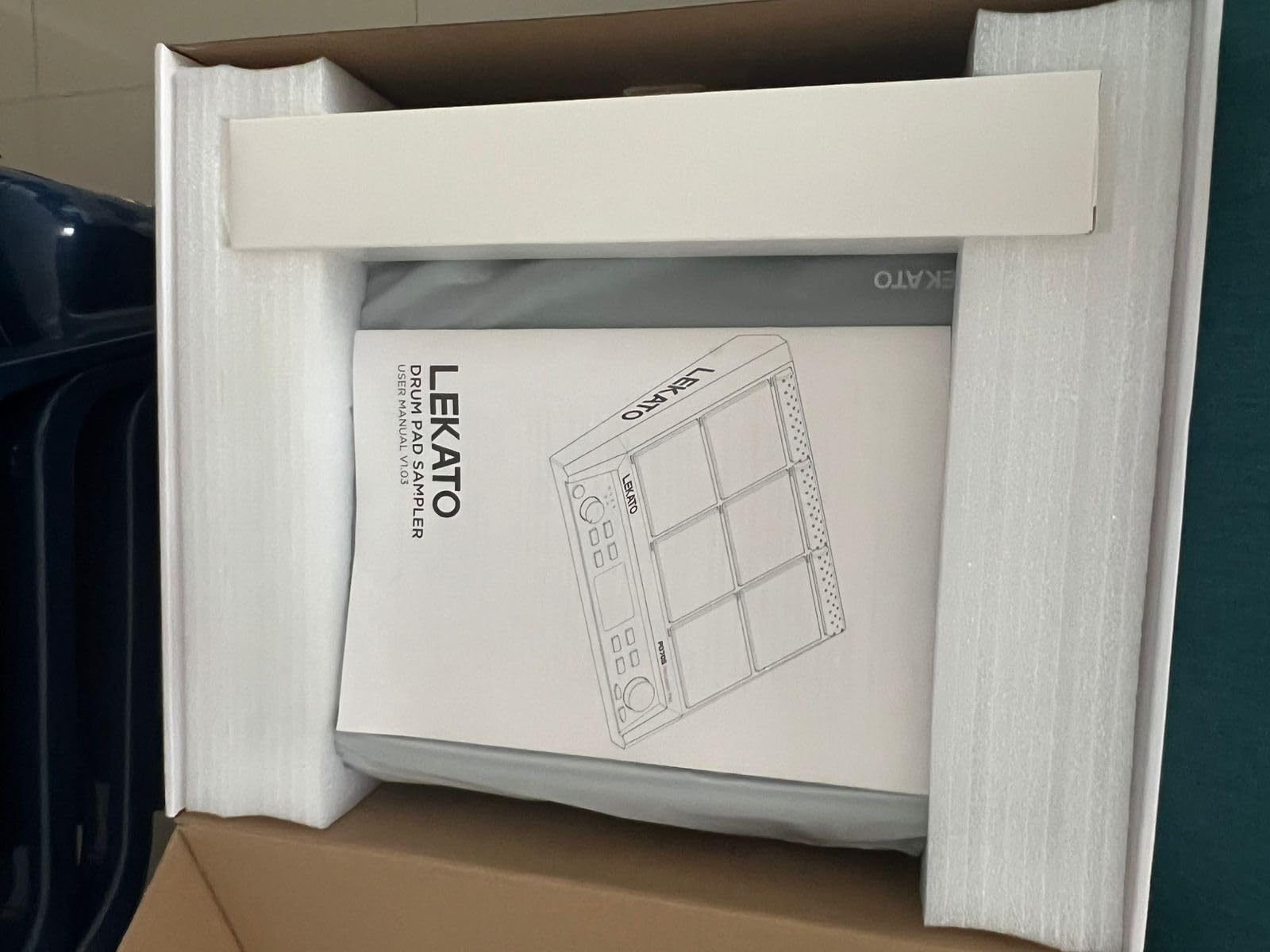
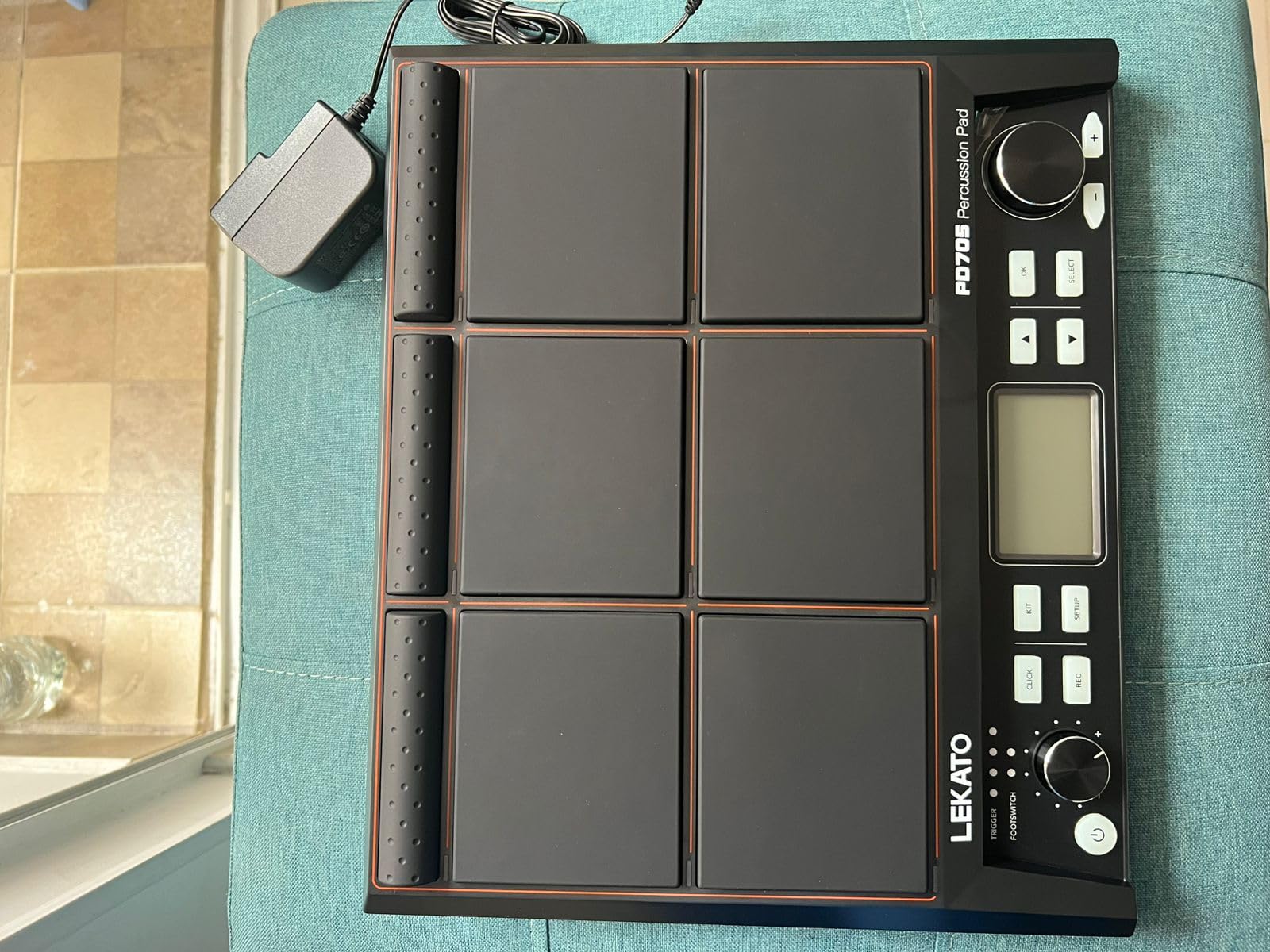
The LEKATO PD705 genuinely surprised our team. Coming in at under $300, this 9-pad multipad offers dual-zone velocity-sensitive pads, 592 preset sounds, MIDI I/O, and trigger inputs. That feature set would have cost $600+ just a few years ago.
The dual-zone pads are a standout at this price. Each pad can trigger two different sounds depending on where and how hard you hit it, which gives you significantly more sound options from the same surface area. We found the pad sensitivity to be consistent after spending time with the adjustment settings.
Sound quality from the 592 preset sounds is solid for the price range. You get 30 drum kits covering rock, jazz, electronic, and world percussion styles. The presets are not going to replace professional sample libraries, but they are more than usable for practice, casual performance, and even some recording scenarios.
The 5-pin MIDI I/O is what makes this pad genuinely useful beyond just playing built-in sounds. We connected it to an external synthesizer module and used the PD705 as a controller, which worked flawlessly. The USB-B port also allows computer connectivity for DAW control.
Saving custom kits to a 32GB SD card or USB drive gives you plenty of storage for your own sounds. The included WaveManager software for Windows and macOS lets you manage and assign sounds, though the interface is basic compared to Roland’s dedicated app.
The pads are noticeably quieter than those on the Alesis SamplePad Pro, which makes this a great choice for late-night practice. We tested it with headphones and found the experience pleasant and distraction-free.
Who Should Pick Up the LEKATO PD705
This is the best electronic drum pad for drummers who want a full-featured multipad without spending $500 or more. If you need MIDI connectivity, trigger inputs, and customizable sounds but are working with a tight budget, the PD705 delivers more than any other pad in this price range.
We also recommend it for practice-focused players who want a quiet, responsive pad with a decent sound library. The dual-zone pads give you enough flexibility to work on coordination and technique exercises effectively.
What to Consider Before Buying
The menu system is the biggest drawback. It took us several hours to feel comfortable navigating settings, and the included manual does not help much. The volume knob is placed where you can accidentally hit it while playing, which is annoying until you train yourself to avoid it.
You also cannot create empty user kits from scratch. Instead, you have to overwrite existing presets, which limits how you organize your custom sounds. This is a frustrating design choice that LEKATO could fix in a firmware update.
4. Yamaha FGDP-50 Finger Drum Pad – Best Portable Finger Drumming Pad
Yamaha Finger Drum Pad – Portable Electronic Drum Pad with Built-In Sounds, Speaker, USB MIDI, and Battery Power for On-the-Go Music Making FGDP-50
18 Performance Pads Plus 8 RGB Assignable Pads
Velocity-Sensitive with Aftertouch
48 Drum Kits
Built-in Speaker and Battery
USB MIDI and Audio Interface
Pros
- Genuinely portable with built-in speaker and rechargeable battery
- Velocity-sensitive pads with aftertouch feel great
- 48 professional drum kits sound excellent
- Quick boot time under 5 seconds
- Yamaha Rec'n'Share app integration
Cons
- Battery life is short at about 30 minutes continuous
- Uses micro USB instead of USB-C
- Non-replaceable battery
- No quantization feature
The Yamaha FGDP-50 is a different breed of electronic drum pad. Rather than mimicking a traditional multipad layout, this unit is designed specifically for finger drumming, with 18 performance pads plus 8 RGB-backlit assignable pads. Our team found it to be one of the most enjoyable pads to play in this entire roundup.
The velocity sensitivity with aftertouch gives you expressive control that most other pads in this price range lack. We were able to produce nuanced dynamics by varying our finger pressure, which made beats feel more musical and less robotic. The 48 professionally designed drum kits cover a wide range of styles, and the sound quality is unmistakably Yamaha.
What sets this pad apart is portability. The built-in speaker means you can play anywhere without headphones or an amplifier, and the rechargeable battery frees you from wall outlets. We took it on a commute and were able to sketch beat ideas during the ride.
The boot time is impressively fast. From power-on to ready-to-play takes under 5 seconds, which means you can capture inspiration the moment it hits. The Yamaha Rec’n’Share app adds recording and sharing capabilities that are genuinely useful for practice and content creation.
Audio and MIDI over USB makes DAW integration clean and simple. We connected it to Ableton Live and were producing beats within minutes. The USB connection also handles audio interface duties, so you can record the pad’s internal sounds directly into your computer.
Who Should Buy the Yamaha FGDP-50
This pad is perfect for finger drummers, beatmakers, and producers who want a portable, self-contained instrument. If you commute, travel, or like to make music away from your desk, the built-in speaker and battery make this the most portable option on this list.
We also recommend it for beginners who want to learn finger drumming technique. The pad layout and responsive feel make it an excellent training tool, and the included kits sound good enough to keep you motivated.
What to Consider Before Buying
The battery life is the biggest disappointment. You get roughly 30 minutes of continuous play with the built-in speaker, which is not enough for extended sessions. The unit works while plugged in, but the non-replaceable battery means you cannot carry a spare.
The micro USB port feels dated when USB-C is the standard on most modern gear. This is a minor complaint, but it means you need to carry a specific cable type rather than using the USB-C cable you likely already have for other devices.
5. Alesis SamplePad Pro – The Reliable Workhorse
Alesis SamplePad Pro - Percussion and Sample-Triggering Instrument with 8 Velocity-Sensitive Drum Pads, 200+ Built-In Sounds
8 Isolated Rubber Pads with Blue LEDs
200+ Built-in Sounds
Kick and Hi-Hat Pedal Inputs
SD Card for Custom Samples
MIDI In/Out and USB
Stereo Outputs and Headphone Jack
Pros
- Reliable performance for gigging musicians
- Good value at its price point
- Custom samples via SD card
- Expandable with additional triggers and pedals
- Suitable for beginners and experienced players
Cons
- Some pads may not trigger consistently with light hits
- Internal sounds considered basic
- Must save every setting change
- Windows-only sample management app
The Alesis SamplePad Pro has been a staple in the electronic drum pad market for years, and our testing confirmed why it remains popular despite being an older design. With nearly 1,500 customer reviews, this pad has built a reputation for reliability that newer competitors are still working to match.
The 8 isolated rubber pads feel solid under the stick. Each pad has its own blue LED illumination, which looks great on stage and helps you locate pads in dim lighting. We found the isolation between pads to be good overall, with minimal crosstalk during normal playing intensity.
The 200+ built-in sounds cover the essentials well. You get drum sounds, cymbal sounds, and percussion instruments that work for most standard gigging situations. The 10 ready-to-play kits mean you can start performing immediately without deep programming.
Where this pad shines is expandability. The kick pedal input and hi-hat pedal input let you build a more complete kit around the pad. We connected a kick trigger and hi-hat controller during testing and were able to play realistic drum kit patterns with foot and hand coordination.
Loading custom samples via SD card is the key feature that keeps this pad relevant. You can store up to 512 sounds and 20 kits on a 32GB SD card, which gives you enormous flexibility. The sample import process is not as smooth as we would like, and the management software is Windows-only, which is a real limitation for Mac users.
The MIDI In/Out ports and USB port give you multiple connectivity options. We used the MIDI output to trigger sounds on an external module, and the USB connection for DAW control worked without issues. The stereo outputs and dedicated headphone output cover all your monitoring needs.
Who Should Choose the SamplePad Pro
This pad remains one of the best electronic drum pads for gigging drummers who need reliability above cutting-edge features. If you want a proven workhorse that you can mount alongside an acoustic kit and trust night after night, the SamplePad Pro delivers.
We also recommend it for intermediate drummers who want their first multipad with sample import capabilities. The price point makes it accessible, and the learning curve is manageable compared to more complex units.
What to Watch Out For
Pad sensitivity with light hits is inconsistent. We noticed that very gentle strokes sometimes failed to trigger, which could be an issue if your playing style relies on dynamics. Adjusting sensitivity settings helps but does not fully solve the problem.
The requirement to save every setting change is annoying. If you adjust a kit and forget to save, you lose your changes when you power off. The Windows-only sample management app is a significant limitation for Mac and Linux users who have no official way to manage custom samples.
6. Alesis Sample Pad 4 – Best Compact Entry-Level Pad
Alesis Sample Pad 4 - Compact Percussion and Sample Triggering Instrument with 4 Velocity-Sensitive Pads, 25 Drum Sounds and SD/SDHC Card Slot
4 Velocity-Sensitive Pads
25 Built-in Sounds
8 Ready-to-Play Kits
Dual Trigger Input
SD Card Slot for Samples
MIDI Output
Tune and Reverb Controls
Pros
- Compact and highly portable form factor
- Velocity-sensitive pads respond well
- SD card slot for custom samples
- MIDI output for DAW and module control
- Built-in reverb and tuning controls
- Dual trigger input for expansion
Cons
- Internal sounds are very basic
- Windows-only configuration app
- Small pads require stick adjustment
- No USB bus power
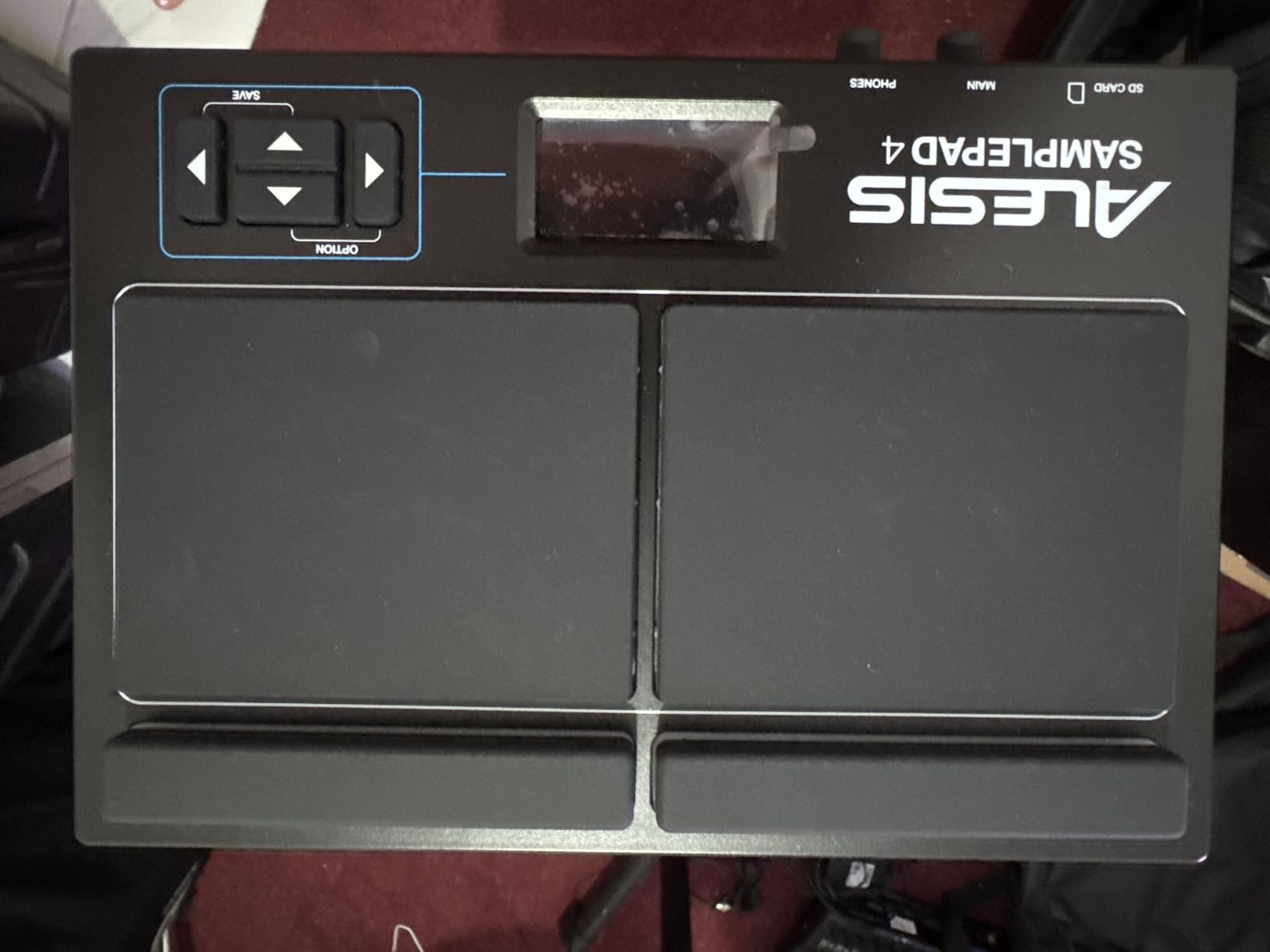
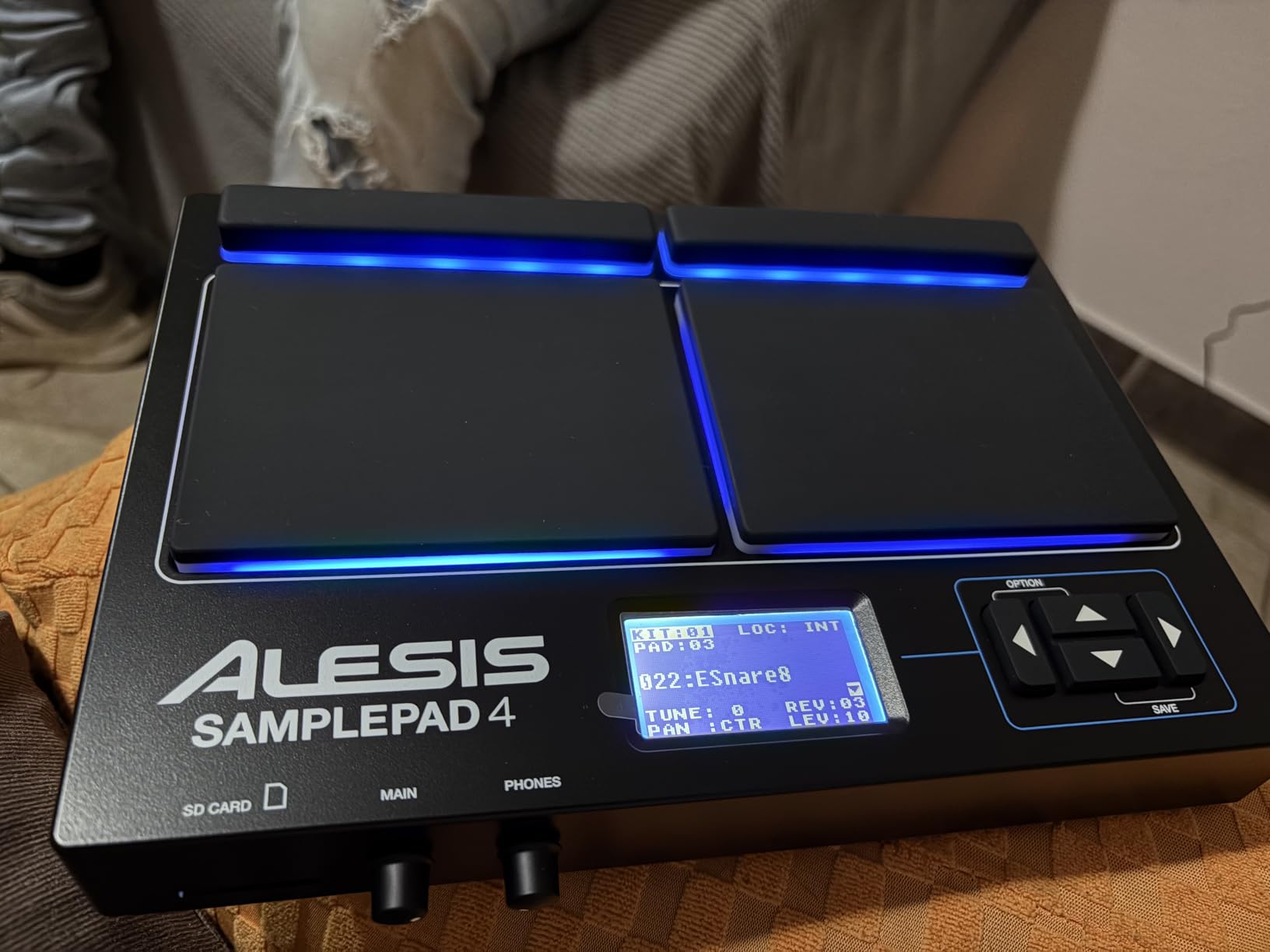
The Alesis Sample Pad 4 is the little sibling of the SamplePad Pro, and it occupies a specific niche that none of the other pads on this list fill quite as well. At under $180, it gives you 4 velocity-sensitive pads, sample import via SD card, and MIDI output in a compact, lightweight package.
Our team tested this primarily as a supplementary pad for an existing acoustic drum kit. The compact size means it fits easily on a snare stand or clamped to a cymbal stand without taking up much real estate. For drummers who just need to trigger a few sounds during a set, this is more practical than a full 9-pad multipad.
The 4 pads are velocity-sensitive and respond well to stick hits. We did need to adjust our technique slightly because the pads are smaller than standard practice pads, but after a short adjustment period, playing felt natural. The blue LED illumination adds a professional touch that belies the low price.
The 25 built-in sounds cover the most commonly requested percussion sounds. You get standard drum sounds, electronic sounds, and percussion instruments. The 8 ready-to-play kits organize these sounds into usable combinations. The sounds are basic, but the SD card slot lets you load your own custom samples, which dramatically expands the sonic possibilities.
The dual trigger input is a welcome feature at this price. We connected an additional drum pad and a kick trigger, effectively turning the 4-pad unit into a 6-pad setup. The MIDI output lets you use it as a controller for software instruments or external sound modules.
Who Should Get the Sample Pad 4
This is the best electronic drum pad for drummers who need something small, affordable, and capable of triggering a handful of sounds. If you only need to fire off a few samples or percussion sounds during a gig, this is more practical and affordable than a full multipad.
We also recommend it as a first electronic drum pad for beginners who want to explore sample triggering without a big investment. The learning curve is gentle, and the compact size makes it easy to store when not in use.
What to Consider Before Buying
The internal sounds are basic compared to what you get on the Alesis Strike MultiPad or even the LEKATO PD705. If you are not planning to load custom samples via SD card, you might find the sound selection limiting quickly.
The sample management software is Windows-only, which is a recurring complaint with Alesis products. Mac users will need to manually format and organize files on the SD card. Also, the pads are not USB bus-powered, so you need the included power adapter or a compatible third-party supply.
7. Pyle PTED01 Tabletop Digital Drum Set – Best Budget Tabletop Kit
Pyle Electronic Tabletop Digital Drum Set, Compact Portable Drum Pad Kit w/ 8 Touch Sensitive Pads and Pedals, 600 Sounds, USB & Headphone Outputs, MIDI/AUX Inputs, 4x5” Drums & 4x3.5” Cymbals
8 Touch-Sensitive Pads
600 Built-in Sounds
USB and MIDI Connectivity
Battery or AC Powered
LCD Screen
100 Demo Songs
Recording Capability
Pros
- Great variety of 600 sounds for the price
- USB MIDI controller functionality
- Portable with battery option
- Headphone jack for quiet practice
- 100 built-in demo songs
- Recording feature for capturing ideas
Cons
- MIDI functionality can be unreliable
- Included pedals feel flimsy
- Some dead spots on pads
- No built-in speakers
The Pyle PTED01 is technically a tabletop digital drum set rather than a traditional multipad, but it serves a similar purpose at a fraction of the cost. With 8 touch-sensitive pads, 600 sounds, and battery power, it targets beginners and casual players who want a fun, affordable way to play drums at home.
Our team approached this unit with measured expectations given its budget price point, and we came away impressed by the value proposition. The 600 sounds offer remarkable variety, covering acoustic drums, electronic kits, world percussion, and sound effects. While the sound quality does not match premium pads, the sheer volume of options keeps things interesting.
The 8 pads are arranged in a layout that mimics a real drum kit, with 4 larger drum pads and 4 smaller cymbal pads. This layout makes sense for beginners who are learning drum patterns, as it visually maps to how a physical drum kit is arranged.
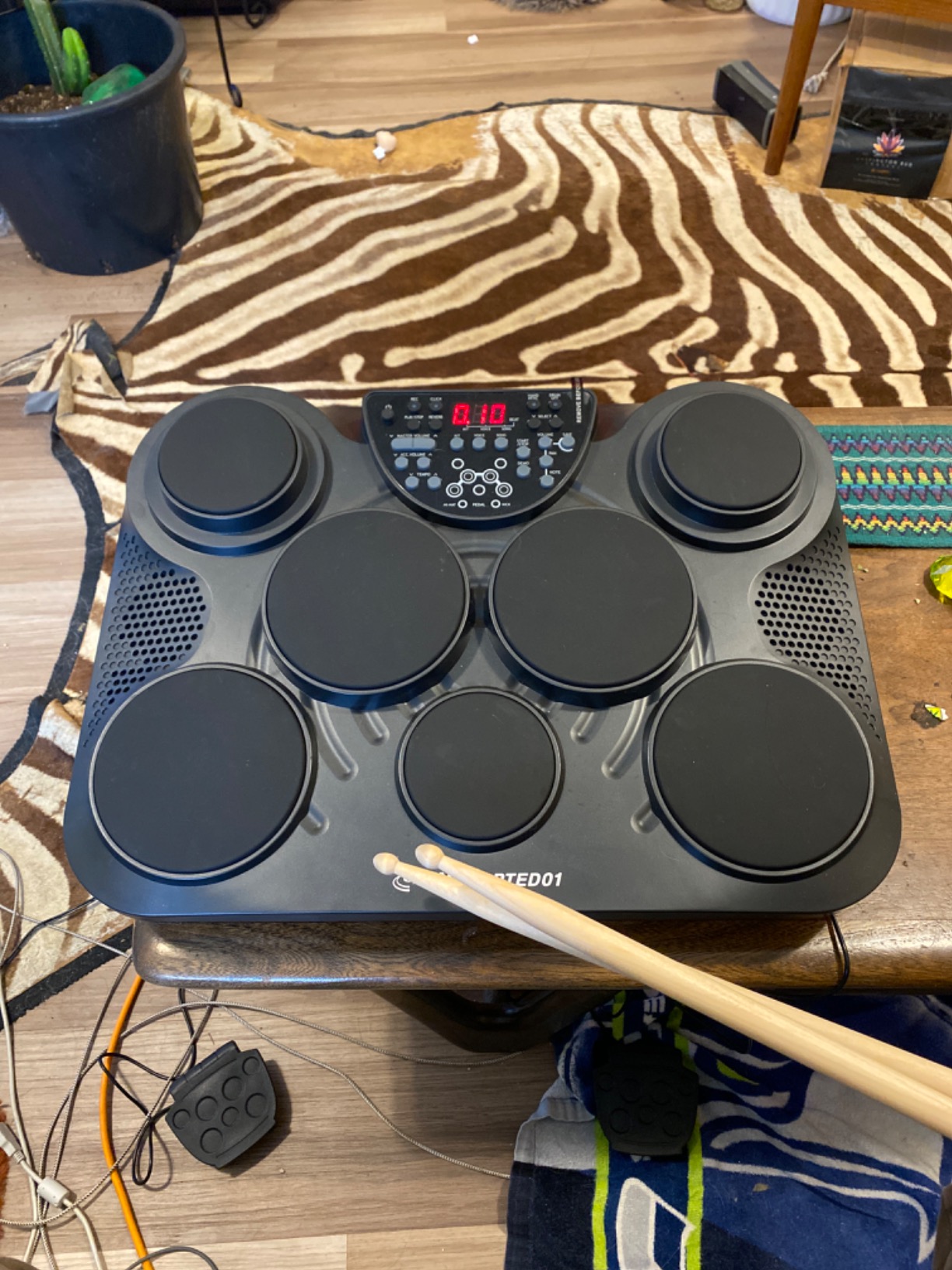
Battery power using 6 C-size batteries makes this unit truly portable. We set it up in different rooms, took it outside, and even used it during a camping trip. The AC adapter is included for stationary use, which is how most users will probably operate it.
The LCD screen provides access to sound selection, kit editing, and the recording function. Navigation is straightforward, though the screen itself is small and basic. The 100 built-in demo songs are useful for practice, giving you backing tracks to play along with.
The USB MIDI functionality lets you use this as a controller for computer-based drum software. We tested it with several DAWs and found the MIDI output worked, though it was occasionally unreliable with fast playing patterns. The headphone jack is essential since there are no built-in speakers.
Who Should Buy the Pyle PTED01
This is one of the best electronic drum pads for kids, teens, and adult beginners who want an affordable, fun way to start drumming. If you are not sure whether drumming is for you and want to test the waters without spending hundreds of dollars, this is a low-risk entry point.
We also recommend it for casual home use where professional sound quality is not a priority. It works well as a practice tool, a MIDI controller for basic beat-making, and a fun instrument for family gatherings.
What to Watch Out For
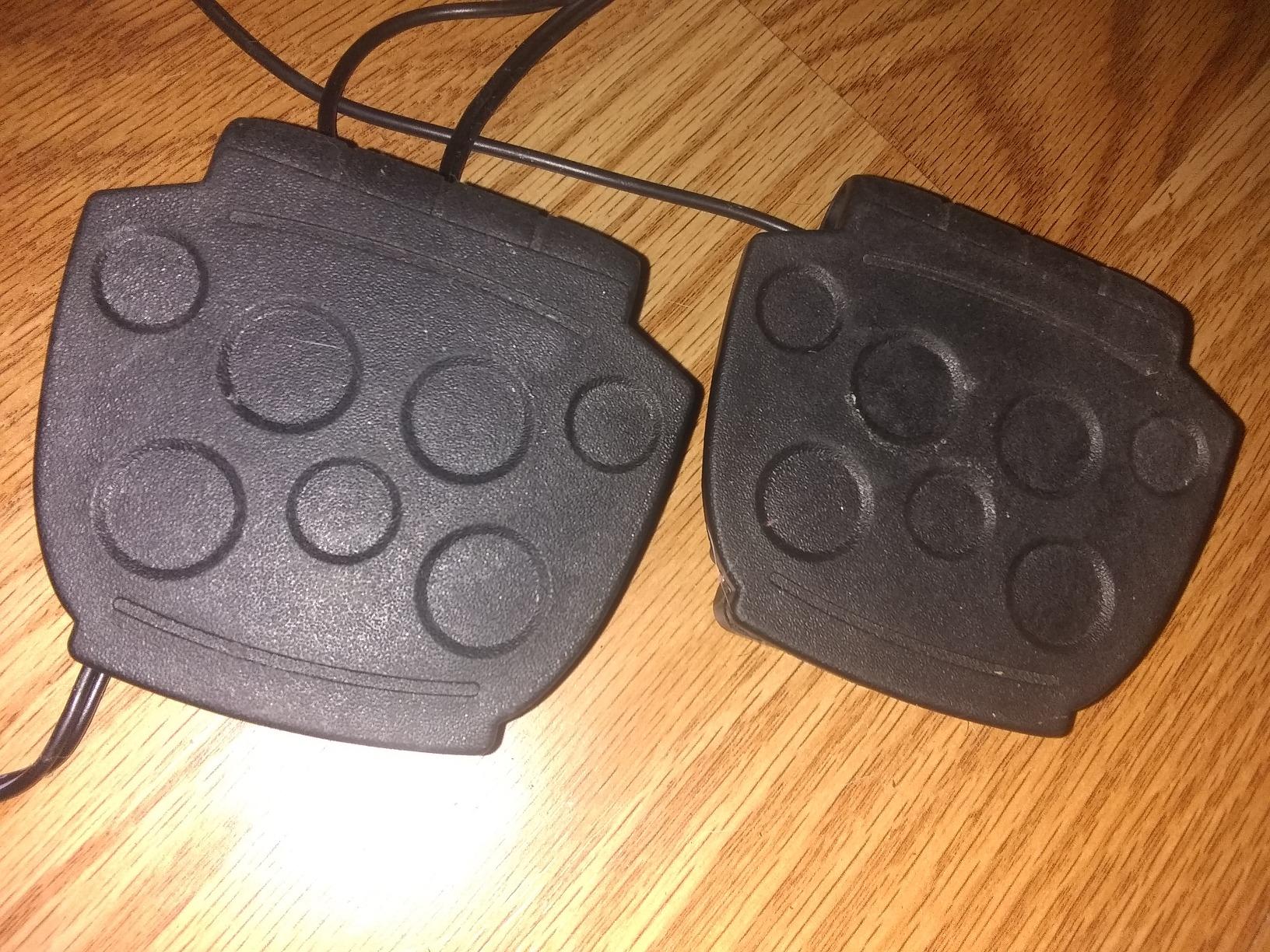
The included foot pedals are noticeably flimsy. During testing, we found they did not always register hits consistently, and the build quality suggests they will not survive heavy use. Some users have reported dead spots on certain pads where hits do not register, which appears to be a quality control issue.
The MIDI functionality works but is not as reliable as dedicated MIDI controllers. If you plan to use this primarily as a DAW controller, you may encounter timing issues with fast passages. For casual beat-making, it works fine.
8. KAT Percussion KTMP1 – Best Ultra-Budget Practice Pad
Kat Percussion KTMP1 Electronic Drum and Percussion Pad Sound Module, Black
4 Velocity-Sensitive Pads
50 Drum and Percussion Sounds
2 Additional Inputs for Hi-Hat and Kick
USB and MIDI Connectivity
Compact and Durable Design
Includes Drumsticks
Pros
- Excellent sound quality for the price
- 50 usable built-in sounds
- USB and MIDI connectivity
- Compact and portable
- Durable construction
- Includes drumsticks
Cons
- Limited MIDI implementation NOTE_ON only
- No memory for saved settings
- No control change messages
- Settings lost when powered off
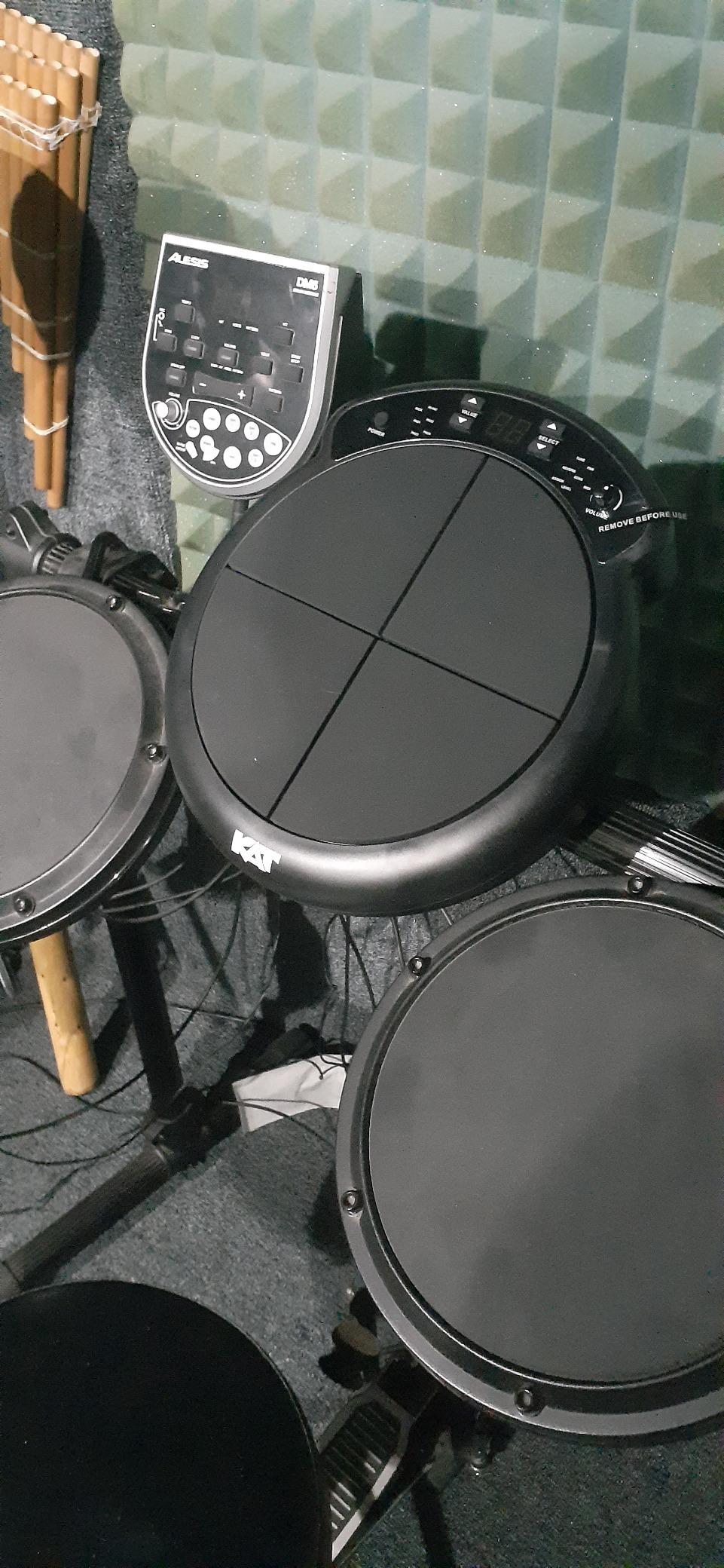
The KAT Percussion KTMP1 is the most affordable dedicated drum pad on our list, and it punches above its weight in several areas. For under $100, you get 4 velocity-sensitive pads, 50 sounds, USB/MIDI connectivity, and a surprisingly solid build. Our team was curious whether something at this price point could be genuinely useful, and the answer turned out to be yes, with some caveats.
The 4 pads feel better than we expected. They have a rubber surface that provides good stick rebound, and the velocity sensitivity works well enough for practice and basic triggering. The pads are not as refined as what you get on Alesis or Roland units, but they are functional and responsive for the price.
The 50 built-in sounds are actually quite good. KAT Percussion focused on quality over quantity, and the drum sounds have a warmth and realism that surprised us. You get acoustic drum sounds, electronic sounds, and percussion instruments that cover the basics well.
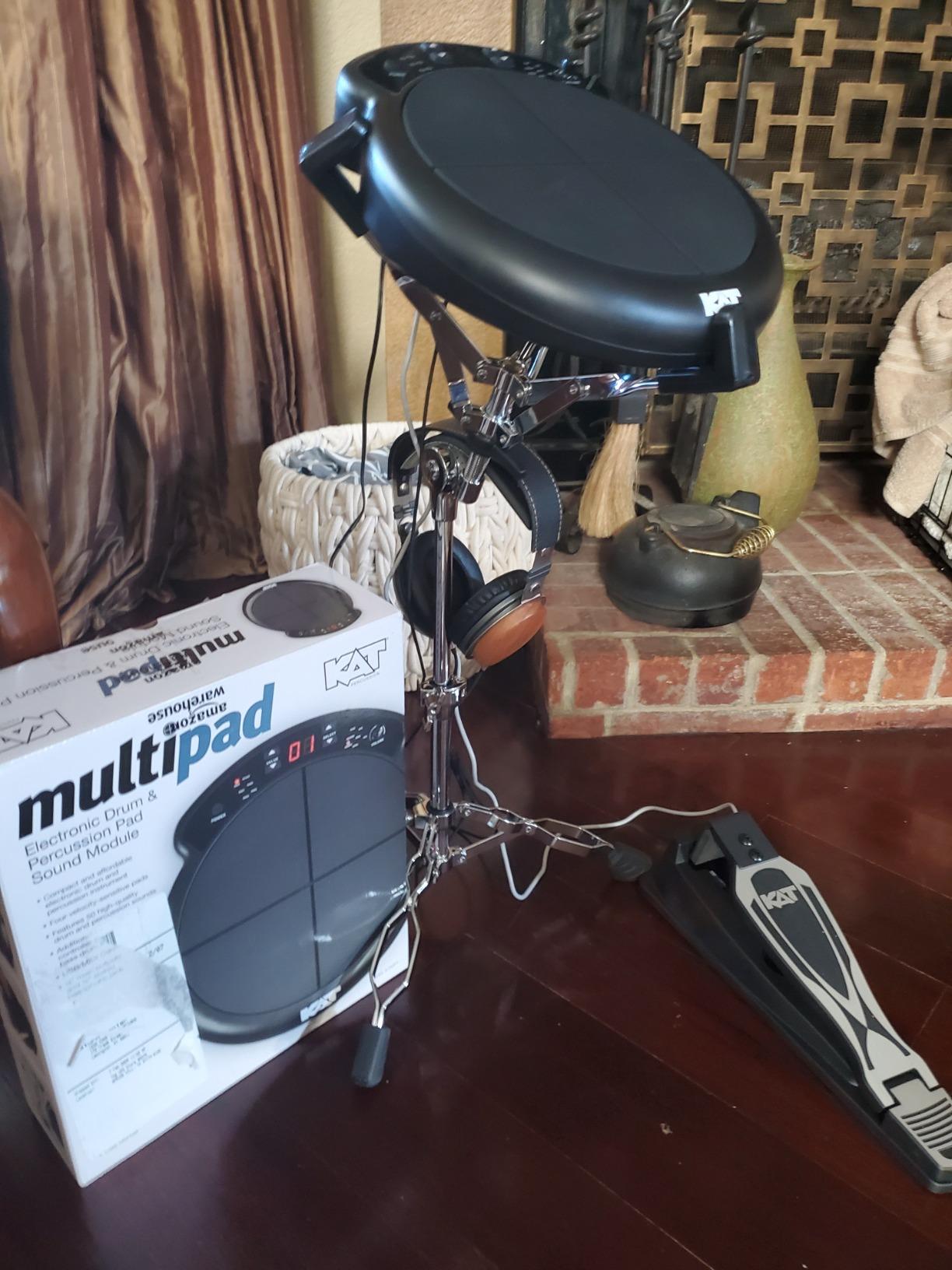
The two additional inputs for a hi-hat controller pedal and bass drum trigger expand the unit significantly. We connected a kick pad and hi-hat pedal and were able to play realistic drum kit patterns. This transforms the 4-pad unit into something approaching a compact electronic drum kit.
The USB/MIDI connectivity lets you trigger sounds on a computer or external module. However, the MIDI implementation is limited to NOTE_ON messages only, which means you cannot send control change data. This restricts how deeply you can integrate the pad with DAW software.
The biggest functional drawback is the lack of memory. When you power off the unit, all your settings are lost. This means every time you sit down to play, you need to reconfigure your kit, adjust sensitivity, and set up your preferred sounds. For practice sessions, this is annoying but manageable.
Who Should Pick Up the KAT KTMP1
This pad is ideal for beginners, students, and anyone who wants a simple, affordable practice tool. If you are just starting out with electronic drumming and want to learn basic pad techniques, trigger sounds, and explore MIDI without a big investment, the KTMP1 is a smart choice.
We also recommend it for drummers who need a compact secondary pad for travel or warm-up. The included drumsticks and durable construction make it a grab-and-go option.
What to Consider Before Buying
The lack of memory for saved settings is the most frustrating limitation. If you customize your kit extensively, having to redo everything each time you power on gets old fast. The limited MIDI implementation also means this is not suitable as a primary DAW controller.
The auto-shutoff feature, while presumably designed to save battery, also wipes your settings. There is no way to disable it, so you need to be aware of idle time during practice sessions.
9. VTech Kidi Star Drum Pad – Best Electronic Drum Pad for Kids
VTech Kidi Star Drum Pad, Black
20 Drum Style Sounds
30+ Built-in Songs
Bluetooth Connectivity
Built-in Speaker
3 Educational Games
Coach Mode
Headphone Jack
Battery Powered
Pros
- Highly responsive pads designed for children
- Great variety of 20 drum styles
- Bluetooth connectivity for playing along with music
- Built-in speaker eliminates need for extras
- Coach mode teaches drumming fundamentals
- Durable construction for energetic play
Cons
- Designed for children so adults will find it limiting
- Requires AA batteries that are not rechargeable
- Limited to toy-level sounds and features
The VTech Kidi Star Drum Pad is designed specifically for children ages 5 and up, and it excels at what it sets out to do. With a 4.7-star rating from nearly 1,000 reviews, this is clearly a product that delivers for its target audience. Our team tested it with young family members and were impressed by how engaged they stayed.
The 20 drum style sounds cover genres like rock, marching band, metal, and jazz. This variety keeps kids interested and exposes them to different musical styles. Each sound is distinct and characterful, which matters when you are trying to hold a child’s attention.
The built-in speaker is a key feature for a kids’ product. There is no need for external speakers or headphones, which simplifies setup and reduces the chance of lost or broken accessories. The speaker quality is adequate for the price range and sounds fine at typical play volumes.
Bluetooth connectivity lets kids play along with their favorite songs from a phone or tablet. We connected to a streaming service and the drum pad mixed cleanly with the audio. The built-in songs and demo patterns provide additional backing tracks for practice and play.
The Coach mode and three educational games are what set this apart from cheaper toy drum pads. Coach mode teaches basic drumming patterns and rhythms, helping children develop real musical skills. The games make learning feel like play, which is exactly how young children learn best.
The record button lets kids capture their performances and replay them. This feature was a hit during our testing, as children loved hearing their own creations played back. The headphone jack provides a quiet play option for parents who need a break from the noise.
Who Should Buy the VTech Kidi Star Drum Pad
This is the best electronic drum pad for children ages 5 to 10 who are showing interest in music and drumming. If you are a parent looking for an educational toy that teaches real rhythm skills while being genuinely fun, this delivers excellent value.
We also recommend it as a gift for grandchildren, nieces, and nephews. The high rating and broad appeal make it a safe bet that will actually get used rather than gathering dust.
What to Consider Before Buying
This is a toy, not a professional instrument. Adults and older teens will find the sounds and features limiting very quickly. If you are looking for a practice tool for a serious young drummer, consider the Alesis Sample Pad 4 or LEKATO PD705 instead.
The unit requires 4 AA batteries, and the included batteries are for demo purposes only. You will need to purchase your own batteries, and since they are not rechargeable, ongoing battery costs are something to factor in. A rechargeable battery option would have been a welcome addition.
10. Sboet Roll-up Electronic Drum Set – Best Ultra-Affordable Practice Pad
Sboet Electronic Drum Set, 9-Drum Practice Pad with Headphone Jack, Roll-up Drum Kit Machine with Built-in Speaker Drum Pedals and Sticks 10 Hours Playtime, Great Christmas Holiday Gifts for Kids
9 Drum Pads with 2 Foot Pedals
7 Timbres and 10 Demo Songs
Built-in Stereo Speakers
Rechargeable Battery 10 Hours
3.5mm Headphone Jack
Recording Function
Roll-up Silicone Design
Pros
- Highly portable roll-up design
- 10 hours of battery life
- Built-in speaker and headphone jack
- Recording function for capturing ideas
- Extremely affordable
- Lightweight and easy to store
Cons
- Not as responsive as higher-end kits
- Sound quality is basic
- Some lag on pad response
- Cannot trigger two pads simultaneously
The Sboet Roll-up Electronic Drum Set is the most affordable option on our list, and it serves a very specific purpose well. For under $40, you get 9 drum pads, 2 foot pedals, built-in speakers, a rechargeable battery, and a roll-up silicone design that is incredibly portable.
Our team tested this primarily as a travel and warm-up tool, and it fills that role admirably. The roll-up design means you can literally fold it up and stuff it in a backpack. The silicone pads are quiet when struck, making this one of the few options you can use in a hotel room or apartment without disturbing anyone.
The 9 pads are arranged in a standard drum kit layout with 3 toms, 2 crashes, 1 hi-hat, 1 ride, 1 snare, and 1 bass drum. The 2 included foot pedals handle kick and hi-hat functions. The layout makes intuitive sense for anyone who has sat behind a drum kit before.
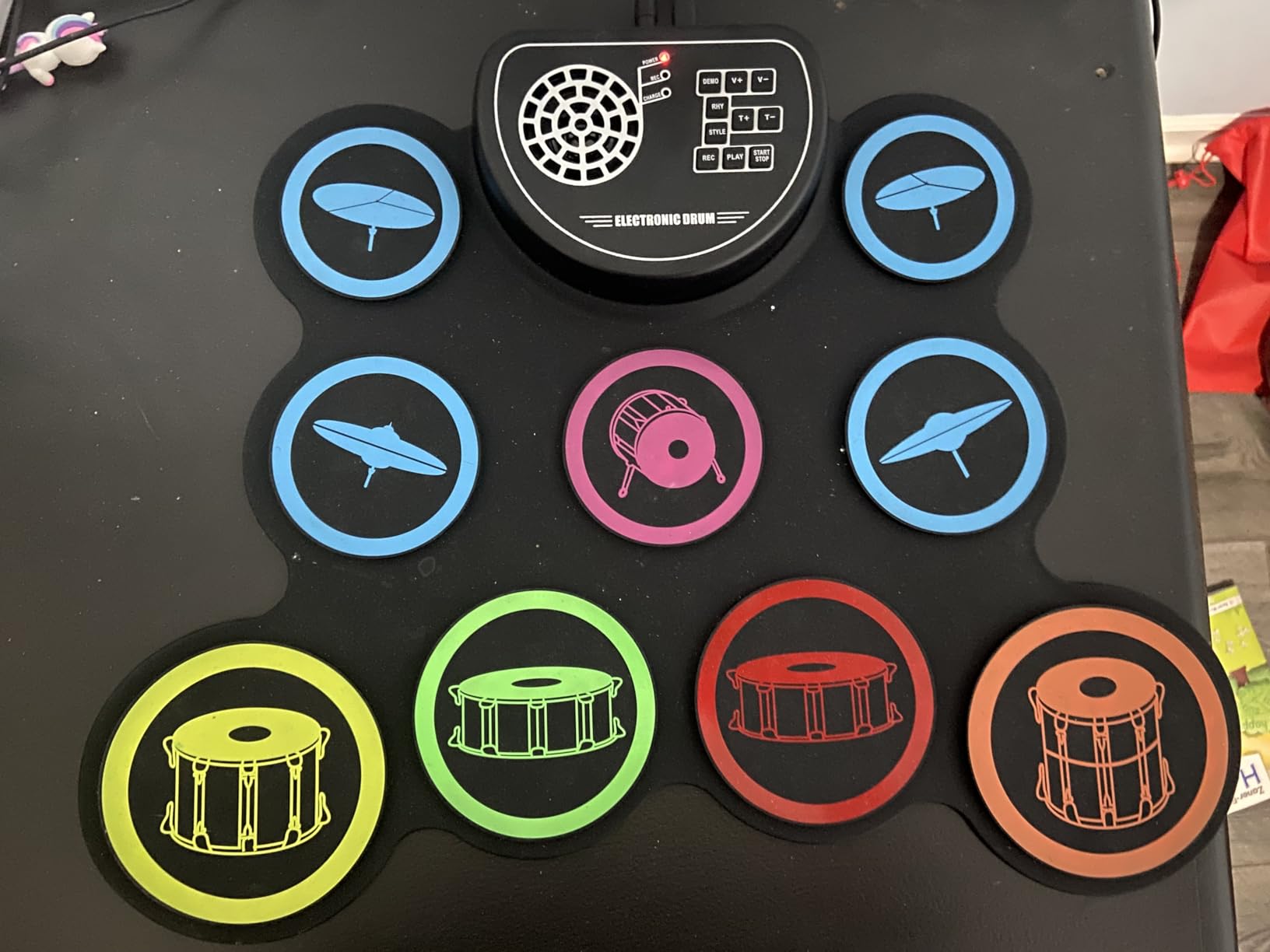
The 7 timbres, 10 demo songs, and 9 rhythms give you enough variety to keep practice sessions interesting. The built-in stereo speakers produce surprisingly full sound for the size, with bass response that exceeds expectations. The 10 volume levels let you dial in the right level for any environment.
The rechargeable battery delivers on the 10-hour playtime claim. We used it across multiple sessions over several days without needing to recharge. The 3.5mm headphone jack provides quiet practice capability, and the recording function captures up to 180 seconds of performance.
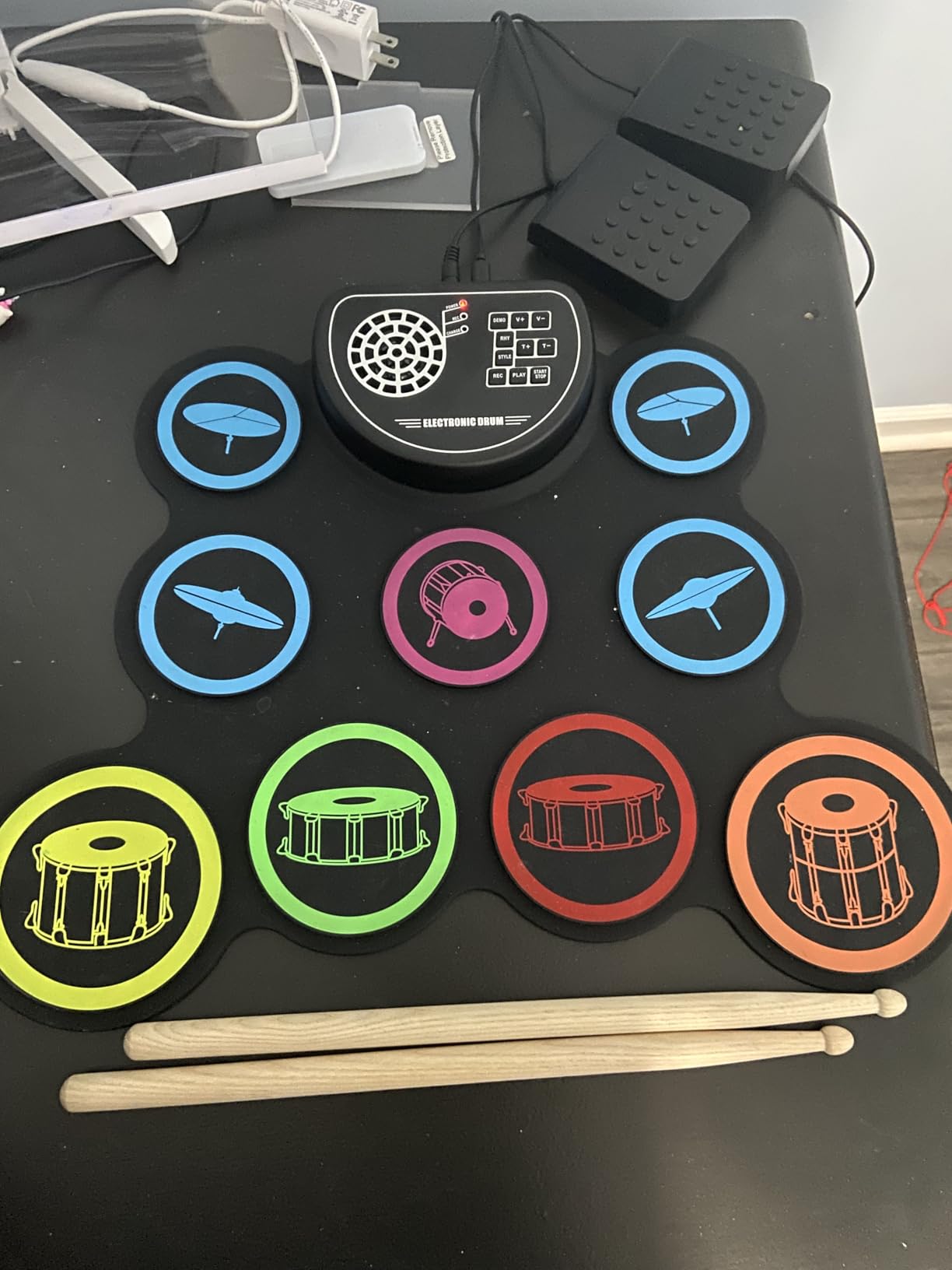
The included accessories add value to an already affordable package. You get 2 foot pedals, 2 wooden drumsticks, a Micro USB power cable, an audio cable, and an instruction manual. Everything you need to start playing is in the box.
Who Should Get the Sboet Roll-up Drum Set
This is the best electronic drum pad for absolute beginners and children who want to explore drumming without any financial risk. If you are buying for a child who has never played drums before and you want to see if the interest sticks before investing in real gear, this is the perfect starting point.
We also recommend it for traveling drummers who want a practice tool they can take anywhere. The roll-up design and battery power make it genuinely portable in a way that no rigid pad can match.
What to Consider Before Buying
The pad response is not in the same league as any of the dedicated multipads on this list. There is noticeable lag on some hits, and you cannot reliably trigger two pads at exactly the same time. This means it is not suitable for serious practice where timing precision matters.
The sound quality is basic and electronic-sounding. The built-in sounds are functional but lack the depth and realism of professional sample libraries. This is a practice and exploration tool, not a performance instrument.
11. Marrilley Roll-up Drum Practice Pad – Best Budget Gift Option

Electronic Drum Set, Marrilley 9 Drum Practice Pad with Headphone Jack, Roll-up Pad Machine Built-in Speaker Drum Pedals Sticks 10 Hours Playtime, Great Holiday Xmas Birthday Gift for Kids
9 Pads with 2 Foot Pedals
7 Timbres and 10 Demo Songs
Built-in Stereo Speakers
1200mAh Rechargeable Battery
180-Second Recording
3.5mm Headphone Jack
Roll-up Portable Design
Pros
- Affordable roll-up design that is easy to store
- Built-in stereo speakers
- 10 hours of battery life
- Recording function
- AUX input for phone connection
- Good value as a gift
- Suitable for young children
Cons
- Dead zones on pads that miss hits
- Cannot press two pads simultaneously
- Foot pedals can be sticky
- Not ideal for learning proper technique
The Marrilley Roll-up Drum Practice Pad is very similar in concept to the Sboet, offering 9 pads, built-in speakers, battery power, and a roll-up silicone design at an extremely low price point. Our team tested both side by side and found them comparable in most areas, with some notable differences.
The 9 pads follow the same drum kit layout as the Sboet, with 3 toms, 2 crashes, 1 hi-hat, 1 ride, 1 snare, and 1 bass. The 2 included foot pedals handle kick and hi-hat duties. The layout is intuitive for beginners who are learning basic drum patterns.
The built-in stereo speakers produce adequate sound for the price. We found the volume levels sufficient for personal practice, though the sound quality is clearly in the toy category. The 7 timbres, 10 demo songs, and 9 rhythms provide enough variety for casual play.
The 1200mAh rechargeable battery delivers the promised 10 hours of playtime. We tested this over the course of a week of intermittent use and did not need to recharge. The AUX input lets you connect a phone or computer to play along with external audio.
The 180-second recording function captures performances for playback and review. We found this particularly useful for beginners who want to hear their progress over time. The headphone jack provides quiet practice capability, which parents will appreciate.
The roll-up design and lightweight construction make this easy to store and transport. It comes with drumsticks and pedals included, so you have everything needed to start playing right out of the box.
Who Should Buy the Marrilley Roll-up Pad
This is an excellent gift option for children ages 3 and up who are curious about drumming. At this price point, it is a low-risk way to introduce a child to rhythm and musical concepts. The fun factor is high, and the educational value, while limited, is real for very young beginners.
We also recommend it for adults who want a novelty practice tool or a fun desk toy. It is not going to replace a real practice pad or electronic drum kit, but it offers an entertaining way to keep your hands busy and practice basic coordination.
What to Consider Before Buying
The pad surface has dead zones where hits do not register consistently. This is a common issue with silicone roll-up pads at this price point. You may need to adjust your playing position to find the sweet spots on each pad.
The inability to trigger two pads simultaneously is a significant limitation. Real drumming often requires hitting multiple drums at the same time, so this constraint means you cannot practice realistic drum patterns. The foot pedals can also feel sticky, which affects responsiveness.
How to Choose the Best Electronic Drum Pad
Choosing from the best electronic drum pads requires understanding what type of pad you need, what features matter most for your use case, and how much you should spend. Our team broke down the key decision factors based on our testing experience and feedback from drummer communities.
Sample Pad vs Percussion Pad vs Multipad
These three terms describe different categories of electronic drum pads, and understanding the difference helps narrow your choices quickly. A sample pad, like the Roland SPD-SX PRO or Alesis SamplePad Pro, is designed primarily for triggering audio samples and backing tracks. These pads excel at playing back pre-recorded sounds with precise timing.
A percussion pad, like the KAT KTMP1, focuses on playing built-in percussion sounds live. These are simpler units that prioritize responsive pads and quality drum sounds over sample import and advanced features. They work well as add-ons to acoustic kits.
A multipad, like the Alesis Strike MultiPad or LEKATO PD705, combines both approaches. Multipads offer built-in sounds, sample import, looping, effects, and multiple connectivity options. They are the most versatile option but also tend to have steeper learning curves.
Pad Count and Layout
The number of pads directly affects how many sounds you can trigger simultaneously and how complex your performances can be. Four-pad units like the Alesis Sample Pad 4 and KAT KTMP1 are fine for basic triggering and practice. Eight-pad units like the Alesis SamplePad Pro offer more sound options while remaining compact.
Nine-pad units like the Roland SPD-SX PRO, Alesis Strike MultiPad, and LEKATO PD705 give you the most creative flexibility. The extra pads allow for more complex arrangements, and the larger surface area feels more like playing a real instrument. For live performance, 9 pads is generally the sweet spot.
Sound Quality and Library Size
The quality and quantity of built-in sounds varies dramatically between models. The Roland SPD-SX PRO offers the best sound quality in this roundup, with professional-grade samples and effects processing. The Alesis Strike MultiPad leads in quantity with 32GB of storage and over 6GB of pre-loaded content.
If you plan to import your own samples, look for pads that support standard WAV or AIFF file formats. The Roland, Alesis Strike MultiPad, LEKATO PD705, and Alesis SamplePad Pro all support custom sample import, though the software tools for managing samples vary in quality.
Connectivity Options
MIDI connectivity is essential if you want to use your pad as a controller for external sound modules or DAW software. Look for both MIDI In and Out ports, as well as USB connectivity for computer integration. The Roland SPD-SX PRO offers the most comprehensive connectivity with multiple audio outputs and 8 trigger inputs.
USB audio interface functionality, found on the Alesis Strike MultiPad and Yamaha FGDP-50, eliminates the need for a separate audio interface when recording to a computer. This simplifies your studio setup and reduces cable clutter.
Trigger inputs allow you to connect additional pads or acoustic drum triggers, expanding your setup. The Roland SPD-SX PRO leads with 8 inputs, while the LEKATO PD705 and Alesis SamplePad Pro offer 2 inputs each.
Budget Tiers
Electronic drum pads fall into several distinct price tiers, and knowing where your budget sits helps narrow the field quickly. The under $100 tier includes the KAT KTMP1, VTech Kidi Star, and the roll-up pads from Sboet and Marrilley. These are best for kids, absolute beginners, and casual use.
The $100 to $350 tier includes the Alesis Sample Pad 4, Pyle PTED01, Alesis SamplePad Pro, LEKATO PD705, and Yamaha FGDP-50. This is where you start getting legitimate musical tools with sample import, MIDI connectivity, and responsive pads.
The $350 to $600 tier is anchored by the Alesis Strike MultiPad, which offers the best feature-to-price ratio in this entire roundup. The $600+ tier is dominated by the Roland SPD-SX PRO, which delivers professional-grade performance for serious musicians.
DAW Integration Tips
If you plan to use your electronic drum pad with a DAW like Ableton Live, there are a few things to consider. USB MIDI connectivity is the simplest connection method, and most pads on this list support it. Look for pads that also offer USB audio interface functionality to streamline your recording chain.
Crosstalk, where hitting one pad triggers an adjacent pad, can be a problem when recording. We experienced this on the Alesis Strike MultiPad during aggressive playing. Adjusting sensitivity and crosstalk settings in the pad’s menu usually helps, but it requires patience to dial in correctly.
Latency is another concern, particularly with budget options. Users on Reddit have reported USB latency issues with some cheaper pads, requiring workaround cables or drivers. The Roland, Alesis, and Yamaha pads we tested all performed well in terms of latency when connected via USB.
Frequently Asked Questions
What is the best electronic drum pad for beginners?
The best electronic drum pad for beginners depends on age and goals. For adult beginners, the LEKATO PD705 offers the best combination of features, sound quality, and value at under $300. For children ages 5 to 10, the VTech Kidi Star Drum Pad provides an engaging, educational introduction to drumming. For absolute beginners on a tight budget, the Alesis Sample Pad 4 gives you velocity-sensitive pads, sample import, and MIDI output in a compact form.
How much do electronic drum pads cost?
Electronic drum pads range from about $40 for basic roll-up practice pads to $1,500 for professional flagship models like the Roland SPD-SX PRO. Budget options under $100 include the KAT KTMP1 and roll-up pads. Mid-range pads between $180 and $350 include the Alesis SamplePad Pro and LEKATO PD705. Premium multipads like the Alesis Strike MultiPad run around $600, while professional sampling pads like the Roland SPD-SX PRO reach $1,500.
What is the difference between a sample pad and a percussion pad?
A sample pad is designed primarily for triggering pre-recorded audio samples and backing tracks, with features like sample import via SD card or USB and multiple audio outputs for routing individual sounds. A percussion pad focuses on playing built-in drum and percussion sounds live, typically offering fewer connectivity options but more responsive pads. A multipad combines both functions, offering built-in sounds, sample import, looping, effects, and advanced connectivity in one unit.
Can electronic drum pads be used with acoustic drums?
Yes, electronic drum pads are commonly used alongside acoustic drums in hybrid setups. Pads like the Roland SPD-SX PRO and Alesis SamplePad Pro can be mounted on a stand next to your acoustic kit, allowing you to trigger electronic sounds, samples, and backing tracks while playing your acoustic drums. Many pads also offer trigger inputs that let you attach trigger sensors to acoustic drum heads for hybrid triggering.
What brands make the best electronic drum pads?
Roland is widely considered the top brand for professional electronic drum pads, with the SPD-SX series being the industry standard for touring drummers. Alesis offers strong value across multiple price points with the Strike MultiPad and SamplePad lines. Yamaha produces quality pads like the FGDP-50 finger drum pad. KAT Percussion and LEKATO offer competitive budget options, while Pyle and roll-up brands serve the entry-level market.
Final Thoughts on the Best Electronic Drum Pads
After testing 11 pads across every price tier, our top recommendations are clear. The Roland SPD-SX PRO remains the gold standard for professional drummers who need reliable sample triggering and multi-output routing on stage. The Alesis Strike MultiPad offers the best overall value, giving you 32GB of storage, a built-in looper, and USB audio interface capabilities for a fraction of the flagship price.
For budget-conscious buyers, the LEKATO PD705 punches well above its weight with dual-zone pads and MIDI I/O. And for kids and absolute beginners, options like the VTech Kidi Star and Alesis Sample Pad 4 provide accessible entry points into electronic drumming without breaking the bank.
The best electronic drum pads in 2026 cover an incredibly wide range of needs and budgets. Whether you are triggering backing tracks on a world tour or helping a child discover rhythm for the first time, there is a pad on this list that will serve you well. Take the time to match the features to your specific needs, and you will have a tool that enhances your drumming for years to come.