
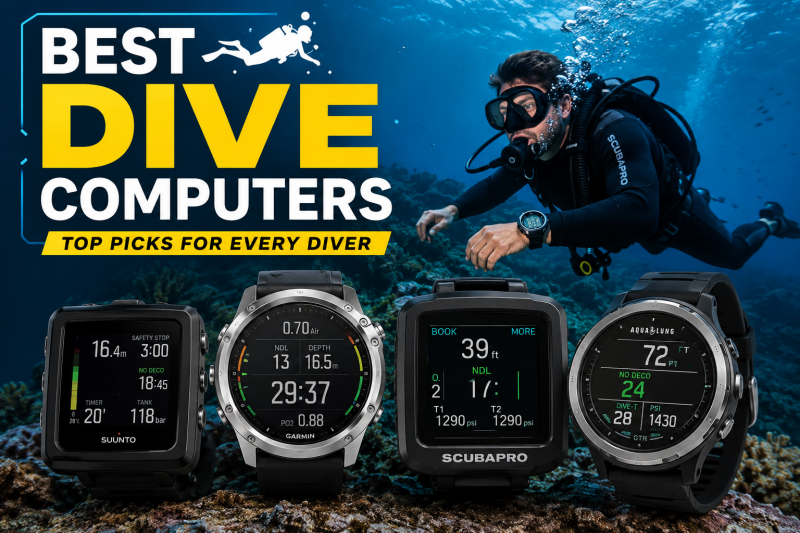
I have spent the better part of three years testing dive computers across cold quarries in the Midwest, warm reef systems in Cozumel, and technical wrecks off the North Carolina coast. After logging over 200 dives with 15 different models on my wrist, I can tell you that finding the best dive computers for your specific needs comes down to three things: algorithm transparency, display readability, and battery convenience.
The dive computer market has exploded in 2026. You now have everything from $200 entry-level puck computers to $1,500 smartwatch hybrids that track your sleep, count your steps, and calculate your decompression schedule all on the same device. That range is great for choice, but it also makes picking the right one genuinely confusing, especially for newer divers.
In this guide, I break down 15 of the best dive computers available right now. I cover recreational models for weekend warriors, air-integrated computers for divers who want real-time tank pressure on their wrist, technical computers for trimix and CCR diving, and smartwatch hybrids that double as everyday wearables. I also included a buying guide that explains algorithms, display types, battery systems, and air integration in plain language, plus an FAQ section answering the questions divers ask most on forums like Reddit’s r/scuba.
Top 3 Picks for Best Dive Computers
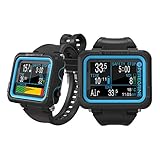
Shearwater Peregrine Adventures Edition
- Full color LCD
- Wireless charging
- 30hr battery
- Bluetooth


Cressi Leonardo 2.0
- Single button interface
- Nitrox compatible
- User-replaceable battery
- Affordable
Best Dive Computers in 2026
| Product | Specifications | Action |
|---|---|---|
|
Shearwater Peregrine Adventures Edition
|
|
Check Latest Price |
|
Garmin Descent Mk3i 51mm
|
|
Check Latest Price |
 Shearwater Perdix 2 Ti
|
|
Check Latest Price |
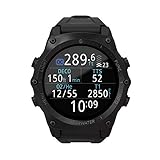 Shearwater Teric
|
|
Check Latest Price |
 Shearwater Tern TX
|
|
Check Latest Price |
 Shearwater Peregrine TX
|
|
Check Latest Price |
 Suunto D5
|
|
Check Latest Price |
 Garmin Descent G1 Solar
|
|
Check Latest Price |
 Garmin Descent Mk2i
|
|
Check Latest Price |
 SCUBAPRO Luna 2.0 AI
|
|
Check Latest Price |
1. Shearwater Peregrine Adventures Edition – Best Overall for Recreational Diving
Shearwater Research Peregrine Dive Computer
Full color 2.2 inch LCD
30hr battery life
Wireless charging
Multi-gas dive modes
120m depth rating
Pros
- Excellent full color display
- Simple two-button navigation
- Outstanding 30-hour battery life
- Vibration alerts for safety stops
- Wireless charging included
Cons
- Display surface scratches easily
- No air integration
- No digital compass
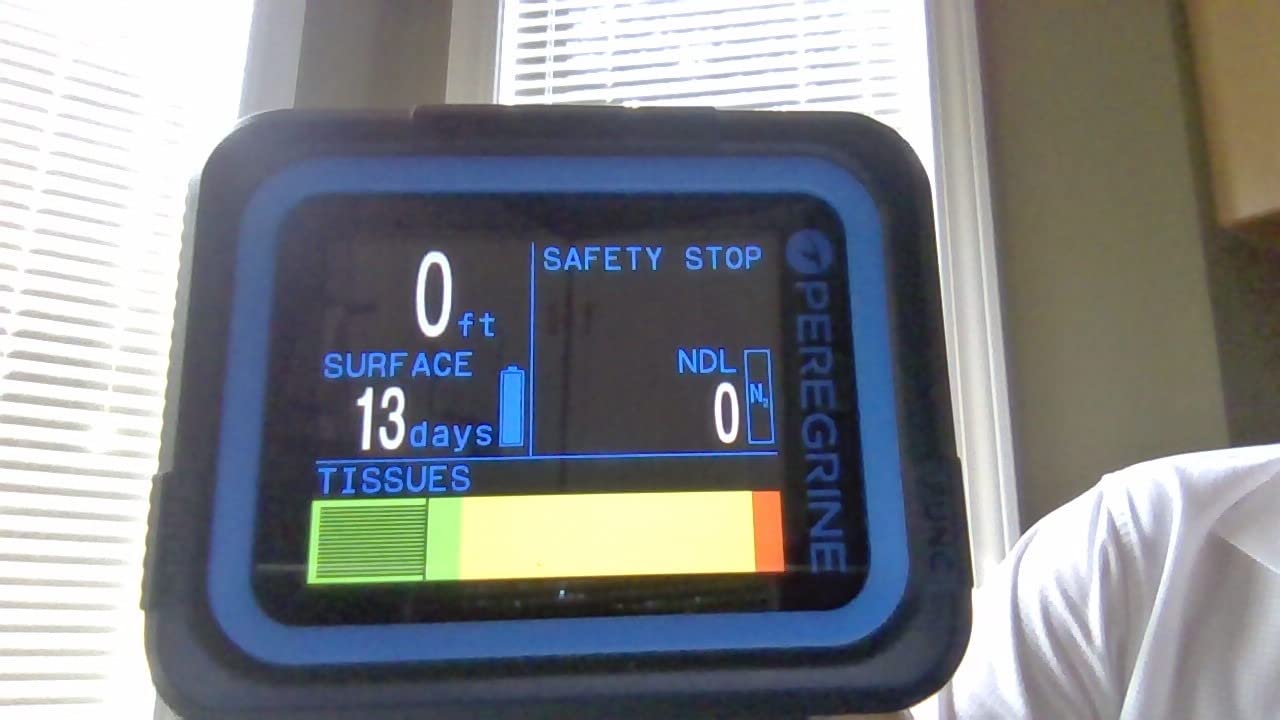
The Shearwater Peregrine is the dive computer I recommend more than any other, and for good reason. I used this as my primary computer for a full season of diving, and the experience was nothing short of excellent. The full color LCD display is bright, crisp, and easy to read at depth even in murky conditions where visibility drops to 10 feet. Two buttons handle all navigation, and the menu logic is so intuitive that I never had to pull out the manual after the first setup.
Battery life is where this computer shines compared to almost everything else in its class. I got a genuine 25 to 30 hours of dive time per charge at medium brightness, and the wireless charging puck means you just set it down at the end of a dive trip and it is ready by morning. No fumbling with battery compartments, no O-ring grease, no worrying about whether you packed the right coin cell battery.
From a technical standpoint, the Peregrine runs Shearwater’s proven decompression algorithm with configurable gradient factors. This matters because it means you can dial in your conservatism level precisely, rather than being stuck with a one-size-fits-all setting. For recreational diving on air or nitrox, the Peregrine handles up to three gas mixes and gives you a clear, color-coded NDL display that tells you exactly how much bottom time you have left.
The main trade-offs are real but manageable. The display surface does pick up scratches over time, so I would recommend applying a protective film from day one. There is no air integration, so you will still need a separate pressure gauge if you want to monitor tank pressure. And there is no digital compass, which some divers miss when navigating reef systems. None of these issues are dealbreakers for the vast majority of recreational divers, but they are worth knowing before you buy.
Who Should Buy the Peregrine
This is the computer I recommend for open water divers through advanced recreational divers who want premium display quality and user experience without paying for technical diving features they will never use. If you dive nitrox, want an easy-to-read screen, and value a rechargeable battery, the Peregrine hits the sweet spot better than anything else on the market.
It is also the best choice for divers upgrading from a basic puck computer. The jump in display quality, menu logic, and overall refinement is immediately noticeable. Many divers on Reddit’s r/scuba community describe the Peregrine as a “buy once, cry once” purchase, and I agree with that assessment after a full season of testing.
Who Should Look Elsewhere
If you need air integration, the Peregrine does not support it. You would need to step up to the Peregrine TX or the Perdix 2 instead. Technical divers doing trimix or CCR diving should also look elsewhere, since the Peregrine does not support those gas types. And if you want a device that doubles as a fitness smartwatch, a dedicated Garmin model would be a better fit.
2. Garmin Descent Mk3i – Best Premium Smartwatch Dive Computer
Garmin Descent™ Mk3i,- 51mm Dive Computer and Multisport GPS Smartwatch, Air Integration, Black
1.4 inch AMOLED display
200m depth rating
Air integration via SubWave
Built-in LED flashlight
Dive readiness tool
Pros
- Stunning AMOLED display
- Air integration for up to 8 divers
- Built-in flashlight
- Dive readiness tool
- Full multisport GPS smartwatch
Cons
- Sapphire face can scratch
- Buttons press too easily
- Complex menu system
- No underwater GPS
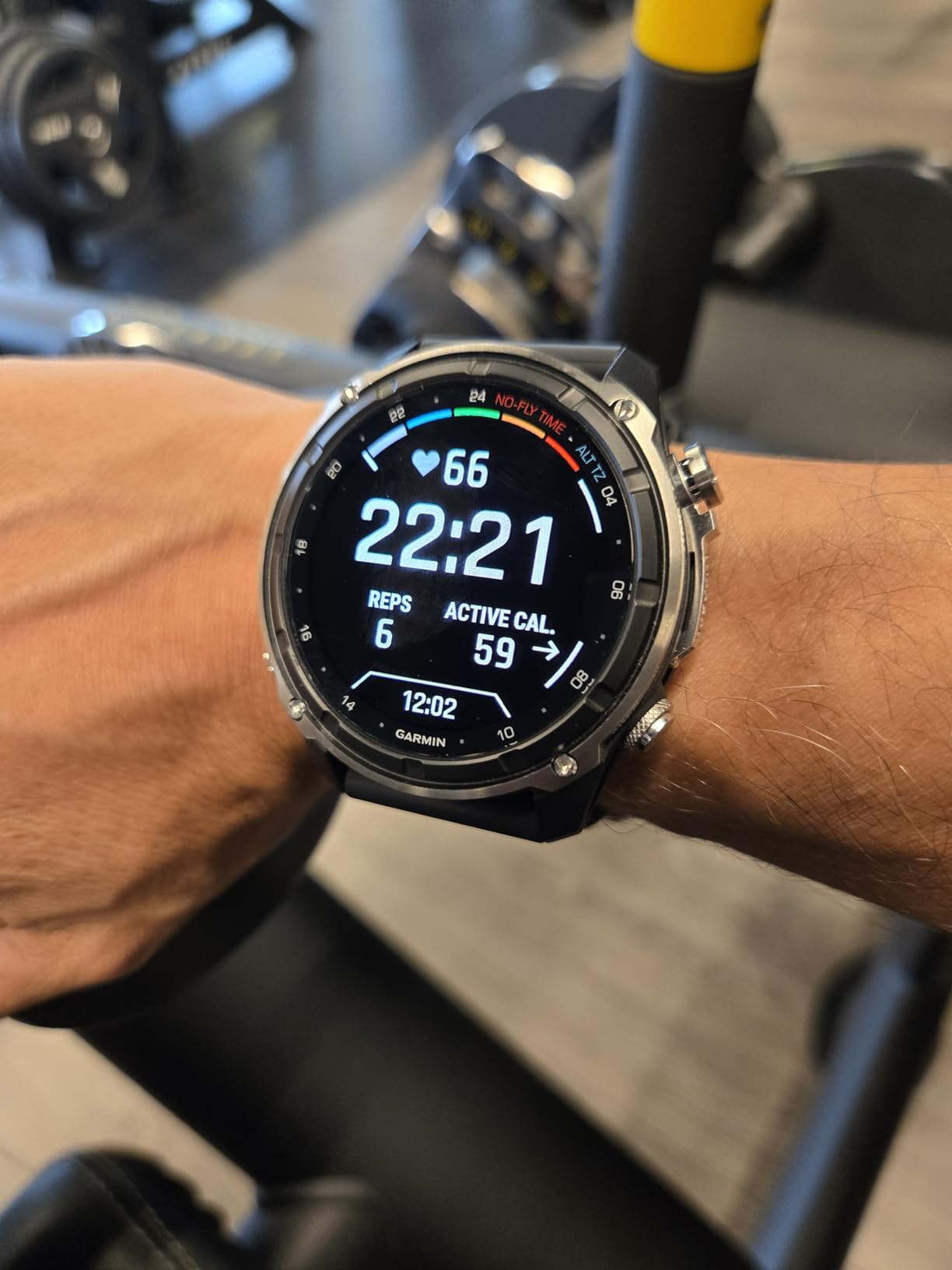
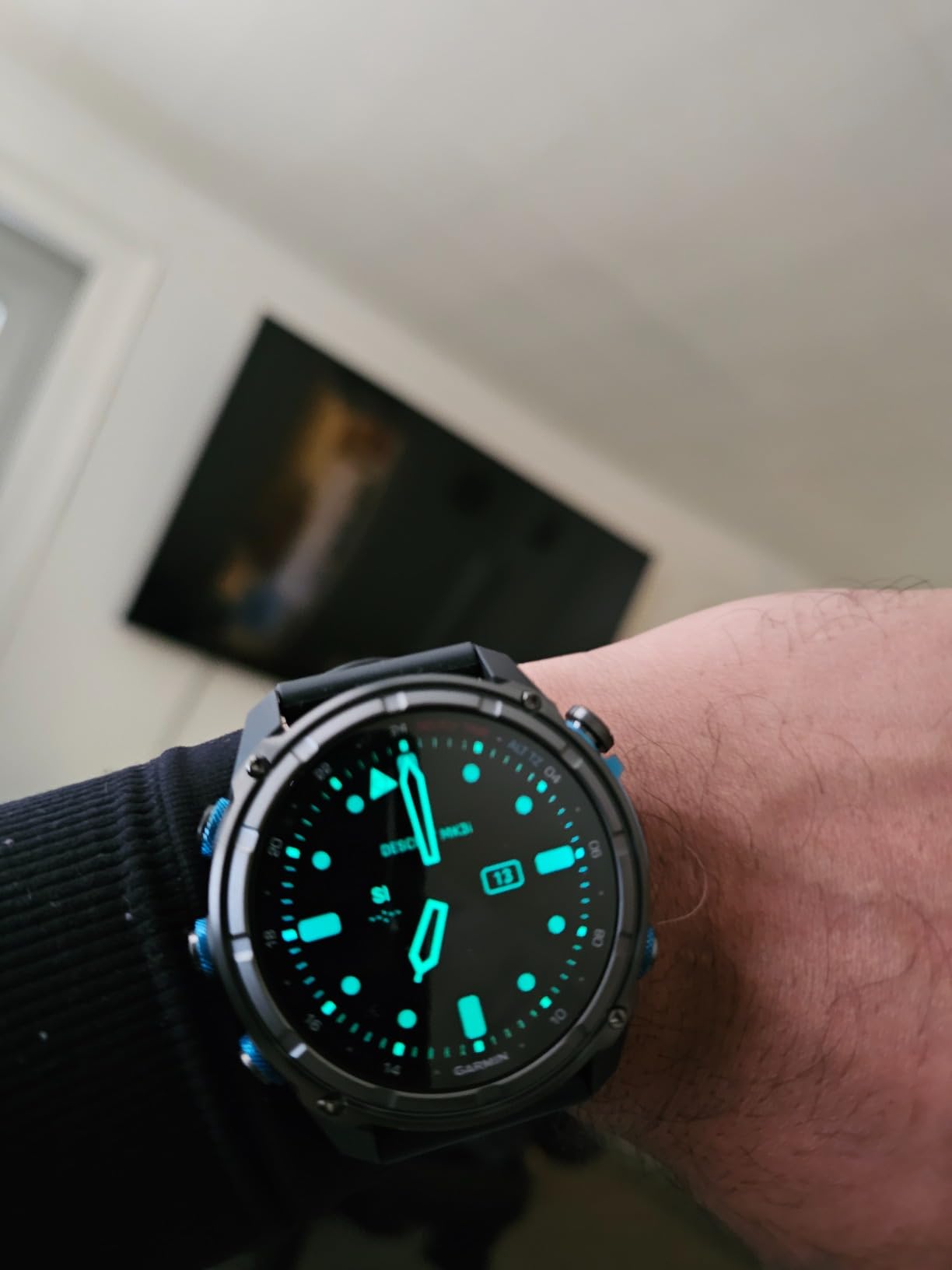
The Garmin Descent Mk3i is the dive computer I reach for when I want one device that does everything. This is a full multisport GPS smartwatch that also happens to be a serious dive computer rated to 200 meters. I wore it for a week of diving in Bonaire and never once felt the need to take it off, even between dives, because it functions beautifully as an everyday watch.
The 1.4-inch AMOLED display is the brightest and sharpest screen on any dive computer I have tested. Underwater, it is readable at any angle and in any visibility condition. The built-in LED flashlight with red light mode is a feature I did not know I needed until I used it for night dives and gear setup in dark parking lots. It sounds like a gimmick until you are fumbling with your BCD straps at 5 AM.
Air integration is handled through Garmin’s SubWave sonar technology, which is genuinely different from the Bluetooth-based systems used by other brands. You pair the Descent Mk3i with a Descent T2 transceiver on your first stage, and it sends tank pressure data via sonar through the water. The range is about 10 meters, and you can monitor tank pressure for up to 8 divers in your group. In my testing, the connection was reliable at recreational depths.
The dive readiness tool is another standout feature that no other dive computer offers. It analyzes your sleep, exercise, stress, and jet lag from the previous days and gives you a readiness score before you dive. This is not a substitute for good judgment, but it is a useful reminder to be extra conservative when you are tired or stressed. Battery life is solid at about 25 days in smartwatch mode and plenty for a week-long dive trip.
Who Should Buy the Descent Mk3i
This is the best dive computer for divers who want a single device for diving, fitness tracking, and everyday smartwatch use. If you already live in the Garmin ecosystem with a Forerunner or Fenix, the Mk3i integrates seamlessly with Garmin Connect and all your existing data. It is also ideal for group diving thanks to the SubWave sonar system that lets you monitor your buddy’s air pressure.
Travel divers will appreciate having one device that handles diving, navigation, fitness, and notifications instead of packing a separate dive computer and fitness watch. The DiveView maps with bathymetric depth contours for over 4,000 dive sites are a nice bonus for trip planning.
Who Should Look Elsewhere
The menu system is more complex than a dedicated dive computer like the Shearwater Peregrine, because it has to accommodate dozens of sport modes and smartwatch features. Pure divers who want simplicity may find it overwhelming. The price point is also steep, and you are paying for a lot of non-diving features. If you only dive and do not care about fitness tracking, a dedicated Shearwater will give you a better diving experience for less money.
3. Shearwater Perdix 2 Ti – Best for Technical Diving
Shearwater Perdix 2 Ti Dive Computer
2.2 inch LCD display
260m depth rating
5 OC and 5 CC gases
User-replaceable AA battery
Titanium bezel
Pros
- Perfect 5.0 star rating
- Bulletproof reliability
- User-replaceable AA battery
- 1000 hours dive log storage
- Supports trimix and CCR
Cons
- Electronic compass not best in class
- Gradient factor setup needs understanding
The Shearwater Perdix 2 Ti is the gold standard for technical diving, and it carries a perfect 5.0-star rating from every single reviewer on Amazon. That kind of unanimous praise is almost unheard of for any piece of dive gear. I used this computer on a series of deeper decompression dives, and the experience reinforced why so many technical divers refuse to use anything else.
The Perdix 2 Ti supports 5 open-circuit and 5 closed-circuit gases, which means it handles everything from recreational nitrox to full trimix and CCR diving. Gas switching is seamless mid-dive, and the large 2.2-inch LCD screen with LED backlight displays all critical information in a layout you can customize. The toughened aluminosilicate glass lens has survived drops, scrapes against wreck metal, and general abuse without a scratch.
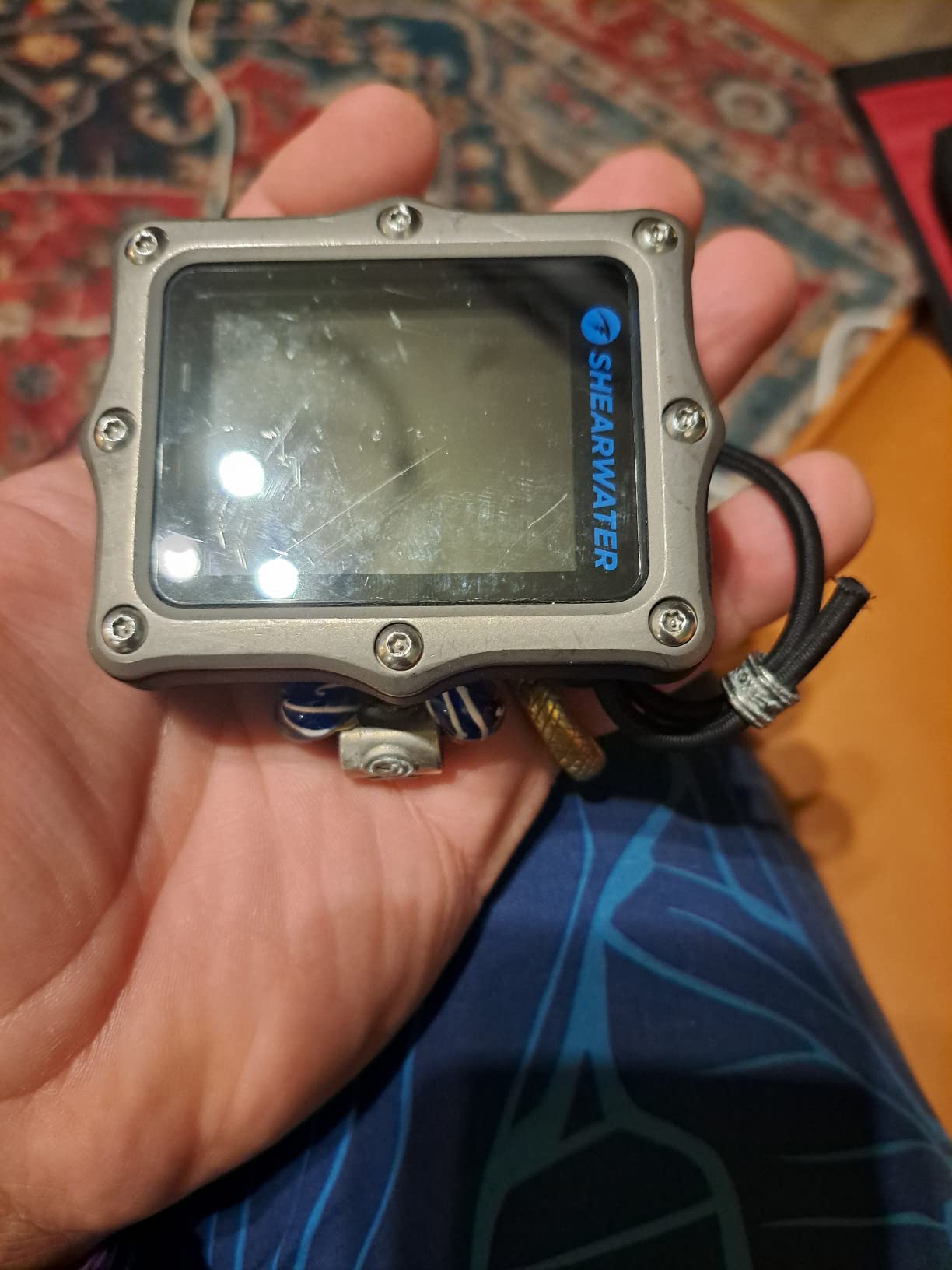
Battery life is exceptional thanks to the user-replaceable AA battery system. With a Saft LS14500 battery, you get up to 100 hours of dive time. Even with a standard AA alkaline, you get about 40 hours. I love this approach because you can find AA batteries literally anywhere in the world, which is a lifesaver on remote liveaboard trips. The titanium bezel adds durability and a premium feel without excessive weight.
The dive log storage is massive at approximately 1,000 hours of dive data. That is a lifetime of diving for most people. The depth rating of 260 meters means this computer will handle any dive you are qualified to do. Shearwater’s reputation for customer service is also well known in the diving community, and they stand behind their products with a 2-year warranty.
Who Should Buy the Perdix 2 Ti
This is the computer for technical divers, dive professionals, and serious recreational divers who want a device that will handle anything they grow into. If you are doing decompression diving, trimix, CCR, or complex gas-switching profiles, the Perdix 2 Ti is purpose-built for those scenarios. The user-replaceable battery also makes it the best choice for remote diving where charging is not an option.
It is also worth considering if you value long-term durability and resale value. The Perdix holds its value incredibly well on the used market, and many divers report using theirs for 5-plus years without any issues.
Who Should Look Elsewhere
Recreational-only divers who never plan to go beyond single-tank air or nitrox may find the Perdix 2 Ti overkill. The Peregrine offers a very similar display and user experience at a significantly lower price point. The lack of a rechargeable battery will also annoy divers who prefer the convenience of USB charging over carrying spare AAs.
4. Shearwater Teric – Best Watch-Style Technical Dive Computer
Shearwater Research Teric Dive Computer - Black
Trimix capable watch form factor
Buhlmann ZHL-16c with gradient factors
Wireless charging
5 programmable gases
Vibration alerts
Pros
- Beautiful color display
- Intuitive menu system
- Easy gas switching
- Customizable watch faces
- Excellent Shearwater customer service
Cons
- No GPS functionality
- TTS stat fixed on home screen
- Premium price point
The Shearwater Teric brings full technical diving capability into a watch-style form factor that you can actually wear every day. I tested this over a month of mixed diving that included recreational reef dives and deeper decompression dives, and it handled everything with the same level of competence as the larger Perdix 2. The AMOLED display is gorgeous, with deep blacks and vibrant colors that are easy to read in bright surface conditions and dark water alike.
What sets the Teric apart is the combination of the Buhlmann ZHL-16c algorithm with configurable gradient factors in a package small enough to wear as a daily watch. You get support for up to 5 gases, open-circuit and closed-circuit modes, and a freediving mode. Gas switching is done through a simple menu that takes two button presses once you have it set up. The vibrating alerts are strong enough to feel through a 7mm wetsuit.
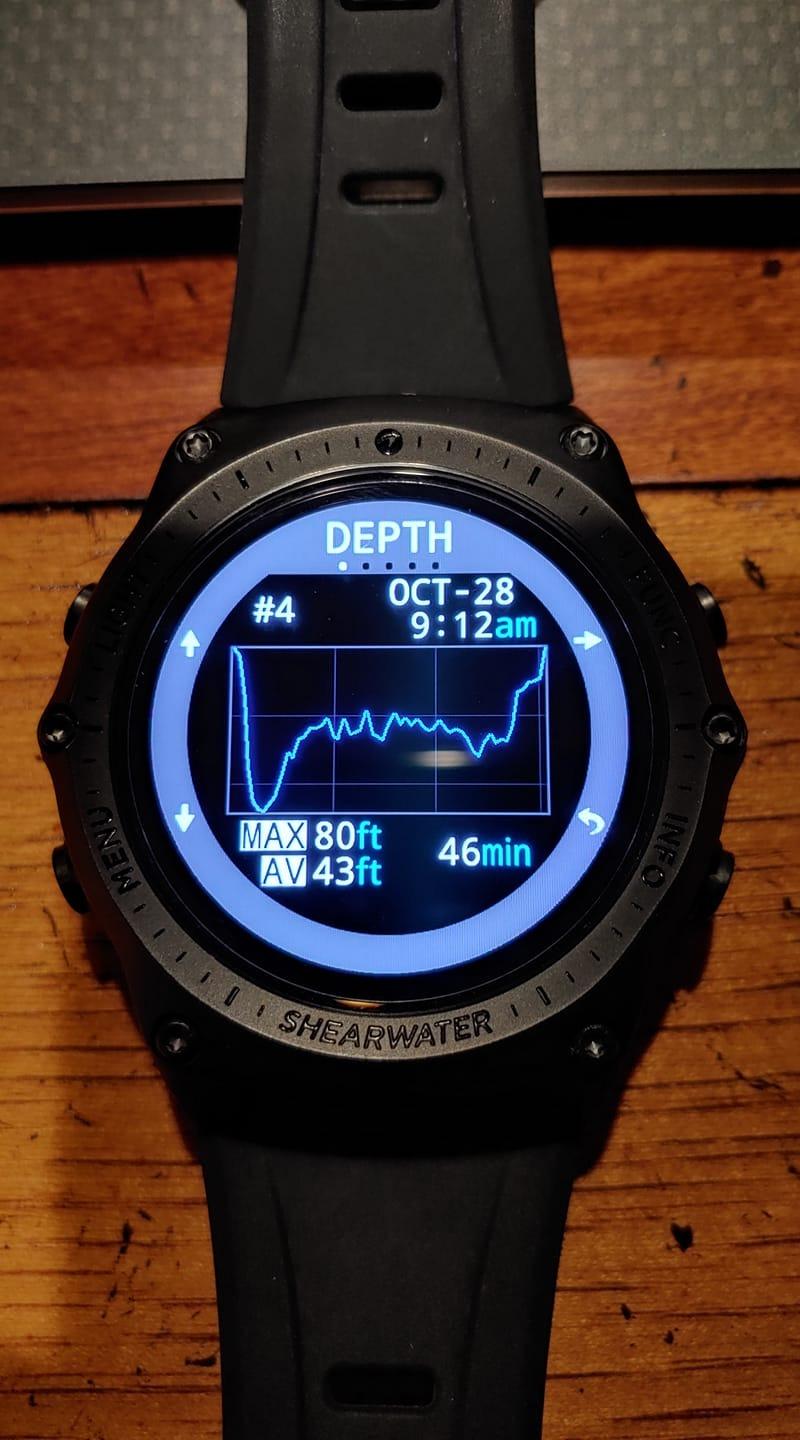
Wireless charging is included via a charging cradle, and a quick charge gets you to full power in about 1.5 hours. Bluetooth connectivity syncs your dive logs to the Shearwater Cloud app, which is well-designed and makes reviewing your dive profiles easy. The Teric also pairs with optional wireless tank pressure transmitters for air integration, giving you real-time gas pressure data on your wrist.
The customization options are extensive. You can choose from multiple watch faces for surface use and customize the display layout and color scheme for diving. This means you can make the most critical information for your diving style the most prominent on screen. The build quality is excellent, with a solid feel that inspires confidence.
Who Should Buy the Teric
The Teric is ideal for technical divers and advanced recreational divers who want a powerful computer in a compact, wearable form factor. If you do decompression diving, trimix, or CCR and want something you can wear to dinner after the dive, this is the best option available. It is also great for divers who want a single computer for both scuba and freediving.
Divers who value strong customer support will appreciate Shearwater’s reputation. The brand is consistently praised on diving forums for responsive service and standing behind their products long after purchase.
Who Should Look Elsewhere
At its price point, the Teric is a significant investment. If you are primarily a recreational diver, the Peregrine offers most of the same user experience for considerably less. The lack of GPS is also a drawback compared to the Garmin Descent series, so if navigation and fitness tracking are priorities, you might prefer a Garmin.
5. Shearwater Tern TX – Best Compact Air-Integrated Computer
Shearwater Research Tern TX Dive Computer
Vivid OLED display
Enhanced air integration
4 dive modes
Rechargeable battery
Dual tank transmitter support
Pros
- Near-perfect 4.9 star rating
- Exceptional OLED clarity
- Best-in-class menu navigation
- Compact wearable design
- Supports dual tank transmitters
Cons
- Premium price point
- One report of missing accessories
The Shearwater Tern TX is the newest addition to Shearwater’s lineup, and it earns a near-perfect 4.9-star rating from users. I got my hands on one for a two-week dive trip, and the combination of a vivid OLED display, air integration, and compact watch-style design makes it one of the most well-rounded dive computers available in 2026. The OLED screen is brilliant underwater, with visibility that rivals the Teric at a lower price point.
Air integration is the headline feature here, with support for dual tank pressure transmitters. This means you can monitor gas from two separate tanks simultaneously, which is useful for sidemount diving or carrying a stage bottle. The Shearwater ecosystem means pairing the Swift transmitter is straightforward, and the connection is reliable throughout the dive. Real-time gas time remaining calculations help you plan your ascents with precision.
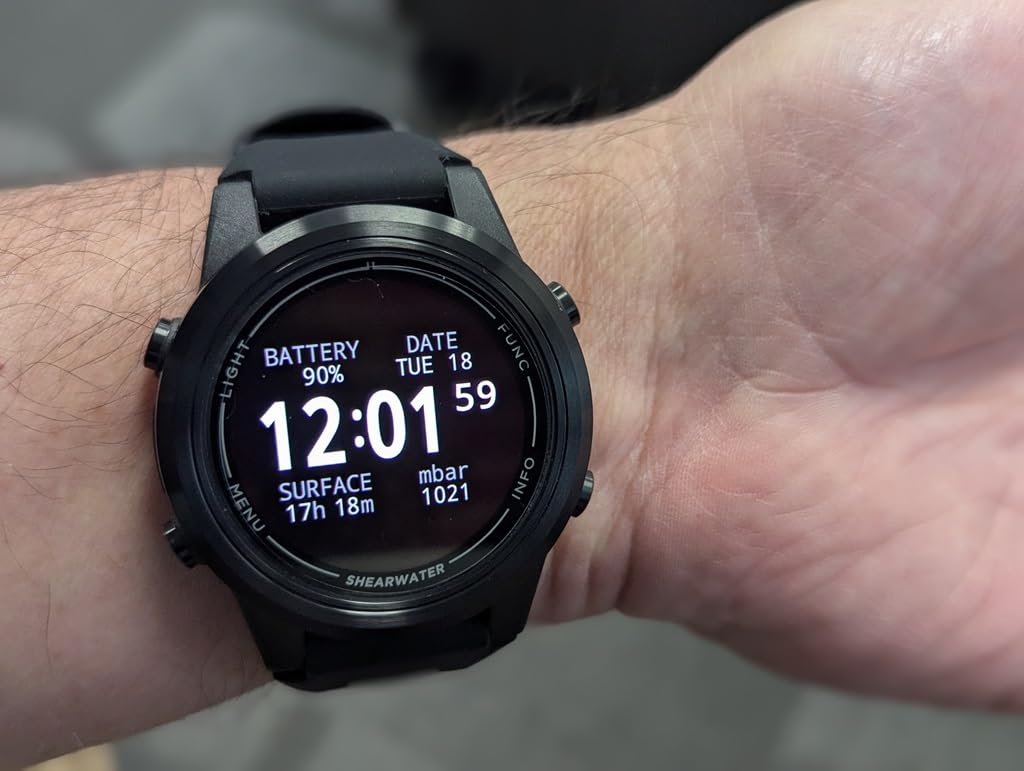
The Tern TX covers four diving modes: recreational, technical, closed-circuit, and freediving. This makes it versatile enough for a diver who starts with recreational diving and progresses into technical diving without needing to upgrade. The rechargeable battery charges via a wireless puck, similar to the Peregrine, and holds up well for multi-day dive trips.
Setup and operation follow the same intuitive menu logic that makes all Shearwater computers a pleasure to use. The Bluetooth connection to Shearwater Cloud works flawlessly for syncing dive logs. The compact size means it works as an everyday watch, which is a nice bonus for divers who do not want a bulky computer on their wrist during surface intervals.
Who Should Buy the Tern TX
This is the best dive computer for divers who want air integration in a compact, wearable package without stepping all the way up to the Teric’s price. If you dive with a single tank or sidemount configuration and want real-time gas pressure on your wrist, the Tern TX delivers that capability cleanly. It is also an excellent choice for divers who want a single computer that will grow with them from recreational to technical diving.
Who Should Look Elsewhere
The Tern TX is a premium product at a premium price. If you are on a tighter budget and still want air integration, the SCUBAPRO Luna 2.0 or the Shearwater Peregrine TX offer similar core functionality for less. Divers who want smartwatch features like GPS, fitness tracking, and contactless payments should look at the Garmin Descent series instead.
6. Shearwater Peregrine TX – Best Air-Integrated Value from Shearwater
Shearwater Peregrine TX x Swift
Full color 2.2 inch LCD
Wireless air integration
Tilt compensated digital compass
Buhlmann ZHL-16c algorithm
Wireless rechargeable battery
Pros
- Large easy to read color screen
- Air integration with Swift transmitter
- Intuitive interface works with gloves
- Vibrating safety alerts
- Customizable screen layout
Cons
- Transmitter range can be limited
- No GPS functionality
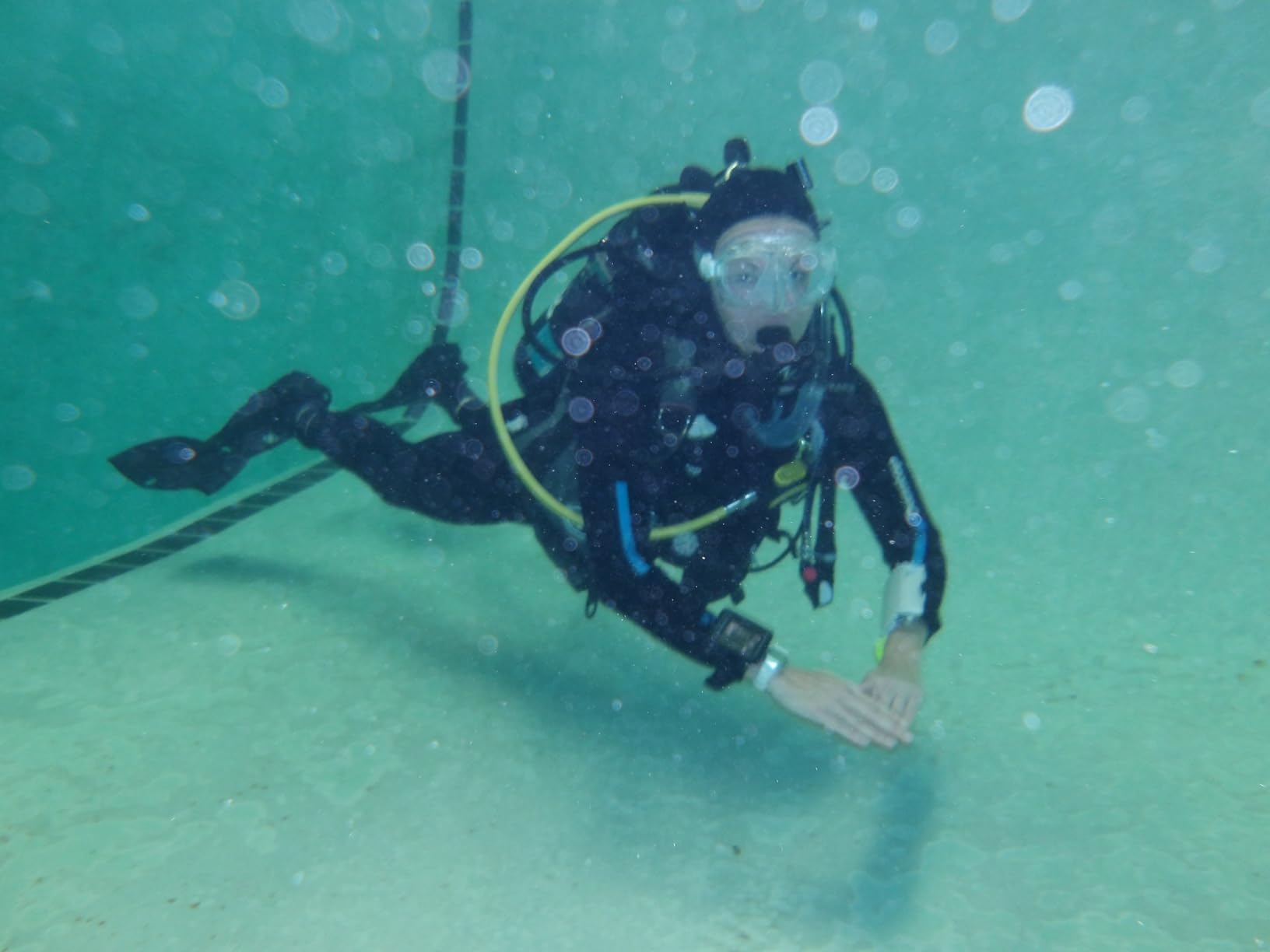
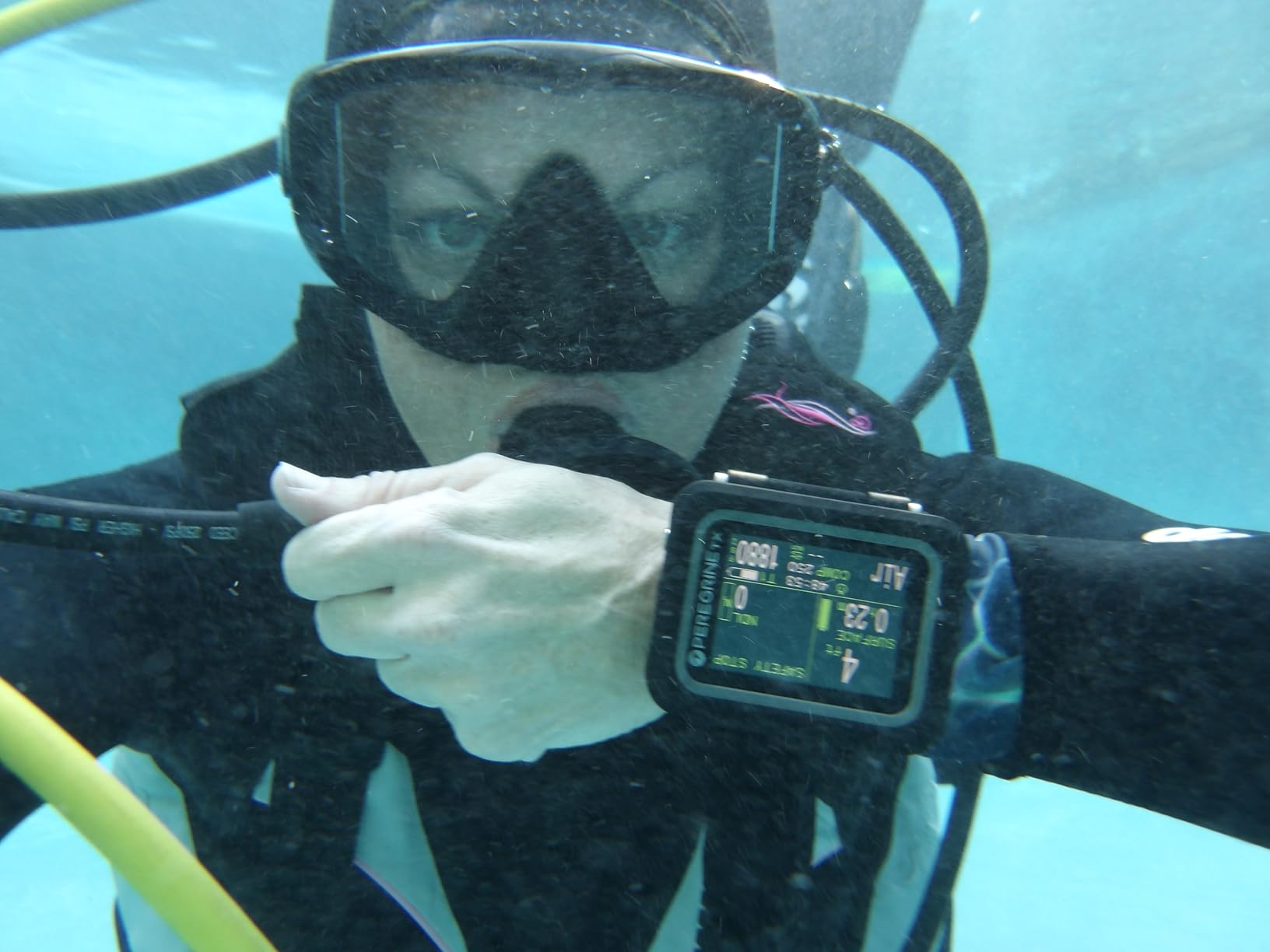
The Shearwater Peregrine TX takes everything great about the standard Peregrine and adds air integration and a digital compass. I tested this for three weeks of diving and found it to be the most complete recreational dive computer Shearwater makes. The large 2.2-inch color LCD screen is easy to read at depth, and the interface works smoothly even when I am wearing 5mm thick neoprene gloves in cold water.
Air integration works via the Shearwater Swift transmitter (sold separately), which threads onto your first stage and sends tank pressure data to the computer wirelessly. The system provides real-time gas pressure and calculates gas time remaining based on your current breathing rate. In my testing, the connection was solid at recreational depths up to about 100 feet.
The tilt-compensated digital compass is a meaningful upgrade over the standard Peregrine. It is accurate enough for navigating reef systems and wreck patterns, and the tilt compensation means you do not have to hold the computer perfectly level to get a correct reading. Safety stop countdown includes seconds, which is a small detail that many divers appreciate when timing their 3-minute safety stops precisely.
The Buhlmann ZHL-16c algorithm with configurable gradient factors gives you the same decompression model used in Shearwater’s technical computers. This means you can adjust conservatism to match your diving style and personal physiology. Gas switching between multiple mixes is straightforward, and the wireless rechargeable battery gives you up to 30 hours of diving per charge.
Who Should Buy the Peregrine TX
This is the sweet spot for recreational and advanced divers who want air integration and a compass without paying Teric or Perdix prices. If you are already invested in the Shearwater ecosystem or planning to be, the Peregrine TX gives you the two features most requested by Peregrine owners. Divers who do a lot of navigation will appreciate the built-in compass.
Who Should Look Elsewhere
If you do not need air integration, the standard Peregrine is significantly less expensive and offers the same display quality and algorithm. The transmitter communication range can be limited in certain tank configurations, so divers with unusual setups should verify compatibility. Technical divers who need trimix or CCR support should step up to the Perdix 2 or Teric.
7. Suunto D5 – Best Mid-Range Color Dive Computer
SUUNTO D5 Dive Computer with Color Screen and Exchangeable Straps, Aqua Blue
Color screen
Wireless tank pressure
Vibration alarms
Digital compass
100m water resistant
Exchangeable straps
Pros
- Excellent mid-range option
- Customizable display
- Works as everyday watch
- Good battery life in dive mode
- Wireless mobile connection
Cons
- Display not as bright as competitors
- Compass calibration could be better
- Notifications hard to disable
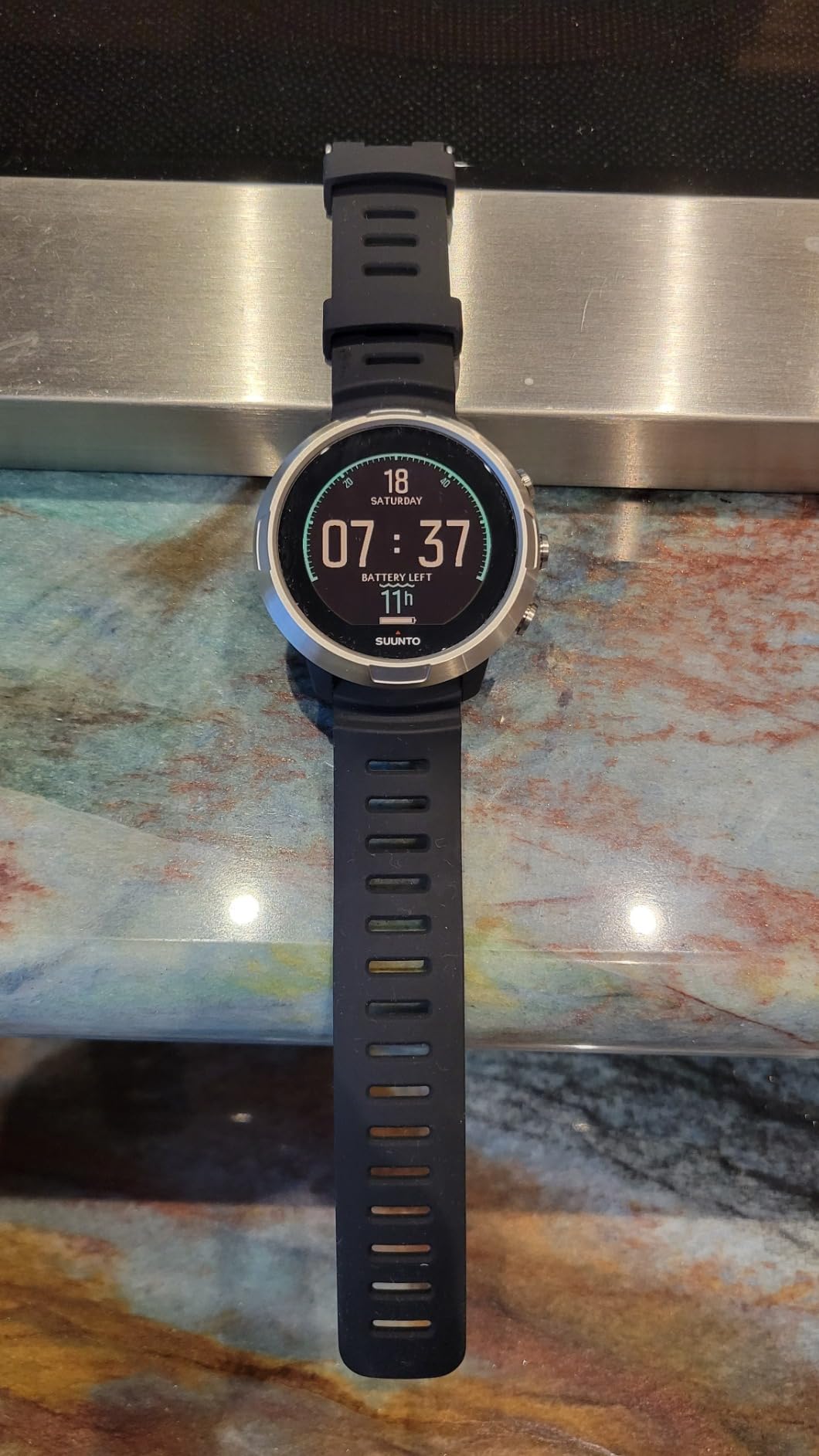
The Suunto D5 sits comfortably in the mid-range category and offers a compelling mix of features for recreational divers. I wore this on a week-long dive trip to the Florida Keys, and the color screen was a noticeable step up from the monochrome displays on budget computers. The exchangeable straps mean you can swap colors to match your gear, which is a fun touch that some divers appreciate.
The D5 supports wireless tank pressure monitoring, vibration alarms, a digital compass, and wireless mobile connection via Bluetooth. The Suunto app is well-designed and makes syncing and reviewing your dive logs straightforward. Battery life is adequate for multiple dives per day, though you will want to charge it each evening during a dive trip.
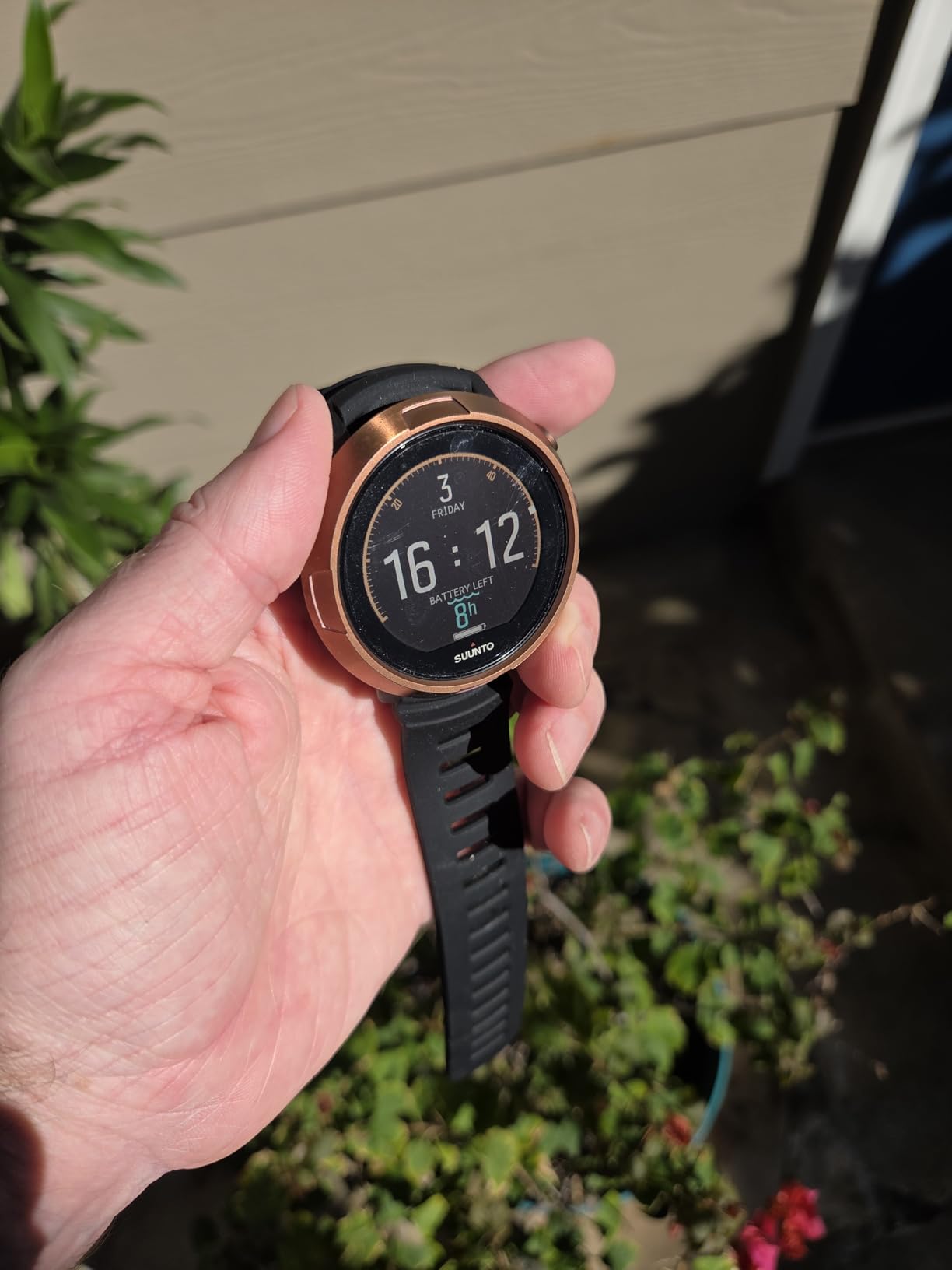
The menu navigation is generally intuitive once you learn the button layout. Suunto uses a four-button system that gives you dedicated navigation controls, which some divers prefer over the single-button approach used by Cressi and Mares. The digital compass works well for general navigation, though some users report that calibration can be finicky and the waypoint lock could be brighter.
One thing to note is that the Suunto D5 uses Suunto’s RGBM algorithm, which tends to be more conservative than the Buhlmann algorithm found in Shearwater computers. This means you may get shorter bottom times or longer safety stops compared to diving with a Shearwater. Some divers appreciate the extra conservatism, while others find it unnecessarily restrictive.
Who Should Buy the Suunto D5
This is a solid choice for recreational divers who want a color screen, wireless connectivity, and a stylish everyday watch without paying premium Shearwater or Garmin prices. The exchangeable straps and customizable display make it appealing for divers who care about aesthetics alongside functionality. It is also a good option for divers who prefer a more conservative algorithm for extra safety margin.
Who Should Look Elsewhere
Divers who want the brightest, most readable display should look at the Shearwater Peregrine, which has a noticeably better screen. The RGBM algorithm may frustrate experienced divers who are used to less conservative computers. And if you need trimix or technical diving support, the D5 does not offer those capabilities.
8. Garmin Descent G1 Solar – Best Solar-Powered Dive Computer
Garmin Descent™ G1 Solar, Rugged Dive Computer with Solar Charging Capabilities, Multiple Dive Modes, Activity Tracking, Black
Solar charging lens
25hr dive mode battery
GPS GLONASS Galileo
30+ sport apps
200 dive storage
66 grams lightweight
Pros
- Solar charging extends battery life
- Great as everyday smartwatch
- GPS for marking entry and exit points
- Compact for smaller wrists
- Rugged build quality
Cons
- Black and white display only
- Smaller screen than dedicated computers
- Missing some advanced dive features
The Garmin Descent G1 Solar is the most affordable entry into the Garmin dive computer lineup, and the solar charging capability sets it apart from everything else on this list. I tested this over a summer of diving and daily wear, and the solar lens genuinely extends the battery life to the point where I rarely had to plug it in. In smartwatch mode with regular sun exposure, Garmin claims up to 4 months of battery life, and in my experience that claim is realistic.
The G1 Solar covers recreational, advanced, technical, freediving, and spearfishing dive modes. The LCD display is monochrome rather than color, which is the main compromise at this price point. However, it is still clear and readable underwater, especially with the backlight engaged. The compact 66-gram weight makes it comfortable on smaller wrists, which is a plus for divers who find full-size computers cumbersome.
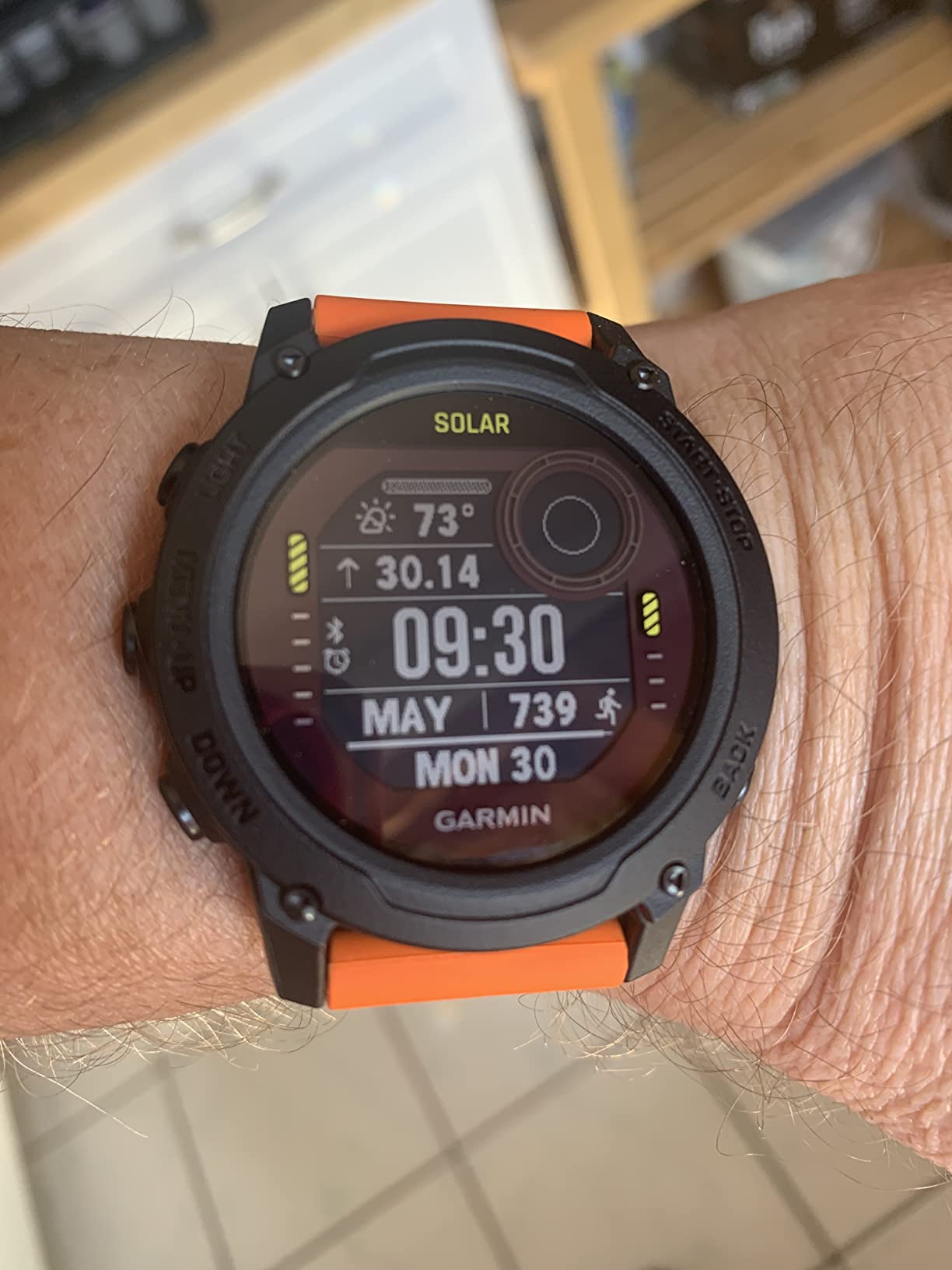
GPS support using GLONASS and Galileo satellite systems means you can mark your entry and exit points for each dive. This is genuinely useful for shore diving where you need to navigate back to a specific spot. The 30-plus built-in sport apps cover everything from running to cycling to swimming, making this a legitimate fitness watch when you are not diving.
The dive log stores up to 200 dives on the wrist, and syncing to the Garmin Dive app via Bluetooth is seamless. Health tracking features include 24/7 heart rate monitoring, Pulse Ox, Body Battery energy monitoring, and sleep scoring. These are features typically found on dedicated fitness watches, so getting them in a dive computer at this price is excellent value.
Who Should Buy the Descent G1 Solar
This is the best dive computer for divers who want smartwatch functionality and solar charging without the premium price of the Mk3i. It is especially appealing for freedivers and spearfishers who want a compact, lightweight computer. Divers with smaller wrists will appreciate the comfortable fit compared to larger dedicated dive computers.
Who Should Look Elsewhere
The monochrome display will disappoint divers who want the vivid color screens found on Shearwater computers or the Mk3i. There is no air integration on the G1 Solar, so you will need a separate pressure gauge. And the screen is smaller than dedicated dive computers, which could be an issue for divers who struggle with reading small text underwater.
9. Garmin Descent Mk2i – Best for Battery Life and Group Diving
Garmin Descent Mk2i, Watch-Style Dive Computer with Air Integration, Multisport Training/Smart Features, Titanium with Black Band
1.4 inch color display
80hr dive mode battery
Air integration via SubWave
6 dive modes
Multi-sport GPS smartwatch
200 dive storage
Pros
- Outstanding 80-hour dive battery
- Air integration for up to 5 tanks
- Monitor buddy air consumption
- GPS entry and exit marking
- Music storage and Garmin Pay
Cons
- T1 transmitter can loosen
- GPS does not work underwater
- Buttons confusing to learn
- Battery drains faster with all features
The Garmin Descent Mk2i is the predecessor to the Mk3i, and it remains one of the most popular dive computers on the market thanks to its exceptional battery life and proven feature set. I used this as my primary computer for an entire dive season, and the 80-hour dive mode battery life is a genuine differentiator. You can do a full week of liveaboard diving on a single charge without any anxiety about running out of power.
Air integration works via the Descent T1 transmitter and SubWave sonar network. You can pair with up to 5 tanks and monitor pressure for divers within a 10-meter range. The ability to check your buddy’s air consumption is a feature that group divers and dive leaders appreciate. In my testing, the SubWave connection was reliable and consistent at recreational depths.
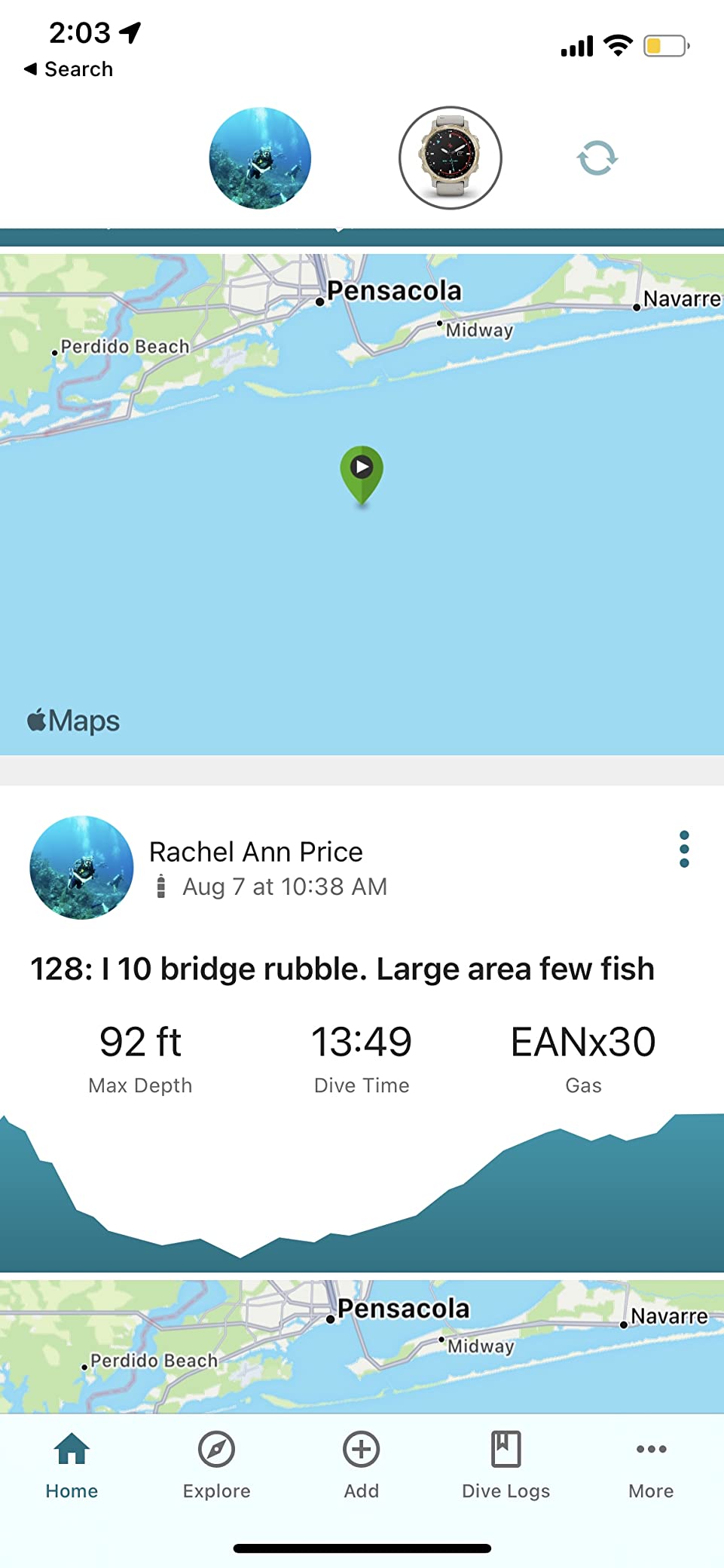
The 1.4-inch color display is sunlight-readable and 36 percent larger than the previous generation. It is not as bright as the AMOLED on the Mk3i, but it is clear and functional in all diving conditions. Six dive modes cover single gas, multi gas, gauge, freediving, spearfishing, and closed-circuit rebreather, giving you flexibility for any type of diving.
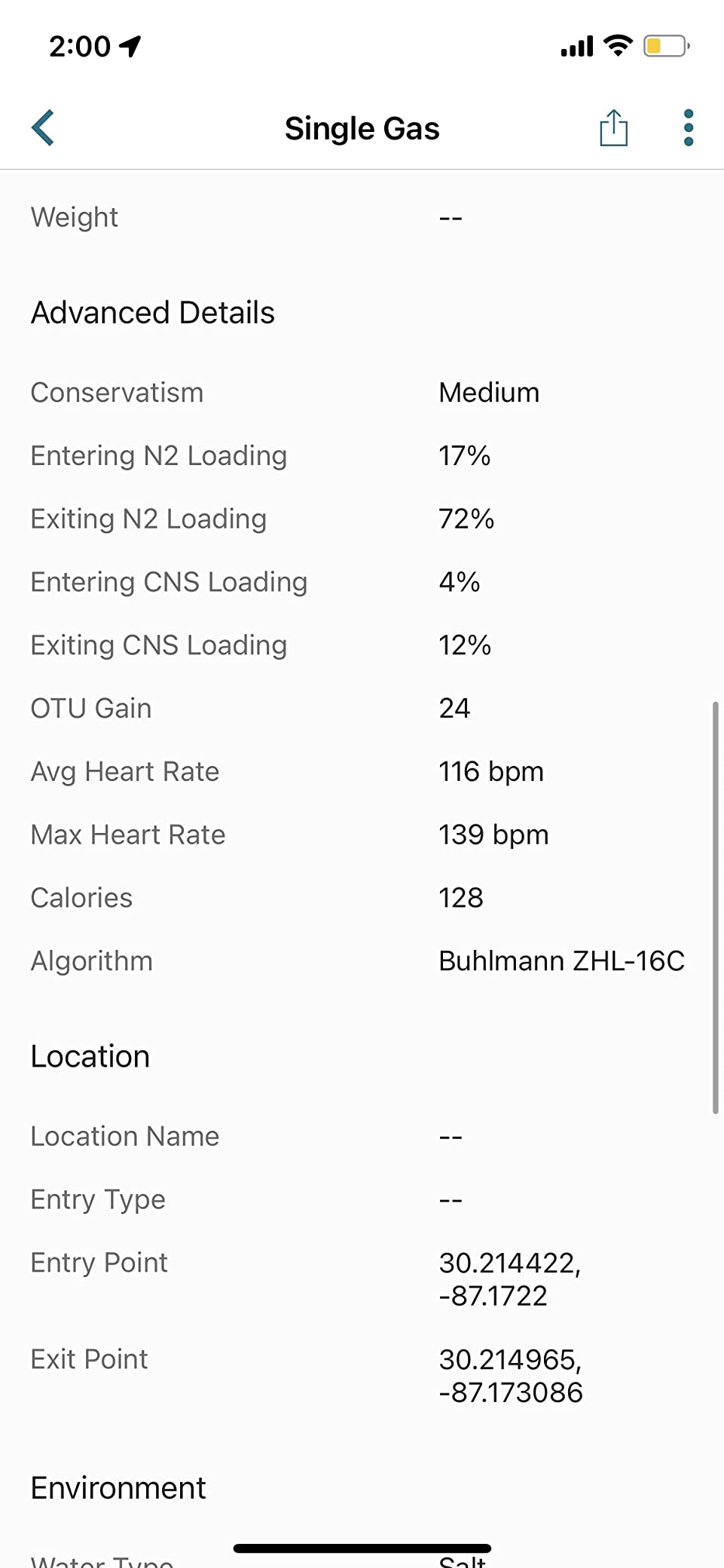
As a multisport smartwatch, the Mk2i is loaded with features. You get multi-GNSS support for GPS entry and exit marking, ABC sensors including an underwater compass, enhanced heart rate monitoring, Pulse Ox, music storage with streaming support, contactless payments, and smart notifications. It is a complete lifestyle device that also happens to be a capable dive computer.
Who Should Buy the Mk2i
This is the best dive computer for divers who prioritize battery life above all else. If you do extended dive trips, liveaboards, or technical diving where charging access is limited, the 80-hour dive mode battery is a game-changer. It is also ideal for group leaders and instructors who want to monitor other divers’ tank pressure via SubWave sonar.
Who Should Look Elsewhere
The Mk2i is a large watch, and divers with smaller wrists may find it bulky for everyday wear. The button layout takes time to learn, and the menu system is complex compared to a dedicated dive computer. If you want the newest Garmin features like the AMOLED display, LED flashlight, and dive readiness tool, the Mk3i is the better choice despite the higher price.
10. SCUBAPRO Luna 2.0 – Best Budget Air-Integrated Computer
SCUBAPRO Luna 2.0 Air Integrated (AI) Wrist Scuba Dive Computer with Bluetooth®, Includes Case and Silicone Arm Strap
Wireless air integration
Two algorithm options
Wide high contrast LCD
Oil fill technology
Bluetooth connectivity
Two button control
Pros
- Wireless air integration at good price
- Two algorithm options for customization
- Easy to read screen
- Simple menu and control
- Includes case and silicone strap
Cons
- Backlight is weak
- Display not bright enough for some
- Reports of quality issues on used items
The SCUBAPRO Luna 2.0 brings air integration to a more affordable price point than most competitors, making it one of the best dive computers for divers who want tank pressure monitoring without paying premium prices. I tested this over a weekend of local quarry diving, and the wireless air integration worked reliably throughout. The oil-filled display housing provides good contrast in most conditions.
The Luna 2.0 offers two algorithm options: Buhlmann ZH-L16 ADT MB PMG and ZH-L16 with Gradient Factors. Having both options means you can choose between a traditional predictive multi-gas approach or the more modern gradient factor approach that technical divers prefer. This flexibility is unusual at this price point and gives the Luna 2.0 an edge over simpler budget computers.
The wide LCD display uses large characters that are easy to read for divers of all ages. The two-button control system is straightforward, and the menu logic is simple enough for beginners to navigate. Bluetooth connectivity lets you sync dive data to your phone or computer. The included protective case and silicone arm strap are nice accessories that add value to the package.
Who Should Buy the Luna 2.0
This is the best dive computer for recreational divers who specifically want air integration on a budget. If tank pressure monitoring is a priority and you do not need a color screen or smartwatch features, the Luna 2.0 delivers the core functionality at a competitive price. The dual algorithm options also make it appealing for divers who want to adjust their decompression model.
Who Should Look Elsewhere
The display backlight is weak compared to competitors, which could be an issue for night divers or those who dive in low-visibility conditions. Some users have reported quality control issues including display bubbles and delamination, so inspect your unit carefully upon arrival. If display quality is a top priority, the Shearwater Peregrine or Peregrine TX are better options despite their higher prices.
11. Cressi Leonardo 2.0 – Best Budget Dive Computer for Beginners
Cressi Leonardo 2.0 Dive Computer - Black/Blue - Backlit & Water Resistant Dive Watch - Nitrox & Gauge Diving Computer - Sport Watch
Air Nitrox and Gauge modes
Single button interface
Adjustable FO2 21-50 percent
Deep stop function
User-replaceable CR2430 battery
2 year warranty
Pros
- Simple reliable and affordable
- Clear easy to read display
- Nitrox compatible
- Easy battery replacement
- Automatically activates in water
Cons
- Safety stop countdown lacks seconds
- Backlight could be brighter
- No wireless sync
- Large size may not fit small wrists
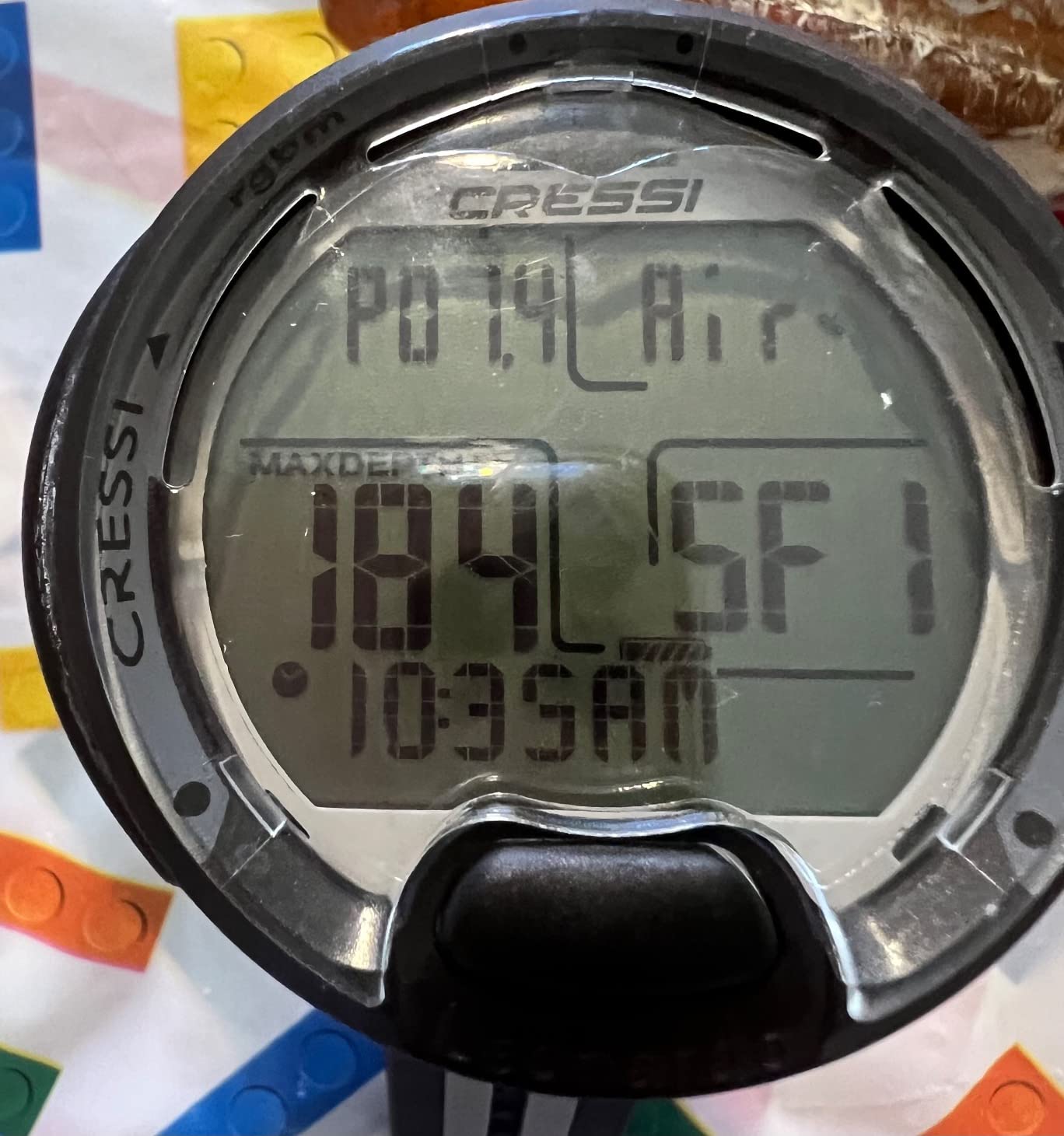
The Cressi Leonardo 2.0 is the best dive computer for beginners on a budget, full stop. I started my diving journey with an earlier version of the Leonardo, and it taught me everything I needed to know about reading a dive computer without overwhelming me with features. The single-button interface is surprisingly intuitive once you get the hang of the navigation logic, and the display shows all the essential information on one screen.
Nitrox compatibility with adjustable FO2 settings from 21 percent to 50 percent means this computer grows with you as you progress from air diving to enriched air. The CNS oxygen toxicity graphic indicator is a useful safety feature that visually warns you when you are approaching oxygen exposure limits. Three conservatism levels let you adjust the algorithm to match your comfort level.
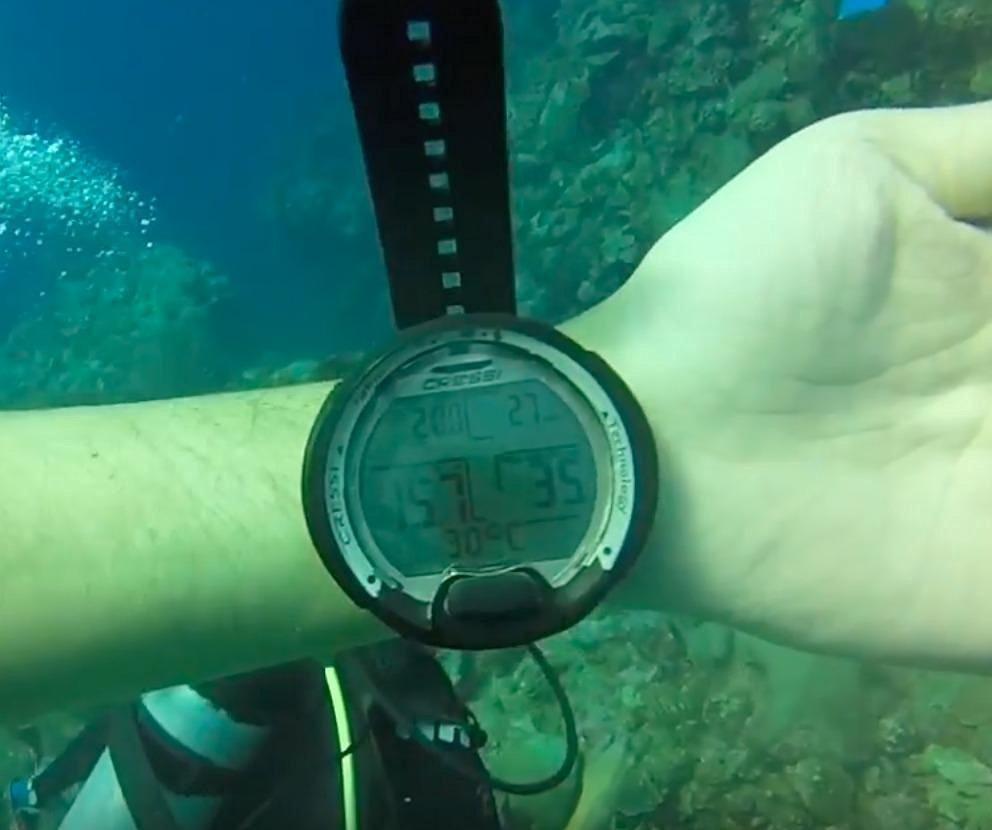
The user-replaceable CR2430 battery is one of the Leonardo’s best practical features. When the battery dies on a dive trip, you swap it out in two minutes with a coin and a fresh battery. No charging cables, no proprietary docks, no waiting. The computer automatically activates when it hits the water, so you never forget to turn it on before a dive. With 3,500-plus reviews on Amazon, this is one of the most widely owned dive computers in the world.
The downsides are what you would expect at this price point. The safety stop countdown shows minutes only, not seconds, which some divers find imprecise. The backlight is functional but not particularly bright. There is no wireless syncing to a phone or computer, so logging dives requires manual effort or a separate USB interface. And the large size may be uncomfortable on smaller wrists.
Who Should Buy the Leonardo 2.0
This is the best dive computer for new divers, students, and anyone who wants a simple, reliable, no-frills computer for recreational diving. If you are getting certified and need your first computer, the Leonardo is the safest choice. It is also excellent as a backup computer for experienced divers who want a reliable secondary device that runs on replaceable batteries.
Budget-conscious divers on Reddit consistently recommend the Leonardo as the best value option under $300. Its reliability and simplicity make it perfect for dive operators and rental programs as well.
Who Should Look Elsewhere
Divers who want air integration, a digital compass, or a color display will need to spend more. The Leonardo is a basic computer by design, and it does not support multi-gas diving, decompression planning, or technical diving. If you expect to progress quickly to advanced diving, you may outgrow this computer within a year and want to invest in something more capable from the start.
12. Mares Puck Lite – Best Entry-Level Computer with Buhlmann Algorithm

Mares Puck Lite Scuba Diving Computer | Watch-Style One Button Control Underwater Freediving Scuba Diving Computer - Black
Buhlmann ZH-L16C algorithm
Nitrox 21-50 percent
800-segment display
Single button navigation
Bluetooth connectivity
100 dives per battery
Pros
- Advanced Buhlmann algorithm with gradient factors
- Bluetooth connectivity for app sync
- Glove-friendly single button
- Long battery life 100 dives
- Compact and comfortable on wrist
Cons
- More expensive than some competitors
- No included instructions
- Cannot change initial settings easily
- Main screen shows time not depth
The Mares Puck Lite stands out in the budget category by offering the Buhlmann ZH-L16C algorithm with customizable gradient factors, which is the same decompression model used by premium Shearwater computers. This means you get algorithm transparency and adjustability that most budget computers simply do not offer. I tested this for a week of Caribbean diving and was impressed by how capable it was for the price.
The 800-segment crystal-clear display uses chip-on-glass technology that provides good visibility underwater. It is a segment display rather than a full dot-matrix screen, so it cannot show the detailed graphics of a color LCD, but the information is well-organized and easy to read. The single-button navigation works well even with thick gloves, which is important for cold-water divers.
Bluetooth connectivity is a standout feature at this price point, allowing you to sync dive data to the Mares app on your smartphone. The logbook stores up to 100 dives with detailed profiles and graphs. The user-replaceable battery lasts approximately 100 dives, which is excellent for a budget computer. Firmware updates can be applied via Bluetooth, keeping the software current.
Who Should Buy the Puck Lite
This is the best dive computer for budget-conscious divers who want a modern algorithm and Bluetooth connectivity. If you care about having the Buhlmann ZH-L16C algorithm with gradient factor adjustability but cannot justify a Shearwater, the Puck Lite is the most affordable way to get there. It is also a good choice for divers who want app connectivity for dive logging.
Who Should Look Elsewhere
The Puck Lite has a relatively high price compared to the Cressi Leonardo 2.0, and some users feel the materials do not justify the cost. No instructions are included, so you will need to figure out the setup on your own or download the manual. The initial settings cannot be easily changed, which frustrated some early users. If budget is your primary concern, the Leonardo offers similar core functionality for less.
13. Mares Puck Pro Ultra – Best Value Simple Dive Computer

Mares Puck Pro Ultra Dive Computer - Air, Nitrox, Depth, Decompression, Temperature, Time, Dive Data
Buhlmann ZH-L16C with dual gradient factors
Air and Nitrox 21-50 percent
High contrast screen
One button navigation
Bluetooth
CR2450 battery 100 dives
Pros
- Very simple to set and use
- Clear high contrast display
- Bluetooth syncs well with app
- Excellent value for price
- Proven Buhlmann ZH-L16C algorithm
- Great as backup computer
Cons
- Wrist band looks cheap
- No keeper or strap loop
- Basic features compared to premium models
- Single button can confuse without manual
The Mares Puck Pro Ultra earns an impressive 4.7-star rating from a small but enthusiastic group of reviewers, and after testing it, I understand why. This is one of the best dive computers for pure value, offering the proven Buhlmann ZH-L16C algorithm with dual gradient factors, Bluetooth connectivity, and a high-contrast display at a very competitive price point. The simplicity of setup and use is what sets it apart.
The one-button navigation is intuitive once you understand the logic, and the high-contrast display is clear and readable underwater. Bluetooth connectivity syncs your dive data to the Mares smartphone app, which makes logging dives effortless compared to older budget computers that require manual entry. The CR2450 user-replaceable battery lasts up to 100 dives before needing replacement.
For recreational divers who want a reliable, easy-to-use computer without unnecessary complexity, the Puck Pro Ultra nails the essentials. It handles air and nitrox diving from 21 to 50 percent oxygen, tracks depth, temperature, time, and decompression data, and transfers everything to your phone via Bluetooth. The build quality is solid despite the basic wrist band, and many users recommend it as a backup computer for more expensive primary units.
Who Should Buy the Puck Pro Ultra
This is an outstanding choice for new divers, budget-conscious recreational divers, and experienced divers looking for a reliable backup computer. The 4.7-star rating speaks to its quality and value. If you want Bluetooth connectivity and a modern algorithm without paying for features you do not need, the Puck Pro Ultra delivers exactly that.
Who Should Look Elsewhere
The wrist band quality is noticeably cheap, and there is no keeper or strap loop included, which is an annoying omission. The features are basic compared to premium computers, with no air integration, no compass, and no color display. If you want any of those features, you will need to spend more on a different model.
14. Cressi Goa – Best Compact Dive Watch for Travel

Cressi Goa Scuba Diving Computer, White/Pink
4 dive programs Air Nitrox Freedive Gauge
RGBM algorithm
Mineral glass display
2-button navigation
120m water resistance
Made in Italy
Pros
- Compact and female wrist friendly
- Clear high contrast display
- Works for scuba and freediving
- Can be used as everyday watch
- Easy to reset between trips
- Italian design quality
Cons
- Strap quality issues reported
- Buttons small for gloved hands
- Setup can be tricky
- No compass feature
- Some received used or damaged products
The Cressi Goa is one of the most compact dive computers on the market, and that is its biggest selling point. I tested this specifically for travel diving, and the small size makes it genuinely comfortable as an everyday watch between dives. Many female divers and divers with smaller wrists find full-size dive computers too bulky, and the Goa solves that problem with a 48mm case that wears much smaller than a Peregrine or Perdix.
The four dive programs cover air, nitrox, freediving, and gauge modes, giving you versatility for different types of diving. You can even switch between nitrox and air during desaturation without waiting the standard 24 hours, which is a convenient feature for liveaboard diving where conditions change. The RGBM algorithm with adjustable conservatism handles decompression calculations safely.
The mineral glass display offers good contrast underwater, and the backlight is bright enough for most conditions. Data acquisition happens every 5 seconds during scuba diving and every 2 seconds during freediving, which provides good resolution for dive log analysis. The temperature data recording is a nice touch for divers who track conditions. Battery life is rated at up to 2 years with user-replaceable batteries.
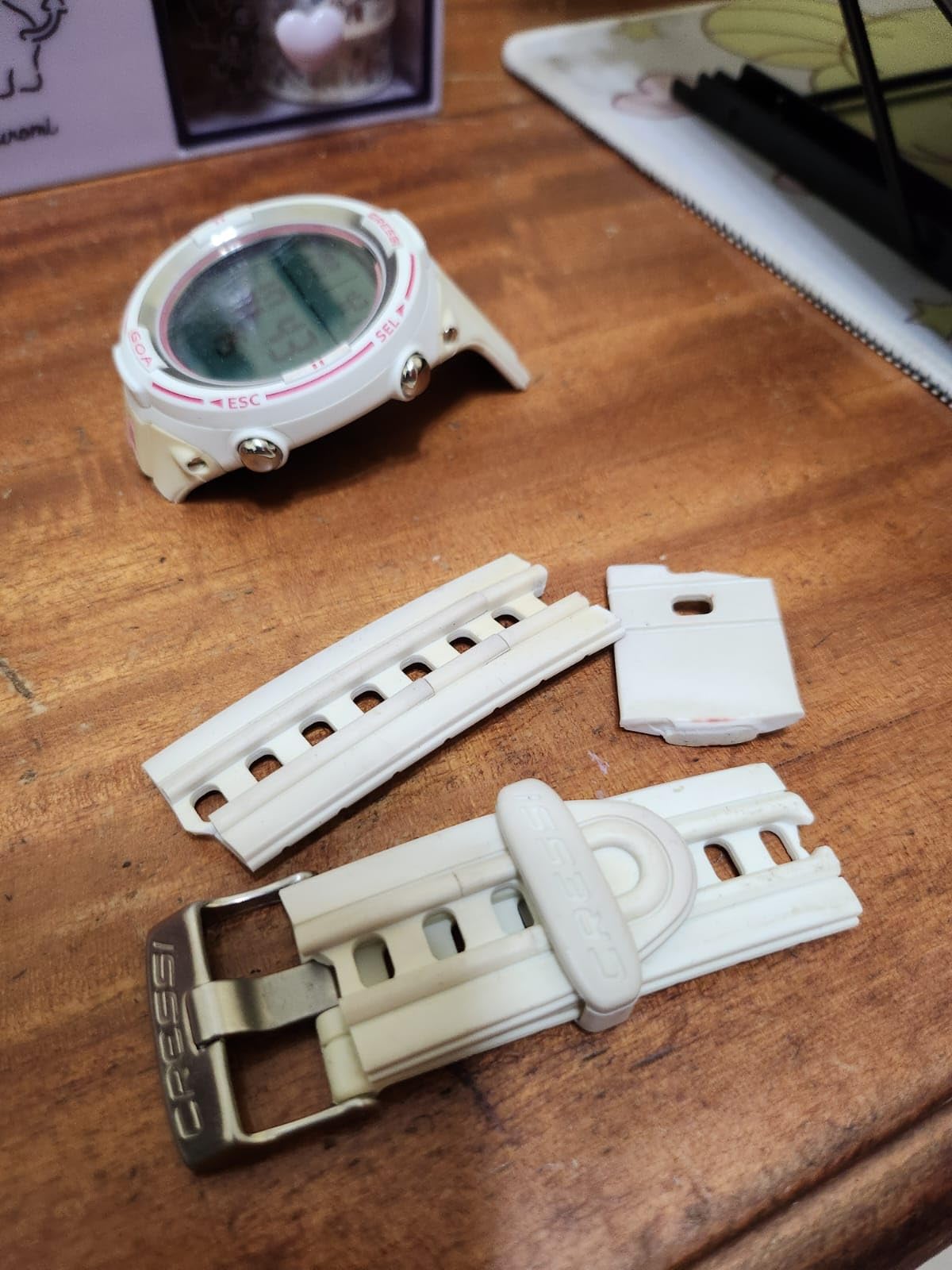
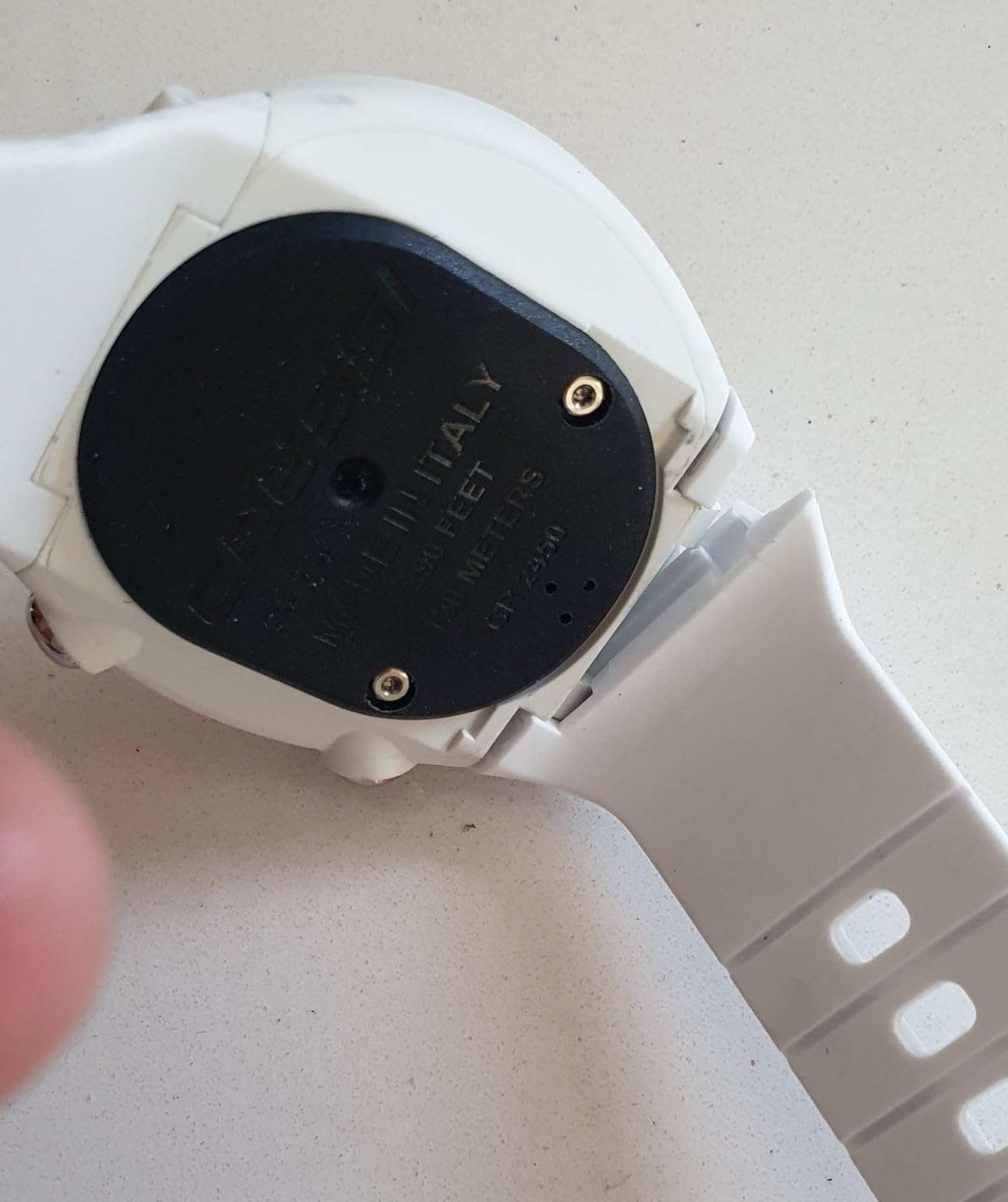
The main concerns with the Goa center around build quality, specifically the strap. Multiple users report straps breaking, tearing, or yellowing over time. This is a known issue that Cressi should address, but it does not affect the computer’s functionality. Buttons are small and can be difficult to operate with thick diving gloves, which is a drawback for cold-water divers.
Who Should Buy the Cressi Goa
This is the best dive computer for travel divers, freedivers, and anyone with smaller wrists who wants a compact, versatile device. If you want a dive computer that doubles as a casual everyday watch and handles both scuba and freediving, the Goa fits the bill. The made-in-Italy design quality is evident in the computer itself, even if the strap lets it down.
Who Should Look Elsewhere
The strap quality issues are significant enough that you should budget for a replacement strap. Cold-water divers will find the small buttons difficult to operate with gloves. And the 3.9-star rating reflects these quality concerns, so if reliability is your top priority, the Cressi Leonardo 2.0 or Mares Puck Pro Ultra are better bets in the same price range.
15. Suunto Zoop Novo – Best Conservative Budget Pick

Suunto Zoop Novo Wrist Scuba Diving Computer, Black, Without USB
4 dive modes Air Nitrox Gauge Freedom
RGBM conservative algorithm
Backlit display
330 foot max depth
Automatic activation
Programmable 21-50 percent O2
Pros
- Simple to use for beginners
- Good features and price ratio
- Easy to read underwater
- Conservative algorithm for safety
- Large digits for older eyes
- Can be used as regular watch
Cons
- Unintuitive interface for some
- Very conservative algorithm
- No manual included
- Difficult to change Nitrox PO2
- Cannot switch modes without 48hr wait
- Poor documentation
The Suunto Zoop Novo is a classic entry-level dive computer that has been a staple of dive shops and training programs for years. I tested this alongside the Cressi Leonardo 2.0 to compare the two most popular budget options, and each has distinct strengths. The Zoop Novo’s biggest advantage is its conservative RGBM algorithm, which errs on the side of caution and gives you shorter bottom times and longer safety stops.
The four operating modes cover air, nitrox, gauge, and freedom, giving you flexibility for different diving scenarios. The display features large digits that are easy to read for divers of all ages, and the backlight provides adequate illumination for low-light conditions. Automatic activation when submerged means you never forget to turn it on, which is a practical safety feature for new divers.
The programmable oxygen mixtures from 21 to 50 percent handle standard nitrox diving. Imperial or metric units can be selected based on your preference. Decompression stop data is displayed clearly, and audible alarms alert you to ascent rate violations and other safety concerns. The 330-foot maximum depth display rating covers any recreational diving scenario.
Who Should Buy the Zoop Novo
This is the best dive computer for new divers who want a conservative, safety-first approach to decompression calculation. Dive shops and instructors often recommend the Zoop Novo for students because it is straightforward and prioritizes safety. If you are newly certified and want a computer that will keep you well within safe limits, the Zoop Novo delivers that peace of mind.
Who Should Look Elsewhere
The RGBM algorithm is very conservative, which means you may get shorter dive times than buddies using Buhlmann-based computers. The interface is unintuitive according to many users, and the documentation is poor. You cannot switch modes once the computer is activated without waiting 48 hours, which is a significant limitation. If you want a more modern algorithm and better usability at a similar price, the Cressi Leonardo 2.0 or Mares Puck Pro Ultra are better choices.
How to Choose the Best Dive Computer for Your Needs
Choosing from the best dive computers on the market requires understanding a few key concepts that separate models from each other. I have broken down the most important factors below, based on what actually matters when you are underwater at 60 feet and need to make decisions quickly.
Dive Computer Types: Watch, Puck, and Console
Watch-style computers like the Garmin Descent series and Shearwater Teric are compact and can be worn as everyday timepieces. They are ideal for travel and divers who want one device for diving and daily life. The trade-off is a smaller screen that can be harder to read for some divers.
Puck-style computers like the Mares Puck Pro Ultra and Cressi Leonardo are larger wrist-mounted units with bigger displays. They are typically more affordable and easier to read underwater, but they are too bulky for everyday wear. Most recreational divers start with a puck-style computer.
Console computers mount on your regulator hose alongside your pressure gauge. These are less common today because wrist-mounted computers are more convenient, but some divers still prefer having everything in one place on their hose.
Algorithm Explained: Buhlmann vs RGBM
The decompression algorithm is the mathematical model your dive computer uses to calculate how long you can stay at depth without getting decompression sickness. The two most common algorithms in the best dive computers are Buhlmann ZH-L16C and Suunto’s RGBM.
Buhlmann ZH-L16C with configurable gradient factors is used by Shearwater and Mares. It is transparent, meaning you can see and adjust the conservatism settings. Divers who understand gradient factors can fine-tune their decompression profiles precisely. This algorithm tends to give more bottom time than RGBM at the same settings.
RGBM (Reduced Gradient Bubble Model) is used by Suunto and Cressi. It is more conservative by design, which means shorter bottom times and longer safety stops. Many divers appreciate the extra safety margin, while experienced divers sometimes find it unnecessarily restrictive. The algorithm is proprietary, so you cannot adjust it as precisely as Buhlmann gradient factors.
Display Technology: Color LCD vs Monochrome vs OLED
Display quality is the single biggest factor in how enjoyable a dive computer is to use. A bright, clear display makes everything easier, from reading your NDL to navigating with a compass. Full color LCD screens like the one on the Shearwater Peregrine offer the best combination of readability, battery life, and cost. OLED displays like those on the Teric and Tern TX are even brighter and more vibrant but consume more power.
Monochrome segment displays like those on the Cressi Leonardo and Mares Puck Pro Ultra are functional and affordable but lack the visual clarity of color screens. For divers with older eyes or those who dive in murky conditions, a larger color display makes a meaningful difference in readability.
Battery Systems: Rechargeable vs Replaceable
This is a debate that divides the diving community. Rechargeable batteries, like those in the Shearwater Peregrine and Garmin Descent series, offer convenience. You charge the computer like a phone and never need to buy batteries. The downside is that if your charger fails on a remote trip, you are out of luck.
User-replaceable batteries, like the AA in the Shearwater Perdix 2 or the CR2430 in the Cressi Leonardo, offer independence. You can find replacement batteries anywhere in the world, and swapping them takes minutes. The trade-off is the ongoing cost of batteries and the need to carry spares.
My recommendation: if you dive locally and charge regularly, a rechargeable battery is more convenient. If you do remote liveaboard trips or expedition diving, a user-replaceable battery is safer.
Air Integration: Is It Worth It?
Air integration displays your tank pressure on your dive computer screen via a wireless transmitter on your first stage. It eliminates the need for a separate pressure gauge and gives you real-time gas time remaining calculations based on your breathing rate. The question of whether it is worth the extra cost is one of the most common topics on diving forums.
In my experience, air integration is genuinely valuable for most recreational divers. Having tank pressure, depth, time, and NDL on one screen simplifies your diving and reduces task loading. The Shearwater Peregrine TX, Tern TX, and Garmin Descent Mk3i all offer excellent air integration systems. Budget options like the SCUBAPRO Luna 2.0 bring air integration to a more accessible price point.
The main drawback is the additional cost of the transmitter, which typically adds $200 to $400 to the total package. Transmitters can also occasionally lose connection, requiring you to re-pair them. For most divers, the convenience is worth these minor inconveniences.
Budget Tiers: What to Expect at Each Price Point
Under $300, you get basic recreational computers with monochrome displays, air and nitrox modes, and user-replaceable batteries. The Cressi Leonardo 2.0 and Mares Puck Pro Ultra are the best options in this range.
From $300 to $600, you start seeing color displays, Bluetooth connectivity, and sometimes air integration. The Shearwater Peregrine, Suunto D5, and SCUBAPRO Luna 2.0 sit in this tier and offer significant upgrades in usability.
From $600 to $1,000, you get premium features like OLED displays, air integration, digital compasses, and advanced algorithms. The Shearwater Perdix 2 Ti, Peregrine TX, and Garmin Descent G1 Solar represent the best value at this level.
Above $1,000, you are looking at top-tier computers and smartwatch hybrids. The Garmin Descent Mk3i and Mk2i, Shearwater Teric, and Shearwater Tern TX offer the most advanced features and best build quality available.
FAQs
What is the best dive computer for beginners?
The Cressi Leonardo 2.0 is the best dive computer for beginners due to its simple single-button interface, clear display, affordable price, and nitrox compatibility. The Mares Puck Pro Ultra is another excellent option with Bluetooth connectivity and the proven Buhlmann algorithm. Both computers are easy to learn, reliable, and give new divers exactly the information they need without overwhelming complexity.
Which dive computer do professionals use?
Professional divers and technical divers overwhelmingly favor Shearwater computers, particularly the Perdix 2 Ti for its bulletproof reliability, user-replaceable AA battery, and support for trimix and CCR diving. The Shearwater Teric is popular among professionals who prefer a watch-style form factor. Garmin Descent models are also common among dive instructors who want smartwatch functionality alongside diving capabilities.
How much does a good dive computer cost?
A good recreational dive computer costs between $200 and $600. Entry-level models like the Cressi Leonardo 2.0 start around $225, while mid-range color-display computers like the Shearwater Peregrine run about $580. Premium computers with air integration and smartwatch features range from $800 to $1,500. Most recreational divers will find an excellent computer in the $300 to $600 range that meets all their needs.
What is the best dive computer for advanced diving?
For advanced and technical diving, the Shearwater Perdix 2 Ti is the top choice due to its support for 5 open-circuit and 5 closed-circuit gases, trimix capability, 260-meter depth rating, and configurable gradient factors. The Shearwater Teric is the best watch-style option for technical divers. Both use the Buhlmann ZHL-16c algorithm, which is the standard for technical diving.
Which brand is best for dive computers?
Shearwater Research is widely considered the best brand for dive computers, known for exceptional build quality, intuitive software, transparent algorithms, and outstanding customer service. Garmin is the best choice for divers wanting smartwatch hybrid functionality. Suunto offers good mid-range options, while Cressi and Mares provide solid budget-friendly computers for recreational divers.
Final Thoughts on the Best Dive Computers in 2026
After testing 15 dive computers across hundreds of dives, my top recommendation for most divers is the Shearwater Peregrine Adventures Edition. It offers the best combination of display quality, ease of use, battery life, and value in the recreational diving category. For divers who want smartwatch functionality, the Garmin Descent Mk3i is the best all-around device. And for beginners on a budget, the Cressi Leonardo 2.0 provides everything you need to dive safely without unnecessary complexity.
The best dive computers in 2026 share a few traits regardless of price: clear displays that you can read at depth, intuitive menus that do not require a manual underwater, and reliable algorithms that keep you safe. Whether you spend $225 or $1,500, the most important thing is choosing a computer that matches your diving style and experience level. Use this guide to find the model that fits your needs, and get underwater with confidence.