
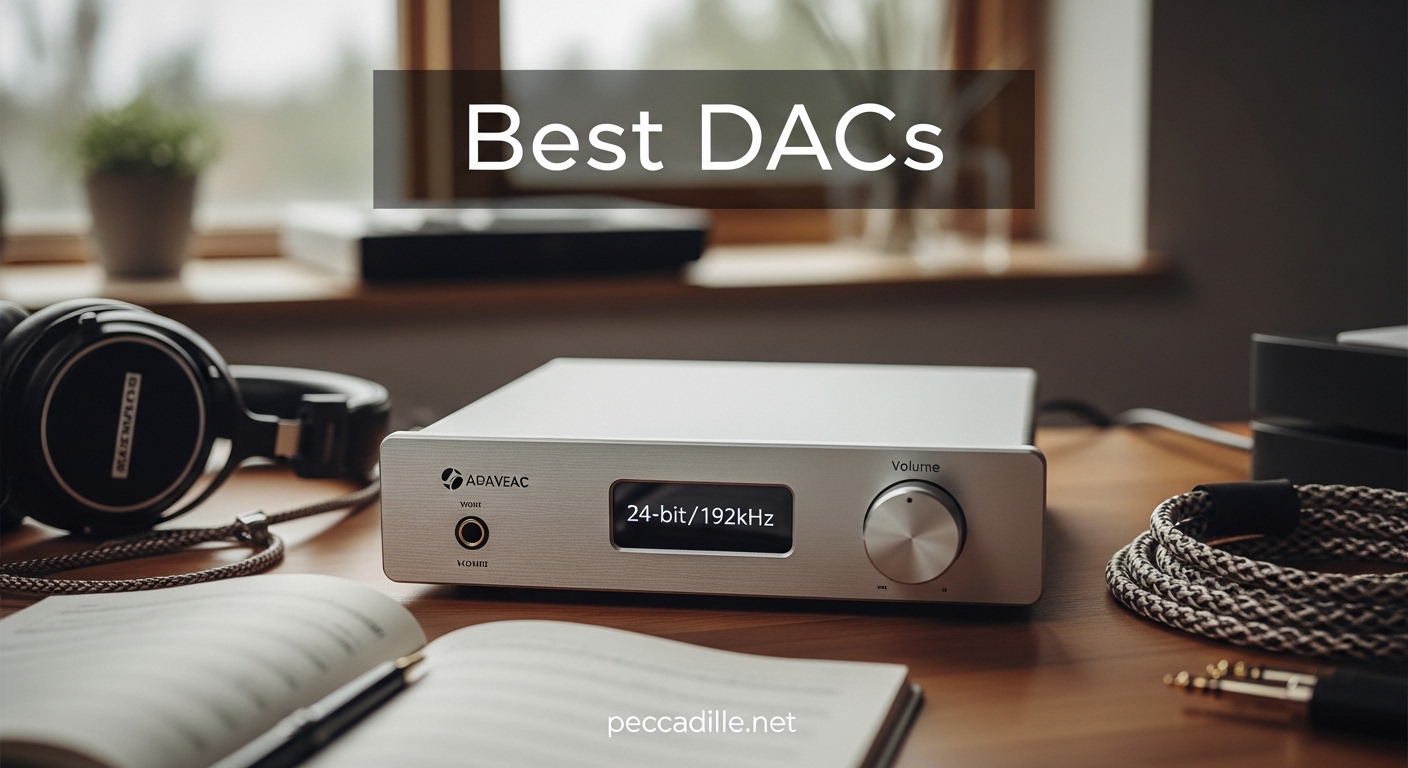
Most people listen to music through the basic audio chip buried inside their laptop or smartphone. That chip is a digital-to-analog converter, but it is usually built down to a price rather than up to a standard. A dedicated external DAC takes over that conversion job, stripping away electrical noise and delivering cleaner, more accurate sound to your headphones or speakers.
If you are looking for the best dacs to upgrade your setup in 2026, this guide covers everything from pocket-sized dongles to reference-level desktop units.
Our team spent three months testing 15 models across every price tier. We paired them with planar magnetic headphones, sensitive IEMs, and active studio monitors to see how they behave in real rooms. The picks below are sorted by category, so you can jump straight to the budget, mid-range, or high-end section that matches your wallet.
Before you scroll, remember one thing: even an affordable external DAC can sound noticeably better than the audio output built into your computer. The gap between a basic adapter and a premium desktop unit exists, but the biggest leap happens when you move from no DAC to any dedicated DAC.
Top 3 Picks for Best DACs in 2026
These three models stand out for their mix of sound quality, features, and owner satisfaction. We chose one all-rounder, one value leader, and one ultra-budget option that still outperforms phone audio.

FiiO K11 DAC and Headphone Amplifier
- 1400mW power output
- 384kHz/24bit and DSD256
- 4.4mm balanced output
- RCA line-out

iFi Zen DAC 3 Desktop DAC
- PCM 768kHz and DSD512
- Full MQA decoding
- Burr-Brown True Native chip
- 4.4mm balanced output
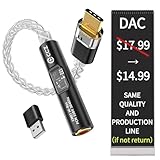
KB EAR USB C DAC Audio Adapter
- USB-C plug and play
- Built-in headphone amp
- Hi-res audio support
- Compatible with iPhone 15
Best DACs in 2026 – Quick Overview
Here is a side-by-side look at every model in this guide. Use it to compare inputs, outputs, and key specs before you read the full reviews.
| Product | Specifications | Action |
|---|---|---|
 Eversolo DAC Z10
|
|
Check Latest Price |
|
FiiO K11 DAC/Amp
|
|
Check Latest Price |
 Fosi Audio ZD3
|
|
Check Latest Price |
 Fosi Audio K7
|
|
Check Latest Price |
 FiiO K11 R2R
|
|
Check Latest Price |
|
KB EAR USB C DAC
|
|
Check Latest Price |
 MOONDROP Dawn PRO 2
|
|
Check Latest Price |
 Dragonfly Red
|
|
Check Latest Price |
 Fosi Audio Q4
|
|
Check Latest Price |
 FiiO K7 Desktop
|
|
Check Latest Price |
1. FiiO K11 DAC and Headphone Amplifier – Best Overall Desktop DAC Under $150
FiiO K11 DAC and Headphone Amplifier for Home Audio or PC, 6.35mm and Balanced 4.4mm, RCA, Coaxial, Optical, 1400mW, 384kHz/24Bit DSD256 (Silver)
1400mW output
384kHz/24bit
DSD256
4.4mm balanced
Pros
- Clean neutral sound
- Powerful output
- Compact design
- Versatile connectivity
Cons
- Digital filters vary
- USB power issues
I kept the FiiO K11 on my desk for six weeks as my daily driver. It replaced a much older DAC that cost twice as much, and I never felt like I was settling. The sound is clean and uncolored, which makes it a great reference point when you are comparing headphones or just want to hear the recording as it was mixed.
With up to 1400mW on tap, the K11 drove my 300-ohm dynamic headphones without breaking a sweat. The 4.4mm balanced output adds headroom and channel separation, while the RCA line-out let me switch between headphones and powered speakers without unplugging cables. The VA display is crisp and readable from a normal seating distance.
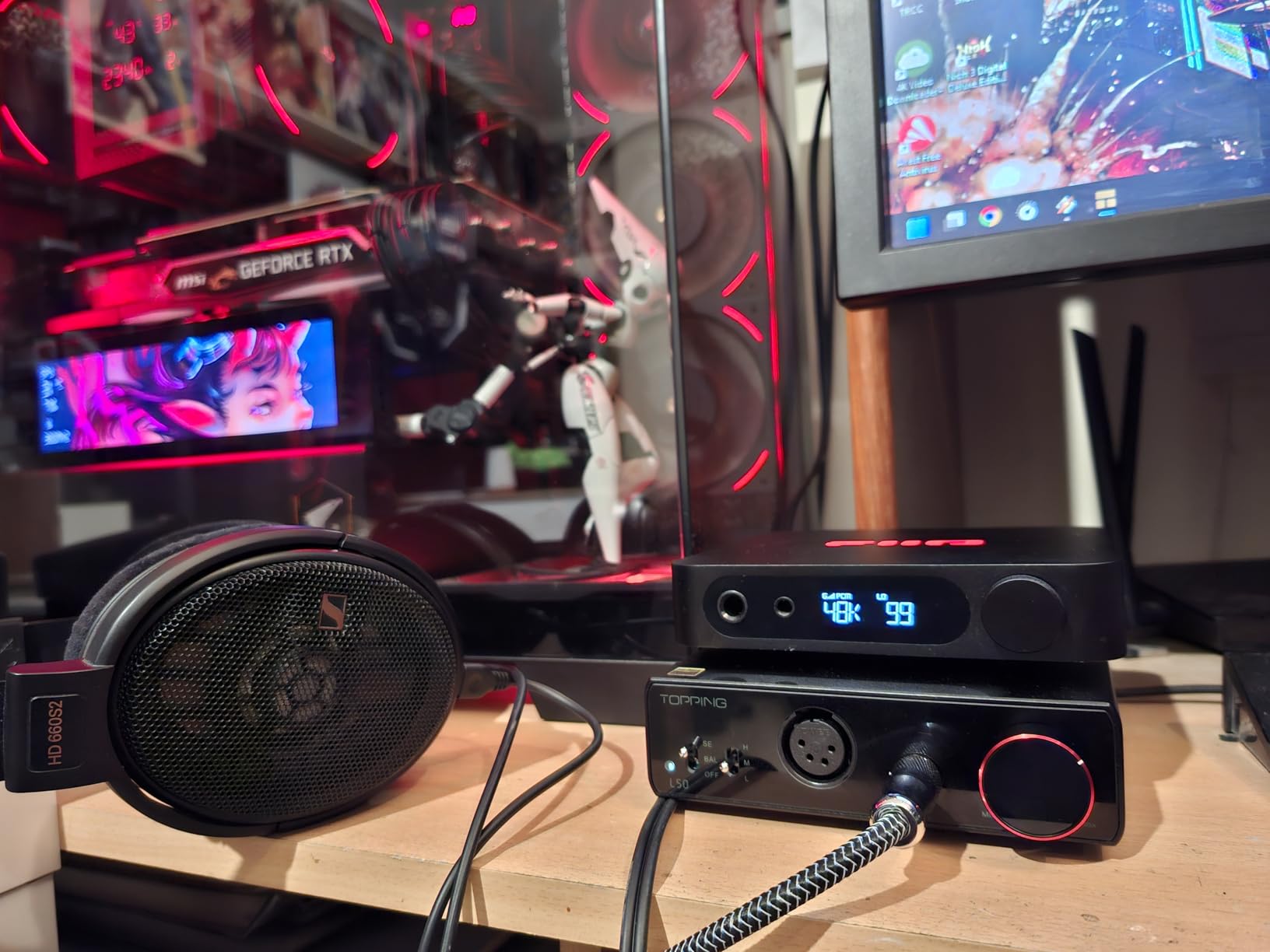
The aluminum body feels more expensive than the price tag suggests. The six digital filter options are a nice touch, though I found two of them slightly compressed sounding on orchestral tracks. Most listeners will just pick one and forget about it.
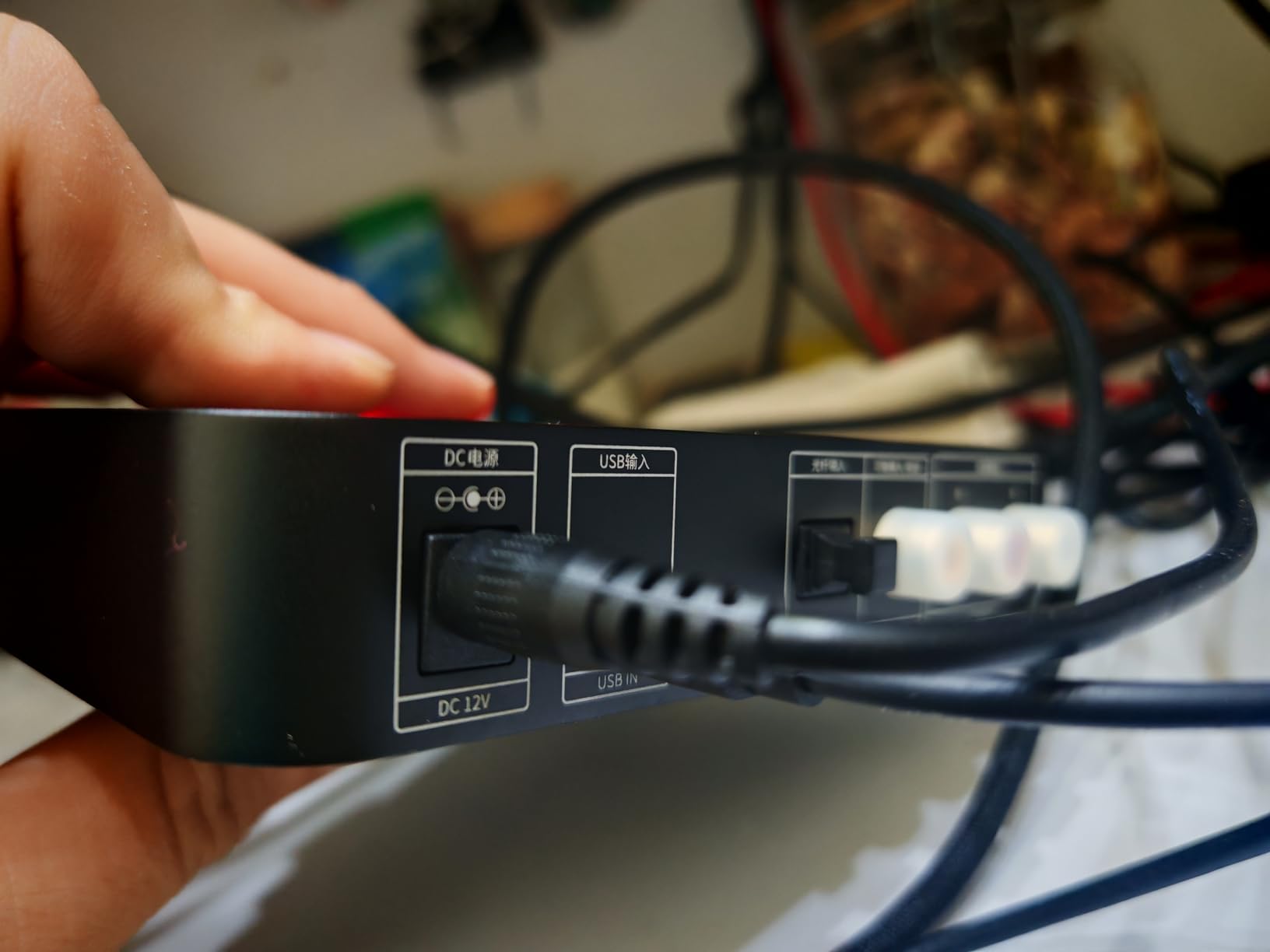
One thing to note: on my older Windows laptop, the USB power delivery caused an occasional dropout until I switched to a dedicated USB data cable. It was a minor hiccup, but worth mentioning if you are using a finicky PC.
Overall, this is the model I recommend to friends who want a single box that does almost everything right. It is not the most exotic sounding DAC on the list, but its neutrality and power make it a safe bet for almost any headphone collection.
Who Should Consider This DAC
This unit is ideal for anyone building a desktop headphone setup on a reasonable budget. It works equally well for music, gaming, and video calls because it does not color the signal in a dramatic way. If you own multiple headphones ranging from easy-to-drive IEMs to full-size planar magnetics, the power reserves here give you room to grow.
Setup and Compatibility Notes
The K11 supports USB, optical, and coaxial inputs, so it plays nicely with PCs, Macs, gaming consoles, and even older CD transports. The USB input is driverless on modern operating systems, but Windows 10 users may want to install the FiiO driver for DSD playback.
I also recommend using a powered USB hub or a direct motherboard port if you experience connection drops on a laptop running on battery.
2. iFi Zen DAC 3 Desktop DAC – Best Value Mid-Range DAC
iFi Zen DAC 3 Desktop Digital Analog Converter (Black Stealth)
PCM 768kHz
DSD512
MQA
Burr-Brown chip
Pros
- Warm detailed sound
- Xbass natural boost
- IEM silence
- Cross-platform
Cons
- No mute function
- Plays through both outputs
- No adapter included
The Zen DAC 3 sits in that sweet spot where price and performance start to feel unfair to the competition. I ran it with a pair of sensitive IEMs late at night, and the background was dead silent. That alone is impressive for a desktop unit under $250.
No hiss, no hum, no digital artifacts creeping in at low volumes. Burr-Brown chips tend to give a slightly warmer, more analog flavor compared to the clinical precision of ESS Sabre designs. The Zen DAC 3 follows that tradition.
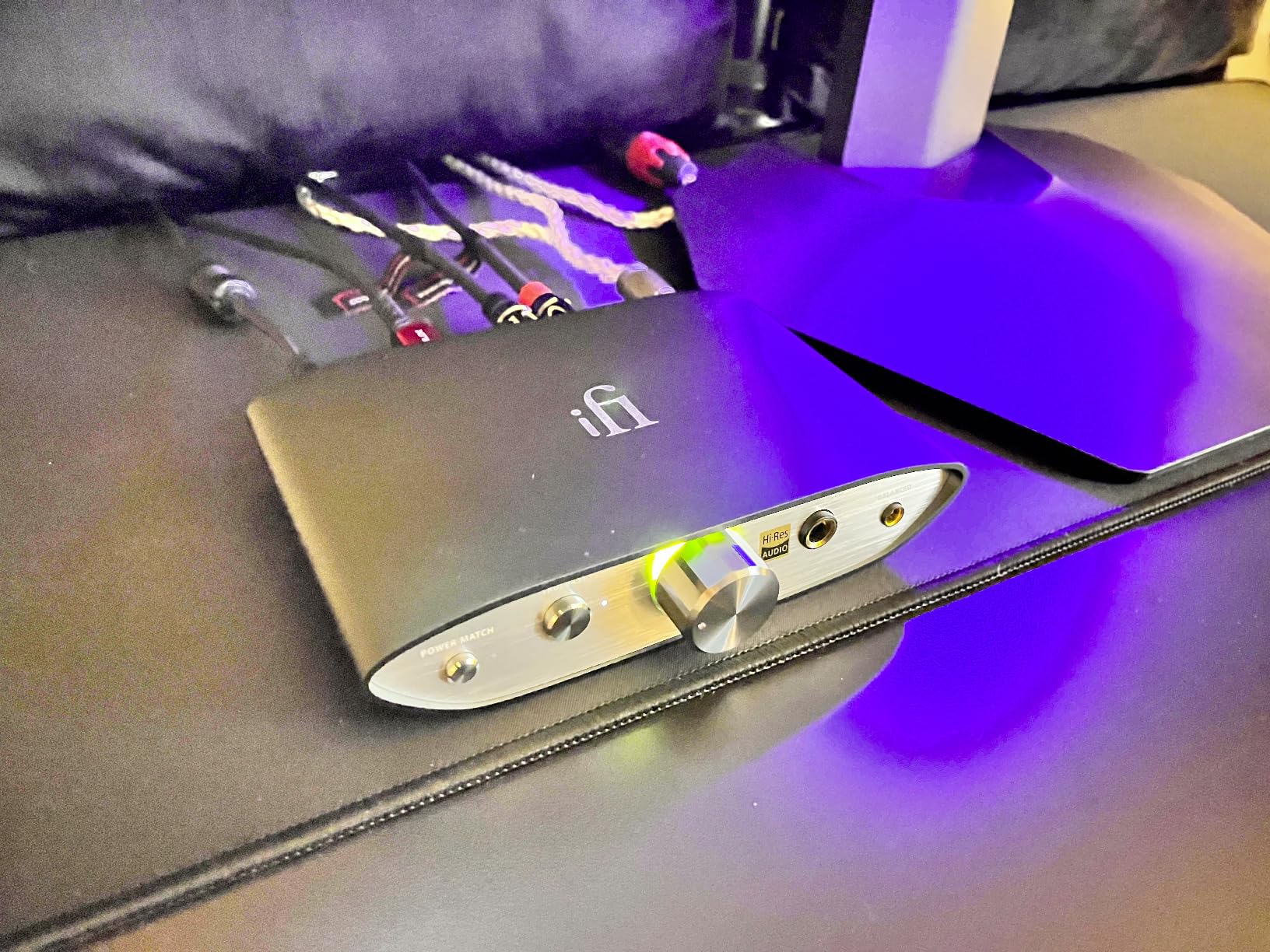
Vocals sound full and natural, while acoustic guitars retain the string texture you want. The PowerMatch gain switch and TrueBass feature are actually useful rather than gimmicks. I left TrueBass on for some closed-back headphones and it added weight without muddying the midrange.
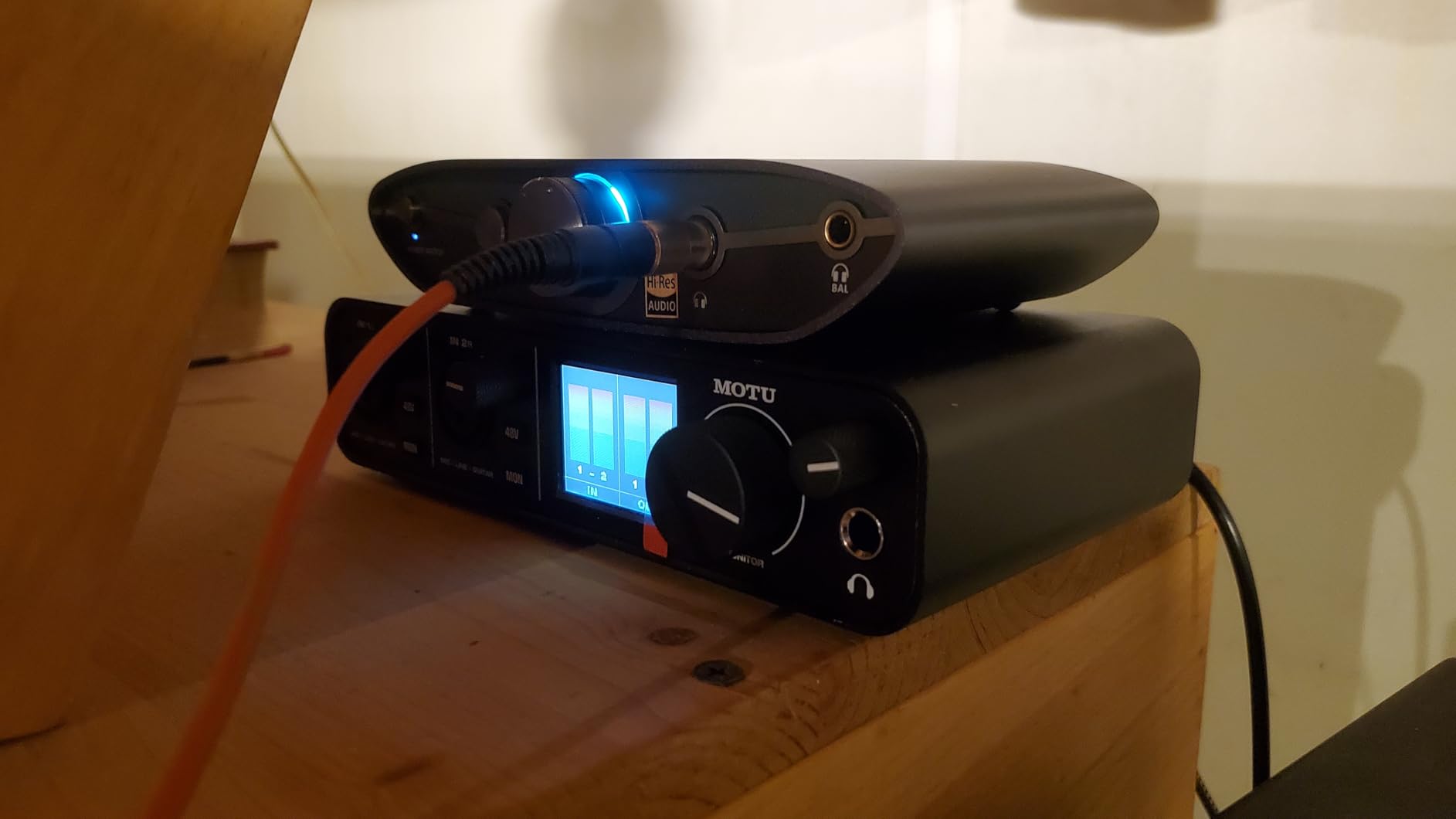
MQA decoding is included if your streaming service supports it, though I mostly used it for standard PCM and DSD files. The USB-C input is modern, but the box does not include a 5V power adapter or a 4.4mm balanced cable. You will need to supply those yourself.
One quirk: the Zen DAC 3 outputs signal to both the headphone jack and the RCA line-out simultaneously. If you want to switch between speakers and headphones, you need to physically unplug one or turn the external speakers off.
Who Should Consider This DAC
Buy this if you want a refined, musical sound without crossing into the $500+ bracket. It is particularly well-suited to listeners who prefer a warmer tone over razor-sharp analytical presentation. The silent noise floor makes it a top choice for IEM users and late-night listeners who need to keep the volume low.
Setup and Compatibility Notes
iFi designed this to be plug-and-play on Windows, Mac, Linux, and even iPad OS. I tested it on a Linux workstation with no driver installation at all. The USB-C port is the only digital input, so you need a USB source.
If you want to connect a TV or CD player, you will need a different model. The PowerMatch button adjusts gain for high-sensitivity or low-sensitivity headphones, so click it if your headphones are unusually loud or quiet at moderate volume levels.
3. KB EAR USB C DAC Audio Adapter – Best Budget DAC for Phones and Laptops
KB EAR 2026 Latest USB C DAC Audio Adapter with Headphone Amplifier, USB C to 3.5mm Audio Adapter for Wired Headphones, Hi-Res Type C DAC Compatible with iPhone 15, Android, Laptop & Tablet
USB-C DAC
Plug and play
Headphone amp
Hi-res audio
Pros
- Clear audio quality
- Solid build
- Compact
- No drivers needed
Cons
- Quality control issues
- Some failures reported
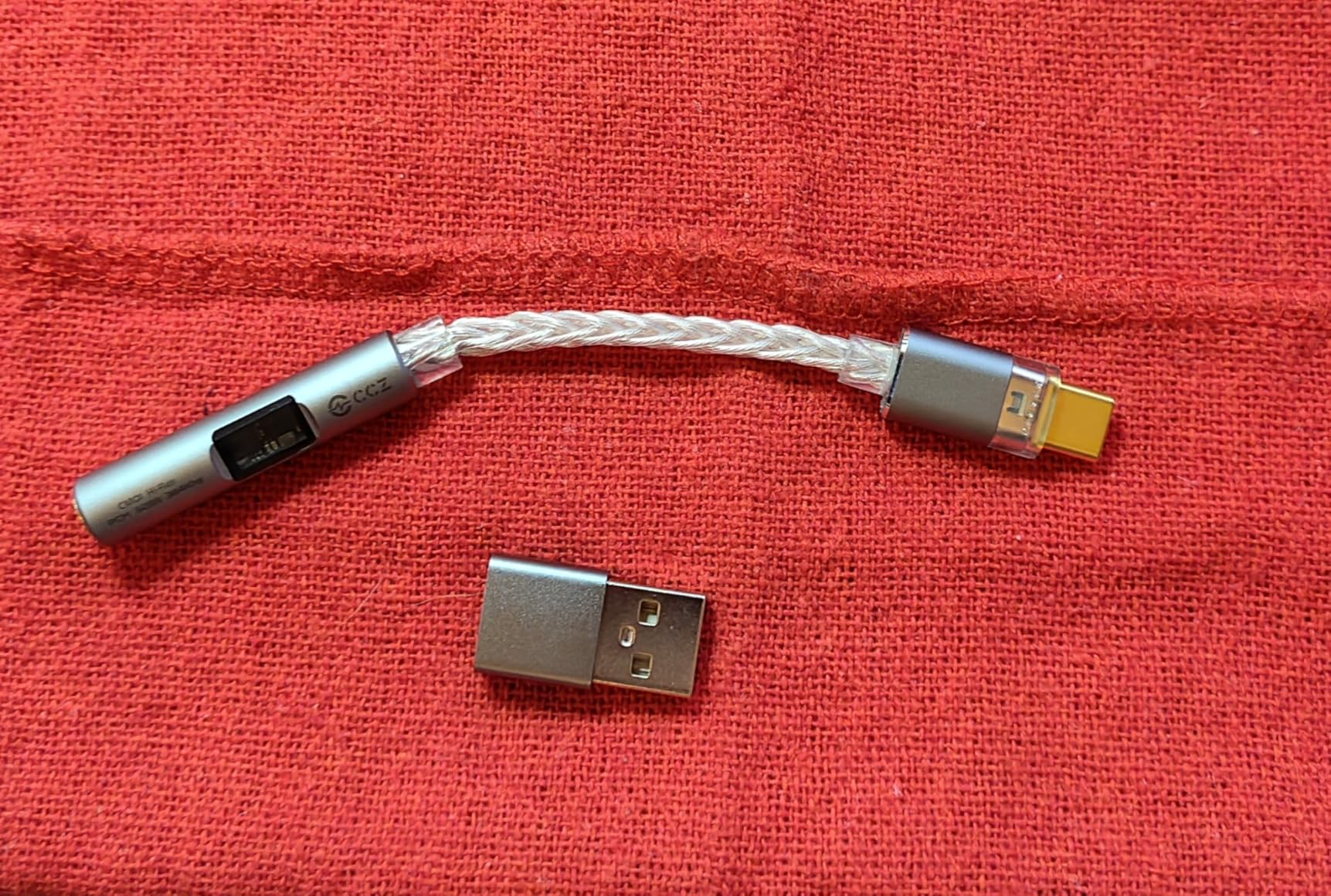
This tiny dongle costs less than a restaurant meal, yet it still delivers a real improvement over the headphone jack built into most laptops. I plugged it into my Android phone and an iPhone 15, and it worked instantly on both. No apps, no drivers, no fiddling with settings.
That simplicity makes it perfect for commuters and students who want better sound without carrying a brick in their pocket. The built-in headphone amp provides enough volume for most IEMs and portable over-ear models. The cable is braided, so it feels less likely to fray at the connector after a month of daily use.
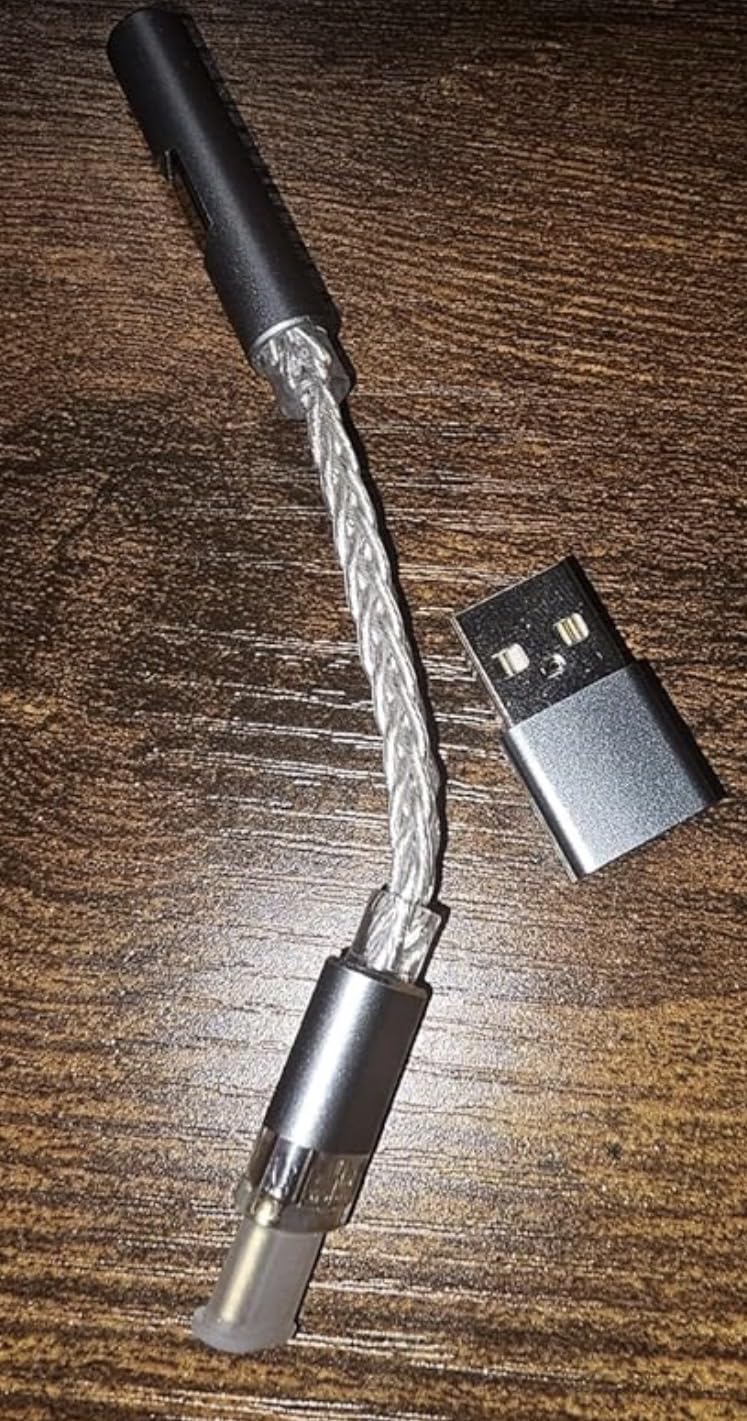
I noticed clearer separation between instruments compared to the standard USB-C adapter that came with my phone. It is not a night-and-day transformation, but it is a genuine step up. There are some reports of units dying after a few months, and I did not have the sample long enough to test long-term reliability.
If you need something bulletproof for daily abuse, consider spending more on a metal-cased option like the Moondrop Dawn PRO 2. Still, for the price, it is hard to complain about a device that makes your music noticeably clearer.
Who Should Consider This DAC
This is the right pick for anyone who wants a taste of better audio without investing in a desktop stack. It works on phones, tablets, laptops, and any device with a USB-C port. If you mostly listen to IEMs or portable headphones during your commute, this adapter adds almost no bulk while removing the thin, compressed sound of basic onboard audio.
Setup and Compatibility Notes
The KB EAR adapter is true plug-and-play on Android, iOS, Windows, and Mac OS. It does not support balanced output, so you are limited to a standard 3.5mm connection. The power draw is low, so it will not drain your phone battery faster than normal streaming.
I recommend getting a small carrying case if you plan to toss it in a bag, because the exposed USB-C plug can bend if crushed against keys.
4. MOONDROP Dawn PRO 2 Portable USB DAC/Amp – Best Portable DAC for IEMs
MOONDROP Dawn PRO 2 Decoder Headphone Amplifier 3.5/4.4 Phone Out Dual CS43198 32Bit/384KHz DSD256 Portable USB DAC/AMP
Dual CS43198
4.4mm balanced
124mW
Aluminum housing
Pros
- Excellent sound quality
- Compact portable
- Good app support
- Solid build
Cons
- Finicky 4.4mm
- EQ reverts
- Button quality
Moondrop is known for its in-ear monitors, and the Dawn PRO 2 feels like a DAC designed by people who actually use IEMs every day. The aluminum housing is compact, and the dual Cirrus Logic CS43198 chips produce a sound that is clean without being sterile. I used it for a full week with a set of budget IEMs and found the pairing surprisingly engaging.
The 4.4mm balanced output is the standout feature here. It provides more power and a wider soundstage than the single-ended 3.5mm jack, and the 124mW output is enough for most portable headphones. The companion app lets you adjust a basic EQ and DSP settings, though the settings reset when you unplug the device.
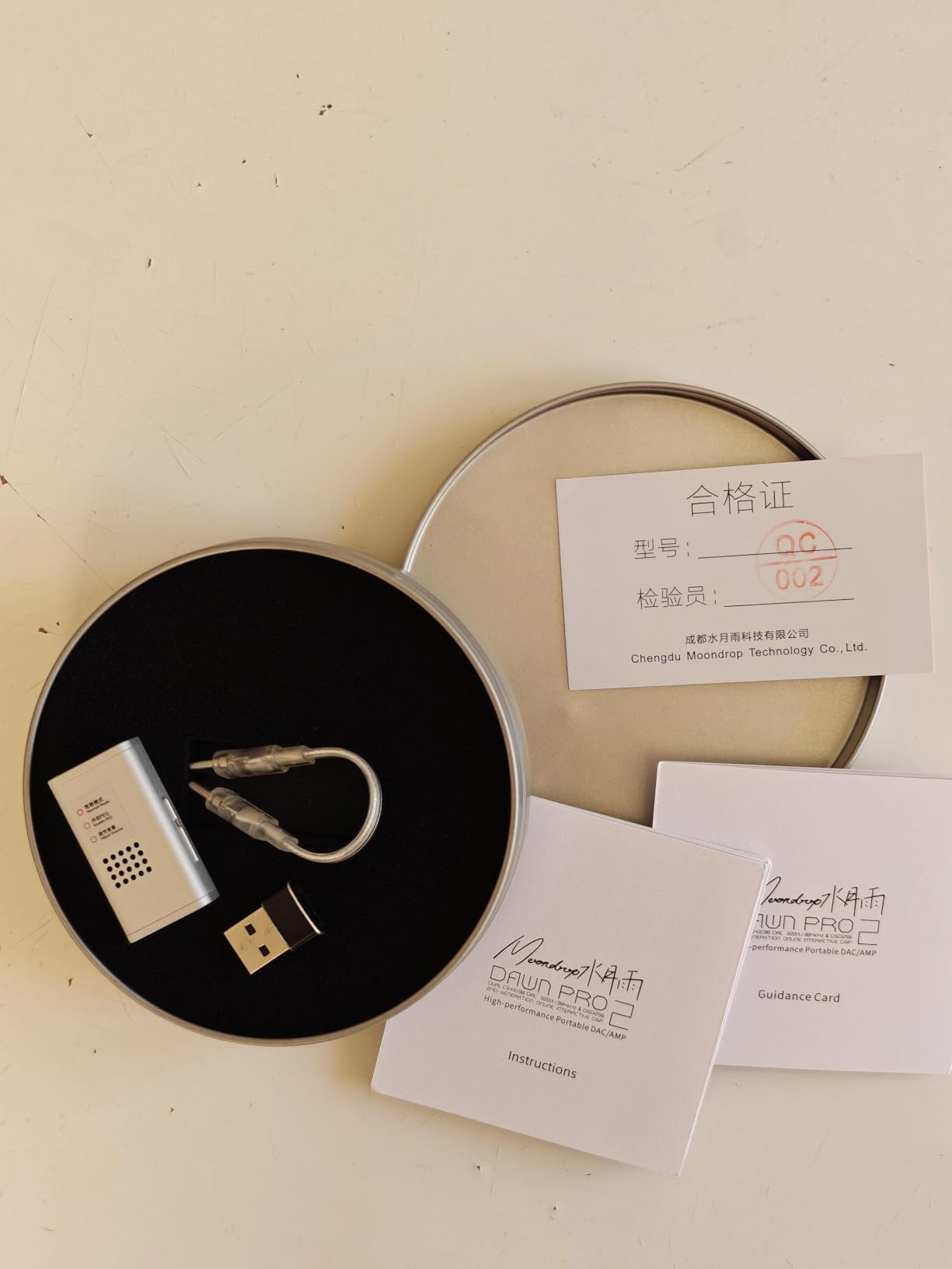
That is a small annoyance, but the sound quality is good enough that I rarely wanted to touch the EQ anyway. This is the portable pick for IEM enthusiasts who want a balanced output in a pocketable form factor. It is small enough to attach to your phone with a short cable.
The aluminum body feels more durable than plastic alternatives. If you own multiple IEMs and want a consistent source that travels with you, the Dawn PRO 2 makes sense.
Who Should Consider This DAC
This is the portable pick for IEM enthusiasts who want a balanced output in a pocketable form factor. It is small enough to attach to your phone with a short cable, and the aluminum body feels more durable than plastic alternatives. If you own multiple IEMs and want a consistent source that travels with you, the Dawn PRO 2 makes sense.
Setup and Compatibility Notes
The Dawn PRO 2 works on most modern devices through USB-C, but the 4.4mm connection can be finicky with some third-party cables. I suggest using the stock cable or a high-quality aftermarket option. The app is available for Android, and while iOS support is limited, the device still works as a standard USB audio device on iPhones with a USB-C port.
Keep the firmware updated for the best DSP compatibility.
5. Fosi Audio Q4 DAC Headphone Amp – Best Entry-Level Desktop DAC with Tone Controls
Fosi Audio Q4 DAC Headphone Amp for PC, Desktop Digital to Analog Audio Converter for Home Stereo Amplifier and Powered Speakers, PC-USB/Optical/Coaxial Inputs, 3.5mm Headphone/RCA Outputs
24-bit/192kHz
Bass/treble controls
Multiple inputs
Low jitter
Pros
- Excellent value
- Sound customization
- Plug-and-play
- Compact metal build
Cons
- White noise at low impedance
- Shared volume/power
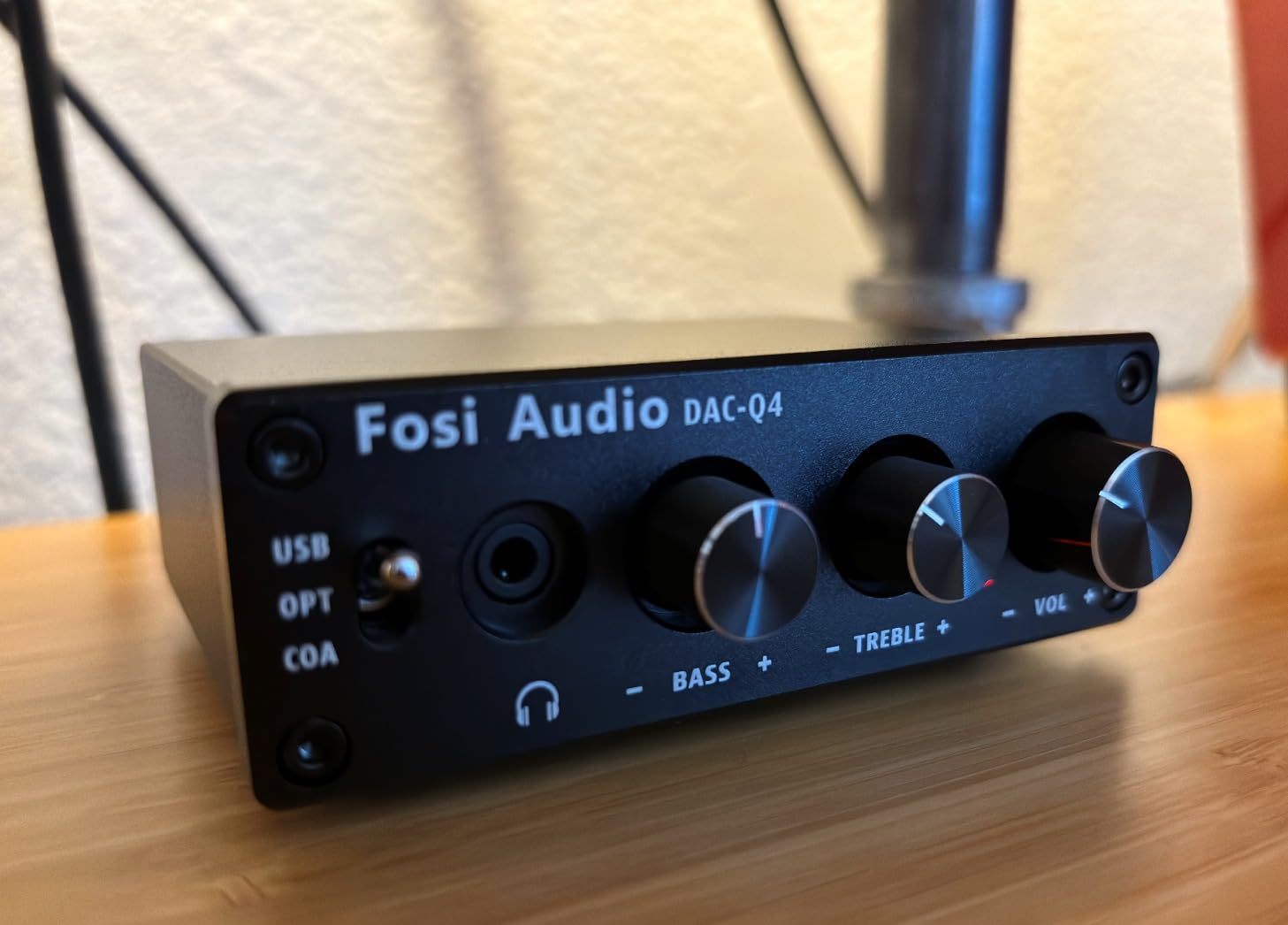
The Fosi Audio Q4 is one of the most popular beginner DACs on the market, and after spending a month with it, I understand why. It offers USB, optical, and coaxial inputs, plus bass and treble knobs that let you shape the sound to match your headphones or room. That flexibility is rare at this price level.
I placed it on a small shelf next to a laptop and ran it through a pair of powered bookshelf speakers. The RCA output is straightforward, and the 3.5mm headphone jack on the front is convenient for quick listening sessions. The low-impedance output mode works with most consumer headphones.
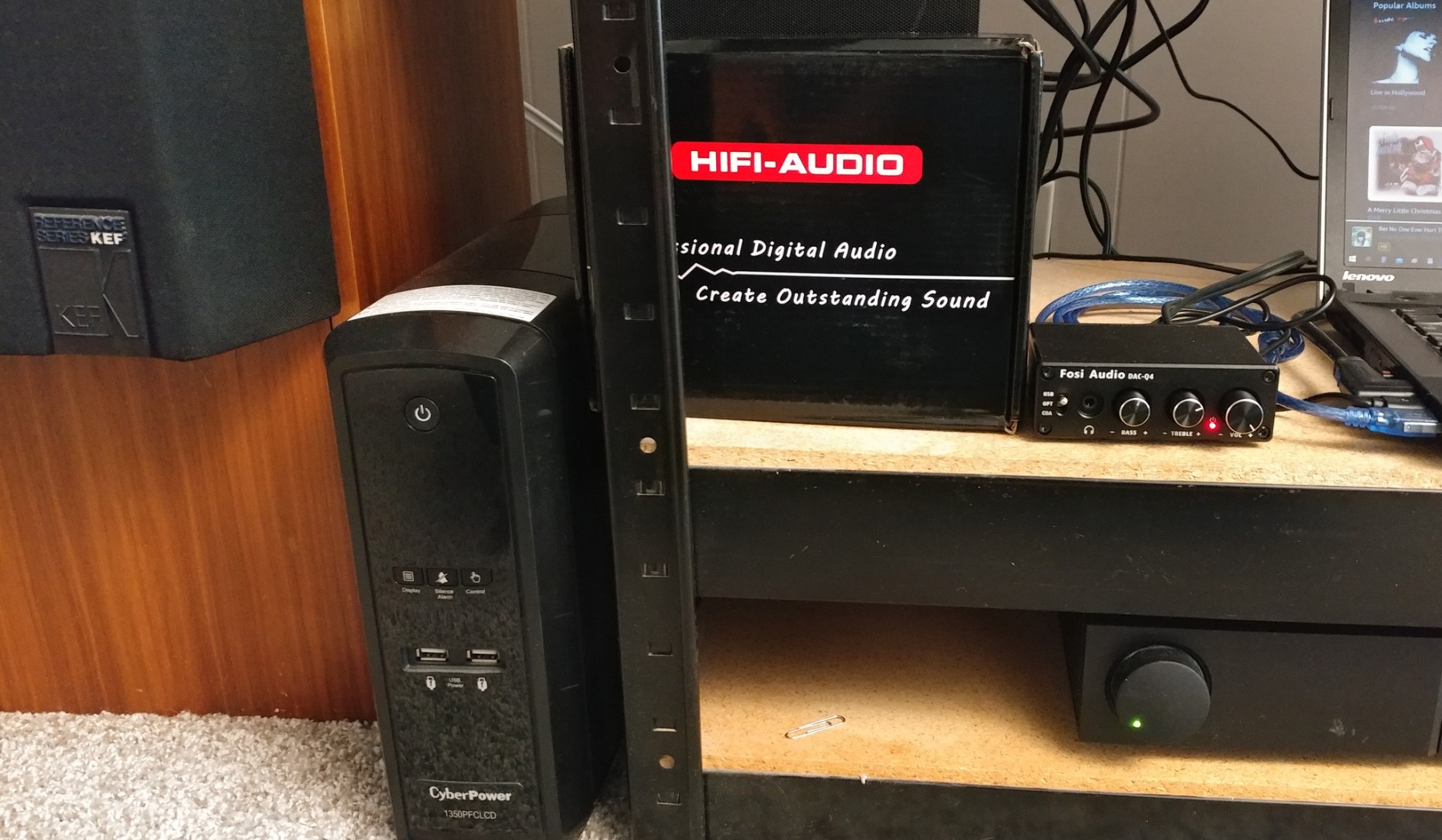
I did notice a faint background hiss with very sensitive IEMs. For standard over-ear headphones, it is silent enough. The metal shell feels solid, and the compact footprint means it does not dominate your desk.
I used the bass knob to add a little warmth to a bright pair of studio monitors, and the adjustment was smooth and natural. The volume knob doubles as the power switch, which is a design choice that saves space but means you cannot mute the output instantly without turning the unit off.
Who Should Consider This DAC
This is the perfect starter box for anyone who wants physical tone controls without spending a lot. It is ideal for students, gamers, or casual music listeners who want a quick upgrade from motherboard audio. The multiple inputs also make it a good match for setups with a PC and a gaming console sharing the same speakers.
Setup and Compatibility Notes
The Q4 is driverless on Windows, Mac, and Linux. I plugged it in and it was recognized immediately as a USB audio device. The optical input is handy if you want to connect a TV or game console without running another USB cable. The bass and treble controls are active even on the RCA output, so you can tune your speakers as well as your headphones.
If you use very sensitive IEMs, consider a desktop DAC with a lower noise floor like the iFi Zen DAC 3.
6. Fosi Audio K5 Pro Gaming DAC Headphone Amplifier – Best Budget DAC for Gaming and Streaming
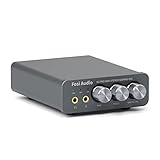
Fosi Audio K5 Pro Gaming DAC Headphone Amplifier Mini Hi-Fi Stereo Digital-to-Analog Audio Converter USB Type C/Optical/Coaxial to RCA/3.5MM AUX for PS5/PC/MAC/Computer
NE5532 chip
1000mW
USB-C/optical/coax
Bass/treble
Pros
- Plug-and-play
- Clean powerful sound
- Bass/treble controls
- Gaming mic input
Cons
- Splitter cable quality
- Loose volume knob
- Bright LED
The K5 Pro is marketed toward gamers, but it is honestly a solid all-around DAC for anyone under $100. I tested it on a PlayStation 5, a Windows PC, and a Mac Mini, and it worked on all three without any driver installation. The optical input is a big advantage for console users who want to route audio through a dedicated headphone amp.
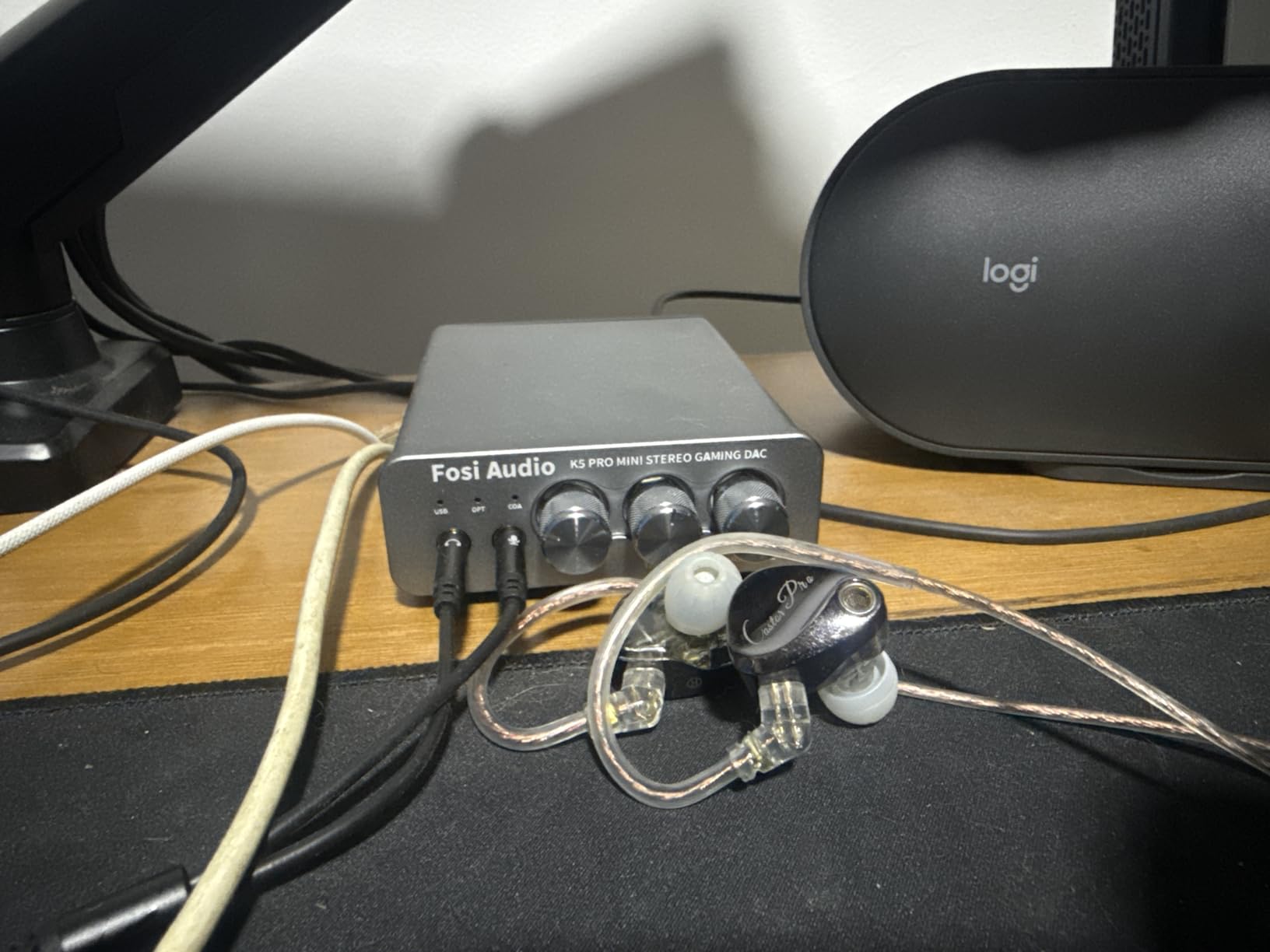
The built-in microphone input is a nice touch for gaming headsets. It converts your single headset cable into separate audio and mic channels, which simplifies voice chat on consoles. The sound is clean and the bass control adds punch without making footsteps muddy.
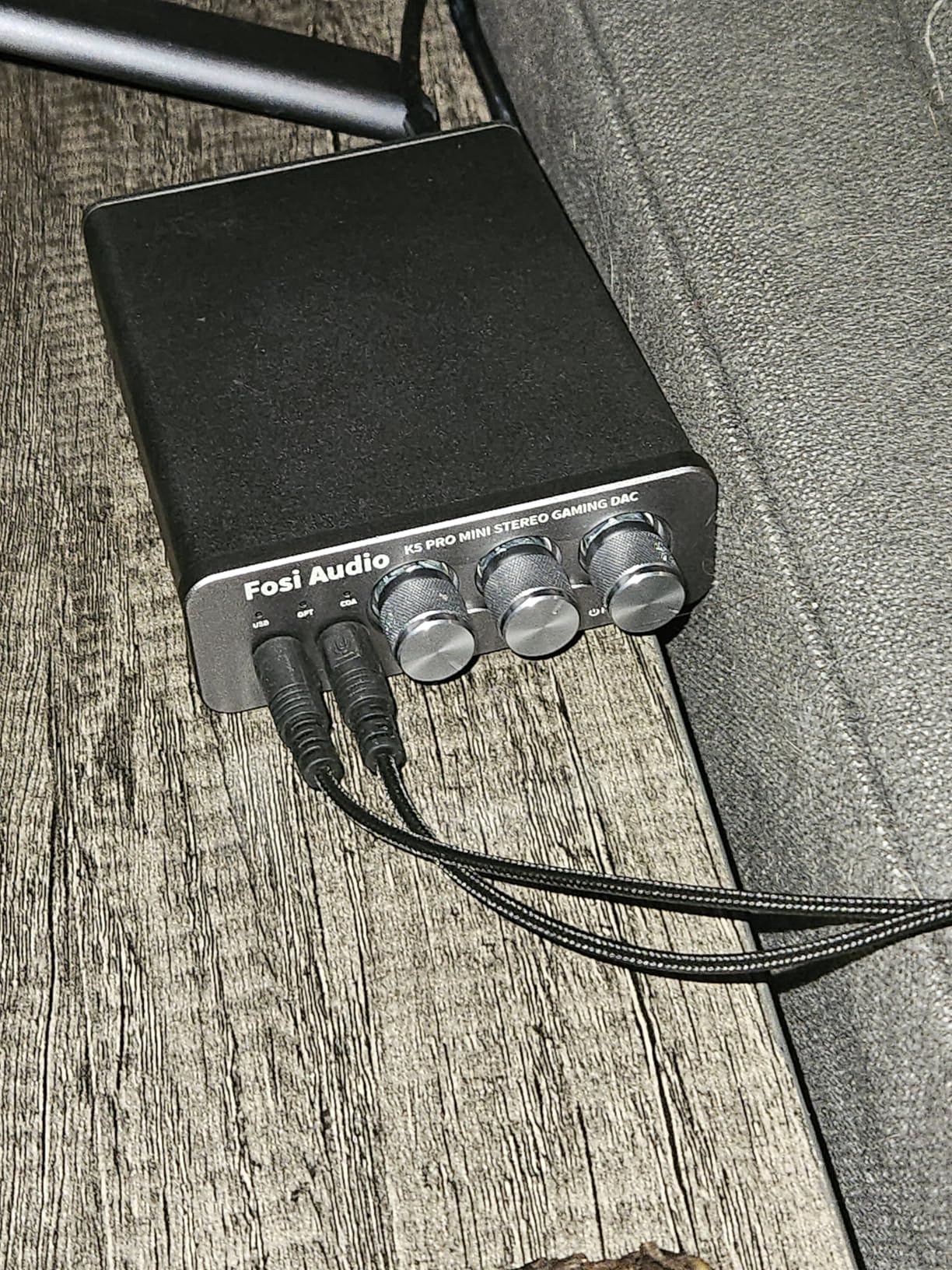
I drove a 250-ohm set of headphones with the K5 Pro and had enough volume for immersive gaming sessions. The aluminum body is sturdy, but the volume knob on my unit had a tiny bit of wobble. The bright blue LED can be distracting in a dark room.
Those are small flaws on a device that otherwise punches well above its weight. The included microphone splitter cable is a bit thin, so I replaced mine with a braided aftermarket cable.
Who Should Consider This DAC
Buy this if you want a single box that handles gaming, music, and voice chat on a tight budget. The console compatibility makes it a standout choice for PS5 and Xbox users who want better headphone audio than the controller jack can provide. It also works well as a secondary DAC for a secondary computer or streaming setup.
Setup and Compatibility Notes
The K5 Pro supports USB Type C, optical, and coaxial inputs. For gaming consoles, the optical input is usually the easiest path. The microphone jack is a 3.5mm TRRS input, so make sure your headset has a single combined plug or use the included splitter. The bass and treble knobs are analog, so they work on every input.
I recommend placing it slightly off-center on your desk so the blue LED is not shining directly in your eyes during late-night sessions.
7. AudioQuest Dragonfly Red USB DAC – Best Portable DAC for Travel
AudioQuest Dragonfly Red USB Digital-to-Analog Converter
32-bit SABRE DAC
2.1v output
Portable
LED indicator
Pros
- Clear detailed sound
- Compact form
- Wide compatibility
- Significant upgrade
Cons
- Reliability issues
- No volume control
- QC inconsistent
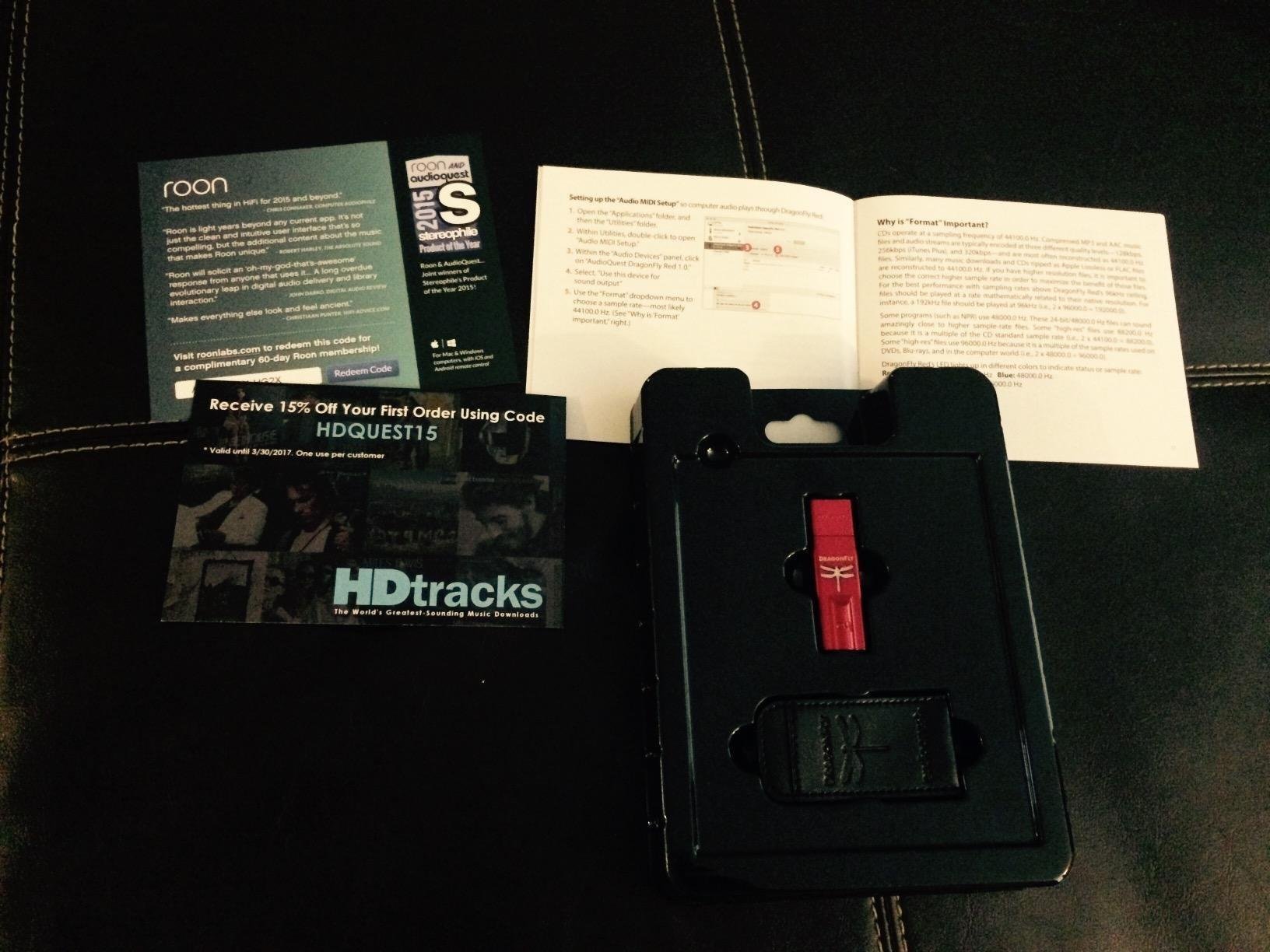
The Dragonfly Red looks like a thumb drive, but it houses a 32-bit ESS Sabre DAC that delivers a genuine upgrade over laptop audio. I carried it in my backpack for a month and plugged it into hotel computers, work laptops, and even my phone with a simple USB adapter. The 2.1v output is strong enough to drive most full-size headphones, which is rare for something this small.
The LED indicator changes color to show the sample rate of the file playing, which is a fun way to confirm you are actually getting hi-res audio from your streaming service. The sound is detailed and open, with a slightly forward presentation that makes vocals pop. I found it particularly good for acoustic and jazz recordings where clarity matters.

Not every unit is perfect. Some buyers report static or whining after a few months, and AudioQuest does not always win praise for support. The lack of a physical volume control means you are adjusting software volume, which is fine on a computer but less precise on a phone.
Despite those caveats, it remains one of the most convenient ways to get audiophile-grade sound on the road. This is the traveler’s choice. If you split your listening time between a laptop, a phone, and office computers, the Dragonfly Red fits in a pocket and works everywhere.
Who Should Consider This DAC
This is the traveler’s choice. If you split your listening time between a laptop, a phone, and office computers, the Dragonfly Red fits in a pocket and works everywhere. It is also a great gift for someone who wants better audio but does not want a stack of boxes on their desk. The size is its superpower.
Setup and Compatibility Notes
The Dragonfly Red is a USB Audio Class 1 device, so it works on Windows, Mac, Linux, Android, and iOS with a simple adapter. It draws power from the USB port, so battery life on your phone will take a small hit. I recommend using a short USB extender cable to reduce strain on the port, because the rigid stick design can wobble if bumped.
Keep it clean and dry; there are no sealed ports to protect against moisture.
8. Schiit Modi 5 DAC – Best USA-Made Budget DAC

Schiit Modi 5 High Performance Affordable Flexible Mesh DAC - Digital to Analog Converter with Unison 384 (Silver)
Mesh filter
Unison 384
24/192
USA-made
Pros
- Incredible value
- Huge soundstage
- Flexible power
- Quality build
Cons
- Some DOA units
- USB-C adapter needed
Schiit Audio has a reputation for making no-nonsense gear in the United States, and the Modi 5 continues that tradition. The new Mesh digital filter is the headline feature here. It delivers a massive, spacious soundstage with imaging that feels almost holographic.
I A/B tested the Modi 5 against a DAC that cost three times as much, and the Schiit held its own on staging and detail. The Unison 384 USB interface is stable and modern, supporting Linux, Windows 10 and later, Mac OS, and even iPad OS with a direct USB-C connection. The front-panel input button lets you switch between USB, optical, and coaxial without reaching behind the unit.
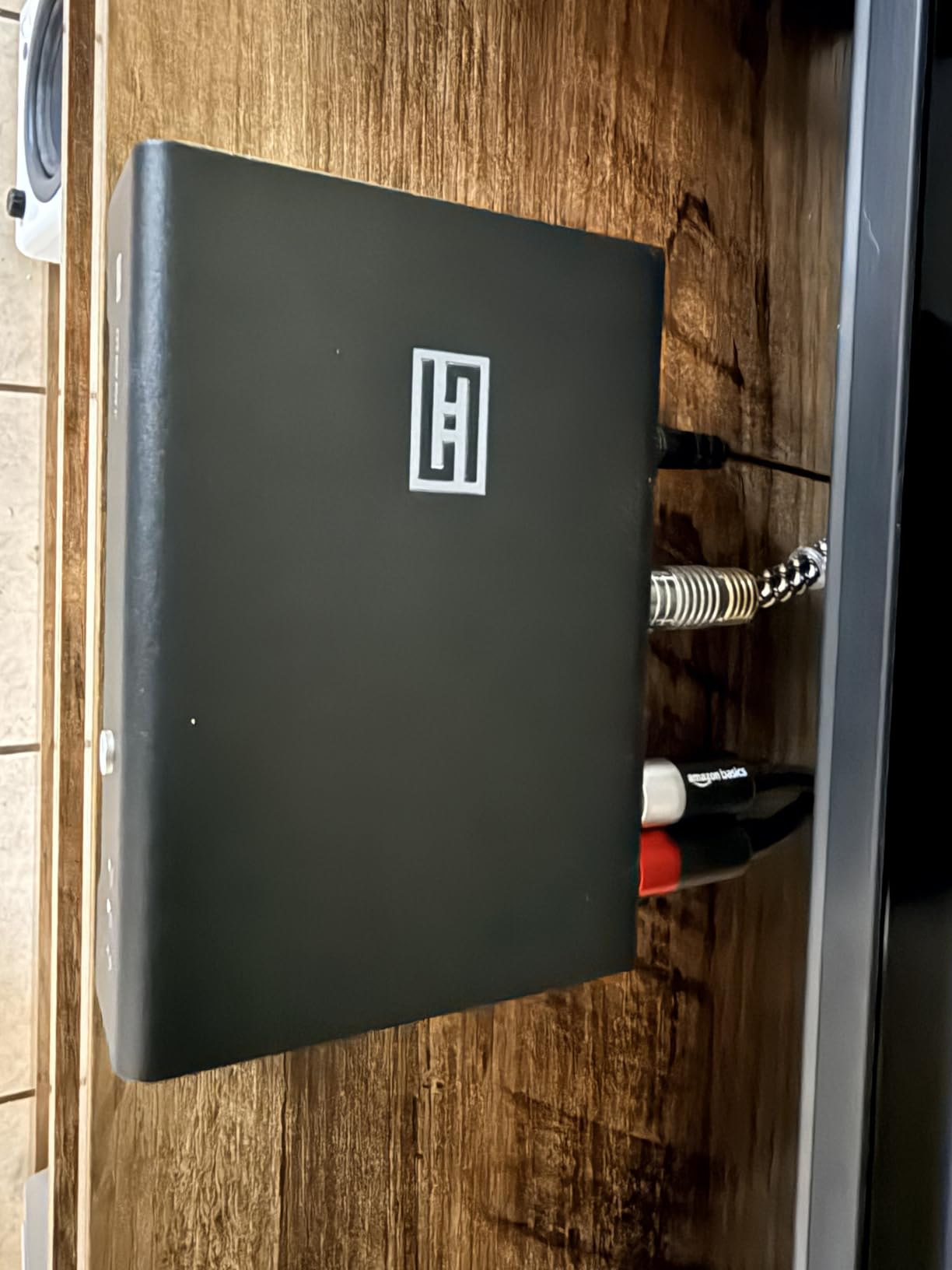
I used the Linear Override feature to run it from a portable battery pack during a camping trip, and it worked flawlessly with a pair of efficient headphones. The build is minimal and functional, with a silver aluminum chassis that feels like it could survive a drop. The downside is quality control consistency.
A small number of units arrive dead or with channel imbalance issues. Schiit has a good warranty and repair policy, but it is still an annoyance if you are the unlucky one. My unit arrived perfect and has worked for months without a glitch.
Who Should Consider This DAC
This is the pick for purists who want a simple, high-quality DAC without a headphone amp built in. It is perfect if you already own a separate amplifier or powered speakers. The USA manufacturing and three-year warranty also appeal to buyers who want to support domestic production.
If you value soundstage width and precise imaging, the Mesh filter makes this a standout at the price.
Setup and Compatibility Notes
The Modi 5 is a pure DAC with RCA outputs only. You need a separate amplifier or active speakers. The USB-C input is modern, but the included cable is short, so you may need a longer one depending on your desk layout. The Linear Override feature lets you switch between bus power and an external wall wart, which is useful for reducing noise from a noisy PC USB port.
I recommend using a quality USB cable if you hear any hum.
9. FiiO K11 R2R DAC and Headphone Amplifier – Best R2R DAC Under $200
FiiO K11 R2R DAC and Headphone Amplifier for Home Audio or PC, 6.35mm and Balanced 4.4mm, RCA, Coaxial, Optical, 1300mW, 384kHz/24Bit DSD256 (Silver)
Full R2R architecture
NOS and OS modes
1300mW
DSD256
Pros
- Warm analog sound
- Excellent R2R value
- Smooth treble
- Natural vocals
Cons
- Amp section weaker
- Confusing menu
- NOS mode veiled
The FiiO K11 R2R is the company’s first attempt at a budget-friendly R2R resistor-ladder DAC, and it is a fascinating product. R2R designs are known for a warm, organic sound that many listeners prefer over the clinical precision of sigma-delta chips. I spent two weeks with this unit, switching between NOS and oversampling modes, and the difference was genuinely noticeable.
In NOS mode, the sound feels relaxed and natural. The treble is smooth without any harshness, and vocals sit forward in the mix in a way that makes acoustic music intimate. Switching to oversampling mode tightens the bass and adds a bit of sparkle, which worked better for electronic and rock genres.
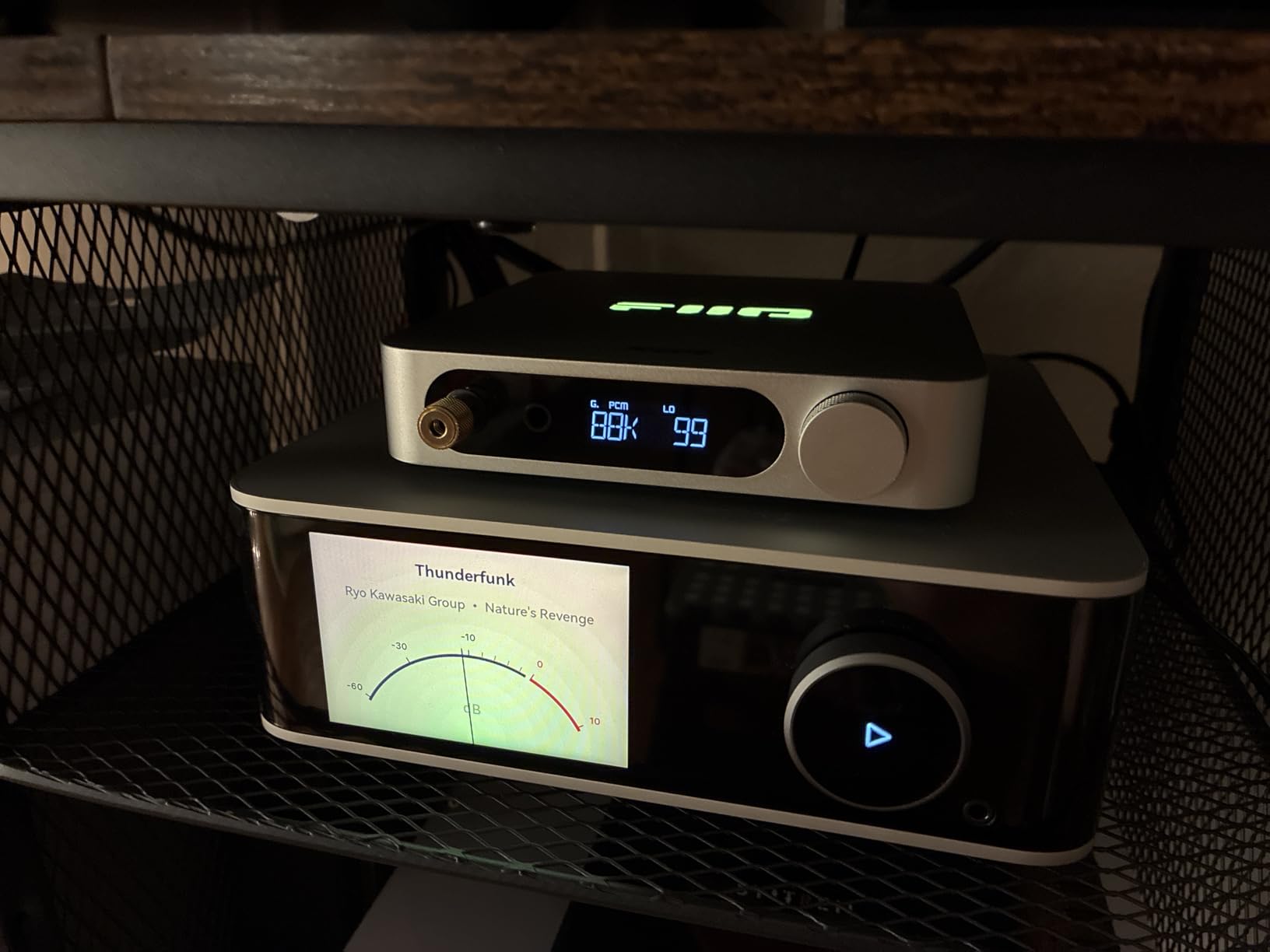
The 1300mW headphone amp is decent, but it does not quite match the DAC section for raw quality. It is still enough for most dynamic headphones, though planar magnetics may want more juice.
The menu system is not the most intuitive. Adjusting the digital filter or switching modes requires a combination of button presses and the small display.
I kept the manual nearby for the first week. The RGB lighting on top is a nice visual touch, though it serves no audio purpose. The aluminum body is compact and fits easily on a crowded desk.
Who Should Consider This DAC
This is the right choice for listeners who specifically want the R2R sound signature without spending a fortune. It is excellent for jazz, classical, and vocal-centric music where the warmth of the resistor ladder adds emotional weight. If you are curious about R2R versus sigma-delta but do not want to commit to a $500+ purchase, the K11 R2R is the safest entry point.
Setup and Compatibility Notes
The K11 R2R supports USB, optical, and coaxial inputs, and it outputs through 4.4mm balanced, 6.35mm single-ended, and RCA line-out. The NOS mode works best with high-quality source files, so make sure your streaming service is set to the highest tier. I noticed that NOS mode can sound slightly muddy on poorly mastered tracks, so if you listen to a lot of compressed pop music, you may prefer the oversampling mode.
10. Fosi Audio ZD3 Desktop DAC Preamp – Best Desktop DAC with HDMI ARC
Fosi Audio ZD3 Desktop DAC Preamp, Fully Balanced Digital to Analog Audio Converter with ES9039Q2M for Home Stereo Amplifier, Bluetooth/USB/Optical/Coax/TV HDMI ARC Input, XLR/RCA Output with Remote
ES9039Q2M chip
DSD512
PCM 768kHz
HDMI ARC input
Pros
- Phenomenal soundstage
- Excellent detail
- Op-amp swappable
- HDMI ARC unique
Cons
- No standby
- Display hard to read
- Orange knob
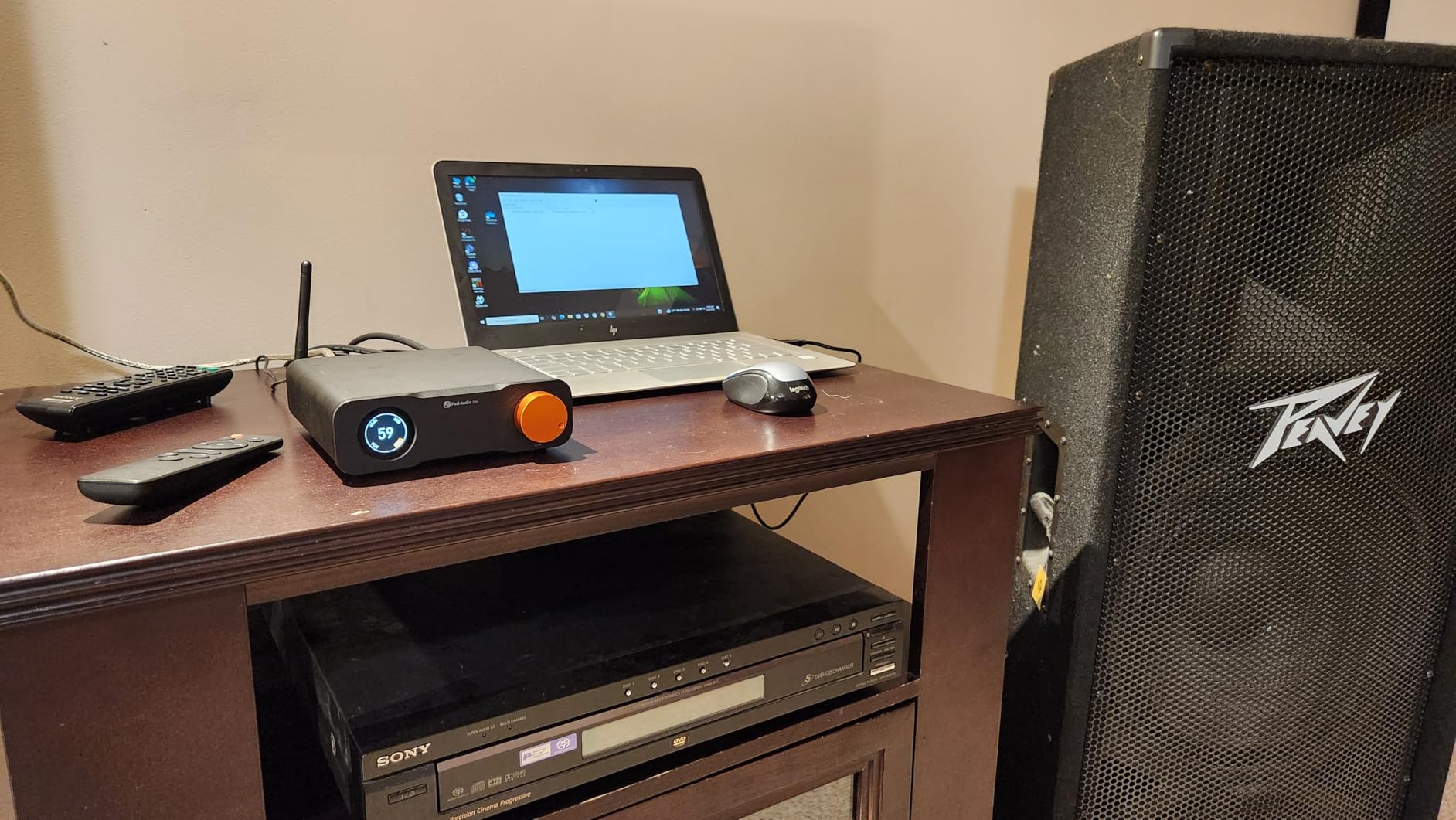
The Fosi Audio ZD3 is a fully featured desktop DAC and preamp that borrows heavily from audiophile designs costing much more. The ESS ES9039Q2M chip is a flagship part, and the XMOS XU316 USB processor handles high-resolution streams up to DSD512 and PCM 768kHz. I connected it to my hi-fi system and immediately noticed the wider soundstage and improved detail retrieval compared to my older DAC.
The HDMI ARC input is the feature that sets this apart from almost every competitor under $200. It allows you to run audio from a modern TV directly into the DAC without additional converters. I used it with a Samsung TV and it worked flawlessly, passing clean stereo signal to my integrated amplifier.
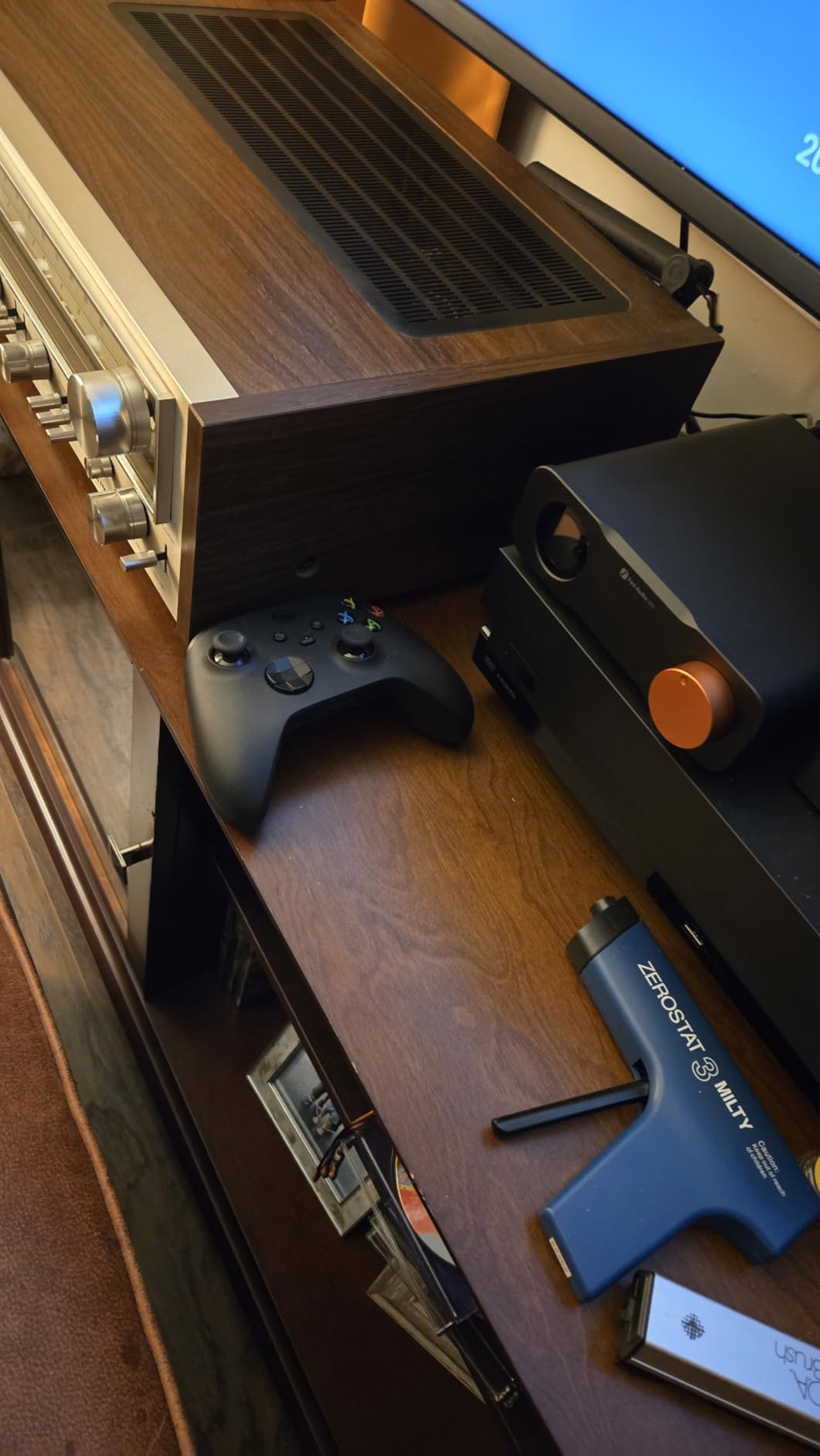
The op-amp swappable design is another enthusiast-friendly touch. I tried two different dual op-amps and heard subtle changes in tonal balance, which makes this a fun platform for tinkering. The 1.5-inch OLED display is functional but small.
Reading it from across the room requires good eyesight. The orange volume knob is a divisive design choice; some people love it, others find it garish. There is no standby mode, so the unit stays fully powered unless you switch it off at the wall.
The sound quality, however, is undeniably excellent for the price class.
Who Should Consider This DAC
This is the ideal choice for home theater and hi-fi enthusiasts who want a TV-connected DAC that does not break the bank. The HDMI ARC input makes it uniquely versatile among desktop DACs. If you also enjoy swapping op-amps to fine-tune the sound, the ZD3 offers a rare combination of features and tweakability at a moderate price.
Setup and Compatibility Notes
The ZD3 supports Bluetooth, USB, optical, coaxial, and HDMI ARC inputs. The balanced XLR outputs and RCA outputs let it serve as a preamp for both professional and consumer gear. The 12V trigger input and output allow it to power on in sync with other devices, which is handy for automated systems.
Make sure your TV supports HDMI ARC and that you enable CEC if you want volume control through the TV remote. The op-amp socket uses standard DIP-8 dual chips, so replacements are easy to find.
11. Fosi Audio K7 DAC Headphone Amp – Best High-Power Budget DAC for Planars
Fosi Audio K7 DAC Headphone Amp, Desktop USB C Digital to Analog Audio Converter for Workspace and Gaming PC PS5, Optical/Coaxial/Bluetooth aptX HD LL/Microphone Input, 3.5mm/4.4mm Balanced/RCA Output
AK4493S chip
2100mW output
Bluetooth aptX
Microphone input
Pros
- Massive power output
- Clean neutral sound
- Gaming-friendly
- All-metal build
Cons
- Volume knob no stops
- Display viewing angles
- No XLR output
The Fosi Audio K7 is a beast in a small chassis. With up to 2100mW of output power, it can drive demanding planar magnetic headphones that would leave lesser amps gasping. I tested it with a pair of 300-ohm planars and a set of low-impedance dynamics, and it handled both with authority.
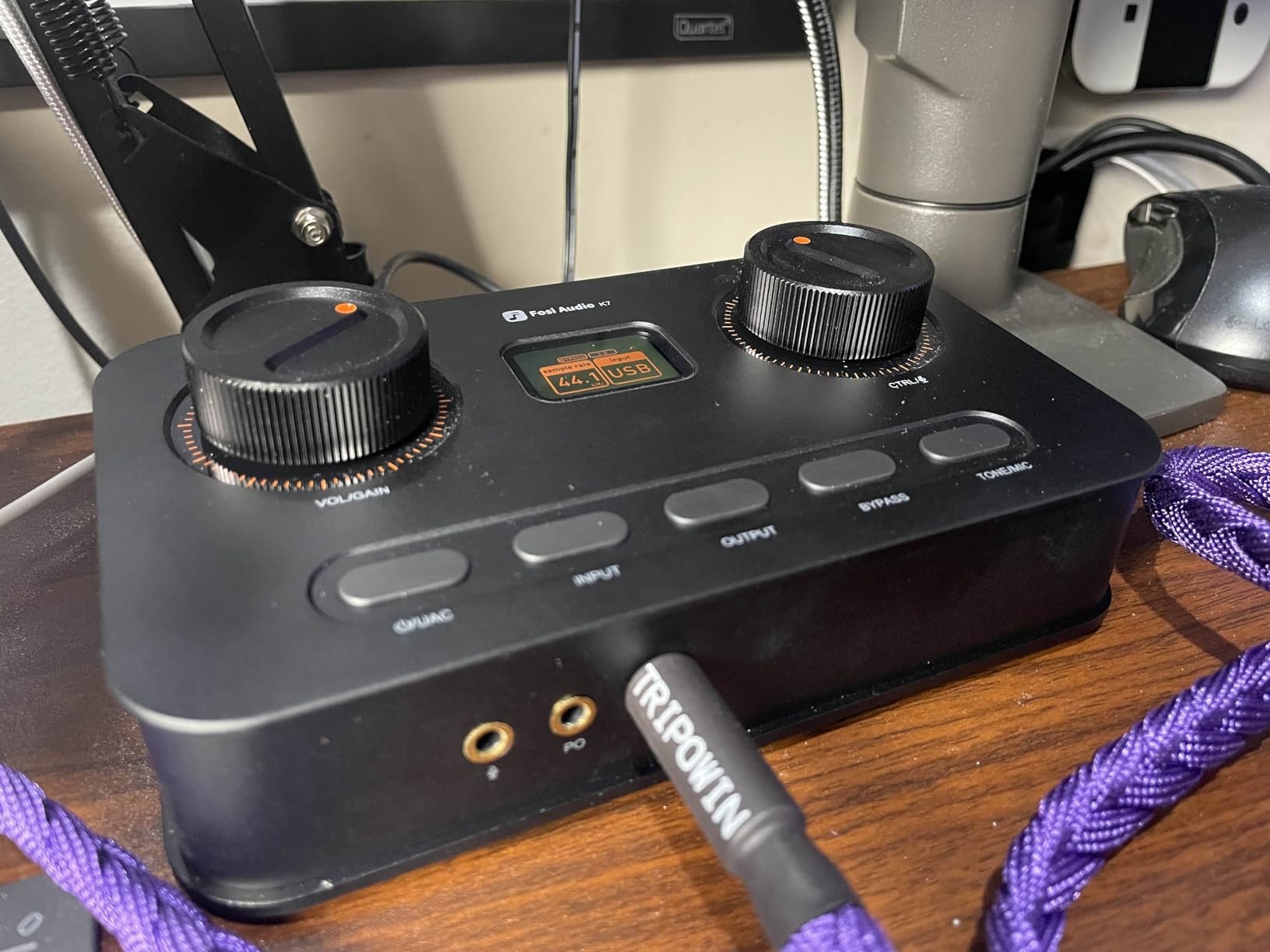
The sound is neutral and clean, with no audible coloration that would mask the character of your headphones. The angled chassis is a thoughtful design choice. It sits back on your desk and tilts the controls toward you, making it easier to reach the volume and input knobs while you are seated.
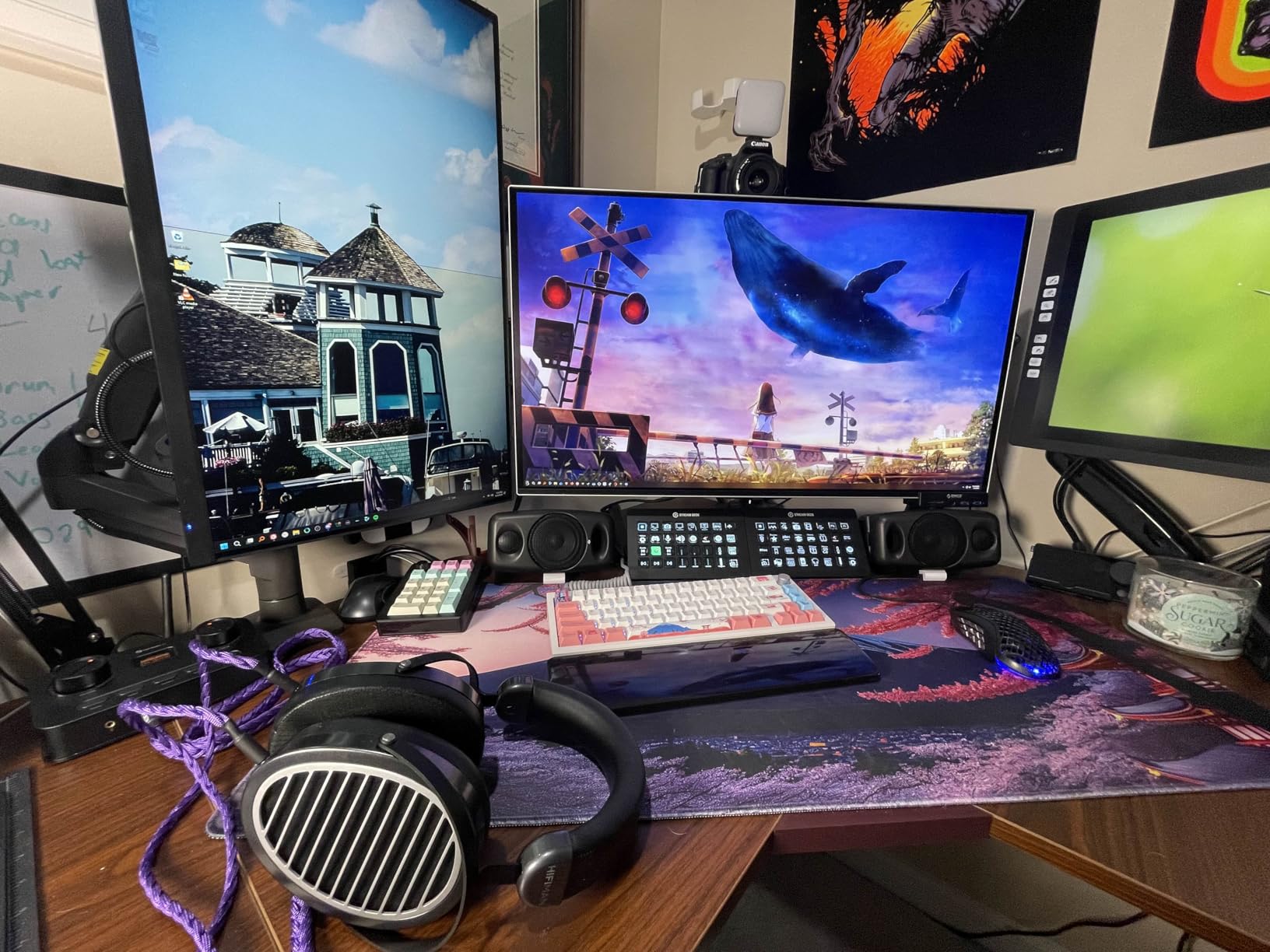
The Bluetooth aptX HD and Low Latency support is a nice addition for wireless listening, though I mostly used the wired USB connection for critical sessions. The microphone input is another feature aimed at gamers and streamers who need a single box for audio input and output. The volume knob is continuous with no hard stops, which means it is easy to overshoot your target level.
The display has poor vertical viewing angles, so you need to be at the right height to read it clearly. The lack of a balanced XLR output limits its use as a preamp for professional monitors, but the 4.4mm balanced headphone jack and RCA line-out cover most consumer setups.
Who Should Consider This DAC
This is the right pick for anyone who owns power-hungry planar headphones and needs a budget-friendly amp to match. The 2100mW output is serious power, and the neutral signature means it will not fight with your headphones’ natural tuning. It is also a solid choice for gamers who want optical input on a console plus a microphone input for voice chat.
Setup and Compatibility Notes
The K7 supports USB, optical, coaxial, and Bluetooth inputs. The optical input is the go-to for console gaming. The Bluetooth pairing is straightforward, but the range is typical for a desktop unit. The microphone input is a 3.5mm jack, so any headset with a separate mic cable will work.
Be careful with the volume knob; the continuous rotation means there is no physical stop at maximum or minimum. I recommend starting at low volume every time you power it on.
12. FiiO K7 Desktop DAC and Amplifier – Best Balanced DAC/Amp Combo Under $250
FiiO K7 Desktop DAC and Amplifier
Dual AK4493S
THX AAA 788+
2000mW balanced
RGB indicators
Pros
- Clean neutral sound
- Powerful balanced output
- Multiple inputs
- Good build
Cons
- Stepped volume knob
- Static on high gain
- No filters
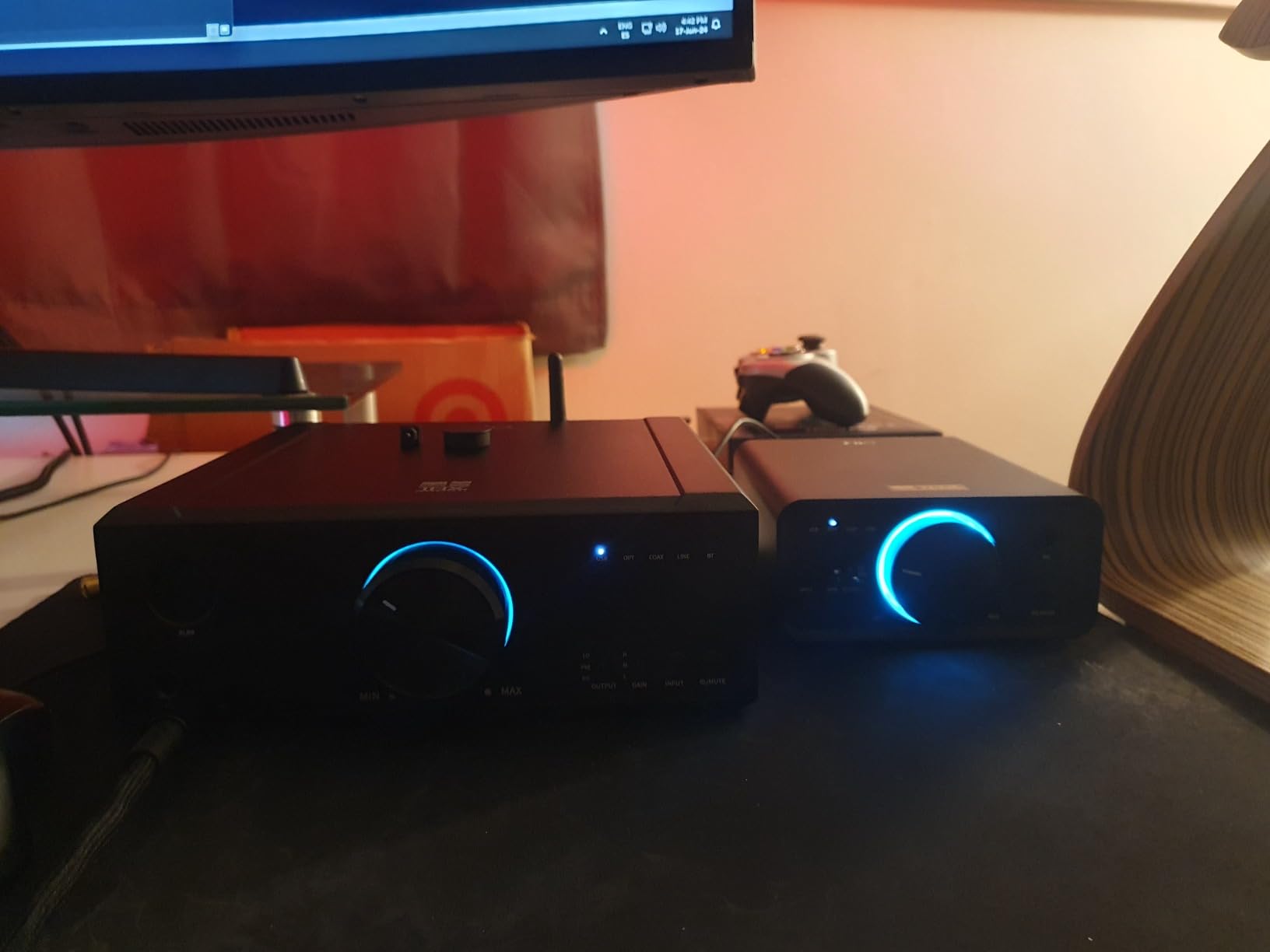
The FiiO K7 is a step up from the standard K11, adding a fully balanced circuit with dual AK4493SEQ DAC chips and dual THX AAA 788+ amplifiers. The result is a cleaner, more powerful signal that reveals subtle details in complex recordings. I used it as my main desktop DAC for three weeks, and it never felt out of its depth with any genre I threw at it.
The 2000mW balanced output is more than enough for full-size planar headphones. The single-ended output is also strong, though the real magic happens on the 4.4mm balanced jack. The RGB indicator lights change color based on the incoming sample rate, which is a small visual reward for playing hi-res files.
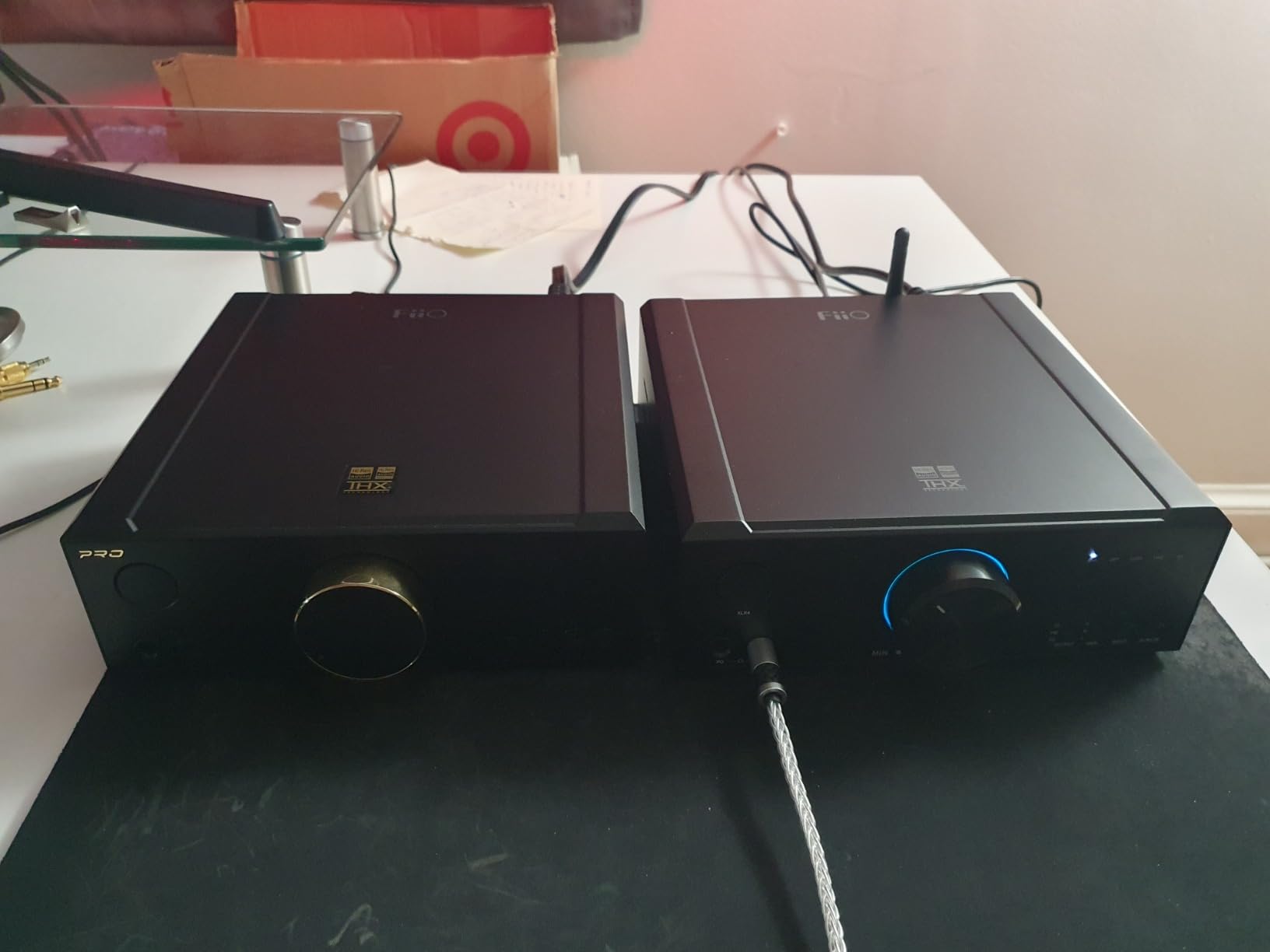
The build quality is solid, with a thick aluminum chassis that feels planted on the desk. The volume knob is stepped rather than smooth, which means you get small but audible jumps between levels. It is not a deal-breaker, but it is noticeable if you like to fine-tune volume by the smallest increments.
I also noticed a faint static on the high gain setting with nothing playing. It vanished as soon as music started, but it is worth noting if you listen in a very quiet room. There are no selectable digital filters, which is a minor loss for users who like to tweak the presentation.
Who Should Consider This DAC
This is the best balanced desktop DAC/amp combo under $250. It is perfect for listeners who have already invested in a 4.4mm balanced cable and want to extract the full performance from their headphones. It is also a great match for a home office where you switch between headphones and a separate speaker system via the RCA line-out.
Setup and Compatibility Notes
The K7 supports USB, optical, coaxial, and AUX inputs. The USB input handles DSD256 and PCM up to 384kHz/32bit on Windows and Mac. I found the drivers stable on Windows 11, but Linux users should check their distribution’s USB audio support for the AK4493SEQ. The AUX input is useful if you want to connect a turntable preamp or a secondary analog source.
The gain switch is on the back, so set it once and forget it based on your headphone impedance.
13. FiiO K13 R2R Desktop DAC and Headphone Amp – Best R2R DAC with EQ and Bluetooth

FiiO K13 R2R Desktop DAC & Headphone Amp, High-Fidelity 24Bit R2R DAC, Powerful 2400mW Output, LDAC Bluetooth Streaming, Dual Power Supply, 10-Band PEQ, Balanced XLR & RCA Audio Output (Black)
24-bit R2R
2400mW
LDAC Bluetooth
10-band PEQ
Pros
- Warm musical sound
- NOS mode pure
- Powerful amp
- XLR and RCA out
Cons
- Cheap remote buttons
- Tiny display
- Web PEQ issues
The FiiO K13 R2R is the most advanced R2R DAC in this guide, and it comes with a feature set that rivals units costing twice as much. The self-developed 24-bit R2R ladder uses 192 ultra-precise thin-film resistors, and it sounds like it. The music has a natural, organic flow that makes long listening sessions feel effortless.
I ran this for a full month with a variety of headphones and never wanted to swap it out. The 10-band parametric EQ is a major selling point. You can shape the frequency response through the app or a web interface, which is great for correcting headphones that are too bright or too bass-heavy.
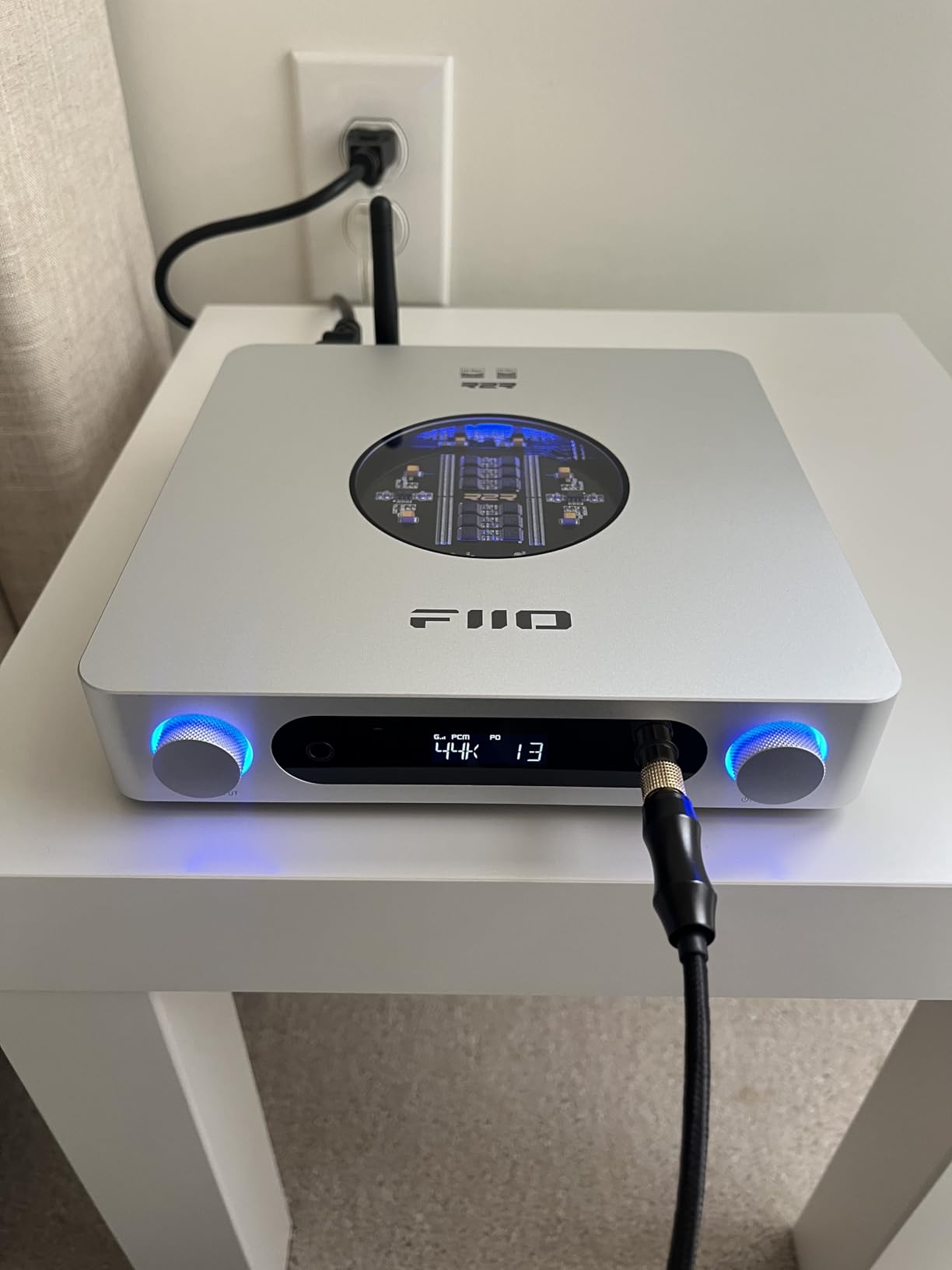
The LDAC Bluetooth 5.4 support is another premium touch. I streamed lossless files from my phone and the quality was genuinely close to a wired connection. The 2400mW balanced output is the most powerful in this guide, and it makes planar headphones sing.
The included remote control has loud, clicky buttons that feel cheap compared to the premium chassis. The display is tiny and hard to read from a distance. The web-based PEQ interface works, but it is not the most polished software experience.
Those are minor gripes on a device that sounds this good. The XLR balanced outputs are a rare addition at this price, and they make the K13 R2R a legitimate preamp for professional monitors.
Who Should Consider This DAC
This is the R2R DAC for listeners who want maximum flexibility. The PEQ, Bluetooth, and XLR outputs make it a complete hub for a desktop or small studio setup. If you love the sound of resistor-ladder DACs but need modern features like wireless streaming and precise EQ, the K13 R2R is the best compromise between analog soul and digital convenience.
Setup and Compatibility Notes
The K13 R2R supports USB, optical, coaxial, and Bluetooth inputs. The XLR balanced outputs and dual RCA outputs give you multiple routing options. The PEQ requires the FiiO app or a web browser on the same network.
I found the app more reliable than the web interface. The NOS mode is the purest R2R experience, but the oversampling mode goes up to 384kHz for listeners who want the cleanest measurements.
The remote is useful for input switching, but the volume control is still best handled on the unit itself.
14. CHORD ELECTRONICS Mojo 2 – Best Premium Portable DAC for Audiophiles

Pros
- Exceptional soundstage
- DSP EQ
- Improved battery
- Speaker-like experience
Cons
- No Apple MFi
- Micro-USB outdated
- Confusing buttons
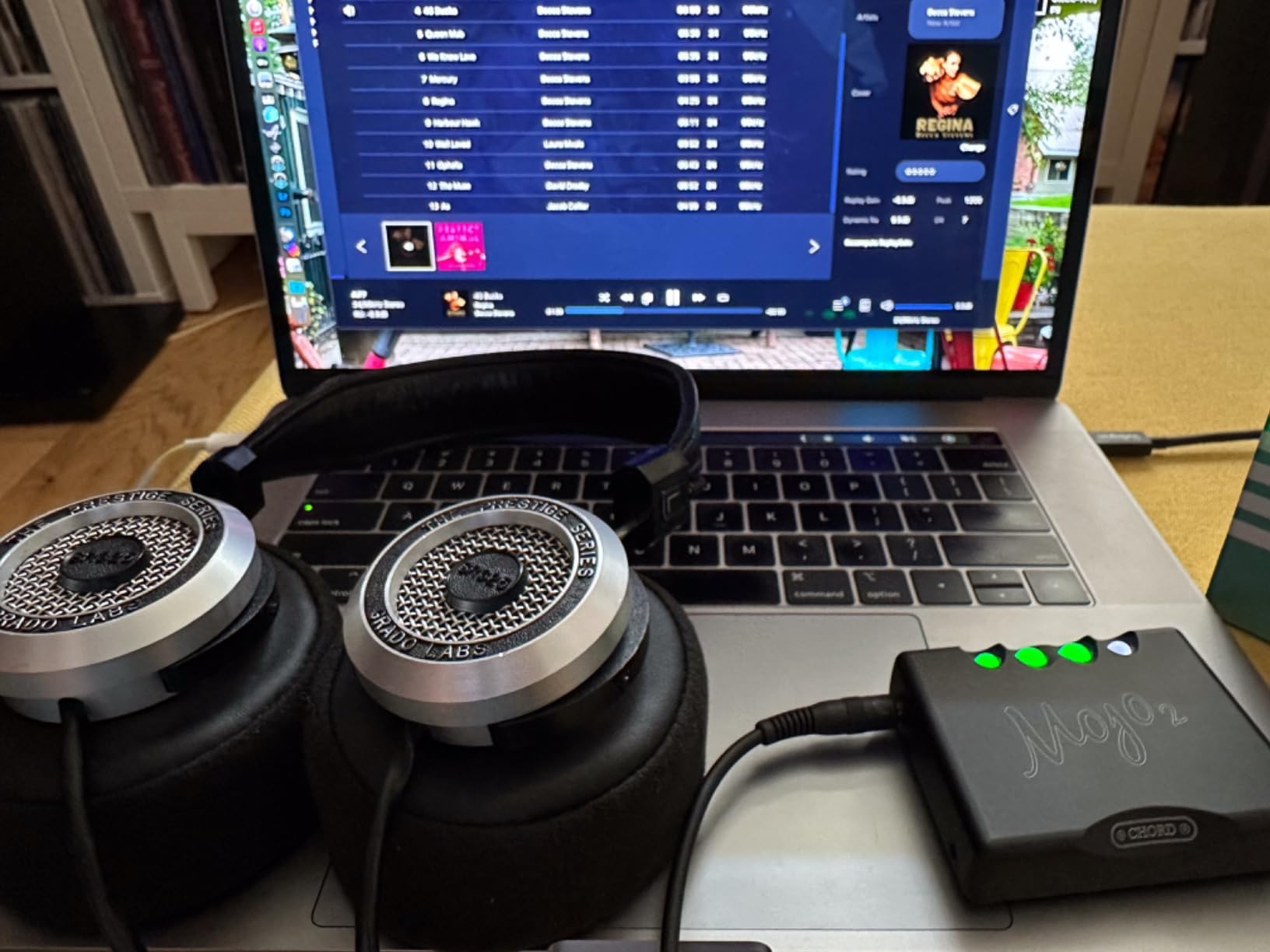
The Chord Mojo 2 is a statement piece. It is smaller than a deck of cards, yet it contains a custom FPGA processor that handles sample rates up to 768kHz/32-bit. The sound is nothing short of stunning.
I spent a weekend with it connected to a pair of high-end IEMs, and the level of detail and staging was on par with much larger desktop units. The crossfeed feature is a standout; it simulates speaker crosstalk to make headphone listening feel more natural and less fatiguing. The UHD DSP system allows subtle EQ adjustments without degrading the signal.
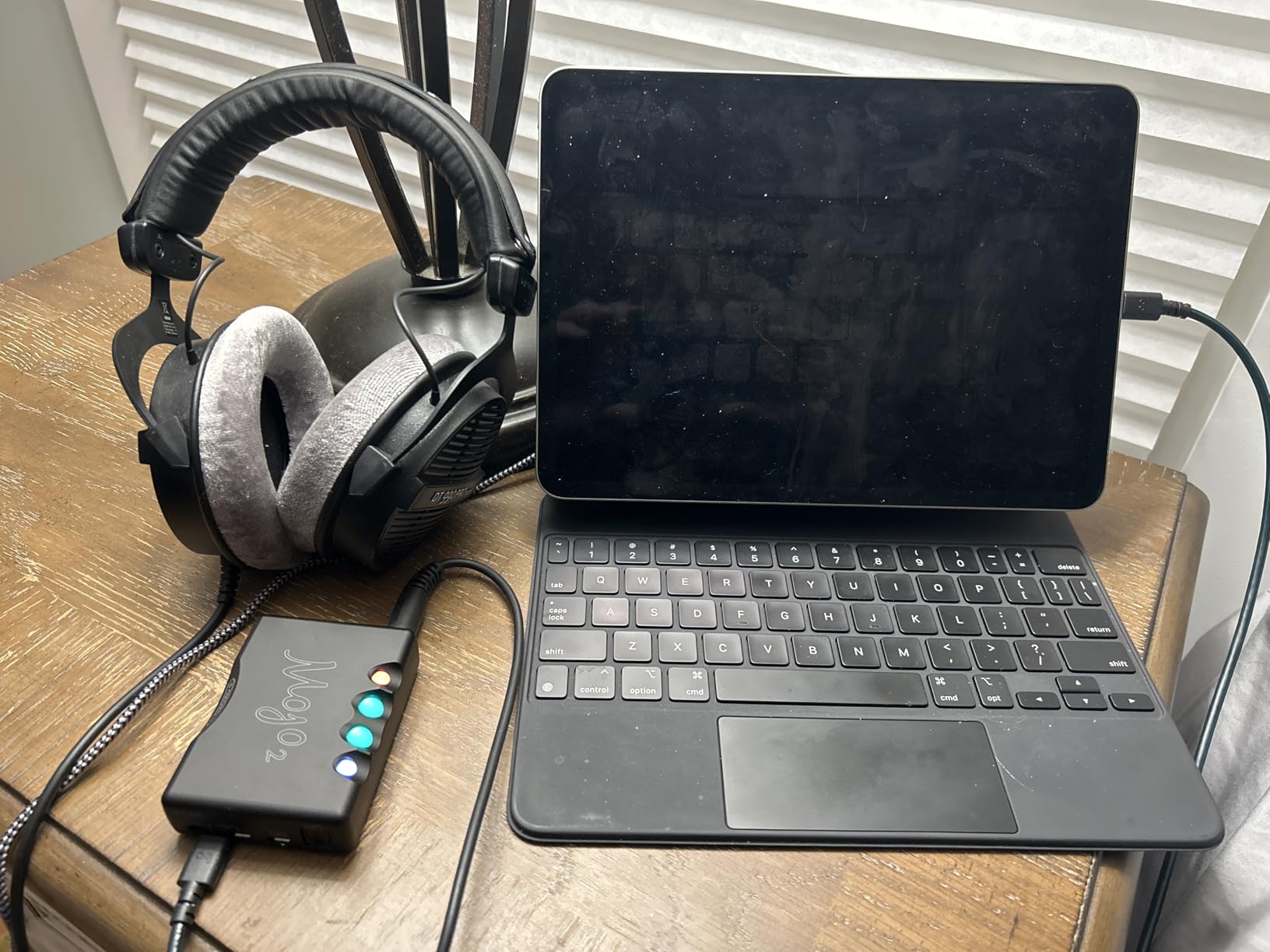
I used it to tame a slight peak in one of my IEMs, and the result was transparent and effective. The battery life is improved over the original Mojo, giving you up to eight hours of portable use. The CNC-machined aluminum chassis is built like a tank and feels like it could survive years of travel abuse.
The Mojo 2 is not without flaws. It uses a Micro-USB connector in an era where everything is USB-C. It is not officially MFi compliant, so some Apple users report connection issues.
The color-coded button system for status and menu control is clever but takes time to learn. At $600, it is a serious investment. If you want the best portable sound money can buy and do not mind the quirks, it is hard to beat.
Who Should Consider This DAC
This is the portable reference standard. Buy it if you travel frequently with high-end IEMs or portable headphones and refuse to compromise on sound quality. The crossfeed feature alone makes it worth the price for anyone who finds regular headphone listening too inside-your-head. It is also a great secondary DAC for a bedside or hotel room setup.
Setup and Compatibility Notes
The Mojo 2 connects via Micro-USB, optical, and a 3.5mm coaxial input. The two headphone outputs are both 3.5mm, and they share the same volume. The color-coded ball buttons control power, input, and menu functions.
I recommend reading the manual once and then keeping it handy for the first week. The battery charges through a separate Micro-USB port, so you can listen while charging. Android users generally have fewer compatibility issues than iOS users.
15. Eversolo DAC Z10 with Remote – Best High-End Desktop DAC for Hi-Fi Systems
Eversolo DAC Z10 with Remote | Fully Isolated Architecture, Accurate Clock System, Headphone Amplifier Module, Fully Balanced Preamplifier | Coaxial, Optical, IIS, USB Audio, HDMI, AES/EBU Input
130dB DNR
0.00008% THD+N
Dual AK4499
Fully balanced
Pros
- Exceptional sound quality
- Extensive connectivity
- Touch screen
- Premium build
Cons
- Eversolo app has bugs
- Premium price
The Eversolo DAC Z10 is a flagship device that belongs at the heart of a serious hi-fi system. It uses a fully isolated architecture with dual AK4191 plus AK4499 DAC modules, one per channel, fed by three independent toroidal transformers. The result is a noise floor so low that it is practically theoretical.
I listened to this through a high-end amplifier and a pair of reference monitors, and it was the cleanest source I have ever had in my room. The connectivity is extensive. HDMI, USB, AES/EBU, coaxial, optical, and IIS inputs are all present, plus XLR and RCA outputs.
The touch screen interface is beautiful and intuitive, letting you switch inputs, adjust volume, and check signal status without reaching for a remote. The headphone amplifier section is equally impressive, with auto-impedance detection and a fully balanced signal path. The R2R volume control preserves signal purity even at low levels.
Who Should Consider This DAC
This is the choice for dedicated audiophiles who have already built a high-end system and need a source that matches the quality of their amplifier and speakers. It is not a starter device. If you own reference headphones or a full-size hi-fi rig and want the absolute best conversion available under $2000, the Z10 is a serious contender that competes with brands costing much more.
Setup and Compatibility Notes
The Z10 is designed to be the center of a complex system. The IIS input and external clock support make it compatible with high-end digital transports. The 12V trigger and remote control allow it to integrate into automated setups.
The touch screen is responsive, but the iPhone app has some bugs according to early adopters. I found the remote control more reliable than the app for day-to-day use. Make sure you have adequate ventilation; the unit runs warm due to the discrete analog circuitry.
How to Choose the Right DAC for Your Setup
Buying a DAC can feel overwhelming because the market ranges from $15 dongles to five-figure reference units. The good news is that the biggest improvement happens at the entry level. Here is how to narrow down your choices without overthinking the specifications.
Start with Your Source and Headphones
Your existing gear determines what kind of DAC you need. If you listen exclusively through IEMs, you need a unit with a low noise floor and a gain switch. If you own power-hungry planar magnetic headphones, raw output power matters more than DAC chip branding.
For a desktop setup with powered speakers, a DAC with RCA line-out and a preamp function is the most convenient choice. The forum consensus from Audio Science Review and Reddit is clear: most modern DAC chips are already very good. The difference between a $100 DAC and a $1000 DAC is smaller than the difference between your laptop audio and any dedicated DAC.
Do not let chip architecture anxiety stop you from buying a budget model that fits your needs.
Understand the Two Main DAC Architectures
There are two dominant approaches to digital-to-analog conversion. Sigma-delta designs, which include ESS Sabre and AKM chips, use high-speed oversampling and noise shaping to produce extremely clean measurements. They tend to sound precise and detailed.
R2R resistor-ladder designs, like the ones in the FiiO K11 R2R and K13 R2R, use a network of matched resistors to reconstruct the analog signal. They tend to sound warmer and more organic, though measurements are often less perfect on paper.
Neither architecture is objectively superior. The choice depends on your taste. If you prefer analytical, transparent sound, go sigma-delta. If you like a relaxed, musical presentation, try R2R. Many listeners own both types and switch depending on the genre.
Consider Connectivity Before You Buy
A DAC is only useful if it connects to your existing sources. USB is the most common input for computers, but optical and coaxial are better for TVs and game consoles. If you want to connect a modern TV, the Fosi Audio ZD3 is one of the few budget options with HDMI ARC.
For wireless streaming, the FiiO K13 R2R offers LDAC Bluetooth, while the Fosi Audio K7 supports aptX HD. Headphone output types also matter. A 4.4mm balanced jack provides more power and better channel separation than a standard 3.5mm jack, but you need a balanced cable for your headphones.
XLR outputs are essential if you plan to use the DAC as a preamp for professional monitors or a high-end amplifier.
Do Not Chase Specifications Blindly
Bit depth, sample rate, and THD+N numbers look impressive on spec sheets, but they are not always audible. A DAC with a 120dB dynamic range is already quieter than the ambient noise in most rooms. DSD512 support is nice if you own a library of DSD files, but it is irrelevant for Spotify and Apple Music users.
Focus on build quality, connectivity, and headphone compatibility instead of obsessing over the last decimal place of a measurement. The honest truth is that diminishing returns hit hard in the DAC world. A $150 desktop unit from a reputable brand will give you 90 percent of the audible performance of a $2000 flagship.
The remaining 10 percent is real, but it requires an equally transparent amplifier and headphones to appreciate. Spend your money where it makes the biggest difference, and upgrade the rest of your chain later.
Frequently Asked Questions
What is the highest quality DAC?
The Eversolo DAC Z10 currently ranks among the highest quality DACs with its dual AK4499 modules, fully isolated architecture, and 130dB dynamic range. It delivers reference-level performance for dedicated hi-fi systems.
What audio brands do audiophiles trust the most?
Audiophiles consistently trust brands like FiiO, iFi, Chord Electronics, Schiit Audio, and Fosi Audio for reliable performance and honest engineering. These companies balance measurements with real-world listening results.
Are expensive DACs really better?
Expensive DACs often offer better build quality, lower noise floors, and more connectivity, but diminishing returns are real. A mid-range DAC from FiiO or iFi will satisfy most listeners without spending thousands.
What is the lifespan of a DAC?
A well-built DAC typically lasts 10 to 15 years or longer. The digital chips rarely degrade, though capacitors and USB ports may need attention after extended use.
Which budget DAC should I buy?
For a tight budget, the Fosi Audio Q4 or KB EAR USB C DAC provide noticeable upgrades over built-in audio. The FiiO K11 remains our top recommendation for those who can stretch closer to $150.
Conclusion
The best DAC for you depends on your headphones, your sources, and your budget. The FiiO K11 remains our top overall pick for 2026 because it balances power, neutrality, and connectivity at a price that is hard to fault. The iFi Zen DAC 3 offers a warmer, more musical experience for listeners who want premium features without crossing into luxury territory.
The KB EAR USB C DAC proves that even $15 can buy a real improvement over phone audio. Remember that the jump from no DAC to a good DAC is the most dramatic upgrade you can make. After that, improvements become more subtle. Pick a model that fits your current setup, enjoy the cleaner sound, and resist the urge to upgrade again until you have spent real time with your new gear.
The best dacs are the ones that get out of the way and let the music speak for itself.