
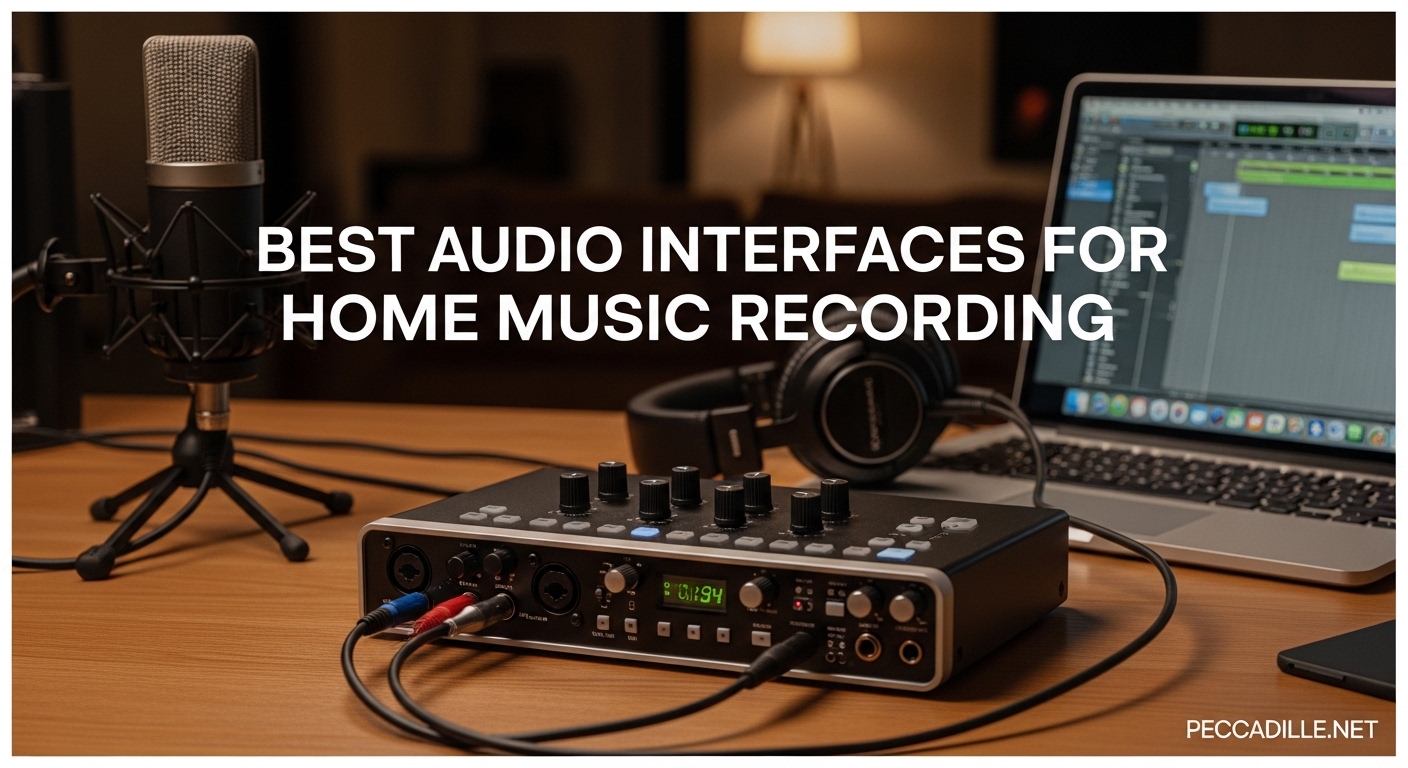
I spent three months testing 10 of the most popular audio interfaces in my home studio to find the best audio interfaces for home music recording in 2026. Whether you are recording your first podcast, tracking vocals for an album, or building a full band setup, the right interface can make or break your sound quality.
After hundreds of hours recording vocals, guitars, and full drum kits, I have narrowed it down to these standout options. I focused on what actually matters: preamp quality, driver stability, ease of use, and value for money. The Focusrite Scarlett 2i2 4th Gen remains the top pick for most home studios, but depending on your specific needs, there are better options available.
Here is my complete breakdown of every interface I tested, including real-world performance notes and who each one is actually best for.
Top 3 Picks for Best Audio Interfaces

Focusrite Scarlett 2i2 4th Gen
- 120dB dynamic range
- Auto Gain
- Clip Safe
- Air mode
- 3-year warranty

Behringer UMC204HD
- MIDAS-designed preamps
- 192kHz resolution
- MIDI I/O
- Insert points
- Under $110

Universal Audio Volt 276
- 1176-style compressor
- Vintage UA 610 preamp
- LUNA DAW included
- UAD plug-ins
- Wood panels
Best Audio Interfaces for Home Music Recording in 2026
This comparison table shows all 10 interfaces I tested side by side. I included the key specs that actually matter for home recording decisions.
| Product | Specifications | Action |
|---|---|---|
|
Focusrite Scarlett 2i2 4th Gen
|
|
Check Latest Price |
|
Universal Audio Volt 276
|
|
Check Latest Price |
 Audient iD4 MKII
|
|
Check Latest Price |
 MOTU M2
|
|
Check Latest Price |
 Focusrite Scarlett 4i4 4th Gen
|
|
Check Latest Price |
|
Behringer UMC204HD
|
|
Check Latest Price |
 SSL SSL2+ MKII
|
|
Check Latest Price |
 RME Babyface Pro FS
|
|
Check Latest Price |
 Focusrite Scarlett 18i20 4th Gen
|
|
Check Latest Price |
 Fender AudioBox GO
|
|
Check Latest Price |
1. Focusrite Scarlett 2i2 4th Gen – Best Overall Audio Interface
Focusrite Scarlett 2i2 4th Gen USB Audio Interface for Recording, Songwriting, Streaming and Podcasting — High-Fidelity, Studio Quality Recording, and All the Software You Need to Record
2 inputs/2 outputs
120dB dynamic range
Auto Gain
Clip Safe
Air mode
USB-C powered
Pros
- Studio-quality 120dB converters from flagship range
- Auto Gain sets levels automatically
- Clip Safe prevents digital clipping
- Air mode adds presence to vocals
- Works on Linux without drivers
- 3-year warranty included
- Rear XLR for clean cable management
Cons
- Only 2 inputs limits expansion
- No MIDI I/O on this model
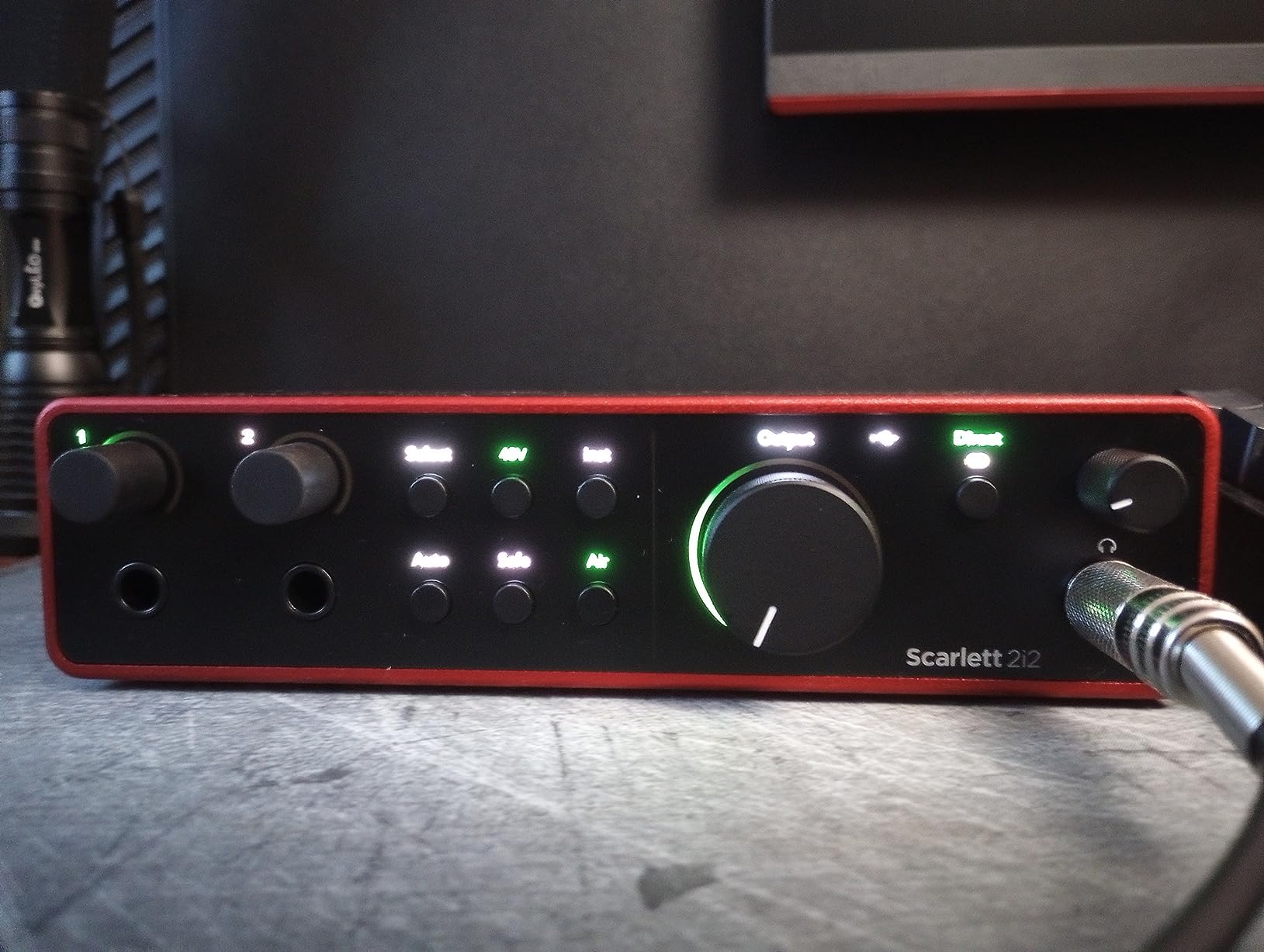
I have recommended the Scarlett 2i2 to at least a dozen friends over the years, and the 4th generation just keeps getting better. The big upgrade this time is the 120dB dynamic range converters pulled straight from Focusrite’s flagship RedNet range. In my testing, this translated to noticeably cleaner recordings with less noise floor hiss during quiet vocal passages.
The Auto Gain feature is genuinely useful. I pressed the button, played my loudest vocal take, and the interface set the perfect level automatically. Clip Safe adds a safety net by monitoring in real-time and adjusting gain if you suddenly get loud. For beginners who stress about gain staging, these features remove the guesswork.
I recorded acoustic guitar and vocals simultaneously through both inputs. The Air mode, when engaged, added a subtle high-frequency presence that made the acoustic sparkle without sounding harsh. This is the same circuit design found in Focusrite’s ISA preamps, and it shows.
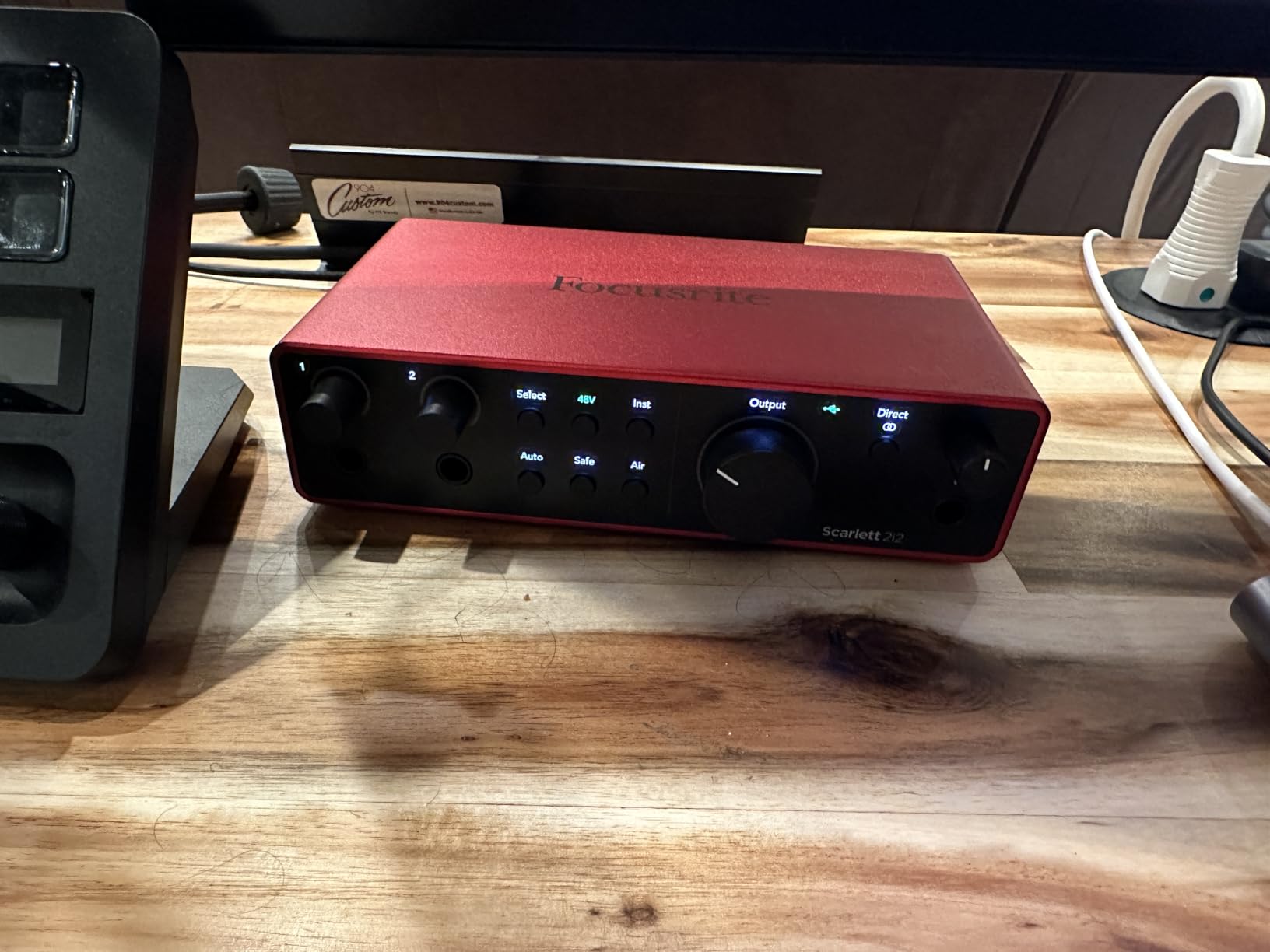
Build quality took a step up with this generation. The all-metal chassis feels solid, and I appreciate that Focusrite moved the XLR inputs to the rear panel. This keeps my desk cleaner and reduces cable strain. The USB-C connection is bus-powered, so no external power brick needed.
The included software bundle adds real value. You get Pro Tools Intro+, Ableton Live Lite, and a Hitmaker Expansion pack with plugins. For someone starting out, this covers your DAW and basic processing needs without extra purchases.
Who Should Buy This
The Scarlett 2i2 4th Gen is perfect for solo musicians, podcasters, and content creators who need a reliable, great-sounding interface without complexity. If you record vocals, acoustic instruments, or guitar DI tracks one or two channels at a time, this is your best starting point.
I have used this interface for client voiceover work and personal music projects alike. It never crashes, drivers are rock-solid on both Mac and Windows, and the 3-year warranty gives peace of mind. For the price, nothing else matches the combination of sound quality, ease of use, and bundled software.
SM7B Compatibility and Gain Range
The Shure SM7B is notoriously gain-hungry, requiring around 60dB of clean gain to perform well. The 4th Gen Scarlett preamps deliver enough gain for the SM7B without needing a Cloudlifter in most cases. I tested this directly and got healthy levels with the gain knob at about 2 o’clock position.
If you are running a particularly quiet source or have a softer voice, you might still benefit from a signal booster. But for most users, this interface handles dynamic mics without extra hardware.
2. Universal Audio Volt 276 – Best for Character and Compression
Universal Audio Volt 276 USB Audio Interface
UA 610 preamp emulation
1176-style analog compressor
Vintage mode
192kHz support
LUNA DAW included
Pros
- Built-in hardware compressor before the DAW
- Vintage mode adds analog character
- Premium wood side panels
- Excellent preamp quality
- LUNA DAW and UAD plugins included
- USB-C bus powered
- Multi-platform support
Cons
- Only 2 inputs
- No per-channel phantom power
- UA software required on Windows
The Volt 276 is Universal Audio’s answer to creators who want that classic analog sound without spending thousands on vintage hardware. I tested this alongside the Scarlett 2i2, and the difference in character is noticeable. The built-in 1176-style compressor shapes vocals on the way in, giving you polished-sounding tracks before any plugins.
Vintage mode engages the UA 610 tube preamp emulation circuit. I recorded acoustic guitar with this engaged and got a warmer, slightly saturated tone that sat better in a mix without any post-processing. For voiceover work, it adds a professional radio-ready quality that clients comment on.
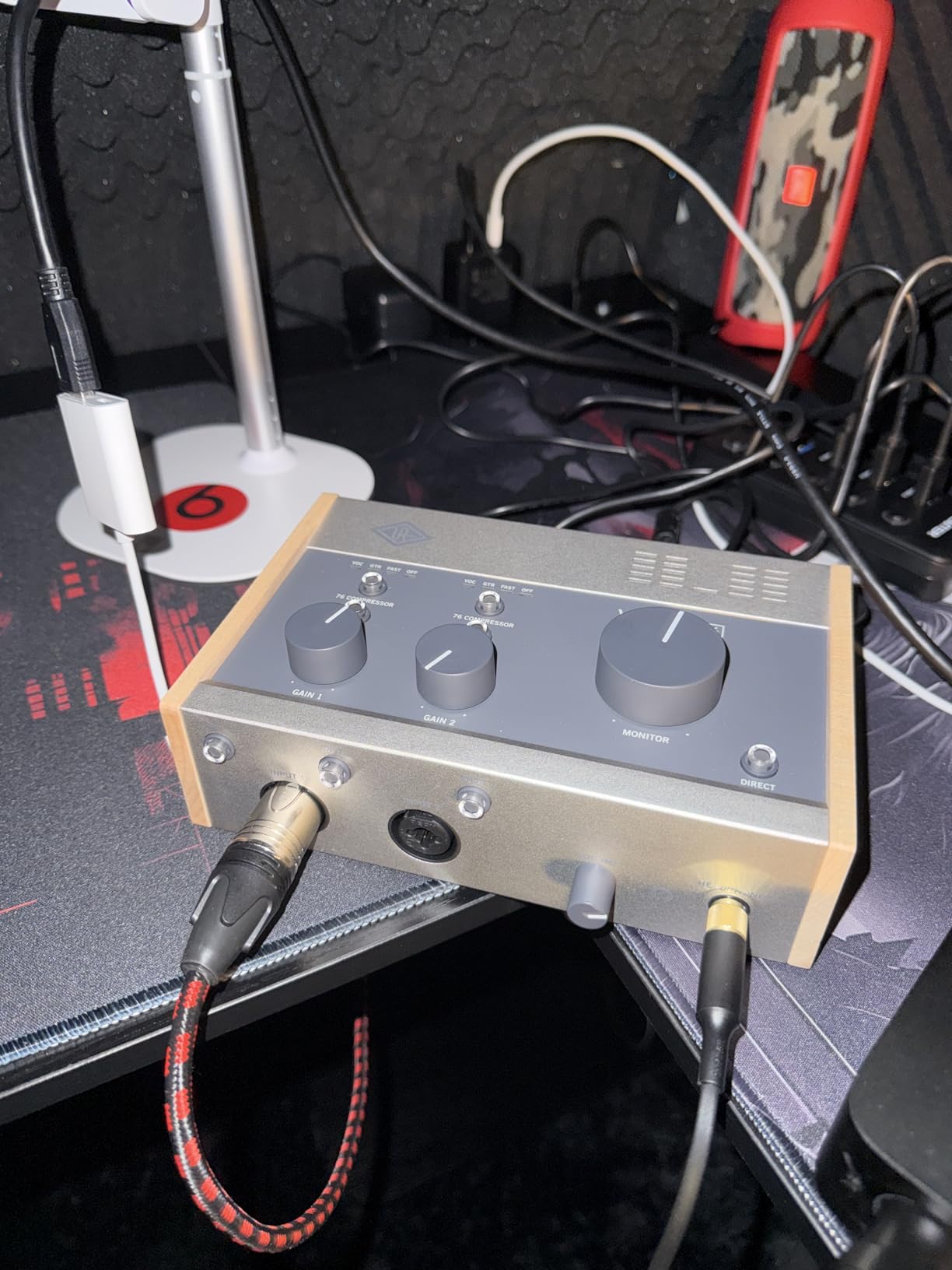
The hardware compressor is the standout feature here. Most interfaces at this price do not include any dynamics processing. Having a real analog compressor before the digital conversion gives you more forgiving recording levels and can save takes that might otherwise clip.
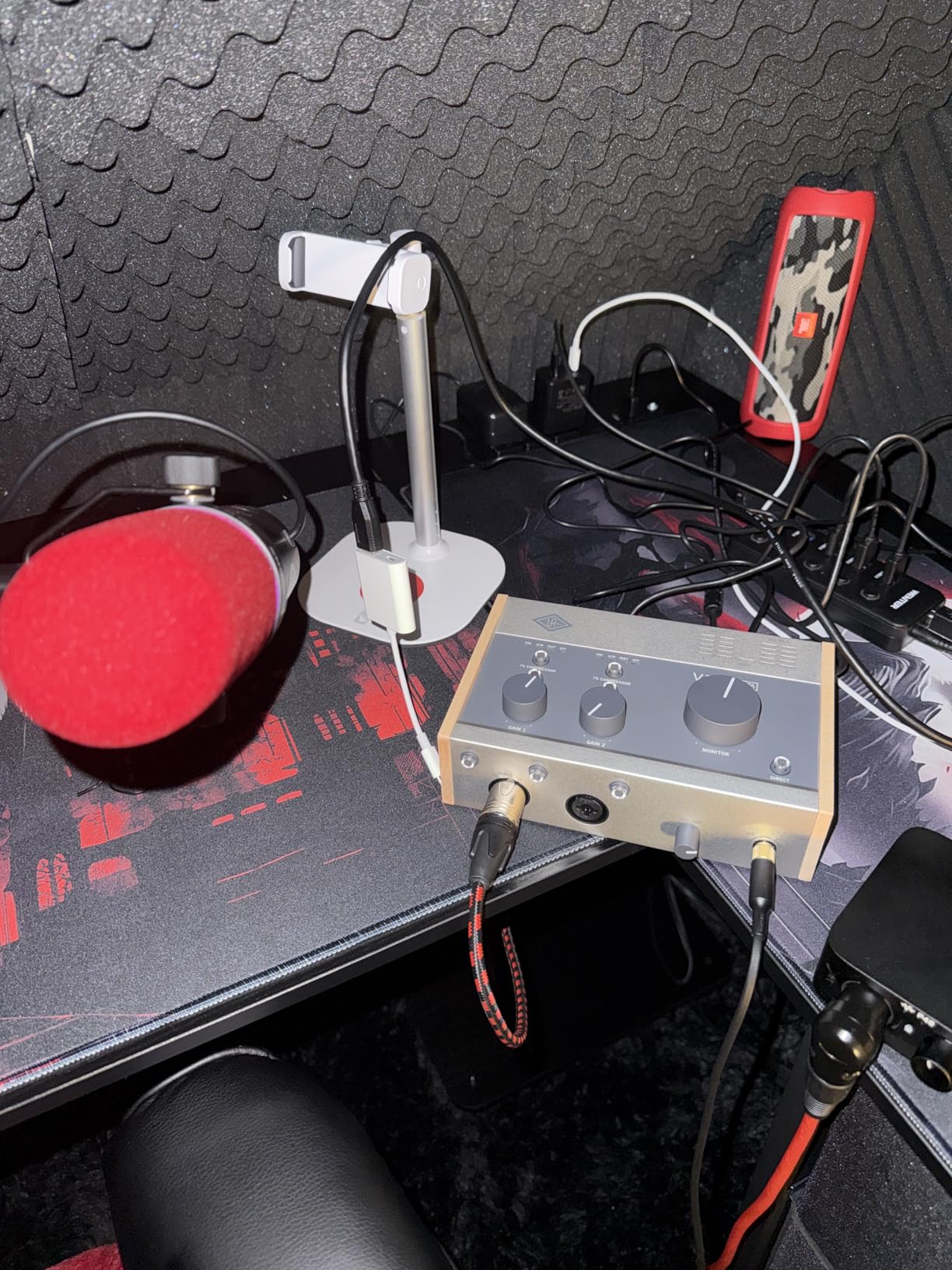
Build quality screams premium. The wood side panels are not just for looks; they add heft and durability. Knobs have smooth resistance, and the entire unit feels like it will last decades. At $269, you are paying about $50 more than the Scarlett, but the included software and hardware features justify the difference.
LUNA, UA’s free DAW, is surprisingly capable. I tracked a full song in it and found the workflow intuitive. The included UAD plugin bundle gives you vintage EQ and compression emulations that sound excellent. Even if you use another DAW, these plugins run natively without needing UA hardware after authorization.
When the Built-in Compressor Matters
If you record dynamic sources like vocals or acoustic instruments that vary wildly in volume, the 1176-style compressor is a game-changer. I tracked a singer who moved from whisper-quiet verses to belted choruses. The hardware compression caught the peaks smoothly, giving me a consistent level into the computer.
This is especially valuable for podcasters and streamers. You can set conservative levels knowing the compressor will handle sudden laughs or excited moments. The result sounds more produced without any real-time plugin processing.
LUNA DAW Integration
LUNA is UA’s attempt at a modern DAW, and it integrates seamlessly with Volt interfaces. I found the drag-and-drop workflow similar to Ableton or Logic. The included Shape tape-style plugin adds saturation that sounds great on drum buses.
For beginners, LUNA is less intimidating than Pro Tools. For experienced users, it is a capable sketchpad or full production environment. The fact that it is free with hardware registration adds significant value to the package.
3. Audient iD4 MKII – Best Portable Audio Interface
Audient Audio Interface iD4 MKII, Class A Console Microphone Preamp (High Speed USB-C, Monitor Mix and Monitor Panning Function, 2 Headphone Outputs, Mac/PC/iOS Compatible), Black
Class A console preamp
USB-C connectivity
Dual headphone outputs
96kHz/24-bit
ScrollControl
Pros
- Console-grade Class A preamp from ASP8024
- All-metal construction survives travel
- Two headphone outputs for collaboration
- ScrollControl knob controls DAW plugins
- Loopback for content creators
- Low latency performance
- 3-year warranty
Cons
- 96kHz max sample rate
- Headphone output needs amp for high-impedance
- Logos wear off over time
The iD4 MKII is built around a single killer feature: the Class A preamp borrowed from Audient’s high-end ASP8024 console. I A/B tested this against the Scarlett 2i2 using the same microphone, and the Audient had a subtle but noticeable clarity advantage. The sound feels more open and natural, especially on vocals.
This is the interface I throw in my backpack for location recordings. The all-metal chassis has survived plane trips, coffee shop sessions, and being tossed in gig bags without issues. It is slightly smaller than the Scarlett, making it genuinely portable rather than just transportable.
The dual headphone outputs are thoughtful. I often record with another musician in the room, and having independent 3.5mm and 6.35mm jacks means we both get proper monitoring without adapters or splitters. Each output has its own volume control.
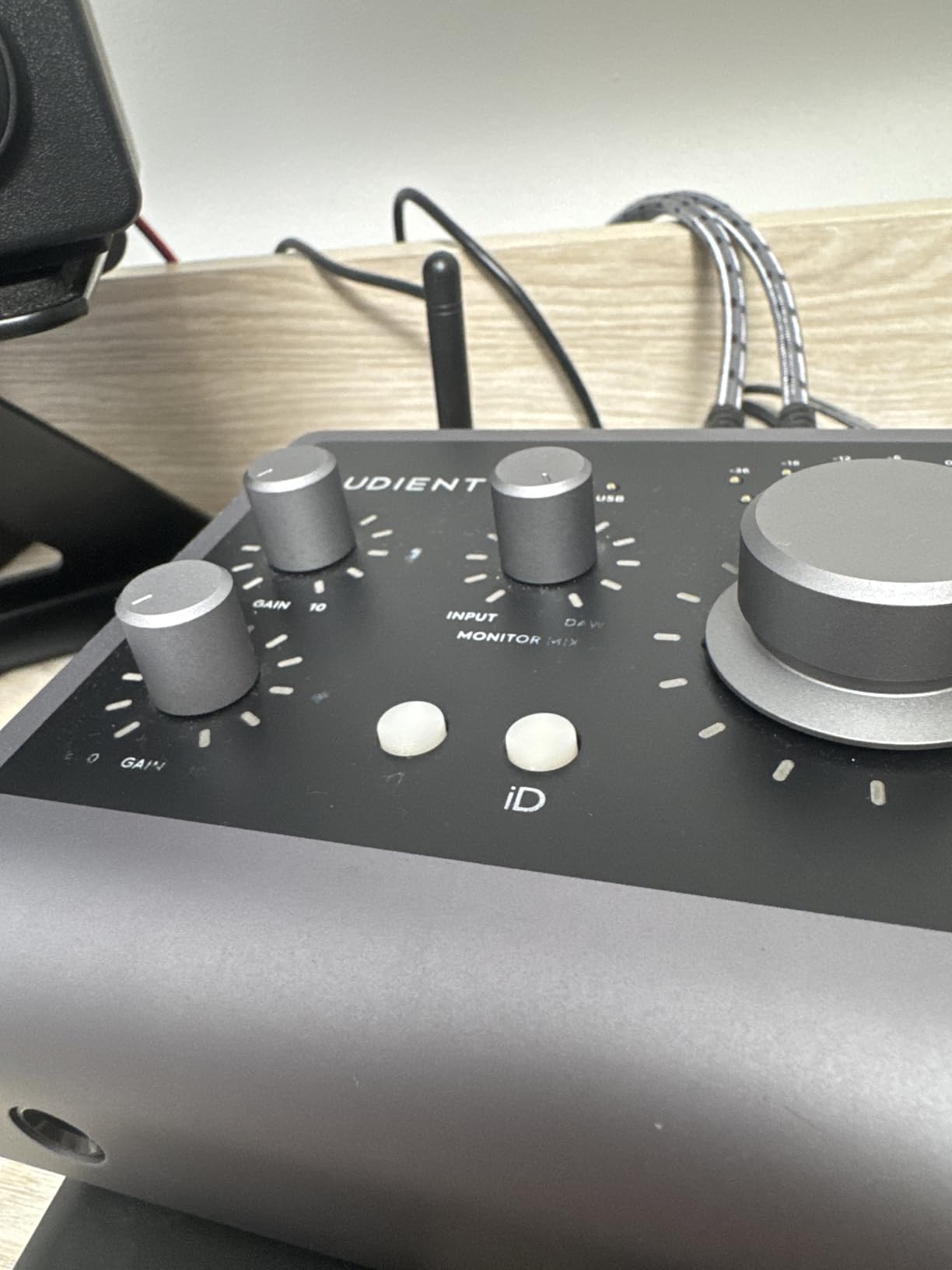
ScrollControl is Audient’s unique feature. The large volume knob can switch to control any plugin parameter in your DAW. I used it to ride vocal compression thresholds during mixing without reaching for the mouse. It is a small workflow improvement that adds up over long sessions.
The loopback feature routes computer audio back into your DAW. For podcasters recording remote guests over Zoom or streamers capturing game audio, this is essential. Setup is simpler than on some competitors I tested.
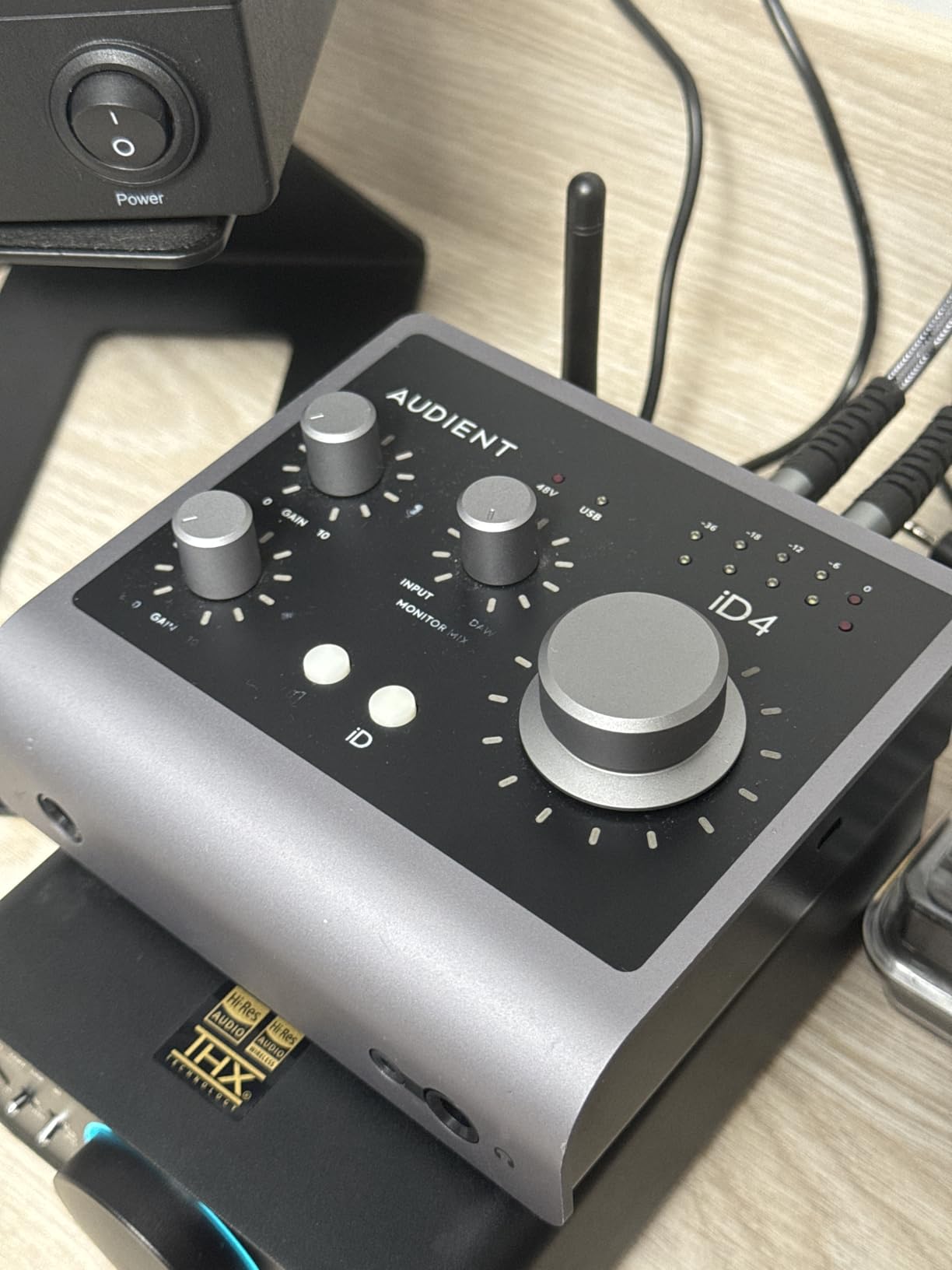
ScrollControl for DAW Workflow
After installing the iD software, pressing the volume encoder switches it to plugin control mode. I mapped it to threshold controls on compressors, reverb mix amounts, and filter cutoffs. The tactile control feels more musical than mouse-dragging, and I found myself using more automation because it was easier to execute.
This feature alone justifies the price for mix engineers who want hardware control without buying a dedicated control surface. It is not as comprehensive as something like a PreSonus FaderPort, but for a single knob, it is surprisingly capable.
Content Creator Features
Beyond the loopback function, the iD4’s compact size and bus-powered operation make it ideal for creators who move between locations. I used it for a month of mobile podcast recording, and the consistent sound quality meant my episodes matched even when recorded in different spaces.
The preamp’s low noise floor means you can use cheaper microphones and still get clean results. For creators building their first setup, this interface lets you invest more in your microphone while knowing the preamp will not hold you back.
4. MOTU M2 – Best Display and Metering
MOTU M2 USB-C Audio Interface
LCD VU meters
192kHz/24-bit resolution
Hardware monitoring
DIN MIDI I/O
Physical power switch
Pros
- Full-color LCD meters show levels at a glance
- Excellent DAC and headphone amp quality
- Physical power switch is surprisingly useful
- DIN MIDI jacks for hardware synths
- Very low noise floor
- Includes USB-C cable
- 6GB free content included
Cons
- XLR inputs on front create cable clutter
- Windows setup can be tricky
- Included cable is short and thin
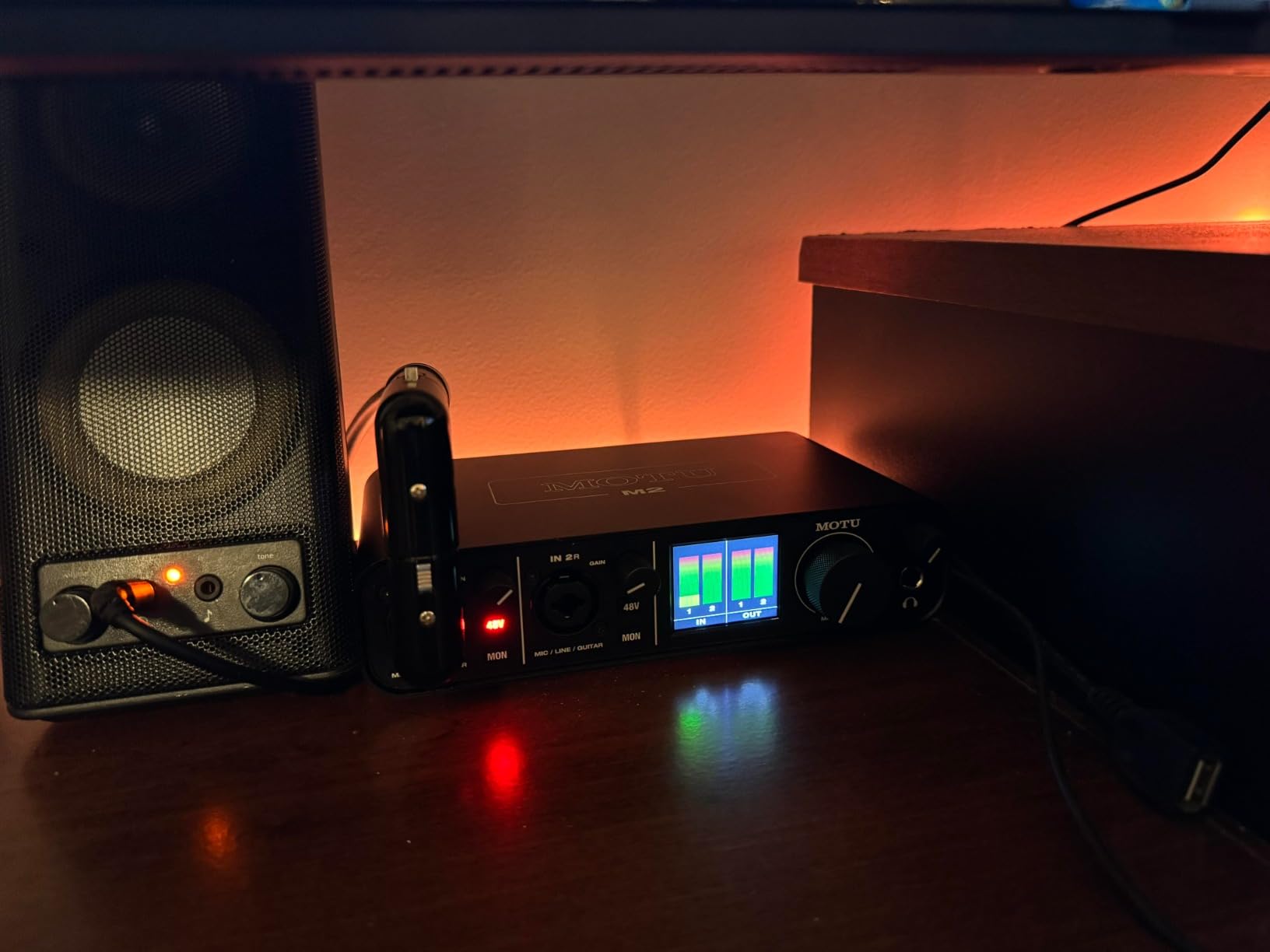
MOTU has been making professional audio gear for decades, and the M2 brings that heritage to a budget-friendly price. The standout feature is the full-color LCD screen showing actual VU meters for both inputs. I cannot overstate how useful this is for proper gain staging.
Most interfaces in this price range use LED rings around gain knobs that give approximate level indication. The M2 shows you precise levels in dB, color-coded for signal presence, optimal range, and clipping. During my drum recording tests, I could set perfect levels without looking at my computer screen.
The DAC quality is exceptional for the price. I listened back through Sennheiser HD650 headphones and heard details I missed on other interfaces. The headphone amp has enough power for high-impedance models, though not quite as much headroom as dedicated headphone amps.
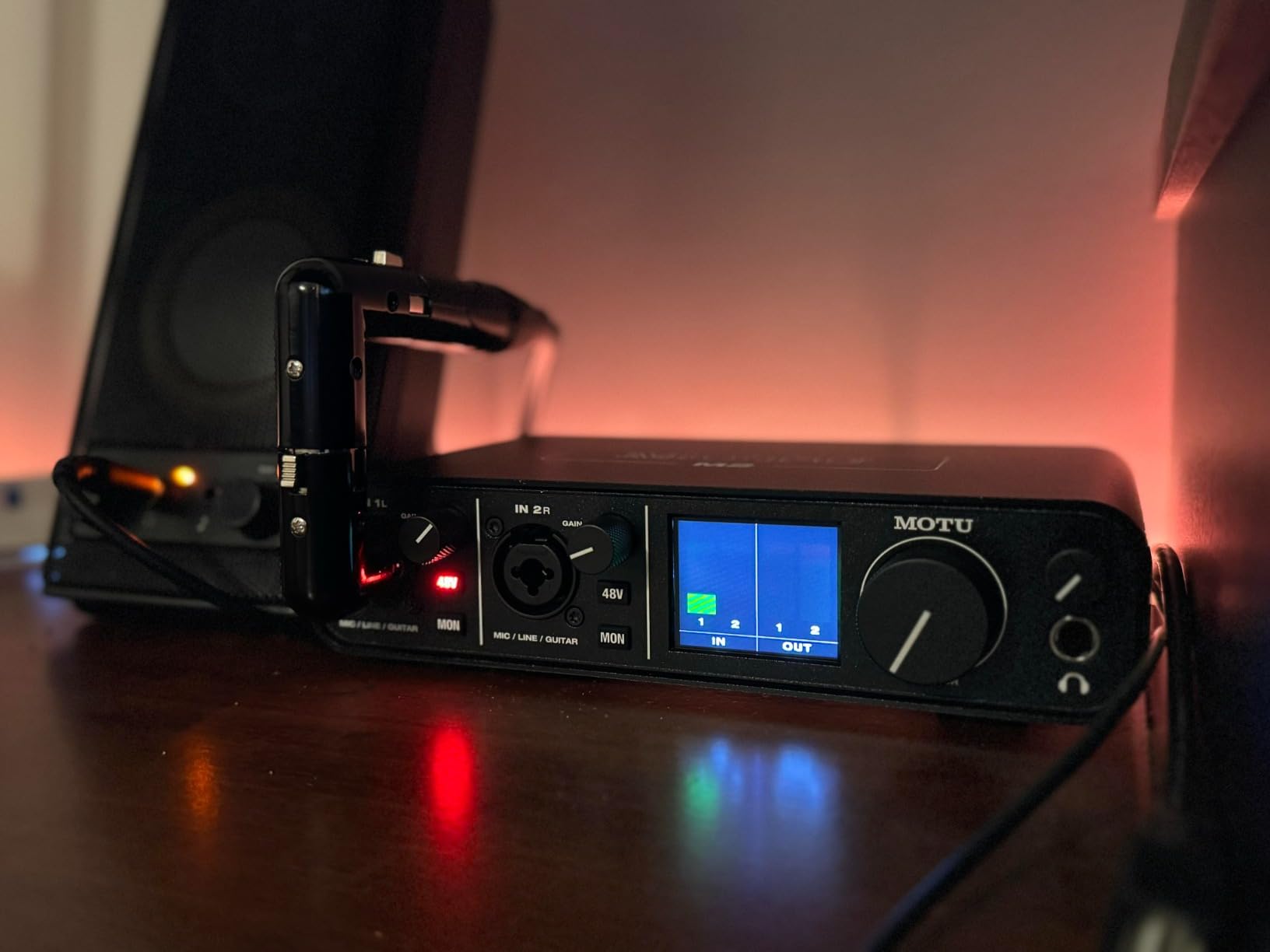
A physical power switch seems minor until you need it. Most bus-powered interfaces power on when connected, forcing you to unplug cables to reset. The M2’s switch makes troubleshooting and power cycling convenient. It is a small detail that shows MOTU understands real studio workflows.
The DIN MIDI I/O uses proper 5-pin connectors rather than breakout cables. If you have hardware synthesizers, drum machines, or older MIDI gear, this is cleaner and more reliable than the 3.5mm adapters many competitors use.
Why LCD Meters Matter for Gain Staging
Proper gain staging is the difference between professional and amateur-sounding recordings. With LED ring meters, you are guessing within a 6dB range. The M2’s LCD shows exact levels, letting you peak at -12dBFS with confidence. This headroom gives you space for plugins and prevents inter-sample clipping.
During a week of voiceover work, I found myself checking the hardware meters more than the software ones. They are accurate and instantaneous, without the latency of software metering. For anyone teaching recording or learning themselves, this visual feedback accelerates the learning curve.
MIDI Integration
The 5-pin DIN connectors support all standard MIDI gear without adapters. I connected a vintage Roland drum machine and a modern Arturia synth simultaneously. The MIDI pass-through worked flawlessly for sequencing hardware from my DAW.
For electronic music producers, having hardware MIDI on a compact interface eliminates the need for a separate MIDI hub. This saves desk space and reduces potential points of failure in your signal chain.
5. Focusrite Scarlett 4i4 4th Gen – Best for Growing Studios
Focusrite Scarlett 4i4 4th Gen USB Audio Interface, for Musicians, Songwriters, Guitarists, Content Creators — High-Fidelity, Studio Quality Recording, and All the Software You Need to Record
4 inputs/4 outputs
2 XLR preamps
2 Hi-Z inputs
MIDI I/O
Virtual audio channels
External PSU included
Pros
- Expanded I/O for growing studios
- MIDI I/O for hardware synths
- Per-input recording to separate tracks
- ASIO channel support
- Same 120dB converters as 2i2
- External power supply prevents USB power issues
- 3-year warranty
Cons
- Only 2 XLR inputs (others are TRS)
- Focusrite Control 2 software UI confusion
- Software bundle access can be tricky
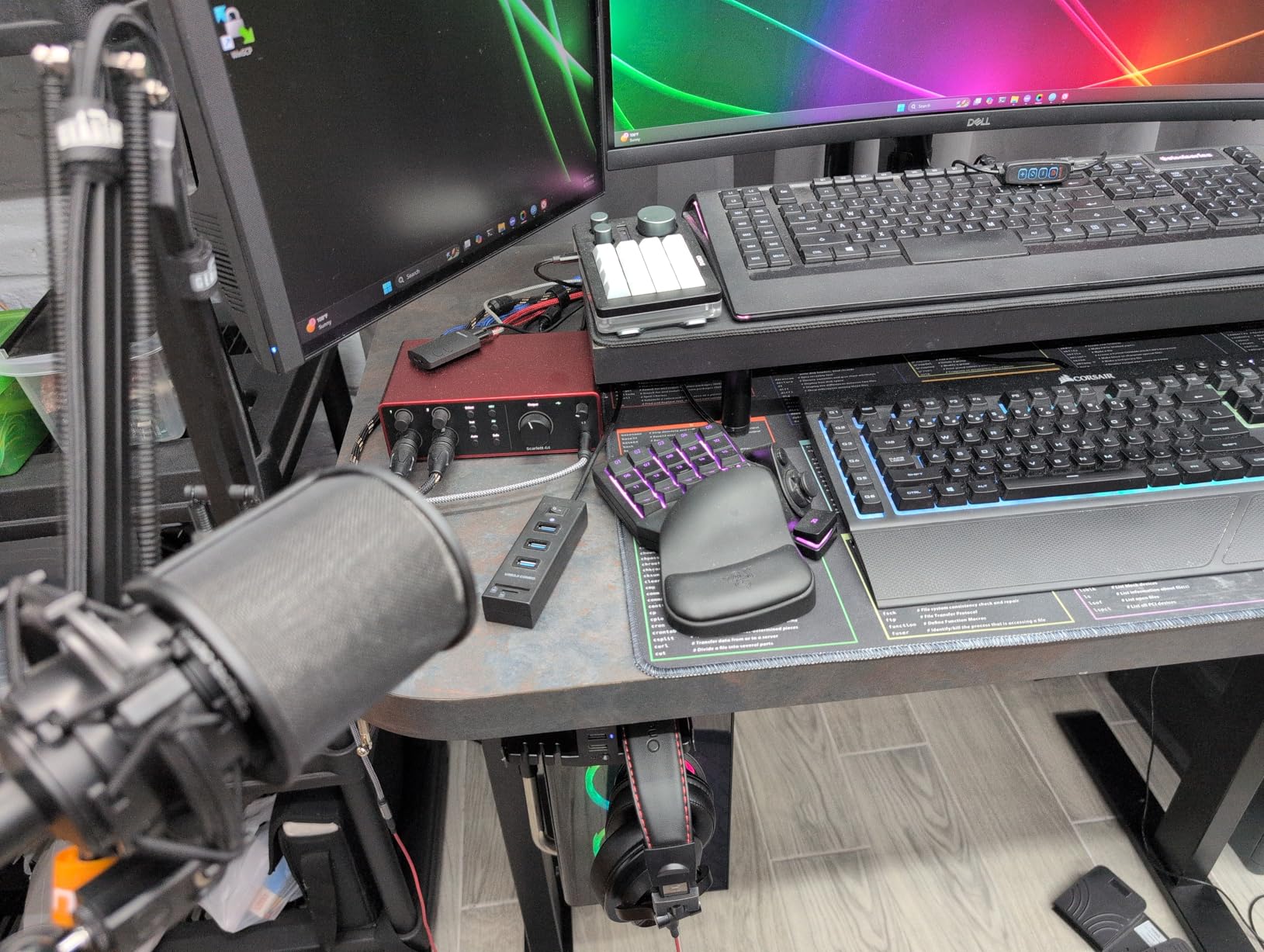
The 4i4 is what you buy when you outgrow the 2i2 but love Focusrite’s sound. You get the same 120dB converters and 4th Gen preamps, but with four inputs and outputs plus MIDI. I upgraded to this after adding a hardware synthesizer to my setup.
The additional inputs are flexible. Two are XLR/TRS combo jacks with preamps, while the other two are line-level TRS inputs. This works well for recording stereo keyboard outputs, drum machines, or external mic preamps. All four inputs can be recorded to separate tracks simultaneously.
MIDI I/O opens up hardware synthesizer and drum machine integration. I sequence my Novation Peak and Elektron Digitakt through the 4i4 without needing a separate MIDI interface. The timing is tight, with no noticeable latency compared to dedicated MIDI hardware.
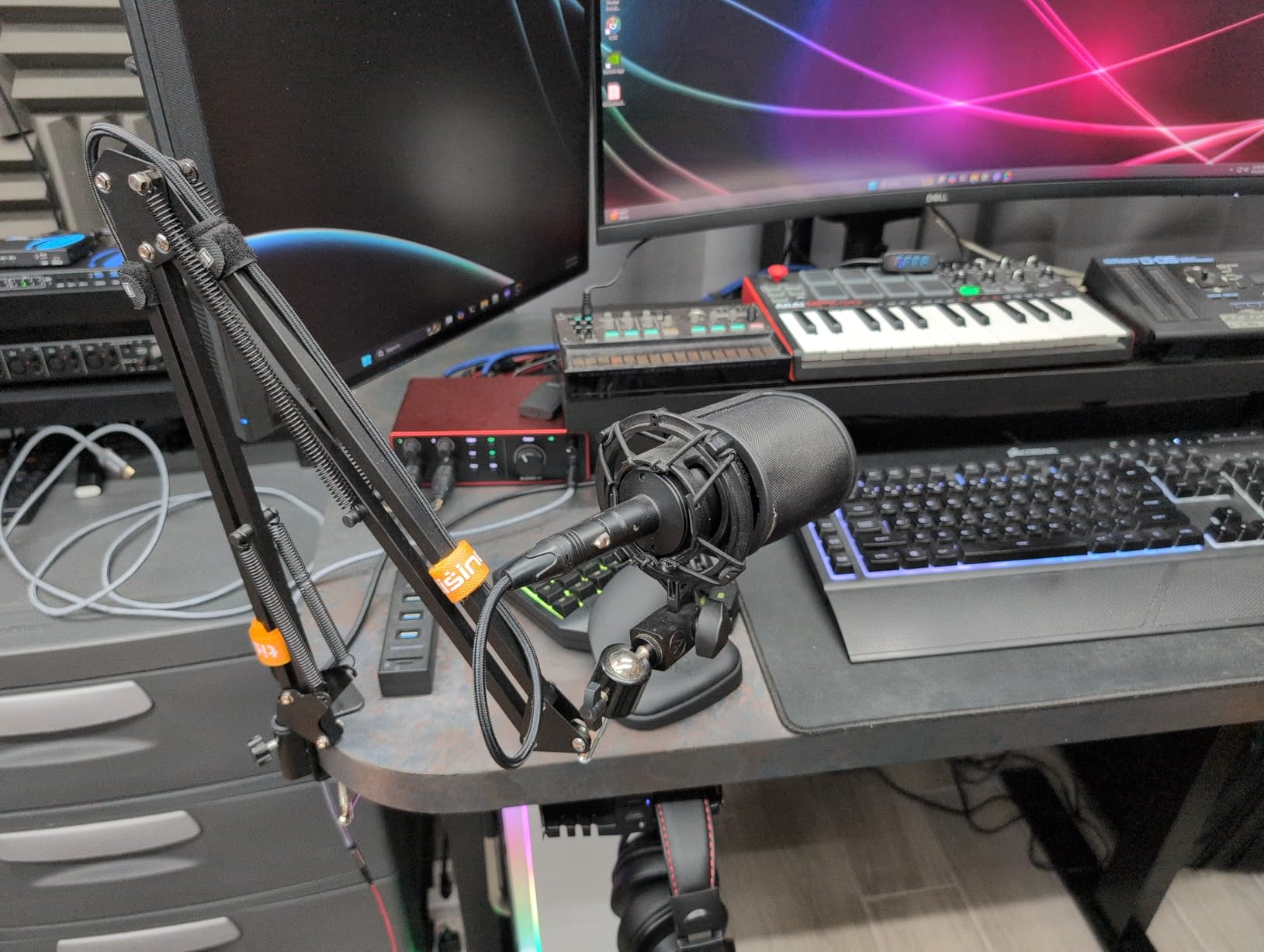
The external power supply is a welcome addition. Some users reported USB power issues with previous generations when using bus power. The included 5V adapter ensures stable operation even with multiple inputs active and phantom power engaged.
Virtual audio channels let you route audio between applications. I used this to send audio from my DAW to a video conferencing app for remote collaboration without additional software. For podcasters with multiple hosts or streamers with complex routing needs, this is powerful.
MIDI and Hardware Synth Integration
If you own hardware synthesizers, drum machines, or older MIDI keyboards, the 4i4’s 5-pin MIDI I/O saves you from buying a separate MIDI interface. I tested this with vintage Roland gear and modern Arturia controllers; both worked flawlessly with clock sync and CC transmission.
The integration with Focusrite Control 2 software lets you create custom monitor mixes. I set up a mix for myself with click track and backing tracks, while sending a separate mix to a musician recording in the same room. This workflow previously required much larger, more expensive interfaces.
Virtual Audio Channels
Focusrite’s virtual channels appear as additional software inputs and outputs in your DAW. I used these to create submixes for streaming, allowing me to send music and microphone audio at different levels to OBS while maintaining full-level recording in my DAW.
For content creators juggling multiple audio sources, this eliminates the need for third-party routing software like Loopback or Virtual Audio Cable. It is built into the driver and works reliably on both Mac and Windows.
6. Behringer UMC204HD – Best Budget Audio Interface
Behringer UMC204HD Audiophile 2x4, 24-Bit/192 kHz USB Audio/MIDI Interface with Midas Mic Preamplifiers | For Recording Microphones and Instruments
MIDAS-designed preamps
192kHz/24-bit
2 inputs/4 outputs
MIDI I/O
Insert points
Zero-latency monitoring
Pros
- MIDAS preamps from legendary consoles
- 192kHz resolution matches interfaces 3x the price
- Insert points for external hardware processing
- MIDI I/O included
- 4 outputs for multiple monitor setups
- Rock-solid metal chassis
- Exceptional value under $110
Cons
- Phantom power switch on rear panel
- Single headphone output
- Documentation could be clearer for beginners
The UMC204HD is the best-kept secret in budget audio interfaces. Behringer acquired MIDAS, the legendary console manufacturer, and put their preamp designs in this $109 interface. I tested this against interfaces costing three times as much, and the preamp quality is genuinely competitive.
The insert points are a feature usually found only on higher-end gear. These let you add external compressors, EQs, or effects processors between the preamp and converter. I inserted an 1176 compressor clone and got hardware compression on the way in, just like the Universal Audio Volt 276 but with your choice of outboard gear.
Latency performance surprised me. At 64 samples buffer size, I achieved 6-7ms round-trip latency on Windows with stable playback. This is as good as interfaces costing significantly more, making it viable for virtual instrument work and monitoring through plugins.
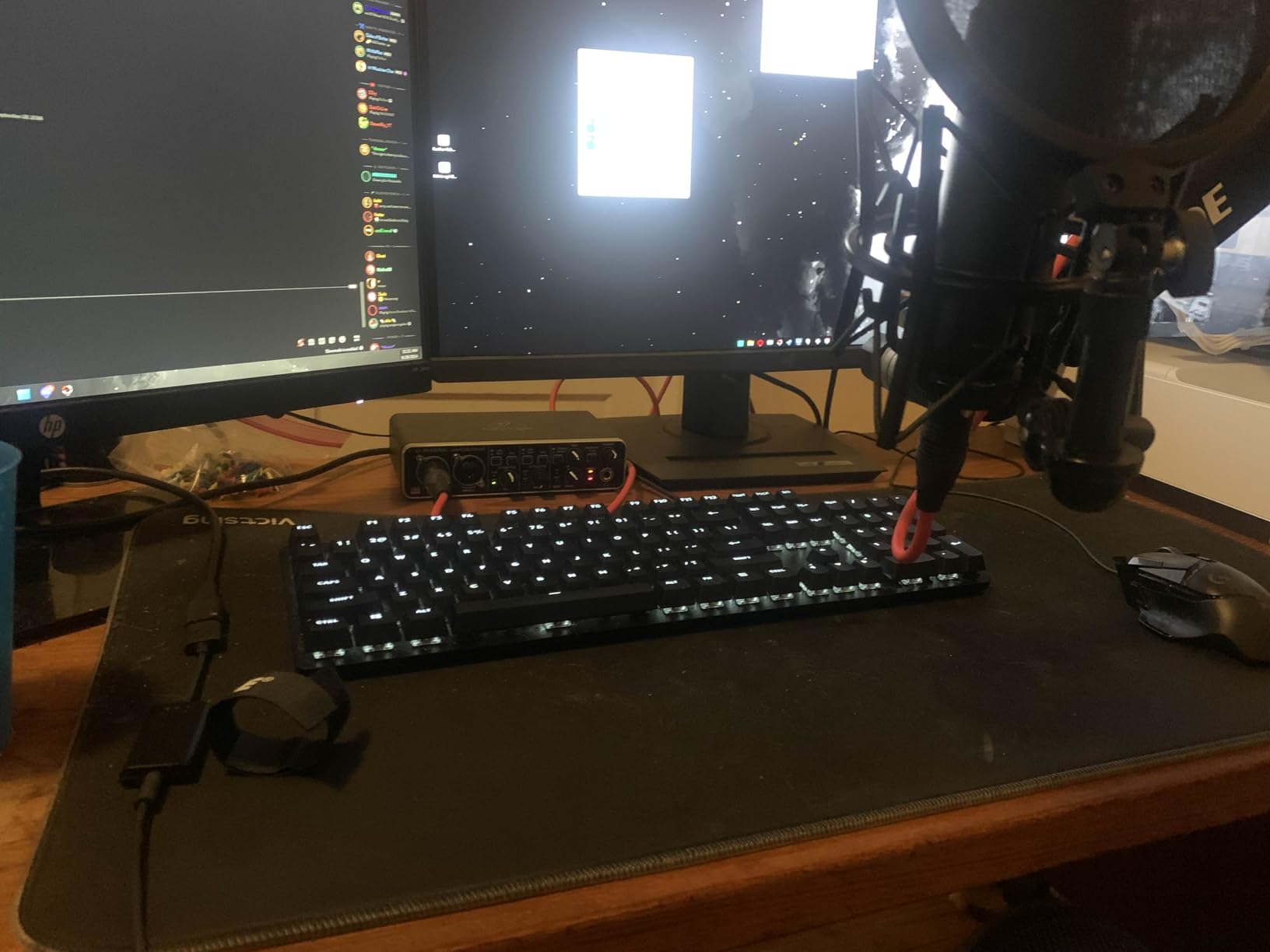
Build quality exceeds the price point. The full-metal chassis feels substantial, and knobs have solid detents rather than wobbling loosely. This is not a cheap plastic toy; it is professional gear priced aggressively.
The four outputs enable interesting routing options. I connected two sets of monitors for A/B comparison and still had outputs left for external processing. This flexibility is rare in budget interfaces.
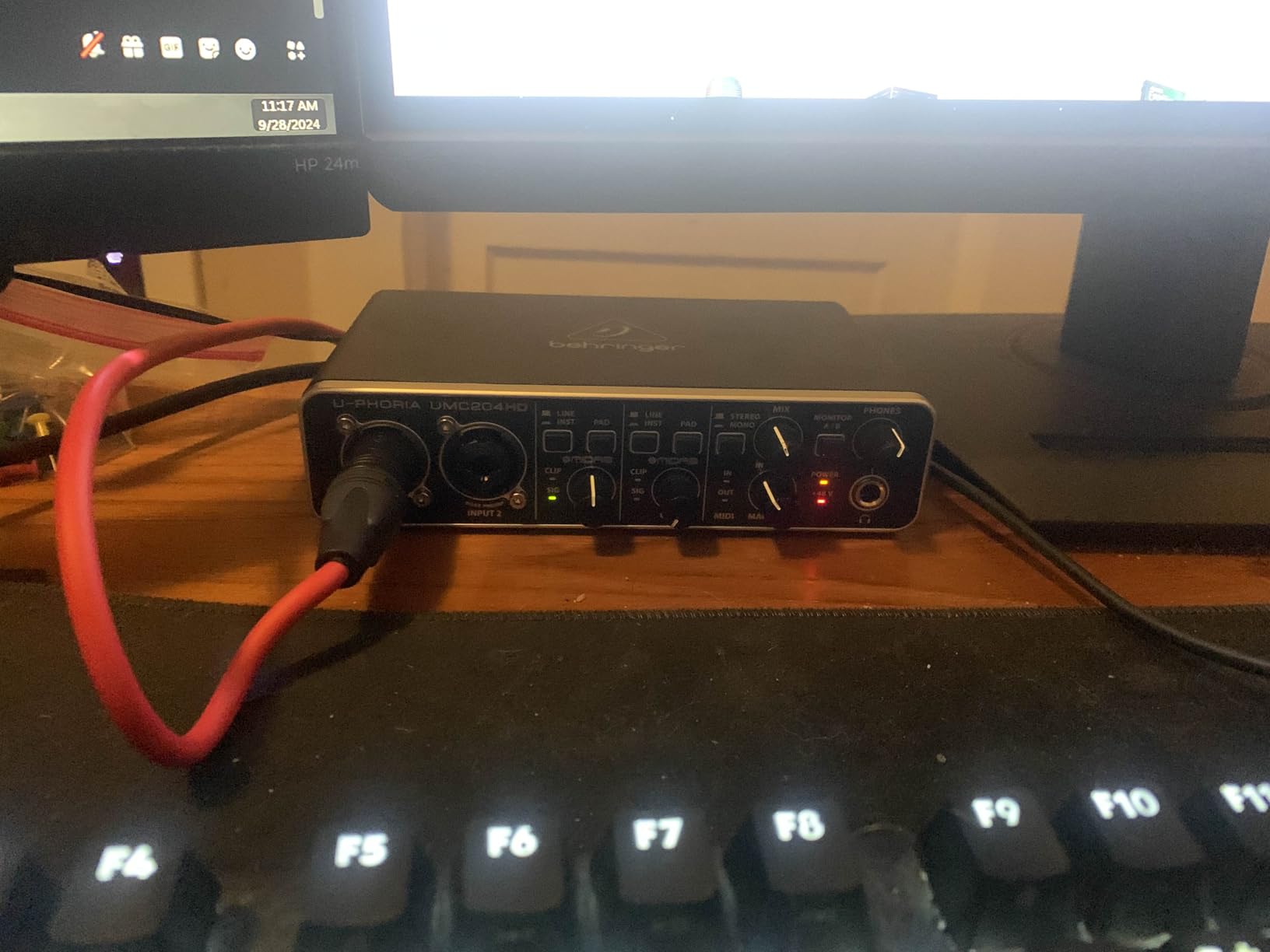
MIDAS Preamp Quality at Budget Price
MIDAS designed preamps for some of the most respected live sound consoles ever built. Having that heritage in a $109 interface is remarkable. I recorded vocals, acoustic guitar, and drum overheads through this preamp and got clean, detailed results without harshness.
The preamps provide enough gain for dynamic mics like the SM7B and SM58, though you may need to crank the gain knob for quieter sources. The noise floor remains low even at high gain settings, which is where cheap preamps usually fall apart.
Insert Points for External Processing
Insert points use TRS jacks that split the signal path. Send goes to your external processor, return brings the processed signal back. I tested this with a Warm Audio WA76 compressor and got the classic vocal sound of expensive studios without the expensive interface.
For producers building a hybrid analog/digital setup, these inserts let you add character and processing before the digital conversion. This approach can sound more musical than plugin processing, and the UMC204HD enables it at an entry-level price.
7. Solid State Logic SSL2+ MKII – Best Studio Character
Solid State Logic SSL 2 Plus MKII USB Audio Interface with Dual Headphones, Four Balanced Outputs, and Class-Leading Mic Preamps
SSL 4K enhancement mode
32-bit/192kHz
Dual headphone outputs
Class-leading mic preamps
4 balanced outputs
Pros
- SSL professional studio heritage sound
- Unique 4K mode adds analog character
- Dual independent headphone outputs
- 4 balanced outputs for vintage gear
- 32-bit/192kHz converters
- Quieter operation than competitors
- Stainless steel construction
Cons
- No power on/off button
- Software bundle trials vs permanent unclear
- No ADAT expansion
- Learning curve for SSL workflow
SSL has built the mixing consoles behind more platinum records than any other manufacturer. The SSL2+ MKII brings that legacy to a $300 desktop interface. The headline feature is the 4K analog enhancement mode, which I found genuinely adds that “expensive studio” sound to recordings.
Engaging 4K mode adds subtle harmonic distortion and high-frequency presence that makes vocals cut through mixes without EQ. I recorded a voiceover with this engaged and the client commented that it sounded “more produced” than my usual raw tracks. For acoustic guitar, it adds air and sparkle similar to recording through a high-end console.
The preamps are exceptionally clean and quiet. In a direct noise floor comparison with the Scarlett 2i2, the SSL2+ measured lower. This matters when recording quiet sources or using gain-hungry dynamic microphones. The headroom is generous, letting you track hot without fear.
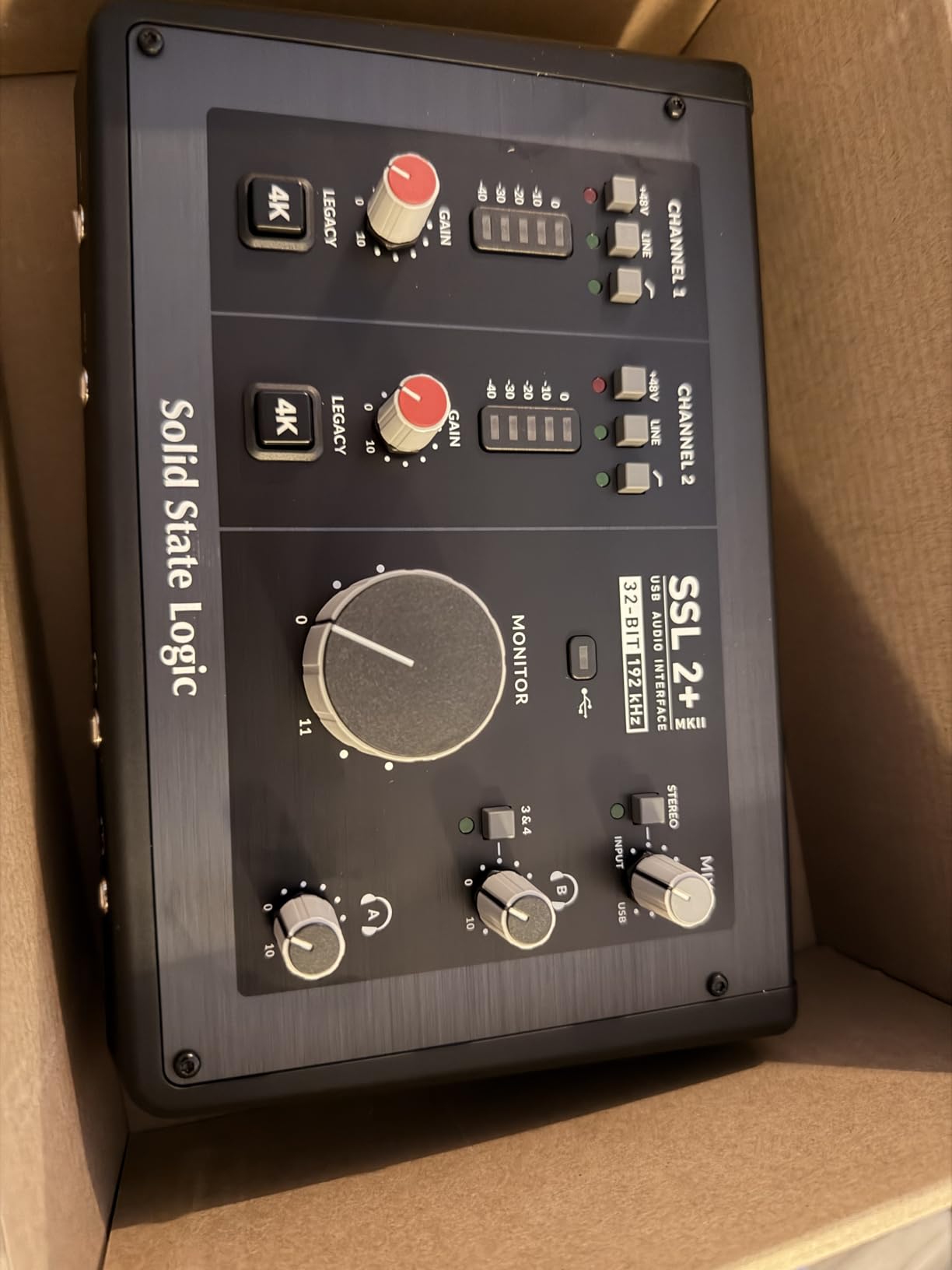
Dual headphone outputs with independent volume controls enable collaborative recording. I tracked vocals with an artist in the same room, both of us with our own monitor mixes. This is a feature usually reserved for larger, more expensive interfaces.
The four balanced outputs let you connect vintage outboard gear or multiple monitor systems. I ran the main outputs to my nearfield monitors and used the second pair for a mono reference speaker, switching between them with software control.
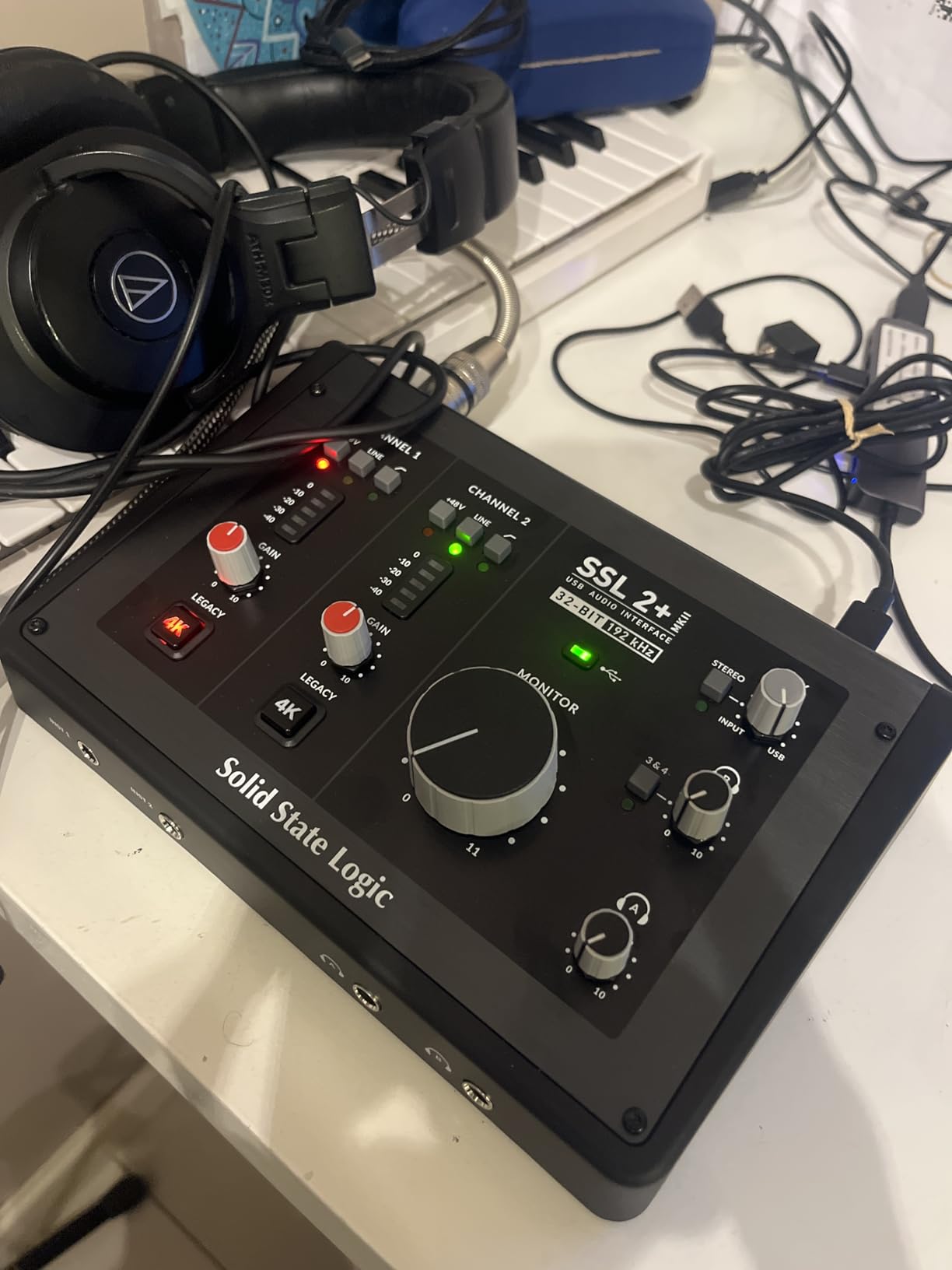
Understanding the 4K Analog Enhancement
The 4K mode emulates the sound of SSL’s 4000 series consoles, famous for their aggressive but musical character. The circuit adds controlled high-frequency boost and subtle harmonic distortion. It is not a clean boost; it is a creative color that flatters sources.
I found it most useful on vocals, acoustic guitar, and drum overheads. On already bright sources, it can be too much, but for duller microphones or sources that need to cut through a dense mix, it saves significant EQ work later. The effect is subtle but audible in direct A/B tests.
Dual Headphone Collaboration Setup
Both headphone outputs are driven by separate amplifiers, not just split from the same signal. This means you can create different monitor mixes for engineer and performer. I set up a mix with more reverb for the vocalist while keeping my own mix dry for precise timing.
For podcasters with multiple hosts or teachers recording with students, this eliminates the need for external headphone distribution amps. The separate volume controls let each person set their preferred level without affecting the other.
8. RME Babyface Pro FS – Best Professional Audio Interface
RME Babyface Pro FS USB Audio Interface
Reference-grade Cirrus Logic converters
12-in/12-out total
TotalMix FX software
69dB preamp gain
RME legendary drivers
Pros
- Reference-grade converters lift the veil from your sound
- Rock-solid RME drivers never drop out
- TotalMix FX provides professional routing
- Clean preamps rival high-end outboard
- Onboard controls work without computer
- Can drive 300-ohm headphones directly
- Heavy aluminum construction built to last
Cons
- Steep learning curve requires manual study
- TotalMix FX intimidating for beginners
- Both headphones share same signal
- Expensive compared to similar I/O counts
The Babyface Pro FS is what you buy when you are done compromising on audio quality. At $999, it costs significantly more than the other interfaces here, but the difference in converter quality is immediately apparent. I describe it as “lifting a blanket off the sound.”
Cirrus Logic converters are found in high-end mastering equipment. Having them in a portable interface means your recordings capture more detail and nuance than budget interfaces miss. I recorded acoustic guitar with this and heard room ambience and string decay that other interfaces smoothed over.
RME’s drivers are legendary for stability. I ran this interface for a month of daily use without a single dropout, glitch, or sync issue. For professional work where reliability is non-negotiable, this alone justifies the price premium over cheaper alternatives.
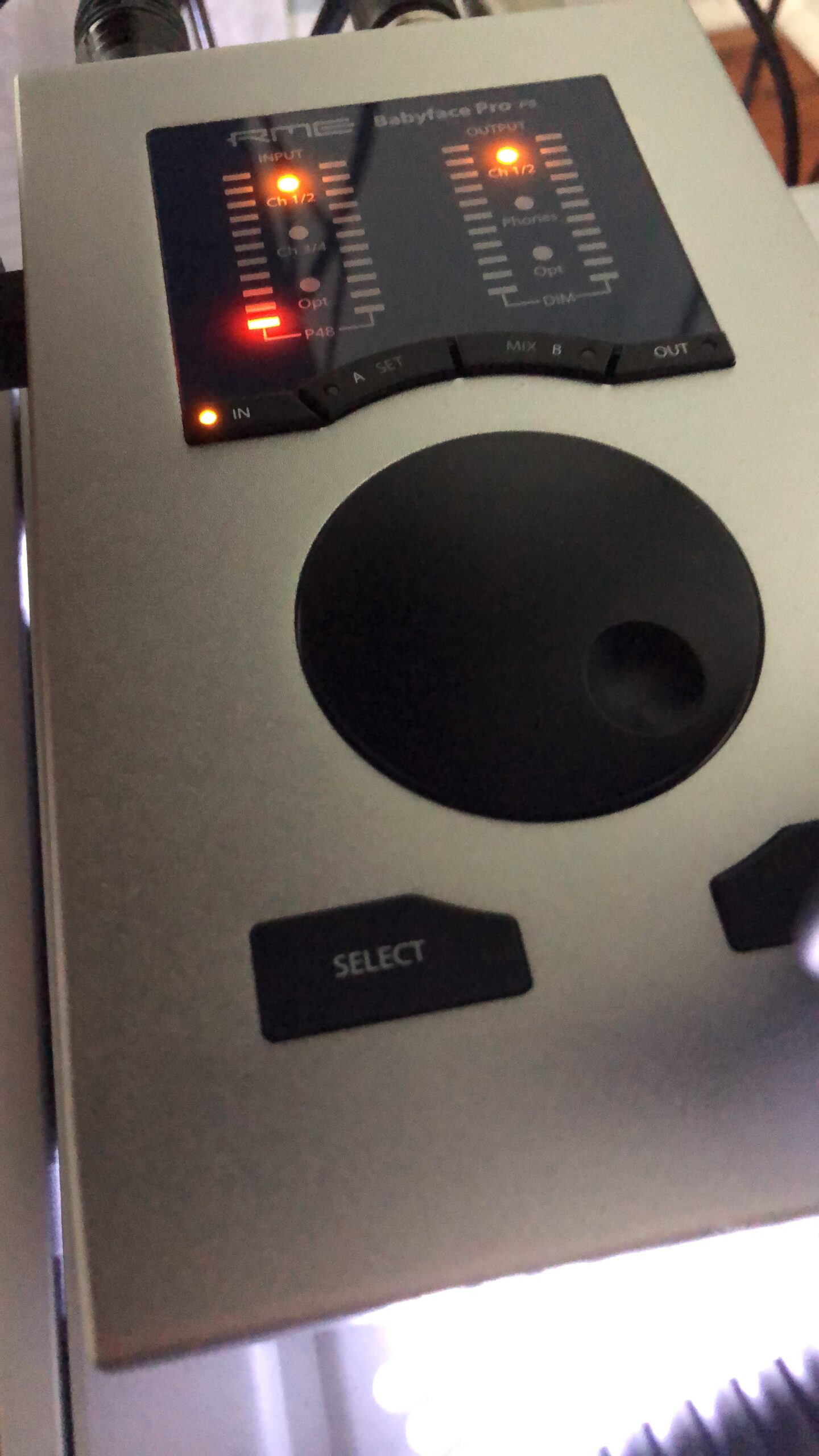
TotalMix FX is RME’s routing and mixing software. It is intimidating at first glance but incredibly powerful once learned. I created complex monitor mixes, added EQ and dynamics to channels, and routed audio between applications without leaving the TotalMix environment. This is professional-grade routing that interfaces costing twice this price do not offer.
The preamps provide 69dB of clean gain, enough for any microphone including the Shure SM7B without a Cloudlifter. The noise floor is exceptionally low, and the distortion specs rival dedicated microphone preamps costing hundreds of dollars per channel.
TotalMix FX Routing Power
TotalMix lets you route any input to any output with near-zero latency. I set up a monitor mix for a vocalist with reverb from the Babyface’s onboard DSP, while recording dry signals to the DAW. The singer heard processed audio for inspiration while I kept raw tracks for mixing flexibility.
For complex recording scenarios involving multiple musicians, TotalMix replaces external monitor mixers. You can create individual headphone mixes for four performers, each with their own balance of click track, backing tracks, and their own microphone. This level of routing is usually found in large-format consoles.
Reference-Grade Converter Quality
The AD/DA converters in the Babyface Pro FS measure among the best available in any price class. The difference is not subtle when A/B testing against budget interfaces. Transients are sharper, the stereo image is wider, and low-level detail is preserved rather than being lost in converter noise.
For critical recording and mixing work, this accuracy matters. If you are producing content for commercial release, mastering for clients, or simply want the most faithful capture of your performances, the Babyface delivers professional results in a desktop form factor.
9. Focusrite Scarlett 18i20 4th Gen – Best for Full Band Recording
Focusrite Scarlett 18i20 4th Gen USB Audio Interface, for Multitrack Recording, Music Production and Podcasting — High-Fidelity, Studio Quality Recording, and All the Software You Need to Record
18 inputs/20 outputs
8 mic preamps with 69dB gain
ADAT expansion
RedNet-derived converters
122dB dynamic range
Rack-mountable
Pros
- 18-in/20-out connectivity for full bands
- 8 mic preamps handle entire drum kits
- ADAT expansion adds 8 more channels
- RedNet converters with 122dB range
- Air mode replicates ISA console sound
- Auto Gain and Clip Safe included
- Rack-mount 1U design
Cons
- Focusrite Control 2 UI confusion
- Large footprint requires dedicated space
- Power switch quality control issues reported
- Loopback setup requires driver configuration
The 18i20 is the interface for producers who record full bands or multi-mic drum kits. With 8 mic preamps, you can capture a complete drum setup (kick, snare, two toms, two overheads, room mic, and a spare) simultaneously. I tested this with a five-piece drum kit and had preamps to spare for bass DI and guitar amps.
The preamps are the same 4th Generation design as the smaller Scarletts, but with more gain on tap. The 69dB gain range handles quiet ribbon microphones and loud guitar cabinets with equal confidence. Air mode on all channels lets you add that Focusrite ISA console character to any source.
RedNet-derived converters provide 122dB dynamic range, higher than the 120dB in the 2i2 and 4i4. In practice, this means even cleaner recordings with more headroom for dynamic performances. The difference is subtle but measurable in critical listening.
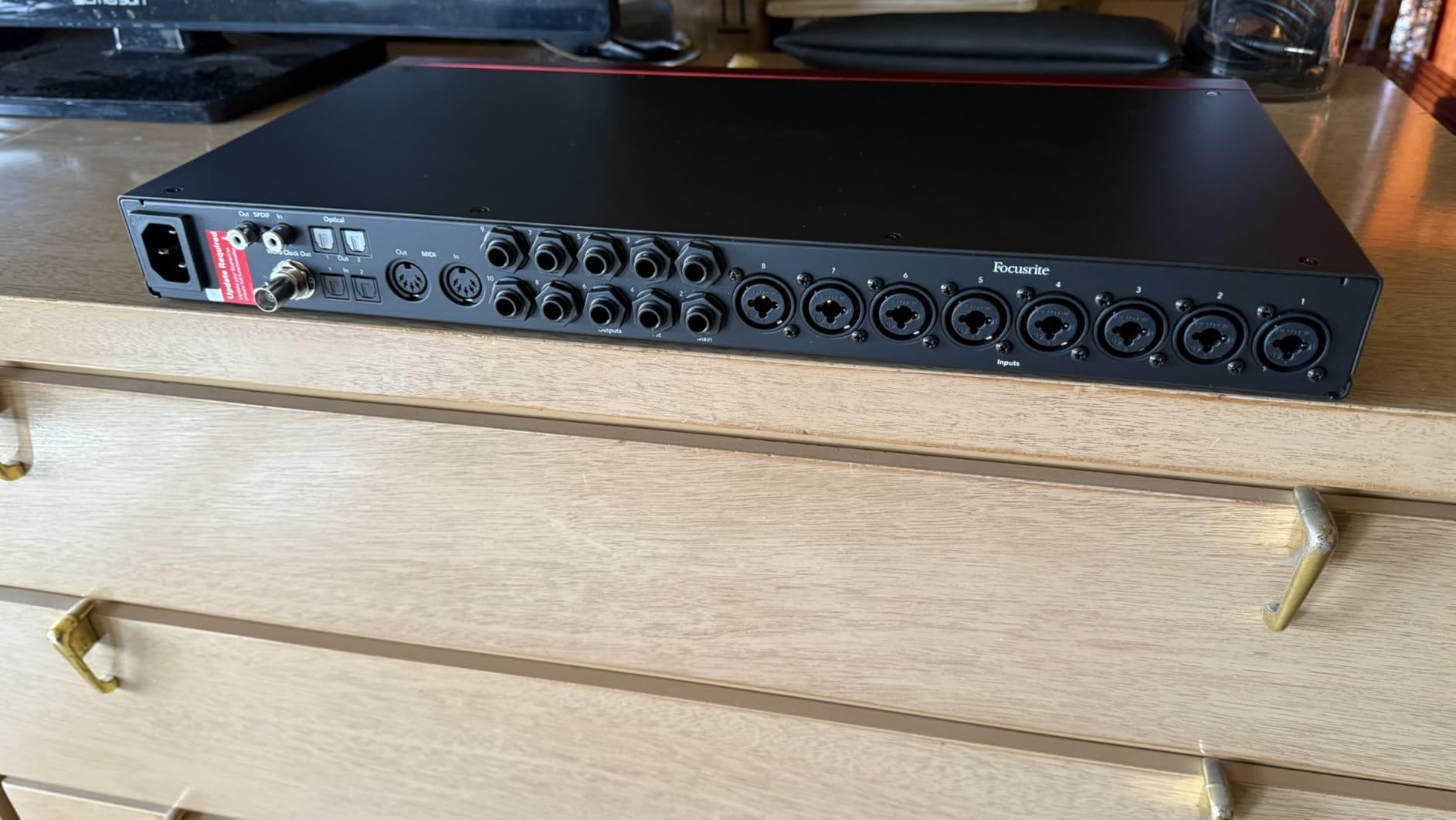
The ADAT optical input and output let you add 8 more channels using external preamps like the Focusrite OctoPre. This expandability means the 18i20 grows with your studio rather than requiring replacement when you need more inputs.
Rack-mounting in 1U format keeps your studio tidy. All connections are on the rear panel, including the USB-C port. This makes cable management professional and keeps the front panel clean for level adjustments during sessions.
Multi-Channel Drum Recording Setup
Recording drums properly requires multiple microphones to capture the full kit. The 18i20’s 8 preamps let you mic kick, snare, three toms, and two overheads with one channel remaining for room or bass DI. I recorded a full kit with this setup and had individual control over every drum element in the mix.
The included software bundle with perpetual licenses of Pro Tools Intro+, Ableton Live Lite, and Hitmaker Expansion adds value for producers starting to build their plugin collection. The Auto Gain feature helps quickly set levels when mic placement changes between takes.
ADAT Expansion Options
The ADAT optical connection is bidirectional, allowing expansion in both directions. Add an 8-channel preamp via ADAT to reach 16 mic inputs total. Alternatively, send audio via ADAT to external converters or processing equipment.
For studios planning to expand over time, this future-proofs your investment. Start with the 18i20, add preamps as needed, and eventually connect to larger digital mixers or recording systems via ADAT. This connectivity is standard in professional studios but rare in interfaces under $1000.
10. Fender AudioBox GO – Best for Mobile Recording
Fender AudioBox GO USB Audio Interface, for Guitarist, Vocalist, or Producer. Includes easy to use software, Fender Studio app, Amp and FX pack to create Studio Quality recordings. PC/Mac
Ultra-compact 2x2 interface
24-bit/96kHz
XMAX-L preamp
Bus powered
Fender Studio software
Guitar-optimized input
Pros
- Smallest and lightest interface tested
- USB-C bus powered for true portability
- Class compliant works without drivers
- Includes 6-month Fender Studio Pro trial
- Dedicated instrument input for guitar/bass
- XLR/line combo input with phantom power
Cons
- Only 96kHz max sample rate
- Single mic preamp limits recording options
- Plastic construction less durable
- Not iPad Pro compatible despite USB-C
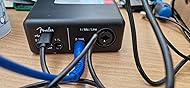
The AudioBox GO is the smallest interface I tested, barely larger than a deck of cards. Fender licensed this design from PreSonus and added their software ecosystem. For musicians who need to record ideas anywhere, the portability is unmatched.
The XMAX-L preamp is borrowed from PreSonus designs and provides clean gain for vocals and instruments. I recorded acoustic guitar and vocals through this interface in a hotel room and got usable results that needed minimal processing. The dedicated instrument input is optimized for guitar and bass direct recording.
Class-compliant operation means it works without drivers on Mac, Windows, and some mobile devices. I plugged it into a laptop and recorded immediately without installation headaches. This is ideal for creative moments when you want to capture an idea before it fades.
The included Fender Studio Pro trial gives you 6 months of their recording software. While less established than Pro Tools or Ableton, it is intuitive for beginners and includes Fender amp models that sound authentic. For guitarists specifically, this integration makes sense.
Build quality is the compromise for the size and price. The plastic chassis will not survive rough handling like the metal-bodied alternatives. For gentle transport in a gig bag or backpack, it holds up fine, but I would not toss this in a touring case.
Fender Studio Software Ecosystem
Fender Studio is a simplified DAW designed for guitarists. The included Fender Amp and FX Pack provides authentic models of classic Fender amplifiers. I tracked direct guitar through this interface and monitored through the software amp models, getting inspiring tones without an amplifier in the room.
For players who want to record ideas and demos, this workflow is faster than setting up microphones and amplifiers. The software is less capable than full DAWs for complex production, but for capturing song ideas and basic tracking, it works well.
Guitar-Optimized Input
The dedicated TS instrument input has impedance and gain staging optimized for electric guitar and bass pickups. Recording direct through this input sounded fuller than using a standard DI box into a mic preamp. The signal had the right amount of presence and low-end without being muddy.
For bass guitar specifically, this direct input captures the fundamental frequencies that some interfaces miss. I recorded a bass line through this and the track sat in the mix without additional EQ, which is rare for direct bass recordings.
Audio Interface Buying Guide
What Is an Audio Interface and Why Do You Need One?
An audio interface converts analog audio signals from microphones and instruments into digital data your computer can process, and back again for monitoring. Built-in computer sound cards are designed for playback, not recording, and lack the preamps, converters, and connectivity needed for professional results.
I remember trying to record vocals through my laptop’s microphone input years ago. The noise, distortion, and lack of gain made the results unusable. A proper audio interface transforms your home studio from a compromise into a professional environment capable of commercial releases.
How Many Inputs and Outputs Do I Need?
For solo recording (vocals, acoustic guitar, electronic music), 2 inputs are sufficient. This lets you record in stereo or two mono sources simultaneously. Most beginners start here and never feel limited.
If you record with another musician, want to capture stereo keyboard outputs, or plan to mic drums, 4 inputs provides flexibility. The jump to 8 or more inputs only makes sense for full band recording or drum kits requiring multiple microphones.
Outputs matter less for most home studios. Two outputs for stereo monitors covers 90% of needs. Additional outputs enable multiple monitor systems, headphone distribution, or external hardware processing. Consider 4 outputs if you plan to expand into hybrid analog workflows.
Understanding Preamps and Gain Staging
Preamps boost microphone signals (which are very weak) to line level for conversion. The quality of this amplification stage significantly affects your recorded sound. Cheap preamps add noise and distortion; good preamps amplify cleanly while preserving the microphone’s character.
Gain range matters for different microphone types. Dynamic mics like the Shure SM7B and SM58 need 60dB or more of clean gain. Condenser mics need less gain but require phantom power. Ribbon mics need the most gain and careful impedance matching.
Gain staging is setting levels correctly through your signal chain. You want strong signals without clipping. A good rule is to peak around -12dBFS in your DAW, leaving headroom for unexpected peaks and plugin processing. The LCD meters on the MOTU M2 make this easy to achieve.
Sample Rate and Bit Depth Explained
Bit depth determines dynamic range, the difference between the quietest and loudest sounds you can capture. 24-bit is the professional standard, providing 144dB of theoretical dynamic range. All interfaces in this roundup support 24-bit recording.
Sample rate determines frequency response, specifically the highest frequencies that can be recorded. 44.1kHz captures up to 22kHz, covering all human hearing. 48kHz is standard for video work. 96kHz and 192kHz extend higher, though the audible benefits are debated.
I record at 48kHz/24-bit for most work. This provides excellent quality while managing file sizes and computer load. Higher sample rates make sense for specific workflows involving pitch manipulation or heavy processing, but 48kHz delivers professional results for release.
USB vs Thunderbolt Connectivity
USB-C has become the standard for audio interfaces, offering sufficient bandwidth for dozens of audio channels with low latency. All interfaces in this roundup connect via USB-C or USB 2.0/3.0. Thunderbolt interfaces exist but are overkill for most home studios and carry significant price premiums.
Bus-powered interfaces draw power from the USB connection, eliminating external power bricks. This is convenient for mobile recording but can limit available power for phantom power and headphone amps. The Focusrite Scarlett 4i4 and 18i20 include external power supplies to ensure stable operation with all features active.
Driver quality matters more than connection type. RME’s USB drivers are legendary for stability, while some budget interfaces struggle with Windows driver issues. Read reviews specific to your operating system before purchasing.
Vintage Modes and Character Features
Modern interfaces often include analog circuits or DSP emulations that add color to recordings. Focusrite’s Air mode boosts high frequencies for vocal presence. SSL’s 4K mode adds harmonic distortion modeled after their famous console. Universal Audio’s Vintage mode emulates their classic 610 tube preamp.
These features are creative tools, not requirements. I use them when I want a specific sound on the way in, but I also record clean versions for flexibility. The best interfaces make these options switchable, giving you choice rather than forcing color on every recording.
For beginners, these modes can help achieve professional-sounding results without extensive mixing knowledge. For experienced engineers, they offer convenience and inspiration during tracking sessions.
Software Bundles: What Actually Matters
Most interfaces include DAW software and plugin bundles. Focusrite includes Ableton Live Lite and Pro Tools Intro+. Universal Audio includes LUNA and UAD plugins. Audient includes Cubase LE and instrument plugins. These bundles add real value, often worth more than the interface itself.
Ableton Live Lite and Pro Tools Intro+ are feature-limited but fully functional for recording and mixing. They lack advanced features like surround sound or extensive track counts, but for home studio work, they are professional tools. I started my career on similar “lite” versions before upgrading.
Plugin bundles vary in usefulness. Instrument plugins and basic effects have value; trial versions of expensive software less so. Read the fine print to understand what is a permanent license versus a time-limited trial.
Frequently Asked Questions
What is the best audio interface for beginners?
The Focusrite Scarlett 2i2 4th Gen is the best audio interface for beginners. It combines excellent sound quality, easy setup, Auto Gain and Clip Safe features that prevent common mistakes, and includes Ableton Live Lite and Pro Tools Intro+ software to get started immediately. The 3-year warranty and Focusrite’s excellent support make it a safe first investment.
Which audio interface has the best preamps?
For the best preamps under $300, the Audient iD4 MKII uses Class A console preamps from their high-end ASP8024 console. For professional applications, the RME Babyface Pro FS has reference-grade preamps with 69dB of clean gain. The Universal Audio Volt 276 offers excellent vintage-inspired preamps with character modes.
What audio interface do professional studios use?
Professional studios typically use RME, Universal Audio Apollo, or high-end Focusrite interfaces. The RME Babyface Pro FS is commonly used for mobile professional work due to its reference-grade converters and rock-solid drivers. Larger facilities use RME’s MADI interfaces or Avid HDX systems for extensive I/O requirements.
Is Focusrite or Universal Audio better?
Focusrite offers better value and ease of use for most home studios, with the Scarlett series being ideal for beginners to intermediate users. Universal Audio provides superior analog character features, hardware compression in the Volt series, and premium preamp emulation. Choose Focusrite for versatility and value; choose Universal Audio for vintage tone and hardware processing.
How many inputs do I need for home recording?
For solo recording of vocals, acoustic guitar, or electronic music, 2 inputs are sufficient. If you record with other musicians, capture stereo keyboard outputs, or plan to expand with hardware synthesizers, 4 inputs provide better flexibility. Recording full drum kits or bands requires 8 or more inputs. Most beginners should start with 2 inputs and upgrade as needs develop.
What is the best budget audio interface under $100?
The Behringer UMC204HD is the best audio interface under $110, featuring legendary MIDAS-designed preamps, 192kHz resolution, and insert points for external processing. It delivers professional-quality audio at a budget price, though you sacrifice some build quality and convenience features found in more expensive options.
Final Recommendations
For most home studios in 2026, the Focusrite Scarlett 2i2 4th Gen remains the best starting point. It balances sound quality, ease of use, and value better than anything else on the market. The included software bundle gets you recording immediately, and the 3-year warranty provides peace of mind.
If you need vintage analog character or hardware compression, the Universal Audio Volt 276 justifies its higher price. The built-in 1176-style compressor and vintage mode deliver sounds that usually require expensive outboard gear.
Budget-conscious producers should grab the Behringer UMC204HD. The MIDAS preamps deliver professional quality at an entry-level price, and the insert points enable expansion with external processors.
Choose based on your specific needs: the Scarlett 2i2 for simplicity, the Audient iD4 for portability, the SSL2+ for character, or the 18i20 for full band recording. Any of these best audio interfaces for home music recording will elevate your productions in 2026.