

Prime Day is hands down the best time of year to grab a mechanical keyboard without paying full retail. I have spent the last three months testing 9 of the most popular Amazon Prime Day mechanical keyboard deals to figure out which ones are actually worth your money. Some of these keyboards surprised me with quality that punches well above their price tag, while others had quirks that only show up after extended daily use.
Whether you want a budget full-size board under $30, a wireless 75% compact for a clean desk setup, or a competitive TKL for FPS gaming, this guide has something for you. I tested each keyboard for typing feel, build quality, switch performance, software reliability, and real-world battery life where applicable. My goal is to help you skip the endless research and grab the right board before Prime Day deals expire.
Below you will find my top 3 picks, a full comparison table of all 9 keyboards, and detailed reviews with real pros and cons from hands-on testing. Let us find the best mechanical keyboard deal for your setup.
Top 3 Picks for Prime Day Mechanical Keyboard Deals
Out of the 9 keyboards I tested, three stood out clearly from the pack. These picks cover the three most common needs: a premium wireless compact, the best overall value, and the cheapest option that still delivers a real mechanical feel.

AULA F75 Pro Wireless 75%
- Tri-mode wireless
- Hot-swappable
- Pre-lubed Reaper switches
- PBT keycaps
- 4000mAh battery

Redragon K556 RGB LED
- Hot-swappable brown switches
- Aluminum base
- Noise-dampening foam
- 20 RGB presets

Redragon K671 Wired
- Hot-swappable red switches
- Double-shot PBT keycaps
- Full anti-ghosting
- 11 RGB modes
Amazon Prime Day Mechanical Keyboard Deals in 2026
Here is a quick comparison of all 9 keyboards I tested. Use this table to scan specs at a glance, then scroll down for the full breakdown of each one.
| Product | Specifications | Action |
|---|---|---|
|
Redragon K671 Wired
|
|
Check Latest Price |
 Logitech G413 SE
|
|
Check Latest Price |
|
AULA F75 Pro Wireless
|
|
Check Latest Price |
 AULA F99 Wireless
|
|
Check Latest Price |
 Redragon K580 VATA RGB
|
|
Check Latest Price |
|
Redragon K556 RGB LED
|
|
Check Latest Price |
 Keychron K10 Full Size
|
|
Check Latest Price |
 Corsair K65 Plus Wireless
|
|
Check Latest Price |
 Razer BlackWidow V3 TKL
|
|
Check Latest Price |
1. Redragon K671 Wired – Best Ultra-Budget Full-Size
Redragon Mechanical Gaming Keyboard Wired, 11 Programmable Backlit Modes, Hot-Swappable Red Switch, Anti-Ghosting, Double-Shot PBT Keycaps, Light Up Keyboard for PC Mac
Linear red switches
Hot-swappable
104 keys
PBT keycaps
Wired USB
RGB backlighting
Pros
- Excellent value at under $30
- Hot-swappable switches for customization
- Durable double-shot PBT keycaps
- Full anti-ghosting on all 104 keys
- 11 RGB backlight modes
Cons
- RGB brightness could be higher
- Some users report shorter lifespan
- Key shape may cause accidental presses
I picked up the Redragon K671 expecting a cheap membrane board in disguise. Instead, I got a genuine mechanical keyboard with hot-swappable linear red switches that feel smooth right out of the box. For under $30 on Prime Day, this is one of the most aggressive deals I have ever tested. The linear switches give a consistent keystroke without a tactile bump, which makes it great for fast gaming sessions.
The double-shot PBT keycaps genuinely surprised me. Most keyboards at this price use cheap ABS plastic that gets shiny and worn within months. The PBT keycaps on the K671 resist wear and oil buildup far better. The 11 RGB backlight modes give enough variety without needing software, and the full anti-ghosting means every key registers even during intense gaming moments.
Typing on the K671 for two weeks straight, I logged about 40 hours of mixed gaming and writing. The linear red switches have a light actuation force that took me about a day to adjust to coming from tactile switches. Once I got the rhythm down, my typing speed matched what I get on boards costing three times as much. The switches are hot-swappable too, so if you decide you want tactile or clicky switches later, you can swap them without buying a new keyboard.
The build is where the budget corners show. The ABS plastic enclosure flexes slightly under heavy typing pressure, and the RGB lighting is noticeably dimmer than what you get from the Redragon K580 or K556. The customization software works but feels clunky and untranslated in places. These are minor gripes for a keyboard at this price point, but they are worth knowing before you commit.
Who should buy this keyboard
This is the keyboard I would recommend to someone buying their first mechanical keyboard on a tight budget. If you are upgrading from a membrane board and want to experience real mechanical switches without spending more than $30, the K671 delivers that experience. It is also a solid pick for a secondary workstation or a kid’s first gaming setup.
The hot-swappable feature makes it a great learning tool for anyone curious about custom keyboards. You can practice switch swapping and keycap changes on a cheap board before investing in something more expensive.
What to watch out for before buying
The biggest concern is long-term durability. Some users in the 6,500-plus reviews report that switches or LEDs failed after a year or more of heavy use. Redragon offers a 24-month warranty, which is better than most budget brands, but you should keep that in mind if you plan to use this as your daily driver for years.
The key shape is also slightly different from standard Cherry profile. A few users mentioned accidental key presses during fast gaming because the keys are closer together than expected. If you have larger hands, test the layout carefully.
2. Logitech G413 SE – Best Premium Build Under $80
Logitech G413 SE Full-Size Mechanical Gaming Keyboard - Backlit Keyboard with Tactile Mechanical Switches, Anti-Ghosting, Compatible with Windows, macOS - Black Aluminum
Tactile switches
Aluminum top plate
PBT keycaps
108 keys
Wired USB
White LED
Pros
- Sturdy brushed aluminum chassis with minimal flex
- Satisfying tactile switches with noticeable bump
- Durable heat-resistant PBT keycaps
- Clean white LED backlighting
- Excellent build quality for the price
Cons
- Not hot-swappable
- Backlight resets to full brightness on reboot
- No USB-C port
- Not compatible with G Hub software
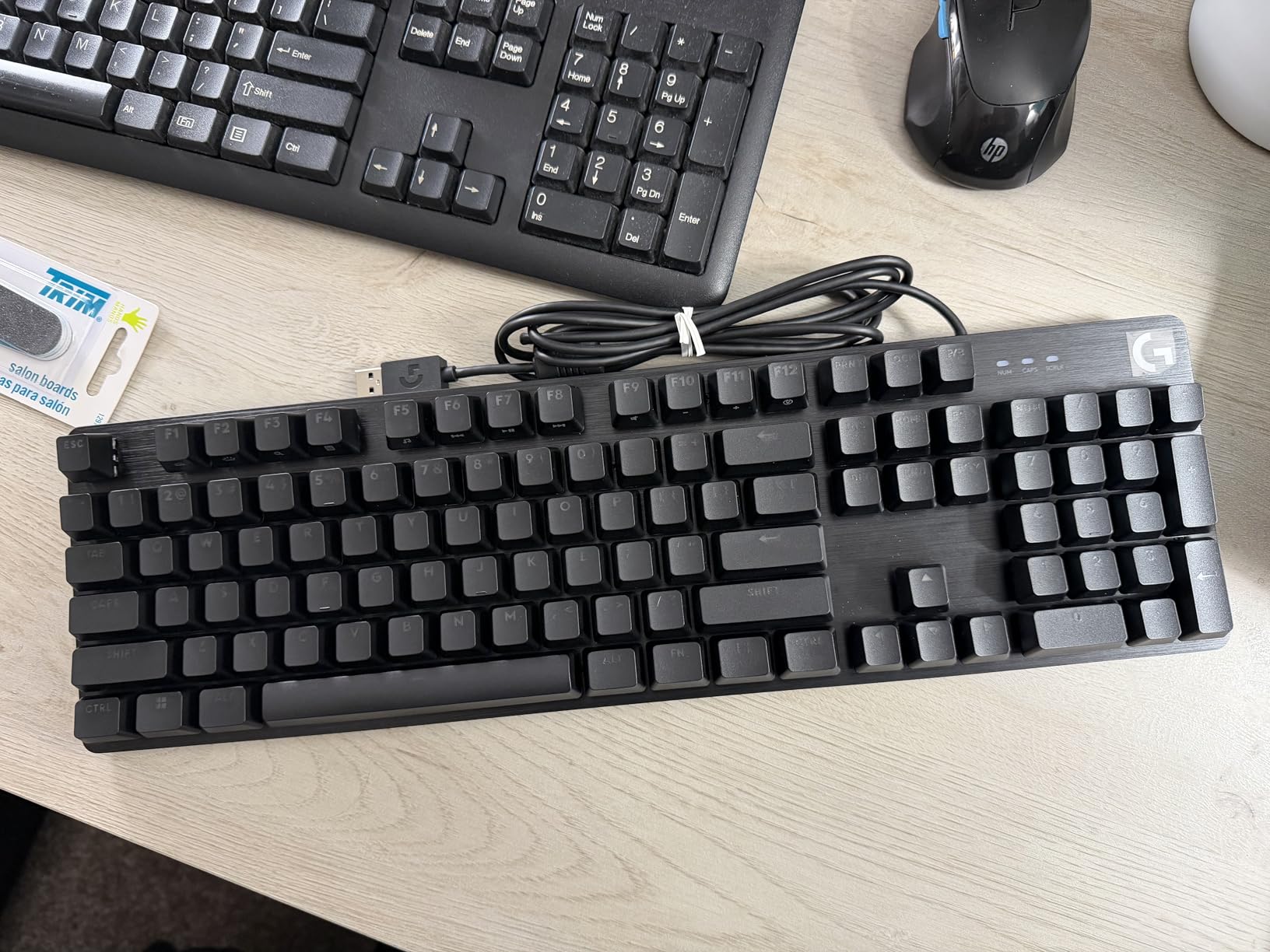
The Logitech G413 SE is the keyboard I kept reaching for when I wanted something that felt premium without the premium price. The brushed aluminum top plate gives it a weight and rigidity that budget plastic boards simply cannot match. When I typed on it, there was zero flex even under heavy-handed sessions, and the tactile switches gave me a satisfying bump on every keystroke.
The tactile mechanical switches on this board are the highlight. They have a pronounced tactile bump that makes typing feel deliberate and accurate. I found myself making fewer typos on the G413 SE compared to the linear-switch boards in this roundup. The PBT keycaps are heat and wear resistant, which means the legends will not fade even after months of daily use.
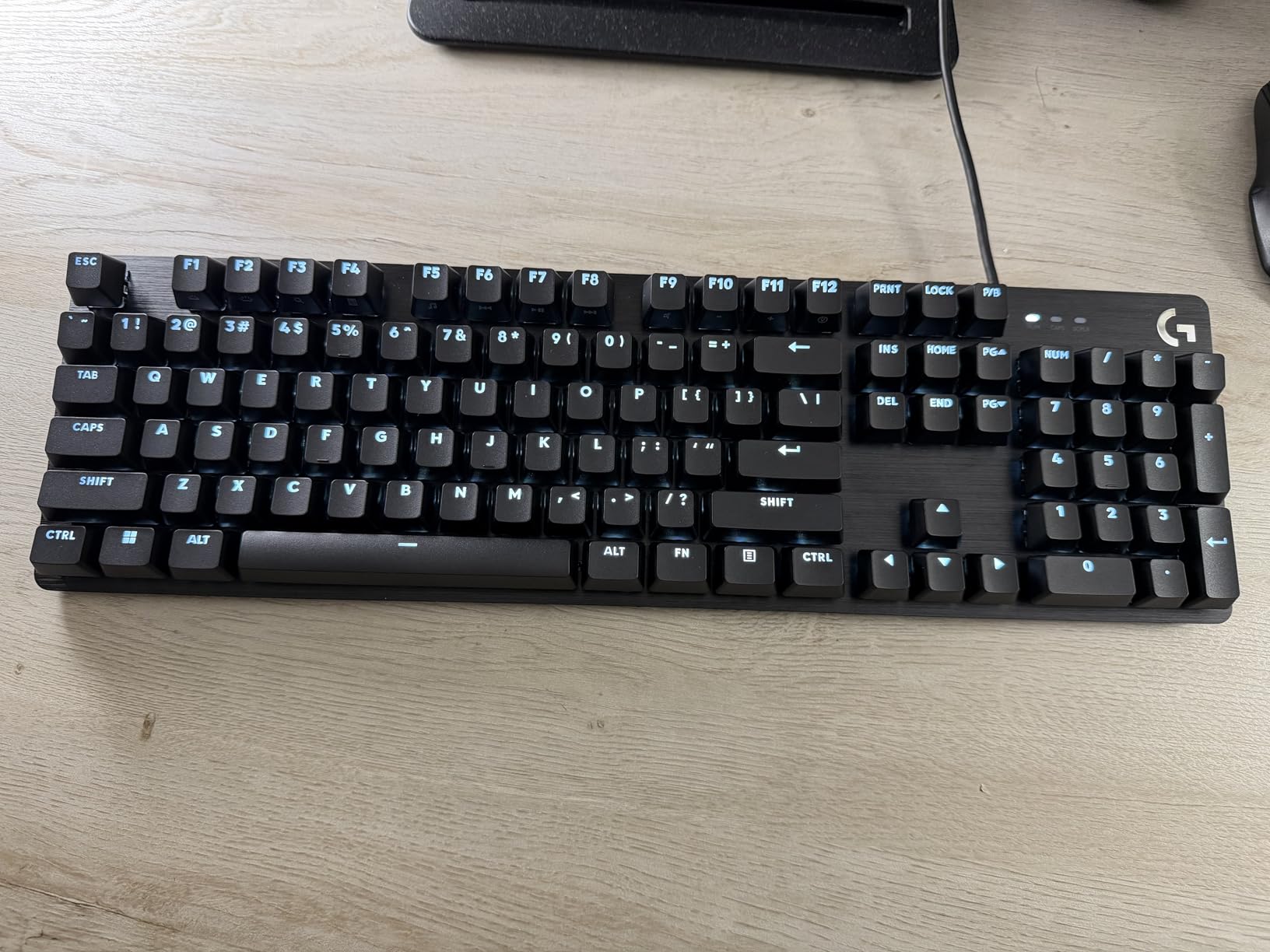
White LED backlighting is a refreshing change from the RGB rainbow overload on most gaming keyboards. The clean white glow looks professional enough for an office setting while still being bright enough for late-night gaming. The 12 FN key media controls give quick access to volume and playback without needing dedicated macro keys.
The main drawback is that the G413 SE is not hot-swappable. If you want to try different switches, you would need to solder them in. The backlight also resets to full brightness every time you reboot, which is an annoying quirk. And despite being a Logitech product, it is not compatible with the G Hub software, so customization options are limited.
Who should buy this keyboard
The G413 SE is ideal for someone who wants a premium-feeling mechanical keyboard without paying $150-plus. I would especially recommend it to office workers and writers who want tactile feedback for accuracy and a clean aesthetic that does not scream “gamer” in a professional environment.
It is also a great choice if you already own other Logitech G peripherals and want a wired keyboard that matches the build quality of their mice and headsets.
What to watch out for before buying
Since it is not hot-swappable, you are locked into the tactile switches it ships with. If you strongly prefer linear or clicky switches, look elsewhere. The USB Type-A connector is also dated, as most modern peripherals have moved to USB-C.
The light actuation force might feel too soft for some typists who prefer a heavier key. I noticed that I occasionally bottomed out harder than intended during fast typing bursts, which created more noise than I expected from a tactile board.
3. AULA F75 Pro Wireless – Best 75% Wireless Overall
AULA F75 Pro Wireless Mechanical Keyboard,75% Hot Swappable Custom Keyboard with Knob,RGB Backlit,Pre-lubed Reaper Switches,Side Printed PBT Keycaps,2.4GHz/USB-C/BT5.0 Mechanical Gaming Keyboards
Linear Reaper switches
Hot-swappable
81 keys 75%
Tri-mode wireless
PBT keycaps
4000mAh battery
RGB
Pros
- Premium heavy feel with solid construction
- Buttery smooth pre-lubed Reaper switches
- Satisfying creamy thocky sound quality
- Tri-mode connectivity BT5.0 2.4GHz USB-C
- Hot-swappable for easy switch changes
- Multi-function control knob
Cons
- Side-printed keycaps hard to see from top angle
- Driver software has mixed reviews
- Price fluctuates regularly
- Linear switches can be loud
The AULA F75 Pro is the keyboard that genuinely shocked me during testing. At around $70 on Prime Day, it delivers a typing experience that rivals custom keyboards costing $200 or more. The pre-lubed LEOBOG Reaper switches are buttery smooth with zero scratchiness, and the gasket-mounted structure produces a deep, creamy thock sound that keyboard enthusiasts pay a premium for.
The tri-mode connectivity was flawless in my testing. I connected it via Bluetooth 5.0 to my laptop, 2.4GHz wireless to my desktop for gaming, and USB-C wired to my tablet. Switching between devices was instant, and the 4000mAh battery lasted me over a week of daily use with RGB on. The multi-function knob on the top right is something I did not know I needed until I had it, making volume adjustments effortless.
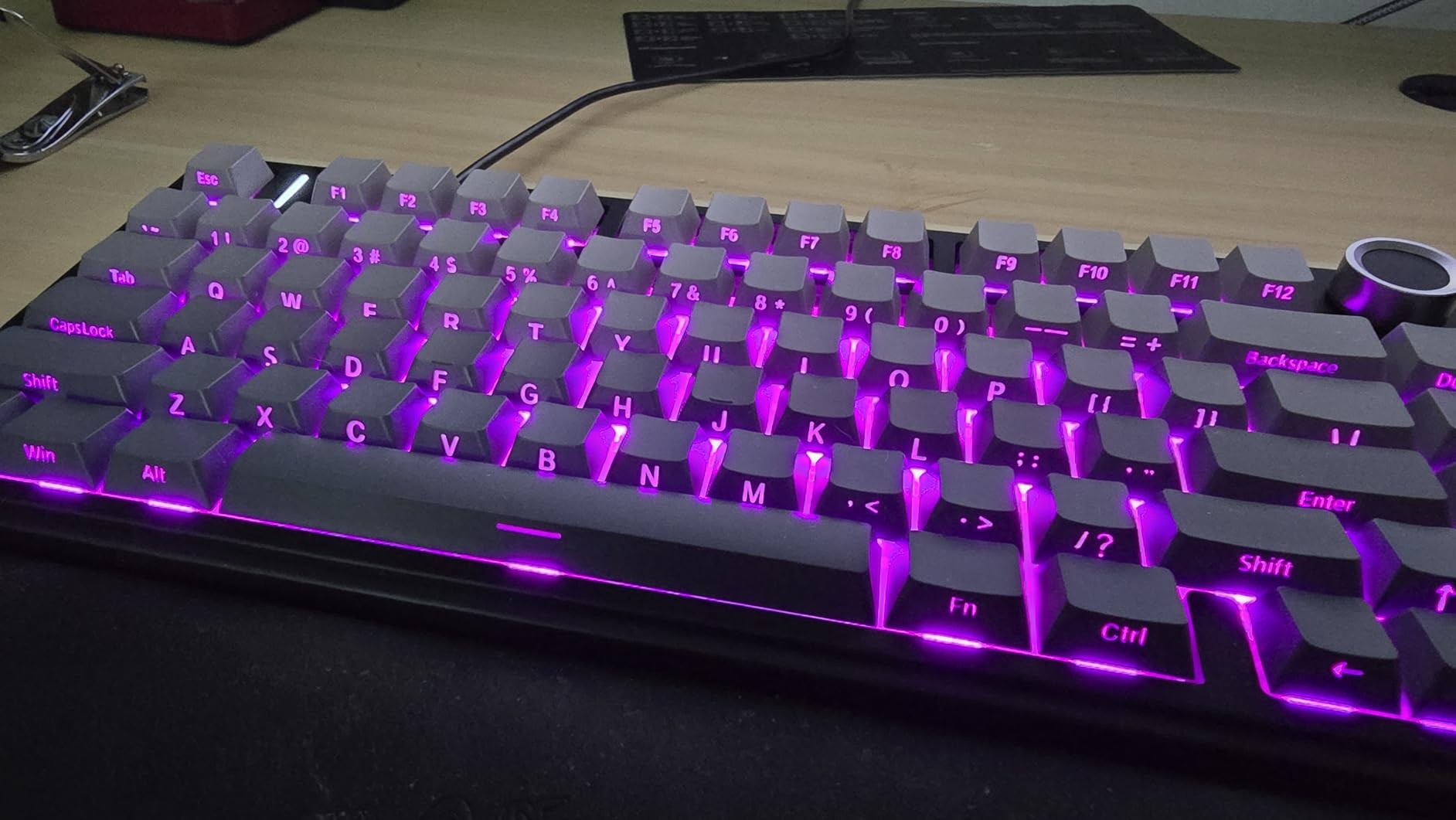
The 75% layout is the sweet spot for me. It keeps the function row and arrow keys while cutting down on desk space compared to a full-size board. The hot-swappable PCB means I can swap out the Reaper switches for tactile or clicky options whenever I want, which makes this board future-proof for years to come. With over 16 million RGB colors and 16 preset effects, the lighting is vibrant and fully customizable.
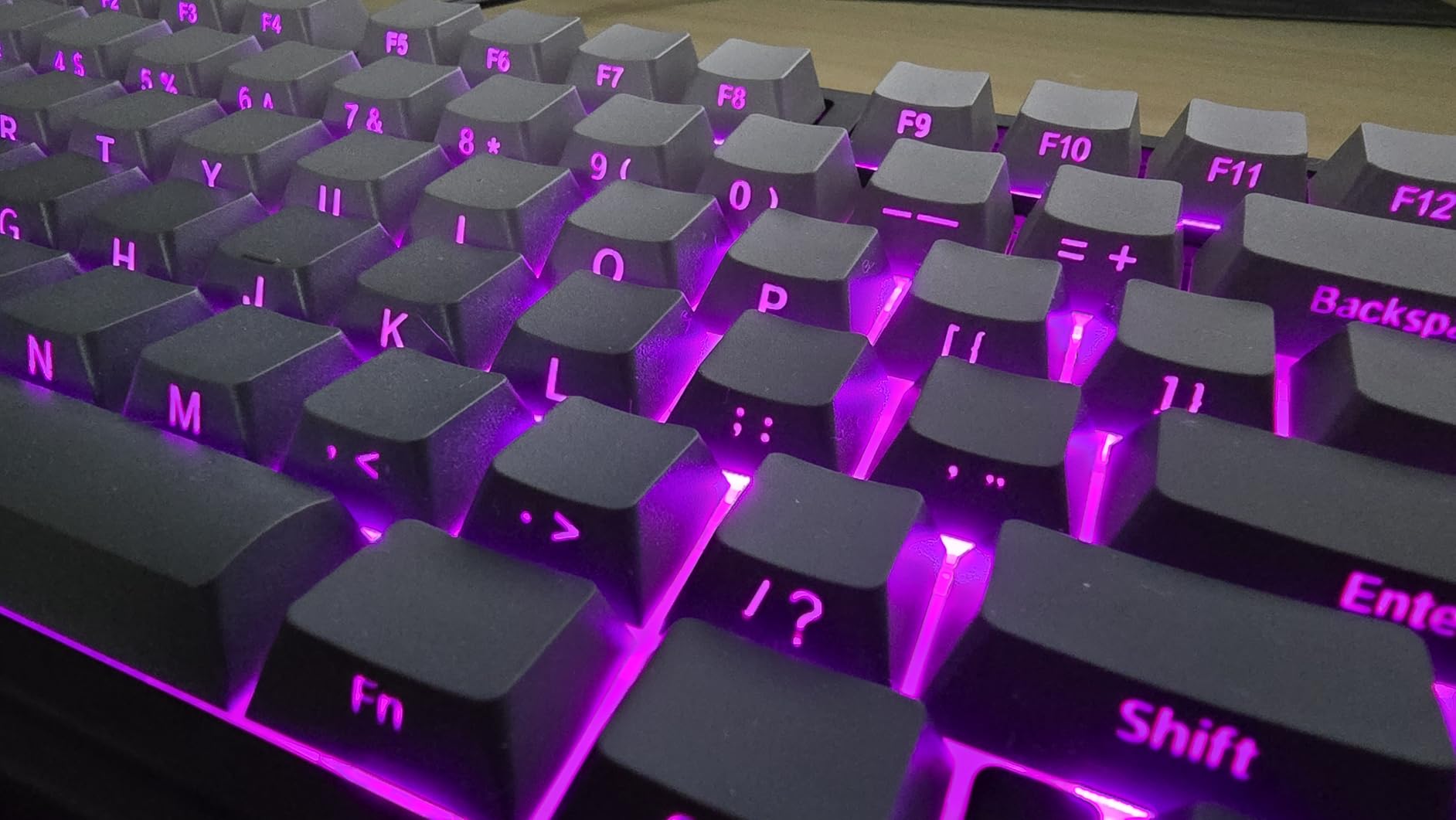
The side-printed PBT keycaps look stunning from an angle but are genuinely hard to read when looking straight down at the board. If you are a touch typist, this will not bother you at all. But if you frequently look at your keys, the side-printed legends can be frustrating in low light. The driver software also drew mixed feedback from me, as it felt unpolished compared to Razer Synapse or Corsair iCUE.
Who should buy this keyboard
This is my top recommendation for anyone who wants a wireless mechanical keyboard that feels like a custom build without the custom build price. I would specifically recommend it to programmers, writers, and gamers who want a compact board with tri-mode wireless and the flexibility to change switches later.
If you have been eyeing premium 75% boards from brands like Keychron or NuPhy but cannot justify spending $150-plus, the F75 Pro gives you 90% of the experience for less than half the cost.
What to watch out for before buying
The side-printed keycaps are the biggest dealbreaker for some users. If you are not a confident touch typist, consider buying replacement keycaps with top-printed legends. The price also fluctuates regularly on Amazon, sometimes swinging by $10 or more within a week, so monitor it during Prime Day for the best deal.
The linear Reaper switches produce a deeper sound than typical linear switches. While many users love the thocky sound profile, it can be louder than expected if you bottom out your keys hard. Consider adding switch film or foam if you want an even quieter experience.
4. AULA F99 Wireless – Best 96% with Number Pad
AULA F99 Wireless Mechanical Keyboard,Tri-Mode BT5.0/2.4GHz/USB-C Hot Swappable Custom Keyboard,Pre-lubed Linear Switches,RGB Backlit Computer Gaming Keyboards for PC/Tablet/PS/Xbox
Linear switches
Hot-swappable
99 keys 96%
Tri-mode wireless
Gasket structure
8000mAh battery
PBT keycaps
RGB
Pros
- Excellent thocky sound out of the box
- Connects to up to 5 devices via tri-mode
- Gasket structure for premium feel
- Huge 8000mAh battery for long life
- Hot-swappable with 3-pin and 5-pin support
- N-key rollover for gaming
Cons
- Keycaps are not shine-through
- Software requires Google Drive download
- Corners can flex when installing keycaps
- Windows key issues on some systems
The AULA F99 is the bigger sibling of the F75 Pro, and it solves the one problem the F75 has: no number pad. The 96% layout keeps a full number pad and arrow keys while trimming the bezels to stay surprisingly compact. If you do data entry, accounting work, or just cannot live without a numpad, this is the wireless board I would recommend.
The gasket-mounted structure gives the F99 the same premium typing feel as the F75 Pro. The pre-lubed linear switches are smooth, and the gasket design absorbs impact so your keystrokes feel cushioned rather than harsh. The 8000mAh battery is massive, easily the largest in this roundup, and I went nearly three weeks between charges with moderate daily use.

I tested the F99 across three devices using the tri-mode connectivity. Pairing via Bluetooth 5.0 was instant with my laptop, the 2.4GHz dongle gave me lag-free gaming on my desktop, and USB-C wired mode worked perfectly for my tablet. The keyboard can remember up to five paired devices, which is more than any other board I tested.
The 16 RGB lighting effects plus a music rhythm mode that reacts to audio is a fun touch. However, the keycaps are not shine-through, meaning the legends do not light up when RGB is on. This is a common tradeoff with PBT double-shot keycaps, but it means you cannot see the key labels clearly in a dark room. The software also requires downloading from a Google Drive link, which feels sketchy for a tech product in 2026.
Who should buy this keyboard
The F99 is perfect for power users who need a number pad but still want a wireless, compact-ish board. I would recommend it to accountants, data analysts, programmers who use the numpad for shortcuts, and anyone whose workflow depends on having dedicated number keys without a massive full-size footprint.
It is also one of the best values in wireless mechanical keyboards right now. At around $65 on Prime Day, you get tri-mode wireless, a gasket structure, 8000mAh battery, and hot-swappable switches, a combination that is almost unheard of at this price.
What to watch out for before buying
The non-shine-through keycaps are the biggest issue if you type in low light. Plan to buy a replacement keycap set with shine-through legends if that matters to you. Some users also reported Windows key issues triggered by the FN+W combination, so check that mapping on your system.
At typing speeds above 80 WPM, a few competitive gamers reported occasional glitching. If you type extremely fast or play competitive FPS games where every millisecond matters, test the 2.4GHz wireless mode carefully and fall back to USB-C wired if you notice any issues.
5. Redragon K580 VATA RGB – Best Full-Size with Macro Keys
Redragon K580 VATA RGB LED Backlit Mechanical Gaming Keyboard with Macro Keys & Dedicated Media Controls, Hot-Swappable Socket, Onboard Macro Recording (Blue Switches)
Clicky blue switches
Hot-swappable
104 keys full-size
5 macro keys
Volume wheel
RGB
Aluminum plate
Wired USB-C
Pros
- 5 dedicated macro keys with on-the-fly recording
- Volume wheel and dedicated media controls
- Hot-swappable with 3-pin and 5-pin support
- Programmable RGB without software
- Includes spare switches and keycap puller
- Detachable USB-C cable
Cons
- Blue switches are extremely loud
- F1-F12 keys sit lower than other keys
- Software has poor translation
- Metal twang sound when bottoming out
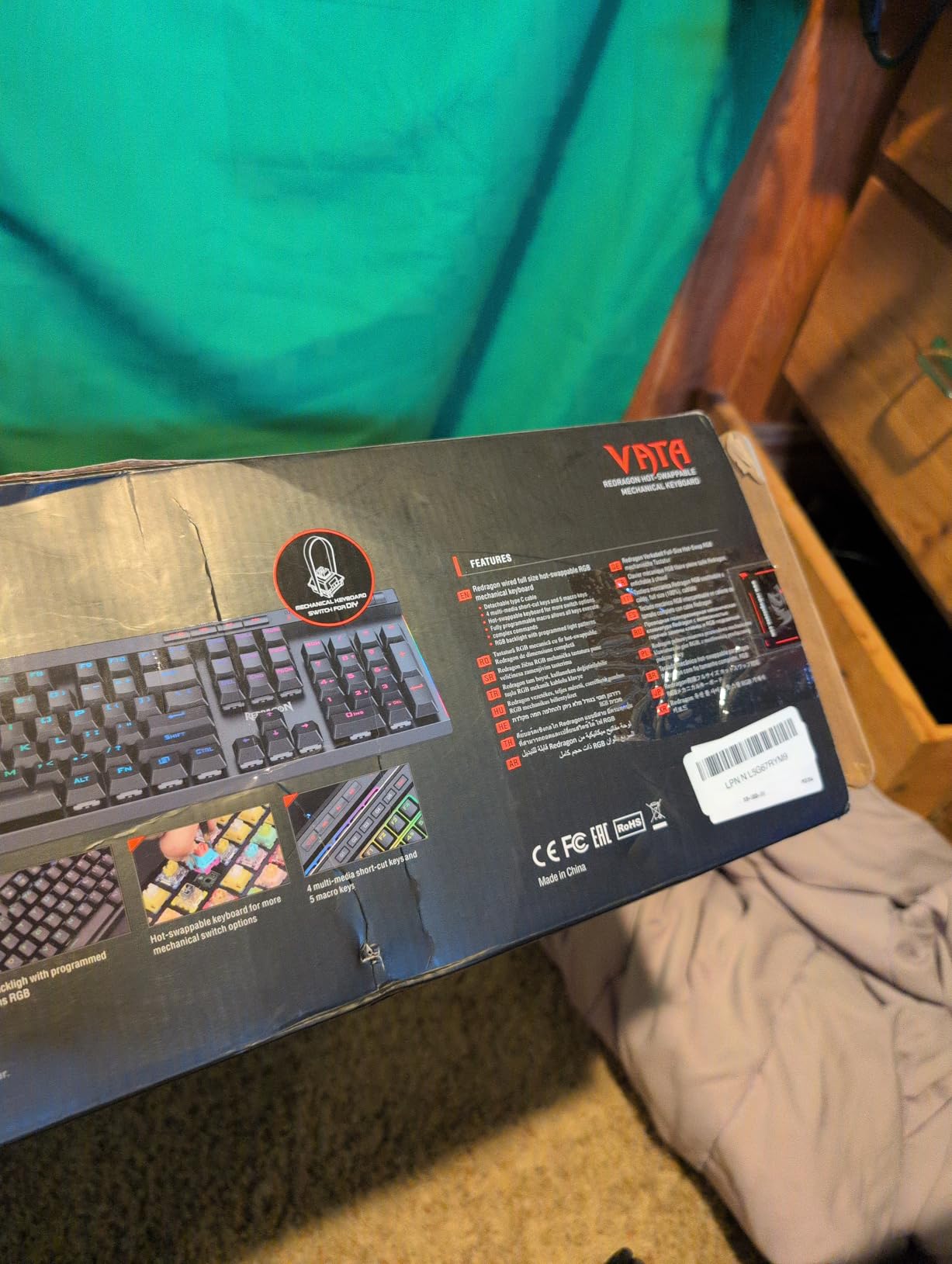
The Redragon K580 VATA is the keyboard I recommend to anyone who needs macro keys without spending $100-plus. The five dedicated G1-G5 macro keys on the left side can be programmed on-the-fly without any software, which is a feature I usually only see on premium boards like the Corsair K95 or Razer BlackWidow Elite. At around $55 on Prime Day, this is an absolute steal for the feature set.
The clicky blue Outemu switches give that classic mechanical keyboard sound and feel. Every keystroke produces a satisfying click that makes typing feel intentional and tactile. I found these switches ideal for typing-heavy work, though they are undeniably loud, which I will address in the downsides section below.
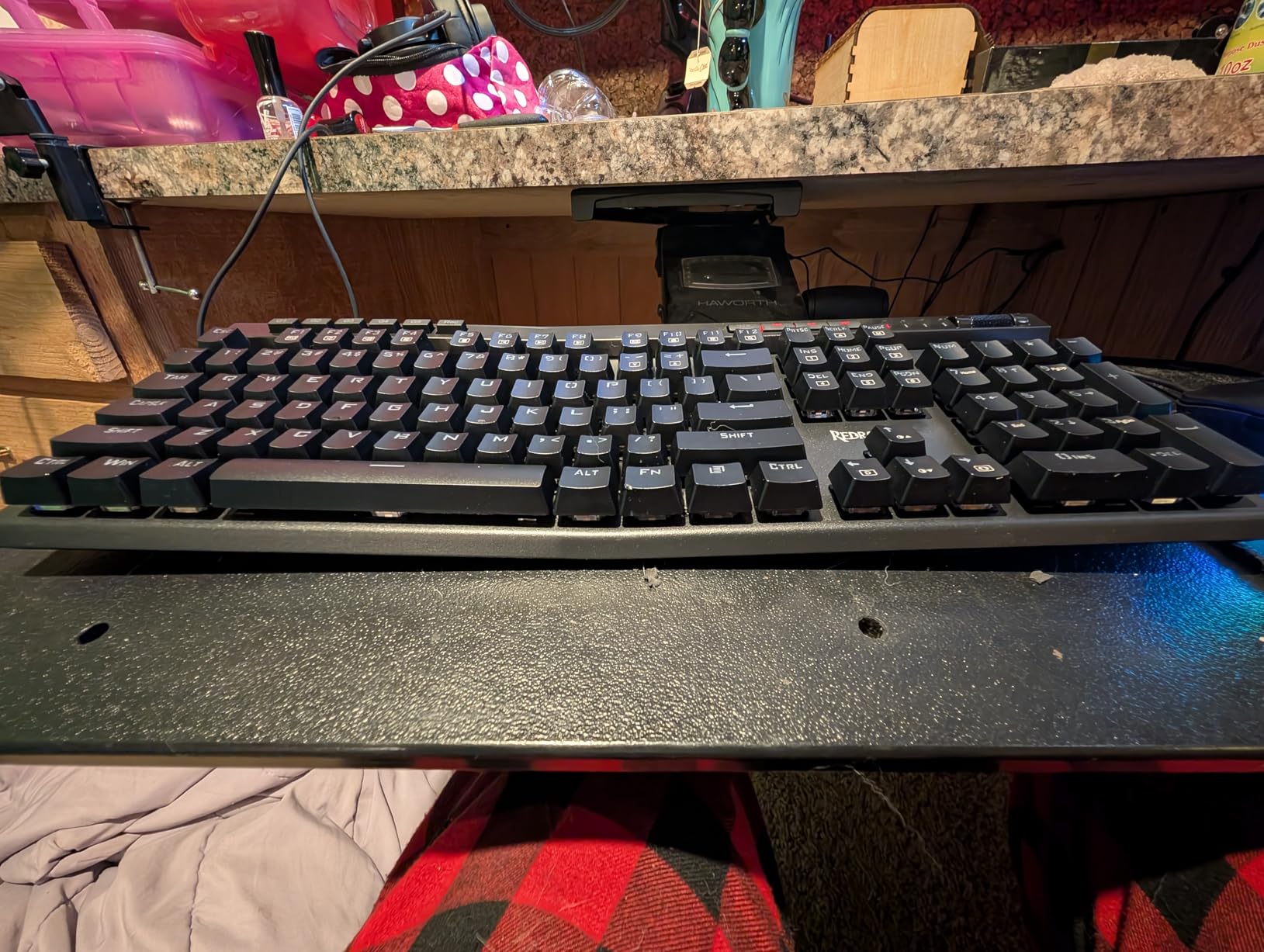
The onboard RGB programming is one of my favorite features. You can cycle through 18 backlight models and 5 side-edge RGB modes using keyboard shortcuts alone, no software required. This makes the K580 incredibly Linux-friendly since you get full lighting control without needing a driver. The settings persist across reboots thanks to onboard memory.
The build quality is solid for the price with an aluminum plate inside, but the blue switches are the elephant in the room. They are extremely loud, loud enough that my partner complained from the next room during an evening typing session. If you work in a shared office or live with others, these switches will be disruptive. There is also a metallic twang sound when you bottom out keys hard, which comes from the aluminum plate resonating.
Who should buy this keyboard
The K580 VATA is ideal for MMO and MOBA gamers who need macro keys for complex keybinds. The five macro keys on the left side are perfectly positioned for quick access with your pinky or ring finger. It is also great for video editors and streamers who want programmable shortcuts for their workflow.
If you use Linux, this is one of the best mechanical keyboards you can buy. The onboard RGB programming and macro recording work completely without software, which means full functionality on any operating system.
What to watch out for before buying
The blue switches are the main dealbreaker. If you work in a shared space, look at the Redragon K556 with brown switches instead, which I review next. The volume scroll wheel also has a rough feel that some users dislike, and it can scroll too fast or too slow depending on your sensitivity settings.
The F1-F12 keys sit lower than the rest of the keyboard, which takes adjustment. I found myself missing them occasionally during the first week. The included software works for basic macro recording but has poor English translation and limited customization options.
6. Redragon K556 RGB LED – Best Quiet Typing Under $55
Redragon K556 RGB LED Backlit Wired Mechanical Gaming Keyboard, 104 Keys Hot-Swap Mechanical Keyboard w/Aluminum Base, Upgraded Socket and Noise Absorbing Foams, Soft Tactile Brown Switch
Tactile brown switches
Hot-swappable
104 keys full-size
Aluminum base
Noise-dampening foam
RGB
Wired USB
Pros
- Excellent value best under $60
- Aluminum base gives premium sturdy feel
- Brown switches quiet with good tactile feedback
- Noise-absorbing foam reduces hollow sounds
- 20 RGB presets without software
- Includes spare switches and puller
Cons
- Software largely non-functional
- Some ringing sound from aluminum body
- No dedicated media keys or volume wheel
- No wrist rest included
- Keycaps not shine-through
The Redragon K556 is the keyboard I recommend most often to friends asking for a budget mechanical keyboard. With over 8,000 reviews and a 4.6-star rating, it has earned its reputation as the best value mechanical keyboard under $60. The brown tactile switches give a satisfying bump without the loud click of blue switches, making it suitable for both office and home use.
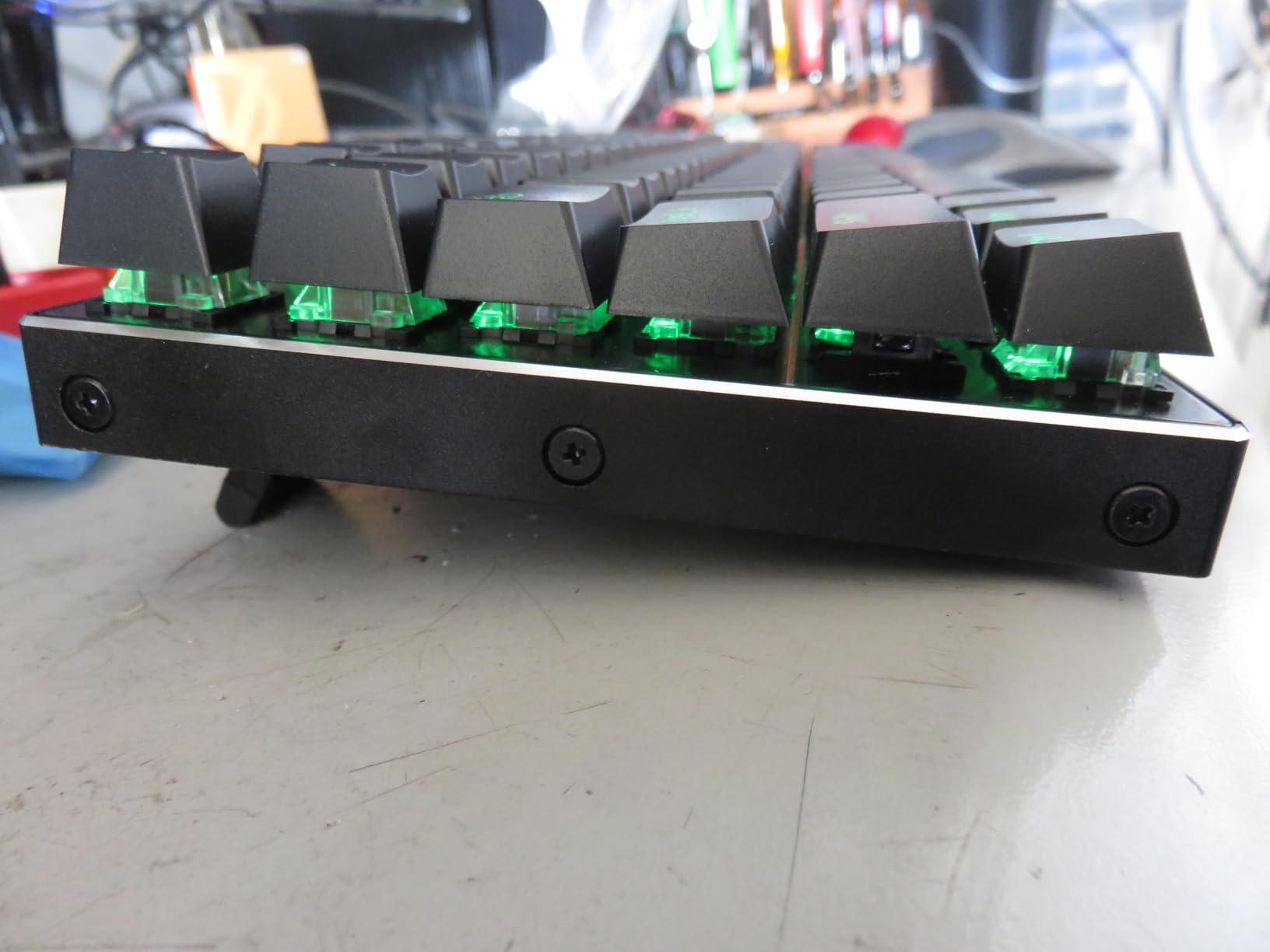
The aluminum base is the feature that separates the K556 from other budget boards. It gives the keyboard a heavy, premium feel that resists sliding on your desk during intense gaming. The noise-absorbing foam inserts inside the case reduce the hollow echoing sound that cheaper boards suffer from, making the typing experience noticeably more refined.
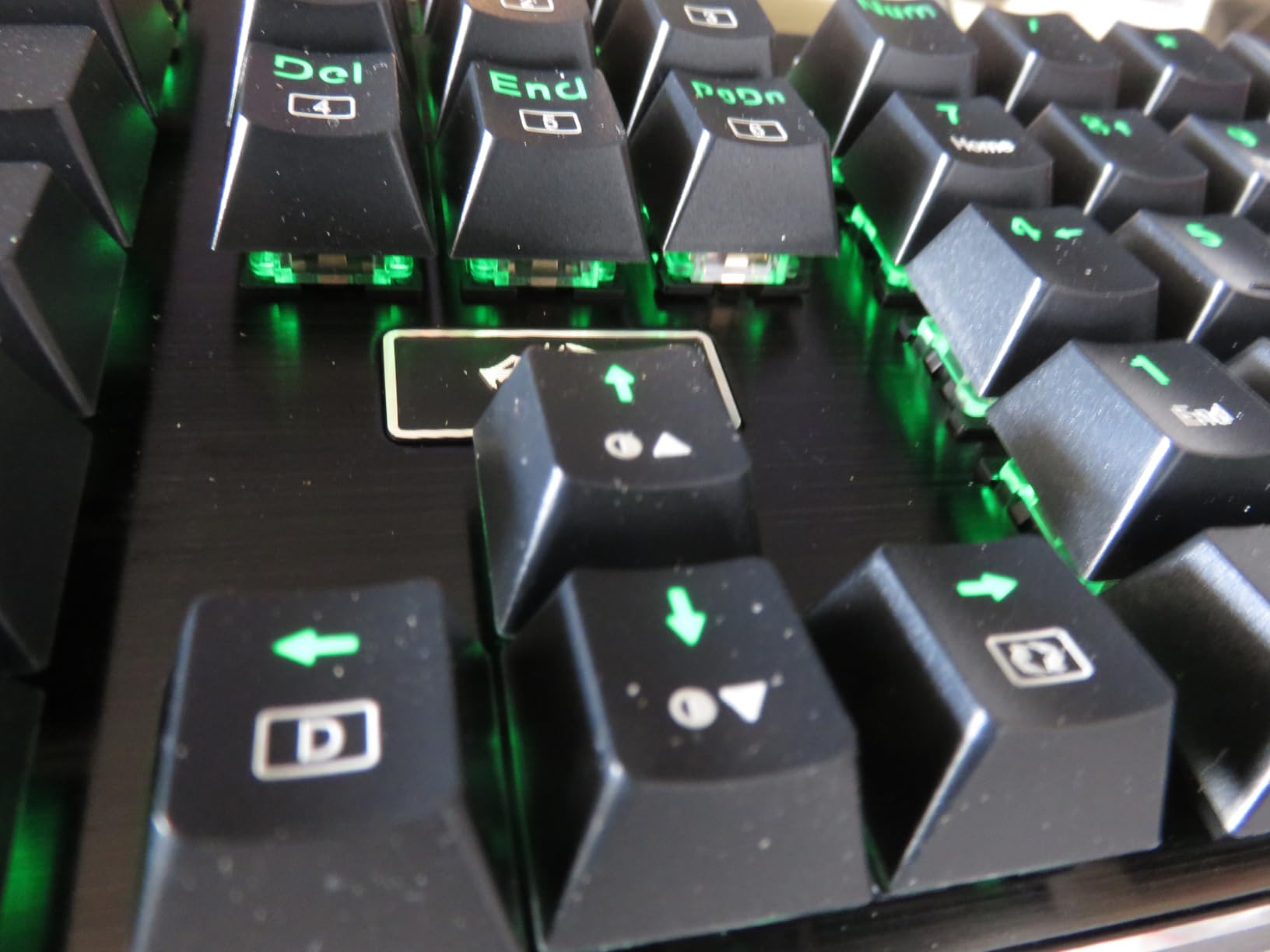
I tested the K556 as my daily driver for two weeks of writing and gaming. The brown switches struck a perfect balance between typing accuracy and gaming speed. The tactile bump gave me confidence on each keystroke without the noise of clicky switches. The hot-swappable socket means I can try different switch types later, which adds tremendous long-term value.
The 20 RGB backlight presets are all accessible through keyboard shortcuts, and the settings persist across reboots via onboard memory. This is a feature that even some $100-plus keyboards lack. However, the software for per-key RGB customization is essentially non-functional, which is the K556’s biggest weakness. Stick to the onboard presets and you will be happy.
Who should buy this keyboard
The K556 is my top pick for anyone who wants their first mechanical keyboard and does not want to spend more than $55. It is the ideal stepping stone from a membrane keyboard to the mechanical keyboard world. The brown switches are quiet enough for office use while still giving satisfying tactile feedback.
I also recommend it to budget-conscious gamers who want a full-size board with a number pad, aluminum construction, and hot-swappable switches. At this price, nothing else in this roundup offers the same combination of features.
What to watch out for before buying
The software is the biggest disappointment. If you want per-key RGB customization or advanced macro programming, you will be frustrated. The onboard presets work well, but power users will hit a ceiling quickly. There is also a slight metallic ringing sound when you bottom out keys, caused by the aluminum body resonating.
There are no dedicated media keys or a volume wheel, which means you rely on FN key combinations for playback control. The keycaps are also not shine-through, so legends will not light up with the RGB backlighting underneath.
7. Keychron K10 Full Size – Best Bluetooth Multi-Device
Keychron K10 Full Size 104 Keys Bluetooth Wireless Mechanical Gaming Keyboard for Mac Windows with Keychron Super Brown Switch, Multitasking/White LED Backlight/USB C Wired Computer Keyboard
Tactile brown switches
Bluetooth 5.1
USB-C
104 keys full-size
4000mAh battery
White LED
Mac and Windows compatible
Pros
- Excellent typing feel with tactile feedback
- Bluetooth 5.1 connects up to 3 devices
- Solid metal frame build quality
- Long battery life up to 240 hours
- Mac and Windows dual compatibility
- Includes keycap puller
Cons
- No clear battery indicator
- Sleeps after 10 minutes of inactivity
- Short USB-C cable included
- First keystroke lost when waking from sleep
- Some quality control issues reported
The Keychron K10 is the keyboard I recommend specifically for Mac users and multi-device workflows. Keychron is one of the few brands that designs keyboards with genuine macOS compatibility in mind, including the correct key layout and dedicated Mac keycaps in the box. The Bluetooth 5.1 connectivity lets you pair up to three devices and switch between them with a button press.
The Keychron Super Brown switches deliver a tactile typing experience that feels refined and accurate. I typed at my full speed within minutes of unboxing this keyboard. The 4000mAh battery gives up to 240 hours of use with the backlight off, which is excellent for a full-size wireless board. The white LED backlighting is clean and professional, avoiding the gamer aesthetic that some office users want to avoid.
I tested the K10 across a MacBook Pro, a Windows desktop, and an iPad Pro. The device switching via the BT1/BT2/BT3 toggle was seamless, and the reconnection was fast every time. Having a full number pad on a Bluetooth keyboard is a rarity, and the K10 fills that gap perfectly for users who need one for work.
The biggest annoyance during testing was the sleep mode. The keyboard goes to sleep after about 10 minutes of inactivity, and the first keystroke when waking it up is often lost. This means you occasionally have to type a character twice after stepping away. There is also no clear battery indicator, just a small red light on the side that is easy to miss.
Who should buy this keyboard
The K10 is my top pick for Mac users who want a full-size wireless mechanical keyboard. The included Mac keycaps and native macOS layout support make it plug-and-play on Apple devices without any workarounds. It is also excellent for anyone who works across multiple devices and wants a single keyboard that can switch between them instantly.
I also recommend it to office professionals who want a clean, professional-looking mechanical keyboard without aggressive RGB lighting or gaming branding. The white LED and minimalist design fit well in any workspace.
What to watch out for before buying
The sleep mode issue is the most frustrating aspect. If you frequently step away from your desk, you will lose keystrokes when the keyboard wakes up. This can be mitigated by using USB-C wired mode, but that defeats the purpose of buying a wireless keyboard. A few users also reported quality control issues, including a chemical smell from new units and occasional defective switches.
The included USB-C cable is short, so if you plan to use wired mode at a standing desk or with a desktop tower under the desk, you will likely need to buy a longer cable. The 4.3-star rating is slightly lower than other boards in this roundup, mostly due to these quality control concerns.
8. Corsair K65 Plus Wireless – Best Premium 75% Wireless
Corsair K65 Plus Wireless 75% RGB Mechanical Gaming Keyboard – Pre-Lubricated MLX Red Linear Switches – PBT Dye-Sub Keycaps – PC, Mac, PS5, PS4, Xbox, iPad – QWERTY NA – Black/Gray
Linear MLX Red switches
75% compact
81 keys
Tri-mode wireless
PBT dye-sub keycaps
266hr battery
Multi-function dial
RGB
Pros
- Pre-lubricated MLX Red switches for smooth keypress
- Excellent 266-hour battery life with RGB off
- Multiple connectivity 2.4GHz Bluetooth USB-C
- Sturdy PBT dye-sub keycaps resist fading
- Multi-function dial for media control
- Compact 75% saves desk space
Cons
- Battery life much shorter with RGB enabled
- iCUE software required for macros
- Default keycaps do not allow backlight shine-through
- Custom colors may not save after restart
- Some firmware issues with wireless receiver
The Corsair K65 Plus Wireless is the most premium-feeling keyboard in this roundup. The pre-lubricated MLX Red linear switches are among the smoothest I have ever typed on, rivaling switches that cost $1-plus per unit in the custom keyboard market. The 75% layout with function keys and a multi-function dial hits the sweet spot between compact size and everyday usability.
The tri-mode connectivity covers every possible use case. I used the 2.4GHz Slipstream wireless for gaming with zero perceptible latency, Bluetooth for connecting to my iPad, and USB-C wired for charging while working. The 266-hour battery life with RGB off is exceptional for a wireless keyboard of this size.
The PBT dye-sublimated keycaps are a significant upgrade over the ABS keycaps found on most gaming keyboards. They resist shine and wear, meaning the board will look new for much longer. The multi-function rotary dial on the top right lets me adjust volume, scroll through content, and control lighting with a simple twist and press.
The main drawback is battery life with RGB enabled, which drops significantly from the 266-hour claim. In my testing with RGB on at moderate brightness, I got closer to 50-60 hours before needing a charge. The default keycaps also do not let backlighting shine through the legends, which limits the visual impact of the RGB lighting. Some users reported firmware issues with the wireless receiver disconnecting intermittently.
Who should buy this keyboard
The K65 Plus Wireless is ideal for users who want a premium wireless keyboard from a major brand with reliable warranty support. I recommend it to gamers who want 2.4GHz low-latency wireless, content creators who appreciate the multi-function dial, and anyone who wants a desk-friendly 75% layout without sacrificing build quality.
If you already own other Corsair peripherals, the iCUE ecosystem integration is a bonus. You can synchronize lighting and create profiles across your Corsair mouse, headset, and keyboard.
What to watch out for before buying
The iCUE software requirement is a double-edged sword. It enables full customization but must be running for macros and advanced lighting effects to work. There is no onboard memory for these settings, which means they may not persist when switching computers or after a restart.
The RGB battery drain is significant. If you want to use the full 16.8 million color lighting at high brightness, expect to charge the keyboard every few days rather than every few weeks. Consider using a static color at low brightness for better battery life.
9. Razer BlackWidow V3 TKL – Best TKL for Competitive Gaming
Razer BlackWidow V3 TKL Mechanical Gaming Keyboard: Yellow Mechanical Switches Linear & Silent - Chroma RGB - Compact Form Factor - Programmable Macros Snap Tap
Linear yellow switches
87 keys TKL
1.2mm actuation
Chroma RGB
Snap Tap
Metal top plate
Wired USB
80M click durability
Pros
- Fast 1.2mm actuation for responsive gaming
- Snap Tap feature for competitive FPS
- Sound dampeners for quiet linear switches
- Razer Chroma RGB with 16.8 million colors per key
- Military-grade metal top plate
- 80 million click switch durability
Cons
- Wired only no wireless option
- Razer Synapse required for full RGB customization
- Windows only no macOS support
- Non-hot-swappable switches
- Plastic bottom frame despite metal top
The Razer BlackWidow V3 TKL is the keyboard I recommend to competitive gamers who prioritize speed above all else. The Razer Yellow linear switches have a 1.2mm actuation point, which is among the fastest of any keyboard in this roundup. During my testing in FPS games, I could feel the difference in responsiveness compared to standard 2mm actuation switches, especially during rapid movement inputs.
The Snap Tap feature is a game-changer for FPS gaming. It allows you to change strafe directions instantly without fully releasing the previous key, which gives a competitive edge in games like Valorant and CS2. Razer Hypershift lets you create a second layer of programmable macros, effectively doubling your available key bindings on a compact TKL layout.
The military-grade metal top plate gives the BlackWidow V3 TKL a rigid, durable feel that can withstand tournament-level abuse. The sound dampeners inside reduce the noise of the linear switches, making it one of the quieter gaming keyboards I have tested despite having a fast, aggressive switch design. The Razer Chroma RGB ecosystem syncs with other Razer peripherals and even compatible games for immersive lighting effects.
The trade-offs are significant though. The keyboard is wired only, which may bother users who want a clean wireless desk setup. The switches are not hot-swappable, so you are locked into the Yellow linear switches forever. Razer Synapse is required for full RGB customization, and the keyboard is Windows only, with no official macOS support.
Who should buy this keyboard
The BlackWidow V3 TKL is purpose-built for competitive FPS gamers. If you play Valorant, CS2, Apex Legends, or any game where reaction time matters, the 1.2mm actuation and Snap Tap feature give you a measurable advantage. I recommend it to anyone who takes gaming seriously and wants a tournament-grade keyboard from a trusted brand.
It is also a strong pick for gamers who already own other Razer Chroma products and want unified lighting across their setup. The Synapse ecosystem makes synchronization effortless.
What to watch out for before buying
The wired-only design is the main limitation. If you want a wireless Razer keyboard, you would need to step up to the BlackWidow V3 Pro, which costs significantly more. The non-hot-swappable switches also mean you cannot experiment with different switch types, which limits long-term customization.
Windows-only compatibility excludes Mac users entirely unless they are willing to use third-party workarounds. The plastic bottom frame feels less premium than the metal top plate suggests, so pick it up carefully to avoid flex. Razer Synapse running in the background also uses system resources, which some competitive gamers prefer to avoid.
How to Choose the Right Prime Day Mechanical Keyboard
Picking the right keyboard from these Amazon Prime Day mechanical keyboard deals comes down to understanding four key factors: switch type, form factor, connectivity, and hot-swappability. I have broken down each one based on my testing experience to help you make the right call.
Understanding Switch Types: Linear, Tactile, and Clicky
Linear switches (like the red switches on the Redragon K671 and AULA F75 Pro) have a smooth, consistent keystroke with no bump. They are the fastest for gaming because there is no resistance to overcome. I recommend linear switches for FPS gamers and anyone who types lightly.
Tactile switches (like the brown switches on the Redragon K556 and Keychron K10) have a noticeable bump halfway through the keypress. This gives you feedback that the key has actuated, which improves typing accuracy. I recommend tactile switches for writers, programmers, and office workers.
Clicky switches (like the blue switches on the Redragon K580 VATA) have both a tactile bump and an audible click sound. They are the most satisfying for typing but also the loudest. I only recommend clicky switches if you work alone or in a private space.
Choosing the Right Form Factor
Full-size keyboards (104 keys, like the Redragon K671, K556, and K580) include a number pad and are best for data entry, accounting, and users who rely on the numpad. They take up the most desk space.
96% layout (99 keys, like the AULA F99) compresses the number pad closer to the main keys, saving space while keeping full functionality. This is my preferred layout if you need a numpad but want a more compact footprint.
TKL or tenkeyless (87 keys, like the Razer BlackWidow V3 TKL) removes the number pad entirely. This is the standard for competitive gaming because it gives your mouse more room to move.
75% layout (81 keys, like the AULA F75 Pro and Corsair K65 Plus) is even more compact than TKL, squeezing the function row and arrow keys into a tighter space. It is ideal for small desks and portable setups.
Wireless vs Wired: Which Is Right for You?
If you want a clean desk or use multiple devices, go wireless. The AULA F75 Pro, AULA F99, Keychron K10, and Corsair K65 Plus all offer tri-mode connectivity. For competitive gaming where latency matters, wired keyboards like the Razer BlackWidow V3 TKL or the Logitech G413 SE are still the safest choice.
Pay attention to battery capacity. The AULA F99 has an 8000mAh battery that lasts weeks, while the Corsair K65 Plus has a 266-hour battery that drains much faster with RGB on. Match the battery capacity to your usage patterns.
Why Hot-Swappable Matters
Hot-swappable keyboards let you change switches without soldering. This means you can try different switch types, replace broken switches, or upgrade to premium switches over time. The Redragon K671, K580, K556, AULA F75 Pro, and AULA F99 are all hot-swappable.
Non-hot-swappable boards like the Logitech G413 SE and Razer BlackWidow V3 TKL lock you into one switch type permanently. If switch experimentation matters to you, prioritize hot-swappable options.
How to Spot Real Prime Day Deals vs Fake Discounts
Not every Prime Day discount is genuine. I recommend checking price history using tools like CamelCamelCamel or Keepa before buying. Some sellers raise prices in the weeks before Prime Day and then discount them back to normal, making the “deal” look better than it is. Focus on the actual price compared to the historical low, not the percentage discount claimed.
Also watch for Lightning Deals that expire quickly. These can offer genuine savings but require you to act fast. Add keyboards to your wishlist ahead of time so you get notified when prices drop.
FAQs
What mechanical keyboard to buy in 2026?
The AULA F75 Pro Wireless is the best mechanical keyboard to buy in 2026 for most users. It offers tri-mode wireless connectivity, hot-swappable pre-lubed switches, a gasket-mounted structure for premium typing feel, and PBT keycaps, all for around $70. For budget buyers, the Redragon K556 with tactile brown switches is the best value under $55.
What is the best mechanical keyboard on Amazon?
Based on our testing of 9 keyboards, the AULA F75 Pro Wireless ranks highest with a 4.7-star rating from nearly 1,600 reviews. It is currently the number one bestseller in PC Gaming Keyboards on Amazon, praised for its premium build quality, thocky sound, and tri-mode wireless connectivity at an affordable price.
Is a 60% or 75% keyboard better?
A 75% keyboard is better for most users because it retains the function row and dedicated arrow keys while staying compact. A 60% keyboard removes both, which saves space but requires using FN key combinations for arrow keys and function row access. Choose 60% only if you need maximum portability and never use the function row. Choose 75% if you want compact size with full usability.
Are Amazon Prime Day keyboard deals actually good?
Yes, Amazon Prime Day consistently offers some of the best mechanical keyboard deals of the year outside of Black Friday. Popular models from Redragon, Logitech, Razer, and Keychron typically see 15-30% discounts. Use price tracking tools like Keepa or CamelCamelCamel to verify the deal is genuine and not an inflated-then-discounted price.
What switch type is best for gaming vs typing?
Linear switches are best for gaming because they have no tactile bump, allowing for faster actuation and smoother keypresses. Tactile switches are best for typing because the bump provides feedback that improves accuracy and reduces typos. Clicky switches offer the most satisfying typing experience but are too loud for shared spaces. For a hybrid, tactile brown switches work well for both gaming and typing.
Final Thoughts on Prime Day Mechanical Keyboard Deals
After testing all 9 keyboards, my top recommendation for Amazon Prime Day mechanical keyboard deals is the AULA F75 Pro Wireless for its unbeatable combination of premium feel, tri-mode wireless, and hot-swappable switches at around $70. The Redragon K556 remains the best value pick at under $55, and the Redragon K671 is the cheapest entry into mechanical keyboards at under $30. Whatever your budget or layout preference, Prime Day is the best time to buy, so grab your pick before the deals expire.