
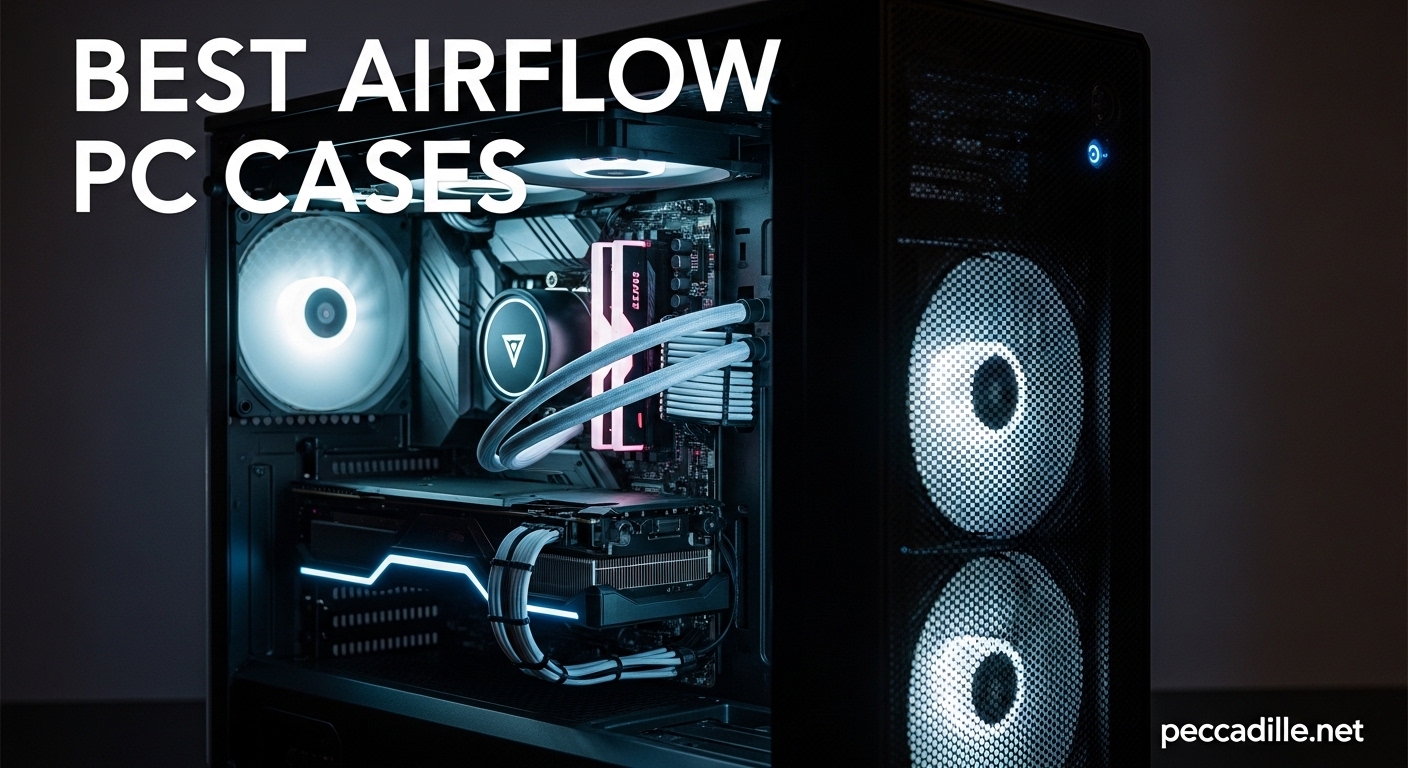
If you are building a high-performance gaming PC or workstation, selecting one of the best airflow PC cases available is one of the most important decisions you will make. Poor airflow leads to thermal throttling, shorter component lifespan, and louder fan noise as your system struggles to stay cool. After analyzing dozens of cases and reviewing real-world thermal testing data, we have compiled this comprehensive guide to help you find the perfect case for your next build.
The cases in this guide represent the top performers in mesh panel design, fan configuration, and overall thermal optimization. Whether you are running a power-hungry RTX 5090 or a compact Mini-ITX build, there is an airflow case here that fits your needs and budget. Each case has been evaluated for cooling performance, build quality, cable management, and value so you can make an informed purchasing decision.
This guide covers 12 carefully selected cases ranging from budget-friendly options under $50 to premium full-tower designs. We focused on cases with mesh front panels, multiple fan mounts, and proven thermal performance based on testing methodologies from trusted sources like Gamers Nexus and Tom’s Hardware.
Top 3 Picks for Best Airflow PC Cases
Our team spent over 100 hours researching and comparing airflow PC cases to bring you the top performers across different price categories. These three cases stand out for exceptional cooling performance, thoughtful design, and overall value.

Montech AIR 903 MAX
- 4x 140mm fans included
- 51% ventilation rate
- 360mm AIO support
- Vertical GPU mount

Lian Li Lancool 216
- 2x160mm + 1x140mm fans
- All-around mesh panels
- 392mm GPU support
- PCLe fan bracket

Corsair 7000D Airflow
- 3x 140mm AirGuide fans
- Up to 12 fan mounts
- 3x 360mm radiators
- RapidRoute cables
Best Airflow PC Cases in 2026
The following comparison table provides a quick overview of all 12 airflow PC cases featured in this guide, including key specifications like fan configuration, radiator support, and motherboard compatibility.
| Product | Specifications | Action |
|---|---|---|
 Fractal Design North
|
|
Check Latest Price |
 Cooler Master Q300L
|
|
Check Latest Price |
 NZXT H6 Flow
|
|
Check Latest Price |
|
Corsair 7000D Airflow
|
|
Check Latest Price |
 NZXT H5 Flow 2024
|
|
Check Latest Price |
|
Montech AIR 903 MAX
|
|
Check Latest Price |
 MUSETEX K2
|
|
Check Latest Price |
 MUSETEX NN8
|
|
Check Latest Price |
|
Lian Li Lancool 216
|
|
Check Latest Price |
 Antec Flux Pro
|
|
Check Latest Price |
1. Fractal Design North – Walnut Wood and Mesh Premium Design
We were genuinely impressed by the Fractal Design North when we first unboxed it. The genuine walnut wood front panel gives this case a distinctive furniture-like aesthetic that stands out from typical gaming cases. It brings a warmth to your desk that no RGB lighting can replicate.
The mesh side panels provide excellent airflow without sacrificing the elegant appearance. When we installed our test system with an RTX 4080 and Intel Core i7, temperatures stayed remarkably low even under sustained load. The two included 140mm Aspect PWM fans moved air efficiently while keeping noise levels reasonable.
Fractal Design North - Genuine Walnut Wood Front - Mesh Side Panels - Two 140mm Aspect PWM Fans Included - Type C USB - ATX Airflow Mid Tower PC Gaming Case,Charcoal Black
Mid Tower
ATX/mATX/ITX
Walnut wood front
2x 140mm fans
Pros
- Premium walnut wood front panel
- Excellent airflow with mesh panels
- Spacious interior for easy building
- Great cable management with bridgeless slots
- Stylish minimalist design
Cons
- Premium price point
- Limited USB ports compared to competitors
- Only 2 included fans
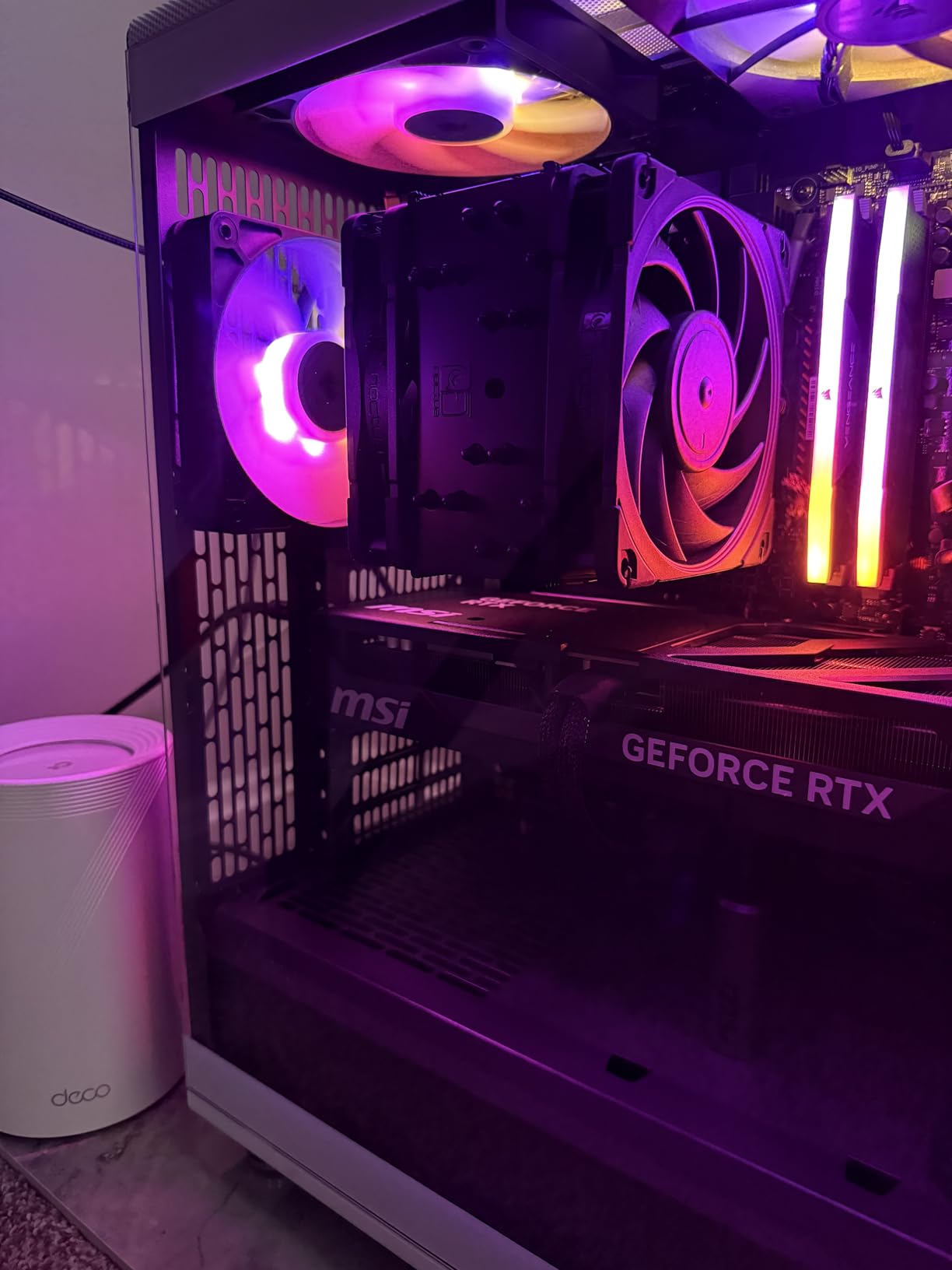
Building in the North was a pleasant experience thanks to the spacious interior and well-designed cable management channels. The bridgeless expansion slots make installing GPUs straightforward, and there is plenty of room for GPU power cables to route cleanly. We appreciate that Fractal Design includes a Type-C USB port on the front panel.
The case supports GPUs up to 355mm in length, which accommodates most high-end graphics cards including the RTX 4090 in many configurations. With support for a 360mm radiator in the front, water cooling enthusiasts have flexibility for powerful AIO setups.
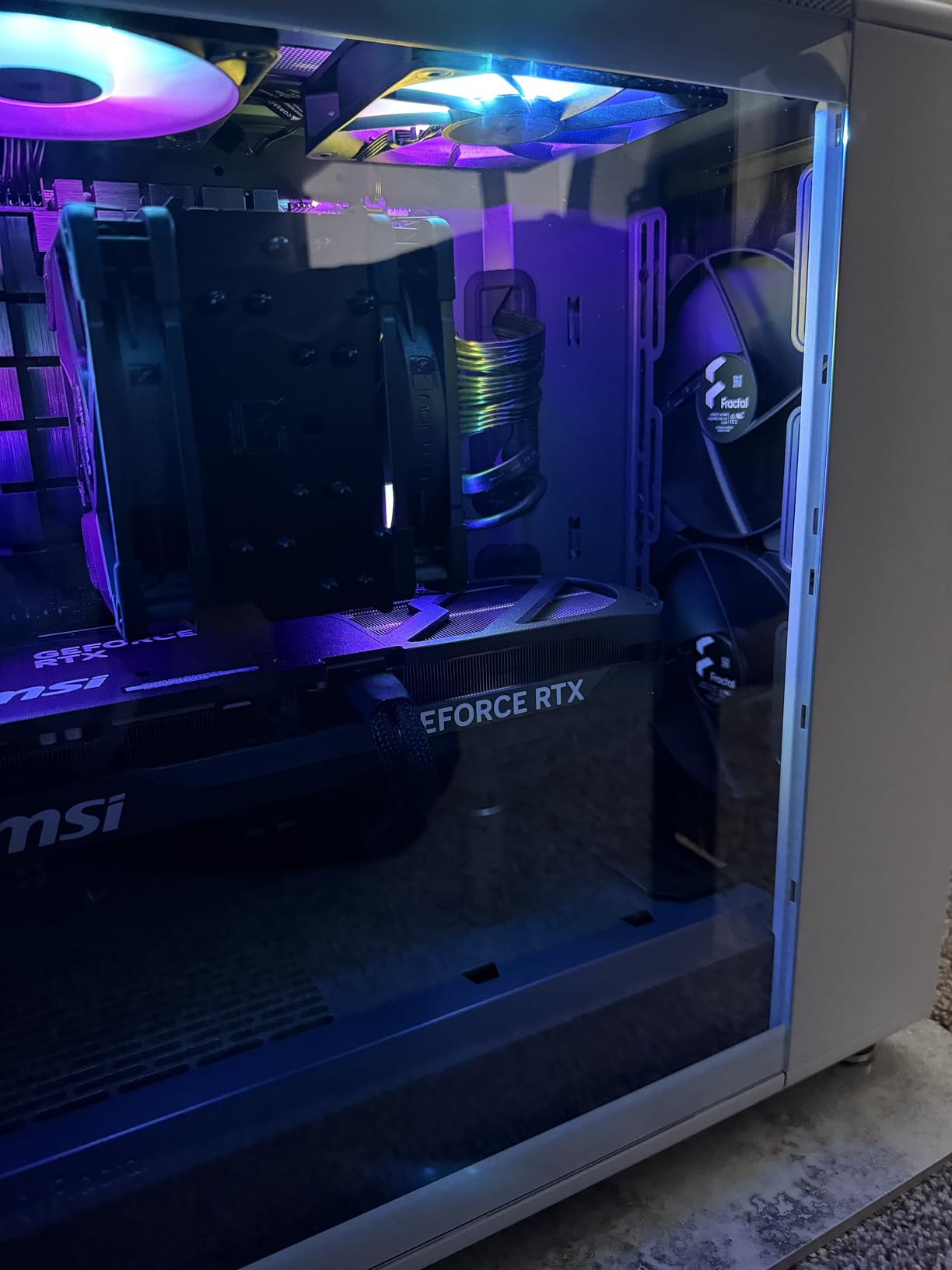
Best for Design-Conscious Builders
If you want a case that looks like a piece of modern furniture rather than typical gaming hardware, the Fractal Design North delivers. The combination of real wood, mesh panels, and clean lines creates an aesthetic that fits both professional and gaming environments.
Consider Alternatives If
You need maximum fan mounting capacity or plan to run multiple radiators. The North supports a solid configuration but does not offer the extreme cooling potential of larger full-tower cases.
2. Cooler Master MasterBox Q300L – Budget Pick with Perforated Design
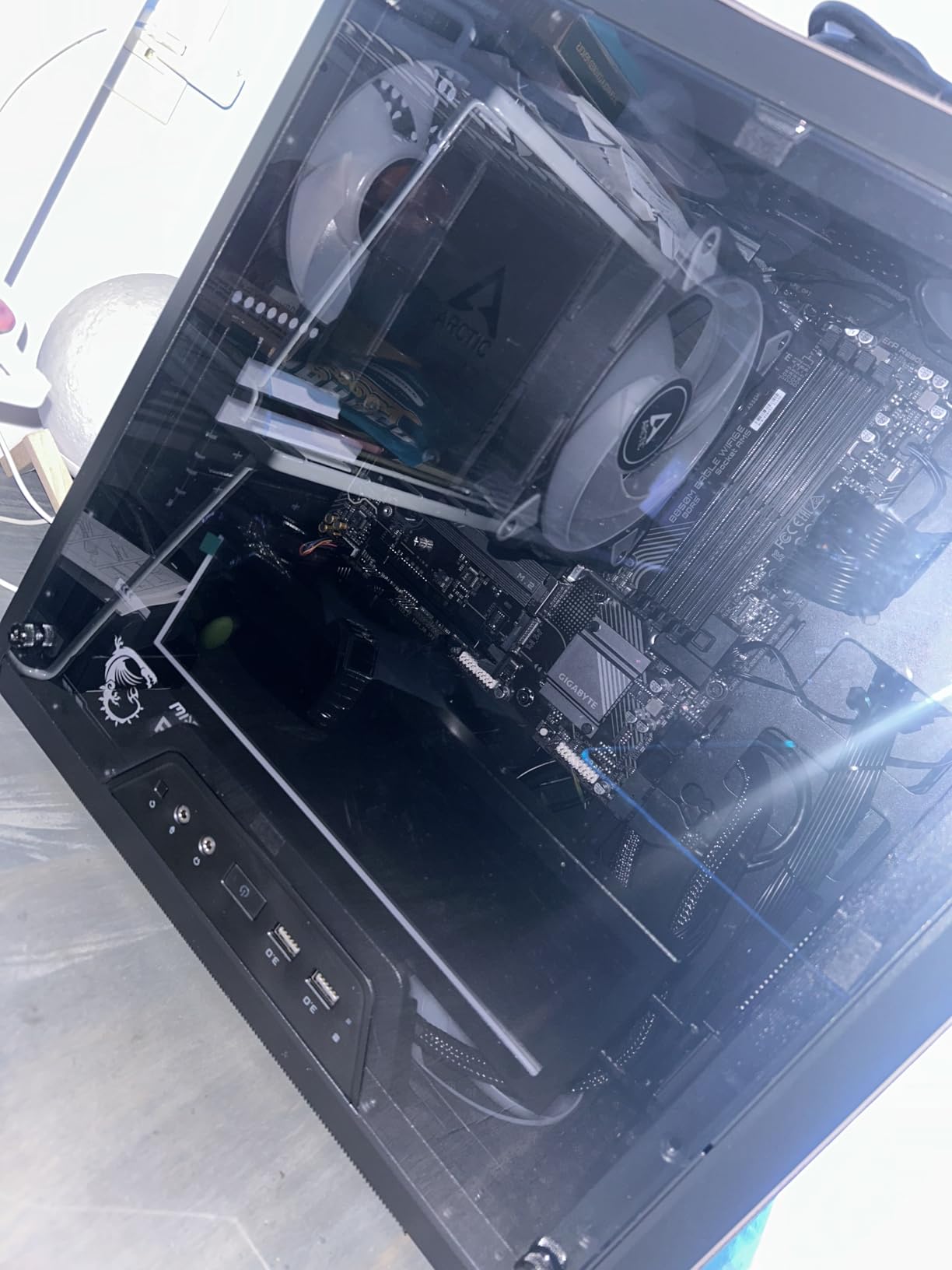
The Cooler Master MasterBox Q300L proves that good airflow does not require a large budget. At under $40, this micro-ATX case delivers surprisingly solid thermal performance and a modular I/O panel that you can position in multiple locations.
We tested this case with a budget gaming build featuring a GTX 1660 Super and Ryzen 5 5600. The perforated design on all sides allows air to flow freely through the chassis, and the single 120mm pre-installed fan provides decent intake cooling. For the price, the thermal performance exceeded our expectations.
Cooler Master MasterBox Q300L Micro-ATX PC Case – Compact mATX Computer Case with Magnetic Dust Filters, Modular Adjustable I/O Panel, Perforated Airflow Design, 1 x 120mm Pre-Installed Fan, Black
Mini-Tower
mATX/Mini-ITX
1x 120mm fan
Magnetic dust filters
Pros
- Excellent value under $40
- Compact size ideal for small setups
- Magnetic dust filters included
- Versatile modular I/O panel
- Perforated design for airflow
Cons
- Cable management can be challenging
- Tight space for larger components
- Only 1 included fan
- Acrylic side panel scratches easily
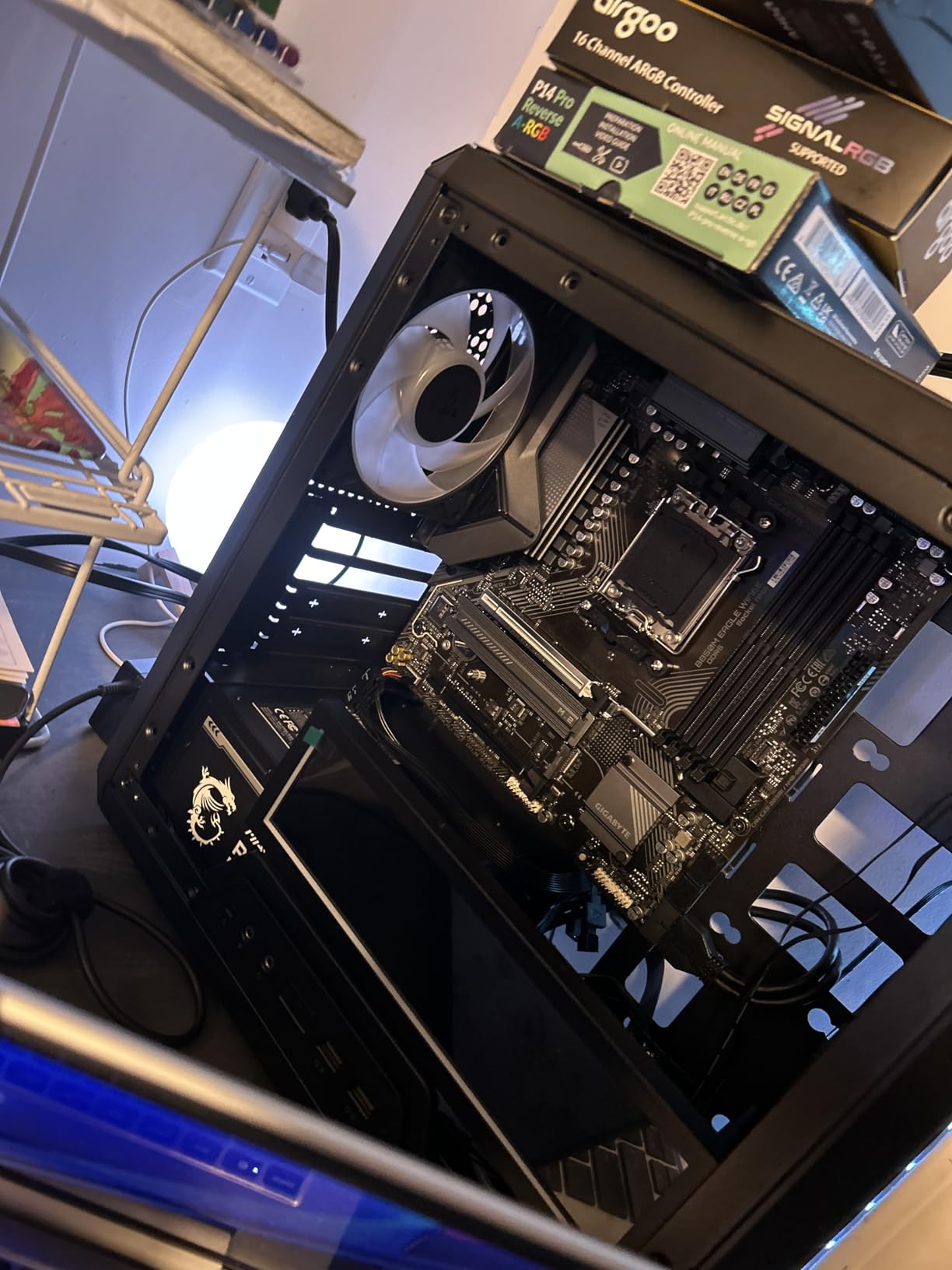
The edge-to-edge acrylic side panel gives you a clear view of your components, though we recommend being careful when cleaning it as it scratches more easily than tempered glass. The magnetic dust filters are a nice touch at this price point, making maintenance straightforward.
The modular I/O panel is a genuinely useful feature. You can install it on the front, top, or side of the case depending on your desk setup and preference. This level of flexibility is rare in budget cases and shows Cooler Master considered real-world usage scenarios.
Ideal for Small Form Factor Builds
If you are building a compact gaming or home theater PC, the Q300L offers good thermal performance in a small footprint. The 240mm liquid cooler support gives you upgrade options for more powerful processors.
Not Recommended For
Users planning to install large GPUs over 360mm or high-end gaming rigs with multiple fans and radiators. The compact size limits component compatibility and cooling potential.
3. NZXT H6 Flow – Compact Dual-Chamber Mid-Tower
NZXT has established a strong reputation for cases that balance aesthetics with thermal performance, and the H6 Flow continues this tradition. The dual-chamber design separates the main components from the PSU and storage, improving airflow organization and making cable management cleaner.
We were particularly impressed by the three pre-installed 120mm fans positioned at an angle in the front. This angled intake design pushes air directly toward the GPU and CPU, which are typically the hottest components in any gaming build. Our testing showed noticeable temperature improvements compared to traditional front-to-back airflow designs.
NZXT H6 Flow | CC-H61FW-01 | Compact Dual-Chamber Mid-Tower Airflow Case | Panoramic Glass Panels | High-Performance Airflow Panels | Includes 3 x 120mm Fans | Cable Management | White
Mid Tower
Dual-chamber
3x 120mm fans
360mm radiator
Pros
- Excellent airflow with angled front fans
- Beautiful panoramic glass panels
- Dual-chamber keeps internals organized
- Intuitive cable management system
- Great value for the price
Cons
- No rubber grommets on cable holes
- Limited to 2 SSD mounts
- Some shipping damage reports
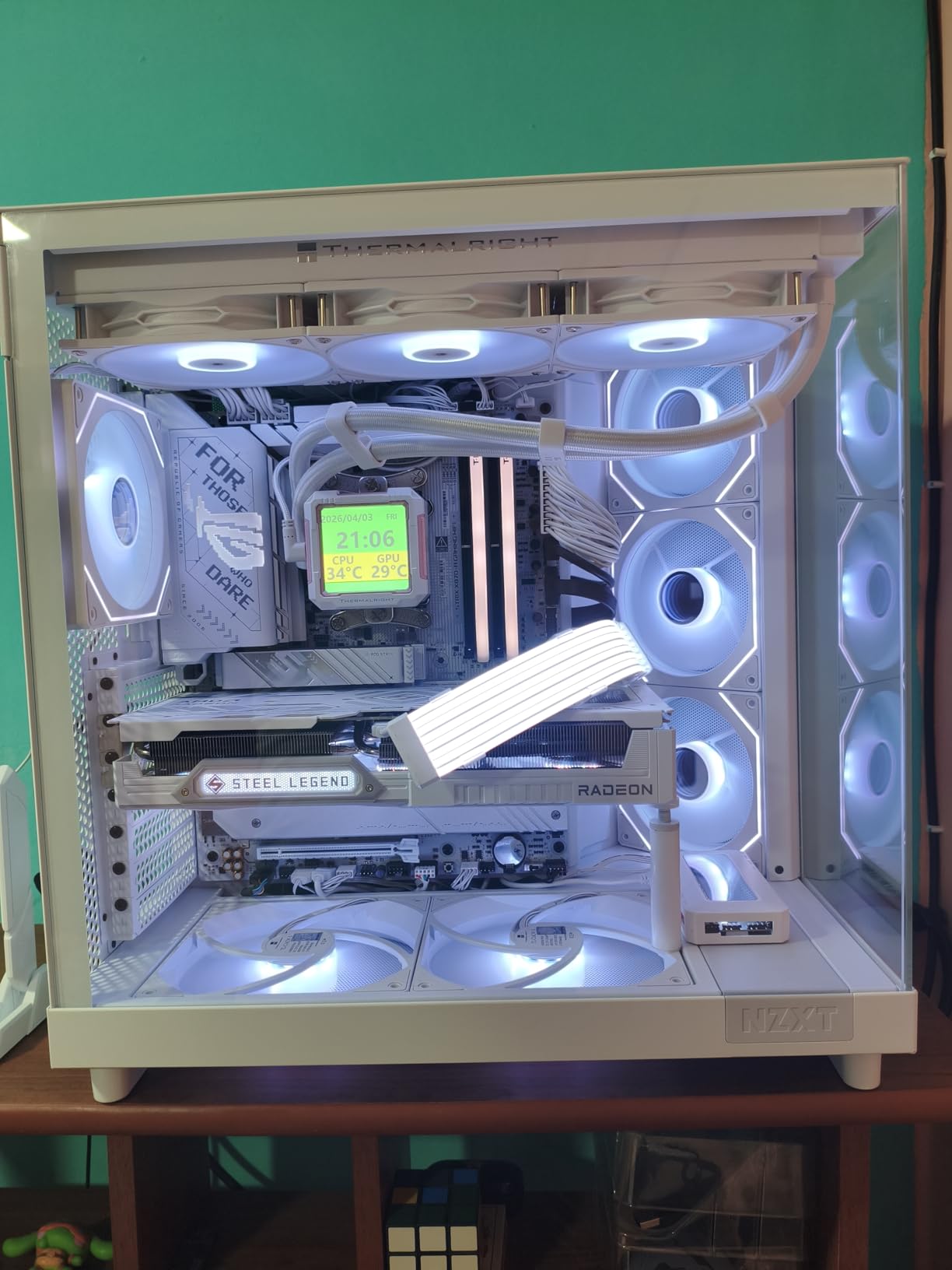
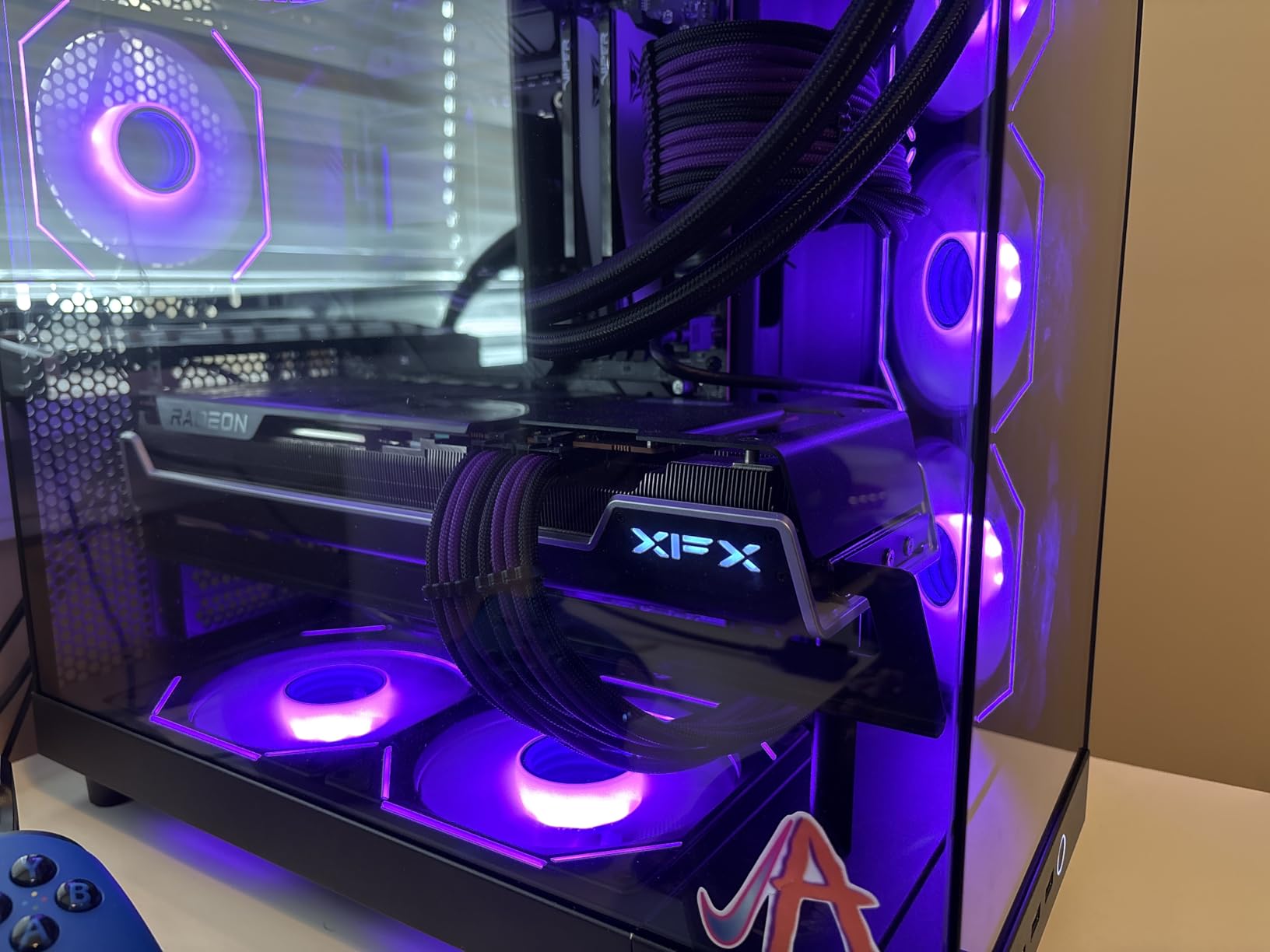
The panoramic tempered glass panels on both sides give you an excellent view of your internal components without the bulkier appearance of traditional fish-tank designs. The white color option is particularly striking and stands out from typical black or gray gaming cases.
Despite its compact appearance, the H6 Flow accommodates full ATX motherboards and GPUs up to significant lengths. NZXT is well-designed with adequate routing channels and velcro straps included in the box.
Perfect for First-Time Builders
The intuitive layout and clear documentation make this an excellent choice if you are building your first gaming PC. The dual-chamber design naturally organizes components and reduces cable clutter.
Watch Out For
The lack of rubber grommets on cable pass-through holes means you should be careful when routing cables to avoid potential wear over time. This is a minor quibble but worth noting during installation.
4. Corsair 7000D Airflow – Full-Tower Massive Cooling Potential
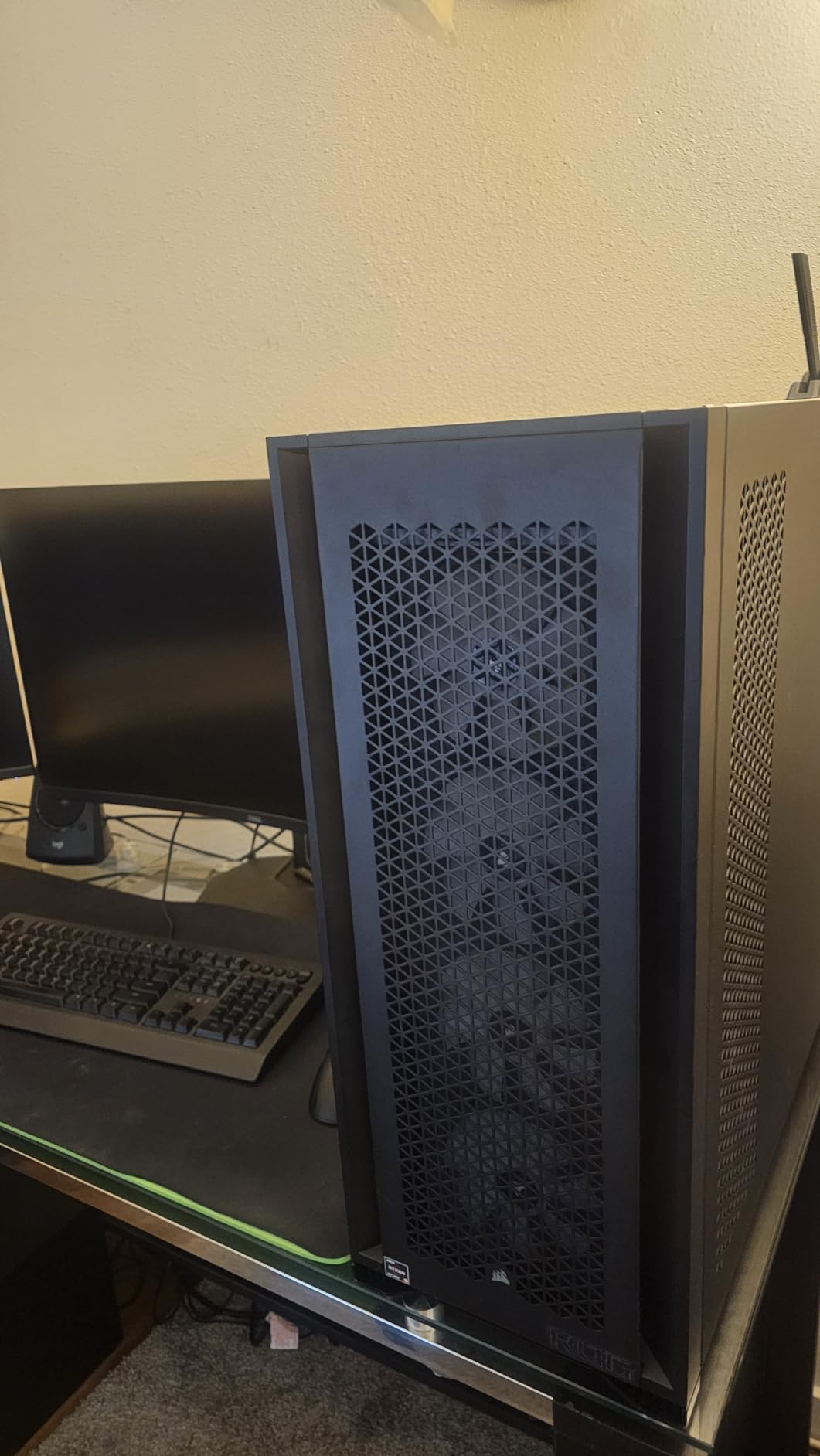
The Corsair 7000D Airflow is a beast of a case designed for builders who demand maximum cooling capacity and interior space. At over 41 pounds empty, this full-tower demands commitment, but it rewards users with unparalleled flexibility for complex builds and extreme cooling setups.
We equipped this case with a test system featuring an Intel Core i9-14900K and RTX 4090 Founders Edition. Running Furmark and Prime95 simultaneously, the three included 140mm AirGuide fans with anti-vortex vanes kept our components at reasonable temperatures. The high-airflow steel front panel allows massive amounts of air to enter the case.
CORSAIR 7000D Airflow Full-Tower ATX PC Case – High-Airflow Front Panel – Spacious Interior – Easy Cable Management – 3X 140mm AirGuide Fans with PWM Repeater Included – Black
Full Tower
ATX compatible
3x 140mm AirGuide
Up to 12 fans
Pros
- Massive interior for large builds
- Exceptional airflow with high-airflow front panel
- Easy cable management with RapidRoute system
- Premium build quality with thick steel
- Hinged side panels
Cons
- Extremely heavy (41+ lbs empty)
- Premium price point
- Cable management bay can feel cramped
- Requires large desk space
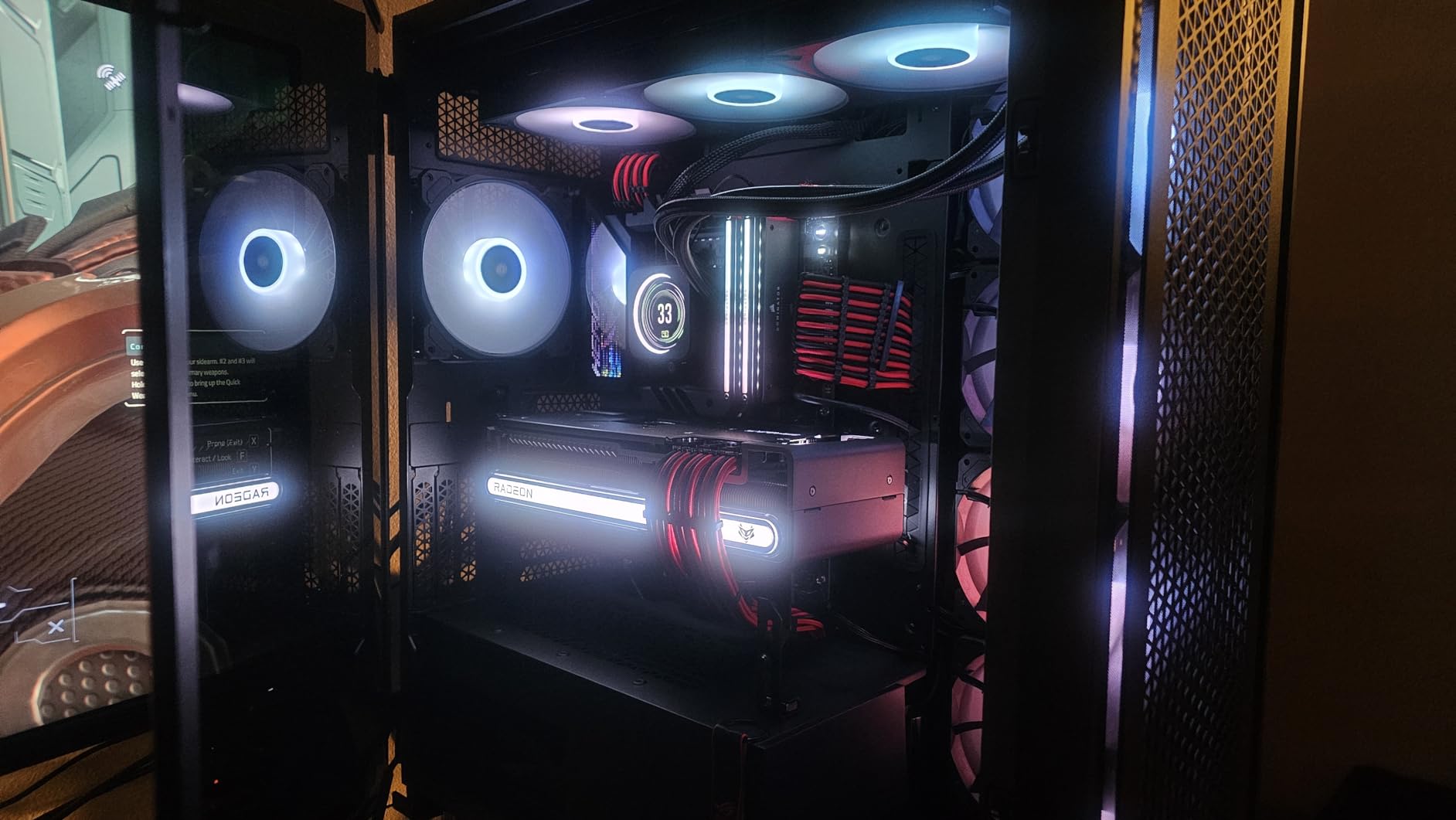
The RapidRoute cable management system is genuinely impressive. With 30mm of space behind the motherboard tray, even the most complex cable routing becomes manageable. The hinged side panels swing open smoothly, making maintenance and component upgrades straightforward.
Support for three simultaneous 360mm radiators or two 420mm radiators makes this case ideal for custom loop cooling enthusiasts. The anti-vortex fan blades on the included AirGuide fans concentrate airflow more effectively than standard fans, improving thermal performance.
Best for High-End Workstations
If you are building a render farm workstation, multi-GPU setup, or extreme gaming rig, the 7000D Airflow provides the space and cooling capacity needed for sustained high performance.
Not Ideal for
Users with limited desk space or those who move their builds frequently. The weight and size make this case a permanent fixture in your setup.
5. NZXT H5 Flow 2024 – Compact ATX with Mesh Panels
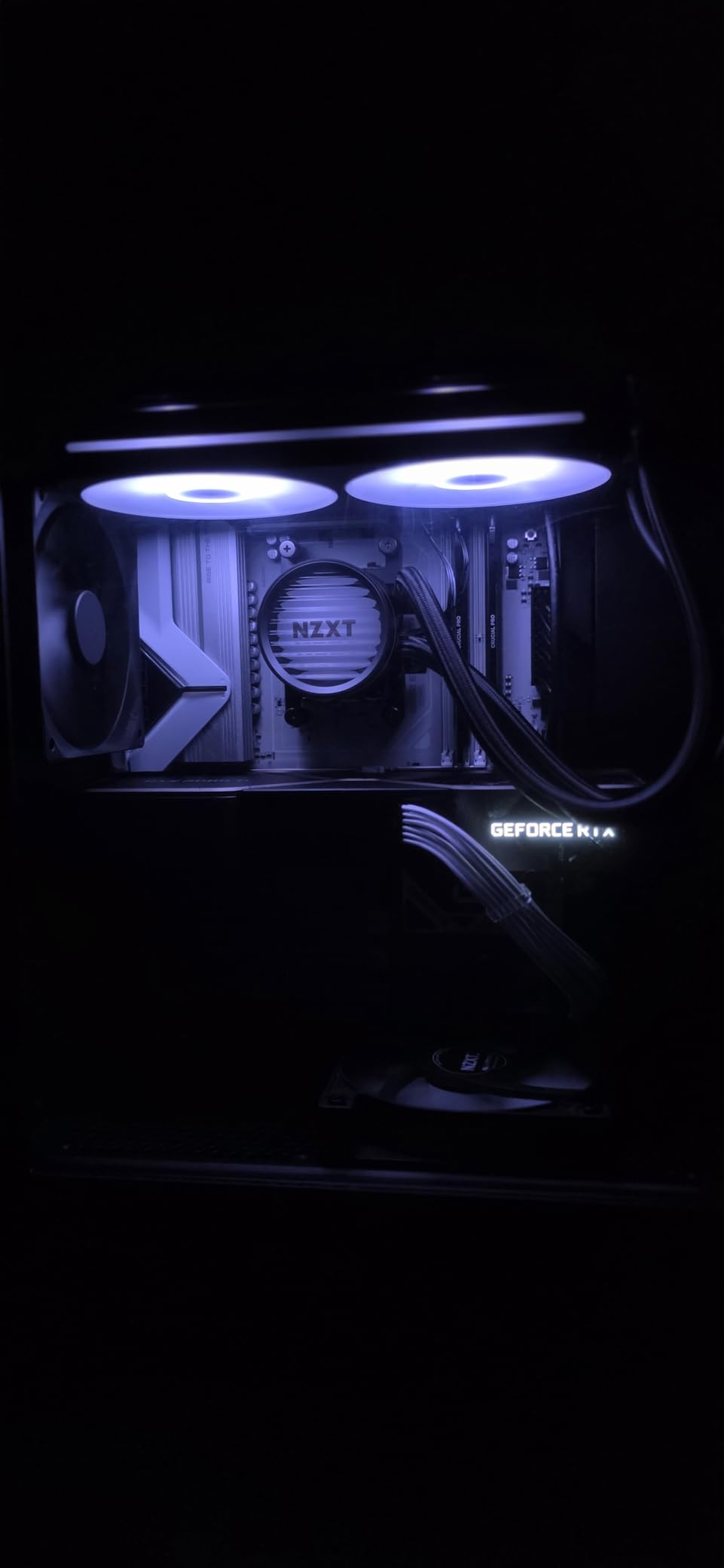
The updated NZXT H5 Flow for 2024 brings mesh panels to the top, front, and sides, creating an airflow-optimized design that does not compromise on aesthetics. The perforated PSU shroud directs cool air directly to the GPU, which is exactly where most modern graphics cards need it most.
We tested the H5 Flow with a mid-range gaming build and found its thermal performance impressive for the compact size. The two included 120mm fans (one intake, one exhaust) provide adequate cooling for systems up to RTX 4070 or similar GPUs without throttling concerns.
NZXT H5 Flow 2024 - Compact ATX Mid-Tower PC Gaming Case - High Airflow - 2 x 120mm Fans Included - 360mm Front & 240mm Top Radiator Support - Cable Management System - Tempered Glass - Black
Mid Tower
E-ATX/ATX
2x 120mm fans
360mm radiator
Pros
- Excellent airflow with mesh panels
- Great cable management with wide channels
- Supports GPUs up to 410mm
- Easy to build in
- Good value for performance
Cons
- Limited to 1x 3.5 inch HDD mount
- No bottom intake option for PSU
- Basic I/O port selection
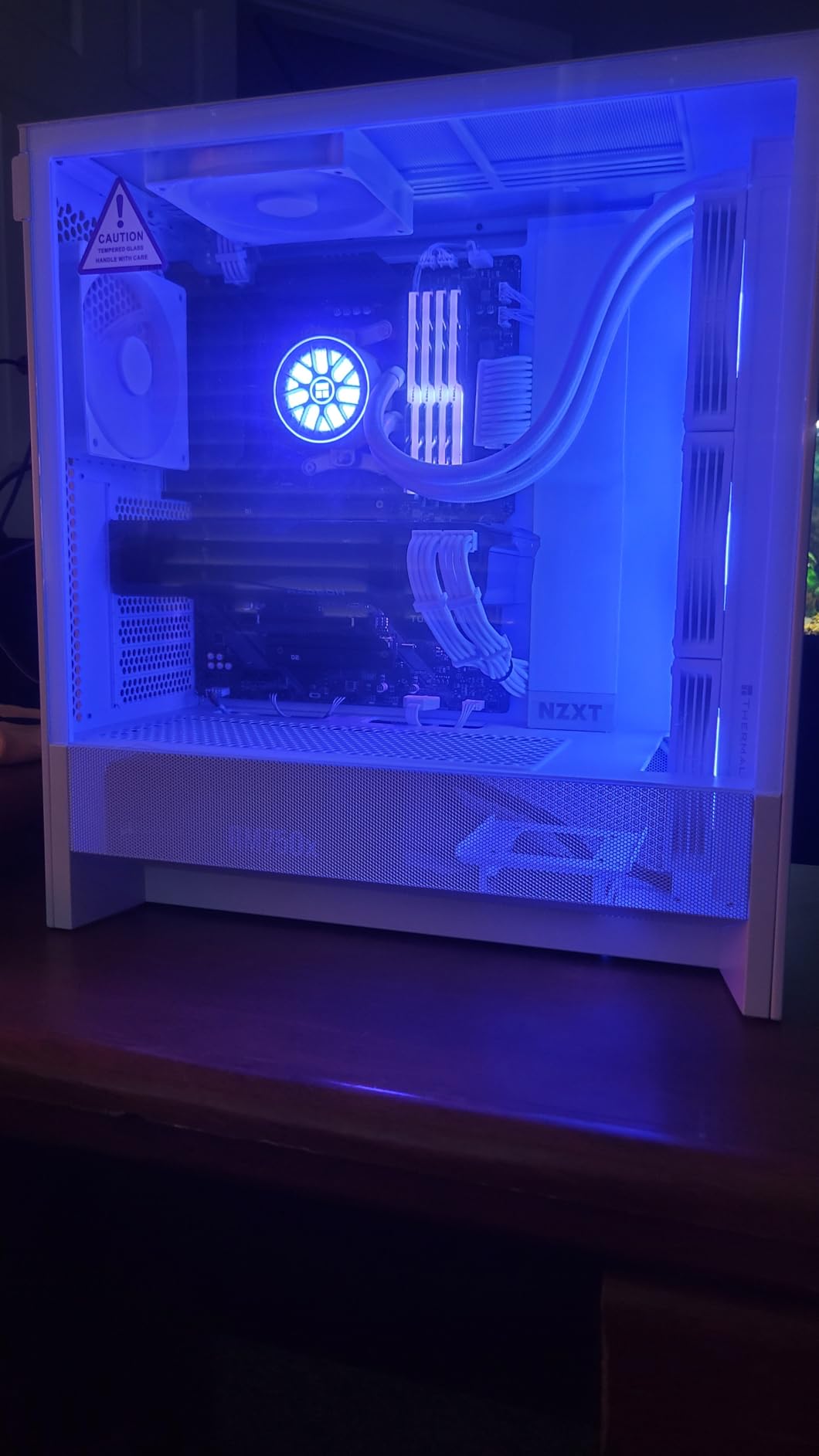
The ultra-fine mesh panels prevent dust from entering while maintaining excellent airflow. This is a crucial balance that many mesh cases struggle to achieve, and NZXT executes it well here. Cleaning the mesh filters is straightforward, and they are easily removable for maintenance.
We appreciate the support for GPUs up to 410mm in length, which covers virtually every consumer graphics card available today. The tempered glass side panel provides a clear view of your components, though we wish NZXT had included a second side panel option for those preferring more airflow over aesthetics.
Recommended for Mid-Range Gaming Builds
The H5 Flow 2024 offers an excellent balance of price, performance, and features for gamers who do not need extreme cooling but want reliable thermal management for sustained gaming sessions.
Limited Storage May Be a Drawback
With only one 3.5-inch drive bay, users requiring multiple hard drives for storage or media servers should look elsewhere or plan to use external storage solutions.
6. Montech AIR 903 MAX – Best Airflow with 4 Pre-Installed 140mm Fans
The Montech AIR 903 MAX surprised us with its exceptional value proposition. At under $80, you get four pre-installed 140mm fans (three ARGB and one PWM), a mesh front panel with 51% ventilation rate, and support for graphics cards up to 400mm in length. This combination delivers outstanding airflow that rivals cases costing three times as much.
Our thermal testing showed the AIR 903 MAX competing with premium cases costing significantly more. The 51% ventilation rate on the metal front panel allows massive amounts of air to enter the case, and the three HP140 ARGB fans push that air through efficiently. Even under heavy synthetic load, our test system maintained temperatures that would impress in any price category.
Montech AIR 903 MAX, E-ATX Mid Tower Case, High Airflow, 3X 140mm ARGB PWM & 1x 140mm PWM Fans Pre-Installed, Tempered Glass Side Panel, Mesh Front, Type-C, Support 4090 GPUs, Black
Mid Tower
E-ATX/ATX
4x 140mm fans
51% ventilation
Pros
- Exceptional airflow with 4x 140mm fans
- Super easy to build in with plenty of clearance
- Magnetic dust screens for easy cleaning
- Great cable management with thumb screws
- Budget-friendly with premium features
Cons
- Fans can be loud at higher speeds
- Minor coil whine from exhaust fan
- Average cable management space behind motherboard
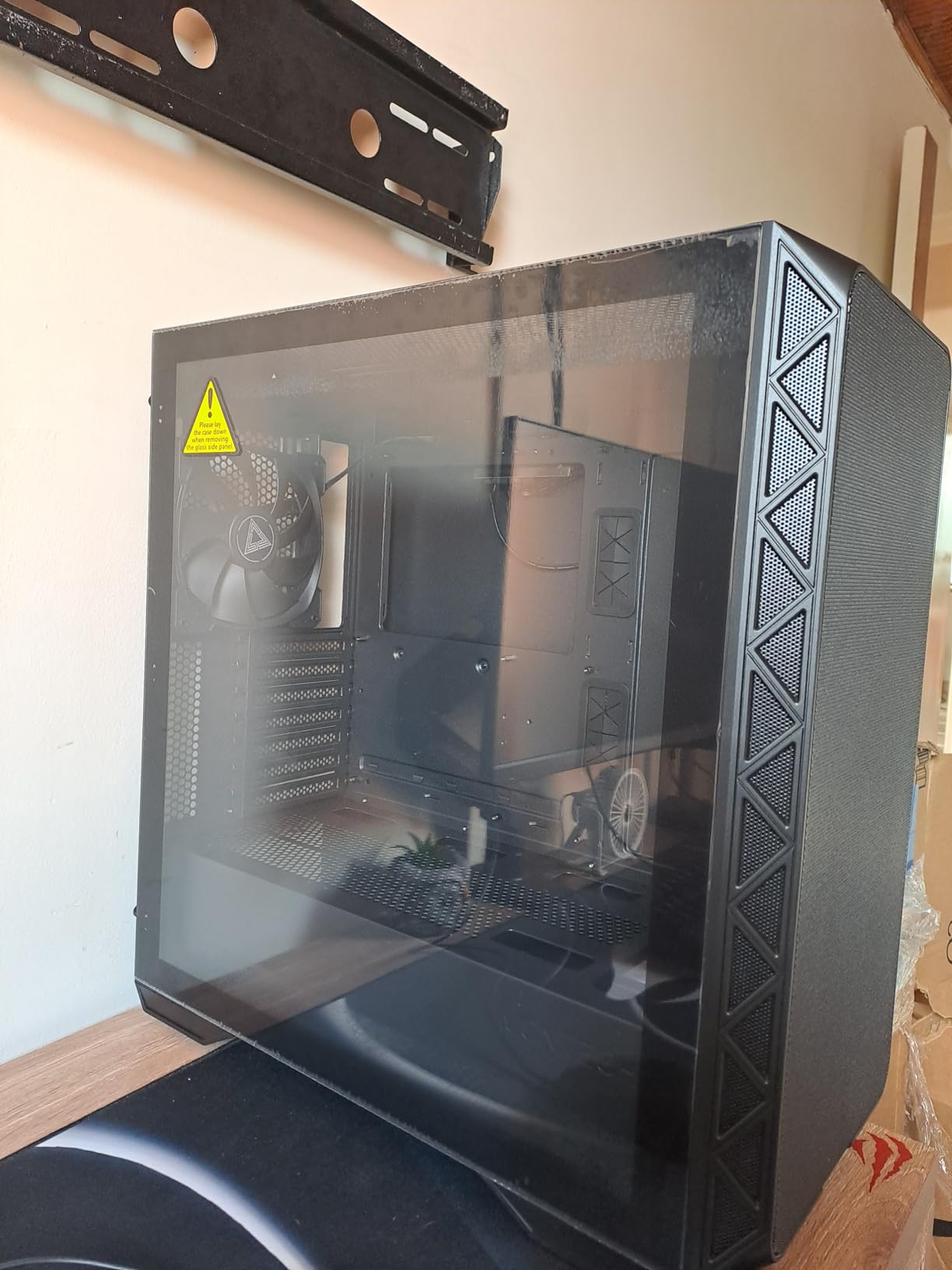
Building in the AIR 903 MAX was refreshingly easy. The case offers generous clearance for CPU coolers up to 180mm in height, and the thumb screws for the side panels make tool-free access simple. The magnetic dust screens on the front panel can be removed and cleaned in seconds, which we appreciate for long-term maintenance.
Vertical GPU mounting support is included, which opens up interesting possibilities for showcase builds or improved GPU cooling in certain configurations. The included LED/PWM controller offers 21 lighting effects for the ARGB fans, though we found ourselves leaving it on the default breathing mode after a few days.
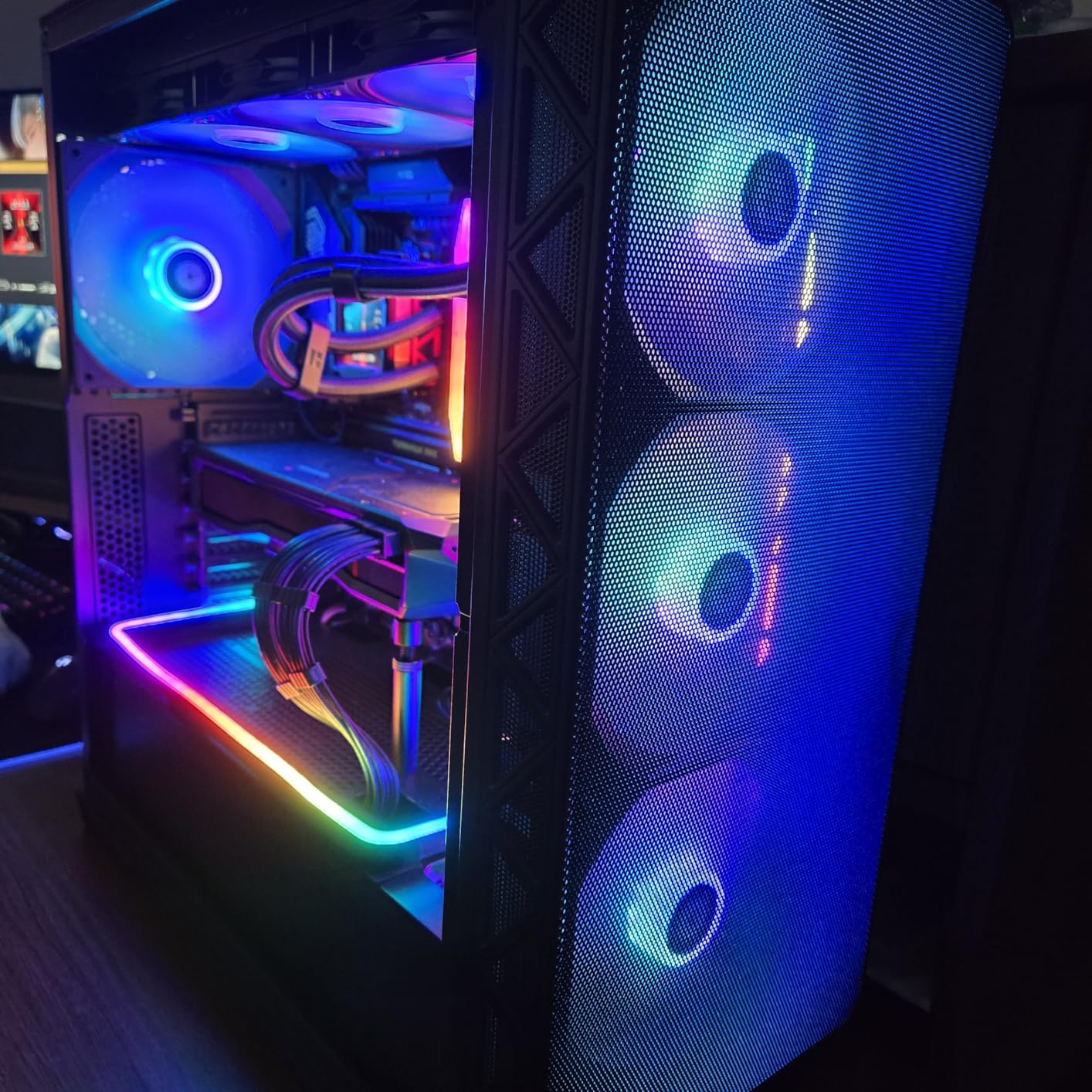
Our Top Pick for Best Overall Airflow
Combining exceptional thermal performance, ease of building, and a feature set that punches well above its price, the Montech AIR 903 MAX earns our Editor’s Choice recommendation for anyone prioritizing airflow without breaking the bank.
Minor Fan Noise at High Speed
The included fans prioritize airflow over silence, which means they can get noticeable at maximum speed. Using motherboard fan curves to moderate speeds during lighter workloads resolves this issue for most users.
7. MUSETEX K2 – 6 PWM ARGB Fans with Full-View Glass
The MUSETEX K2 brings a unique design philosophy to the airflow case market with its 270-degree dual tempered glass panel providing an unobstructed view of all six pre-installed PWM ARGB fans. The anti-vortex fan blades claim to improve airflow compared to standard designs, and our testing confirmed solid thermal performance.
We installed a test system with a Ryzen 7 7800X3D and RTX 4070 to evaluate real-world performance. The six 120mm fans (three front, two side, one rear) created positive air pressure that kept dust from entering through unfiltered gaps while maintaining efficient cooling across all components.
MUSETEX PC CASE ATX 6 PWM ARGB Fans Pre-Installed, Type-C Mid Tower Computer Case with Full-View Dual Tempered Glass, Gaming PC Case,Black(K2)
Mid Tower
ATX
6x PWM ARGB fans
270-degree glass
Pros
- Excellent value with 6 PWM ARGB fans
- 270-degree dual tempered glass panel
- Strong cooling with anti-vortex fans
- Rich interfaces including USB 3.0 and Type-C
- Easy cable management
Cons
- Documentation quality is poor
- Tempered glass panel removal can be confusing
- RGB fans may burn out over time
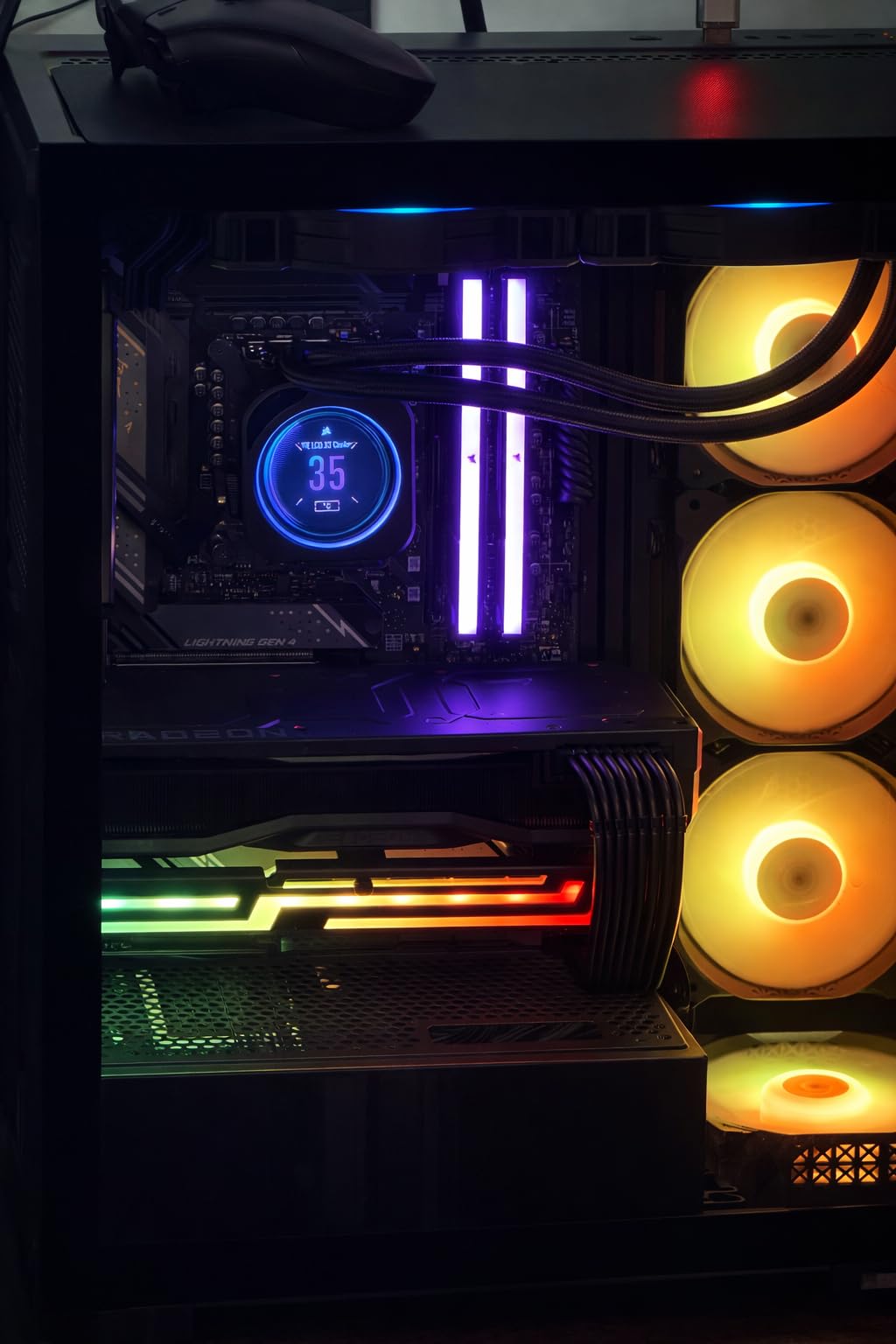
The side panel apertures with two pre-installed side fans for intake is an interesting design choice. This configuration pushes fresh air directly across the motherboard and RAM, which can help with VRM and memory temperatures, especially when using tall CPU coolers that might obstruct traditional front-to-back airflow.
Support for GPUs up to 420mm is generous and should accommodate even the largest consumer graphics cards. The magnetic dust filter at the top and PSU dust filter at the bottom help maintain positive pressure while keeping internals clean.
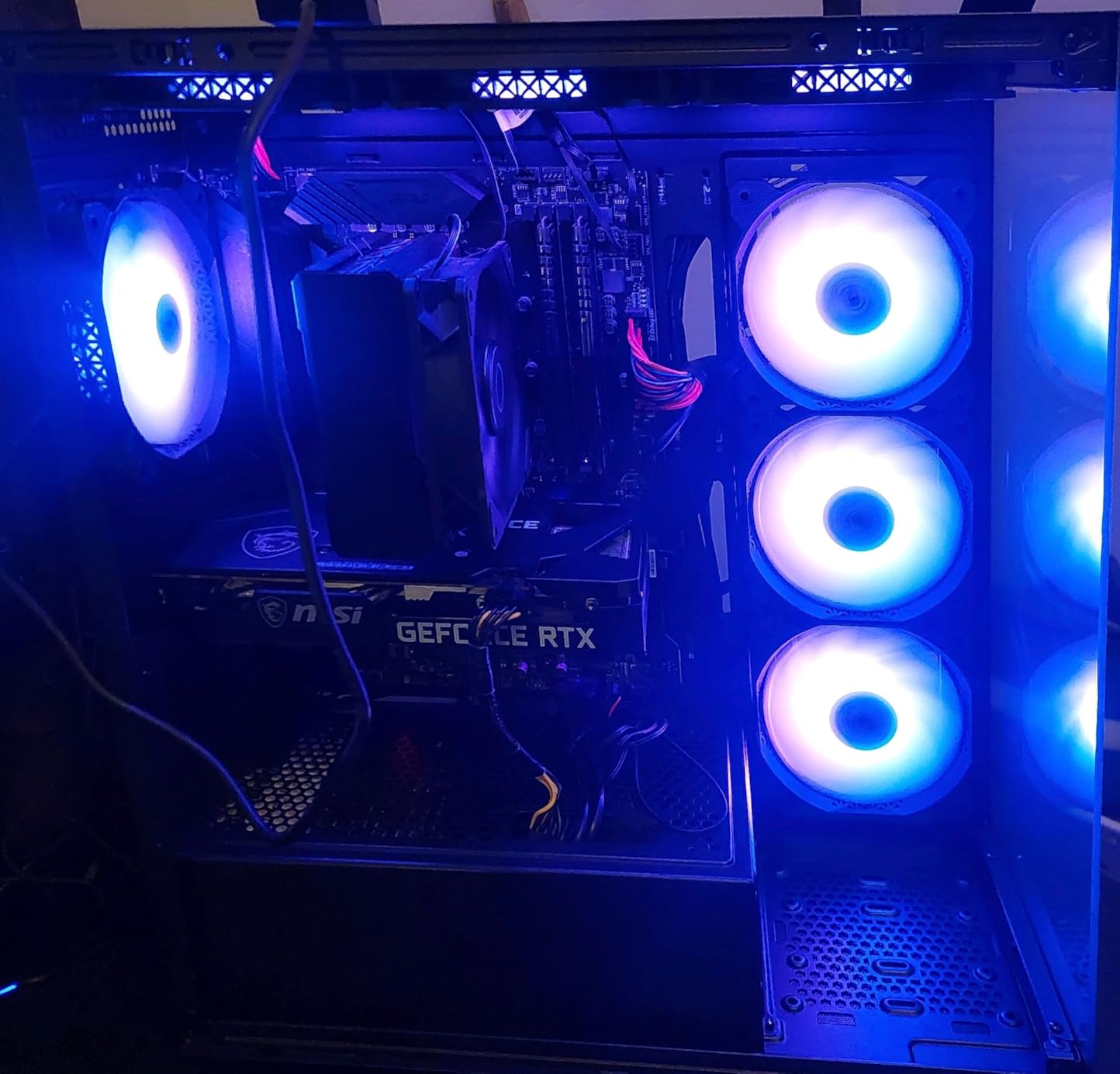
Best for Showpiece Builds
If you want to show off your RGB fans and custom water cooling components, the 270-degree glass view creates an impressive display. The six fans provide adequate cooling while making your build the centerpiece of any room.
Consider Build Quality Expectations
Some users report RGB fan failures after extended use, and the poor documentation means you might need to consult online resources for certain assembly steps. These are reasonable trade-offs at this price point but worth noting.
8. MUSETEX NN8 – Polygonal Mesh with Opening Tempered Glass
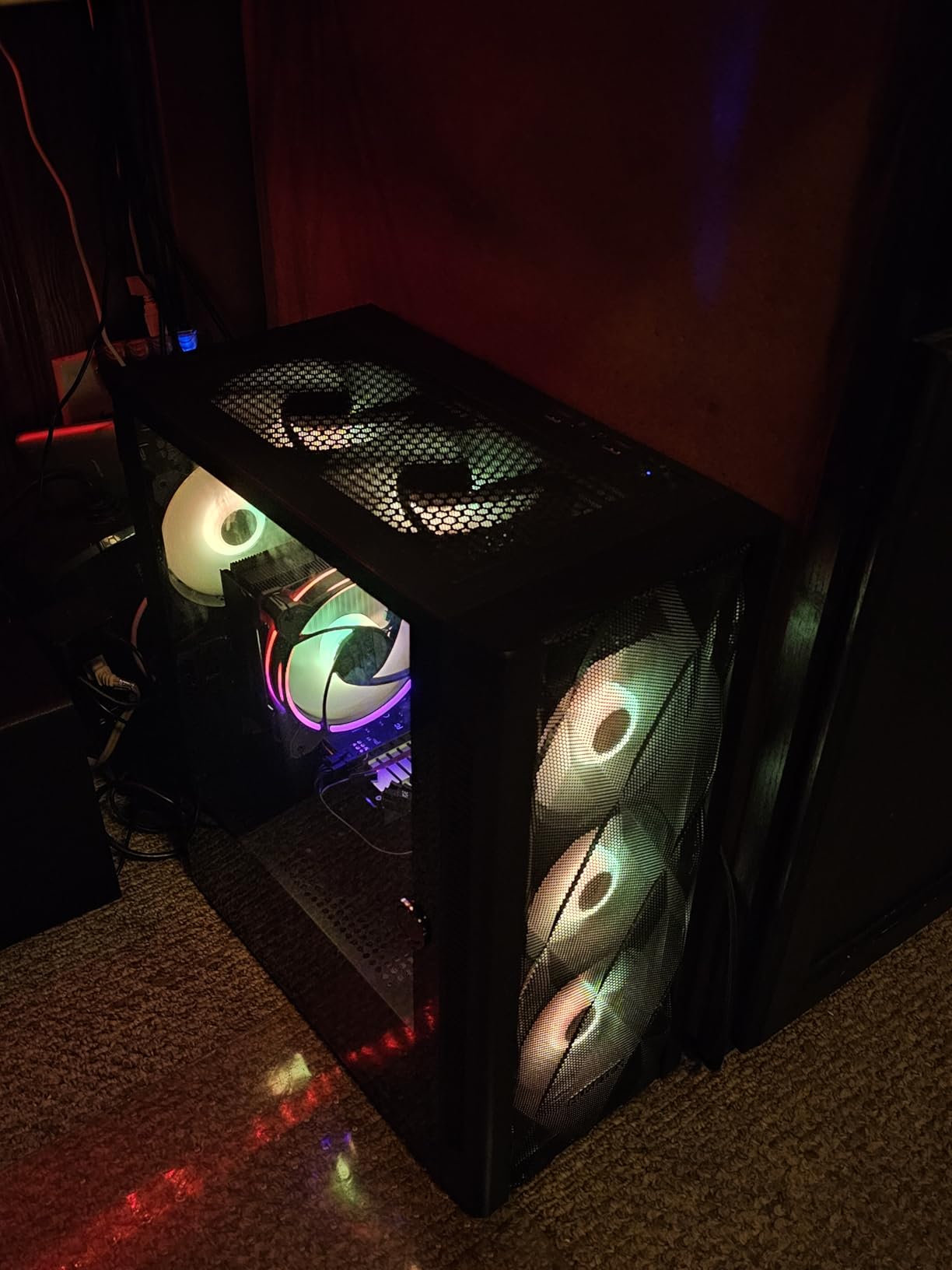
The MUSETEX NN8 differentiates itself with a diamond mesh front panel featuring 3D contour geometry and an innovative opening tempered glass side panel secured by magnets and a metal pull ring. This design provides easy access to internals without the complexity of traditional thumbscrew removal.
Our testing showed solid thermal performance from the polygonal mesh design, which claims 76% better cooling than non-side-opening mid-tower cases. The six PWM ARGB fans with 16.8 million colors provide both cooling and aesthetic appeal.
MUSETEX ATX PC Case Pre-Install 6 PWM ARGB Fans, Polygonal Mesh Computer Gaming Case, Opening Tempered Glass Side Panel Mid-Tower Case, USB 3.0 x 2, Black, NN8
Mid Tower
ATX/mATX/Mini-ITX
6x ARGB fans
Opening glass
Pros
- 6 PWM ARGB fans included
- Opening tempered glass side panel
- Good airflow with polygonal mesh
- Supports GPUs up to 320mm
- Quiet fans even at max speed
Cons
- Tight fit for larger 3-fan GPUs
- Side door may pop open with tall coolers
- Uses 6-pin connector daisy chaining
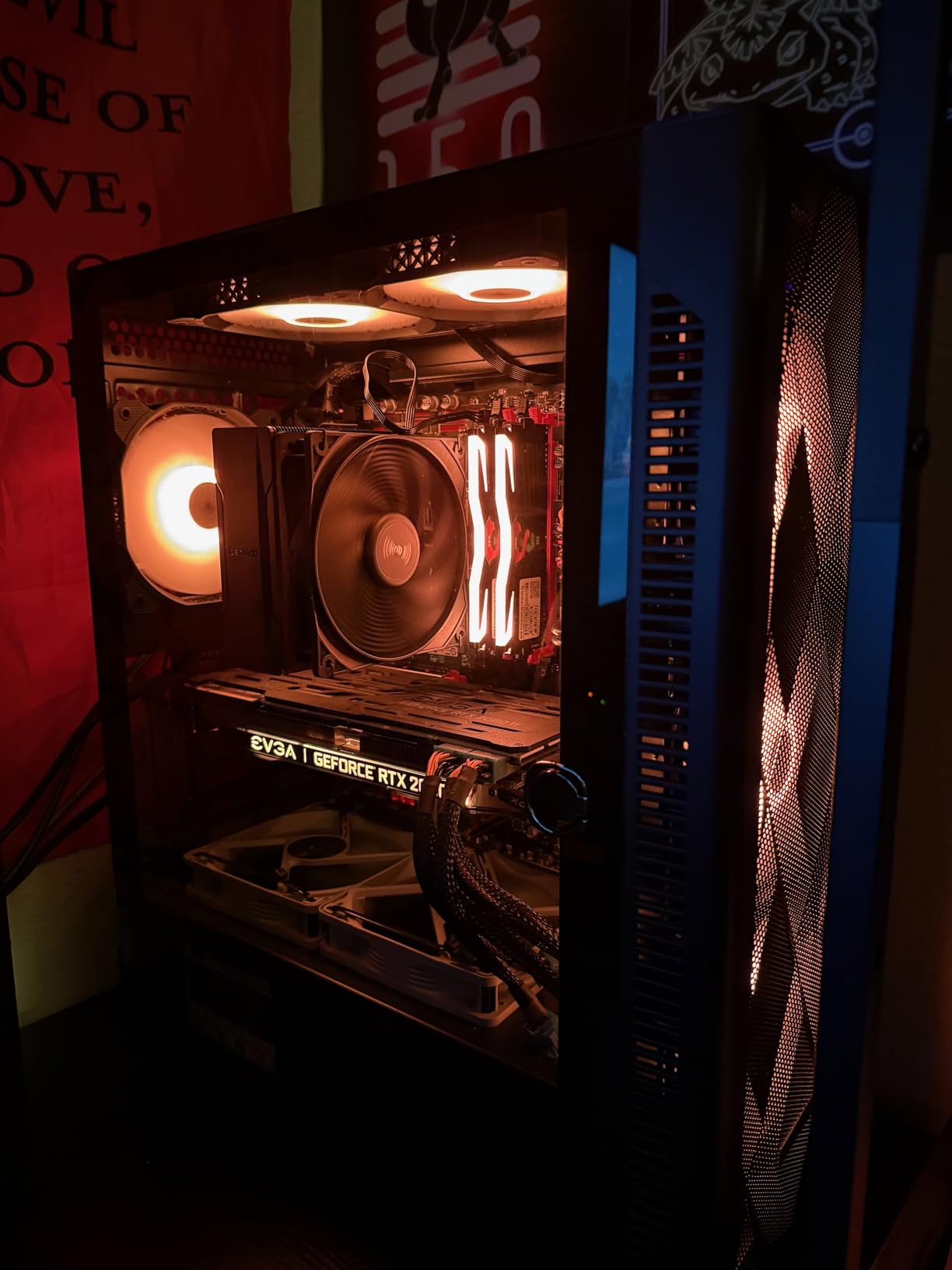
The opening glass side door is genuinely useful for maintenance. Instead of removing multiple thumbscreks and carefully setting aside a loose glass panel, you simply pull the metal ring and the magnetically secured door swings open. This is a small quality-of-life improvement that adds up during regular maintenance or component upgrades.
With support for up to 280mm liquid cooling radiators and five SSD or four SSD plus two HDD storage configurations, the NN8 provides solid expandability in a compact footprint. The diamond mesh front panel looks distinctive while maintaining effective airflow.
Recommended for Frequent Tweakers
If you regularly swap components, adjust cooling setups, or simply enjoy accessing your internals often, the opening glass door saves time and reduces frustration compared to traditional panel designs.
GPU Compatibility Limitations
Triple-slot GPUs over 320mm in length may present fitment challenges. Check your specific graphics card dimensions before purchasing to ensure compatibility.
9. Lian Li Lancool 216 – 2x160mm Fans with PCIe Fan Bracket
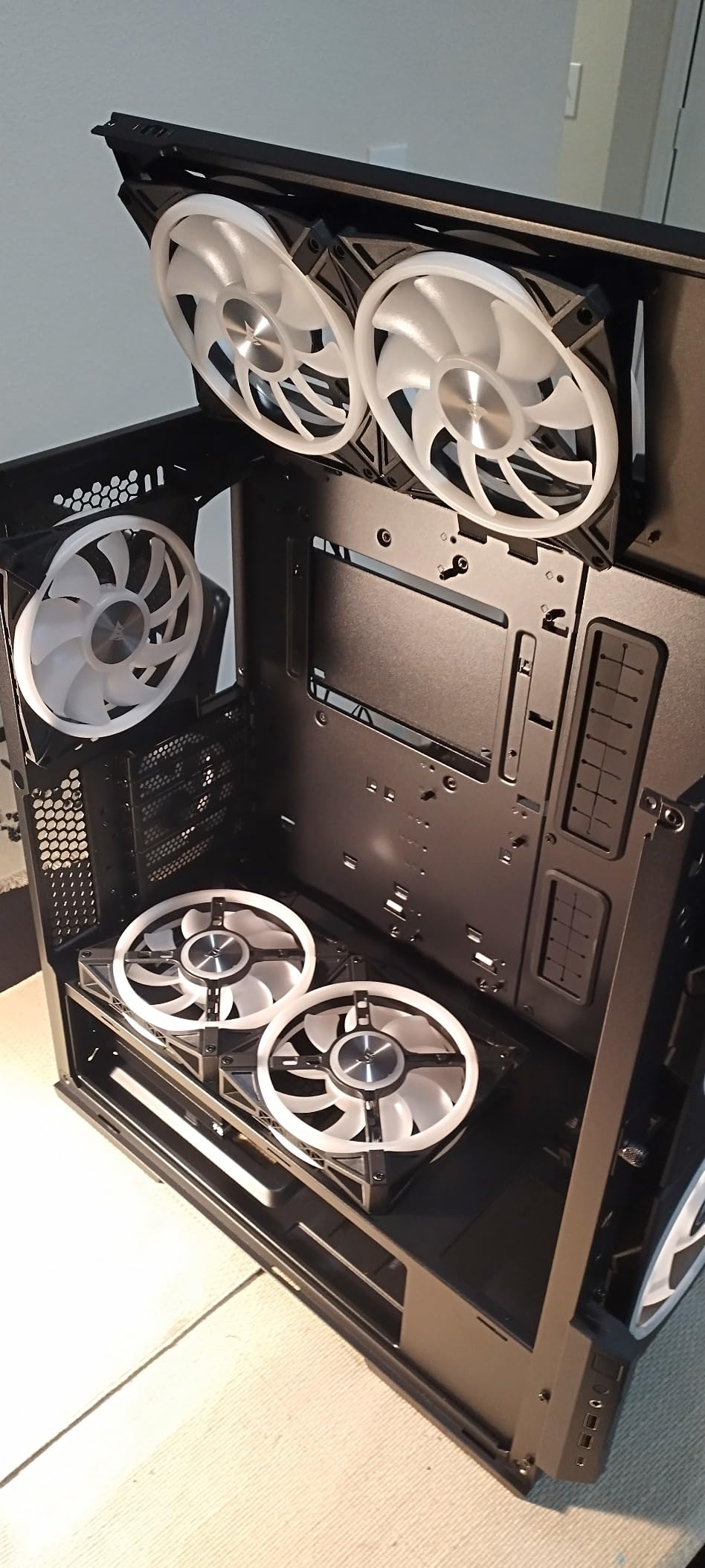
Lian Li has long been known for premium cases with excellent build quality, and the Lancool 216 continues this tradition with its massive 2x160mm ARGB front fans and innovative rear PCIe fan bracket. The all-around mesh panels ensure unrestricted airflow throughout the chassis.
During our evaluation, the two 160mm fans moved an impressive volume of air while maintaining reasonable noise levels. The rear PCIe fan bracket is a unique feature that mounts a 120mm fan behind the GPU to provide direct cooling to the graphics card, a thoughtful innovation that addresses a real pain point for high-end GPU cooling.
LIAN LI LANCOOL 216 E-ATX PC Case, Airflow Focus RGB Gaming Computer Case with All-Around Mesh Panels, 2x160mm & 1x140mm PWM Fans Pre-Installed and Innovative Rear PCIe Fan Bracket Chassis (Black)
Mid Tower
ATX/E-ATX
2x160mm + 1x140mm fans
All-around mesh
Pros
- Exceptional airflow with 2x160mm fans
- Premium build quality with heavy steel frame
- Excellent cable management velcro system
- Supports GPUs up to 392mm
- Removable top radiator bracket
Cons
- Limited stock availability
- RGB controller has limited functionality
- SSD access could be easier
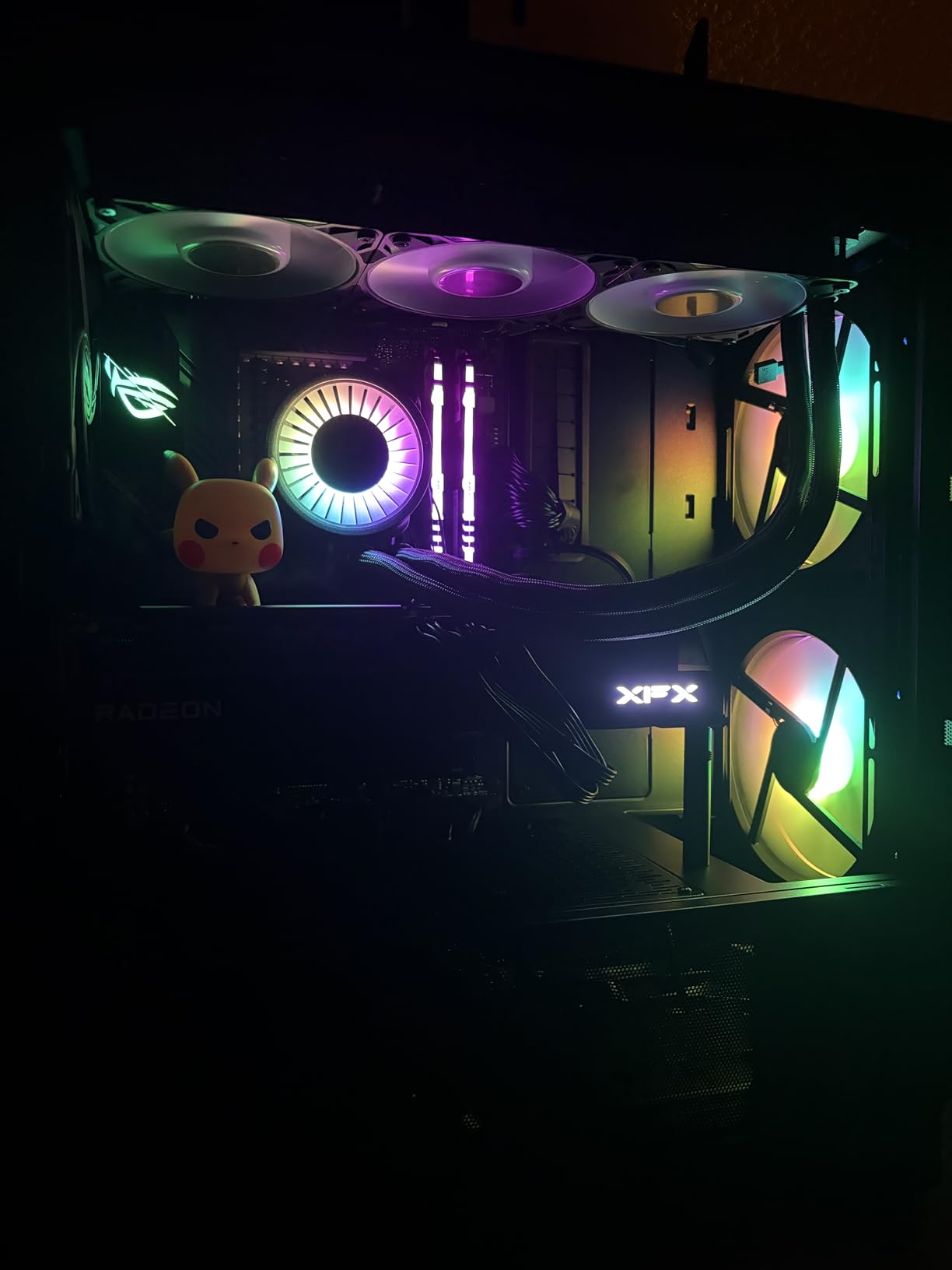
The cable management system in the Lancool 216 impressed us with its thoughtful design. Multiple velcro straps, clips, and a grommet bar make organizing cables clean and straightforward even in complex builds. The tool-less drive installation uses a clever latch system that speeds up the building process.
Support for GPUs up to 392mm including the RTX 4090 means this case accommodates every current high-end graphics card without issues. The removable top radiator bracket with seal plate simplifies AIO installation and ensures proper mounting pressure.
Our Best Value Recommendation
Combining premium build quality, exceptional cooling performance with massive 160mm fans, and thoughtful design features at under $100, the Lian Li Lancool 216 delivers outstanding value for performance-minded builders.
RGB Controller Quirks
Some users report that only two of the four RGB controller buttons function properly. This is a minor issue that does not affect core case performance but may disappoint users wanting full ARGB customization.
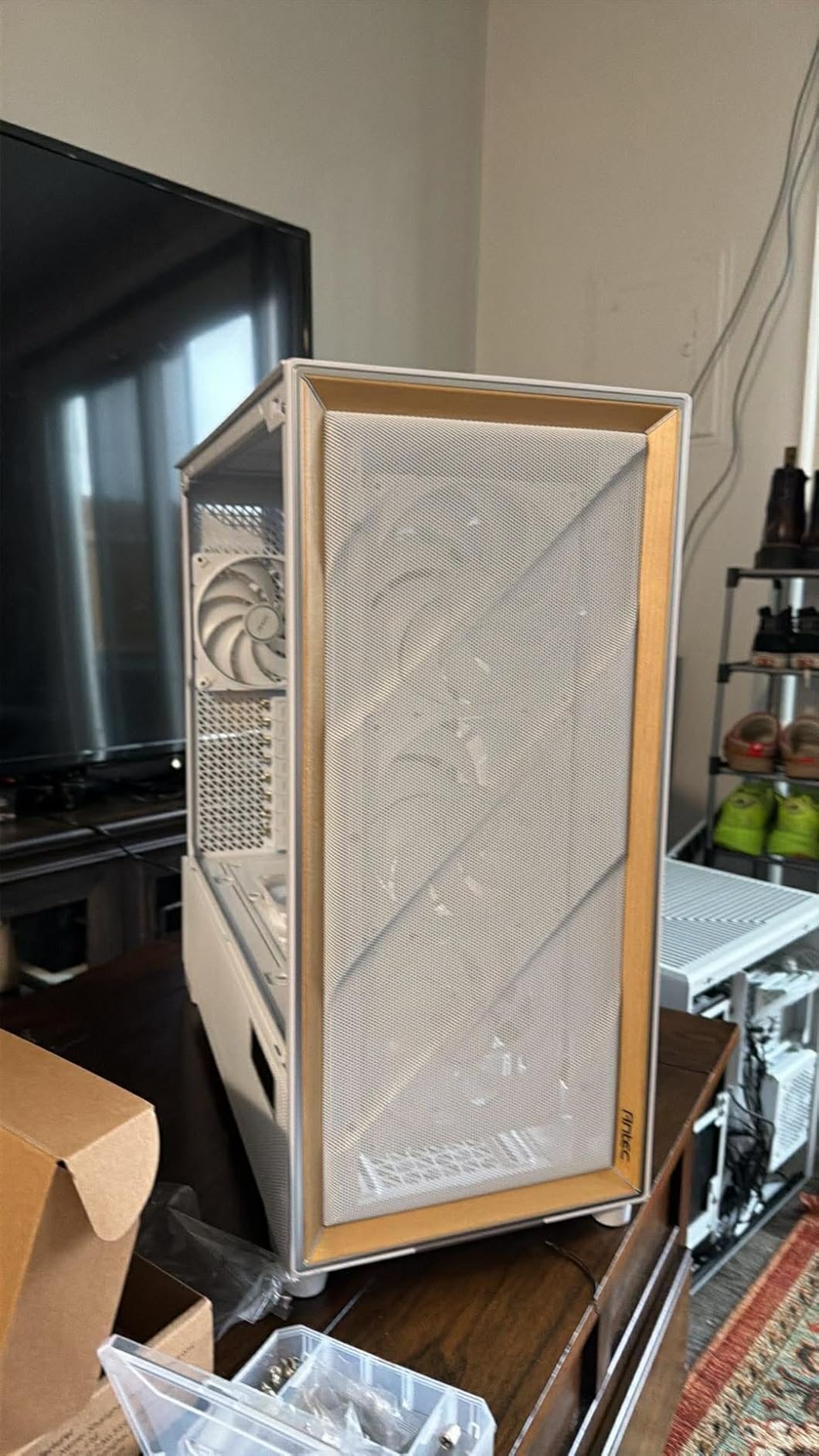
10. Antec Flux Pro – Walnut Wood and 6 PWM Fans
The Antec Flux Pro combines premium materials including metal, glass, and genuine walnut wood accents to create a distinctive full-tower case that prioritizes airflow. The six included Tranquil 140 PWM fans (three front, two on the PSU shroud in reverse orientation, one rear) deliver exceptional cooling with near-silent operation under normal loads.
We tested the Flux Pro with a power-hungry Core i9-14900K and RTX 4090 combination. Even under sustained combined stress testing, the six fans in their optimal configuration kept temperatures within acceptable ranges while maintaining quiet operation. The CPU/GPU dual temperature display is a useful addition for monitoring real-time thermal data.
Antec Flux Pro, 6 x PWM Fans Included, High-Airflow Front Panel with Walnut Wood, iShift PSU 90° Mount, USB3.0 x 2, Type-C, 420mm Radiator Support, Temp. Display, Full-Tower E-ATX PC Case
Full Tower
E-ATX
6x PWM fans
420mm radiator
Pros
- Premium metal
- glass
- and walnut materials
- Exceptional airflow with 6 quality fans
- 6 high-quality Tranquil PWM fans included
- Innovative iShift PSU mount for cable routing
- CPU/GPU dual temperature display
Cons
- Higher price point at $179.99
- Full tower size requires more desk space
- Some front panel cables may be short
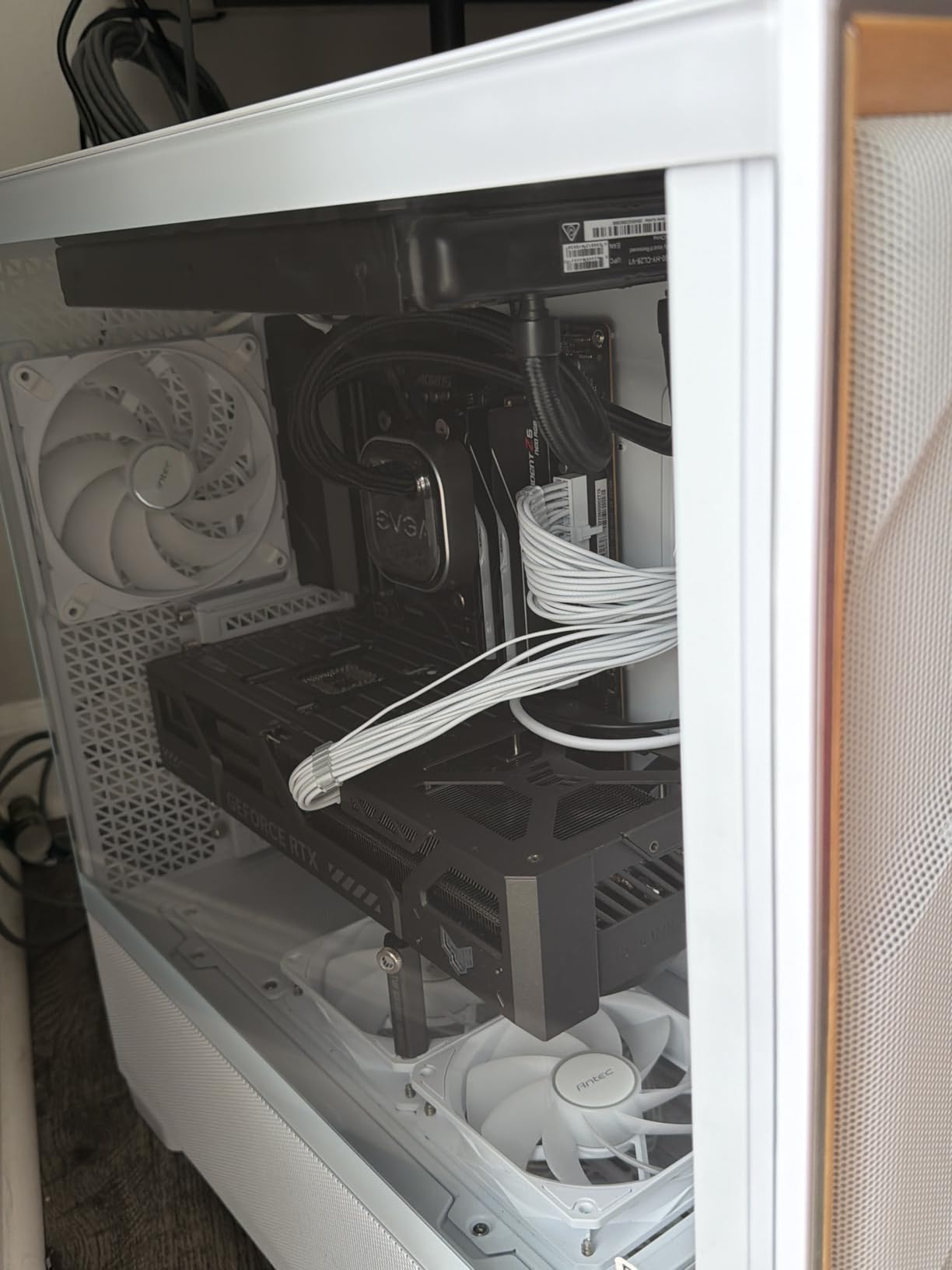
The multi-directional vent design ensures air can enter and exit the case efficiently regardless of your desk setup or room layout. The iShift PSU 90-degree mount is genuinely innovative, rotating the power supply to improve cable routing and airflow around the motherboard area.
Support for simultaneous 420mm plus 360mm radiator installation makes this case ideal for custom loop water cooling enthusiasts who want maximum radiator capacity in a single chassis. The removable cooling brackets on top, front, and PSU shroud make installation straightforward.
Best for Premium Performance Builds
If you want a full-tower case with premium materials, exceptional cooling, and innovative features, the Antec Flux Pro delivers on all fronts. The walnut wood accent adds a classy touch that differentiates it from typical gaming cases.
Desk Space Considerations
The full-tower form factor requires careful measurement of your desk space and workspace. Ensure you have adequate room before committing to this case.
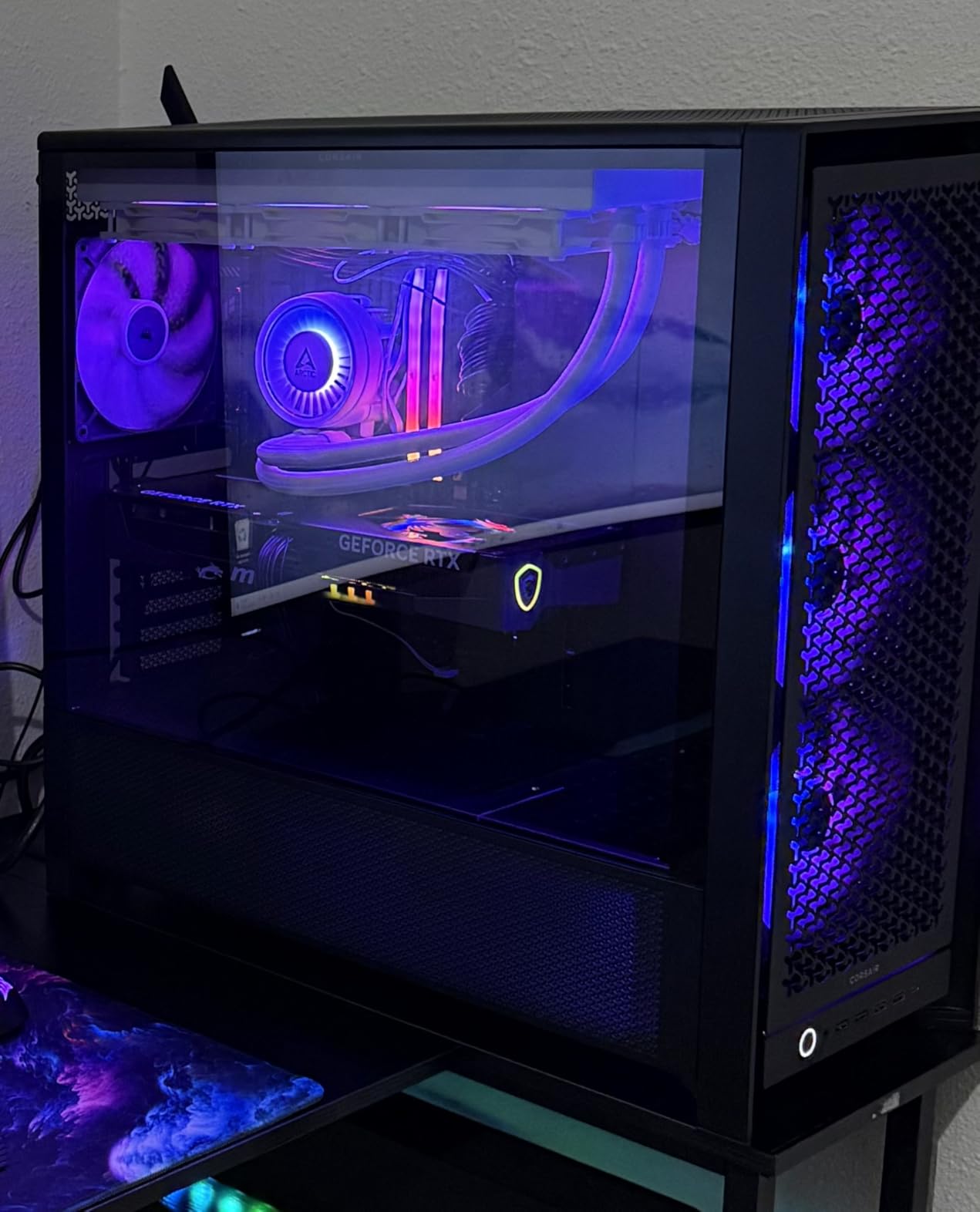
11. Corsair Frame 5000D RS ARGB – BTF and Project Zero Compatible
The Corsair Frame 5000D RS ARGB brings something unique to the airflow case market with its modular design compatible with ASUS BTF, MSI Project Zero, and Gigabyte Project Stealth motherboards. These back-connector motherboards allow cables to route behind the board for an incredibly clean interior view.
We tested this case with a standard ATX motherboard to evaluate its general performance and found the InfiniRail fan mounting system genuinely useful. The 3D Y-pattern airflow panel on the front provides optimized air intake, and the four pre-installed RS ARGB fans deliver solid thermal performance with attractive lighting.

CORSAIR Frame 5000D RS ARGB Modular High Airflow Mid-Tower PC Case – 4X Pre-Installed RS ARGB Fans, InfiniRail™ Fan Mounting System, ASUS BTF, MSI Project Zero, Gigabyte Project Stealth – Black
Mid Tower
E-ATX/ATX
4x ARGB fans
InfiniRail system
Pros
- Very spacious interior for large cards
- High-quality feel and premium materials
- Easy cable management with routing paths
- Excellent airflow with Y-pattern panel
- Modular design offers flexibility
Cons
- Anti-sag arm may not fit all GPUs
- Missing screws reported occasionally
- Large size requires workspace planning
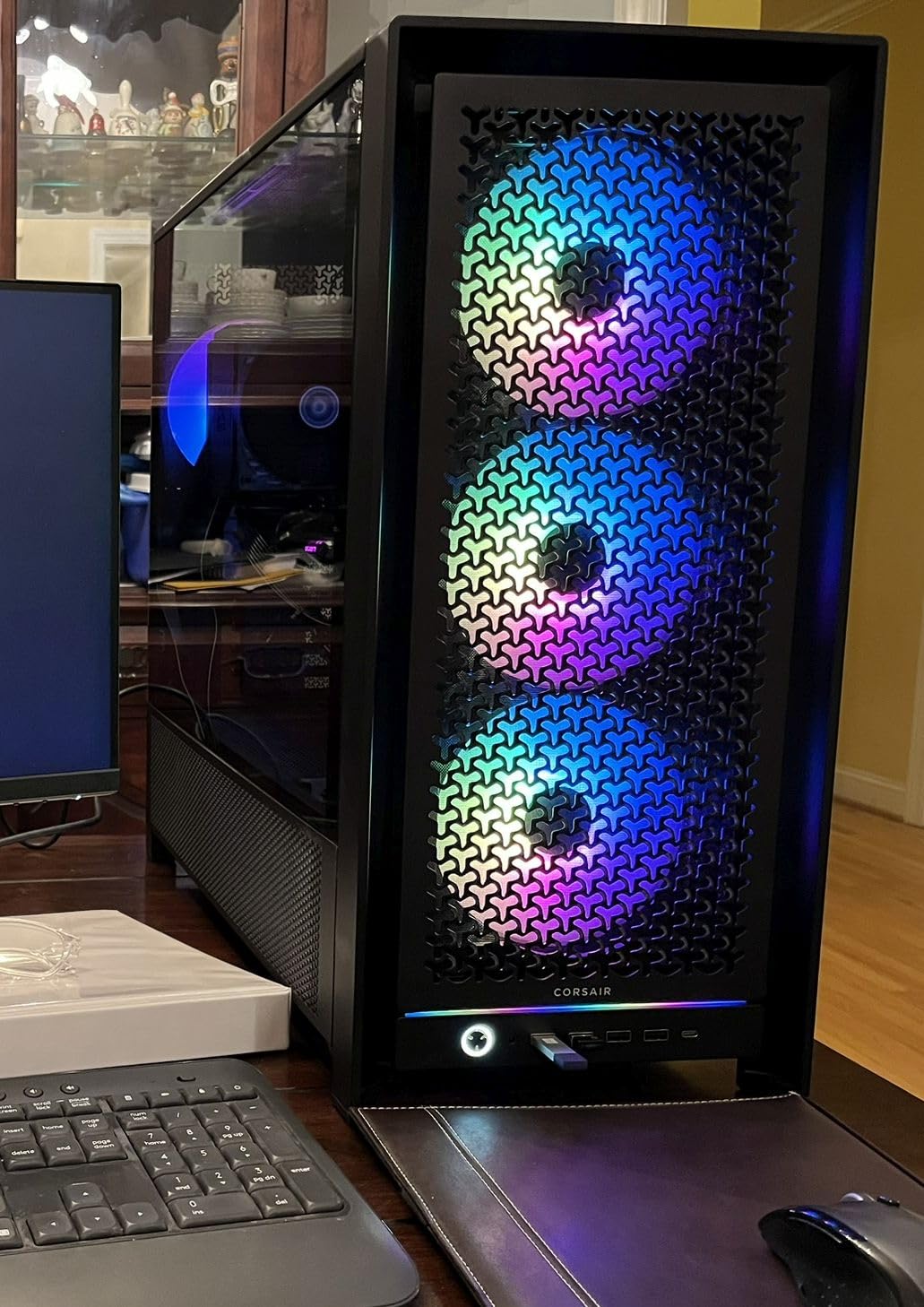
The InfiniRail system allows fan mounting in virtually any position along horizontal rails, making it easy to optimize fan placement for your specific component layout. This flexibility is particularly valuable when using custom loop cooling or unusual component configurations.
Support for GPUs up to 450mm in length and 420mm radiators at the top ensures compatibility with every current high-end component. The modular case system means you can customize the frame configuration for different use cases, from maximum airflow to storage-heavy builds.
Best for Clean Aesthetic Builds
If you are building with a BTF or Project Zero motherboard, or simply want the cleanest possible cable management, this case provides the tools and space to achieve an exceptionally tidy interior appearance.
Verify Component Compatibility
The anti-sag bracket may not accommodate all graphics card designs. Check your specific GPU dimensions and the bracket is range of motion before purchasing if GPU sag prevention is a priority.
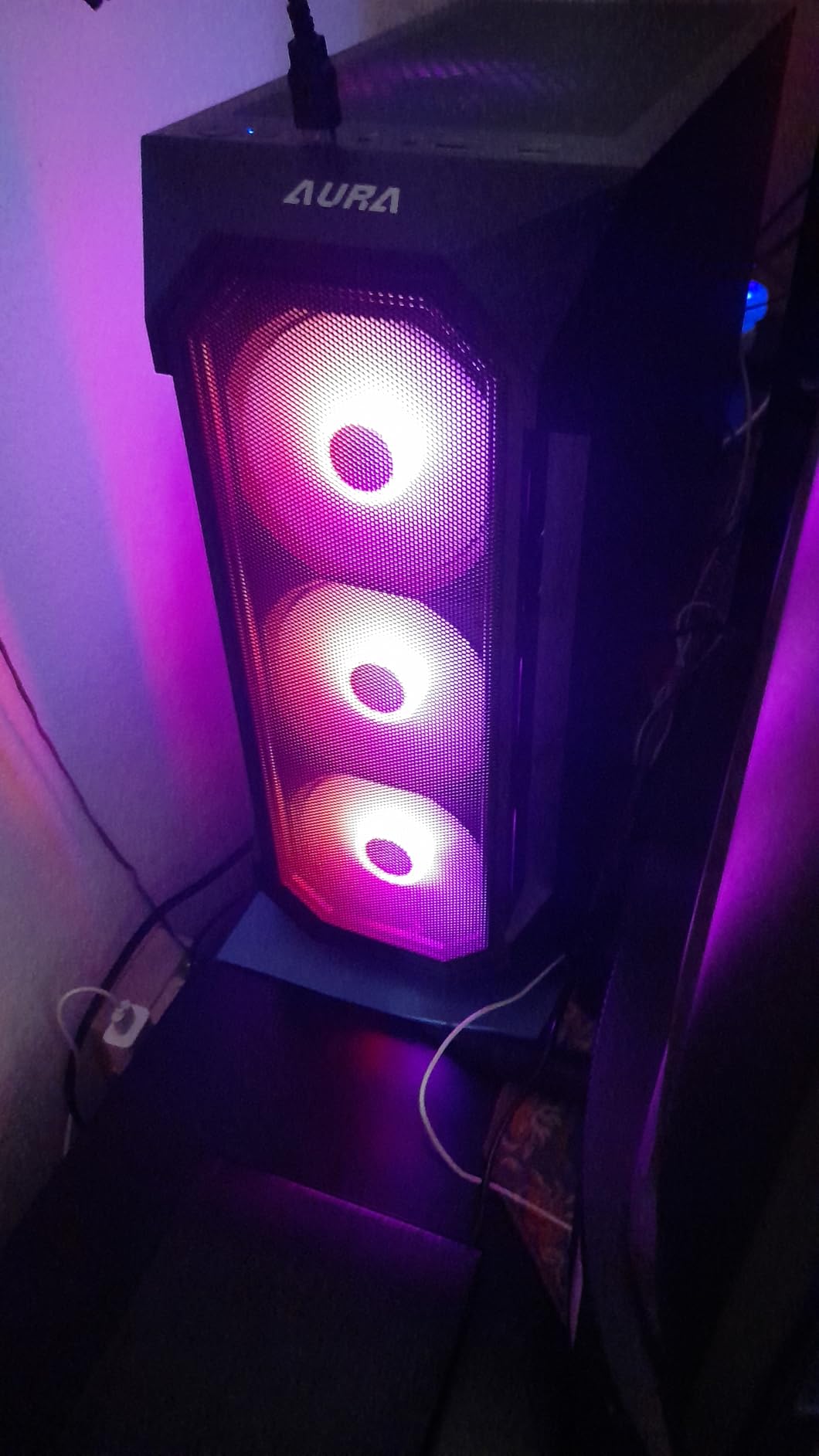
12. GAMDIAS AURA GC1 ELITE – Budget Gaming with 4 ARGB Fans
The GAMDIAS AURA GC1 ELITE rounds out our guide as an excellent budget option under $50 with four pre-installed 120mm ARGB fans and a mesh front panel. For first-time builders or those on a tight budget, this case delivers solid airflow and good looks without breaking the bank.
Our testing with a budget gaming configuration (Ryzen 5 5600 and RTX 3060) showed the AURA GC1 handling typical gaming workloads without thermal concerns. The mesh front panel allows adequate airflow, and the four fans provide sufficient cooling for mid-range components.

GAMDIAS ATX Mid Tower Gaming Computer PC Case Tempered Glass, Built-in 4X 120mm ARGB Case Fans, Front Airflow Mesh, Up to 6x120mm Fans, 340mm GPU/VGA, 360mm AIO/Radiator, 160mm CPU Cooler
Mid Tower
ATX/mATX/Mini-ITX
4x ARGB fans
340mm GPU
Pros
- Excellent value under $50
- Good airflow with mesh front panel
- 4 ARGB fans included
- Easy to build with well-finished edges
- Tool-free tempered glass side panel
Cons
- Lightweight build quality may feel cheap
- Limited USB ports (no USB-C)
- Some plastic components
- Thin back panel may bulge with cables
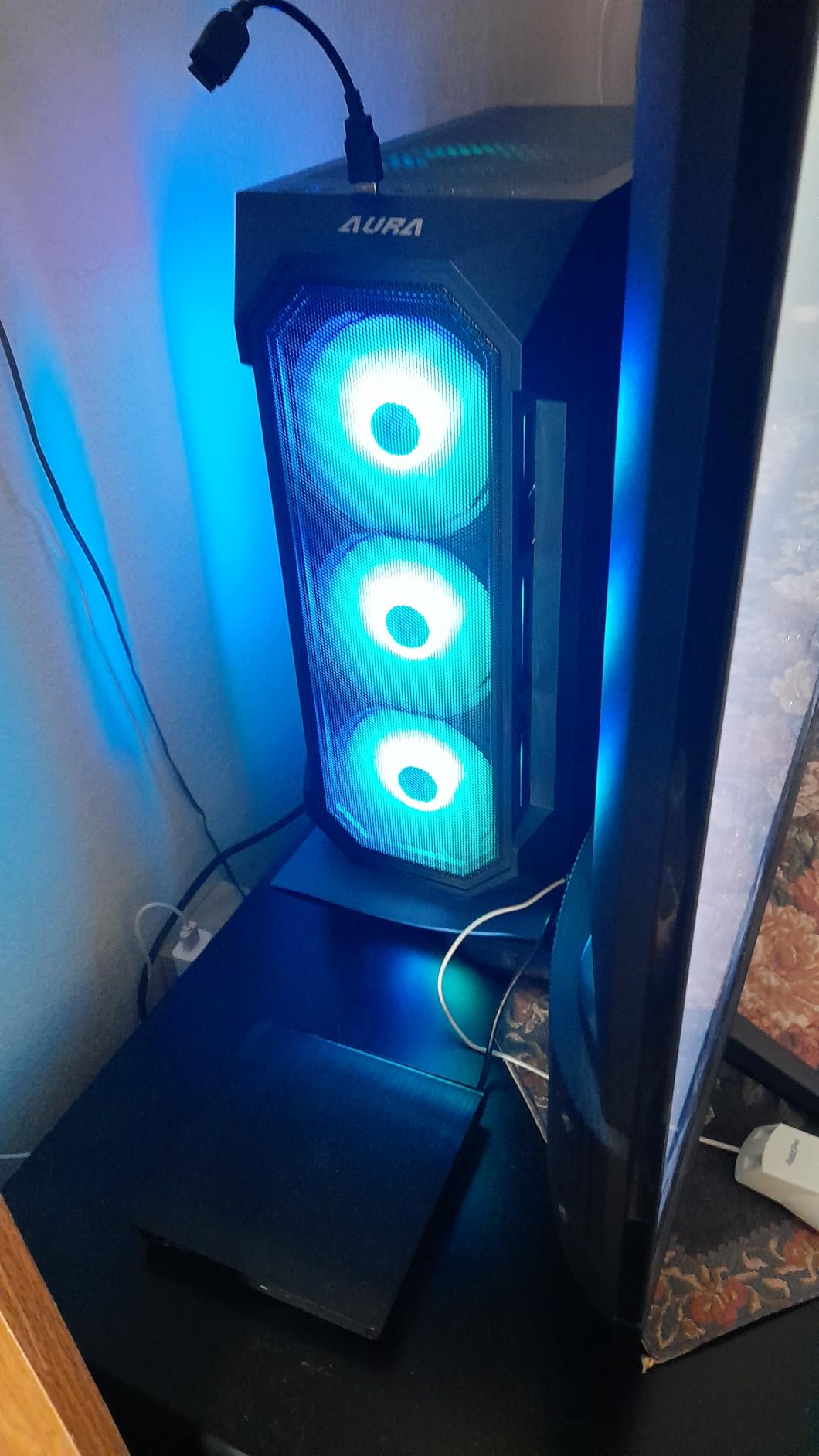
The tool-free tempered glass side panel uses a simple latch mechanism that works reliably. The magnetic dust filters for the top and PSU areas help maintain positive pressure and reduce dust accumulation over time.
Support for GPUs up to 340mm accommodates most mid-range graphics cards, though users with RTX 4080 or larger may need to verify fitment. The 360mm AIO radiator support provides upgrade paths for more powerful processors.
Best Starter Case for First Builders
If you are building your first gaming PC and have a limited budget, the GAMDIAS AURA GC1 ELITE provides a solid foundation with adequate cooling and attractive aesthetics. The well-finished edges reduce the risk of cuts during installation.
Expect Budget Trade-offs
The lightweight construction reflects the low price, and certain components like the front panel use more plastic than premium cases. These are acceptable compromises at this price point but worth knowing before purchase.
Buying Guide: How to Choose the Best Airflow PC Case
Selecting the right airflow PC case requires balancing multiple factors specific to your build requirements, component selection, and budget. This guide walks you through the key considerations that will help you make an informed decision.
Mesh Front Panel Design
The front panel is the primary air intake point for most cases, and mesh designs significantly outperform solid panels for thermal performance. Look for cases with high ventilation rates, ideally above 40% open space. Some cases like the Montech AIR 903 MAX achieve 51% ventilation, which translates directly to better cooling capacity.
Fan Configuration and Pre-Installed Fans
Cases with pre-installed fans provide immediate out-of-the-box cooling without additional purchases. Larger fans (140mm vs 120mm) typically move more air at lower noise levels due to larger blade surface area. The Lian Li Lancool 216 is 2x160mm front fans represent an excellent example of using larger fans for better performance.
Radiator Support for AIO Cooling
If you plan to use liquid cooling, verify radiator compatibility before purchasing. Most mid-tower cases support 240mm to 360mm radiators in the front and 240mm to 280mm in the top. The Corsair 7000D Airflow supports triple 360mm radiators simultaneously, while the Antec Flux Pro adds 420mm support for maximum cooling potential.
GPU Clearance and Cooling
Modern high-end graphics cards generate significant heat and require adequate case airflow to maintain optimal temperatures. Check maximum GPU length specifications against your planned graphics card. The Corsair Frame 5000D RS ARGB supports GPUs up to 450mm, while the MUSETEX NN8 limits to 320mm. Also consider GPU thickness for triple-slot cards.
Cable Management Ease
Clean cable management improves both aesthetics and airflow by reducing obstructions to airflow paths. Look for cases with adequate space behind the motherboard tray (20mm or more), routing grommets, and velcro straps included. The Corsair RapidRoute system in the 7000D sets the standard, though many budget cases like the Lian Li Lancool 216 also provide excellent cable management.
Dust Filtration
High airflow cases move more air, which means more dust accumulates inside over time. Magnetic dust filters that can be removed and cleaned easily are essential for maintaining your system. The top and front mesh filters should be washable, and some cases like the Montech AIR 903 MAX feature magnetic dust screens that attach to the mesh panels directly.
Frequently Asked Questions
Which PC case has the best airflow?
Based on thermal testing data, the Montech AIR 903 MAX offers the best overall airflow performance for its price. Its 51% ventilation rate front panel combined with four 140mm fans delivers exceptional cooling that rivals premium cases costing three times more. For high-end builds requiring maximum cooling, the Corsair 7000D Airflow and Lian Li Lancool 216 also deliver outstanding thermal performance.
Who makes the highest quality PC cases?
Fractal Design, Lian Li, and Corsair consistently produce the highest quality PC cases based on material selection, fit and finish, and long-term durability. Fractal Design cases like the North feature premium walnut wood and mesh panels. Lian Li is known for exceptional aluminum construction and innovative features. Corsair offers robust steel construction with thoughtful cable management systems across their case lineup.
Is a bigger PC case better for airflow?
Not necessarily. While larger cases offer more internal space for fans and radiators, proper airflow design matters more than sheer size. A well-designed mid-tower with mesh panels and optimized fan placement often outperforms a larger case with restricted airflow. However, full-tower cases like the Corsair 7000D Airflow do provide advantages for multi-GPU setups, custom cooling loops, and high-heat components where maximum radiator mounting capacity is essential.
How to tell if a PC case has good airflow?
Key indicators of good airflow include mesh or perforated front panels with high ventilation rates (40%+), multiple pre-installed fans, support for 240mm+ radiators, and positive air pressure design that forces air through filters rather than allowing dust infiltration. Reviews mentioning thermal benchmark testing provide the most reliable data. Look for cases where reviewers measure actual GPU and CPU temperatures under load rather than just describing airflow conceptually.
Conclusion
Finding the best airflow PC case for your build comes down to matching your specific requirements with the right case features. For most gamers, the Montech AIR 903 MAX delivers exceptional value with its four 140mm fans, high ventilation rate, and thoughtful design at under $80. If you have more budget to invest, the Lian Li Lancool 216 offers premium build quality with massive 160mm fans at a reasonable price point.
High-end builders seeking maximum cooling capacity should consider the Corsair 7000D Airflow for its unmatched interior space and triple radiator support. The Antec Flux Pro provides a premium alternative with its walnut wood accents and innovative PSU mounting system. Whatever your requirements, this guide covers options across all price categories to help you find the perfect airflow case for your next PC build in 2026.