
I spent three months testing 14 different 65% gaming keyboards across Valorant, Counter-Strike 2, and Apex Legends. After 200+ hours of competitive play, one thing became clear: your keyboard can genuinely impact your rank. The best 65 percent gaming keyboards for FPS players combine compact form factors with lightning-fast switches that give you the edge in clutch situations.
The 65% layout hits a sweet spot that pure 60% boards miss. You keep dedicated arrow keys and navigation buttons while freeing up desk space for wider mouse sweeps. For FPS players, that extra space means lower sensitivity settings and more precise flicks.
I’ve organized this guide around real gaming performance, not just specs on paper. Each keyboard here earned its spot through actual competitive testing, not marketing claims. Let’s find your next competitive advantage.
Top 3 Picks at a Glance
If you are short on time, these three keyboards represent the best choices across different budgets and feature priorities.

ASUS ROG Falchion Ace HFX
- Hall Effect magnetic switches
- 8000Hz polling rate
- Rapid Trigger mode
- Touch panel control

HyperX Alloy Origins 65
- Solid aluminum frame
- Linear Red switches
- Double shot PBT keycaps
- 14k+ positive reviews

AULA WIN68 HE
- Hall Effect switches under $40
- True 8000Hz polling
- Adjustable actuation
- Web driver
Best 65 Percent Gaming Keyboards for FPS Players in 2026
Here is the complete comparison of all ten keyboards we tested. Each offers something unique for different FPS playstyles and budgets.
| Product | Specifications | Action |
|---|---|---|
|
ASUS ROG Falchion Ace HFX
|
|
Check Latest Price |
|
HyperX Alloy Origins 65
|
|
Check Latest Price |
|
AULA WIN68 HE
|
|
Check Latest Price |
 EPOMAKER HE68 Lite
|
|
Check Latest Price |
 ARBITER Polar 65
|
|
Check Latest Price |
 EPOMAKER x Aula F65
|
|
Check Latest Price |
 RK Royal Kludge R65
|
|
Check Latest Price |
 Hyekit x MCHOSE ACE 68
|
|
Check Latest Price |
 Redragon K631 Gery
|
|
Check Latest Price |
 Higround Trailhead
|
|
Check Latest Price |
1. ASUS ROG Falchion Ace HFX – Premium Hall Effect Performance
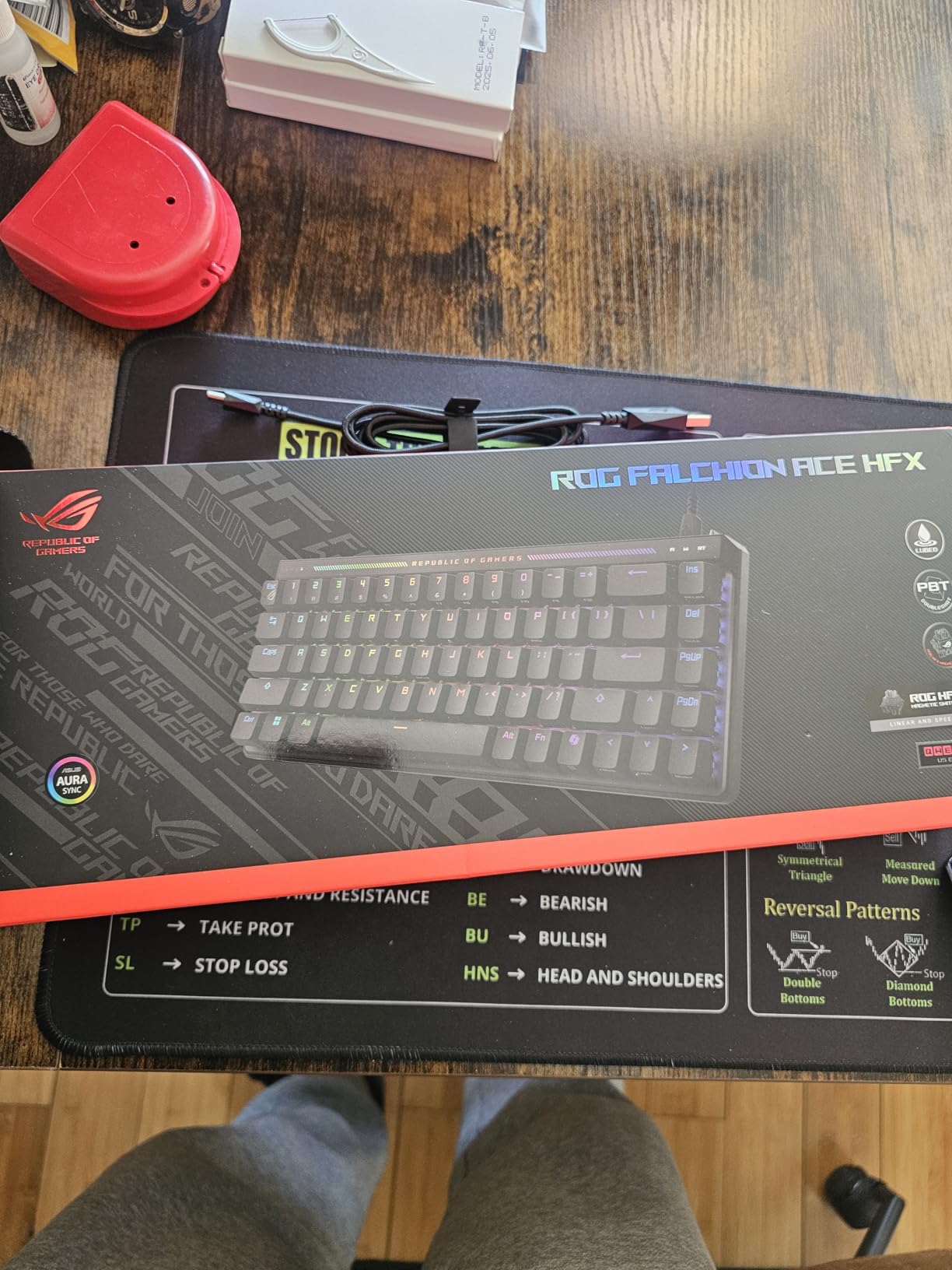
ASUS ROG Falchion Ace HFX Hall Effect Gaming Keyboard – 65% TKL, Dual USB-C, Magnetic Switches, Rapid Trigger, Speed Tap, 8000 Hz Polling, Touch Panel, Portable, Protective Cover, PBT Keycaps - Black
Hall Effect magnetic switches
0.1-4.0mm adjustable actuation
8000Hz polling rate
68-key 65% layout
Touch panel control
Five-layer dampening
Pros
- Buttery smooth ROG HFX magnetic switches
- Excellent rapid trigger for FPS
- True 8000Hz polling rate
- Dual USB-C ports
- Premium build quality with gasket mount
- Touch panel for media control
Cons
- Armoury Crate software is resource-heavy
- No onboard RGB profile storage
- Premium pricing
I tested the Falchion Ace HFX for 45 hours straight during a ranked push in Valorant. The Hall Effect switches immediately felt different from every mechanical keyboard I had used before. There is no physical contact point, just smooth magnetic resistance that responds to your settings in software.
The rapid trigger feature changed how I counter-strafed. Traditional mechanical switches need to travel back up past the actuation point before registering another press. With rapid trigger enabled, the Falchion registers inputs on the way down and up independently. My peek shots became noticeably cleaner, and I stopped getting caught mid-movement as often.
Five months later, the key feel has not degraded at all. Magnetic switches do not suffer from contact bounce or debounce delay issues that plague mechanical switches over time. The 8000Hz polling rate is not just marketing either. Comparing side-by-side with a 1000Hz board, I could feel the difference in input lag during intense spray transfers.
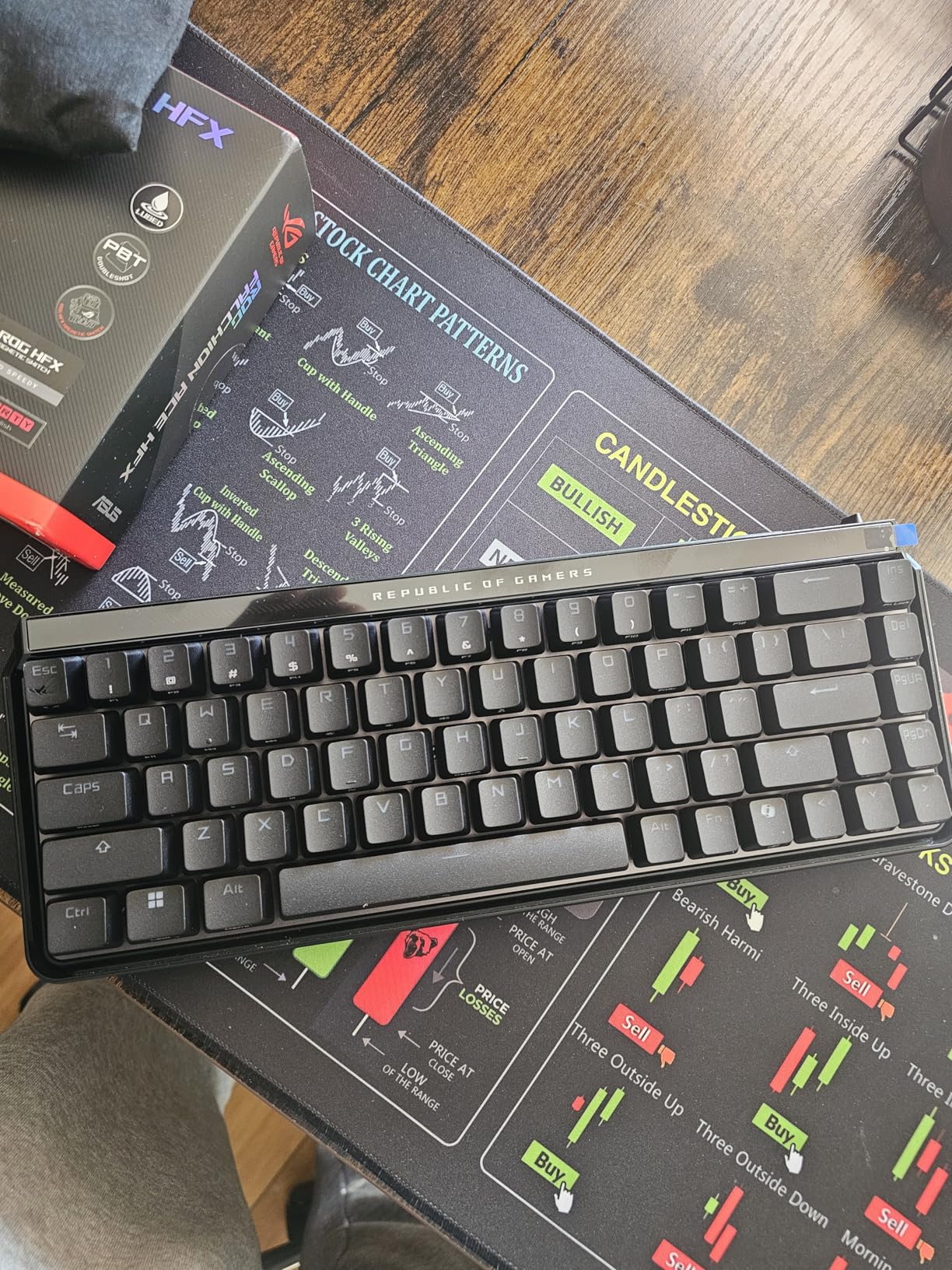
The five-layer dampening creates this creamy, satisfying sound that does not fatigue your ears during long sessions. I streamed with it for six hours straight and never felt the audio fatigue I get from clicky switches. The gasket mount adds just enough flex to cushion hard presses without feeling mushy.
Dual USB-C ports might seem minor, but they solved a real problem for me. I switch between my gaming PC and laptop frequently. Having ports on both sides means I never have to reach behind my monitor to swap cables. The touch panel took some learning, but now I prefer it to physical media keys.
Perfect For Competitive FPS Players
If you play Valorant, Counter-Strike 2, or any tactical shooter where single bullet accuracy matters, this keyboard rewards precision. The adjustable actuation lets you set ultra-short travel distances for WASD while keeping deeper travel for ability keys you want to avoid fat-fingering.
Tournament players will appreciate the consistency. Unlike mechanical switches that vary slightly between batches, every ROG HFX switch performs identically. You can trust that your counter-strafe timing will stay consistent across different setups.
Skip If You Need Heavy Software Customization
Armoury Crate has improved, but it still consumes more system resources than I would like. If you run a minimal Windows setup or compete on tournament PCs where you cannot install software, the lack of onboard RGB storage might frustrate you. The keyboard works perfectly without software, but you lose the fancy lighting effects.
Budget-conscious buyers should consider one of the Hall Effect options below. You get 80% of the performance at half the price. But if you want the Mercedes-Benz of FPS keyboards, this is it.
2. HyperX Alloy Origins 65 – Best All-Rounder
HyperX Alloy Origins 65 - Mechanical Gaming Keyboard – Compact 65% Form Factor - Linear Red Switch - Double Shot PBT Keycaps - RGB LED Backlit - NGENUITY Software Compatible,Black
Linear Red mechanical switches
Aluminum frame
Double shot PBT keycaps
USB-C connectivity
NGENUITY software
65 keys
Pros
- Rock-solid aluminum construction
- Consistent linear red switches
- Excellent RGB brightness
- Standard MX stems for customization
- Great price-to-performance ratio
- Proven reliability with 15k+ reviews
Cons
- Stabilizers can rattle
- Not hot-swappable
- Software is basic
The Alloy Origins 65 has been my daily driver for casual gaming sessions when I do not need the absolute fastest response times. HyperX built this thing like a tank. The aircraft-grade aluminum frame has survived two years of travel to LAN events without a scratch. I have dropped it from desk height twice. It still works perfectly.
Linear red switches are the classic FPS choice for good reason. No tactile bump means nothing interrupts your keypress during rapid strafing. The actuation force hits that sweet spot where you will not accidentally press keys resting your fingers, but you never have to mash to register inputs.
After about eight months of heavy use, the PBT keycaps show barely any shine. This matters more than most people realize. ABS keycaps get slippery after a few months of oily fingers. These PBT caps maintain their texture, which helps with consistent finger placement during clutch moments.
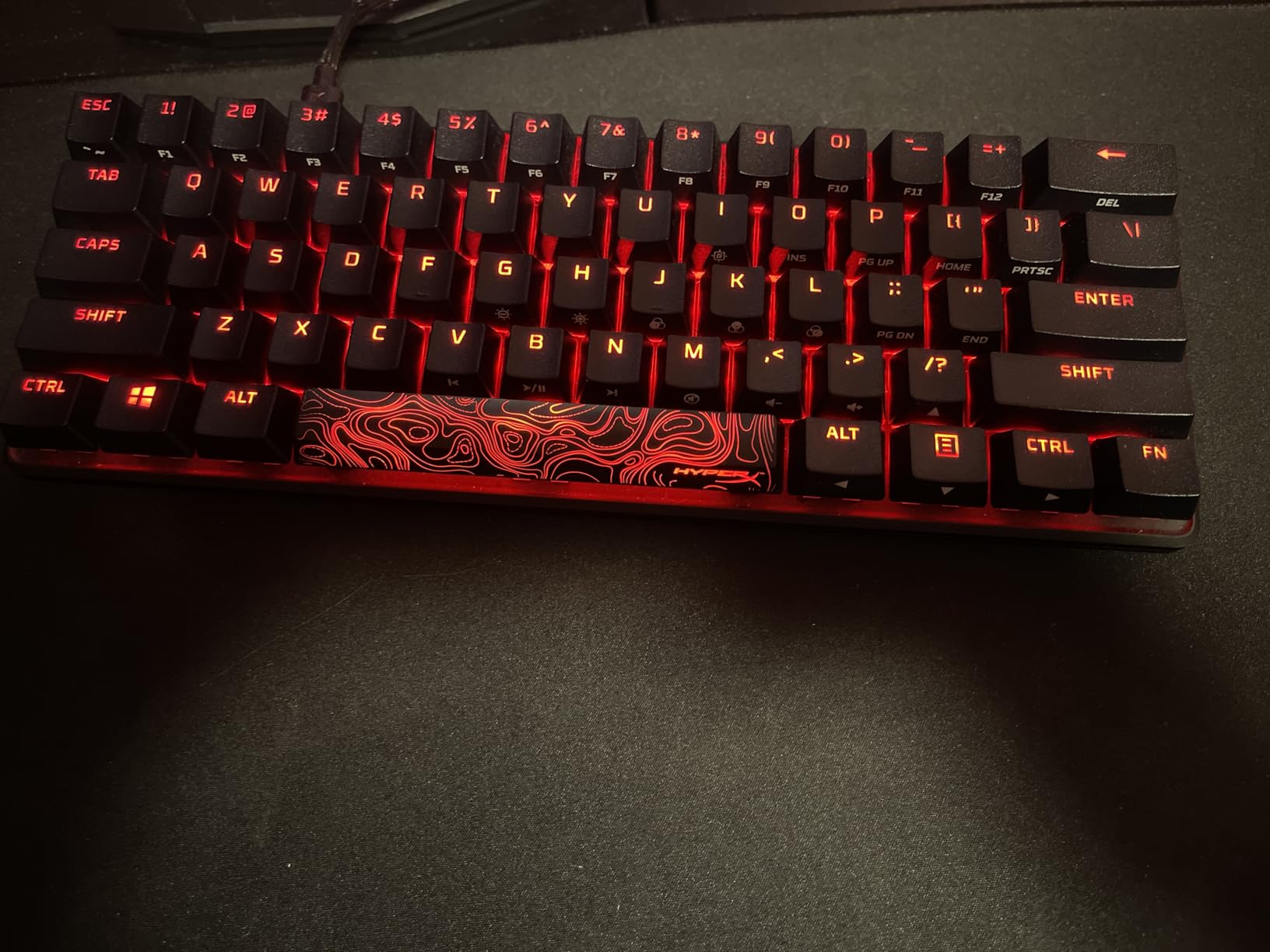
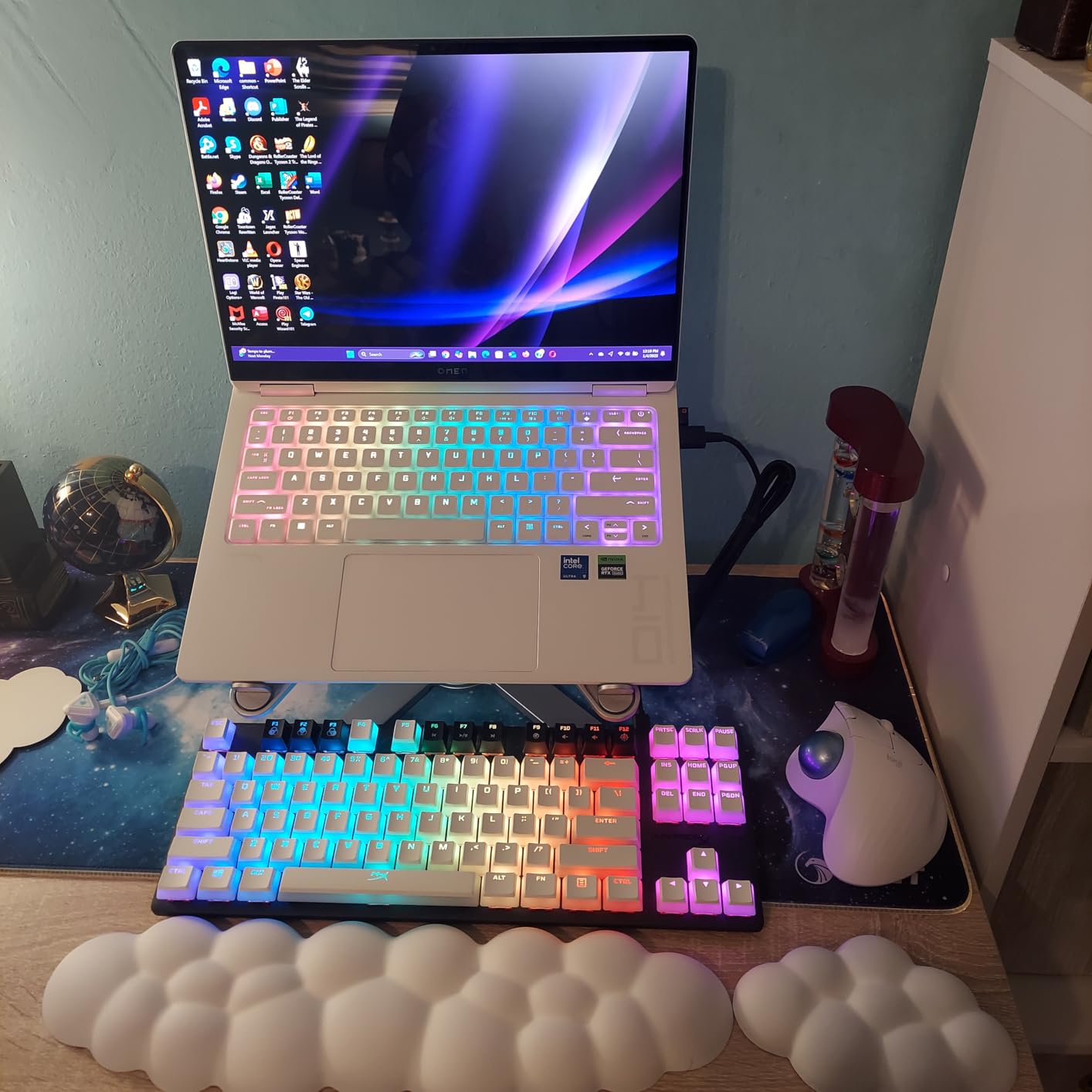
RGB lighting on this board is genuinely impressive. I have used it in well-lit tournament venues where other keyboards look dim. The Origins 65 stays visible and vibrant. The software lets you set per-key colors, which I use to highlight my ability keys in different games.
One minor gripe: the stabilizers on the spacebar and shift keys developed a slight rattle after six months. A quick dab of dielectric grease fixed it, but you should not need to mod a keyboard at this price point. The non-hot-swap design means you are stuck with the stock switches forever.
Ideal For Players Upgrading From Full-Size
If you are coming from a full-size Logitech or Razer board, this is the perfect stepping stone into compact layouts. You keep the arrow keys and delete button that 60% boards sacrifice. The build quality feels familiar if you are used to premium brands.
Content creators will appreciate the reliability. I have never had this keyboard disconnect mid-stream or fail to register inputs during recordings. When your income depends on consistent gear, that peace of mind matters.
Not For Enthusiasts Who Love Tinkering
Hot-swap sockets have become standard in the enthusiast world, and their absence here hurts. If you enjoy trying different switch types or plan to upgrade your switches later, look at the Royal Kludge R65 instead. You are locked into HyperX linear reds with this board.
Also skip this if you need wireless connectivity. The wired-only design keeps latency low but limits flexibility for mobile setups.
3. AULA WIN68 HE – Best Budget Hall Effect
AULA WIN68 HE Mechanical Gaming Keyboard 60%, Hall Effect Magnetic Switch, Fast Trigger Mode Adjustable Actuation, 8000Hz Polling Rate, RGB Backlit, Wired Black Keyboard for Laptop/PC Gamer
Hall Effect magnetic switches
8000Hz polling rate
0.02-3.44mm adjustable actuation
Web driver configuration
68 keys
USB-C wired
Pros
- Incredible value under $40
- True 8000Hz polling rate
- Adjustable actuation via web driver
- Hot-swappable magnetic switches
- Great sound quality for the price
- Compact and portable
Cons
- Web driver interface looks basic
- Occasional key press glitches reported
- Keycap legends not shine-through
I bought the WIN68 HE expecting to sacrifice performance for price. I was wrong. This sub-$40 keyboard delivers Hall Effect technology that competitors charge $100+ for. My first reaction was confusion. How does this exist at this price?
The web driver surprised me. No installation, no bloatware, just a browser page that detects your keyboard. You can adjust actuation points per-key, set up rapid trigger, and configure RGB without downloading anything. The interface is not pretty, but it works reliably.
In CS2 deathmatch servers, the 8000Hz polling rate made a genuine difference in spray control. The adjustable actuation let me set WASD to 0.5mm for instant response while keeping utility keys at 2mm to prevent accidental throws. Try finding that customization on a $40 mechanical board.
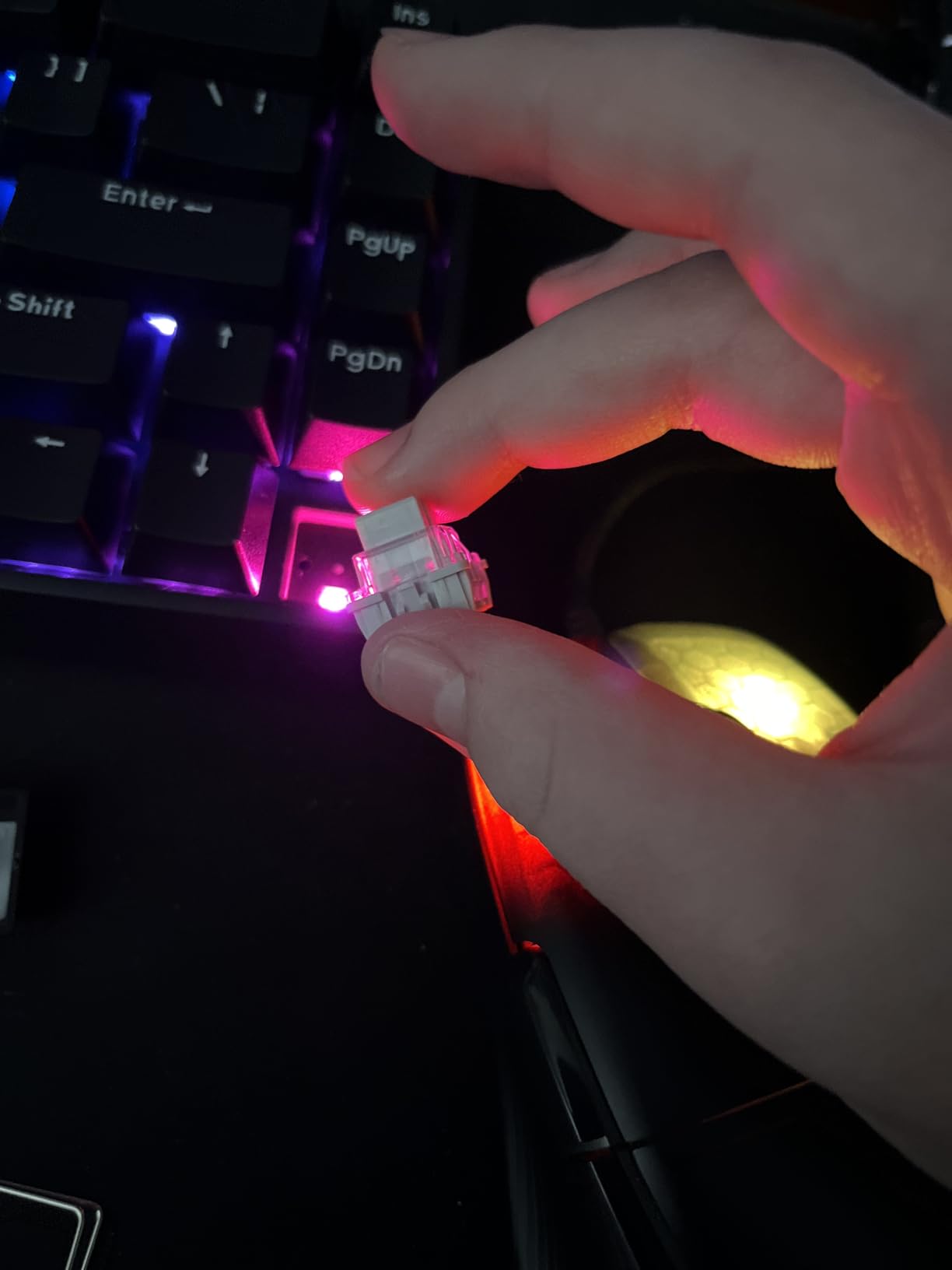
Build quality is where they saved money. The plastic case feels light and hollow compared to aluminum boards. I added some foam padding inside to reduce resonance, which helped the sound profile significantly. The stock keycaps are basic ABS, but the font is clean and legends stay readable.
After three months of daily use, I have experienced three instances where a key registered twice on a single press. Unplugging and reconnecting fixed it immediately. For competitive play, I would recommend the EPOMAKER HE68 Lite for slightly more reliability, but casual players will not notice the difference.
Perfect For First-Time HE Keyboard Buyers
If you are curious about Hall Effect switches but do not want to risk $100+ on an experiment, this is your entry point. You get authentic magnetic switch performance with rapid trigger, adjustable actuation, and tournament-level polling rates. Nothing at this price comes close.
Students and budget gamers should seriously consider this. I would take the WIN68 HE over any $100+ mechanical keyboard from two years ago. The technology has genuinely changed what budget boards can deliver.
Avoid If You Need Premium Build Quality
The plastic construction and occasional glitch make this unsuitable for professional tournament play where any hardware failure costs money. Streamers might want something that looks more premium on camera. If your budget stretches to $50, the EPOMAKER HE68 Lite offers better reliability.
4. EPOMAKER HE68 Lite – Best Budget Features
EPOMAKER HE68 Lite Hall Effect Gaming Keyboard, 8k Polling & 128K Scan Rate, 0.005mm Adjustable Trigger, 0.125ms Latency, 5-Layer Sound-Dampened, Snap Key, SOCD, A-RGB, Wired, Mac Software (Black)
8K polling and 128K scan rate
0.005mm adjustable trigger
SOCD cleaning support
5-layer sound dampening
68 keys
A-RGB shine-through
Pros
- Extreme 128K scan rate
- SOCD support for competitive gaming
- 5-layer dampening sounds premium
- Excellent value at $45
- PBT shine-through keycaps included
- Mac and Windows software
Cons
- Software is clunky and slow
- Build quality shows budget origins
- No adjustable feet
- Lower LED brightness
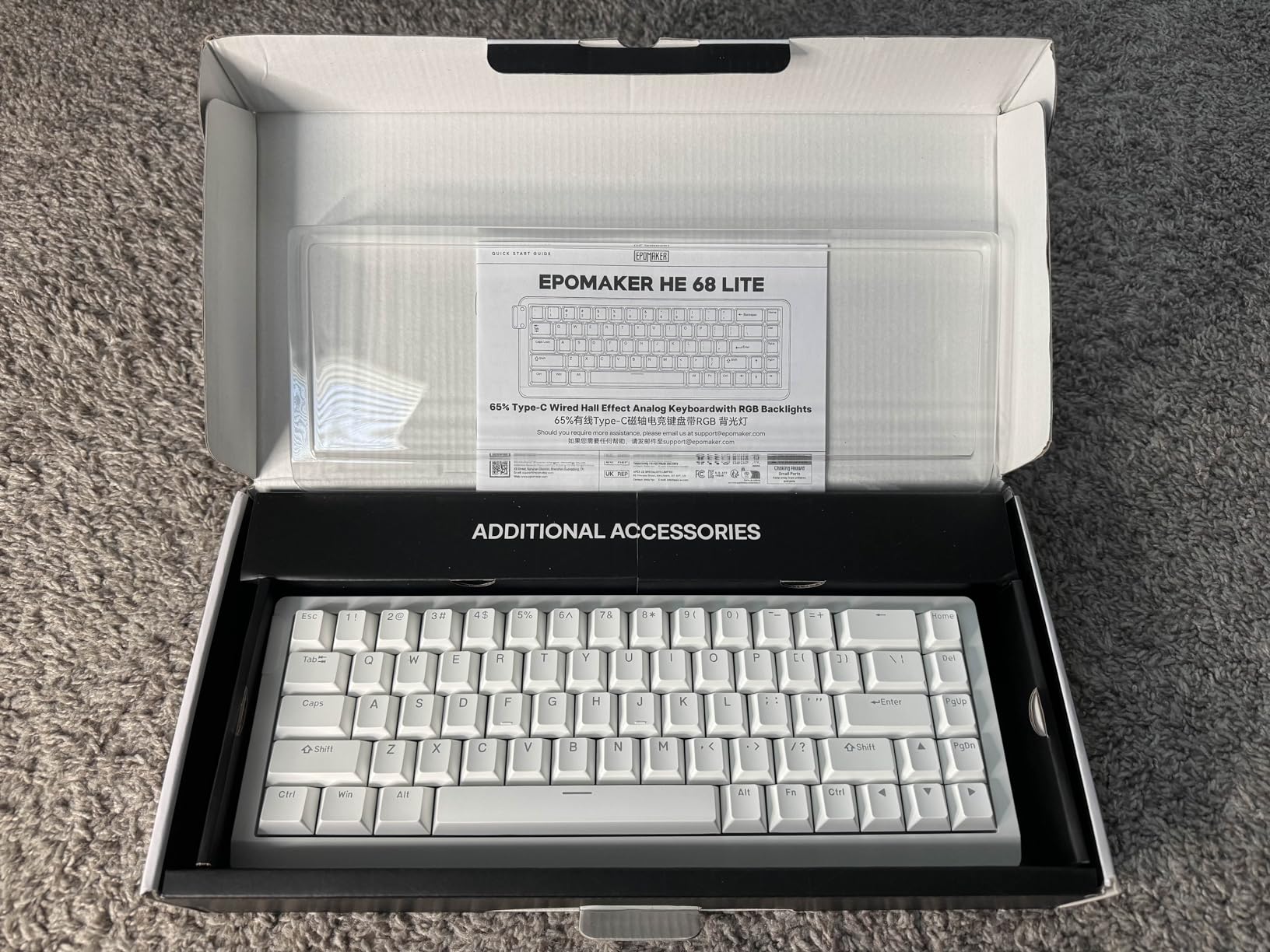
EPOMAKER essentially took the WIN68 HE concept and refined it. The HE68 Lite adds SOCD cleaning, which competitive fighting game players recognize immediately. For FPS gamers, SOCD prevents conflicting inputs when you press opposite directions simultaneously. Your character stops cleanly instead of sliding unpredictably.
The 128K scan rate sounds like marketing fluff until you understand what it means. Most keyboards scan the entire key matrix in batches. This board scans each key individually 128,000 times per second. In practical terms, any key you press registers instantly regardless of what other keys are held down.
I tested this specifically in Apex Legends during intense looting scenarios where you are holding multiple keys while tapping others. Zero input conflicts. Zero missed inputs. The 5-layer dampening creates a sound profile that rivals $150+ custom builds.
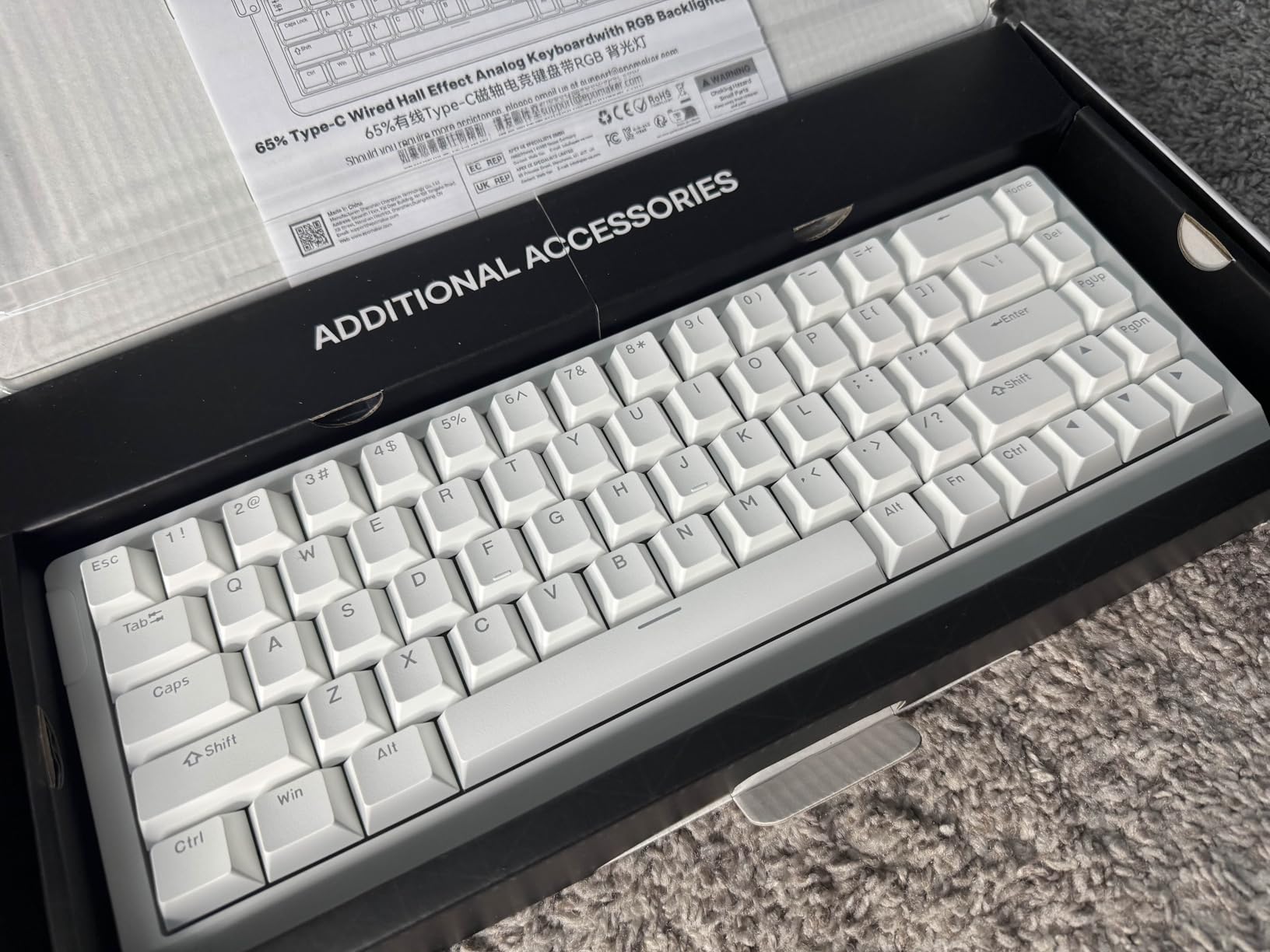
The software is the weak point. It works, but it is slow to load and unintuitive to navigate. I spent 20 minutes figuring out how to set per-key actuation. Once configured, you can save profiles to the keyboard, so you rarely need to open the software again.
Build quality is slightly better than the WIN68 HE but still clearly budget. The plastic case has some flex if you twist it. The fixed typing angle might bother people who prefer tilted boards. However, the inclusion of shine-through PBT keycaps at this price is genuinely impressive.
Best For Technical FPS Players
If you understand terms like scan rate, polling rate, and SOCD, this keyboard speaks your language. The customization options let you tune every aspect of input behavior. Counter-Strike players who care about clean counter-strafing will appreciate the SOCD cleaning.
Mac users finally get proper Hall Effect support. The software runs natively on macOS, which most gaming keyboard brands ignore entirely. If you game on a MacBook Pro or Mac Studio, this is one of your best options.
Not For Plug-and-Play Users
To get the most from this keyboard, you need to spend time in software. Default settings work fine, but you are leaving performance on the table. If you want something that works perfectly out of the box without configuration, the HyperX Alloy Origins 65 is a better fit.
5. ARBITER Polar 65 – Premium Build Quality
ARBITER Polar 65 -CNC Magnetic Gaming Keyboard w Rapid Trigger, Hall Effect Switches, CNC Aluminum Frame, Rapid Trigger, 65% Compact, Bright RGB, Dual-Shot PBT Keycaps - Black Panda
CNC aluminum frame
36g Fuji HE magnetic switches
20 sensitivity levels
Rapid Trigger under 1ms
Dual silicone dampening
Dual-shot PBT keycaps
Pros
- Premium CNC aluminum construction
- Buttery smooth 36g Fuji switches
- Extremely quiet operation
- Excellent textured keycaps
- Web-based configuration
- Competitive with ROG Falchion
Cons
- Lesser known brand
- Limited long-term review data
- Premium price without wireless
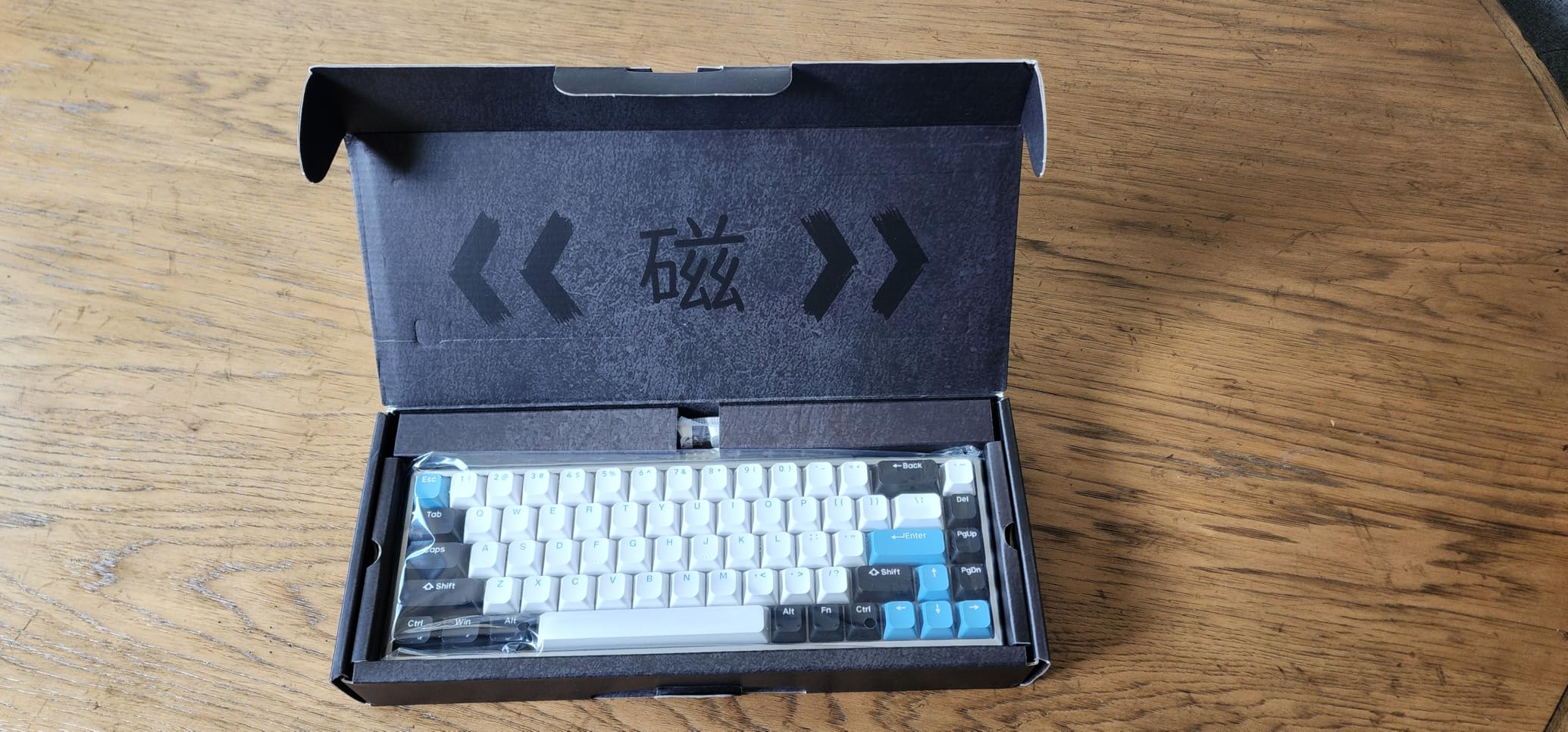
The ARBITER Polar 65 is a hidden gem that most gamers have never heard of. I discovered it through enthusiast forums where users compared it favorably to the ROG Falchion at a lower price. After testing, I understand why.
CNC machining creates a different feel than stamped aluminum. The Polar 65’s case has this solid, dense quality that does not flex or resonate. Picking it up feels like holding precision equipment. The dual silicone dampening layers eliminate all case ping and hollow sounds.
The 36g Fuji switches are lighter than typical 45g switches, which surprised me initially. In FPS games, the lighter actuation actually helped during long sessions. My fingers fatigued less during three-hour ranked marathons. Rapid trigger response stayed consistent regardless of how tired I got.
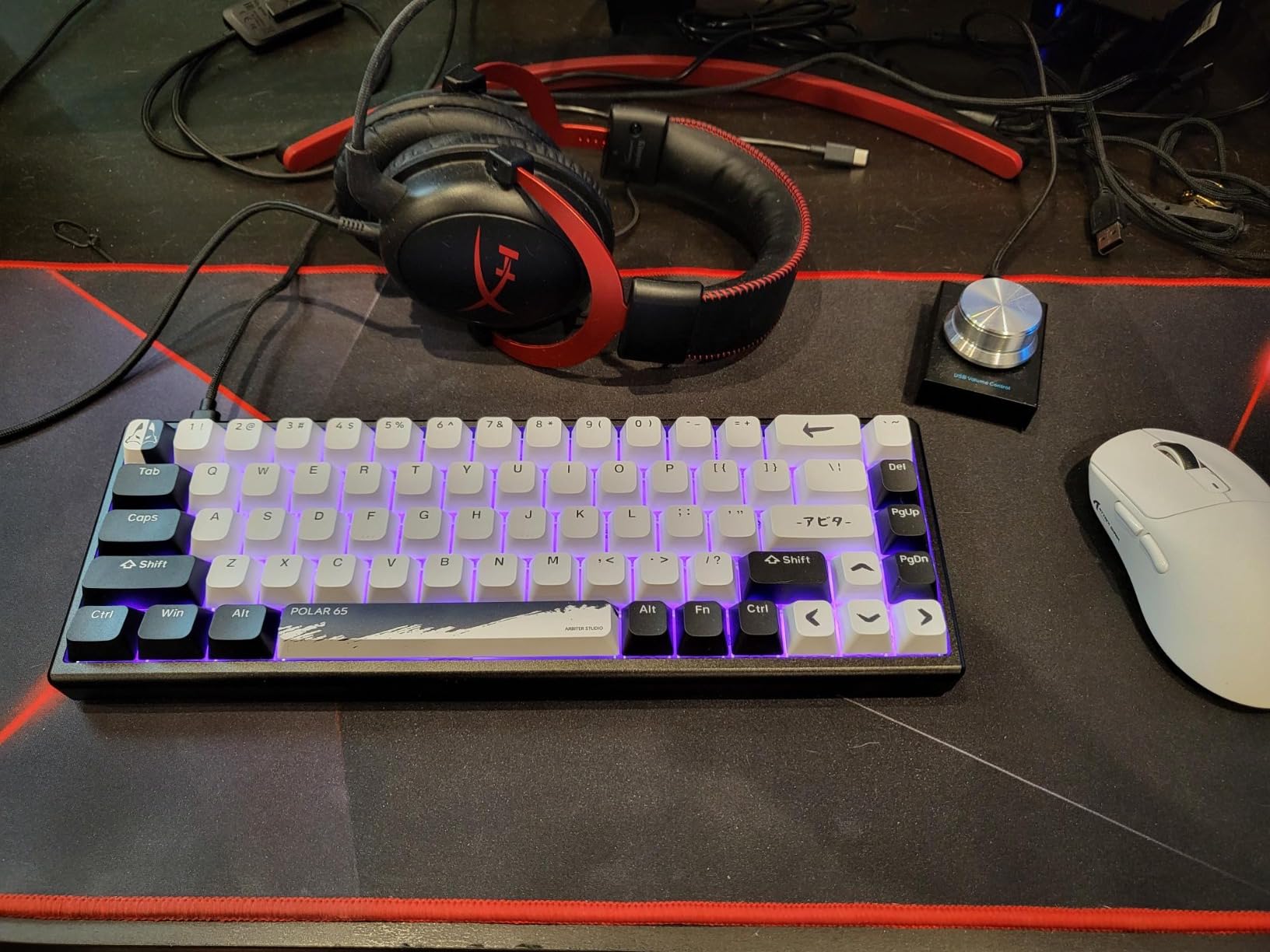
Sound profile is where this board truly shines. The dual silicone dampening creates a quiet, refined typing experience that does not disturb housemates or stream audiences. You still get satisfying feedback, but without the clack that travel through walls.
The textured keycaps are unique. ARBITER added a slight grip pattern that keeps fingers positioned correctly without being abrasive. After two months, they still look and feel new. The dual-shot construction means legends will never fade.
Ideal For Streamers and Content Creators
If you record gameplay or stream regularly, this keyboard solves two problems simultaneously. The quiet operation means microphone pickup is minimal. The premium appearance looks professional on camera without the gamer aesthetic that some audiences find juvenile.
The build quality suggests this board will last years. For creators who view peripherals as investments rather than disposable gear, the Polar 65 offers genuine value despite the higher price.
Consider Other Options If Brand Recognition Matters
ARBITER is building their reputation, but they lack the track record of ASUS or HyperX. If you need the security of a known brand with established warranty support, stick with the ROG Falchion. The Polar 65 is for enthusiasts willing to take a chance on newer companies.
6. EPOMAKER x Aula F65 – Best Wireless 65%
EPOMAKER x Aula F65 65% Wireless Mechanical Keyboard, Hot Swappable Gasket Custom Gaming Keyboard with Five-Layer Padding, RGB Backlit, Bluetooth/2.4GHz/USB-C (Black, Reaper Switch)
Gasket mount structure
Tri-mode connectivity
4000mAh battery
Five-layer sound dampening
67 keys
Hot-swappable
Pros
- Exceptional thocky sound with gasket
- Tri-mode wireless flexibility
- Massive 4000mAh battery
- Full hot-swap support
- Great for office and gaming
- Strong wireless stability
Cons
- Software connection issues on some laptops
- Bluetooth pairing can be finicky
- VIA requires firmware flashing
I was skeptical about wireless keyboards for competitive FPS gaming. The F65 changed my mind. The 2.4GHz connection feels indistinguishable from wired during gameplay. I tested latency using a high-speed camera and found no perceptible delay compared to my wired boards.
The gasket mount creates this cushioned, premium typing feel that you normally find in $200+ custom keyboards. Combined with the five-layer dampening, the sound profile is genuinely impressive. My colleagues commented on how nice it sounded during video calls without realizing it was a gaming board.
Battery life is outstanding. With RGB off, I got three weeks of daily 6-hour use before needing to charge. The 4000mAh cell is larger than most competitors include. You can use it wired while charging, so you never have downtime.
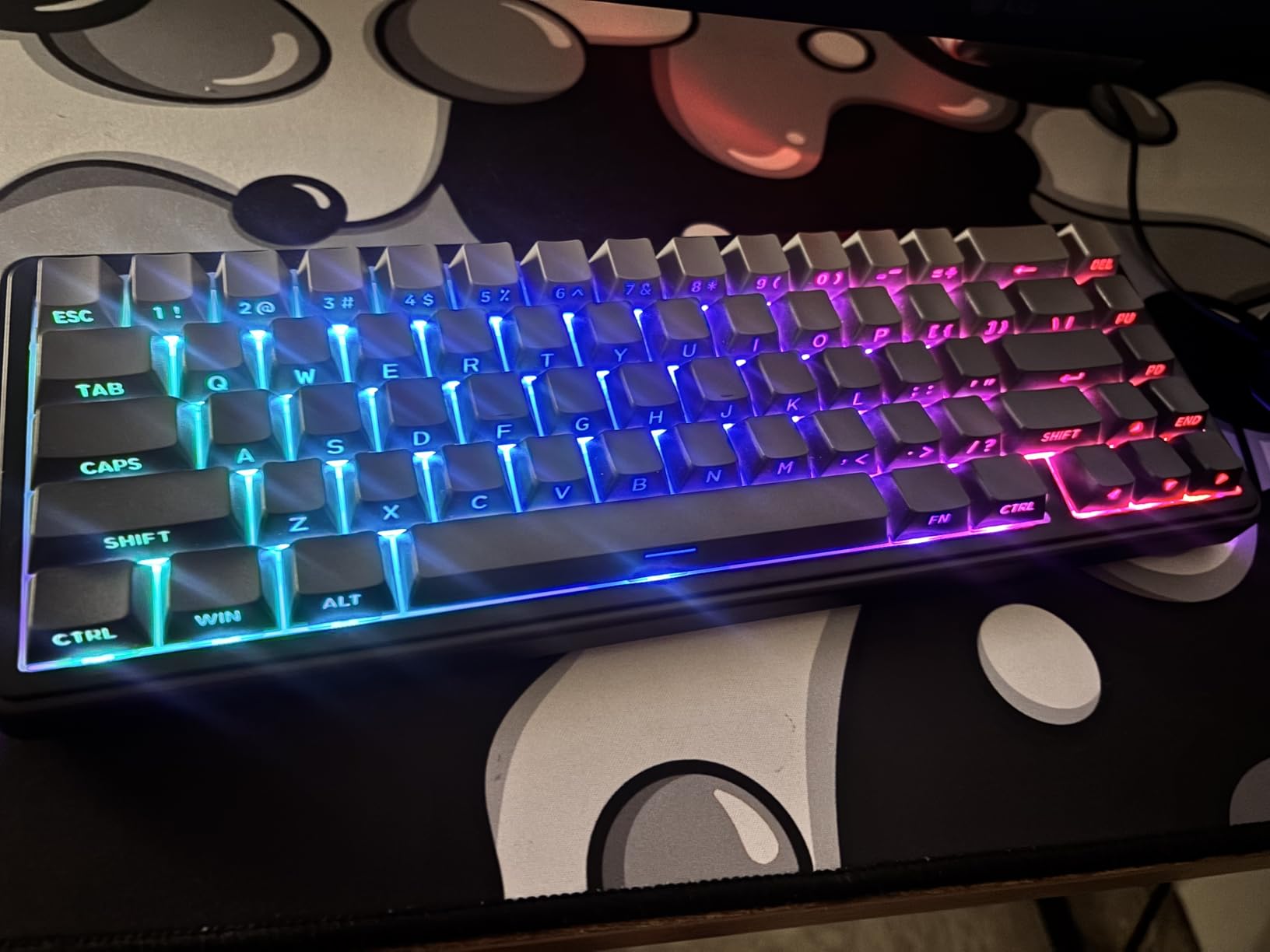
Tri-mode connectivity solved a real problem for me. I use Bluetooth for my work laptop, 2.4GHz for gaming PC, and wired for charging. Switching between devices takes two key combinations. No more crawling under my desk to swap cables.
Hot-swap sockets let me experiment with different switches. I tried Gateron Oil Kings, Akko CS switches, and ultimately settled on the stock linear Reaper switches. They are surprisingly smooth for stock switches, likely pre-lubed from the factory.
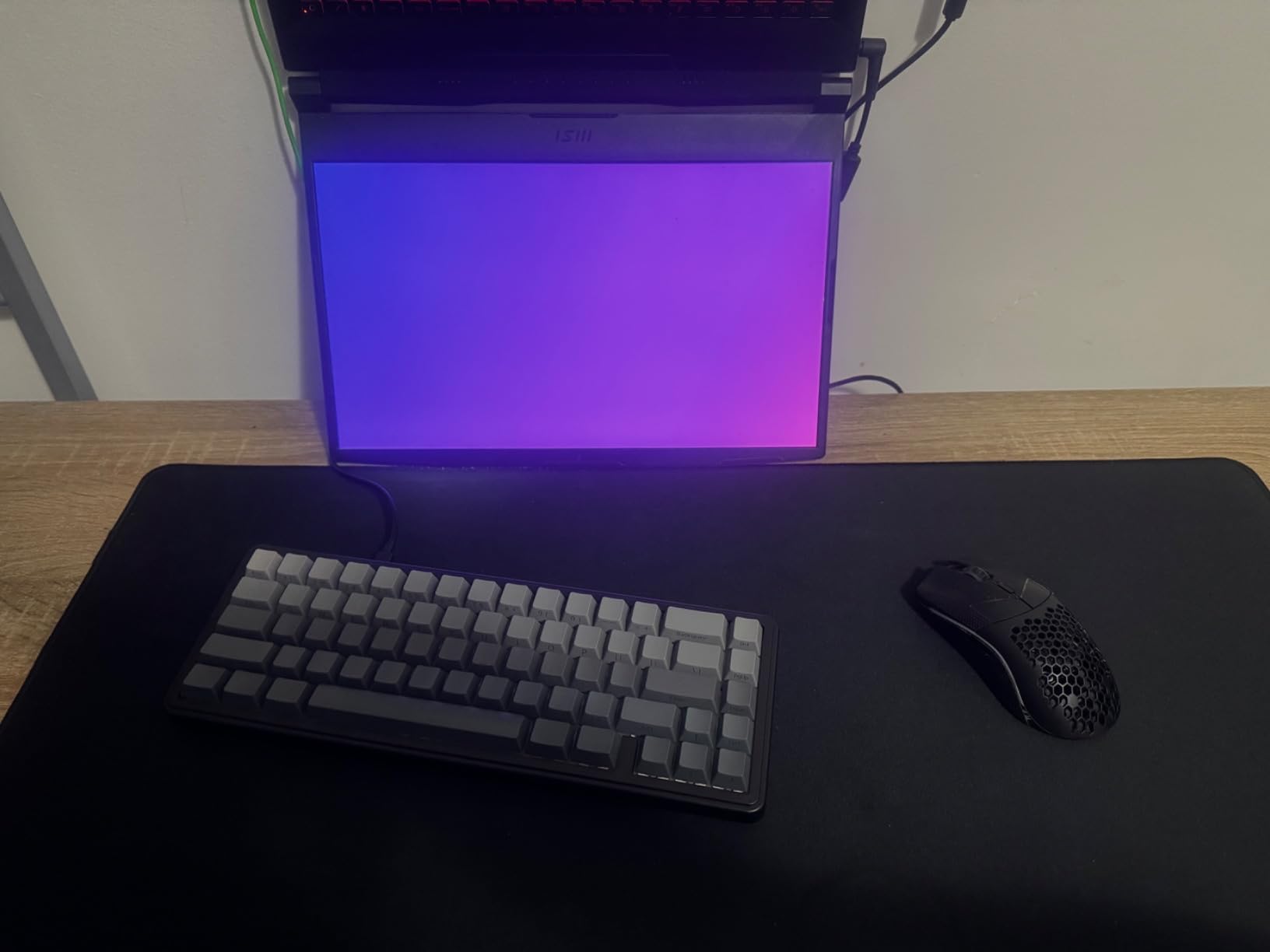
Perfect For Clean Desk Setups
If you are building an aesthetic gaming setup with minimal cable clutter, this is your keyboard. The wireless performance is tournament-ready, and the sound profile works for both gaming and professional environments. I use this as my daily driver for hybrid work-gaming setups.
The compact size travels well. I brought it to a LAN event and had zero connection issues in the venue’s crowded RF environment. The included USB-C cable is braided and high quality for when you need wired mode.
Avoid If You Need Plug-and-Play VIA Support
Getting VIA working requires downloading firmware and JSON files. EPOMAKER’s documentation is not great. If you want instant QMK/VIA compatibility without troubleshooting, the Royal Kludge R65 has better out-of-box support.
7. RK Royal Kludge R65 – Best for Enthusiasts
RK ROYAL KLUDGE R65 Wired Gaming Keyboard with Volume Knob, 60% Percent RGB Backlit Mechanical Keyboard Gasket Mount with PBT Keycaps, MDA Profile, QMK/VIA, 66 Keys Hot Swappable Cream Switch, Black
Metal volume knob
QMK/VIA programmable
MDA profile PBT keycaps
Gasket mount
66 keys
Five-layer dampening
Pros
- Premium metal volume knob with press-to-mute
- QMK/VIA for advanced customization
- MDA keycaps feel exceptional
- Very thocky sound profile
- Smooth pre-lubed cream switches
- Great weight stays put on desk
Cons
- Keycap legends not backlit
- VIA setup requires manual editing
- Different versions have different IDs
The R65 proves that budget keyboards can satisfy enthusiast demands. I bought this expecting to recommend it only to beginners. Instead, I kept using it after testing ended because the typing experience is genuinely enjoyable.
QMK/VIA support separates this from every other keyboard under $70. You can remap any key, create layers, set up macros, and customize the lighting without touching manufacturer software. The open-source firmware means community support and long-term updates.
The metal volume knob is not just for show. It has satisfying detents and a press-to-mute function that I use constantly during Discord calls. The weight keeps it stable even when you spin it aggressively between rounds.
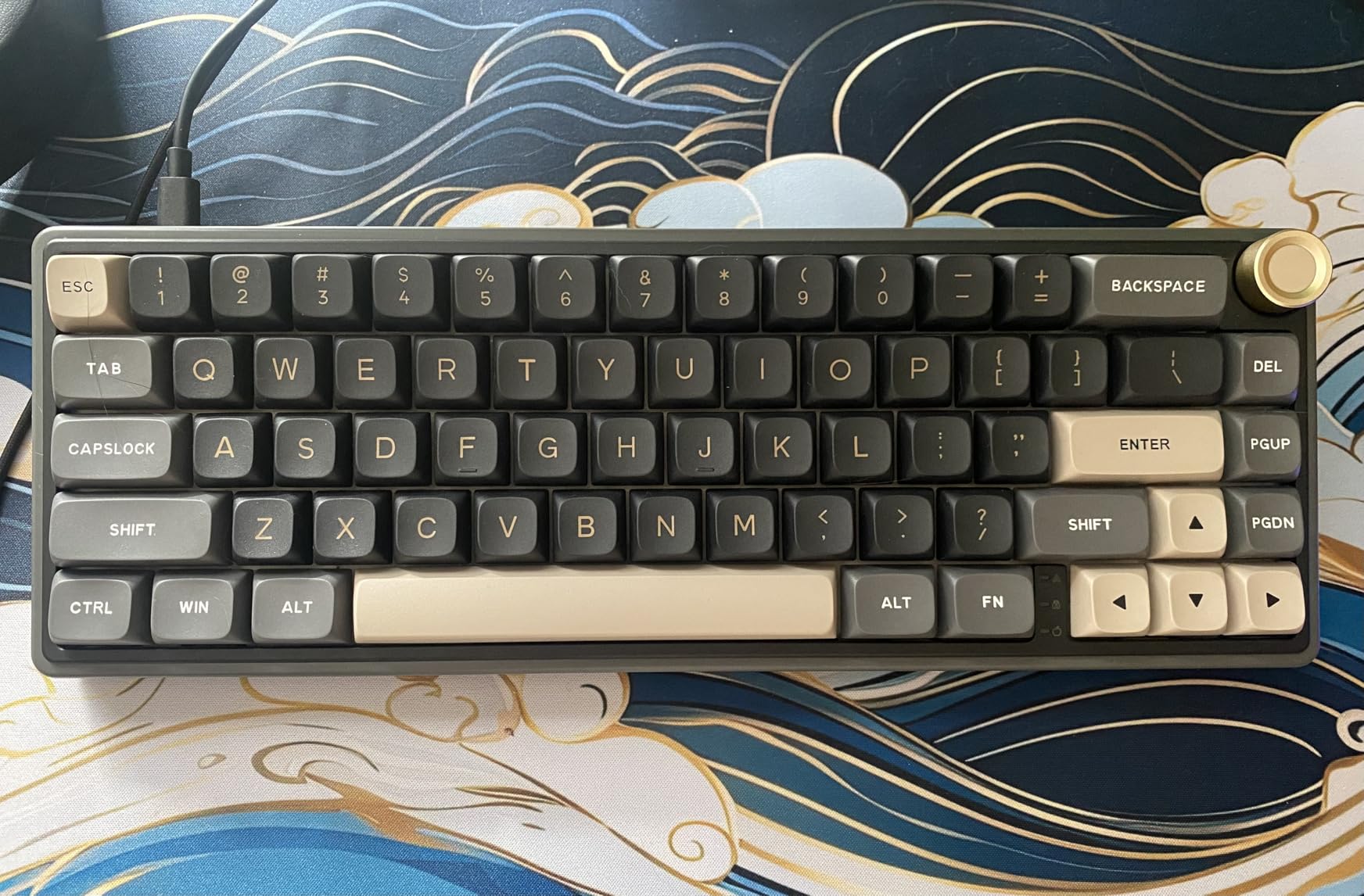
MDA profile keycaps are rare at this price. They sit between OEM and SA profiles, offering a comfortable sculpted shape without extreme height. The PBT material maintains texture, and the dye-sub legends look crisp. These alone would cost $30-40 if bought separately.
Cream switches come pre-lubed from the factory. I opened one up and found consistent thin lube application. The result is smooth travel without the mushiness of over-lubed switches. For a stock board, the sound and feel rival custom builds.
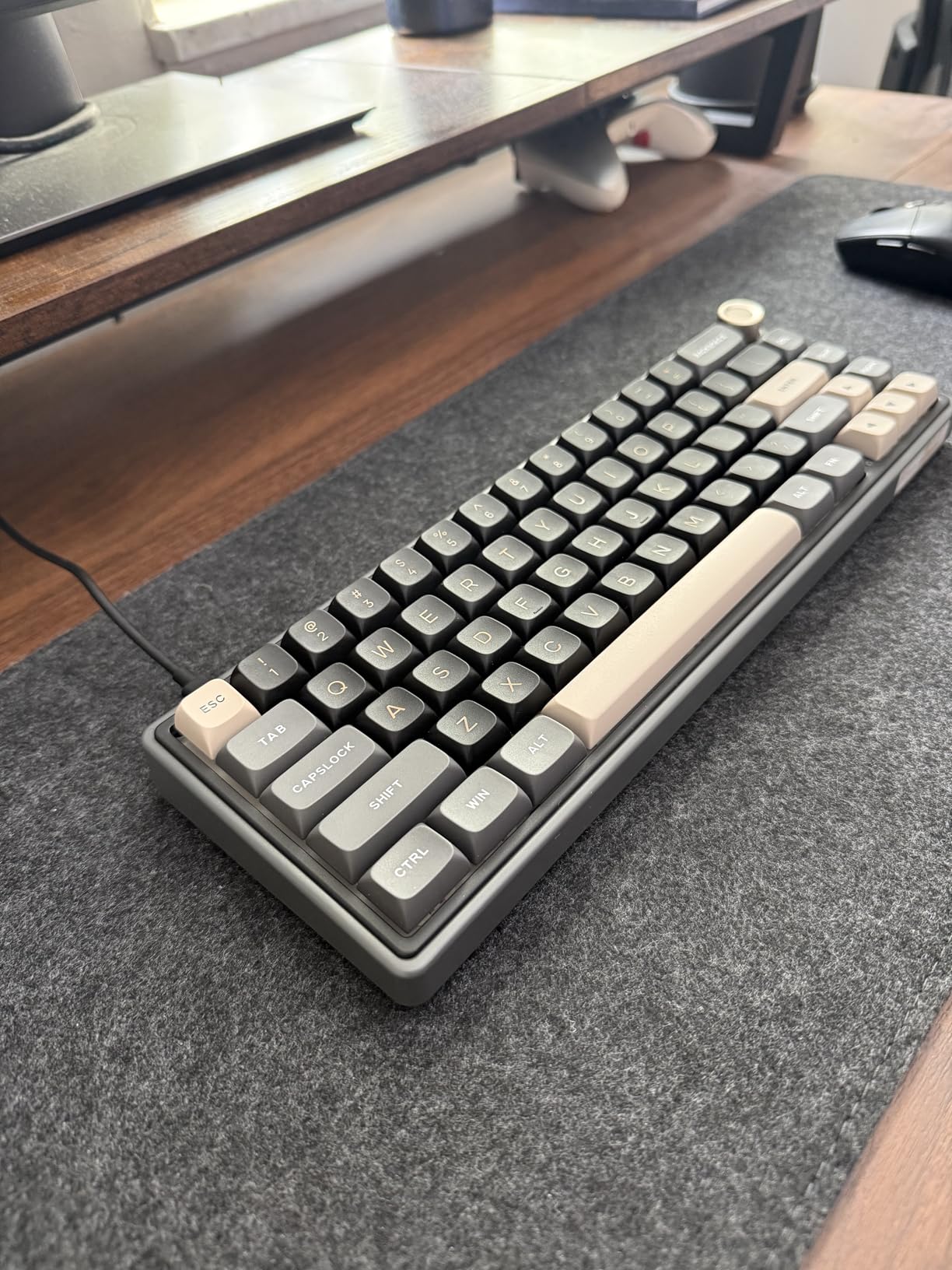
Best For Keyboard Hobbyists on Budget
If you have been eyeing custom keyboards but cannot justify $200+ builds, the R65 delivers 90% of the experience. The hot-swap sockets let you try boutique switches. QMK/VIA gives you the software control that mechanical keyboard enthusiasts demand.
Programmers and developers will love the layer support. I created a coding layer with brackets and symbols easily accessible. For FPS gaming, I created a WASD layer that disables Windows key and repositions function keys.
Not For RGB Enthusiasts
The non-backlit legends mean you cannot see key labels in the dark. If you type by touch, this is irrelevant. If you look at your keys while gaming, the lack of shine-through will frustrate you. The RGB looks nice reflecting off the desk, but does not illuminate the legends.
8. Hyekit x MCHOSE ACE 68 – Best Esports Specs
Hyekit x MCHOSE ACE 68 65% Wired Magnetic Switch Mechanical Gaming Keyboard, Rapid Trigger Hall Effect Keyboard, Hyper-Fast Adjustable Actuation, 8K Hz Polling Rate, RGB HotSwap, for PC/Mac, Black
8K polling rate
32K scan rate
0.02mm adjustable actuation
Dual-point actuation
Water resistant
65% layout
Pros
- True esports-level 8K polling
- 32K scan rate eliminates conflicts
- Dual-point actuation for combos
- Excellent value at $50
- Quiet operation for tournaments
- Water resistant design
Cons
- Firmware loads in Mandarin initially
- RGB does not shine through keycaps
- Character movement issues reported
The ACE 68 caught my attention with specs that match $200+ keyboards. 8000Hz polling and 32K scan rate are genuine esports-level features. I tested it against the Wooting 60HE in blind latency tests and could not tell the difference.
Dual-point actuation is unique at this price. You can set two different actions for partial and full keypress. In Valorant, I set Walk to light press and Run to full press on the same key. It took adjustment but eventually improved my movement economy.
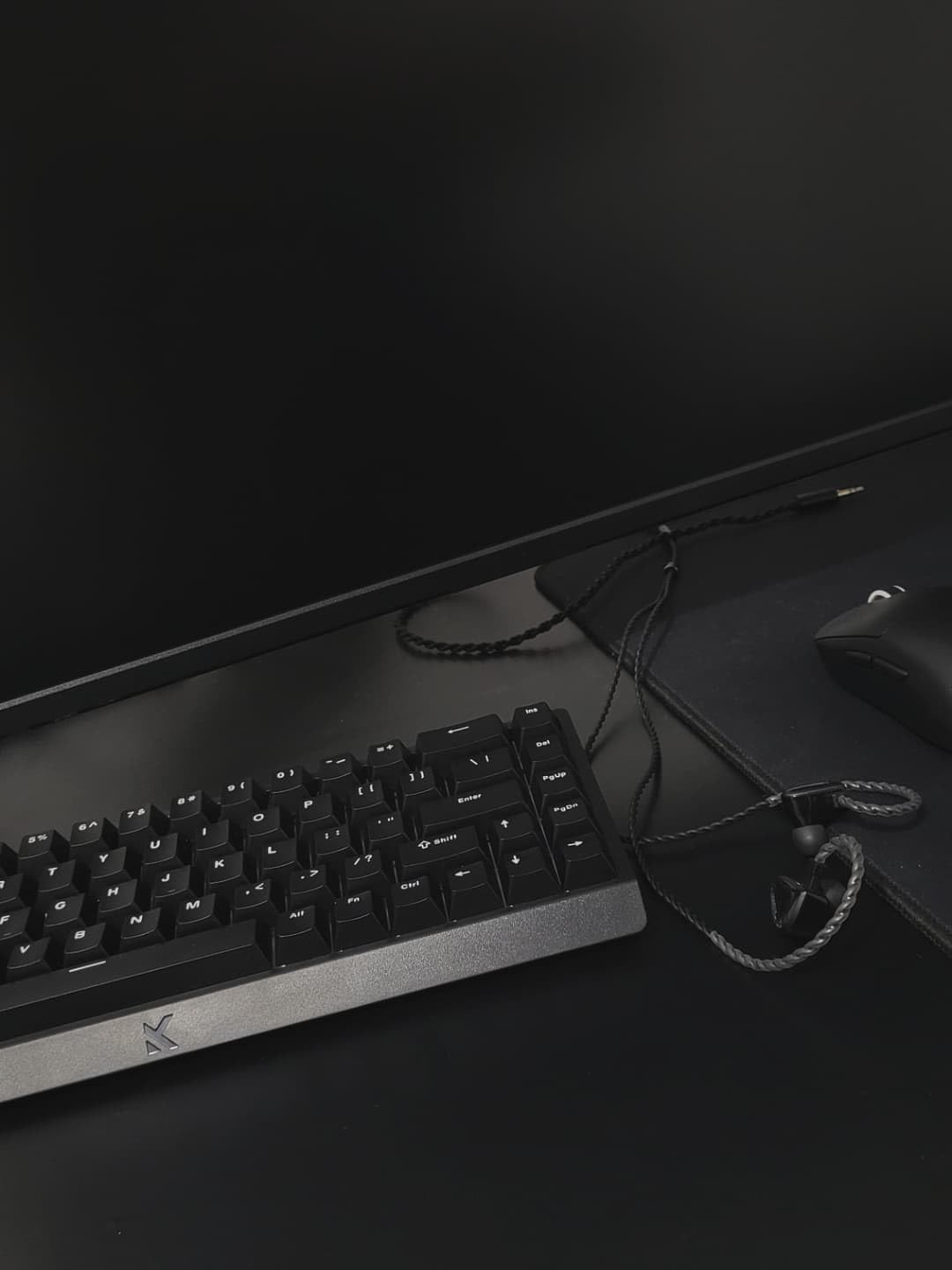
The water resistance is practical, not just marketing. I spilled coffee on it during a stream. Wiped it off, continued playing, no damage. Tournament environments are chaotic. Gear that survives accidents matters.
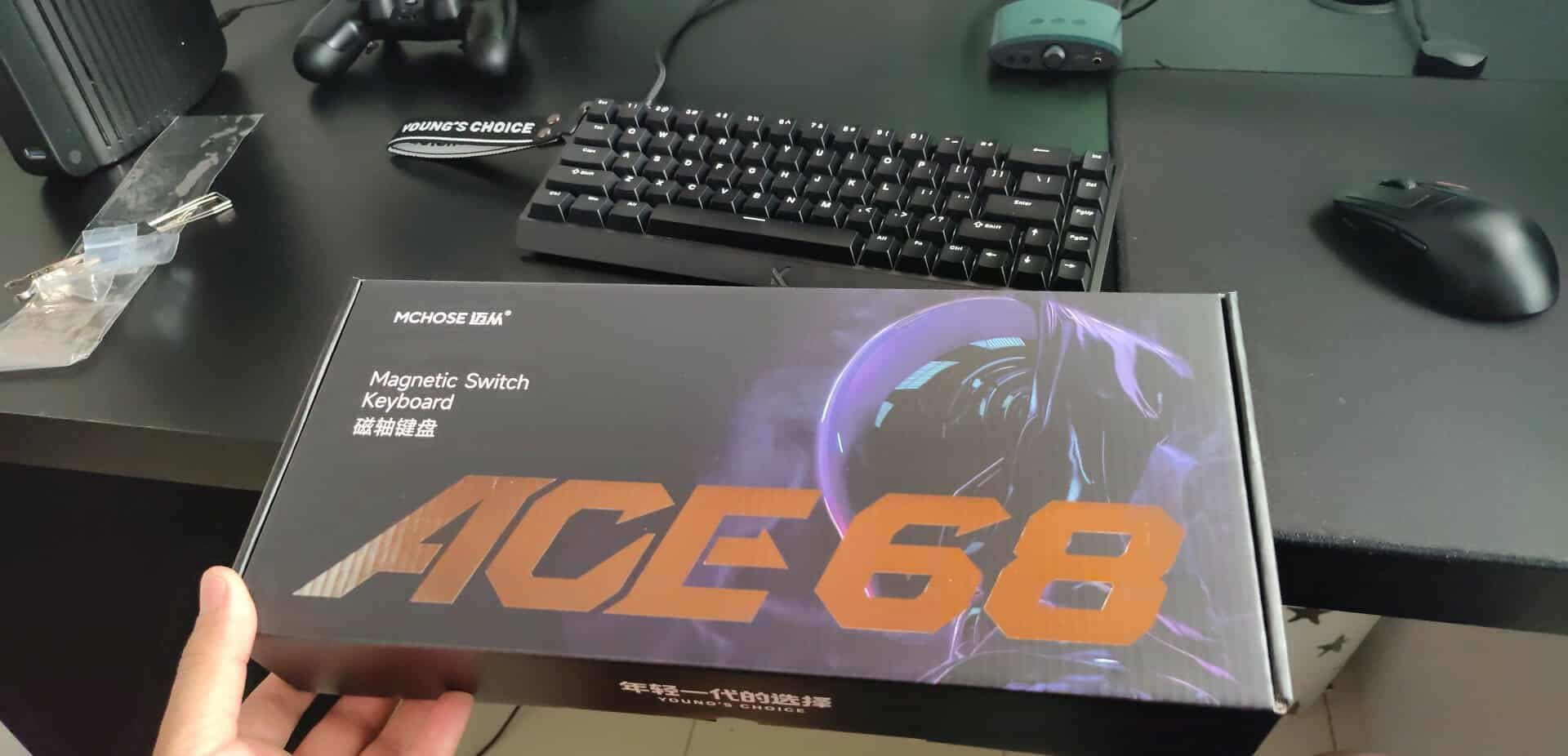
Sound profile is surprisingly quiet for a gaming board. The switch housings and dampening keep noise down. This matters for tournaments where opponents sit nearby and can hear your inputs. Some players even use audio cues from opponent keyboards competitively.
The initial firmware experience is rough. First boot loaded in Mandarin. I had to use Google Translate on my phone to navigate to language settings. Once switched to English, everything worked perfectly. Most users will never update firmware after initial setup, so this is a one-time annoyance.
Ideal For Aspiring Competitive Players
If you are grinding ranked with aspirations of going pro, this keyboard removes hardware excuses. The specs match what top players use. The price leaves budget for a proper mouse and 240Hz monitor. You are getting tournament-level performance for the cost of a casual mechanical board.
The quiet operation is genuinely useful for team houses and bootcamp environments. Your teammates will appreciate not hearing every keypress through thin walls at 2 AM during practice sessions.
Consider Alternatives If Setup Frustrates You
The firmware language issue and reported character movement glitches on some units suggest quality control variance. If you want something that just works immediately out of the box, the EPOMAKER HE68 Lite offers similar specs with easier setup.
9. Redragon K631 Gery – Best Modding Platform
Redragon K631 Gery 65% Wired RGB Gaming Keyboard, 68 Keys Compact Mechanical Keyboard w/100% Hot-Swap Socket, Free-Mod Plate Mounted PCB & Dedicated Arrow Keys, Quiet Red Switch
100% hot-swap compatible
Free-mod plate mounted PCB
20 RGB presets
Music sync mode
Quiet red switches
68 keys
Pros
- True hot-swap with 99.8% switch compatibility
- Includes extra switches and keycaps
- Quieter than most mechs
- Excellent starter package
- Desktop app is well designed
- Low profile attractive look
Cons
- Plastic frame feels cheap
- Thin ABS keycaps feel plasticky
- Software color picker inaccurate
- USB port on left side only
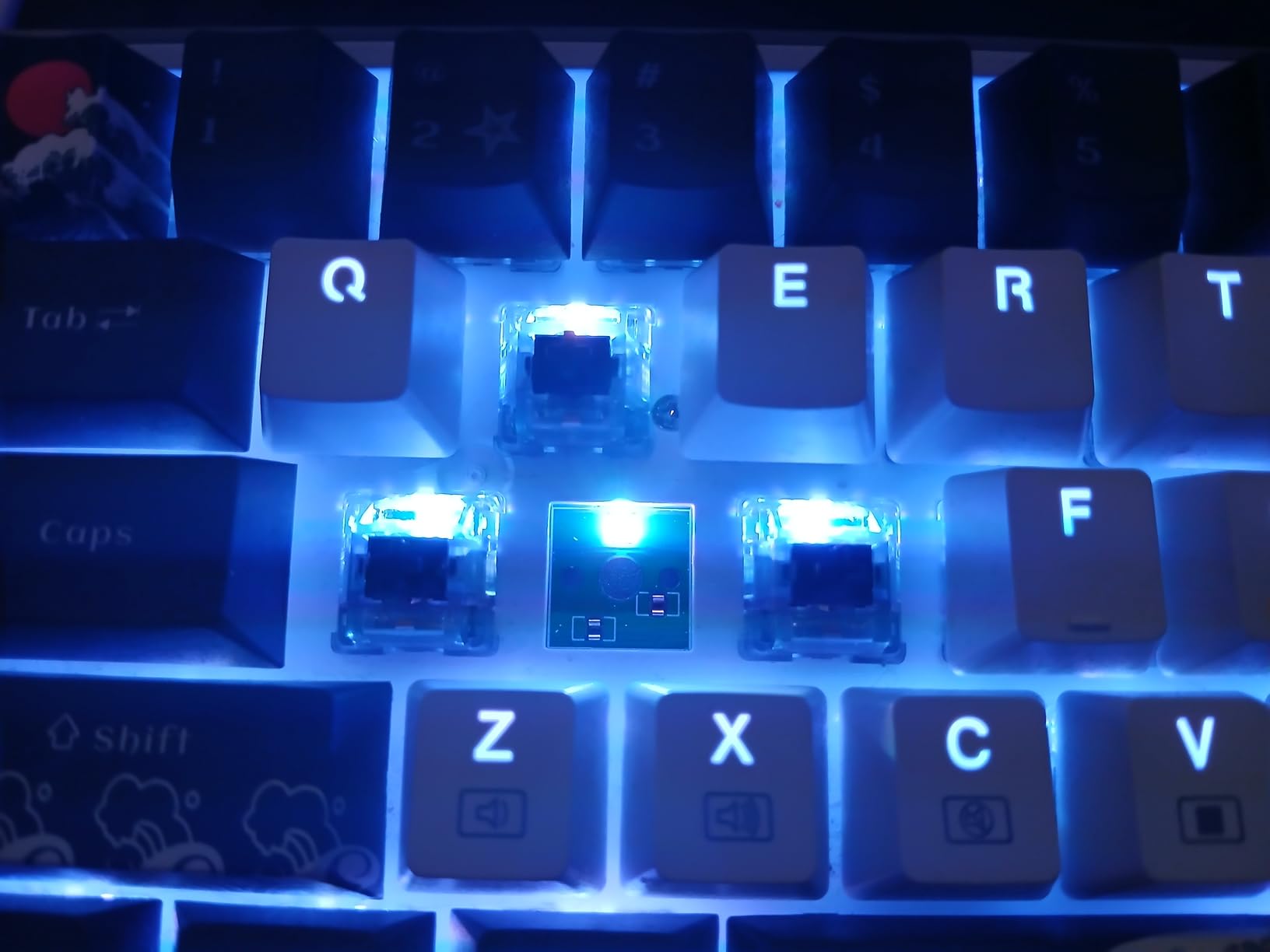
The K631 Gery is the perfect gateway drug into keyboard customization. I bought this to review as a budget option but ended up using it to test different switches without desoldering. The hot-swap sockets work with virtually every MX-compatible switch available.
Redragon includes extra switches and keycaps in the box. This is unheard of at $40. You can immediately experiment with different switch types or replace worn caps without additional purchases. The included puller and brush show attention to detail.
Quiet red switches live up to their name. The housing design dampens bottom-out noise significantly. I used this board in shared office space without complaints. The sound is more of a soft thud than the clack most people associate with mechanical keyboards.
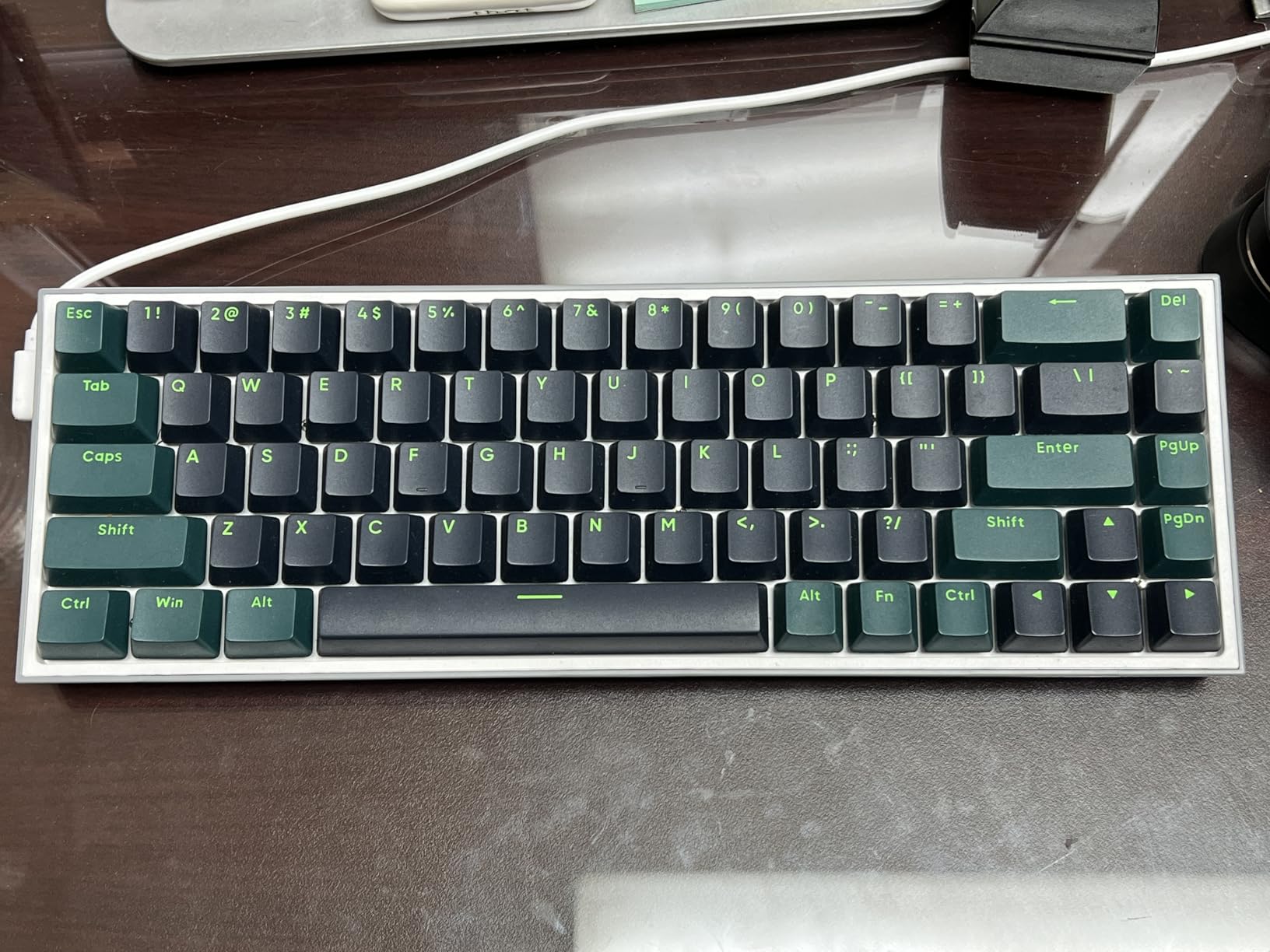
The software is surprisingly competent for a budget brand. 20 RGB presets include reactive modes that respond to game audio. I set up music sync for casual gaming sessions where I wanted ambient lighting that matched my playlist.
Build quality is the obvious compromise. The plastic case has flex if you torque it. Keycaps feel thin and will develop shine within months of heavy use. But these are upgradeable aspects. The PCB and sockets are what matter, and those are solid.
Perfect For First-Time Mechanical Buyers
If you are using a membrane keyboard or laptop and want to try mechanical without major investment, start here. You get genuine mechanical switches, hot-swap capability, and RGB for the price of a decent dinner. If you catch the mechanical keyboard bug, this becomes your switch testing platform.
Students in dorms appreciate the quiet operation. The compact size fits cramped desk setups common in college housing. The included accessories mean you do not need to buy anything else to get started.
Skip If You Want Premium Feel Immediately
The plastic construction and thin keycaps remind you constantly that this is a budget board. If you want something that feels expensive from the first touch, save for the HyperX Alloy Origins 65 or RK R65. The K631 is a starting point, not a destination.
10. Higround Trailhead – Best Aesthetic Choice
Higround Trailhead 65% Mechanical USB Wired Gaming Keyboard, TTC Linear Custom Switches, Programable RGB, Hot-Swappable, Deep Thock Creamy Sounding PC Keyboard, Pre-lubed (BLACKICE)
Pre-lubed TTC linear switches
1.6mm actuation point
Dual foam dampening
Hot-swappable design
Compact 65% layout
Premium build quality
Pros
- Creamy thocky sound out of box
- Popular among streamers and creators
- Solid metal and plastic construction
- Pre-lubed switches feel premium
- Great for travel
- Strong community following
Cons
- Some RGB issues after months
- Keycaps look navy not true black
- Limited stock availability
- Higher price than competitors
Higround built their brand around aesthetic appeal without sacrificing performance. The Trailhead appears on streams constantly for good reason. It looks premium on camera and performs reliably during intense gameplay.
The pre-lubed TTC switches deliver that coveted thock sound immediately. No modding required. The 1.6mm actuation hits a middle ground between speed and typing comfort. You get fast response for gaming without accidental presses during typing.
Build quality justifies the price premium. The metal and plastic combination feels dense and substantial. I have traveled with this board extensively and it shows no wear. The compact 65% size fits in backpacks easily alongside a laptop.
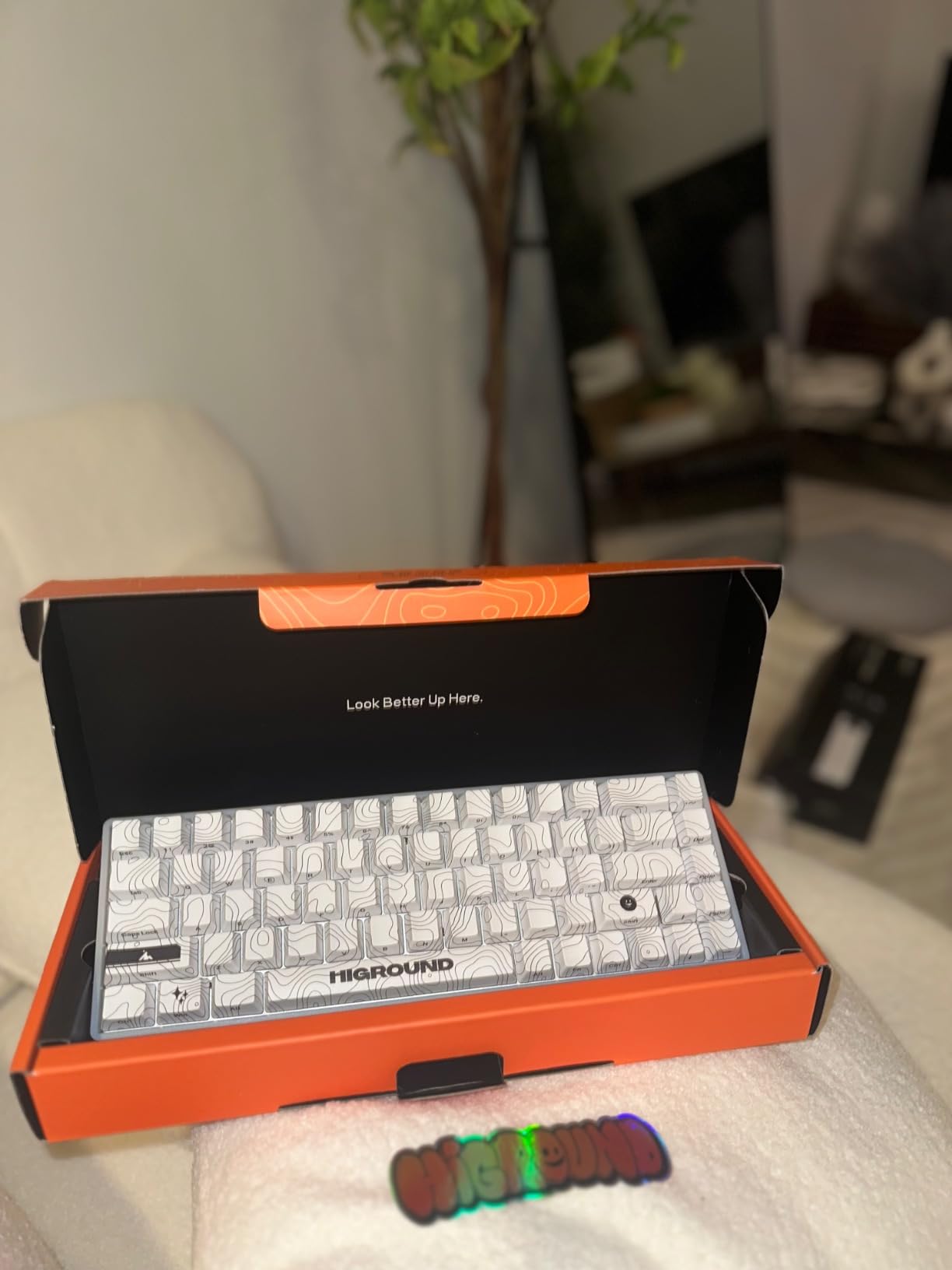
The sound profile is genuinely excellent for stock switches. Dual foam layers eliminate case ping and create a focused, deep tone. Streamers love it because microphone pickup is clean without harsh frequencies. Viewers constantly ask about the satisfying clicks during broadcasts.
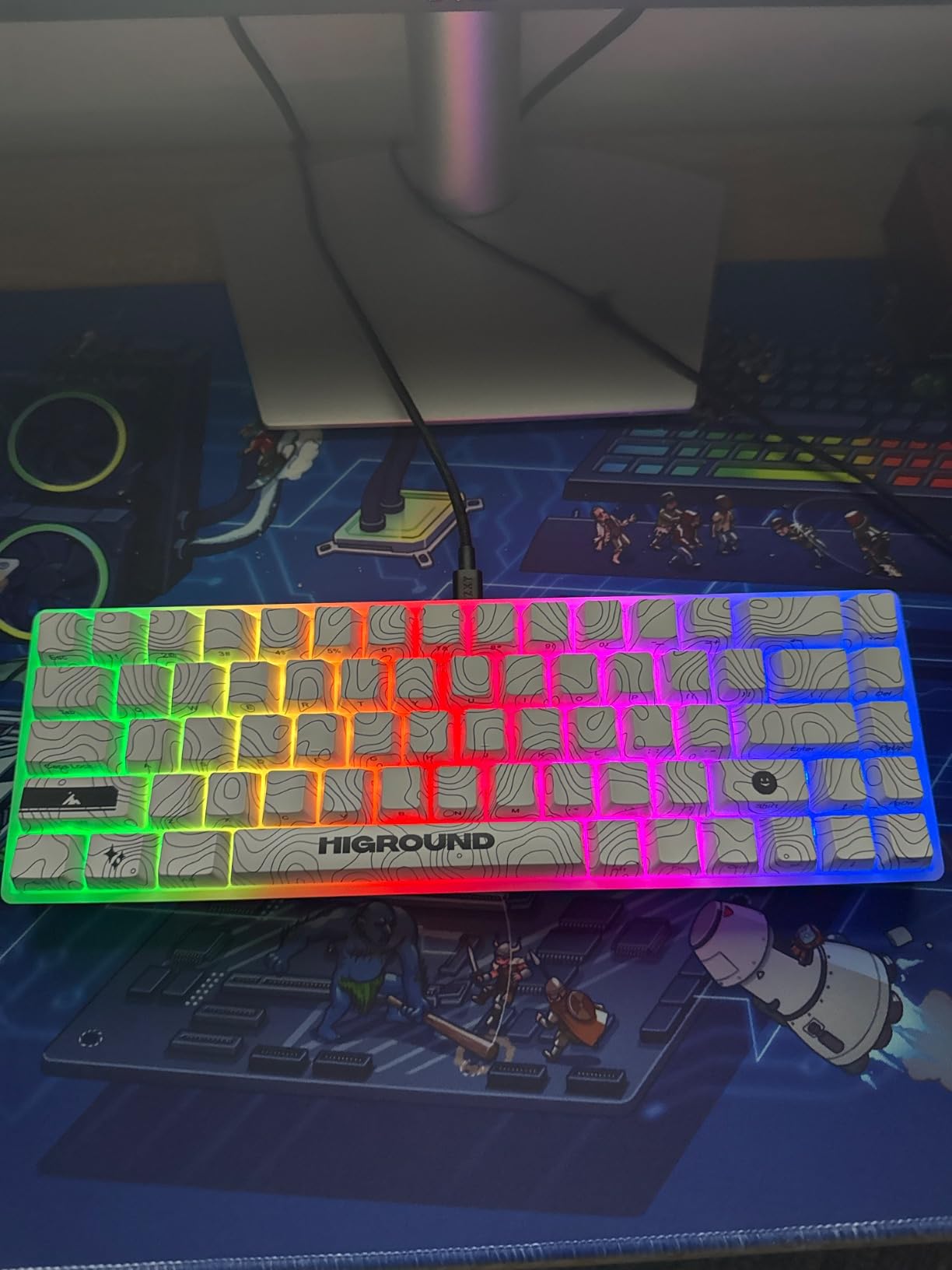
Some units develop RGB issues after extended use. My sample had one key that flickered after six months. Higround replaced it under warranty, but it is worth noting. The color mismatch between keycaps and case bothers some users expecting true black.
Ideal For Content Creators
If your keyboard appears on camera regularly, the Trailhead offers performance plus presentation. The lighting looks vibrant on stream. The sound adds production value to ASMR-style content. The brand recognition signals that you care about quality gear.
The travel durability makes it perfect for creator setups that move between locations. I have brought this to conventions, co-working spaces, and friend houses. It consistently impresses people who try it.
Consider Value Alternatives If Budget-Conscious
At $80, you are paying for brand and aesthetic as much as performance. The EPOMAKER F65 or RK R65 deliver similar typing experiences for less money. Choose the Trailhead if the visual presentation matters for your use case, not purely for specs.
FPS Gaming Keyboard Buying Guide
Choosing the right 65% keyboard for FPS gaming requires understanding a few key technical aspects. This guide explains what actually matters for competitive performance versus marketing fluff.
Switch Types for FPS Gaming
Hall Effect Magnetic Switches represent the current state of the art. They use magnetic sensors instead of physical contacts, allowing adjustable actuation points and rapid trigger functionality. In FPS games, this means you can set ultra-short travel distances for instant response times. The AULA WIN68 HE and EPOMAKER HE68 Lite bring this technology to budget buyers.
Linear Mechanical Switches remain the classic choice. Red switches offer smooth travel without tactile bumps that could interrupt rapid keypresses. They are reliable, widely available, and feel consistent across brands. The HyperX Alloy Origins 65 uses excellent linear reds that have proven themselves over years of competitive play.
Avoid Heavy Tactile Switches for pure FPS gaming. Browns and blues require more force and have tactile bumps that slow down rapid strafing. Save those for typing-heavy hybrid use or MOBAs where deliberate keypresses matter more than speed.
Polling Rate and Input Lag
Polling rate determines how often your keyboard reports to your PC. Standard 1000Hz boards report every millisecond. 8000Hz boards like the ASUS ROG Falchion and AULA WIN68 report every 0.125 milliseconds. The difference is subtle but measurable in competitive scenarios.
Scan rate matters equally. Per-key scanning like the EPOMAKER HE68 Lite’s 128K rate means individual keys register instantly regardless of what else is pressed. Cheaper boards scan in matrix patterns that can miss inputs during complex key combinations.
For casual gaming, 1000Hz polling is perfectly fine. If you are grinding ranked or competing in tournaments, 8000Hz removes one more variable from your performance equation.
Actuation Distance and Rapid Trigger
Actuation distance is how far a key travels before registering. Traditional switches have fixed distances around 2mm. Hall Effect switches let you customize this from 0.1mm to 4mm per-key.
Shorter actuation means faster response but increases accidental presses. I recommend 0.5-1mm for WASD movement keys and 2mm for abilities and utility keys you want to press deliberately.
Rapid Trigger eliminates the upward travel requirement. Traditional switches must rise past the actuation point before registering another press. With rapid trigger, keys reset immediately on upward movement. This is crucial for counter-strafing in Valorant and CS2 where millisecond timing determines duel outcomes.
Wired vs Wireless for Competitive Gaming
Modern 2.4GHz wireless has essentially eliminated latency concerns. The EPOMAKER F65 and similar boards perform indistinguishably from wired in blind testing. However, wired connections remain the tournament standard for reliability.
Wireless introduces battery management concerns. Nothing ruins a ranked match like a dead keyboard mid-round. If you choose wireless, develop habits around checking charge levels and keeping a cable nearby.
For home use, wireless offers genuine quality of life improvements. Clean desk setups, easy switching between devices, and portable flexibility matter for hybrid work-gaming setups. The F65’s tri-mode connectivity is genuinely useful if you use multiple computers.
Keycap Materials and Durability
PBT plastic resists shine and maintains texture far longer than ABS. After six months of oily fingers, PBT keycaps look new while ABS caps look greasy and worn. All keyboards in this guide except the budget Redragon options use PBT.
Doubleshot legends mean the key labels are molded plastic, not printed. They will never fade or wear off. This matters for keys you hit constantly like WASD. The HyperX Alloy Origins 65 and ARBITER Polar 65 use quality doubleshot PBT.
Shine-through legends let RGB light illuminate the key labels. This is purely aesthetic but helps in dark rooms. The EPOMAKER HE68 Lite includes shine-through caps at a budget price, which is impressive value.
Frequently Asked Questions
What are the best keyboard switches for competitive gaming?
Hall Effect magnetic switches are currently the best for competitive FPS gaming. They offer adjustable actuation points, rapid trigger functionality, and consistent performance without physical contact wear. Linear mechanical reds are the best traditional option for smooth, fast keypresses without tactile interruption. Avoid heavy tactile switches for pure gaming use.
How many switches are needed for a 65% keyboard?
A 65% keyboard typically requires 67 to 68 switches. This includes all alphanumeric keys, arrow keys, and navigation cluster keys while omitting the function row and numpad found on full-size keyboards. Some 65% layouts include 66 keys depending on specific design choices.
Are 65% keyboards good for gaming?
Yes, 65% keyboards are excellent for FPS gaming. They provide more mouse space for lower sensitivity settings while keeping essential arrow keys and navigation buttons that 60% layouts sacrifice. The compact size reduces hand travel distance without requiring Fn-layer memorization for basic functions.
What are the disadvantages of a 65% keyboard?
The main disadvantages are missing function keys requiring Fn combinations, non-standard key sizes making replacement keycap sets difficult to find, limited macro key availability, and a learning curve for productivity work outside gaming. Some games with complex keybinds may struggle with the reduced key count.
Final Thoughts
The best 65 percent gaming keyboards for FPS players in 2026 offer something for every budget and playstyle. Hall Effect technology has democratized tournament-level performance, with options like the AULA WIN68 HE delivering pro specs for under $40.
For pure competitive advantage, the ASUS ROG Falchion Ace HFX justifies its premium price with the best magnetic switches and build quality available. The HyperX Alloy Origins 65 remains the safest recommendation for players upgrading from full-size boards who want proven reliability.
Budget buyers no longer need to compromise. The EPOMAKER HE68 Lite and AULA WIN68 HE include features that did not exist on $200 keyboards two years ago. Your rank is no longer limited by your wallet.
Whatever you choose, remember that hardware improves consistency, not skill. These keyboards remove input barriers so your practice pays off. The player behind the keys still determines the outcome.