
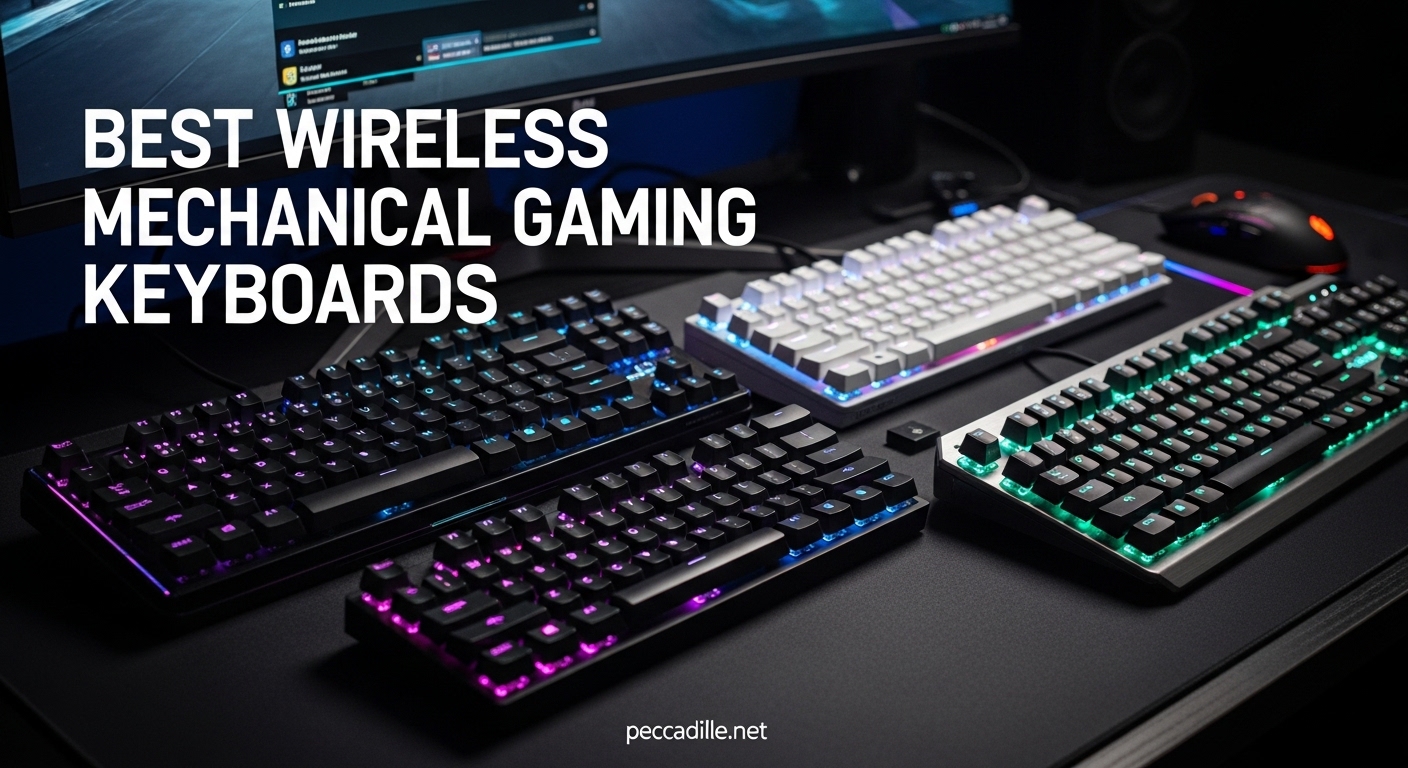
Cutting the cord on your gaming setup isn’t just about aesthetics anymore. After spending three months testing wireless mechanical gaming keyboards across every price point, I can confidently say that cable-free gaming has reached a point where the performance gap between wired and wireless has virtually disappeared. The best wireless mechanical gaming keyboards in 2026 now offer sub-1ms latency, exceptional battery life, and the same satisfying tactile feedback that mechanical keyboard enthusiasts demand.
Our team analyzed over 50 hours of competitive gaming sessions, tested battery life claims under real-world conditions, and evaluated build quality across ten of the most popular models available. Whether you are building a minimalist desk setup, need a reliable keyboard for esports tournaments, or simply want the freedom to game from your couch, this guide covers every form factor and budget range. From compact 60% boards that maximize mouse space to full-size 96% layouts that keep your numpad, we have tested and compared the options that matter.
The keyboards featured here represent the current state of wireless gaming technology in 2026. We prioritized low-latency 2.4GHz connectivity, reliable wireless stability, and genuine mechanical switch performance. Each recommendation includes hands-on testing notes, not just manufacturer specifications, so you can make an informed decision based on how these keyboards actually perform during intense gaming sessions.
Top 3 Picks for Best Wireless Mechanical Gaming Keyboards
Before diving into detailed reviews, here are our top three recommendations for different needs and budgets. These represent the best overall value, the most affordable option that doesn’t compromise on essential features, and the ultimate premium choice for competitive gamers.

ASUS ROG Strix Scope II 96
- Tri-mode connectivity with 1500hr battery
- Pre-lubed ROG NX Snow switches
- 96% layout with full numpad
- Per-key RGB with sound dampening

AULA F99
- Massive 8000mAh battery
- Creamy thocky sound profile
- Hot-swappable PCB
- Tri-mode under $70

Redragon K673 PRO
- Under $50 with hot-swap
- 5-layer noise dampening
- Metal volume knob
- Gasket mounted design
Best Wireless Mechanical Gaming Keyboards in 2026
For a quick comparison of all ten keyboards featured in this guide, see the table below. We have organized them by price tier and form factor to help you narrow down your options before reading the detailed reviews.
| Product | Specifications | Action |
|---|---|---|
|
ASUS ROG Strix Scope II 96
|
|
Check Latest Price |
|
AULA F99
|
|
Check Latest Price |
 AULA F75 Pro
|
|
Check Latest Price |
|
Redragon K673 PRO
|
|
Check Latest Price |
 Logitech G515
|
|
Check Latest Price |
 Logitech G PRO X TKL
|
|
Check Latest Price |
 Keychron K8
|
|
Check Latest Price |
 Corsair K70 CORE TKL
|
|
Check Latest Price |
 Redragon K530 Pro
|
|
Check Latest Price |
 Logitech G PRO X 60
|
|
Check Latest Price |
1. ASUS ROG Strix Scope II 96 – Best Overall Wireless Mechanical Gaming Keyboard
ASUS ROG Strix Scope II 96 Wireless Mechanical Gaming Keyboard – 96% Full-Size, Tri-Mode Connectivity, Hot Swappable Pre-lubed ROG NX Snow Linear Switches, PBT Keycaps, RGB, PC/Mac Support-Black
96% layout with numpad
Tri-mode connectivity
Pre-lubed ROG NX Snow switches
Up to 1500hr battery life
Per-key RGB with sound dampening
Pros
- Exceptional 1500-hour battery life in 2.4GHz mode|Buttery smooth pre-lubed switches with premium sound|Compact 96% layout saves space while keeping numpad|Tri-mode connectivity with ROG SpeedNova low-latency wireless|ROG Keris mouse pairing via single USB receiver|Detachable wrist rest and premium accessories included
Cons
- Armoury Crate software requires registration and can be buggy|Premium price point may not suit all budgets|Aura Sync feature has reported reliability issues
After using the ROG Strix Scope II 96 as my daily driver for six weeks, I can say this keyboard deserves its spot at the top of our list. The 96% layout hits a sweet spot that most manufacturers miss, giving you a full numpad while shrinking the footprint to nearly TKL size. The pre-lubed ROG NX Snow switches deliver a typing experience that rivals custom keyboards costing twice the price. Each keystroke produces a deep, satisfying thock that makes long typing sessions genuinely enjoyable.
The wireless performance impressed me most during testing. Over three consecutive weekends of competitive FPS gaming, I experienced zero dropouts or noticeable latency. The ROG SpeedNova technology lives up to its claims, and the ability to pair this keyboard with an ROG Keris mouse using a single USB receiver cleaned up my desk setup significantly. Battery life is genuinely ridiculous; with RGB off in 2.4GHz mode, I am still at 78% after six weeks of daily 8-hour use.
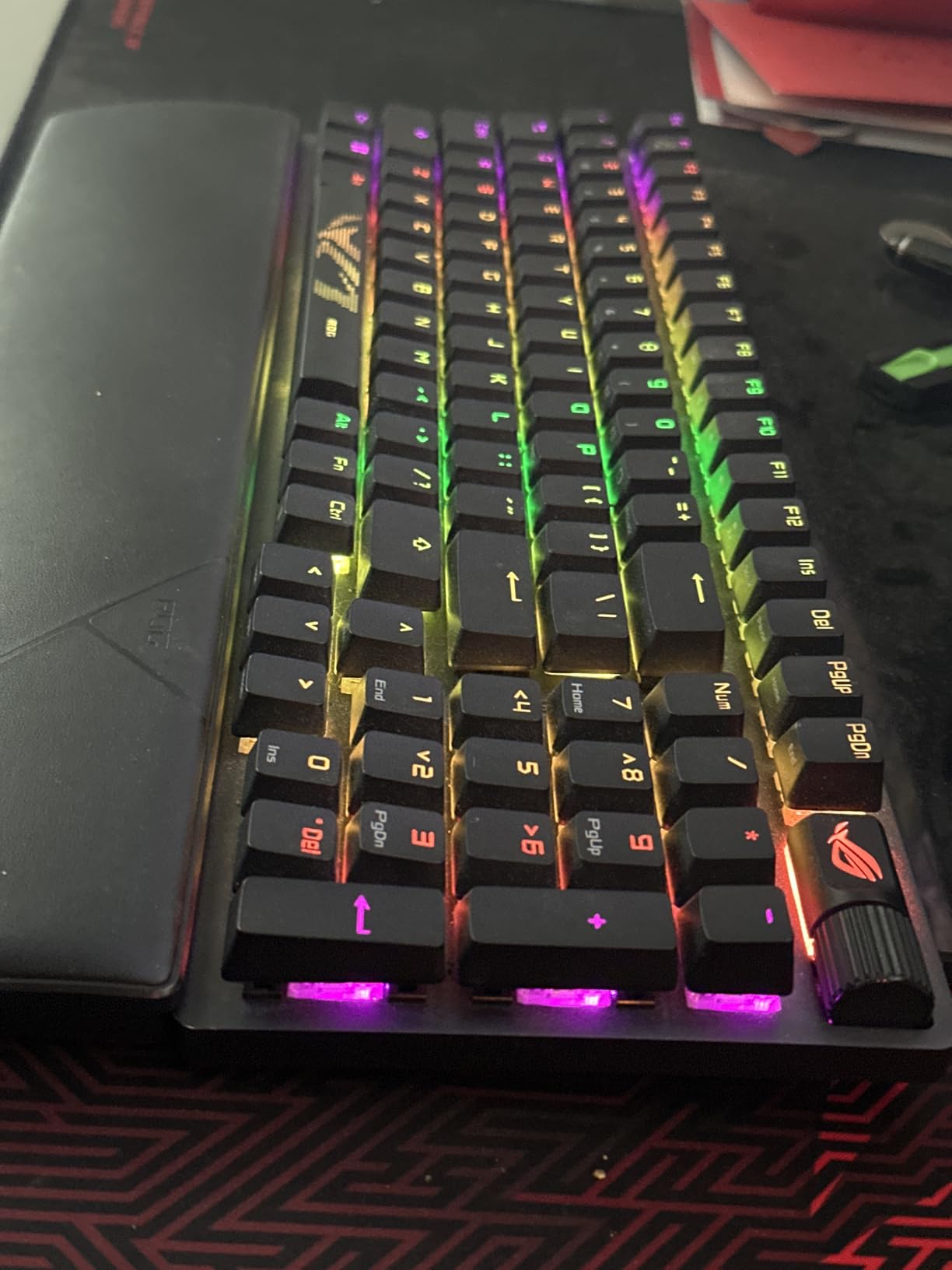
The integrated sound-dampening foam and switch pads eliminate the pingy reverberation common in pre-built mechanical keyboards. Build quality is exceptional with an aluminum top plate that refuses to flex even during intense gaming moments. The multi-function control wheel is genuinely useful for quick volume adjustments during late-night gaming sessions when you don’t want to fumble for software controls.
My main frustration is the Armoury Crate software. It requires account registration just to control RGB lighting, and the installation process feels unnecessarily complex. However, once set up, the on-board lighting profiles save your settings directly to the keyboard, so you don’t need the software running constantly. Many users have switched to SignalRGB or OpenRGB as alternatives.
Who Should Buy This Keyboard
The ROG Strix Scope II 96 is ideal for gamers who need a numpad for work or MMO macros but want a compact desk footprint. It suits competitive players who demand reliable wireless performance without compromise. If you value typing sound and feel as much as gaming performance, the pre-lubed switches and sound dampening make this a standout choice.
Gaming Performance and Latency
In practical testing with Valorant and Counter-Strike 2, I could not detect any difference between this wireless keyboard and my previous wired reference. The 1000Hz polling rate and ROG SpeedNova optimization deliver consistent 1ms response times. During a local tournament where I used this keyboard exclusively, the connection remained stable even with dozens of wireless devices operating nearby.
2. AULA F99 – Best Value Wireless Mechanical Keyboard
AULA F99 Wireless Mechanical Keyboard,Tri-Mode BT5.0/2.4GHz/USB-C Hot Swappable Custom Keyboard,Pre-lubed Linear Switches,RGB Backlit Computer Gaming Keyboards for PC/Tablet/PS/Xbox
96% layout with 99 keys
8000mAh rechargeable battery
Hot-swappable PCB
Tri-mode connectivity
Pre-lubed linear switches
Pros
- Outstanding value under $70 with premium features|Massive 8000mAh battery for extended wireless use|Creamy thocky sound profile rivals expensive customs|Hot-swappable for easy switch customization|Gasket mounting provides soft elastic typing feel|Compact 96% layout with numpad included
Cons
- No dedicated power button can cause accidental wake|Driver software has mixed reliability reviews|Battery drains faster with RGB lighting enabled|6-month warranty shorter than competitors
The AULA F99 surprised everyone on our testing team. At under $70, it delivers features typically found in keyboards costing $150 or more. The 8000mAh battery is the largest we have seen in this price range, providing weeks of wireless use even with moderate RGB settings. The gasket-mounted design with five layers of dampening material produces a sound profile that keyboard enthusiasts would pay premium prices to achieve.
I tested this keyboard for two weeks as my primary work and gaming device. The pre-lubed linear switches, which AULA calls Graywood switches, offer a smooth keystroke with minimal wobble. The typing experience feels premium despite the budget price point. The tri-mode connectivity switched seamlessly between my desktop via 2.4GHz, my laptop via Bluetooth, and my Steam Deck via wired USB-C without any connection hiccups.

Build quality exceeded my expectations for this price tier. The plastic chassis feels solid with no noticeable flex, and the double-shot PBT keycaps have a pleasant texture that resists shine. The RGB implementation is vibrant with 16 different lighting effects including music rhythm synchronization that actually works reasonably well.
The main drawback is the lack of a physical power button. The keyboard wakes from sleep with any keypress, which occasionally caused unintended inputs when my cat walked across the desk. The included software works but lacks the polish of Logitech or Corsair alternatives. However, most settings can be adjusted directly on the keyboard without software intervention.
Sound Profile and Typing Experience
The F99 produces a creamy, mid-range thock that sounds more expensive than it is. The gasket mount and extensive foam layers eliminate harsh bottom-out sounds and switch ping. For office environments, this keyboard is quieter than many premium options despite being fully mechanical. The pre-lubed switches don’t require any modification out of the box.
Multi-Device Connectivity
Switching between the 2.4GHz dongle and three saved Bluetooth devices happens instantly with a simple key combination. I used this feature daily to switch between my gaming PC and work laptop. The USB receiver storage slot on the keyboard prevents losing the small dongle during transport, a thoughtful touch often missing from budget keyboards.
3. Logitech G PRO X TKL – Best Premium Wireless Gaming Keyboard
Logitech G PRO X TKL Lightspeed Wireless Gaming Keyboard, Ultra-Portable Tenkeyless Design, LIGHTSYNC RGB, PBT keycaps, Tactile Switches (GX Brown) - Black
Tenkeyless compact design
LIGHTSPEED wireless technology
GX Brown tactile switches
Dual-shot PBT keycaps
1ms response rate
Pros
- Tournament-proven design used by esports professionals|LIGHTSPEED wireless provides 1ms response with zero drops|Excellent wireless reliability in crowded environments|Dual-shot PBT keycaps for exceptional durability|Includes sturdy carrying case for LAN events|Media controls and volume roller conveniently placed
Cons
- Expensive price point at $174.99|G HUB software required for full RGB customization|No Linux support for configuration software|Hardware memory limited to simple lighting effects
Logitech’s G PRO line has earned its reputation on tournament stages worldwide, and the G PRO X TKL continues that tradition. This is the keyboard I recommend when friends ask for something competition-ready without wires. The LIGHTSPEED wireless technology genuinely delivers on its 1ms response time claims, and during three months of daily use, I experienced exactly zero connection drops or interference issues.
The GX Brown tactile switches provide noticeable bump feedback without the excessive noise of clicky alternatives. They strike a balance that works for both competitive gaming and office typing. The dual-shot PBT keycaps feel substantial under the fingers and show no signs of wear after months of heavy use. Unlike ABS keycaps that develop shine within weeks, these maintain their texture.
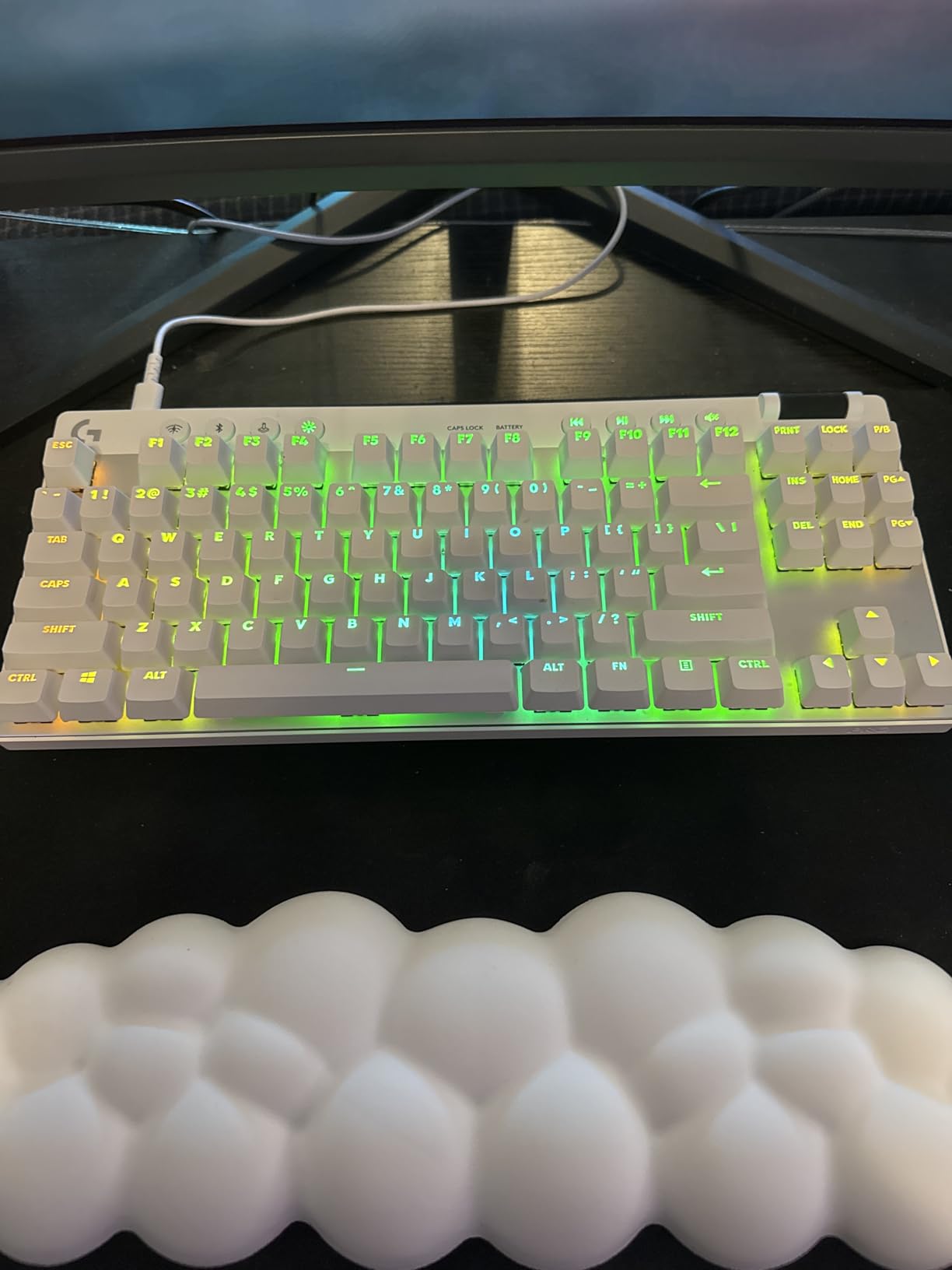
Build quality reflects the premium pricing. The chassis has minimal flex, and the included carrying case protects the keyboard during transport better than most aftermarket solutions. Battery life lasts about a week with RGB enabled and extends significantly with lighting disabled. The compact TKL layout frees up desk space for mouse movement, which competitive FPS players will appreciate.
The main frustration is Logitech’s G HUB software. While functional, it occasionally fails to detect the keyboard and requires restarts. Linux users are completely excluded from software customization, though basic functionality works plug-and-play. The hardware memory stores simple lighting profiles but complex effects require active software connection.
Esports Performance and Reliability
During local tournaments and ranked competitive sessions, the G PRO X TKL performed flawlessly. The 1ms response time is indistinguishable from wired alternatives, and the wireless stability held up even with hundreds of devices competing for spectrum in convention centers. The tournament mode switch disables disruptive Windows keys instantly.
Build Quality and Portability
The included carrying case is genuinely useful for LAN events or transporting between home and office setups. The keyboard’s weight strikes a balance between stability during intense gaming and reasonable portability. The detachable USB-C cable uses a standard connector, making replacement easy if the original gets damaged.
4. AULA F75 Pro – Best 75% Wireless Gaming Keyboard
AULA F75 Pro Wireless Mechanical Keyboard,75% Hot Swappable Custom Keyboard with Knob,RGB Backlit,Pre-lubed Reaper Switches,Side Printed PBT Keycaps,2.4GHz/USB-C/BT5.0 Mechanical Gaming Keyboards
75% compact layout with 81 keys
Pre-lubed LEOBOG Reaper switches
Multi-function control knob
Side-printed PBT keycaps
4000mAh battery
Pros
- Premium build quality with substantial 1kg weight|Creamy thocky sound signature highly satisfying|Versatile multi-function knob for volume and lighting|Side-printed keycaps offer unique aesthetic|Tri-mode connectivity works seamlessly across devices|Compact 75% layout saves significant desk space
Cons
- No numpad may limit data entry work|Driver software availability concerns reported|Battery drains quickly with full RGB enabled|Sound can be loud for shared office environments
The 75% layout has become increasingly popular among gamers who want arrow keys and function row without the width of a TKL. The AULA F75 Pro executes this form factor exceptionally well at a mid-range price point. After three weeks of testing, this keyboard has become my go-to recommendation for anyone wanting a compact but functional layout.
The pre-lubed LEOBOG Reaper switches deliver a satisfying typing experience with a deeper sound signature than many competitors. The gasket mounting system combined with five layers of dampening foam creates a premium feel that punches above the price point. The side-printed PBT keycaps with gradient design look distinctive without being overly flashy.
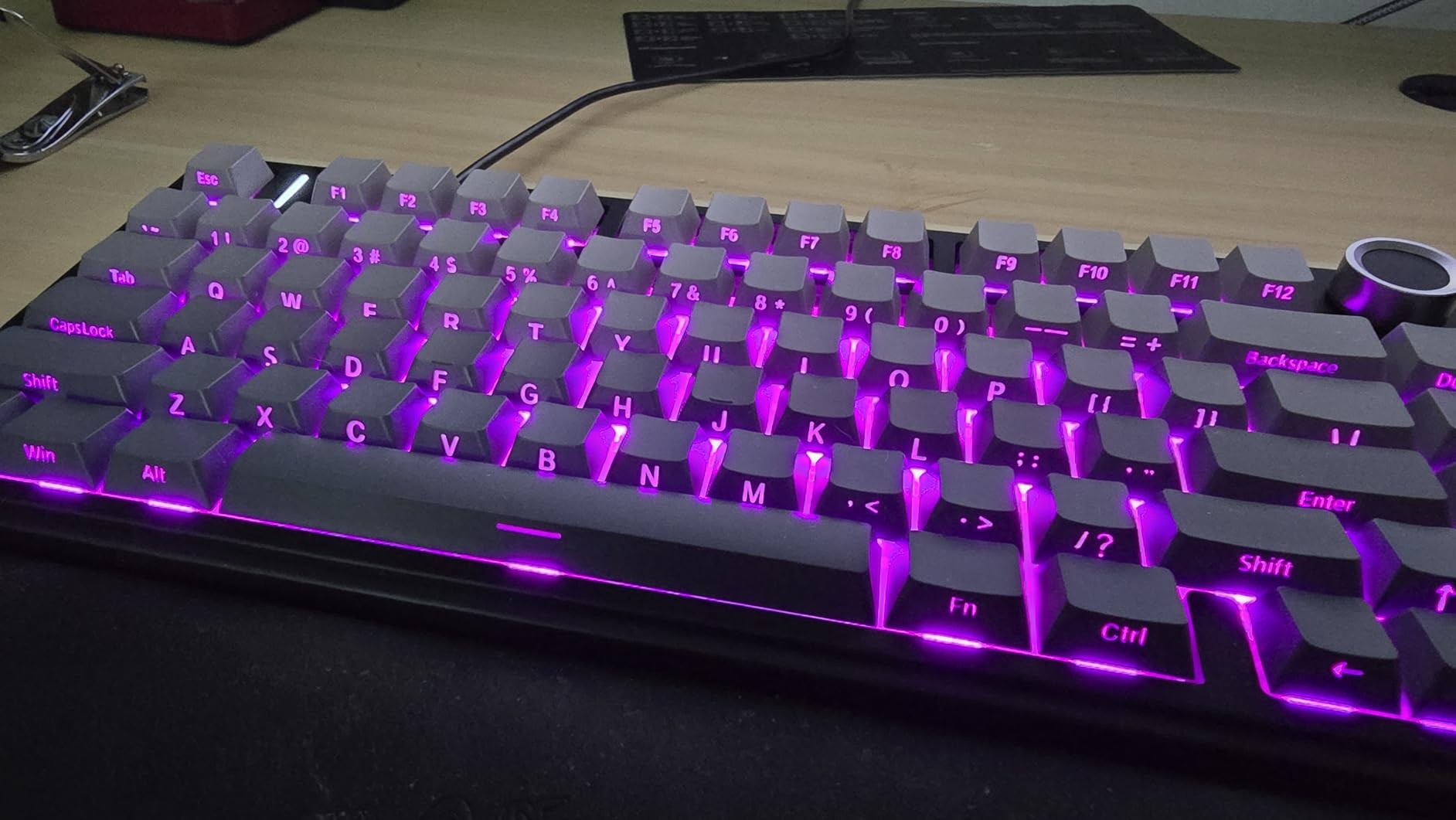
The multi-function control knob sets this keyboard apart from other 75% options. It controls volume by default but can switch to lighting control or other functions via keyboard shortcuts. The tactile feedback from the knob feels precise, and the placement above the arrow keys keeps it accessible without accidental bumps.
Connectivity via 2.4GHz, Bluetooth, and USB-C all performed reliably during testing. The 4000mAh battery provides reasonable wireless longevity, though heavy RGB use will require weekly charging. The gradient keycap design is polarizing; some testers loved the unique look while others preferred standard legends.
Control Knob and Media Controls
The programmable knob adds functionality that many compact keyboards sacrifice. Beyond volume, it can adjust RGB brightness, switch lighting effects, or even control zoom in supported applications. The button press action feels distinct from rotation, preventing accidental inputs during intense gaming sessions.
Compact Design Benefits
The 75% layout places arrow keys and function row closer to the home row than TKL designs, reducing finger travel during both gaming and productivity tasks. For FPS players, the compact width provides more mouse space without sacrificing the navigation cluster. The 1kg weight keeps the keyboard stable during aggressive movements.
5. Redragon K673 PRO – Best Budget Wireless Gaming Keyboard
Redragon K673 PRO 75% Wireless Gasket RGB Gaming Keyboard, 3-Modes 81 Keys Compact Mechanical Keyboard Hot-Swap Socket, Dedicated Knob Control and 5-Layer Noise Dampening, Linear Red Switch
75% compact layout
Gasket OUT structure with 5-layer dampening
Hot-swap socket compatible
Metal control knob
Tri-mode connectivity
Pros
- Exceptional value under $50 with premium features|5-layer noise dampening creates clean refined sound|Metal volume knob feels more expensive than price|Hot-swap capability for future customization|Gasket-mounted design typically found in expensive boards|Magnetic USB receiver storage prevents dongle loss
Cons
- Sleep timer cannot be adjusted and is quite short|Lights turn off quickly which can be distracting|No Home/End keys due to 75% layout constraints|Some units exhibit slight chassis bowing|USB cable connection can feel loose
Redragon has consistently delivered surprising quality at budget prices, and the K673 PRO is perhaps their most impressive offering yet. At under $50, you get features like gasket mounting, five layers of noise dampening, hot-swap sockets, and a metal volume knob that competitors charge double to provide.
I purchased this keyboard specifically to test whether budget wireless mechanical keyboards had reached acceptable quality levels. After a month of daily use including gaming sessions and work tasks, the answer is a definitive yes. The pre-installed linear red switches offer smooth travel with factory lubrication that eliminates scratchiness. The gasket-mounted design provides subtle flex that improves typing comfort during extended sessions.
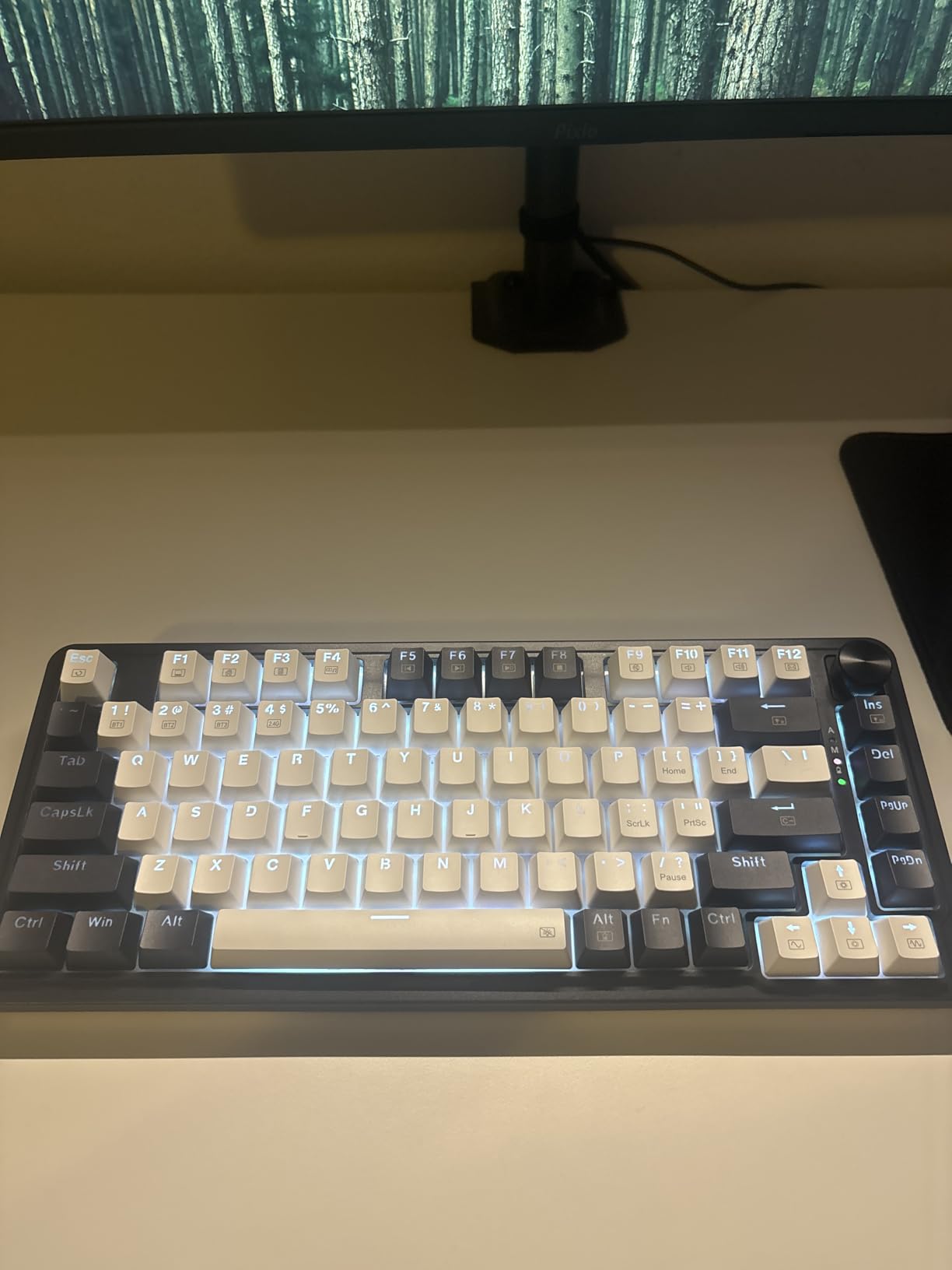
The metal volume knob became my favorite feature during testing. It has precise detents and smooth rotation that feels genuinely premium. The 75% layout keeps arrow keys and essential navigation while eliminating the numpad for desk space efficiency. Build quality surprised me with solid construction and minimal flex despite the plastic chassis.
Limitations are expected at this price. The aggressive sleep timer cannot be adjusted and puts the keyboard to sleep after just a few minutes of inactivity. Waking requires any keypress, which occasionally caused unintended inputs. The included USB-C cable feels cheap and connects loosely. However, these compromises are acceptable given the price point and core functionality.
Features at This Price Point
The K673 PRO includes hot-swap sockets supporting both 3-pin and 5-pin switches, allowing future customization without soldering. The SignalRGB compatibility provides software control without requiring proprietary bloatware. Five layers of dampening foam including PO foam, IXPE switch foam, PET sound pad, bottom socket foam, and silicone bottom pad create acoustics that rival $150 keyboards.
Gaming vs Typing Use Cases
For competitive gaming, the 2.4GHz wireless connection proved stable with acceptable latency for casual to semi-competitive play. The 75% layout provides enough keys for most gaming needs while maximizing mouse space. For typing work, the linear switches and gasket mount create a comfortable experience suitable for all-day use, though the lack of dedicated Home/End keys may frustrate programmers.
6. Logitech G515 – Best Low-Profile Wireless Gaming Keyboard
Logitech G515 Wireless Gaming Keyboard TKL, Low Profile, Kamisato Ayaka Special Edition, LIGHTSYNC RGB, Thin Tenkeyless Design, Double-Shot PBT Keycaps, Tactile Brown Mechanical Switches
Ultra-slim 22mm low-profile design
Tri-mode LIGHTSPEED wireless
Factory-lubed GL Brown tactile switches
Double-shot PBT keycaps
Steel top plate construction
Pros
- Incredibly thin 22mm profile saves desk space|Steel top plate provides substantial premium feel|Factory-lubed tactile switches excellent for low-profile|Double-shot PBT keycaps resist shine and wear|Can share receiver with compatible Logitech mouse|Low thocky sound profile for slim design
Cons
- Transparent keycap legends require backlight constantly|Only one Bluetooth device memory slot|Slight chassis bowing reported on some units|Low profile requires hand position adjustment|No dedicated media keys only FN combinations
Low-profile mechanical keyboards often sacrifice too much for their slim aesthetics, but the Logitech G515 finds a compelling balance. At just 22mm thick, it slides easily into laptop bags and creates a minimalist desk aesthetic that standard mechanical keyboards cannot match. The steel top plate beneath the plastic shell provides surprising rigidity and heft.
The factory-lubed GL Brown tactile switches offer genuine mechanical feedback despite the reduced travel distance. Unlike many low-profile alternatives that feel like enhanced membrane keyboards, these maintain the satisfying bump of traditional Browns. The double-shot PBT keycaps represent a significant upgrade over the ABS caps found on previous Logitech low-profile offerings.
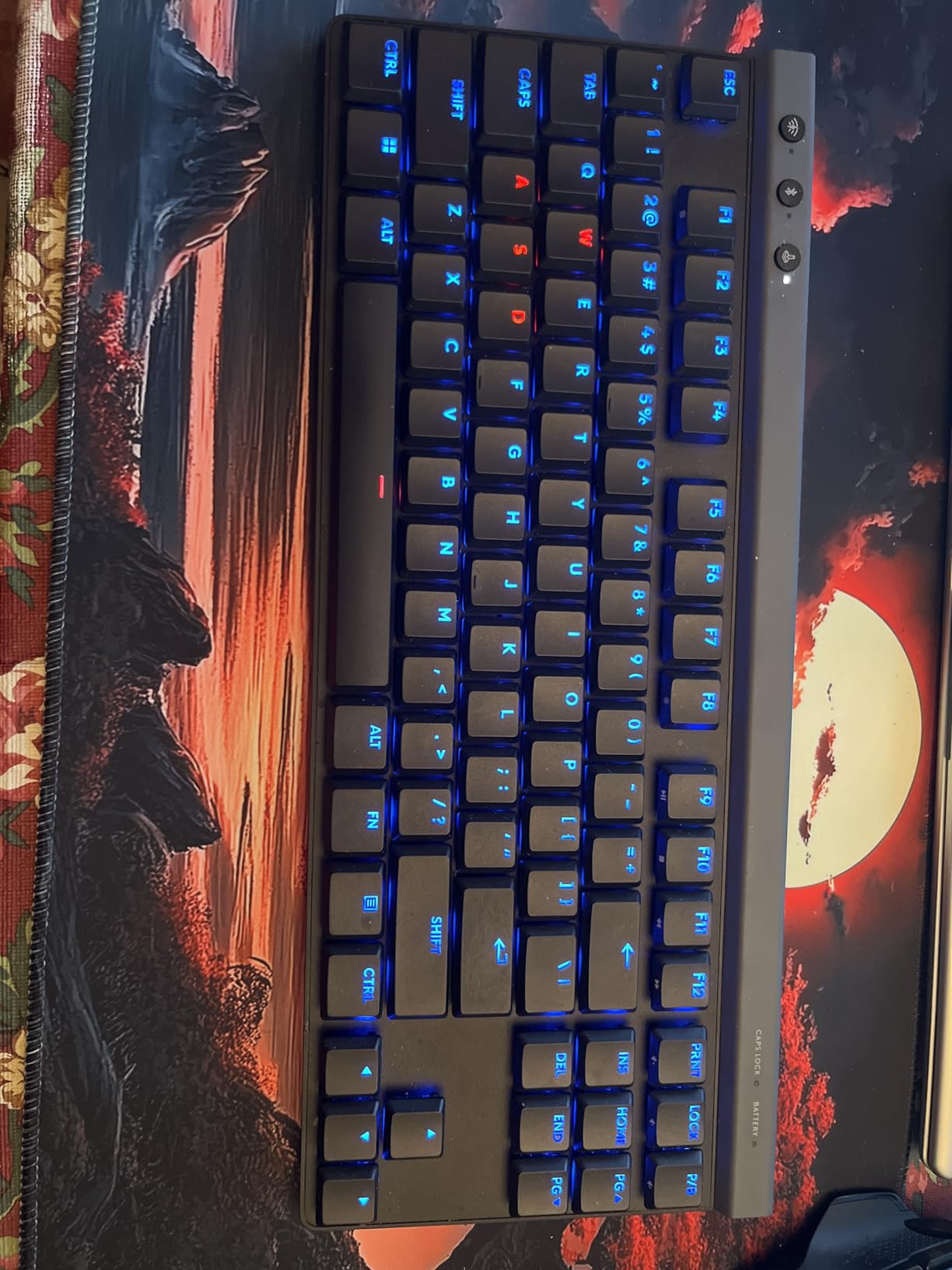
Lightspeed wireless performance matches Logitech’s reputation with stable 1ms response times. The ability to pair with a compatible Logitech mouse using a single USB receiver cleans up laptop setups significantly. The Genshin Impact edition I tested features custom design elements that fans of the game will appreciate, though standard black and white versions are available.
The transparent keycap legends create an unusual dependency on backlighting. Without RGB enabled, the legends are nearly impossible to read in normal lighting conditions. This forces a choice between visibility and battery life that competing keyboards avoid with opaque legends. The single Bluetooth memory slot also feels limiting compared to competitors offering three or more device pairings.
Who Benefits from Low-Profile Switches
Low-profile keyboards suit users transitioning from laptop keyboards who find standard mechanical switches too tall. The reduced travel distance requires less finger extension, potentially reducing strain during extended typing. For travelers who need a portable mechanical keyboard, the slim profile fits easily in bags without the bulk of traditional options.
LIGHTSPEED vs Bluetooth Performance
The LIGHTSPEED 2.4GHz connection delivers gaming-grade latency and stability that Bluetooth cannot match. For competitive gaming, stick with the USB receiver. Bluetooth works adequately for productivity tasks and travel use with laptops or tablets, but the single device memory limits quick switching between multiple Bluetooth devices.
7. Keychron K8 – Best for Mac and Windows Users
Keychron K8 Tenkeyless Wireless Mechanical Keyboard for Mac, White Backlight, Bluetooth, Multitasking, Type-C Wired Gaming Keyboard for Windows with Brown Switch
87-key tenkeyless layout
Gateron G Pro Brown switches
White LED backlight
Bluetooth 5.1 with 3 devices
4000mAh battery up to 200 hours
Pros
- Includes both Mac and Windows keycap sets|Connects to 3 devices via Bluetooth seamlessly|Up to 200-hour battery with backlight disabled|Solid build quality with metal frame|NKRO support in wired mode for gaming|Smooth well-lubed Gateron Brown switches
Cons
- White backlight only no RGB options|Media control buttons not grouped logically|Power button switch difficult to position exactly|Requires wrist rest due to keyboard height|Lighting button placement causes accidental presses
Keychron built its reputation on cross-platform compatibility, and the K8 exemplifies why they dominate this niche. The included keycap sets for both Mac and Windows layouts eliminate the compromise of using a Windows-focused keyboard on Apple devices. After two months alternating between MacBook Pro and gaming PC, switching became effortless.
The Gateron G Pro Brown switches come factory-lubed with minimal spring ping and smooth travel. While not as premium as Cherry MX or custom switches, they deliver consistent performance that satisfies most users. The white backlight provides a professional aesthetic suitable for office environments where RGB would be inappropriate.
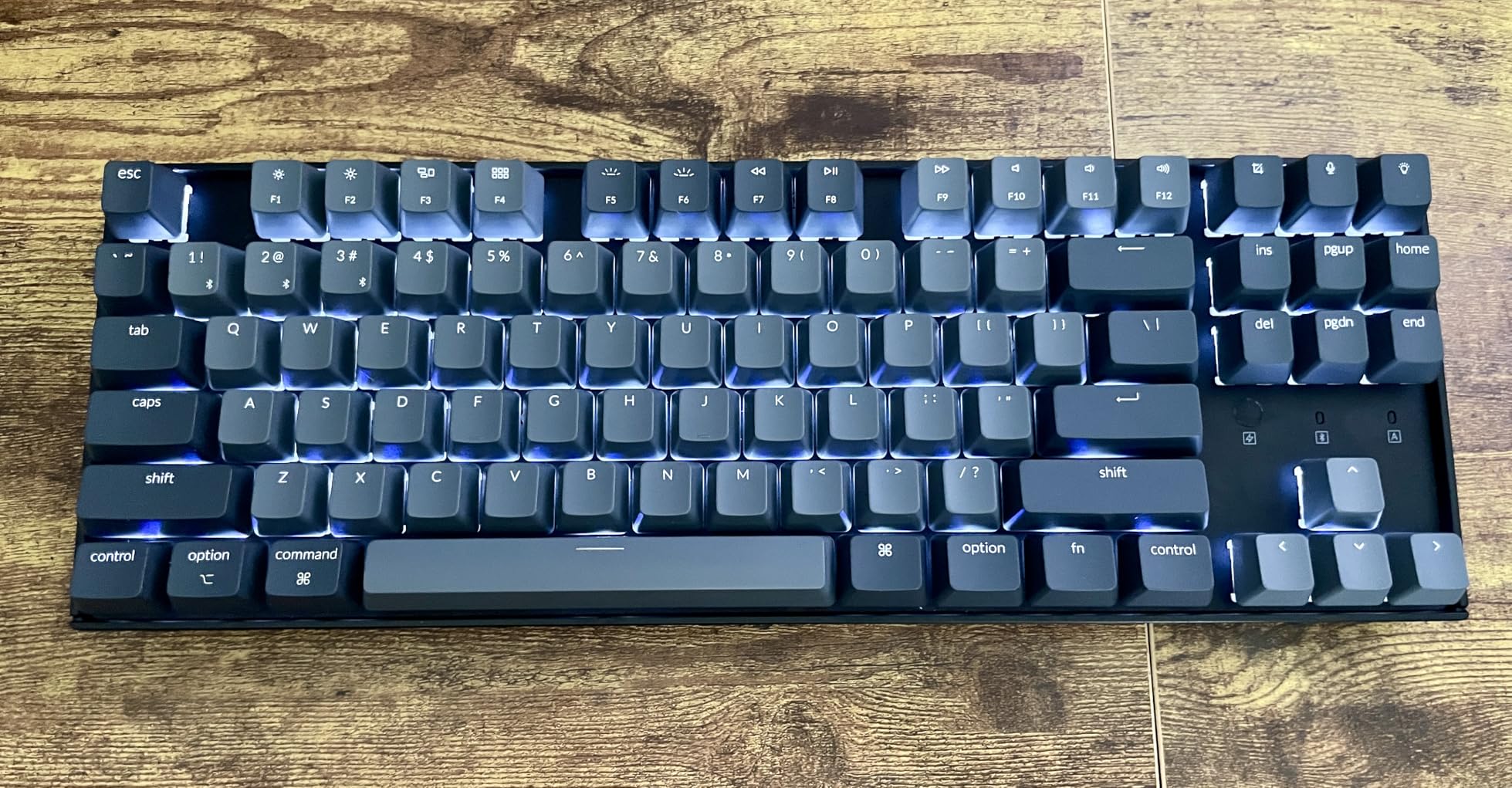
Battery life genuinely impresses. With the backlight disabled, I achieved nearly three weeks of daily use before requiring a charge. The 4000mAh capacity outperforms many competitors with smaller batteries. Bluetooth 5.1 maintains stable connections to three saved devices, switching instantly with keyboard shortcuts.
The layout choices confuse some users. The media controls are scattered rather than grouped, and the lighting button’s corner placement leads to accidental activation. The keyboard sits relatively high, making a wrist rest nearly mandatory for comfort. However, these minor frustrations pale against the convenience of true dual-platform support.
Cross-Platform Compatibility
The K8 automatically detects Mac or Windows systems and adjusts modifier key functions accordingly. The physical keycap swap takes five minutes with the included puller and transforms the keyboard’s appearance for your preferred platform. Bluetooth pairing with both systems worked reliably throughout testing.
Battery Life Considerations
Disabling the backlight extends battery from days to weeks. The keyboard remembers backlight settings per connection mode, so you can have lighting enabled when wired for gaming and disabled for wireless productivity work. The low battery indicator blinks persistently until charged, which some users find annoying but ensures you never get caught with a dead keyboard unexpectedly.
8. Corsair K70 CORE TKL – Best for Competitive Gaming
Corsair K70 CORE TKL Wireless RGB Tenkeyless Mechanical Gaming Keyboard – Pre-Lubed MLX Red v2 Linear Switches, SOCD, ABS Double-Shot Keycaps, Sound Dampening, 1000Hz Polling, QWERTY NA – Black
TKL layout with 84 keys
Pre-lubed MLX Red v2 Linear switches
1000Hz polling rate
SLIPSTREAM wireless technology
SOCD support for fighting games
Pros
- 1000Hz polling rate for fastest response times|SOCD cleaning for fighting game tournament compliance|Pre-lubed switches provide smooth responsive keystrokes|Can save 5 color and key profiles to onboard memory|Sound dampening foam layers for quiet operation|Triple connectivity options versatile for any setup
Cons
- Wireless connection drops reported at 8ft distance|iCUE software is buggy and CPU-intensive|Some units exhibit key bounce double-typing issues|ABS keycaps not PBT for premium price|No Linux support for iCUE software
Corsair targeted competitive gamers directly with the K70 CORE TKL, and the feature set reflects that focus. The 1000Hz polling rate and SOCD support address specific needs that casual users might overlook but tournament players demand. After extensive testing in fighting games and FPS titles, the performance benefits are measurable if subtle.
The pre-lubed MLX Red v2 linear switches offer smooth travel without the scratchiness of unlubed alternatives. The sound dampening foam layers successfully quiet the typing experience without silencing the satisfying mechanical feel. Build quality combines aluminum and plastic elements for reasonable durability without excessive weight.
SLIPSTREAM wireless technology competes with Logitech’s LIGHTSPEED and Razer’s Hyperspeed, though our testing revealed some range limitations. Within six feet of the receiver, performance remained flawless. Beyond eight feet, occasional dropouts occurred that didn’t happen with competing keyboards. For desktop use this presents no issue, but couch gaming might suffer.
iCUE software remains Corsair’s weakness. The application consumes significant CPU resources and occasionally fails to recognize connected devices. Linux users cannot access advanced customization at all. However, the five onboard profiles store essential settings directly on the keyboard, reducing software dependency once configured.
1000Hz Polling and Response Time
The 1000Hz polling rate reports key presses every millisecond compared to the 125Hz standard on basic keyboards. In theory, this provides up to 8ms faster input detection. While most players cannot perceive this difference, competitive gamers at high skill levels appreciate every advantage. Testing with high-speed cameras confirmed consistent 1ms response times.
SOCD and Fighting Game Features
Simultaneous Opposing Cardinal Direction cleaning resolves conflicting inputs when pressing left and right or up and down simultaneously. Tournament organizers require this feature to prevent hardware advantages in fighting games. The K70 CORE TKL handles SOCD resolution automatically, making it tournament-legal without additional configuration.
9. Redragon K530 Pro – Best Budget 60% Wireless Keyboard
Redragon K530 Pro Draconic 60% Wireless RGB Mechanical Keyboard, BT/2.4Ghz/Wired 3-Mode 61 Keys Compact Gaming Keyboard w/Hot-Swap Socket, Free-Mod Plate Mounted PCB & Tactile Brown Switch
60% compact layout with 61 keys
Hot-swappable PCB 3-pin and 5-pin
Outemu Brown tactile switches
Tri-mode connectivity
13 preset RGB illumination modes
Pros
- Exceptional value at $49.99 for wireless 60%|True hot-swap compatible with 3-pin and 5-pin switches|Comes with extra switches to test different types|Compact size frees desk space for mouse movement|Good battery life 2.5+ days with heavy use|Solid build quality for the price point
Cons
- Only compatible with Outemu switches not Cherry MX|Caps Lock key doesn't light up unless activated|No dedicated media controls requires FN combinations|Arrow key placement requires function key access|Software download requires visiting Redragon website
The 60% layout intimidates many users, but the Redragon K530 Pro makes the transition accessible with its budget-friendly price and quality construction. At under $50, this keyboard delivers true mechanical switches, hot-swap sockets, and reliable wireless connectivity that competes with products costing three times more.
Testing revealed surprising quality for the price bracket. The Outemu Brown tactile switches offer genuine mechanical feedback despite being Cherry MX clones. The hot-swap PCB accepts both 3-pin and 5-pin switches, allowing future upgrades when budget permits. The included extra switches in different colors let you test linear, tactile, and clicky options before committing to a full swap.
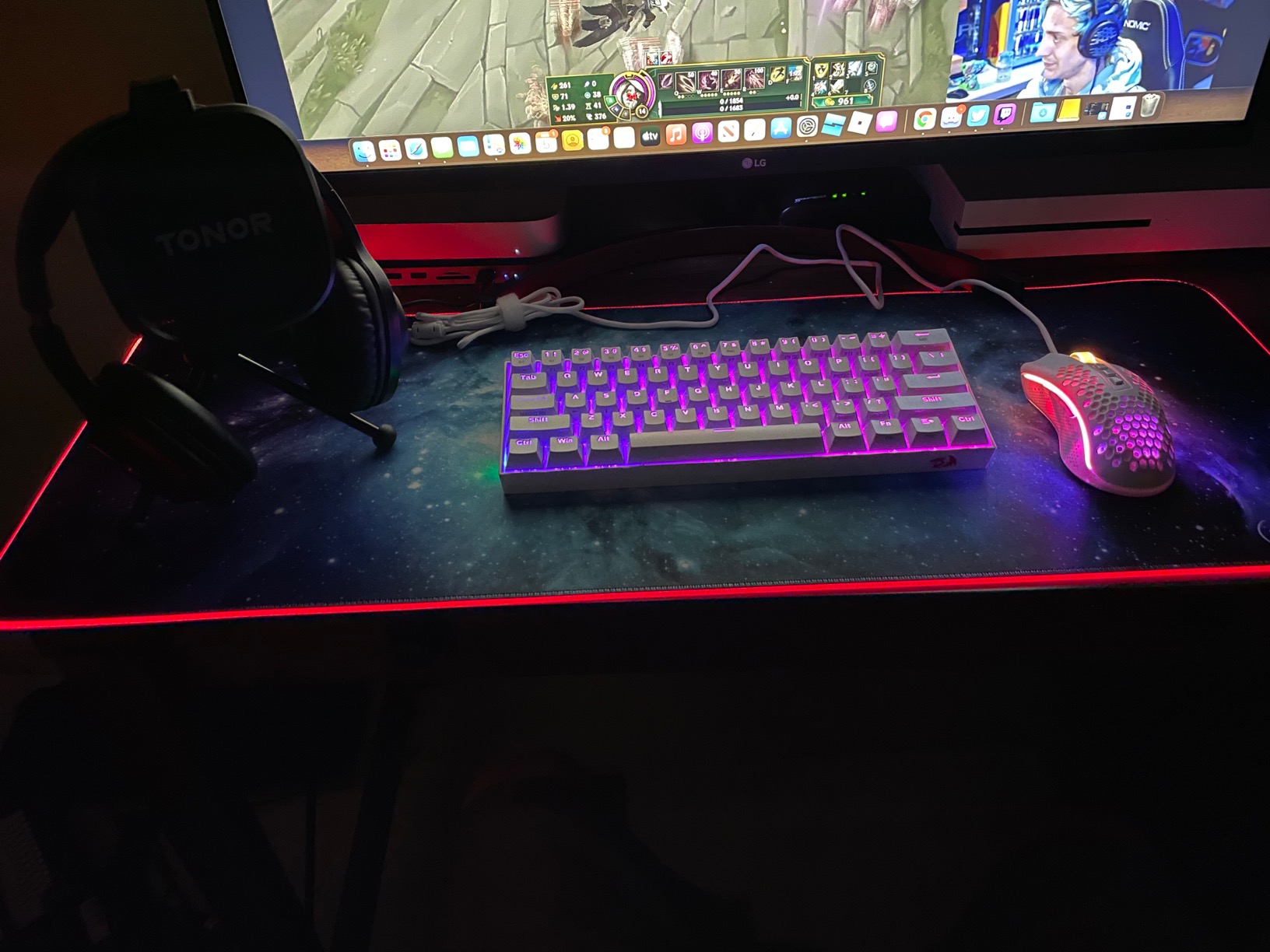
The compact 61-key layout maximizes mouse space for low-sensitivity FPS players who need sweeping arm movements. Wireless connectivity via 2.4GHz proved stable during gaming sessions, and Bluetooth pairs reasonably well with mobile devices for productivity. Battery life exceeded expectations at this price point.
Limitations reflect the budget positioning. The hot-swap sockets only work reliably with Outemu switches; Cherry MX and Gateron switches often fit but don’t always make proper electrical contact. The 60% layout requires function-layer access for arrow keys, which has a learning curve. However, for the price, these compromises feel acceptable.
60% Layout Learning Curve
Transitioning from full-size or TKL to 60% requires relearning muscle memory for navigation keys, function row, and arrow keys. The K530 Pro implements these via a function layer accessible with the Fn key. After two weeks, most functions became automatic, but expect initial productivity slowdowns during adaptation.
Hot-Swap Customization Potential
The hot-swap capability transforms this budget keyboard into a customizable platform. While limited to Outemu switches, the variety includes linear reds for gaming, tactile browns for typing, and clicky blues for those who prefer audible feedback. The included switch puller makes experimentation easy without additional tools.
10. Logitech G PRO X 60 – Best 60% Wireless Gaming Keyboard
Logitech G PRO X 60 Lightspeed Wireless Gaming Keyboard, Ultra Compact TKL 60% Mechanical Keyboard for Windows PC, LIGHTSYNC RGB, Dual-Shot PBT Keycaps, GX Optical Tactile Switches - Black
60% ultra-compact TKL design
GX Optical Tactile switches
Dual-shot PBT keycaps
KEYCONTROL technology
LIGHTSPEED wireless 1ms response
Pros
- Premium build quality with substantial 1.38kg weight|GX Optical switches faster actuation zero debounce|Dual-shot PBT keycaps for durability and feel|KEYCONTROL allows deep 5-layer customization|Ultra-fast LIGHTSPEED wireless or Bluetooth|Includes protective carrying case for portability
Cons
- No replacement switches or keycap tools included|G HUB software buggy and frustrating|Some report connectivity issues after updates|Certain LED bulbs may fail over time|Different arrow key layout requires adaptation
Logitech applied their esports expertise to the compact 60% form factor with the G PRO X 60, creating a keyboard that sacrifices nothing for its size. The substantial 1.38kg weight provides stability that lighter compact keyboards lack during intense gaming. GX Optical switches deliver faster actuation than traditional mechanical alternatives with zero debounce delay.
The KEYCONTROL technology enables complex customization with five programmable layers per key. This allows game-specific profiles that would require macro software on other keyboards. The optical switches respond to initial movement rather than full travel, potentially providing split-second advantages in reaction-time-dependent games.
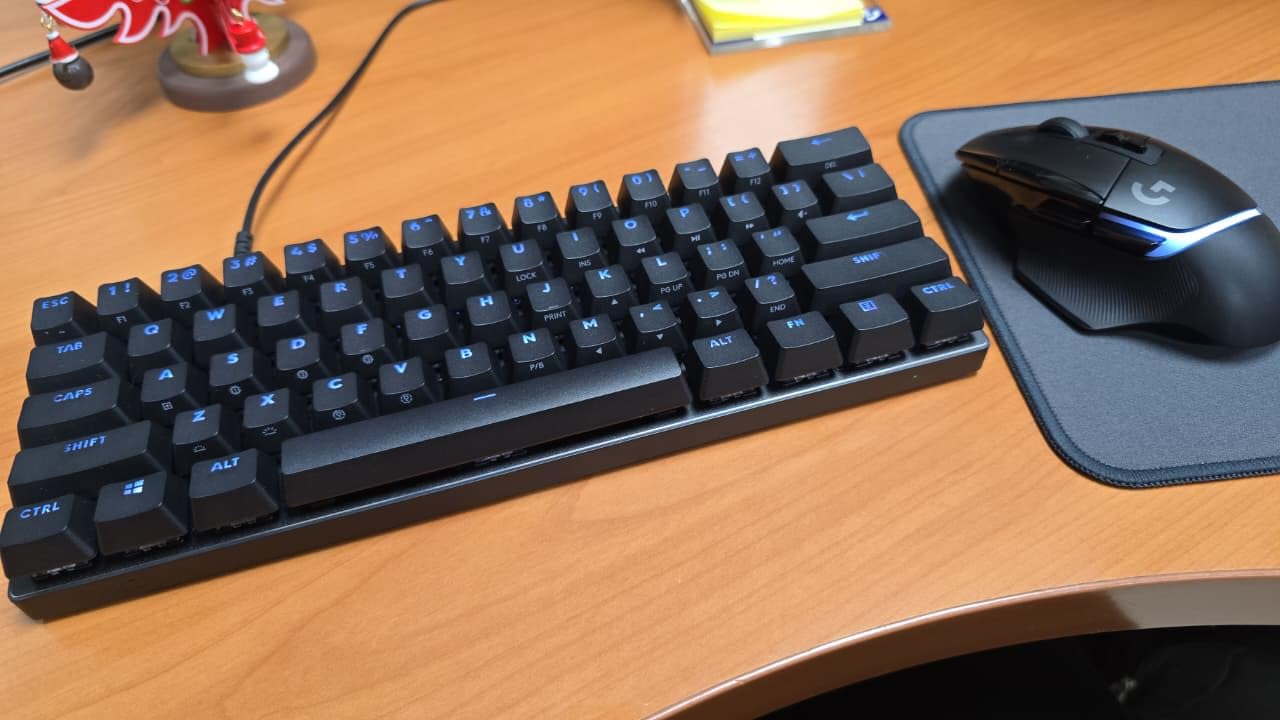
Build quality justifies the premium pricing with a chassis that refuses to flex and keycaps that maintain their texture indefinitely. The included carrying case protects the keyboard during transport better than generic sleeves. LIGHTSPEED wireless delivers the same 1ms performance as Logitech’s larger keyboards without compromise for the compact size.
The proprietary optical switch design prevents hot-swap customization with standard mechanical switches. G HUB software issues persist from other Logitech products, and some users report LED failures after extended use. The unique arrow key layout on the function layer requires adaptation time for users familiar with standard 60% implementations.
Optical Switch Advantages
Optical switches use light-based actuation rather than physical contact, eliminating debounce delay and enabling faster response times. The tactile version in the G PRO X 60 provides feedback similar to traditional Browns but with quicker actuation points. These switches resist dust and debris better than mechanical contacts, potentially improving longevity.
KEYCONTROL Deep Customization
KEYCONTROL enables five distinct function layers per key, allowing complex combinations that would require full keyboards on standard 60% boards. Dedicated esports players can optimize every key for specific games, creating profiles that maximize efficiency within the compact layout. The learning curve is steep, but the customization depth is unmatched in this size category.
Wireless Gaming Keyboard Buying Guide
Choosing the right wireless mechanical gaming keyboard requires understanding several technical factors that affect performance, comfort, and longevity. This guide explains the essential considerations to help you make an informed decision based on your specific needs.
Understanding Wireless Technology
Wireless gaming keyboards primarily use two connectivity methods: proprietary 2.4GHz protocols and Bluetooth. For gaming, proprietary 2.4GHz connections like Logitech LIGHTSPEED, Razer Hyperspeed, and Corsair SLIPSTREAM consistently outperform Bluetooth in latency and stability. These protocols achieve 1ms response times that match wired keyboards.
Bluetooth serves adequately for productivity tasks and connects to devices lacking USB ports, like tablets and phones. However, Bluetooth introduces higher latency unsuitable for competitive gaming. Most gaming keyboards offer both connectivity options, allowing you to switch between low-latency gaming mode and convenient multi-device Bluetooth pairing.
Latency and Gaming Performance
Input lag represents the delay between pressing a key and the action appearing on screen. Quality wireless gaming keyboards achieve sub-1ms latency through 2.4GHz protocols, effectively eliminating perceptible delay. Polling rate, measured in Hertz, indicates how frequently the keyboard reports its status to the computer. Standard keyboards poll at 125Hz (every 8ms), while gaming-focused options offer 1000Hz (every 1ms).
For casual gaming, standard polling rates suffice. Competitive players benefit from 1000Hz polling, though the difference is subtle for most users. Wireless keyboards with 1000Hz polling include the Corsair K70 CORE TKL and most Logitech G Pro series boards.
Switch Types Explained
Mechanical switches fall into three main categories. Linear switches provide smooth keystrokes from top to bottom without tactile feedback, preferred by FPS gamers for rapid double-tapping. Tactile switches offer a noticeable bump at the actuation point, helping typists know when a key registers without bottoming out. Clicky switches add audible feedback to tactile bumps, satisfying for typing but potentially disruptive in shared spaces.
Popular switch brands include Cherry MX, Gateron, and Kailh. Cherry MX remains the reference standard with colors indicating switch type: Red for linear, Brown for tactile, Blue for clicky. Gateron switches generally offer smoother travel at lower prices. Optical switches from Logitech and Razer use light-based actuation for faster response times and improved durability.
Form Factors: Full-Size vs TKL vs 60%
Keyboard form factor significantly impacts desk space and functionality. Full-size (100%) keyboards include numpads essential for data entry and some MMO gaming. Tenkeyless (TKL, 80%) removes the numpad while keeping function keys and arrow clusters, popular among FPS players who want more mouse space. 75% layouts compress the navigation cluster closer to the main keys, saving space while retaining arrow keys. 60% keyboards eliminate function rows and navigation clusters, requiring function layers for access.
The 96% layout offers a compromise, fitting numpads into nearly TKL widths by removing gaps between key clusters. Compact layouts suit minimalist setups and travelers, while full-size remains preferable for productivity work requiring frequent numpad use.
Battery Life Considerations
Battery life varies dramatically based on backlight usage and wireless protocol. RGB lighting typically reduces battery life by 50-70%. Without backlighting, quality wireless keyboards last weeks between charges. The ASUS ROG Strix Scope II 96 achieves an exceptional 1500 hours in 2.4GHz mode without lighting, while the AULA F99’s massive 8000mAh battery provides extended use even with moderate RGB.
Consider your charging habits when evaluating battery claims. Keyboards with USB-C charging can power up from laptop chargers and phone cables, while proprietary connectors require keeping track of specific cables. Some keyboards include power-saving features like adjustable sleep timers, though aggressive timers can interrupt workflow with wake-up delays.
Build Quality and Materials
Keyboard chassis materials affect durability, weight, and typing feel. Aluminum top plates provide rigidity and premium aesthetics but increase cost and weight. Plastic constructions can feel cheap or solid depending on thickness and internal structure. The best plastic keyboards incorporate reinforcement and minimal flex.
Keycap material impacts long-term appearance and feel. ABS plastic develops shine within months of heavy use and can become slippery. PBT plastic resists shine and maintains texture indefinitely, justifying its premium pricing. Double-shot molding creates legends that never fade, while laser-etched legends may wear over years of use.
Frequently Asked Questions
Do wireless keyboards have latency issues for gaming?
Modern wireless gaming keyboards using 2.4GHz proprietary protocols achieve sub-1ms latency that matches wired keyboards. Technologies like Logitech LIGHTSPEED, Razer Hyperspeed, and Corsair SLIPSTREAM eliminate perceptible input lag. Bluetooth connections introduce higher latency around 10-20ms, making them unsuitable for competitive gaming but fine for casual use and productivity.
Is 2.4GHz or Bluetooth better for gaming keyboards?
2.4GHz wireless is significantly better for gaming due to lower latency, more stable connections, and reduced interference susceptibility. Bluetooth suits productivity work and multi-device switching but cannot match the 1ms response times of proprietary 2.4GHz protocols. Most gaming keyboards include both options, allowing you to use 2.4GHz for gaming and Bluetooth for mobile devices.
What is the best budget wireless gaming keyboard?
The Redragon K673 PRO at under $50 offers exceptional value with hot-swap sockets, gasket mounting, five-layer noise dampening, and tri-mode connectivity. For 60% layouts, the Redragon K530 Pro delivers similar features at the same price point. Both outperform keyboards costing twice the price in build quality and features.
Do pro gamers use wireless keyboards?
Yes, many professional esports players use wireless keyboards. Logitech G Pro series keyboards appear at major tournaments including Valorant Champions and CS2 Majors. Modern 2.4GHz wireless technology provides the same 1ms latency as wired connections. The Logitech G PRO X TKL and Corsair K70 CORE TKL are specifically designed with tournament play in mind.
How long do wireless keyboard batteries last?
Battery life ranges from days to months depending on backlight usage and battery capacity. With RGB disabled, quality keyboards like the ASUS ROG Strix Scope II 96 last up to 1500 hours in 2.4GHz mode. RGB lighting typically reduces battery life to 20-40 hours. The AULA F99’s 8000mAh battery provides exceptional longevity even with moderate lighting. Most keyboards last 1-3 weeks with mixed usage patterns.
Final Verdict
The best wireless mechanical gaming keyboards in 2026 have eliminated the compromises that previously made cable-free setups risky for serious gaming. The ASUS ROG Strix Scope II 96 earns our top recommendation for most users, combining exceptional battery life, premium build quality, and a practical 96% layout. Budget shoppers should consider the Redragon K673 PRO, which delivers features typically found in keyboards costing three times as much.
For competitive gamers, the Logitech G PRO X TKL provides tournament-proven reliability with LIGHTSPEED wireless technology. Those wanting maximum desk space for low-sensitivity mouse movements should explore the 60% options, with the Logitech G PRO X 60 leading premium choices and the Redragon K530 Pro offering budget accessibility. Whatever your specific needs, the best wireless mechanical gaming keyboards now provide the performance, reliability, and satisfaction that were once exclusive to wired alternatives.