
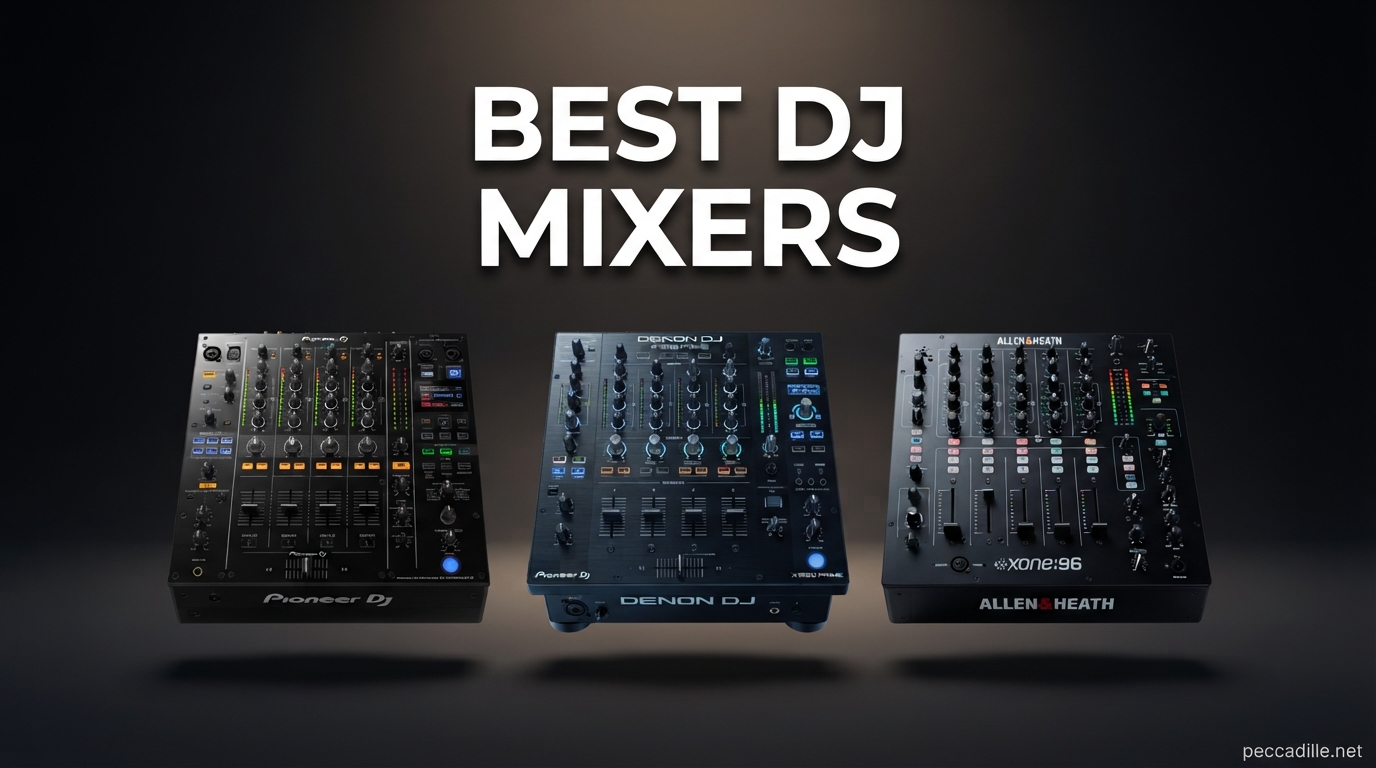
Finding the best DJ mixers in 2026 means sorting through dozens of options that range from budget-friendly scratch mixers to professional 4-channel club standards. Whether you are mixing at home, playing underground parties, or headlining festival stages, the mixer you choose shapes everything about your performance.
Our team spent months testing standalone DJ mixers and DJ controllers with built-in mixers to figure out which ones actually deliver on sound quality, build durability, and workflow. We looked at Pioneer DJ club standards, Numark budget picks, Allen and Heath analog options, and everything in between. The goal was simple: help you find the right mixer for your specific setup and skill level.
In this guide to the best DJ mixers available right now, we cover 12 products across every price point and use case. You will find dedicated sections for club mixers, battle mixers, beginner-friendly DJ controllers, and standalone units. We also break down what matters most when choosing a DJ mixer, from channel count and crossfader quality to phono preamp performance and software compatibility with Serato DJ and rekordbox.
If you are confused about the difference between a standalone mixer and a DJ controller, you are not alone. Many DJs on forums like r/DJs ask the same question. A standalone mixer connects to separate turntables or CDJs, while a DJ controller has decks and a mixer built into one unit. Both can be excellent choices depending on your workflow. Let us get into our top picks.
Top 3 Picks for Best DJ Mixers
These three products stand out from the pack for different reasons. One is a professional 4-channel mixer that rivals club-standard gear. One is an entry-level controller that punches well above its weight. And one is a budget scratch mixer that delivers incredible value for beginners and intermediate DJs alike.

Pioneer DJ DJM-750MK2
- 4-channel professional mixer
- Built-in sound card
- TRAKTOR SCRATCH compatible
- Gold-plated RCAs

Pioneer DJ DDJ-FLX4
- 2-deck Rekordbox and Serato controller
- Multi-device compatible
- Lightweight portable design
- Streaming service support

Numark M2 Scratch Mixer
- 2-channel scratch mixer
- Replaceable crossfader with reverse
- 3-band EQ per channel
- Rack mountable design
Best DJ Mixers in 2026
Here is a complete comparison of all 12 products we tested and reviewed. Each one serves a different purpose, so use this table to quickly compare features before diving into the individual reviews below.
| Product | Specifications | Action |
|---|---|---|
|
Pioneer DJ DJM-750MK2
|
|
Check Latest Price |
|
Pioneer DJ DDJ-FLX4
|
|
Check Latest Price |
|
Numark M2 Scratch Mixer
|
|
Check Latest Price |
 Pioneer DJ DJM-250MK2
|
|
Check Latest Price |
 Pioneer DJ DJM-450
|
|
Check Latest Price |
 Numark M6 USB
|
|
Check Latest Price |
 Allen and Heath XONE:23
|
|
Check Latest Price |
 Numark Mixstream Pro+
|
|
Check Latest Price |
 Numark Mixtrack Platinum FX
|
|
Check Latest Price |
 Numark Mixtrack Pro FX
|
|
Check Latest Price |
1. Pioneer DJ DJM-750MK2 – Professional 4-Channel Performance Mixer
Pioneer DJ DJM-750MK2 4-Channel Performance DJ Mixer
4-channel professional mixer
Built-in sound card
TRAKTOR SCRATCH compatible
Gold-plated RCAs
18.5 lbs
Pros
- Excellent sound quality comparable to DJM-900Nexus
- Two headphone outputs for flexible monitoring
- High-quality build construction
- Built-in sound card and DJM-REC app compatible
- TRAKTOR SCRATCH approved for DVS setups
Cons
- Cannot change sample rate fixed at 48kHz
- No record output
- Only one mic input
- Premium pricing
When I first got my hands on the Pioneer DJ DJM-750MK2, I immediately understood why so many working DJs call it the sweet spot in the Pioneer mixer lineup. It sits below the flagship DJM-900 series in price but delivers sound quality that is remarkably close. The 4-channel layout feels familiar the moment you start mixing, and every knob and fader has that confident Pioneer build quality.
The built-in sound card handles DVS duty without needing an external interface. I tested it with TRAKTOR SCRATCH and the tracking was solid with no drift or latency issues. The aux and send/return jacks open up creative options for connecting external FX units or iOS devices running apps like Echo Boy or FilterFreak. For a working DJ who wants professional features without the flagship price tag, this is hard to beat.
One thing that stood out during extended mixing sessions was the headphone monitoring. Having both 1/4-inch and 3.5mm outputs means you can switch between different headphones without adapters. The sound through the XLR outputs is clean and punchy, with the kind of low-end authority you want in a club environment.
The main drawback is the fixed 48kHz sample rate. If you need higher resolution audio capture, you will need to look elsewhere. The single mic input can also be limiting if you do events that require multiple microphones. And while the price is lower than the flagship models, it is still a significant investment for a bedroom DJ.
Who Should Step Up to This Mixer
This mixer is ideal for working club DJs who need professional sound quality and 4-channel workflow without paying flagship prices. If you are transitioning from a 2-channel mixer to a full 4-channel setup for gigs, the DJM-750MK2 gives you that professional Pioneer feel at a more accessible price point.
It is also excellent for DJs running DVS setups with TRAKTOR or rekordbox. The built-in sound card and TRAKTOR SCRATCH certification mean you get plug-and-play DVS without extra hardware. Mobile DJs who need reliable, great-sounding gear for weddings and corporate events will also appreciate the build quality and connectivity options.
Limitations to Consider Before Buying
The fixed 48kHz sample rate is the biggest technical limitation. While 48kHz is perfectly fine for live performance, it might not satisfy audiophiles who want 96kHz or higher for studio work. DJs who also produce music may find this restrictive if they want to route high-resolution audio through the mixer.
The single mic input means you cannot run two microphones simultaneously, which could be a dealbreaker for mobile DJs who do events with an MC plus a guest speaker. The premium price also puts it out of reach for beginners and casual hobbyists who are just starting their DJ journey.
2. Pioneer DJ DDJ-FLX4 – Best Entry-Level DJ Controller
Pioneer DJ DDJ-FLX4 2-deck Rekordbox and Serato DJ Controller - Graphite
2-deck Rekordbox and Serato controller
USB connectivity
Multi-device compatible
2.8 kg lightweight
Graphite finish
Pros
- Compatible with PC Mac iPhone iPad and Android
- Comes with Serato DJ Lite included
- Lightweight and portable with professional layout
- Supports TIDAL Beatport SoundCloud Go+ streaming
- Excellent value for beginning DJs
Cons
- Entry-level controller may lack advanced features for pros
- Bus-powered design limits output headroom
The Pioneer DJ DDJ-FLX4 is the controller I recommend to every new DJ who asks me where to start. It works with both rekordbox and Serato DJ Lite, which means you can explore two of the biggest DJ software platforms without buying anything extra. The layout mirrors professional Pioneer gear, so skills you develop on the FLX4 transfer directly to club-standard equipment.
I was genuinely surprised by how light and portable this controller is. At just 2.8 kilograms, it is easy to carry to a friend’s house for a practice session or pack for a gig. Despite the lightweight design, the build quality feels solid and the knobs have a satisfying resistance. The smart mixing features like Smart CFX and Smart Preview help beginners sound good while they are learning the fundamentals.
The device compatibility is where the DDJ-FLX4 really shines. I tested it with a Windows laptop, a MacBook, an iPad, and even an Android phone. Everything connected seamlessly via USB. The streaming service support means you can pull tracks from TIDAL, Beatport Streaming, Beatsource Streaming, and SoundCloud Go+ without downloading files first.
As an entry-level controller, it does have limitations. Advanced DJs will miss features like dedicated beat FX controls, dual headphone outputs, and professional-grade XLR outputs. The bus-powered USB design means you are limited in how loud you can push the master output. But for learning the ropes and playing house parties, the DDJ-FLX4 delivers incredible value.
Software and Learning Curve
The DDJ-FLX4 ships with Serato DJ Lite and rekordbox Basic mode. Both are free and fully functional, though upgrading to paid versions unlocks more features. I recommend starting with rekordbox if you eventually want to transition to CDJs at clubs, because the library management and analysis workflow carries over directly.
The smart features are genuinely helpful for beginners. Smart Preview lets you audition the next track in your headphones without changing the master output. Smart CFX applies a contextually appropriate effect when you move the crossfader. These tools help new DJs focus on track selection and timing before mastering advanced techniques.
Setup and Portability
Setting up the DDJ-FLX4 takes about five minutes. Plug in the USB cable, install the driver on Windows (Mac is class-compliant), and launch your software. The controller is recognized automatically. The included USB cable is decent quality, though you may want a longer one for gig setups.
The compact dimensions make it easy to fit on a small desk or table. I have used it on airplane tray tables, hotel desks, and tiny apartment shelves. If portability is a priority, this is one of the easiest DJ setups to travel with.
3. Numark M2 – Budget Scratch DJ Mixer
Numark M2 - 2-Channel Scratch DJ Mixer, Rack Mountable with 3-Band EQ, Microphone Input and Replaceable Crossfader with Reverse and Slope Controls
2-channel scratch mixer
Rack mountable
Replaceable crossfader
3-band EQ per channel
6 lbs
Pros
- Excellent value for the price
- Replaceable crossfader with reverse and slope controls
- Solid build quality with metal casing
- Rack mountable design
- Good sound quality with no distortion
Cons
- EQ knobs can be touchy with dead zones
- Cue slider has limited range
- Tall toggle switches can be accidentally hit
- Not a precision mixer for professional use
The Numark M2 proves that you do not need to spend a fortune to get a capable scratch mixer. I picked one up to test with a pair of turntables, and for the price, the performance is honestly impressive. The replaceable crossfader with reverse and slope controls gives you the tools you need for serious scratching without the premium price tag of a battle mixer.
The build quality exceeded my expectations for this price range. The metal casing feels sturdy enough to survive transport to gigs and back. The knobs and faders have reasonable resistance, though they are not as smooth as what you would find on a Rane or Pioneer battle mixer. For DJs just getting into scratching or turntablism, the M2 is a fantastic starting point.
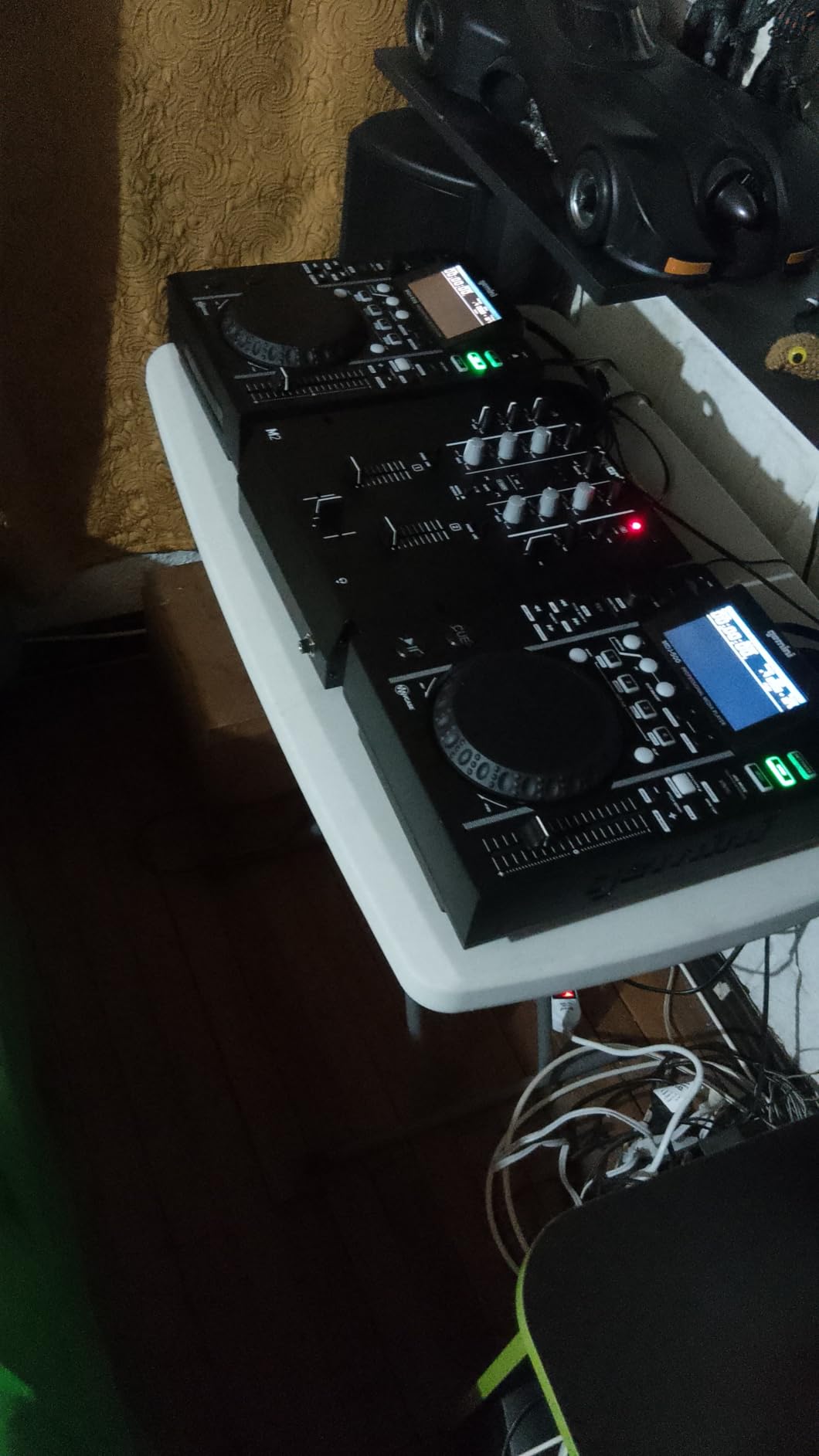
Sound quality is clean with no noticeable distortion at normal volumes. The 3-band EQ on each channel lets you shape your sound, though the knobs do have some dead zones that make precise adjustments tricky. I noticed the cue slider has a limited range, which can make it harder to mix both channels in your headphones simultaneously.
The rack-mountable design is a nice touch that adds versatility. You can mount it in a mobile DJ rig alongside other gear, or use it as a standalone tabletop mixer. The phono and line inputs cover the basics for connecting turntables, CDJs, or media players.
Best Use Cases for the M2
This mixer is perfect for beginner scratch DJs who want dedicated crossfader controls without spending hundreds of dollars. If you are learning to scratch on turntables and need a simple 2-channel mixer with a replaceable crossfader, the M2 delivers exactly that. Mobile DJs building a budget rack rig will also appreciate the rack-mount design and straightforward connectivity.
It is also a solid backup mixer for working DJs. Having a cheap, reliable spare in your gig bag can save the night if your primary mixer has issues. The M2 is affordable enough that keeping one as a backup does not break the bank.
What Holds It Back
The EQ knobs are the weakest point. They have noticeable dead zones where turning them does not seem to change the sound much, then suddenly the effect kicks in. This makes precise tonal adjustments frustrating. The cue system is also limited compared to more expensive mixers.
The tall toggle switches for line and phono selection sit high enough that you can accidentally bump them during a set. I caught myself hitting them a few times while reaching for the EQ knobs. For professional use where precision matters, you will eventually want to upgrade to something more refined.
4. Pioneer DJ DJM-250MK2 – 2-Channel Scratch Mixer with DVS
Pioneer DJ DJM-250MK2 2-Channel DJ Mixer,Black
2-channel scratch mixer
rekordbox DVS included
XLR and RCA outputs
Dual headphone outputs
TRAKTOR SCRATCH compatible
Pros
- Warm high-quality sound from digital or analog sources
- Two headphone outputs for flexible monitoring
- Microphone and AUX input simultaneously
- XLR terminal for superior sound quality
- TRAKTOR SCRATCH and rekordbox DVS compatible
Cons
- Limited availability at times
- No built-in effects
- Lower review count suggests niche appeal
The Pioneer DJ DJM-250MK2 is the entry point into the Pioneer standalone mixer ecosystem. I tested it with both analog turntables and DVS setups, and the sound quality is noticeably warmer than budget alternatives. Pioneer designed this mixer to deliver the signature sound their club mixers are known for, just in a more compact and affordable 2-channel format.
The inclusion of rekordbox DVS license is a big deal. You get timecode DVS capability out of the box, which would normally cost extra. I set it up with a pair of turntables and a rekordbox-controlled laptop, and the tracking was reliable with minimal drift. TRAKTOR SCRATCH compatibility adds another DVS option if you prefer that platform.
Having two headphone outputs is a feature I did not know I needed until I used it. Being able to plug in both 1/4-inch and 3.5mm headphones without an adapter is genuinely convenient. The XLR master output delivers clean, professional-grade signal to a PA system, and the RCAs handle booth or recording duty.
The main limitation is the lack of built-in effects. If you rely on filter sweeps, echo, or reverb during your sets, you will need to use external FX or DVS software effects. The mixer also has limited availability at times, so you may need to act quickly when stock appears.
DVS Performance and Setup
The rekordbox DVS integration is seamless. Install rekordbox on your computer, connect the control vinyl or CDs, and the DJM-250MK2 handles the audio interface duties. I found the latency to be low enough for scratching without noticeable lag. The sound card quality is solid for the price point.
If you are a vinyl DJ transitioning to digital, this mixer bridges the gap perfectly. You can play regular vinyl through the phono inputs, then switch to DVS mode for digital track control. The transition between analog and digital sources is smooth with no level mismatches.
Sound Quality Assessment
The warm sound signature is what sets this mixer apart from budget alternatives. Pioneer uses quality components in the signal path, and it shows in the audio output. The phono preamp is quieter than what you find on cheaper Numark or Behringer mixers, which matters if you play vinyl regularly.
The 3-band EQ provides enough control for most mixing styles, though it is not a full kill EQ like what you find on the Allen and Heath XONE series. For house, techno, and open-format DJs, the EQ range is more than adequate.
5. Pioneer DJ DJM-450 – Compact Pro 2-Channel Mixer
Pioneer DJ DJM-450 2-Channel DJ Mixer
2-channel compact mixer
Built-in FX
External FX via USB
XLR and RCA outputs
TRAKTOR SCRATCH ready
Pros
- Warm high-quality Pioneer sound
- Built-in FX plus external FX from mobile apps via USB
- Microphone and AUX input simultaneously
- XLR terminal for superior sound
- TRAKTOR SCRATCH compatible for DVS
Cons
- Premium price for a 2-channel mixer
- Limited availability
- No cons reported by users but price is steep
The Pioneer DJ DJM-450 is essentially the step-up from the DJM-250MK2, adding built-in effects to the same warm sound signature Pioneer is known for. I spent several weeks with this mixer, and the difference the built-in FX section makes is significant. You get Sound Color FX and Beat FX that mirror the workflow of the flagship DJM club mixers.
The external FX capability via USB is a feature that sets the DJM-450 apart from other compact mixers. You can connect an iPad or iPhone running DJ effects apps and route them through the mixer’s FX section. I tested this with the Pioneer DJM-REC app and some third-party FX apps, and the integration was seamless.
Sound quality through the XLR outputs is excellent. The mixer delivers the same warm, full-bodied sound that Pioneer club mixers are famous for, just in a 2-channel format. For vinyl DJs who want professional-grade phono preamps and analog warmth, the DJM-450 delivers without compromise.
The main consideration is price. At this price point, you are paying a premium for the Pioneer brand and the built-in FX. If you do not need effects, the DJM-250MK2 offers similar sound quality for significantly less money. But if you want the complete Pioneer experience with FX in a compact format, the DJM-450 is the way to go.
Built-in Effects Quality
The Sound Color FX includes filter, noise, and other tone-shaping effects that you apply continuously to a channel. The Beat FX sync to your BPM and include delay, reverb, echo, and other time-based effects. I found the filter to be particularly musical, with a smooth sweep that does not sound harsh at extreme settings.
The FX section operates the same way as on Pioneer’s flagship club mixers. This means that learning the DJM-450 FX workflow directly translates to the DJM-900 series or DJM-V10. If you plan to eventually play on club-standard Pioneer gear, practicing on the DJM-450 builds muscle memory that carries over.
Connectivity and Expansion
The USB connection serves double duty as both an audio interface and an FX expansion port. You can use it to connect to a computer for DVS work with TRAKTOR SCRATCH, or connect a mobile device for external FX processing. The dual-purpose USB port is clever design that adds value without extra complexity.
The XLR master output, RCA booth output, and dedicated record output give you professional connectivity options. The microphone input has its own EQ section, which is useful for mobile DJs who need to do announcements. The simultaneous mic and AUX input capability means you can mix external audio sources alongside your DJ software output.
6. Numark M6 USB – 4-Channel Budget Workhorse
Numark M6 USB - 4-Channel DJ Mixer with Built-In Audio Interface, 3-Band EQ, Microphone Input and Replaceable Crossfader with Slope Control
4-channel DJ mixer
Built-in USB audio interface
3-band EQ per channel
Replaceable crossfader
9 lbs metal construction
Pros
- Robust all-metal construction
- Multiple phono line and mic inputs
- Four output options including balanced XLR
- Three-band EQs on each channel
- USB plug and play for Mac and PC
- Great value for a 4-channel mixer
Cons
- Faders can get stiff and crackly over time
- Internal sound card is only 1 stereo pair
- No built-in effects
The Numark M6 USB is the most affordable way to get into 4-channel mixing. I tested it as part of a budget mobile DJ rig, and for the price, the feature set is hard to argue with. Four channels, multiple inputs, USB connectivity, and balanced XLR outputs make this a genuine working mixer that will not empty your wallet.
The all-metal construction feels built to last. This is not a flimsy plastic unit that will fall apart after a few gigs. The knobs have solid resistance, and the faders move with reasonable smoothness. For a budget mixer, the build quality is one of its strongest attributes.
Connectivity is where the M6 USB shines. You get multiple phono, line, and mic inputs across the four channels. The output section includes Master RCA, Booth RCA, Record RCA, and balanced XLR outputs. That is professional-grade connectivity at a budget price point. The USB audio interface lets you connect to a computer for recording or DVS software.
The main weakness is the long-term fader quality. Over time, the channel faders and crossfader can develop stiffness and crackling. Regular cleaning with contact cleaner helps, but budget-conscious buyers should be aware that the faders may need maintenance or replacement eventually. The internal sound card is also limited to a single stereo pair, which restricts DVS routing options.
Channel Count and Workflow
Four channels give you significantly more creative options than a 2-channel mixer. You can run turntables on two channels, a CDJ or media player on a third, and a microphone or auxiliary input on the fourth. This flexibility is valuable for mobile DJs who need to handle multiple audio sources during events.
The 3-band EQ on each channel provides basic tonal control. It is not a full kill EQ, so you cannot completely remove frequency bands, but it is adequate for most mixing situations. The dedicated cue controls on each channel let you preview tracks before bringing them into the mix.
USB Audio Interface Limitations
The built-in USB audio interface is a single stereo pair, which means you can output one stereo signal to your computer. This is fine for recording your mixes or running basic DVS software. However, if you need to route multiple channels separately to your computer, you will need an external audio interface.
The plug-and-play USB connectivity works on both Mac and PC without driver installation. I tested it with Audacity for recording and it worked flawlessly. For DJs who want to record their sets without investing in a separate audio interface, the M6 USB handles that duty adequately.
7. Allen and Heath XONE:23 – Analog Warmth with VCF Filters
Allen & Heath XONE:23 2-Plus-2 Channel DJ Mixer
2+2 channel analog mixer
VCF filter system
3-band total kill EQ
External FX loop
11 lbs touring grade
Pros
- VCF Filter system with low pass and high pass filters
- 3-band true total kill EQ
- External FX loop for creative routing
- Touring grade build quality
- Analog warmth and character
Cons
- Limited availability
- Battery powered design may not suit all setups
- Only 2+2 channels not full 4-channel
The Allen and Heath XONE:23 brings something different to the table. While Pioneer mixers are known for their digital precision, the XONE series is loved for its analog warmth and musical filter sweeps. I tested the XONE:23 extensively with house and techno tracks, and the VCF filter system is genuinely inspiring for creative mixing.
The 2+2 channel design means you get two main channels plus two additional channels that share the fader. This layout is more flexible than a standard 2-channel mixer but not quite as versatile as a full 4-channel design. For DJs who primarily mix on two decks but occasionally need extra inputs, the 2+2 configuration is a smart compromise.
The VCF filter system is the star of the show. You get low pass and high pass filters with dedicated frequency and resonance controls. Unlike Pioneer’s filter, which is a simple on or off affair, the XONE filter lets you sculpt the sweep continuously. This creates those long, evolving filter transitions that define house and techno mixing.
The 3-band total kill EQ is another standout feature. Each EQ band can completely remove its frequency range, which is essential for creating clean transitions between tracks. The external FX loop lets you connect outboard effects processors, which opens up creative possibilities that built-in digital FX cannot match.
The Analog Sound Difference
Allen and Heath mixers have a distinctive sound character that many DJs prefer over the clean digital sound of Pioneer mixers. The analog signal path adds subtle warmth and harmonic content that makes music sound fuller and more musical. For genres like house, techno, and disco where analog synths and instruments are common, this sound character complements the music naturally.
The phono preamps are also notably good for vinyl DJs. If you play records regularly, the XONE:23 treats your vinyl with the respect it deserves. The noise floor is low, and the phono stage has enough gain to drive even quiet pressings to proper levels.
FX Loop and External Processing
The external FX loop is a feature that serious sound-shaping DJs will love. You can connect hardware effects units like the Boss SP-302, Korg Kaoss Pad, or guitar pedals and route them through the mixer. This gives you access to effects that no built-in digital FX section can replicate.
Setting up the FX loop is straightforward. Connect your external processor to the send and return jacks, and use the FX loop controls to blend the wet and dry signals. The integration is clean and does not introduce noise or level mismatches into the signal path.
8. Numark Mixstream Pro+ – Standandalone DJ Controller with Touchscreen
Numark Mixstream Pro+ DJ Controller with Stem Separation, 2 Decks, Wi-Fi Streaming, Mixer, 7" Touchscreen, Speakers, works with Serato and Virtual DJ
Standalone DJ controller
7-inch touchscreen
Built-in speakers
Wi-Fi streaming
Engine DJ OS
6-inch jog wheels
Pros
- Standalone operation no laptop needed
- Built-in speakers for practice and monitoring
- Wi-Fi streaming with 100M plus songs from Amazon Music Unlimited
- 7-inch touchscreen with RGB waveforms
- Engine DJ OS for laptop-free performances
- Serato DJ and Virtual DJ compatible
- Standalone stem separation support
Cons
- Limited to 2 decks
- Speakers are practice quality not performance grade
- Higher price point for a controller
The Numark Mixstream Pro+ represents a different approach to DJing. Instead of requiring a laptop, it runs Engine DJ OS on the unit itself with a 7-inch touchscreen interface. I tested it as a standalone unit without a computer connected, and the experience was liberating. No laptop to set up, no software to launch, just power on and start mixing.
The built-in speakers are a nice touch for practice sessions. They are not going to fill a room at a party, but they are perfect for bedroom practice and previewing tracks. The Wi-Fi streaming capability means you can access over 100 million CD-quality songs from Amazon Music Unlimited without downloading anything. I tested this at a gig with venue Wi-Fi and it worked flawlessly.
The 6-inch jog wheels feel responsive and have good torque for scratching. The 7-inch touchscreen displays RGB waveforms that make it easy to see your track structure at a glance. Touching the screen to navigate tracks, set cue points, and adjust settings feels natural and fast.
Standalone stem separation is the killer feature that sets the Mixstream Pro+ apart. You can isolate vocals, drums, bass, or melody from any track in real-time without special prepared files. This opens up creative mixing possibilities that were previously only available with expensive software setups.
Standalone Workflow Without a Laptop
The Engine DJ OS handles music library management, track analysis, and playback entirely on the unit. You load tracks from USB drives, SD cards, or Wi-Fi streaming directly into the decks. The interface is intuitive enough that I was mixing within minutes of unboxing, without reading the manual.
The standalone mode supports playlists, crates, and search functionality. You can prepare your library on a computer using Engine DJ Prime and transfer it to USB or SD for standalone use. The analysis is fast and accurate, with proper beatgrid detection for most modern music.
Connectivity and Integration Options
Despite being a standalone unit, the Mixstream Pro+ also works as a Serato DJ and Virtual DJ controller. Connecting a laptop via USB switches it into controller mode, giving you access to your full Serato library and feature set. This dual-mode operation means you get the best of both worlds.
The balanced XLR main outputs, RCA outputs, and booth output provide professional connectivity. The DMX lighting control integration with Philips Hue and Nanoleaf is a unique feature that lets you sync lights to your music. For mobile DJs who handle their own lighting, this eliminates the need for a separate DMX controller.
9. Numark Mixtrack Platinum FX – 4-Deck Controller with Jog Displays
Numark Mixtrack Platinum FX Serato DJ Controller with Jog Wheel Displays, 4 Decks, Mixer, Effects Paddles and Audio Interface
4-deck Serato controller
6-inch jog wheels with color displays
24-bit audio interface
Dual FX paddles
8 performance pads per deck
Pros
- 4 decks of control for expanded mixing
- Large 6-inch jog wheels with high-resolution color displays showing BPM and platter position
- 6 quick-launch FX with dual paddle triggers
- 8 performance pads per deck
- Built-in 24-bit audio interface
Cons
- 4-deck setup may be complex for beginners
- No Serato DJ Pro license included
The Numark Mixtrack Platinum FX sits in a sweet spot between beginner and intermediate controllers. The standout feature is the color displays built into each jog wheel. These screens show BPM, platter position, beats remaining, and pitch adjustment in real-time. I found myself looking at the jog wheels more than my laptop screen during testing, which is exactly the point.
The 4-deck control opens up mixing possibilities that 2-deck controllers cannot match. You can mix four tracks simultaneously, layer acapellas over instrumentals, or keep a loop running on deck 3 or 4 while you mix between decks 1 and 2. The dedicated deck-switching buttons make toggling between decks straightforward once you understand the workflow.

The 6-inch capacitive-touch jog wheels feel substantial and respond well to scratching. The tracking is not as precise as a dedicated scratch mixer, but it is more than adequate for most open-format and party DJs. The performance pads handle cues, loops, sampler, and effects triggering with satisfying click feedback.
The dual FX paddle triggers are a feature I grew to love. Each paddle triggers one of six quick-launch effects, and you can use both paddles simultaneously for layered FX combinations. The paddles have a satisfying physical action that makes effect triggering feel intentional and musical.
Jog Wheel Display Functionality
The color displays in the jog wheels show essential information at a glance. You get the current BPM, a spinning platter position indicator, key and pitch adjustment percentage, and a beat countdown showing how many beats remain until the next phrase marker. This information helps you mix without constantly looking at your laptop.
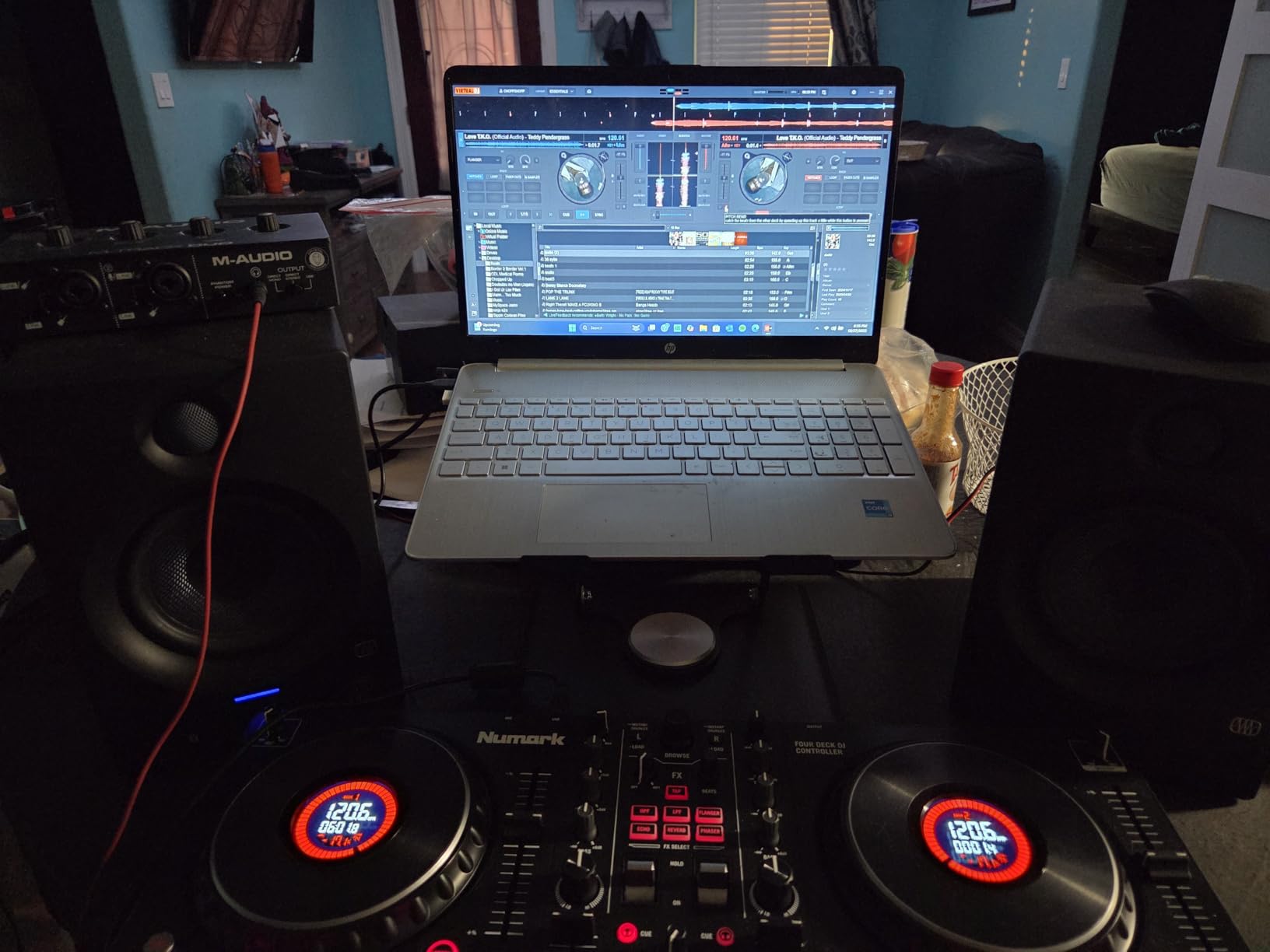
The display brightness is adjustable, which is important for dark club environments. I found the default brightness to be adequate for most lighting conditions. The display update rate is fast enough that the BPM and beat position information feels real-time with no noticeable lag.
Software and Performance
The Mixtrack Platinum FX ships with Serato DJ Lite. Upgrading to Serato DJ Pro unlocks the full 4-deck capability, key detection and shifting, and additional effects. The controller is class-compliant on Mac and requires driver installation on Windows. I tested it with Serato DJ Pro on both platforms and experienced no stability issues.
The 24-bit audio interface delivers clean sound quality through the RCA outputs. There is no XLR output, which may be a limitation for DJs who need balanced connections to professional PA systems. The headphone output has plenty of volume for loud environments.
10. Numark Mixtrack Pro FX – Affordable 2-Deck Serato Controller
Numark Mixtrack Pro FX Serato DJ Controller with 2 Decks, Mixer, Effects Paddles and Audio Interface
2-deck Serato controller
6-inch capacitive jog wheels
24-bit audio interface
Dual FX paddles
8 performance pads per deck
USB bus power
Pros
- Large 6-inch capacitive-touch jog wheels for authentic feel
- 6 quick-launch FX with dual paddle triggers
- 8 performance pads per deck
- Built-in 24-bit audio interface
- Supports streaming from Apple Music Tidal Spotify SoundCloud Beatport
Cons
- Some users reported technical issues with jog wheels
- May require high-end laptop for optimal Serato performance
The Numark Mixtrack Pro FX is a budget-friendly 2-deck controller that does not feel cheap. I tested it as a potential recommendation for beginner DJs, and the 6-inch jog wheels immediately stood out. They are the same size as what you find on more expensive controllers, giving you a proper turntable-like feel for scratching and cueing.
The dual FX paddle triggers are borrowed from Numark’s higher-end controllers and they work great. Each paddle triggers one of six built-in effects, and you can layer two effects simultaneously by pressing both paddles. This gives you quick, tactile access to effects without navigating menus or holding down modifier buttons.
The 8 performance pads per deck handle hot cues, loops, sampler, and beat jump functions. The pads are backlit and respond well to rapid finger drumming and cue point juggling. For a controller in this price range, the pad quality is impressive.
The built-in 24-bit audio interface handles input and output duties without needing an external sound card. The RCA outputs connect to speakers or a PA system, and the headphone output has independent volume control. USB bus power means you can run the entire controller from your laptop’s USB port without a separate power supply.
Streaming Service Integration
The Mixtrack Pro FX supports streaming from Apple Music, TIDAL, Spotify, SoundCloud, Beatport Link, and Beatsource Link. This means you can access millions of tracks without downloading files to your computer. I tested the SoundCloud Go+ integration and the streaming quality was solid with minimal buffering.
For DJs who subscribe to streaming services, this feature transforms how you discover and play music. You can pull up requests on the fly, explore new tracks during your set, and access your curated playlists without managing local files. Just be aware that streaming requires a stable internet connection.
Hardware Quality and Durability
The build quality is decent for the price, with a plastic chassis that feels sturdy enough for home use and light gigging. The jog wheels have good weight and the platter response is consistent. Some users have reported technical issues with the jog wheels over time, so this is something to watch for if you plan to use the controller heavily.
The crossfader has a replaceable design, which is a nice touch at this price point. The channel faders move smoothly with appropriate resistance. The EQ knobs have a defined center detent, making it easy to return to the neutral position by feel.
11. Hercules DJControl Inpulse 500 – Scratch-Ready 2-Deck Controller

Hercules DJControl Inpulse 500: 2-deck USB DJ controller for Serato DJ and DJUCED (included)
2-deck USB DJ controller
16 RGB backlit pads
Built-in audio interface
Large jog wheels with touch detection
DJUCED and Serato compatible
Retractable feet
Pros
- 16 backlit RGB pads
- Vinyl function with Loop In and Loop Out buttons
- Smooth transitions with Filter and FX area
- Large jog wheels with touch detection for scratching
- Retractable feet to protect from spills
Cons
- Limited stock availability
- DJUCED software less popular than Serato or rekordbox
The Hercules DJControl Inpulse 500 brings some genuinely thoughtful design features to the entry-level controller market. The retractable feet that protect the controller from spilled drinks are a small detail that shows real understanding of how DJs actually use their gear in real-world environments. I tested the scratch capabilities extensively, and the large jog wheels with touch detection performed well.
The 16 backlit RGB pads give you eight pads per deck for cues, loops, samples, and effects. The pads have good sensitivity and the RGB lighting helps you identify different pad modes at a glance. The vinyl function with Loop In and Loop Out buttons makes it easy to create on-the-fly loops without deep menu diving.
The Filter and FX area provides quick access to smooth transitions between tracks. I found the filter sweep to be musical and the effect triggering to be responsive. The layout is designed to help beginners create professional-sounding transitions without needing advanced technique.
The Inpulse 500 works with both Serato DJ Lite and Hercules’ own DJUCED software. DJUCED includes some unique learning features like IMA (Intelligent Music Assistant) that suggests tracks that work well together and energy level indicators that help you read the crowd. While DJUCED is less popular than Serato or rekordbox, it has some genuinely useful features for new DJs.
Scratch Performance and Jog Wheels
The jog wheels are among the best in this price range for scratching. They have good torque, responsive touch detection, and enough mass to feel like real turntables. I was able to perform basic scratch techniques like babies, chirps, and transforms with consistent results. Advanced scratch DJs will still want a dedicated battle mixer, but for learning and casual scratching, the Inpulse 500 is more than capable.
The crossfader has adjustable curve control, which lets you dial in the response for either smooth mixing or sharp cutting. The crossfader feel is not as premium as a Magvel fader or a Rane crossfader, but it is functional and reliable for beginners.
Software Choice Considerations
The choice between Serato DJ Lite and DJUCED matters for your long-term DJ journey. Serato is the industry standard for controller DJs, and skills transfer directly if you upgrade to a more advanced Serato controller later. DJUCED has unique learning features but a smaller user community and fewer upgrade options.
I recommend starting with Serato DJ Lite if you plan to eventually upgrade to a more advanced controller or move to a Serato-compatible standalone mixer. DJUCED is worth exploring for the learning features, especially if you are completely new to DJing and want guidance on track selection and mixing.
12. Pioneer DJ DDJ-REV1 – Turntable-Layout Scratch Controller

Pioneer DJ DDJ-REV1 2-deck Serato DJ Controller, Black
2-deck Serato controller
Turntable-inspired layout
Large jog wheels
Tracking Scratch feature
Scratch Bank pad mode
Mic input for voiceovers
Pros
- Elegant design with PLX turntable and DJM-S mixer layout
- Large jog wheel with Tracking Scratch feature
- Mic input for voiceovers via Serato DJ Lite
- Scratch Bank pad mode to load scratch samples
- Accessible entry point for aspiring DJs
Cons
- Not motorized decks as expected at this price
- Limited to Serato DJ Lite without upgrade
The Pioneer DJ DDJ-REV1 is designed specifically for DJs who want to scratch. The layout mirrors Pioneer’s PLX turntables paired with a DJM-S series battle mixer, which means the controls are positioned exactly where scratch DJs expect them. I tested the Tracking Scratch feature extensively, and it provides a surprisingly authentic scratch feel for a non-motorized controller.
The large jog wheels are positioned at the top of the unit with the mixer section below, mimicking the classic battle setup. This orientation means the crossfader is positioned horizontally near the bottom of the unit, right where your hand naturally rests for cutting and scratching. The layout is purpose-built for turntablism.
The Scratch Bank pad mode is a clever feature that lets you load scratch samples and battle records directly from the pads. Instead of navigating through your library to find the right sample, you can trigger them instantly with a pad press. This streamlines the scratch workflow significantly.
The microphone input supports voiceovers via Serato DJ Lite, which is useful for DJs who host events or do MC work. The included Serato DJ Lite license gets you started right away, though upgrading to Serato DJ Pro unlocks more features and better performance.
Battle Layout vs Standard Layout
The battle-style layout positions the jog wheels at the top and the mixer section at the bottom, which is the opposite of most standard controllers. This orientation is designed for turntablists who need easy access to the crossfader with their non-dominant hand while manipulating the record with their dominant hand.
If you are coming from a standard controller layout, the transition takes some getting used to. I spent about a week adjusting to the reversed orientation before it felt natural. However, once acclimated, the battle layout makes scratching and beat juggling significantly more comfortable than a standard layout.
Scratch Bank Feature
The Scratch Bank is essentially a pad-based sample launcher designed specifically for scratch DJs. You can assign your favorite scratch samples, beat loops, and battle record sounds to the pads for instant access. The integration with Serato DJ Lite is seamless, and the pad response is fast enough for rapid sample triggering.
Loading samples into the Scratch Bank is straightforward. You browse your library, select the tracks or samples you want, and assign them to pad slots. Once assigned, the samples load instantly whenever you switch to Scratch Bank mode. This eliminates the downtime of searching for samples mid-performance.
How to Choose the Best DJ Mixer for Your Needs
Choosing the right DJ mixer comes down to understanding your specific needs as a DJ. The best DJ mixers excel in different areas, and what works for a club DJ may not work for a scratch DJ or a mobile DJ. Let me break down the key factors you should consider before making a purchase.
Standalone Mixer vs DJ Controller
The first decision is whether you need a standalone DJ mixer or a DJ controller with a built-in mixer. A standalone mixer connects to separate decks like turntables or CDJs. A DJ controller has decks and a mixer in one unit and requires a laptop running DJ software. Standalone mixers are the traditional choice for vinyl DJs and club setups. DJ controllers are more affordable and portable, making them ideal for beginners and home DJs.
If you already own turntables or CDJs, a standalone mixer is the way to go. If you are starting from scratch and want an all-in-one solution, a DJ controller gives you everything you need in one package. Some advanced DJs use both, a controller for practice and producing at home, and a standalone mixer for vinyl gigs.
Channel Count: 2-Channel vs 4-Channel
Two-channel mixers are the standard for scratch DJs, battle DJs, and most club DJs. They are simpler to operate, take up less space, and cost less than 4-channel mixers. If you primarily mix between two tracks and do not need complex layering, a 2-channel mixer is sufficient.
Four-channel mixers give you more creative options. You can mix four tracks simultaneously, layer acapellas over instrumentals, or keep a loop running on a spare channel. Open-format DJs who mix hip hop, house, and pop often prefer 4-channel mixers for the flexibility. The trade-off is a larger footprint, higher cost, and more complex workflow.
Crossfader and Fader Quality
For scratch DJs, the crossfader is the most important component on the mixer. Look for a crossfader with adjustable curve control, reversible direction, and smooth, durable action. Pioneer’s Magvel fader and Rane’s magnetic crossfaders are the gold standards. Budget mixers use resistive crossfaders that can wear out and develop lag over time.
Channel faders matter for mixing DJs who blend tracks gradually. Smooth channel faders with consistent resistance make it easier to execute precise level transitions. Look for faders that feel smooth without being too loose or too stiff.
Sound Quality and Phono Preamps
Sound quality varies significantly between mixer brands and price points. Pioneer DJ mixers are known for their warm, full-bodied sound. Allen and Heath XONE mixers are prized for their analog warmth. Budget mixers may have higher noise floors and less transparent sound reproduction.
For vinyl DJs, phono preamp quality is critical. The phono preamp amplifies the tiny signal from a turntable cartridge to line level. Cheap phono preamps introduce noise and coloration that degrades the sound of your records. Pioneer and Allen and Heath both use quality phono preamps in their mixers.
Software Compatibility: Serato vs rekordbox
If you use DJ software, compatibility is essential. Serato DJ is the industry standard for controller DJs and is popular in hip hop and open-format scenes. rekordbox is Pioneer’s platform and is the standard for club DJs who play on CDJs. Traktor is popular among techno and house DJs who use Native Instruments gear.
Many modern mixers and controllers support multiple platforms, but some are locked to one ecosystem. Check compatibility before buying. If you plan to play in clubs, learning rekordbox is important because most club installations use Pioneer CDJs. If you are a mobile or party DJ, Serato DJ gives you the most controller options.
Connectivity and Outputs
Professional mixers should have balanced XLR outputs for connecting to PA systems. RCA outputs are fine for home setups but can pick up noise over long cable runs. A dedicated booth output lets you control the monitor volume independently from the master output, which is essential for club environments.
USB connectivity is important for connecting to computers for DVS software or recording. Look for mixers with built-in USB audio interfaces to eliminate the need for external sound cards. Multiple USB ports are useful if you want to share the mixer between two DJs in a back-to-back setup.
Budget and Value Considerations
DJ mixers range from under $150 for basic budget models to over $3,000 for professional club standards. Set a budget based on your commitment level and use case. Beginners should start with affordable options and upgrade as their skills develop. Working professionals should invest in reliable, great-sounding gear that will last years.
Consider the total cost of ownership, not just the purchase price. Budget mixers may need fader replacements or repairs sooner than premium models. Software upgrades, DVS licenses, and accessories like headphones and cables all add to the total investment.
Frequently Asked Questions About DJ Mixers
What is the best DJ mixer for beginners?
The best DJ mixer for beginners depends on your setup. If you want an all-in-one solution, the Pioneer DJ DDJ-FLX4 is the top choice because it includes Serato DJ Lite, works with multiple devices, and has a professional layout that transfers to club gear. For beginners who want a standalone mixer with turntables, the Numark M2 or Pioneer DJ DJM-250MK2 are excellent affordable starting points.
What is the difference between a 2-channel and 4-channel DJ mixer?
A 2-channel DJ mixer lets you mix between two audio sources at a time, which is sufficient for most scratch DJs and standard club mixing. A 4-channel mixer allows four simultaneous audio sources, giving you more creative options like layering acapellas over instrumentals or running loops on spare channels. Four-channel mixers are larger, more expensive, and more complex to operate.
What DJ mixer do clubs use?
Most clubs use Pioneer DJ mixers, with the DJM-900NXS2 and DJM-A9 being the most common club-standard models. These 4-channel mixers are the industry standard because they offer reliable performance, excellent sound quality, and familiar workflow that touring DJs expect. Some venues may have Allen and Heath XONE:96 or Pioneer DJM-V10 as alternative options.
Do I need a DJ mixer if I have a controller?
No, you do not need a separate DJ mixer if you have a DJ controller. Controllers have a built-in mixer section that handles all mixing functions within the unit. You only need a standalone DJ mixer if you are using separate decks like turntables or CDJs that require an external mixer to blend the audio signals.
What is the best DJ mixer for vinyl?
For vinyl DJs, the best DJ mixer needs quality phono preamps and warm analog sound. The Allen and Heath XONE:23 is excellent for vinyl thanks to its analog signal path and touring-grade build. The Pioneer DJ DJM-250MK2 and DJM-450 are also strong choices with quality phono preamps and DVS compatibility for hybrid vinyl and digital setups.
What is a battle mixer?
A battle mixer is a 2-channel DJ mixer designed specifically for scratch DJs and turntablists. Battle mixers feature high-quality crossfaders with adjustable curve control, durable construction, and layouts optimized for scratching. They typically have minimal effects and focus on pure performance features like fast crossfader response and precise EQ control.
Conclusion: Finding Your Ideal DJ Mixer
The best DJ mixers in 2026 cover a wide range of needs and budgets, from the professional 4-channel power of the Pioneer DJ DJM-750MK2 to the budget-friendly scratching capability of the Numark M2. Our top pick for serious DJs is the DJM-750MK2 because it delivers near-flagship sound quality at a more accessible price point. For beginners, the Pioneer DJ DDJ-FLX4 offers unbeatable value with dual software compatibility and professional-feeling controls.
Consider your specific use case before making a decision. Scratch DJs should prioritize crossfader quality and look at the DDJ-REV1 or a dedicated battle mixer. Club DJs benefit from the Pioneer ecosystem and should consider the DJM-450 or DJM-750MK2. Vinyl DJs will appreciate the analog warmth of the Allen and Heath XONE:23. And mobile DJs who want standalone operation should check out the Numark Mixstream Pro+ with its built-in touchscreen and Wi-Fi streaming.
Whatever you choose, investing in the right mixer transforms your DJ experience. The differences in sound quality, workflow, and reliability between a good mixer and a great one are immediately noticeable. Take the time to match your mixer to your style of DJing, and your mixes will sound better for it.