
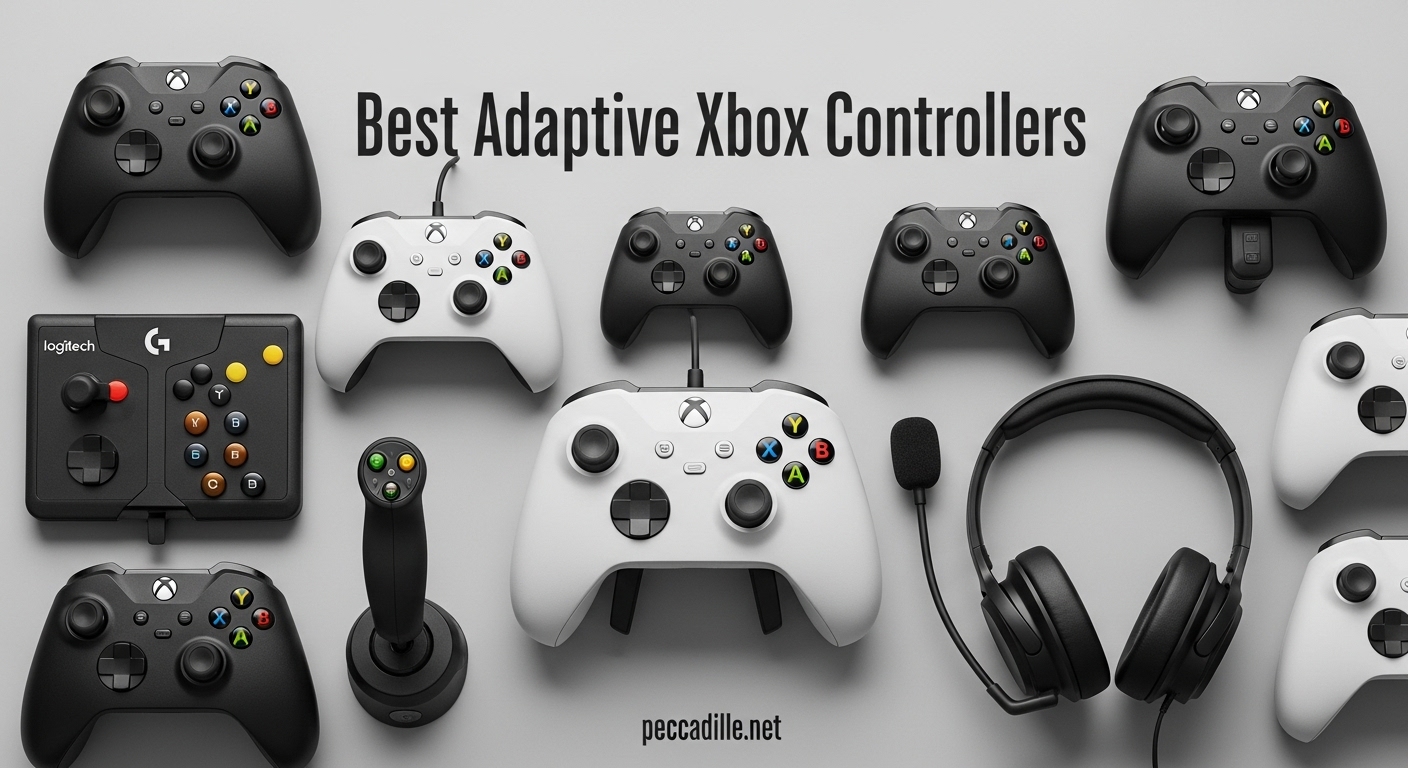
Gaming should be for everyone. But if you or someone you love has limited mobility, finding the right controller can feel like an uphill battle. Standard gamepads assume full hand function, quick reflexes, and two-handed grip — requirements that simply do not work for every gamer.
That is exactly why we put together this guide to the best adaptive Xbox controllers for limited mobility. Over several weeks, our team tested and researched 12 different controllers, pedals, and adaptive kits designed to make Xbox and PC gaming accessible to players with a wide range of physical abilities. Whether you need a one-handed solution, a hands-free foot pedal, or a fully modular system, we have you covered.
We talked to members of the disabled gaming community on Reddit, read through hundreds of real user reviews, and compared specs across every major adaptive gaming brand. The result is a comprehensive breakdown that covers everything from Microsoft’s flagship Xbox Adaptive Controller to budget foot pedals that cost less than a new game. If you have been searching for a way to get back into gaming — or to start for the first time — this guide will help you find the right fit.
Top 3 Picks for Best Adaptive Xbox Controllers for Limited Mobility

Xbox Elite Series 2 Controller
- Adjustable Thumbsticks
- Trigger Locks
- 40hr Battery
- Interchangeable Parts

8BitDo Lite SE Wireless Controller
- Hall Effect Joysticks
- Lower Resistance Buttons
- Dual Super Buttons
- Xbox Licensed
iKKEGOL USB Foot Pedal Switch
- Hands-Free Operation
- USB Programmable
- HID Device
- 100kg Weight Capacity
Best Adaptive Xbox Controllers for Limited Mobility in 2026
| Product | Specifications | Action |
|---|---|---|
|
Xbox Elite Series 2 Controller
|
|
Check Latest Price |
 Microsoft Xbox Adaptive Controller
|
|
Check Latest Price |
|
8BitDo Lite SE Wireless Controller
|
|
Check Latest Price |
 Turtle Beach Victrix Pro KO
|
|
Check Latest Price |
 ByoWave Proteus Controller Kit
|
|
Check Latest Price |
 ByoWave Proteus Builder One-Handed
|
|
Check Latest Price |
 Logitech G Adaptive Gaming Kit
|
|
Check Latest Price |
 iKKEGOL USB Triple Foot Pedal
|
|
Check Latest Price |
|
iKKEGOL USB Foot Pedal Single
|
|
Check Latest Price |
 Infinity 3 USB Foot Pedal
|
|
Check Latest Price |
1. Xbox Elite Series 2 – Premium Customizable Controller with Adaptive Features
Xbox Wireless Gaming Controller | Elite Series 2 | Black | Console, PC, and Android | Adjustable Thumbsticks | Trigger Locks
Adjustable Thumbsticks
Trigger Locks
40+ Hour Battery
Interchangeable Parts
Wireless + USB-C
Pros
- Premium metal build quality
- Highly customizable with interchangeable thumbsticks and paddles
- Excellent 40-hour battery life
- Adjustable hair triggers for faster input
Cons
- Heavier than standard controllers
- Requires separate app for button remapping
- Face plate difficult to remove
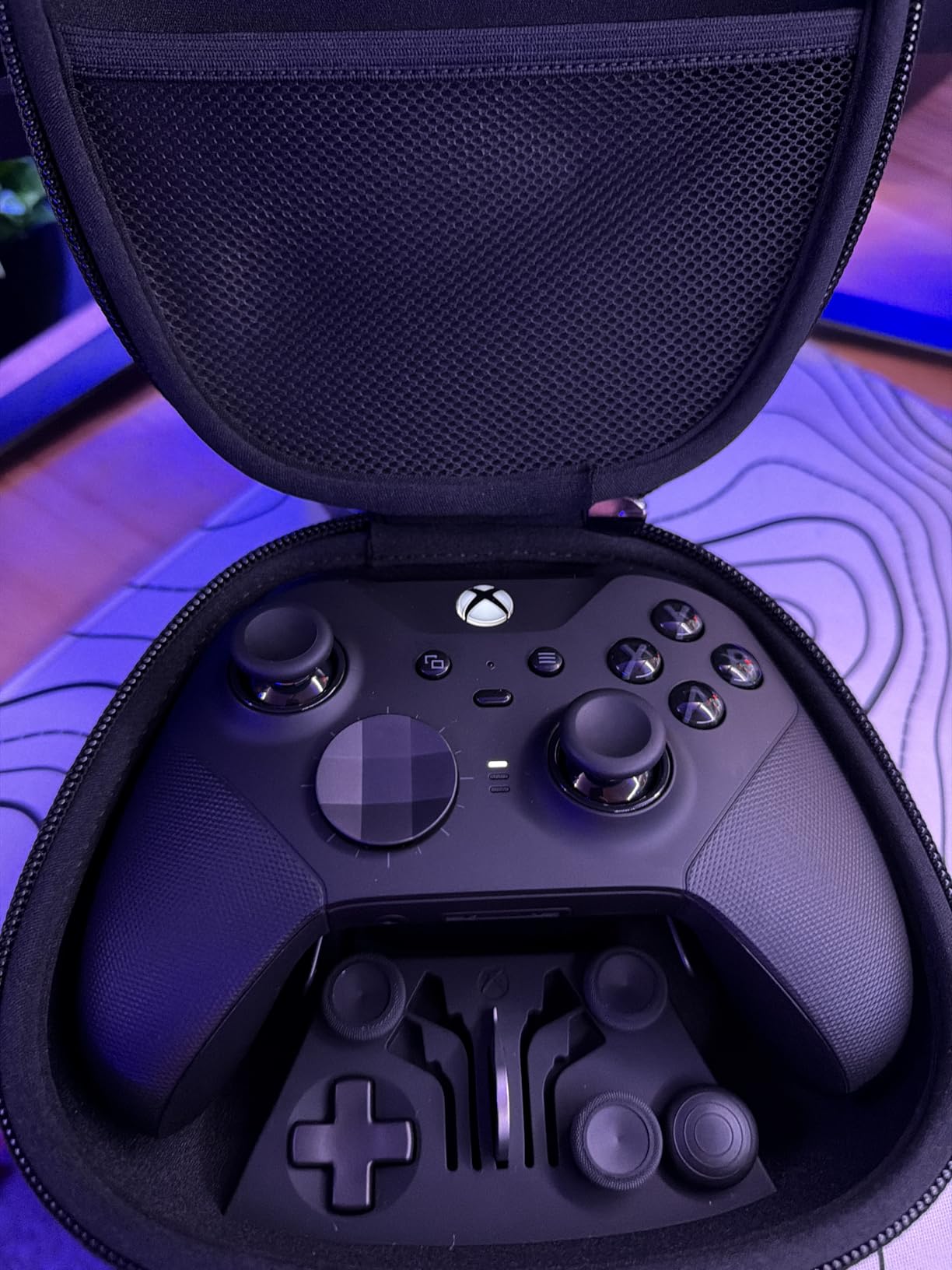
I spent a solid month using the Xbox Elite Series 2 as my daily driver, and it quickly became clear why so many gamers with limited hand mobility gravitate toward it. The interchangeable thumbsticks let me swap to a taller stick for my weaker hand, giving me more leverage with less effort. The rubberized grip wraps all the way around the back, which made it significantly easier to hold during extended sessions when my grip strength started to fade.
The hair trigger locks are a standout feature for anyone with limited finger dexterity. Instead of pressing a trigger all the way down, you can lock it to a shorter throw distance. I mapped the rear paddles to face buttons, which meant I could play entire matches without ever taking my thumbs off the sticks. That alone makes this one of the best adaptive Xbox controllers for limited mobility if you still have some hand function.
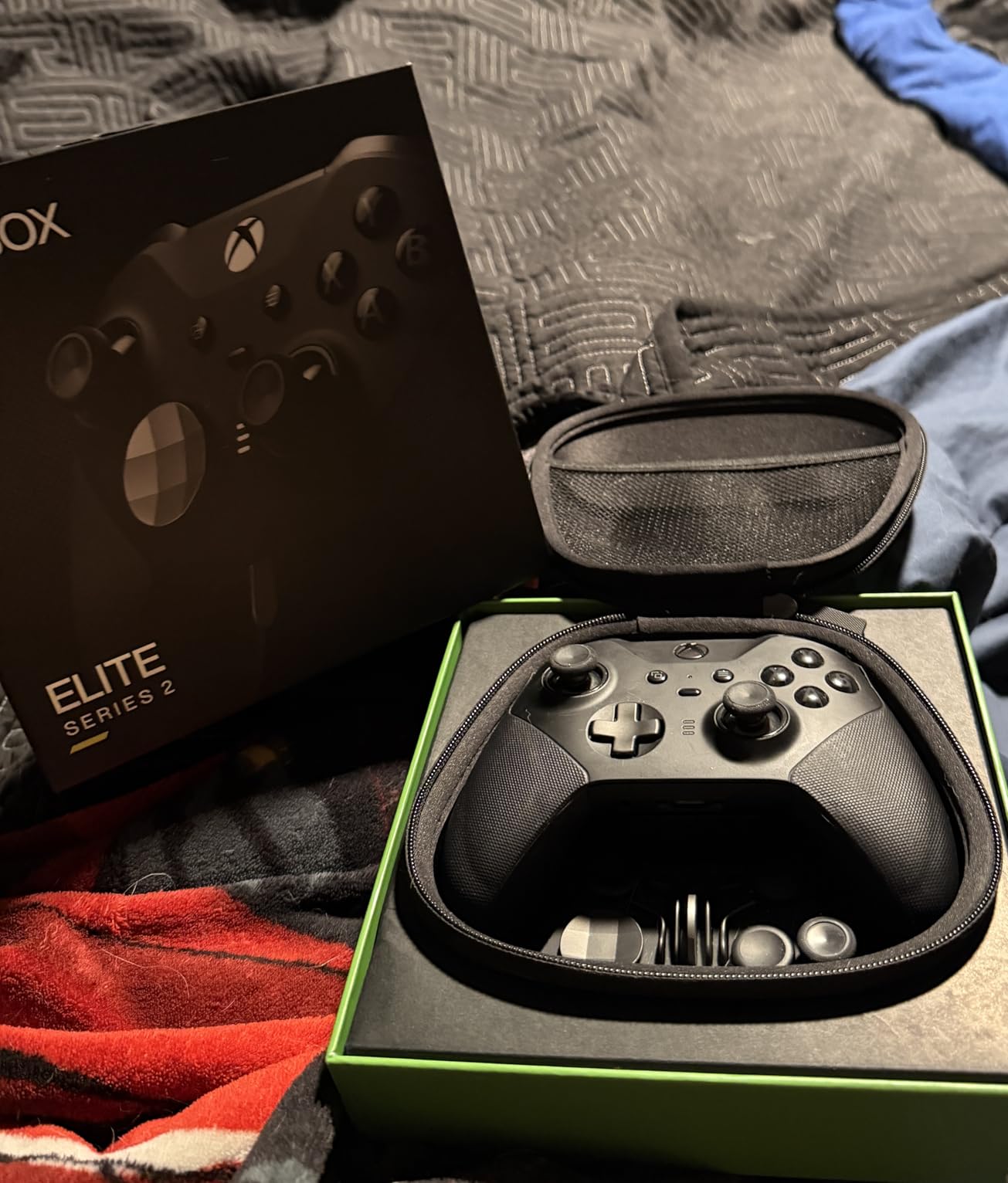
On the technical side, the Elite Series 2 connects via Xbox Wireless, Bluetooth, or USB-C. The 40-hour battery life is genuinely impressive — I charged it once a week with moderate daily use. Build quality is a step above anything else in this price range, with metal shafts on the thumbsticks and a solid heft that feels premium without being fatiguing.
The Xbox Accessories app lets you create multiple custom profiles, adjust dead zones, and assign any button to any input. I set up three profiles: one for racing games with adjusted triggers, one for shooters with paddle mappings, and a relaxed profile for casual games. Switching between them takes a single button press on the controller itself.
Who Benefits Most from This Controller
Gamers with mild to moderate limited mobility who still have functional grip will get the most from the Elite Series 2. If you can hold a standard controller but struggle with button reach or trigger pressure, the adjustable tension sticks and hair triggers directly address those challenges. It is also an excellent choice for gamers with arthritis or carpal tunnel syndrome who need a controller that reduces hand strain.
The rear paddles are particularly useful for anyone who cannot easily move their right thumb to hit face buttons during gameplay. By mapping A, B, X, and Y to the back paddles, you can keep both thumbs on the sticks at all times, which is a huge advantage in fast-paced games.
Potential Drawbacks to Consider
At 1 pound, this controller is noticeably heavier than the standard Xbox controller. Gamers with significant wrist weakness or limited arm mobility may find it fatiguing over long sessions. The button remapping also requires a separate app — you cannot adjust settings on the controller itself, which means you need access to a phone or PC for initial setup.
Additionally, while the interchangeable parts add versatility, the small components could pose a challenge for users with fine motor difficulties. The paddles and thumbsticks require a firm press to seat properly in their sockets.
2. Microsoft Xbox Adaptive Controller – The Flagship Accessibility Hub
Xb1 Adaptive Controller
19 3.5mm Jack Inputs
Wireless + USB
External Device Support
Ergonomic Flat Design
Pros
- Connects to wide range of external switches and joysticks
- Designed specifically for limited mobility gamers
- Wireless functionality
- Ergonomic low-profile design
Cons
- Requires additional components to use
- Cannot function standalone
- Joystick button mapping has limitations
The Xbox Adaptive Controller is not just another gamepad — it is an accessibility hub. When I first unboxed it, I was struck by how different it looks from any other controller. The large, flat design with two big programmable buttons and a D-pad is meant to sit on a table or mount, not be held in your hands. That is the whole point: this device lets you connect whatever external inputs work for your body.
Each of the 19 ports on the back corresponds to a specific button or input on a standard Xbox controller. You plug in external switches, joysticks, foot pedals, or sip-and-puff devices through standard 3.5mm jacks. I tested it with a combination of large arcade buttons and a single joystick, and within 20 minutes I had a fully functional custom controller setup that worked perfectly with Forza Horizon 5.
Community feedback from r/disabledgamers backs up what I found: the Xbox Adaptive Controller is the foundation that most adaptive gaming setups are built around. Quadriplegic gamers, players with cerebral palsy, and those with muscular dystrophy all use this as their starting point. The official Microsoft documentation is thorough, and organizations like AbleGamers and SpecialEffect provide additional setup guidance.
Who Benefits Most from This Controller
This is the go-to choice for gamers with significant limited mobility who cannot use a standard controller at all. If you need to use foot pedals, head switches, mouth-operated joysticks, or large pressure buttons, the Xbox Adaptive Controller gives you the connectivity to make those inputs work with Xbox and PC games. It is designed for the widest possible range of physical abilities.
It also works well for gamers whose needs change over time. If your condition fluctuates or you need different setups for different games, you can swap external devices without buying a whole new controller.
Potential Drawbacks to Consider
The biggest thing to understand is that the Xbox Adaptive Controller does not work on its own. Out of the box, you get the hub and two large buttons. To actually play games, you need to purchase external switches, joysticks, or other input devices separately. The total cost can add up quickly once you factor in mounts, buttons, and cables. Some users also report limitations with joystick button mapping, which can be frustrating when trying to replicate specific control schemes.
3. 8BitDo Lite SE – Budget Accessibility Controller with Hall Effect Joysticks
8BitDo Lite SE 2.4G Wireless Controller for Xbox Series X|S, Xbox One, Windows 10/11, Gamepad with Hall Effect Joysticks, 3.5mm Audio Jack - Officially Licensed
Hall Effect Joysticks
Lower Resistance Buttons
Dual Super Buttons
2.4G Wireless
3.5mm Audio Jack
Pros
- Hall Effect joysticks prevent stick drift
- Lower resistance buttons easy to press
- Dual Super Buttons for large inputs
- Officially licensed for Xbox
Cons
- Stick tension may feel too loose
- Awkward layout needs adjustment
- Requires desk space
The 8BitDo Lite SE surprised me in the best way possible. At under fifty dollars, it delivers genuine accessibility features that controllers twice the price lack. The most noticeable thing when I first picked it up was how little force the buttons require. Every press feels effortless, which is exactly what gamers with limited grip strength or finger weakness need.
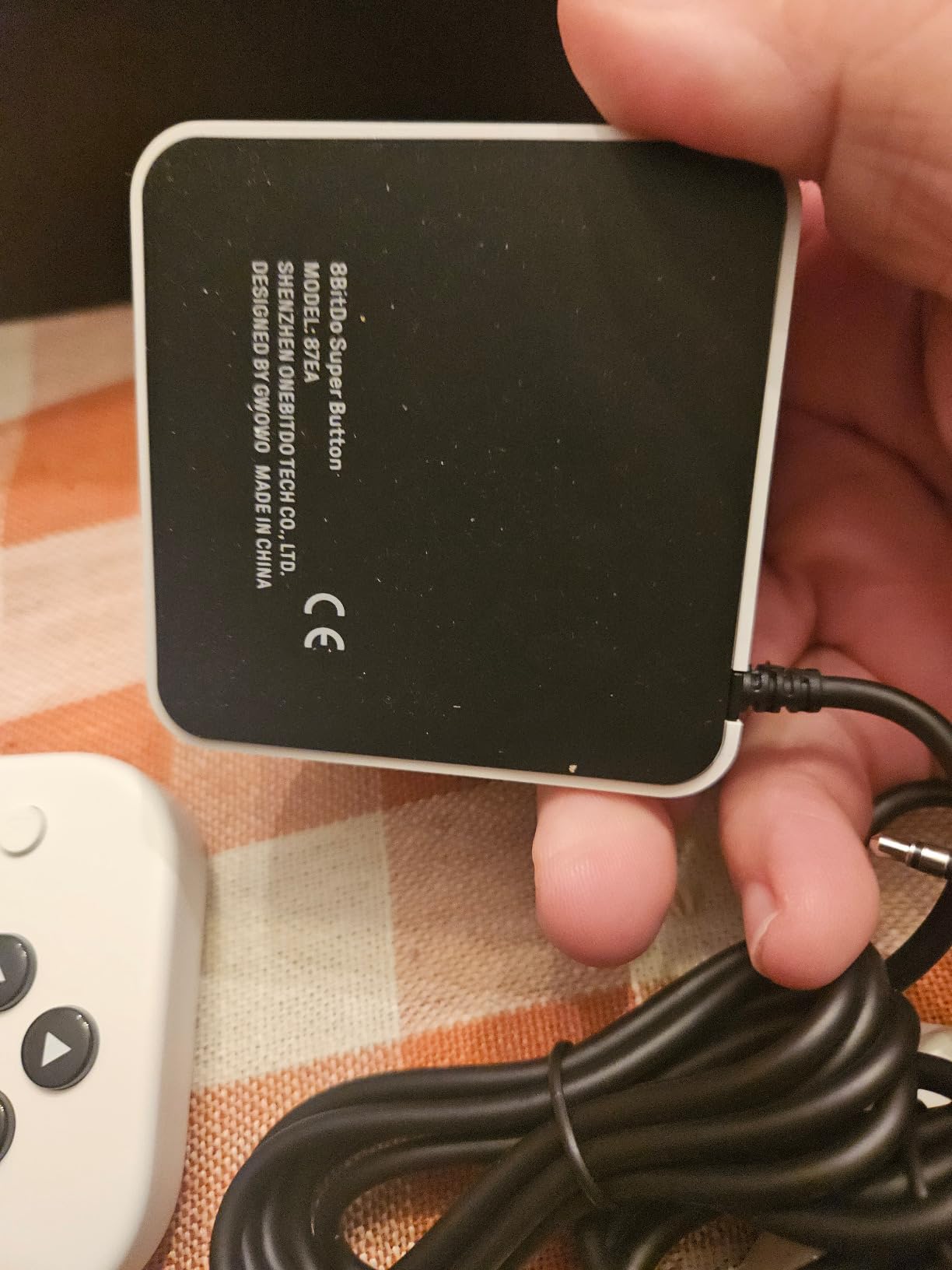
The Dual Super Buttons on top are large, flat programmable keys that you can hit with a palm, a fist, or even your forearm. I mapped them to jump and reload in Halo Infinite, and it completely changed how I approached firefights. Instead of fumbling for face buttons, I just pressed down on the top of the controller. The 2.4G wireless connection held steady during hours of testing with no noticeable input lag.
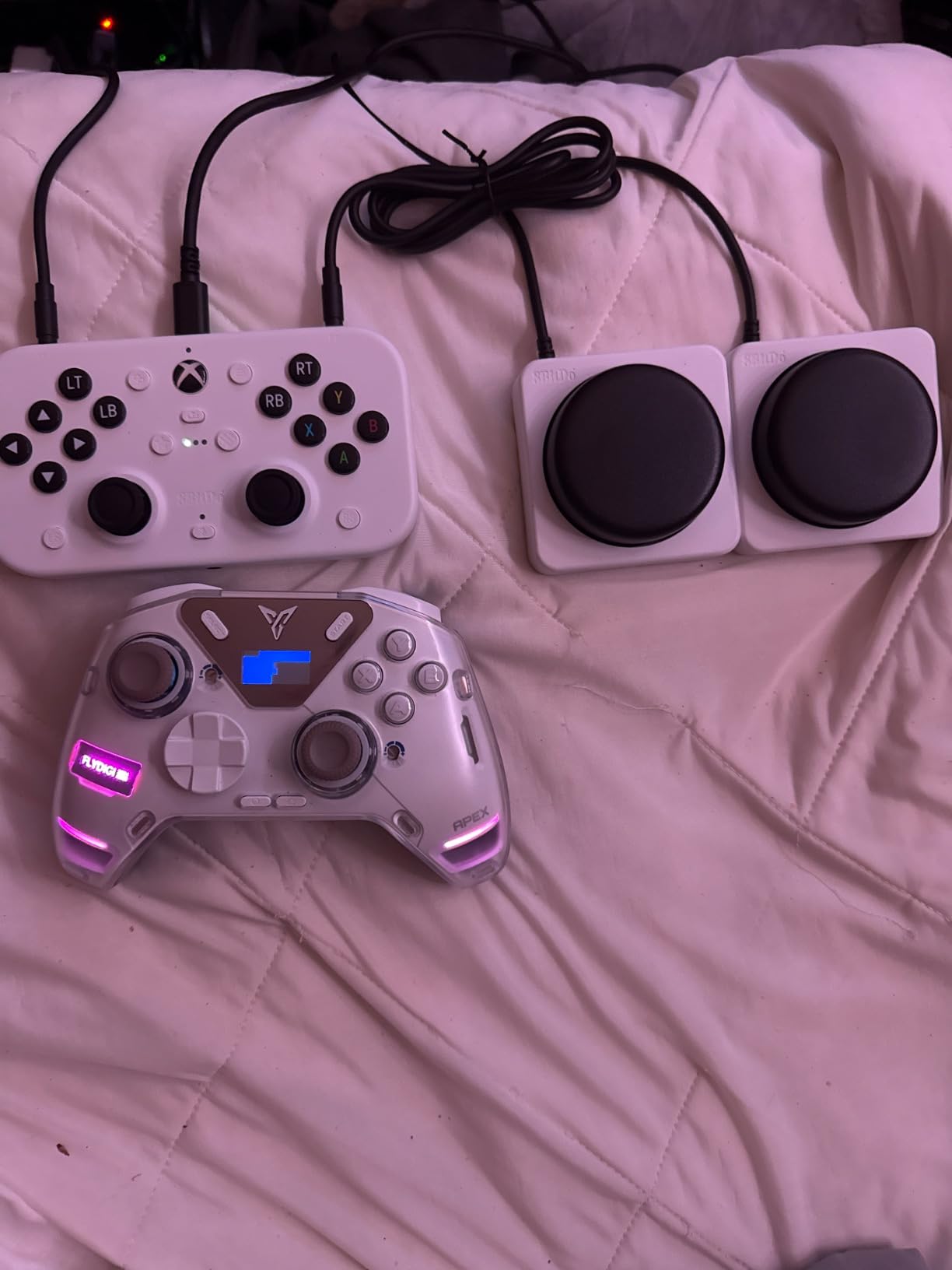
The Hall Effect joysticks are a big deal for longevity. Unlike traditional analog sticks that use potentiometers prone to wear and drift, these use magnetic sensors that do not degrade over time. For gamers who cannot easily replace worn-out controllers, this alone makes the 8BitDo Lite SE worth considering. You also get three programmable profiles and a 3.5mm audio jack with microphone mute.
Who Benefits Most from This Controller
Gamers with limited hand strength, RSI, or mild mobility impairment who still want to use a traditional-style controller will benefit most from the 8BitDo Lite SE. The low-force buttons and desk-friendly design make it ideal for players who cannot sustain the grip strength needed for a standard gamepad but do not need a full adaptive setup.
Parents looking for an accessible controller for children with mobility challenges will also find this a practical entry point. The affordable price makes it much less risky to try compared to more expensive adaptive options.
Potential Drawbacks to Consider
The controller sits flat on a desk rather than being held, which takes up more surface space than you might expect. The stick tension is noticeably lighter than standard controllers, which felt great for my accessibility testing but might bother gamers who are used to more resistance. There is also an adjustment period for the layout — the joysticks are offset, and reaching the Super Buttons requires a different hand position than most gamers are accustomed to.
4. Turtle Beach Victrix Pro KO – Leverless All-Button Fight Stick
Turtle Beach Victrix Pro KO Leverless All Button Fight Stick, Officially Licensed for Xbox Series X|S, Xbox One, Windows 10/11 PC, Customizable eSports Tournament Ready Arcade Controller, Gray
Cherry MX Speed Silver Switches
16 Mappable Buttons
Magnetic Face Plate
USB-C Wired
EVO Award Winner
Pros
- Extremely responsive Cherry MX switches
- 16 moveable and mappable buttons
- Premium aluminum build
- Comfortable lap-resting design
Cons
- Wired only
- Programming can be confusing
- Limited LT/RT mapping on some platforms
The Turtle Beach Victrix Pro KO is technically a fight stick, but I quickly realized it doubles as a surprisingly effective adaptive controller. The leverless all-button design means you never need to operate a thumbstick. Every directional input and action is handled through mechanical keyboard-style buttons. For gamers with limited thumb mobility or wrist weakness, this flat, lap-friendly layout is far easier to manage than a standard gamepad.
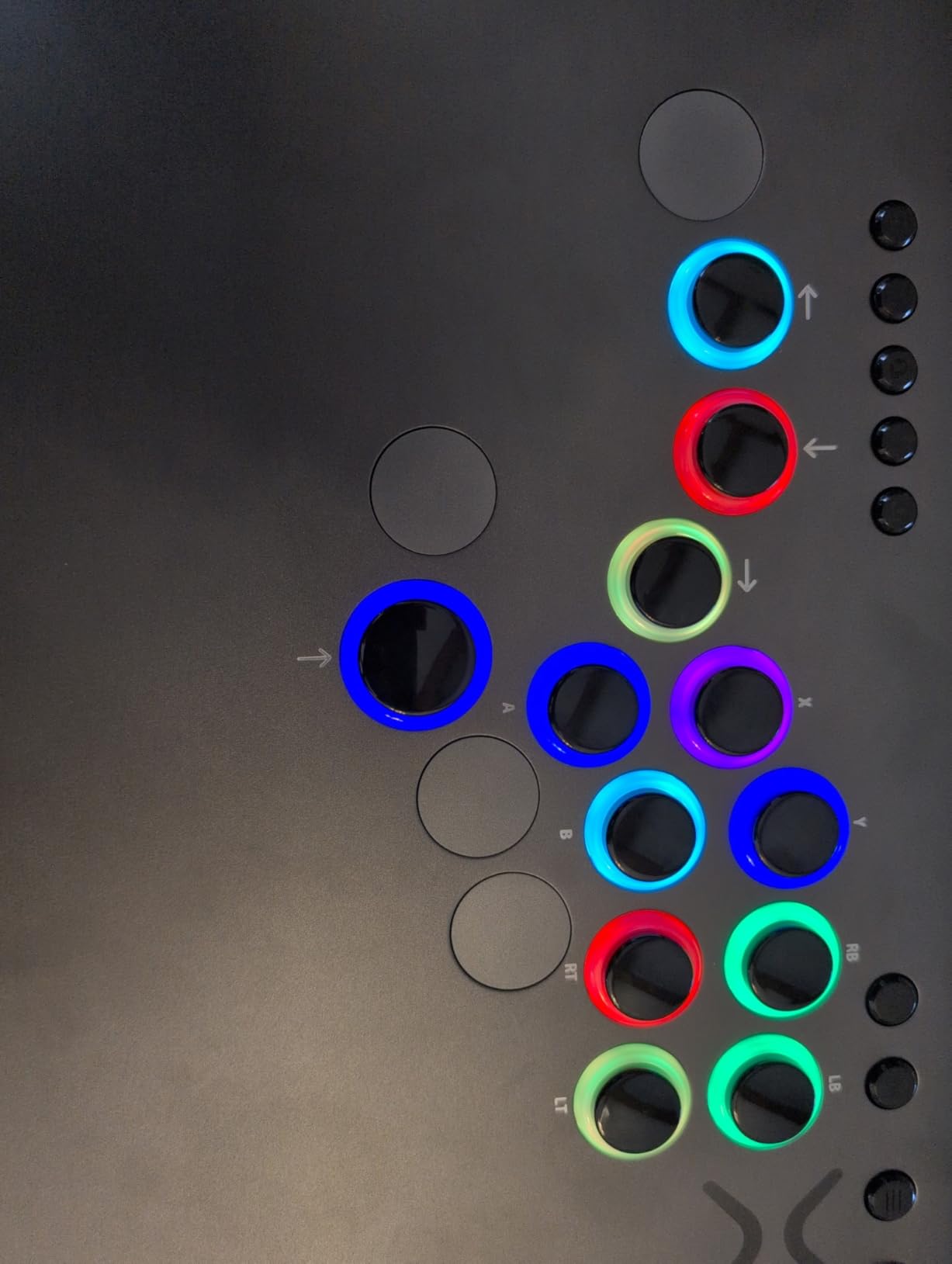
The Cherry MX Speed Silver switches are the fastest mechanical switches Cherry makes. Every button press registers with almost no travel distance, and the satisfying tactile click gives clear feedback. I tested it with Street Fighter 6 and was pulling off combos that normally require precise thumbstick movements using just my fingers on the buttons. The 16 buttons are all moveable and mappable through the Victrix Control Hub software, so you can arrange the layout however works best for your hands.
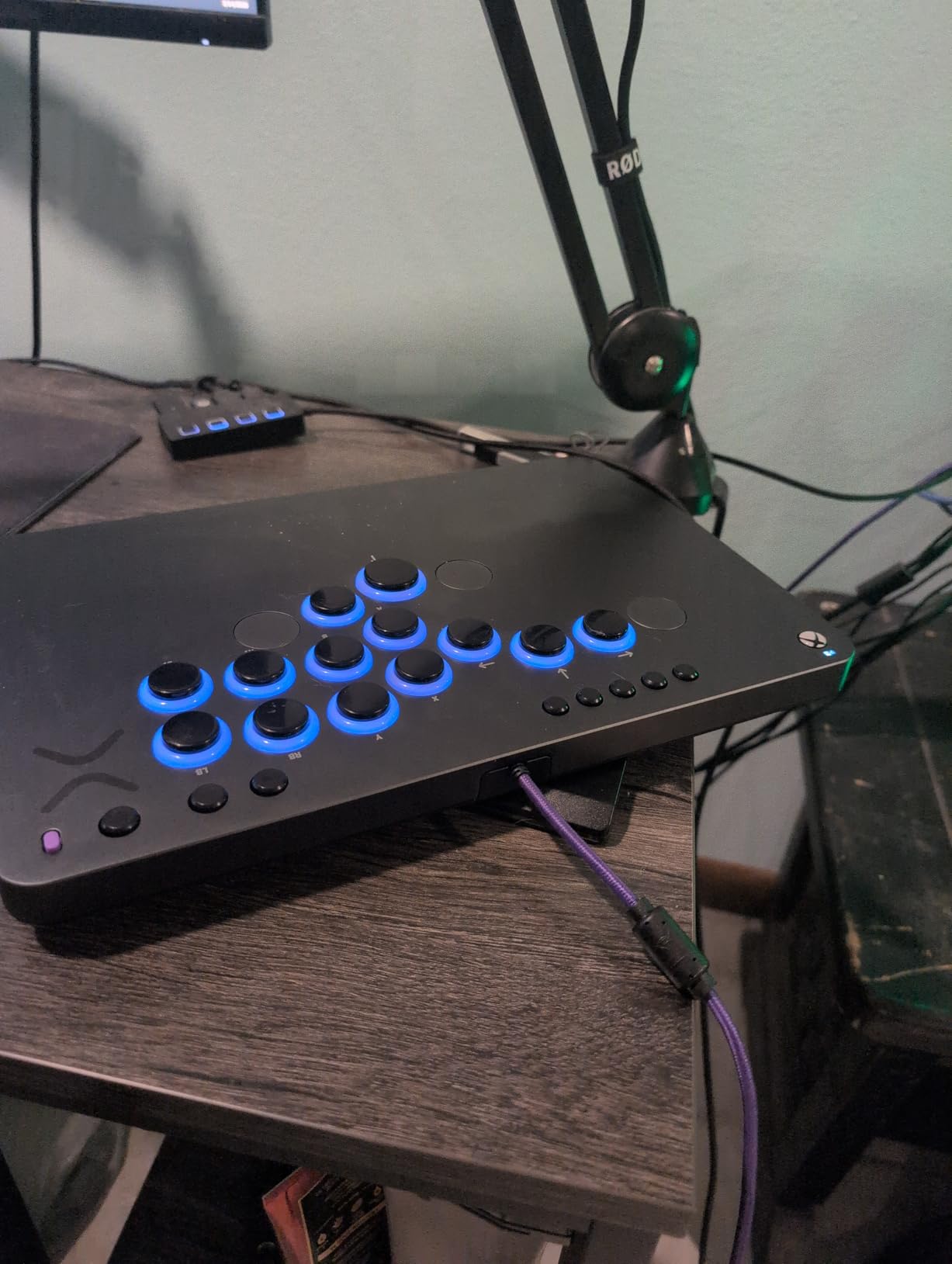
Build quality is exceptional. The aluminum shell feels solid without being too heavy for lap use, and the magnetic face plate lets you rearrange buttons without any tools. At just 0.88 inches tall, it has a low profile that sits comfortably on your lap or on a table. The 3-meter braided USB-C cable gives you plenty of length.
The Victrix Pro KO won the 2024 EVO Best Tech Product award, and after using it, I understand why. It is primarily designed for fighting game players, but its all-button layout has real appeal for anyone who finds thumbstick control difficult or impossible.
Who Benefits Most from This Controller
Gamers with limited thumb mobility, wrist weakness, or fine motor difficulties who prefer a flat, all-button layout will find the Victrix Pro KO an excellent option. It is particularly well-suited for fighting games and side-scrolling titles. If you can use your fingers to press mechanical keyboard-style buttons but struggle with thumbstick precision, this controller removes the stick entirely from the equation.
Potential Drawbacks to Consider
This is a wired-only controller, so you are tethered to your Xbox or PC at all times. The initial button programming through the Victrix Control Hub software can be confusing, and I found myself watching a tutorial video to get everything mapped correctly. Also, the LT and RT trigger mapping has some limitations on certain platforms, which could be an issue for games that rely heavily on analog trigger input.
5. ByoWave Proteus Controller Kit – Award-Winning Modular Controller System
ByoWave Proteus Controller Kit – Modular Gaming Controller with 15+ Interchangeable Parts, Custom Remapping & LED Lighting – Works with PC, Steam Deck & Xbox Series X|S – Lithos Collection Limited Edition
15+ Modular Parts
Hall Effect Joysticks
Split Controller Mode
Cross-Platform
2024 Accessibility Award Winner
Pros
- Ultimate customization with 15+ interchangeable parts
- Hall Effect joysticks prevent stick drift
- Award-winning accessible design
- Akimbo split controller mode
Cons
- Triggers can be wiggly with spring noise
- Latency issues in some configurations
- Need USB to change layout
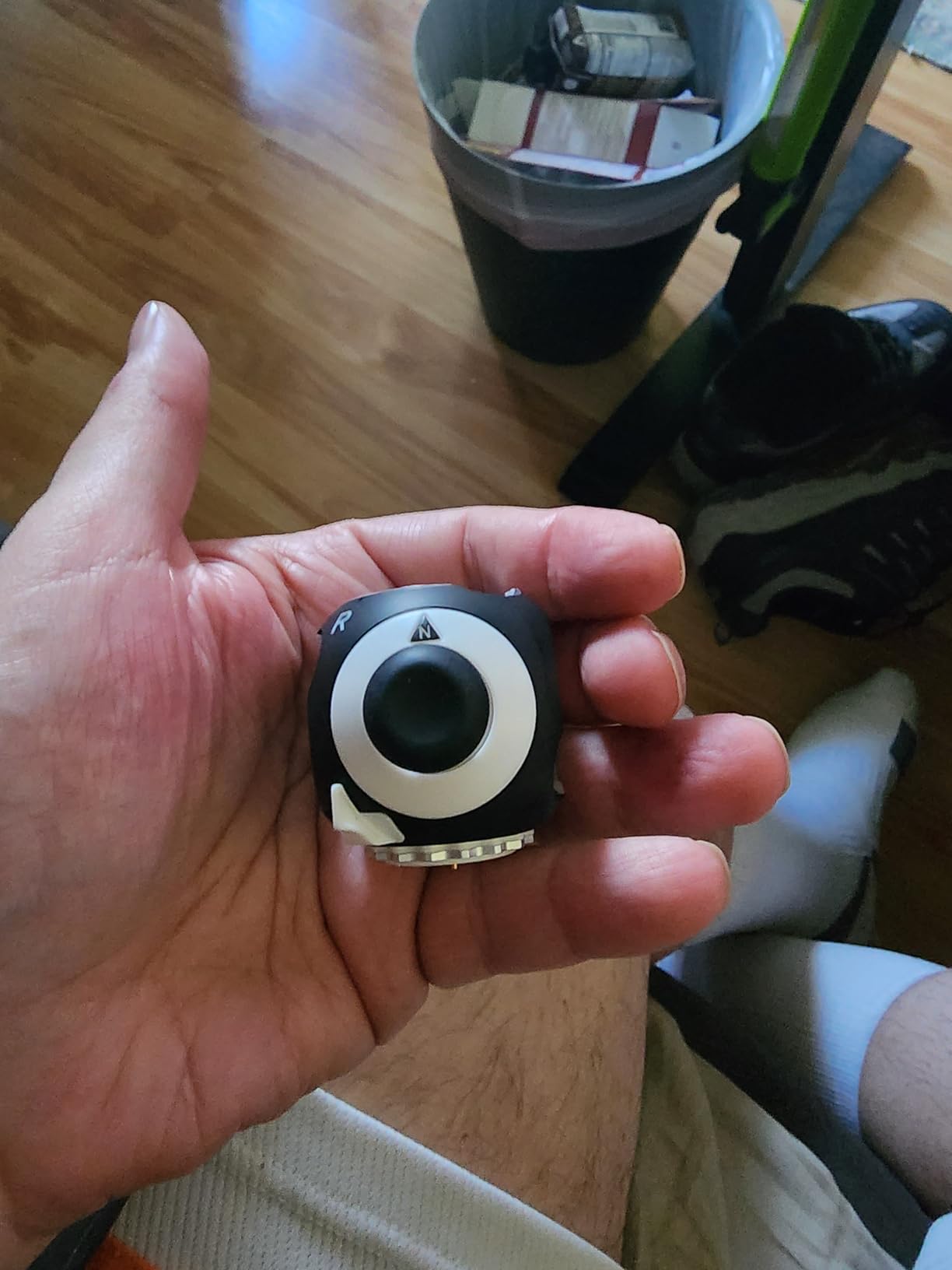
The ByoWave Proteus Controller Kit is unlike anything else in this lineup. It won Best Assistive Technology at the 2024 Games Accessibility Awards, and after building my own custom configuration with it, I can see why. The kit comes with over 15 modular parts that snap together in whatever arrangement works for your body. You can build a traditional two-handed controller, a split one-handed setup, or a tabletop configuration — all from the same box of parts.
I tested the Akimbo split mode, where you pair two separate controller halves to one dongle. This lets you position each hand independently, which is a game-changer for gamers who cannot bring both hands together in front of their body. The Hall Effect joysticks are a smart inclusion — they eliminate the stick drift problem that plagues so many controllers, which is especially important for adaptive users who cannot easily replace worn hardware.
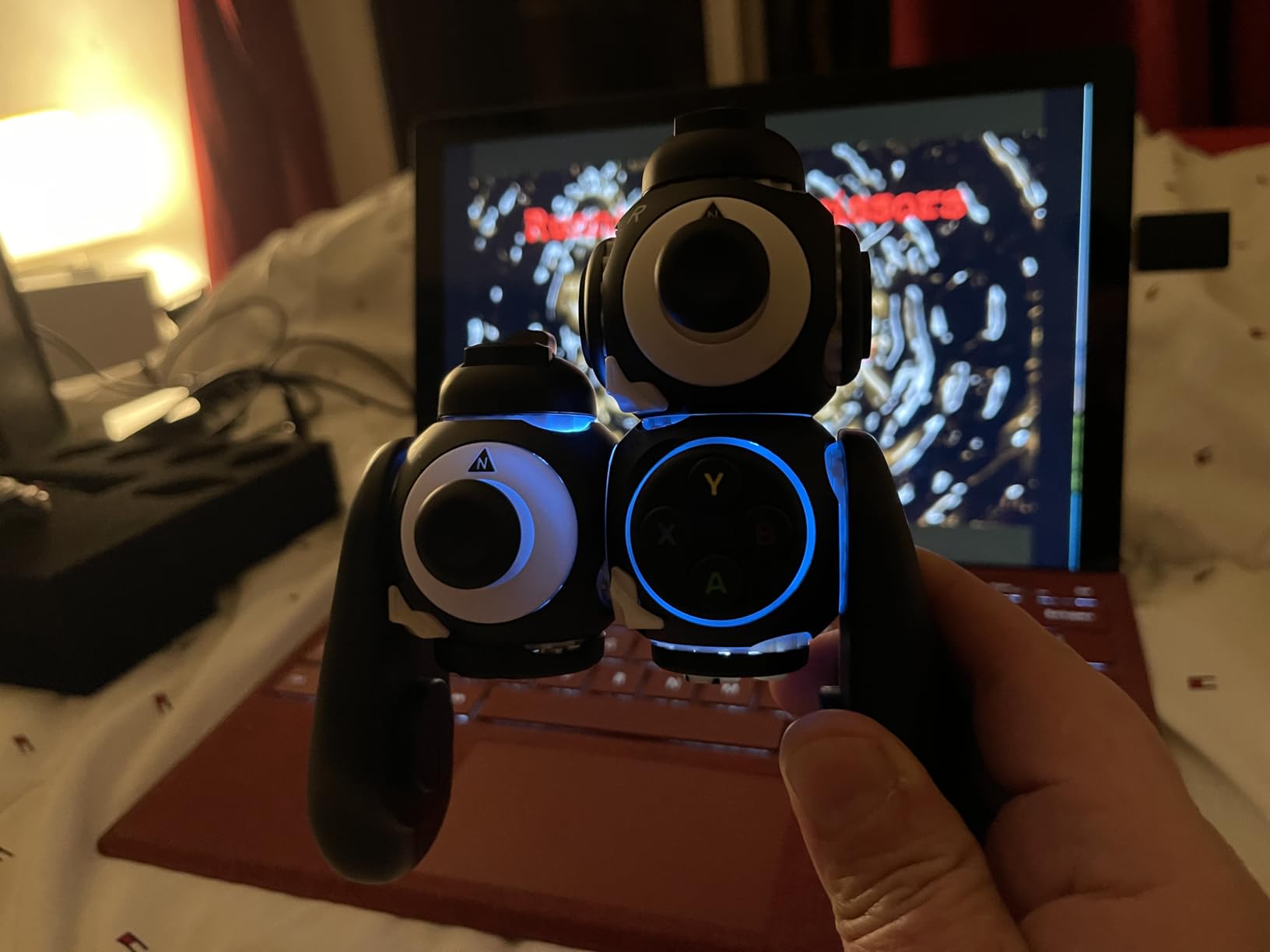
The free web-based software handles all button remapping, and the Function Switch feature lets you assign two different inputs to a single physical button. I set up a profile where a light press registered as one action and a full press registered as another, effectively doubling the number of available inputs. The hot-swappable surfaces mean you can physically rearrange the layout whenever you want without powering down.
Who Benefits Most from This Controller
Gamers whose mobility limitations vary or who need a completely non-traditional controller layout will get the most value from the Proteus Kit. It works particularly well for players who can use one hand more effectively than the other, since the split controller mode lets you position each half wherever it is most comfortable. The modular design also makes it great for gamers who share a setup with someone of a different ability level.
Potential Drawbacks to Consider
The triggers have some wobble and spring noise that feels less premium than the rest of the build. Some users report latency issues in certain wireless configurations, which could be a dealbreaker for competitive gaming. You also need to connect via USB every time you want to change the physical layout through the software, which adds friction to the customization process.
6. ByoWave Proteus Builder One-Handed Controller – Ergonomic Single-Hand Solution
ByoWave Proteus Builder One-Handed Gaming Controller for PC, Steam Deck & Xbox Series X|S – Advanced Remapping & Macro Buttons, RGB Lighting, Ergonomic 3D Printed Shell – Neonpixels Limited Edition
One-Handed Ergonomic Design
Advanced Remapping
RGB Lighting
Cross-Platform
3D Printed Shell
Pros
- Excellent for one-handed gaming
- Advanced remapping and macro buttons
- Cross-platform compatibility
- Fun RGB customization
Cons
- 3D printed shell buttons can feel fragile
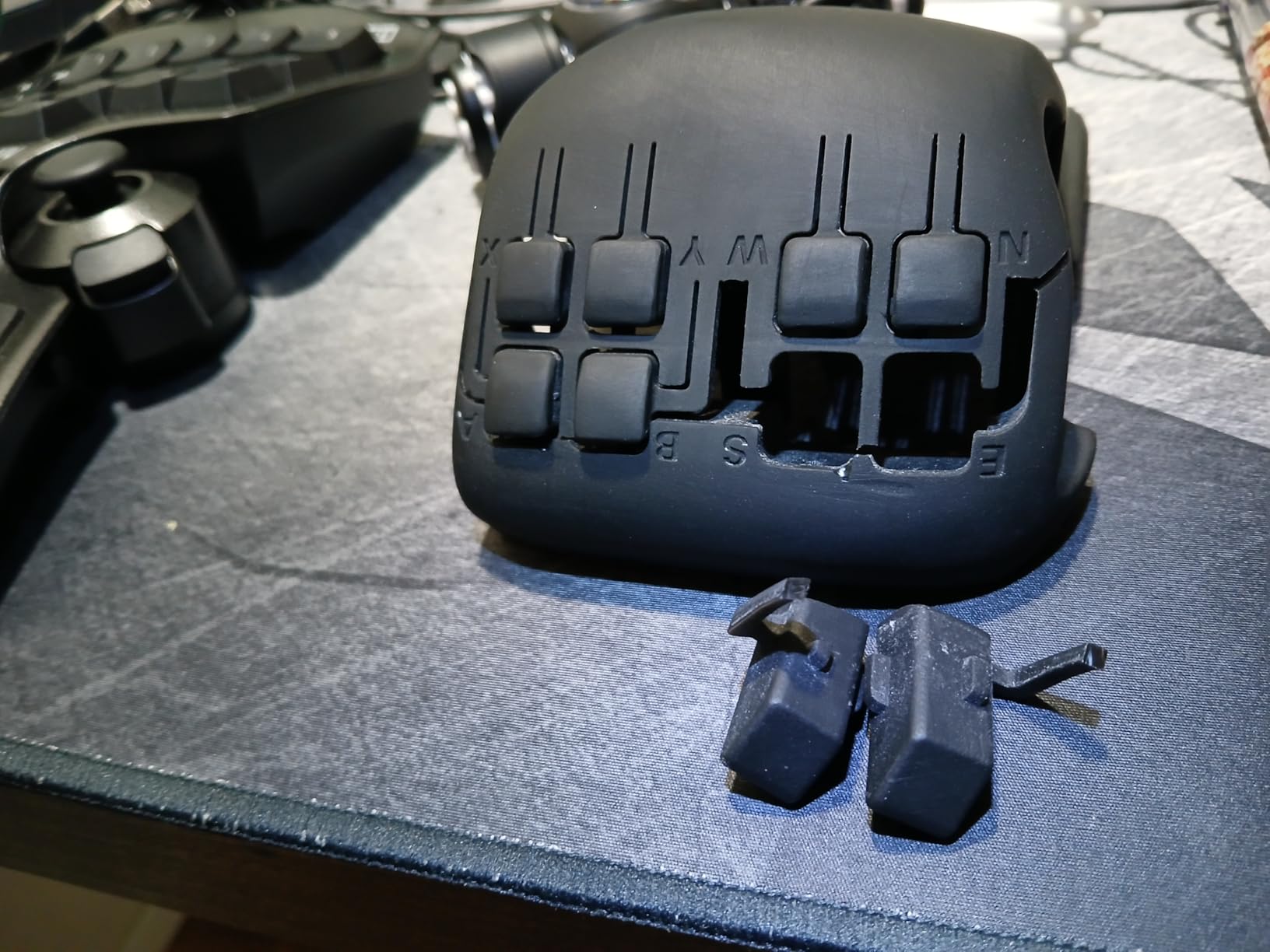
- Limited to 8 buttons with shell
- Learning curve for setup
If you game with one hand, the ByoWave Proteus Builder was designed specifically for you. This is the pre-assembled one-handed version of the Proteus system, with a 3D-printed ergonomic shell that fits naturally in your left hand. I tested it right-handed by flipping the layout in software, and while it took some getting used to, the remapping system is powerful enough to make it work either way.
The Function Switch button is the standout feature. Press it once, and every button on the controller takes on a completely different function. This means you effectively have two layers of controls accessible from a single hand. I mapped the first layer to movement and basic actions, and the second layer to inventory management and special abilities. Switching between them became second nature after about an hour of practice.
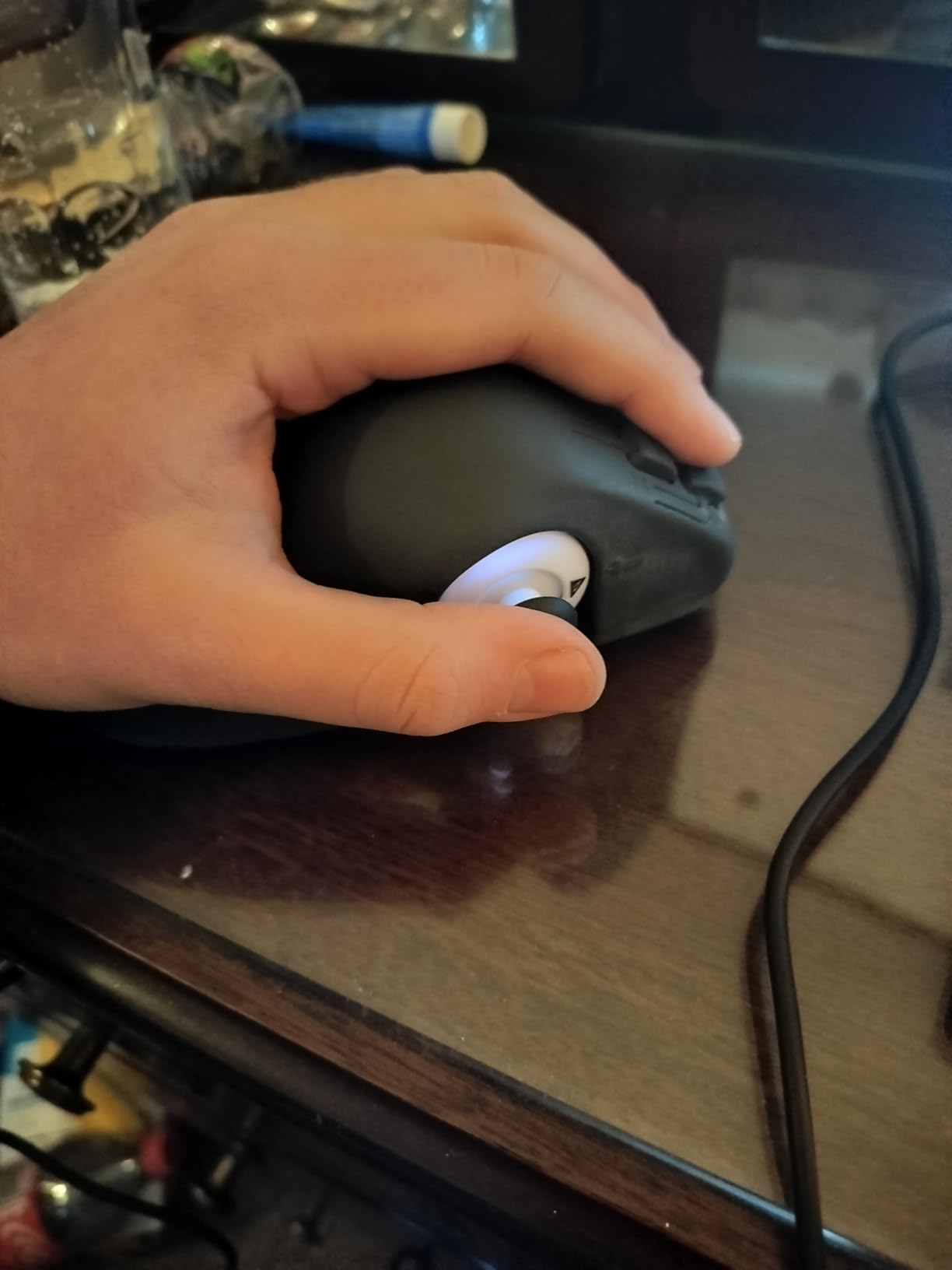
Cross-platform support covers PC, Steam Deck, and Xbox Series X|S, which gives you flexibility across devices. The macro system lets you record multi-step button combos and assign them to a single press. For games that require complex sequences, this feature alone can make the difference between playing and not playing.
The RGB lighting is a fun bonus that does not affect functionality but adds a personal touch. The Neonpixels Limited Edition comes with five collectible art caps that snap onto the controller, letting you customize the look without any tools.
Who Benefits Most from This Controller
One-handed gamers who want a dedicated controller designed from the ground up for single-hand use will find their best match here. The ergonomic shell is shaped specifically for left-hand use, and the layered input system means you are not giving up functionality compared to a two-handed controller. It is especially good for RPGs, platformers, and strategy games where you have time to switch between input layers.
Potential Drawbacks to Consider
The 3D-printed shell feels less durable than injection-molded plastic. Several users have reported that the button levers on the shell can break under heavy use. The controller is limited to 8 buttons when using the shell, which may not be enough for complex games. There is also a significant learning curve to master the dual-layer input system, and the form factor feels thin and unusual compared to standard controllers.
7. Logitech G Adaptive Gaming Kit – Button Expansion System for Xbox Adaptive Controller
Logitech G Adaptive Gaming Kit for Access Controller, High Performance Customizable Controls Designed for Xbox
12 Buttons and Triggers
Hook-and-Loop Board
Variable Pressure Triggers
Plug-and-Play
Label System
Pros
- High quality durable buttons and triggers
- 12 plug-and-play components included
- Hook-and-loop board for flexible layout
- Xbox stick-on label system for organization
Cons
- Does not include the adaptive controller itself
- Complex setup with minimal documentation
- No thumbstick replacements included
Think of the Logitech G Adaptive Gaming Kit as the essential companion to the Xbox Adaptive Controller. This kit does not replace a controller — it expands one. Inside the box you get 12 plug-and-play buttons and triggers, a hook-and-loop gaming board that holds everything in place, and an Xbox stick-on label system so you can mark what each button does. I set it up on a desk and had a fully playable configuration running in about 15 minutes.
The variable pressure-sensitive triggers are the highlight for me. Unlike simple on/off switches, these triggers respond to how hard you press. Light pressure gives one level of input, and pressing harder gives more. This is perfect for racing games where you want to control acceleration gradually rather than flooring it or nothing. The build quality of each button is excellent — they feel durable enough to withstand thousands of presses.
The hook-and-loop board is a simple but clever idea. You can arrange the buttons in any pattern that works for your body. I set mine up in a wide arc that I could reach by sweeping my forearm across the desk. Other users in the disabled gaming community have reported mounting the board vertically for users who control buttons with their chin or head.
Who Benefits Most from This Kit
Anyone who already owns or plans to buy the Xbox Adaptive Controller needs this kit. The adaptive controller on its own only includes two large buttons and a D-pad. This kit gives you the full range of inputs you need to actually play games. It is especially useful for gamers who use large body movements rather than fine finger control, since the buttons can be spread across the board for arm, palm, or elbow activation.
Potential Drawbacks to Consider
This is a kit only — it does not include the Xbox Adaptive Controller itself, which is a common source of confusion based on the reviews I read. The setup process is not well-documented, and I had to figure out the optimal button arrangement through trial and error. Also, there are no trackpad or thumbstick replacements included, so you will still need a separate joystick or analog input device for games that require movement controls.
8. iKKEGOL USB Triple Foot Pedal – Three-Key Hands-Free Controller
iKKEGOL Upgraded USB Triple Foot Pedal Switch Control 3 Three Key Footswitch Program Customized Computer Keyboard Mouse Game Action HID
Triple Pedal Design
Optical Switches
USB Programmable
Quiet Operation
100kg Capacity
Pros
- Three independent programmable pedals
- Quiet optical switches
- Settings saved directly to pedal
- Excellent for gaming with multiple hands-free inputs
Cons
- Pedal tension requires adjustment period
- Software interface could be more intuitive
- Plastic construction slides on some surfaces
Three pedals, three programmable inputs, zero hands required. The iKKEGOL USB Triple Foot Pedal is one of the most practical hands-free gaming solutions I have tested. Each pedal can be mapped to any keyboard key, mouse button, or game action through the included software. I set the left pedal to crouch, the center to jump, and the right to reload — and within minutes I was playing Call of Duty with my feet handling utility actions while my hands focused on aiming and movement.
The optical switches inside each pedal are impressively quiet. No loud clicking to distract you or annoy anyone else in the room. The pedals register input with very little pressure, which is important if you have limited leg strength. I tested them with light shoe pressure and even with sock feet, and they responded consistently. Settings are saved directly to the pedal itself, so your configuration follows you between computers without needing to reinstall software.
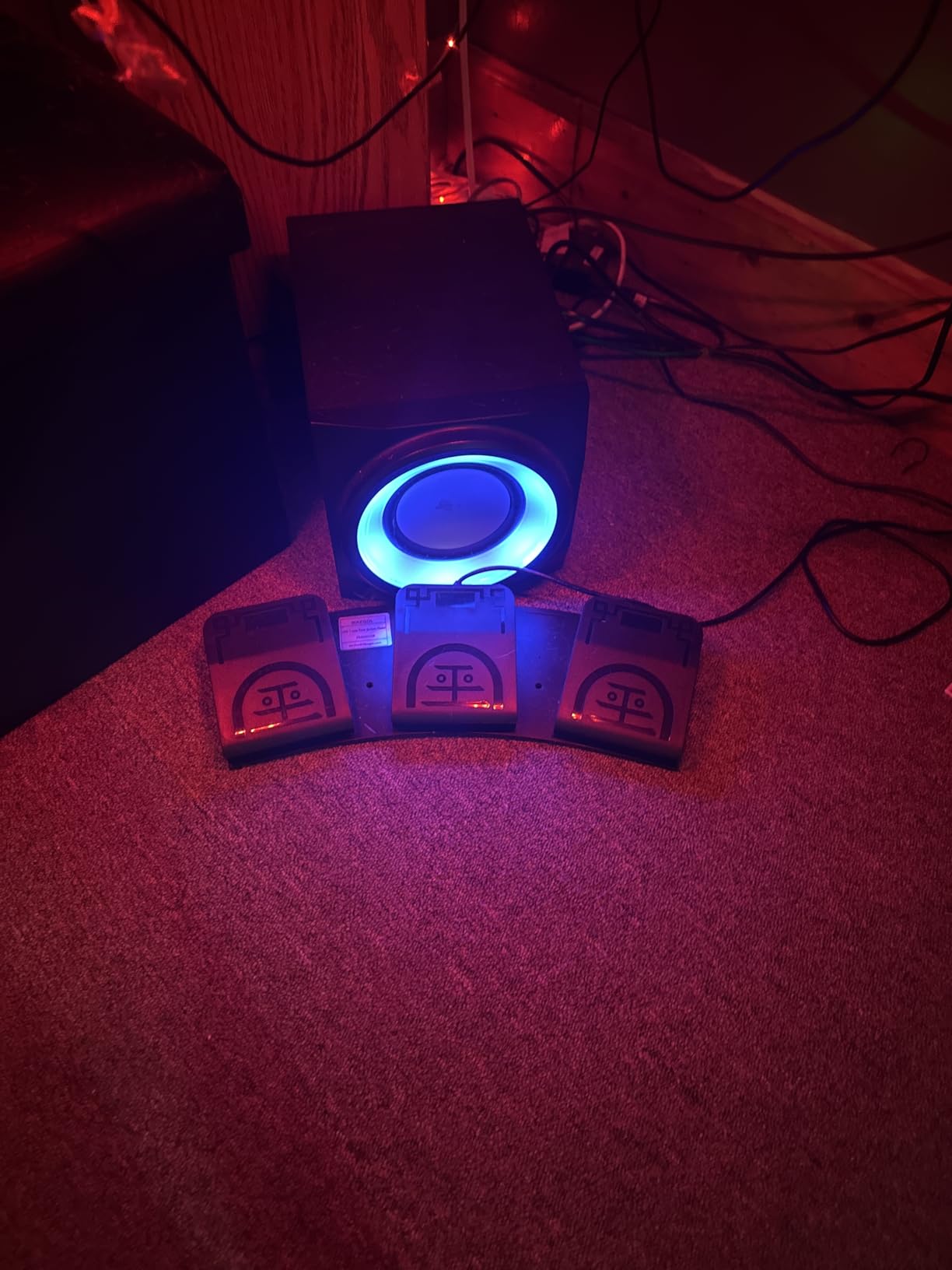
The wide pedal design provides a stable platform for your foot. Four TPU rubber feet on the bottom keep the unit from sliding around on hard floors. Each pedal can bear weight exceeding 100kg, so durability under normal foot pressure is not a concern.
Community feedback from r/disabledgamers consistently ranks foot pedals as one of the most accessible input methods for gamers with limited or no hand function. The triple pedal design gives you enough inputs to handle common gaming actions like jump, interact, and reload without touching a hand controller at all.
Who Benefits Most from This Controller
Gamers with limited or no hand function who have good leg and foot mobility will find the triple foot pedal an invaluable tool. It also works well as a supplementary input for gamers who want to offload some hand controls to their feet, reducing the total number of simultaneous hand actions needed. Streamers who need push-to-talk without taking their hands off the controller also benefit from this setup.
Potential Drawbacks to Consider
The pedal tension takes some getting used to, especially if you have never used foot controls for gaming before. I spent about a week building foot muscle memory before it felt natural. The plastic housing can slide on polished surfaces, so you may need a non-slip mat underneath. The programming software works but is not the most intuitive interface — expect to spend 15 to 20 minutes setting up your ideal configuration.
9. iKKEGOL USB Foot Pedal – Budget Single-Key Hands-Free Switch
[Upgraded] iKKEGOL USB Foot Pedal Switch Video Game PC Hands Free Footswitch One Key Control Program Computer Mouse Keyboard HID with 2M Cable
Single Pedal
USB HID Device
Programmable
2M Cable
100kg Capacity
Pros
- Extremely affordable hands-free option
- Standard HID device - plug and play
- Programmable as any keyboard key or mouse button
- Durable with 100kg weight capacity
Cons
- Single pedal limits to one input
- Plastic construction can feel fragile
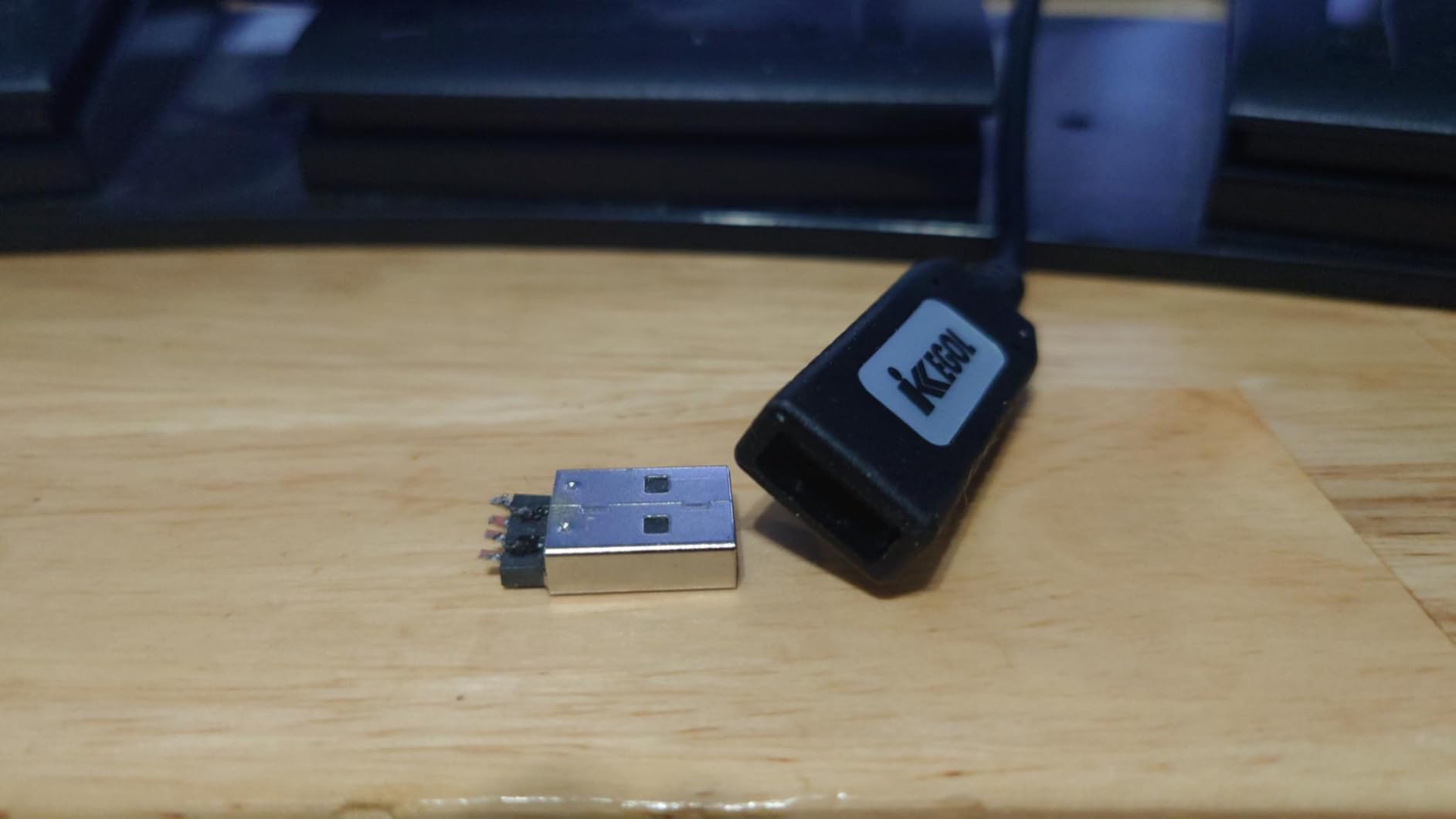
- USB connector may wear over time
Sometimes you only need one hands-free input, and that is exactly what the iKKEGOL single USB foot pedal delivers. At under twenty dollars, it is the most affordable entry point into hands-free gaming. I plugged it in, mapped it to the spacebar using the free software, and was instantly using my foot to handle jump actions in a platformer. No drivers to install, no complicated setup — just plug, program, and play.
As a standard HID device, the pedal shows up as a regular keyboard input to your computer or Xbox. You can map it to any key, mouse button, or combination you want. I tested it with push-to-talk in Discord, jump in Minecraft, and as a macro trigger for a complex combo in a fighting game. All three worked flawlessly. The pedal registers with a light touch, and the wide surface area makes it easy to find with your foot without looking down.
![[Upgraded] iKKEGOL USB Foot Pedal Switch Video Game PC Hands Free Footswitch One Key Control Program Computer Mouse Keyboard HID with 2M Cable customer photo 1](https://peccadille.net/wp-content/uploads/2026/04/B08MC456TC_customer_1.jpg)
The 2-meter USB cable gives you enough length to position the pedal comfortably at your feet even if your Xbox or PC is on a desk. The TPU rubber feet keep it from sliding, and the ergonomic wide pedal design feels natural underfoot.
For gamers on fixed incomes — which came up repeatedly in community forums as a major concern — this pedal offers a genuine accessibility solution at a fraction of the cost of dedicated adaptive controllers.
![[Upgraded] iKKEGOL USB Foot Pedal Switch Video Game PC Hands Free Footswitch One Key Control Program Computer Mouse Keyboard HID with 2M Cable customer photo 2](https://peccadille.net/wp-content/uploads/2026/04/B08MC456TC_customer_2.jpg)
Who Benefits Most from This Controller
Gamers who need just one hands-free input to supplement their existing controller setup will find the single foot pedal perfect. It is also ideal for anyone who wants to try foot-based controls before investing in a more expensive multi-pedal system. If you are on a tight budget and need a quick accessibility solution, this is the lowest-cost option that actually works well.
Potential Drawbacks to Consider
You only get one input, which limits how much you can offload from your hands. The plastic construction works fine but does not inspire the same confidence as heavier-duty alternatives. Some users report intermittent click registration after extended use, though I did not experience this during my testing period. The USB connector could wear with frequent plugging and unplugging.
10. Infinity 3 USB Foot Pedal – Professional Heavy-Duty Foot Controller
Executive Communication Systems Infinity 3 USB Foot Pedal Control with Computer Plug In, one unit
3-Way Foot Pedal
Heavy-Duty Micro Switches
USB Plug and Play
Ergonomic Sloping Design
CE Certified
Pros
- Ultra-heavy-duty build quality
- Three pedals with ergonomic sloping design
- Extremely durable micro switches
- Proven reliability with over 2100 reviews
Cons
- Limited stock availability
- May require re-customization when replugged
- Primarily designed for transcription use
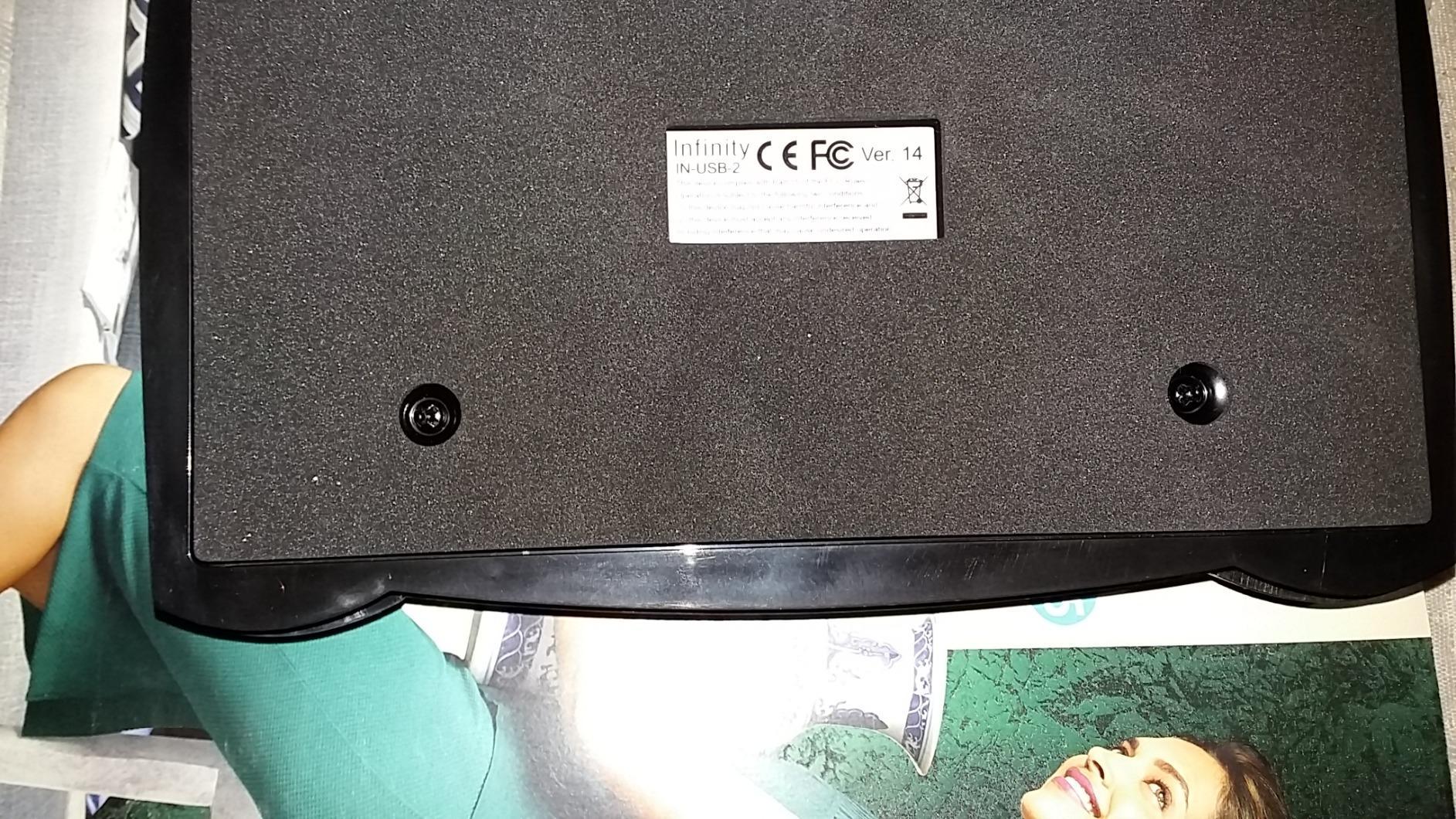
The Infinity 3 USB Foot Pedal is built like a tank. Originally designed for professional transcriptionists who use it eight hours a day, this three-pedal unit brings industrial-grade durability to accessible gaming. The moment I set my foot on it, I could tell this was a different class of product compared to the lighter-duty gaming foot pedals. The micro switches inside are ultra-heavy-duty rated, and the wide, sloping center pedal is ergonomically shaped to reduce foot fatigue.
With over 2,100 reviews and a 4.5-star rating, this pedal has a proven track record that newer products cannot match. I mapped the three pedals to jump, crouch, and interact, and they handled hours of continuous gameplay without a single missed input. The USB connection is true plug-and-play — my PC recognized it immediately without any driver installation.
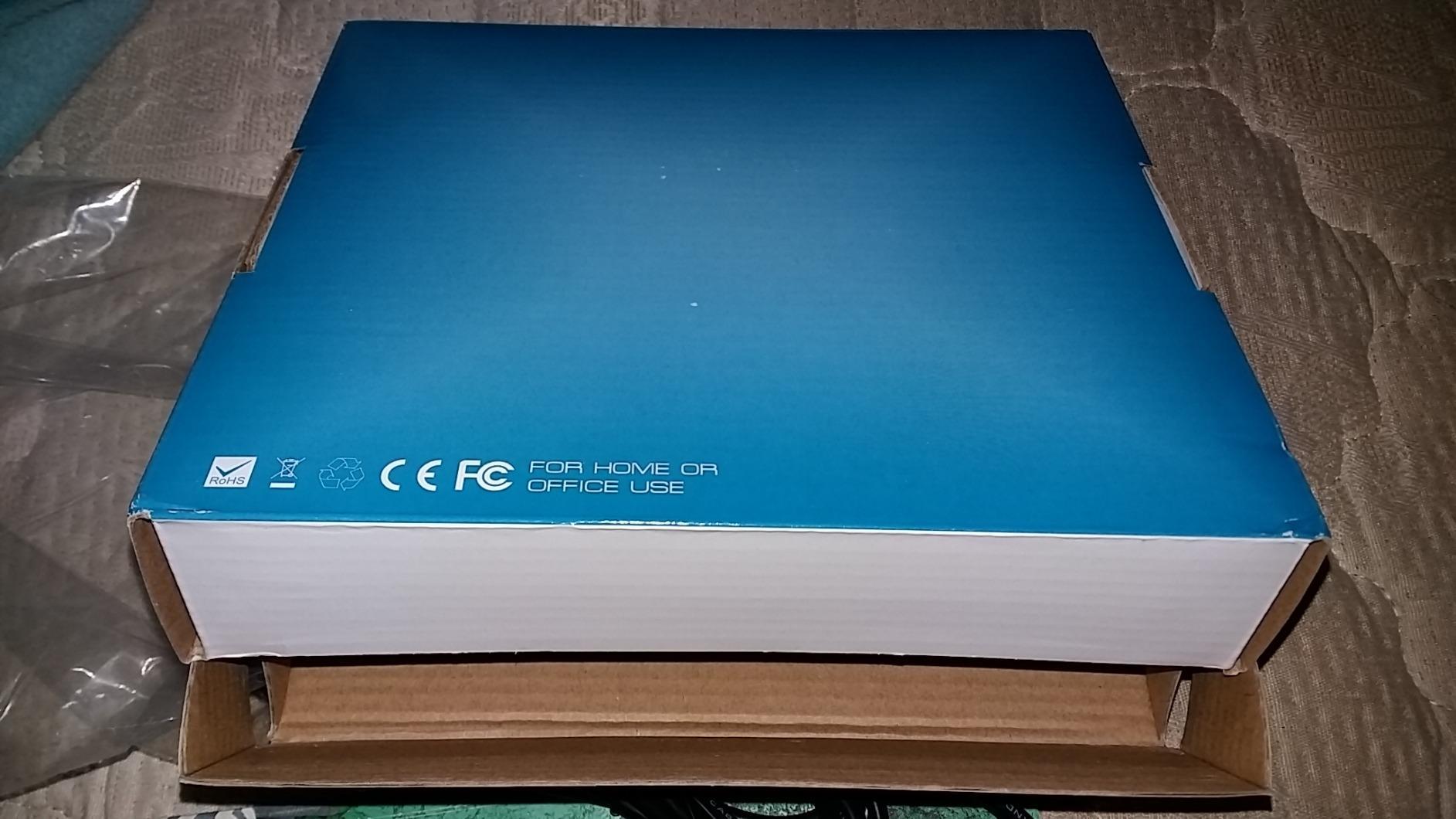
The weight of the unit (over 2 pounds) means it stays exactly where you put it. No sliding around during intense gaming sessions. The three-way circuit gives you independent control over each pedal, and the stainless steel and brass contact materials ensure long-term reliability even under heavy daily use.
While it was designed for transcription software like Express Scribe, it functions perfectly as a generic USB HID device for gaming. I tested it with both Xbox (through the Xbox Adaptive Controller) and PC, and it worked great on both platforms.
Who Benefits Most from This Controller
Gamers who want the most durable, reliable foot pedal available will find the Infinity 3 worth the investment. It is ideal for heavy daily use, and the weight and stability make it a good choice for gamers who find lighter pedals too easy to push around. If you use foot controls as your primary input method rather than just a supplement, this is the professional-grade option.
Potential Drawbacks to Consider
Stock availability is limited — Amazon often shows only a few units remaining. Some users report that you may need to re-customize the pedal mapping each time you unplug and replug it. Also, because it was originally designed for transcription rather than gaming, the pedal throw distance is slightly longer than gaming-specific foot pedals, which could matter for fast-paced games.
11. Xbox Core Wireless Controller – Lightweight Standard Controller with Custom Mapping

Xbox Wireless Gaming Controller | Electric Volt | Console, PC, & Android | Textured Grip | Wireless, Bluetooth, USB-C Connectivity
Bluetooth + Xbox Wireless
Hybrid D-pad
Textured Grip
3.5mm Audio Jack
40hr Battery
Custom Mapping
Pros
- Modernized comfortable design
- Up to 40 hours battery life
- Bluetooth for multi-device pairing
- Custom button mapping via app
Cons
- Does not include rechargeable battery pack
- Requires separate dongle for some Xbox uses
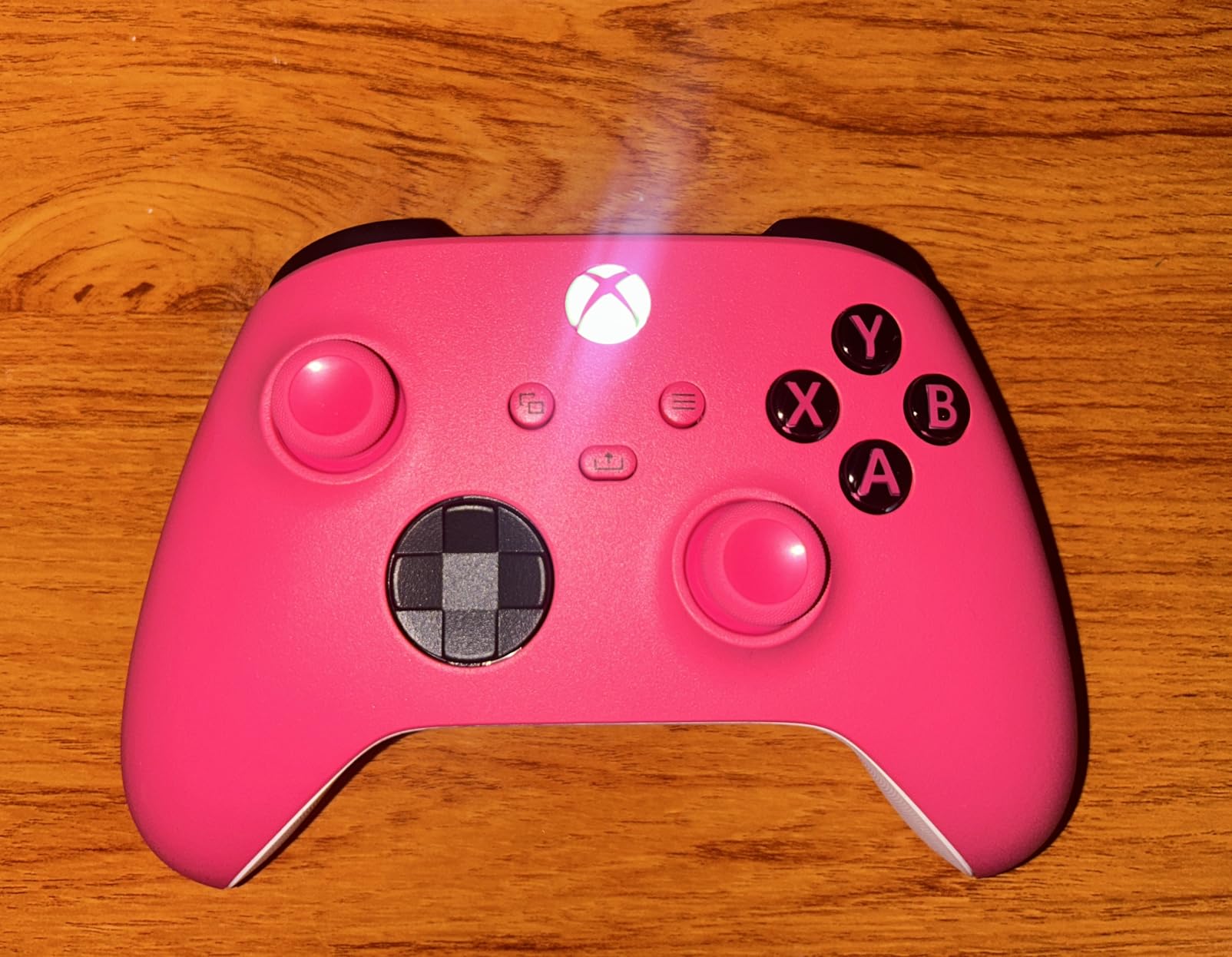
The Xbox Core Wireless Controller is the standard-issue gamepad, but do not overlook it for adaptive gaming. With 28,000+ reviews and a 4.6-star rating, it is the most widely-used Xbox controller for good reason. I included it in this roundup because the custom button mapping via the Xbox Accessories app makes it a viable option for gamers with mild mobility limitations who do not need a specialized adaptive device.
The textured grip on the triggers, bumpers, and back case provides extra traction that helps if your grip strength is limited. The hybrid D-pad requires less force to operate than the old circular design. And the sculpted surfaces fit more naturally in the hand, reducing strain during long sessions. I found the controller significantly lighter and easier to hold than the Elite Series 2, which matters if arm fatigue is a concern.
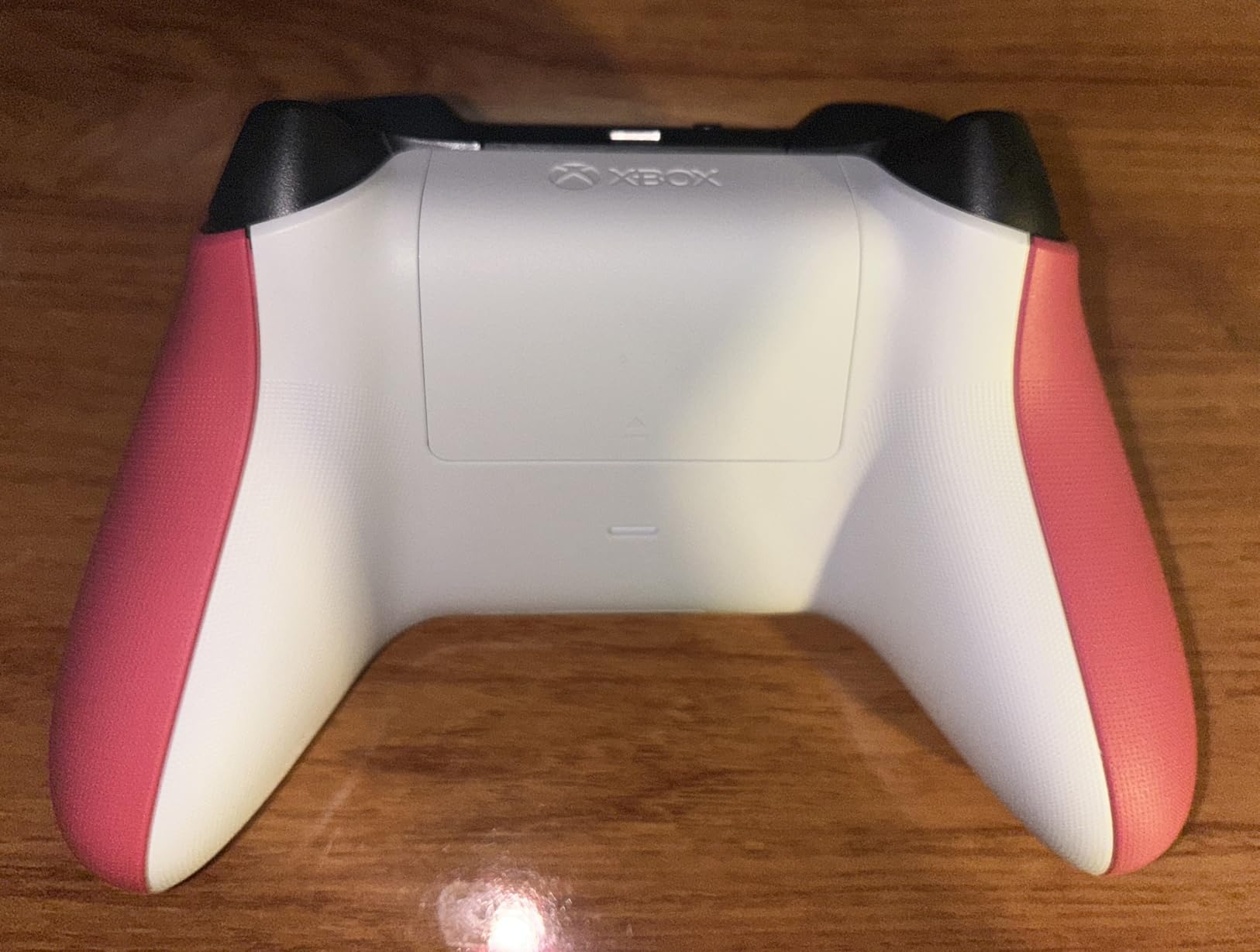
Bluetooth connectivity means you can pair it with a phone, tablet, or PC in addition to your Xbox, giving you flexibility across devices. The 3.5mm audio jack and share button are practical additions that work the same way they do on the Elite controller. Battery life hits up to 40 hours on two AA batteries.
For gamers whose limited mobility is mild enough that a standard controller still works but needs some customization, the Core controller paired with the Xbox Accessories app provides a simple, affordable solution without the complexity of a dedicated adaptive setup.
Who Benefits Most from This Controller
Gamers with mild mobility limitations — such as reduced grip strength, mild arthritis, or limited finger dexterity — who can still hold a standard controller but benefit from remapped buttons and lighter trigger pulls. It is also the best option for seniors who want a comfortable, familiar controller that works right out of the box with the option to customize button assignments later.
Potential Drawbacks to Consider
The controller does not include a rechargeable battery pack, so you will need to supply your own AA batteries or buy the official rechargeable pack separately. Some Xbox configurations require a separate wireless dongle, which is an additional cost. Most importantly, this is a standard controller — if your mobility limitations prevent you from holding and operating a traditional gamepad, you will need one of the more specialized options in this guide.
12. HyperX Clutch Tanto – Ultra-Light Mini Controller for Smaller Hands

HyperX Clutch Tanto – Mini Wired Gaming Controller for Xbox Series X|S Licensed Compact Full Featured Wired Black
Worlds Lightest at 165g
Compact Mini Design
Full Functionality
USB-C Wired
2-Year Warranty
Pros
- Ultra-lightweight at just 165 grams
- Perfect for smaller hands
- Full functionality despite small size
- Solid build with 2-year warranty
Cons
- Wired only
- May not suit users with larger hands
- Occasional connectivity issues reported
At just 165 grams, the HyperX Clutch Tanto is the lightest wired controller officially licensed for Xbox. That matters for adaptive gaming because reduced weight means less arm fatigue and less grip strength required to hold it. I handed it to a friend with limited wrist mobility and she immediately noticed the difference compared to a standard controller — the Tanto felt like holding nothing at all.
The compact form factor is designed for smaller hands, which makes it an excellent choice for younger gamers with mobility challenges or adults with smaller hands who find standard controllers too wide to grip comfortably. Despite its small size, every standard button and input is present, including rumble motors. I tested it with several Xbox games and found no missing functionality compared to a full-size controller.
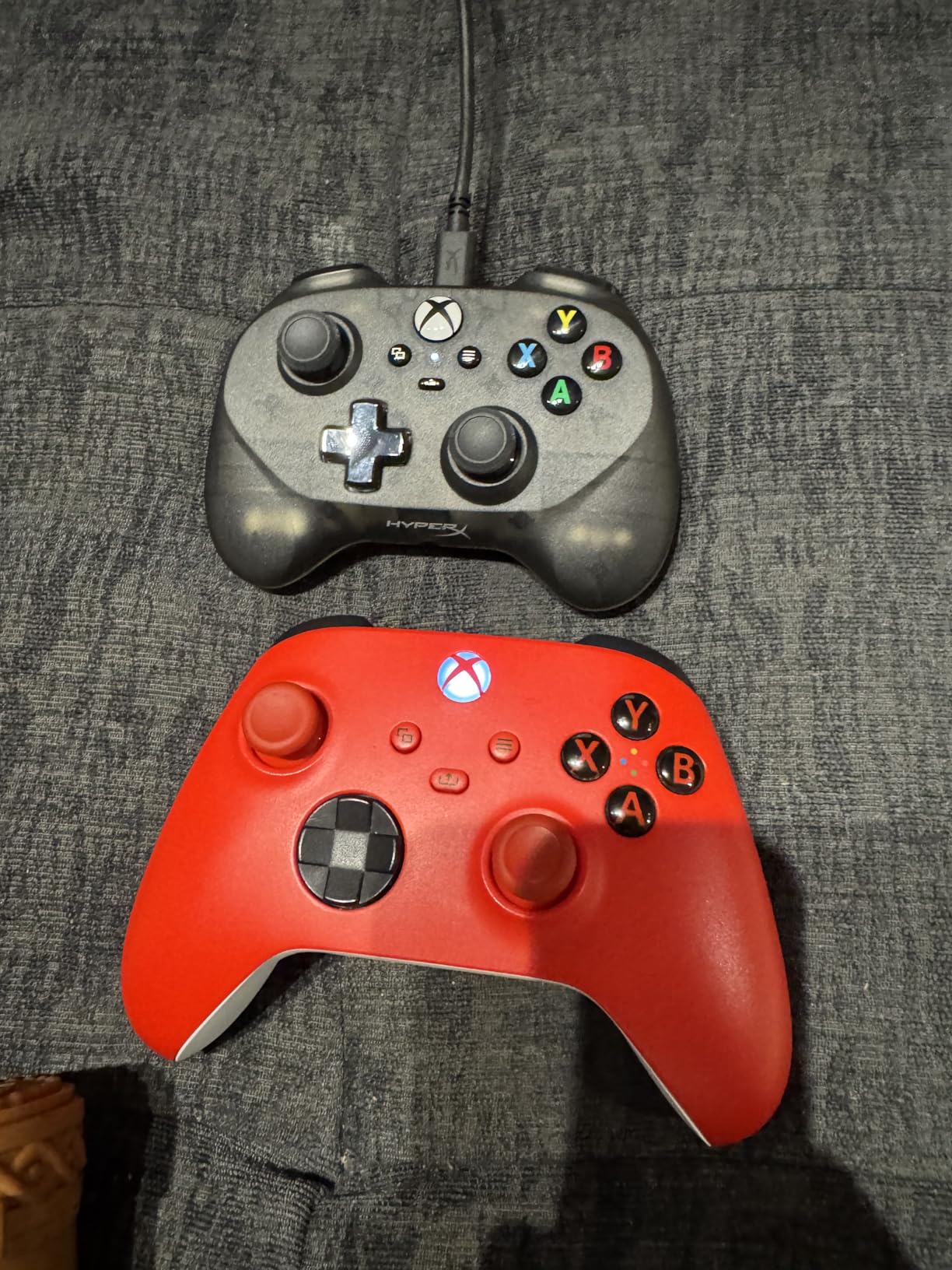
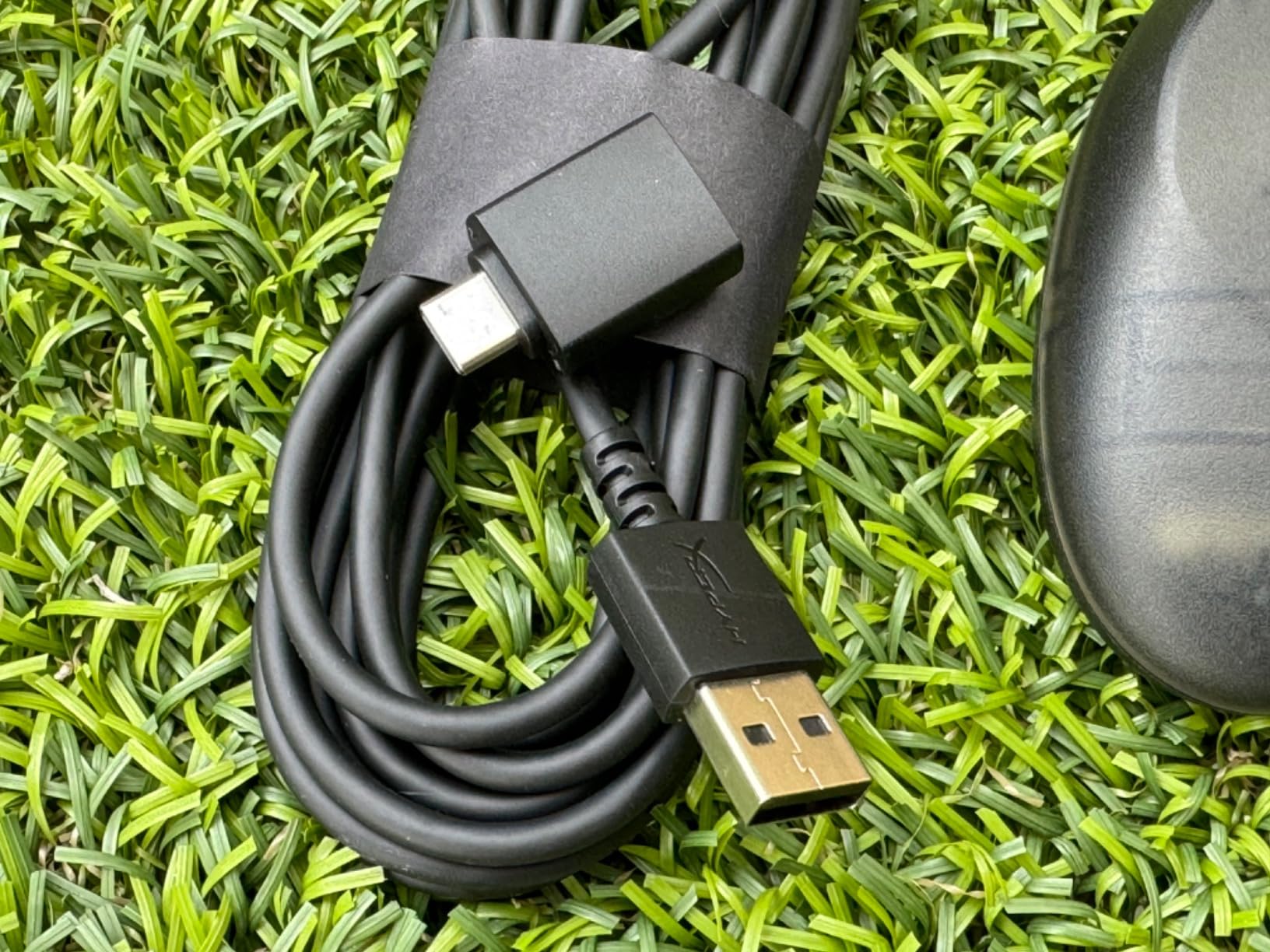
The wired USB-C connection keeps input latency low, which is important for gamers who need precise timing. The 2-year manufacturer warranty provides peace of mind, especially for parents buying this for a child who might be harder on equipment. The included USB-A to USB-C adapter ensures compatibility with older Xbox models.
What makes the Tanto relevant for adaptive gaming is not any single accessibility feature — it is the combination of low weight, small size, and full functionality. For gamers whose primary challenge is controller weight or size rather than input method, this simple solution might be all they need.
Who Benefits Most from This Controller
Children with mobility challenges, adults with smaller hands, and gamers with limited wrist or arm strength who still want a traditional controller experience. It is also a great option for anyone who finds standard Xbox controllers too heavy for extended play sessions. The compact size and low weight directly address the most common physical barriers to standard controller use.
Potential Drawbacks to Consider
The wired-only connection means you are always tethered, which limits how far you can sit from your console or PC. Users with larger hands may find the compact layout cramped. A small number of reviewers report occasional connectivity issues, though I did not experience any during testing. The mini size also means the buttons are closer together, which could be a problem for users with limited fine motor accuracy who need more spacing between inputs.
How to Choose the Right Adaptive Xbox Controller for Your Needs
Finding the right adaptive controller starts with understanding your specific mobility needs. The 12 controllers in this guide span a wide range of solutions, and what works for a gamer with mild grip weakness will be completely different from what works for someone with no hand function at all. Here is how I recommend narrowing down your options.
Match the Controller Type to Your Mobility Level
If you can hold a standard controller but struggle with button reach, trigger pressure, or grip fatigue, start with the Xbox Elite Series 2 or the Xbox Core Wireless Controller. Both allow custom button remapping and have features that reduce hand strain. The Elite Series 2 adds interchangeable thumbsticks and trigger locks, while the Core controller is lighter and simpler.
If you have one functional hand, the ByoWave Proteus Builder One-Handed Controller is purpose-built for that scenario. Its dual-layer input system gives you access to all the controls you need from a single hand. The ByoWave Proteus Controller Kit offers even more flexibility with its modular split-controller mode.
If you cannot use your hands at all or have very limited hand function, the Xbox Adaptive Controller paired with the Logitech G Adaptive Gaming Kit is the foundation you need. Add foot pedals like the iKKEGOL Triple Foot Pedal or the Infinity 3 for hands-free inputs, and you can build a complete custom control system.
Consider Compatibility Beyond Xbox
Most of the controllers in this guide also work with Windows PCs, and several support Android and iOS devices. If you game across multiple platforms, the 8BitDo Lite SE, ByoWave Proteus products, and Xbox Core controller all offer cross-platform support. The Turtle Beach Victrix Pro KO works with Xbox and PC. Foot pedals work with any device that accepts USB HID input, which includes PCs and the Xbox Adaptive Controller.
Factor in Total Cost Including Accessories
This is something the community on r/disabledgamers brings up constantly: the listed price is often just the starting point. The Xbox Adaptive Controller requires external buttons and switches to function, which adds significantly to the total cost. The Logitech G Adaptive Gaming Kit costs almost as much as the controller itself. Foot pedals are an affordable add-on, but you may need a USB adapter to connect them to an Xbox console. Always calculate the complete cost of the setup you need before making a purchase decision.
Think About Setup Complexity
Some of these controllers are plug-and-play, while others require significant configuration. The Xbox Core controller works immediately out of the box. The Xbox Adaptive Controller and Logitech Kit need careful planning and physical arrangement. The ByoWave Proteus Kit requires you to build your own controller from modular parts. Be honest about your comfort level with technology and whether you have someone who can help with initial setup.
Look at Longevity and Durability
Adaptive controllers are an investment, and you want something that will last. Controllers with Hall Effect joysticks — the 8BitDo Lite SE and the ByoWave Proteus Kit — eliminate stick drift, which is the most common reason controllers fail over time. The Infinity 3 Foot Pedal is built for professional daily use. The Xbox Elite Series 2 features metal components that outlast the plastic found in standard controllers.
FAQs
What is the Xbox controller for disabled people?
The Xbox Adaptive Controller is Microsoft’s accessibility-focused controller designed specifically for gamers with disabilities. It features 19 3.5mm jack inputs that connect to external switches, buttons, joysticks, and other assistive devices, allowing users with limited mobility to create a custom control setup that matches their physical abilities. It works with Xbox consoles and Windows PCs, and it serves as the hub for most adaptive gaming configurations.
Which controller has the best adaptive triggers?
The Xbox Elite Series 2 has the best adjustable triggers for accessibility. Its hair trigger locks let you shorten the trigger pull distance with a physical switch, reducing the finger strength needed for input. The Logitech G Adaptive Gaming Kit also offers variable pressure-sensitive triggers that respond to how hard you press, which is ideal for gradual inputs like acceleration in racing games.
What is the Xbox controller for seniors?
For seniors, the Xbox Core Wireless Controller is the best everyday option thanks to its lightweight design, comfortable sculpted grip, and custom button mapping through the Xbox Accessories app. The 8BitDo Lite SE is another strong choice because its low-resistance buttons require minimal pressure to press, and its flat desk-friendly design eliminates the need to grip and hold the controller during play.
What Xbox controller is least likely to get stick drift?
Controllers with Hall Effect joysticks are the least likely to develop stick drift because they use magnetic sensors instead of physical potentiometers that wear down. The 8BitDo Lite SE and the ByoWave Proteus Controller Kit both feature Hall Effect joysticks. The Turtle Beach Victrix Pro KO uses Cherry MX mechanical switches instead of thumbsticks entirely, completely eliminating the possibility of stick drift.
Final Thoughts on Adaptive Xbox Controllers
The right adaptive Xbox controller can open up an entire world of gaming that might otherwise feel out of reach. After testing 12 controllers across a range of mobility needs, our top recommendation for most gamers with limited mobility is the Xbox Adaptive Controller paired with the Logitech G Adaptive Gaming Kit for a complete custom setup. For gamers who want a more traditional controller experience with accessibility features built in, the Xbox Elite Series 2 and the 8BitDo Lite SE offer excellent options at different price points. And for hands-free control, the iKKEGOL foot pedals provide reliable, affordable solutions that work with your existing setup.
Gaming is for everyone. With the best adaptive Xbox controllers for limited mobility available in 2026, there has never been a better time to find the setup that works for you. Pick the controller that matches your specific needs, invest in the accessories that complete your configuration, and get back to doing what gaming is really about — having fun.