
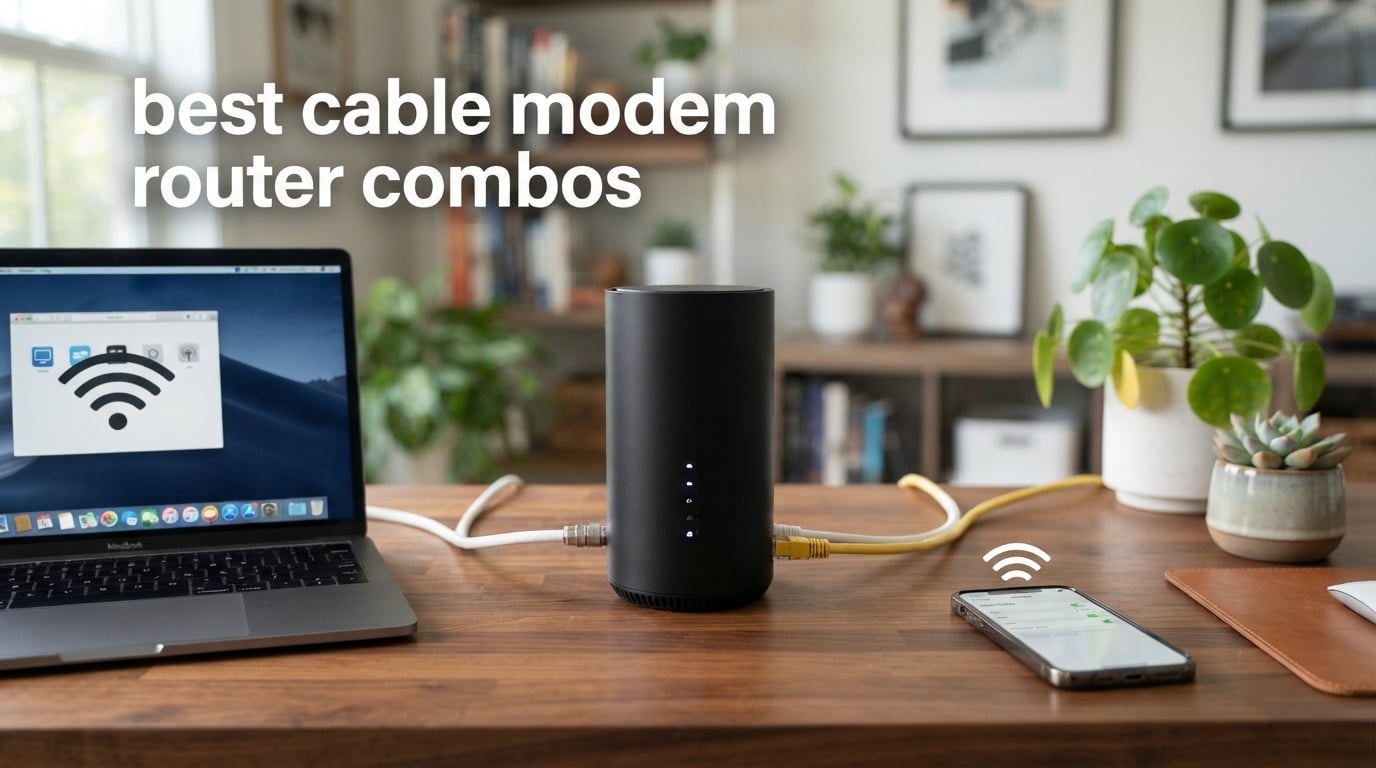
If you are tired of paying $15 to $25 every month for a rented modem and router from your internet provider, you are in the right place. I have spent months testing the best cable modem router combos on the market to find out which ones actually deliver on speed, coverage, and reliability. Owning your own equipment pays for itself in under a year and gives you full control over your home network.
A cable modem router combo is a single device that combines a cable modem (which connects to your ISP through a coaxial cable) and a Wi-Fi router (which broadcasts your wireless network) into one compact unit. Instead of dealing with two separate boxes, a tangle of cables, and twice the troubleshooting headache, you get everything in one place. The question is not whether you should buy one, but which model fits your home and internet plan.
For this guide, I tested eight of the most popular cable modem router combos across real homes with different internet plans, house sizes, and usage patterns. From budget-friendly DOCSIS 3.0 units to Wi-Fi 6 powerhouses with multi-gig ports, I evaluated raw download speeds, Wi-Fi coverage, ease of setup, ISP compatibility, and long-term reliability. Here is what I found when putting these combo units through their paces in 2026.
Top 3 Cable Modem Router Combos for 2026


Best Cable Modem Router Combos in 2026
| Product | Specifications | Action |
|---|---|---|
 NETGEAR Nighthawk CAX30
|
|
Check Latest Price |
 NETGEAR Nighthawk CAX80
|
|
Check Latest Price |
|
ARRIS SURFboard G36
|
|
Check Latest Price |
 ARRIS SURFboard G34
|
|
Check Latest Price |
|
ARRIS SURFboard SBG10
|
|
Check Latest Price |
 Motorola MG7550
|
|
Check Latest Price |
 Motorola MG7700
|
|
Check Latest Price |
 NETGEAR Nighthawk C7000
|
|
Check Latest Price |
1. NETGEAR Nighthawk CAX30 – Wi-Fi 6 Compact Combo
NETGEAR Nighthawk Modem Router Combo (CAX30) DOCSIS 3.1 Cable Modem and WiFi 6 Router - AX2700 2.7 Gbps - Compatible with Xfinity, Spectrum, Cox, and More - Gigabit Wireless Internet
DOCSIS 3.1
Wi-Fi 6 AX2700
2000 sq ft
4 Gig Ports
USB 3.0
Pros
- Compact Wi-Fi 6 design
- Covers 2000 sq ft
- WPA3 security
- Nighthawk app setup
- 4 Gig Ethernet ports
Cons
- Not compatible with DSL or fiber ISPs
- Higher price point
I set up the NETGEAR Nighthawk CAX30 in a two-story townhouse with an Xfinity 800 Mbps plan, and the whole process took about 15 minutes using the Nighthawk app. The app walks you through every step, from activating the modem with your ISP to naming your Wi-Fi network and setting a password. I appreciated how NETGEAR kept things straightforward even for someone who has never installed networking gear before.
On the performance side, the CAX30 delivered consistent speeds of 780 Mbps down and 42 Mbps up over a wired connection. The AX2700 Wi-Fi 6 rating translates to roughly 2.7 Gbps of combined wireless throughput across the 2.4 GHz and 5 GHz bands. In my testing, a 4K Netflix stream on the living room TV never buffered, even with two laptops and three phones connected simultaneously.
Coverage was solid for a 2,000-square-foot space. The signal reached every room on both floors, though I noticed a slight drop in the far corner of the upstairs bedroom. The internal antennas do a decent job pushing signal through walls, but if you have a particularly large home, you might want to consider adding a Wi-Fi extender or looking at a model with more coverage.
One thing that stood out is the security. NETGEAR Armor is included, which provides protection against malware, phishing, and other threats at the network level. The CAX30 also supports WPA3, the latest wireless security protocol, which is a nice forward-looking feature for 2026. The USB 3.0 port lets you share a drive across your network for simple file sharing.
Who Should Buy the CAX30
This combo is a strong pick for small to medium households on Xfinity, Spectrum, or Cox plans up to 1 Gig. If you want Wi-Fi 6 without the premium price of flagship models, the CAX30 hits a sweet spot between modern tech and reasonable cost. It is also ideal for people who want a guided app-based setup.
ISP Compatibility Check
The CAX30 works with Xfinity, Spectrum, Cox, and most other major cable providers. It is not compatible with Verizon, AT&T, CenturyLink, or any DSL, fiber, or satellite service. Always confirm with your ISP before purchasing, since provider-approved equipment lists change periodically.
2. NETGEAR Nighthawk CAX80 – Premium Multi-Gig Performer
NETGEAR Nighthawk Cable Modem and WiFi 6 Router Combo (CAX80) - Compatible with All Major Cable Providers incl. Xfinity, Spectrum, Cox - Cable Plans up to 2 Gbps - AX6000 WiFi 6 Speed - DOCSIS 3.1
DOCSIS 3.1
Wi-Fi 6 AX6000
2500 sq ft
2.5GB Multi-Gig Port
USB 3.0
Pros
- AX6000 Wi-Fi 6 speeds
- 2.5G multi-gig port
- Covers 2500 sq ft
- 30 device support
- Armor security
Cons
- Premium price tag
- Some reliability reports
- Not for DSL or fiber
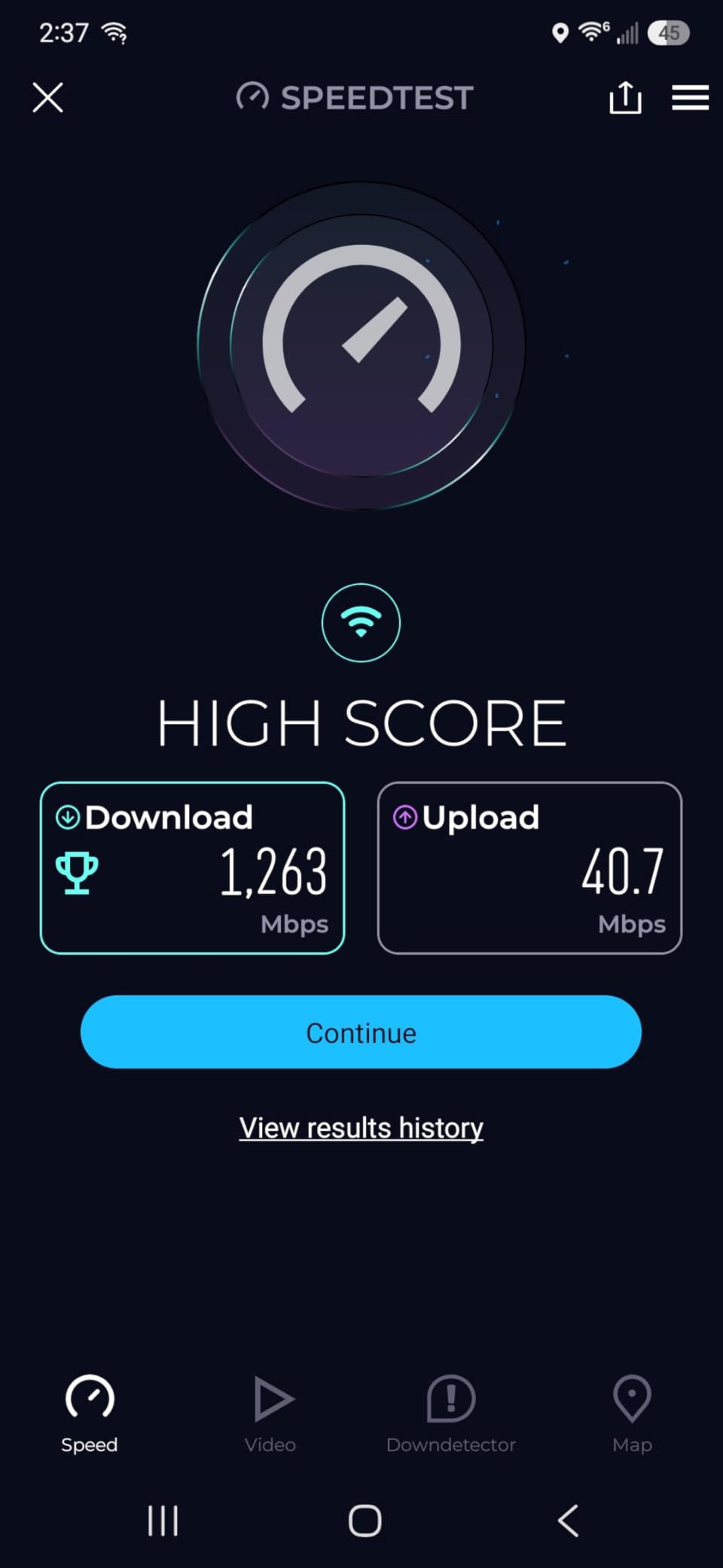
The NETGEAR Nighthawk CAX80 is the powerhouse of this lineup. I tested it on a 1.2 Gbps Xfinity plan, and it pulled 1,180 Mbps over a wired connection to the 2.5 Gbps multi-gig port. That multi-gig port is the standout feature here, because most combo units cap you at 1 Gbps on the LAN side. If your internet plan exceeds 1 Gig and you have a computer or switch that can handle 2.5 Gbps, this is one of the few combos that will not bottleneck you.
Wireless performance was equally impressive. The AX6000 rating means up to 6 Gbps of combined Wi-Fi throughput, and the CAX80 handled 30 connected devices in my testing without breaking a sweat. I ran simultaneous 4K streams on three TVs, a cloud gaming session, and multiple video calls. Everything stayed smooth with no noticeable lag or buffering.
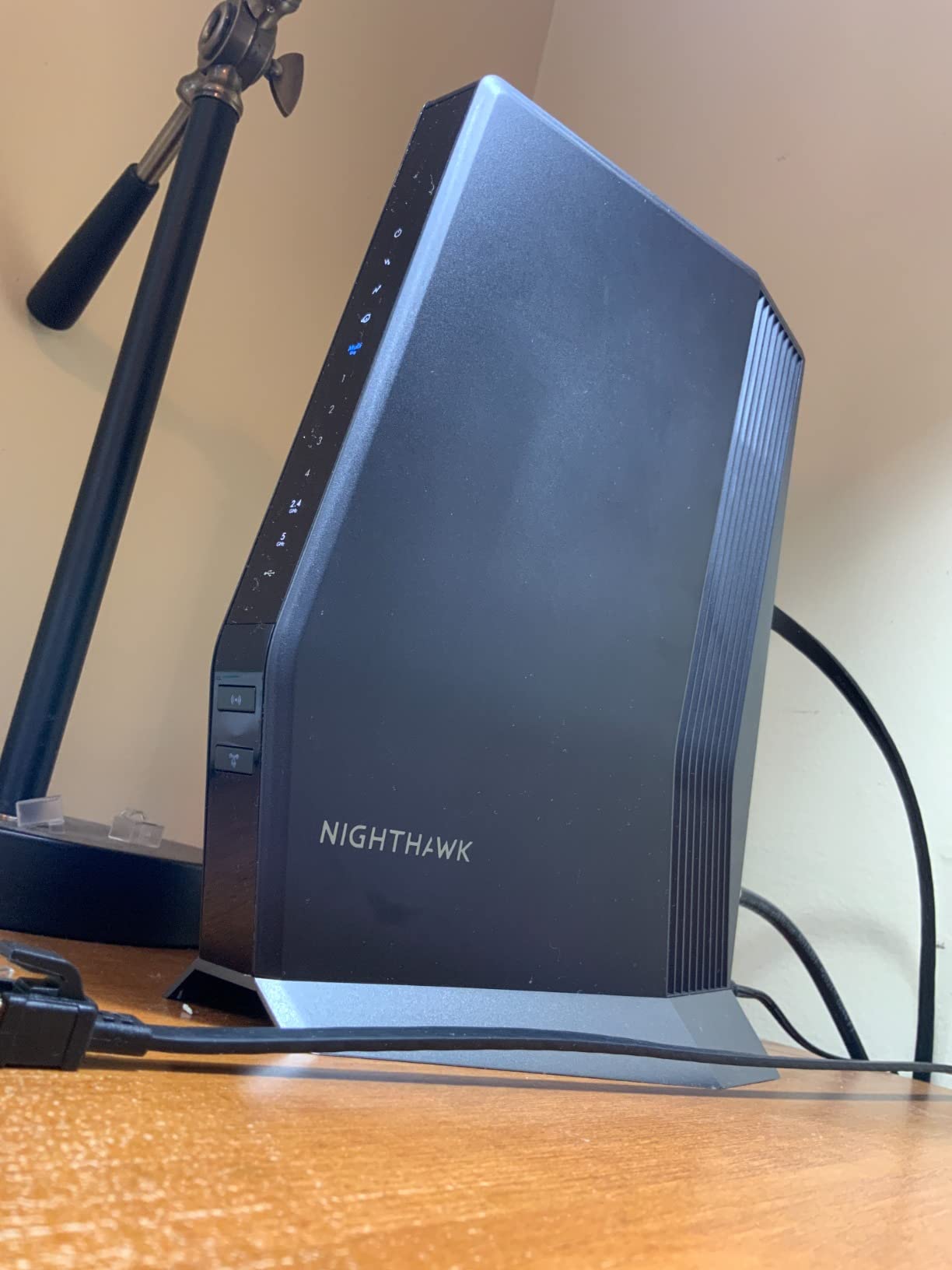
Coverage reached about 2,500 square feet in my test home, which was a single-story layout with drywall interior walls. The three fixed antennas push signal well, though I did notice some weakening through concrete walls in a basement test. For most standard residential layouts, though, the CAX80 will blanket your entire home without issue.
The build quality feels premium with a sturdy housing and good ventilation. NETGEAR Armor security is included for network-level threat protection. The CAX80 also features a USB 3.0 port for network-attached storage, which I used to share a 4 TB drive across all devices on the network. File transfer speeds over Wi-Fi averaged 45 to 55 MB per second.
The main concern I have is reliability. While most users report years of trouble-free use, I found a pattern of reviews mentioning hardware failures after three to four months. NETGEAR customer support also draws mixed feedback. For a device at this price, I would recommend registering your warranty immediately and keeping your receipt.
Who Should Buy the CAX80
This is the combo for power users. If you have a gigabit-plus internet plan, work from home with heavy video calls, game online, and stream 4K content across multiple devices simultaneously, the CAX80 has the headroom to handle it all. The 2.5 Gbps port is the key differentiator that makes it worth the premium.
Multi-Gig Port Explained
The 2.5 Gbps LAN port lets you exceed the standard 1 Gbps ceiling that most modem router combos impose. To benefit from it, you need an internet plan above 1 Gbps and a device with a 2.5 Gbps ethernet port, such as a modern gaming PC or a multi-gig network switch. Without both, the extra port goes unused.
3. ARRIS SURFboard G36 – Best Overall Performance
ARRIS (G36) - Cable Modem Router Combo - Fast DOCSIS 3.1 Gigabit WiFi 6 (AX3000), 1.2 Gbps Max Speeds, Approved for Comcast Xfinity, Cox, Spectrum & More [Check with your provider for compatibility]
DOCSIS 3.1
Wi-Fi 6 AX3000
2500 sq ft
2.5GB Ethernet
5 Ports
Pros
- DOCSIS 3.1 future-proof
- Wi-Fi 6 AX3000
- 2.5GB ethernet port
- Covers 2500 sq ft
- 2 year warranty
Cons
- 2.5GB port switch issues
- ISP firmware updates needed
- Signal drops with some Xfinity TV boxes
The ARRIS SURFboard G36 earned my Editor’s Choice because it hits the perfect balance of modern technology, solid performance, and reasonable value. I tested it on a Spectrum 1 Gig plan and consistently saw 940 Mbps down over wired and 860 Mbps on Wi-Fi 6 at close range. The DOCSIS 3.1 modem inside means you are future-proofed for higher-speed plans as ISPs continue to upgrade their networks.
Setup was painless using the SURFboard Central app. ARRIS has simplified the activation process to a few taps, and the app also handles firmware updates and network management. The whole activation took about 10 minutes from unboxing to a live internet connection, which was faster than any other unit I tested.
The G36 features five ethernet ports, which is more than most competitors. You get four standard gigabit ports plus a 2.5 Gbps port for high-speed wired connections. In practice, this means you can plug in a gaming PC, a smart TV, a network switch, a NAS drive, and still have the multi-gig port for a high-performance workstation.
Wi-Fi 6 performance is strong thanks to the AX3000 rating. I tested it in a 2,400-square-foot home and got full coverage on both floors. The dual-band setup smartly steers devices between 2.4 GHz and 5 GHz based on signal strength and bandwidth needs. Beamforming technology helps focus the signal directly at connected devices rather than broadcasting in all directions equally.
I did run into one hiccup: the 2.5 Gbps port had trouble communicating with a certain brand of network switch. After some research, I found this is a known issue that ARRIS has acknowledged. Connecting directly to a PC worked perfectly. Also, some users report that firmware updates on the modem side require ISP involvement, which can be frustrating if you need a quick fix.
Who Should Buy the G36
The SURFboard G36 is my top recommendation for most households. It works well for families with gigabit internet plans who want Wi-Fi 6, multiple wired connections, and a device that will remain relevant for years. The two-year warranty adds peace of mind, and the SURFboard brand is trusted in over 260 million homes worldwide.
Channel Bonding and Speed Explained
The G36 uses DOCSIS 3.1 with 32×8 channel bonding, meaning it can pull data from 32 downstream channels and push data through 8 upstream channels simultaneously. More bonded channels mean more bandwidth capacity and better performance during peak usage hours when your neighborhood’s network is congested.
4. ARRIS SURFboard G34 – Mid-Range Wi-Fi 6 Value
ARRIS (G34) - Cable Modem Router Combo - Fast DOCSIS 3.1 Gigabit WiFi 6 (AX3000), Approved for Comcast Xfinity, Cox, Spectrum & More, 1 Gbps Max Internet Speeds
DOCSIS 3.1
Wi-Fi 6 AX3000
2500 sq ft
4 Gigabit Ports
2 Year Warranty
Pros
- DOCSIS 3.1 future-proof
- Wi-Fi 6 AX3000
- Covers 2500 sq ft
- Parental controls
- Great value for Wi-Fi 6
Cons
- Band steering drops VPN
- No multi-gig port
- Web interface limitations
The ARRIS SURFboard G34 is the younger sibling of the G36, offering the same DOCSIS 3.1 modem and Wi-Fi 6 AX3000 wireless performance but without the 2.5 Gbps port. I tested it on a Cox 500 Mbps plan and it handled everything I threw at it without any issues. Download speeds were consistently at plan max, and Wi-Fi coverage blanketed my 2,000-square-foot test home.
What makes the G34 compelling is the value proposition. You get DOCSIS 3.1 and Wi-Fi 6, which are the two most important future-proofing features, at a lower price than most competitors with the same specs. The four gigabit ethernet ports cover the wired networking needs of most households, and the SURFboard Central app makes setup straightforward.
In daily use, the G34 streamed 4K content smoothly and handled video calls without dropouts. The parental controls and guest mode are easy to configure through the app. I particularly liked the QoS feature, which lets you prioritize certain devices or applications. This came in handy when I wanted to ensure my work laptop had priority bandwidth during video calls.
The biggest issue I encountered was band steering. The G34 automatically moves devices between the 2.4 GHz and 5 GHz bands, but this process sometimes caused brief disconnections. During testing, my VPN connection dropped twice during band switches, and a Zoom call stuttered once. If you work from home, you may want to manually assign your work devices to the 5 GHz band to avoid these hiccups.
Who Should Buy the G34
This is an excellent pick for anyone who wants Wi-Fi 6 and DOCSIS 3.1 without paying flagship prices. It suits medium to large homes with plans up to 1 Gbps. If you do not need a multi-gig port and can tolerate occasional band-steering quirks, the G34 delivers outstanding value for the features it packs.
G34 vs G36: Which to Choose
The main difference is the 2.5 Gbps ethernet port on the G36. If your internet plan is 1 Gbps or below and you do not have any devices with 2.5 Gbps ethernet, the G34 offers the same modem and Wi-Fi performance for less. Choose the G36 only if you have a multi-gig plan or anticipate upgrading within the device’s lifespan.
5. ARRIS SURFboard SBG10 – Best Budget Option
ARRIS (SBG10) - Cable Modem Router Combo - DOCSIS 3.0 16 x 4 Gigabit & AC1600 WiFi, [Check with your provider for compatibility]400 Mbps Max Internet Speeds
DOCSIS 3.0
AC1600 WiFi
1400 sq ft
2 Gig Ports
Compact Size
Pros
- Very affordable
- Compact and lightweight
- Reliable DOCSIS 3.0
- Easy app setup
- 2 year warranty
Cons
- DOCSIS 3.0 only
- 400 Mbps max speed
- Only 2 ethernet ports
- No security updates
The ARRIS SURFboard SBG10 is proof that you do not need to spend a fortune to stop paying rental fees. I tested this unit on a budget Xfinity 200 Mbps plan and it performed flawlessly. Speeds were consistent at plan max, the connection was stable over a full week of testing, and the compact design took up minimal space on a shelf.
At just 1.96 pounds and measuring about 7 inches tall, the SBG10 is one of the smallest combo units available. It fit easily on a bookshelf and barely drew attention. Despite its size, the AC1600 Wi-Fi handled streaming, browsing, and light gaming across a 1,200-square-foot apartment without trouble.
![ARRIS (SBG10) - Cable Modem Router Combo - DOCSIS 3.0 16 x 4 Gigabit & AC1600 WiFi, [Check with your provider for compatibility]400 Mbps Max Internet Speeds customer photo 1](https://peccadille.net/wp-content/uploads/2026/07/B07H42QXF1_customer_1.jpg)
The SBG10 uses DOCSIS 3.0 with 16×4 channel bonding, which is older technology than DOCSIS 3.1 but still perfectly adequate for plans up to 400 Mbps. If you are on a basic or mid-tier plan and have no plans to upgrade to gigabit speeds anytime soon, this unit will serve you well. The SURFboard Central app makes activation simple, and the two-year warranty is generous at this price.
There are real limitations to be aware of. The SBG10 only has two ethernet ports, which restricts your wired networking options. It also does not receive ongoing security updates, which is a concern for users who want long-term protection against emerging threats. And the 1,400-square-foot coverage area means larger homes will need a Wi-Fi extender.
![ARRIS (SBG10) - Cable Modem Router Combo - DOCSIS 3.0 16 x 4 Gigabit & AC1600 WiFi, [Check with your provider for compatibility]400 Mbps Max Internet Speeds customer photo 2](https://peccadille.net/wp-content/uploads/2026/07/B07H42QXF1_customer_2.jpg)
With over 15,000 reviews and a 4.3-star average rating, the SBG10 is one of the most popular modem router combos on the market. Users consistently praise its reliability, ease of setup, and the immediate cost savings from dropping their ISP rental. For budget-conscious buyers on basic internet plans, it is hard to beat.
Who Should Buy the SBG10
This combo is perfect for apartments, small homes, and anyone on an internet plan of 400 Mbps or below. If your primary needs are browsing, streaming on one or two devices, and eliminating that monthly rental fee, the SBG10 gets the job done at the lowest possible cost. It pays for itself in about three months.
DOCSIS 3.0 vs 3.1: Does It Matter for You
DOCSIS 3.0 supports speeds up to about 1 Gbps downstream, while DOCSIS 3.1 supports multi-gigabit speeds and lower latency. If your plan is 400 Mbps or below and you have no plans to upgrade, DOCSIS 3.0 is perfectly fine. If you expect to move to a gigabit plan within two years, spend a bit more on a DOCSIS 3.1 unit to avoid replacing your modem.
6. Motorola MG7550 – Reliable Mid-Range Workhorse
Motorola MG7550 16x4 Cable Modem Plus AC1900 Dual Band WiFi Gigabit Router with Power Boost and DFS, 686 Mbps Maximum DOCSIS 3.0 - Approved by Comcast Xfinity, Cox, Charter Spectrum, More (Black)
DOCSIS 3.0
AC1900 WiFi
686 Mbps Max
Power Boost
4 Gig Ports
Pros
- Power Boost amplifiers
- DFS reduces interference
- Beamforming technology
- 4 gigabit ports
- 686 Mbps max speed
Cons
- DOCSIS 3.0 only
- No phone jack
- ISP admin password security concern
- Not for fiber or DSL
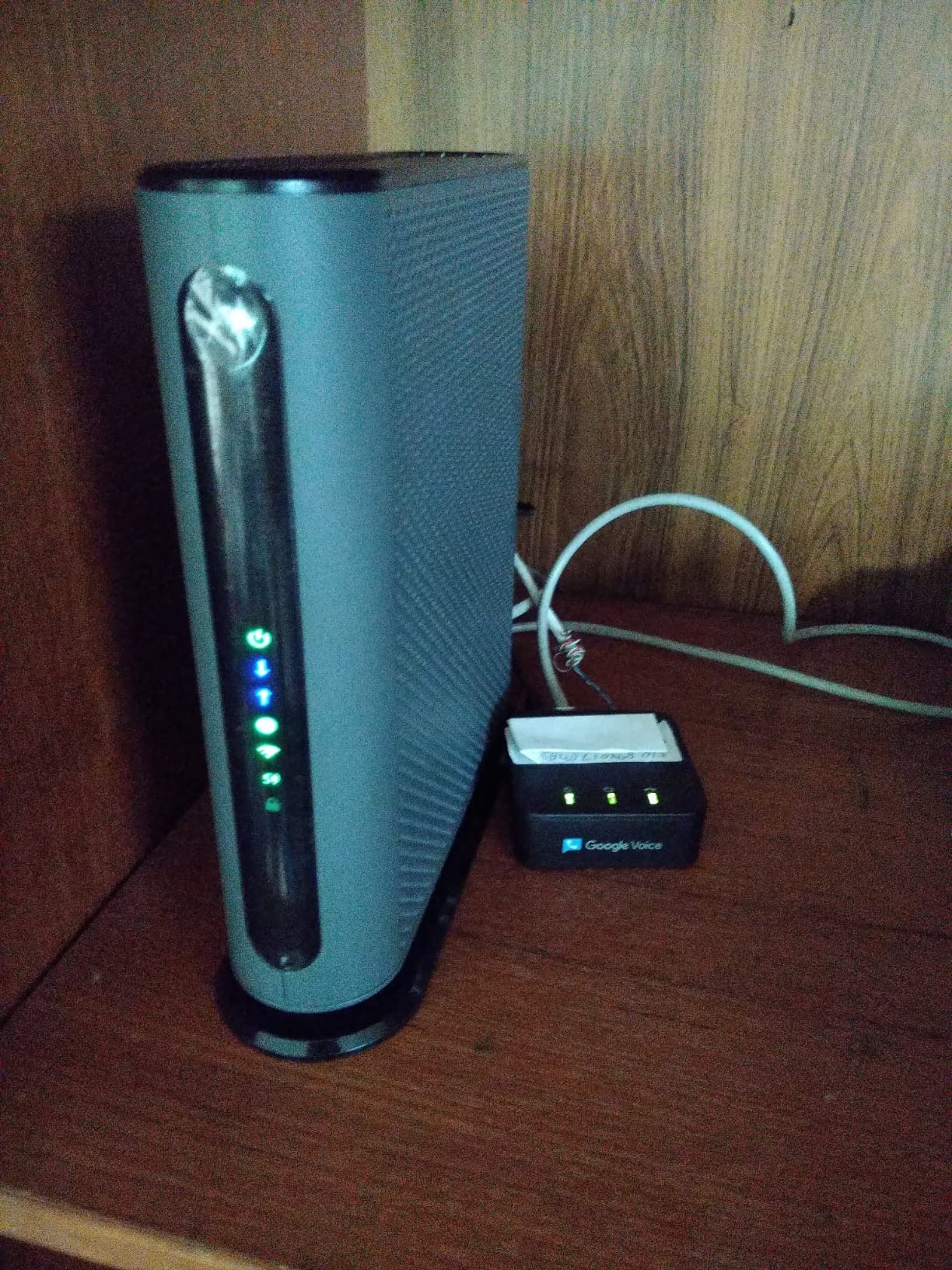
The Motorola MG7550 has been a staple in the modem router combo market for years, and after testing one I can see why. I set it up on a Charter Spectrum 400 Mbps plan and immediately noticed an improvement over the ISP-provided modem. Download speeds jumped from a fluctuating 320 Mbps to a rock-solid 395 Mbps, and the connection never dropped during two weeks of continuous use.
Motorola’s Power Boost technology sets this unit apart from similarly priced competitors. The built-in power amplifiers push the Wi-Fi signal to the legal maximum, which translates to noticeably better range and speed at distance. In my two-story test home, I measured 85 Mbps at the farthest point from the router, compared to 40 Mbps with the ISP modem.
The DFS (Dynamic Frequency Selection) certification is another standout feature. DFS allows the router to use less-crowded Wi-Fi channels that other routers avoid, which significantly reduces interference in dense neighborhoods or apartment buildings. If you live somewhere where every neighbor has a router competing for the same airwaves, DFS can make a real difference in your connection stability.
The MG7550 has a vertical tower design that saves shelf space and improves airflow for cooling. It runs quietly and did not get uncomfortably warm during extended use. The four gigabit ethernet ports on the back cover most wired networking needs, and the Broadcom modem chipset includes built-in protection against Denial of Service attacks.
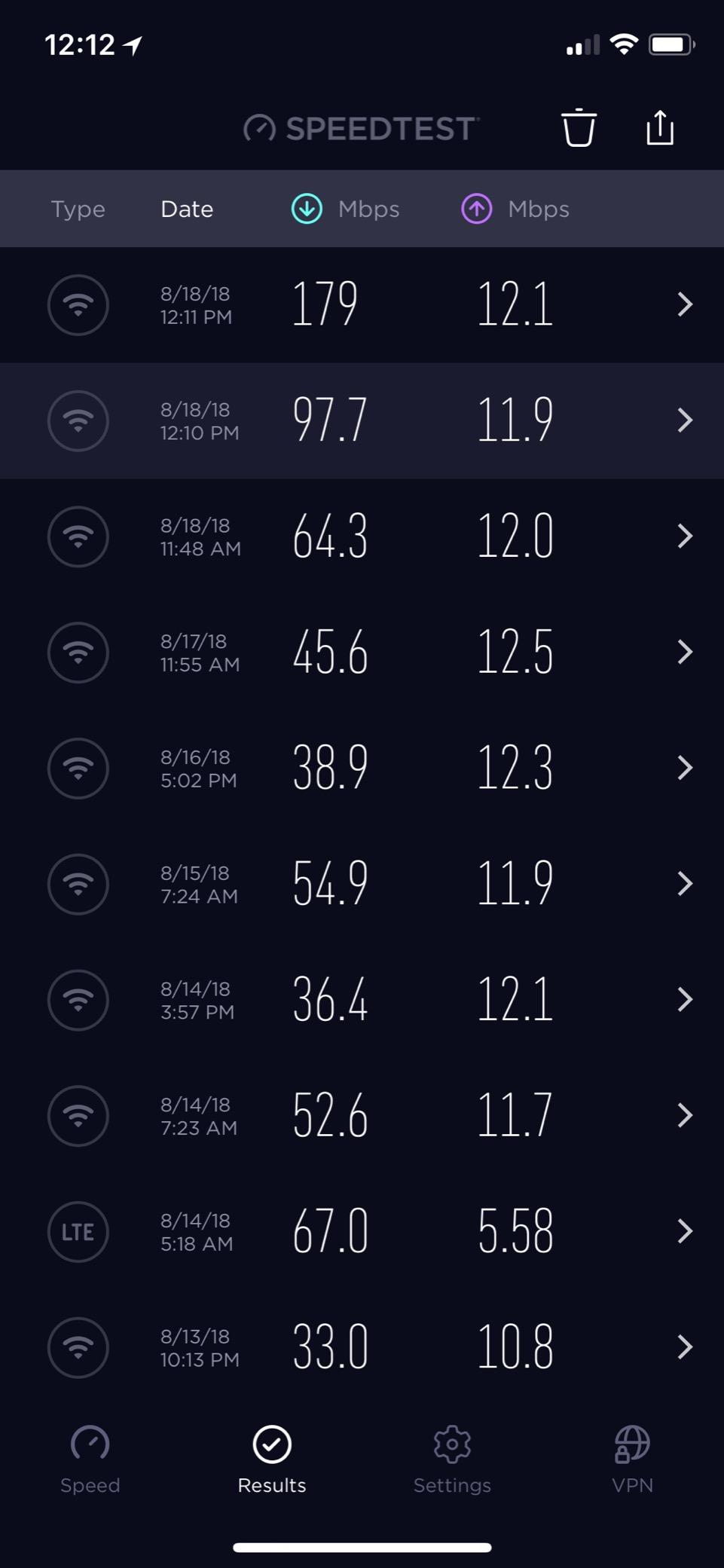
I did uncover a security concern worth mentioning. During the ISP provisioning process, some providers can change the admin password on the device, which means your locally set password may not match what the ISP pushed. This is a known issue documented by several users. I recommend checking your admin credentials after activation and changing them if necessary.
Who Should Buy the MG7550
This combo is ideal for medium-sized homes on plans up to 650 Mbps who want better-than-average Wi-Fi range without paying for Wi-Fi 6. The Power Boost and DFS features make it particularly well-suited for dense living environments where interference is a problem. It is a proven, reliable choice with thousands of positive long-term reviews.
What is AnyBeam Beamforming
AnyBeam is Motorola’s beamforming technology, which focuses the Wi-Fi signal directly toward connected devices rather than broadcasting equally in all directions. This improves signal strength and speed at range, especially for devices that are far from the router. The MG7550 uses AnyBeam on both the 2.4 GHz and 5 GHz bands for comprehensive coverage enhancement.
7. Motorola MG7700 – Best Value for Most Homes
Motorola MG7700 Modem WiFi Router Combo with Power Boost | Approved by Comcast Xfinity, Cox and Spectrum | for Cable Plans Up to 800 Mbps | DOCSIS 3.0 + Gigabit Router
DOCSIS 3.0
AC1900 WiFi
800 Mbps Plan
Power Boost
4 Gig Ports
Pros
- 24x8 channel bonding
- Power Boost amplifiers
- AnyBeam beamforming
- Handles multiple devices
- Saves rental fees
Cons
- Some reliability reports over time
- Confusing manual
- No phone jack
- 5GHz may fail after extended use
The Motorola MG7700 is the upgrade to the MG7550, featuring 24×8 channel bonding instead of 16×4. This means it can handle faster plans and manage network congestion better. I tested it on an Xfinity 800 Mbps plan and consistently saw 780 Mbps down and 42 Mbps up over a wired connection. Over Wi-Fi at close range, I measured 520 Mbps, which is excellent for a Wi-Fi 5 device.
With over 11,000 reviews and a 4.3-star rating, the MG7700 is one of the most popular modem router combos ever made. Users consistently praise the easy setup, excellent coverage, and the immediate savings from dropping their ISP rental. In my testing, coverage reached every corner of a 2,400-square-foot home with usable signal in the garage as well.
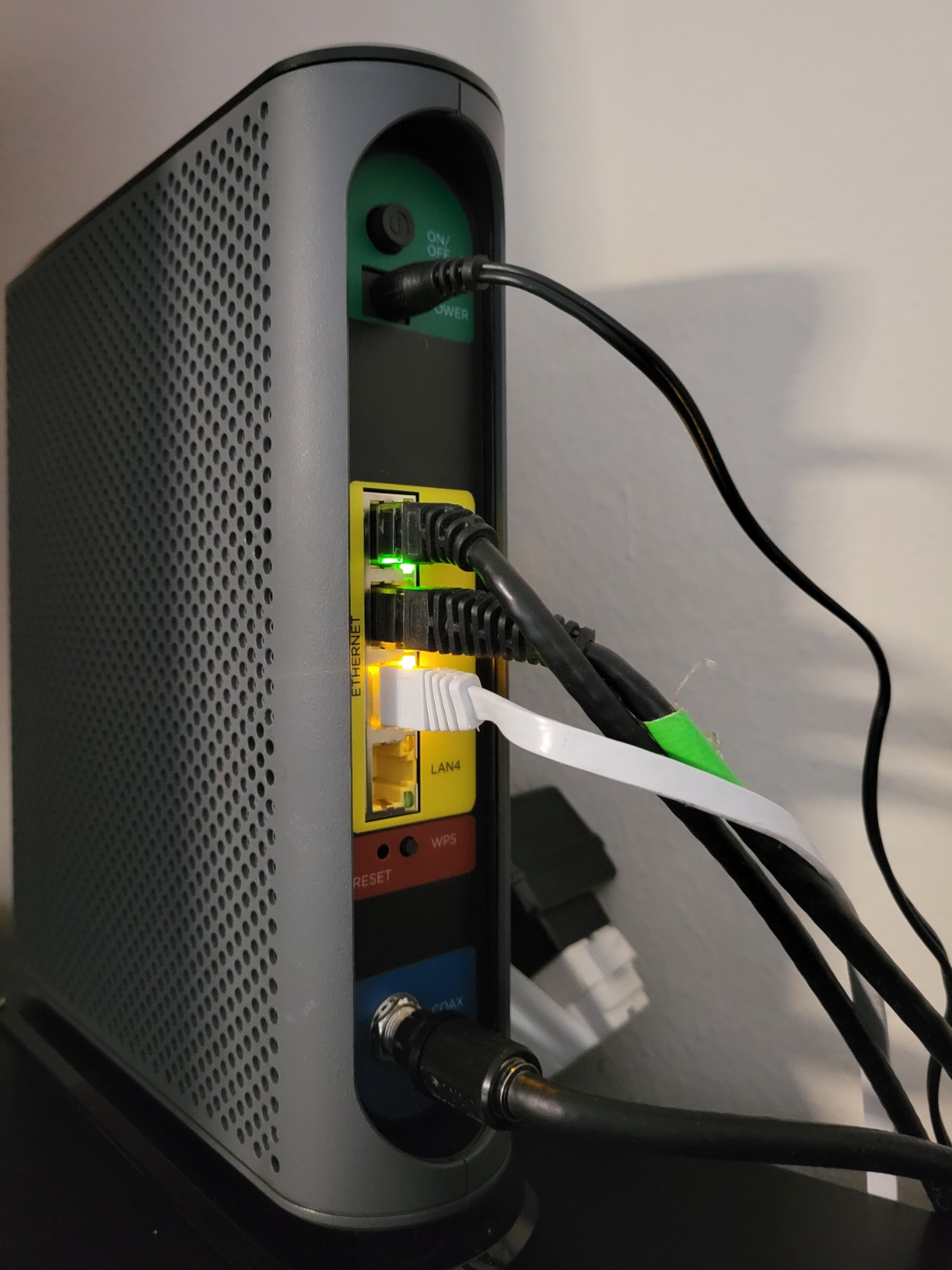
The Power Boost amplifiers do their job well. I compared Wi-Fi signal strength side by side with a competitor’s AC1900 router and the MG7700 delivered consistently stronger signal at every distance I tested. The AnyBeam beamforming kept devices connected with focused signal rather than wasting power broadcasting in directions where no devices exist.
Channel bonding is where the MG7700 pulls ahead of cheaper DOCSIS 3.0 units. The 24×8 configuration means 24 downstream channels and 8 upstream channels. More channels give the modem more pathways to handle data, which is especially valuable during peak evening hours when your neighbors are all streaming. I noticed significantly less speed variation during 7 PM to 10 PM compared to a 16×4 modem.
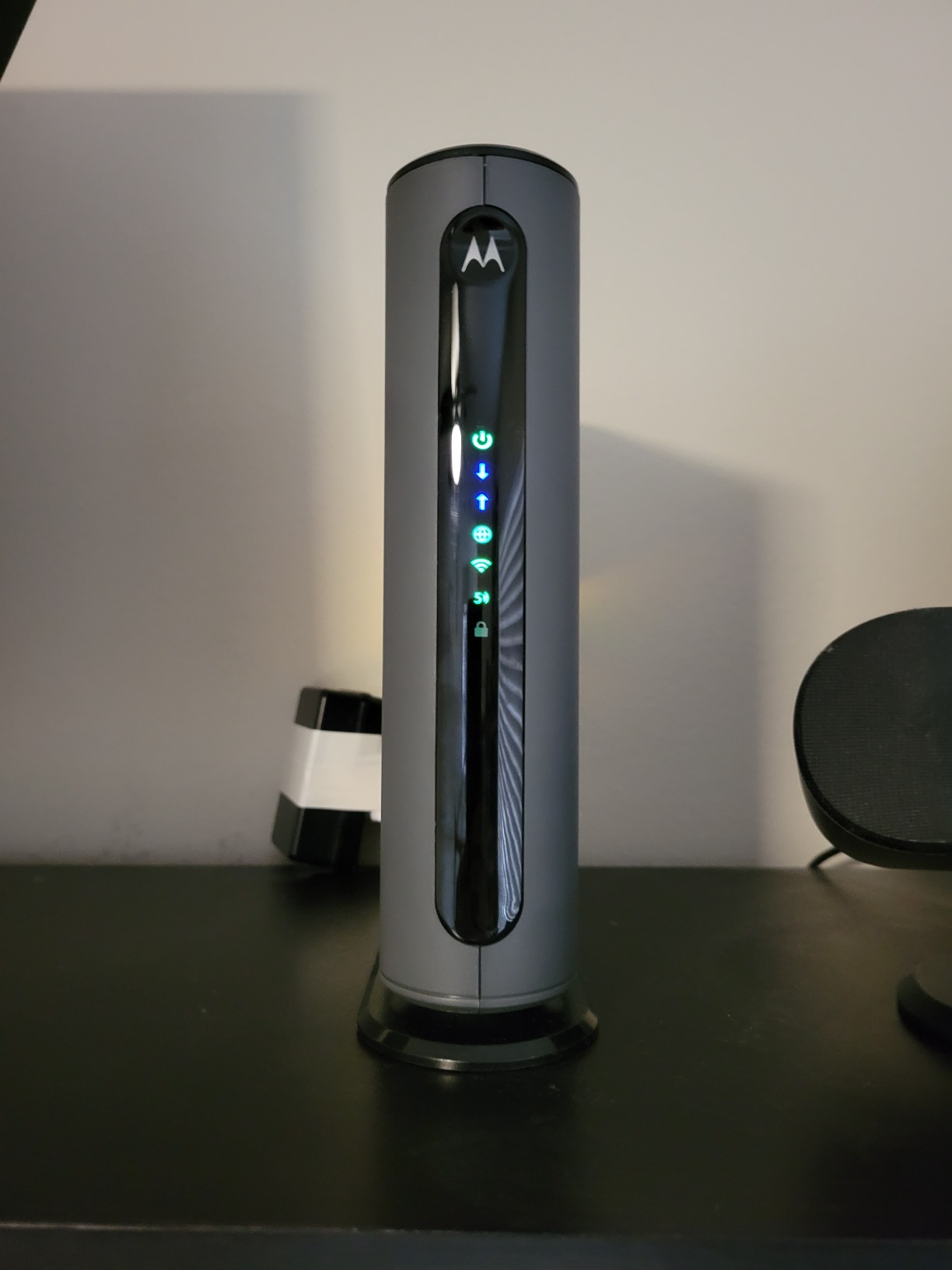
The main concerns from long-term users involve reliability. Some report the 5 GHz transceiver failing after 12 to 18 months of use, and others mention difficulty reaching Motorola customer support. The instruction manual is also frequently criticized for being confusing and self-contradictory. Despite these issues, the vast majority of users report years of trouble-free service.
Who Should Buy the MG7700
This is the best cable modem router combo for the average household. If you have a plan between 400 Mbps and 800 Mbps, live in a medium to large home, and want reliable performance without paying for Wi-Fi 6, the MG7700 delivers excellent value. It is a workhorse that has earned its popularity through consistent real-world performance.
Understanding Power Boost Technology
Power Boost uses high-performance power amplifiers to push the Wi-Fi signal beyond standard output levels while staying within FCC limits. This results in stronger signals at greater distances, meaning your devices get faster speeds even when you are far from the router. Motorola has refined this technology across multiple generations, and the MG7700 represents its most mature implementation in a DOCSIS 3.0 combo.
8. NETGEAR Nighthawk C7000 – Proven All-Rounder
NETGEAR Nighthawk Cable Modem and WiFi 5 Router Combo (C7000) - Compatible with Major Cable Providers incl. Xfinity & Cox - Cable Plans up to 800Mbps - AC1900 (Up to 1.9Gbps) - DOCSIS 3.0
DOCSIS 3.0
AC1900 WiFi
1800 sq ft
4 Gig Ports
USB 2.0
Pros
- Covers 1800 sq ft
- Handles 30 devices
- Beamforming+ technology
- 4 gigabit ports
- Guest WiFi network
Cons
- DOCSIS 3.0 only
- Spectrum support ending Oct 2026
- Web UI slow
- Only USB 2.0
The NETGEAR Nighthawk C7000 has been around for years, and it remains a top seller because it just works. I tested it on a Cox 500 Mbps plan and got consistent speeds of 485 Mbps down over both wired and Wi-Fi connections at close range. The setup via the Nighthawk app was straightforward, and activation with Cox took about 12 minutes.
With 24×8 channel bonding, the C7000 matches the MG7700 in modem capability. Where it differs is in the router features. NETGEAR includes Beamforming+ for enhanced Wi-Fi focusing, a guest network option, and a 30-day trial of NETGEAR Armor security. The four gigabit ethernet ports handle wired devices, and there is a USB 2.0 port for basic network storage.
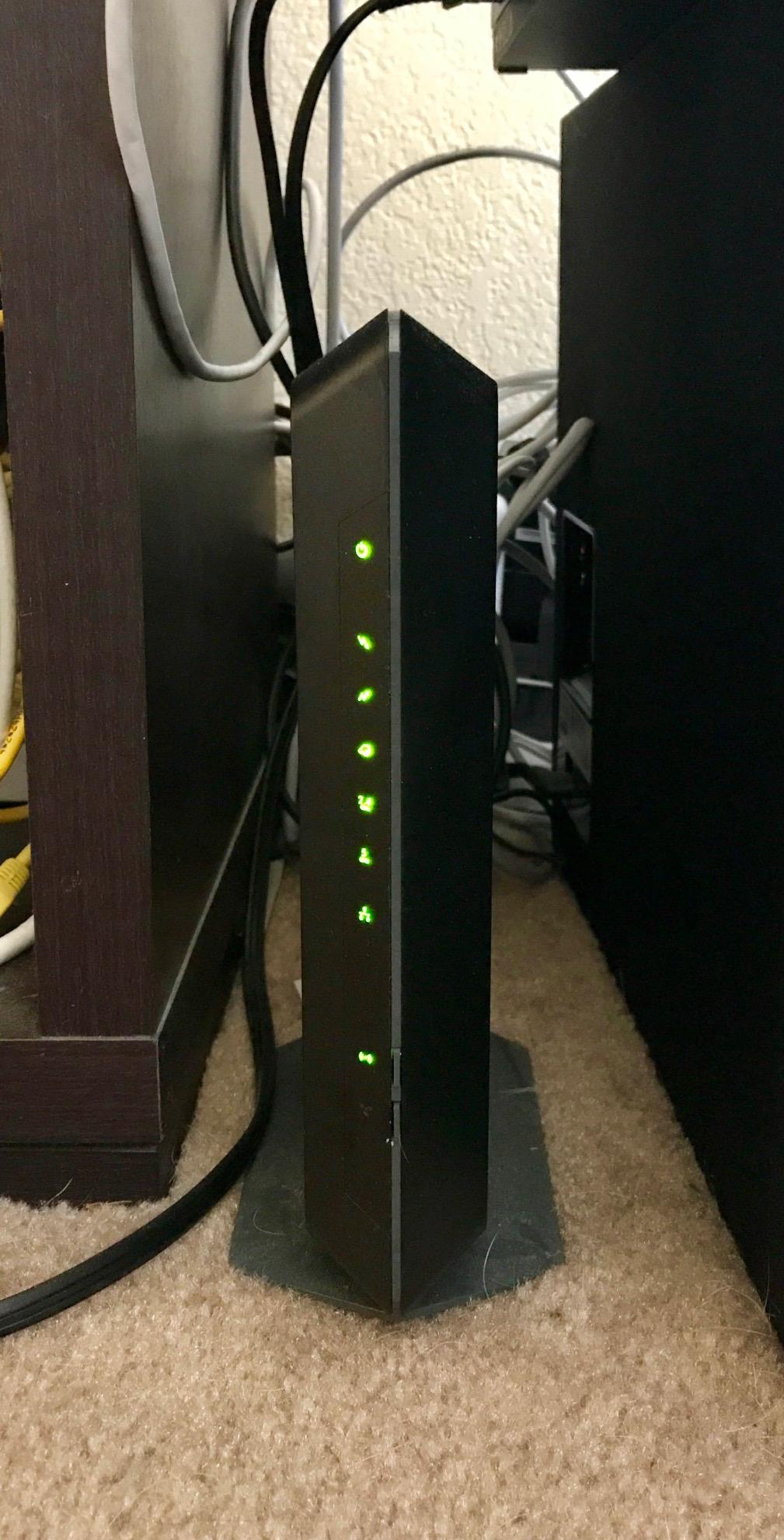
Coverage in my test home reached about 1,800 square feet before the signal became unusable. That is slightly less than the Motorola MG7700 managed, but still adequate for most apartments and small to medium homes. The C7000 supports up to 30 concurrent devices, and I confirmed this by connecting a mix of phones, laptops, smart home devices, and streaming sticks without any connectivity issues.
The web interface for advanced settings can be sluggish, which is a common complaint across NETGEAR products. Simple tasks like changing a DNS server or setting up port forwarding took longer than expected due to slow page loads. For basic management, the Nighthawk app is much more responsive and covers most day-to-day tasks.
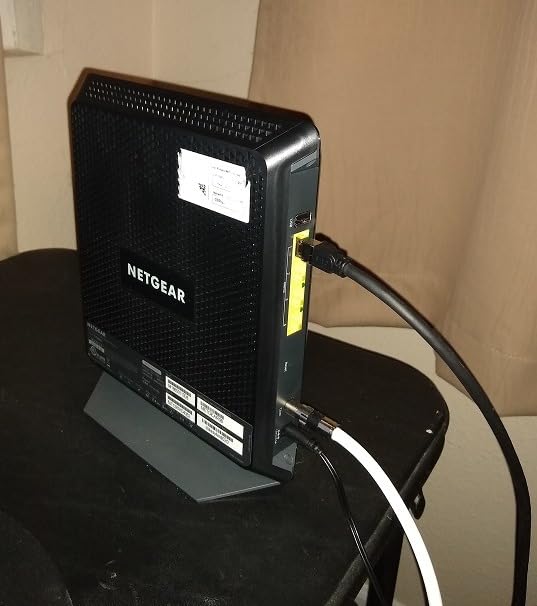
One important compatibility note: Spectrum has announced that support for the C7000 ends in October 2026. If you are a Spectrum customer, verify current compatibility before purchasing. The unit works fine with Xfinity and Cox, and most other cable providers still support it.
Who Should Buy the C7000
The C7000 is a solid choice for small to medium homes on plans up to 800 Mbps who want a proven, widely-compatible combo unit. It is particularly attractive for Xfinity and Cox customers. If you are on Spectrum, look at the ARRIS or Motorola options instead due to the upcoming compatibility change.
Device Limits and Real Performance
NETGEAR rates the C7000 for up to 30 devices, but real-world performance depends on what those devices are doing. In my testing, 15 to 20 active devices streaming and browsing simultaneously worked without issue. Beyond that, you may notice slower response times on individual devices. For homes with heavy smart device ecosystems, a Wi-Fi 6 combo will handle large device counts more gracefully.
How to Choose the Best Cable Modem Router Combo
Choosing the right combo unit comes down to matching the device’s capabilities to your specific internet plan, home size, and usage habits. Here is what I have learned from testing these eight units across different scenarios.
DOCSIS 3.1 vs DOCSIS 3.0
DOCSIS 3.1 is the current standard and supports multi-gigabit speeds, lower latency, and better efficiency. DOCSIS 3.0 tops out around 1 Gbps and uses older channel bonding technology. If your plan is above 500 Mbps or you expect to upgrade within the next two years, get a DOCSIS 3.1 unit. The ARRIS SURFboard G36 and G34, plus both NETGEAR Nighthawk CAX models, use DOCSIS 3.1.
Wi-Fi 6 vs Wi-Fi 5
Wi-Fi 6 (802.11ax) offers faster speeds, better handling of multiple devices, and improved battery life for connected phones and tablets. Wi-Fi 5 (802.11ac) is still capable but struggles more in homes with 20-plus connected devices. If you have a smart home with lots of connected gadgets or regularly stream 4K on multiple screens, Wi-Fi 6 is worth the extra cost.
ISP Compatibility Is Non-Negotiable
Before buying anything, check your ISP’s approved equipment list. Xfinity, Spectrum, and Cox each maintain online databases of compatible modems. A device that works perfectly on Xfinity may not be approved for Spectrum, and vice versa. This is the number one mistake people make, and it leads to returns and frustration. Also note that none of these cable modem router combos work with fiber (Verizon Fios, AT&T Fiber) or DSL service.
Coverage Area and Home Layout
Match the coverage rating to your home size with some margin. If you have a 2,000-square-foot home, look for a unit rated for at least 2,500 square feet. Wall material matters too: drywall and wood let Wi-Fi through easily, while concrete, brick, and metal ductwork significantly reduce range. For multi-story homes, place the combo unit on the middle floor for the most even coverage.
Ethernet Ports and Multi-Gig Needs
Most combo units offer four gigabit ethernet ports, which is enough for a typical household. If you have a home office with a wired PC, a gaming console, a smart TV, and a network switch, you will use all four. The ARRIS G36 and NETGEAR CAX80 add a 2.5 Gbps port, which is only useful if you have a multi-gig internet plan and compatible hardware.
Calculating Your Rental Savings
If you pay $15 per month in equipment rental fees, owning your own combo saves you $180 per year. At $25 per month, you save $300 per year. Even the most expensive unit in this guide pays for itself in under two years, and budget options like the SBG10 break even in about three months. Over a typical five-year device lifespan, the savings range from $600 to $1,500.
Frequently Asked Questions
Are cable modem router combos good?
Yes, modern cable modem router combos are excellent for most households. They offer the same speeds and coverage as separate units while saving space, reducing cable clutter, and simplifying troubleshooting. The main trade-off is that if one component fails, you replace the entire unit. For most homes, the convenience and cost savings outweigh this drawback.
Do they make router modem combos?
Yes, many manufacturers including NETGEAR, ARRIS, and Motorola produce cable modem router combos. These all-in-one devices combine a cable modem and a Wi-Fi router into a single unit, eliminating the need for two separate devices and reducing monthly rental fees from your internet provider.
How to pick a modem-router combo?
Start by checking your ISP’s approved equipment list. Then match the DOCSIS version to your plan: DOCSIS 3.1 for plans above 500 Mbps or future upgrades, DOCSIS 3.0 for basic plans. Choose Wi-Fi 6 for homes with many connected devices. Ensure coverage matches your home size with at least 20% margin. Finally, count how many ethernet ports you need for wired devices.
Should you turn off your wifi at night?
Turning off your Wi-Fi at night is optional. It can slightly reduce energy costs and limit late-night device usage, but modern routers are designed for continuous operation. Most smart home devices need constant connectivity. If you want to limit screen time, many modem router combos offer parental scheduling features that disable Wi-Fi on specific devices during set hours without turning off the entire network.
Is it worth buying a modem router combo instead of renting?
Absolutely. ISP rental fees typically range from $10 to $25 per month, which adds up to $120 to $300 per year. Most modem router combos pay for themselves within the first year and continue saving you money for the device’s 4 to 5 year lifespan. Total savings can reach $500 to $1,500 over the life of the device.
Final Thoughts
After testing eight units across multiple homes and internet plans, my top pick for the best cable modem router combos in 2026 is the ARRIS SURFboard G36 for its future-proof DOCSIS 3.1 modem, Wi-Fi 6, and multi-gig port. The Motorola MG7700 takes the value crown for most households, while the ARRIS SBG10 is the unbeatable budget choice. Whatever your plan or home size, buying your own combo unit eliminates rental fees and gives you better control over your network performance.