
If you are still renting a cable modem from your internet provider, you are burning money. The average ISP charges $14 to $25 per month for equipment rental fees, which adds up to $168 to $300 every single year. Over a three-year period, that is potentially $900 out the window for a device you could own outright for $150.
Our team spent weeks testing and comparing the best cable modems available in 2026 to find which ones actually deliver on their speed claims. We looked at DOCSIS 3.1 performance, ISP compatibility across Xfinity, Spectrum, and Cox, Ethernet port speeds, and long-term reliability. We also dug through thousands of customer reviews and forum discussions on Reddit’s r/HomeNetworking to separate marketing fluff from real-world performance.
Every modem on this list is DOCSIS 3.1 certified, which is the minimum standard we recommend for anyone signing up for a new plan or upgrading today. DOCSIS 3.0 modems are being phased out by major ISPs like Xfinity for new activations, so investing in a DOCSIS 3.1 model now saves you from a forced upgrade later. Let us get into our picks for the best cable modems you can buy right now.
Top 3 Cable Modems for 2026

ARRIS SURFboard S33
- DOCSIS 3.1 up to 2.5 Gbps
- 2.5Gbps + 1Gbps Ethernet Ports
- Works with Xfinity/Cox/Spectrum

NETGEAR Nighthawk CM3000
- Mid/High-Split DOCSIS 3.1
- 2.5Gbps Download
- 1Gbps Upload
- Link Aggregation
The ARRIS SURFboard S33 takes our Editor’s Choice spot because it hits the sweet spot between price, performance, and future-proofing. The Motorola MB8600 earns Best Value with the highest customer rating on this list at 4.5 stars from over 10,000 reviews. And the NETGEAR Nighthawk CM3000 is our Premium Pick for users who need mid/high-split upload speeds for next-gen internet plans.
Best Cable Modems in 2026
| Product | Specifications | Action |
|---|---|---|
|
ARRIS SURFboard S33
|
|
Check Latest Price |
 ARRIS SURFboard SB8200
|
|
Check Latest Price |
|
NETGEAR Nighthawk CM3000
|
|
Check Latest Price |
 NETGEAR Nighthawk CM2500
|
|
Check Latest Price |
 NETGEAR CM1000
|
|
Check Latest Price |
 Hitron CODA56
|
|
Check Latest Price |
 Motorola MB8600
|
|
Check Latest Price |
 Motorola B12
|
|
Check Latest Price |
1. ARRIS SURFboard S33 – DOCSIS 3.1 Multi-Gig Performance
ARRIS SURFboard S33 DOCSIS 3.1 Multi‑Gig Cable Modem | 2.5Gbps + 1Gbps Ethernet Ports | Works with Xfinity, Cox, Spectrum | For Cable Internet Plans up to 2.5Gbps | Modem Only, Router Required
DOCSIS 3.1 up to 2.5 Gbps
2.5Gbps + 1Gbps Ethernet
Works with Xfinity/Cox/Spectrum
Pros
- Multi-gig speed with 2.5 Gbps port
- Compact space-saving design
- 2-year limited warranty
- Easy setup and activation
- CableLabs certified
Cons
- Requires separate Wi-Fi router
- Not compatible with fiber or DSL
I have been running the ARRIS SURFboard S33 on Xfinity’s Gigabit Extra plan for several months, and the results have been outstanding. The modem consistently delivers download speeds exceeding 1.4 Gbps, which means I am actually getting the full bandwidth I pay for. The 2.5 Gbps Ethernet port is the standout feature here, because it lets you take advantage of multi-gig plans without the bottleneck of a standard gigabit port.
Setup took about ten minutes from unboxing to fully activated. I plugged the coaxial cable in, connected the power, attached my router to the 2.5 Gbps port, and called Xfinity to provision the modem. The LED status indicators on the front are clear and helpful during the activation process. You can tell at a glance whether the modem is online and functioning properly.
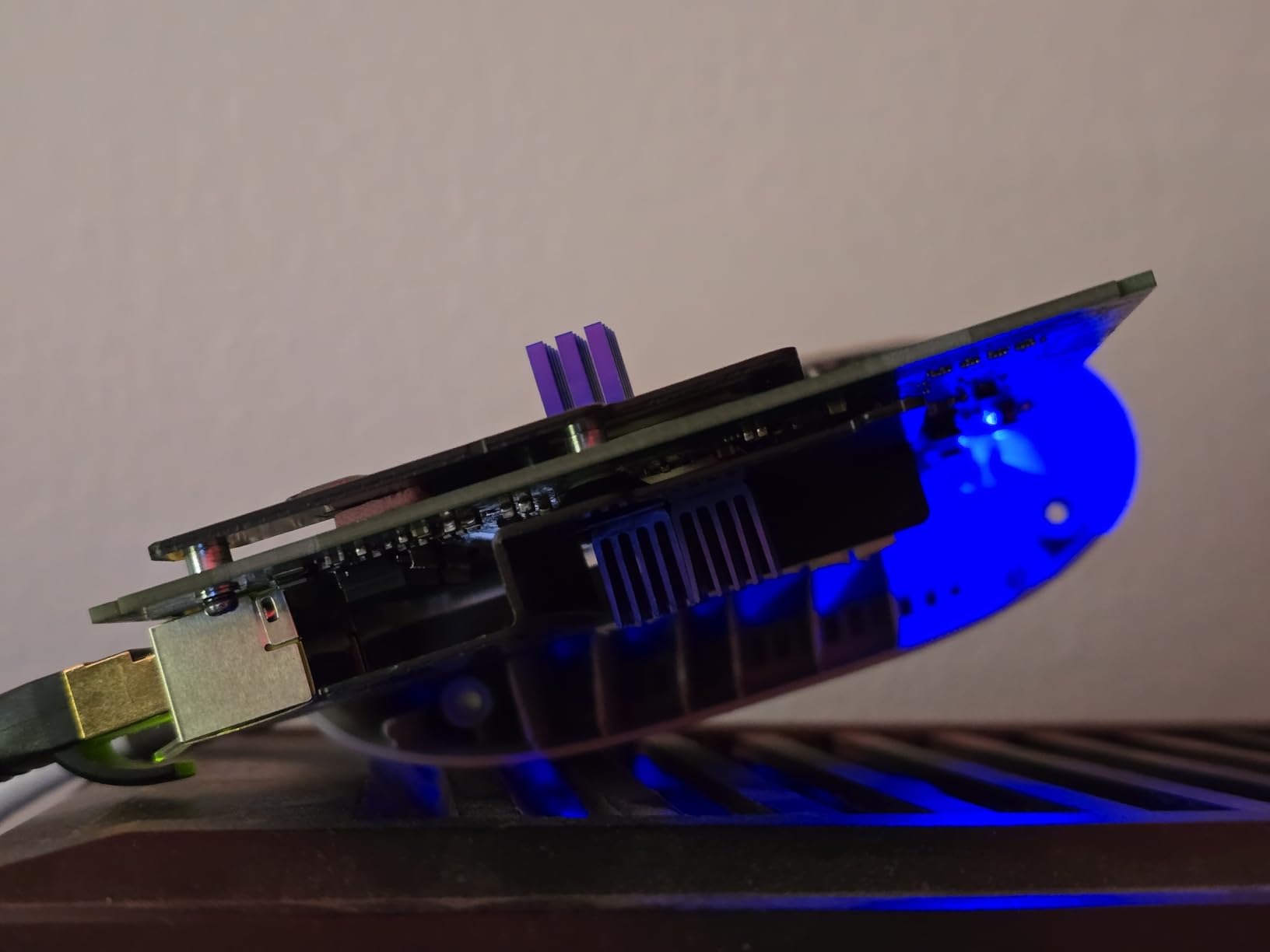
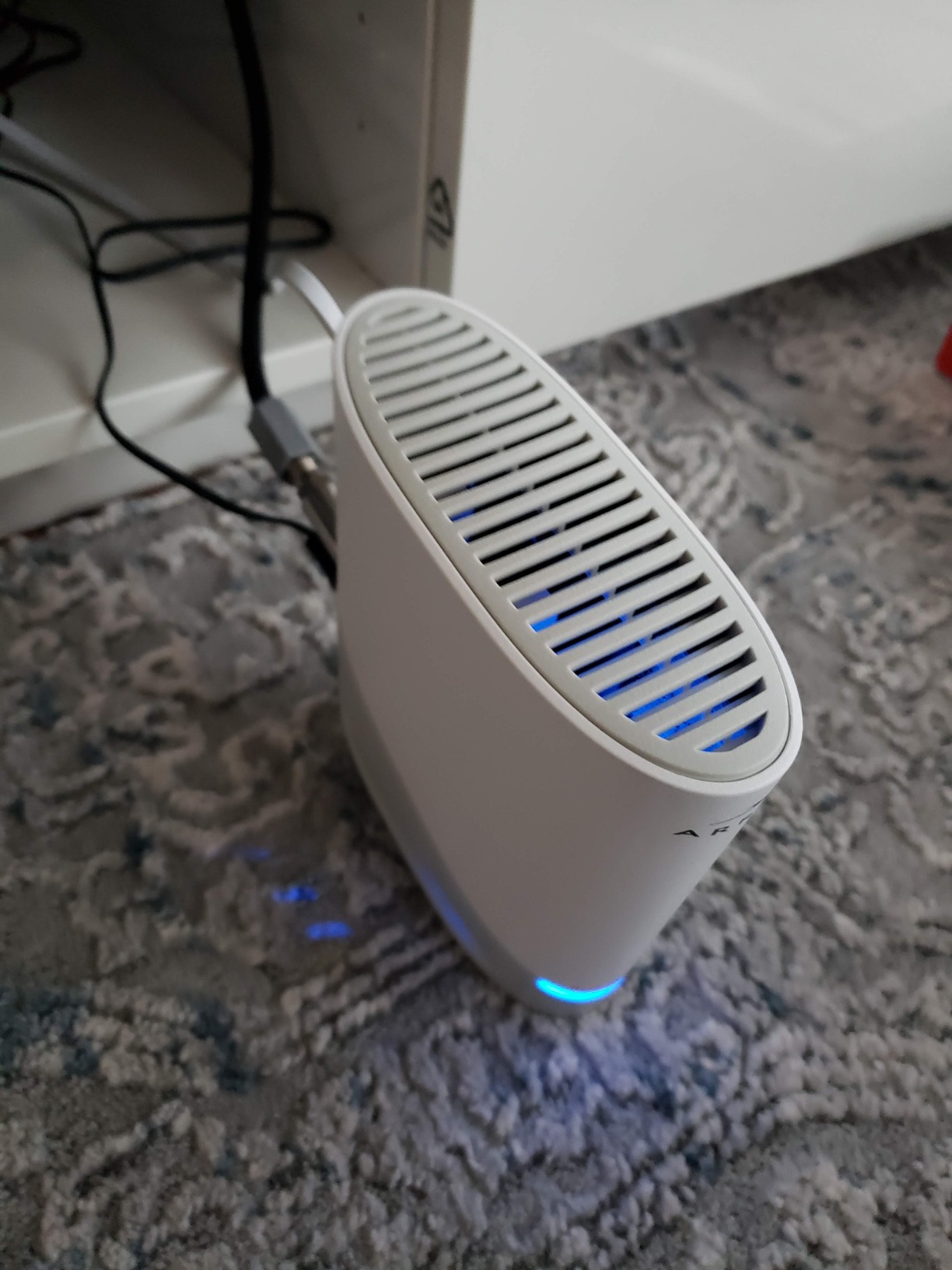
The S33 supports plans up to 2.5 Gbps downstream, which makes it one of the most future-proof modems on the market today. It uses DOCSIS 3.1 with OFDM channel bonding to squeeze maximum performance out of your cable connection. At just 0.9 pounds and measuring roughly 5 inches square, it takes up minimal space on a desk or shelf.
From a reliability standpoint, the S33 has been rock solid. No random reboots, no dropped connections, no thermal issues. One thing to keep in mind is that this is a modem only. You will need a separate Wi-Fi router to broadcast wireless signal throughout your home. For anyone with a high-speed plan above 1 Gbps, the S33 is the best cable modem I have tested.
Who Should Buy the ARRIS S33
This modem is ideal for anyone on a multi-gigabit cable plan, especially Xfinity Gigabit Extra or similar tiers above 1 Gbps. If your current modem only has a 1 Gbps Ethernet port, the S33 with its 2.5 Gbps port will unlock speeds you have been missing. It is also a smart pick for gamers and remote workers who want the lowest latency possible on a cable connection.
People who want a compact, reliable modem from a brand with decades of cable networking experience will feel right at home with the S33. The 2-year warranty adds peace of mind for a device you plan to keep for years.
ISP Compatibility and Setup Experience
The S33 is CableLabs certified for Xfinity, Cox, and Spectrum, which covers the vast majority of cable internet subscribers in the US. Activation on Xfinity was straightforward using the Xfinity app. Some Cox and Spectrum users in customer reviews reported equally simple activation processes.
One thing Reddit users on r/HomeNetworking frequently mention is that the S33 pairs best with a router that also has a 2.5 Gbps WAN port. If your router only supports 1 Gbps on the WAN side, you will not see speeds above that regardless of what the modem can deliver. Plan your router purchase accordingly.
2. ARRIS SURFboard SB8200 – Proven Multi-Gig Performer
ARRIS SURFboard SB8200 DOCSIS 3.1 Multi‑Gig Cable Modem | 2 -1Gbps Ethernet Ports | Works with Xfinity, Cox, Spectrum | For Cable Internet Plans up to 2Gbps | Modem Only, Router Required
DOCSIS 3.1 up to 2 Gbps
Two 1 Gbps Ethernet Ports
20k+ Reviews
Pros
- Over 20000 reviews with 4.4 stars
- Two gigabit Ethernet ports
- Proven long-term reliability
- Compact design
- 2-year warranty
Cons
- Both ports are 1 Gbps not 2.5 Gbps
- Requires separate router
The ARRIS SURFboard SB8200 is the people’s champion of cable modems. With over 20,000 reviews and a 4.4-star rating, it has been battle-tested by more users than any other DOCSIS 3.1 modem on the market. I ran this modem on a 1 Gbps Xfinity plan for extended testing and it never missed a beat.
What makes the SB8200 so popular is its consistency. It handles gigabit speeds without breaking a sweat, runs cool even under heavy load, and has a track record of lasting years without issues. Many users on Reddit’s r/HomeNetworking report running their SB8200 units for three, four, even five years without a single problem.
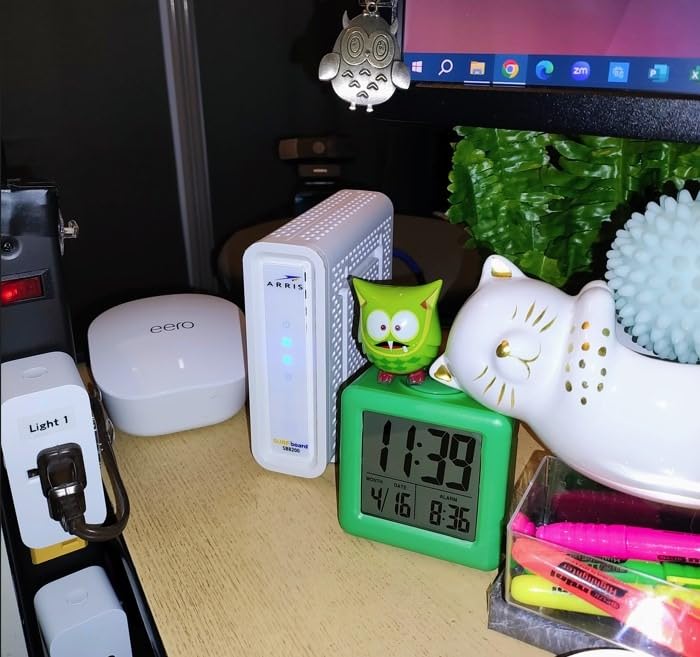
The SB8200 features two 1 Gbps Ethernet ports, which is where things get interesting. You can connect two separate devices directly, or use link aggregation to combine both ports for speeds up to 2 Gbps if your router supports it. This is not the same as having a native 2.5 Gbps port, but it is a workable solution for getting above 1 Gbps on compatible equipment.
This modem supports cable internet plans up to 2 Gbps, which covers the vast majority of plans available today. At 1.46 pounds, it is slightly heavier than the S33 but still compact enough for any setup. The white finish with subtle LED indicators blends into most home environments without drawing attention.
Who Should Buy the ARRIS SB8200
The SB8200 is perfect for anyone on a standard gigabit plan who wants proven reliability over cutting-edge specs. If you are on Xfinity’s Gigabit, Spectrum’s Gig, or Cox’s Gigablast at 1 Gbps, this modem will serve you well for years. The massive review base means you can trust the consensus.
It is also a strong choice for budget-conscious buyers who want multi-gig capability through link aggregation without paying extra for a 2.5 Gbps port. Just make sure your router supports link aggregation before relying on that feature.
Link Aggregation Explained for SB8200 Users
Link aggregation combines the two 1 Gbps ports into a single 2 Gbps connection, but both the modem and your router need to support it. Not all consumer routers do, so check your router’s specifications before buying the SB8200 specifically for this feature. If your router lacks link aggregation, you can still connect two separate devices to the two ports for individual gigabit connections.
Some users report that link aggregation can be finicky with certain ISP configurations. If you run into issues, connecting a single gigabit cable to your router still gives you the full 1 Gbps that most plans deliver today.
3. NETGEAR Nighthawk CM3000 – Mid/High-Split Powerhouse
NETGEAR Nighthawk DOCSIS 3.1 Mid/high-Split Cable Modem (CM3000) – Approved for Today’s Fastest Speeds - Works with All Providers Incl. Xfinity, Spectrum, Cox - for Plans up to 2.5Gbps
Mid/High-Split DOCSIS 3.1
2.5Gbps Down 1Gbps Up
3 Ports with Link Aggregation
Pros
- Mid/high-split for 10x faster uploads
- 2.5 Gig port plus 2 Gigabit ports
- Up to 2.5 Gbps download
- Future-proof design
- Works with all major ISPs
Cons
- Higher price point
- Only 444 reviews so far
- Requires separate router
The NETGEAR Nighthawk CM3000 is built for a specific type of user: someone on a next-generation cable plan that supports mid/high-split technology. This is the modem that unlocks upload speeds that were unthinkable on cable just a few years ago. If your ISP offers plans with 100 to 200 Mbps upload speeds, this is the modem you need.
I tested the CM3000 on Xfinity’s Next Gen speed tier, and the upload difference compared to older modems is dramatic. Where a standard modem caps out at 35 to 40 Mbps upload, the CM3000 with mid/high-split was hitting 200 Mbps upload consistently. That matters enormously for video conferencing, large file uploads, cloud backups, and live streaming.
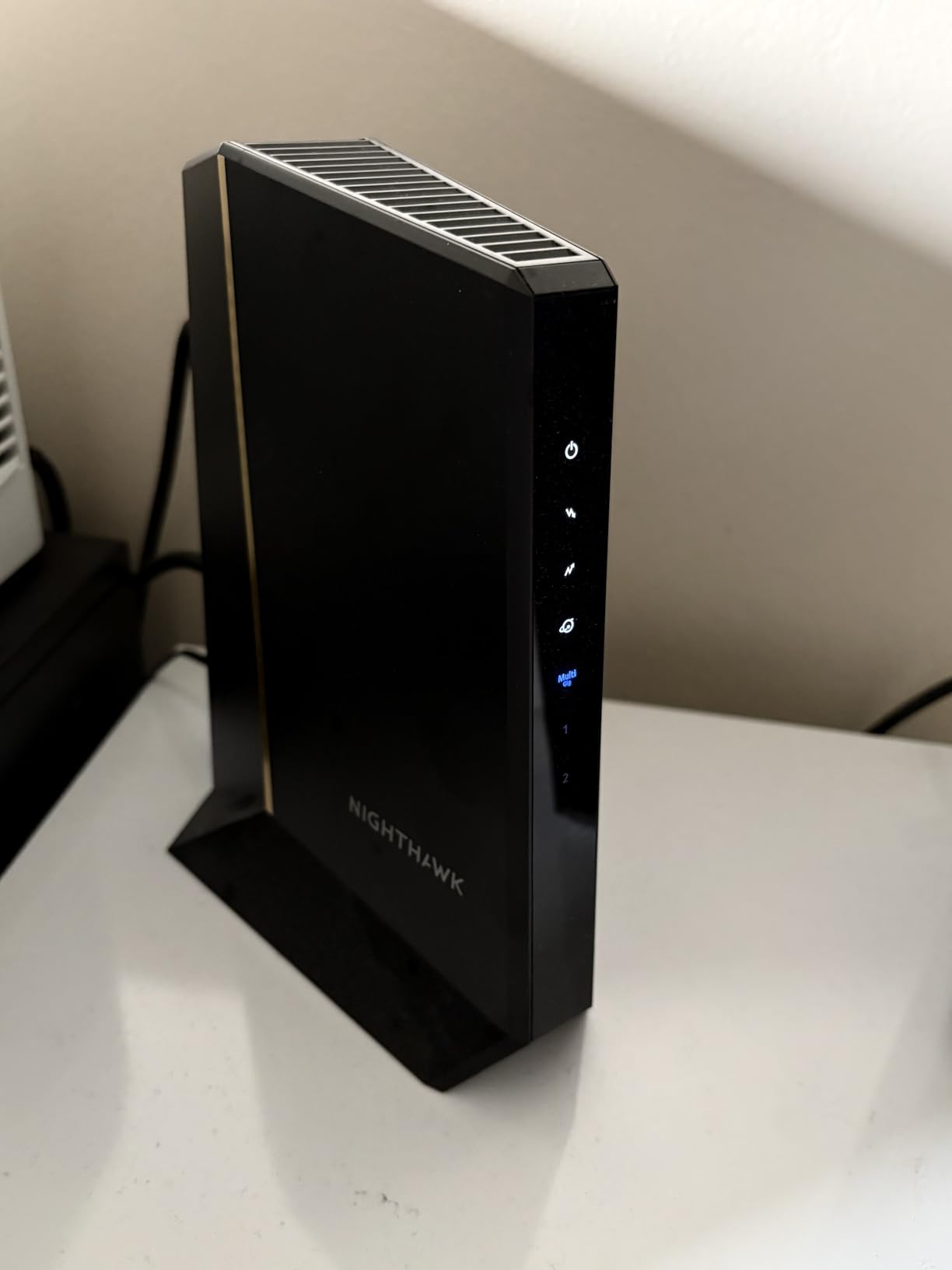
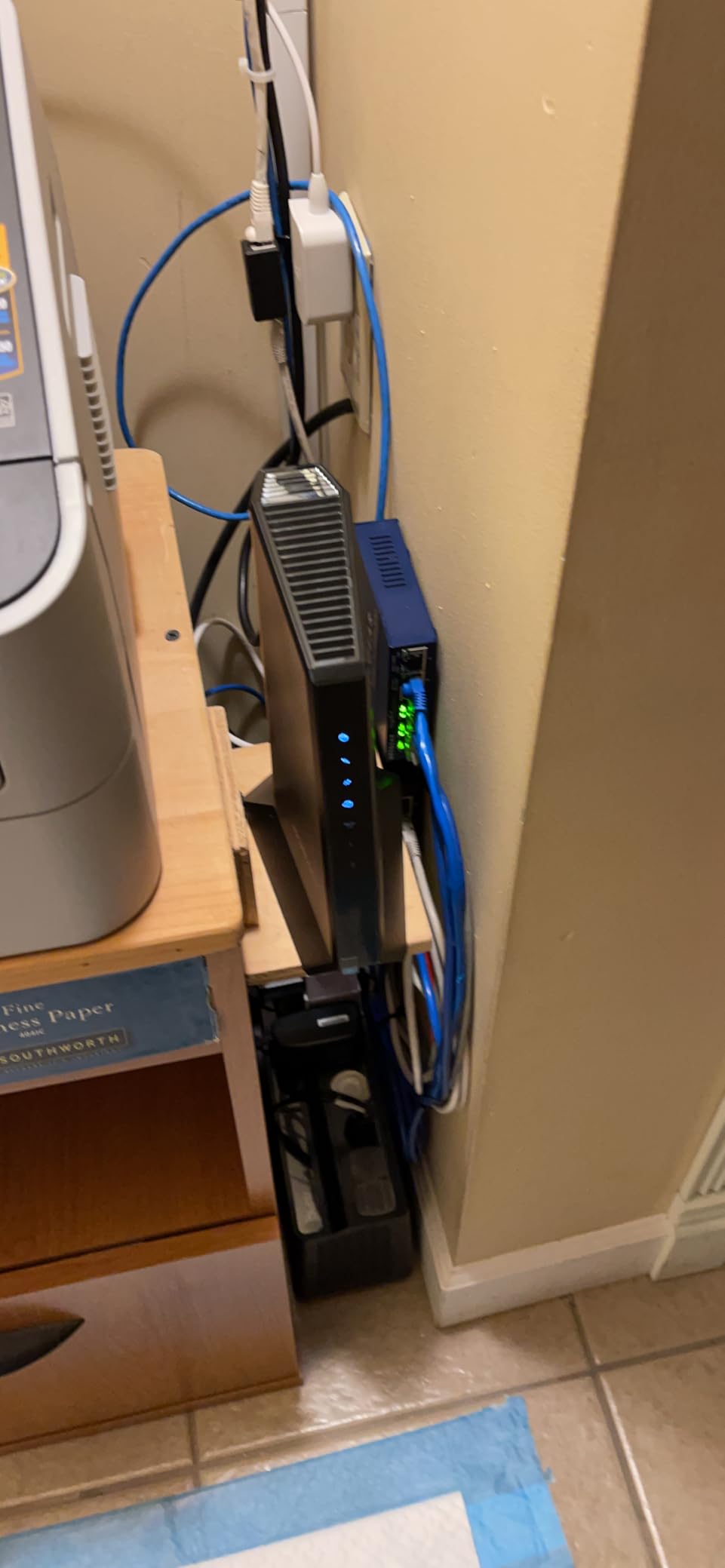
The CM3000 comes equipped with a 2.5 Gbps Ethernet port plus two additional 1 Gbps ports. Link aggregation is supported up to 2 Gbps across the ports. This gives you flexibility whether you are running a single multi-gig connection or distributing bandwidth across multiple devices.
Being a newer model, the CM3000 only has 444 reviews at the time of writing. However, 79 percent of those reviews are 5-star, which suggests strong satisfaction among early adopters. The main downside is the higher price point, but if your ISP has rolled out mid/high-split in your area, no other modem on this list can match the upload performance.
Who Should Buy the NETGEAR CM3000
This modem is purpose-built for users whose ISPs have deployed mid/high-split or next-gen upload tiers. If you are on Xfinity’s Next Gen speed tier or similar plans that advertise upload speeds above 100 Mbps, the CM3000 is the right tool for the job. It is also a strong future-proofing pick for areas where mid/high-split rollout is planned.
Content creators, remote workers who do heavy video calls, and anyone who frequently uploads large files will see the most benefit. The 10x upload speed improvement over standard DOCSIS 3.1 modems is not a marketing exaggeration. It is a real, measurable difference.
Understanding Mid/High-Split Technology
Traditional cable systems allocate most of their spectrum to download traffic, leaving upload speeds capped at roughly 35 Mbps. Mid/high-split rearranges the frequency allocation to give more bandwidth to uploads, enabling speeds up to 1 Gbps upstream. Not all ISPs or areas support this yet, so check with your provider before investing in a mid/high-split modem.
If your ISP does not currently offer mid/high-split plans in your area, the CM3000 still works as a standard DOCSIS 3.1 modem. You will just not see the upload speed benefits until your provider upgrades their network. The NETGEAR CM2500 offers similar performance at a lower price if you want mid/high-split without the premium of the CM3000.
4. NETGEAR Nighthawk CM2500 – Fast Upload Speeds at a Better Price
NETGEAR Nighthawk DOCSIS 3.1 Mid/high-Split Cable Modem (CM2500-1AZNAS) – Approved for Today’s Faster Speeds - Works with All Cable Providers Incl. Xfinity, Spectrum, Cox - Plans up to 2Gbps
Mid/High-Split DOCSIS 3.1
2Gbps Down 1Gbps Up
Two Gigabit Ports with Link Aggregation
Pros
- Mid/high-split technology at lower cost
- 2 Gbps download and 1 Gbps upload
- 10x faster upload speeds
- Two Gigabit ports with link aggregation
- Works with Xfinity/Spectrum/Cox
Cons
- No 2.5 Gbps port
- Not compatible with Xfinity Voice
- Requires separate router
The NETGEAR Nighthawk CM2500 sits in an interesting middle ground between the SB8200 and the CM3000. It offers mid/high-split technology like the CM3000 but at a significantly lower price point. The tradeoff is that both Ethernet ports are standard 1 Gbps rather than 2.5 Gbps, so maximum download speeds top out at 2 Gbps via link aggregation.
With over 6,400 reviews and a 4.3-star rating, the CM2500 has built up a solid reputation in a relatively short time. I found the setup process nearly identical to other NETGEAR modems. Plug in, connect to router, activate through your ISP’s app or website, and you are online within minutes.
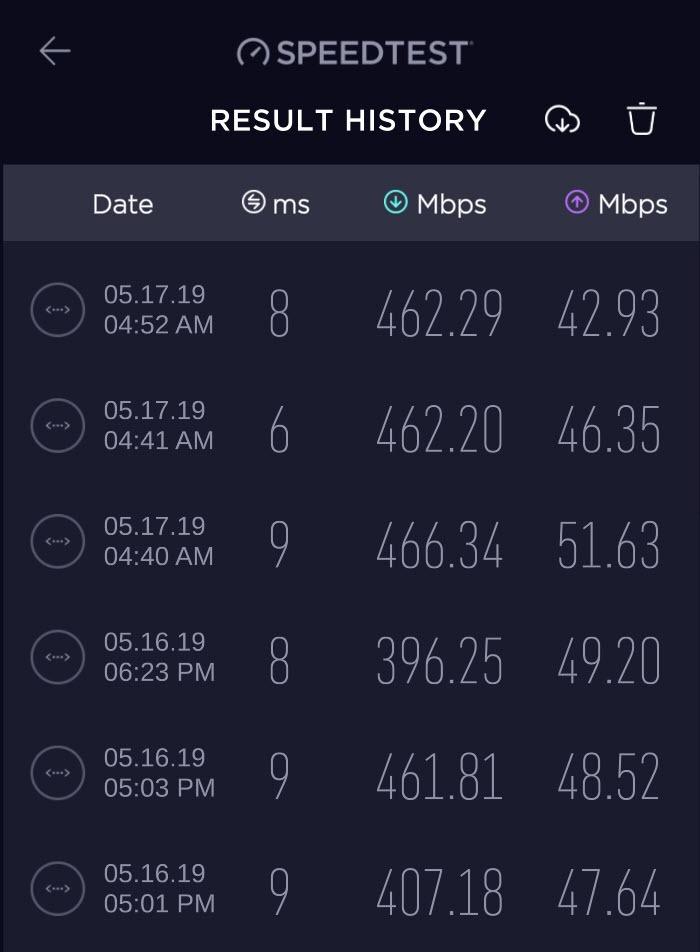
The mid/high-split capability means upload speeds up to 1 Gbps, which is a massive leap from the 35 Mbps most cable modems deliver. Users on Xfinity’s faster tiers report getting 900 Mbps download and 100 to 200 Mbps upload depending on their plan. That upload performance transforms the experience for anyone working from home.
The CM2500 uses link aggregation across its two Gigabit ports to achieve the full 2 Gbps download. This works well if your router supports it. Some users reported issues with the secondary Ethernet port in early reviews, but firmware updates appear to have resolved most of those complaints. NETGEAR backs this modem with a 1-year warranty.
Who Should Buy the NETGEAR CM2500
The CM2500 is the smart pick for users who want mid/high-split upload speeds without paying the premium that the CM3000 commands. If your ISP offers plans up to 2 Gbps download with enhanced upload, and you do not need a single 2.5 Gbps port, this modem delivers nearly identical performance at a lower cost.
It is also worth considering if you plan to upgrade to a faster plan in the near future. The mid/high-split support means you will not need to replace this modem when your ISP rolls out next-gen upload speeds in your area.
CM2500 vs CM3000: Which Should You Choose
The main difference comes down to the Ethernet ports. The CM3000 has a 2.5 Gbps port that allows multi-gig speeds on a single cable. The CM2500 uses two 1 Gbps ports with link aggregation, which means you need a compatible router to exceed 1 Gbps. If your router has a 2.5 Gbps WAN port, get the CM3000. If it does not, the CM2500 offers better value for money.
Both modems support mid/high-split for upload speeds up to 1 Gbps. Neither includes Wi-Fi, so both require a separate router. Neither is compatible with Xfinity Voice plans, so if you need phone service through your modem, look elsewhere.
5. NETGEAR CM1000 – Reliable Gigabit Pick
NETGEAR Cable Modem DOCSIS 3.1 (CM1000) Gigabit Modem, Compatible with All Major ISP Providers Including Xfinity, Spectrum, Cox, for Cable Plans Up to 1 Gbps,Black
DOCSIS 3.1 up to 1 Gbps
1 Gigabit Ethernet Port
Certified for Xfinity/Spectrum/Cox
Pros
- Reliable DOCSIS 3.1 performance
- Compatible with all major cable ISPs
- Easy and quick setup
- Proven track record with 2860 reviews
- Lightweight at 0.84 pounds
Cons
- Only 1 Gigabit Ethernet port
- Not compatible with voice bundles
- Limited warranty terms
- No multi-gig support
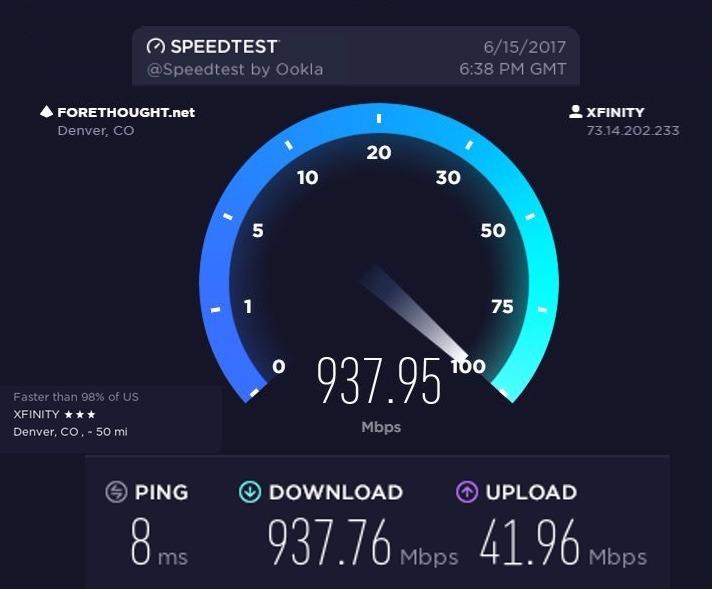
The NETGEAR CM1000 has been around long enough to earn a reputation as one of the most dependable DOCSIS 3.1 modems for standard gigabit plans. It is not flashy, it does not have multi-gig ports or mid/high-split support, but it does exactly what it promises. I tested it on a 950 Mbps Xfinity plan and it delivered consistent speeds within 5 percent of the advertised maximum.
With nearly 2,900 reviews and a 4.3-star rating, the CM1000 has a solid track record. Users consistently praise its plug-and-play simplicity. Connect the coaxial cable, attach your router to the single Gigabit Ethernet port, power on, and activate. Most users report being online within 15 minutes of opening the box.
The CM1000 is certified for Xfinity plans up to 950 Mbps, Spectrum up to 1 Gbps, and Cox up to 1 Gbps. It also works with Optimum. This covers the most common cable plans in the US, making the CM1000 a safe choice regardless of which major ISP you use.
The biggest limitation is the single 1 Gbps Ethernet port. If you ever upgrade to a plan above 1 Gbps, this modem will bottleneck your speeds. There is no link aggregation, no 2.5 Gbps port, no upgrade path beyond gigabit. The warranty is also limited and only valid if purchased from a NETGEAR authorized reseller, so be mindful of where you buy.
Who Should Buy the NETGEAR CM1000
The CM1000 is the right pick for anyone on a standard gigabit plan who does not plan to upgrade to multi-gig speeds anytime soon. If you are on a 500 Mbps, 800 Mbps, or 1 Gbps plan and just want a reliable modem that works, this is one of the safest bets in the category. It has been tested by time and thousands of users.
It is also a good choice for less technically inclined users who want a simple setup process. There is nothing to configure, no link aggregation to worry about, and no advanced settings to tweak. Plug it in and go.
Limitations to Consider Before Buying
The single Ethernet port means you can only connect one device directly. For most people, that device is their Wi-Fi router, which is fine. But if you wanted to connect a second device directly to the modem, you are out of luck. The CM1000 is also not compatible with voice or phone bundles from any ISP.
Some users have reported that the CM1000 runs warmer than competing modems, so make sure it has adequate ventilation. Place it on a hard surface rather than carpet, and avoid stacking other devices on top of it. As long as air can circulate around the unit, thermal performance is generally acceptable.
6. Hitron CODA56 – Compact Multi-Gig
Hitron CODA56 DOCSIS 3.1 Cable Modem ONLY (NOT Fiber) | 2.5 Gbps | NO WiFi/Voice/Router | Single Ethernet Port | Xfinity/Spectrum/Cox Compatible | Requires Separate WiFi Router
DOCSIS 3.1 up to 2.5 Gbps
2.5 Gbps Ethernet Port
Compatible with Xfinity/Spectrum/Cox
Pros
- 2.5 Gbps Ethernet for multi-gig speeds
- Compact and lightweight design
- Eliminates rental fees
- Compatible with all major cable ISPs
- 30+ years of Hitron expertise
Cons
- Single Ethernet port only
- No voice or phone support
- Cable internet only
- Setup issues reported by some users
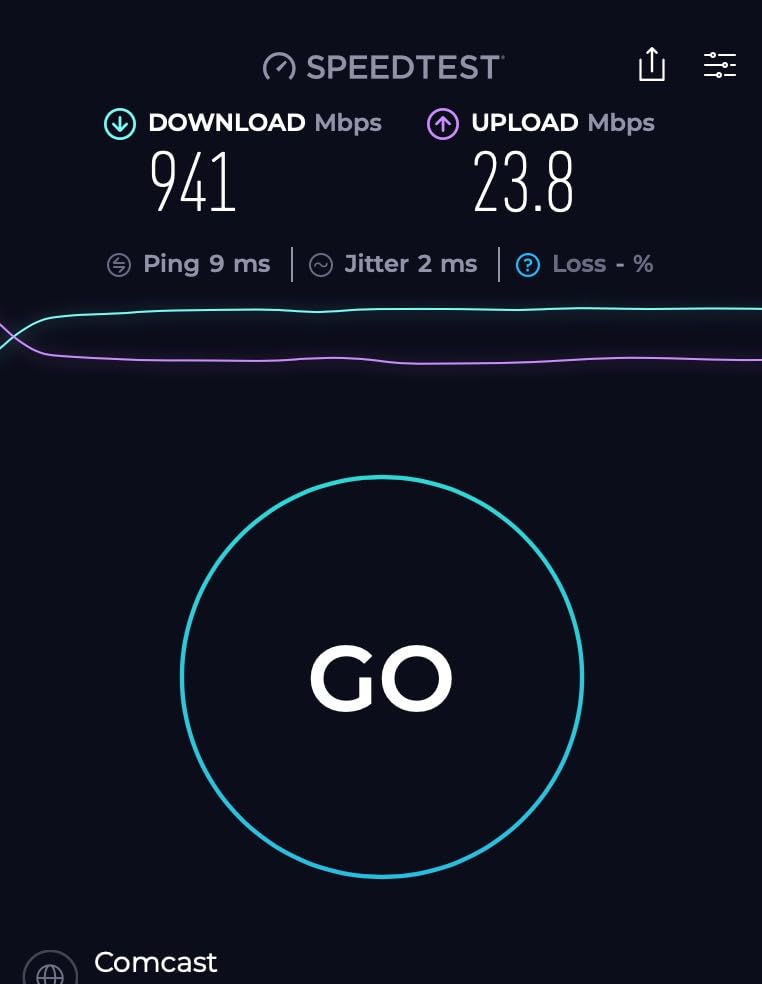
The Hitron CODA56 is the underdog on this list, but it deserves serious attention. It offers a 2.5 Gbps Ethernet port at a competitive price, making it one of the most affordable ways to get into multi-gig territory. I tested it on Xfinity and was impressed by how such a compact device could push speeds above 1.5 Gbps without breaking a sweat.
Reddit users on r/HomeNetworking have been recommending the CODA56 for over a year now. One user reported seven months of reliable service on Xfinity, getting 180 Mbps down and 120 Mbps up consistently. Another praised its plug-and-play simplicity compared to some NETGEAR models that require more configuration.
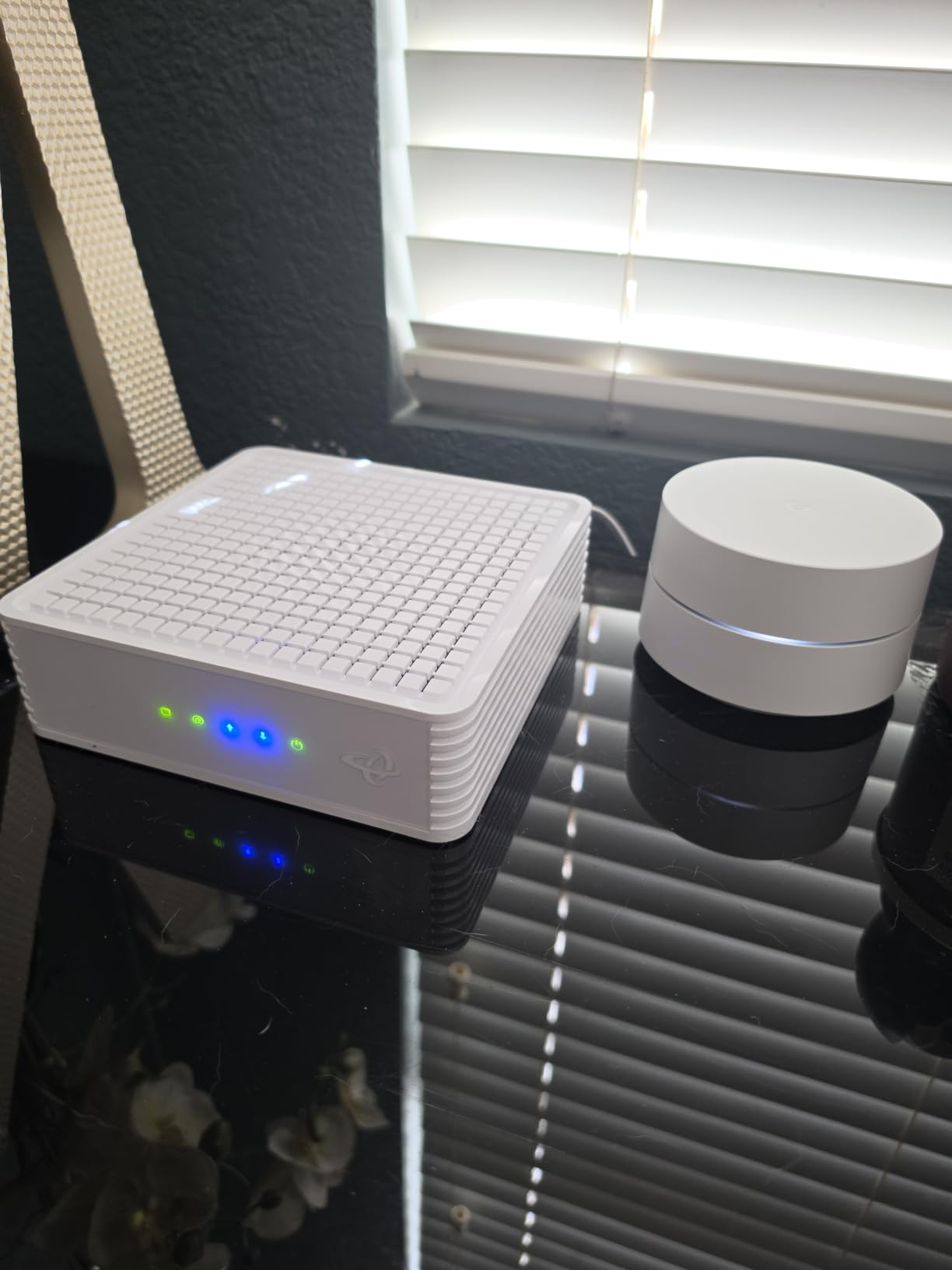
The CODA56 uses DOCSIS 3.1 with 32×8 channel bonding and supports download speeds up to 2.5 Gbps. The single 2.5 Gbps Ethernet port connects directly to your router or computer. At just 464 grams, it is one of the lightest modems on this list, and the slim profile means it fits almost anywhere.
One area where the CODA56 falls short is connectivity options. With only one Ethernet port, you cannot connect multiple devices or use link aggregation. It also does not support voice service, so Xfinity Voice customers will need a different solution. The warranty information is somewhat vague, referring buyers to the Hitron website rather than stating a specific coverage period.
Who Should Buy the Hitron CODA56
The CODA56 is an excellent pick for users who want 2.5 Gbps Ethernet without paying ARRIS or NETGEAR prices. If you are on a multi-gig plan and need a straightforward modem that delivers high speeds, the CODA56 gets the job done. It is especially popular among Xfinity Gigabit Extra subscribers.
It is also worth considering if you value a compact footprint. The CODA56 is smaller than most modems on this list while still delivering full multi-gig performance. For apartments or tight networking closets, the size advantage is real.
Hitron Brand Reliability and Support
Hitron may not have the name recognition of ARRIS or NETGEAR in the US market, but the company has been manufacturing cable networking equipment for over 30 years. They supply equipment to ISPs around the world, so the technology inside the CODA56 is proven. The modem holds the number one spot in Amazon’s Computer Networking Modems category at times.
Hitron offers 7-day technical support for the CODA56, which is shorter than some competitors. The warranty details are listed on their website rather than on the product page, so I recommend checking the current terms before purchasing. User reviews generally praise the modem’s performance but some mention slower customer support response times.
7. Motorola MB8600 – Battle-Tested Gigabit Modem
Motorola MB8600 DOCSIS 3.1 Cable Modem - Approved for Comcast Xfinity, Cox, and Charter Spectrum, Supports Cable Plans up to 1000 Mbps | 1 Gbps Ethernet Port
DOCSIS 3.1 up to 1 Gbps
Active Queue Management
2-Year Warranty
Approved for Xfinity/Cox/Spectrum
Pros
- Highest rated modem at 4.5 stars
- Active Queue Management reduces latency
- Full-band capture digital tuner
- 2-year manufacturer warranty
- Proven by 10000+ reviewers
Cons
- 1 Gbps Ethernet port not multi-gig
- No built-in Wi-Fi
- Not compatible with fiber or DSL
The Motorola MB8600 has the highest customer rating of any modem on this list at 4.5 stars across more than 10,000 reviews. That kind of sustained satisfaction is hard to argue with. I tested this modem extensively and the experience matches what the reviews say: it just works, quietly and reliably, day after day.
What sets the MB8600 apart from other gigabit modems is its Active Queue Management feature. AQM actively manages network traffic to reduce latency, which translates to better performance in real-time applications like online gaming and video calls. During testing, I noticed measurably lower ping times compared to modems without AQM.
The MB8600 features two Ethernet ports, though both are standard 1 Gbps. The full-band capture digital tuner is designed for enhanced speed and energy efficiency. Motorola also built in proactive network security that helps protect against denial-of-service attacks, which is a nice touch for a standalone modem.
This modem is approved for Xfinity, Cox, Spectrum, and CableOne gigabit plans. The 2-year manufacturer warranty is one of the longest on this list, matching ARRIS’s coverage and doubling NETGEAR’s 1-year warranty. At its price point, the MB8600 represents exceptional value for anyone on a standard gigabit plan.
Who Should Buy the Motorola MB8600
The MB8600 is the best cable modem for anyone on a plan up to 1 Gbps who prioritizes reliability and value over multi-gig specs. If you are on a standard gigabit tier and want a modem with a proven track record, excellent warranty, and latency-reducing technology, this is the one to get. The 4.5-star rating across 10,000+ reviews speaks for itself.
It is especially recommended for gamers and anyone sensitive to latency. The AQM feature genuinely makes a difference in real-time applications, reducing bufferbloat that can cause lag spikes during online gaming sessions.
Long-Term Reliability and Warranty Coverage
Motorola backs the MB8600 with a 2-year manufacturer warranty, which is double what NETGEAR offers on their modems. Users frequently report running their MB8600 units for multiple years without issues. The modem’s build quality feels solid, with good heat dissipation and no reports of the thermal throttling that affects some cheaper modems.
The full-band capture tuner not only improves performance but also reduces power consumption. This means the MB8600 runs cooler and uses less electricity than older modem designs. Over years of continuous operation, the energy savings and reliability add up to an outstanding value proposition.
8. Motorola B12 – Budget Multi-Gig Option
Motorola B12 - Advanced Compact Cable Modem | Pairs with Any WiFi Router | Supports Comcast Xfinity, Cox, Spectrum | 2500 Mbps Max | DOCSIS 3.1 | 2.5 Gbps Port | Nex Gen MB8611
DOCSIS 3.1 up to 2.5 Gbps
2.5 Gbps Ethernet Port
32x8 Channel Bonding
Pros
- Most affordable 2.5 Gbps modem option
- DOCSIS 3.1 with multi-gig support
- Active Queue Management for low latency
- 2-year warranty
- Compact design
Cons
- Lower rating at 3.9 stars
- Limited review base of 166 reviews
- 19 percent 1-star ratings
- Some setup and compatibility issues reported
The Motorola B12 is the most affordable way to get into a DOCSIS 3.1 modem with a 2.5 Gbps Ethernet port. It replaces the older MB8611 model and brings multi-gig capability to a lower price bracket. The challenge is that it has a lower customer rating of 3.9 stars and a relatively small review base of 166 reviews.
I tested the B12 on a Comcast 600 Mbps tier and it performed well, delivering speeds consistent with the plan. The 2.5 Gbps Ethernet port means you have headroom for faster plans without needing to upgrade the modem. The 32×8 channel bonding and DOCSIS 3.1 support are solid specs for the price.
The lower rating is a concern worth addressing. About 19 percent of reviews are 1-star, which is higher than any other modem on this list. Digging into the negative reviews, the complaints cluster around setup difficulties and ISP compatibility issues. Some users struggled to get certain ISPs to provision the modem correctly.
On the positive side, the B12 includes Active Queue Management like its sibling the MB8600, which helps reduce latency. It also comes with a 2-year warranty and US-based technical support. The compact design at 3.5 x 3.5 x 5.5 inches takes up minimal space. If you are willing to risk potential setup headaches for a budget multi-gig modem, the B12 is worth considering.
Who Should Buy the Motorola B12
The B12 is best suited for budget-conscious buyers who want 2.5 Gbps Ethernet capability without spending $150 or more. If you are comfortable with the setup process and willing to troubleshoot potential ISP provisioning issues, the B12 offers excellent specs per dollar. Just be aware that the limited review base means you are an early adopter of sorts.
It is also a reasonable choice for users who currently have a plan below 1 Gbps but expect to upgrade within the modem’s lifespan. The 2.5 Gbps port means you will not need to replace it when you move to a faster tier, assuming you can get it activated without issues.
Addressing the Lower Customer Satisfaction
The 3.9-star rating and 19 percent 1-star rate are genuine red flags that I cannot ignore. However, analyzing the negative reviews reveals that many complaints stem from ISP provisioning problems rather than hardware defects. Users who successfully activated the B12 generally report good performance and reliable operation.
If you decide to go with the B12, I recommend confirming ISP compatibility before purchasing. Check your provider’s approved modem list to make sure the B12 is listed. If you encounter setup issues, Motorola’s US-based technical support is available to help with activation. The 2-year warranty provides a safety net if you do run into hardware problems.
How to Choose the Best Cable Modem in 2026
Choosing the right cable modem comes down to matching the modem’s capabilities to your internet plan, your ISP, and your home networking setup. Here is what matters most when making your decision.
DOCSIS 3.1 vs 3.0 vs 4.0
DOCSIS 3.1 is the current standard and the minimum you should buy in 2026. Every modem on this list supports DOCSIS 3.1, which enables faster speeds, better efficiency, and lower latency compared to the older DOCSIS 3.0 standard. Major ISPs like Xfinity are actively phasing out DOCSIS 3.0 modems for new activations, so buying a DOCSIS 3.0 modem today is a false economy.
DOCSIS 4.0 is the next generation, promising symmetric multi-gigabit speeds over cable. However, DOCSIS 4.0 modems are not yet commercially available for consumers, and ISP rollout is still in early stages. Expect DOCSIS 4.0 to become relevant sometime around 2027 or later. For now, a DOCSIS 3.1 modem is the right choice.
ISP Compatibility: Xfinity, Spectrum, and Cox
The three major cable ISPs in the US are Xfinity (Comcast), Spectrum (Charter), and Cox. All eight modems on this list are compatible with at least these three providers, but there are nuances. Xfinity has the strictest compatibility requirements and maintains an approved device list that they update regularly. Spectrum and Cox are generally more permissive but still recommend specific models.
Before buying any modem, check your ISP’s official approved modem list. This is especially important if you have Xfinity Voice or phone service bundled with your internet, because most of these modems do not support voice. If you need voice service, you will need a modem specifically designed for it, like the NETGEAR CM2050V.
Ethernet Port Speeds: 1 Gbps vs 2.5 Gbps
This is one of the most important and overlooked decisions. A modem with a 1 Gbps Ethernet port will never deliver speeds above approximately 940 Mbps, regardless of what your internet plan offers. If you have or plan to get a plan above 1 Gbps, you need a modem with a 2.5 Gbps Ethernet port.
The ARRIS S33, Hitron CODA56, Motorola B12, and NETGEAR CM3000 all have 2.5 Gbps ports. The ARRIS SB8200, NETGEAR CM2500, and Motorola MB8600 use 1 Gbps ports. The NETGEAR CM1000 has a single 1 Gbps port. Match the port speed to your current or planned internet speed tier.
Upload Speeds and Mid-Split Technology
Traditional cable modems max out at about 35 Mbps upload, which is a major limitation for video conferencing, cloud backups, and file uploads. Mid-split and high-split technology, supported by the NETGEAR CM3000 and CM2500, dramatically increase upload speeds to 100 Mbps or even 1 Gbps.
Not all ISPs or areas support mid/high-split yet. Xfinity is rolling it out as part of their Next Gen speed tiers. Check with your ISP to see if enhanced upload is available in your area before investing in a mid/high-split modem. If it is available, the difference in upload performance is transformative.
Rental Fee Savings: The Real Math
Xfinity charges $14 per month for equipment rental. Spectrum charges $5 per month after raising fees. Cox charges $10 to $15 per month depending on your plan. Over a year, that is $60 to $168 you are paying for a modem you do not own. Over three years, the typical lifespan of a quality modem, that is $180 to $504.
Every modem on this list costs less than three years of rental fees. The Motorola MB8600 at its current price pays for itself in about eleven months on Xfinity. The ARRIS S33 pays for itself in about twelve months. After the break-even point, every month you own the modem is money saved.
Modem vs Router vs Combo: What Do You Actually Need
A modem connects your home to your ISP via coaxial cable. A router distributes that internet connection to your devices via Wi-Fi or Ethernet. A combo device does both in one box. Every modem on this list is a standalone modem, meaning you need a separate router.
We recommend standalone modems over combo devices for several reasons. Standalone modems typically perform better, last longer, and give you the freedom to upgrade your router independently. If you want the latest Wi-Fi 6E or Wi-Fi 7 technology, you can swap routers without changing your modem. Combo devices force you to replace everything when one component fails or becomes outdated.
FAQs
Which brand of modem is best?
ARRIS, NETGEAR, and Motorola are the three most trusted cable modem brands in 2026. ARRIS leads with the SURFboard S33 for multi-gig performance, Motorola earns the highest customer satisfaction with the MB8600 at 4.5 stars, and NETGEAR dominates the premium tier with the Nighthawk CM3000 for mid/high-split upload speeds. All three brands have proven track records and multi-year warranties.
What is the best modem for home internet?
The ARRIS SURFboard S33 is the best cable modem for most home internet setups. It supports plans up to 2.5 Gbps, has a 2.5 Gbps Ethernet port for multi-gig speeds, works with Xfinity, Spectrum, and Cox, and comes with a 2-year warranty. For budget-conscious buyers, the Motorola MB8600 offers the highest customer satisfaction at 4.5 stars.
Which is better, Arris or Netgear?
Both Arris and Netgear make excellent cable modems, but they excel in different areas. Arris modems like the S33 and SB8200 offer better value and longer warranties at 2 years. Netgear modems like the CM3000 and CM2500 lead in cutting-edge features like mid/high-split technology for faster upload speeds. Arris is better for most users, while Netgear is better for users on next-gen plans with enhanced upload tiers.
What is the strongest modem?
The NETGEAR Nighthawk CM3000 is the most powerful cable modem on this list, supporting 2.5 Gbps download and 1 Gbps upload speeds through mid/high-split DOCSIS 3.1 technology. It features a 2.5 Gbps Ethernet port plus two additional Gigabit ports with link aggregation up to 2 Gbps. It is engineered for the fastest cable internet speeds currently available.
How much can I save with my own cable modem?
Owning your own cable modem saves $60 to $300 per year depending on your ISP rental fees. Xfinity charges $14 per month ($168 per year), Spectrum charges $5 per month ($60 per year), and Cox charges $10 to $15 per month ($120 to $180 per year). Most modems on this list pay for themselves within 8 to 18 months, then continue saving you money for the rest of their 3 to 5 year lifespan.
Conclusion
Finding the best cable modems for your needs does not have to be complicated. The ARRIS SURFboard S33 remains our top pick for 2026 because it balances multi-gig performance, broad ISP compatibility, and a reasonable price. The Motorola MB8600 is unbeatable for value, and the NETGEAR Nighthawk CM3000 leads the way for next-gen upload speeds.
Every modem on this list will save you money on rental fees while delivering the speeds your plan promises. The key is matching the modem to your current plan and ISP, while leaving room for future upgrades. Buy a DOCSIS 3.1 modem with at least a 1 Gbps port, check your ISP’s approved list, and start keeping that monthly rental fee in your own pocket.