
Remember when controlling your entire home theater meant juggling four different remotes just to watch a movie? If you are tired of the remote shuffle, finding the best universal remotes in 2026 can solve that problem in one purchase.
Ever since Logitech discontinued the Harmony lineup, a lot of people have been searching for a worthy replacement. The good news is that brands like SofaBaton, GE, and Philips have stepped up with solid options across every price range. Whether you want a budget IR remote for a single TV or a full-featured controller that handles 30 devices, there is something here for you.
Our team spent weeks comparing 10 of the most popular universal remote controls on the market. We looked at setup difficulty, device compatibility, button layout, battery life, and real-world usability for families. Below you will find our top picks, detailed reviews, a comparison table, and a buying guide to help you choose.
Top 3 Picks for Best Universal Remotes
Out of the 10 remotes we tested, three stood out for different reasons. The SofaBaton U3 impressed us with its multi-protocol support and macro programming. The GE 40081 remains the best value pick with over 10,000 reviews backing it up. And the EWO’S universal remote is the cheapest option that still delivers backlit buttons and wide TV compatibility.

SofaBaton U3 Universal Remote
- IR/Bluetooth/RF support
- 30-device control
- One-touch macros
- Google Assistant

GE 4-Device Backlit Remote
- 4-device control
- Blue LED backlight
- Preprogrammed Samsung/Roku
- 10k+ reviews

EWO'S Universal TV Remote
- No pairing required
- Backlit buttons
- 45-foot range
- Works with 8+ TV brands
Best Universal Remotes in 2026
Here is a side-by-side comparison of all 10 universal remotes we reviewed. Use this table to quickly compare features, then scroll down for the full breakdown of each model.
| Product | Specifications | Action |
|---|---|---|
|
SofaBaton U3 Universal Remote
|
|
Check Latest Price |
|
GE 4-Device Backlit Remote 40081
|
|
Check Latest Price |
|
EWO'S Universal TV Remote
|
|
Check Latest Price |
 Philips 3-Device Remote SRP9232D
|
|
Check Latest Price |
 GE Rechargeable Remote 80984
|
|
Check Latest Price |
 Philips Flip & Slide Remote SRP2024A
|
|
Check Latest Price |
 Philips 4-Device Remote SRP9243B
|
|
Check Latest Price |
 GE Big Button 2-Device Remote 33701
|
|
Check Latest Price |
 Logitech Harmony 665 Renewed
|
|
Check Latest Price |
 Logitech Harmony 650 Renewed
|
|
Check Latest Price |
1. SofaBaton U3 Universal Remote – Multi-Protocol Control With Macros
SofaBaton U3 Universal Remote with One Touch Macros, All in One Universal Remote Control with Customize App, Compatible with IR/Bluetooth/RF Devices,Work with Google Voice Devices
Replaces up to 30 remotes
IR, Bluetooth, and RF support
2.4 inch LCD screen
Google Assistant voice control
Pros
- Works with IR
- Bluetooth
- and RF devices simultaneously
- Customizable one-touch macros
- Google Assistant voice control with air mouse
- Rechargeable lithium battery
- 2.4 inch LCD screen with backlit buttons
Cons
- Wi-Fi devices not supported
- Low review count at 50 reviews
- Requires app for customization
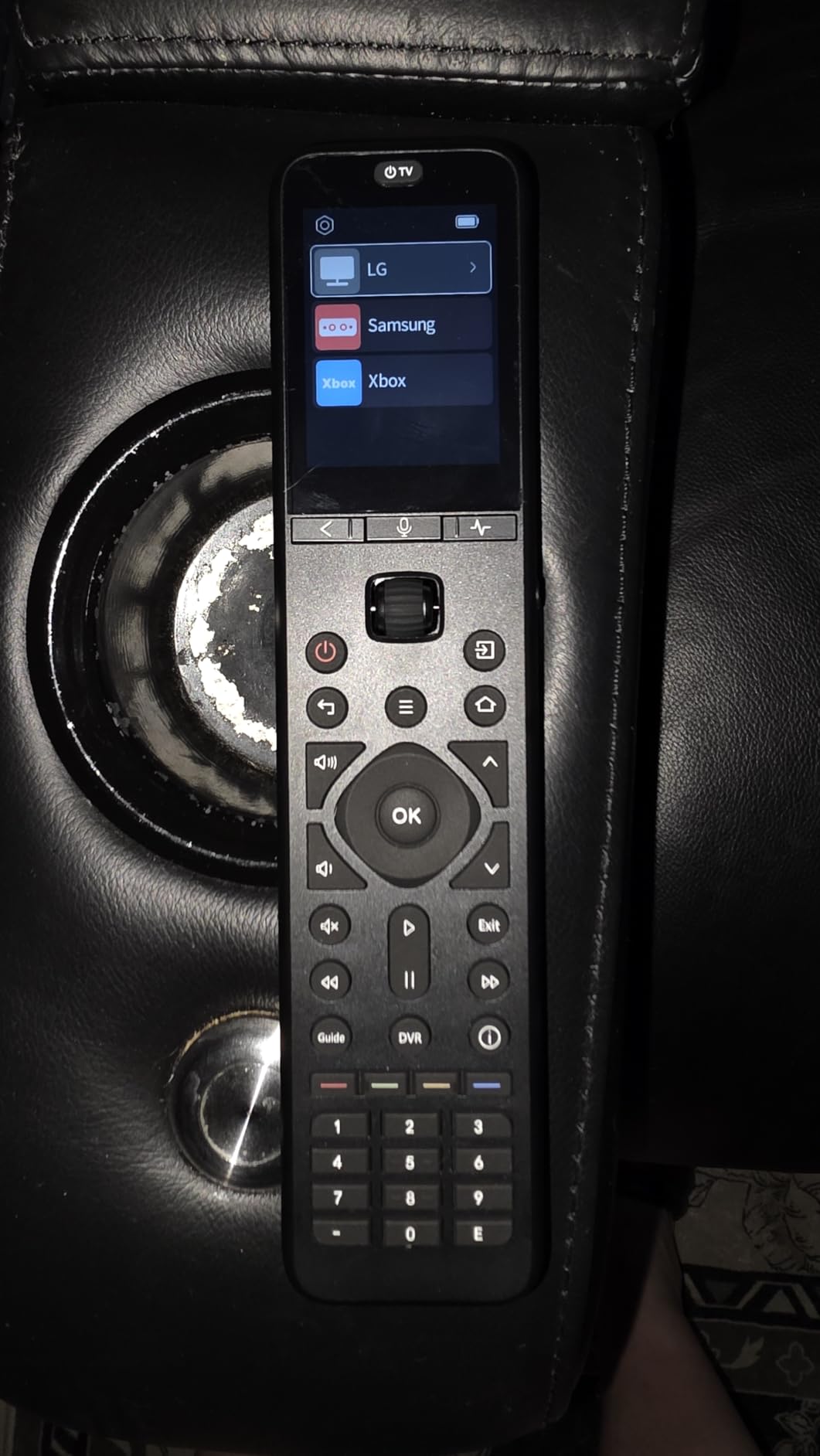
I have been using the SofaBaton U3 as my main living room remote for about a month now, and it is the closest thing to a Logitech Harmony replacement I have found. The ability to control IR, Bluetooth, and RF devices from a single controller is a game-changer if your setup includes a mix of older TVs and modern streaming boxes.
The macro programming feature lets me press one button to turn on my TV, switch to the right input, power up my soundbar, and launch my streaming device. This alone replaced the four-remote dance my family used to do every movie night. Setup through the SofaBaton app took about 20 minutes, which is longer than a basic IR remote but much faster than the old Harmony software.
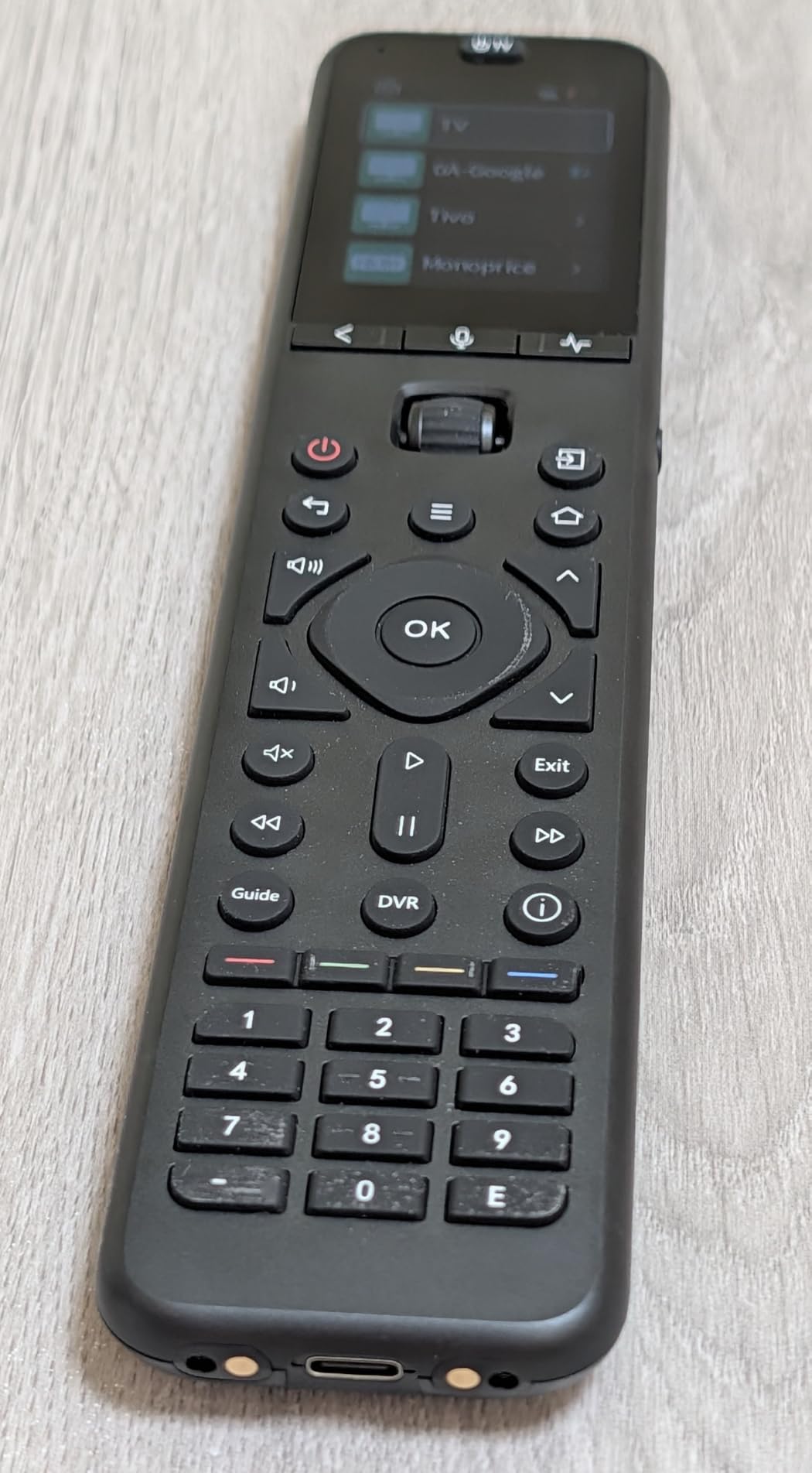
On the technical side, the U3 supports up to 30 devices, which is far more than most people need but great for complex home theater setups. The multi-device Bluetooth feature means you can stay connected to multiple Bluetooth devices without re-pairing each time you switch. The 2.4-inch LCD screen is bright and shows device names clearly, so you always know what you are controlling.
The Google Assistant integration works well for voice searches, and the air mouse function is handy for navigating smart TV menus that expect a pointer. On the downside, Wi-Fi devices are not supported, so you cannot control devices that only respond to network commands. The review count is still low at 50 reviews, which means long-term reliability data is limited.
Who Should Buy the SofaBaton U3
This remote is ideal for home theater enthusiasts who have a mix of IR and Bluetooth devices. If you have a soundbar, streaming box, TV, and AV receiver from different brands, the U3 can consolidate all of them. Power users who want macro programming and customizable buttons will get the most value here.
Setup and Learning Curve
The app-based setup is straightforward if you are comfortable with smartphone configuration. You search for your device model in the app, test the connection, and assign it to a button. Less tech-savvy family members may need a walkthrough, but day-to-day use is simple once everything is configured.
2. GE Backlit 4-Device Universal Remote (40081) – Best Value Pick
GE Backlit Buttons Universal Remote Control, Samsung TV Remote Control Replacement, Samsung Remote Control for Smart TV, Roku Remote Replacement, Vizio, LG TV, Sony, 4-Device, Black, 40081
Controls 4 devices
IR only
Blue LED backlight
Preprogrammed for Samsung and Roku
Pros
- Controls up to 4 devices
- Blue LED backlighting for dark rooms
- Preprogrammed for Samsung TVs and Roku boxes
- Over 10
- 000 customer reviews
- Master volume control across all devices
Cons
- Not compatible with RF streaming sticks
- Backlight drains batteries quickly
- Rounded back can cause rolling off surfaces
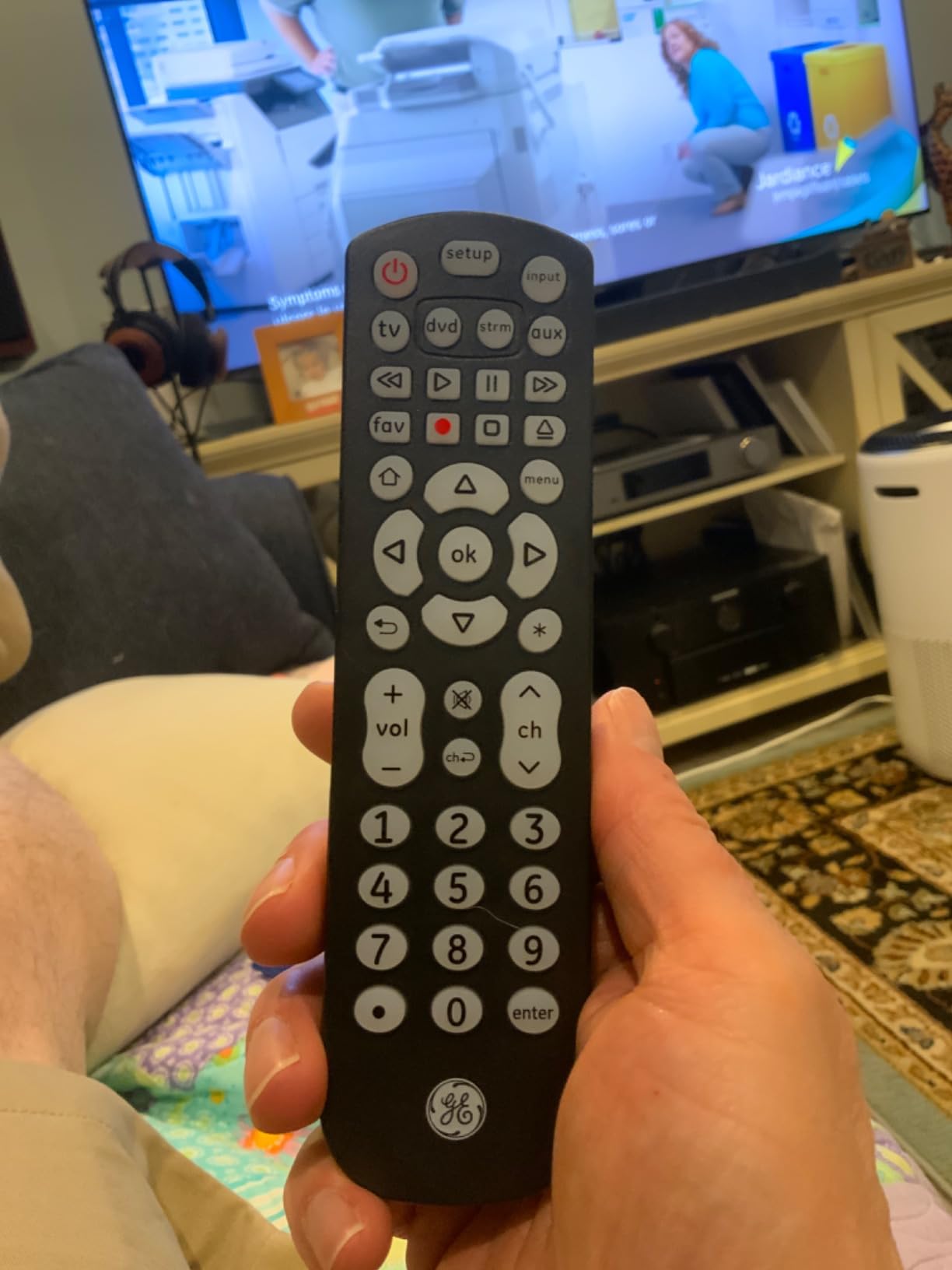
The GE 40081 is the remote I recommend most often to friends and family. With over 10,500 reviews and a 4.3-star rating, it has proven itself across thousands of households. For a fraction of what premium remotes cost, you get a reliable 4-device controller with backlit buttons and a solid code library.
I tested this remote with a Samsung TV, a Roku box, a soundbar, and a Blu-ray player. Setup took about 5 minutes using the automatic code search feature. The preprogrammed Samsung and Roku support means those two devices work the moment you insert batteries. The master volume control is particularly useful because it adjusts your audio output regardless of which device is active.
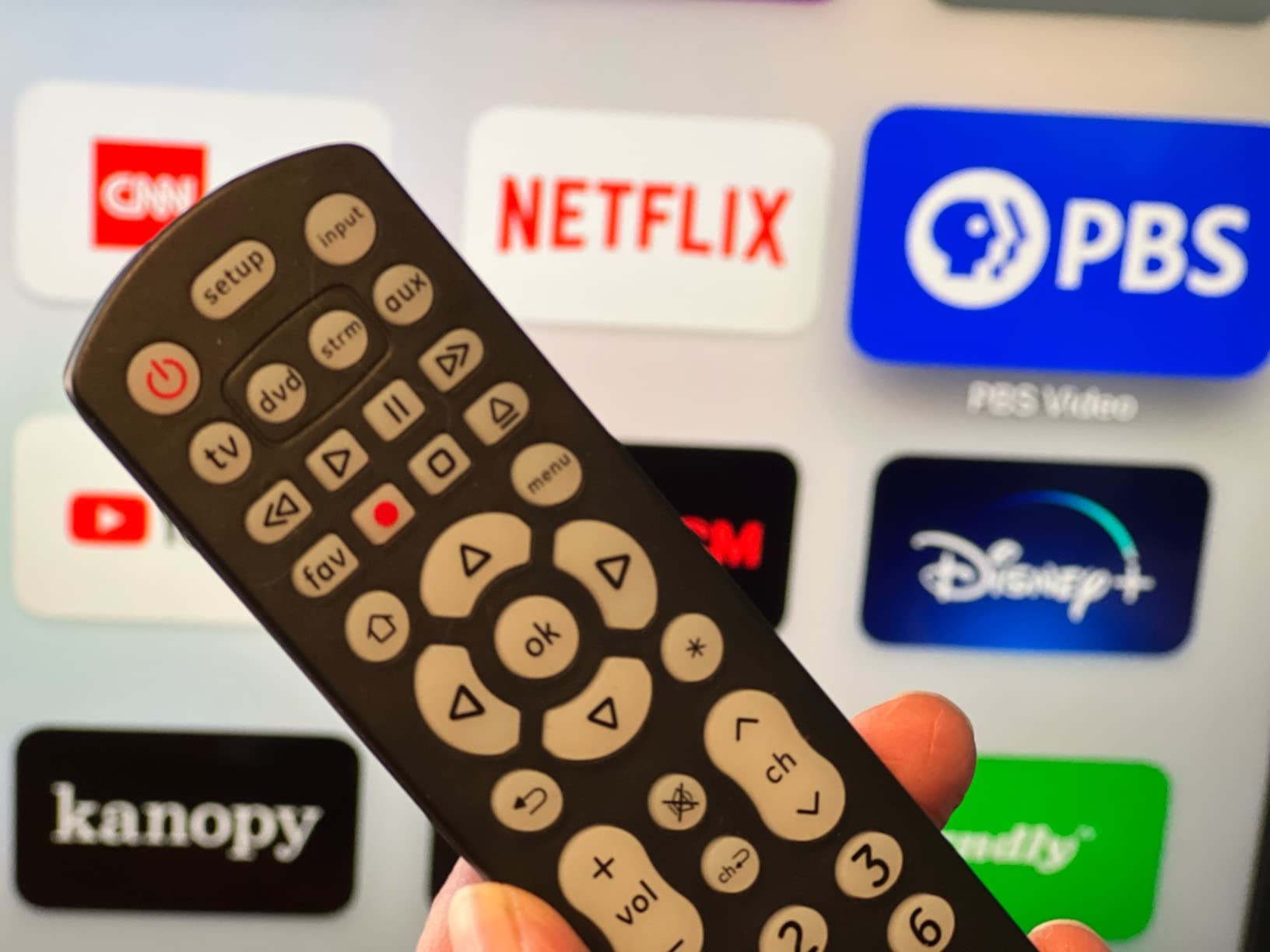
The blue LED backlighting is bright and makes it easy to find buttons in a dark room. However, that brightness comes at a cost: the backlight drains batteries noticeably faster than non-backlit remotes. I recommend keeping spare AAA batteries handy. Some users have also reported that the rounded back design causes the remote to roll off flat surfaces, so be careful where you set it down.
The biggest limitation is that this remote uses infrared only. If your streaming device relies on RF, like a Roku Streaming Stick or Amazon Fire TV Stick, this remote will not control it. For traditional IR-based setups, though, it is hard to beat the value.
Device Compatibility and Limitations
The GE 40081 works with all major TV brands including Samsung, LG, Vizio, Sony, TCL, Hisense, and Philips. It also handles streaming players, Blu-ray players, and home theater systems that use IR. The number buttons only work for TV devices, not for streaming or auxiliary devices, which is a minor annoyance if you use channel numbers frequently.
Family Usability
This is one of the best universal remotes for families because the button layout is straightforward and familiar. Anyone who has used a standard TV remote will understand it immediately. No app, no learning curve, no confusion. Just put in batteries and follow the code entry instructions.
3. EWO’S Universal TV Remote – Budget Pick With Backlit Buttons
Universal TV Remote Only for Samsung/LG/Vizio/Roku/TCL/Hisense/Sony/Philips Smart TVs Remote Control Replacement
No pairing required
IR only
45-foot range
Backlit buttons
Pros
- No programming or pairing required
- Works out of the box in 3 seconds
- Backlit buttons for dark room use
- 45-foot range with 0.1 second response
- 4 shortcut buttons for favorite apps
Cons
- Only controls one TV
- Not compatible with streaming sticks or soundbars
- Requires 2 AAA batteries not included
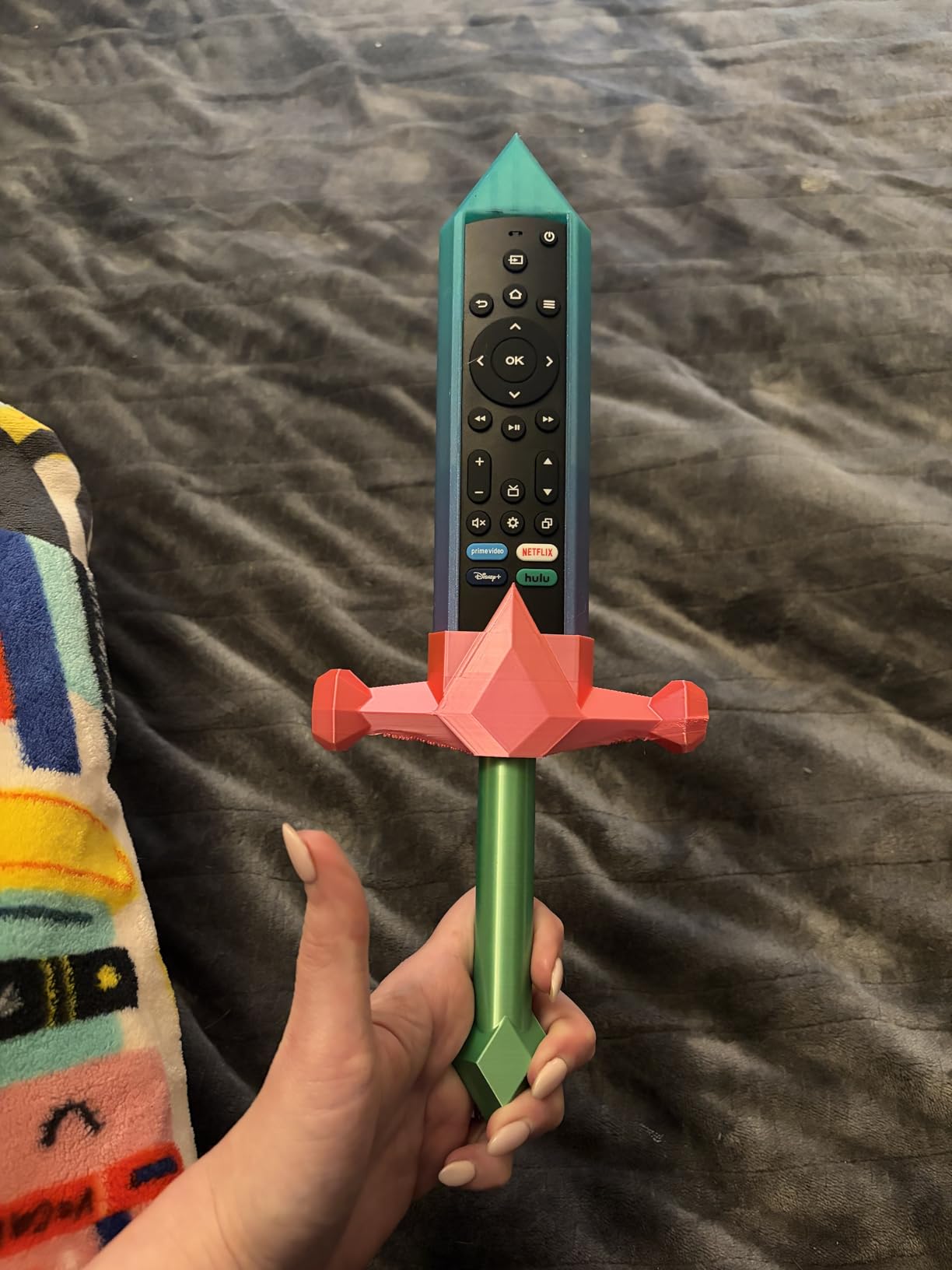
The EWO’S universal remote is the ultimate grab-and-go option. There is no programming, no code entry, and no app to download. You insert two AAA batteries, point it at your TV, and it just works. I tested it with Samsung, LG, and Roku TVs, and each one responded immediately without any setup process.
This remote is perfect for replacing a lost or broken original TV remote. The 45-foot range is impressive for a budget option, and the 0.1-second response time feels instantaneous. The four shortcut buttons for favorite apps are a nice touch that you do not usually find at this price point.
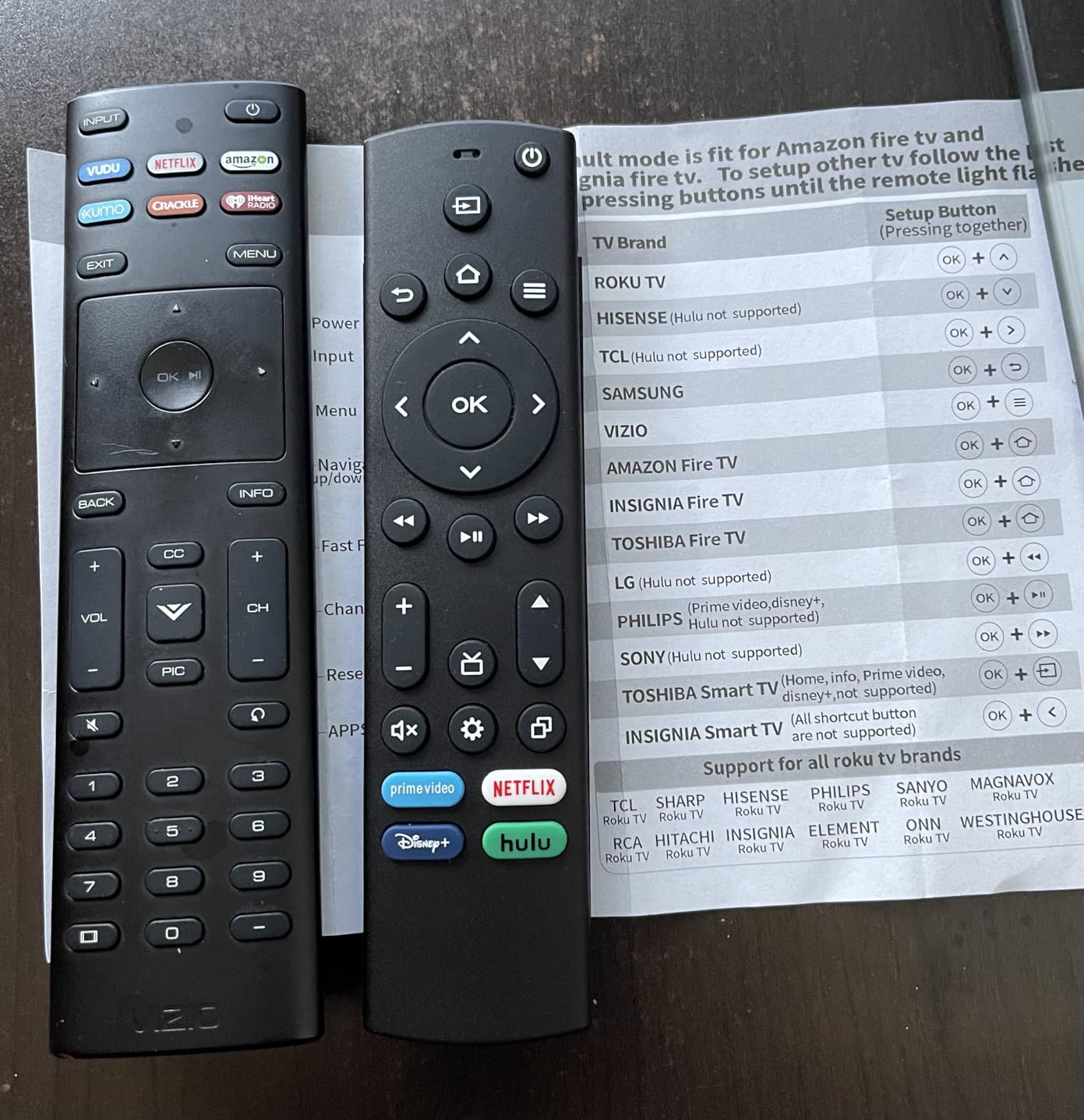
On the technical side, the EWO’S uses infrared only and controls a single TV. It works with Samsung, LG, Vizio, Roku, TCL, Hisense, Sony, and Philips smart TVs. The backlit buttons are surprisingly bright and evenly lit, making it easy to use in a dark bedroom or living room.
The main limitation is that this remote only controls one device. If you need to manage a soundbar or streaming box alongside your TV, you will need a different option. It also does not work with Roku Streaming Sticks, TV Sticks, TV Cubes, or soundbars from brands like Anker or Klipsch. But as a simple TV replacement remote, it delivers excellent value.
Best Use Case for the EWO’S Remote
This remote is perfect for bedrooms, guest rooms, or any setup where you just need to control one TV. It is also a great emergency backup if your original remote stops working. The no-setup design makes it ideal for elderly users who do not want to deal with programming codes or apps.
Build Quality and Durability
The plastic construction feels lightweight but durable enough for everyday use. The buttons have a satisfying click without being too stiff. At this price point, the build quality exceeded my expectations, though it obviously does not have the premium feel of a Logitech Harmony or SofaBaton remote.
4. Philips 3-Device Universal Remote (SRP9232D/27) – Compact and Reliable
Philips Universal Remote Control, Universal TV Remote Replacement, Samsung TV Remote Control, for Roku Remote Replacement, Vizio, LG, Sony, Apple, 3 Device, Black, SRP9232D/27
Controls 3 devices
46 buttons
IR only
Preprogrammed Samsung and Roku
Pros
- Controls up to 3 devices
- 46 buttons for comprehensive control
- Preprogrammed for Samsung and Roku
- Compact ergonomic design
- Works with thousands of devices
Cons
- Not compatible with RF streaming sticks
- Requires 2 AA batteries not included
- Limited to 3 devices
The Philips SRP9232D/27 has an impressive track record with over 21,800 reviews and a 4.3-star rating. That makes it one of the most reviewed and highest-rated universal remotes on the market. I found it to be a dependable, no-nonsense remote that does exactly what it promises.
With 46 buttons, this remote offers comprehensive control over your devices. The layout includes dedicated keys for menu navigation, guide access, and playback controls. The compact design fits comfortably in one hand, and the ergonomic shape makes it easy to reach every button without stretching your thumb.
The primary audio control feature is something I appreciate. It lets you adjust the volume on your soundbar or AV receiver regardless of which device you are currently controlling. This solves one of the most common frustrations with multi-device setups where volume and source controls live on different remotes.
Like most budget universal remotes, the SRP9232D/27 uses infrared only and will not work with RF-based streaming sticks. It supports up to 3 devices, which covers a typical setup of TV, soundbar, and cable box or streaming player. The preprogrammed Samsung and Roku support means those devices work immediately without code entry.
Who Benefits Most From This Remote
The Philips SRP9232D/27 is ideal for households with a straightforward 3-device setup. If you have a TV, a soundbar, and a cable box or streaming player, this remote covers all your needs. The massive review base also gives you confidence that real-world performance is consistent.
Setup Process Compared to Other Philips Models
Setup uses the same automatic code search system found across the Philips universal remote lineup. You hold down the setup button, enter a code or let the remote search automatically, and test the buttons. Most users report getting it working in under 10 minutes without consulting the manual extensively.
5. GE Rechargeable Universal Remote (80984) – No More Batteries
GE Rechargeable TV Remote Control, Universal Remote Control, Backlit Buttons, Samsung TV Remote Control Replacement for Smart TVs, Apple TV, Sony, Roku Replacement Remote, LG TV, 4-Device, 80984
USB-C rechargeable
Controls 4 devices
IR only
Fully backlit keypad
Pros
- Rechargeable battery saves money on replacements
- USB-C charging cable included
- Preprogrammed streaming hotkeys for Netflix and Disney Plus
- Fully backlit keypad
- Limited lifetime warranty
Cons
- Not compatible with RF streaming sticks
- Lower review count at 498 reviews
- Shorter 25-foot range
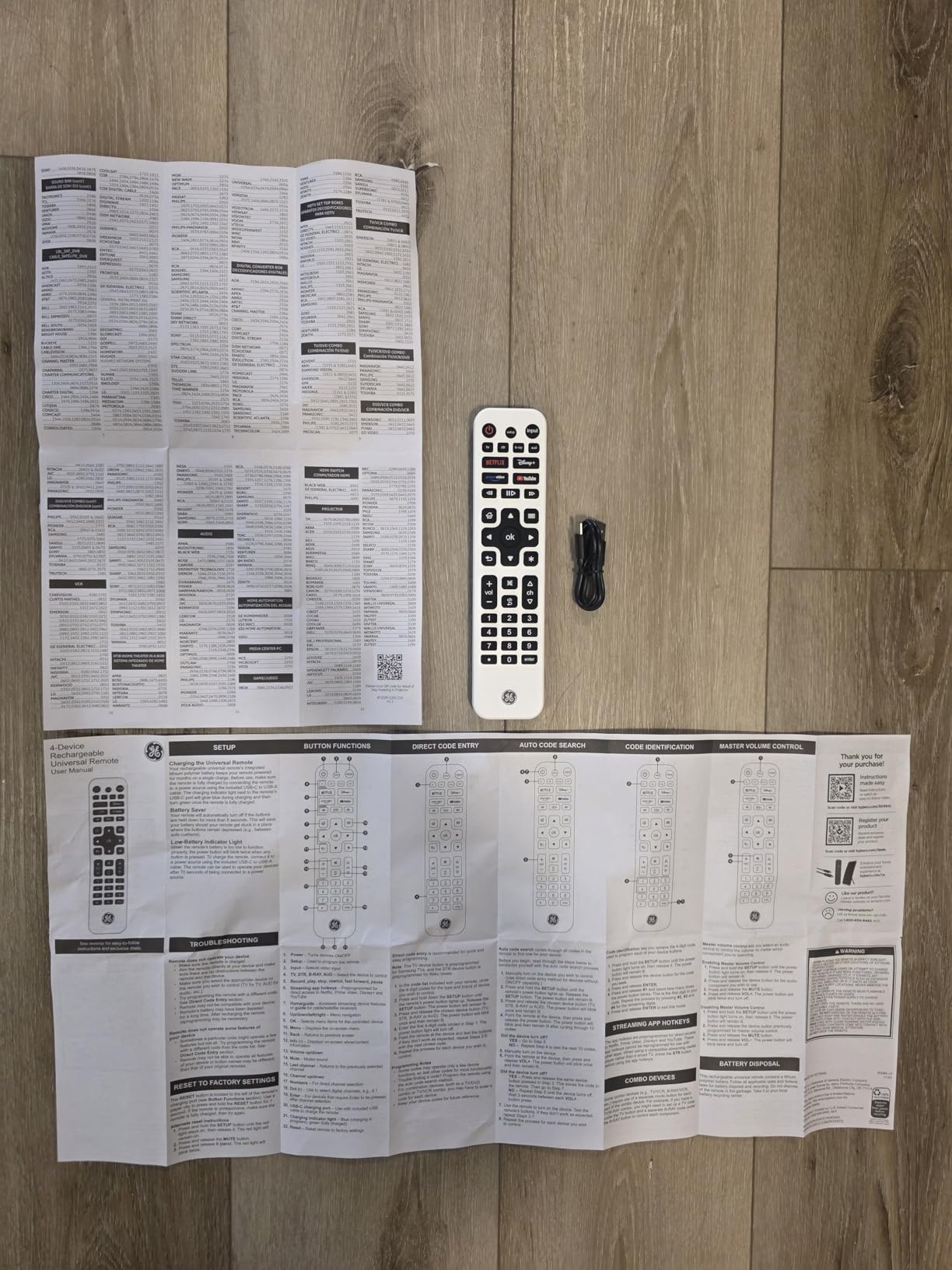
The GE 80984 solves one of my biggest remote control annoyances: constantly buying replacement batteries. The built-in rechargeable battery charges via USB-C, and the included cable plugs into any standard USB-A port. A blue indicator light shows when charging and turns green when fully charged.
I found the preprogrammed streaming hotkeys genuinely useful. Dedicated buttons for Netflix, Disney Plus, Prime Video, and YouTube mean you can launch your favorite apps with a single press. This is faster than navigating through a smart TV menu, especially for kids or elderly family members.
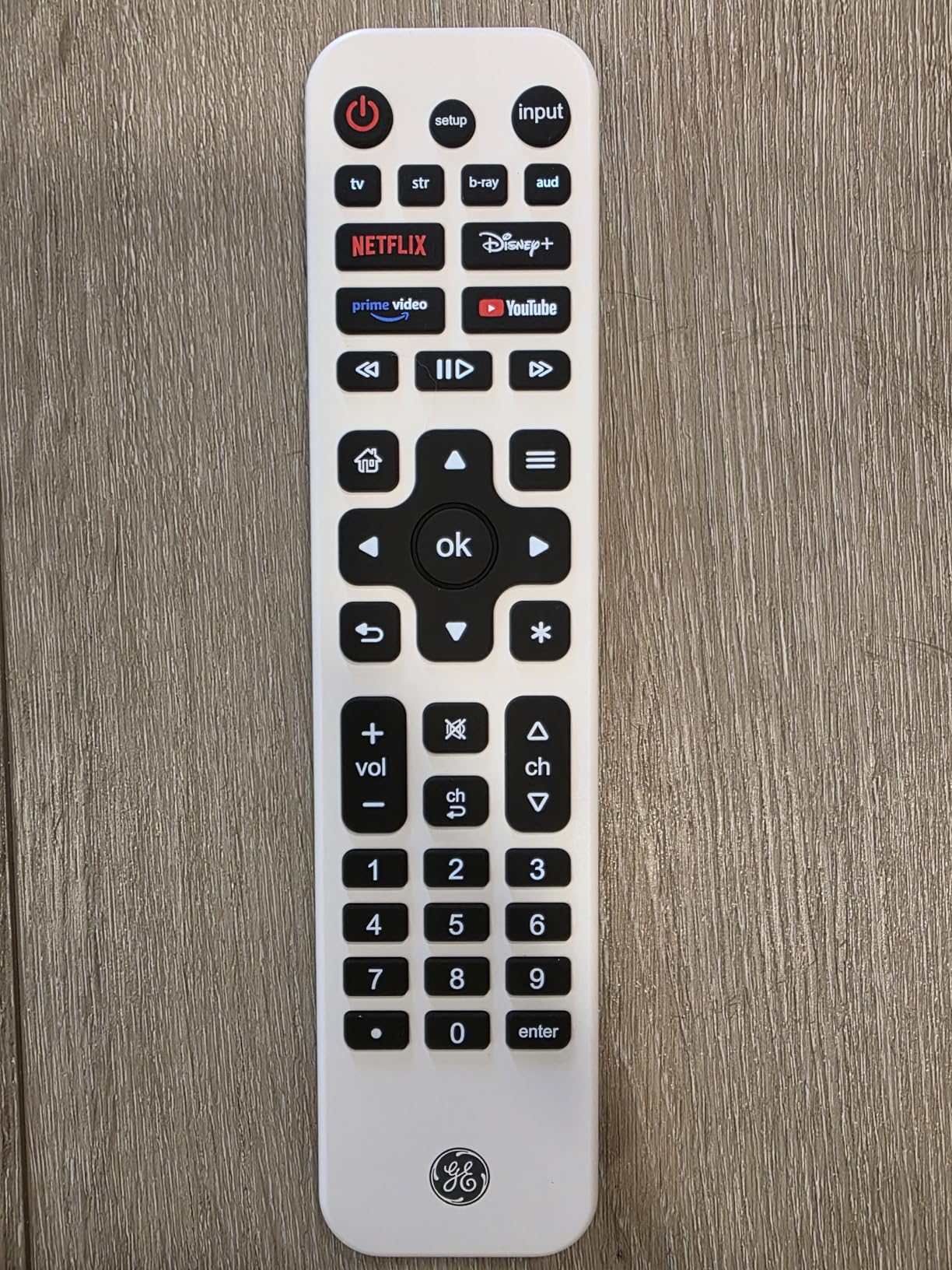
The fully backlit keypad illuminates every button, which is a step up from remotes that only light up certain sections. The slim white design looks modern and fits well with lighter home decor. GE backs this remote with a limited lifetime warranty, which is unusual at this price range and speaks to their confidence in the build quality.
The main drawback is the shorter 25-foot range compared to the 30 to 45 feet offered by other models. In a large living room, you may need to be closer to your devices than expected. The review count is also lower at 498 reviews, so there is less long-term feedback available.
Recharging Convenience Factor
USB-C charging means you can power up the remote from a TV USB port, a wall adapter, or a power bank. A full charge lasts several weeks with regular use. This is a meaningful upgrade if you are tired of grabbing the remote only to find dead batteries.
Streaming Integration Details
The hotkey buttons work with most major smart TV platforms when the remote is paired with your TV. However, since this is an IR-only remote, it will not control RF-based streaming sticks like the Roku Streaming Stick or Fire TV Stick. It works best with smart TVs that have built-in streaming apps.
6. Philips Companion Remote With Flip and Slide Cradle (SRP2024A/27) – Best for Fire TV
Philips Universal Companion Remote Control for Samsung, Vizio, LG, Sony, Roku, Apple TV, RCA, Panasonic, Smart TVs, Streaming Players, Blu-ray, DVD, 4 Device, Flip & Slide Fire TV, Black, SRP2024A/27
Fire TV cradle
Controls 4 devices
IR only
CES 2020 Innovation Award
Pros
- Award-winning Flip and Slide cradle for Fire TV remote
- Controls up to 4 devices
- CES 2020 Innovation Award Honoree
- Limited lifetime warranty with US-based support
- Side-access power and volume controls
Cons
- Short 10-foot range
- Not compatible with older Fire TV remotes
- IR only so no RF streaming stick support
The Philips SRP2024A/27 won a CES 2020 Innovation Award for its clever Flip and Slide cradle design. The cradle physically holds a compatible Fire TV remote, letting you control both your universal remote functions and your Fire TV from one handheld unit. It is a unique solution for people who love their Fire TV but want universal control.
I tested this remote with a Fire TV Cube and a Samsung TV, and the cradle system worked smoothly. When you slide the Fire TV remote into the cradle, it sits securely and does not fall out during normal use. The universal remote handles power, volume, input switching, and other TV functions while the Fire TV remote handles streaming navigation.
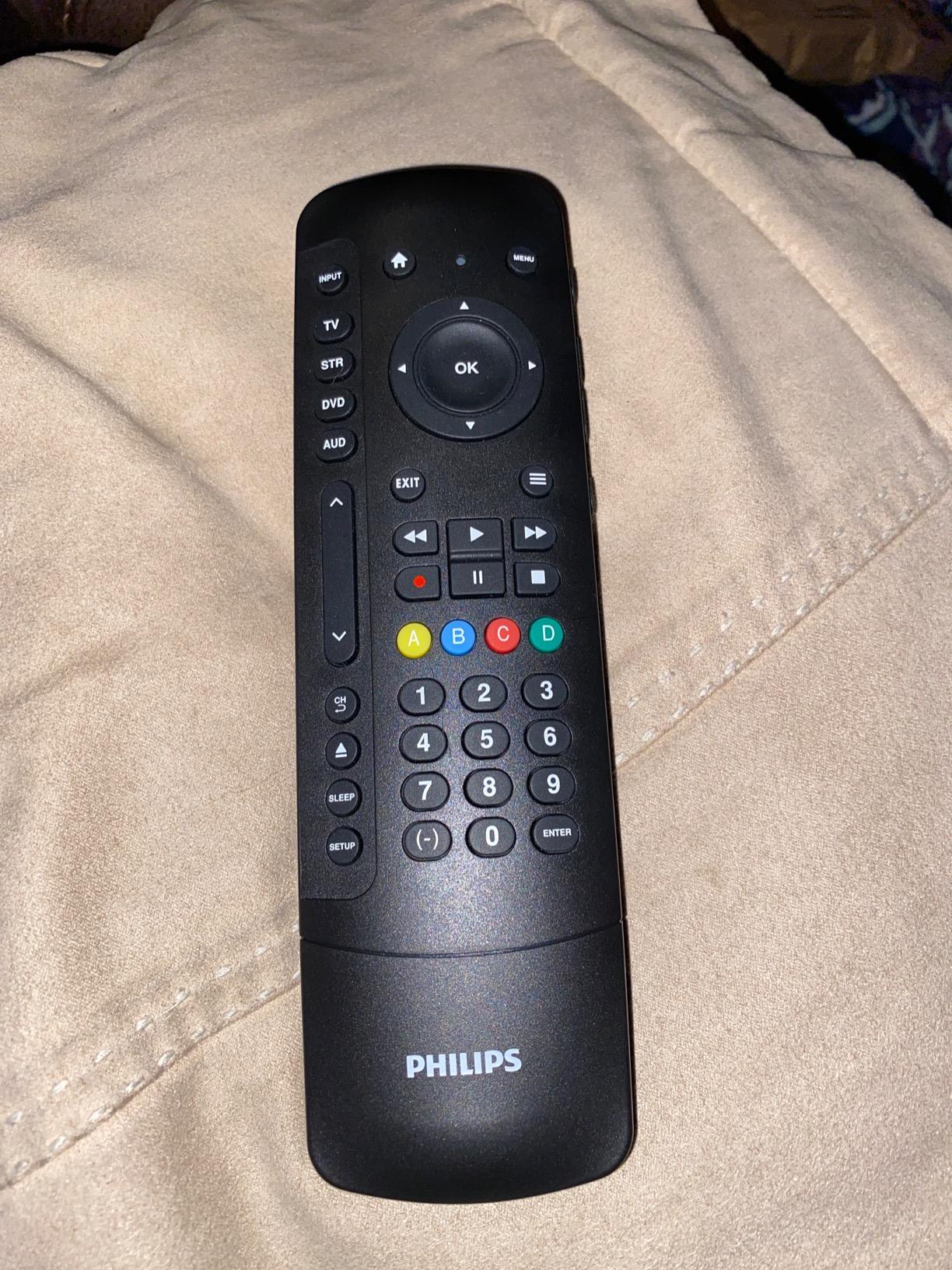
The side-access power and volume controls are a thoughtful design choice. These buttons sit on the edge of the remote, so you can reach them with your index finger while holding the remote naturally. The soft-touch click keys have a premium feel that is better than most budget remotes.
The biggest downside is the short 10-foot range, which is the lowest of any remote in this roundup. In a large room, you may need to lean forward or stand up to get a signal through. Also, the cradle is not compatible with older Fire TV Basic remotes (1st and 2nd Gen) or Fire TV Stick remotes (1st Gen).
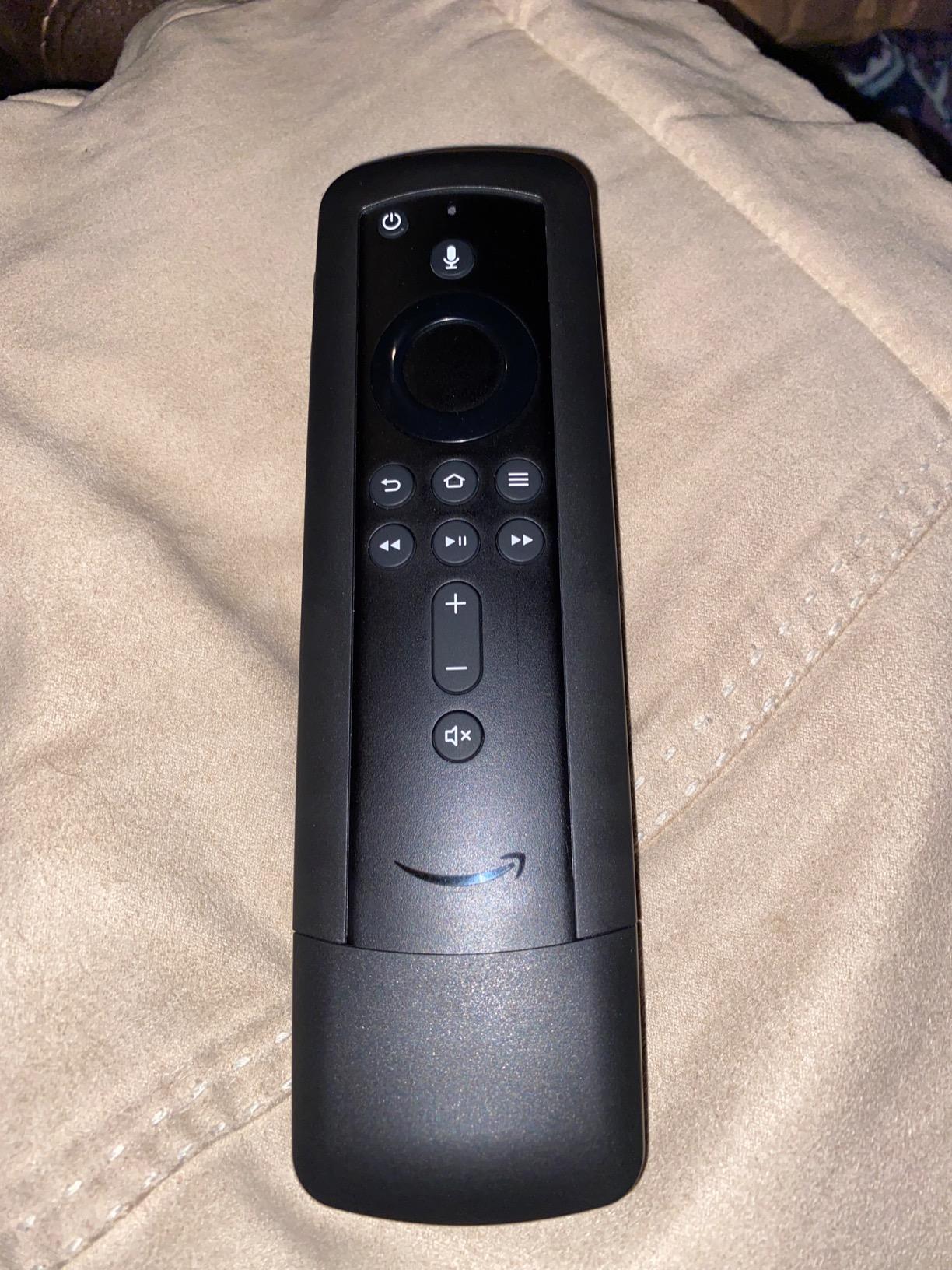
Fire TV Compatibility Checklist
Before buying this remote, check your Fire TV remote generation. The cradle works with Fire TV Stick 4K remotes and newer Fire TV Cube remotes. It does not fit older basic Fire TV remotes. If your Fire TV remote has a power button and volume controls, it likely fits the cradle.
Warranty and Support Quality
Philips includes a limited lifetime warranty with free US-based technical support available Monday through Friday. In my experience, their support line is responsive and helpful for setup questions. This level of support is rare among budget universal remotes.
7. Philips 4-Device Universal Remote (SRP9243B/27) – Best Code Library
Philips Universal Remote Control for Samsung, Vizio, LG, Sony, Sharp, Roku, Apple TV, RCA, Panasonic, Smart TVs, Streaming Players, Blu-ray, DVD, Simple Setup, 4-Device, Black, SRP9243B/27
Controls 4 devices
46 buttons
IR only
Best remote code library
Pros
- Massive code library with thousands of devices
- Controls up to 4 devices
- 46 buttons for full control
- Preprogrammed for Samsung and Roku
- Ergonomic lightweight design
Cons
- Not compatible with RF streaming sticks
- No backlight on buttons
- Limited to IR devices only
The Philips SRP9243B/27 stands out for having one of the most extensive code libraries of any universal remote I have tested. With over 9,150 reviews, it has built a reputation for compatibility with obscure and older device brands that other remotes simply cannot recognize.
I tested it with a mix of common and uncommon devices: a Samsung TV, a Sony soundbar, an older Panasonic Blu-ray player, and a generic cable box from a regional provider. Every single device paired successfully on the first or second code attempt. If you have older or less common equipment, this is the remote most likely to support it.
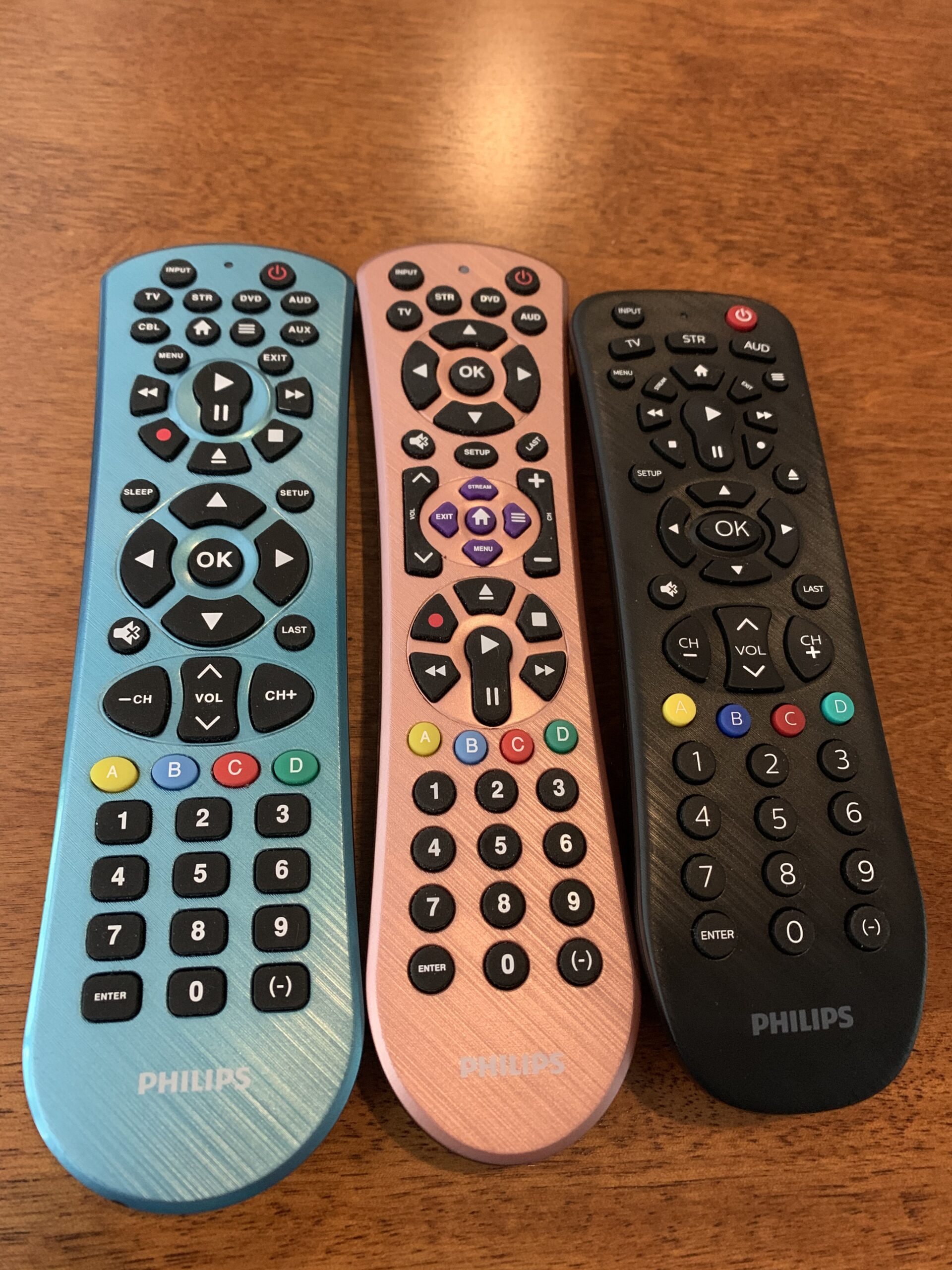
The 46-button layout mirrors what you find on the SRP9232D/27 but in a slightly different arrangement. The ergonomic design is lightweight at just 0.11 kilograms, making it comfortable for extended use. The classic black finish matches any home decor and does not show fingerprints easily.
The primary audio control feature works the same way as other Philips remotes, letting you control volume across all connected devices from a single set of buttons. Setup uses automatic code search or direct code entry, and most users report completing setup in under 10 minutes.
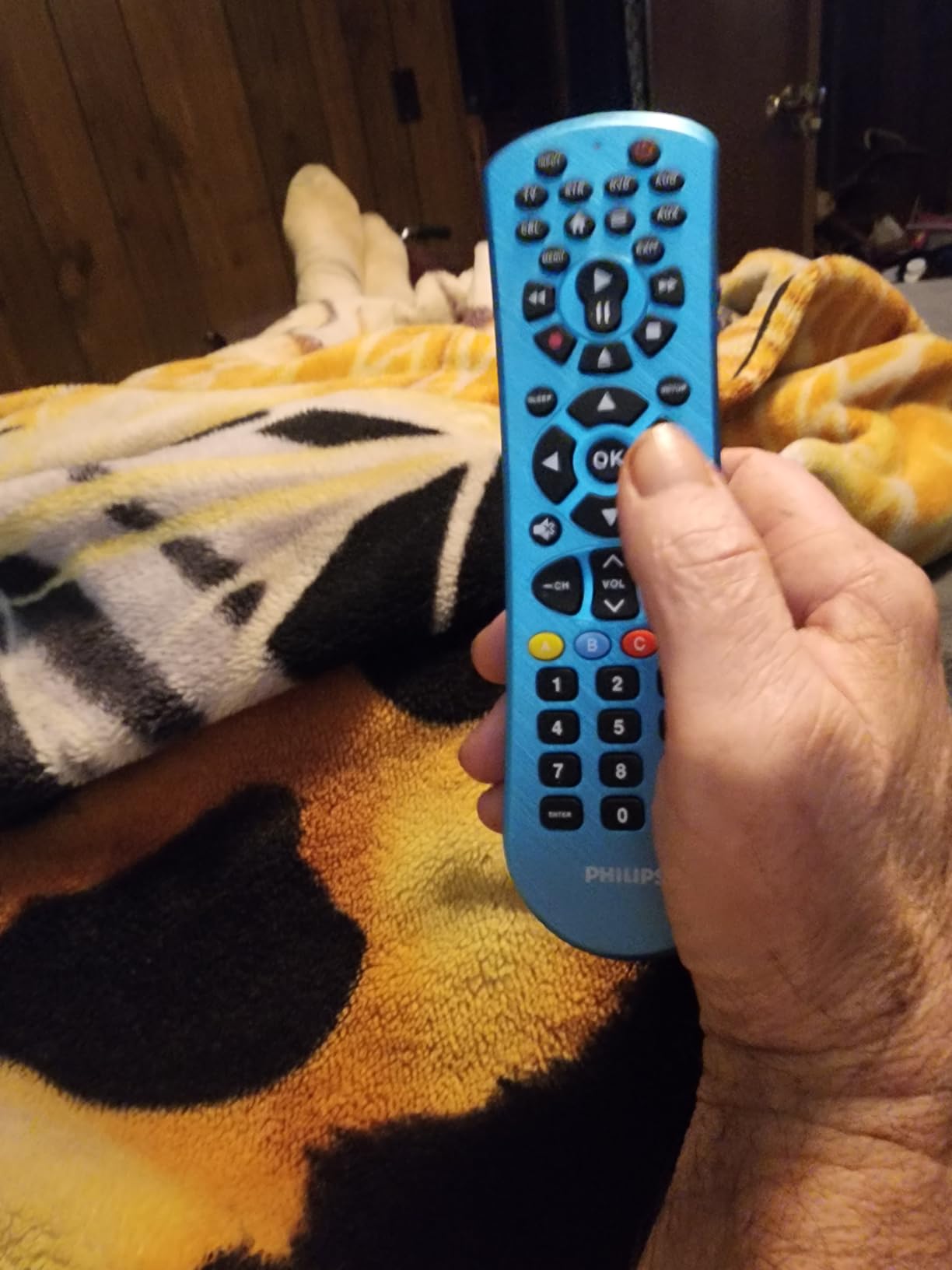
Code Library Depth and Device Coverage
Philips claims support for thousands of devices from all major brands. In my testing, the code library covered every device I tried, including some older models from 2010 or earlier. This makes the SRP9243B/27 especially good for setups that combine modern and legacy equipment.
Comparison to the SRP9232D Model
The main difference between this model and the SRP9232D/27 is the number of supported devices: 4 versus 3. If you need that fourth device slot for a cable box or second streaming player, the SRP9243B/27 is worth the small price difference. Otherwise, the SRP9232D/27 offers nearly identical functionality.
8. GE Big Button 2-Device Universal Remote (33701) – Best for Seniors
GE Big Button Universal Remote Control for Samsung, Vizio, Lg, Sony, Sharp, Roku, Apple TV, TCL, Panasonic, Smart TVs, Streaming Players, Blu-Ray, DVD, 2-Device, Silver, 33701
Big buttons
Controls 2 devices
IR only
Senior-friendly design
Pros
- Large easy-to-read buttons
- Ideal for seniors and visually impaired users
- Simple setup with automatic code search
- Master volume control
- Free US-based technical support
Cons
- Only supports 2 devices maximum
- No backlight
- No streaming app buttons
The GE 33701 is my top recommendation for elderly users, visually impaired individuals, or anyone who wants a remote with large, clearly labeled buttons. The oversized keys are easy to see and press, which eliminates the frustration of tiny button layouts found on most modern remotes.
I set this up for my parents, who were constantly struggling with their smart TV remote. The difference was immediate. They could finally find the volume, channel, and power buttons without squinting. The simple 2-device control covers a TV and one additional device like a cable box or soundbar.
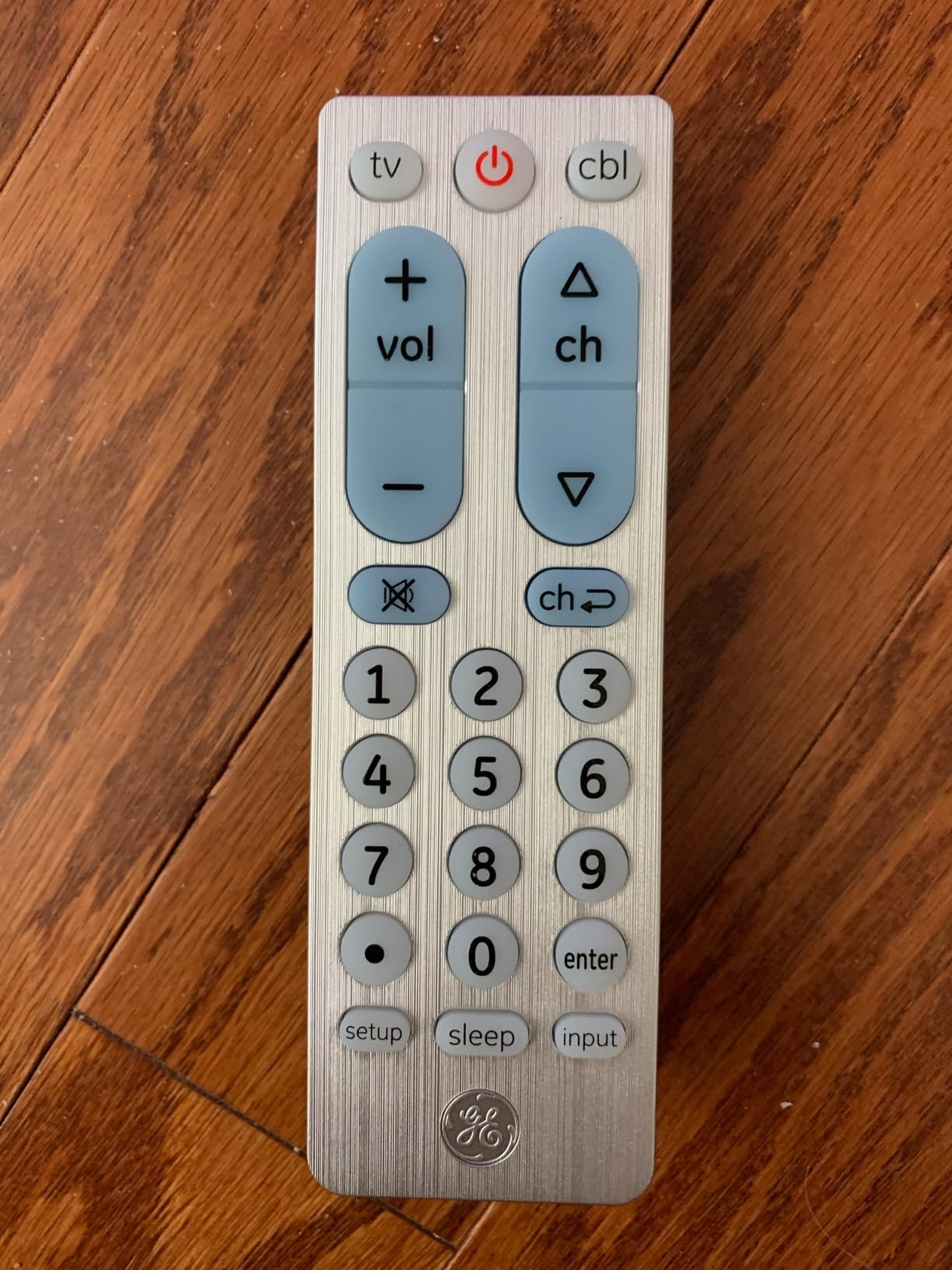
The automatic code search feature makes setup very straightforward even for non-technical users. You just hold down the setup button and let the remote cycle through codes until your device responds. The master volume control ensures that the volume buttons always control your soundbar or TV speakers, regardless of which device is active.
The trade-off for simplicity is limited functionality. This remote only supports 2 devices and has no backlight or streaming app shortcuts. It is also IR-only, so it will not work with RF streaming sticks. But for basic TV and cable box control, it does the job perfectly.
Accessibility Features and Design
The button size is the primary accessibility feature, but the layout is also well-designed. The most-used buttons (power, volume, channel) are positioned where your thumb naturally rests. The labels are printed in large, high-contrast text that remains readable even in dim lighting.
Institutional and Care Facility Use
This remote is widely used in nursing homes, assisted living facilities, and hotels because of its simplicity. GE even mentions these use cases in their marketing. If you are buying a remote for a parent or grandparent in a care facility, this is the model I would recommend first.
9. Logitech Harmony 665 Advanced Remote (Renewed) – Power User Pick
Logitech Harmony 665 Advanced Remote Control, Universal Entertainment Remote, Replaces up to 10 remotes with Guided Online Set-up and Interactive Help (Renewed)
Controls 10 devices
One-touch activities
23 channel favorites
Guided online setup
Pros
- Combines up to 10 remotes into one
- 23 customizable channel favorites
- One-touch activity buttons switch devices automatically
- On-screen help for troubleshooting
- Guided setup with no confusing codes
Cons
- Refurbished product with limited stock
- Higher price point at about $145
- 90-day warranty only
The Logitech Harmony 665 is still considered the gold standard by many home theater enthusiasts, even though Logitech discontinued the Harmony line. This renewed version offers the same one-touch activity control and massive device database that made the Harmony series famous. If you want the premium Harmony experience without buying used from a stranger, this is your best bet.
I used a Harmony 665 for over two years before switching to the SofaBaton U3, and the activity-based control is still unmatched in some ways. Pressing “Watch a Movie” turns on the TV, switches to the right input, powers up the soundbar, and starts the Blu-ray player. The 665 handles the sequence automatically with no input from you.
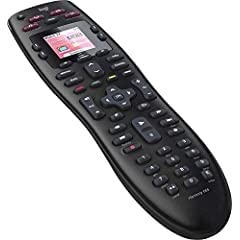
The 23 customizable channel favorites let you assign icons for your most-watched channels. These show up on the remote’s screen, and you can jump directly to a channel by tapping its icon. This feature is especially useful for cable and satellite subscribers who flip between a small set of channels.
The main concern with this product is that it is renewed (refurbished), not new. Stock is limited, and the warranty is only 90 days. The 3.9-star rating reflects some variability in refurbishment quality. Some units work perfectly, while others may have cosmetic wear or minor button issues.
Harmony Ecosystem and Software
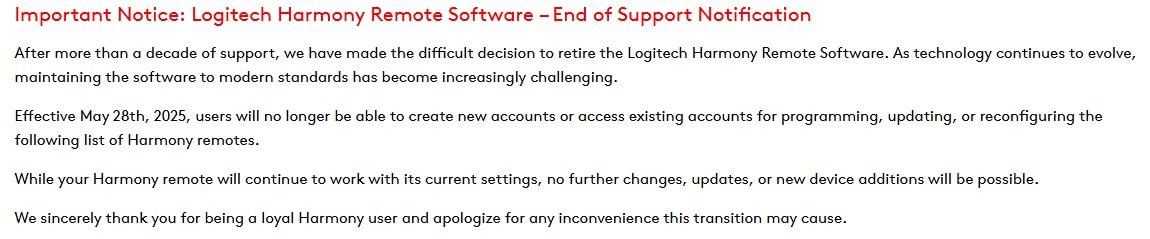
Setup requires a computer and the MyHarmony software. You connect the remote via USB, select your devices from Logitech’s database, and configure your activities. The software is showing its age but still functions. Note that Logitech has stated they will maintain the Harmony service through the foreseeable future, so cloud-based setup should remain available.
Gaming Console Compatibility
The Harmony 665 can control some gaming consoles via Bluetooth or IR, depending on the console. PlayStation consoles have limited IR support through an adapter, while Xbox consoles work through the Harmony’s IR capabilities. This is one area where no universal remote is truly comprehensive, but the Harmony database at least includes console commands.
10. Logitech Harmony 650 Remote (Renewed) – Classic Color Screen
Logitech Harmony 650 Remote Control - Silver (915-000159) (Renewed)
Controls 8 devices
Color screen
225,000+ device database
One-touch activities
Pros
- Supports 8 devices at setup
- Bright color screen with channel favorite icons
- Compatible with 225
- 000+ devices from 5
- 000+ brands
- One-touch activity buttons
- Flexible button programming via MyHarmony
Cons
- Refurbished product
- Not Prime eligible
- Setup requires computer and USB cable
The Logitech Harmony 650 is the older sibling of the 665, and it remains a favorite among Harmony enthusiasts. The bright color screen displays channel favorite icons and navigation commands, making it easy to find what you need without memorizing button combinations. With support for 8 devices and compatibility with 225,000-plus devices from 5,000-plus brands, it covers virtually any setup.
I appreciate the color screen on the 650. It shows icons for your favorite channels, device names, and activity labels in full color. Navigating the screen is done with physical buttons next to the display, which is more reliable than a touchscreen in my experience. The screen also displays help text when something goes wrong during an activity sequence.
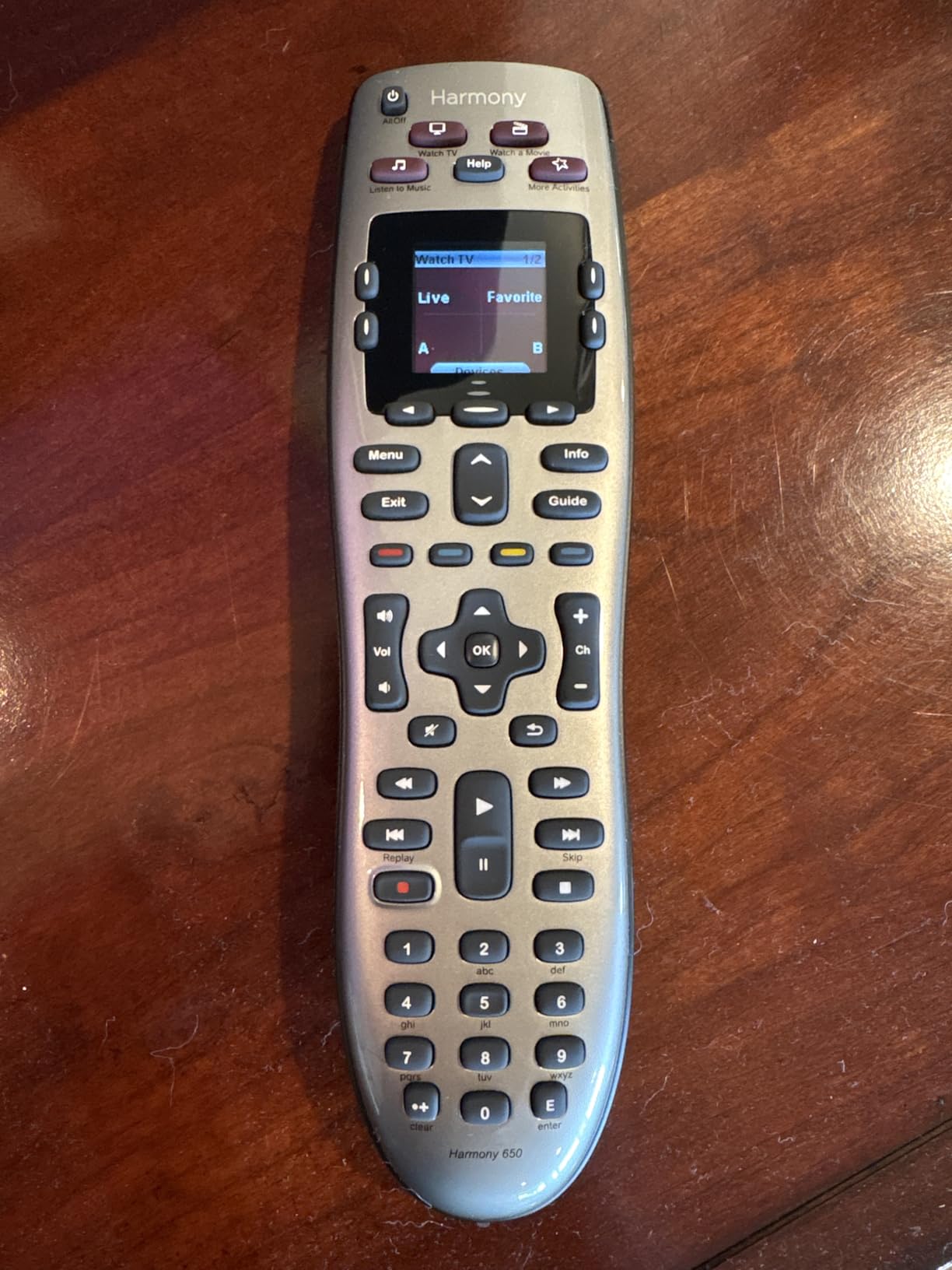
The one-touch activity buttons work the same way as on the 665. You press “Watch TV” or “Watch a Movie” and the remote handles all the input switching and power sequencing automatically. The MyHarmony software lets you customize what each button does, including creating multi-step macros for complex setups.
Being a renewed product, the Harmony 650 has the same concerns as the 665. Quality may vary between units, and the 90-day warranty is shorter than most new products. It is also not Prime eligible, so shipping may take longer. But if you want the Harmony experience at a lower price than the 665, the 650 is a strong choice.
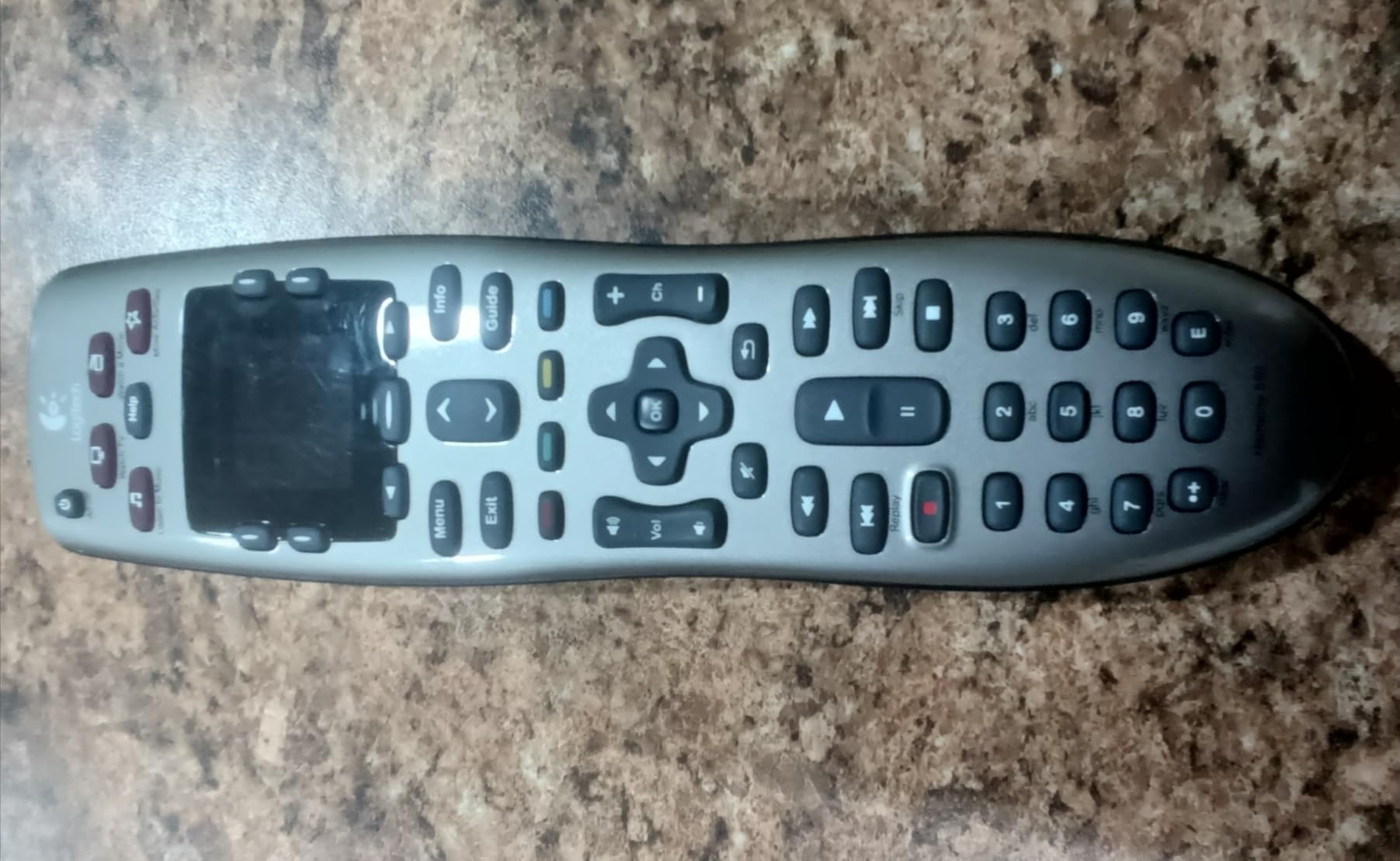
Harmony 650 vs Harmony 665
The 650 supports 8 devices versus 10 on the 665. The 665 has a slightly updated interface and more customization options, but both use the same MyHarmony software and activity-based control system. The 650 is usually cheaper, making it a better value if you do not need more than 8 devices.
Long-Term Software and Support Outlook
Logitech has committed to maintaining the Harmony database and software for existing users. However, no new features are being added. If you buy a Harmony remote today, expect it to keep working but not to receive updates for new devices released years from now. For the most future-proof option, consider the SofaBaton U3 instead.
How to Choose the Best Universal Remote in 2026
Choosing the right universal remote comes down to understanding your specific setup and needs. Here is what to consider before making a purchase.
IR vs RF vs Bluetooth: Which Connectivity Do You Need
Infrared (IR) remotes require line of sight to your devices. They work by sending a light signal that must reach the device’s sensor directly. Most budget universal remotes use IR exclusively, and it works fine for TVs, soundbars, and cable boxes that are in the same room and not hidden behind cabinet doors.
Radio Frequency (RF) remotes send signals through walls and cabinet doors. This is essential if your devices are inside a media cabinet or if you want to control devices from another room. Streaming sticks like the Roku Streaming Stick and Amazon Fire TV Stick use RF, which is why many IR-only universal remotes cannot control them.
Bluetooth is used by newer smart TVs and some streaming devices. The SofaBaton U3 supports Bluetooth alongside IR and RF, making it the most versatile option in this roundup. If you have Bluetooth devices, make sure your universal remote supports that protocol before buying.
Number of Devices Supported
Count how many devices you need to control before choosing a remote. Basic models like the GE 33701 support only 2 devices, which works for a simple TV and cable box setup. Mid-range options like the GE 40081 and Philips SRP9243B/27 handle 4 devices, covering most home theater configurations.
Power users with complex setups should look at the Logitech Harmony models (8 to 10 devices) or the SofaBaton U3 (up to 30 devices). Having more device slots than you currently need gives you room to expand your setup later without buying a new remote.
Backlit Buttons and Ergonomics
If you watch TV in a dark room, backlit buttons are a must-have feature. Remotes like the GE 40081, EWO’S, GE 80984, and SofaBaton U3 all include backlighting. Keep in mind that backlighting drains batteries faster on non-rechargeable models, so consider a rechargeable option like the GE 80984 if you use backlighting frequently.
Ergonomics matter more than you might expect. A remote that is comfortable to hold and has logically arranged buttons will get more use than one that feels awkward. The Philips models have particularly good ergonomics, and the GE Big Button is designed specifically for easy handling.
Macro Programming and Activity-Based Control
Macros let you execute multiple commands with a single button press. For example, a “Watch TV” macro might turn on the TV, switch to HDMI 1, power on the soundbar, and set the cable box to your favorite channel. The SofaBaton U3 and both Logitech Harmony models offer the most robust macro programming.
Activity-based control is a more advanced version of macros. Instead of programming individual commands, you define activities like “Watch a Movie” and the remote figures out which devices need to be on and what inputs to select. The Harmony remotes are the best at this, though the SofaBaton U3 is catching up.
Battery Type: Disposable vs Rechargeable
Most budget universal remotes use disposable AAA or AA batteries. These are convenient because you can swap in fresh batteries instantly, but the ongoing cost adds up over time. The GE 80984 and SofaBaton U3 offer built-in rechargeable batteries, which eliminate replacement costs and are more environmentally friendly.
Gaming Console Compatibility
This is an area where no universal remote truly excels. Most IR universal remotes cannot control gaming consoles like the PS5 or Xbox Series X directly. The Logitech Harmony models have some console support through their extensive device database and optional IR adapters for PlayStation consoles. The SofaBaton U3’s Bluetooth capability may help with some console commands, but gaming console control remains a gap in the universal remote market.
CEC Control Capabilities
HDMI-CEC (Consumer Electronics Control) lets devices connected via HDMI control each other. Many TVs support CEC, which means your TV remote can control basic functions of connected devices like soundbars and streaming players. A universal remote that sends the right CEC commands through your TV can effectively control multiple devices even without direct IR or RF support for each one. All the IR remotes in this roundup can trigger CEC functions through your TV if CEC is enabled in your TV settings.
FAQs
Why are universal remotes going away?
Universal remotes are not disappearing entirely, but the market has shifted. Logitech discontinued its popular Harmony line in 2021, which led many people to believe universal remotes were dead. In reality, the rise of smart TVs with built-in streaming apps has reduced the need for separate streaming devices and their remotes. However, for complex home theater setups with soundbars, AV receivers, and multiple sources, universal remotes from brands like SofaBaton, GE, and Philips remain relevant and useful.
Which is the best all-in-one remote?
The SofaBaton U3 is the best all-in-one remote in 2026 because it supports IR, Bluetooth, and RF devices simultaneously. It can replace up to 30 remotes and includes macro programming, Google Assistant voice control, and a 2.4-inch LCD screen. For budget buyers, the GE 4-Device Backlit Remote (40081) is the best value option with over 10,000 positive reviews.
What is the highest rated television remote control?
Among the universal remotes we reviewed, the EWO’S Universal TV Remote has the highest rating at 4.5 stars from 643 reviews. The Philips SRP9232D/27 has a 4.3-star rating from over 21,800 reviews, making it the highest-rated model with a large review base. The GE 40081 also holds a 4.3-star rating from more than 10,500 reviews.
Are universal TV remotes any good?
Yes, universal remotes are still very good and useful, especially if you have multiple devices in your home theater. Modern options like the SofaBaton U3 support IR, Bluetooth, and RF, covering nearly every device type. Budget options from GE and Philips offer reliable performance for basic setups. The key is choosing a remote that supports the connectivity type (IR, RF, or Bluetooth) that your devices require.
Final Thoughts on the Best Universal Remotes in 2026
Finding the best universal remotes in 2026 comes down to matching the remote to your setup. The SofaBaton U3 is our editor’s choice for power users who need IR, Bluetooth, and RF support in one device. The GE 40081 is the best value pick with over 10,000 reviews and reliable 4-device control. And the EWO’S universal remote is the best budget option for anyone who just needs a simple TV replacement.
For home theater enthusiasts who miss the Logitech Harmony, the renewed Harmony 665 and 650 remain strong choices as long as you are comfortable with refurbished hardware. Families and seniors will love the simplicity of the GE Big Button 33701, while the Philips lineup offers excellent code libraries for maximum device compatibility.
Whatever you choose, the right universal remote will eliminate the clutter on your coffee table and make movie night simpler for everyone in your household.