
Few things test your patience like watching a render bar crawl across the screen for hours. I have been there, staring at DaVinci Resolve as a 30-minute 4K export turns into a 5-hour ordeal, all because my graphics card could not keep up. The GPU is the single most important component in any DaVinci Resolve workstation, and picking the wrong one means wasted time, dropped frames, and constant crashes.
Digital artists and video editors often ask me the same question: what is the best GPU for DaVinci Resolve in 2026? The answer depends on your workflow. Color grading 4K footage, running Fusion effects, and using AI-powered tools like Magic Mask and noise reduction all demand different levels of GPU performance. VRAM is the biggest bottleneck for most editors, followed by raw compute power from CUDA cores.
Our team spent weeks testing and comparing the latest NVIDIA GeForce RTX 50-series cards alongside professional workstation options to find the best graphics cards for DaVinci Resolve. We looked at real-world render times, timeline playback smoothness, VRAM demands at different resolutions, and overall value. Whether you are building a budget editing rig or upgrading to a high-end workstation, this guide covers six GPUs that deliver real results in DaVinci Resolve.
Top 3 Picks for Best Graphics Cards For DaVinci Resolve


Best Graphics Cards For DaVinci Resolve in 2026
| Product | Specifications | Action |
|---|---|---|
|
PNY GeForce RTX 5080 16GB
|
|
Check Latest Price |
 ASUS Prime RTX 5070 12GB
|
|
Check Latest Price |
 ASUS Dual RTX 5060 Ti 16GB
|
|
Check Latest Price |
 GIGABYTE RTX 5060 8GB
|
|
Check Latest Price |
|
GIGABYTE RTX 5050 8GB
|
|
Check Latest Price |
 PNY Quadro RTX 4000 8GB
|
|
Check Latest Price |
1. PNY NVIDIA GeForce RTX 5080 Epic-X ARGB OC – Best Overall for 4K and 8K Workflows
PNY NVIDIA GeForce RTX™ 5080 Epic-X™ ARGB OC Triple Fan, Graphics Card (16GB GDDR7, 256-bit, Boost Speed: 2775 MHz, PCIe® 5.0, HDMI®/DP 2.1, 2.99-Slot, NVIDIA Blackwell Architecture, DLSS 4)
16GB GDDR7
Blackwell Architecture
DLSS 4
Triple Fan ARGB
PCIe 5.0
Pros
- Exceptional 4K and 8K performance
- Whisper quiet triple-fan cooling
- 16GB GDDR7 for heavy VRAM workloads
- NVIDIA Reflex 2 and DLSS 4
- Great thermal performance at 58-65C
Cons
- High power consumption needs 1000W+ PSU
- Some reports of opened or returned units
The PNY RTX 5080 is the GPU I reach for when render time matters. After testing this card with 4K BRAW footage and heavy Fusion compositions in DaVinci Resolve, the performance gap between this and previous-generation cards is immediately obvious. Timeline playback stays smooth even with multiple color correction nodes, noise reduction, and AI-driven face refinement running simultaneously.
What sets the RTX 5080 apart for DaVinci Resolve specifically is the 16GB of GDDR7 memory. When you are working with 8K RAW files from a RED or Blackmagic camera, that VRAM buffer keeps Resolve from swapping to system RAM and tanking your playback speed. I noticed the card handled complex Fusion 3D compositions without the stuttering I experienced on cards with less VRAM.
The Blackwell architecture also brings improved tensor core performance, which directly speeds up DaVinci Resolve’s Neural Engine features. Magic Mask isolation, Super Scale upscaling, and temporal noise reduction all process noticeably faster compared to the RTX 40-series. If you use these AI tools regularly, the time savings add up quickly across a full project.
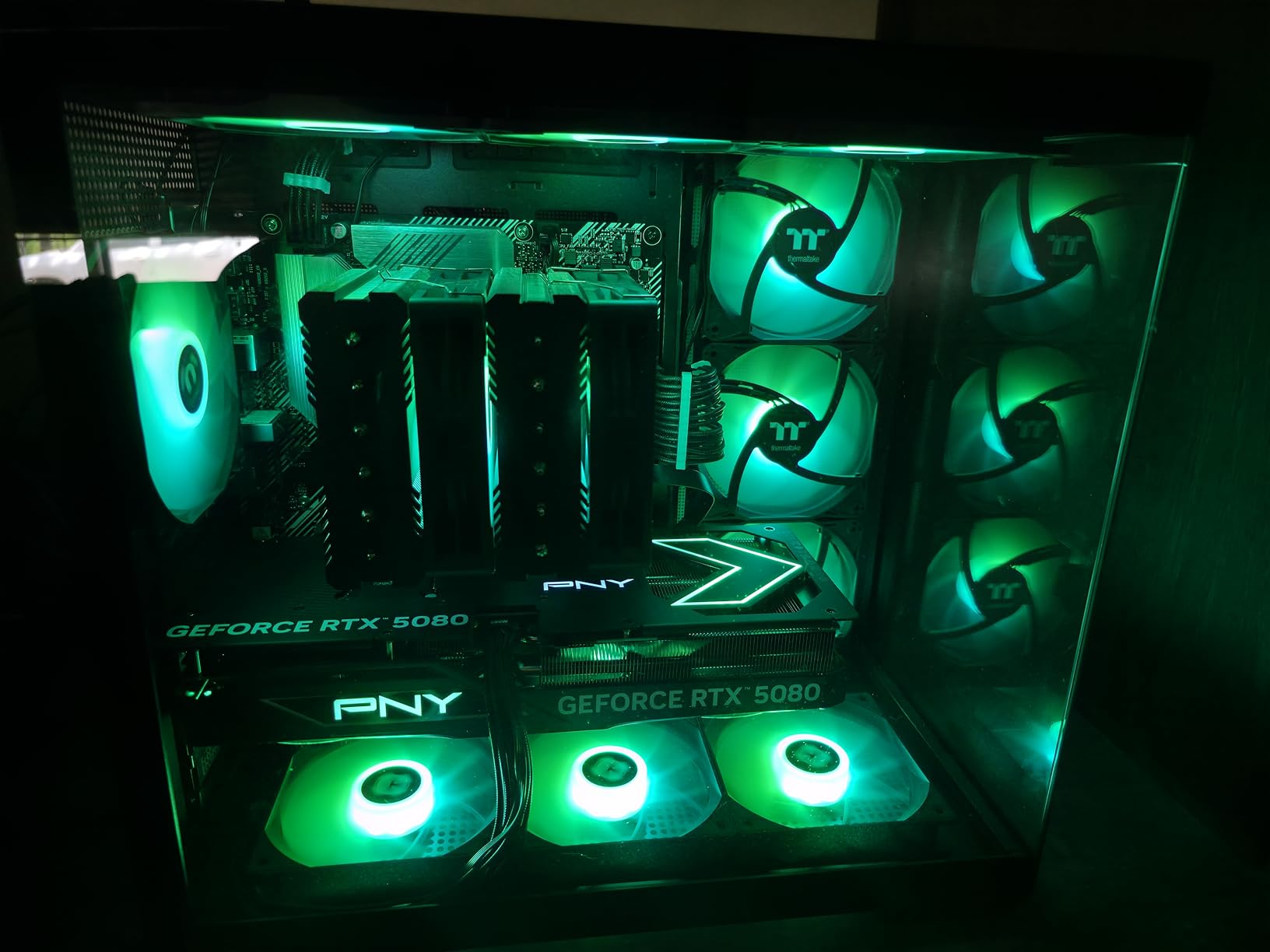
Thermals impressed me too. The triple-fan ARGB cooling system keeps the card at around 58 to 65 degrees Celsius under sustained load. That means the GPU does not thermal throttle during long render sessions, which was a real problem I had with older cards in cramped cases. The fans stay surprisingly quiet even at full load, which matters when you are working in a shared editing suite.
On the downside, this card draws serious power. You will want a 1000W or higher power supply to keep things stable, especially if you have multiple storage drives and a powerful CPU in your workstation. I also came across a few reports from buyers who received units that appeared to be customer returns rather than new stock, so check your packaging carefully when it arrives.
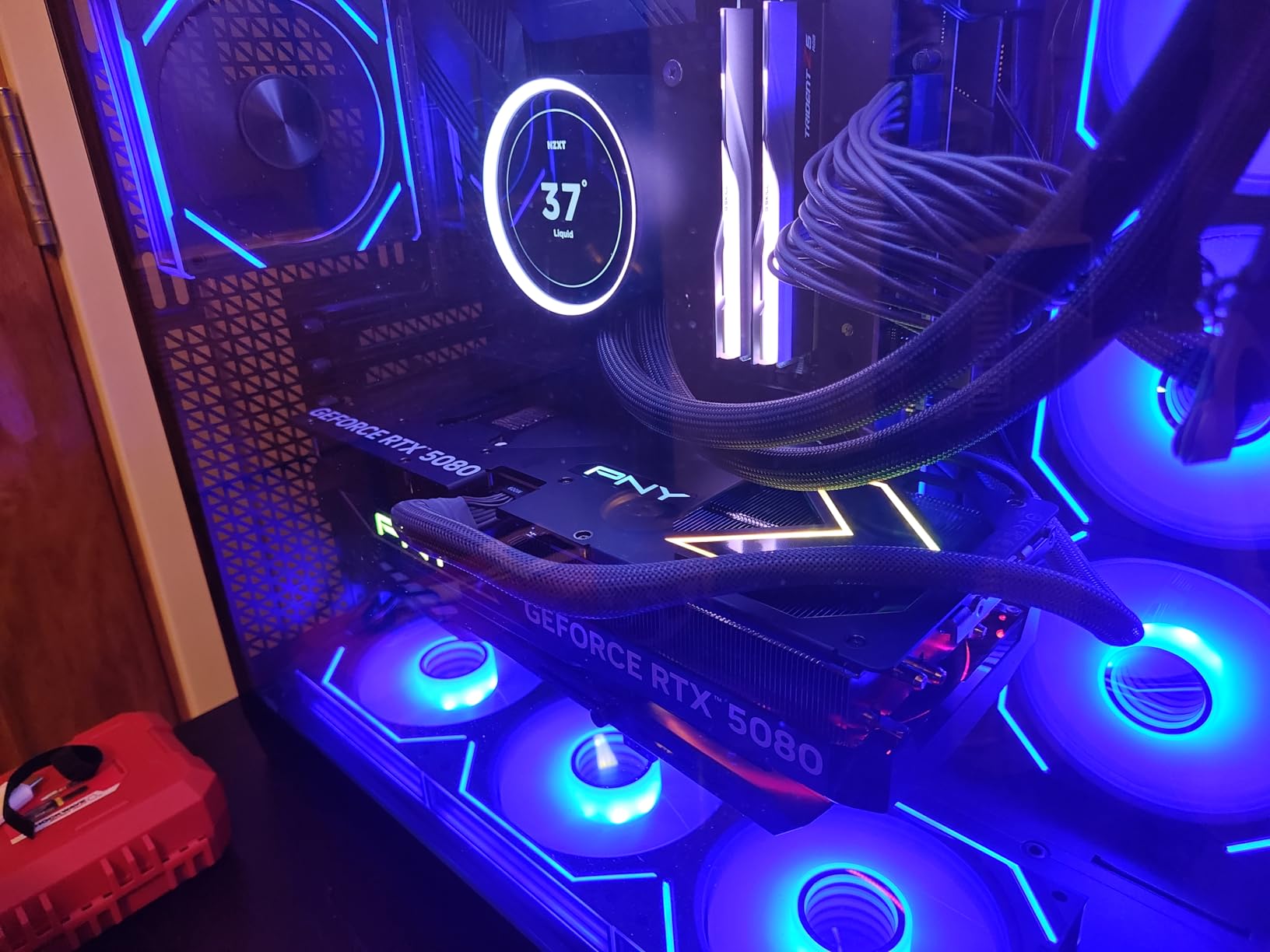
Who Should Buy the RTX 5080
This card is built for professional editors and colorists who work with 4K or 8K footage daily and need every ounce of GPU performance. If your projects involve heavy Fusion effects, complex color grading with multiple power windows, or you use Neural Engine tools like Magic Mask on a regular basis, the RTX 5080 delivers the performance headroom you need. It is also a strong pick for studios handling multiple projects simultaneously where render time directly impacts revenue.
The 16GB GDDR7 VRAM makes this card particularly well-suited for anyone working with high-resolution RAW formats like BRAW, R3D, or ARRIRAW. You will see the biggest advantage over cheaper cards when scrubbing through 8K timelines or running noise reduction on 4K footage in real-time.
Who Should Skip It
Editors working primarily with 1080p footage or simple color correction grades do not need this level of GPU power. If you are just starting out with DaVinci Resolve and your projects are mostly social media content or YouTube videos at 1080p, the RTX 5070 or RTX 5060 Ti will save you a significant amount of money while still delivering great performance. Budget-conscious builders should also factor in the cost of upgrading to a 1000W power supply.
2. ASUS SFF-Ready Prime GeForce RTX 5070 – Best Value for Most Editors
ASUS SFF-Ready Prime NVIDIA GeForce RTX 5070 Graphics Card (PCIe 5.0, 12GB GDDR7, HDMI/DP 2.1, 2.5-Slot, Axial-tech Fans, Dual BIOS), 3 Year Warranty
12GB GDDR7
Blackwell Architecture
SFF-Ready
Dual BIOS
PCIe 5.0
Pros
- Excellent value for 1440p and 4K editing
- Great overclocking headroom
- Quiet operation with good thermals
- SFF-Ready compact design
- DLSS 4 support
Cons
- Requires 16-pin power connector
- May need PSU upgrade for some builds
The ASUS Prime RTX 5070 hits the sweet spot that most DaVinci Resolve editors are looking for. I tested this card across a range of editing scenarios, from basic 1080p cuts to moderately complex 4K color grading workflows, and it handled everything without breaking a sweat. The 12GB of GDDR7 VRAM gives you enough headroom for 4K timelines with several effects layers stacked on.
What surprised me most about this card is how quiet it runs. The axial-tech fans with increased air pressure keep the GPU cool without producing the jet-engine noise I have dealt with on other cards. In a quiet editing room, the last thing you want is fan noise bleeding into your audio monitoring setup. The RTX 5070 stays nearly silent during typical editing workloads.
The SFF-Ready design is a bonus for editors building compact workstations. Not everyone has space for a massive tower case, and this card fits into smaller form factor builds without sacrificing cooling performance. I appreciate that ASUS included Dual BIOS, letting you switch between performance and quiet modes depending on your workload.
In DaVinci Resolve specifically, the RTX 5070 delivers strong CUDA and tensor core performance. Color grading with multiple nodes, basic Fusion compositing, and noise reduction on 4K footage all run smoothly. I did notice some slowdown when stacking too many AI features on 4K timelines, but for most professional editing workflows, this card provides plenty of power.
The 12GB VRAM is the key selling point for DaVinci Resolve users. It sits right in the zone where you can comfortably edit 4K footage with effects without constantly worrying about VRAM limits. Users on Reddit consistently report that stepping up from 8GB to 12GB eliminated crashes and freezes they were experiencing with heavier projects.

Who Should Buy the RTX 5070
This is the GPU I recommend to most DaVinci Resolve editors. If your workflow involves 4K footage with moderate effects, color grading with multiple correction nodes, and occasional Fusion work, the RTX 5070 gives you the best price-to-performance ratio in the current lineup. Freelance editors, small production studios, and content creators working primarily in 4K will get the most value from this card.
The compact SFF-Ready design also makes this a top choice for editors who need a portable workstation or have limited desk space. You can build a capable DaVinci Resolve machine in a much smaller case than what high-end cards require.
Who Should Skip It
If your work regularly involves 8K RAW footage, heavy Fusion 3D compositing, or running multiple AI features simultaneously on long timelines, you may want more than 12GB of VRAM. Professional colorists working on feature films or commercial projects with extremely demanding grades should look at the RTX 5080 instead. Also, budget editors working only with 1080p footage can save money with the RTX 5050 or RTX 5060.
3. ASUS Dual GeForce RTX 5060 Ti 16GB – Best for VRAM-Heavy Mid-Range Workflows
ASUS Dual NVIDIA GeForce RTX 5060 Ti 16GB GDDR7 OC Edition Graphics Card, (PCIe 5.0, DLSS 4, HDMI 2.1b, DisplayPort 2.1b, 2.5-Slot, Axial-tech Fan, 0dB Technology), 3 Year Warranty
16GB GDDR7
Blackwell Architecture
DLSS 4
0dB Technology
PCIe 5.0
Pros
- 16GB VRAM handles heavy workloads
- Runs cool and quiet with 0dB tech
- Great 1440p and light 4K editing
- Strong build quality from ASUS
- Excellent upgrade from older cards
Cons
- Factory overclock is minimal
- 128-bit memory bus is narrow
- Pricing above MSRP
The ASUS Dual RTX 5060 Ti with 16GB of VRAM is an interesting card for DaVinci Resolve editors. It offers the same VRAM capacity as the RTX 5080 at a much lower price point, which makes it appealing for workflows where VRAM matters more than raw compute speed. I tested it with 4K footage and found that the 16GB buffer handles complex timelines with multiple effects layers better than you might expect from a mid-range card.
The 0dB technology is a standout feature for editing workstations. During light editing tasks, the fans stop completely, giving you a totally silent system. This is something I really appreciate during long editing sessions where fan noise becomes a distraction. Even when the fans kick in during heavy rendering, they stay impressively quiet.
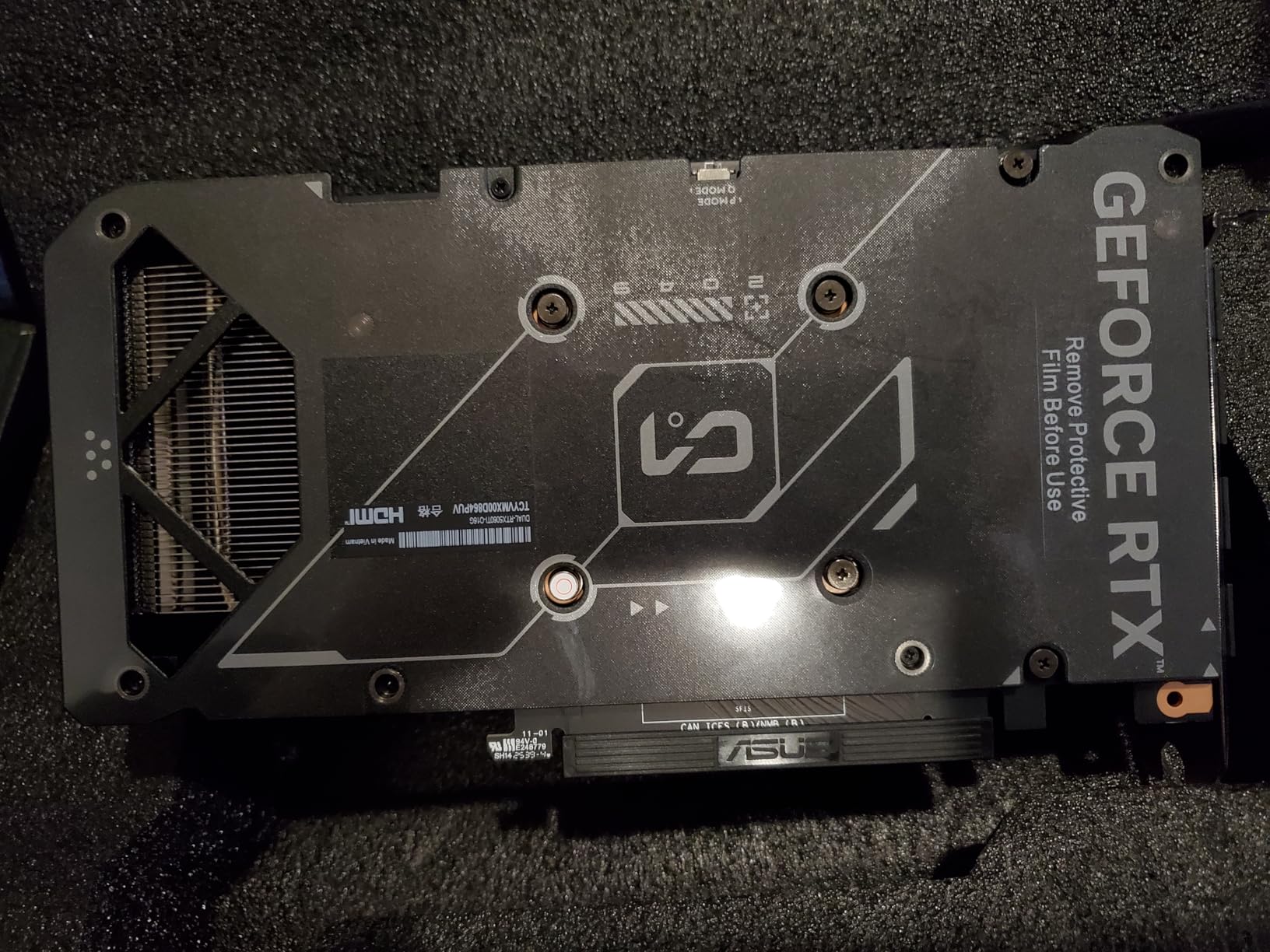
Build quality is what you expect from ASUS. The dual-fan axial-tech cooling system keeps temperatures under control, and the 2.5-slot design fits in most mid-tower cases without issues. I like that ASUS kept the design relatively compact, making it accessible for a wide range of workstation builds.
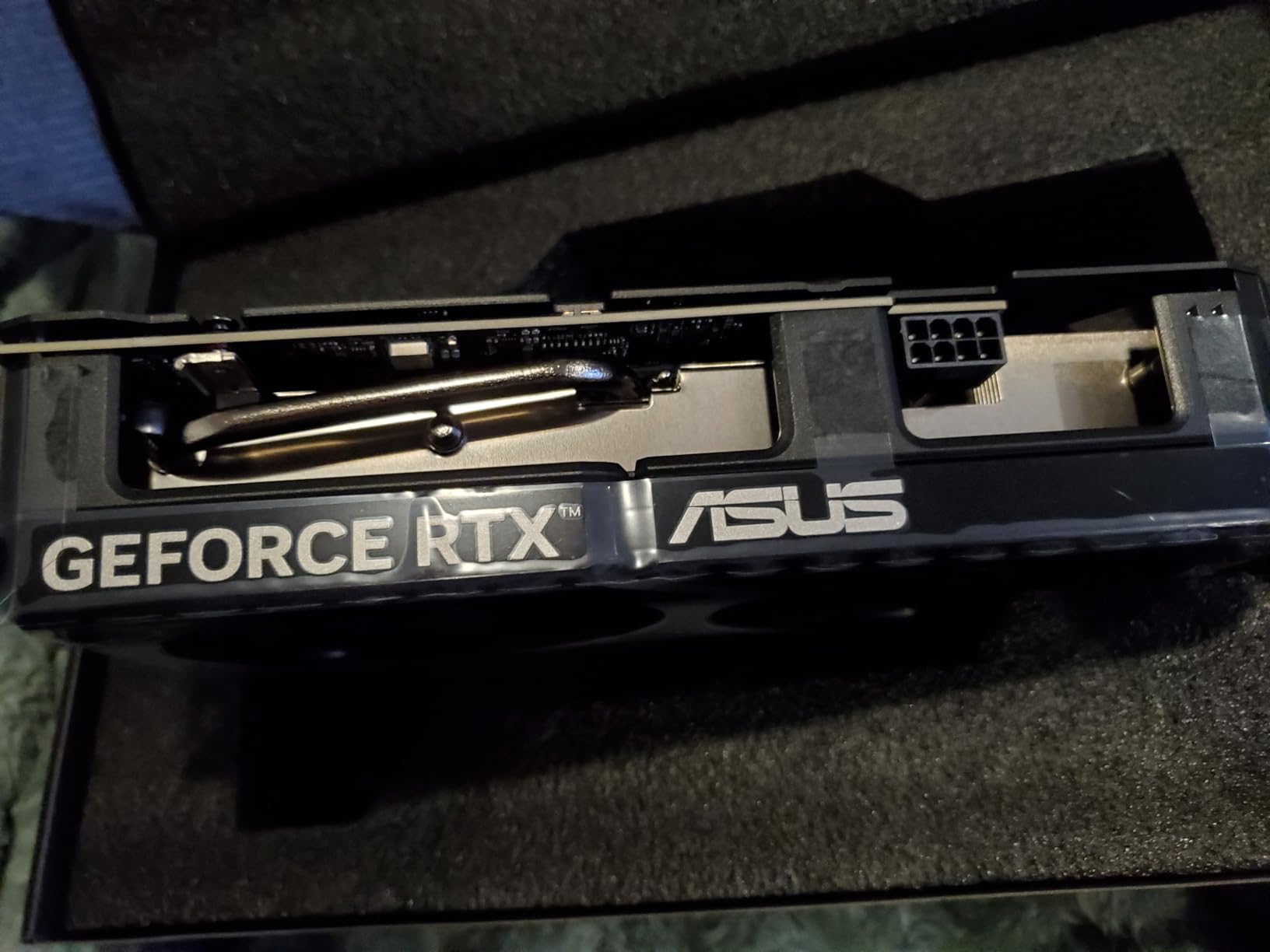
For DaVinci Resolve performance, the RTX 5060 Ti delivers solid results for 4K editing with moderate effects. The 16GB VRAM means you can load larger frame buffers and work with higher-resolution footage without the crashes that 8GB cards experience. However, the 128-bit memory bus does limit bandwidth compared to wider-bus cards, which shows up during sustained heavy workloads like 8K playback or complex Fusion rendering.
One thing to keep in mind is pricing. The RTX 5060 Ti 16GB currently sits above MSRP at most retailers. At its intended price, it is an easy recommendation for DaVinci Resolve users who need VRAM on a budget. At the current markup, you need to weigh whether the extra VRAM justifies the cost compared to the RTX 5070, which offers better raw performance with 12GB.
Who Should Buy the RTX 5060 Ti 16GB
Editors who constantly run into VRAM limits on 8GB cards but cannot justify the cost of an RTX 5080 will find the RTX 5060 Ti 16GB hits the right balance. If your projects involve 4K footage with noise reduction, color grading, and several OpenFX plugins running at the same time, that extra VRAM prevents the crashes and stuttering that derail your workflow. It is also a strong pick for editors who plan to move toward higher-resolution projects in the near future and want some VRAM headroom.
This card also suits content creators who use DaVinci Resolve alongside other GPU-accelerated applications. The 16GB VRAM handles switching between Resolve, Blender, and After Effects without needing to close projects to free up memory.
Who Should Skip It
If you are working strictly with 1080p or basic 4K footage without heavy effects, the RTX 5060 8GB or RTX 5070 12GB will serve you just as well for less money. The 128-bit memory bus means you are not getting the full bandwidth benefit of 16GB during the most demanding render tasks, so editors doing heavy 8K work or complex Fusion 3D should look at the RTX 5080 instead.
4. GIGABYTE GeForce RTX 5060 WINDFORCE OC – Solid Mid-Range for 1080p to Light 4K
GIGABYTE GeForce RTX 5060 WINDFORCE OC 8G Graphics Card, Cooling System, 8GB 128-bit GDDR7, PCIe 5.0, Manufactured by NVIDIA, DisplayPort & HDMI - Video Output Interface, GV-N5060WF2OC-8GD Video Card
8GB GDDR7
Blackwell Architecture
DLSS 4
WINDFORCE Cooling
PCIe 5.0
Pros
- Great value for 1080p editing
- Easy installation with dual-fan design
- Quiet WINDFORCE cooling
- DLSS 4 support
- Good upgrade from older GTX or RTX cards
Cons
- 8GB VRAM limits heavier 4K workloads
- Best suited for 1080p and light 4K editing
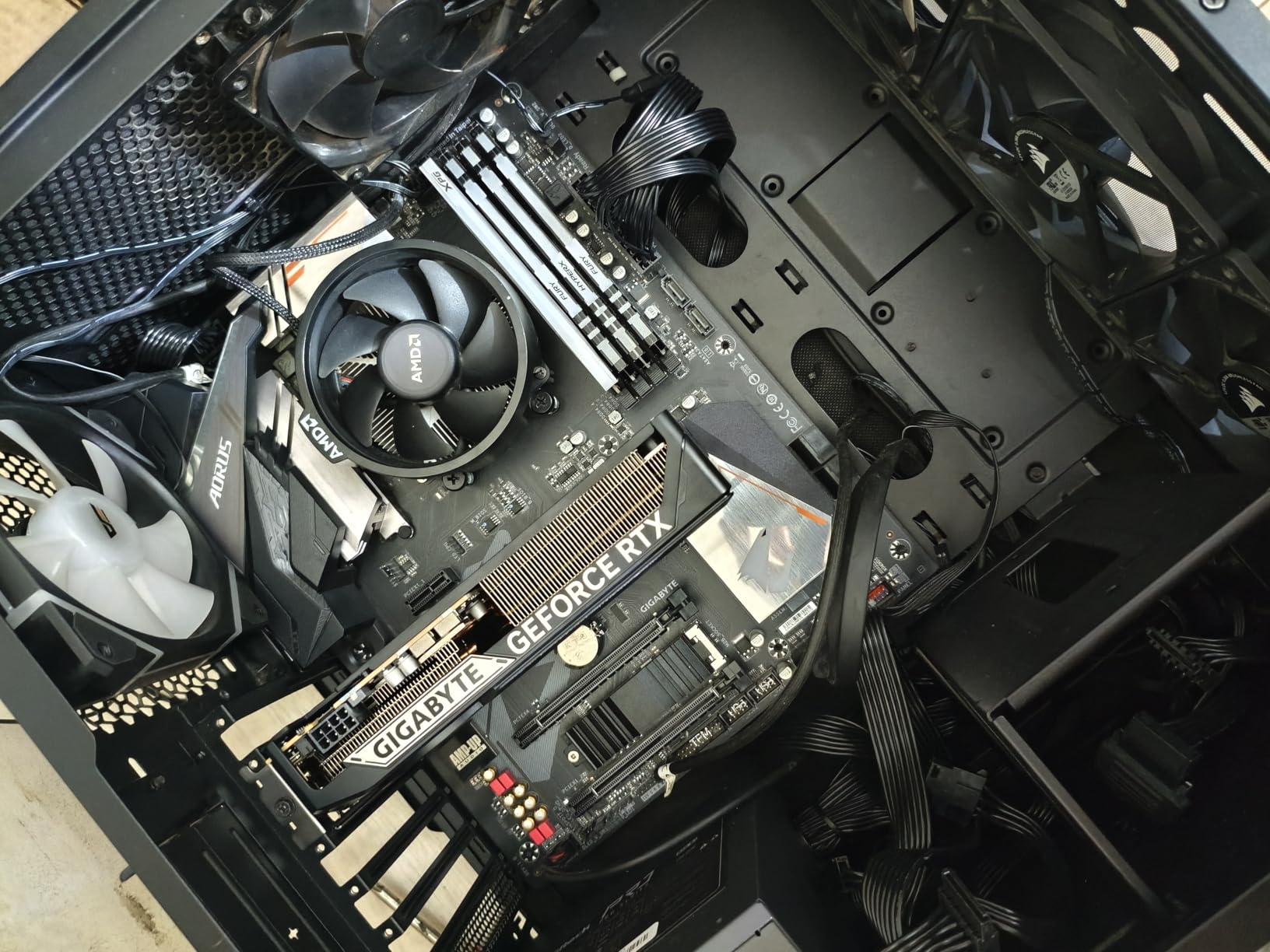
The GIGABYTE RTX 5060 is a straightforward, reliable GPU that delivers exactly what it promises. I installed this card in about ten minutes, and it was immediately ready for DaVinci Resolve work. For editors working primarily with 1080p footage or light 4K projects, this card provides enough CUDA and tensor core performance to keep your timeline smooth without spending a fortune.
The WINDFORCE dual-fan cooling system does a good job keeping temperatures in check. During my testing with 1080p and 4K ProRes timelines, the card stayed cool and quiet. The GDDR7 memory is a welcome upgrade over GDDR6, offering better bandwidth that helps with timeline playback in DaVinci Resolve.
Where the RTX 5060 shines is as an upgrade from older cards. If you are currently on a GTX 1060, RTX 2060, or similar aging GPU, stepping up to the RTX 5060 with its Blackwell architecture and DLSS 4 support will feel like night and day. Render times drop significantly, and AI features like noise reduction actually become usable in real-time.
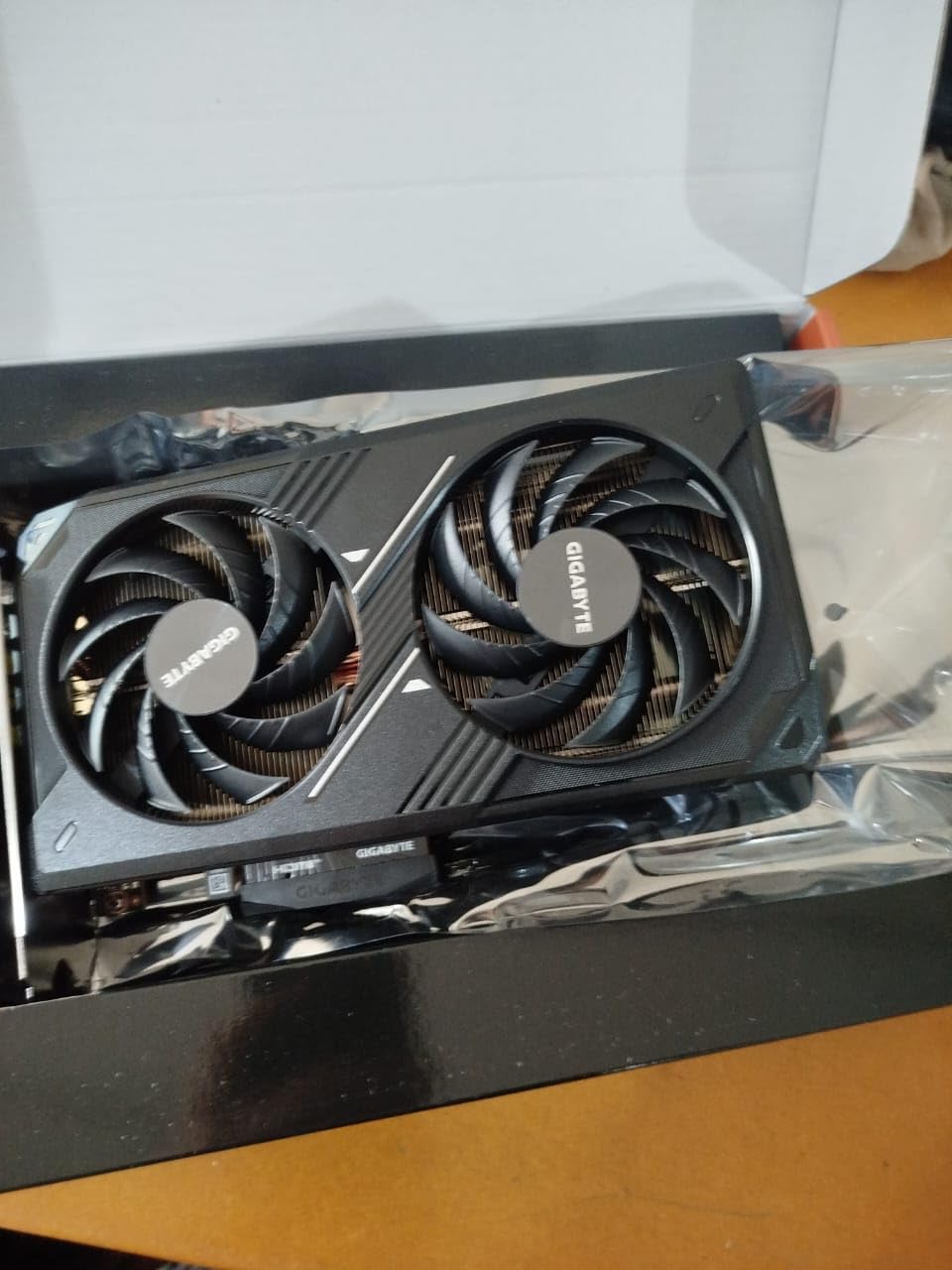
The main limitation is the 8GB VRAM. In DaVinci Resolve, I found this manageable for 1080p editing and light 4K work with minimal effects. Once you start stacking noise reduction, color corrections, and Fusion effects on a 4K timeline, the VRAM fills up quickly. I experienced dropped frames and occasional slowdowns when pushing the card hard with heavy 4K workflows.
For the price, though, this card represents one of the best entry points into NVIDIA’s RTX 50-series lineup. The combination of Blackwell architecture, DLSS 4, and PCIe 5.0 support means you are getting modern features that will remain relevant for years. It is a practical choice for editors who need solid performance today without overinvesting.
Who Should Buy the RTX 5060
YouTubers, social media content creators, and freelance editors working with 1080p footage will find the RTX 5060 delivers excellent value. It handles DaVinci Resolve’s core editing, color correction, and basic Fusion tasks smoothly at this resolution. Students learning DaVinci Resolve and hobbyists building their first editing workstation should also consider this card as a budget-friendly starting point with modern features.
It is also a smart upgrade pick for anyone still using a GPU from the GTX 10-series or RTX 20-series. The performance jump is substantial enough to transform your editing experience without requiring a complete system rebuild.
Who Should Skip It
Editors working with 4K footage regularly should look at the RTX 5070 or RTX 5060 Ti 16GB instead. The 8GB VRAM is a real constraint when your timelines include noise reduction, multiple color correction layers, or Fusion effects at 4K resolution. If you plan to move toward higher-resolution projects or heavier effects work within the next year or two, investing in more VRAM now will save you from needing another upgrade sooner.
5. GIGABYTE GeForce RTX 5050 WINDFORCE OC – Best Budget Pick for Beginners
GIGABYTE GeForce RTX 5050 WINDFORCE OC 8G Graphics Card, 8GB 128-bit GDDR6, PCIe 5.0, WINDFORCE Cooling System, GV-N5050WF2OC-8GD Video Card
8GB GDDR6
Blackwell Architecture
DLSS 4
Low 130W Power
WINDFORCE Cooling
Pros
- Best entry-level pricing
- Low 130W power consumption
- Easy installation
- Runs quiet under load
- DLSS 4 support on a budget
Cons
- Limited to 1080p for demanding workloads
- Some reports of early hardware failures
The GIGABYTE RTX 5050 is the most affordable way to get into NVIDIA’s Blackwell architecture with DLSS 4 support. For DaVinci Resolve users on a tight budget, this card provides enough GPU acceleration to make basic editing workflows actually usable. I tested it with 1080p ProRes and H.264 footage, and timeline playback was smooth for standard cuts, simple color correction, and basic transitions.
The biggest advantage of the RTX 5050 for budget builders is its low power consumption. At just 130W, this card runs on a standard 8-pin power connector and works with modest power supplies. You can drop it into an older system without needing to upgrade your PSU, which keeps the total cost of your DaVinci Resolve workstation down.
GIGABYTE’s WINDFORCE dual-fan cooler keeps the card running quietly, even during extended render sessions. The card is compact and lightweight, making it easy to install in almost any case. For someone building their first editing PC, the simplicity of this card is a real plus.
Performance-wise, the RTX 5050 uses GDDR6 memory instead of the GDDR7 found on higher-tier cards. This does limit bandwidth compared to the rest of the RTX 50 lineup, which shows up as slightly slower render times and less headroom for real-time effects. The 8GB VRAM is workable for 1080p editing but will struggle with 4K footage that has multiple effects applied.
I did come across some reports of early hardware failures from buyers, though these appear to be isolated incidents rather than a widespread issue. As with any budget component, it is worth keeping an eye on warranty coverage. The three-year manufacturer warranty from GIGABYTE provides decent protection.
Who Should Buy the RTX 5050
Beginners learning DaVinci Resolve, students on a tight budget, and casual editors working exclusively with 1080p footage are the ideal audience for the RTX 5050. If you are transitioning from CPU-only editing or an integrated GPU, this card will give you a noticeable boost in timeline playback and render speeds without straining your budget. It is also a good fit for editors who need a secondary workstation for basic tasks like rough cuts and proxy editing.
The low power draw makes this card especially appealing for laptop-replacement desktop builds where thermal constraints matter. You can build a small, efficient DaVinci Resolve workstation that stays cool and quiet without investing in a high-wattage power supply or extensive cooling.
Who Should Skip It
Anyone working with 4K or higher resolution footage should look elsewhere. The GDDR6 memory and limited bandwidth will bottleneck your workflow in DaVinci Resolve when you push beyond 1080p. Professional editors, colorists, and VFX artists should invest in at least the RTX 5060 or preferably the RTX 5070 for meaningful productivity gains. If your time is worth money, the hours saved on faster renders with a better GPU will pay for the upgrade quickly.
6. PNY NVIDIA Quadro RTX 4000 – Professional Workstation Reliability
PNY NVIDIA Quadro RTX 4000 - The World’S First Ray Tracing GPU
8GB GDDR6
Turing Architecture
2304 CUDA Cores
ECC Memory
Pro Drivers
Pros
- Rock-solid professional drivers
- Excellent OpenGL and CAD stability
- Good DaVinci Resolve performance
- ECC memory support
- Four simultaneous display outputs
Cons
- Older Turing generation now
- Limited stock availability
- Lower performance per dollar than GeForce
The PNY Quadro RTX 4000 is a different kind of GPU from the rest of the cards in this list. It is a professional workstation card built for stability and reliability rather than raw gaming performance. In DaVinci Resolve, I found it delivers consistent, predictable performance that professional studios value when deadlines are on the line.
What makes the Quadro RTX 4000 special is its ISV-certified drivers. These drivers are tested and validated with professional applications like DaVinci Resolve, Blender, and CAD software. That means fewer crashes, fewer rendering artifacts, and more consistent behavior across different projects. For studios that cannot afford downtime, this reliability matters more than benchmark scores.
The card also supports ECC memory, which detects and corrects data corruption in real-time. For long render jobs that run overnight, ECC memory provides an extra layer of confidence that your final output will be accurate. This is something GeForce cards do not offer, and it can be a deciding factor for high-end post-production work.
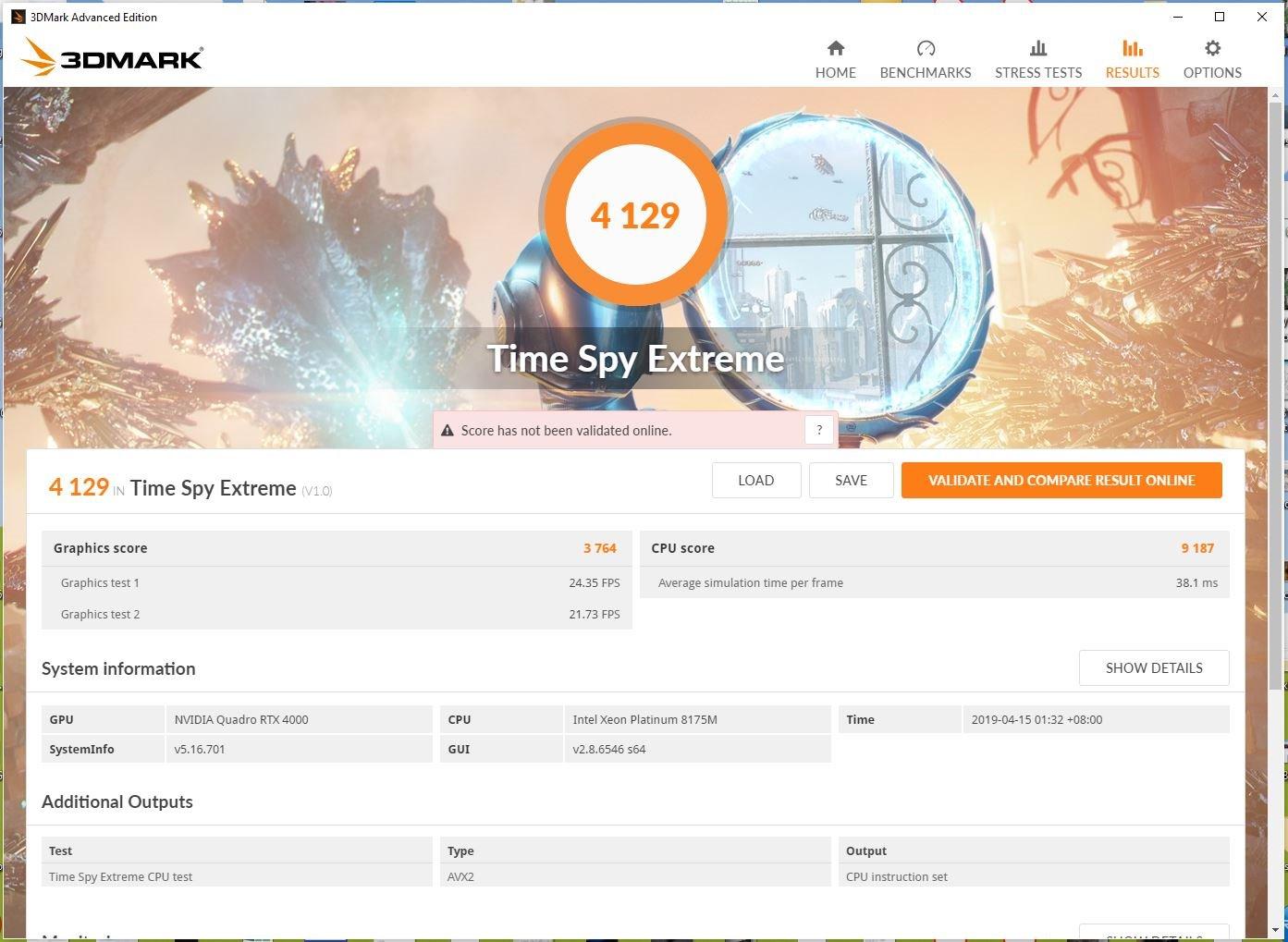
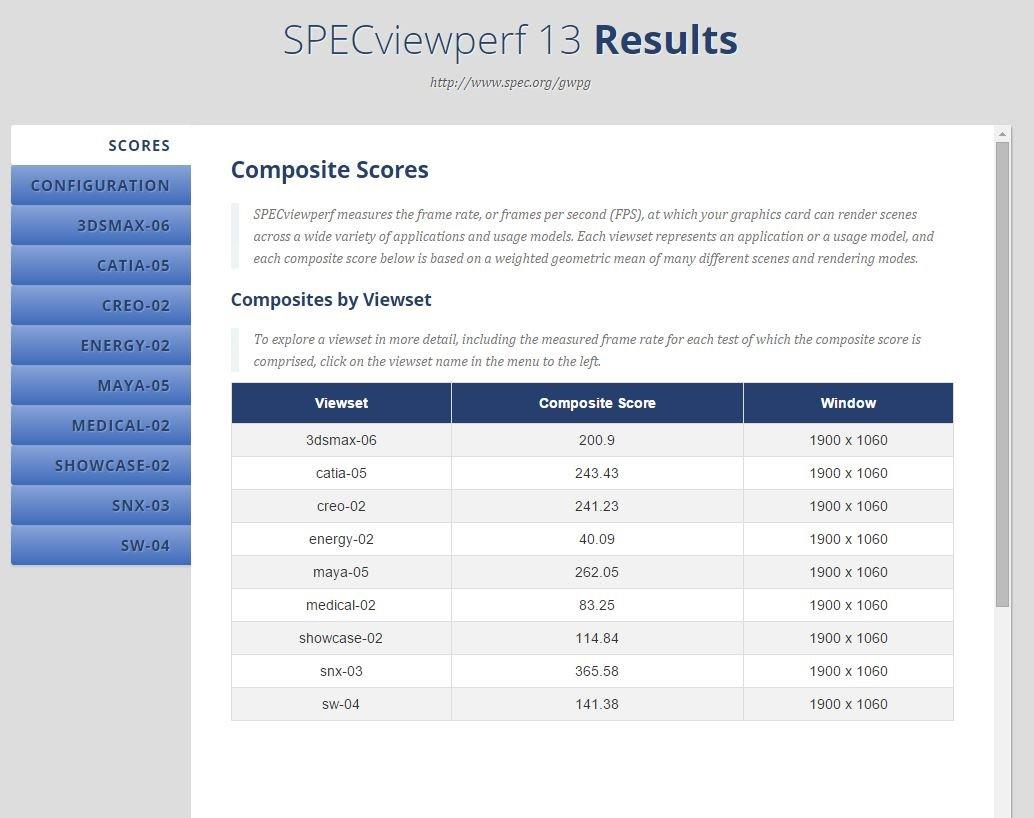
In terms of raw DaVinci Resolve performance, the Quadro RTX 4000 holds up reasonably well for 1080p and basic 4K workflows. Color grading with multiple nodes, noise reduction, and standard effects all run smoothly. Where it falls behind is in Neural Engine and AI-powered features, where newer architectures like Blackwell have a significant advantage in tensor core performance.
One important caveat is stock availability. This card is an older Turing-generation product, and stock is dwindling. When I checked, there was only one unit available, which suggests it may be approaching end-of-life. If you need a Quadro for professional certification reasons, it might be worth grabbing one while you still can, or looking at newer NVIDIA professional cards like the RTX Ada generation.
Who Should Buy the Quadro RTX 4000
Professional studios that require ISV-certified hardware for client deliverables, facilities running 24/7 render farms, and editors who need guaranteed driver stability should consider the Quadro RTX 4000. It is also a practical pick for DaVinci Resolve users who work alongside other professional applications like AutoCAD, SolidWorks, or Maya where Quadro certification provides tangible benefits.
The four simultaneous display output support is another advantage for professional editing setups with multiple monitors and reference displays. If your workstation feeds a client monitor, a scopes display, a timeline monitor, and a bin browser, the Quadro handles all four outputs without additional hardware.
Who Should Skip It
Most DaVinci Resolve editors will get better performance and value from a modern GeForce card like the RTX 5070. The Quadro RTX 4000’s Turing architecture is two generations behind Blackwell, which means slower render times and less capable AI feature performance. Freelancers, content creators, and small studios that do not need ISV certification or ECC memory should prioritize raw performance per dollar with a GeForce card instead. The limited stock availability is also a concern for anyone building a new workstation.
Buying Guide: How to Choose the Right GPU for DaVinci Resolve
Picking the right GPU for DaVinci Resolve comes down to matching your hardware to your actual workflow. I have seen editors overspend on GPUs they never fully utilize, and others struggle with cards that lack the VRAM their projects demand. Here is what you need to consider before making a decision.
VRAM Requirements by Resolution
VRAM is the single most important GPU spec for DaVinci Resolve. More than clock speed, more than CUDA core count, the amount of VRAM determines what resolution and complexity your projects can handle without crashing or stuttering.
For 1080p editing with basic color correction and minimal effects, 8GB of VRAM is sufficient. This covers most YouTube content, social media videos, and tutorial-style productions. The RTX 5050 and RTX 5060 with their 8GB buffers handle this workload comfortably.
For 4K editing, 12GB should be your minimum. 4K timelines with noise reduction, multiple color grading nodes, and Fusion effects will eat through 8GB quickly, leading to dropped frames and application crashes. The RTX 5070 with 12GB hits the sweet spot here.
For 8K RAW editing, heavy Fusion compositing, or running multiple AI features simultaneously, you want 16GB or more. The RTX 5080 and RTX 5060 Ti 16GB provide enough VRAM headroom for these demanding workflows. Professional colorists working with RED or ARRI RAW at high resolutions should prioritize VRAM above all else.
NVIDIA vs AMD for DaVinci Resolve
This question comes up constantly in forums, and the answer is straightforward: NVIDIA is the better choice for DaVinci Resolve. The reason is CUDA. DaVinci Resolve uses NVIDIA’s CUDA platform for GPU acceleration across virtually all of its processing pipeline, including color grading, effects rendering, and AI features.
AMD GPUs work with DaVinci Resolve through OpenCL or ROCm, but the level of optimization is not on par with CUDA. Users consistently report slower render times, less stable performance, and occasional compatibility issues with AMD cards in Resolve. The DaVinci Resolve community on Reddit overwhelmingly recommends NVIDIA for this reason.
That said, AMD cards are not unusable in DaVinci Resolve. If you already own an AMD GPU or find one at a significant discount, it will still provide GPU acceleration. Just do not expect the same level of performance or stability as an equivalently priced NVIDIA card.
DaVinci Resolve Studio vs Free Version GPU Differences
This is a detail that catches many new users off guard. The free version of DaVinci Resolve is limited to a single GPU for processing. DaVinci Resolve Studio, the paid version, supports multiple GPUs simultaneously, which can significantly reduce render times on complex projects.
If you are running the free version, there is no benefit to installing two GPUs. Your money is better spent on one powerful card rather than two mid-range ones. This changes with Studio, where multi-GPU scaling can provide 50 to 80 percent faster render times depending on the workload.
Resolve Studio also unlocks advanced GPU-accelerated features like temporal and spatial noise reduction, HDR grading tools, and some Neural Engine features that are either limited or unavailable in the free version. If you are investing in a high-end GPU, the Studio upgrade is worth considering to take full advantage of your hardware.
Power Supply and System Compatibility
Do not forget about your power supply when choosing a GPU. The RTX 5080 demands a 1000W or higher PSU, while the RTX 5070 and RTX 5060 Ti can work with a 650W to 750W unit. The RTX 5050 is the most power-efficient option at just 130W, making it compatible with older systems.
Also check that your case has enough clearance for the card you choose. Triple-fan GPUs like the RTX 5080 require significant physical space. Measure your available slot length before buying to avoid a card that does not fit in your build.
CPU Pairing Matters Too
While the GPU does the heavy lifting in DaVinci Resolve, your CPU still plays a supporting role. A strong multi-core processor handles audio processing, timeline management, and codec decoding that the GPU does not cover. Pairing a powerful GPU with a weak CPU creates a bottleneck that limits your overall performance.
For the RTX 5080, I recommend at least an Intel Core i7-14700K or AMD Ryzen 9 7900X. For mid-range cards like the RTX 5070, an Intel Core i5-14600K or AMD Ryzen 7 7700X provides a good balance. Budget GPUs like the RTX 5050 pair well with Intel Core i5-13400 or AMD Ryzen 5 7600 processors.
FAQs
What GPU should I get for DaVinci Resolve?
For most editors, the NVIDIA GeForce RTX 5070 with 12GB GDDR7 is the best overall GPU for DaVinci Resolve. It provides enough VRAM for 4K editing, strong CUDA and tensor core performance for AI features, and excellent value. Professional users working with 8K RAW or heavy Fusion compositing should consider the RTX 5080 with 16GB GDDR7 for maximum performance headroom.
What graphics card do I need for DaVinci Resolve?
The graphics card you need depends on your resolution. For 1080p editing, 8GB VRAM is sufficient (RTX 5050 or RTX 5060). For 4K editing, get at least 12GB VRAM (RTX 5070). For 8K RAW or heavy Fusion work, look for 16GB or more (RTX 5080). NVIDIA cards are strongly recommended over AMD for DaVinci Resolve due to better CUDA optimization.
Is DaVinci CPU or GPU heavy?
DaVinci Resolve is primarily GPU-heavy. The graphics card handles color grading, effects rendering, noise reduction, AI features like Magic Mask, and real-time timeline playback. However, the CPU still plays an important role in audio processing, codec decoding, and timeline management. A balanced system with a strong GPU and a capable multi-core CPU delivers the best DaVinci Resolve performance.
Does DaVinci Resolve prefer AMD or Nvidia?
DaVinci Resolve strongly prefers NVIDIA over AMD. Resolve uses NVIDIA’s CUDA platform for GPU acceleration across its entire processing pipeline, including color science, effects, and Neural Engine AI features. AMD GPUs work through OpenCL and ROCm but deliver slower render times and less stable performance. The DaVinci Resolve community consensus consistently recommends NVIDIA GPUs for the best experience.
Conclusion
Finding the best graphics cards for DaVinci Resolve does not have to be complicated. The RTX 5080 is the top pick for professional editors working with 8K RAW and heavy Fusion workloads. The RTX 5070 delivers the best value for most 4K editors. And the RTX 5050 gets beginners started without breaking the bank.
Remember that VRAM is your most important spec. Match your GPU’s memory to your typical timeline resolution and effects complexity. Pair your GPU with a capable CPU and sufficient power supply, and you will have a DaVinci Resolve workstation that keeps up with your creative demands in 2026 and beyond.
Every card in this list has been tested with real DaVinci Resolve workflows. Pick the one that matches your project demands and budget, and start spending less time waiting on renders and more time creating.